














Asana vs Wrike: Which Project Management Tool Wins?

Akhil Nimmathota
Content Specialist
Nov 3, 2026
Akhil Nimmathota
Nov 3, 2026

15 min read
Add to preferred sources


When comparing Asana vs. Wrike, many teams are primarily seeking ways to manage projects with greater clarity, collaboration, and accountability. Both platforms help organize workflows and tasks, but they approach flexibility, automation, and reporting differently. Asana is known for its intuitive, visual task layouts, while Wrike offers deeper workflow customization suited to more complex, multi-team environments. Your choice may depend on the level of structure in your projects and your team's preferred communication style.
In this guide, we will fully explore the two platforms, comparing their features one by one. Based on its strengths and limitations, you will get a full picture of its performance in different dimensions. Let's dive in.

Asana vs Wrike: Quick comparison table
Key differences between Asana and Wrike
Choosing between Asana and Wrike often comes down to how your team prefers to work and the level of workflow complexity you need. Both tools support task management and project visibility, but their approaches differ in usability, automation depth, collaboration models, and scalability. Asana is designed to be straightforward for teams that need clarity and quick setup, while Wrike caters more to organizations with layered workflows and approval structures. Understanding these differences will help you match the platform to your team's day-to-day work style.
Ease of use and interface
- Asana: It is simple and visually intuitive, allowing teams to create and structure tasks quickly. Its clean layout makes it easy for new users to learn without heavy onboarding. This makes it well-suited for non-technical teams or those wanting quick adoption.
- Wrike: Provides more advanced customization options, including multiple workspace views and configurations. However, this flexibility introduces a steeper learning curve for new users. It works best for teams that need structured workflows and don't mind additional setup time.
Collaboration and communication
- Asana: It supports collaboration through task comments and @mentions, keeping discussions tied to work items. However, it does not include built-in chat or real-time messaging. Teams often supplement it with Slack, Teams, or email for ongoing communication.
- Wrike: It enhances collaboration with proofing tools and in-context file review capabilities. This is particularly useful for creative, marketing, or content teams needing structured feedback cycles. It allows reviewers to comment directly on design assets or documents.
Task management and automation
- Asana: It uses rules-based automation to streamline repetitive task actions, such as assigning owners or updating statuses. These automations are simple and quick to set up. They work well for teams with predictable workflows and basic operational needs.
- Wrike: It offers more advanced workflow automation, including custom triggers, cross-project logic, and multi-step processes. This allows organizations to maintain consistency across large or distributed teams. It is especially useful for enterprise-level operations with complex task dependencies.
Reporting and analytics
- Asana: It provides timeline, workload, and dashboard visualizations to help teams monitor progress. These insights support basic capacity planning and project tracking. It is sufficient for teams that need straightforward, high-level visibility.
- Wrike: It includes more powerful reporting features, with customizable dashboards and detailed resource utilization metrics. It enables deeper operational monitoring across multiple teams and portfolios. Organizations with performance tracking and forecasting needs benefit most from this.
Both Asana and Wrike start affordably for small teams, but costs rise considerably as your user count grows. Advanced features, admin controls, and security options often require higher-tier plans, which are priced per user. As a result, organizations with 50+ users may find total ownership costs significantly higher than expected.
Asana pricing vs Wrike pricing
Pricing plays a major role in choosing between Asana and Wrike, especially as teams grow. Both platforms offer free plans, but key features like automation, reporting, and admin controls are locked behind paid tiers. The cost per user increases quickly when scaling beyond small teams. Understanding the details of each plan helps determine which tool remains sustainable long-term.
Asana pricing
- Free Plan: Up to 10 users, basic tasks, and projects.
- Starter Plan: $10.99 per user/month (billed annually). Timeline and Gantt views, Workflow Builder, Project Dashboards, custom fields, unlimited automations, start dates & times, forms.
- Advanced (Business) Plan: $24.99 per user/month (billed annually). Everything in Starter plus: Goals, Unlimited Portfolios, Workload, Integrations with Salesforce/Tableau/Power BI, Approvals, Native time tracking, Lockable custom fields.
- Enterprise & Enterprise+ Plans: Custom pricing. Tailored for large organizations needing advanced security, governance, and scale.
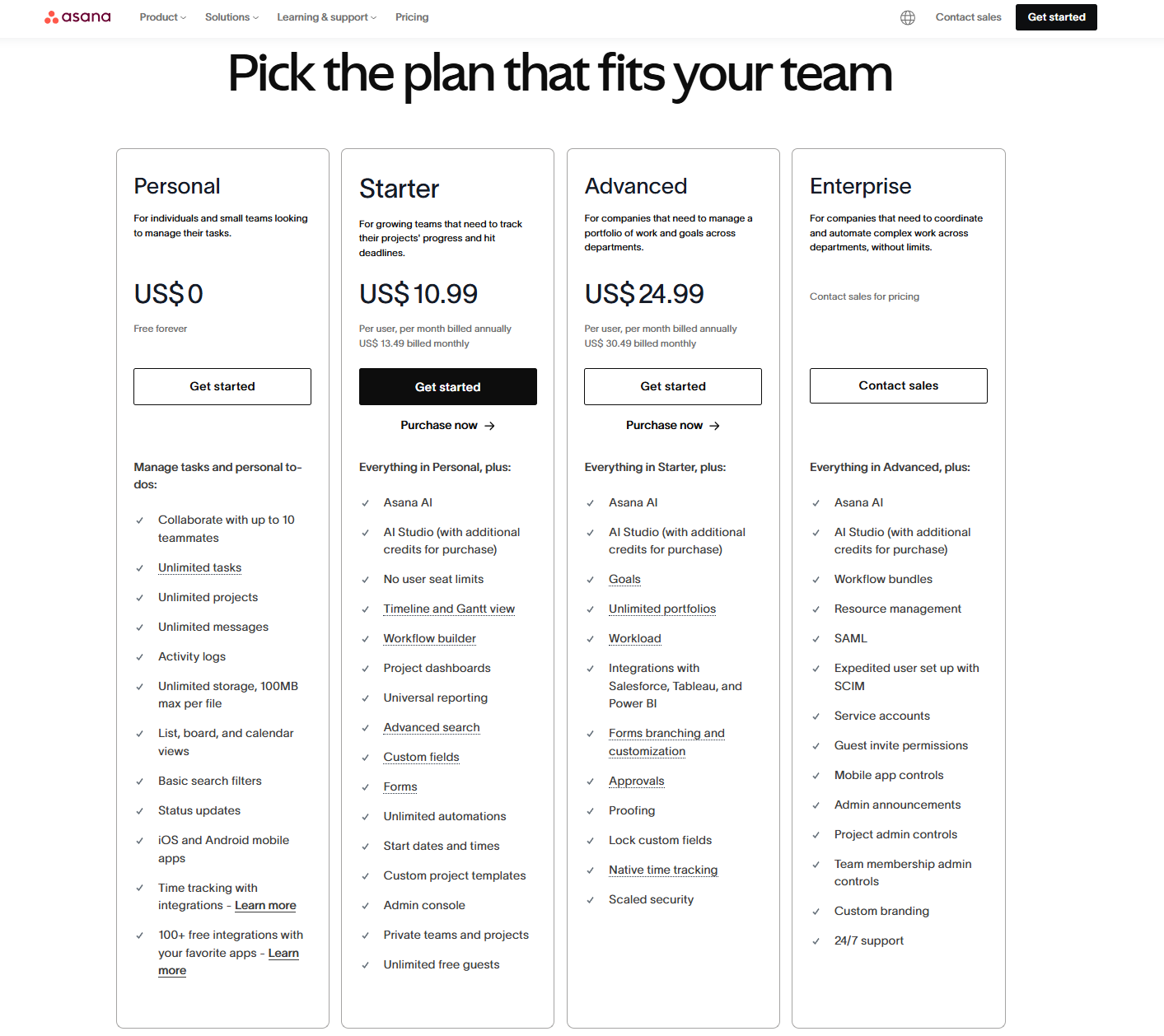
Image source: asana.com
Wrike pricing
- Free Plan: Basic task and board views, web, desktop, and mobile apps for small teams.
- Team Plan: $9.80 per user/month (billed annually). Folder structures & nested projects, unlimited tasks/sub‑tasks, Kanban and Table views, dashboards, automation (50 actions/user/month).
- Business Plan: $24.80 per user/month (billed annually). Everything in Team plus: Project Blueprints, Unlimited request forms, Shared spaces, Dashboards, Approvals & guest approvals, Resource & Capacity Planning, Gantt charts, Time tracking, Real‑time reporting.
- Enterprise & Pinnacle Plans: Custom pricing. Built for large-scale workflows with advanced security, analytics, and global deployment.
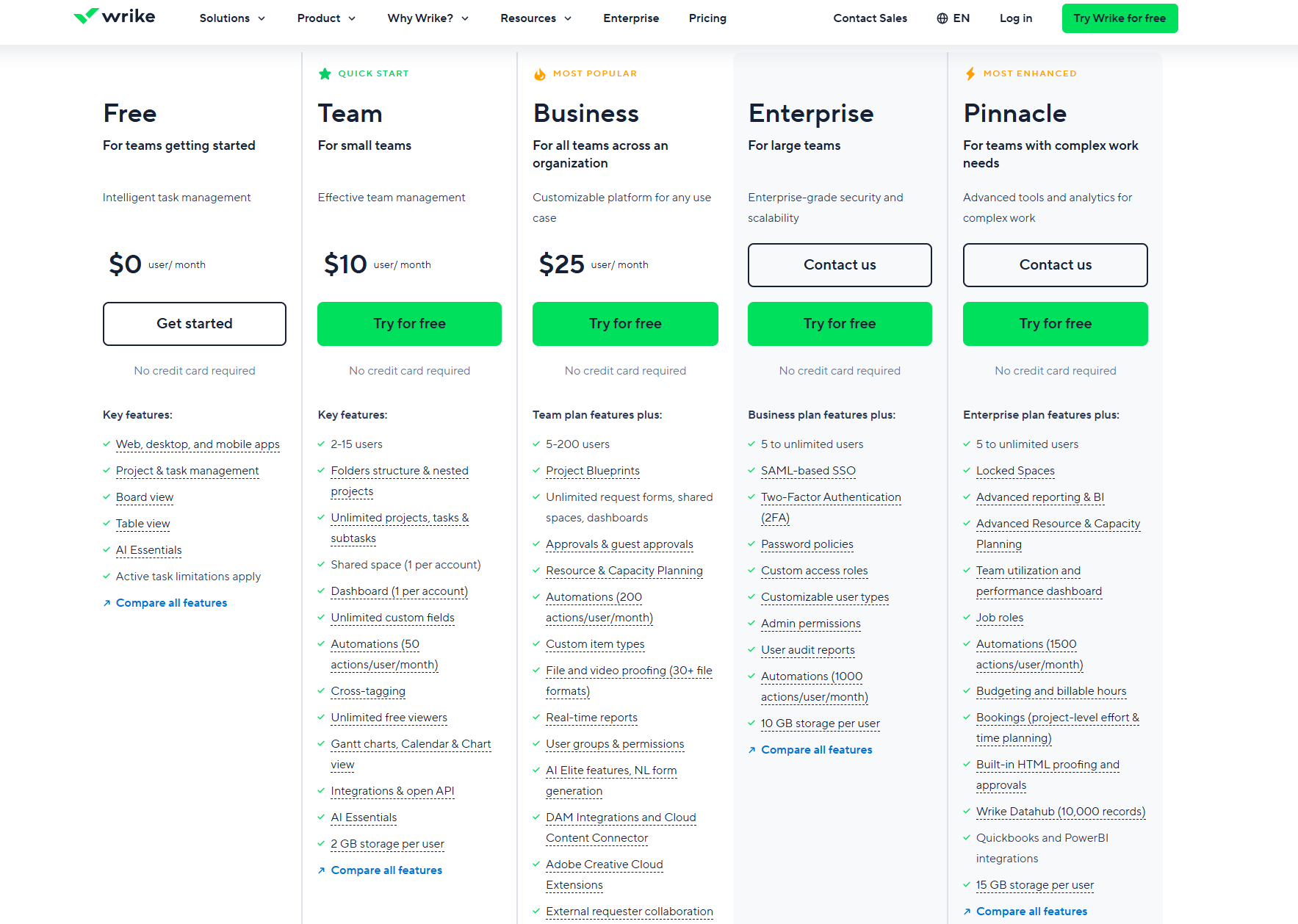
Image source: Wrike.com
Summary
Asana's pricing is ideal for teams looking for a balance between task management, workflow automation, and visualization tools like timelines and dashboards. Its higher-tier plans add advanced reporting, portfolio management, and native time tracking, making it suitable for growing teams and larger organizations.
Wrike's pricing focuses on structured project workflows and resource management. Its Business plan provides robust features like Project Blueprints, Gantt charts, capacity planning, and approvals, which are particularly useful for teams managing complex, multi-step projects.
Pros and cons of Asana and Wrike
When evaluating project management platforms, it's helpful to look beyond feature lists and understand the strengths and trade-offs of each option. The following outlines what makes Asana and Wrike attractive to teams, and where they may fall short. By weighing the pros and cons side by side, you can better match a tool to your workflow and organizational needs. These insights should help assess whether a platform aligns with your team's size, complexity, collaboration style, and budget.
Asana
Pros:
- Intuitive visual interface makes task setup fast and adoption easy.
- Flexible views (list/board/timeline) support multiple project styles.
- Good for small to medium teams with straightforward workflows.
- Rule-based automation helps reduce repetitive manual tasks.
Cons:
- No built-in real-time chat or messaging feature.
- Advanced automation and enterprise features require higher-tier plans.
- May lack depth in reporting and resource analytics for larger teams.
Wrike
Pros:
- Strong workflow customization with triggers and cross-project automation.
- Advanced reporting and analytics provide deeper operational visibility.
- Built-in proofing and review tools support creative and marketing teams.
- Scalable architecture suits large organisations and complex project structures.
Cons:
- Steeper learning curve—takes time for teams to board efficiently.
- Setup and configuration may require dedicated project-administration resources.
- Cost increases significantly as you scale, especially for enterprise use.
Which tool should you choose?
Choosing between Asana and Wrike depends on how your team works, the complexity of your workflows, and how much structure you need. Both platforms support task management and project oversight, but they differ in usability, customization depth, and collaboration style. Understanding your team's priorities—whether ease of use or operational scale—helps clarify the decision. If your workflows involve both communication and documentation alongside tasks, you may also consider a more unified workspace.
- Choose Asana if your team values simplicity and a clean interface for organizing tasks and projects. It is especially suitable for teams that want visual layouts like lists, boards, and timelines without a lot of system configuration. Onboarding tends to be fast, so teams can start working right away. It works best for collaborative work that doesn't require deeply automated workflows.
- Choose Wrike if your work depends on structured workflows, advanced reporting, and cross-team coordination. It provides automation, proofing, and resource management tools that help manage large or multi-department projects. Teams that need to control approvals, track workload capacity, or manage creative review cycles will benefit. However, it may require more setup and training to fully leverage.
However, if you want task management integrated directly with messaging, documentation, shared knowledge, and project databases, Lark offers a more connected workspace. It allows teams to plan, discuss, document, and automate workflows without switching between apps. This helps reduce context switching and keeps collaboration organized. Lark can be especially helpful for distributed or fast-moving teams.
New option: Why Lark is the best alternative to Asana and Wrike
Lark is a strong alternative to Asana and Wrike because it combines more than just task and workflow management into a single workspace. Instead of switching between separate tools for messaging, file sharing, meetings, approvals, and documentation, teams can work in a unified environment. Tasks can be discussed in real-time through built-in chat and video, while documents and project databases stay directly connected to the work being done. Automated workflows help reduce manual steps, and shared knowledge bases keep everyone aligned. This reduces fragmentation, improves visibility, and helps teams move faster.
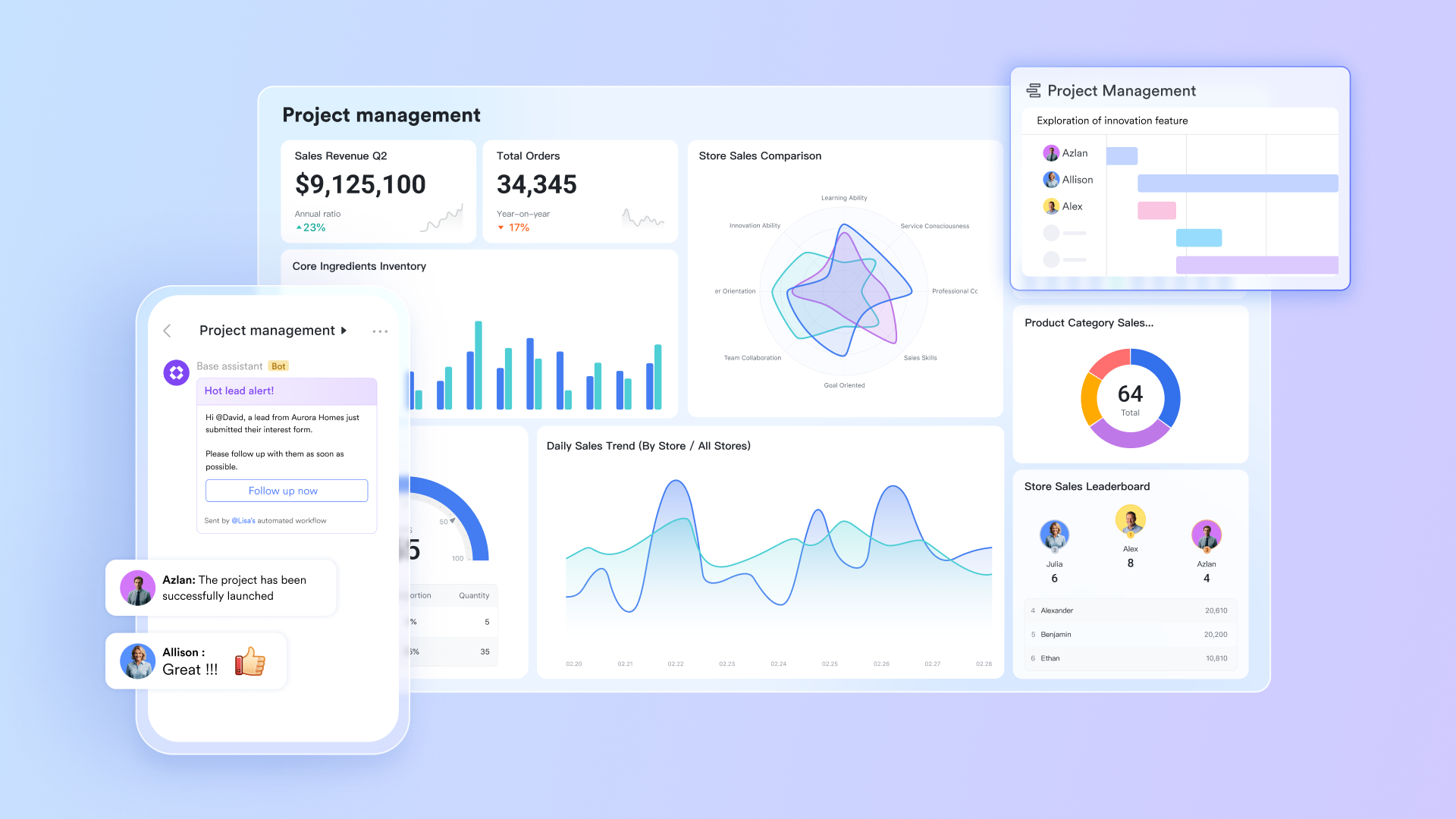
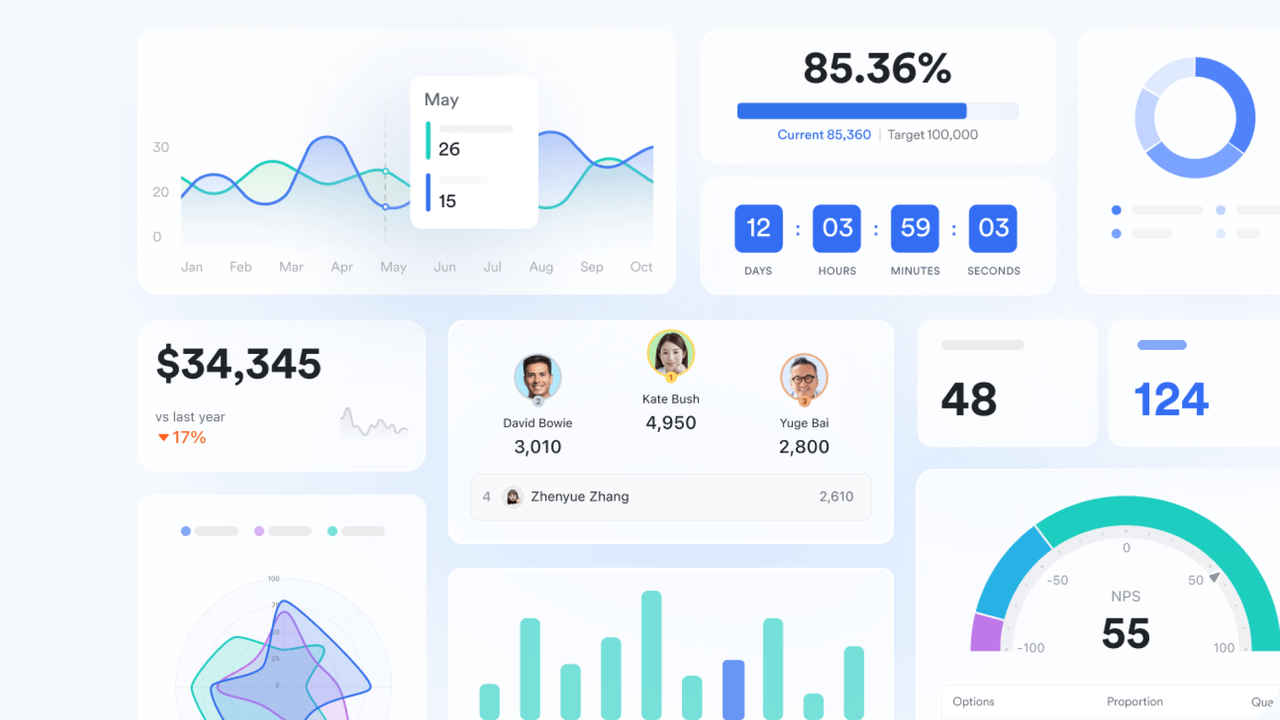
Lark Base: Visualize and automate projects
While Asana offers excellent task visualization and Wrike focuses on structured project controls, both tools require separate setups for advanced views and reporting. Lark Base combines these strengths, offering teams the control of Wrike with the flexibility of Asana. You can organize projects into databases, visualize them in Kanban, grid, or Gantt views, and use automation to update progress or trigger next steps automatically. This eliminates manual tracking and lets teams run projects smoothly from planning to completion—all.
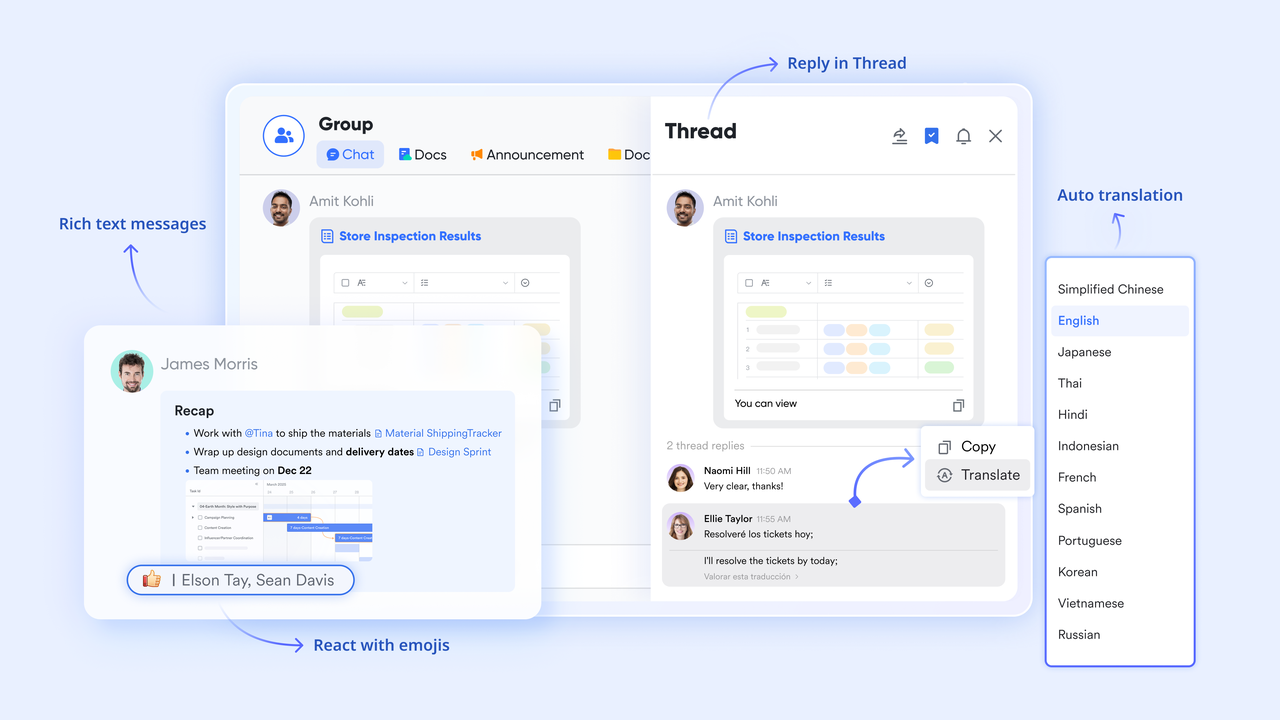
Lark Messenger: Built-in communication
Neither Asana nor Wrike provides native, real-time messaging; they rely on email or third-party chat tools for collaboration. Lark Messenger fills this gap with built-in chat and video meetings, enabling teams to discuss tasks, share project updates, or tag teammates directly within the same workspace. Every conversation stays linked to the relevant document, Base, or task, ensuring decisions never get lost in scattered emails or Slack threads. It combines the clarity of Wrike's proofing with the immediacy of live collaboration—without app switching.
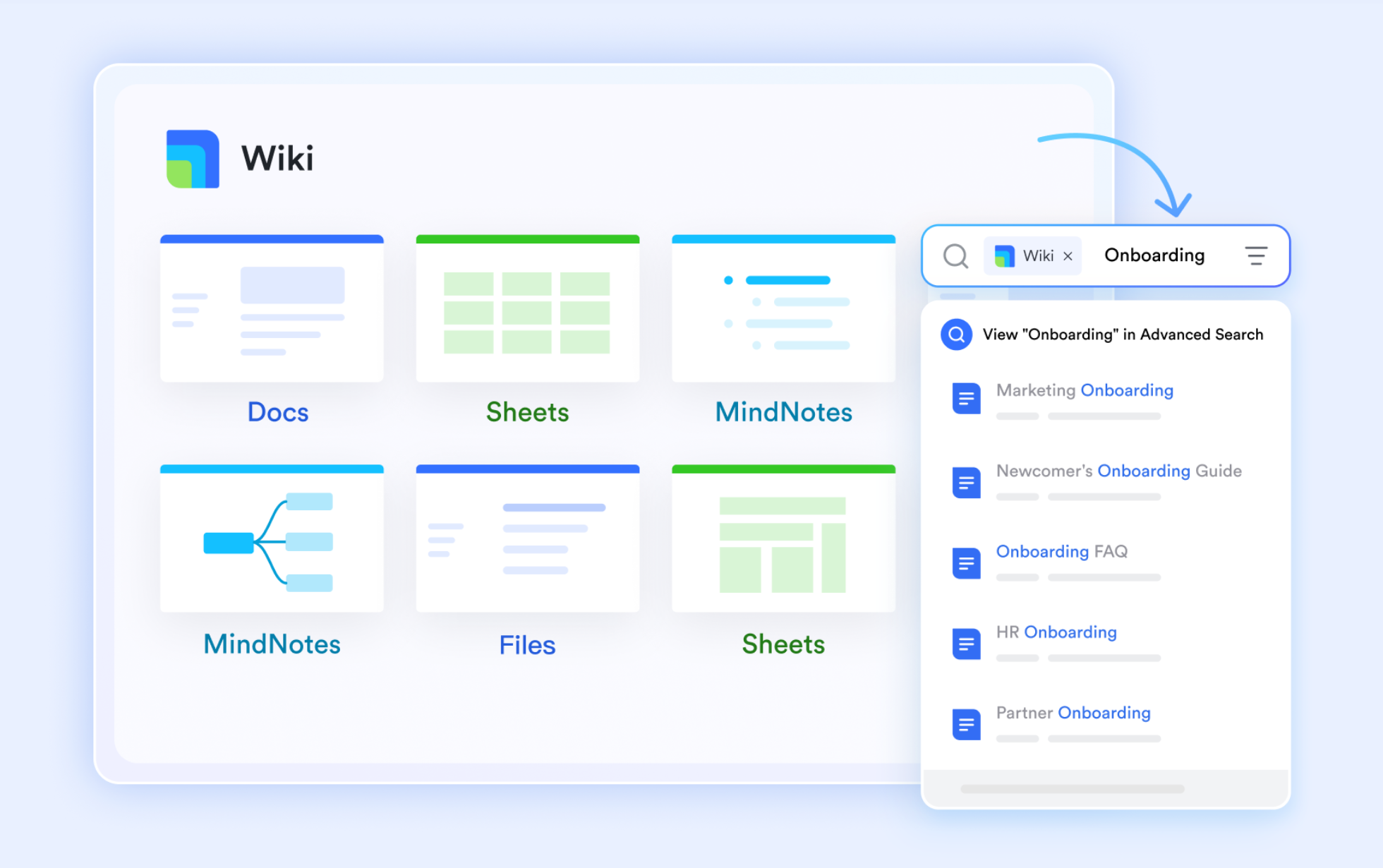
Lark Docs & Lark Wiki: Collaborative documentation
Both Asana and Wrike allow file attachments and comments, but neither supports true document co-editing. Lark Docs brings real-time collaboration directly into the workflow—allowing marketing teams, PMOs, or creative leads to co-write project briefs, reports, or campaign notes with instant feedback. Once finalized, content can move into Lark Wiki, creating a searchable, organization-wide knowledge hub. This pairing eliminates the need for external document tools like Google Docs or Notion—something Asana and Wrike users often rely on separately.
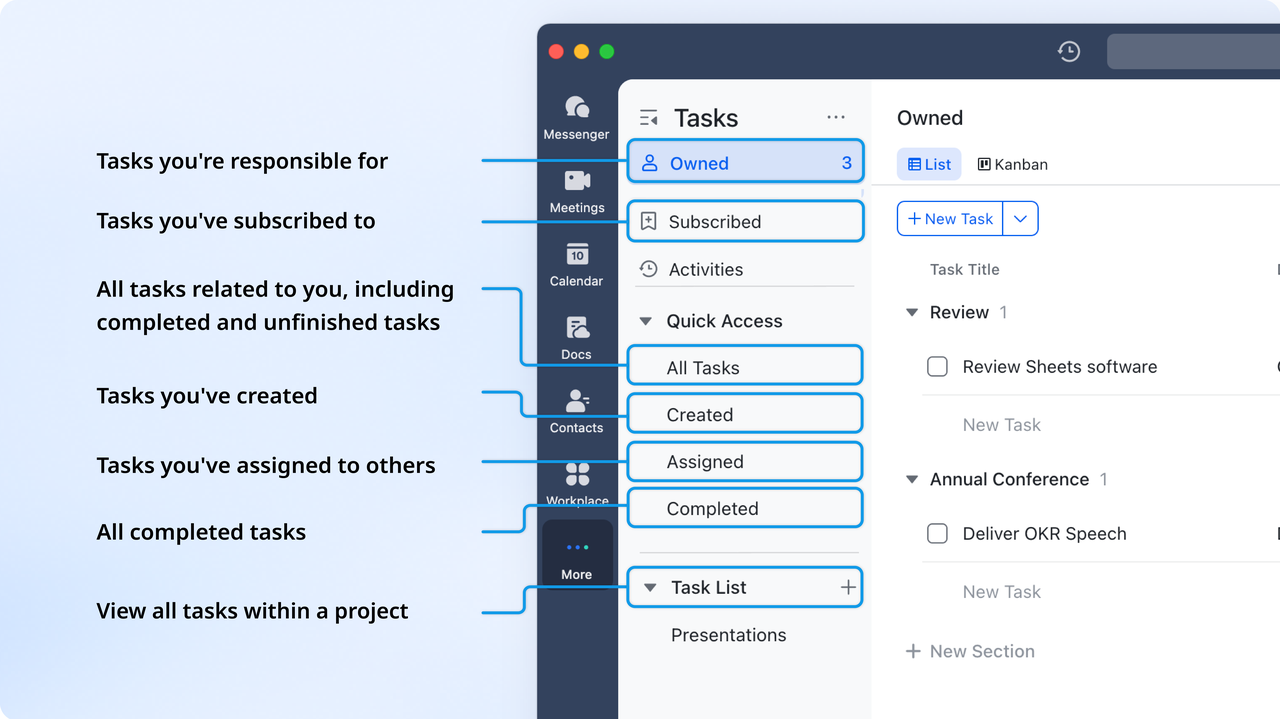
Lark Tasks: Assign and track accountability
While Asana excels at intuitive task lists and Wrike offers advanced tracking, both lack seamless task creation from discussions or documents. Lark Tasks connects everything: you can turn chat messages or document notes into actionable items instantly, assign owners, and monitor progress through shared dashboards or timeline views. Each task remains linked to its original context—whether it came from a meeting, message, or Base record—creating a closed feedback loop between planning and execution that Asana and Wrike handle separately.
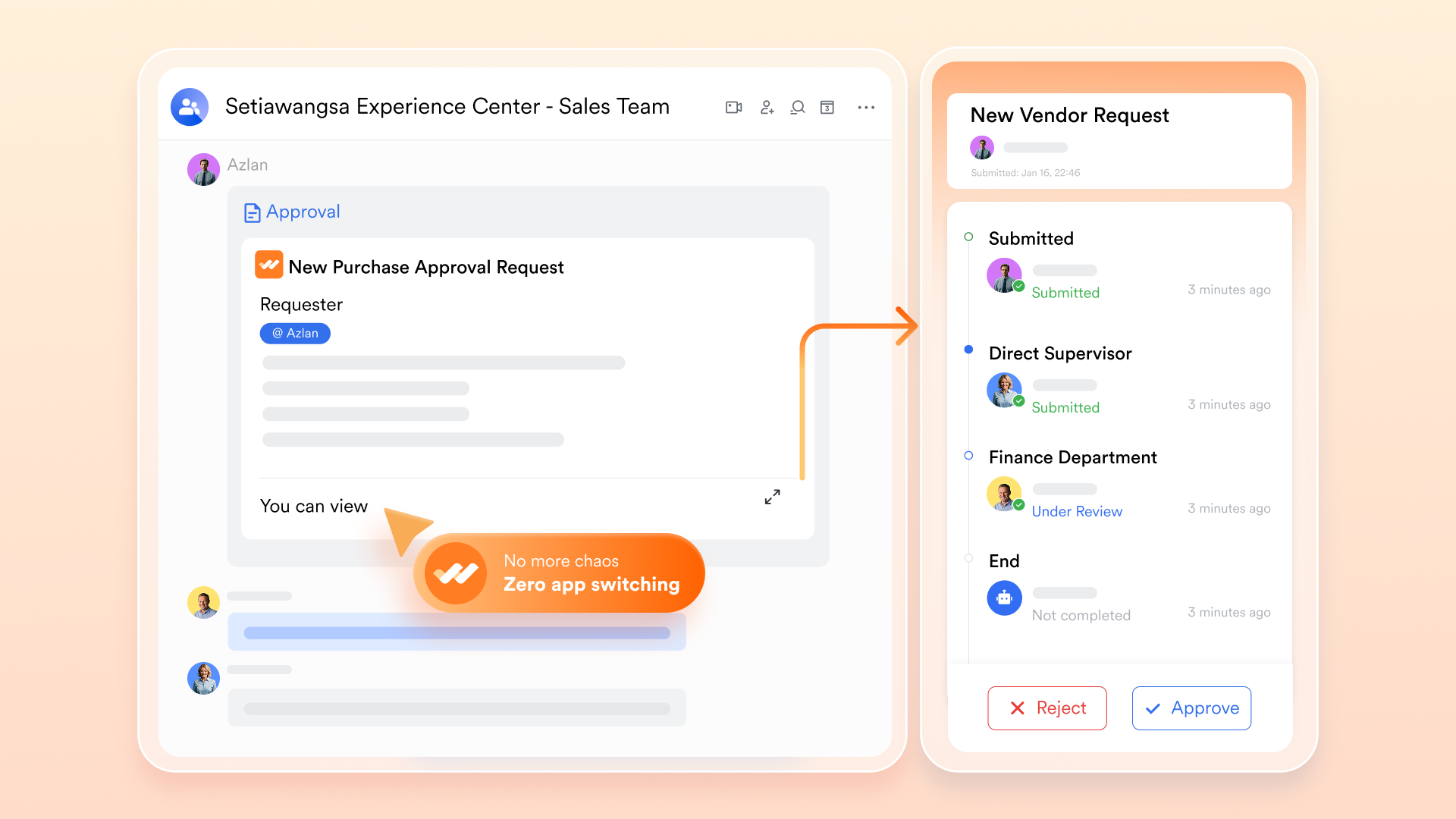
Lark Approval: Simplify decision-making
Approvals in Wrike are strong but often limited to enterprise tiers, while Asana requires additional rules or integrations to manage multi-step reviews. Lark Approval provides a simple, built-in system for budget, content, or project automated approval. You can set up multi-level routing, add conditional logic, and notify reviewers automatically—all within the same workspace. Real-time tracking ensures transparency, while decisions are logged for audit trails. It gives Wrike's enterprise-level approval functionality to teams of any size, without the cost or setup complexity.
- Starter plan: Free forever plan that includes 11 powerful tools for up to 20 users. It also comes with 100GB of storage, 1000 automation runs, AI translations, and more.
- Basic plan: $6/user/month (billed annually) for up to 500 users. It includes everything in Starter plus group calling for up to 500 attendees, 5TB of storage, 1000 automation runs, and more.
- Pro plan: $12/user/month (billed annually) for up to 500 users. It includes everything in Starter plus group calling for up to 500 attendees, 15TB of storage, 50,000 automation runs, and more.
- Enterprise plan: Contact sales for custom pricing. Supports unlimited users and includes even more automation runs and advanced security, compliance, and management features.
Summary comparison: Why Lark excels
Before diving into the feature-by-feature breakdown, it's essential to understand why Lark stands out among leading project management tools, such as Asana and Wrike. While all three platforms help teams organize tasks and improve productivity, Lark differentiates itself by unifying collaboration, real time communication, and automation in one connected workspace:
Conclusion
Choosing the right project management platform ultimately depends on how your team works, collaborates, and scales. Asana offers an intuitive, visually organized environment that's ideal for teams seeking simplicity and quick onboarding. Wrike, on the other hand, provides deeper workflow customization, advanced reporting, and stronger support for structured, multi-team operations. However, both tools require pairing with separate apps for chat, documentation, meetings, and knowledge sharing, which can introduce friction and context switching over time.
If your team needs more than task tracking—if you want your communication, project coordination, files, calendars, and workflow automation to exist in one connected space—Lark offers an integrated alternative worth exploring. It reduces the need to jump between tools and helps teams collaborate with greater clarity and flow.
FAQs
What makes Lark different from Asana and Wrike?
Lark combines task management, messaging, docs, meetings, and file sharing in one workspace, whereas Asana and Wrike focus primarily on project planning and workflow control. This means teams don't need to switch between multiple tools to communicate or document work. Discussions stay connected to tasks, reducing misalignment. It offers a more unified collaboration environment, especially for distributed teams.
Which is easier to use—Asana or Wrike?
Asana is generally more intuitive and visually straightforward, making it easier for new users to start organizing tasks quickly. Wrike offers deeper customization and layout flexibility, but this can create a steeper learning curve. Small or non-technical teams often adopt Asana faster. Wrike becomes more useful when teams are ready for structured processes and scaling.
Does Wrike offer better automation than Asana?
Wrike provides more advanced automation with multi-step workflows, triggers, and cross-project rules, making it suited for larger or process-heavy teams. Asana also offers automation, but it is simpler and focused on task-level efficiency. Wrike's automation can replace complex manual coordination. Asana works best for everyday workflow simplification without heavy configuration.
Which tool is better for small businesses?
Small businesses often find Asana simple to adopt, while Wrike provides more depth but requires setup and training. However, many small teams benefit from having communication and project work in the same place instead of switching between apps. Lark offers this advantage by combining tasks, chat, docs, and meetings in one workspace, reducing complexity as teams grow. This makes Lark a practical choice for small businesses that want to stay organized without managing multiple tools.
Can Lark replace both project management and communication tools?
Yes—Lark can serve as both a project management hub and a communication platform since tasks, chat, video calls, docs, and workflows are integrated. This reduces the need to juggle multiple disconnected apps like task boards, chat clients, and shared drives. Teams can plan and discuss work in context. It supports smoother collaboration and reduces tool fatigue.
Related reading
Table of contents
Start using Lark today

Manage all your work in one place
Boost team efficiency by 10x
Save up to 70% on software costs
Table of contents
Start using Lark today
Manage all your work in one place
Boost team efficiency by 10x
Save up to 70% on software costs
Keep reading


Lark recognized in 2023 Gartner® Collaborative Content Workspaces and Meeting Solutions reports
Lark, the global superapp for productivity, is delighted to announce it receives recognition in the Gartner's 2023 Innovation Insight for Collaborative Content Workspaces and Market Guide for Meeting Solutions.






2026 Lark Technologies Pte. Ltd.
Headquartered in Singapore with offices worldwide.






Explore: