Managing personal finances has become easier with modern digital tools, especially as budgeting apps continue to evolve. The best app for budget tracking can help monitor spending, organize bills, track subscriptions, and set realistic financial goals. In 2026, many budgeting platforms offer smart automation, detailed analytics, and real-time insights that make money management simpler and more effective. From basic expense tracking to advanced financial planning, these apps provide different features for different needs. This guide explores the ultimate comparison of the best budget tracking apps of 2026, helping users choose the right tool to control spending, improve savings habits, and maintain a healthier financial future.
Key takeaways: 5 tools people use for budget tracking
Choosing the best app for can make a big difference in how effectively users manage their finances. The following tools stand out for their ability to track spending, organize budgets, and provide clear financial insights.
1. Lark: Lark offers a collaboration workspace to organize budgets, , and manage financial workflows within one connected platform.
2. Monarch Money: Monarch Money provides customizable budgeting, detailed financial dashboards, and account syncing.
3. YNAB (You Need A Budget): YNAB focuses on zero-based budgeting, encouraging users to assign every dollar a purpose.
4. Goodbudget: Goodbudget uses the digital envelope budgeting method, allowing users to allocate funds into categories and track spending against planned budgets.
5. Empower Personal Dashboard: Empower Personal Dashboard gives a full financial overview, combining spending tracking, investment monitoring, and net worth analysis in one easy-to-use dashboard.
Overview: Top 5 apps used in budget tracking
Choosing the best app for budget tracking depends on individual financial goals, budgeting style, and the level of insights required. Some apps focus on simple expense tracking, while others offer advanced analytics, investment monitoring, and tools. Below is a quick comparison of five leading budget tracking apps that help users manage spending, organize budgets, and improve overall financial control.
Information source: Official vendor sites
Update time: 2026-03-07
Note: Pricing and plan details reflect publicly available data as of the update date and may vary based on region, billing cycle, and number of agents.
Track your budgets accurately with the #1 app today
What are budget tracking apps?
Budget tracking apps are digital tools that help individuals monitor income, expenses, and overall financial activity in one place. These apps allow users to categorize spending, set budget limits, , and analyze financial habits through reports and dashboards. By providing real-time insights into spending patterns, they make it easier to control expenses and improve savings. Many people use free budget-tracking apps to manage daily finances without needing complex financial software. These apps often include features such as automatic transaction tracking, budgeting categories, bill reminders, and spending alerts.
For users who want better financial visibility, the best app for and budgets can also provide analytics, goal-setting tools, and financial summaries to help make smarter spending decisions and build long-term financial stability.
How to choose the right budgeting app for your needs
With so many options available, selecting the best app for tracking budget depends on your financial habits, goals, and the type of insights you want. The right should help you track spending easily, plan savings, and stay organized with minimal effort. Here are five important factors to consider when deciding what is the best app for budget tracking.
- Look for easy expense tracking: The most important feature of any budgeting app is the ability to track income and expenses clearly. Good apps categorize spending automatically and show reports so users can understand where their money goes each month.
- Choose an app with goal-setting features: A strong budgeting app should allow users to set savings goals such as paying off debt, building an emergency fund, or saving for travel. toward these goals helps maintain financial discipline and motivation.
- Check compatibility with your devices: Some users prefer the best budget tracking app for iPhone, while others use Android or web dashboards. Choose an app that works across devices and syncs data automatically, so your financial information stays up to date anywhere.
- Look for customization and budget categories:
A good budgeting tool should allow customizable spending categories and personalized dashboards. This flexibility helps the app match your lifestyle and financial priorities rather than imposing rigid budget rules.
- Consider pricing and security: Before committing to a paid app, check whether it offers a free version or trial. Also, ensuring the app includes strong security features, such as encrypted data and secure bank integrations, to protect financial information.
Master your expenses and maximize your ROI with Lark
Full list: 16 tools for smart budget tracking
Budget tracking apps make it easier to monitor spending, manage , and build better financial habits. Many modern tools provide real-time expense tracking, spending insights, and goal-setting features:
1. Lark: Best for flexible and collaborative budgeting across devices
brings budget tracking, collaboration, and project visibility into a single workspace. Instead of managing budgets in disconnected tools or spreadsheets, teams can track expenses, updates, and approvals alongside everyday work. With shared documents, real-time communication, and , Lark helps teams stay aligned on budgets across projects and departments. This unified approach improves transparency, reduces delays, and makes it easier to keep spending under control while work moves forward.
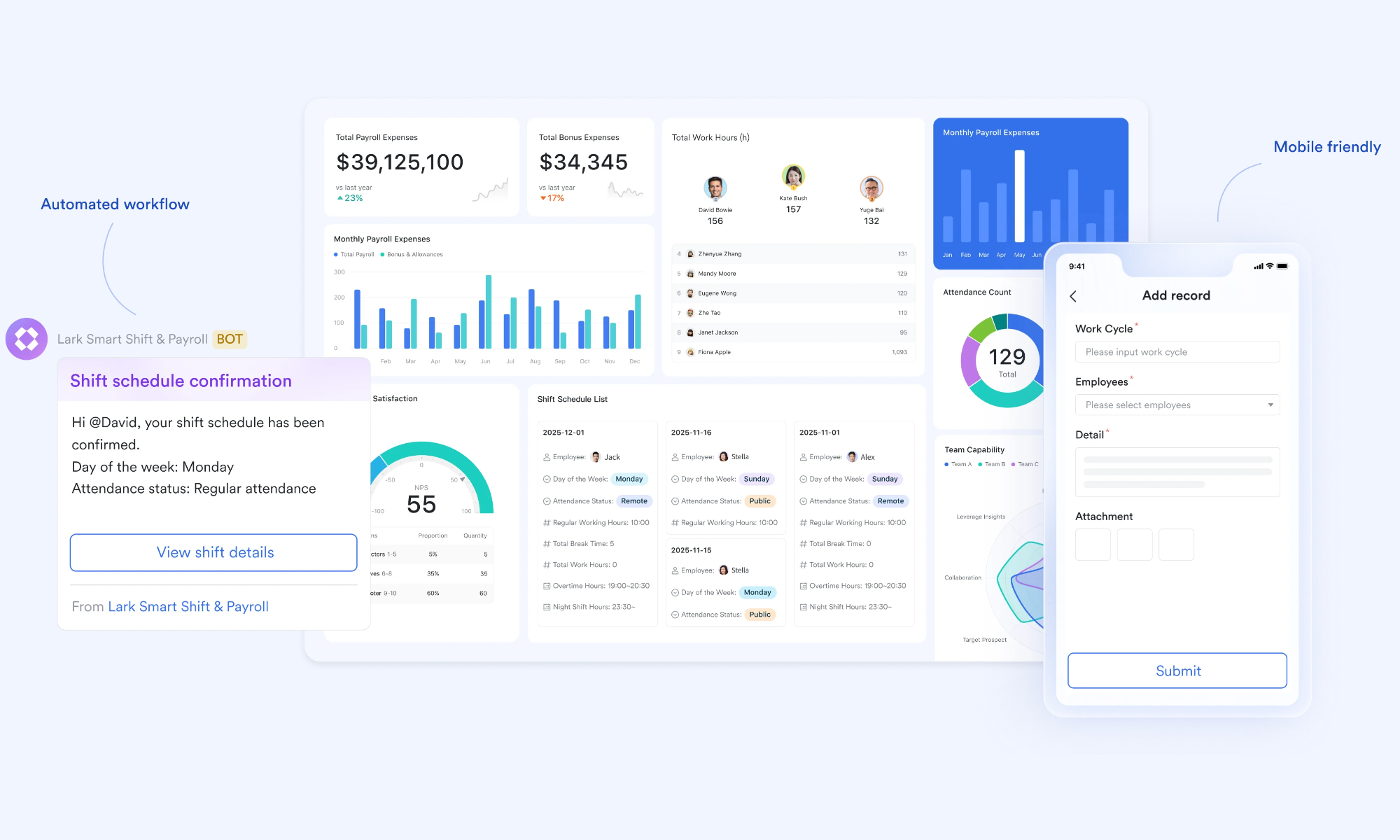
Custom multi-dimensional databases
provides a powerful, no-code environment to build custom . You can use the "Currency" field to track exact costs and "Formula" fields to calculate real-time variances between planned and actual spend. By linking records between task lists and budget tables, every project update automatically adjusts your remaining balance, ensuring financial data stays current.
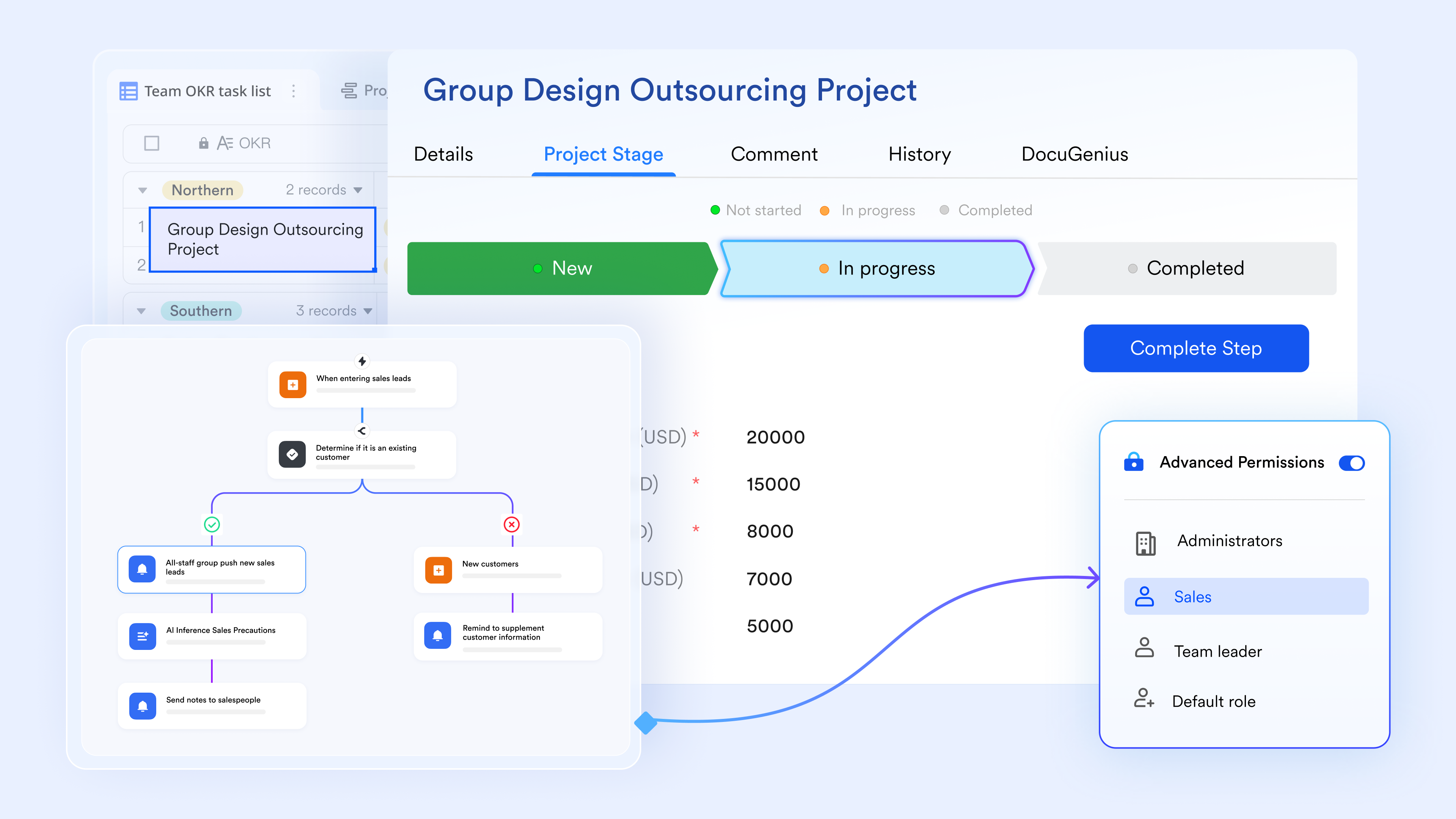
Automated workflows for budget tracking
Lark Base Workflow helps teams to track budgets through a visual, canvas-based interface. Its core strength lies in conditional branching (IF/ELSE nodes), which can automatically route budget requests, such as sending high-value expenses to senior management while auto-update smaller amounts. With to rename, drag-and-drop, and duplicate nodes, teams can easily adapt their fiscal workflows to reflect pricing structures or department limits
Real-time resource dashboards
Lark Base dashboards allow you to visualize your budget health using data pulled directly from your project bases. By using bar and pie chart gadgets, you can monitor resource distribution and identify which departments are nearing their spending caps. These update automatically as team members log expenses, providing a live snapshot of your total cost of ownership across all active projects. 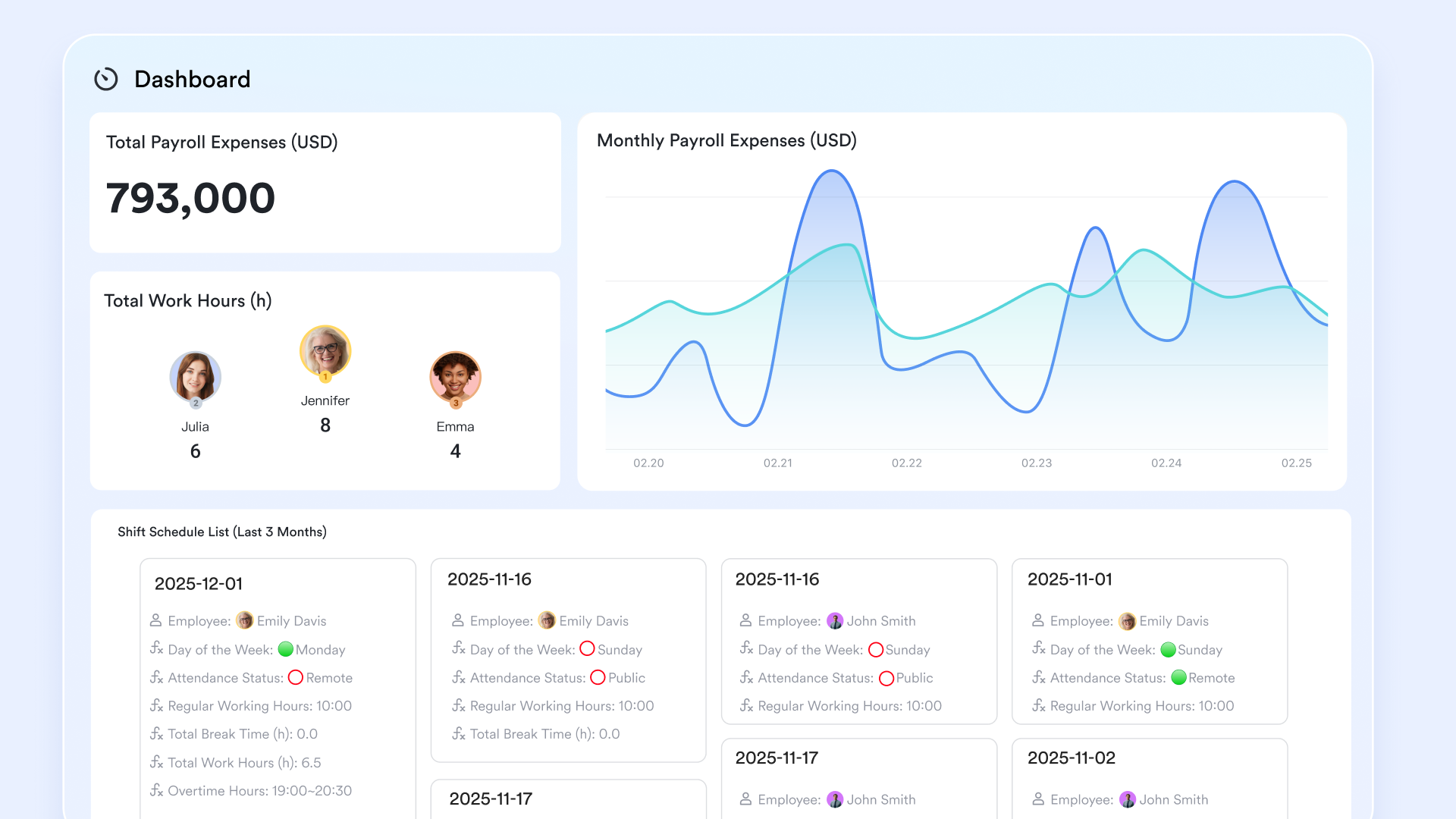
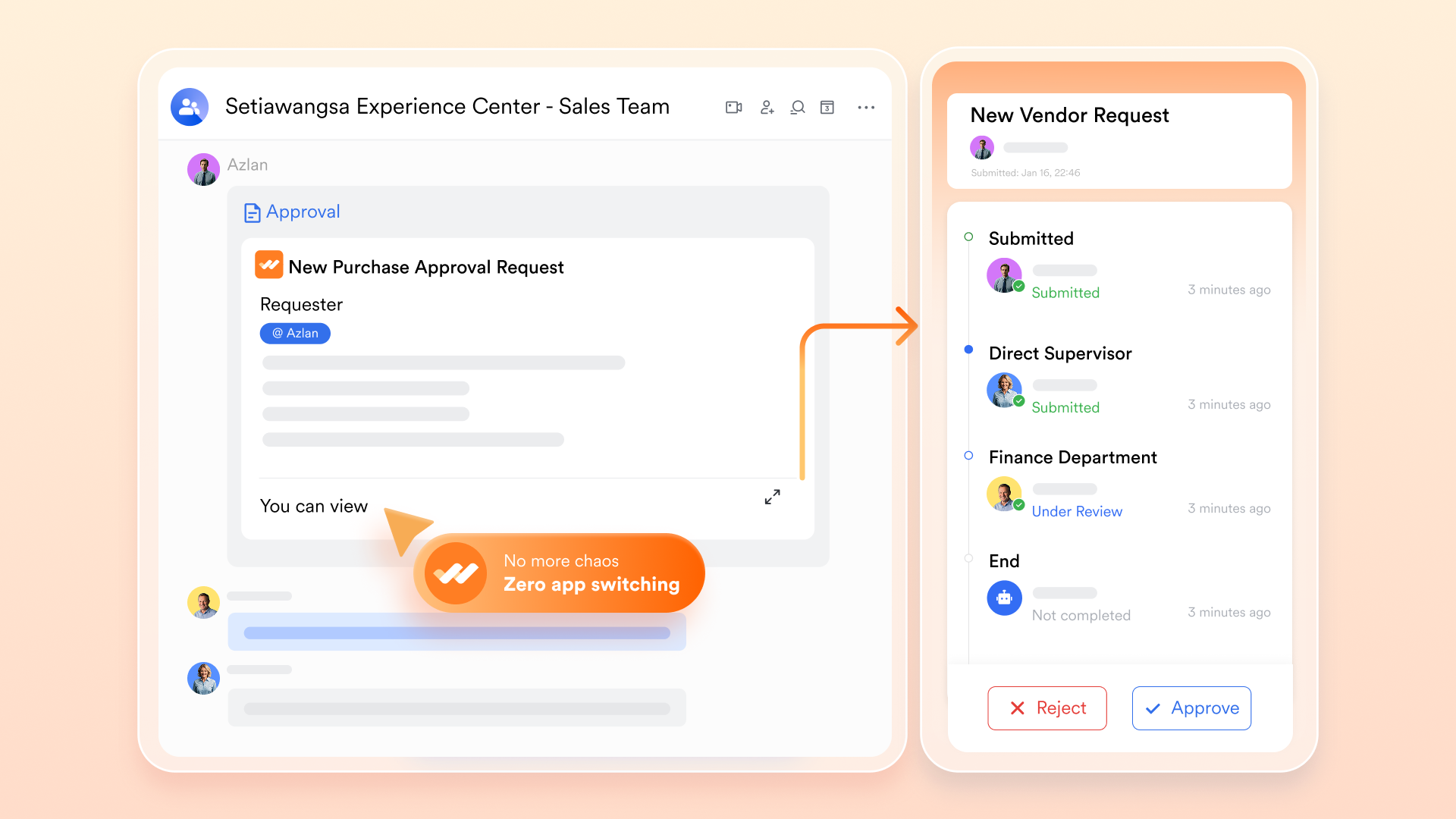
Automated expense approval workflows
streamlines the spending process by digitizing purchase requests and reimbursement forms. You can set up conditional routing so that expenses over a specific limit are automatically sent to the department head for a digital signature. This function operates directly within the chat interface, allowing managers to approve or reject budget-impacting requests instantly without switching applications.
Pros:
- Integrated meeting assistant AI with collaboration tools
- Automated summaries and action item detection
- Real-time multilingual transcription support
- Unified platform combining chat, meetings, and workflows
Cons:
- Advanced AI meeting assistant features and configuration may require initial onboarding, though detailed guidance and setup resources are available through the Lark Help Center.
:
- Starter plan: Free forever plan that includes 11 powerful tools for up to 20 users. It also comes with 100GB of storage, 1000 automation runs, AI translations, and more.
- Basic plan: $6/user/month (billed annually) for up to 500 users. It includes everything in Starter plus group calling for up to 500 attendees, 5TB of storage, 1000 automation runs, and more. For more details, please .
- Pro plan: $12/user/month (billed annually) for up to 500 users. It includes everything in Basic plus group calling for up to 500 attendees, 15TB of storage, 50,000 automation runs, and more.
- Enterprise plan: for custom pricing. Supports unlimited users and includes even more automation runs and advanced security, compliance, and management features.
For small teams with simple communication needs

18 months message history
1000 Base automation runs/month
2000 rows per table in Base
Most POPULAR
For companies with comprehensive collaboration and management needs
Unlimited message history
500-participant video meetings
50k Base automation runs/month
20k rows per table in Base
For large companies with advanced security and organizational management needs
Get a personalized demo and pricing
Unlimited message history
500-participant video meetings
15 TB storage + 30 GB storage/user
500k Base automation runs/month
50k Base automation runs/month
Most POPULAR
For companies with comprehensive collaboration and management needs
Unlimited message history
500-participant video meetings
50k Base automation runs/month
20k rows per table in Base
2. Monarch Money: Best for customizable and detailed financial planning
Monarch Money is a personal finance platform designed to help users manage budgets, track spending, and plan long-term financial goals. It provides customizable dashboards, detailed financial insights, and account integration to give a complete view of personal finances. With flexible budgeting tools and reporting features, Monarch Money helps users make informed financial decisions and improve overall money management.
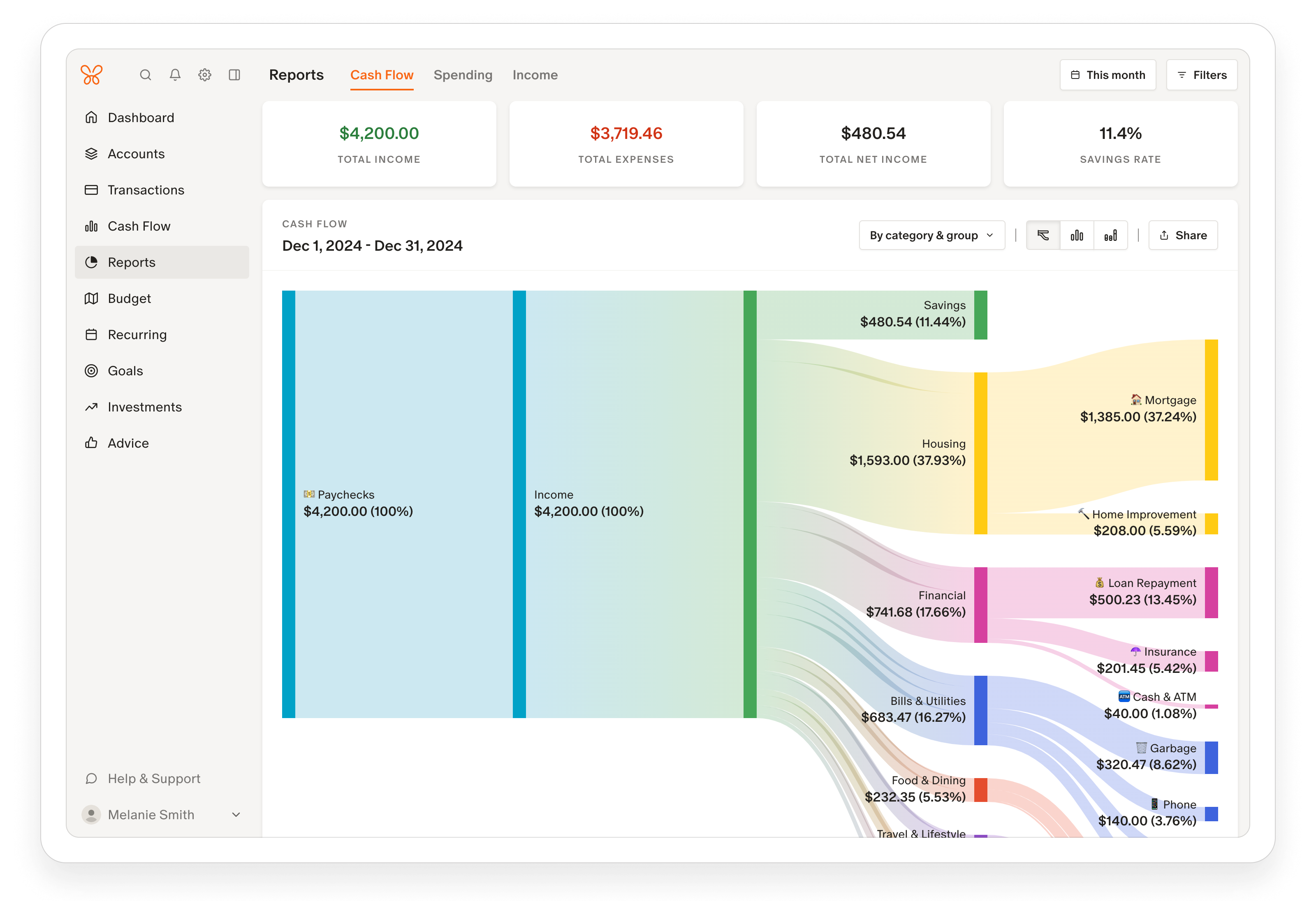
Image source: monarchmoney.com
Features:
- Budget tracking via timer or manual entry
- Allows two partners to manage a shared dashboard
- AI-powered prediction of your future account balances
- Team management and absence logging
Pros:
- Features a modern, intuitive design
- Transparent pricing and reports
- Supports multiple styles
- Provides robust "bulk editing" tools
Cons:
- Limited integrations compared to larger tools
- Basic design and dashboard customisation
Pricing:
- $8.33 per month (billed annually)
3. YNAB (You Need A Budget): Best for disciplined zero-based budgeters
YNAB (You Need A Budget) is a personal finance tool built around the zero-based budgeting method, where every dollar is assigned a purpose. It helps users plan spending, track expenses, and stay disciplined with their financial goals. With real-time syncing, goal tracking, and educational resources, YNAB encourages better spending habits and long-term financial stability.
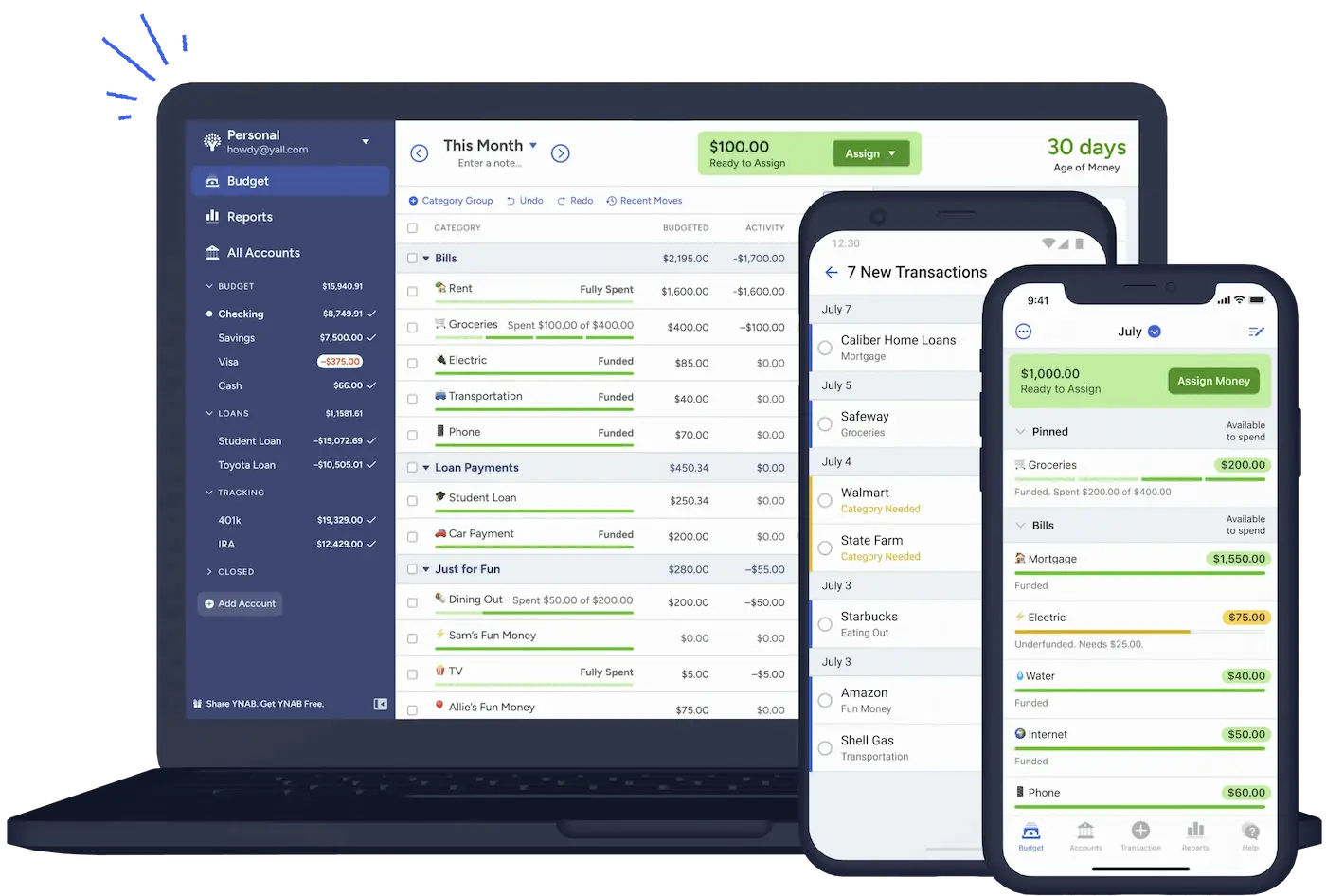
Image source: ynab.com
Features:
- Budget tracking directly inside project management tools
- Budget and cost tracking by project or client
- Detailed team reports and analytics
- Expense tracking and invoicing
Pros:
- Excellent integration with existing PM tools
- Transparent time and budget management
- Detailed reporting for agencies and consultants
- Simple, intuitive design
Cons:
- Limited standalone functionality without integrations
- No offline tracking mode
Pricing:
- Annual plan: $9.08 per month
- Monthly plan: $14.99 per month
4. Goodbudget: Best for envelope-style budget tracking
Goodbudget is a budgeting app based on the classic envelope budgeting method, where income is divided into categories for planned spending. Users allocate funds to digital envelopes for expenses like groceries, bills, and savings. The app helps track spending, manage budgets across devices, and maintain better control over personal finances.
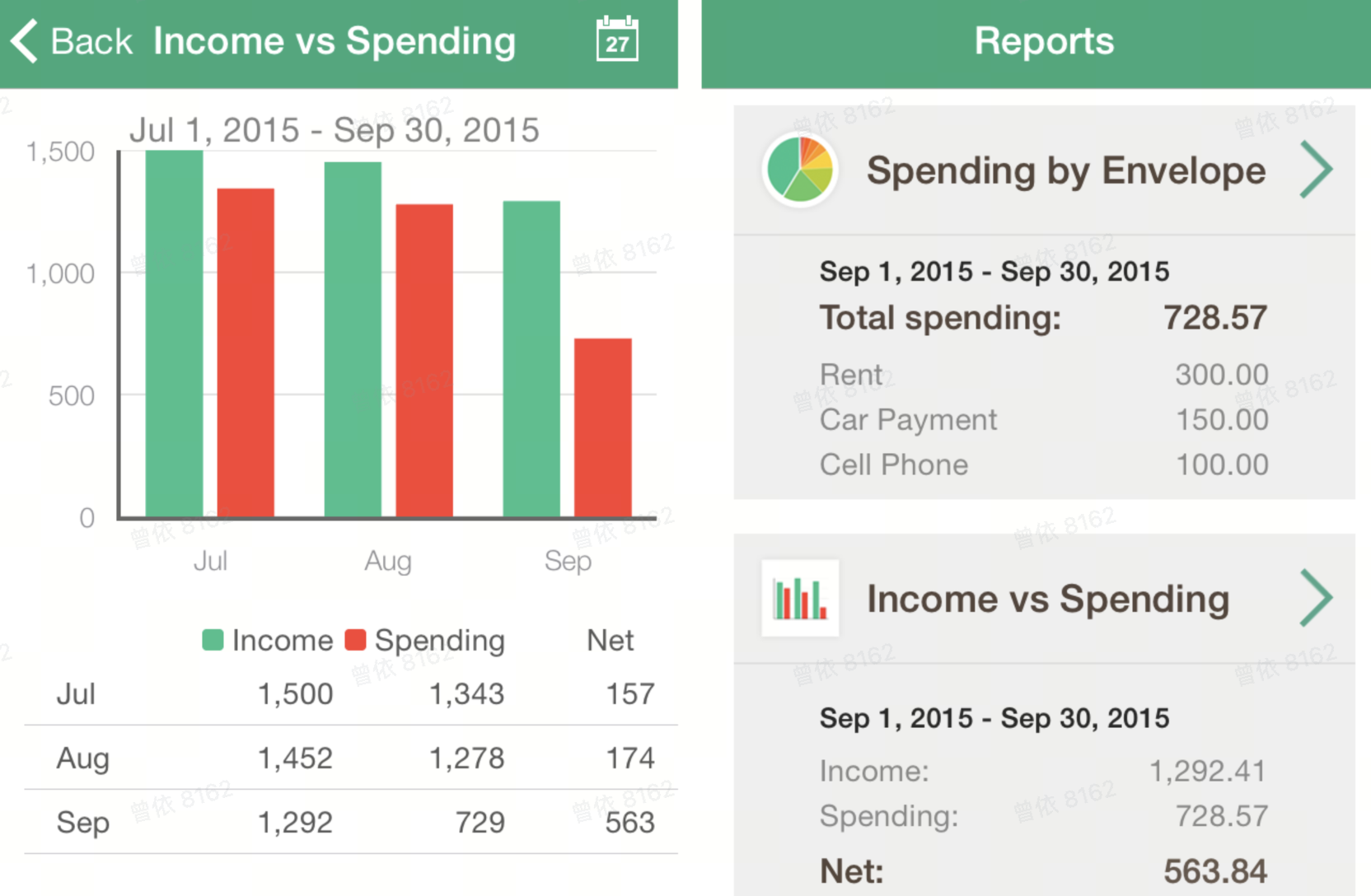
Image source: goodbudget.com
Features:
- Mobile clock-in/out with geofencing
- Scheduling and shift management
- Budget approvals and overtime alerts
- Integration with QuickBooks for payroll and invoicing
Pros:
- Perfect for payroll and compliance
- Real-time mobile budget tracking
- Excellent QuickBooks integration
Cons:
- Not ideal for freelancers or small teams
- Pricing can increase with add-ons
Pricing:
5. Empower Personal Dashboard: Best for holistic wealth and spending overview
Empower Personal Dashboard is a financial management platform that gives users a complete view of their finances in one place. It allows users to track spending, monitor investments, manage budgets, and review net worth through a unified dashboard. With detailed insights and financial planning tools, the platform helps individuals understand their overall financial health and make informed money decisions.
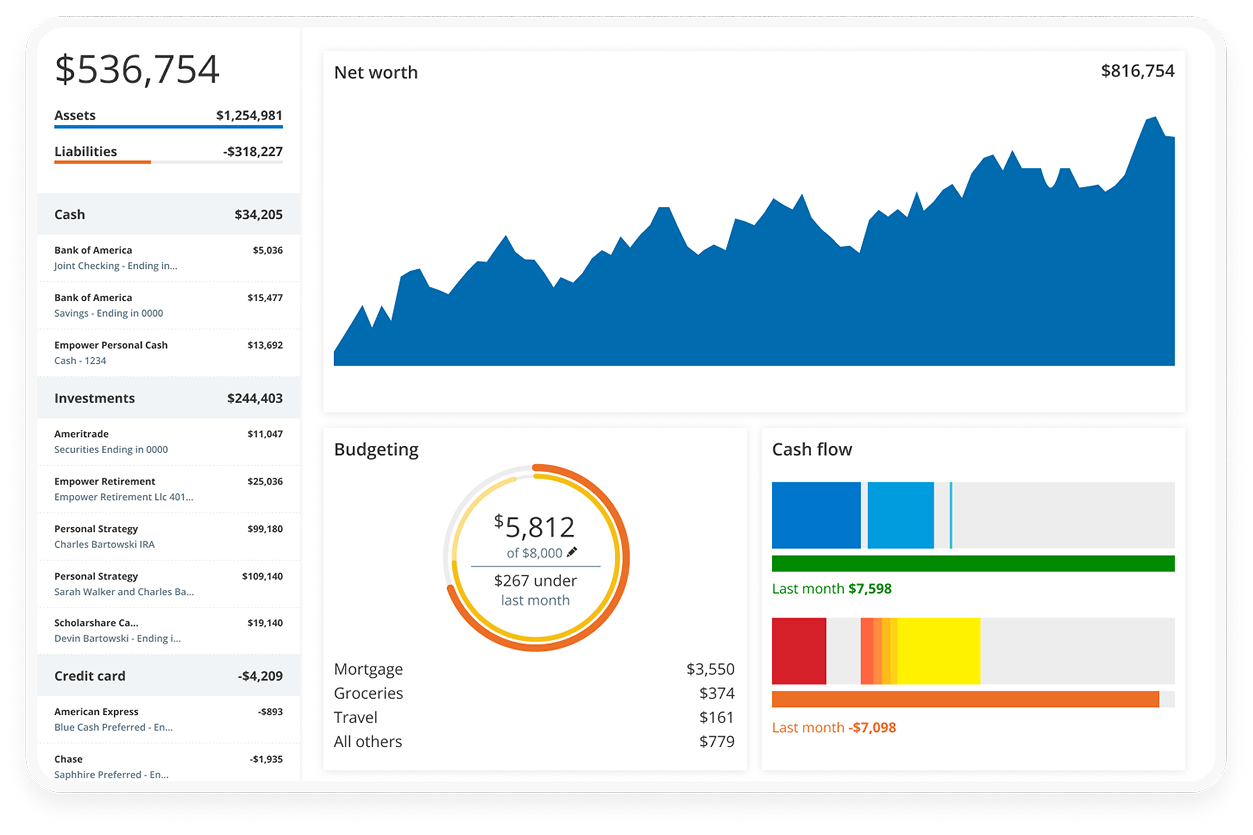
Image source: empowerpersonal.com
Features:
- Easy budget tracking via desktop, mobile, or browser
- Expense logging with receipt uploads
- Built-in invoicing and payment tracking
- Powerful project and budget reporting
Pros:
- Excellent for client billing and expense reporting
- Clean, user-friendly interface
- Insightful visual reports for projects and costs
- Strong third-party integrations
Cons:
- Limited free plan (only for two projects)
- Higher pricing for larger teams
Pricing:
6. PocketGuard: Best for quick budget snapshots and spending control
PocketGuard is a budgeting app that helps users quickly understand how much money they have available to spend. It tracks income, bills, and expenses, then shows the remaining amount that can be safely spent. With simple budgeting tools and real-time insights, PocketGuard helps users control spending and avoid overspending.
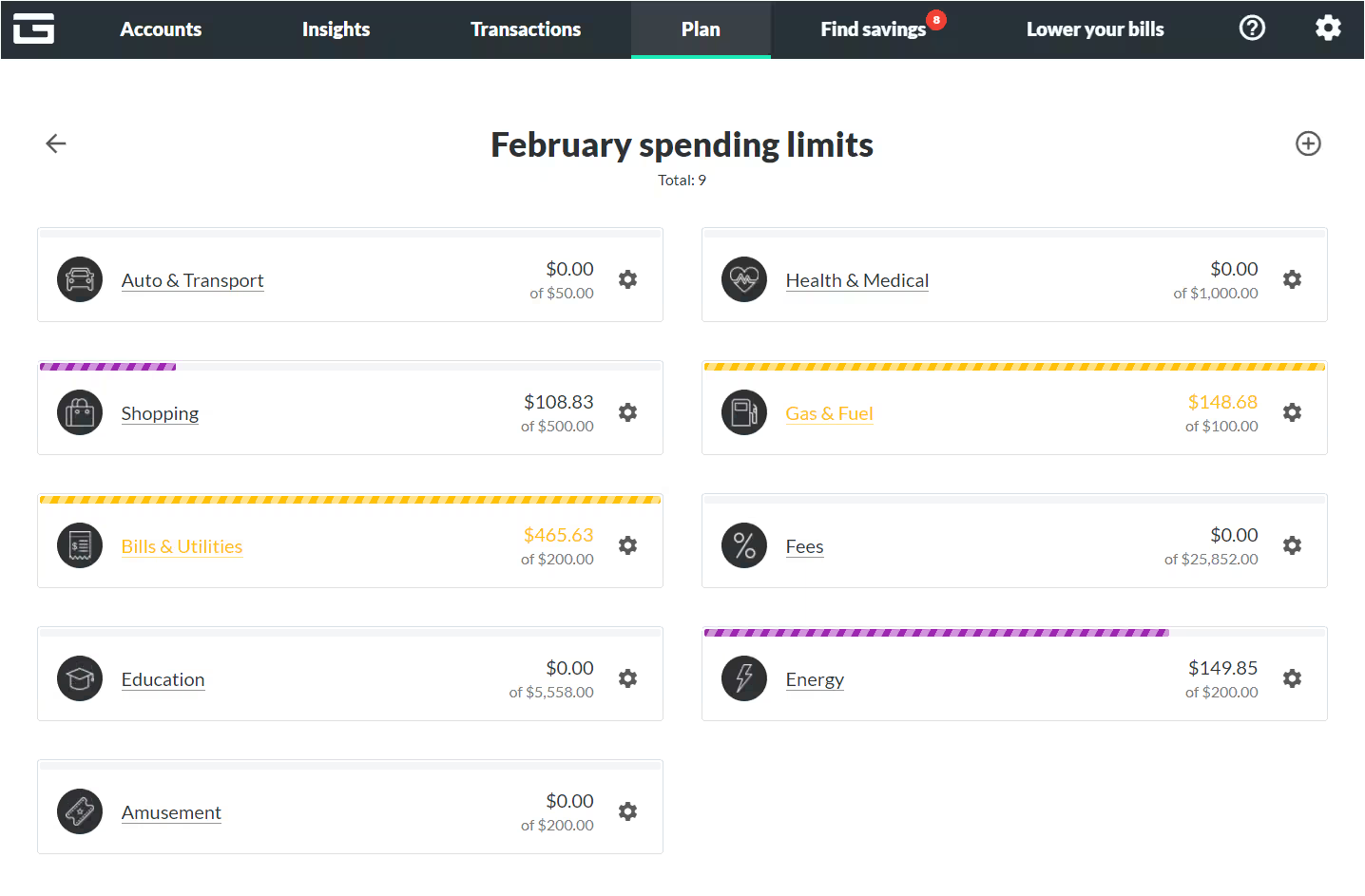
Image source: pocketguard.com
Features:
- Budget tracking per task or project
- Start/stop timers or manual entries
- Reporting dashboards and time estimates
- Billable time tracking with budget alerts
Pros:
- Fully integrated with task and project management
- Highly customisable and flexible
- Great for agile and sprint-based teams
- Affordable pricing for feature depth
Cons:
- It can feel overwhelming for new users
- Mobile apps are less polished than desktop ones
Pricing:
- PocketGuard premium: $6.25 per month (billed annually)
7. Honeydue: Best for couples and shared financial planning
Honeydue is a budgeting app designed specifically for couples who want to manage their finances together. It allows partners to track expenses, monitor bills, and view shared accounts in one place. With customizable sharing options and bill reminders, Honeydue helps couples stay organized, communicate about money, and plan their financial goals together.
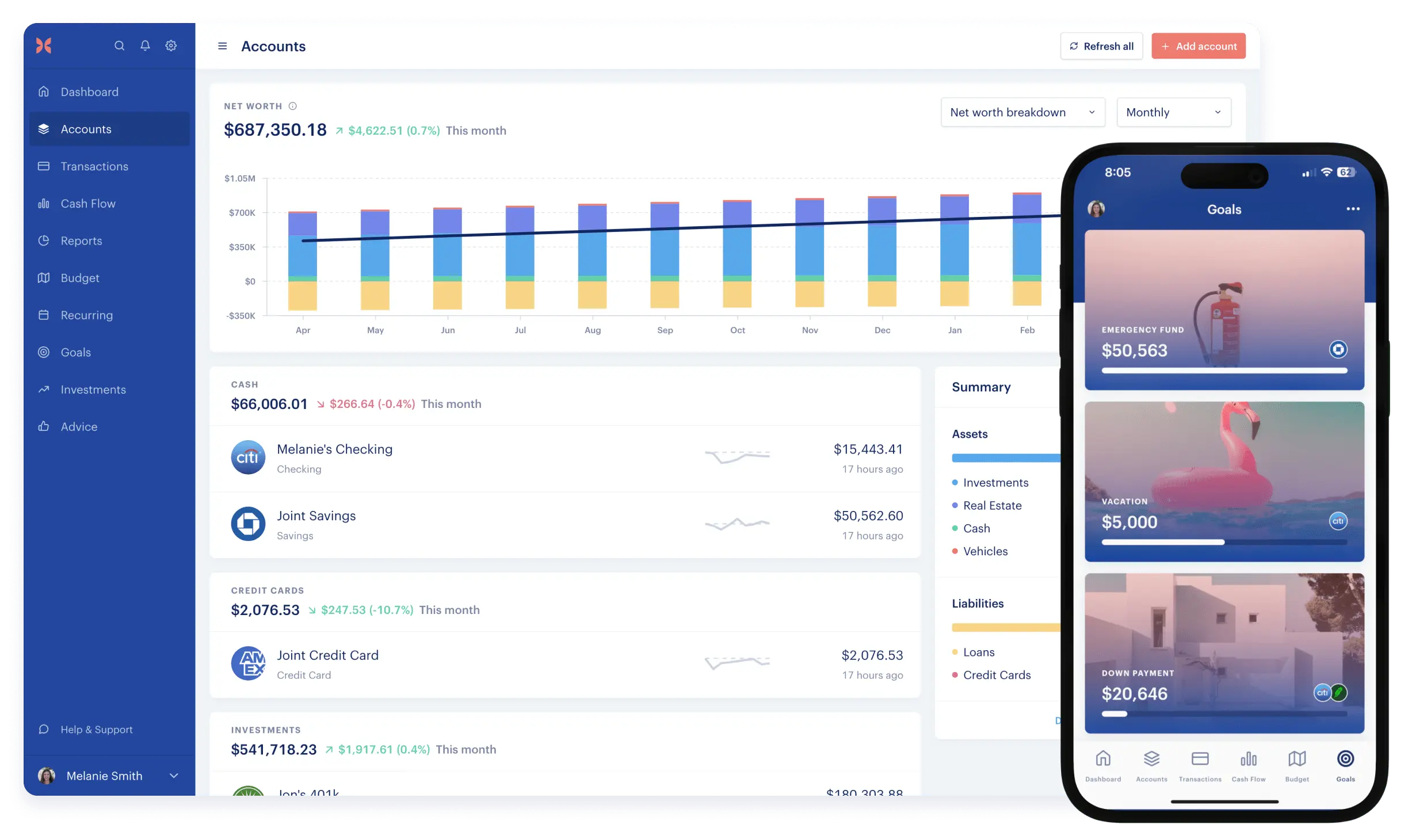
Image source: honeydue.com
Features:
- Automatic background tracking of apps and websites
- Focus sessions to minimise distractions
- Productivity scoring by activity type
- Daily and weekly performance summaries
Pros:
- Hands-free automatic tracking
- Excellent productivity insights
- Ideal for individuals improving focus
- Works on desktop and mobile seamlessly
Cons:
- Limited manual tracking options
- Less suitable for billing or team projects
Pricing:
8. EveryDollar: Best for simple monthly zero-based budgeting
EveryDollar is a budgeting app built around the zero-based budgeting method, where every dollar of income is assigned a specific purpose. It allows users to plan monthly budgets, track expenses, and monitor spending categories easily. With a clean and simple interface, EveryDollar helps individuals stay organized and maintain better control over their monthly finances.
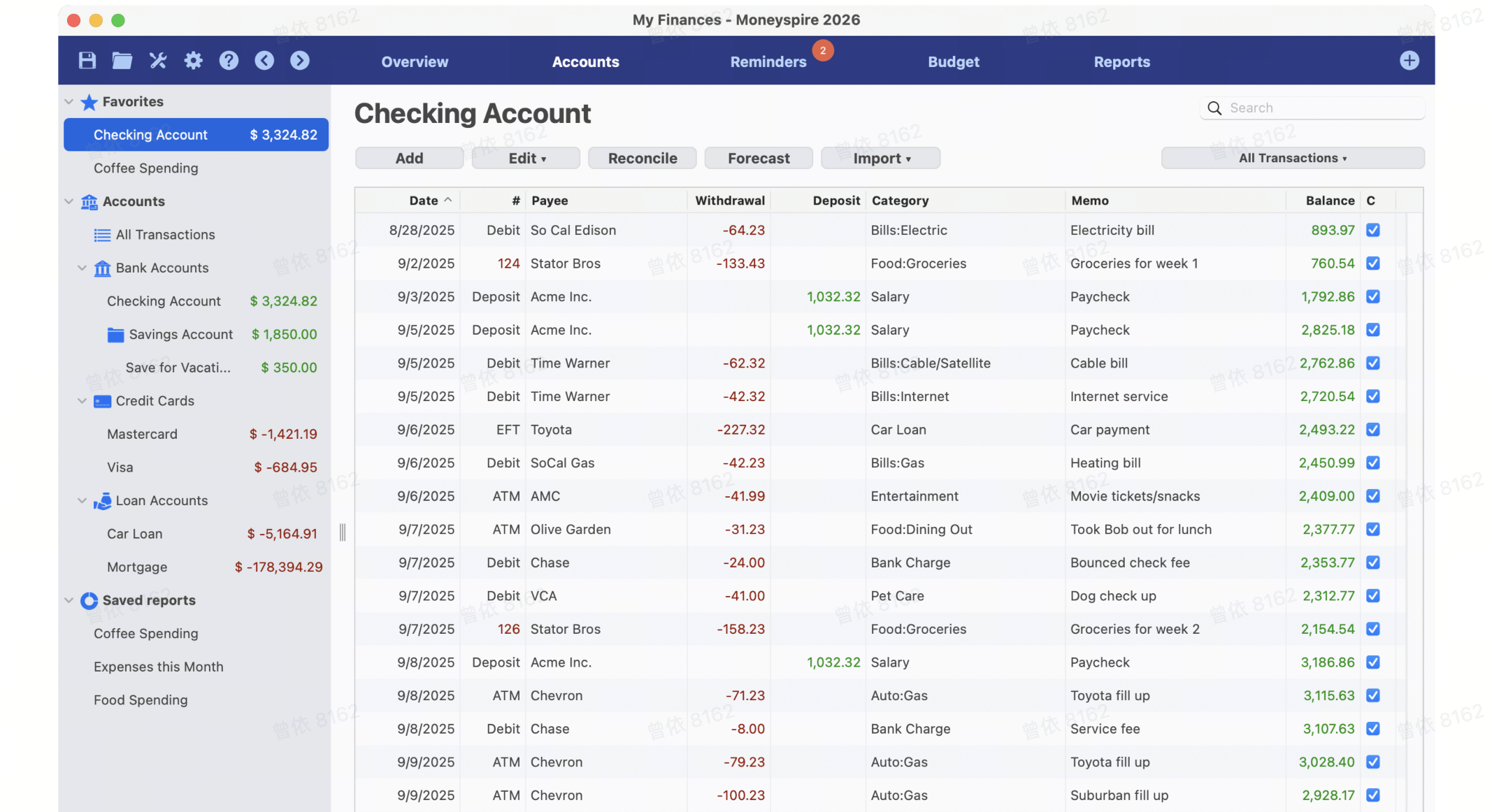
Image source: everydollar.com
Features:
- Timer-based budget tracking with optional screenshots
- GPS and geofencing for field teams
- Productivity metrics and idle time detection
- Project budgets and automated payroll
Pros:
- Ideal for remote, hybrid, and field teams
- Strong employee monitoring features
- Built-in payroll and invoicing options
- Supports GPS and mobile tracking
Cons:
- May feel intrusive to some employees
- Complex setup for smaller teams
Pricing:
9. Wallet by BudgetBakers: Best for unified all-in-one budget management
Wallet by BudgetBakers is a personal finance app designed to give users a complete view of their money in one place. It allows users to track expenses, manage budgets, monitor bank accounts, and plan savings goals. With detailed reports and automatic bank syncing, the app helps users understand spending habits and maintain better financial control.
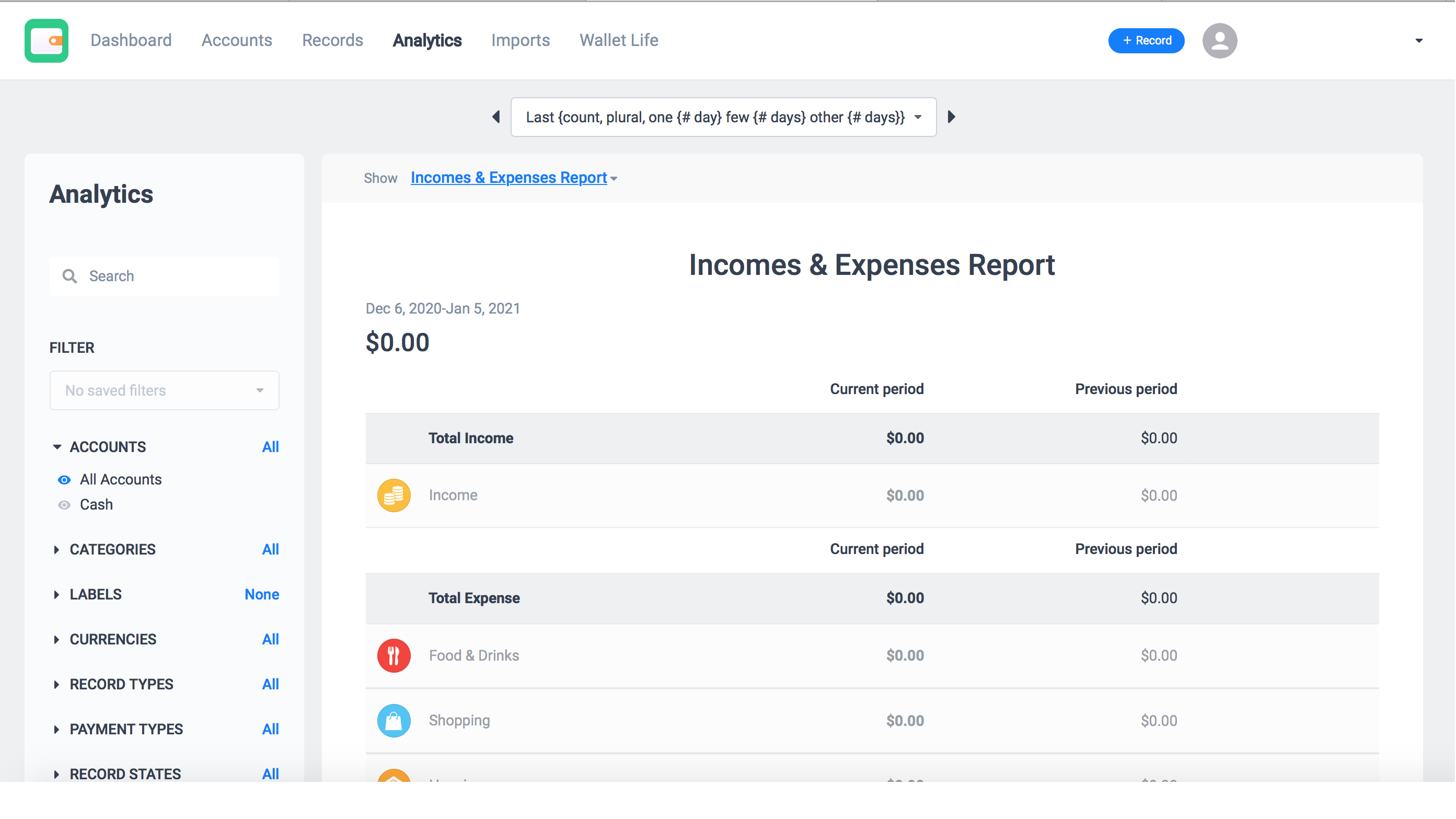
Image source: walletbybudgetbakers.com
Features:
- Automatic budget tracking for apps & websites
- Focus and distraction analysis
- Productivity scoring and daily reports
- Goal setting and alerts for time limits
Pros:
- Runs quietly with minimal manual input
- Excellent visibility into digital habits
- Helps identify productivity blockers
- Great for individual focus improvement
Cons:
- Limited task or project-level tracking
- Some advanced insights require paid plans
Pricing:
10. Lunch Money: Best for modern budgeting with analytics and trends
Lunch Money is a modern budgeting platform designed for users who want detailed insights into their spending. It allows users to track expenses, categorize transactions, and analyze financial trends through customizable reports. With strong analytics features and flexible budgeting tools, Lunch Money helps individuals understand spending patterns and make smarter financial decisions.
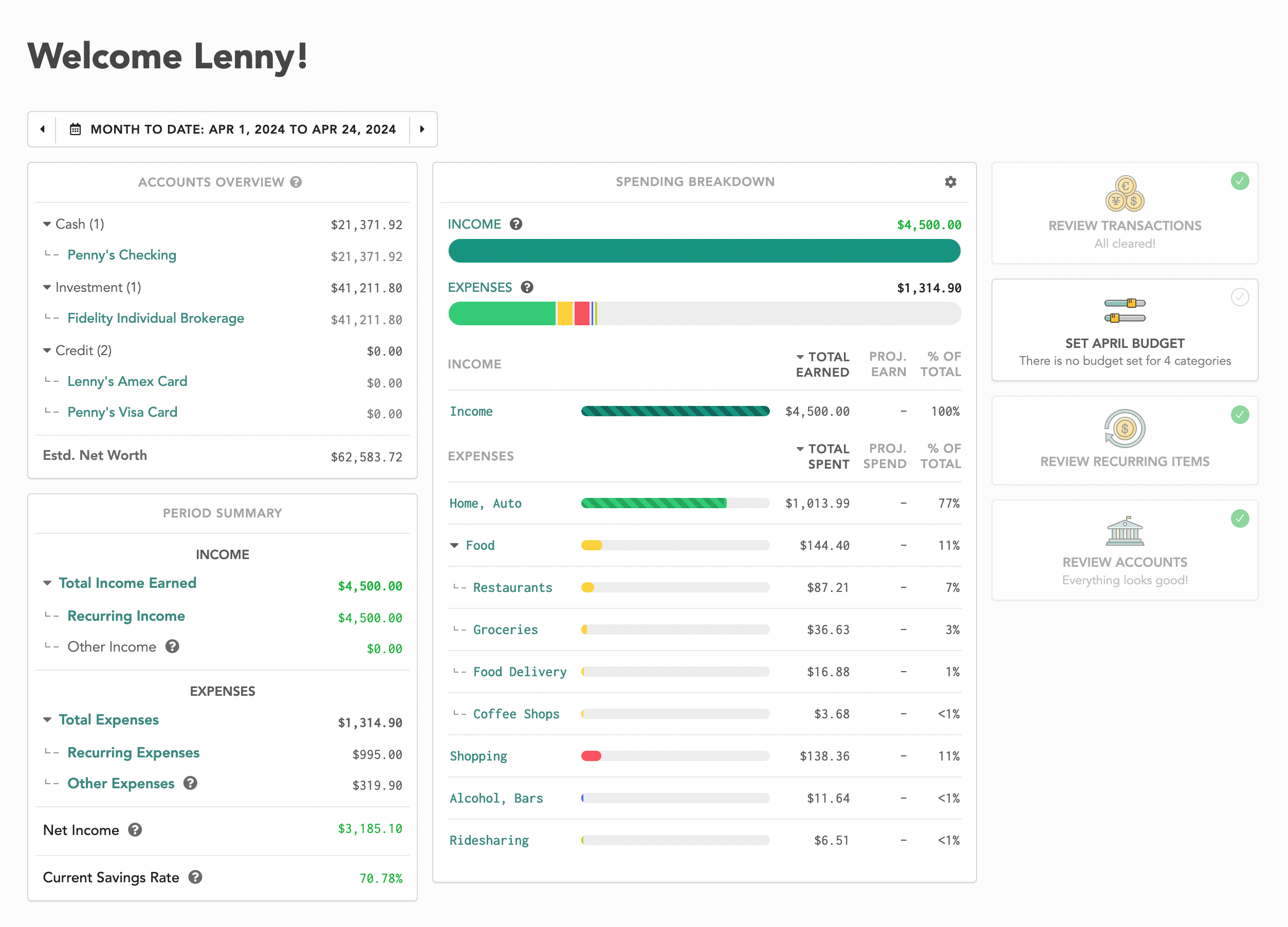
Image source: lunchmoney.com
Features:
- Budget organization with boards, buckets, and checklists
- Shared team calendars and timeline views
- Labels, priorities, and due dates for task clarity
- Basic progress tracking and notifications
Pros:
- Seamless integration with the Zoho platform
- Visual task boards help organize work clearly
- No extra cost if you use extra fextures
Cons:
- Limited built-in time tracking capabilities
- Basic reporting compared to dedicated work trackers
Pricing:
- Monthly subscription: $10 per month
- Annual subscription: $100 per year
11. Rocket Money: Best for subscription tracking and expense monitoring
Rocket Money is a personal finance app that helps users track subscriptions, monitor expenses, and manage budgets in one place. It automatically identifies recurring charges and alerts users about unused or unnecessary subscriptions. With spending insights and bill management features, Rocket Money helps users reduce wasteful expenses and stay in control of their finances.
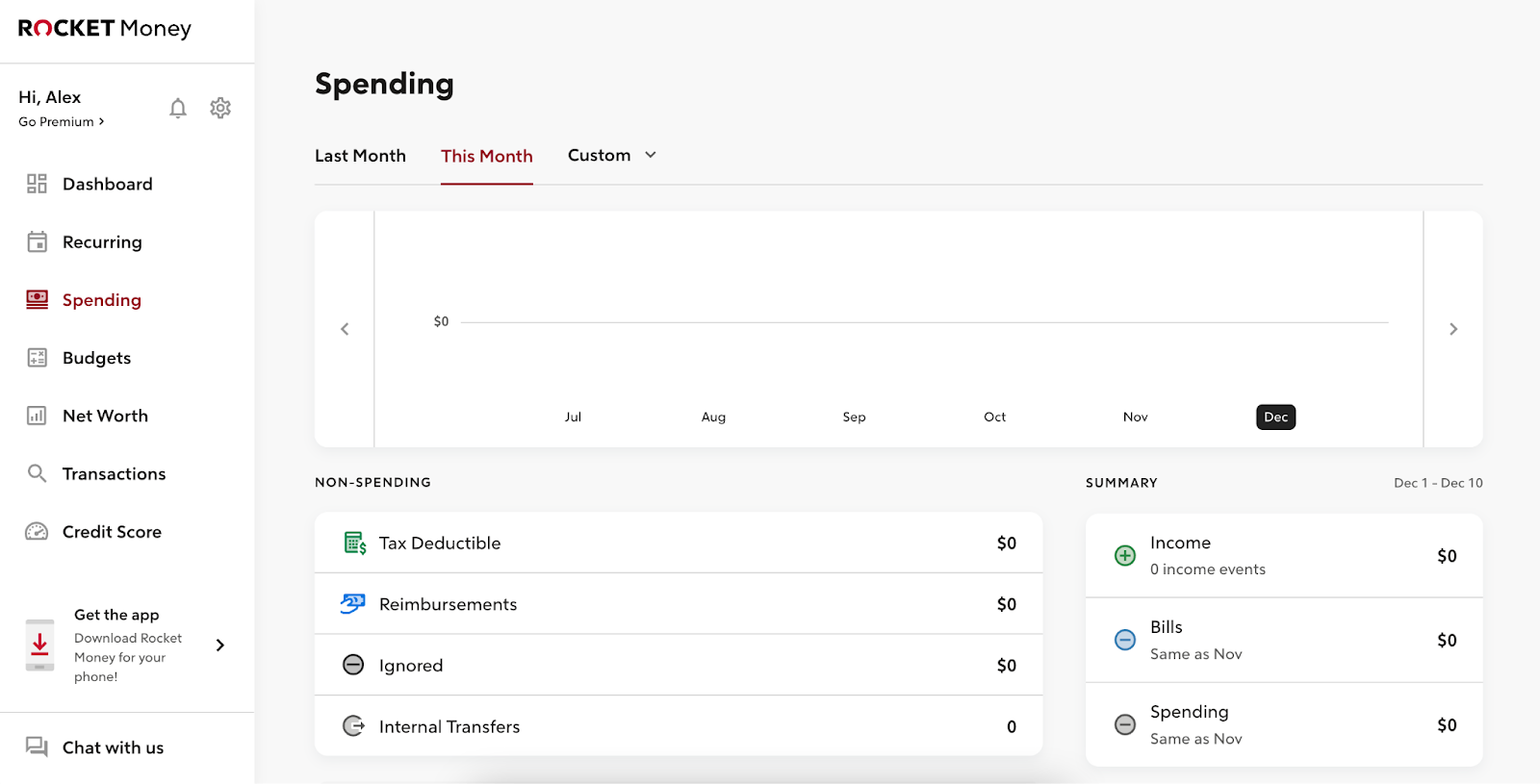
Image source: rockeymoney.com
Features:
- Task and project organization with lists, boards, and timelines
- Custom fields and workflow automation
- Integrations with budget-tracking apps
- Collaboration tools like comments and mentions
Pros:
- Excellent task management and planning features
- Great for team collaboration and communication
- Flexible views (list, board, calendar, timeline)
- Strong ecosystem with many integrations
Cons:
- No native built-in time tracking
- Advanced reporting and features require paid plans
Pricing:
12. Albert: Best for AI-powered budgeting and automated savings
Albert is a personal finance app that uses AI to help users manage budgets and build savings automatically. It analyzes spending patterns, tracks bills, and suggests ways to save money. With features like automated savings transfers and real-time financial insights, Albert helps users improve money management and reach their financial goals more efficiently.
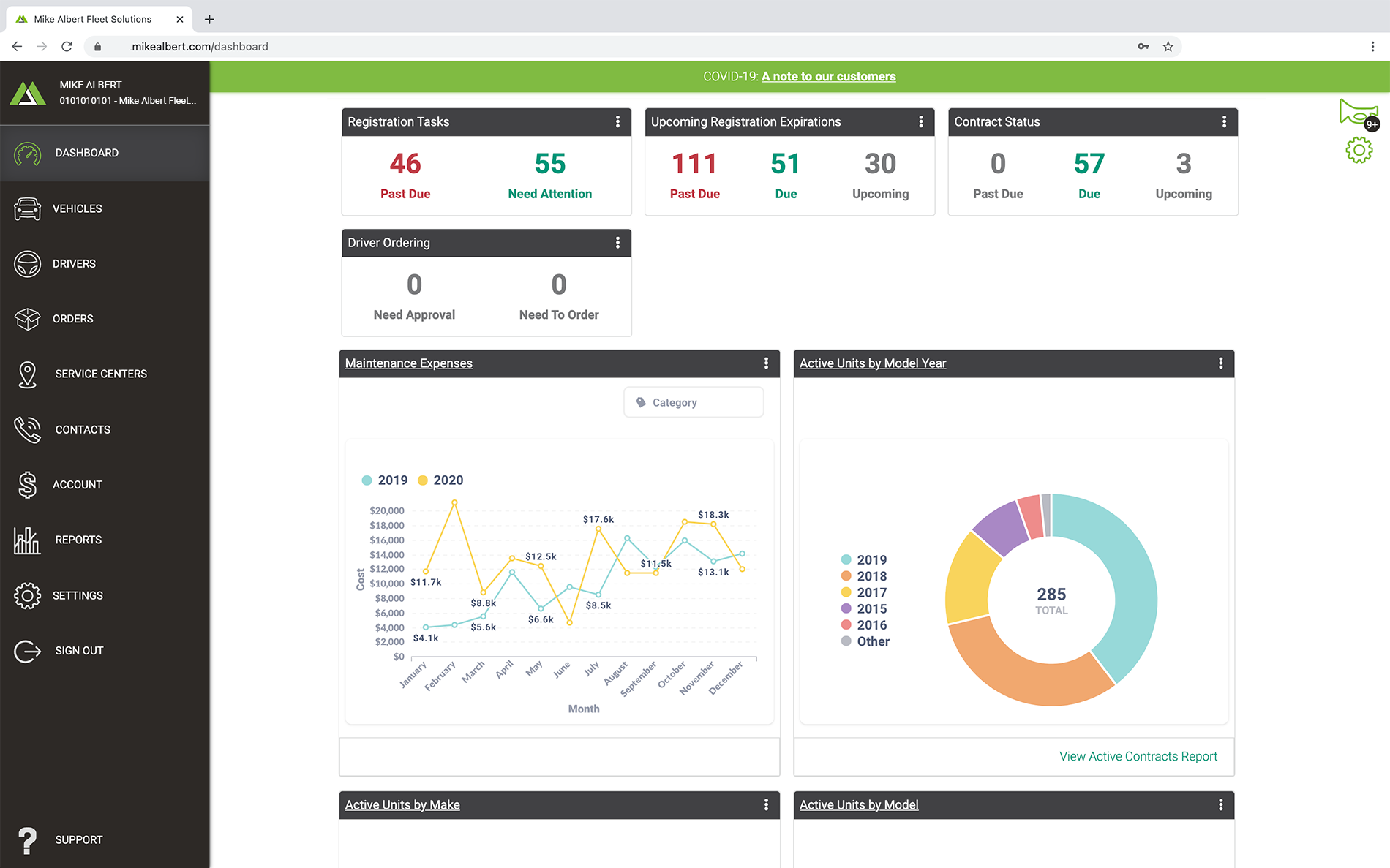
Image source: albert.com
Features:
- Resource scheduling tied directly to budget forecasting
- Real-time visibility into future costs based on people, hours, and rates
- Visual timelines showing the budget impact of workload changes
- Capacity planning to prevent over-allocation and budget overruns
Pros:
- Strong focus on forward-looking budget forecasting
- Clear visual interface that's easy to understand
- Helps teams link resourcing decisions to financial outcomes
- Useful for agencies and teams managing multiple projects
Cons:
- Limited expense tracking compared to full accounting tools
- Less suitable for detailed invoicing and billing needs
- Can feel restrictive for teams wanting deep customization
Pricing:
13. Spendee: Best for visual insights and intuitive budget tracking
Spendee is a personal finance app designed to make budgeting simple and visually engaging. It allows users to track expenses, organize spending categories, and monitor budgets through clear charts and visual reports. With an intuitive interface and shared wallet options, Spendee helps users understand their spending habits and manage finances more effectively.
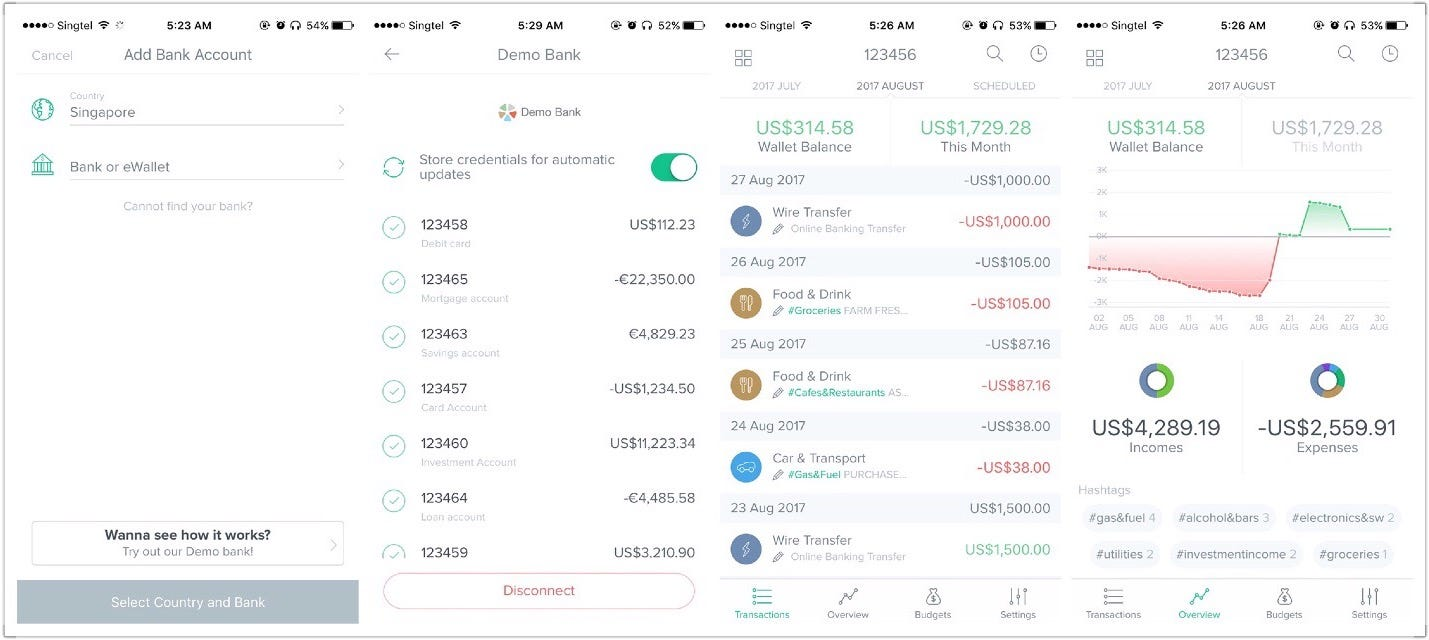
Image source: spendee.com
Features:
- Unlimited users and projects
- Manual and timer-based budget tracking
- Visual time reports and analytics dashboards
- Billable hours tracking and invoicing
Pros:
- 100% free core version with no user limits
- Simple and fast setup with intuitive navigation
- Great reporting features for teams and clients
- Cross-platform support for web, desktop, and mobile
Cons:
- Limited automation in the free plan
- Interface can feel basic for enterprise users
Pricing:
- Spendee premium: $35.99 per year (billed annually)
- Spendee plus: $14.99 per year (billed annually)
14. Quicken Simplifi: Best for comprehensive personal finance management
Quicken Simplifi is a personal finance management app that helps users track spending, manage budgets, and monitor financial goals in one place. It automatically categorizes transactions, tracks bills, and provides clear spending insights. With customizable budgeting tools and detailed financial reports, Quicken Simplifi helps users stay organized and maintain full control over their finances.
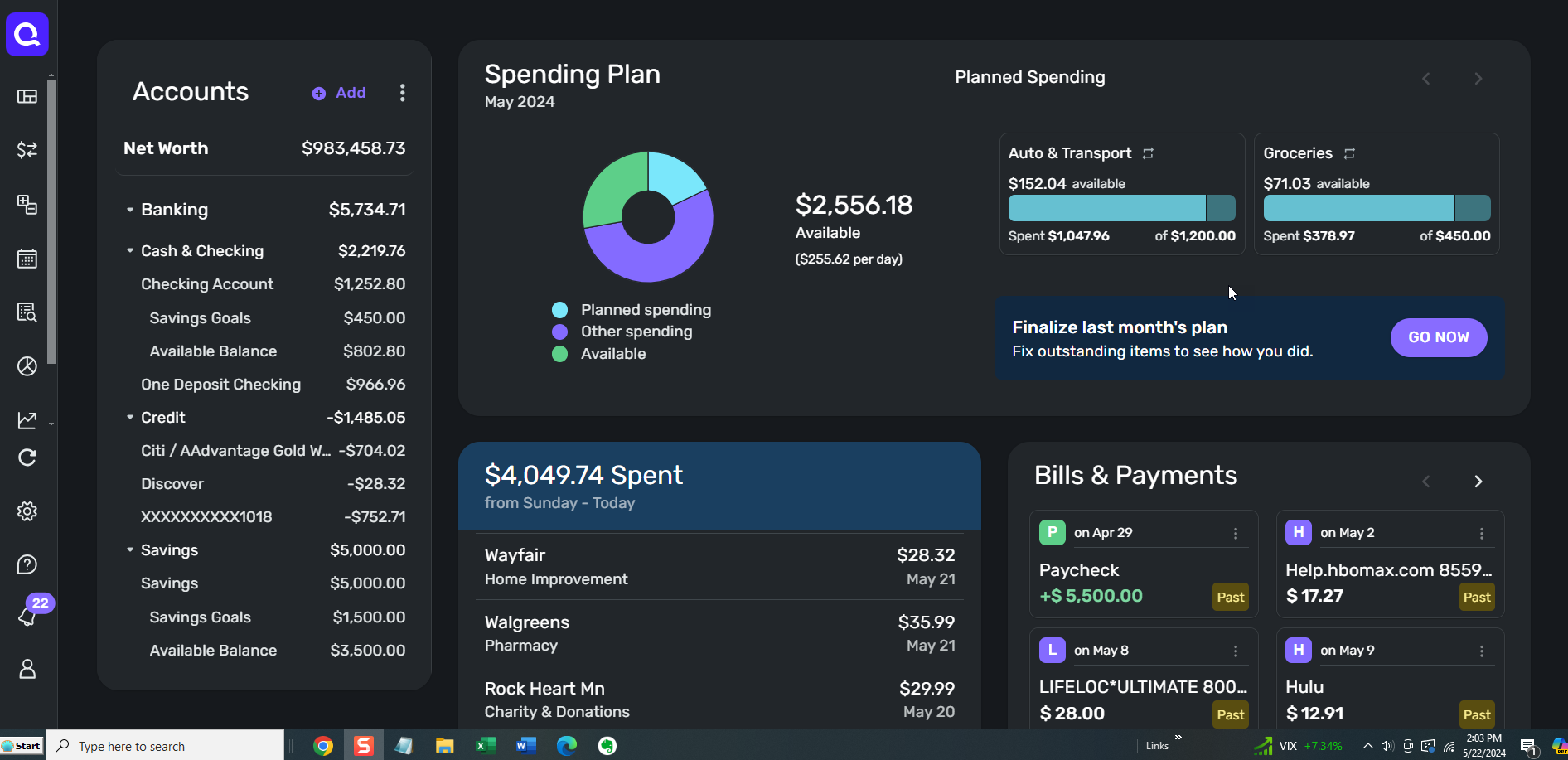
Image source: quickensimplifi.com
Features:
- One-click budget and manual budget entry options
- Project and client tagging for clear categorisation
- Detailed reports and visual summaries of tracked hours
- Integrations with tools like Asana, Monarch, and Smartsheet
Pros:
- Extremely easy to use with no learning curve
- Generous free plan for individuals and small teams
- Works across web, desktop, and mobile devices
- Strong reporting and export capabilities for clients and teams
Cons:
- Limited advanced features in the free version
- Lacks built-in invoicing and expense tracking
Pricing:
15. Copilot Money: Best for smart auto-categorization and spending insights
Copilot Money is a personal finance app designed to give users clear insights into their spending and financial habits. It automatically categorizes transactions, tracks budgets, and highlights spending trends in real time. With smart automation and detailed visual reports, Copilot Money helps users understand where their money goes and manage finances more effectively.
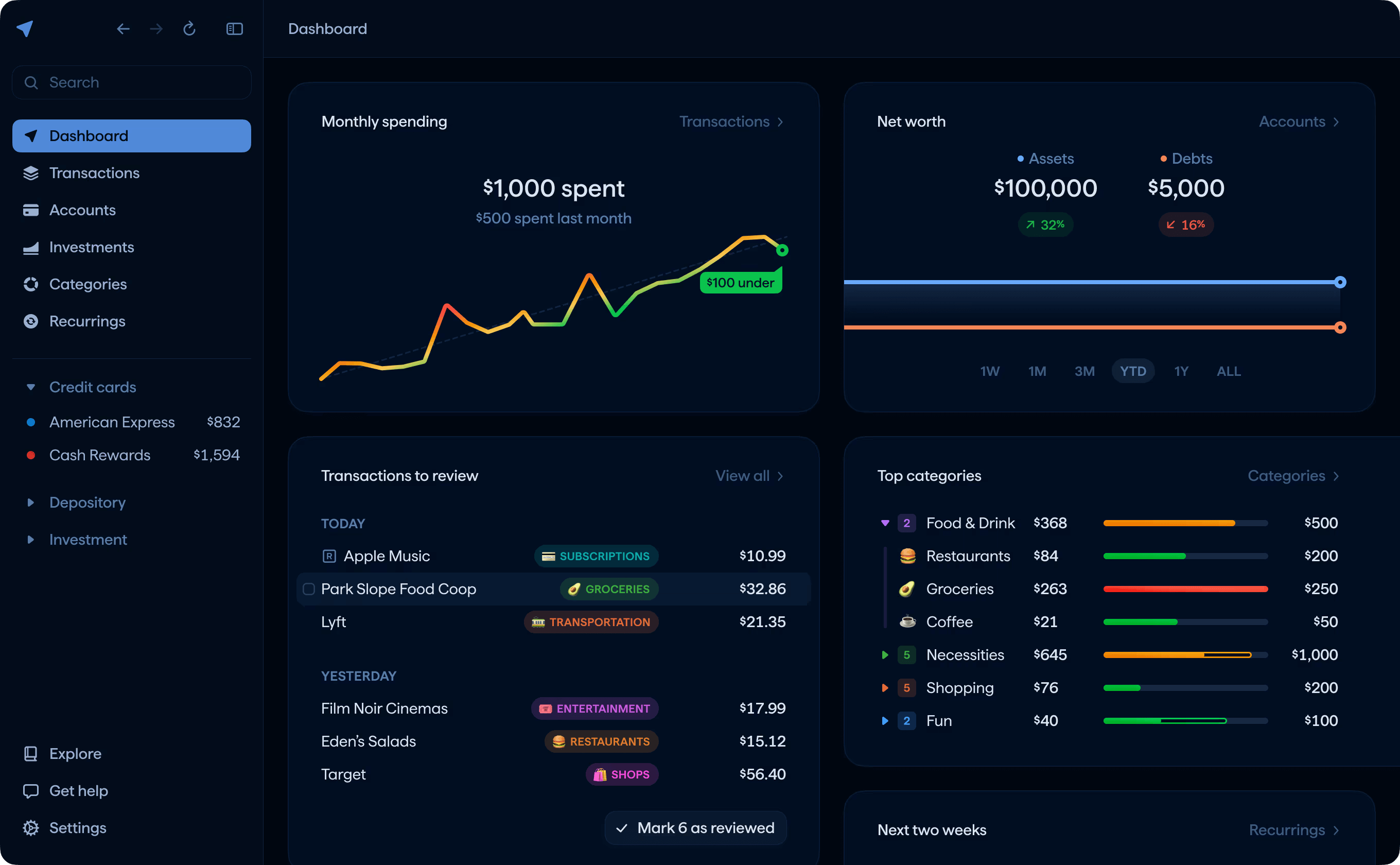
Image source: copilotmoney.com
Features:
- Budget tracking with clock-in/clock-out
- Attendance logs and shift scheduling
- Facial recognition and biometrics (optional)
- Budget sheets and exportable reports
Pros:
- Easy attendance and budget tracking for teams
- Mobile app with GPS tracking for field work
- Useful for shift-based teams and hourly workers
- Free plan available with core features
Cons:
- Limited task or project-level tracking
- Some advanced features require paid plans
Pricing:
- $7.92 per month (billed annually)
16. Brex: Best for corporate spend management and automated expense tracking
is a comprehensive finance platform that combines corporate cards, expense management, and business banking into one unified system. Designed primarily for businesses, it offers real-time visibility into spending and automates the tedious parts of budget tracking, such as receipt collection and categorization. With its robust reporting and global capabilities, Brex helps teams stay on budget while scaling efficiently.
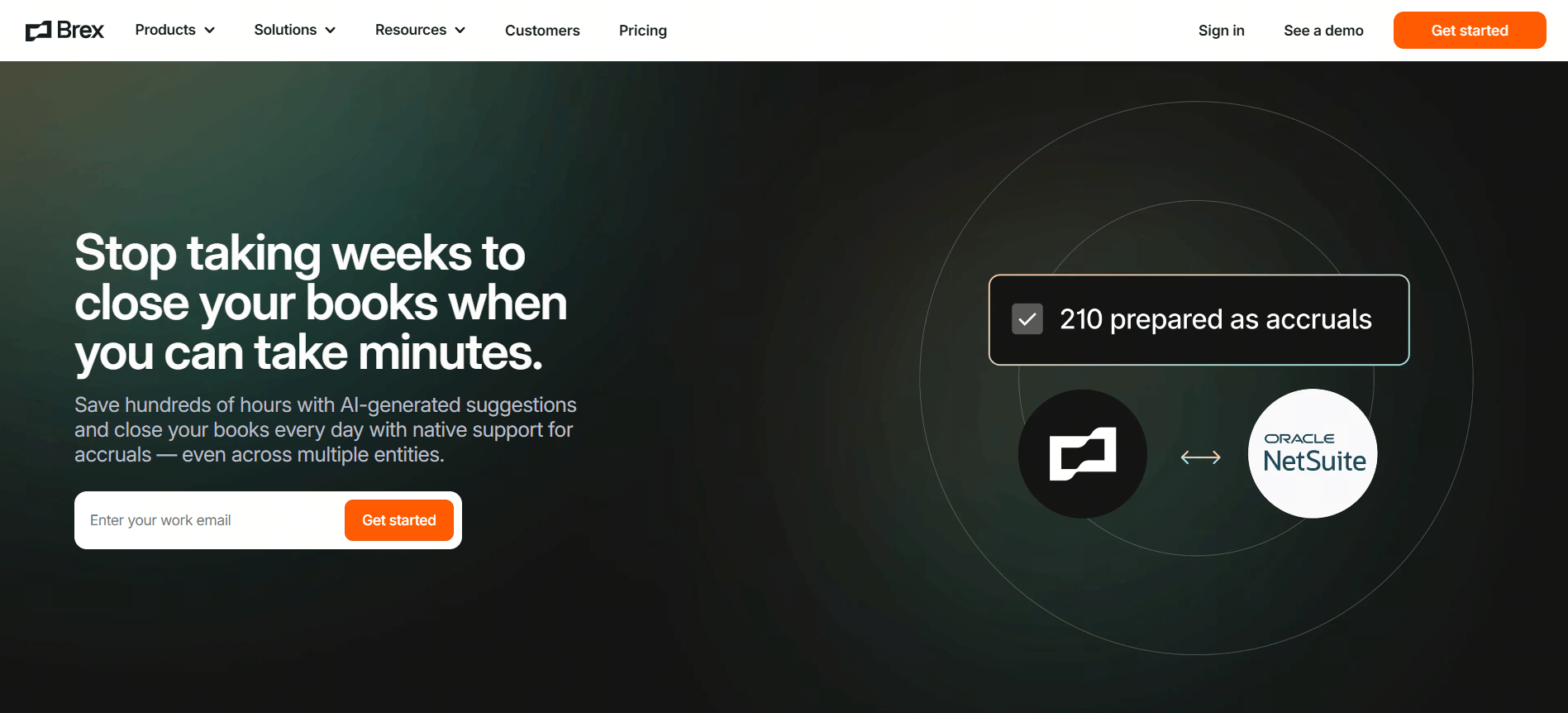
Image source: brex.com
Features:
- Corporate cards with built-in spending limits
- Real-time expense tracking and automated receipt matching
- Automated bill pay and reimbursement workflows
- Advanced financial reporting and analytics
Pros:
- Eliminates manual expense reports and receipt chasing
- High levels of control with custom spend limits per employee
- Real-time visibility into company-wide spending and budget health
- Generous rewards and points on business-related spending
Cons:
- Focused exclusively on business use cases; not for personal finance
- Requires a business entity and may have credit approval requirements
Pricing:
- Offers a free Essentials plan for core features; Premium features start at $12 per user per month.
Bonus: Free vs paid budget tracking apps: Which is right for you?
When choosing the best budget app for tracking spending, one of the biggest decisions is whether to use a free or paid version. Both options help track expenses and manage budgets, but they differ in features, customization, and advanced tools. Understanding these differences can help you choose the best app for budget tracking, whether free or premium, and decide if a premium option is worth the investment.
- Cost and accessibility: Free apps are ideal for beginners or anyone who wants simple expense tracking without a subscription. They usually offer basic budgeting tools at no cost, making them widely accessible.
- Features and advanced tools: Paid budgeting apps typically provide more advanced features such as detailed analytics, customizable budgeting categories, and long-term tools. These features help users plan future spending rather than just track past expenses.
- Automation and bank integration: Both free and paid apps can connect to bank accounts and automatically categorize transactions. However, premium versions often include deeper financial insights, , and advanced automation tools.
- Ads and limitations: Free apps may include advertisements or restrict certain features, while paid apps usually provide an ad-free experience and full access to premium budgeting tools.
Conclusion
Budget tracking apps have become essential tools for managing personal finances in a smarter and more organized way. They help users monitor spending, set budgets, track financial goals, and gain better visibility into their money habits. With features like automation, real-time insights, and detailed financial reports, these apps make it easier to stay in control of daily expenses and .
Tools like also demonstrate how integrated digital platforms can simplify financial workflows and support better collaboration and organization. By choosing the right budget tracking app, individuals can build stronger money management habits and achieve greater financial stability over time.
Keep budgets on point and projects healthy with Lark
FAQs
What is the best app to keep track of spending?
Several apps are considered excellent for tracking spending, including YNAB, Emma, Snoop, and Goodbudget. These apps connect to bank accounts, categorize transactions automatically, and provide spending reports to help users manage their finances more effectively. For example, tools like YNAB focus on proactive budgeting, while apps like Emma and Snoop provide spending insights and alerts.
Is Snoop or Emma better?
Both apps are strong budgeting tools, but they serve slightly different needs. Snoop focuses on spending insights, bill reminders, and finding cheaper deals to help users save money. Emma, on the other hand, provides advanced budgeting tools, subscription tracking, and detailed financial analysis. Many users choose Snoop for affordability and Emma for more advanced premium features.
What is the best completely free budgeting app?
Some of the best completely free budgeting apps include Snoop, Goodbudget, and Money Dashboard. These apps allow users to connect bank accounts, categorize expenses, and track spending without a subscription. Many budgeting apps offer free versions with optional premium upgrades for additional features.
Which budget tracker is the best?
The best budget tracker depends on personal preferences and budgeting style. YNAB is widely recommended for structured budgeting, Emma for spending insights and subscription tracking, and Goodbudget for envelope-style budgeting. Each app offers different tools, so the best choice depends on how detailed and automated you want your budgeting system to be.
Related reading