Modern software teams move fast—but quality can only keep up when bugs are captured, tracked, and resolved efficiently. The right bug reporting and tracking tools enable QA engineers, developers, and project managers to document defects clearly, prioritize fixes intelligently, and maintain visibility across complex workflows. From free and open-source trackers to enterprise-grade monitoring platforms and full ALM systems, today's solutions support everything from manual QA testing to real-time production error detection. This guide compares the best bug reporting tools available, helping teams choose the right solutions to improve collaboration, shorten feedback loops, and deliver more stable software releases.
Build smarter bug workflows with new options today
Side-by-side comparison of bug reporting tools
Information source: Official vendor sites
Update time: 2025-12-02
Note: Pricing and plan details reflect publicly available data as of the update date and may vary based on region, billing cycle, and number of agents.
What are bug reporting and tracking tools?
are software platforms that help teams capture, document, prioritize, assign, and resolve software defects throughout the development lifecycle. They provide a centralized system where QA teams, developers, product managers, and support staff can log issues with detailed descriptions, screenshots, logs, environment data, and reproduction steps. These tools track each bug from discovery through triage, fixing, testing, and closure, ensuring accountability and visibility at every stage. Beyond simple ticketing, modern platforms often include collaboration features, workflow automation, , and integrations with testing, development systems, and to support faster, more accurate defect resolution.
15 best bug reporting and tracking tools for software teams
1. Lark: Best unified bug reporting and tracking workspace for teams
As more teams compare the best bug reporting tools for modern workflows, stands out by combining bug databases, , documentation, and messaging in one place. Instead of scattering issues across separate apps, QA, developers, and PMs log, triage, discuss, and resolve bugs inside a single unified workspace. Customizable Lark Base views support rich bug histories, while keeps handoffs smooth. This centralization reduces context switching and makes defect resolution more transparent and predictable.
Centralized bug, information, & record database
provides a customizable database where you can log each bug with structured fields—for example: bug ID, description, severity, status, assigned developer, priority, environment (dev/QA/prod), expected fix version, and more. Teams can also use a built-in "bug tracking report" template to get started quickly. Because Base is flexible, you can add custom fields (e.g. reproduction link, test case reference, client severity) and adapt the tracking schema to your project's needs.
Flexible views & visual tracking
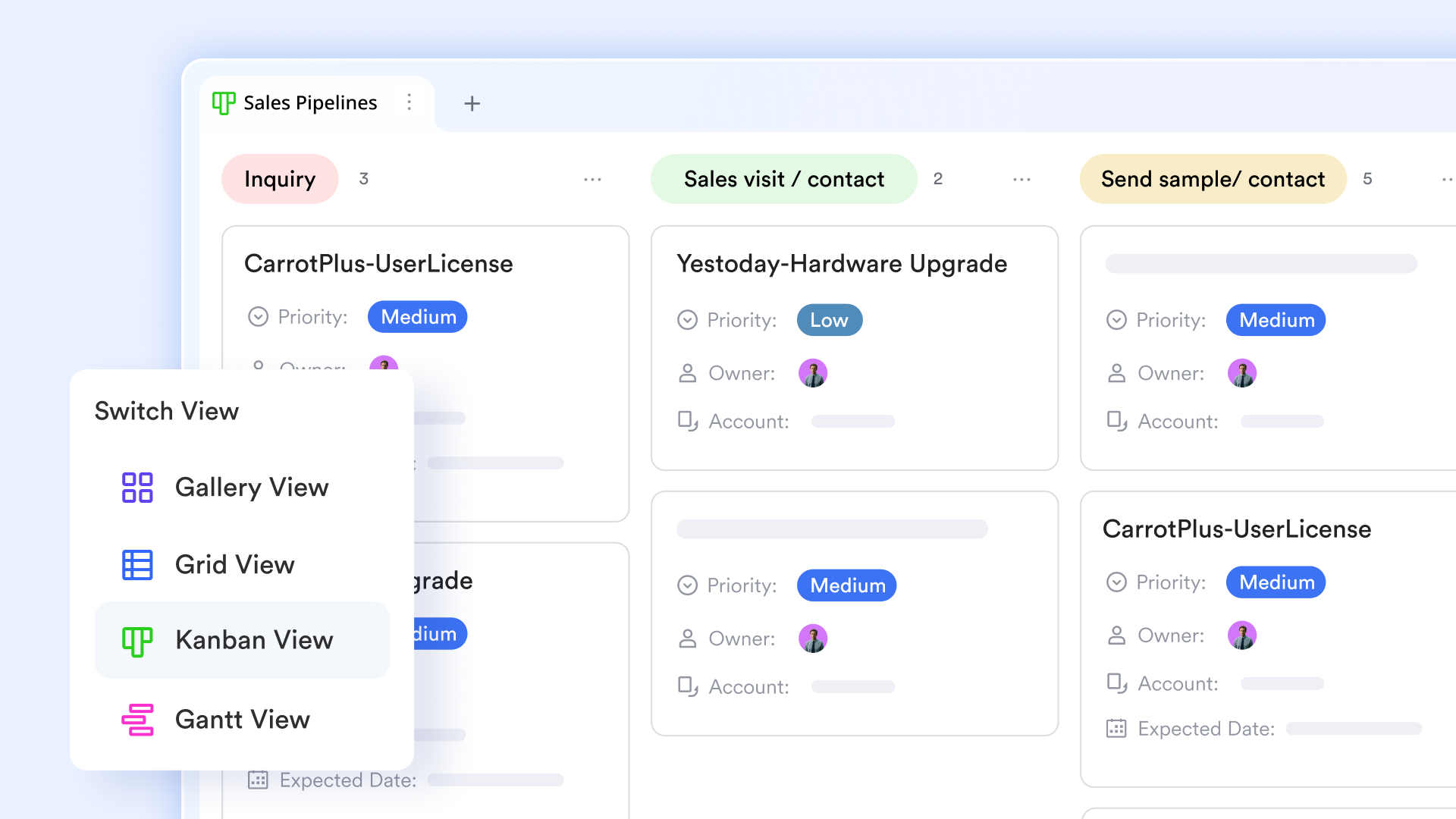
Once bugs are logged in Lark Base, Lark lets you view them in different ways—tables, lists, Kanban-style boards, or timeline/Gantt views (depending on your workflow). This helps teams visualize bug backlog, track progress, manage release deadlines, and assign work strategically. These views help project leads and QA managers quickly filter, group, or sort bugs—e.g. by severity, assignee, fix version—to prioritize and plan work. 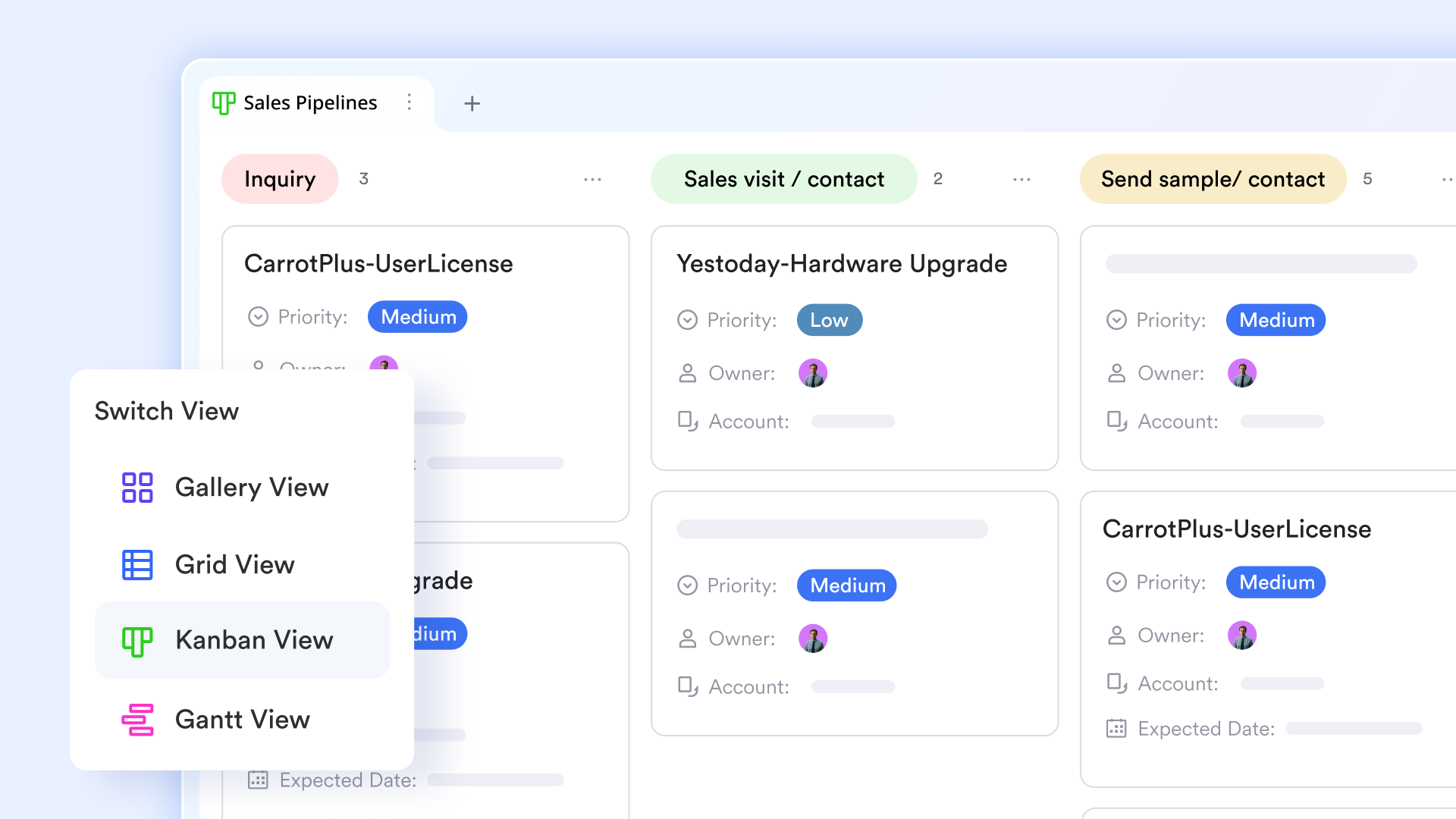
Automated workflows & process control with Base + bautomation
Lark supports : for example, when a new bug is reported, an automation can trigger notifications to a triage team, assign default values, or log timestamps. This helps ensure new issues don't slip through the cracks. You can also build custom workflows to reflect your team's bug lifecycle: e.g. New → Confirmed → In Progress → Fixed → QA → Closed. That means status changes, assignments, and notifications become more predictable and less manual. 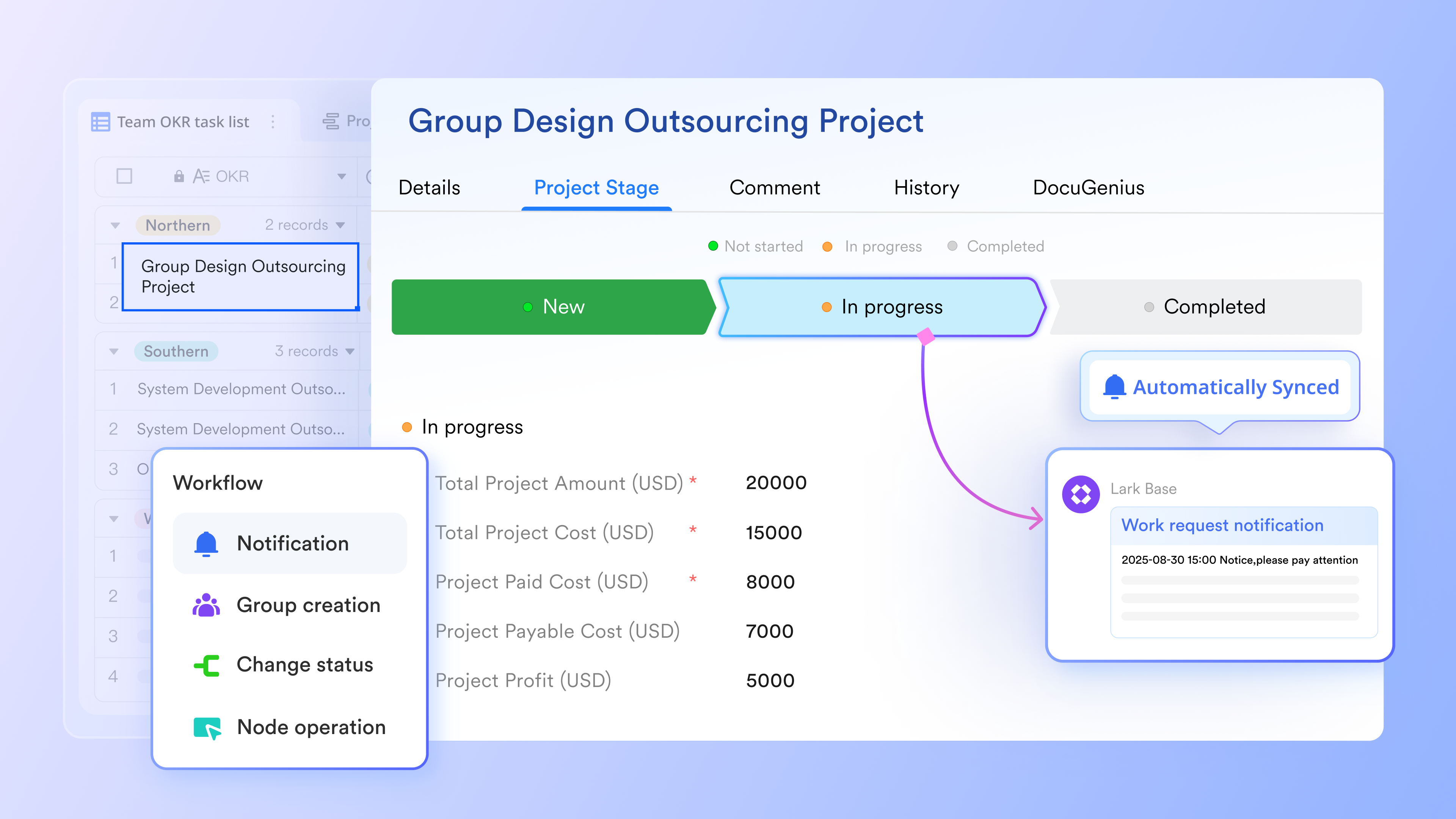
Collaborative issue discussion via Lark Messenger + real-time docs
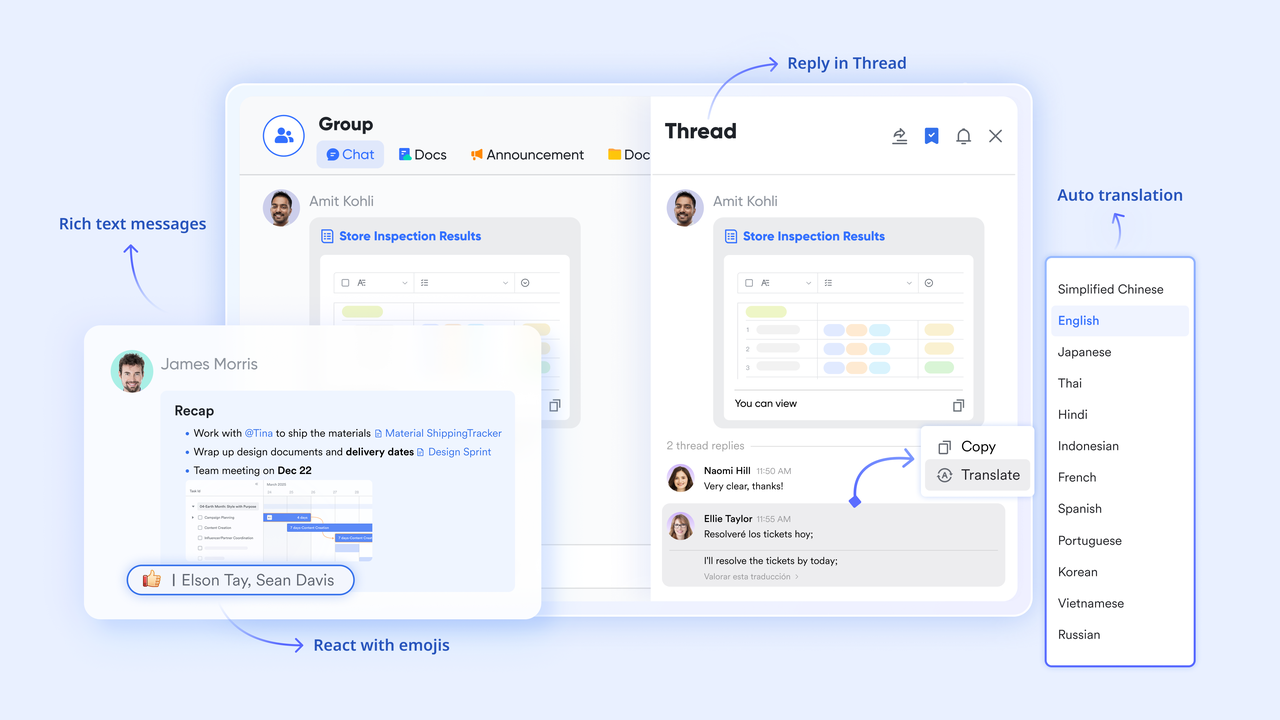
When a bug needs clarification—reproduction details, logs, stack traces, screenshots— allows team members to discuss directly inside the workspace. You can link a Base bug record in a chat, share files, and pin important messages so everyone stays aligned. According to Lark's product description, Messenger is deeply unified and designed for "turning chats into productivity hubs." Additionally, you can use (or a shared wiki inside Lark) to store longer-form documentation—e.g. bug reproduction guides, root-cause analyses, patch notes—and link these docs to the bug record for future reference.
Task assignment and bug fix tracking with Lark Tasks
Rather than just listing bugs, Lark lets you treat each bug as a task: assign it to a developer, set deadlines, add subtasks (e.g. coding, testing, review), and track progress. Under the permission provided by the task's owner, you can see who's working on which bug, and track if its status has changed. Because Base records and Lark Tasks can link through the dashboard in the task list, you maintain a clean connection between the issue data and actual fix work. 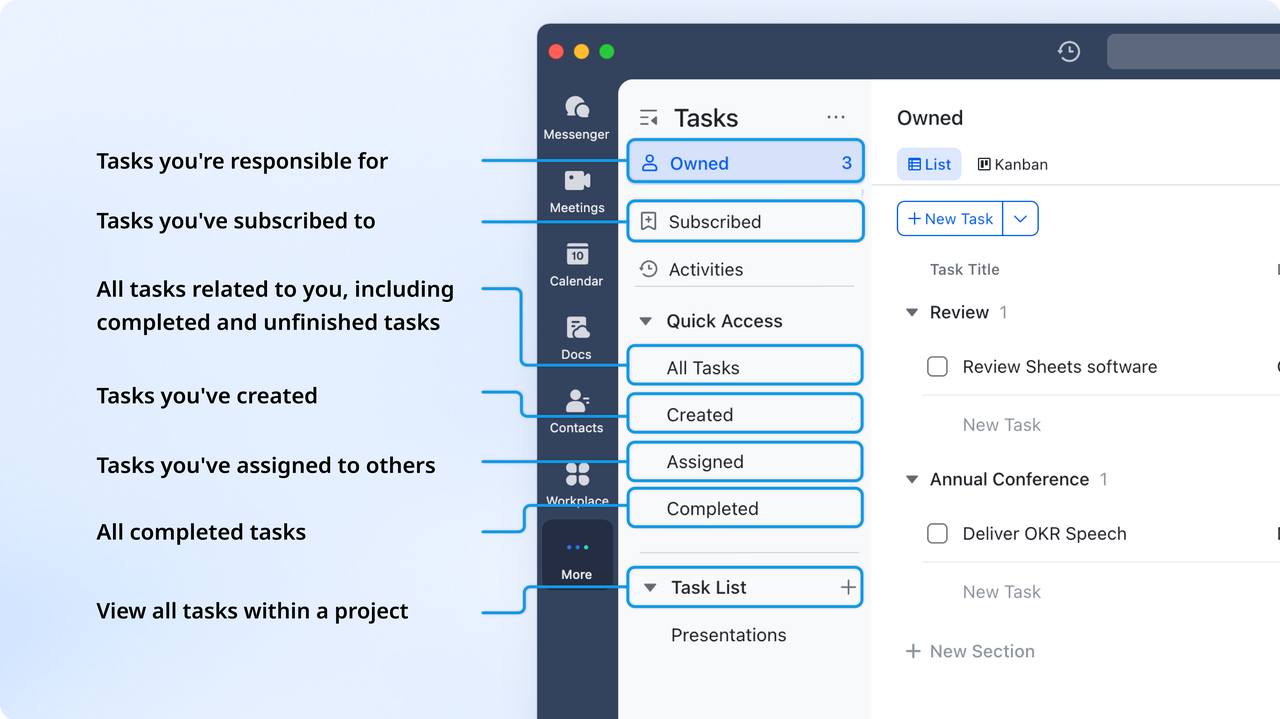
Release planning and scheduling using Lark Calendar
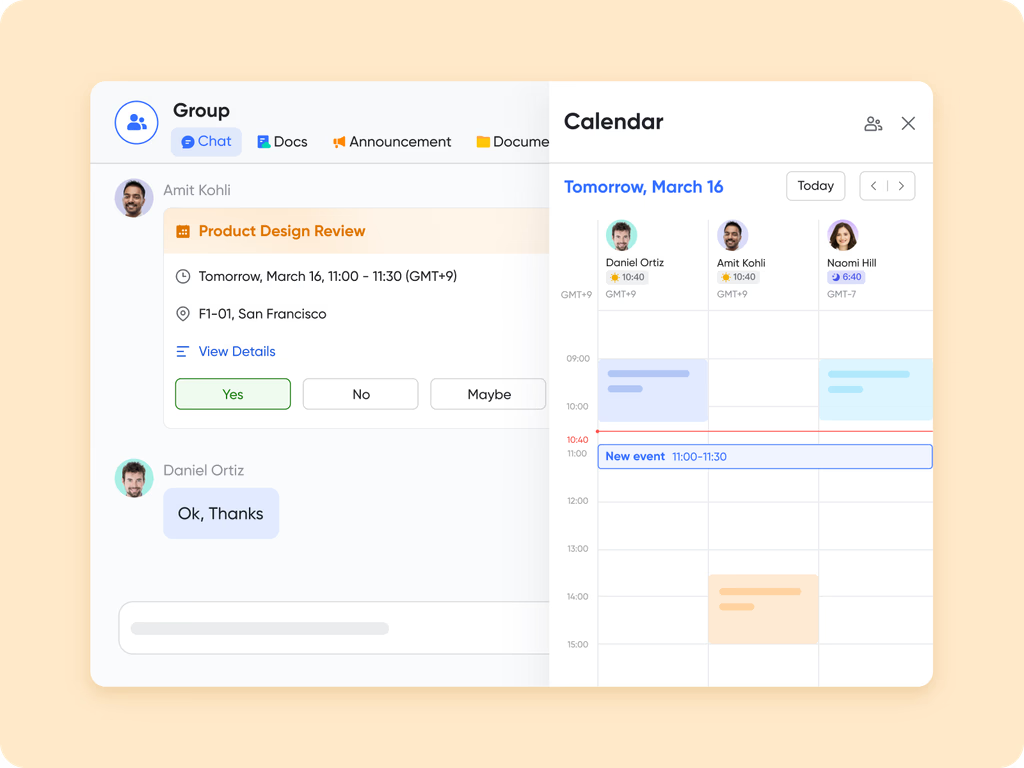
For projects where bug fixes align with release dates or sprints, can help schedule deadlines, QA cycles, and release checkpoints. You can link Calendar events back to bug or task records so the whole team sees when bugs must be resolved and shipped, giving visibility into workload and delivery planning.
:
- Starter plan: Free forever plan that includes 11 powerful tools for up to 20 users. It also comes with 100GB of storage, 1000 automation runs, AI translations, and more.
- Basic plan: $6/user/month (billed annually) for up to 500 users. It includes everything in Starter plus group calling for up to 500 attendees, 5TB of storage, 1000 automation runs, and more. For more details, please .
- Pro plan: $12/user/month (billed annually) for up to 500 users. It includes everything in Basic plus group calling for up to 500 attendees, 15TB of storage, 50,000 automation runs, and more.
- Enterprise plan: for custom pricing. Supports unlimited users and includes even more automation runs and advanced security, compliance, and management features.
For small teams with simple communication needs

18 months message history
1000 Base automation runs/month
2000 rows per table in Base
Most POPULAR
For companies with comprehensive collaboration and management needs
Unlimited message history
500-participant video meetings
50k Base automation runs/month
20k rows per table in Base
For large companies with advanced security and organizational management needs
Get a personalized demo and pricing
Unlimited message history
500-participant video meetings
15 TB storage + 30 GB storage/user
500k Base automation runs/month
50k Base automation runs/month
Most POPULAR
For companies with comprehensive collaboration and management needs
Unlimited message history
500-participant video meetings
50k Base automation runs/month
20k rows per table in Base
2. FogBugz: Best bug tracking tool for knowledge-rich issue management
FogBugz has long been a favorite in the bug tracking software conversation, especially for teams that value structured case histories and deep context. It emphasizes evidence-rich bug reports, threading discussions, and timelines so developers can see not just what broke, but how and when. Built-in wikis and documentation features turn tribal knowledge into searchable references. FogBugz works best for engineering organizations that want long-term traceability instead of just lightweight ticket lists.
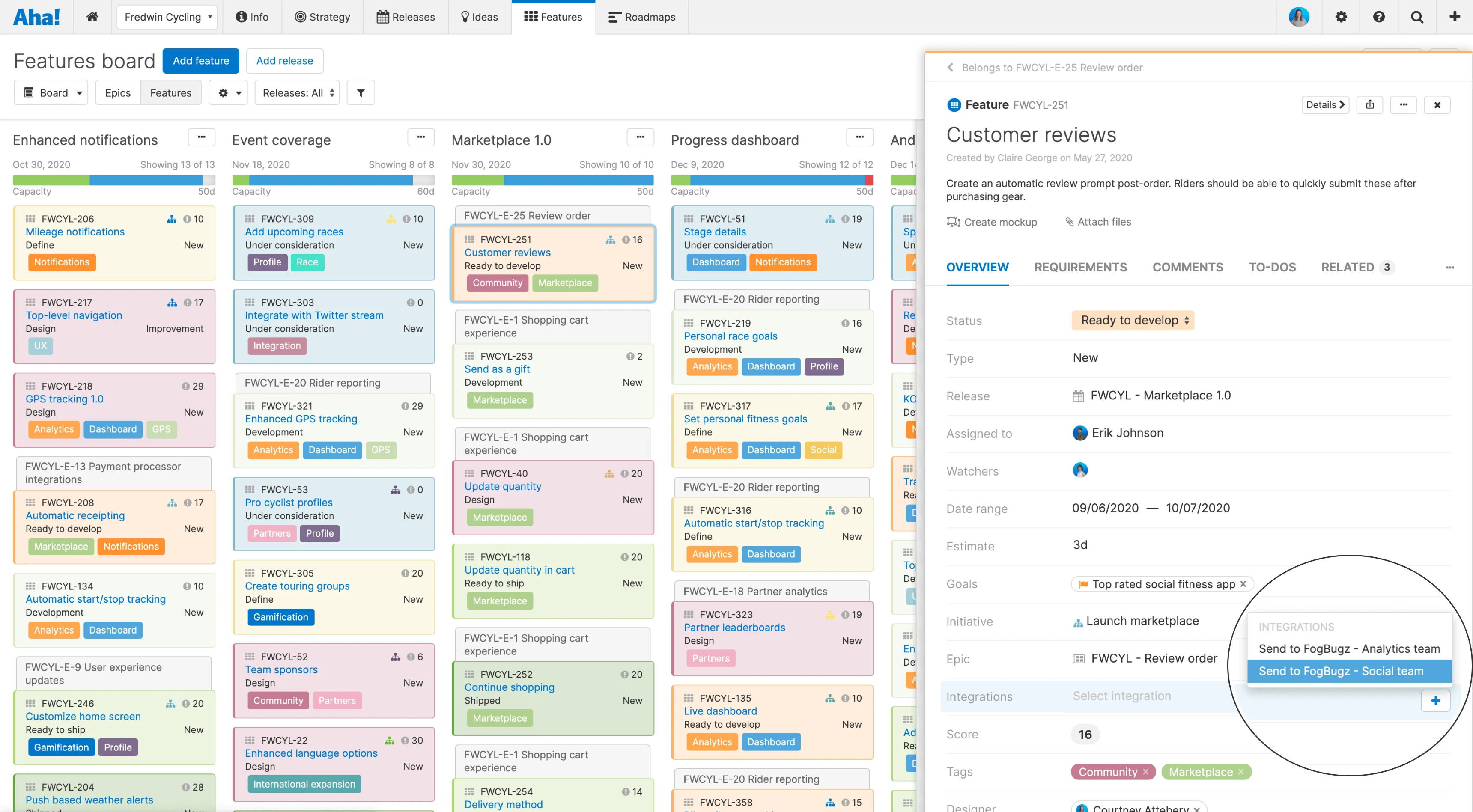
Image source: fogbugz.com
Key features:
- Case tracking with evidence attachments and history timelines.
- Threaded conversations attached to each individual bug case.
- Built-in wiki documentation for knowledge sharing.
- Priority and severity classification out of the box.
- Advanced search and filtering for large bug repositories.
Pros:
- Maintains long-term issue documentation and audit trails effectively.
- Strong for regulated industries requiring traceable QA records.
- Bundles documentation with bug tracking seamlessly.
- Mature platform proven at operational scale.
Cons:
- User interface appears dated compared to modern tools.
- Fewer integrations with newer development platforms.
Pricing:
- Monthly: $75/month (Billed monthly)
- 1 Year: $68/month (Billed $810 annually)
- 2 Years: $64/month (Billed $1,530 biennially)
- 3 Years: $62/month (Billed $2,228 triennially)
3. Trac: Best lightweight bug tracking system for software developers
Trac is a classic example often cited in discussions of bug tracking tools open source, especially among small to mid-sized dev teams. It blends a simple ticket system with an integrated wiki and milestone tracking, creating a minimal but cohesive environment. Its tight connection to version control systems makes it appealing to developers who prefer plain-text workflows. Trac is ideal for teams that want control, transparency, and self-hosting without the overhead of heavier ALM platforms.
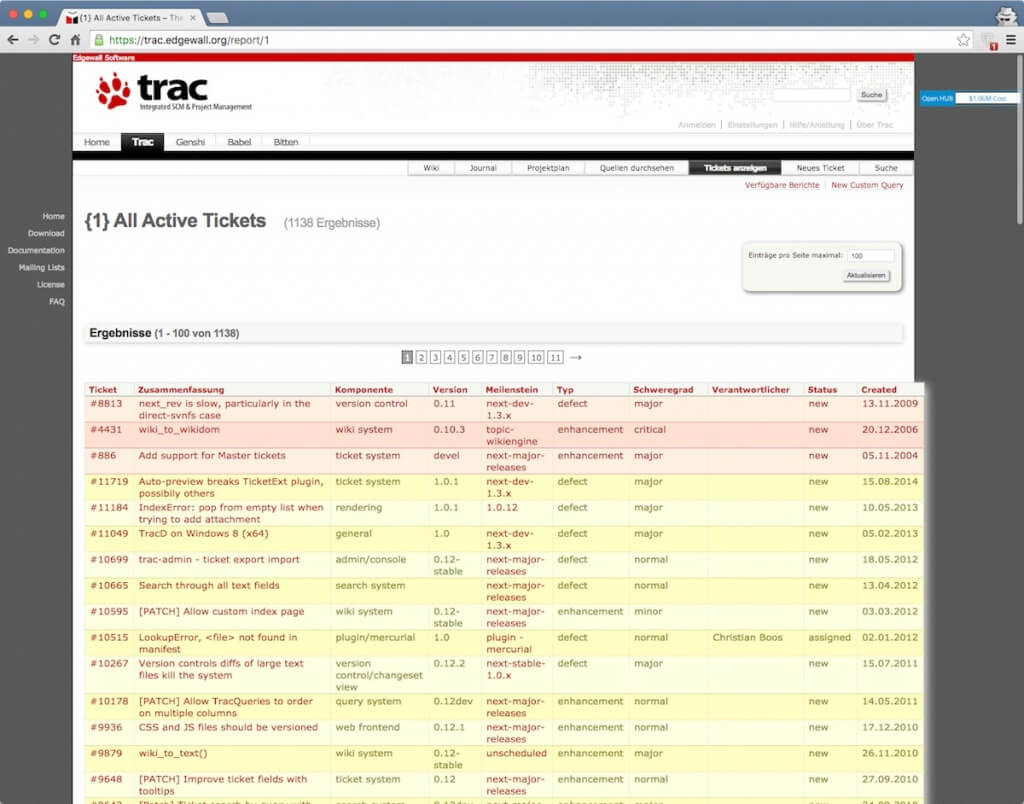
Image source: trac.edgewall.org
Key features:
- Simple ticket-based bug tracking system.
- Integrated wiki for project documentation.
- Milestone and version release planning features.
- Source control linking for bug-to-commit mapping.
- Complete open-source deployment model.
Pros:
- No licensing costs for teams with budget constraints.
- Provides full data ownership via self-hosting.
- Minimal setup and maintenance requirements.
- Ideal for straightforward development projects.
Cons:
- Lacks automation, dashboards, and analytics features.
- Self-hosting requires server maintenance resources.
Pricing:
- Trac is free and open source
4. Phabricator (Phorge): Best development collaboration suite with bug tracking
Phabricator (now continued as Phorge) is frequently used alongside bug tracking workflows, giving teams a powerful environment for code review, task management, and bug tracking in one place. Developers can link tasks to code reviews, repositories, and build systems for full lifecycle traceability. Dashboards and workboards offer flexible planning views. This makes it a strong choice for engineering-driven organizations that want a self-hosted, developer-centric collaboration layer beyond GitHub's built-in issues.
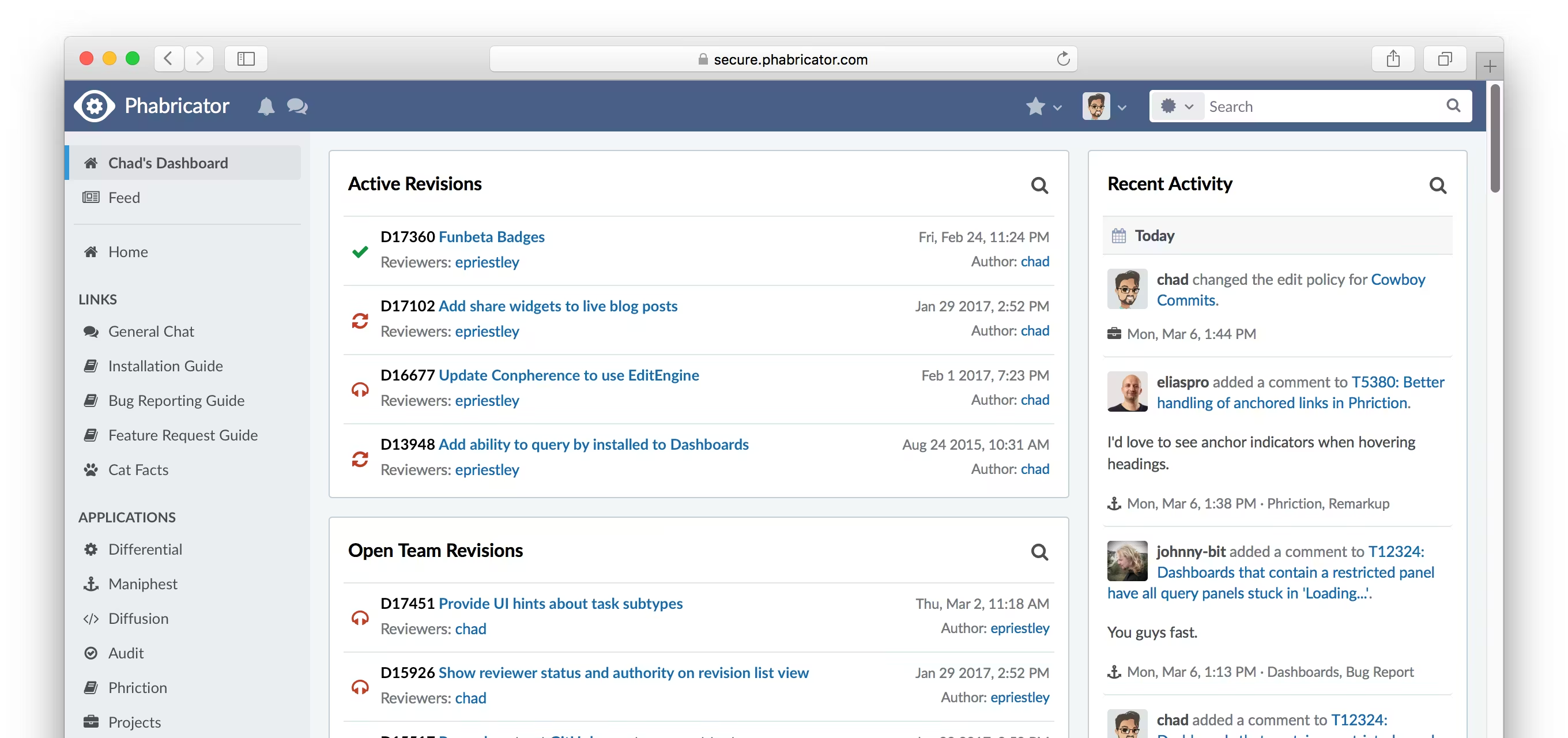
Image source: phabricator
Key features:
- Unified platform for tasks, bugs, and code reviews.
- Workboards and dashboards for sprint planning and backlog tracking.
- Code repository integration with issue linking.
- Custom permissions and workflow configurations.
- Full comment threading and action logging on tasks.
Pros:
- Combines engineering workflows into a single collaborative environment.
- Ideal for integration-heavy development and review cycles.
- Highly configurable for complex organizational structures.
- Self-hosting ensures full operational control.
Cons:
- Complex to deploy and onboard new users.
- Interface may overwhelm smaller teams.
Pricing:
- Free to download and open source
5. Sentry: Best real-time error monitoring and bug reporting for developers
Sentry is widely recognized as production-grade bug tracking software focused on real-time error and performance monitoring rather than manual ticket entry. It captures stack traces, release context, and environment metadata the moment an error occurs. Developers can prioritize issues based on impact, frequency, and affected users. Sentry fits teams that want to shift from anecdotal bug reports to hard telemetry, helping them fix issues before customers even file support tickets.
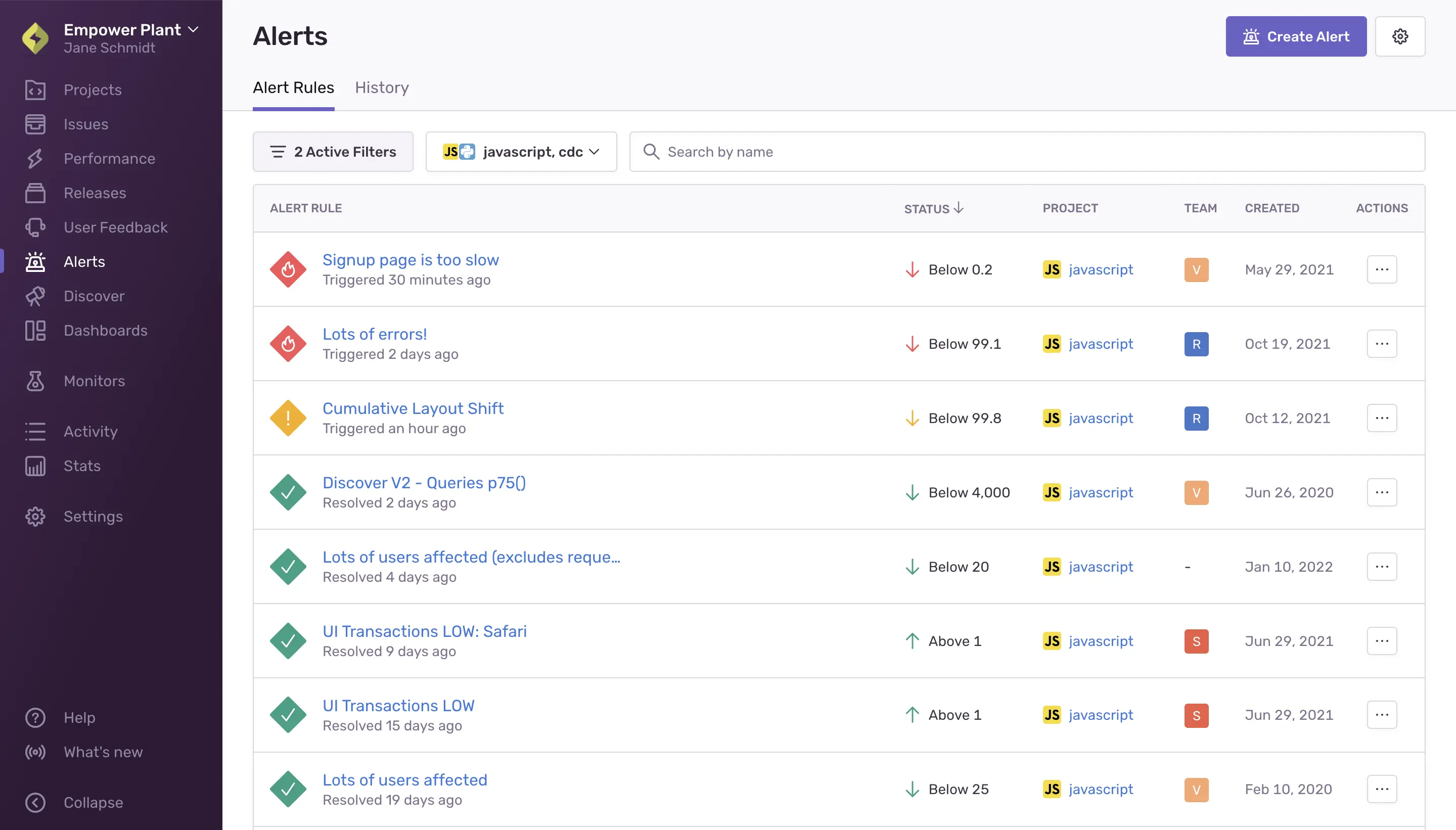
Image source: sentry.io
Key features:
- Automatic exception and stack trace capture.
- Real-time alerts on newly detected errors.
- Issue grouping to minimize duplicate bug noise.
- Performance metrics alongside error logging.
- Integrations across major programming frameworks.
Pros:
- Enables extremely fast production bug discovery.
- Detailed debugging context shortens fix times.
- Integrates well into CI and release pipelines.
- Reduces reliance on manual customer bug reporting.
Cons:
- Not intended for workflow-style manual QA bug tracking.
- Entry-level event limits can restrict scale.
Pricing:
- Developer: Free (1 user included)
- Enterprise: Custom pricing
6. Raygun: Best crash reporting and error diagnostics for production apps
Raygun is often highlighted in comparisons of bug tracking tools in software testing for teams bridging pre-release QA and live production monitoring. It collects crash reports, performance traces, and deployment context, giving engineering teams a clear view of where defects surface across environments. Raygun's dashboards help prioritize high-impact failures and performance bottlenecks. This makes it particularly useful for product teams that care about both reliability and user experience in complex, distributed applications.
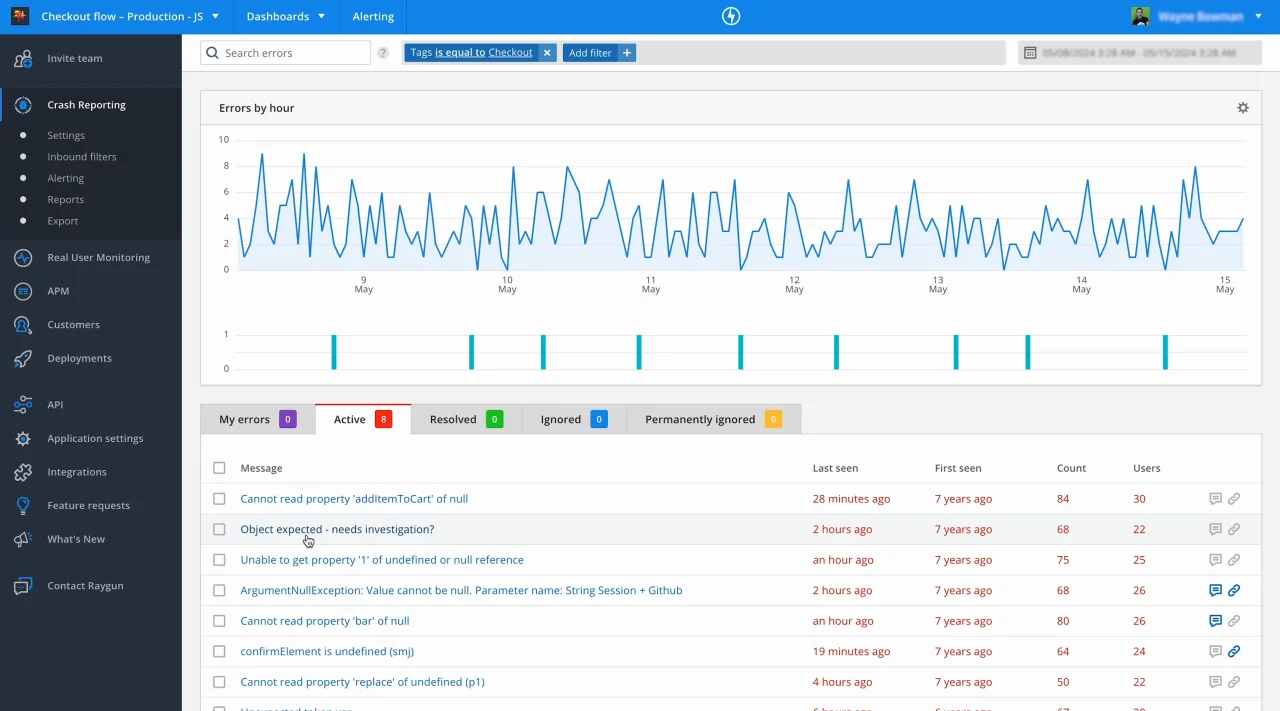
Image source: raygun.com
Key features:
- Real-time crash reporting across production platforms.
- Deployment change tracking for error spikes.
- Performance monitoring and slowdown analytics.
- Automatic grouping of recurring issues.
- Multi-platform development environment support.
Pros:
- Strong post-release crash detection.
- Works across web, desktop, and mobile clients.
- Helps reduce customer-visible defects quickly.
- Supports collaboration between QA and DevOps teams.
Cons:
- Does not support structured backlog bug management.
- Subscription costs rise with event volume.
Pricing:
- Basic: $40 (per 100,000 errors/month)
- Team: $80 (per 200,000 errors/month)
- Business: $400 (per 1,000,000 errors/month)
- Enterprise: Custom pricing
7. Airbrake: Best bug reporting tool for performance and error insights
Airbrake earns its place in many bug reporting tools list roundups as a developer-centric, exception-focused reporting platform. It captures stack traces, environment data, and deployment references to help engineers quickly pinpoint root causes. Grouping and filtering reduce noise from repetitive errors, so teams can focus on what truly matters. Airbrake works well for organizations that want actionable error context delivered directly into their development workflow, without adopting a heavyweight project management layer.
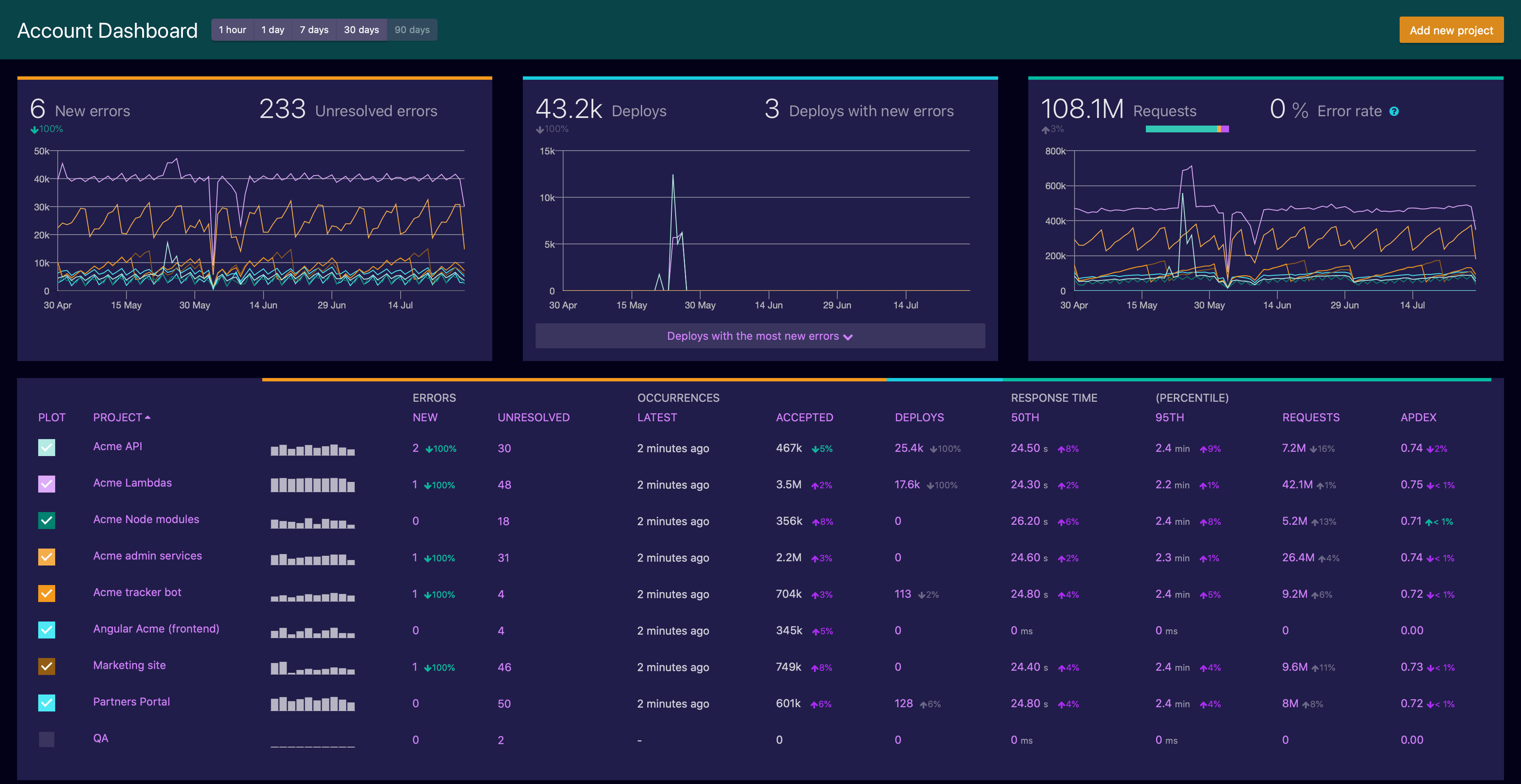
Image source: airbrake.io
Key features:
- Exception detection with environmental logging.
- Deployment change correlation indicators.
- Multi-channel alert delivery.
- Error aggregation with intelligent grouping.
- Support for all major frameworks.
Pros:
- Lightweight integration into most development stacks.
- Effective coverage of runtime application errors.
- Allows proactive maintenance monitoring.
- Provides continuous stability feedback to teams.
Cons:
- Lacks QA bug lifecycle management tools.
- Limited for manual bug entry workflows.
Pricing:
- Dev + Errors: Starting at $19/month
- Basic + Errors: Starting at $38/month
- Pro + Errors: Starting at $76/month
8. Monday Dev: Best visual bug tracking for product and engineering teams
When teams research a broad bug tracking tools list for visually managing work, Monday Dev frequently appears as a flexible option. It uses customizable boards, statuses, and automation to model bug lifecycles alongside features and tasks. Product managers can track priorities and sprint status in the same workspace where designers and engineers collaborate. This makes Monday Dev attractive for cross-functional teams that want a user-friendly, visual layer over their bug reporting and project planning.
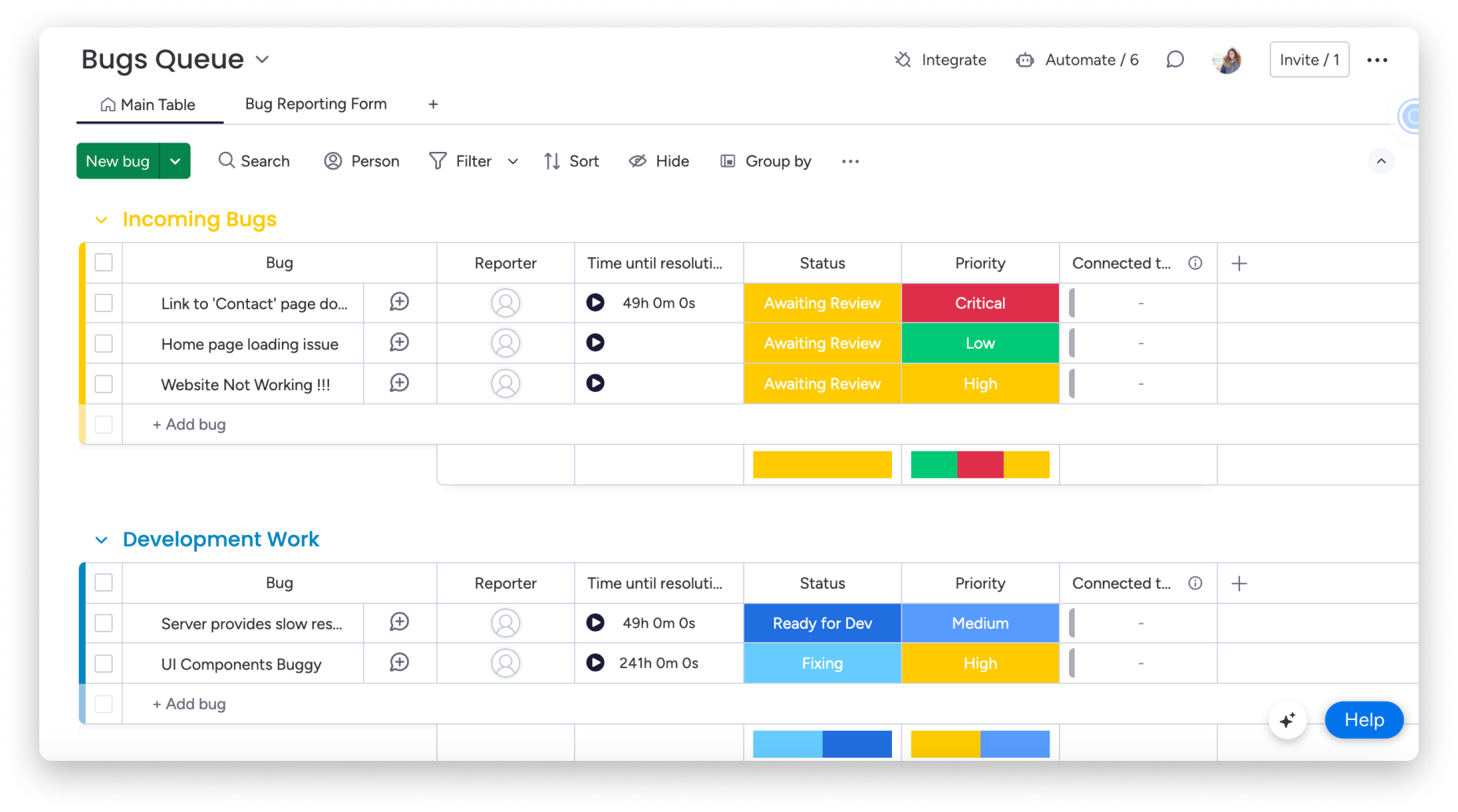
Image source: monday.com
Key features:
- Board-based workflows for bugs and tasks.
- Automation rules to advance issue stages.
- File attachments and threaded comments.
- Sprint and roadmap planning boards.
- Cross-team collaboration tools.
Pros:
- User-friendly interface accelerates adoption.
- Suits mixed technical and business teams.
- Flexible structure for evolving pipelines.
- Visual dashboards simplify progress reporting.
Cons:
- No built-in crash or error telemetry.
- Scaling requires premium plan upgrades.
Pricing:
- Free: $0 (free forever • up to 2 seats)
- Standard: $12/seat/month (billed annually—approx. $120/month total)
- Pro: $19/seat/month (Most Popular • billed annually—approx. $190/month total)
- Enterprise: Custom pricing (contact sales)
9. TestRail (with defect logging): Best test management tool with built-in defect tracking
TestRail is a staple reference in conversations about bug tracking tools in software testing, especially for teams with formal QA processes. It focuses on managing test plans, runs, and results, while linking failed tests directly to defect records in external or internal trackers. This alignment between tests and bugs gives QA leads clear coverage and regression visibility. TestRail suits organizations where structured testing and traceability from requirement to defect are non-negotiable.
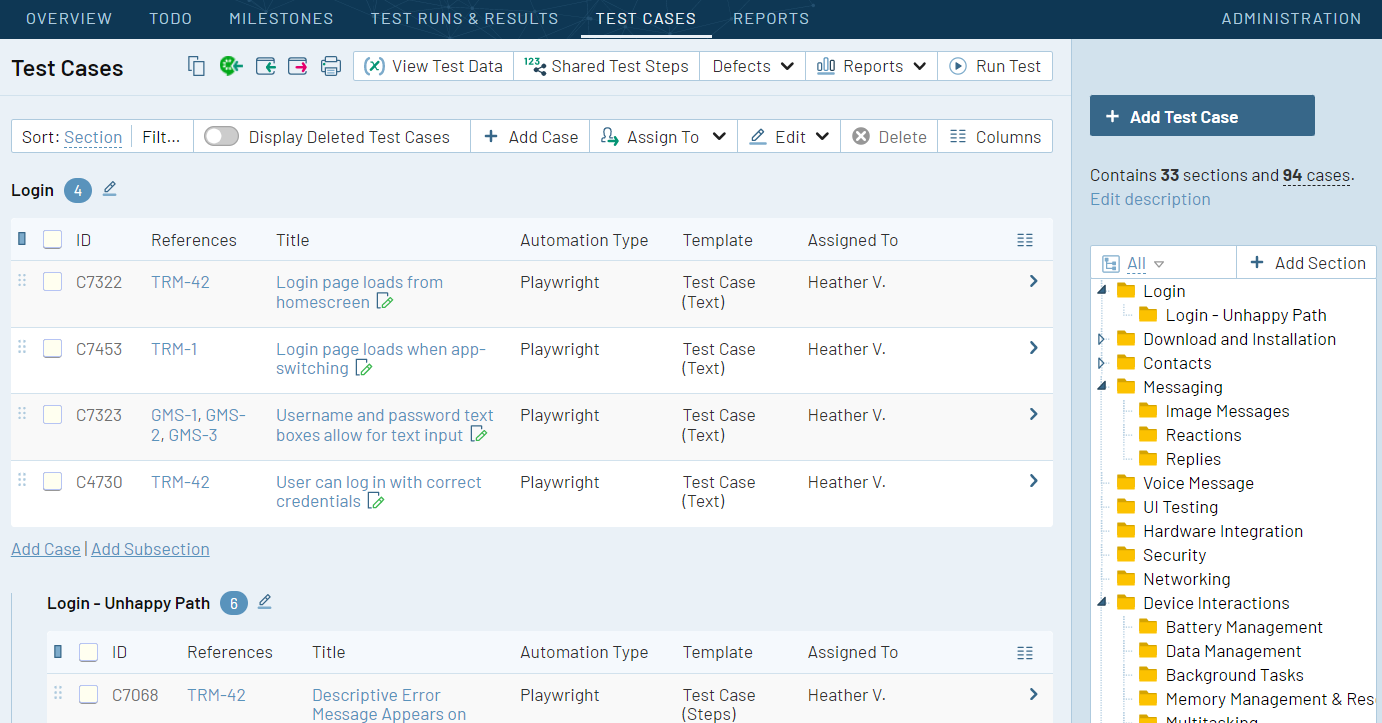
Image source: testrail.com
Key features:
- Test plan and execution tracking features.
- Direct linking between failed tests and bugs.
- Regression testing historical records.
- Test performance reporting dashboards.
- Integrations with common developer bug trackers.
Pros:
- Excellent QA management discipline enforcement.
- Improves traceability between test results and software defects.
- Encourages structured release validation.
- Useful for coverage planning and quality audits.
Cons:
- Not a full lifecycle issue management platform.
- Learning curve for manual test planning teams.
Pricing:
- Professional plan: $38/seat/month (billed annually—$456 per year for 1 user)
- Enterprise plan: $76/seat/month (billed annually—$912 per year for 1 user)
10. Katalon TestOps: Best QA analytics and bug management companion for testing teams
Katalon TestOps appeals to teams looking for bug tracking tools free that still offer strong analytics and orchestration at the QA layer. It aggregates automated test results, execution history, and defect information into . Teams can identify flaky tests, recurring failures, and unstable environments quickly. By connecting with external trackers, Katalon TestOps becomes a powerful hub for quality insights, helping teams prioritize fixes and optimize their testing pipelines without immediately committing to expensive enterprise tools.
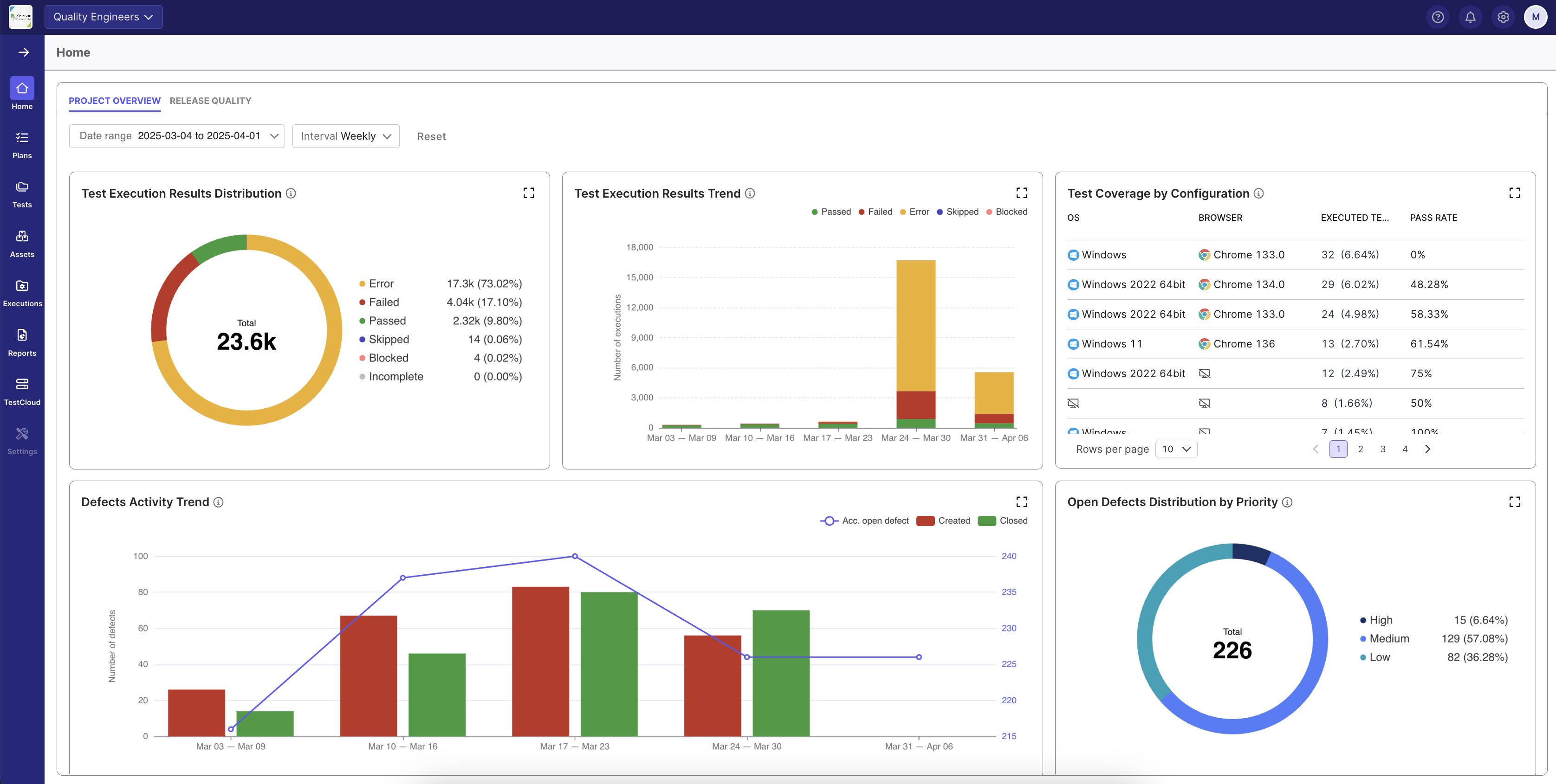
Image source: katalon.com
Key features:
- Centralized automated testing analytics dashboards.
- Defect creation from test failures automatically.
- Scheduling of CI test execution pipelines.
- Historical execution and stability reporting.
- Flaky test detection tools.
Pros:
- Strengthens automation-heavy QA environments.
- Improves collaboration between testers and developers.
- Shortens detection-to-fix cycle times.
- Enhances stability trend monitoring.
Cons:
- Poor fit for manual-only QA operations.
- Requires technical CI/CD integrations.
Pricing:
- Create: $84/user/month (billed annually)
- Expand: $168/user/month (billed annually)
- Scale: Custom pricing (custom enterprise plan)
11. Clubhouse (Shortcut): Best bug tracking for fast-moving agile teams
Shortcut, formerly Clubhouse, often appears in discussions about Linear bug tracking alternatives, targeting fast-moving product and engineering squads. It blends stories, bugs, epics, and sprints in a streamlined interface designed for speed and clarity. Teams can move seamlessly from ideation to defect triage without getting bogged down in heavyweight configuration. Shortcut is ideal for startups and agile organizations that want structure without sacrificing momentum or developer happiness.
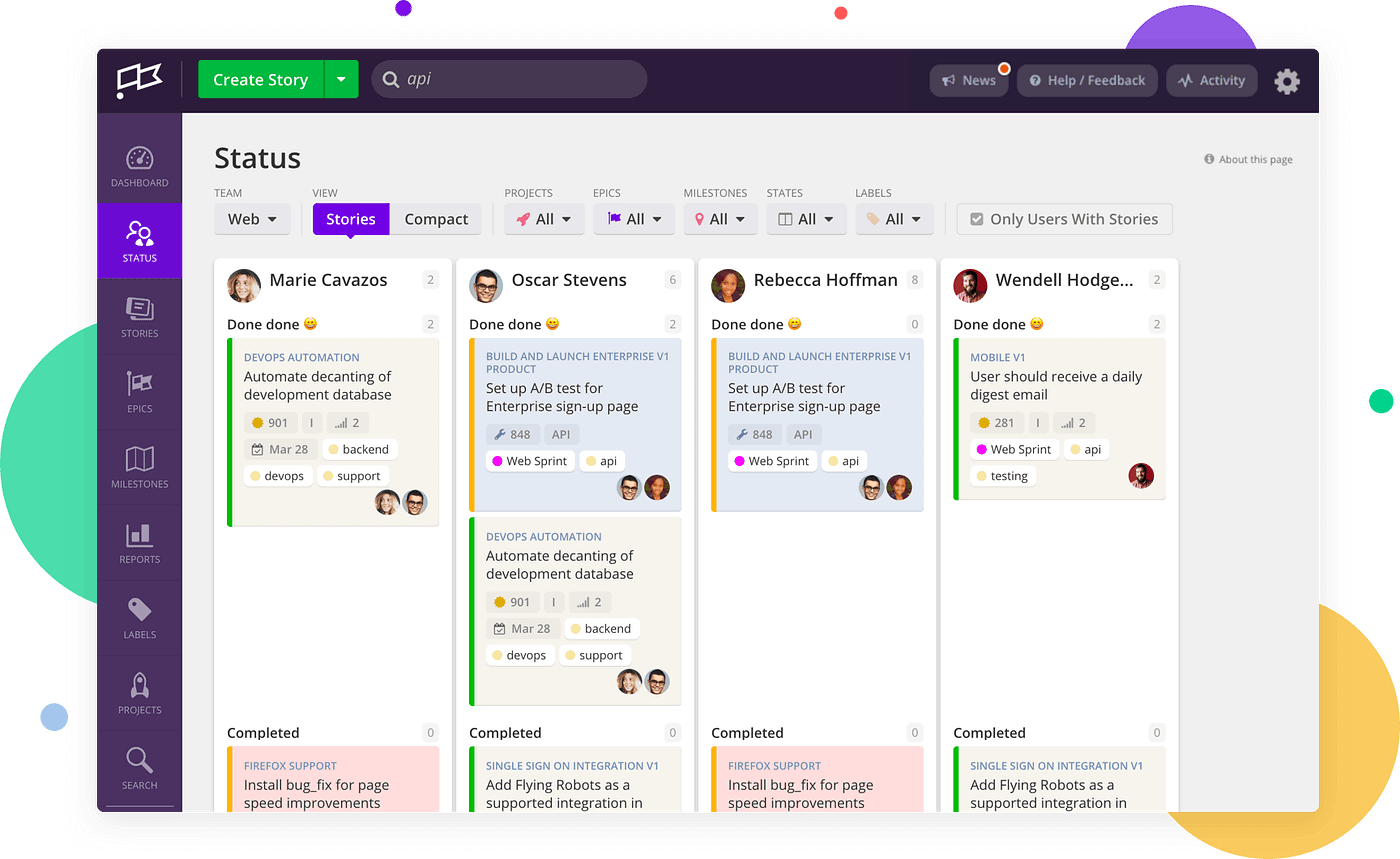
Image source: clubhose.com
Key features:
- Simple bug and story tracking boards.
- Sprint, cycle, and epic workflows.
- Cross-team commenting tools.
- Version control connectivity.
- Lightweight process customization.
Pros:
- Keeps fast-moving teams focused.
- Minimal overhead accelerates sprint execution.
- Unified backlog improves prioritization clarity.
- Easy onboarding for engineering teams.
Cons:
- Limited reporting compared to enterprise tools.
- No built-in monitoring integrations.
Pricing:
- Free plan: $0/user/month
- Team plan: $8.50/user/month
- Business plan (Recommended): $12.00/user/month
- Enterprise plan: Custom pricing (contact sales)
12. Rollbar: Best continuous monitoring and automated bug reporting platform
Rollbar is frequently chosen as free bug reporting software for teams that want real-time visibility into application errors without upfront cost. Its free tier supports smaller applications, while paid plans scale for heavier production environments. Rollbar automatically groups similar errors, tracks deployments, and surfaces trends over time. This makes it a strong option for engineering teams that want to adopt continuous error monitoring early, then grow into more advanced usage as their products scale.
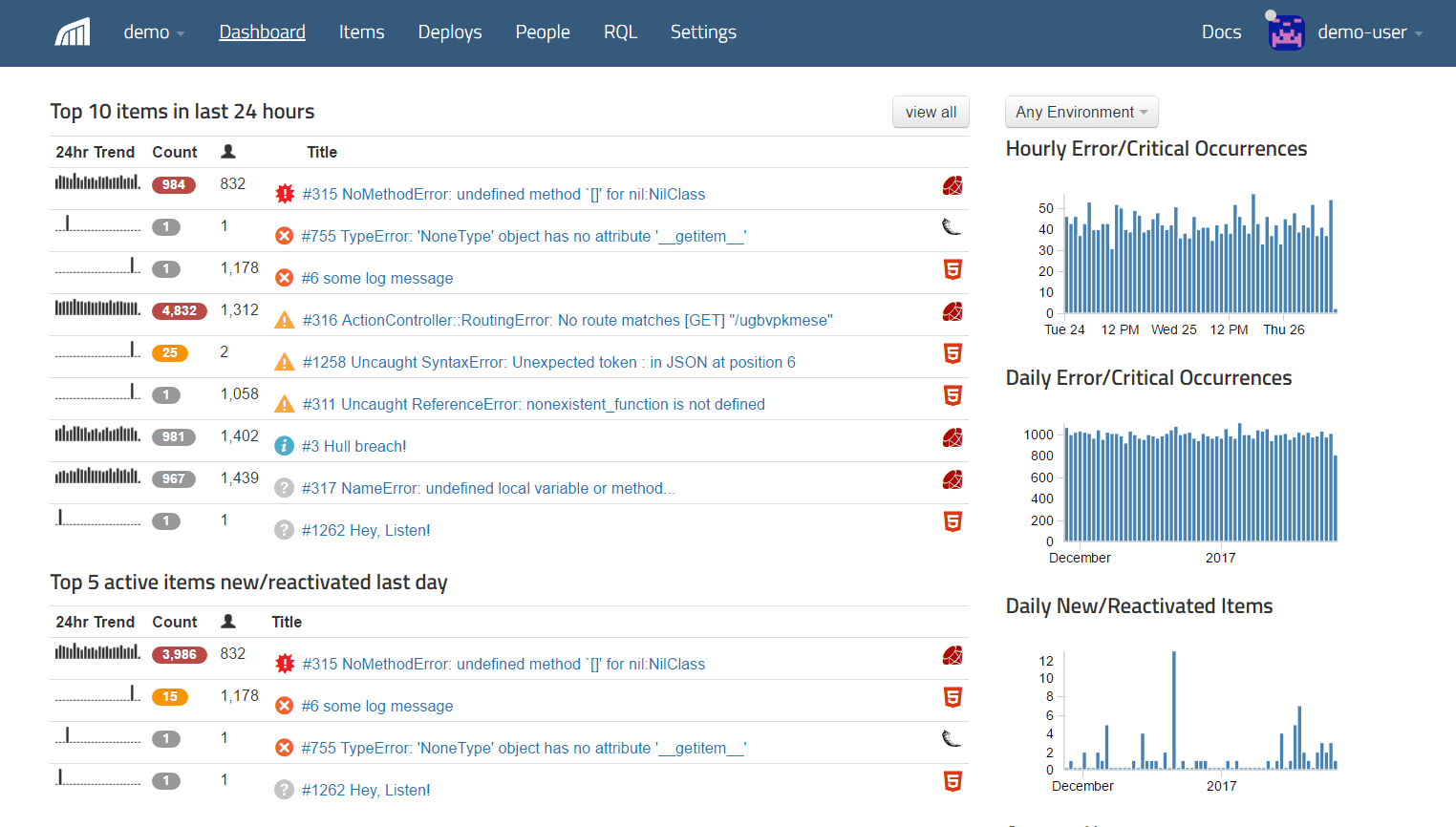
Image source: rollerbar.com
Key features:
- Real-time exception detection and grouping.
- Deployment correlation tracking.
- Multi-platform framework integration.
- Alert threshold configuration.
- Error frequency trend dashboards.
Pros:
- Ideal for live application monitoring.
- Reduces escaped defects.
- Simplifies alert management.
- Enables rapid post-deployment bug diagnosis.
Cons:
- Not intended for manual QA defect workflows.
- Entry-level usage caps apply.
Pricing:
- Essentials: $15.83/month
- Enterprise: Custom pricing
13. BugHerd: Best visual bug reporting tool for web design and client feedback
BugHerd is a favorite in many bug reporting tools list articles centered around front-end and client-facing work. It lets users pin comments and issues directly onto live web pages, turning visual feedback into structured tasks. Designers, developers, and clients can collaborate with far less confusion than traditional email chains and screenshots. BugHerd is especially effective for agencies and web teams that handle iterative UI reviews and non-technical stakeholders.
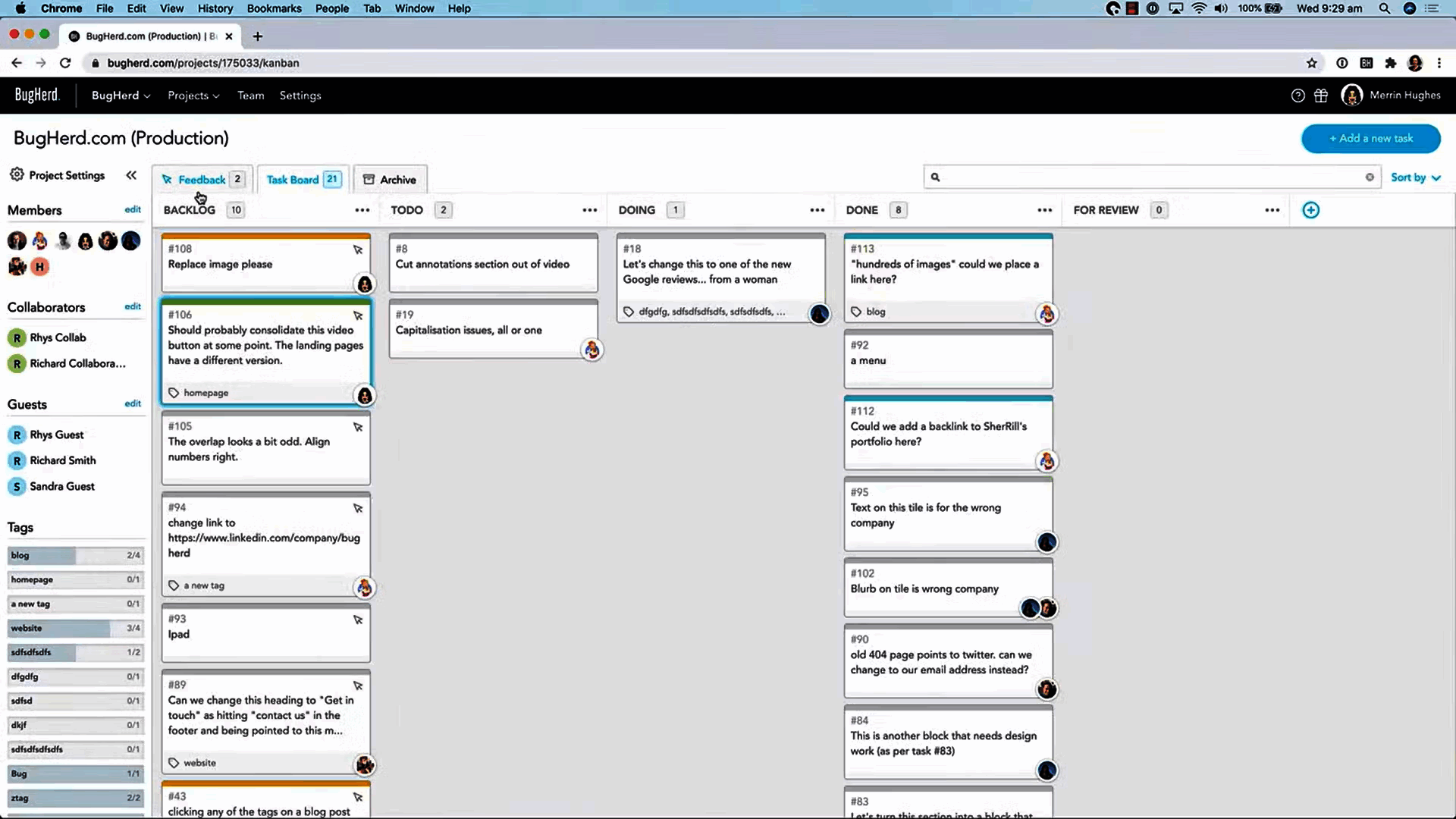
Image source: bugherd.com
Key features:
- Point-and-click UI bug annotation on live websites.
- Screenshot and DOM context capture.
- Guest reporting for non-technical users.
- Task assignment to developers.
- Third-party project tool connections.
Pros:
- Excellent for design reviews and UI testing.
- Simplifies client and stakeholder feedback collection.
- Reduces misunderstanding from vague bug descriptions.
- Speeds website bug resolution cycles.
Cons:
- Very limited for backend or logic bug handling.
- Requires pairing with deeper bug trackers for scale.
Pricing:
- Standard: $42/month (includes 5 members)
- Studio: $67/month (includes 10 members)
- Premium: $125/month (includes 25 members)
- Custom: Custom pricing (member limit customizable)
14. Zoho Projects (Bug module): Best project suite with built-in bug tracking
For organizations invested in the Zoho ecosystem, the bug module in Zoho Projects complements Zoho bug tracker capabilities by embedding defects directly into project workflows. Teams can manage tasks, milestones, timesheets, and bugs in a connected environment. This keeps project status and defect resolution tightly aligned, especially for SMBs that need both planning and tracking without adopting multiple separate systems. It's an appealing choice for cost-conscious teams already using Zoho tools.
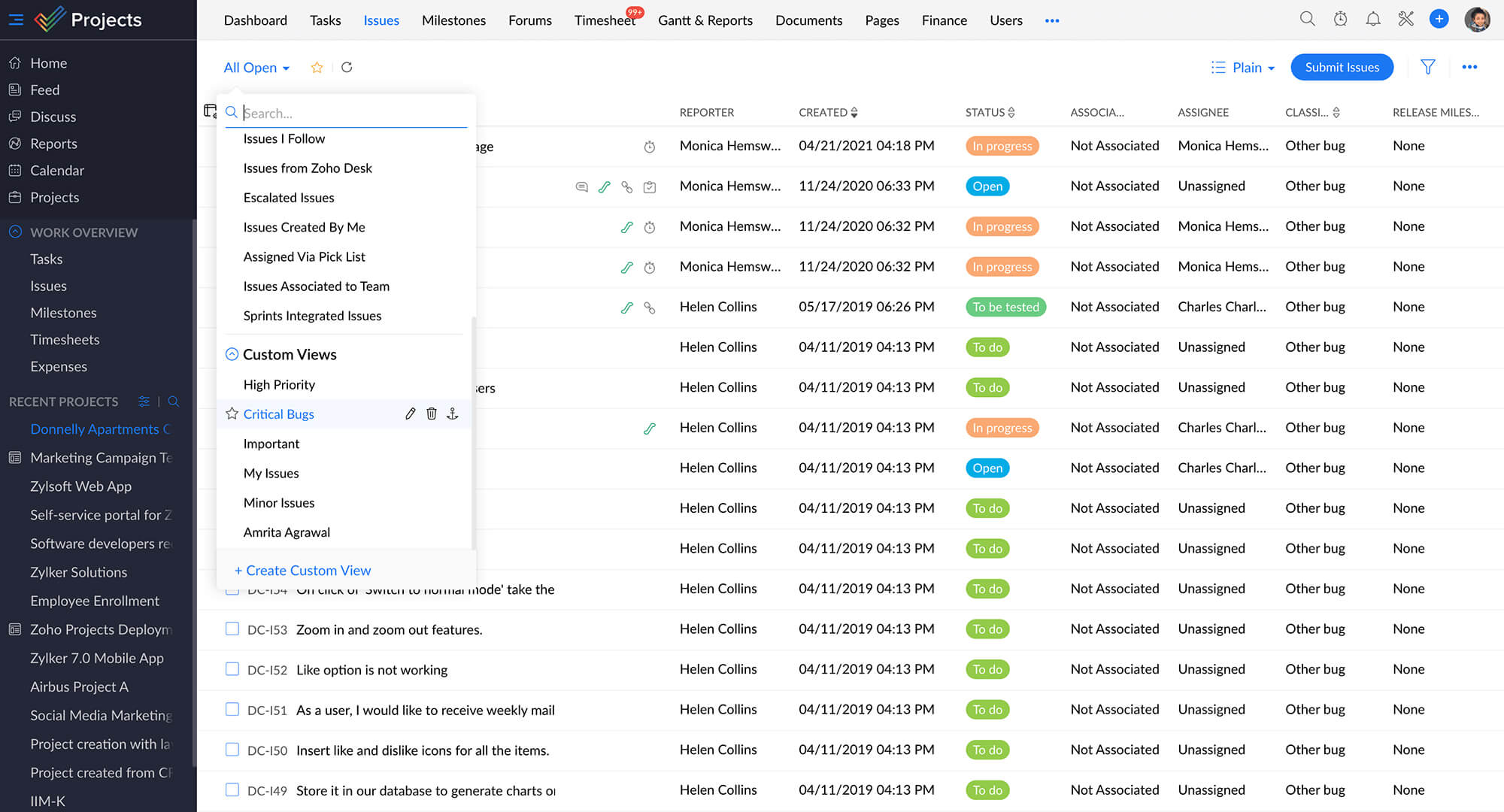
Image source: zoho.com
Key features:
- Integrated bug tracking with project management.
- Forms and timesheets for issue reporting.
- Simple task linking to defects.
- Project timelines with defect summaries.
- Role-based bug management permissions.
Pros:
- Cost-effective for small or growing teams.
- Simple user experience minimizes onboarding friction.
- Combines project tracking and bug management.
- Ideal for smaller development roadmaps.
Cons:
- Limited depth for advanced QA analytics.
- Less extensible for enterprise needs.
Pricing:
- Enterprise: $9/user/month
15. SpiraTeam: Best end-to-end ALM tool with integrated bug management
SpiraTeam is often selected by enterprises seeking a full bug report system tightly integrated with requirements, test cases, releases, and risks. It supports end-to-end application lifecycle management, not just isolated defect tracking. QA teams can trace each bug back to specific requirements and test executions, providing strong auditability for regulated industries. SpiraTeam is well-suited for organizations that need rigorous governance, complex workflows, and long-lived project histories wrapped around their defect management processes.
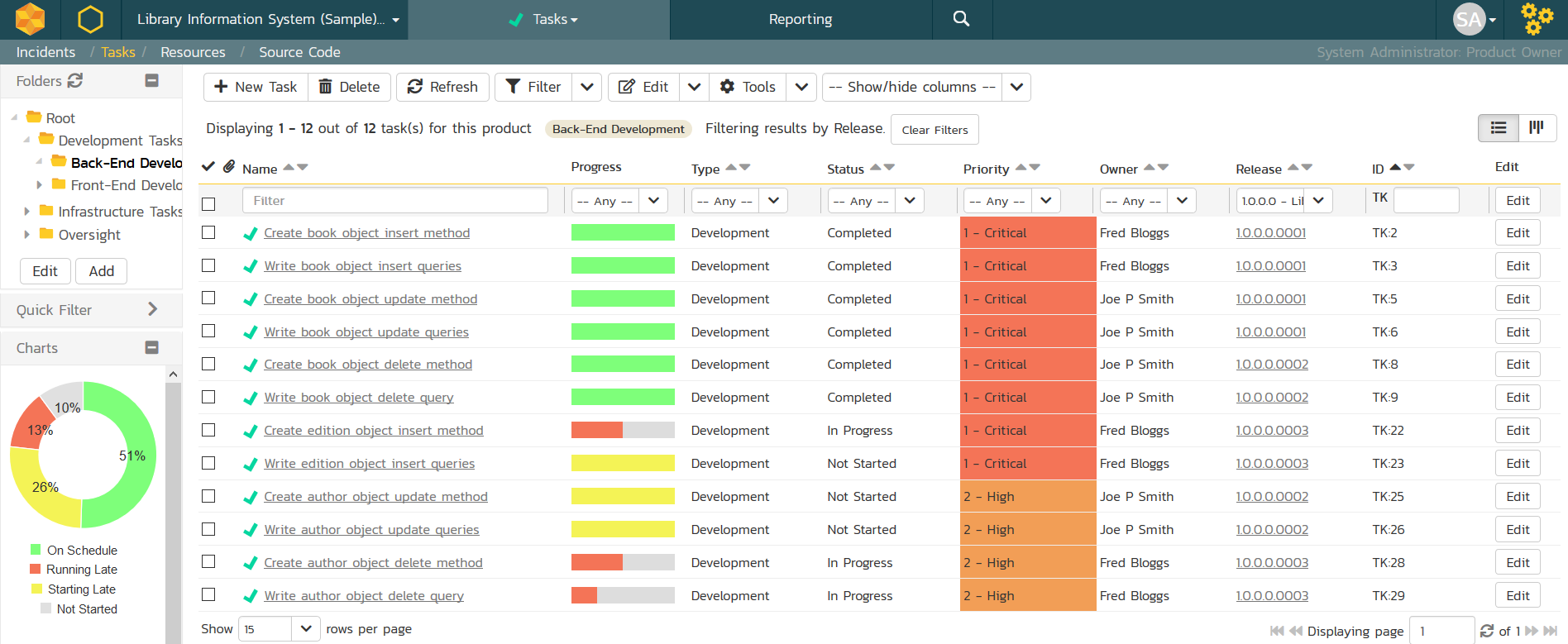
Image source: inflectra.com
Key features:
- End-to-end requirements, tests, defects, and releases tracking.
- Full traceability from user stories to bugs and test cases.
- Role-based security and audit trail controls.
- Compliance reporting dashboards.
- Multi-project portfolio management tools.
Pros:
- Excellent fit for regulated industries and safety-critical software.
- Enables formal QA governance processes.
- Handles large-scale engineering programs effectively.
- Provides enterprise-grade reporting accuracy.
Cons:
- Expensive and heavier than most alternatives.
- Requires disciplined process maturity to implement fully.
Pricing:
- Cloud license (20 concurrent users): $9,892.69 per year≈ $41.22 per concurrent user per month
Why modern teams need strong bug reporting workflows
Shorter release cycles need faster feedback loops
With agile and continuous delivery models, teams push updates more frequently than ever. Strong bug-reporting workflows capture, triage, and route defects instantly, preventing small issues from accumulating into major release blockers.
QA environments are more complex (mobile, cloud, cross-browser)
Applications now operate across devices, operating systems, browsers, and cloud infrastructures. Bug workflows must support detailed environment tagging and attachments so teams can accurately reproduce issues across varied platforms.
Non-engineering teams also report bugs now
Customer support, sales, operations, and clients often identify issues during daily use. Effective reporting tools provide accessible submission methods, such as forms and visual annotations, so non-technical stakeholders can contribute meaningful bug reports without technical expertise.
Modern teams need context, not just issue IDs
Understanding why a bug exists requires more than a simple ticket number. Teams need conversation history, attachments, documentation links, previous fixes, and test results attached directly to each issue to diagnose root causes efficiently.
Distributed engineering requires async visibility
Global remote teams work across different time zones, making real-time coordination difficult. Centralized bug , comments, and activity logs ensure all stakeholders stay informed asynchronously, maintaining alignment without constant meetings.
How to choose the right bug reporting system
- Code complexity: Teams working on complex codebases with multiple services, frameworks, or platforms need a bug reporting system that captures detailed technical context. Look for tools that support custom fields, environment tagging, attachments, and integration with source control so that developers can trace defects to specific modules or releases quickly. Simpler products may suit single-repository or low-complexity applications but can slow .
- Tester–developer handoff style: The effectiveness of bug resolution depends on how clearly information passes from QA to engineering. Teams with direct that link bugs to chat threads, documents, screenshots, and reproduction notes. Organizations using more structured handoffs may prefer systems with formal templates, approvals, and status workflows to standardize how issues move from testing to development without miscommunication.
- QA automation maturity: Teams heavily invested in automation should use tools that ingest test results, group failures intelligently, and link defects directly to automated test executions. This allows faster diagnosis of flaky tests versus real regressions. Less mature QA operations may prioritize easier manual entry tools that support checklists, attachments, and step-by-step test logging without requiring deep CI or pipeline integrations.
- Release frequency: Fast release cycles require real-time error monitoring and rapid triage, making tools with production telemetry and alerts essential. Teams operating with slower release cadences may rely more on manual bug reporting and backlog grooming systems to prepare fixes for scheduled releases. The right choice depends on whether detecting failures immediately or documenting them for is the higher business priority.
- Distributed collaboration needs: Remote or globally distributed teams need systems that alongside defect data. Look for platforms that unify chats, file sharing, comments, and tasks within bug records to prevent knowledge from being lost across email threads or disconnected messaging tools. Strong collaboration features reduce delays caused by time-zone gaps and ensure mutual visibility across teams.
Centralize QA reporting and developer collaboration
Conclusion
Choosing the right bug reporting and tracking tools directly impacts software quality, development speed, and team collaboration. While many platforms specialize in monitoring, testing, or ticket management, most require teams to piece together separate tools for communication, workflows, documentation, and scheduling. stands out by unifying all of these functions into a , allowing teams to log bugs, assign fixes, discuss issues, document root causes, and manage releases without tool switching. With flexible databases, workflow automation, real-time collaboration, and built-in task management, Lark enables faster triage and smoother handoffs across QA and engineering teams. For organizations that value clarity, scalability, and operational efficiency, Lark delivers the most complete and future-ready bug reporting solution.
Streamline bug tracking across teams with Lark
FAQs
How do bug reporting tools help reduce duplicate bugs?
reduce duplicate bugs by centralizing all defect submissions into a single searchable database. Teams can quickly check existing reports before creating new tickets and link similar issues together. Advanced tools also group duplicate error logs automatically using matching stack traces or metadata.
What's the difference between bug reporting and incident management?
Bug reporting focuses on tracking software defects discovered during testing or use. Incident management handles live operational outages or service disruptions that impact users in real time. Bug reporting is about quality control, while incident management centers on service restoration and business continuity.
Can bug tracking tools support non-technical teams?
Yes, many bug tracking tools support non-technical users through simple forms, visual , and structured templates. These features allow designers, support agents, or clients to submit issues without deep technical knowledge. Collaboration tools then help QA and development teams interpret and resolve these reports efficiently.
How do teams handle bug visibility across multiple environments?
Teams label bugs by environment, such as development, testing, staging, or production. Dashboards and filtered views allow stakeholders to see environment-specific defects instantly. This segmentation helps prioritize fixes that affect live production over issues limited to testing phases.
Do bug reporting tools support customer-facing bug submission?
Many tools provide public forms, feedback widgets, or helpdesk connections for collecting customer-reported issues. These submissions can flow directly into internal bug databases for QA triage. Moderation and tagging tools allow teams to separate valid defects from general feedback or support requests.
Related reading





























