














Cloud-Based CRM Software: Top 10 Tools & Features Explained

Ryan Tanner
Product Marketing Specialist
Sep 18, 2026
Ryan Tanner
Sep 18, 2026

13 min read


Cloud-based CRM software is a customer relationship management system hosted online, giving businesses secure access to customer data from anywhere. Unlike on-premise systems, cloud CRM solutions lower IT costs, update automatically, and scale as teams grow. Reports from Zendesk, Creatio, BigContacts, and Synoptek highlight accessibility, affordability, and flexibility as the main drivers of adoption.
In this guide, we’ll explore the best cloud CRM software available today—from affordable tools like Zoho and BigContacts to enterprise leaders like Salesforce and HubSpot. We’ll also look at modern platforms such as Lark, which combine CRM with collaboration, documents, and workflow automation in a single space.
Top 10 cloud-based CRMs in 2025
- Lark: The all-in-one CRM & collaboration hub
- HubSpot CRM: Free & scalable for SMBs
- Zoho CRM: Affordable features & AI tools
- Salesforce Sales Cloud: Enterprise-ready solution
- Zendesk Sell: Sales & service integration
- Freshsales (Freshworks CRM): Easy AI-powered insights
- Creatio CRM: Custom workflows & automation
- Pipedrive: Visual sales pipeline tools
- Insightly CRM: Manage sales & projects
- BigContacts: Simple CRM for small teams

What is cloud-based CRM software?
Cloud-based CRM software is a customer relationship management system hosted on the cloud rather than installed on local servers. Unlike traditional systems that require heavy IT infrastructure and manual updates, a cloud CRM is accessible through a web browser or mobile app, giving teams real-time access to customer data from anywhere. It also offers automatic updates, stronger data security, and subscription-based pricing, making it more flexible than on-premise solutions.
The benefits of cloud-based CRM extend to businesses of all sizes. For SMEs, it reduces upfront costs and provides scalability without needing dedicated IT resources. For growing enterprises, it enables teams to collaborate across locations, track sales pipelines in real time, and ensure customer interactions are never siloed. With features like centralized contact management, automation, and analytics, cloud CRM software has become a critical tool for modern organizations that want to stay agile and customer-focused.
Why choose cloud CRM over traditional CRM?
Businesses are increasingly shifting to cloud-based CRM software because it offers more flexibility, lower costs, and modern features that on-premise systems can’t match. Insights from Synoptek and Creatio highlight accessibility, scalability, and security as the key reasons behind this transformation.
- Accessibility from anywhere (mobile-first): A cloud CRM system lets sales teams, support agents, and managers access customer data anytime, from any device. Mobile-first design ensures teams on the go can update leads, manage contacts, and close deals without being tied to the office.
- Better scalability with subscription pricing: Unlike traditional CRM systems that require large upfront investments, cloud CRM solutions use subscription models. Businesses can start small, add users or features as they grow, and avoid heavy IT infrastructure costs.
- Security and compliance benefits: Modern cloud CRM software vendors provide enterprise-grade encryption, backups, and compliance certifications. This ensures sensitive customer data is protected while meeting industry regulations.
- Easier integrations with third-party tools: Cloud based CRM solutions connect seamlessly with other business apps like email, marketing automation, chat, or accounting systems. This creates a unified workflow that improves efficiency and reduces silos.
Key features to look for in a cloud CRM
When selecting the right cloud-based CRM software, businesses should focus on capabilities that improve customer relationships, streamline processes, and support growth. The following are the most important features to look for:
- Contact management and centralized customer data: A strong cloud CRM system keeps all customer information enriched and up-to-date all in one place, including contacts, accounts, and communication history. This ensures teams have complete visibility into every interaction.
- Lead capture, assignment, and tracking: The best cloud CRM solutions capture leads from multiple channels, assign them to the right sales reps, and track them through the entire pipeline.
- Workflow automation (emails, tasks, approvals): Cloud CRM software should allow teams to automate repetitive tasks such as follow-up emails, task creation, and approval requests, ensuring faster response times and fewer errors.
- Analytics dashboards for sales and performance: Real-time dashboards provide insight into pipelines, revenue forecasts, and team performance, enabling data-driven decisions.
- Mobile-first access and responsive design: Modern cloud CRM systems are designed for remote work, allowing users to update records, manage tasks, and follow up with leads directly from their mobile devices.
- Collaboration tools (chat, docs, calendar): Built-in collaboration features allow sales and support teams to communicate, share documents, and schedule meetings without relying on separate apps.
- Scalability and API support: A cloud-based CRM should grow alongside the business, supporting more users, features, and integrations as needs evolve.
- Security and compliance: Enterprise-grade security features such as encryption, role-based access, and compliance certifications are essential to protect sensitive customer data.
Quick overview of the best cloud crm software
10 best cloud-based CRM software in 2026
1. Lark: The all-in-one CRM & collaboration hub
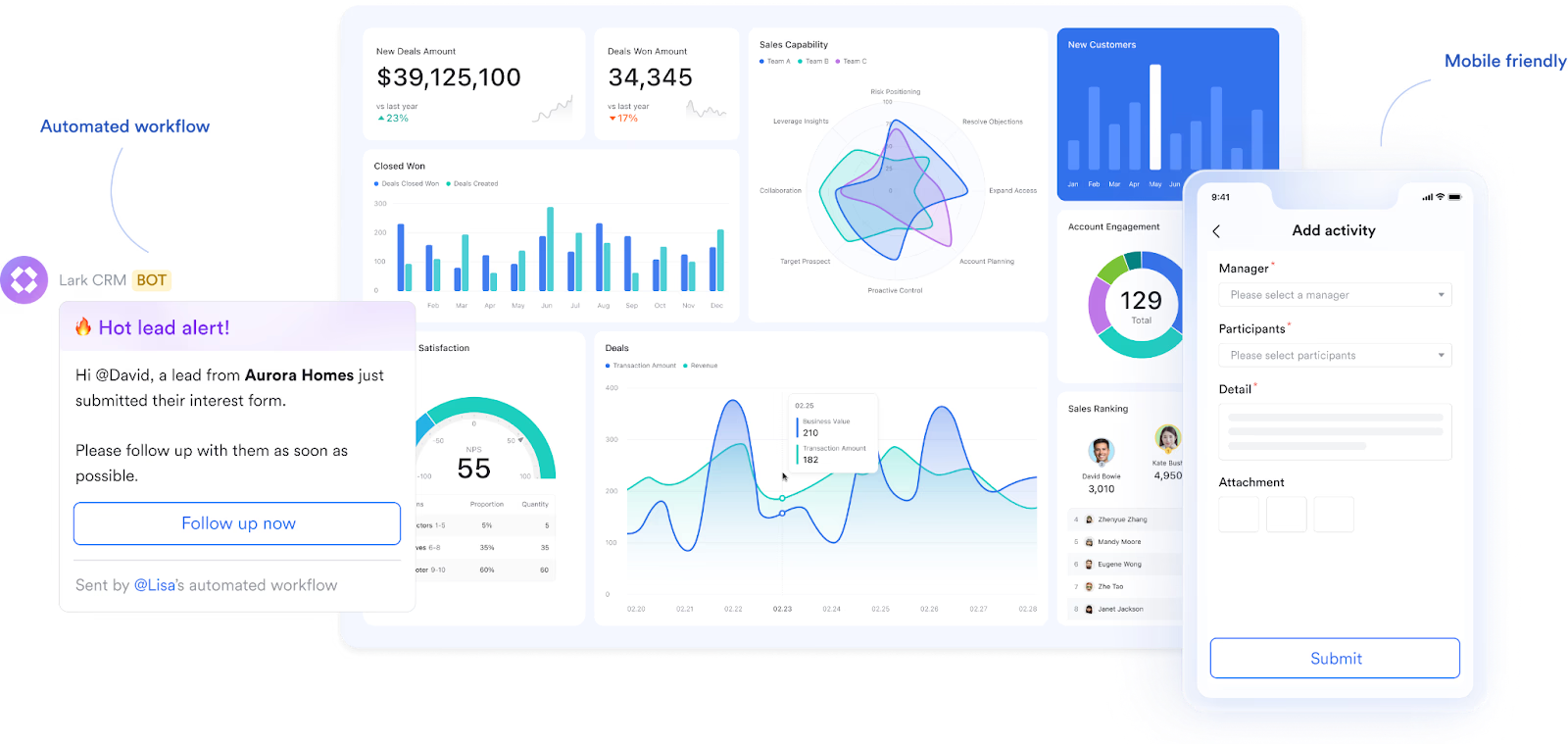
Lark is more than just a CRM—it’s a complete collaboration suite that integrates chat, mail, docs, tasks, and approvals with a centralized customer database. As a cloud CRM software, it allows businesses to manage contacts, deals, and workflows in real time while staying connected through built-in communication tools. This unified platform reduces tool switching and streamlines sales and support processes. Ideal for teams that want both CRM and productivity tools in one space.
Key features
Cloud-based customer database: Manage all customer information in a secure, centralized cloud database that syncs instantly across devices and team members. Comprehensive contact profiles with custom fields and detailed activity logs give teams complete visibility into the customer journey and enable personalized interactions anytime, anywhere.
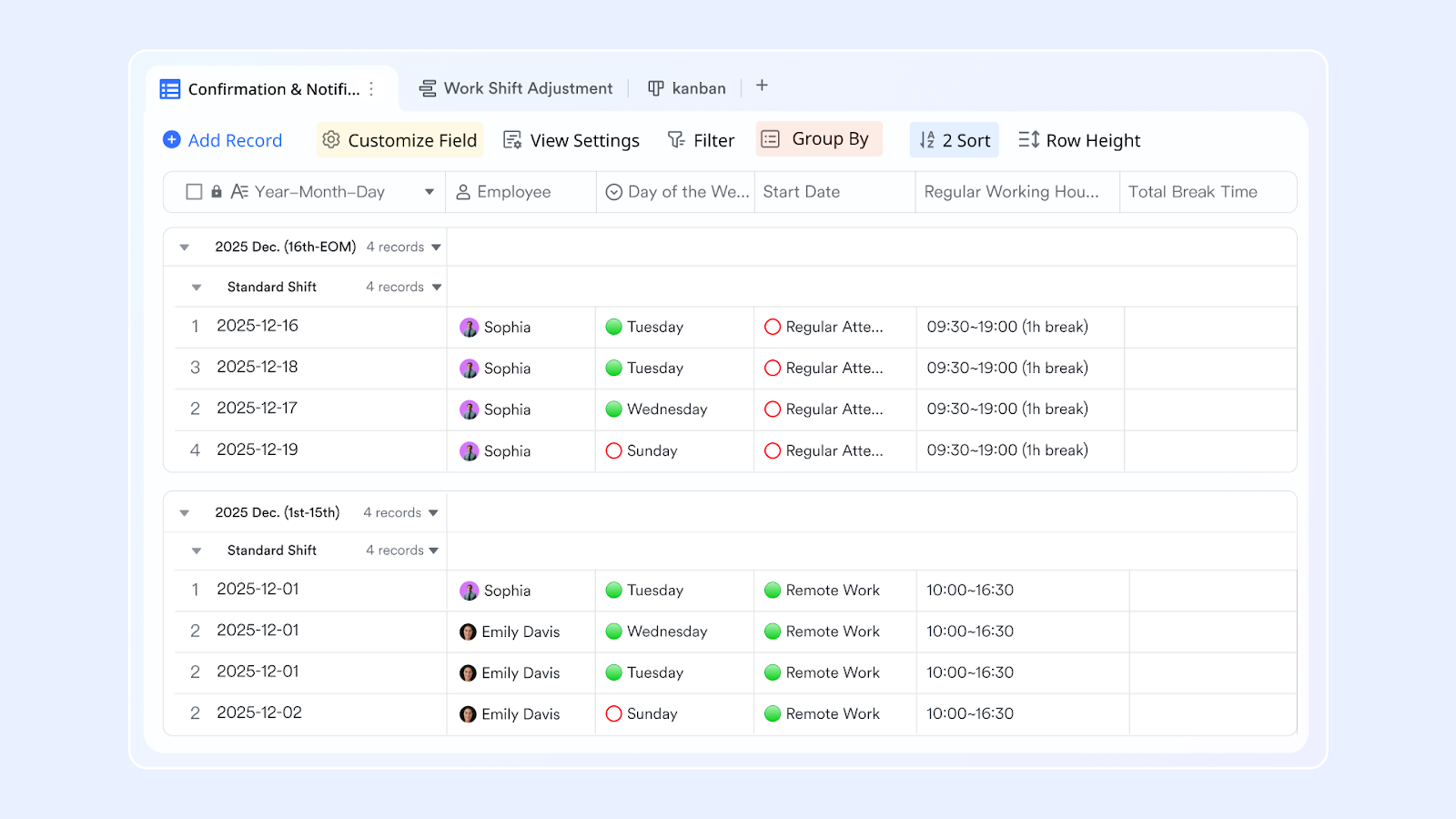
Scalable storage capacity: Lark provides generous storage that grows with your business. The Starter plan includes 100 GB for up to 20 users, the Pro plan offers 15 TB for up to 500 users, and the Enterprise plan allows customizable storage for unlimited users. This ensures your CRM system can scale without disruption.
Real-time mobile synchronization: With Lark’s mobile-optimized CRM, teams can log calls, update deal stages, create follow-up tasks, and capture customer updates instantly. Real-time data entry keeps sales pipelines current and ensures reporting accuracy, even when working on the go.
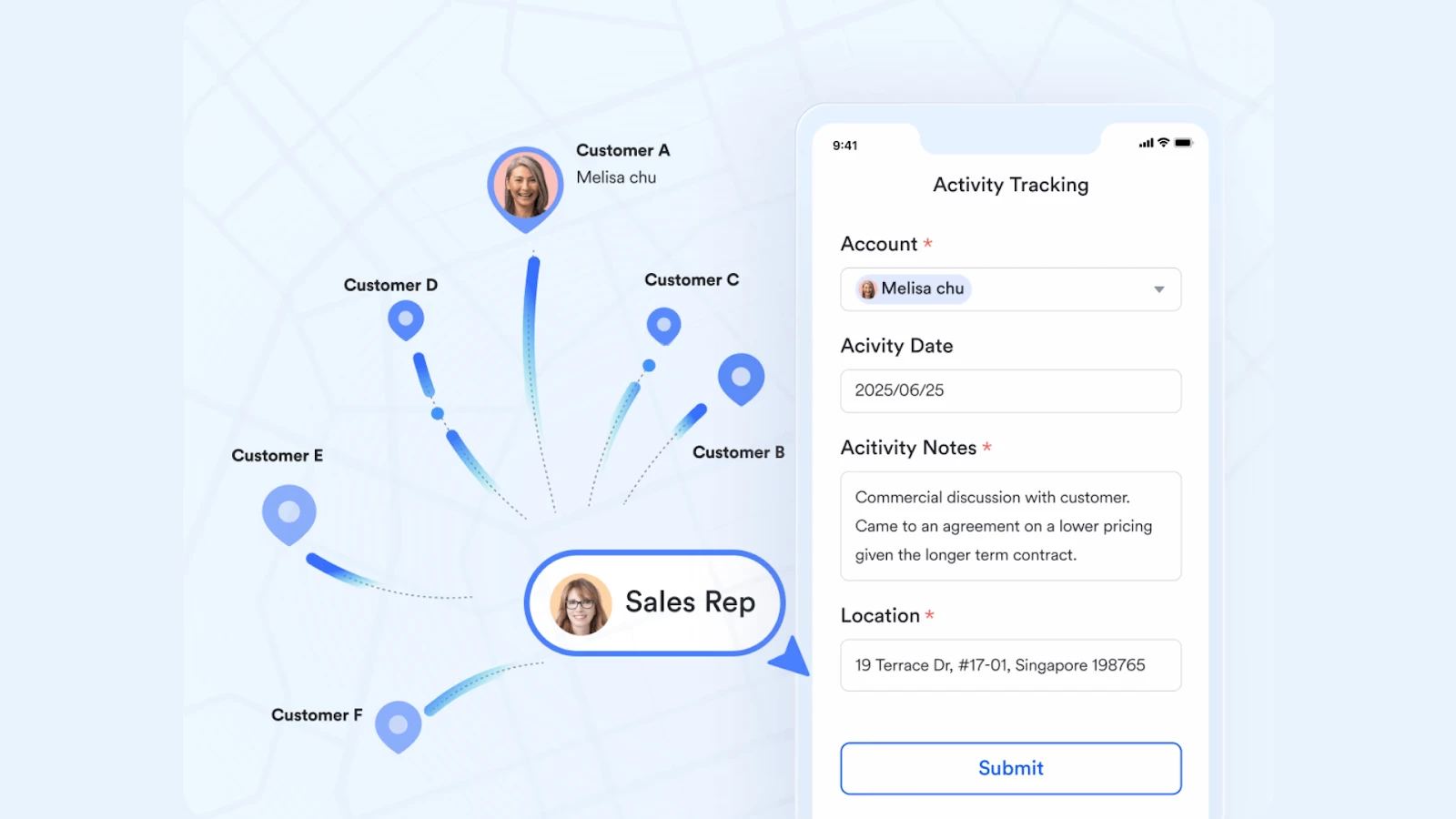
Automation and customization: Lark Base offers robust workflow automation with up to 1000 free automation runs per month. Repetitive tasks such as lead assignments, approvals, or follow-ups can be automated, freeing sales teams to focus on customer relationships. Extensive customization ensures the CRM fits specific industry needs and processes.
Customizable analytics dashboards: Generate real-time insights into sales performance, pipeline health, and team targets with flexible dashboards. Lark’s data visualization tools make it simple to identify trends, track progress, and drive data-backed decision-making.
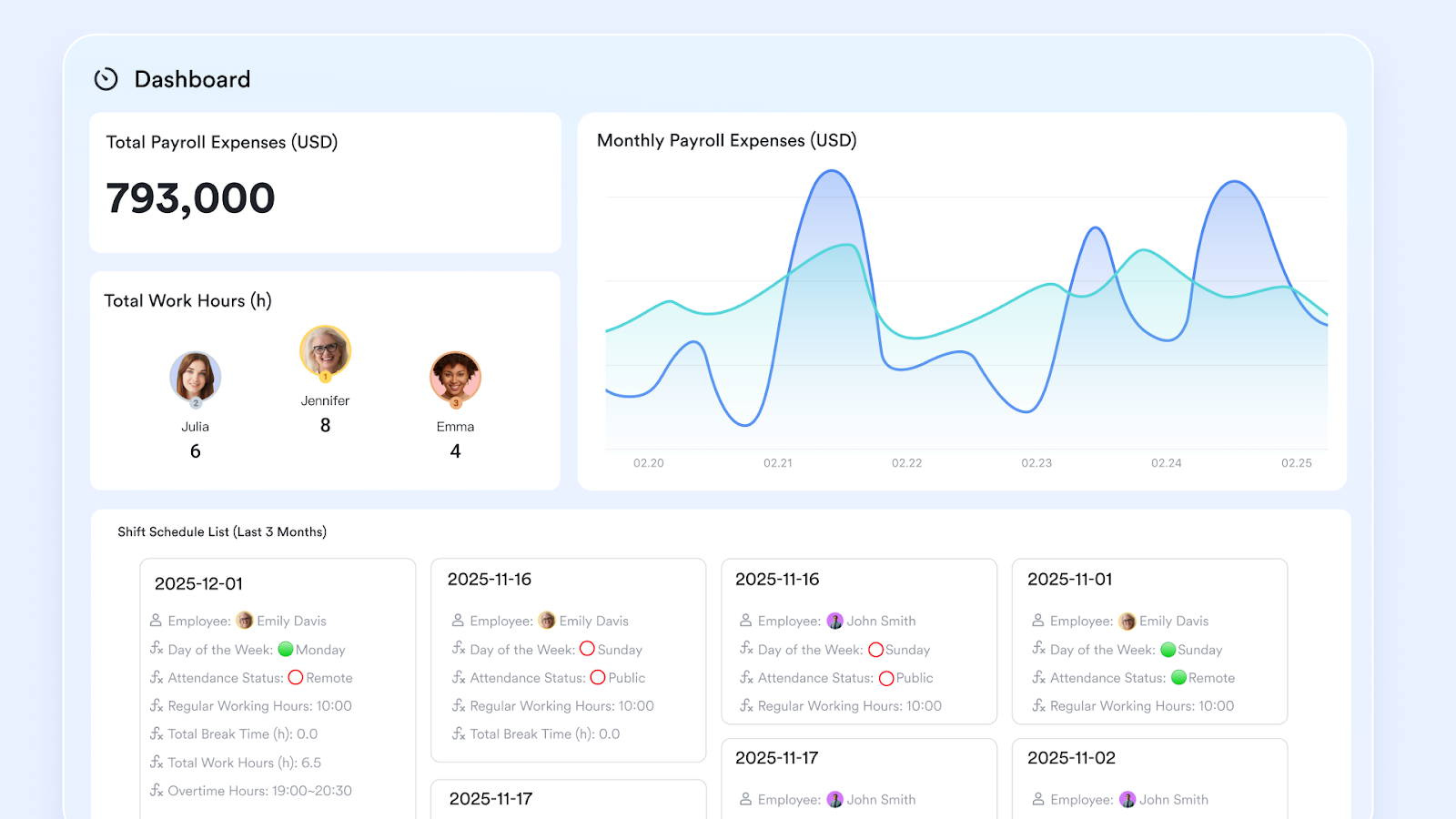
Knowledge base and collaboration tools: Lark Wiki provides a centralized knowledge hub where teams can access customer details, sales playbooks, and internal documentation. This ensures consistent communication and eliminates information silos across departments.
Pre-built CRM templates: Accelerate adoption with ready-to-use templates for lead tracking, contract management, customer visit logs, and deal progression. These templates help businesses get started quickly while maintaining flexibility for customization.
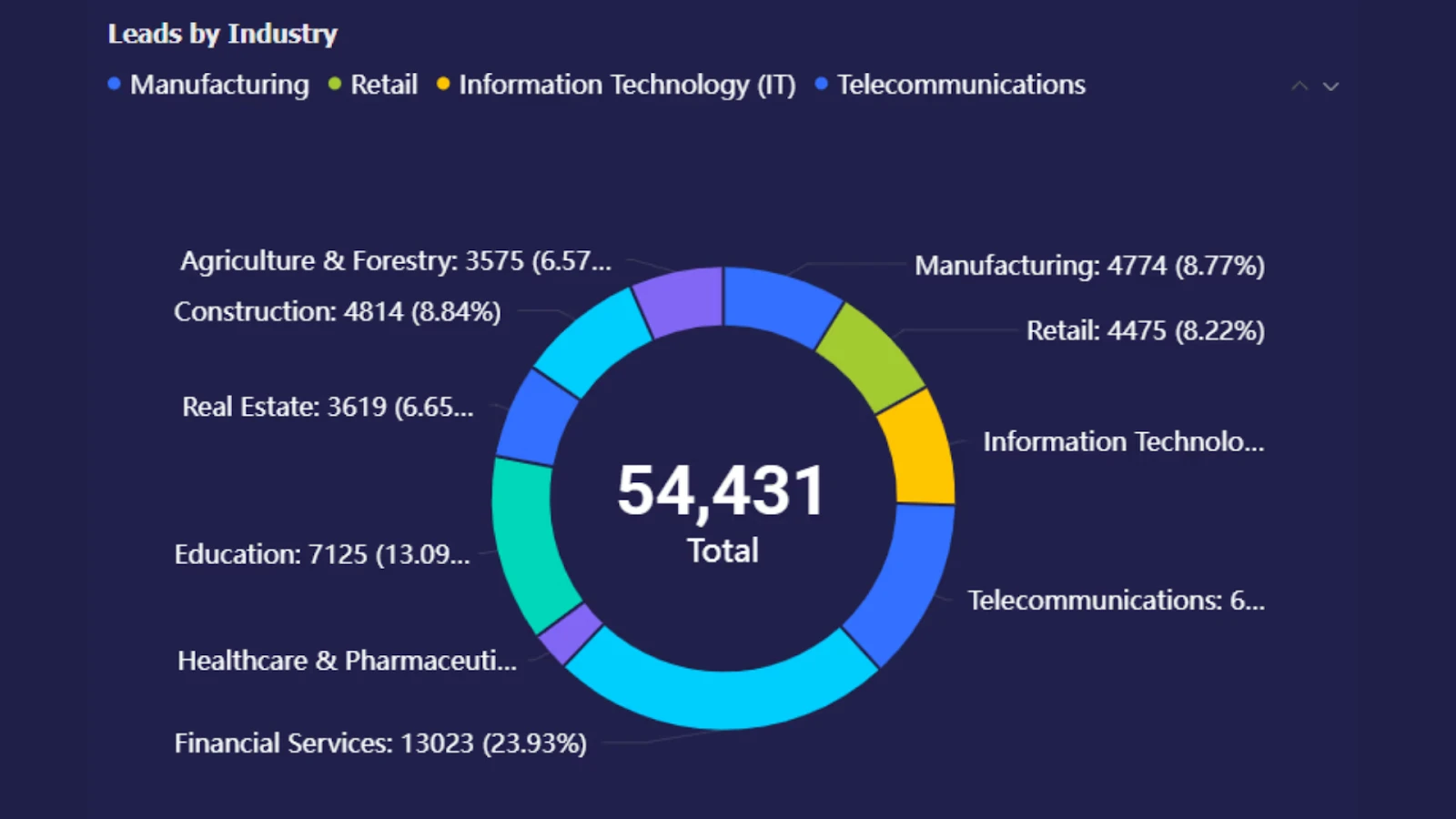
Unified communication workspace: Unify instant messaging, email, and video calls directly into CRM workflows. Notifications for database updates, task assignments, and approvals appear in chat feeds, ensuring that teams stay aligned throughout the customer journey.
Strengths:
- Combines CRM + collaboration in a single platform
- Mobile-friendly design for sales teams on the move
- Affordable with a strong free plan for small businesses
- Scales easily for enterprises with API support and automation
Limitations:
- Advanced automation requires onboarding/training
- While Lark integrates with many third-party tools, some users may find that certain tools are not yet supported.
- Starter plan: Free forever plan that includes 11 powerful tools for up to 20 users. It also comes with 100GB of storage, 1000 automation runs, AI translations, and more.
- Pro plan: $12/user/month (billed annually) for up to 500 users. It includes everything in Starter plus group calling for up to 500 attendees, 15TB of storage, 50,000 automation runs, and more.
- Enterprise plan: Contact sales for custom pricing. Supports unlimited users and includes even more automation runs and advanced security, compliance, and management features.
2. HubSpot CRM: Free & scalable for SMBs
HubSpot is one of the most popular cloud CRM platforms, known for its free plan and powerful sales and marketing features. It helps businesses capture leads, manage pipelines, and track customer interactions without upfront costs. With easy-to-use dashboards and automation, HubSpot grows with small teams while offering advanced features for scaling businesses. It’s a go-to option for SMBs seeking flexibility and affordability.
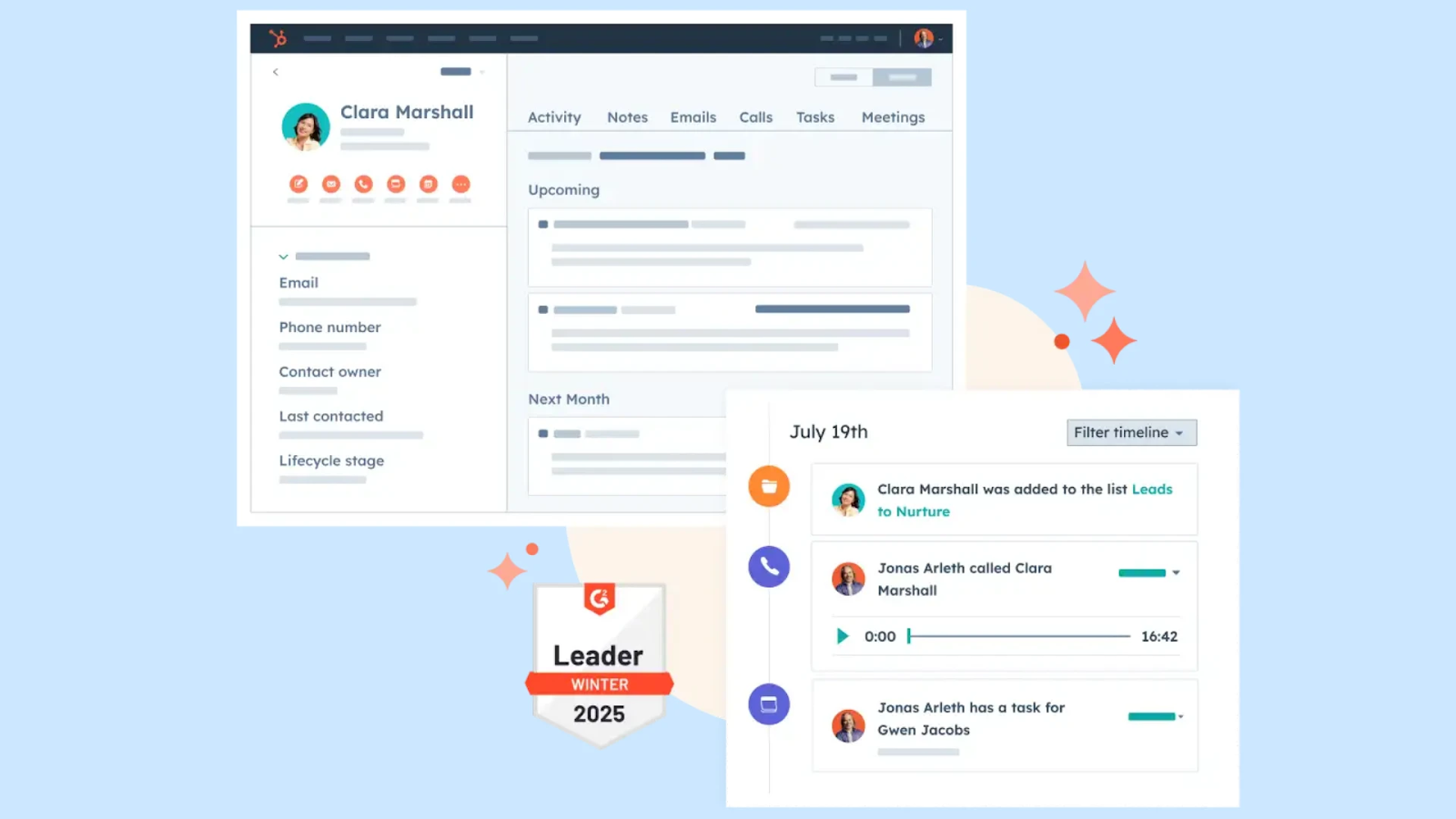
Image source: hubspot.com
Features:
- Centralized contact and deal management
- Email tracking, templates, and sequences
- Pipeline management with visual dashboards
- Lead capture from forms, chat, and web
- Reporting and analytics for sales performance
Strengths:
- Industry-leading free plan with robust features
- Scales easily with advanced hubs for marketing and service
- User-friendly and intuitive for SMB adoption
- Strong integration ecosystem
Limitations:
- Advanced features can get expensive as you scale
- Some customization options limited in the free plan
Pricing:
Free plan available; paid plans start at $20 per user/month.
3. Zoho CRM: Affordable features & AI tools
Zoho CRM is an established player in the cloud based CRM market, offering sales automation, AI insights, and multichannel communication. It helps teams manage customer data, track leads, and close deals faster. With its affordable pricing, Zoho CRM appeals to small and mid-sized businesses that need powerful features without enterprise-level costs. Its integration with the Zoho suite makes it highly versatile.
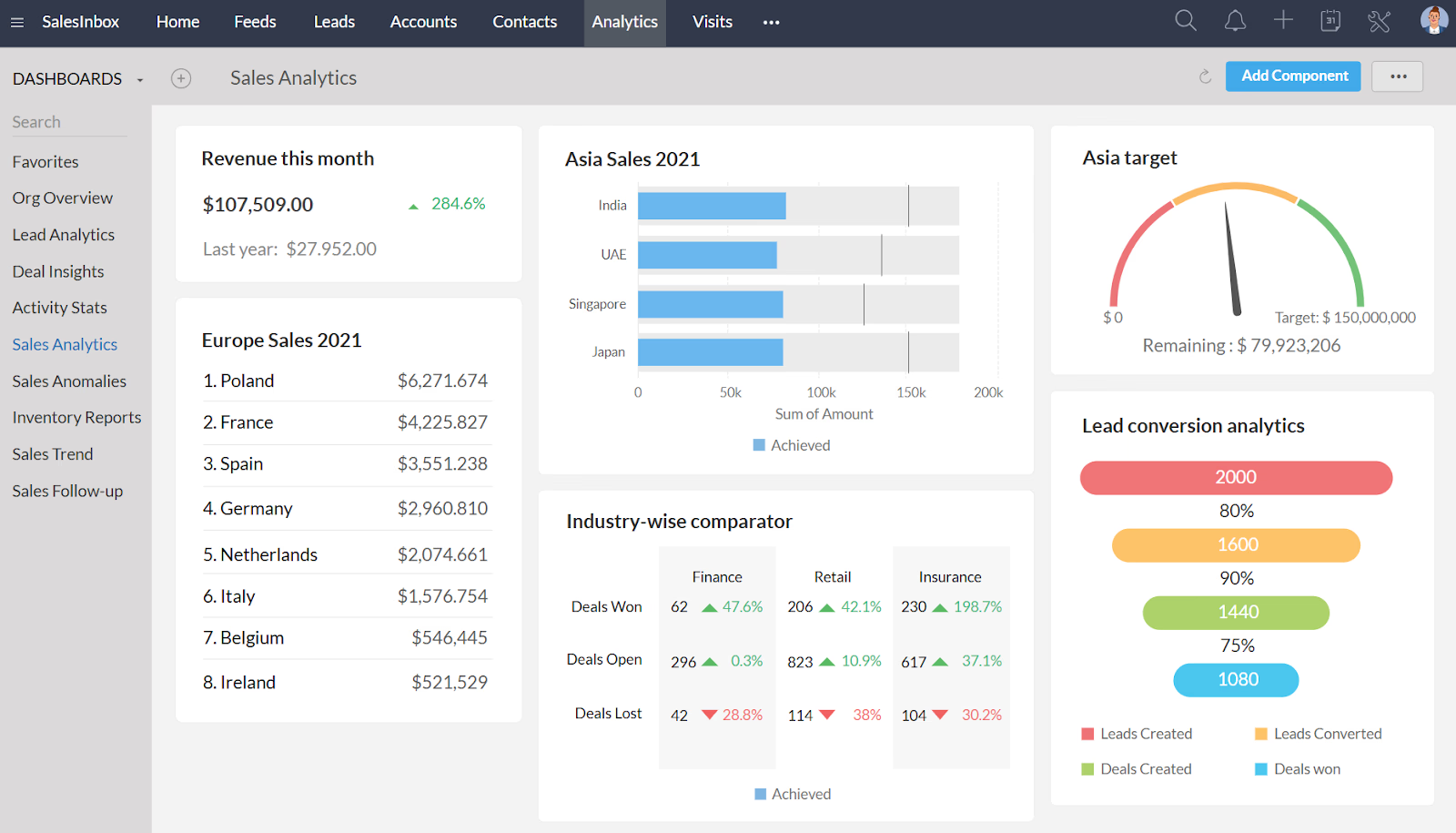
Image source: zoho.com
Features:
- Multichannel communication (email, phone, social)
- AI assistant for lead scoring and predictions
- Sales automation for follow-ups and workflows
- Custom dashboards and advanced reporting
- Integration with the full Zoho suite
Strengths:
- Affordable compared to enterprise CRMs
- Wide range of features for SMBs
- AI-driven insights enhance decision-making
- Strong ecosystem with Zoho apps
Limitations:
- Interface can feel complex for beginners
- Advanced analytics require higher-tier plans
Pricing:
Plans start at $14 per user/month; free trial available.
4. Salesforce Sales Cloud: Enterprise-ready solution
Salesforce Sales Cloud is widely recognized as the leading CRM cloud platform for enterprises. It offers advanced customization, AI-driven insights, and integrations across sales, marketing, and service. Designed for large organizations, it supports complex sales cycles and global operations. While powerful, Salesforce requires more setup and investment, making it ideal for businesses with big teams and high growth goals.
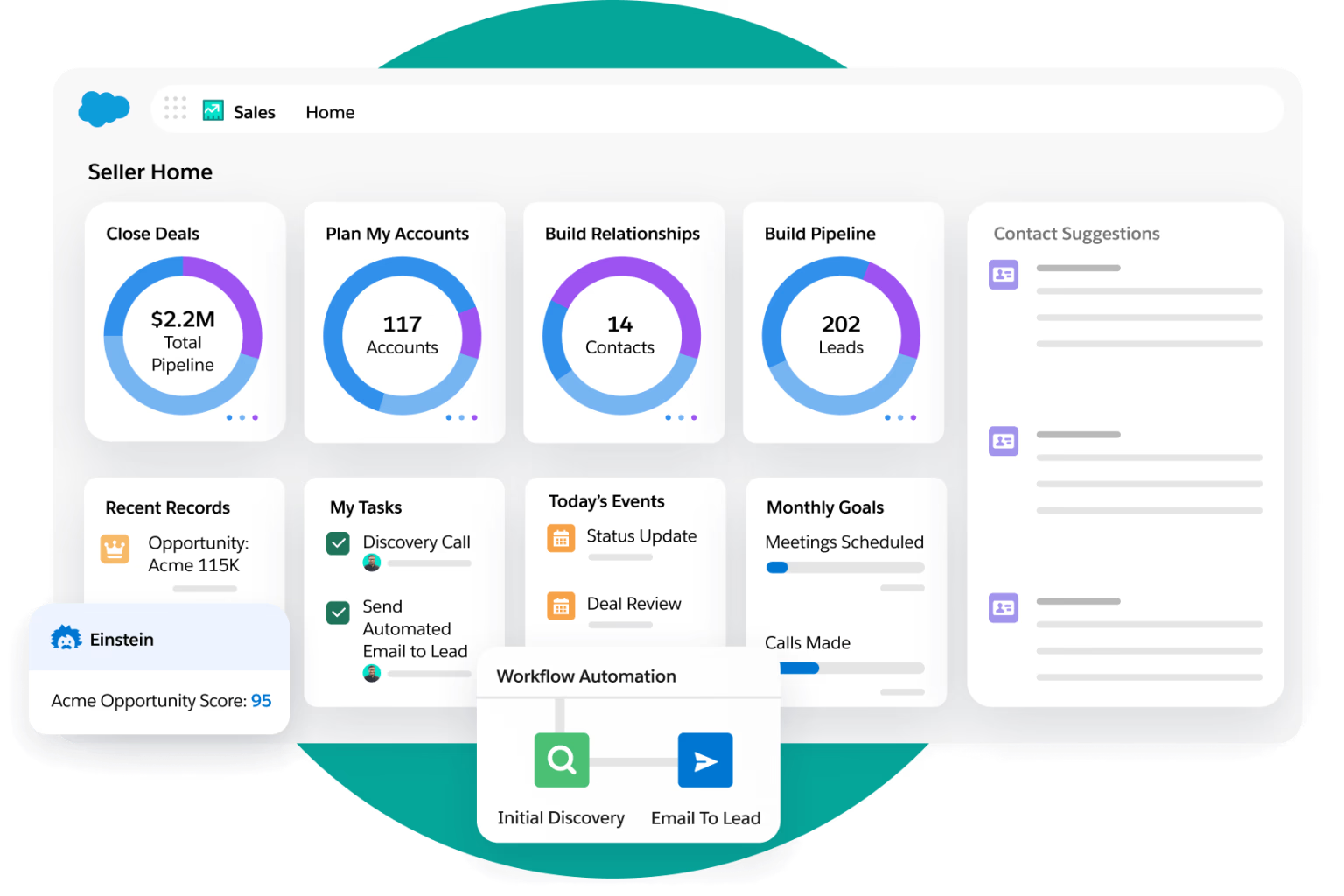
Image source: salesforce.com
Features:
- Advanced pipeline and opportunity management
- AI-powered insights with Einstein Analytics
- Highly customizable workflows and dashboards
- Integration with thousands of third-party apps
- Robust mobile app for sales teams
Strengths:
- Market leader with enterprise-level capabilities
- Highly customizable for complex sales operations
- Strong AI and predictive analytics
- Scales easily for global organizations
Limitations:
- High cost for SMBs and startups
- Requires technical expertise for full setup
Pricing:
Plans start at $25 per user/month, with advanced tiers much higher.
5. Zendesk Sell: Sales & service integration
Zendesk Sell brings CRM and customer service together in a single CRM web based platform. It streamlines lead management, pipeline tracking, and sales forecasting while connecting seamlessly with Zendesk Support for service teams. This makes it a strong choice for organizations that want to align sales and support functions. Its ease of use and reporting tools also help smaller teams adopt CRM quickly.
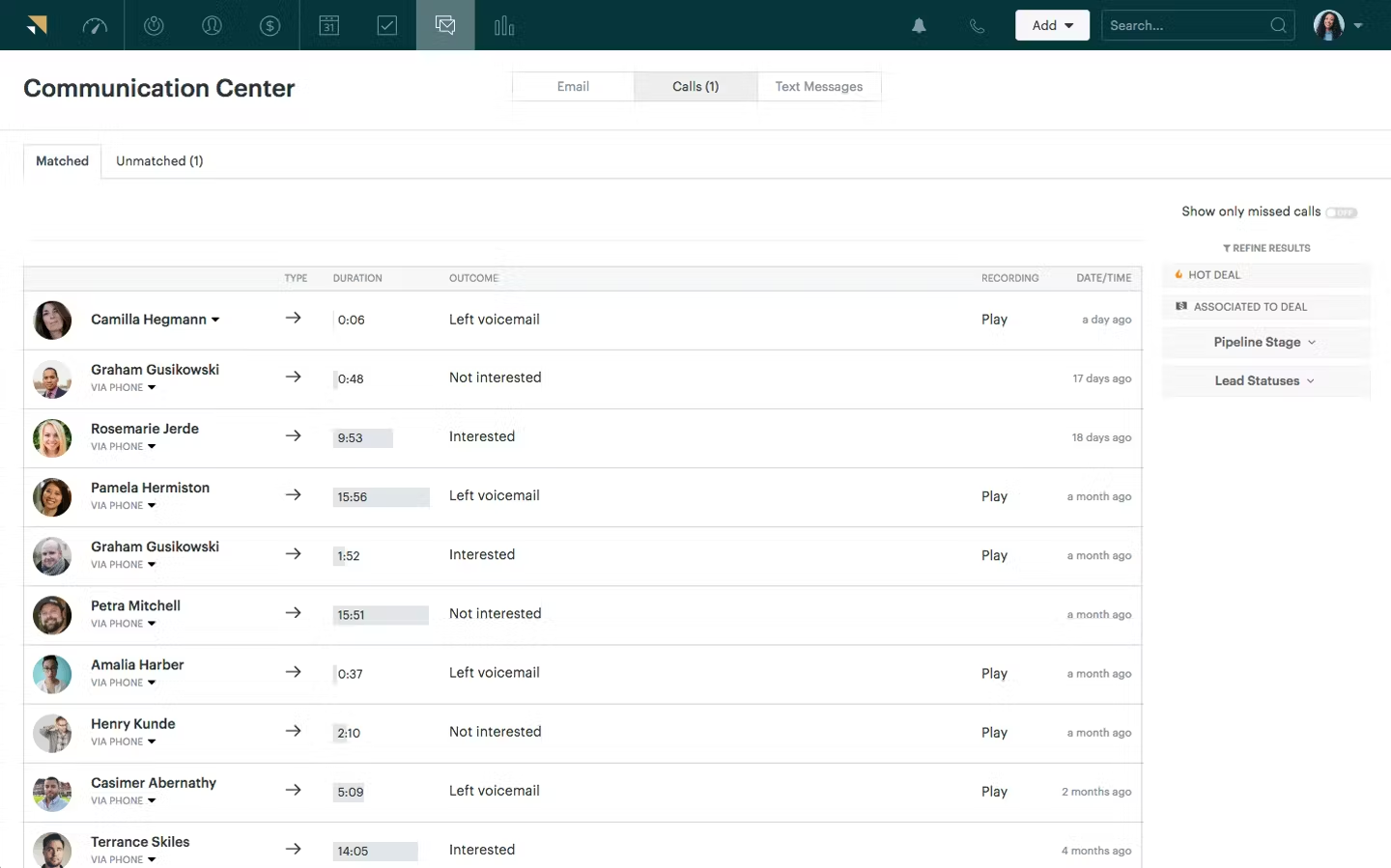
Image source: zendesk.com
Features:
- Lead and deal management in one system
- Integrated with Zendesk Support for service teams
- Email tracking and built-in calling
- Sales forecasting and pipeline reports
- Mobile-first design for field reps
Strengths:
- Strong link between sales and support workflows
- Easy-to-use interface with quick adoption
- Built-in communication tools improve responsiveness
- Solid analytics for pipeline tracking
Limitations:
- Less customizable than larger CRMs
Limited features compared to Salesforce or Zoho
Pricing:
Plans start at $19 per user/month.
6. Freshsales (Freshworks CRM): Easy AI-powered insights
Freshsales is a user-friendly cloud based CRM system designed to simplify lead management and boost sales productivity. With built-in AI for lead scoring, email tracking, and deal insights, it helps teams focus on the best opportunities. Freshsales also integrates with Freshworks’ suite of tools for a seamless workflow. It’s particularly well-suited for growing businesses that want automation without complexity.
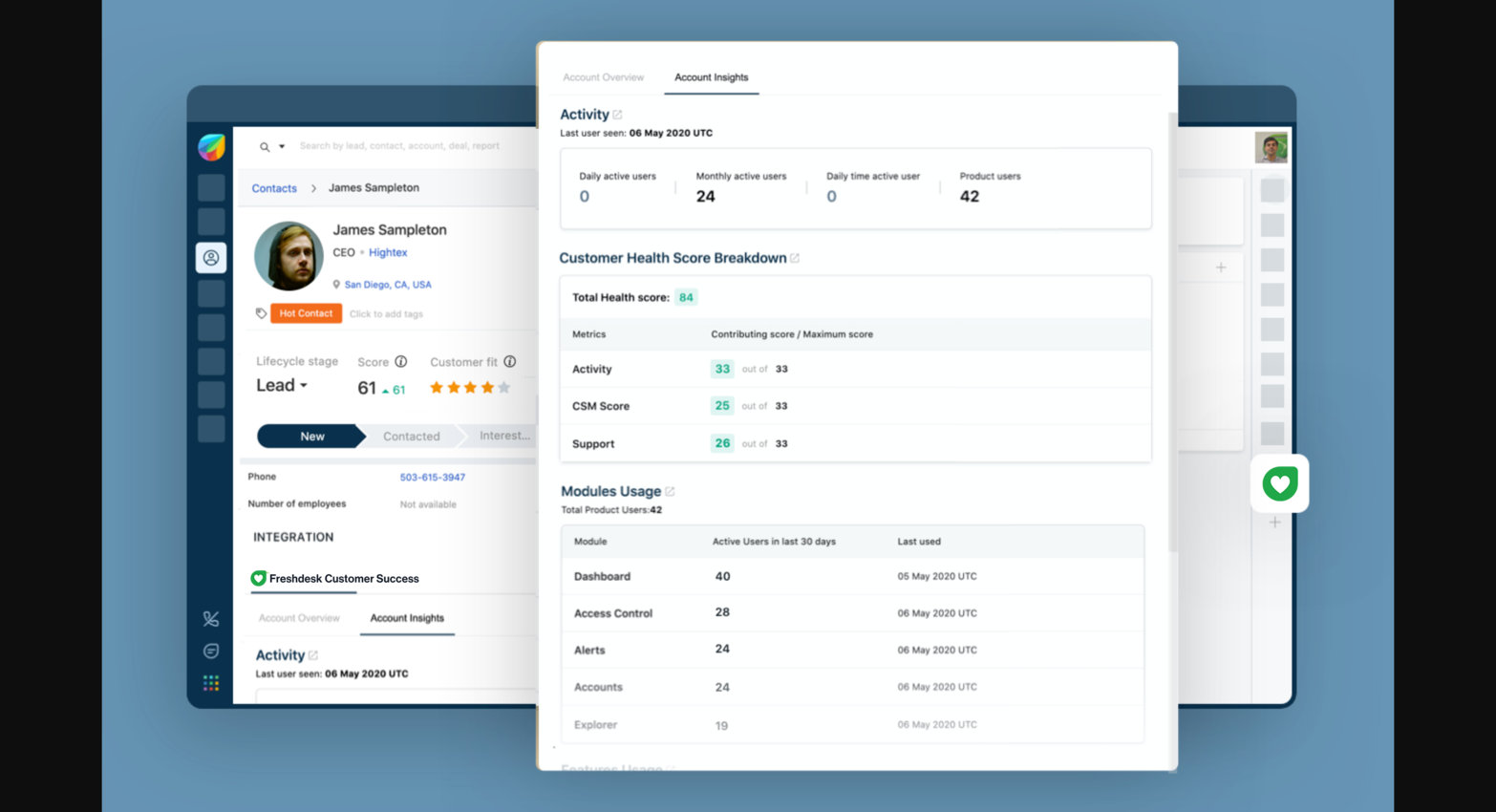
Image source: freshworks.com
Features:
- AI-driven lead scoring and deal insights
- Built-in phone, email, and chat
- Contact and account management
- Visual pipeline and sales forecasting
- Reporting dashboards with activity tracking
Strengths:
- Affordable pricing with strong features
- Easy setup and beginner-friendly
- AI insights improve lead prioritization
- Part of the Freshworks suite for cross-team use
Limitations:
- Limited advanced customization
- Some integrations require higher-tier plans
Pricing:
Free plan available; paid plans start at $15 per user/month.
7. Creatio CRM: Custom workflows & automation
Creatio CRM stands out as one of the most flexible cloud CRM solutions, offering low-code customization for workflows and automation. Businesses can tailor processes for sales, marketing, and service without heavy IT involvement. With a strong focus on adaptability, Creatio appeals to organizations that need a CRM tailored to unique operations. It’s a scalable choice for both SMEs and enterprises.
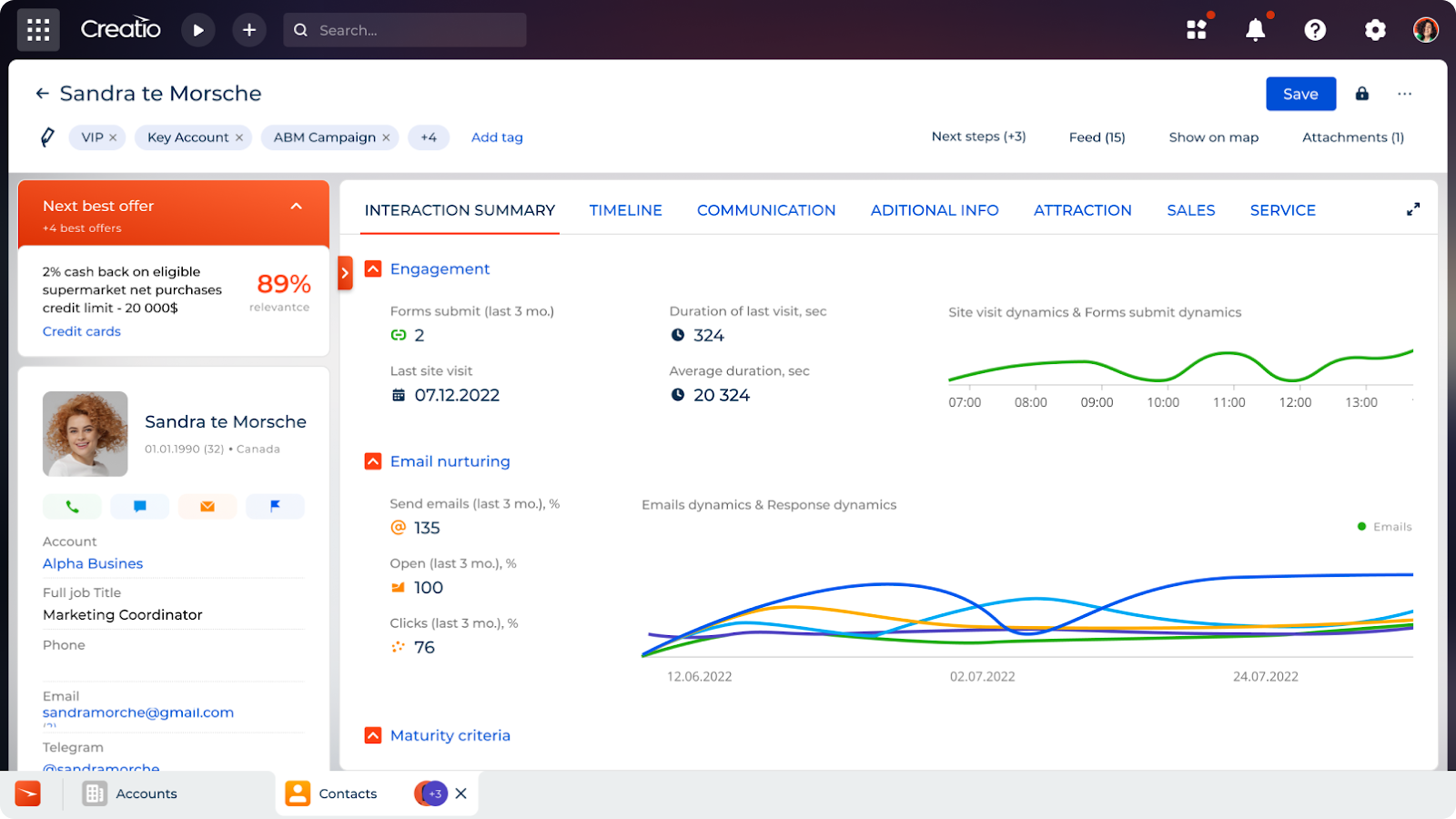
Image source: creatio.com
Features:
- Low-code customization for workflows
- Sales, marketing, and service modules
- End-to-end process automation
- Contact and opportunity tracking
- Real-time analytics and dashboards
Strengths:
- Highly customizable with low-code tools
- Combines CRM with BPM (business process management)
- Scalable for SMEs and enterprises
- Strong automation for complex workflows
Limitations:
- Can feel overwhelming for small teams
- Higher learning curve than simpler CRMs
Pricing:
Quote-based pricing; typically mid-to-enterprise range.
8. Pipedrive: Visual sales pipeline tools
Pipedrive is known for its simple, visual approach to managing pipelines, making it one of the best cloud CRM options for small sales teams. Its drag-and-drop interface allows reps to move deals across stages easily, while built-in automation reduces repetitive tasks. Pipedrive emphasizes usability and efficiency, helping teams focus more on closing deals than on administrative work.
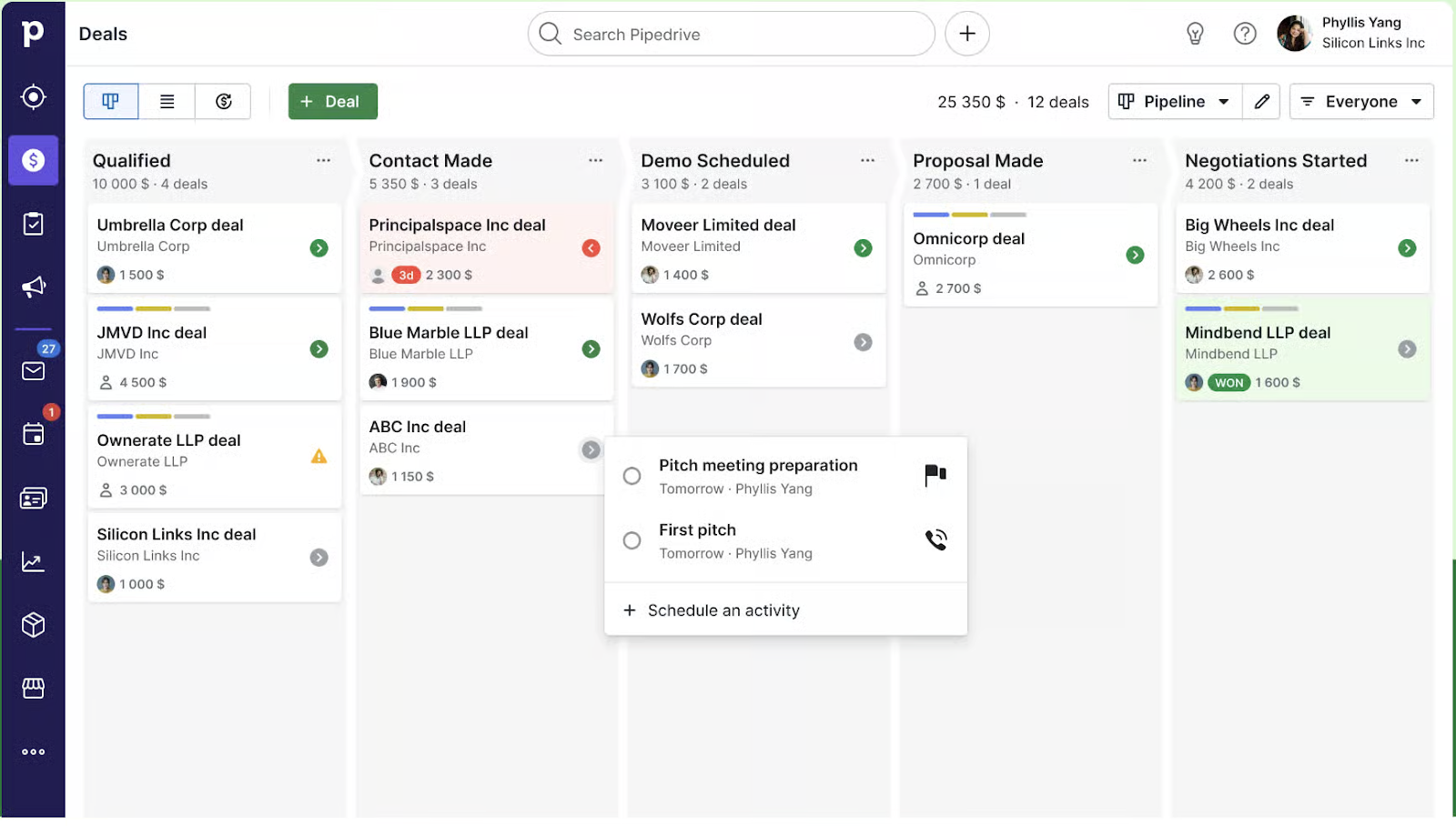
Image source: pipedrive.com
Features:
- Drag-and-drop visual pipeline
- Activity and goal tracking
- Email integration with tracking
- Deal management with reminders
- Reporting and sales forecasting
Strengths:
- Simple and intuitive interface
- Ideal for small teams and startups
- Affordable pricing
- Strong focus on sales productivity
Limitations:
- Limited features beyond core sales CRM
- Lacks built-in marketing automation
Pricing:
Plans start at $12.50 per user/month.
9. Insightly CRM: Manage sales & projects
Insightly is a versatile cloud customer relationship management tool that combines sales tracking with project management. It helps businesses manage opportunities, link projects to customers, and streamline workflows in a single system. With its reporting and integration features, Insightly is ideal for companies that want both CRM and lightweight project tracking together.
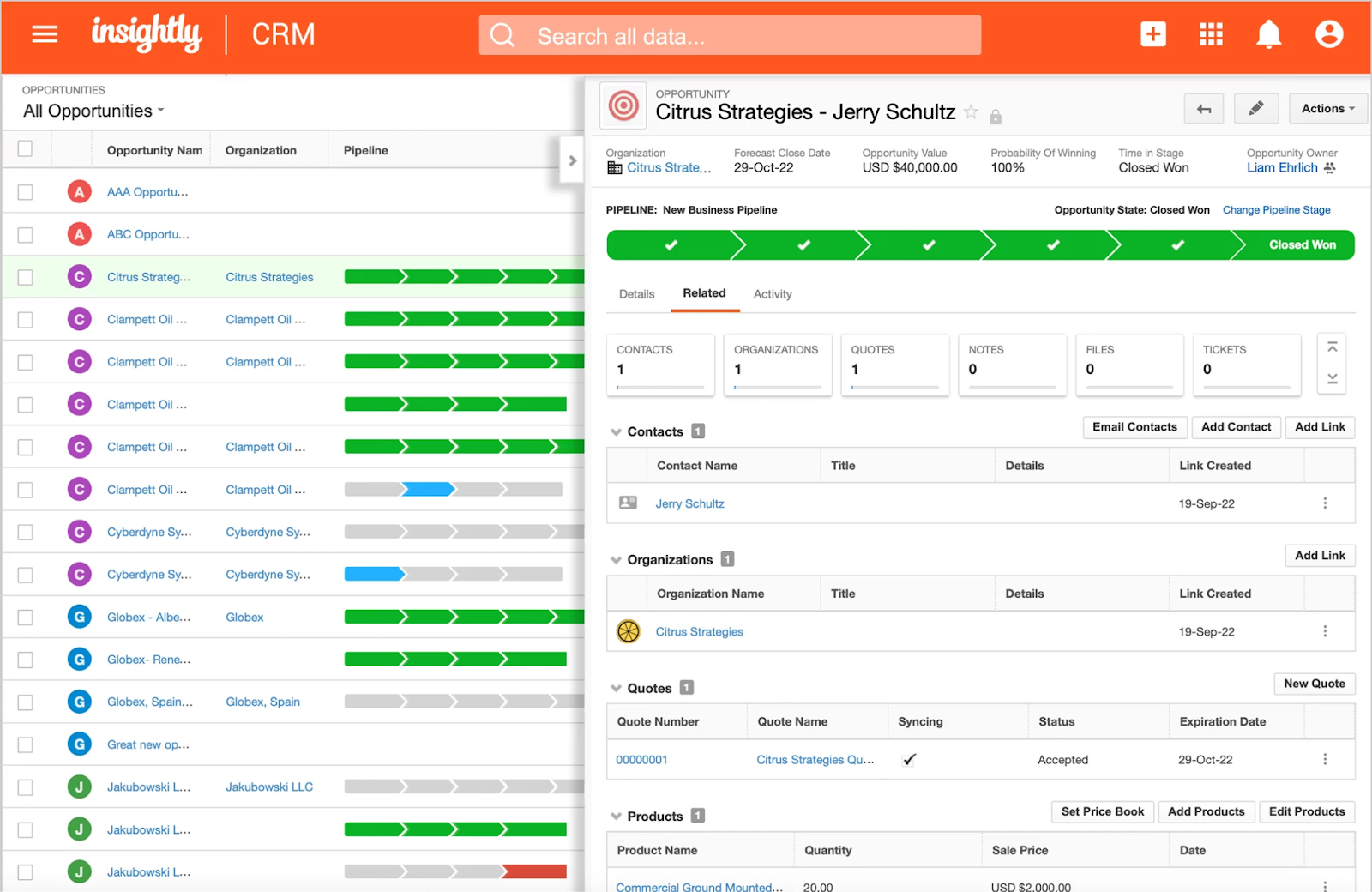
Image source: insightly.com
Features:
- Contact and opportunity management
- Project management linked to CRM data
- Email tracking and integration
- Workflow automation
- Reporting and analytics dashboards
Strengths:
- Combines CRM and project management
- Affordable for SMBs
- Simple interface with fast setup
- Integration with G Suite and Office 365
Limitations:
- Advanced analytics limited
- Not as feature-rich as enterprise CRMs
Pricing:
Plans start at $29 per user/month.
10. BigContacts: Simple CRM for small teams
BigContacts is designed as an easy-to-use cloud-based CRM for small business, offering contact management, email marketing, and pipeline tracking in one platform. It provides simple dashboards and automation without overwhelming smaller teams. Affordable and straightforward, BigContacts is best suited for startups and small businesses that want CRM functionality without complexity.
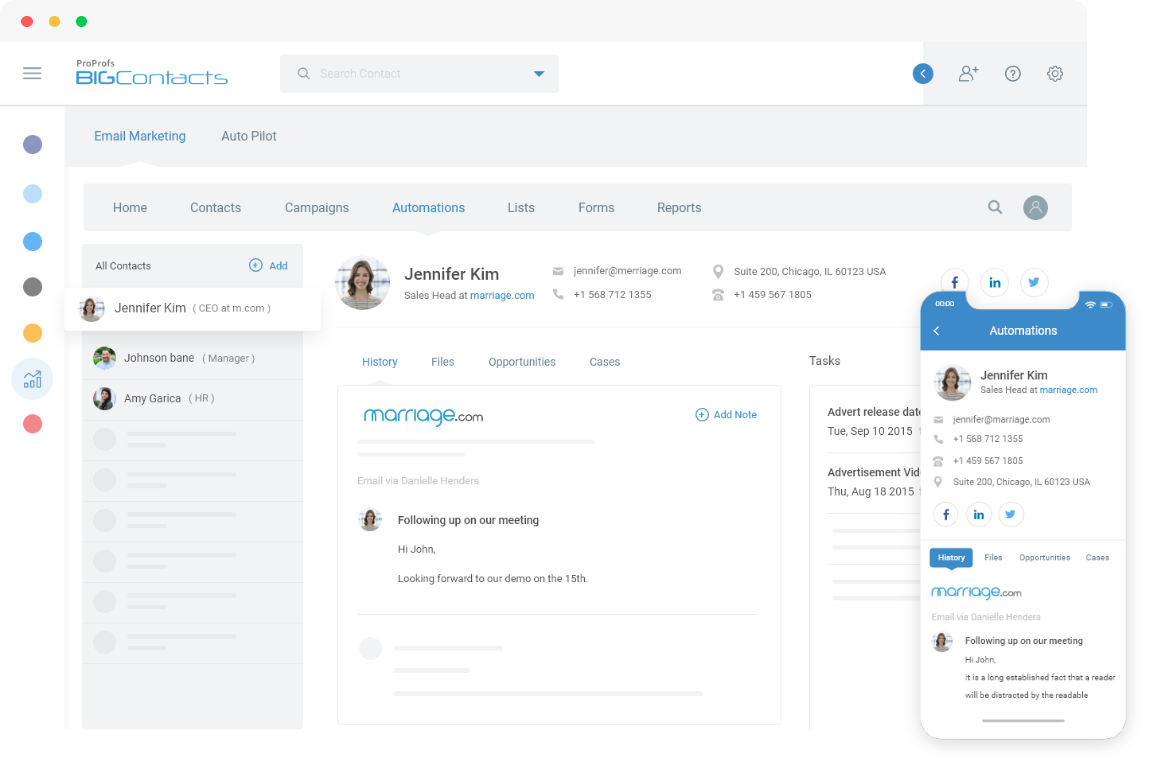
Image source: bigcontacts.com
Features:
- Contact and pipeline management
- Email marketing automation
- Task and calendar tracking
- Reporting dashboards
- Simple user interface
Strengths:
- Designed for small businesses
- Easy to use with minimal training
- Affordable pricing
- Built-in email marketing features
Limitations:
- Not ideal for larger organizations
- Limited customization options
Pricing:
Plans start at $5 per user/month.
Cloud CRM trends for 2026
The landscape of cloud-based CRM software continues to evolve as businesses demand smarter, more flexible, and more secure tools. In 2025, several trends are shaping how organizations choose and use CRM in the cloud.
- AI-driven automation and predictive insights: AI is becoming central to cloud CRM systems, helping teams score leads, predict customer behavior, and automate repetitive workflows. This shift allows businesses to make faster, data-backed decisions while improving productivity and accuracy.
- CRM + collaboration platforms: Modern teams want more than standalone CRMs—they need connected tools. Platforms like Lark are leading this shift by combining CRM with chat, docs, calendars, and workflow automation, reducing tool switching and keeping work in one place.
- Low-code customization for SMEs: Small and mid-sized enterprises need flexibility without heavy IT costs. Low-code cloud CRM solutions enable teams to build workflows, dashboards, and automations tailored to their unique needs, without requiring developers.
- Mobile-first adoption: With sales teams often working remotely, mobile-friendly cloud CRM software is now essential. Apps designed for smartphones and tablets ensure real-time updates, follow-ups, and customer interactions anywhere, anytime.
- Enhanced data security and compliance tools: As customer data regulations tighten, vendors are doubling down on security. Advanced encryption, role-based access, and compliance certifications are standard in 2025, making cloud CRM a safe choice even for sensitive industries.
Conclusion
Cloud-based CRM software has become an essential tool for modern businesses, offering flexibility, lower costs, and real-time access to customer data. From startups to enterprises, companies are moving away from on-premise systems to cloud CRM solutions that scale as they grow.
While most CRMs cover the basics—contact management, lead tracking, and reporting—the real differentiator lies in how well they support collaboration and automation. This is where Lark stands out. By combining CRM functions with chat, docs, calendar, approvals, and analytics in one connected platform, Lark helps teams work smarter, not harder. It eliminates tool switching, streamlines workflows, and ensures customer relationships are managed alongside everyday collaboration. For businesses seeking growth, agility, and efficiency, Lark offers more than just a CRM—it’s a complete workspace for modern teams.
FAQs
What is cloud-based CRM software?
Cloud-based CRM software is a customer relationship management system hosted online, giving businesses secure, remote access to customer data anytime, anywhere. Unlike traditional on-premise solutions, cloud CRM systems update automatically and scale easily as your business grows. Platforms like HubSpot, Zoho, and Salesforce are widely used, while modern solutions like Lark go further by blending CRM with collaboration and workflow automation.
Is cloud CRM better than on-premise CRM?
Yes, for most businesses. Cloud CRM offers lower upfront costs, easier scalability, mobile access, and reduced IT management compared to on-premise CRM. On-premise may still suit highly regulated industries, but the flexibility of cloud CRM software makes it the smarter choice for growth. Tools like Lark also ensure CRM data is tied directly to communication, approvals, and reporting, boosting efficiency.
Which is the best cloud CRM for small businesses?
The best cloud CRM for small businesses balances affordability, simplicity, and scalability. Options like Zoho, BigContacts, and HubSpot’s free plan are popular among SMBs. However, Lark stands out because it offers a free plan with CRM-like databases, integrated chat, docs, and tasks—ideal for small teams that need more than customer tracking.
Does Lark support CRM automation?
Yes. Lark enables automation across workflows, from routing new leads to assigning tasks, setting approvals, and generating reports. Its cloud CRM features connect seamlessly with communication and collaboration tools, making automation part of everyday work rather than a separate process.
Are cloud CRMs secure for customer data?
Modern cloud based CRM software vendors prioritize data security with encryption, role-based access, and compliance certifications. This makes them safer and more reliable than many on-premise setups. Lark also ensures customer data is protected while providing audit trails, permissions, and enterprise-grade compliance features.
Related reading
Table of contents
Start using Lark today

Manage all your work in one place
Boost team efficiency by 10x
Save up to 70% on software costs
Table of contents
Start using Lark today
Manage all your work in one place
Boost team efficiency by 10x
Save up to 70% on software costs
Keep reading









2026 Lark Technologies Pte. Ltd.
Headquartered in Singapore with offices worldwide.






Explore: