














Best Coach CRM Software: Features and Top 10 Picks

Jennifer Tang
Content Specialist
Nov 3, 2026
Jennifer Tang
Nov 3, 2026

21 min read
Add to preferred sources


If you coach 1:1 or run cohorts, you've probably felt the drag of juggling spreadsheets, email threads, scheduling apps, and scattered notes. A coach CRM brings your leads, sessions, goals, contracts, payments, and automations into one coherent system so you can focus on coaching—not admin. The biggest gains come from fewer no‑shows, clearer follow‑ups, and visible progress for clients. You don't always need a heavyweight sales CRM either: a modern all‑in‑one collaboration platform that blends chat, docs, calendar, meetings, tasks, approvals, and a no‑code database with automations can double as your coach CRM. In this guide, I unpack the must‑have features, give you a candid best‑software list, and map the workflows that turn prospects into loyal clients—without unnecessary complexity.
Key takeaways: Top 10 picks of coach CRM
- Lark: All-in-one CRM for seamless coaching
- Paperbell: Simple package management for coaches
- CoachAccountable: Accountability tools for effective coaching
- Practice: Modern client portal for a polished experience
- Satori: Easy setup for coaching packages
- HoneyBook: Proposals and contracts streamlined
- Dubsado: Highly customizable workflow automation
- Salesmate: Sales-focused CRM with coaching tools
- Pipedrive: Visual pipeline for clear sales tracking
- HubSpot: Comprehensive marketing integrated CRM

What is a coach CRM and why it matters
A coach CRM is a client and program management system designed around the realities of coaching—capturing leads, qualifying prospects, booking calls, logging sessions, tracking goals, billing cleanly, and automating reminders and recaps. While traditional sales CRMs can be adapted, the best solutions for coaching support delivery and accountability as well as sales. If you've been stitching together calendar tools, questionnaires, proposal and invoicing apps, and a file drive, you already know the cost: inconsistent follow‑ups, high no‑show rates, duplicated data, and no clear view of client outcomes. Understanding effective course pricing strategies can help creators set a price that reflects the value of their content while remaining attractive to potential students.
A strong coach CRM improves the entire lifecycle: forms feed your database and route to the right owner; scheduling happens in time zones with buffers and reminders; every session produces searchable notes and action items; progress is visible via milestones and metrics; contracts and invoices flow without awkward back‑and‑forth; and your pipeline shows where revenue will land. Whether you identify as relationship coach CRM or career coach CRM focused, the core data model—clients, deals, programs, sessions, invoices, goals, and consents—remains the same. As a practical tip, think like a CRM coach would: define the minimum viable workflow you can run every day, then automate the nudges you repeat most often.
Solution categories for coaches
- All‑in‑one collaboration platforms with no‑code automation: Messaging, docs, calendar, meetings, tasks, approvals, and a no‑code database in one secure workspace. Ideal when you want sales and delivery in one place.
- Coaching‑specific CRMs: Purpose‑built for programs, packages, assignments, and accountability. Great for solo and boutique teams that want fast wins.
- General SMB CRMs: Sales‑first systems with pipelines, prompts, and forecasting; delivery features rely on integrations or a separate portal.
- Marketing automation‑centric CRMs: Powerful email, landing pages, funnels, and scoring for content‑driven acquisition; pair with a delivery hub.
The best CRM for coaches at a glance
The 10 best coach CRM software list and quick comparison
In this honestly coach crm app review objectively, this guide covers 10 tools from different categories so you can match features to your model, budget, and timeline.
1. Lark: All-in-one CRM for seamless coaching
Overview:
Lark offers a comprehensive suite of tools designed to streamline coaching operations, enhance client interaction, and automate administrative tasks. Below are three key products that can significantly benefit coaches in managing their practices effectively.
Key features:
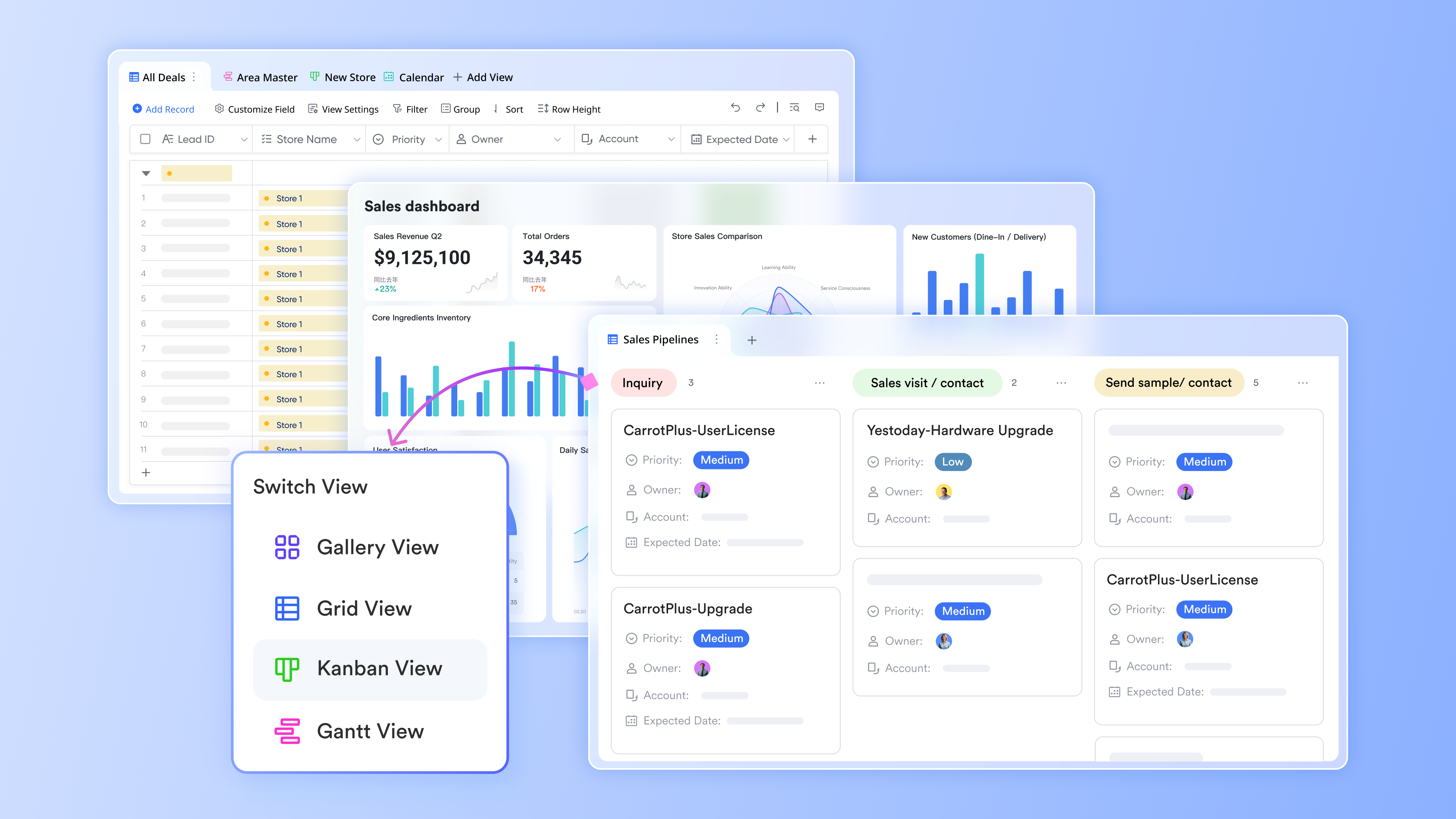
Lark Base serves as a robust no-code CRM backbone tailored for coaches. By providing features to model the essential data used in coaching, Base allows users to track clients, deals, programs, sessions, invoices, and cohorts efficiently.
- Client 360: Coaches can build a comprehensive profile for each client, integrating intake responses, session history, and progress tracking. This enables personalized coaching experiences and data-driven decision-making.
- Pipeline management: Base supports running a discovery-to-proposal pipeline that visualizes stages like won/lost in a Kanban view. Coaches can manage leads effectively and streamline the conversion process.
- Data management: Coaches can utilize various views—Kanban, calendar, grid, or pivot—for comfort and control; they can establish granular permissions, ensuring only relevant stakeholders have access to sensitive data.
- Automation features: Triggering actions such as sending booking links or generating recap documents when data changes reduces manual tasks and streamlines onboarding processes.
By using Lark Base, coaches can consolidate their client management and program tracking in a single location, reducing administrative overhead and improving responsiveness.
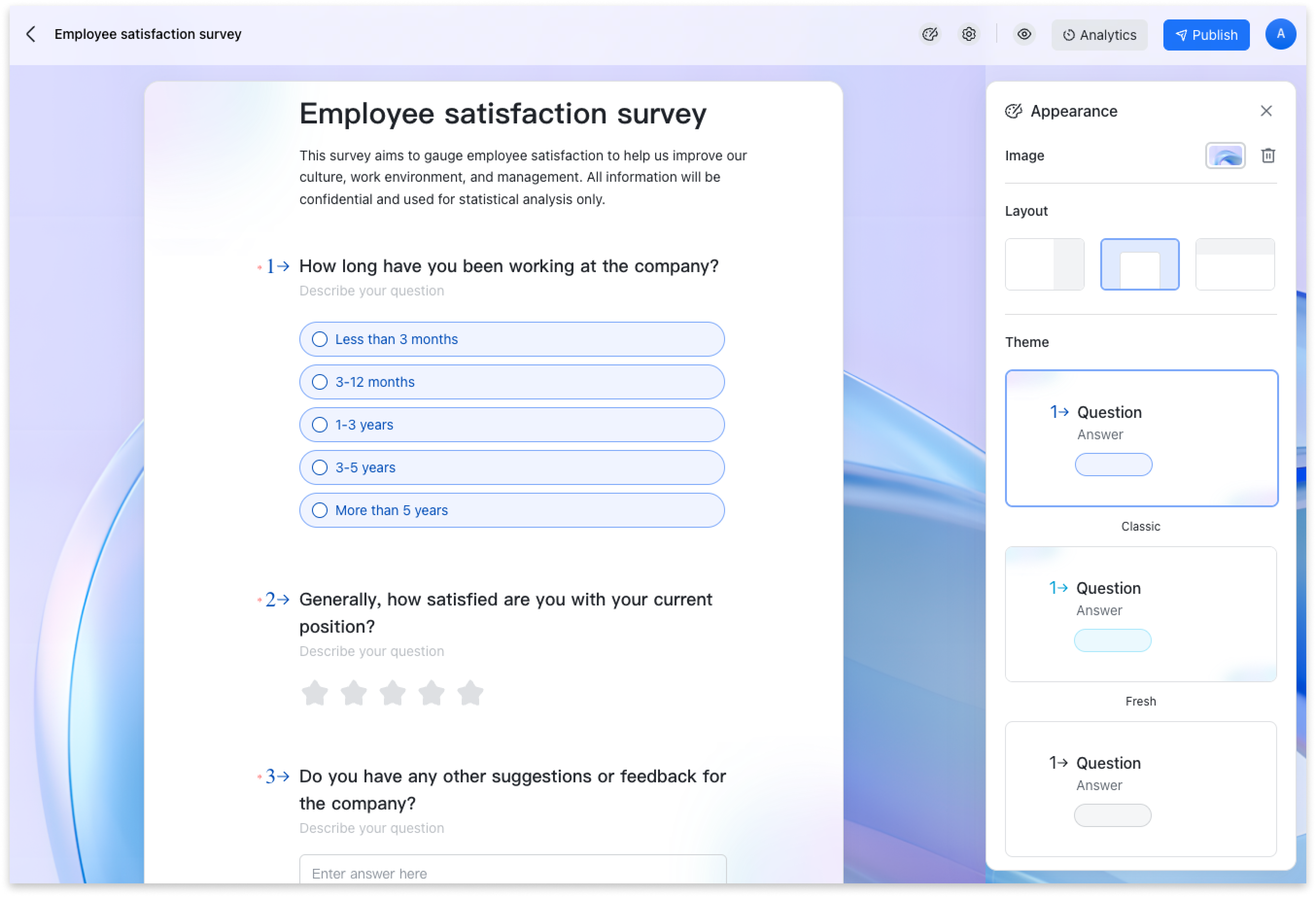
Lark Forms transforms traditional intake methods into structured, actionable inputs that integrate seamlessly with Base, eliminating the tedious manual data entry often required in coaching settings.
- Lead capture: Coaches can create discovery questionnaires that automatically populate Client and Deal records, helping qualify prospects based on their readiness, goals, and budget. This efficiency enhances the lead generation process.
- Onboarding process: Forms facilitate the collection of consent, scheduling preferences, and essential onboarding information from clients, making the initial setup smoother and more professional.
- Feedback mechanism: Post-session or post-program feedback can be gathered through Forms, automatically routing responses to designated coaches to gain insights into program effectiveness and client satisfaction.
By implementing Lark Forms, coaches can streamline their intake and feedback processes, ensuring that client data is captured accurately and efficiently as part of their overall coaching workflow.
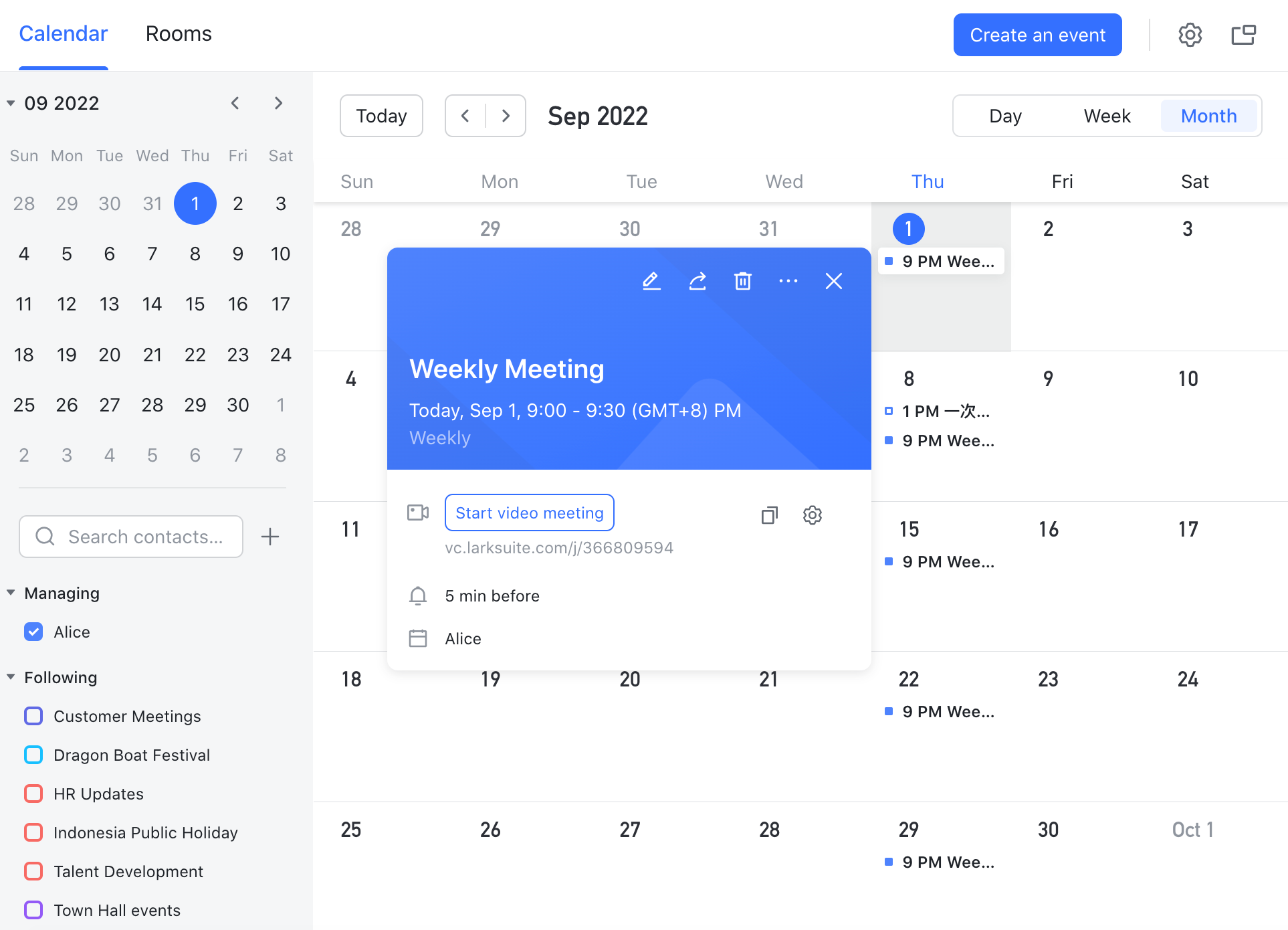
Lark Calendar centralizes scheduling logistics, dramatically reducing the back-and-forth that often frustrates coaches and clients alike when arranging meetings or sessions.
- Smart scheduling: Coaches can share their availability across different time zones, incorporating buffers between appointments to ensure they have time to prepare or debrief. This is especially useful for global coaching practices.
- Integration with other tools: By integrating with Meetings and Forms, Lark Calendar allows coaches to attach necessary pre-call forms and automatically include video conferencing links, making it easy for clients to prepare for sessions.
- Team coordination: Lark Calendar enables coaches to view multiple calendars side by side, facilitating coordination when working with teams or managing group sessions without the risk of double bookings.
Utilizing Lark Calendar ensures that scheduling remains organized and straightforward, allowing coaches to focus on what they do best—providing value to their clients.
How Lark comes together as a coach CRM
- Single source of truth: Forms feed Base; Calendar schedules sessions; Meetings and AI Meeting Notes produce recaps; Minutes publishes outcomes; Docs and Wiki deliver curricula; Messenger and Mail keep communication aligned; Approval removes bottlenecks; OKR surfaces impact; AnyCross and LarkDeveloper connect and extend; Security & Compliance underpins it all.
- End‑to‑end visibility: From first touch to alumni upsell, every interaction is traceable, searchable, and linked—so you can coach with clarity, not chase information.
Best for:
- Coaches who want one secure hub for sales and delivery;
- Cohort programs that need rosters, assignments, attendance, and shared resources without separate LMS overhead.
Limitation:
- Requires initial modeling and configuration.
- Starter plan: Free forever plan with 11 powerful tools for up to 20 users, 100GB storage, 1,000 automation runs, AI translations, and more. No credit card needed.
- Basic plan: $6/user/month (billed annually) for up to 500 users. Includes everything in Starter plus unlimited message history, 5TB storage, 1,000 automation runs, and more. Some users may need to contact sales to purchase.
- Pro plan: $12/user/month (billed annually) for up to 500 users. Includes everything in Basic plus group calling for up to 500 attendees, 15TB storage, 50,000 automation runs, and more. Businesses assessing collaboration ecosystems often reference Google Workspace pricing during the evaluation process.
- Enterprise plan: Contact sales for custom pricing. Supports unlimited users and includes advanced automation, security, compliance, and management features.
Real user feedback:
"Leads from forms auto‑create records, book themselves, and the AI notes from meetings are ready before I open the next call. We spend far less time coordinating."
Note: All reviews above are sourced from G2.
2. Paperbell: Simple package management for coaches
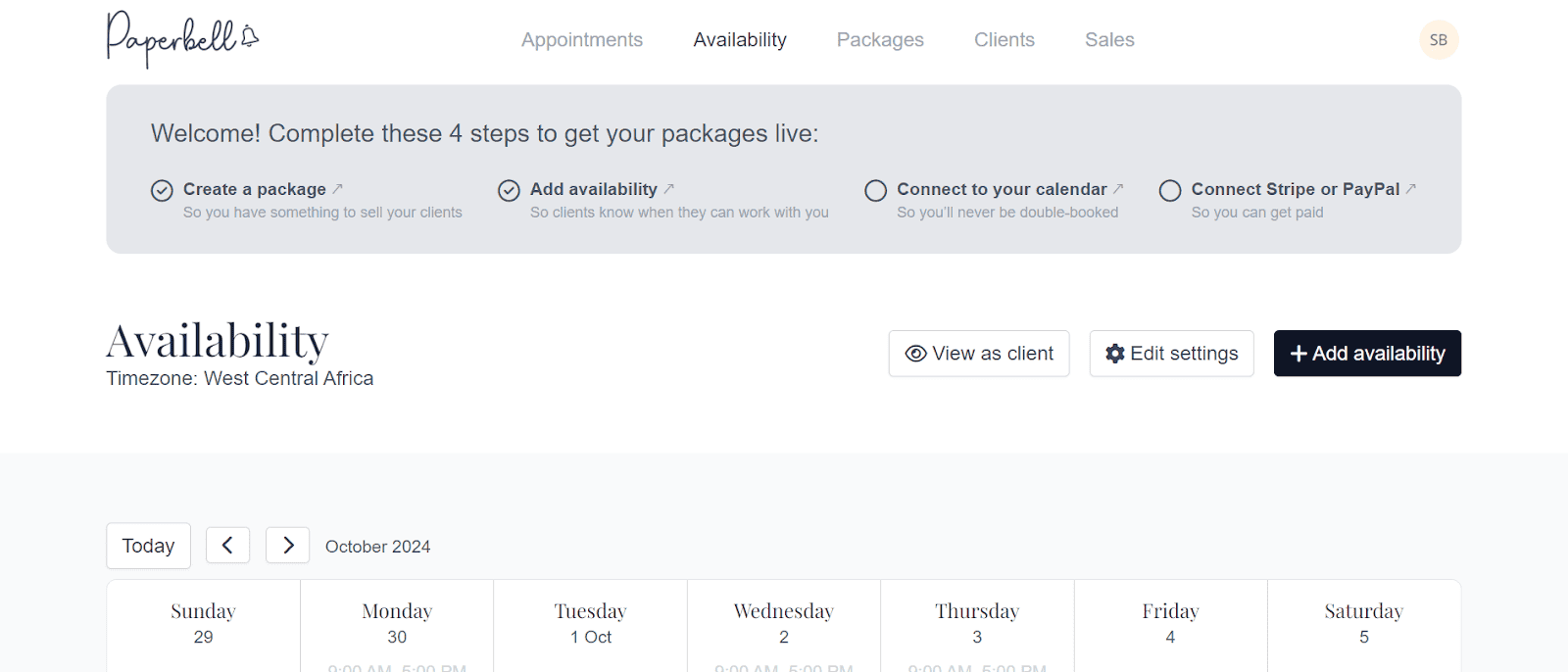
Image source: paperbell.com
Overview:
A coaching‑specific platform that bundles scheduling, packages, contracts, and payments for quick setup, especially for solo practitioners.
Key features:
- Packages and subscriptions with client self‑checkout and scheduling.
- Automatic contract capture linked to purchases.
- Simple client portal for files and questionnaires.
- Revenue and client summary reports.
- Intake forms that attach to client records.
- Basic couponing and refund tools.
Best for:
Solo coaches who want to sell packages and get paid fast without a complex CRM.
Limitation:
- Limited pipeline depth and automation; not ideal for multi‑coach teams or data‑rich reporting.
Pricing:
- Free plan: Not available
- Paid plans: Start at $57/month/user (free trial available)
Real user feedback:
"I set up my offers over a weekend—clients paid, scheduled, and signed without a single back‑and‑forth email."
Note: All reviews above are sourced from G2.
3. CoachAccountable: Accountability tools for effective coaching
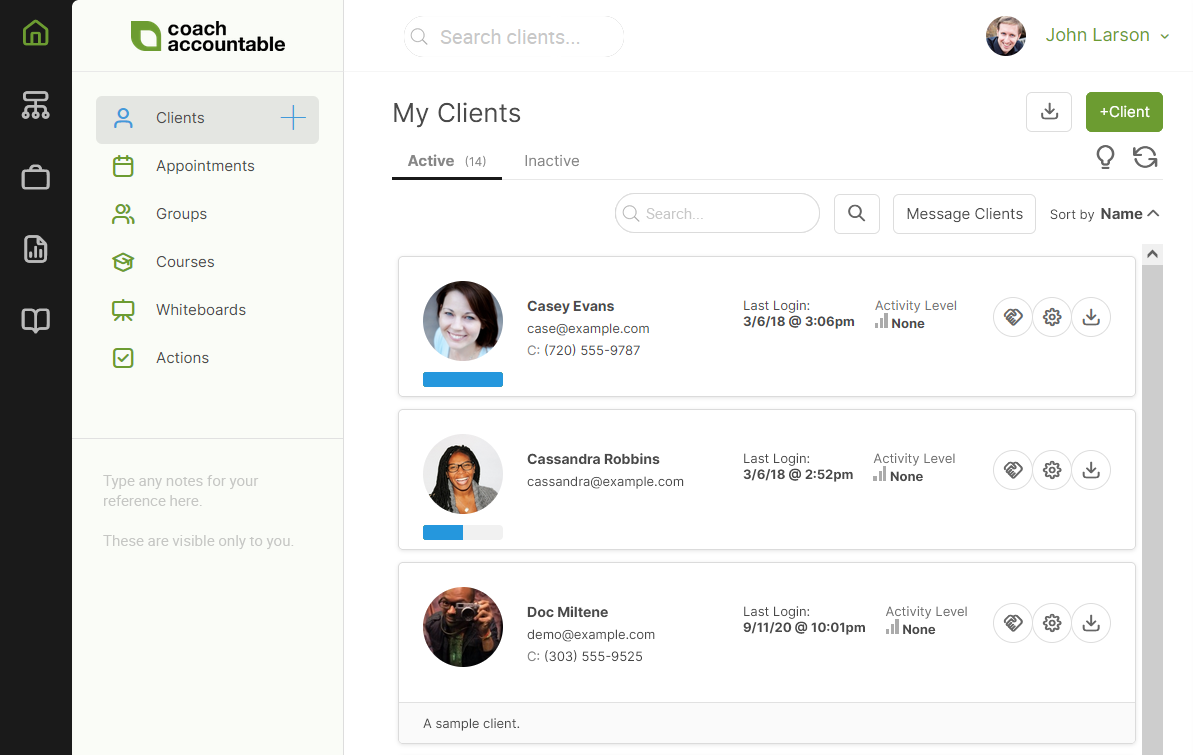
Image source: coachaccountable.com
Overview:
A delivery‑focused system designed for structured programs, metrics, assignments, and accountability between sessions.
Key features:
- Program templates with milestones, homework, and metrics dashboards.
- Session notes, reminders, and progress charts for each client.
- Group coaching modules with rosters and resource sharing.
- Intake forms and worksheets tied to program steps.
- Calendar and payment integrations.
- Client check‑ins and habit tracking.
Best for:
Coaches running defined programs (business, wellness, leadership) who want measurable progress and consistent engagement.
Limitation:
Sales pipeline and marketing features are light; pair it with a sales CRM or marketing tool if acquisition is your bottleneck.
Pricing:
- Free plan: Not available
- Paid plans: Start at $20/month/user (30-day free trial available)
Real user feedback:
"The metrics board tells me who's slipping and why. My prep time dropped in half because the data is already organized."
Note: All reviews above are sourced from G2.
4. Dubsado: Highly customizable workflow automation
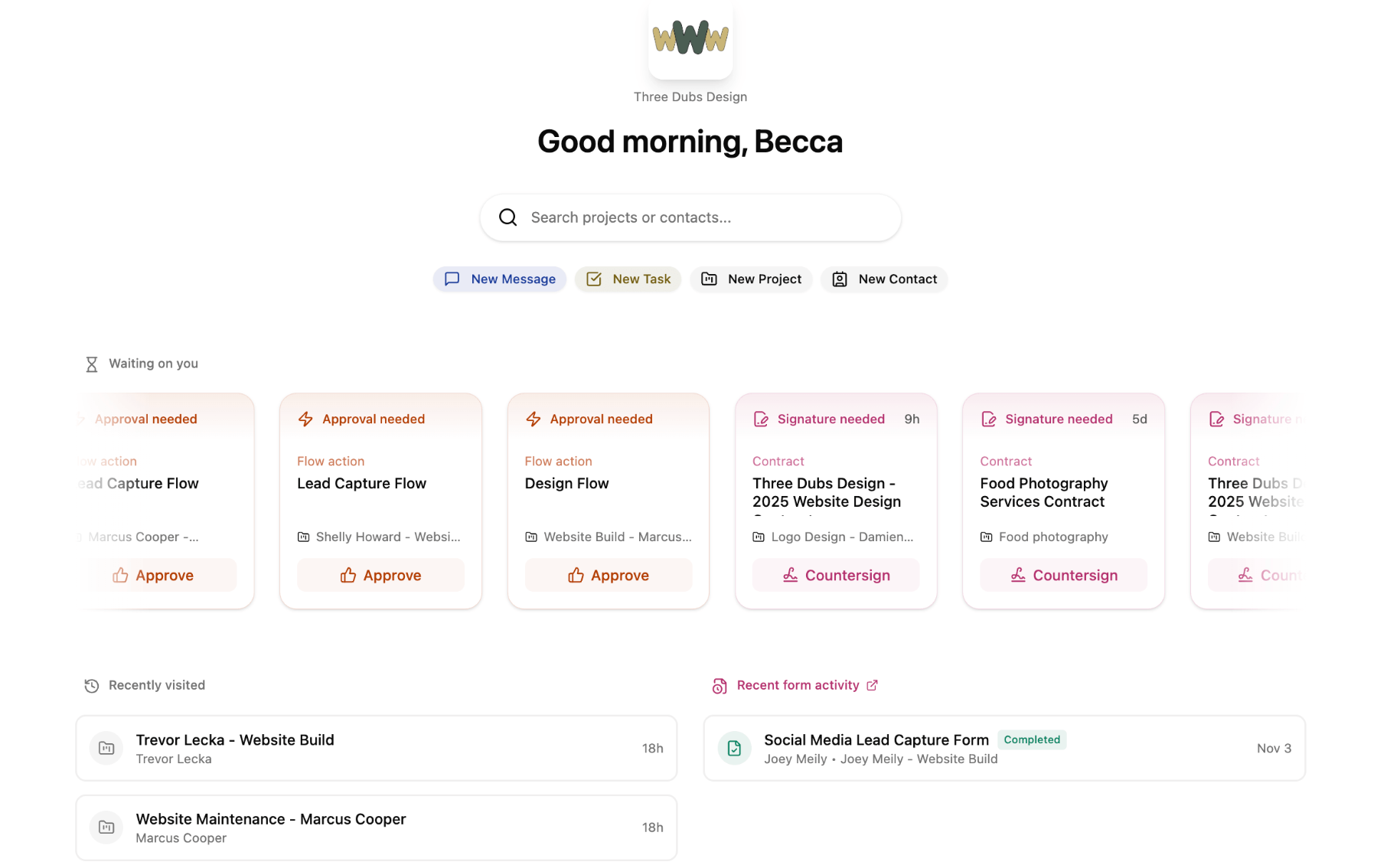
Image source: dubsado.com
Overview:
Dubsado is an all-in-one CRM solution designed specifically for service-based businesses, including coaches. It allows users to create tailored workflows that automate client management tasks, simplifying operations from inquiry to contract signing.
Key features:
- Customizable workflows for personalized client journeys
- Integrated invoicing and payment processing
- Project management tools to keep track of client progress
- Scheduling functionality to automate appointments
- Client portal for direct access to contracts, forms, and invoices
Best for:
Coaches and service providers seeking a highly customizable and automated client management solution.
Pricing:
Limitation:
- A steeper learning curve for new users due to its extensive customization options;
- Lacks some advanced CRM features that larger organizations may need.
Pricing:
- Free plan: Available for 3 users
- Paid plans: Start at $20/month/user
Real user feedback:
"I love Dubsado's customization, but it took time to learn all its features."
Note: All reviews above are sourced from G2.
5. Satori: Easy setup for coaching packages
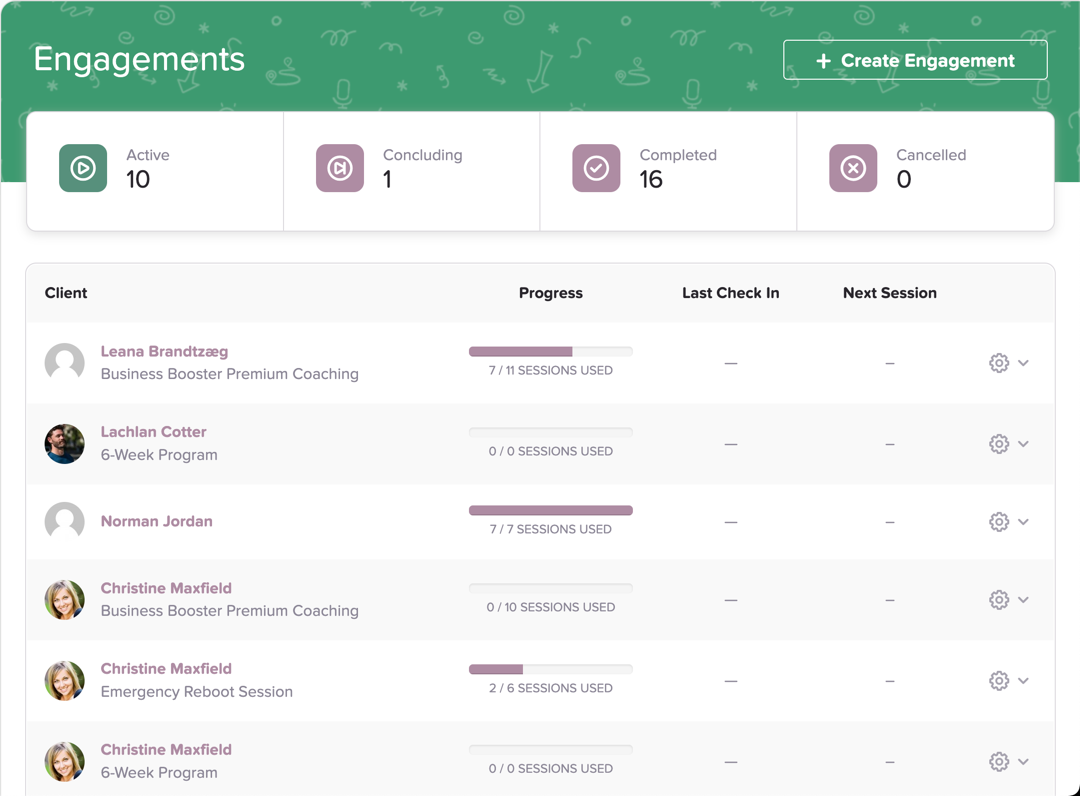
Image source: satori.com
Overview:
A platform that helps you turn coaching into buyable packages and subscriptions with automated contract and scheduling flows.
Key features:
- Offer pages for packages, trials, and subscriptions.
- Scheduling, contract capture, and intake in one purchase flow.
- Client records with session tracking and notes.
- Simple automation for reminders and renewals.
- Coupon codes and flexible billing options.
- Lightweight client communications.
Best for:
Coaches who sell well‑defined offers and want fast purchase‑to‑delivery without heavy setup.
Limitation:
Narrower reporting and customization; fewer cohort tools and limited extensibility for complex operations.
Pricing:
- Free plan: Not available
- Paid plans: Start at $33/month/user (free trial available)
Real user feedback:
"From click to booked to signed took minutes. My conversion rate improved because there's no friction after the sales call."
Note: All reviews above are sourced from G2.
6. HoneyBook: Proposals and contracts streamlined
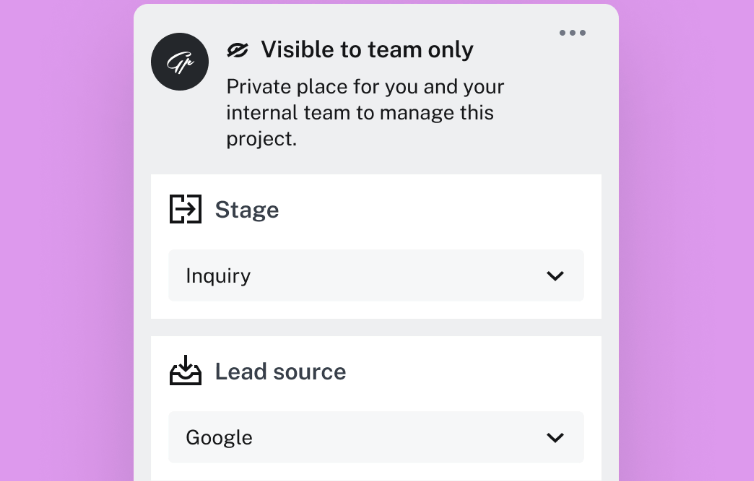
Image source: honeybook.com
Overview:
A clientflow CRM known for polished proposals, contracts, and invoicing with automation suited to service businesses and many coaches.
Key features:
- Branded proposal → contract → invoice in a single flow.
- Templates for questionnaires and brochures.
- Automation for reminders and follow‑ups.
- Scheduling links and pipeline views.
- Payment processing with recurring options.
- Basic task management within projects.
Best for:
Coaches who sell packaged services and want professional documentation and frictionless signature and payment.
Limitation:
Not coaching‑specific—no native program tracking or deep coaching analytics without workarounds.
Pricing:
- Free plan: Not available
- Paid plans: Start at $29/month/user (7-day free trial available)
Real user feedback:
"Everything looks professional and I get signatures fast. Clients move from proposal to paid in one sitting."
Note: All reviews above are sourced from G2.
7. TrueCoach: Simplifying client management for fitness professionals
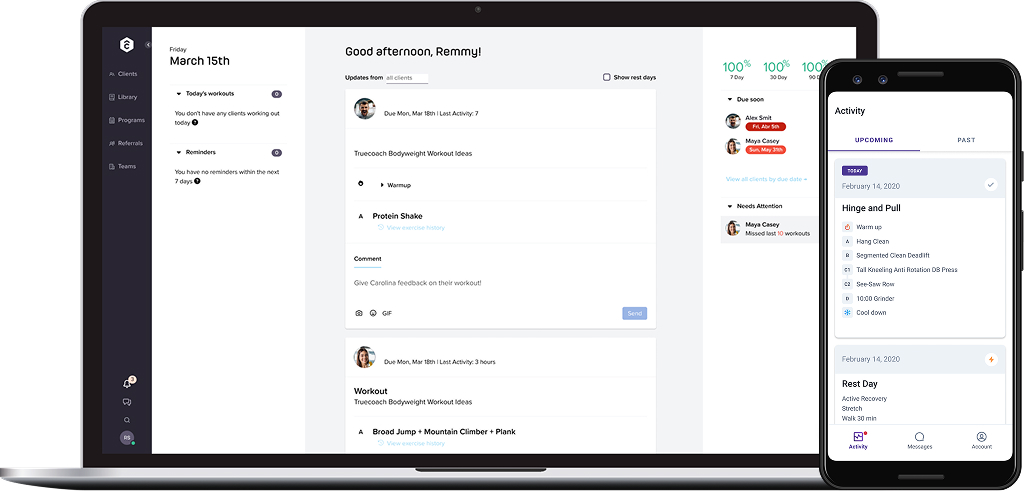
Image source: truecoach.com
Overview:
TrueCoach is a client management platform designed specifically for coaches in the fitness industry. It streamlines communication, program delivery, and progress tracking, allowing coaches to focus on helping their clients achieve their goals.
Key features:
- Customizable workout and nutrition plans
- Easy client messaging and feedback system
- Progress tracking and reporting tools
- Video demonstration library for exercises
- Integration with various fitness tracking apps
Best for:
Fitness coaches and personal trainers looking to manage client relationships and streamline program delivery.
Limitation:
- Primarily tailored for fitness professionals, which may limit its suitability for coaches in other industries.
- Some users find the interface could be more intuitive, and it may take time to navigate all the features effectively.
- Reporting tools, while useful, may not offer the advanced analytics that some larger coaching practices require.
Pricing:
- Free plan: Not available
- Paid plans: Start at $26.34/month/user (free trial available)
Real user feedback:
"I appreciate how easy TrueCoach makes tracking client progress and delivering workouts!"
Note: All reviews above are sourced from G2.
8. Salesmate: Sales-focused CRM with coaching tools
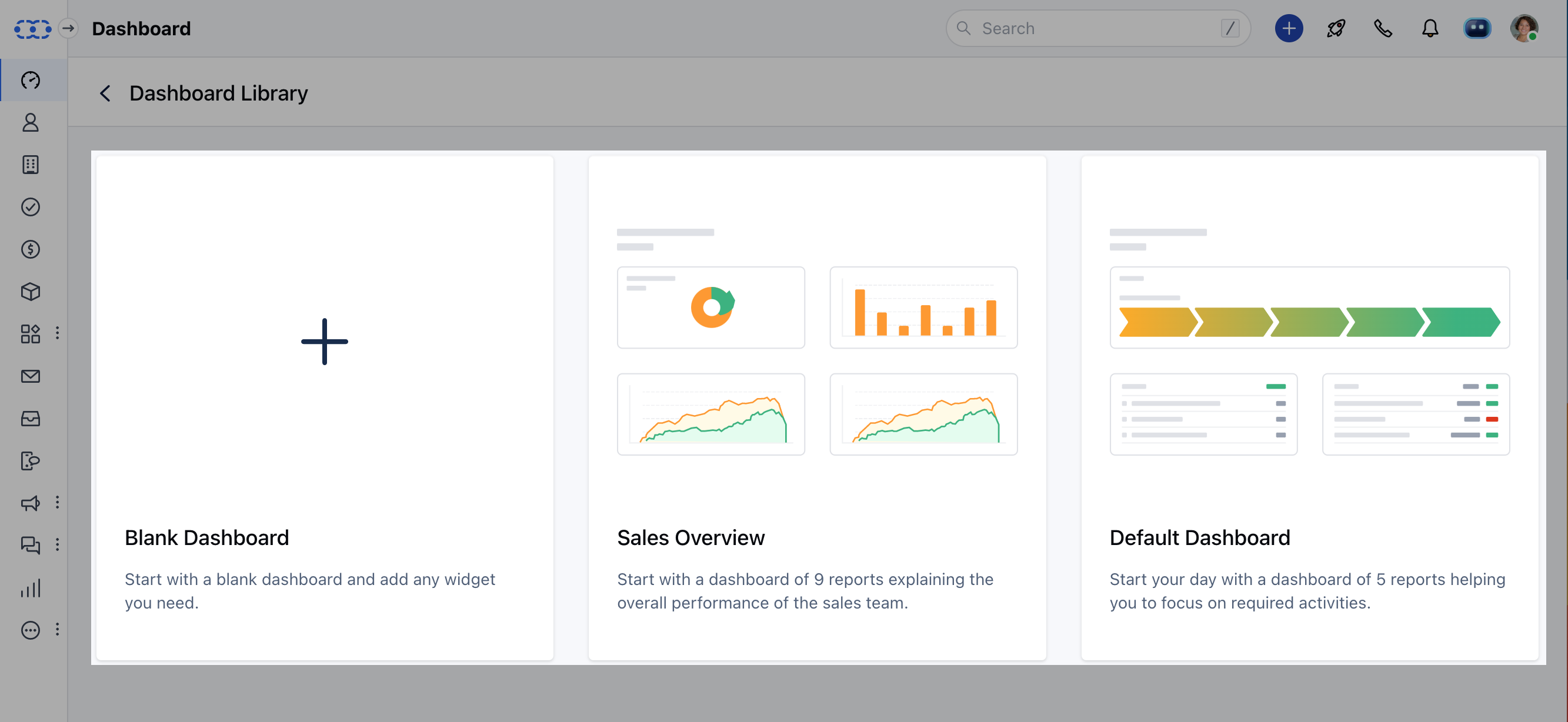
Image source: salesmate.com
Overview:
A sales‑forward CRM with built‑in calling, sequences, and automation to drive consistent follow‑through in coaching businesses with outbound or high‑volume lead handling.
Key features:
- Deal pipelines with stages, tasks, and activity prompts.
- Calling, voicemail drops, and SMS/email sequences.
- Sales automation for reminders, ownership, and stage changes.
- Reporting dashboards for conversion and revenue.
- Calendar sync and email integration.
- Web forms and chat widgets for lead capture.
Best for:
Coaching teams that prioritize prospecting and structured sales motions alongside program delivery.
Limitation:
Delivery features like portals, assignments, and transcripts are not native; you'll pair it with a collaboration or coaching tool.
Pricing:
- Free plan: Not available
- Paid plans: Start at $23/month/user (free trial available)
Real user feedback:
"Sequences doubled our show rates and kept the team consistent. We actually do the follow‑ups we plan."
Note: All reviews above are sourced from G2.
9. Pipedrive: Visual pipeline for clear sales tracking
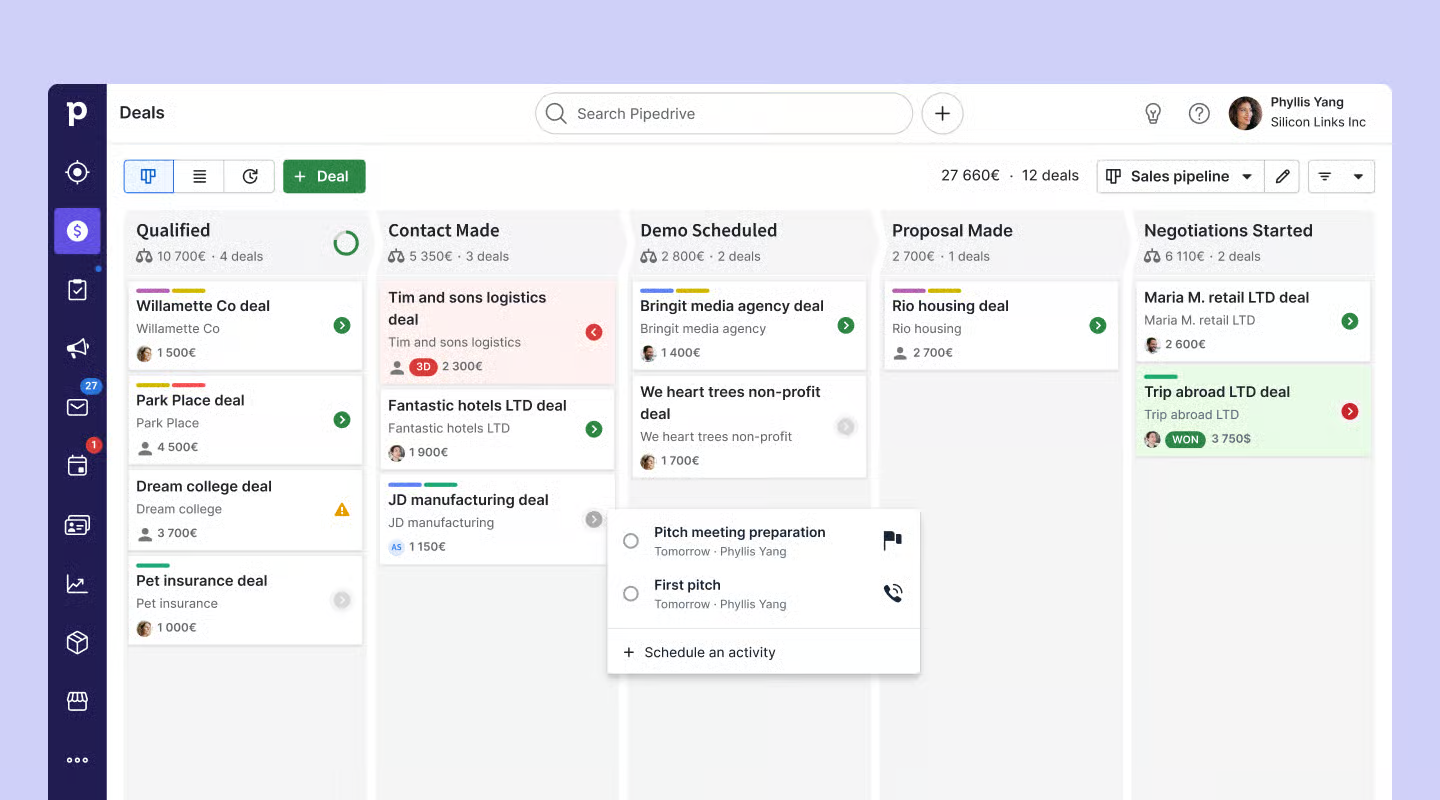
Image source: pipedrive.com
Overview:
An intuitive pipeline CRM that keeps sales simple and visual, extended with add‑ons for email and automations.
Key features:
- Drag‑and‑drop pipelines with activity prompts.
- Email tracking, templates, and scheduling.
- Workflow automations for repetitive tasks.
- Reports on deals, activities, and revenue.
- Marketplace integrations for proposals and billing.
- Mobile app for on‑the‑go updates.
Best for:
Coaches and agencies who want clarity in sales execution and will integrate delivery tools separately.
Limitation:
Lacks coaching‑specific delivery features; requires integrations for contracts, portals, and program tracking.
Pricing:
- Free plan: Not available (free trial available)
- Paid plans: Start at $14 per user/month
Real user feedback:
"I finally see what matters in my pipeline. Next actions are obvious, and nothing slips through the cracks."
Note: All reviews above are sourced from G2.
10. HubSpot: Comprehensive marketing integrated CRM
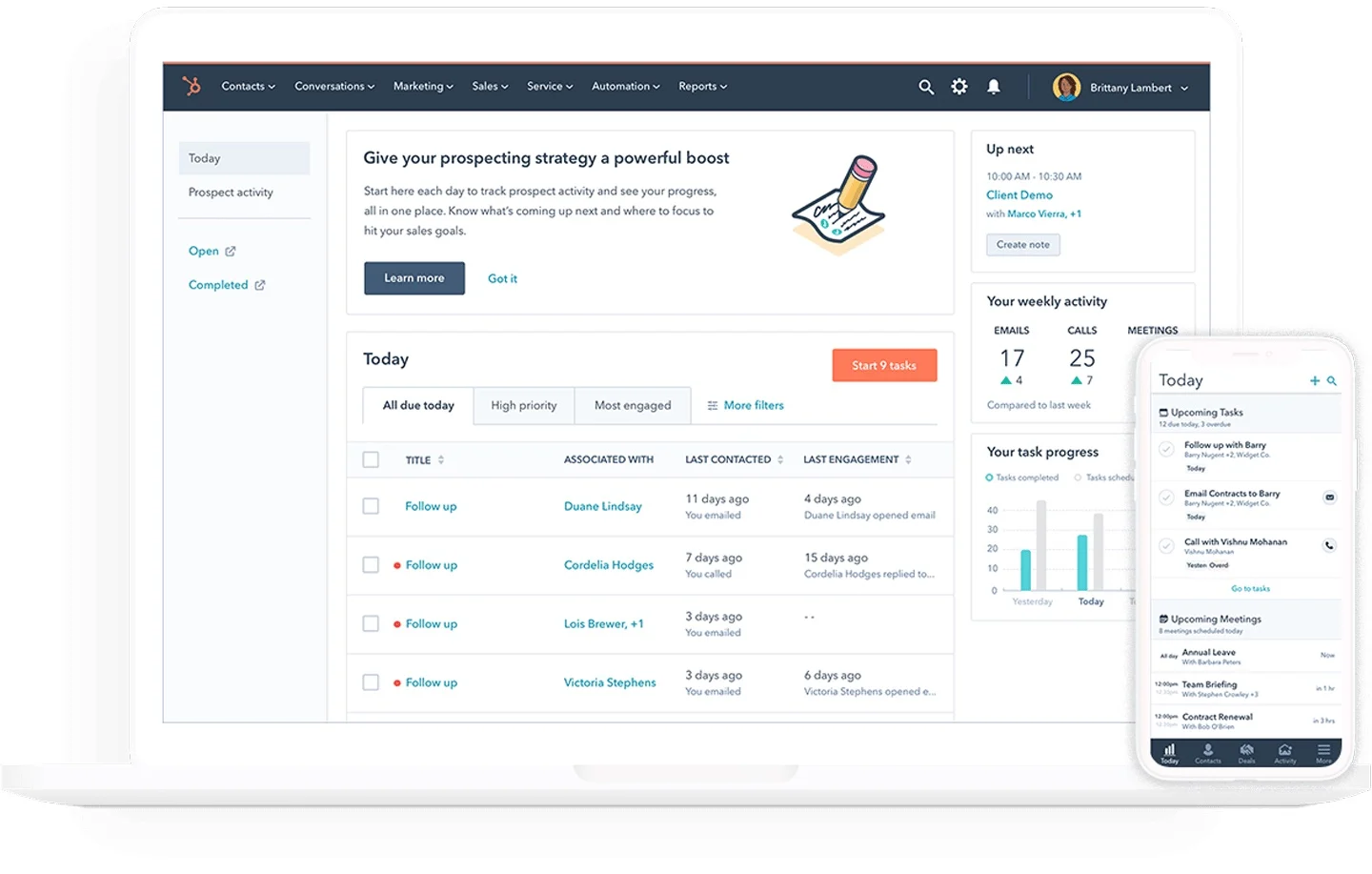
Image source: hubspot.com
Overview:
A scalable CRM and marketing platform that powers landing pages, email, webinars, and sophisticated automation for content‑driven coaches.
Key features:
- CRM with meeting links, pipelines, and forms.
- Email marketing and automation workflows with lead scoring.
- Landing pages, ads, and webinar integrations.
- Detailed reporting on funnels and campaigns.
- Chatbots and conversational intake options.
- App marketplace with extensive integrations.
Best for:
Coaching practices relying on inbound content, webinars, and multi‑touch nurtures who want a system that can grow with them.
Limitation:
Costs scale with contacts and advanced hubs; setup needs process clarity to avoid complexity and sprawl.
Pricing:
- Free plan: Available for up to 2 users
- Paid plans: Start at $13/month per user (free trial available)
Real user feedback:
"Our nurture sequences respond to behavior automatically. Webinar leads convert better because the follow‑up is tailored."
Note: All reviews above are sourced from G2.
Must‑have features in a coach CRM
- Lead capture and qualification: Embed forms that write directly into your CRM, assign ownership, and kick off a follow‑up sequence based on qualifiers (goals, time frame, budget, readiness). Intake should feel like coaching from the first touch.
- Scheduling and no‑show prevention: Calendar sync, time‑zone awareness, buffers, and automated reminders via email/SMS/chat. Confirmation pages should surface prep forms and expectations right away.
- Client 360 and session history: Consolidate notes, transcripts, files, intake responses, and goals. Pre‑session views should surface context and overdue actions in seconds.
- Pipelines, programs, and cohorts: Discovery → proposal → closed won/lost; plus delivery‑side objects to track milestones, attendance, assignments, and completion.
- Contracts, E‑sign, invoicing, and payments: Branded proposals, legally binding signatures, deposits, subscriptions, and reconciled invoices—without friction.
- Automations and templates: Intake → booking → reminders → recap → next steps → testimonial/referral. The best systems make this flow repeatable.
- Reporting and ROI: Forecast revenue, measure show‑rate, program completion, NPS, and referrals; attribute upsells to outcomes achieved.
- Integrations and portability: Zoom/Meet, Stripe/PayPal, email/SMS, accounting, and websites/landing pages; export your data and avoid hard lock‑in.
- Security and governance: Permissions, audit logs, data retention, and compliance. Coaching requires trust by design.
How to choose the right coach CRM for your practice
Start by clarifying your delivery model. If you run primarily 1:1 engagements, prioritize scheduling, a clean pipeline, contracts, and billing with light automation; make pre‑session context easy to surface and post‑session recaps trivial to send. If you run cohorts or a curriculum‑based program, add rosters, assignments, attendance, and a resource hub or portal to your must‑have list. If your acquisition is content‑heavy—SEO, webinars, partnerships—look for strong marketing automation and segmentation. This is where an experienced crm coach mindset helps: define the smallest repeatable loop you can run daily and only then layer in sophistication. Scoring criteria recommend is as follows.
- Sales clarity: Pipeline visibility, next‑action prompts, forecasting, and sequence automation for follow‑through.
- Delivery structure: Programs, milestones, notes, transcripts, assignments, and check‑ins (especially for relationship coach crm and career coach crm scenarios where progress visibility builds trust).
- Client experience: Portal clarity, reminders, transcripts, and frictionless signatures and payments.
- Admin efficiency: Templates for proposals, contracts, invoices, recaps; automated reminders for key milestones.
- Scalability and governance: Roles, permissions, audit logs, data exports, APIs, and reliable integrations.
Cost‑to‑value matters more than sticker price. Consider the hidden cost of context switching and no‑shows. A system that reduces missed appointments by even 10–20% often pays for itself. Finally, plan for portability: ensure you can export clients, session history, files, and invoices. You don't want to be locked in if your needs evolve.
Conclusion
Choose a category that fits your model, shortlist two tools, and pilot with real clients for two weeks. Standardize a few templates (intake, proposal, recap), automate at least one loop (reminders or follow-ups), and measure the effect. While evaluating your options, consider how a dedicated coach CRM can specifically enhance your client management processes compared to a comprehensive platform like GoHighLevel. The right coach CRM is ultimately less about checking boxes and more about actively creating calm, consistent, and client-centered operations that effectively scale with you.
FAQs
What CRM do coaches use?
Popular picks include Paperbell, CoachAccountable, Practice, HoneyBook, Dubsado, Pipedrive, HubSpot, and Lark for an all‑in‑one chat/docs/calendar + no‑code CRM. Choose based on whether you prioritize sales pipelines, program delivery, or unified collaboration.
What is a CRM coach?
A specialist who helps coaches and teams design pipelines, client 360s, automations, and reporting; they guide tool selection (e.g., Lark, HubSpot, Pipedrive) and train users to adopt consistent workflows and data hygiene.
What is the #1 CRM in the world?
Salesforce is widely viewed as the market‑leading CRM by revenue and share. For smaller teams, HubSpot and Pipedrive are common; for unified collaboration with no‑code CRM, Lark is an approachable alternative.
Is Simply coach a CRM?
Simply.Coach is a coaching management platform with CRM‑like records (clients, programs, forms, notes). It's not a full sales CRM; many pair it with Lark, HubSpot, or Pipedrive for pipelines and reporting.
How can Lark serve as a coach CRM?
Use Base as no‑code CRM (Clients, Programs, Sessions), Forms for intake, Calendar/Meetings + AI Meeting Notes for sessions, Docs/Wiki for resources, Messenger/Mail for comms, Approvals for admin. Pair with Stripe/DocuSign if needed. Alternative: Paperbell or CoachAccountable.
Related reading
Table of contents
Start using Lark today

Manage all your work in one place
Boost team efficiency by 10x
Save up to 70% on software costs
Table of contents
Start using Lark today
Manage all your work in one place
Boost team efficiency by 10x
Save up to 70% on software costs
Keep reading









2026 Lark Technologies Pte. Ltd.
Headquartered in Singapore with offices worldwide.






Explore: