














CRM for Media Companies: Transform Creative Success in 2026

Cecilia Lane
Go-to-Market Associate
Sep 18, 2026
Cecilia Lane
Sep 18, 2026


18 min read


If you’re in media or entertainment, you know the thrill—and the chaos—of managing multiple projects, creative teams, and evolving client demands. Spreadsheets get overloaded, cloud folders multiply, and “final” versions turn out to be anything but. In our experience, media brands, agencies, and studios universally struggle with scattered information, mismanaged feedback, and the pressure of tight deadlines.
The root problem? Generic business tools simply don’t fit the creative process. Standard CRM platforms are often designed for traditional sales or service organizations—they track contacts and deals but ignore the everyday reality of scripts, videos, and cross-agency teamwork. As creative work moves faster than ever, the cost of missing a file, a comment, or an approval climbs higher.
That’s why CRM for media companies is a different conversation. The right CRM doesn’t just log calls or manage leads; it brings together creative assets, project timelines, client communications, and partner collaboration in one living workspace. When you solve for that, your teams spend less time chasing down information—and more time creating, innovating, and delivering work that matters.

The unique challenges of managing media & entertainment projects
Let’s be direct: media is unlike any other industry. Teams aren’t just big—they’re complex. You might have full-time staff, freelancers, external agencies, and demanding clients all touching the same project, sometimes on opposite sides of the world. Roles are blurry and evolve mid-project. Version control can quickly spiral out of hand, especially when scripts, edits, or campaign files are bouncing between contributors and stakeholders.
One of the daily pain points I hear from media producers and managers is simply keeping creative assets and feedback organized. A storyboard may go through a dozen drafts, each with different comments and approvals. But tracking who said what, and which version is the latest, often falls to a frantic search through emails, cloud folders, or chat threads. That’s a recipe for both wasted time and creative risk.
Deadline pressure only raises the stakes. In the media, a missed window isn’t just a delay—it might mean missing a release, a sponsorship, or a news cycle entirely. I’ve seen talented teams work late into the night to “catch up,” only to realize crucial approvals got lost or weren’t communicated to the right people.
And that’s without even considering the mix of clients, partners, and brand stakeholders who expect instant updates, flexible access, and often the ability to review work-in-progress on demand. Collaboration isn’t optional or occasional—it’s the core engine of every project, but it’s also where things can break down if you don’t have the right systems in place.
A generic CRM, or even a project management tool, typically falls short because it doesn’t connect the dots between people, projects, and assets. It can’t manage rich media files, handle real-time collaboration with external partners, or offer the workflow automation that creative teams need to move at today’s speed.
Essential CRM features every media company should demand
Centralized creative asset management
Your CRM isn’t just a glorified contact list. For media teams, it has to serve as the central hub for everything from storyboards to final deliverables. Look for a system that supports easy upload, search, and versioning of creative files, with every asset linked directly to projects and clients. That way, everyone on your team always knows which version is current—and has the context to provide fast, meaningful feedback.
AI and intelligent automation beyond reminders
True media CRMs now do more than send alerts or reminders. The smartest platforms leverage AI to flag bottlenecks (like late approvals), predict project risks based on prior workflows, and even suggest process improvements. Imagine a system that tells you which campaigns are likely to stall—or which client comments might signal a scope change—before you’re caught off guard.
Advanced collaboration and external partner access
Your project may include clients, freelancers, agencies, and legal. The right media CRM offers dynamic, secure permissions for each, supporting collaboration without chaos. Look for easy review-and-approve flows, clear role settings, and the ability to invite external contributors while maintaining full control over sensitive assets.
Sales and deal pipeline management tailored for media
Deals in the media are rarely straightforward. You might track advertisers, sponsors, intellectual property rights, or multi-stage creative pitches. A strong media CRM allows you to customize pipelines, associate assets directly with deals, and easily report on every opportunity from pitch to payment.
Deep integrations and workflow automation
No CRM operates in isolation. You need a system that plugs into your cloud drives, email, creative suites, and calendar tools, minimizing double work and data silos. Automating routine tasks—like routing new client assets to the right editors, or syncing project status with shared workspaces—keeps everyone working in sync.
Rich reporting and actionable insights
Finally, a modern CRM for media companies should provide real-time dashboards and in-depth reporting. Whether you’re measuring campaign success, monitoring team productivity, or analyzing client feedback, the right platform surfaces insights you can actually act on, not just raw numbers.
Top 10 CRM software for media companies in 2026
1. Lark: Unified workspace for creative media workflows
 Overview
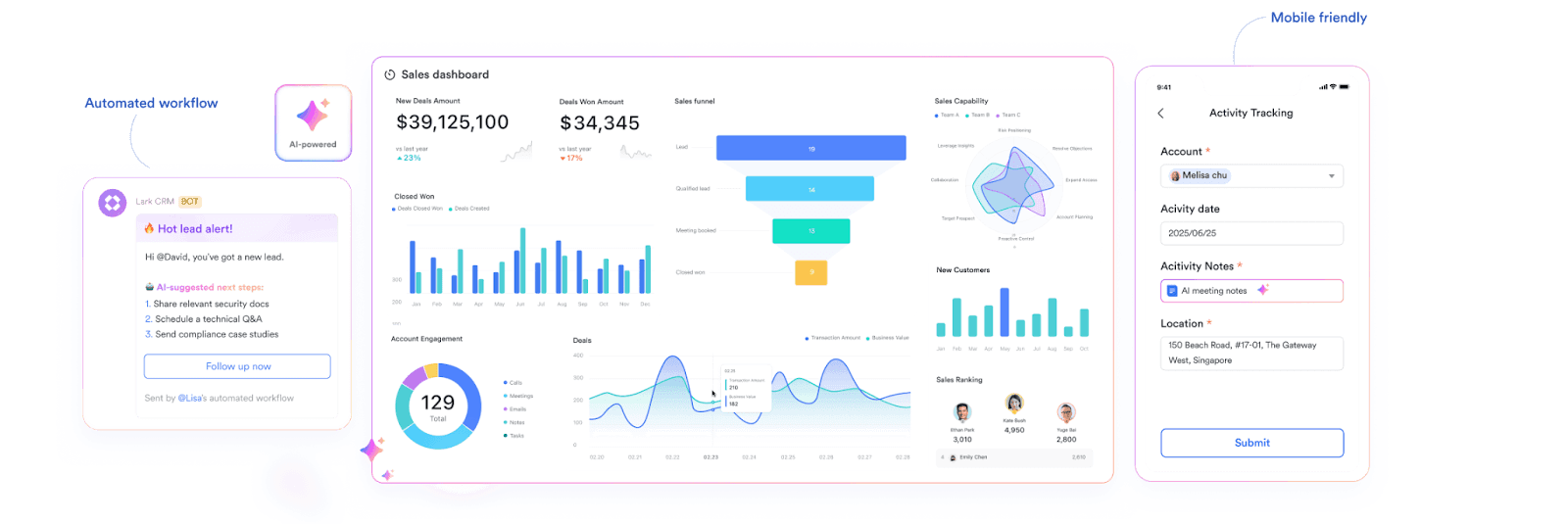
OverviewLark brings a flexible CRM experience tailored specifically for media companies, making it easy to manage advertising clients, content partners, production deadlines, and audience engagement—all in one place. Powered by the no-code Lark Base platform, Lark lets media teams shape CRM systems around their preferred workflows, from sales pipelines customized for ad deals to coordination tools for sponsorships and approvals. Whether your needs involve overseeing relationships with advertisers, syncing content collaboration schedules, or monitoring campaign progress, Lark’s adaptable design means you can build and tweak your entire CRM setup without technical barriers.
Going beyond the limitations of conventional CRM software, Lark unifies core business processes by mixing your CRM data directly into the tools your team uses daily, such as Lark Messenger for fast communication, Lark Calendar for tracking launches, Lark Docs for feedback on creative drafts, and Lark Approval for managing ad campaigns. By linking everything together in a single ecosystem, Lark helps media organizations keep conversations, project updates, and partner interactions connected, reducing distractions and helping everyone stay focused on delivering results.
Key features:
Fully customizable for media operations
Lark Base offers media companies a highly flexible CRM foundation purpose-built for complex media workflows—whether you’re managing advertiser contacts, tracking sponsorship leads, organizing content partner pipelines, or handling campaign deals. Teams can design custom tables for advertiser databases, content proposals, and sponsorship agreements, with Kanban board views supporting real-time tracking of ad sales, campaign approvals, and production progress. Pre-built templates focused on media industry needs help new users launch their customized CRM for media companies in minutes.
Superior mobile support for field teams
Lark’s mobile-friendly approach keeps field sales agents, event teams, and production crews connected wherever they are—on location at a shoot, at events, or in client meetings. Media teams can instantly update campaign statuses, enter advertiser information, or coordinate with colleagues through mobile-friendly interfaces, ensuring every sponsorship or ad deal is accurately tracked in real time.
No-code and AI-driven for media lead management
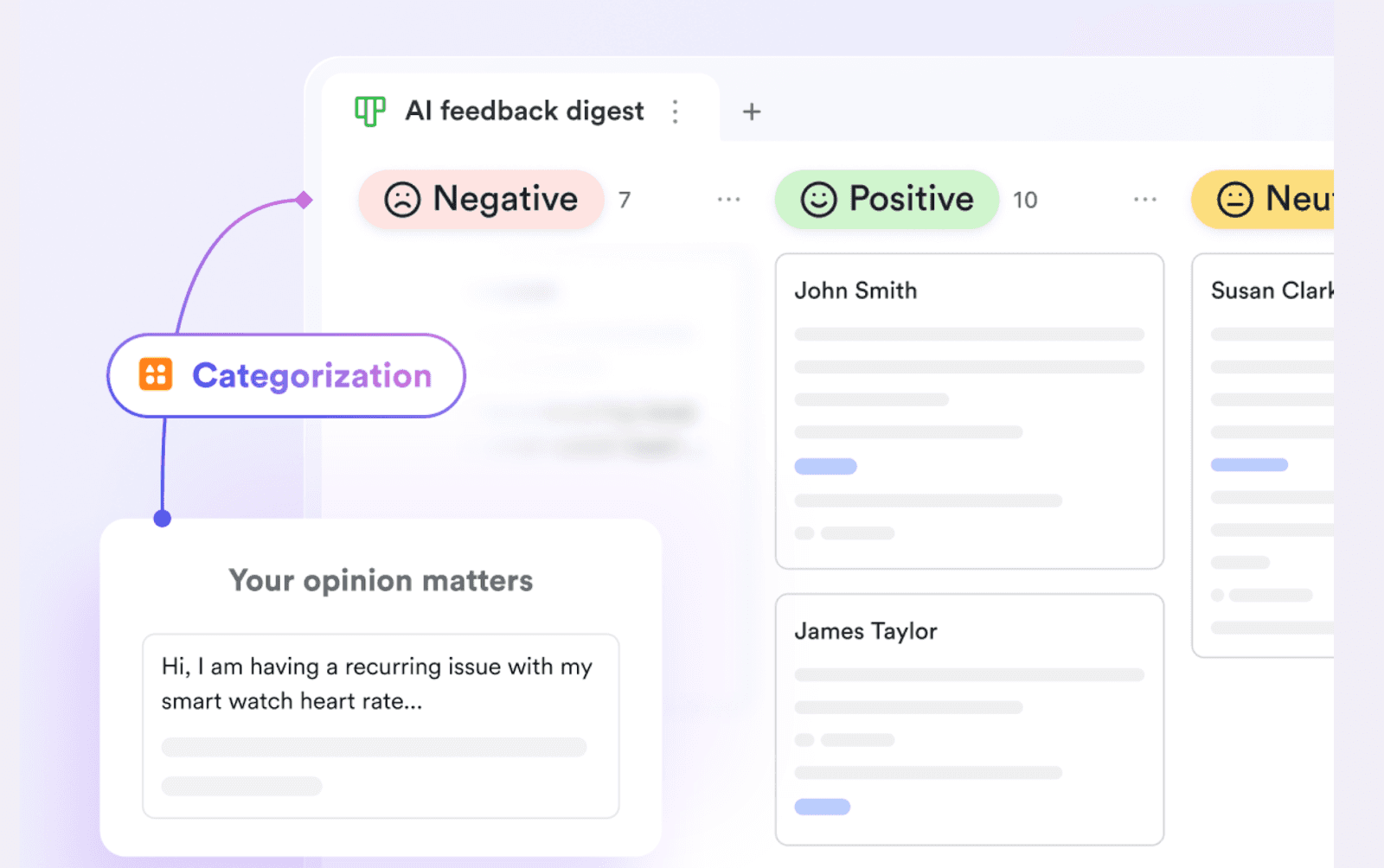
With Lark Base, media companies can design or adjust their CRM for advertiser leads, content pitches, and partnership outreach without writing a single line of code. Drag-and-drop tools and customizable fields make it easy to reflect changing business requirements, while AI-powered features assist with lead scoring, auto-categorization for media prospects, and intelligent suggestions for campaign follow-up—streamlining every stage from initial contact through to successful collaboration.
 Embedded workflow automation for media workflows
Embedded workflow automation for media workflowsLark automates media-specific processes, such as routing ad orders to the correct sales producer, sending content approval reminders to editors, or scheduling post-campaign reporting for partners. Automated notifications via Messenger or task assignments ensure that critical campaign deadlines and sponsorship opportunities are never missed, freeing up creative and sales teams for higher-value work.
Media-focused reporting and data visualization
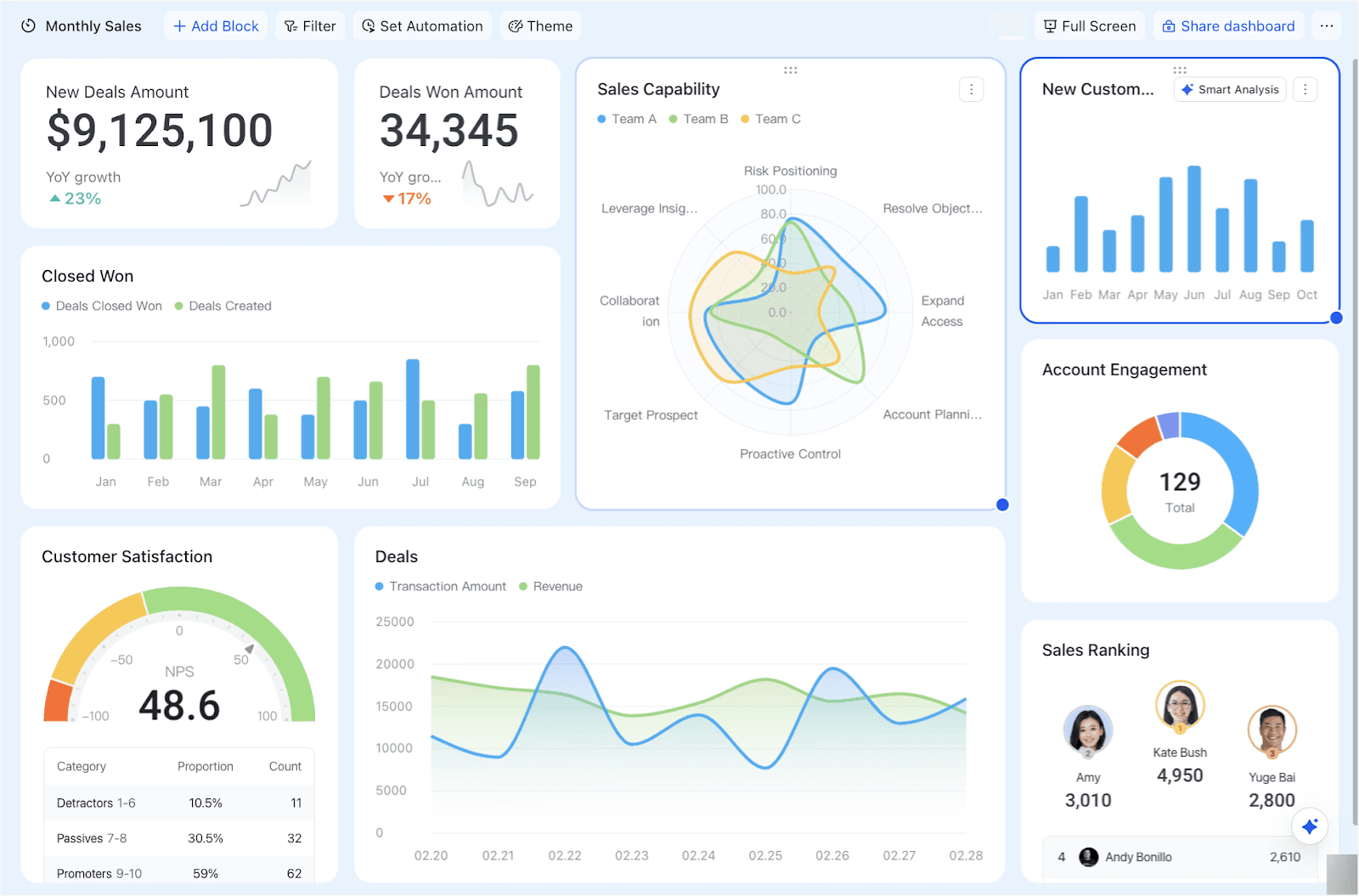
Performance tracking is central to media company success. Lark supports customizable dashboards and real-time reports on campaign performance, ad revenue, audience reach, and production cycles. Teams can view data visually with Kanban, Gantt, Gallery, or Grid layouts and use over 20 chart types—from funnel charts for ad sales progress to bar graphs showing partner engagement—giving management and client teams instant insight into media operations without extra fees.
 Limitations:
Limitations:Lark’s versatility means initial setup (e.g. custom asset tagging or workflow rules) may require a learning curve, especially for highly customized processes. However, rich templates and onboarding support address most hurdles.
Price:
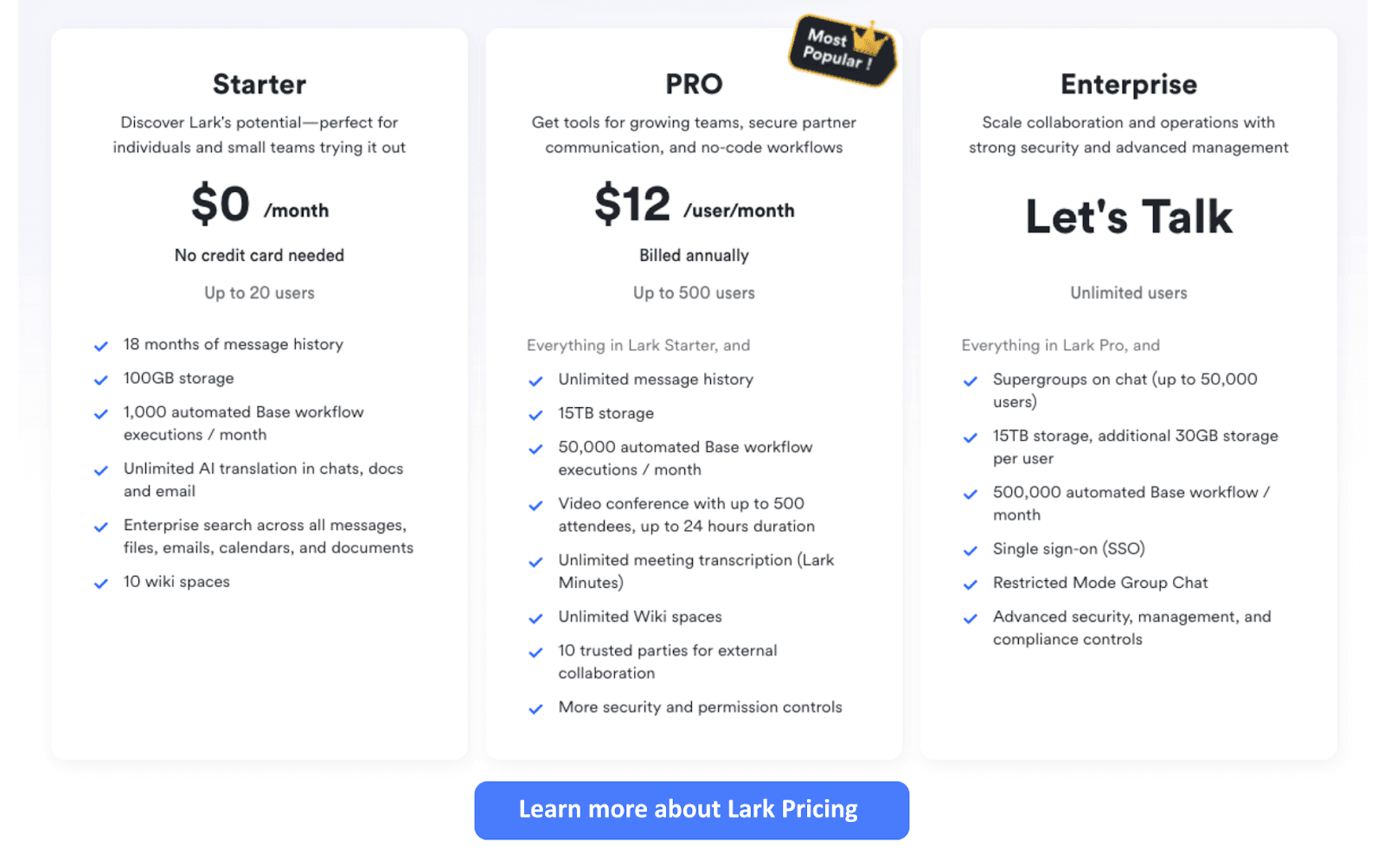
- Starter plan: Includes 11 powerful products, supporting up to 20 users, 100 GB storage, 1,000 automation runs and unlimited AI translation in chats, docs and email.
- Pro plans: Starts at $12/user/month, supporting up to 500 users. Includes unlimited message history, 50,000 automated Base workflow executions per month.
 👉Try Lark’s Savings Calculator: Switching to Lark’s Pro plan can lead to significant cost savings— for example, a 100-employee company using Slack, Google Workspace, and Airtable could save approximately $25,200 annually by consolidating their tools with Lark.
👉Try Lark’s Savings Calculator: Switching to Lark’s Pro plan can lead to significant cost savings— for example, a 100-employee company using Slack, Google Workspace, and Airtable could save approximately $25,200 annually by consolidating their tools with Lark.Reviews:
Users consistently highlight Lark’s intuitive interface, its transformative power for cross-company collaboration, and the depth of creative workflow support—especially for managing complex media production pipelines.
Best for:
Media agencies, production companies, content studios, and digital publishers who need to unify project management, creative asset workflows, and robust team/client collaboration—all in a single flexible platform.
💁♀️ If you wish to learn more about Lark Base, please click on the video below to take a look
2. Monday.com: visual project and creative pipeline management
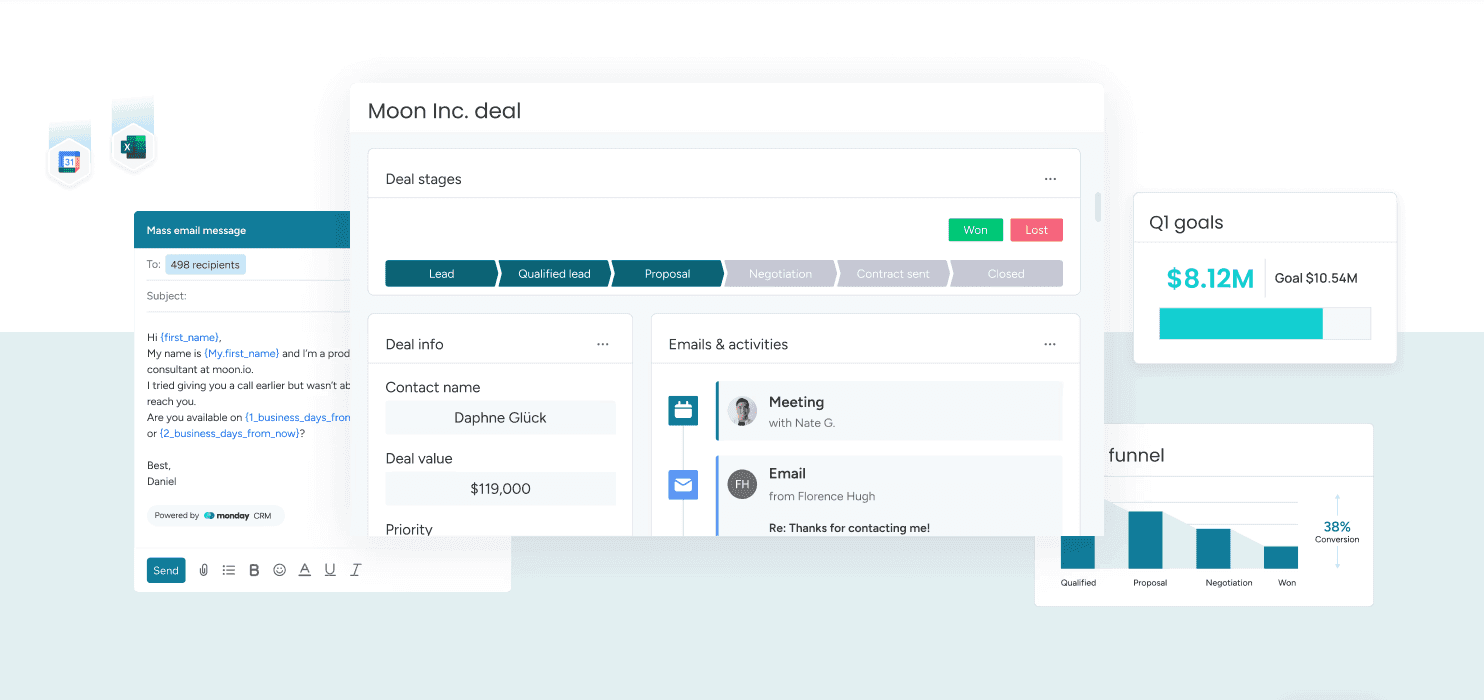 Image source: monday.com
Image source: monday.comOverview:
A favorite for teams who want to visualize every step, Monday.com helps media companies track campaigns, deliverables, and deadlines.
Key features:
Customizable boards, creative workflow templates, timeline and gantt views, automation for routine project tasks, integrations with creative tools.
Limitations:
CRM features are secondary to project management; creative asset handling can require add-ons.
Price:
Several subscription tiers; free plan for small teams.
Reviews:
Praised for flexibility and ease of adoption.
Best for:
Media production teams that want visual project tracking and fast setup.
3. Airtable: flexible database for creative and client data
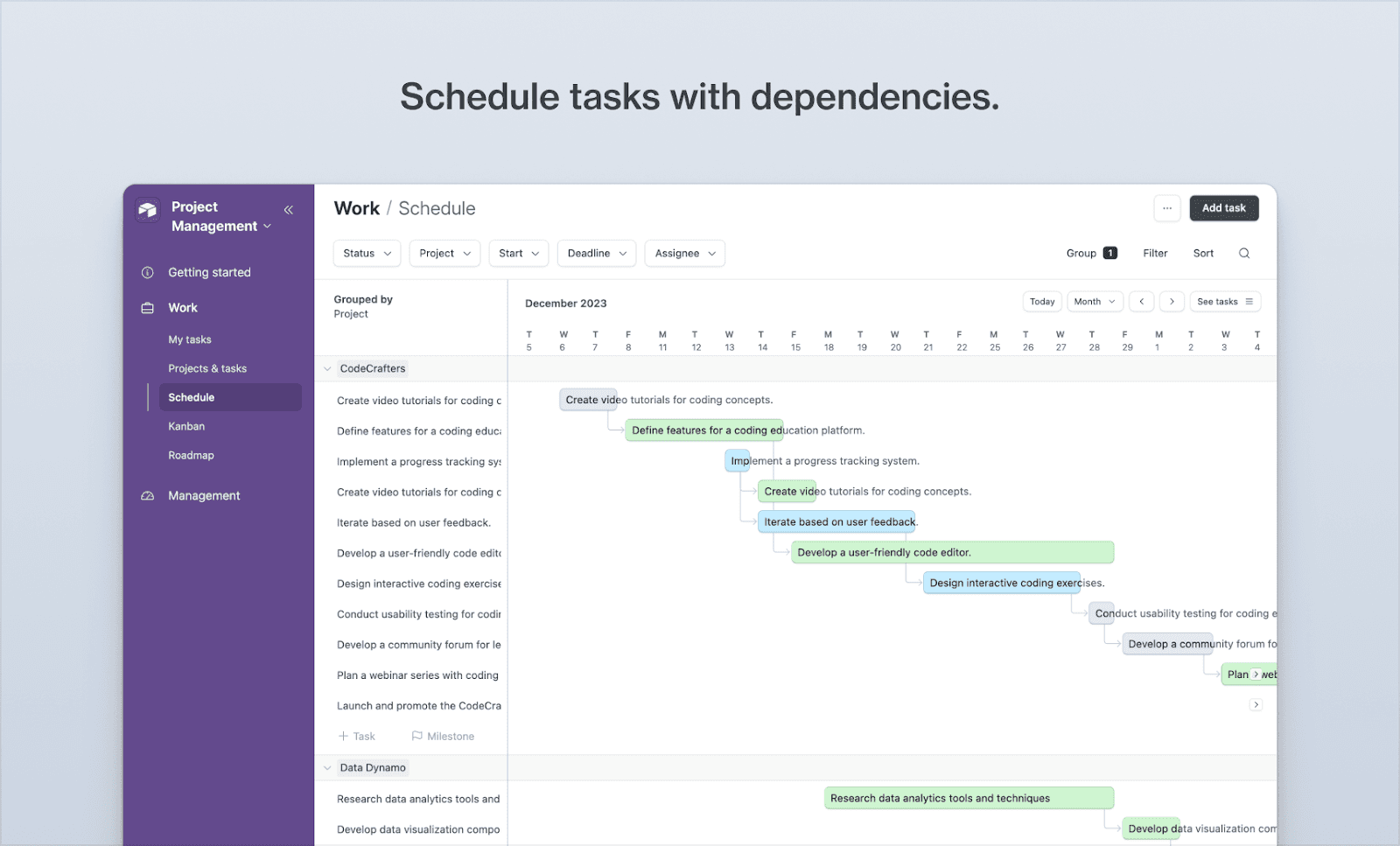 Image source:airtable.com
Image source:airtable.comOverview:
Airtable brings spreadsheet simplicity with database power. Media companies use Airtable to tie creative assets, contacts, and editorial calendars together.
Key features:
Custom templates for asset libraries, drag-and-drop interface, integrations for media and marketing tools.
Limitations:
Advanced CRM automation requires third-party tools.
Price:
Multiple plans, including a feature-rich free tier.
Reviews:
Loved for customizability and visual workflow views.
Best for:
Small to mid-sized creative studios organizing assets and pipelines with minimal technical overhead.
4. Salesforce Media Cloud: enterprise CRM for content businesses
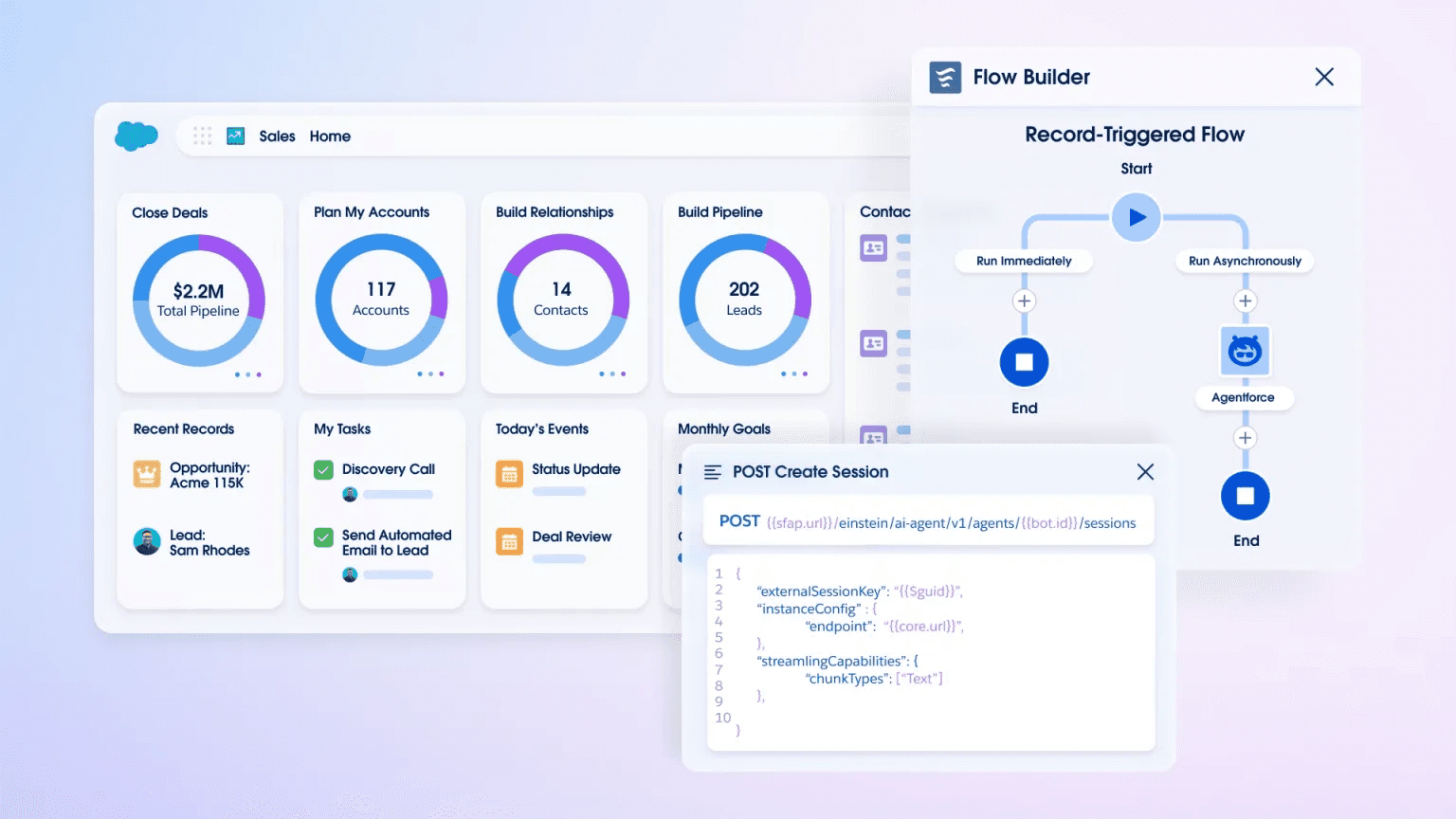 Image Source:salesforce.com
Image Source:salesforce.comOverview:
Salesforce is the most established CRM, with a dedicated Media Cloud tailored for media and entertainment companies.
Key features:
Contact/deal management, rights/license tracking, detailed reporting, deep integrations.
Limitations:
Complex to set up; requires customization and admin expertise.
Price:
Premium pricing; custom quotes.
Reviews:
Highly regarded by large media enterprises.
Best for:
Enterprise-level content producers and distributors needing industry-specific modules.
5. HubSpot for Media: inbound CRM with marketing power
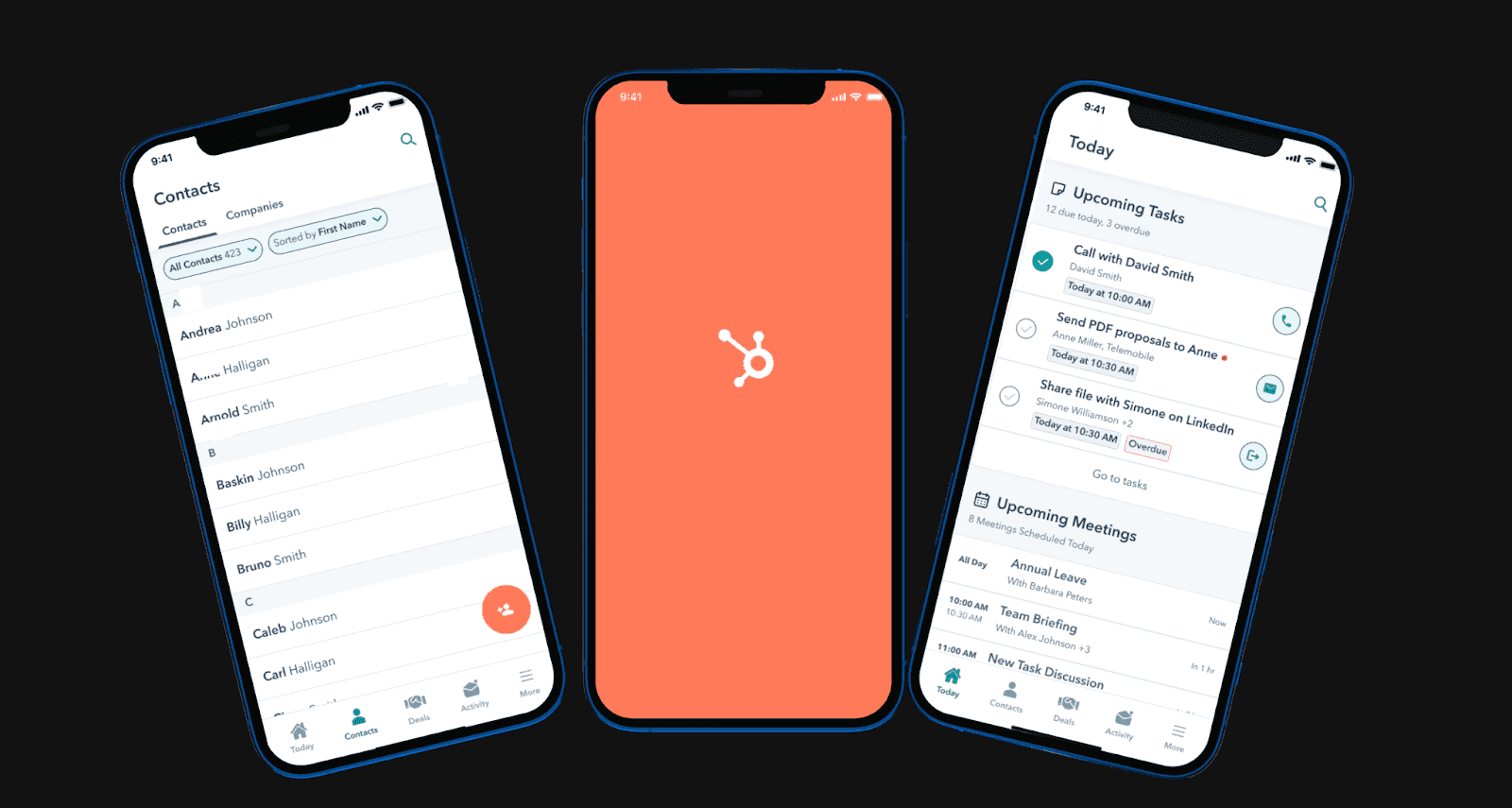 Image source: dhiwise.com
Image source: dhiwise.comOverview:
HubSpot’s CRM is packed with marketing automation and is popular with media firms running campaigns and managing contacts at scale.
Key features:
Integrated contact records, campaign tracking, content analytics, email tools.
Limitations:
Customization for creative asset management is limited.
Price:
Free CRM core; paid upgrades for full marketing suite.
Reviews:
Valued for integrated analytics and lead tracking.
Best for:
Digital publishers, agencies, and teams focused on marketing-driven projects.
6. Zoho CRM: customizable platform for multi-channel publishing
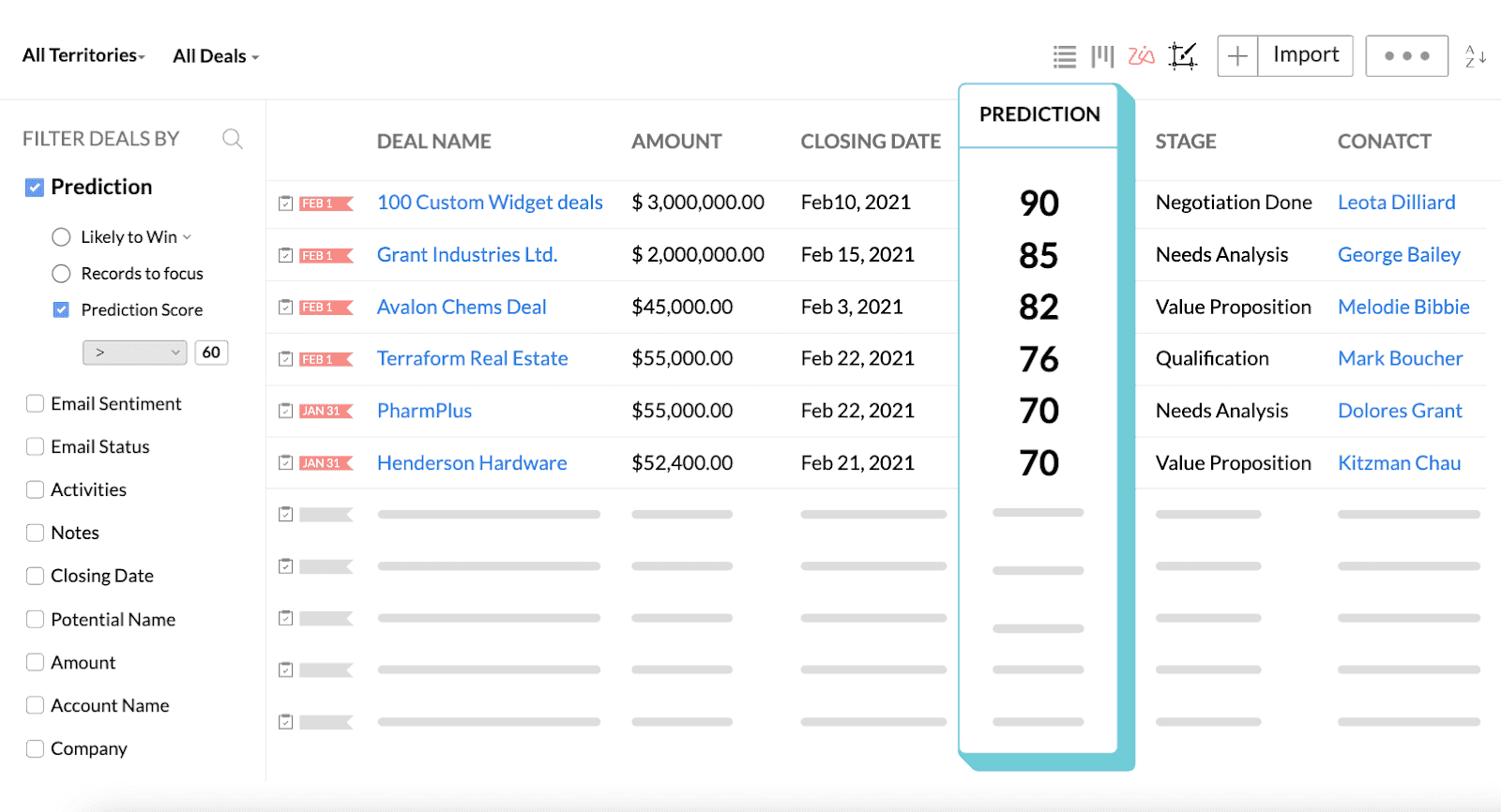 Image source: zoho.com
Image source: zoho.comOverview:
Zoho offers broad CRM features with strong customization, making it suitable for media teams with evolving workflows.
Key features:
Contact management, workflow builder, social media integration.
Limitations:
Interface and automation less intuitive than some competitors.
Price:
Affordable for growing teams, many pricing tiers.
Reviews:
Appreciated for breadth of features at a reasonable cost.
Best for:
Small and medium media agencies with varied publishing needs.
7. Copper CRM: Google Workspace-friendly media relationship manager
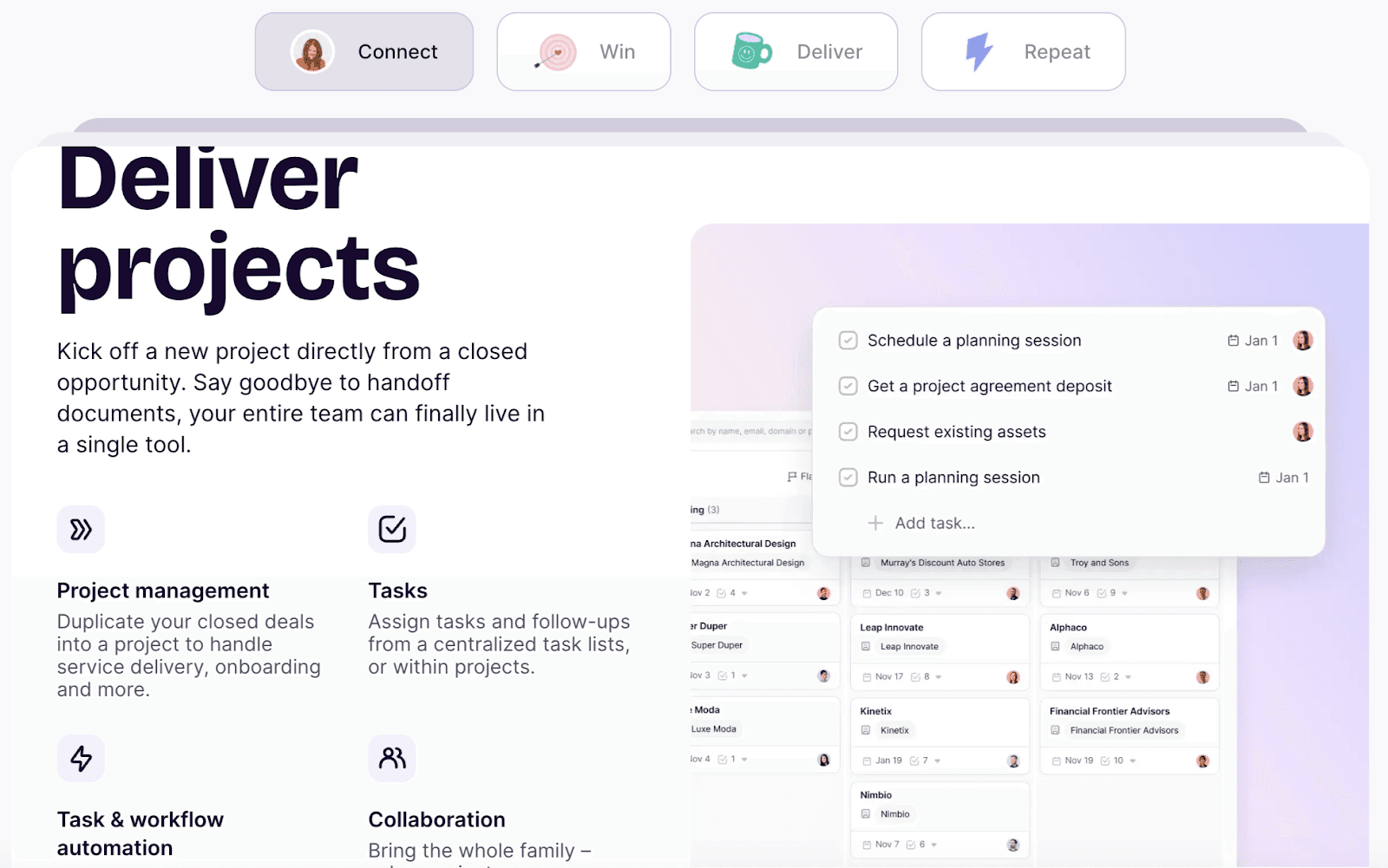 Image source: copper.com
Image source: copper.comOverview:
Copper excels for teams deeply embedded in Google Workspace—it’s seamless for media companies managing client comms and assets via Gmail and Drive.
Key features:
Automatic contact syncing, integrated inbox/task management, pipeline views.
Limitations:
Limited advanced asset and workflow automation compared to Lark or Monday.com.
Price:
Business-friendly plans, no free tier.
Reviews:
Noted for speed, simplicity, and tight G Suite integrations.
Best for:
Media companies using Google-based collaboration daily.
For more Google Workspace's information, you can refer to Google Workspace Pricing and Google Workspace alternatives.
8. Cosential: CRM for project-based creative firms
 Image source: Cosential.com
Image source: Cosential.comOverview:
Cosential is specialized for creative and project-based organizations, giving media companies structured deal, proposal, and project tracking.
Key features:
Proposal management, centralized contacts, integration with content libraries.
Limitations:
Less focus on digital asset versioning.
Price:
Tailored pricing model.
Reviews:
Preferred by architecture and creative service firms.
Best for:
Studios with formal RFP and client proposal cycles.
9. Insightly: project and relationship-based CRM for agencies
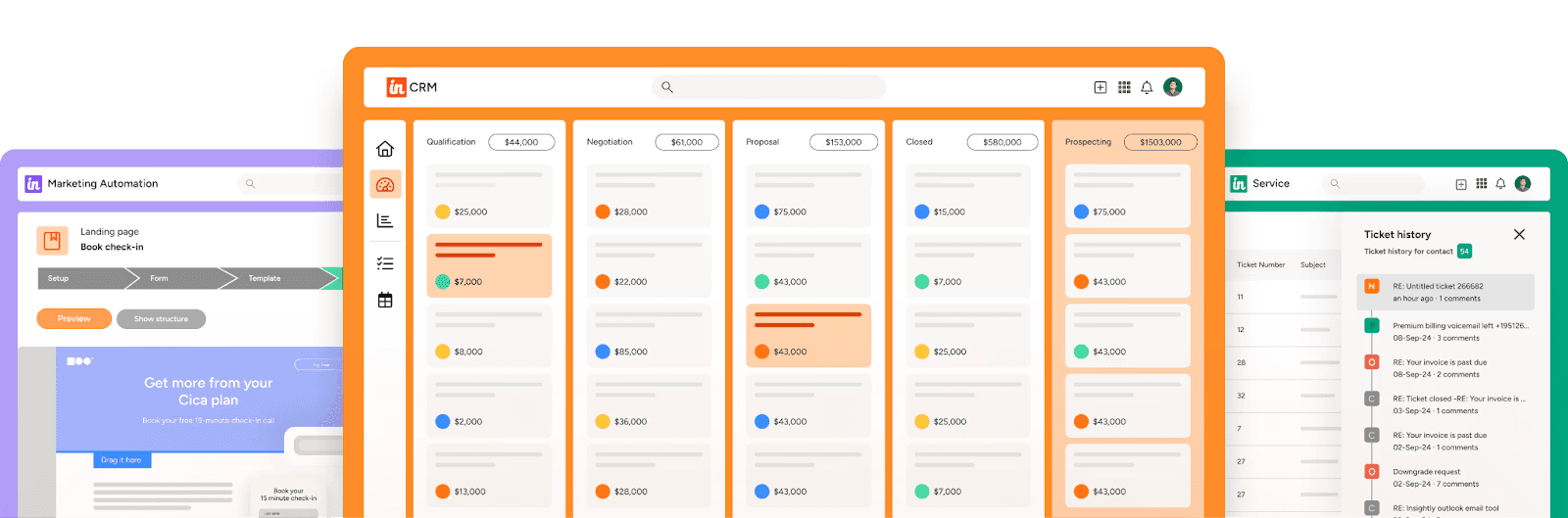 Image source: insightly.com
Image source: insightly.comOverview:
Insightly merges CRM and project management for a streamlined solution great for smaller agencies and studios.
Key features:
Simple deal pipelines, project/task tracking, integration with creative tools.
Limitations:
Asset management features limited versus full database solutions.
Price:
Flexible plans for agencies of all sizes.
Reviews:
Popular for quick setup and intuitive design.
Best for:
Agencies handling multiple campaigns and clients with limited admin staff.
10. Freshworks CRM: tailored solutions for creative studios
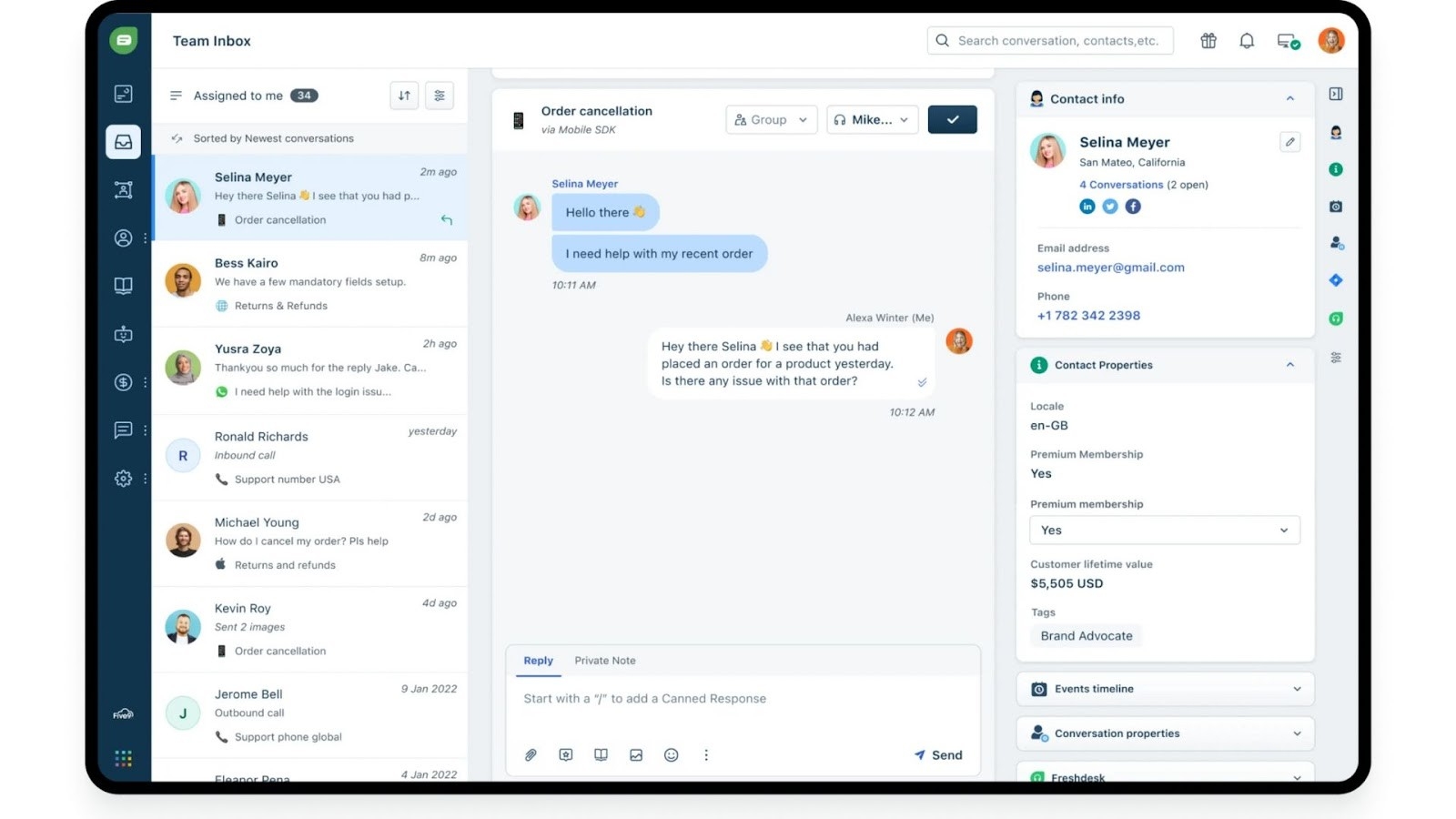 Image source: freshworks.com
Overview:
Freshworks CRM (formerly Freshsales) offers social media integration to support teams handling multi-channel communications. Its unified team inbox allows businesses to manage customer interactions from social media, email, and phone in one place.
Key features:
- Team collaboration and communication tools
- AI-powered insights
Pricing
- No free plan; offers a free trial.
- Growth: Starts from $9/user/month
- Pro: Starts from $39/user/month
- Enterprise: Starts from $59/user/month
Best for
Best for small to mid-sized customer-facing teams seeking simplicity in managing customer relationships and improving customer retention.
How to choose the best CRM for your media company
Map your workflow and bottlenecks
Start by honestly mapping out your team’s current workflow. Where are files lost? Which approval steps get messy? Is there confusion when handing off assets, or a feedback loop that takes too long? Media companies often share pain points like scattered creative assets, endless version chaos, or unclear ownership at each project milestone.
List the points where your process breaks down, such as:
- Struggling to keep track of creative versions, edits, and approvals
- Feedback spread across emails, chats, and PDFs
- Lost files or delayed access for external partners
- Unclear project ownership, especially as teams expand or turnover
By capturing these real bottlenecks, you’ll know exactly what problems your media CRM needs to solve.
Identify must-have integrations and features
Refer back to the essential CRM features we explored earlier. Which ones are non-negotiable for your media company? For some, deep creative asset management is the priority. For others, it’s all about granular permission controls due to frequent collaboration with freelancers or clients.
Ask yourself:
- Do you need AI-driven deadline alerts?
- What integrations with creative suites or cloud storage are mandatory?
- Is automated approval routing a must for compliance?
- Which views or dashboards do senior producers, editors, and clients actually need?
Build your requirements around your unique workflow, not just a generic feature checklist.
Consider user adoption, training and support
Let’s face it — even the best CRM falls flat if your team doesn’t use it. Media professionals are often juggling multiple tools, creative deadlines, and new client demands. Choose a CRM that feels natural and intuitive, with a clean interface and minimal learning curve. Look for onboarding materials and customer support that actually understand creative workflows.
Ask vendors about available tutorials, live training, and response times for urgent support tickets. Sometimes, the simplest platform that your team enjoys using trumps a system with endless features that remain untouched.
Scalability and security considerations
A thriving media company grows — and handles an ever-increasing volume of sensitive content. The CRM you pick should scale with you, offering seamless upgrades for more users, storage, or asset types. Just as importantly, media files, legal forms, and campaign materials need strong encryption, data loss prevention, and detailed access logs.
Check for:
- User role and permissions flexibility for all collaborators
- Enterprise-level security certifications and backup policies
- Usage analytics and audit trails for compliance
Evaluate with a shortlist and trials
Finally, narrow down your CRM options to a shortlist (aim for 2–3 strong contenders). Set up free trials with real sample projects and assets—not just a sales demo. Involve editors, producers, and even key freelancers in daily use for at least a week.
👇 Explore more customer stories in media company
Conclusion
The media industry is constantly evolving, with teams balancing high-pressure deadlines, shifting client expectations, and the constant flow of creative assets. Through my work with media companies, I’ve seen firsthand how implementing a purpose-built CRM for media companies truly removes the chaos from project management. Instead of spending valuable time looking for files, chasing approvals, or untangling feedback threads, your teams can regroup around a platform designed for creative workflows.
A dedicated CRM doesn’t just centralize assets and contacts. It brings structure to your collaborations, ensures everyone has access to the latest content, and gives you real-time insights for smarter decision-making. By adopting a system like Lark or another media-focused solution, you’re not only solving today’s operational headaches—you’re preparing your company to grow and adapt as the industry changes.
As you explore your CRM options, focus on what matters most for your team: streamlined communication, secure asset sharing, flexible integrations, and features that actually simplify creative work. Start small, involve your team, and don’t hesitate to reach out for demos or user insights. When you find the right fit, you’ll unlock a new level of creative clarity and control—helping your team thrive in an ever-demanding media landscape.
FAQs
Does Apple have a CRM program?
Apple doesn’t publicly disclose its specific CRM system, but as a global leader, it relies on advanced CRM tools to manage extensive customer interactions.
What is the best contact management software for Mac?
Lark and Insightly are Mac-friendly options; many media companies value HubSpot for its integrated marketing and contact features.
What is the simplest CRM to use?
Lark and Copper are known for simple, clean interfaces, making them easy for media teams to adopt and integrate quickly.
What is the number 1 CRM tool?
Salesforce is the top CRM globally by market share; media companies also frequently use Lark for marketing and audience management needs.
Related reading
Table of contents
Start using Lark today

Manage all your work in one place
Boost team efficiency by 10x
Save up to 70% on software costs
Table of contents
Start using Lark today
Manage all your work in one place
Boost team efficiency by 10x
Save up to 70% on software costs
Keep reading









2026 Lark Technologies Pte. Ltd.
Headquartered in Singapore with offices worldwide.






Explore: