














CRM Operations: Streamline Sales, Marketing and Customer Service

Ryan Tanner
Product Marketing Specialist
Sep 18, 2026
Ryan Tanner
Sep 18, 2026

20 min read


Modern businesses thrive on fast, personalized interactions across every customer touchpoint. However, as operations grow, managing customer data, sales pipelines, and support requests manually becomes time-consuming and error-prone. This is where CRM operations come in. By combining automation, analytics, and collaboration tools, CRM operations optimize every stage of the customer lifecycle, from lead capture to retention. In this guide, we'll explore what CRM operations mean, why they're essential today, and how platforms can help streamline workflows, improve visibility, and deliver smarter, seamless customer experiences .Here is the list of tools:
1. Lark: Best all-in-one collaboration + CRM platform
2. Salesforce Sales Cloud: Best for enterprise CRM operations
3. Microsoft Dynamics 365: Best for finance & operations integration
4. HubSpot CRM: Best for marketing-sales alignment
5. Zoho CRM: Best for SMBs
6. Freshsales (Freshworks): Best for sales ops automation
7. Pipedrive: Best for pipeline management
8. Insightly: Best for project + CRM integration
9. EngageBay: Best budget all-in-one CRM
10. Bitrix24: Best free CRM suite

What are CRM operations?
CRM operations form the backbone of effective customer relationship management, ensuring that data, people, and processes work together seamlessly. They bridge the gap between sales, marketing, and service teams, creating a unified approach to managing customer interactions and driving business growth.
Key areas of focus include:
- Workflow automation: Streamlines repetitive tasks like lead assignment, follow-ups, and approvals.
- Centralised customer data: Ensures all departments have access to a single, accurate source of truth.
- Collaboration and visibility: Improves communication and transparency across teams.
- Data-driven experiences: Enable smarter decisions and more personalised customer engagement.
Why CRM operations matter
Effective CRM operations go beyond managing customer data; they create a connected ecosystem where teams collaborate seamlessly, decisions are data-driven, and customer relationships thrive. Here's how they make a real impact:
- Breaks down silos between departments: CRM operations connect sales, marketing, and service teams, ensuring everyone works from the same data and goals. This alignment improves communication, reduces duplication, and drives cohesive customer engagement.
- Improves lead conversion and customer retention: Automated workflows and real-time insights help sales teams respond faster, while personalized follow-ups strengthen customer loyalty and satisfaction.
- Automates repetitive manual work: By eliminating routine tasks like data entry or email tracking, teams can focus on strategy, relationship building, and closing deals.
- Ensures data accuracy and real-time visibility: Centralized databases keep information consistent and updated, helping teams access reliable customer data instantly.
- Enables better decision-making with unified insights: Consolidated reports and analytics provide a 360° view of performance, enabling smarter forecasting and continuous process improvement.
Key features of CRM operations
Successful CRM operations rely on a combination of automation, integration, and analytics to streamline customer management and enhance team performance. These features ensure every stage of the customer journey, from prospecting to retention, runs efficiently and intelligently.
- Workflow automation: Automates repetitive processes like lead assignment, follow-ups, and reminders through pre-set triggers. This reduces manual effort, minimises errors, and ensures timely customer interactions.
- Unified customer database: Creates a centralised hub for all customer data, ensuring every department works with accurate, up-to-date information. It improves visibility, consistency, and collaboration across teams.
- Pipeline management: Monitors deals, sales stages, and team performance in real time, helping managers identify bottlenecks and forecast revenue more accurately.
- Analytics & reporting: Transforms raw data into actionable insights through dashboards and visual reports, enabling data-driven strategy refinement.
- Collaborations : Seamlessly connects with marketing tools, finance software, and customer support systems to unify operations and enhance efficiency.
- AI-driven insights: Uses predictive analytics and intelligent recommendations to score leads, personalize outreach, and identify opportunities for growth.
Top 10 tools for CRM operations
1. Lark: Best all-in-one collaboration+CRM platform
Lark stands out as a modern, all-in-one workspace that unites CRM operations, communication, and collaboration under one intuitive platform. It goes beyond traditional CRM tools by collaborating with chat, docs, automation, and data management, allowing teams to centralize work, streamline approvals, and collaborate in real time. Designed for flexibility and simplicity, Lark empowers organizations to manage customer relationships, track performance, and communicate effortlessly, all within a single ecosystem.
Key features:
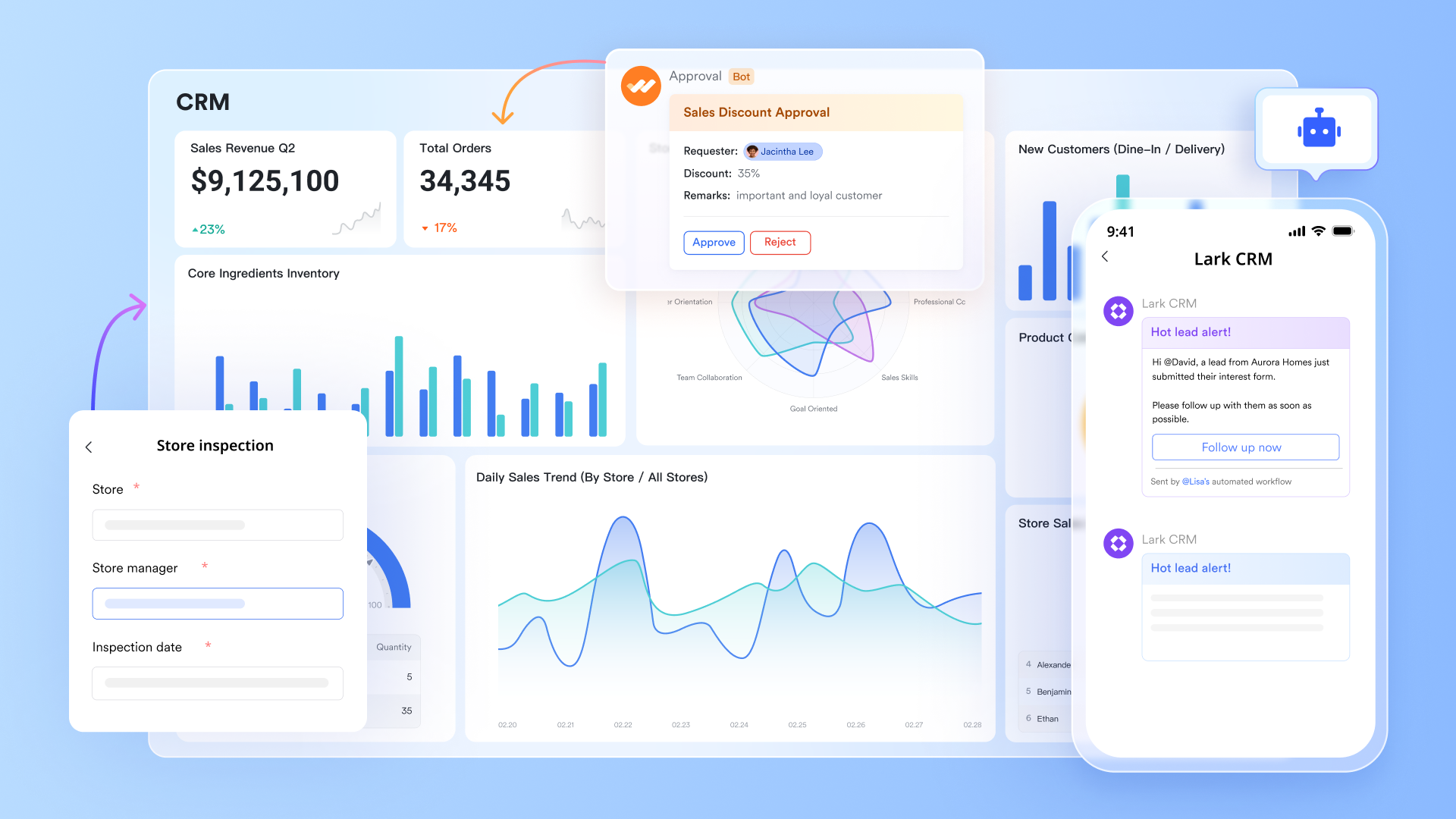
- Lark Base for CRM database management
Lark Base acts as a customizable database where teams can store, organize, and manage customer information, deals, and contracts. You can create tailored fields, filters, and views to match your workflow. This makes it easy to track sales progress, maintain accurate client records, and link related data without relying on multiple tools. With real-time updates, everyone stays aligned across the entire sales cycle.
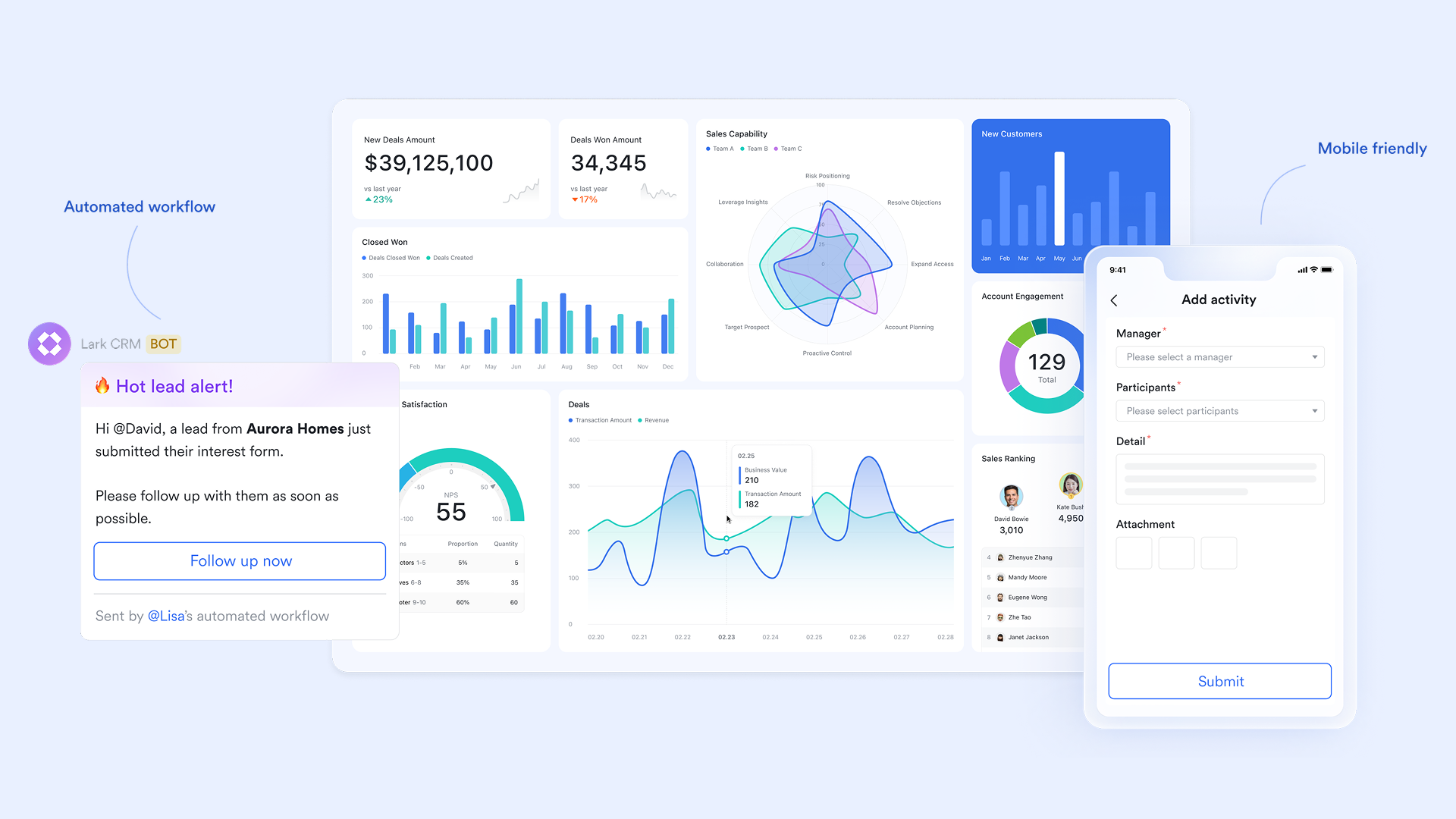
On the other hand, Lark Base enables teams to automate repetitive sales and service tasks through built-in workflow tools. From lead assignment to contract approvals, actions can be triggered automatically based on defined conditions. Managers can also design multi-level approval flows, ensuring compliance and faster decision-making. This reduces manual work, eliminates bottlenecks, and improves process efficiency across departments.
- Real-time collaboration via Messenger & Docs
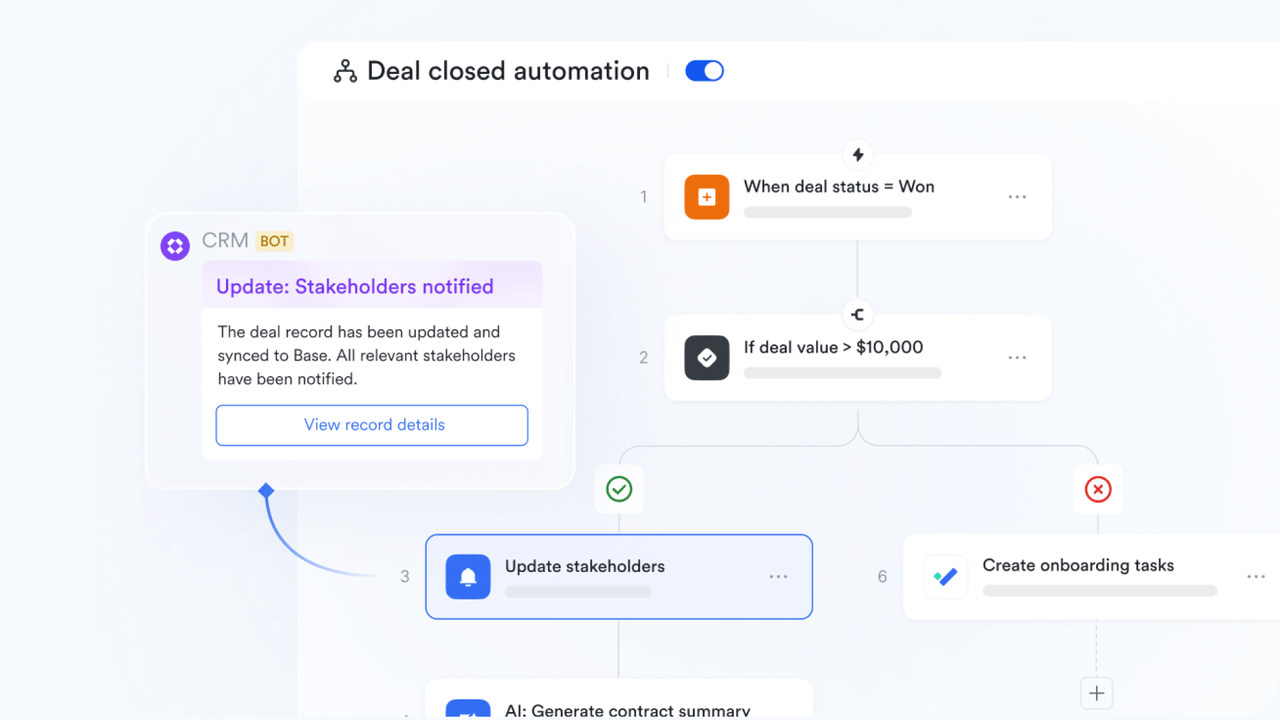
Lark combines communication and documentation seamlessly with built-in Lark Messenger, video meetings, and collaborative Lark Docs. Teams can discuss customer issues, update sales materials, and share proposals instantly, all within the same platform. Real-time editing and threaded discussions keep everyone on the same page, reducing email clutter and improving coordination between sales, marketing, and support teams.
- AI assistance for communication and task tracking
Lark help users stay productive by AI Meeting Notes, suggesting next steps, and tracking key follow-ups automatically. It identifies action items within messages or Docs, ensuring that no task goes unnoticed. The AI assistant also helps prioritize leads, automate routine replies, and surface key insights from data, allowing teams to focus on strategy rather than administration.

- Collaboration with email, calendars, and external apps
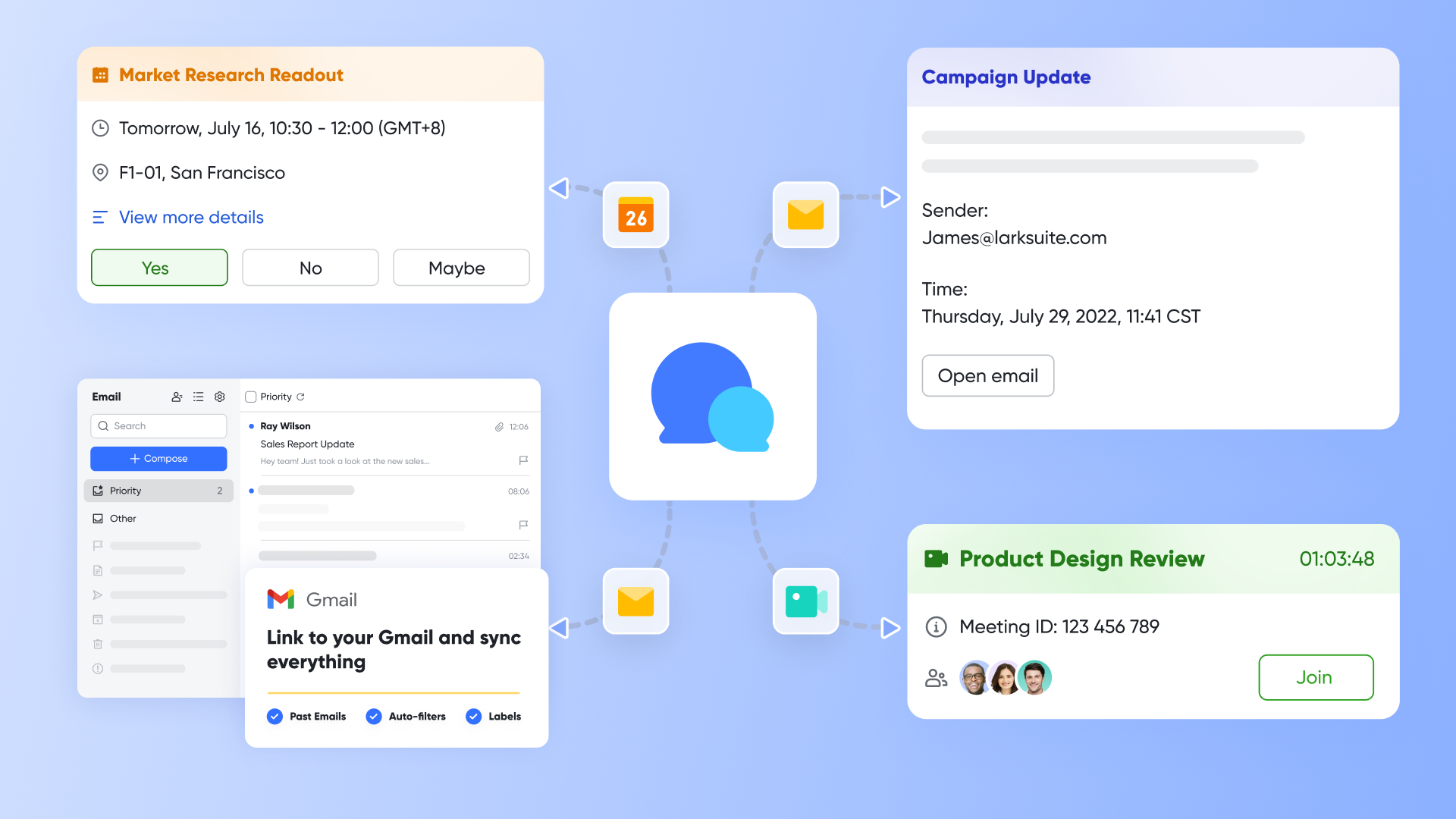
Lark Mail and Lark Calendar connect effortlessly with existing business tools like Gmail, Outlook, Google Calendar, and CRM or finance systems. This unified setup means sales reps can schedule meetings, send follow-ups, and sync customer information without switching between apps. External collaboration ensures that data flows smoothly across systems, enhancing visibility, reducing duplication, and maintaining consistent customer records.
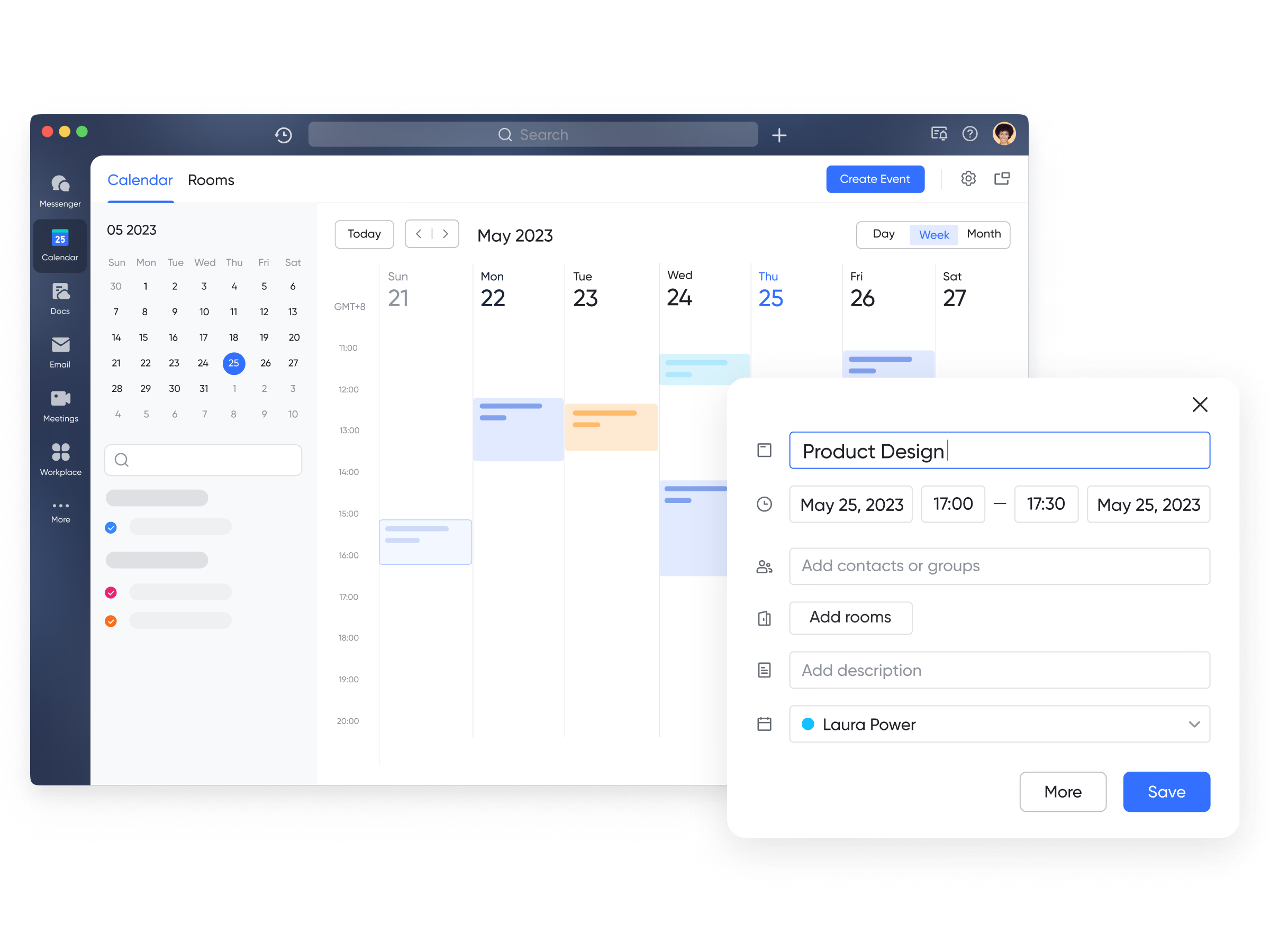
Best for: Businesses seeking a single ecosystem that merges CRM operations with collaboration, automation, and communication, ideal for growing teams that value speed, clarity, and connectivity.
- Starter plan: Free forever plan that includes 11 powerful tools for up to 20 users. It also comes with 100GB of storage, 1000 automation runs, AI translations, and more.
- Pro plan: $12/user/month (billed annually) for up to 500 users. It includes everything in Starter plus group calling for up to 500 attendees, 15TB of storage, 50,000 automation runs, and more.
- Enterprise plan: Contact sales for custom pricing. Supports unlimited users and includes even more automation runs and advanced security, compliance, and management features.
2. Salesforce Sales Cloud: Best for enterprise CRM operations
Salesforce Sales Cloud is one of the most powerful and established CRM platforms, trusted by enterprises worldwide for managing complex sales processes and large customer databases. It offers deep customization, advanced automation, and extensive integrations, making it ideal for organizations with diverse teams and workflows. With AI-driven insights, robust analytics, and scalable infrastructure, Salesforce helps businesses boost productivity, forecast accurately, and deliver exceptional customer experiences.
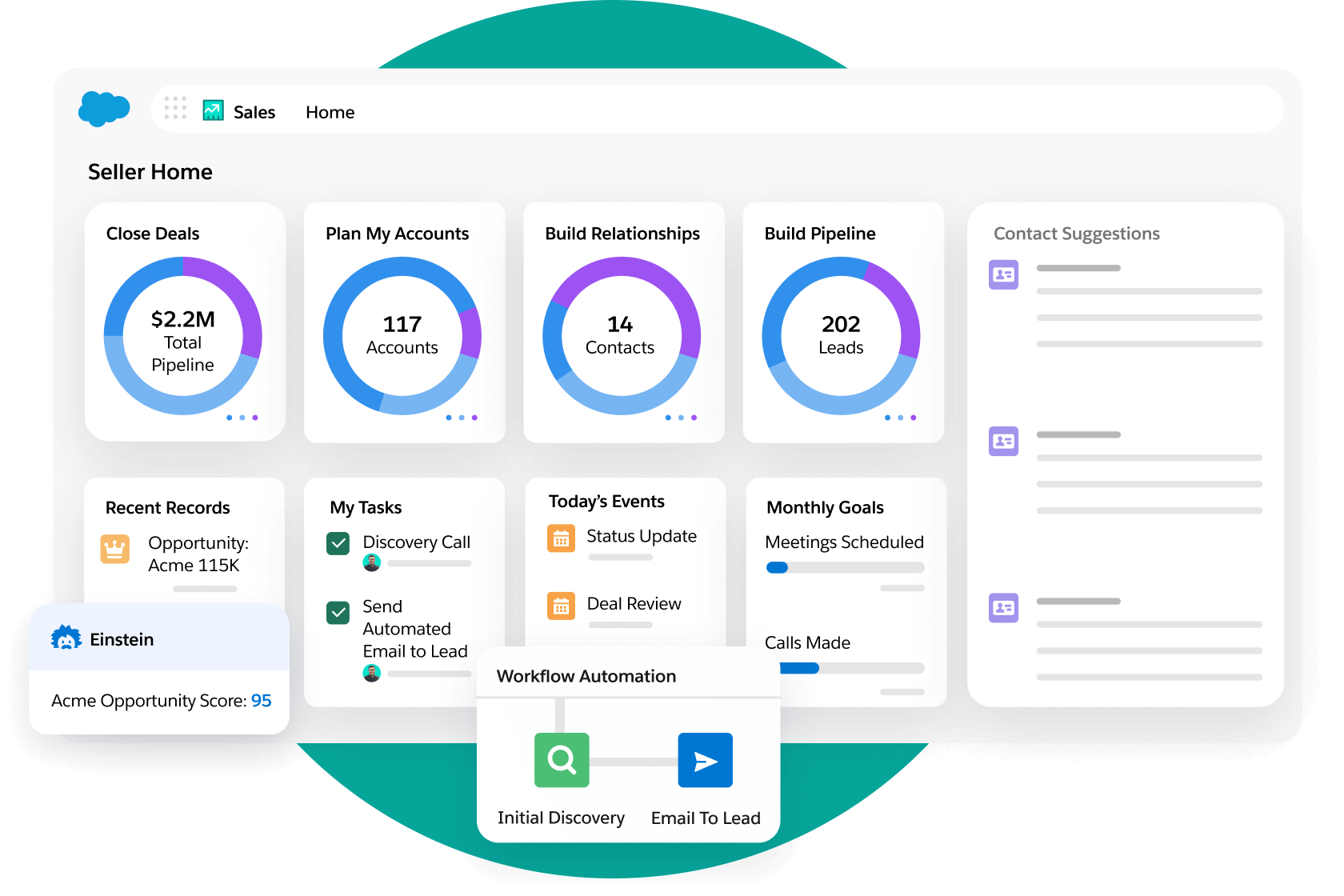
Image source: salesforce.com
Key features:
- Lead & opportunity management: Track leads, deals, and sales activities across every stage of the pipeline.
- Process automation: Automate approvals, notifications, and repetitive sales tasks for higher efficiency.
- Einstein AI insights: Use predictive analytics to identify high-value leads and improve conversions.
- Customizable dashboards: Visualize performance metrics and sales forecasts in real time.
- AppExchange integrations: Access thousands of third-party tools to extend CRM functionality.
Best for: Enterprises that require deep customization, global scalability, and advanced automation capabilities to manage complex sales operations.
Pricing:
- Starter Suite: $25/user/month
- Professional: $80/user/month
- Enterprise: $165/user/month
- Unlimited: $330/user/month
3. Microsoft dynamics 365: Best for finance & operations integration
Microsoft Dynamics 365 seamlessly merges CRM and ERP capabilities, offering a unified platform that connects customer management with financial, operational, and supply chain data. It's designed for organizations that need a 360° view of their business — from sales and marketing to finance and service delivery. With built-in AI insights, Power BI analytics, and Microsoft 365 integration, it helps teams collaborate, forecast, and execute with precision across departments.
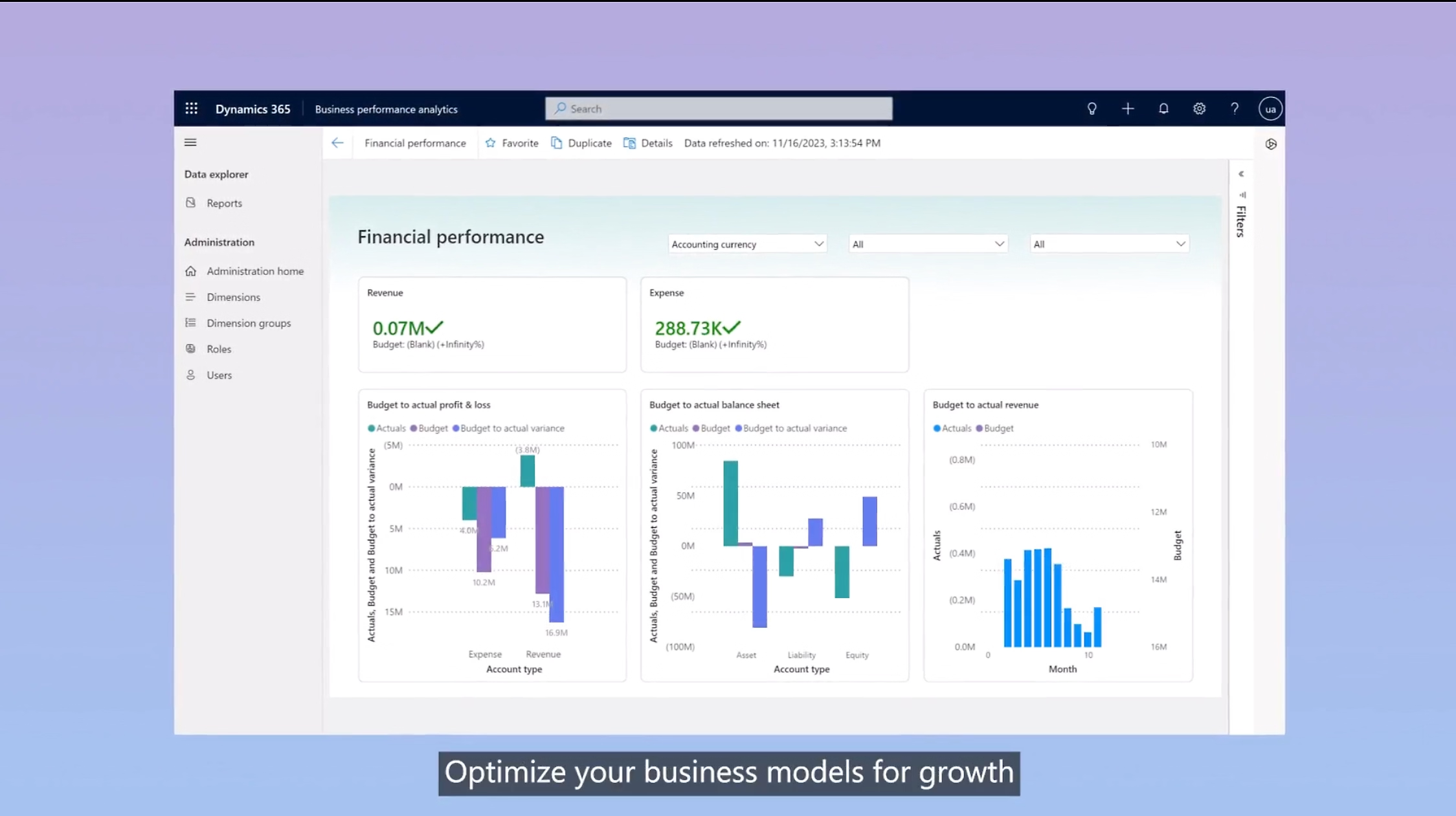
Image source: microsoft.com
Key features:
- Unified CRM and ERP system: Connects sales, customer service, and financial data in one place.
- Power BI analytics: Provides real-time dashboards and predictive reporting.
- Process automation: Automates workflows across finance, operations, and customer management.
- Customer insights module: Builds rich customer profiles for better targeting and engagement.
- Microsoft 365 integration: Syncs seamlessly with Outlook, Teams, and Excel for smoother collaboration.
Best for: Enterprises seeking deep financial and operational visibility alongside customer relationship management in one integrated ecosystem.
Pricing:
- Sales Professional: $65/user/month
- Customer Service Professional: $50/user/month
- Sales Enterprise: $95/user/month
- Dynamics 365 Finance: $180/user/month
4. Hubspot CRM: Best for marketing-sales alignment
HubSpot CRM bridges the gap between marketing and sales, providing an easy-to-use, automation-rich platform that helps teams attract, engage, and retain customers. Known for its clean interface and powerful free plan, HubSpot streamlines customer data, campaign tracking, and communication, making it perfect for growing businesses.
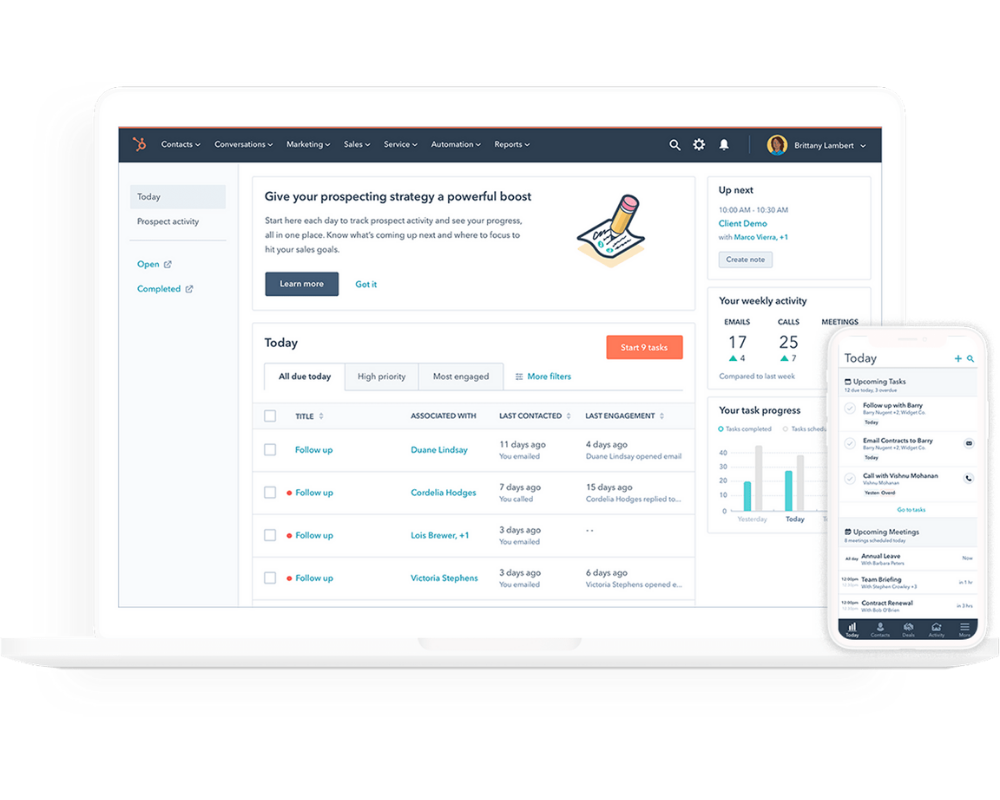
Image source: hubspot.com
Key features:
- Contact & deal management: Track leads and customers throughout the funnel.
- Email & marketing automation: Personalize outreach and nurture leads automatically.
- Pipeline tracking: Visualize deals, tasks, and conversions in real time.
- AI-powered insights: Improve engagement using smart recommendations.
- Reporting dashboards: Analyze campaign and sales performance in one view.
Best for: Startups and mid-sized companies aiming to align marketing and sales teams with automation-driven workflows.
Pricing:
- Free Plan: $0 (basic CRM and contact tools)
- Starter: $18/user/month
- Professional: $450/month (5 users)
- Enterprise: $1,200/month
5. Zoho CRM: Best for SMBs
Zoho CRM is a flexible and affordable solution designed for small to medium businesses looking to automate sales, manage customer data, and track performance effortlessly. It combines multi-channel communication, AI insights, and analytics to boost sales efficiency and engagement.
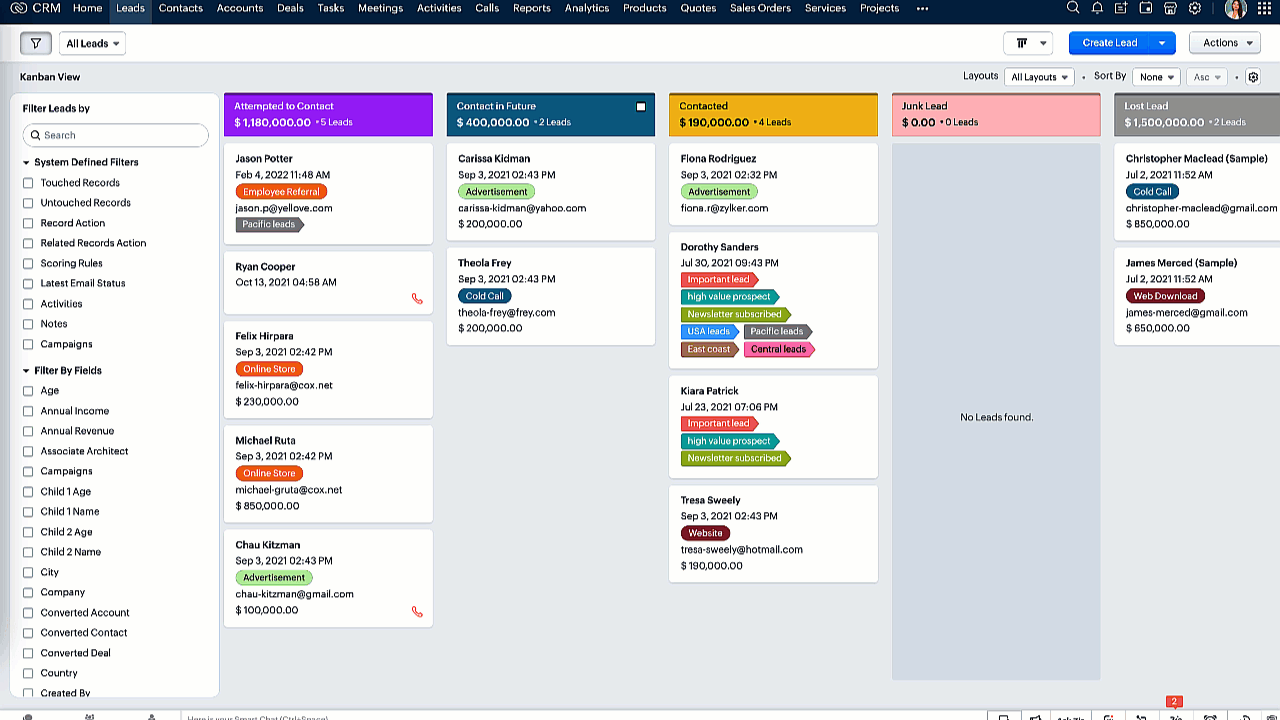
Image source: zoho.com
Key features:
- Workflow rules: Automate lead nurturing, follow-ups, and alerts.
- Omnichannel communication: Connect via email, chat, phone, and social platforms.
- AI assistant (Zia): Provides forecasts and smart suggestions.
- Custom reports & dashboards: Measure team and campaign success.
- Integration suite: Connects with tools like Google Workspace and Mailchimp.
Best for: SMBs that need a cost-effective yet comprehensive CRM to manage customer relationships and sales growth.
Pricing:
- Standard: $14/user/month
- Professional: $23/user/month
- Enterprise: $40/user/month
- Ultimate: $52/user/month
6. Freshsales (Freshworks): Best for sales ops automation
Freshsales focuses on helping sales teams automate repetitive work and focus on what truly matters — closing deals. It's a user-friendly CRM solution with built-in calling, email tracking, and AI-driven deal insights, making it ideal for growing sales operations.
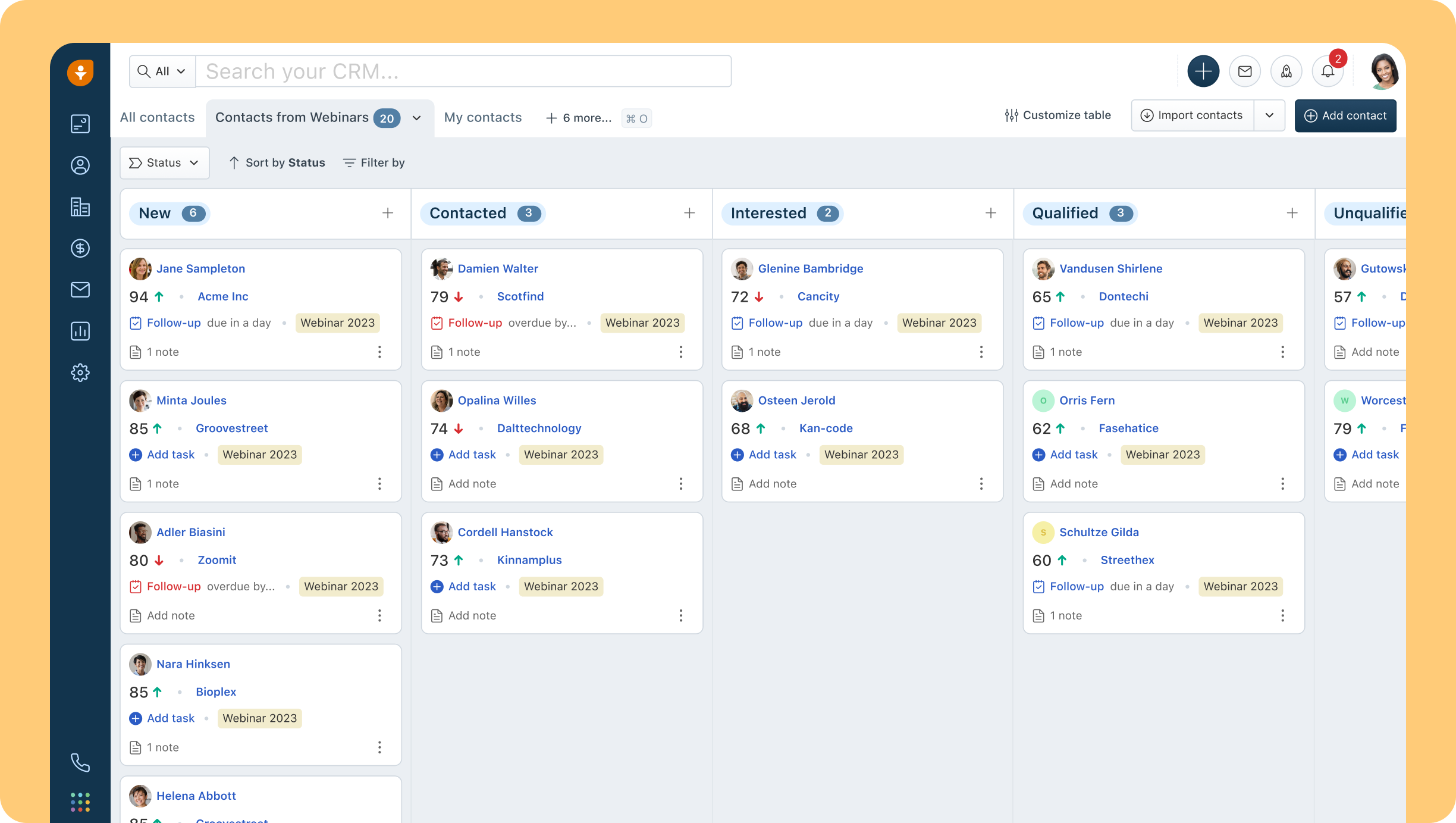
Image source: freashsales.com
Key features:
- Lead scoring: Automatically prioritize leads based on engagement.
- Workflow automation: Trigger actions and follow-ups automatically.
- Email tracking: Monitor opens, clicks, and responses in real time.
- AI forecasting: Predict revenue trends and sales performance.
- Deal pipeline view: Manage opportunities visually and efficiently.
Best for: Sales teams looking for automation-first CRM software with built-in communication tools.
Pricing:
- Free: $0 for up to 3 users
- Growth: $9/user/month
- Pro: $39/user/month
- Enterprise: $59/user/month
7. Pipedrive: Best for pipeline management
Pipedrive is designed with one clear goal to simplify and visualize the sales process so teams can focus on closing deals efficiently. Its intuitive interface allows users to track every stage of the sales pipeline with clarity and ease. The platform helps sales teams prioritize activities, monitor progress, and identify potential bottlenecks before they impact performance. Fast, user-friendly, and highly customizable, Pipedrive gives organizations complete control over their sales operations.
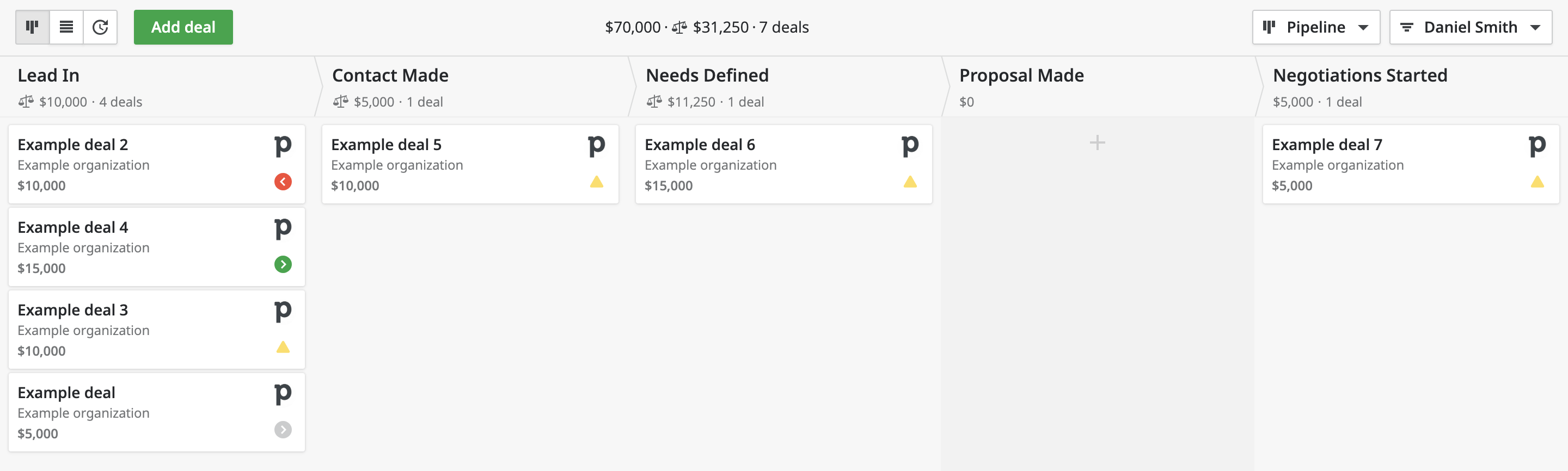
Image source: pipedrive.com
Key features:
- Visual pipeline: Easily drag and drop deals between stages.
- Email sync & tracking: Keep all communication in one place.
- Activity reminders: Stay on top of follow-ups and tasks.
- Automation builder: Set up triggers for repetitive tasks.
- Reporting dashboard: Monitor performance with visual insights.
Best for: Sales-driven teams that prioritise clear visibility and simple deal tracking over complex CRM setups.
Pricing:
- Essential: $14.90/user/month
- Advanced: $27.90/user/month
- Professional: $49.90/user/month
- Enterprise: $99/user/month
8. Insightly: Best for project + CRM integration
Insightly seamlessly blends CRM and project management, giving businesses a complete view of the customer journey from initial lead generation to project delivery. It's particularly suited for service-driven organisations that manage long-term client relationships. With tools for tracking opportunities, tasks, and milestones, Insightly ensures that no detail is overlooked. By integrating sales and project workflows, it helps teams stay aligned, improve efficiency, and deliver exceptional customer experiences.
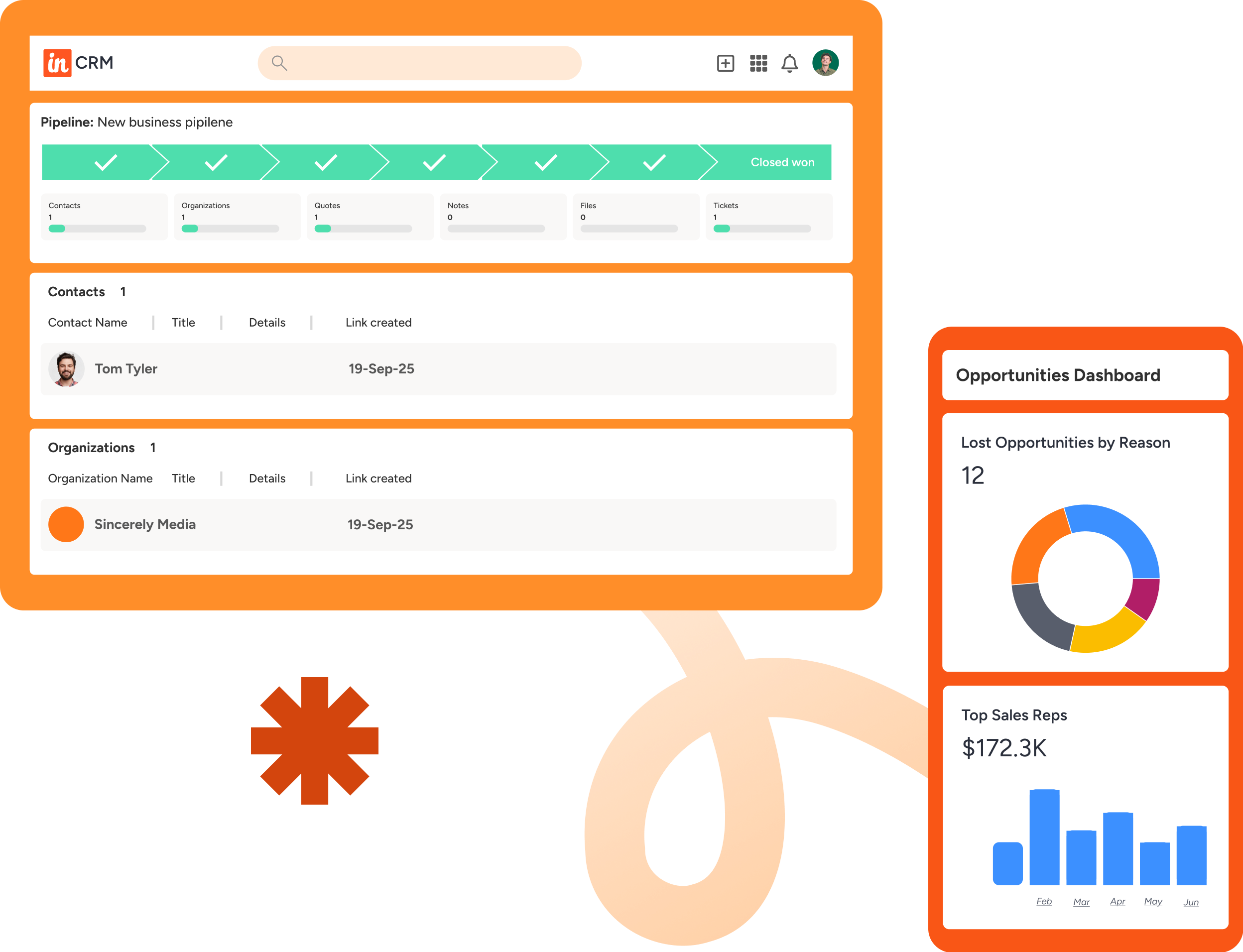
Image source: insightly.com
Key features:
- Contact & organisation tracking: Manage customer relationships efficiently.
- Project linking: Convert closed deals into projects instantly.
- Workflow automation: Automate repetitive business processes.
- Advanced analytics: Gain insights into sales and project performance.
- App integrations: Connects with G Suite, Microsoft 365, and Slack.
Best for: Professional service firms needing CRM and project management in one system.
Pricing:
- Plus: $29/user/month
- Professional: $49/user/month
- Enterprise: $99/user/month
9. Engagebay: Best budget all-in-one CRM
EngageBay is an all-in-one CRM platform built for small and medium-sized businesses that want to manage marketing, sales, and support without high costs. It combines automation, communication, and analytics in a single, easy-to-use interface. With tools for email marketing, pipelines, and customer service, it helps teams stay organized and efficient. Affordable and scalable, EngageBay delivers enterprise-grade functionality on a startup budget.
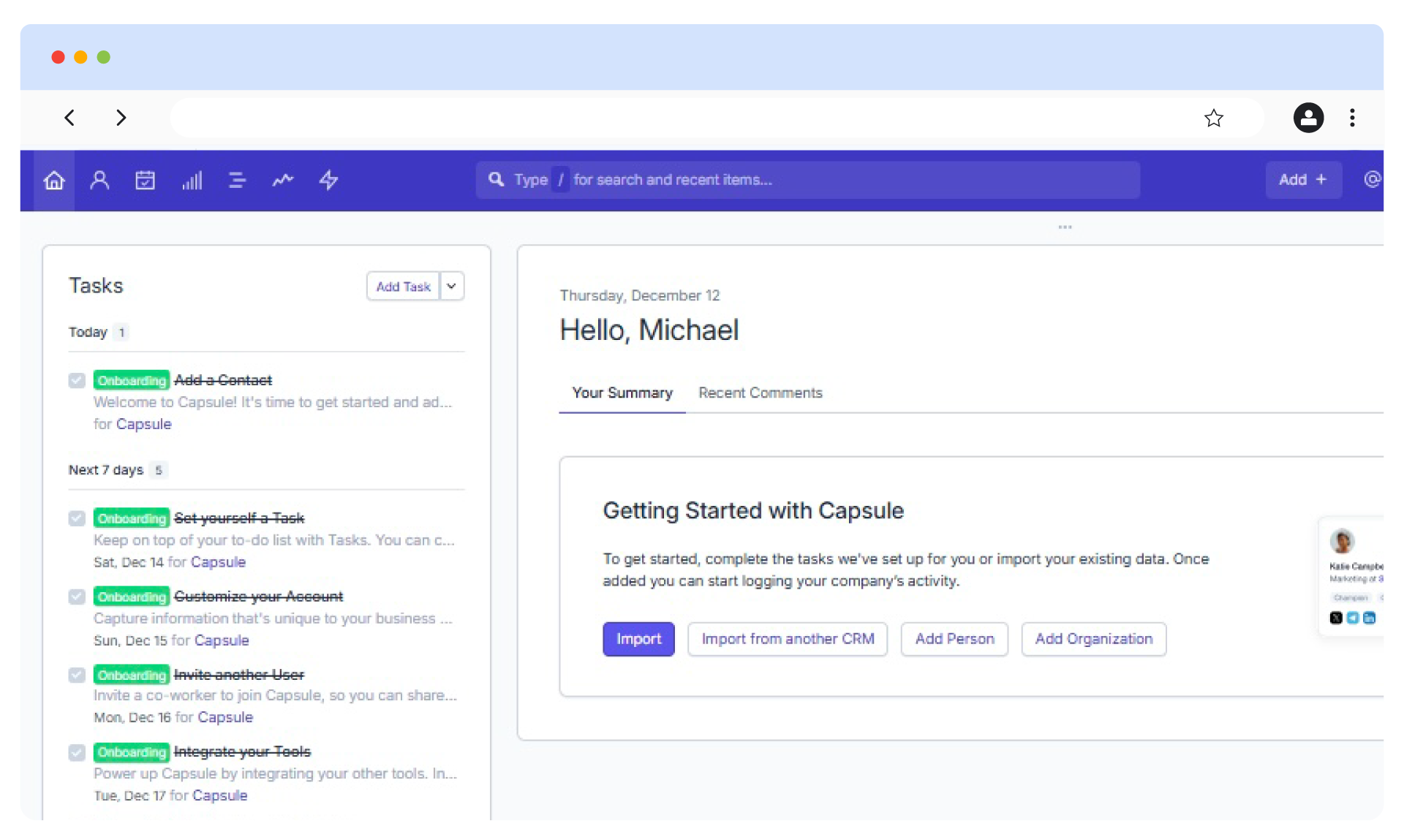
Image source: engagebay.com
Key features:
- Email marketing: Automate campaigns, schedule follow-ups, and track engagement across customer journeys.
- Sales pipelines: Visualize deals and manage opportunities with a simple drag-and-drop interface.
- Customer support desk: Handle tickets, chats, and helpdesk interactions in one place.
- Workflow automation: Streamline repetitive marketing and sales tasks automatically.
- Landing page builder: Design conversion-focused pages without coding.
Best for: Startups and small businesses seeking a cost-effective, all-in-one CRM solution that covers marketing, sales, and customer support in one connected system.
Pricing:
- Free Plan: $0 (limited contacts and basic CRM tools)
- Basic: $12.74/user/month
- Growth: $42.49/user/month
- Pro: $84.99/user/month
10. Bitrix24: Best free CRM suite
Bitrix24 is a feature-rich, free CRM suite that combines customer management, team collaboration, and project tracking in one unified platform. Designed for growing businesses, it offers built-in tools for communication, document sharing, and workflow automation. The platform supports both cloud and on-premise deployment, making it flexible for different business needs. With its extensive range of tools, Bitrix24 helps teams stay connected, manage sales pipelines, and serve customers efficiently — without additional software costs.
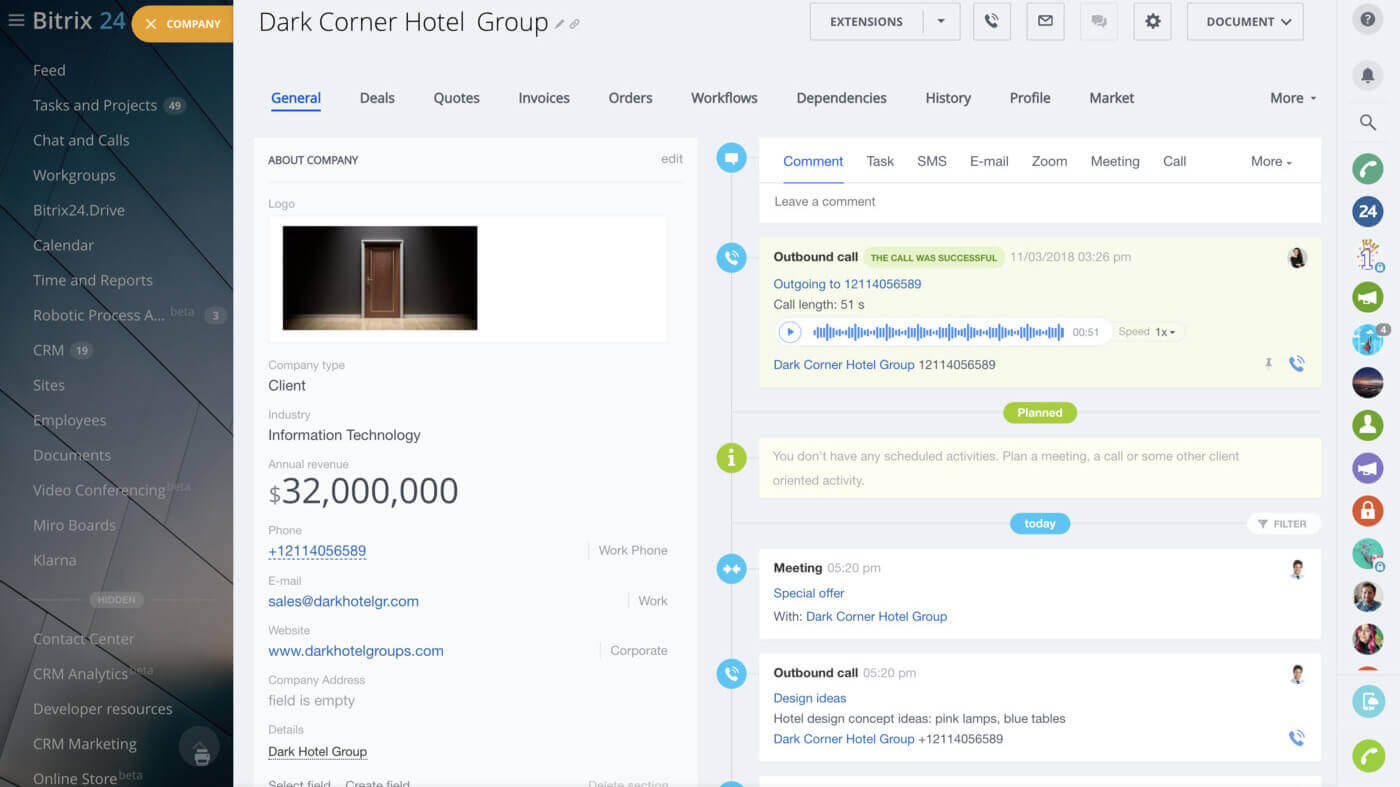
Image source: bitrix24.com
Key features:
- CRM & sales tracking: Manage leads, deals, and customer records with real-time updates.
- Workflow automation: Automate approvals, reminders, and task assignments easily.
- Project & task management: Organize projects, set deadlines, and monitor progress.
- Built-in communication tools: Chat, video calls, and file sharing for seamless collaboration.
- Customer contact center: Integrate email, phone, and live chat for unified customer support.
Best for: Teams and small businesses that want a free, all-in-one CRM and collaboration suite with strong communication and workflow tools.
Pricing:
- Free: $0 (unlimited users, limited features)
- Basic: $49/month (up to 5 users)
- Standard: $99/month (up to 50 users)
- Professional: $199/month (up to 100 users)
Step-by-step CRM implementation system in Lark
Implementing a CRM system in Lark is a simple yet powerful way to centralize customer data, automate approvals, and connect teams across departments. Follow these steps to build a streamlined, efficient CRM workflow inside Lark:
Step 1: Set up your CRM database using Lark Base
Start by creating a dedicated Lark Base to store and manage all customer, lead, and contract information. Customize fields such as client names, contact details, deal stages, and renewal dates. This acts as your single source of truth, keeping all CRM data organized and accessible to the right teams.
Step 2: Sync approval processes using Lark Approval
Collaborate your existing CRM approval flows with Lark Approval to handle lead follow-ups, quote approvals, and contract sign-offs directly in Lark. Automate routing rules, so requests are instantly sent to the right approvers, reducing delays and manual tracking.
Step 3: Design smart approval forms for streamlined submissions
Create custom forms in Lark Approval that pull in CRM client lists and related data automatically. This ensures all submissions from new deals to customer updates remain consistent, accurate, and easy to process without redundant data entry.
Step 4: Automate data synchronization with financial systems
Connect Lark Base to your organization's financial or ERP systems to automatically sync contracts, product details, and payment information. This ensures seamless transitions from sales to delivery and billing, improving accuracy and transparency across departments.
Step 5: Monitor, refine, and scale
Regularly review workflow analytics in Lark to identify bottlenecks and improve efficiency. As your operations expand, scale your CRM system by adding automation rules, integrating AI insights, and connecting more business tools within the Lark ecosystem.
With these steps, teams can transform Lark into a unified CRM hub that automates processes, improves collaboration, and enhances visibility across every customer touchpoint.
Benefits of CRM operations
Implementing effective CRM operations delivers measurable advantages across teams, improving productivity, communication, and customer satisfaction. By uniting data and workflows under one system, businesses gain efficiency and scalability while offering seamless customer experiences.
- Efficiency: Automation eliminates repetitive manual tasks such as data entry, follow-ups, and report generation. Teams can focus more on strategy and relationship building. This leads to faster execution and higher overall productivity.
- Collaboration: With all departments working in one shared workspace, information flows freely between sales, marketing, and service teams. This ensures alignment on goals, reduces miscommunication, and strengthens teamwork.
- Data accuracy: A centralized database ensures that every customer record stays consistent, current, and easily accessible. It eliminates data duplication and errors, improving reliability and decision-making.
- Customer experience: Unified data and automation allow teams to respond to customers quickly with personalized solutions. This builds trust, loyalty, and a smoother end-to-end journey for every client.
- Scalability: As the business grows, CRM operations can expand with it—adding new workflows, automation rules, and integrations. This flexibility supports long-term growth without disrupting operations.
Future trends in CRM operations
- AI & predictive insights: Artificial intelligence transforms CRM operations by providing smarter forecasts, automated lead scoring, and data-driven recommendations. It helps teams anticipate customer needs and act proactively. Predictive analytics ensures better planning and more accurate sales outcomes.
- Unified superapps: Platforms like Lark are leading the shift toward unified superapps that merge chat, CRM, and document management in one space. This eliminates tool switching and improves productivity. Teams can collaborate, manage data, and automate workflows seamlessly.
- Voice & chat-driven CRM: Modern CRMs are adopting voice commands and chatbots for instant updates and task execution. Sales reps can log activities, update deals, or fetch insights using natural language. This speeds up operations and enhances accessibility across devices.
- Hyper-personalization: CRM operations are moving toward real-time personalization using behavioral data and AI. Businesses can deliver tailored messages, offers, and experiences to each customer. This deep personalization improves engagement, satisfaction, and long-term loyalty.
Conclusion
CRM operations transform disconnected and manual business processes into unified, automated systems that drive efficiency, collaboration, and customer satisfaction. By connecting sales, marketing, and service functions, they eliminate silos and ensure every interaction is informed by real-time insights.
With Lark, teams can manage CRM data, automate repetitive workflows, and communicate effortlessly within one collaborated platform. Its unified ecosystem allows teams to move faster, make better decisions, and deliver more personalized experiences at scale. Start by mapping your processes, defining automation triggers, and incorporating your key tools. Over time, CRM operations will evolve from a support function into the strategic foundation of a truly customer-first organization.
FAQs
How does CRM operations improve business performance?
CRM operations enhance performance by automating manual tasks, centralizing customer data, and improving collaboration across departments. This leads to faster decision-making, better lead management, and higher customer retention. With real-time analytics, businesses can identify opportunities and optimize workflows efficiently.
Why is Lark considered the best tool for CRM operations?
Lark stands out because it combines CRM data management, workflow automation, communication, and AI tools in a single platform. Teams can manage leads, approvals, and documents without switching apps. Its real-time collaboration and seamless integrations make CRM operations faster and more connected.
What are the key features to look for in a CRM operations tool?
Look for workflow automation, centralized data storage, analytics and reporting, AI insights, and integration capabilities. These features ensure smooth processes, accurate insights, and scalability as your business grows.
Can small businesses benefit from CRM operations?
Yes, CRM operations help small businesses save time, reduce errors, and improve customer engagement. By automating tasks and centralizing data, even small teams can deliver professional, consistent, and efficient customer experiences.
Related reading
Table of contents
Start using Lark today

Manage all your work in one place
Boost team efficiency by 10x
Save up to 70% on software costs
Table of contents
Start using Lark today
Manage all your work in one place
Boost team efficiency by 10x
Save up to 70% on software costs
Keep reading









2026 Lark Technologies Pte. Ltd.
Headquartered in Singapore with offices worldwide.






Explore: