














Document Automation Software: A 2026 Buyer’s Guide to Features, ROI, and Governance

Donna Shao
Content Specialist
Nov 3, 2026
Donna Shao
Nov 3, 2026


19 min read
Add to preferred sources


I see document automation software moving from a “nice-to-have” to a foundational layer of modern operations. Organizations are producing more agreements, proposals, forms, and reports than ever, while facing tighter timelines, stricter regulatory scrutiny, and higher expectations for accuracy. Teams are also navigating hybrid work, which makes consistent processes and clear governance even more important.
At its core, the promise of document automation is simple: generate the right document, with the right data and language, at the right time—without manual rework. That means fewer bottlenecks, fewer errors, and fewer compliance surprises. It also means faster handoffs between systems and teams, whether I’m routing a draft for legal review, pulling customer data from a CRM, or finishing the loop with e-signature. I compared various products and list top 10 recommendations in the article:
- Lark: Orchestrated workflows for collaboration‑driven document automation
- Conga Composer + Conga Grid: Salesforce‑native document generation at scale
- PandaDoc: Fast proposals, quotes, and contracts with built‑in e‑sign
- DocuSign Gen for Salesforce + DocuSign eSignature: From generation to signature in one motion
- Templafy: Brand governance for Microsoft 365 content at scale
- Windward Studios: Data‑rich templates designed inside Microsoft Office
- Formstack Documents: No‑code to low‑code automated document generation
- Gavel: Legal‑first document automation with guided intake
- Nintex DocGen: Visual, flow‑based document assembly for Microsoft and Salesforce
- Experlogix Document: Rules‑driven personalization for CPQ and ERP scenarios
What is document automation software?
Document automation software is a platform or toolset that assembles data, content, and rules to produce accurate, compliant documents with minimal manual effort. It goes beyond basic templates by:
- Pulling data from systems of record (for example, CRM, ERP, HRIS, DMS).
- Applying conditional logic and business rules to include the right clauses and sections.
- Orchestrating workflows like reviews, document approvals, and e-signature to completion.
- Enforcing version control, permissions, and audit trails for governance.
Where it overlaps with CLM, CCM, and DMS—and where it doesn’t
- Contract lifecycle management (CLM): CLM spans intake, authoring, negotiation, obligations, and renewals. Many CLMs include document generation. However, dedicated document automation tools often offer deeper templating logic or broader non-contract use cases (for example, statements of work, proposals, court forms).
- Customer communications management (CCM): CCM focuses on high-volume, omnichannel communications. Document automation overlaps in generation but typically emphasizes interactive workflows, rules, and business-user control rather than batch communications.
- Document management systems (DMS): DMS solutions store, search, and secure files. Some include light templating. Document automation focuses on creation, logic, and workflow, then hands off to DMS for storage and records management.
In practice, many teams pair a best-of-breed document automation engine with existing CLM, CRM, and DMS systems. The goal is to let each system do what it does best while keeping the generation step reliable and governed.

Core features of document automation software that actually matter
Templates and clause libraries for consistent, compliant content
A durable automation foundation starts with governed templates and a structured clause library. Rather than duplicating language across ad hoc files, I centralize content in a single source of truth and let rules determine what appears for each context. This approach standardizes tone and legal language, reduces manual edits, and makes audits straightforward because every piece of text has an owner, a status, and version history. For organizations heavily focused on contract workflows, dedicated legal contract automation platforms like LegalOn take this concept further by providing specialized templates, AI-powered clause analysis, and automated compliance checking across different contract types and jurisdictions.
Workflow automation and approvals that remove bottlenecks
Documents rarely live in isolation; they move through reviewers, approvers, and signers. Effective document automation software orchestrates this flow so nothing stalls in an inbox. I route drafts according to rules—like deal size, territory, or risk profile—and the system assigns tasks with due dates, reminders, and escalation paths. Comments and redlines are captured in context, preserving a clear audit trail of who changed what and why. This traceability builds trust with compliance while giving operational leaders visibility into cycle times and bottlenecks.
Integrations with CRM/ERP/DMS to eliminate data re‑entry
Reliability depends on pulling accurate data from systems of record and pushing finalized documents back to where people work. That’s why robust integrations with CRM, ERP, CPQ, HRIS, and DMS platforms matter.
For complex scenarios, tools like Lark can merge data from multiple sources—customer details from CRM, pricing from CPQ, schedules from ERP—while normalizing formats. This end‑to‑end sync prevents copy‑paste errors, keeps statuses current across systems, and ensures downstream analytics reflect the true state of each agreement or form.
Low‑code/no‑code configurability for agility
Speed matters, especially when product terms, pricing, or regulations change. Low‑code/no‑code configuration lets operations and legal admins maintain templates, rules, data mappings, and workflows without relying on engineering for every adjustment. This capability shortens the feedback loop: teams can respond to market or policy updates in hours rather than weeks, and experimentation becomes safer because rollbacks are simple and tracked.
Practical AI with clear guardrails
AI has moved from novelty to practical assistant when applied with discipline. I use AI to classify documents, extract key fields, suggest clauses, and flag incomplete or inconsistent inputs. These capabilities reduce manual review and help less experienced contributors produce better first drafts. With these controls, AI enhances speed and quality without compromising compliance or trust.
Document automation software: 10 tools I recommend shortlisting
1. Lark: Orchestrated workflows for collaboration‑driven document automation
 Overview
Lark is a powerful document automation software: it centralizes creation, review, and approval in one place. More than that, Lark isn’t a pure document generation software engine, but it shines as the orchestration hub that turns scattered steps into a smooth flow. Lark Base acts as a governed repository for clause libraries, template metadata, and permissions, while chat, docs, and tasks keep conversations close to the work.
Key features of Lark for document automation
Lark Docs: Real-time co-authoring with AI search and comprehensive governance
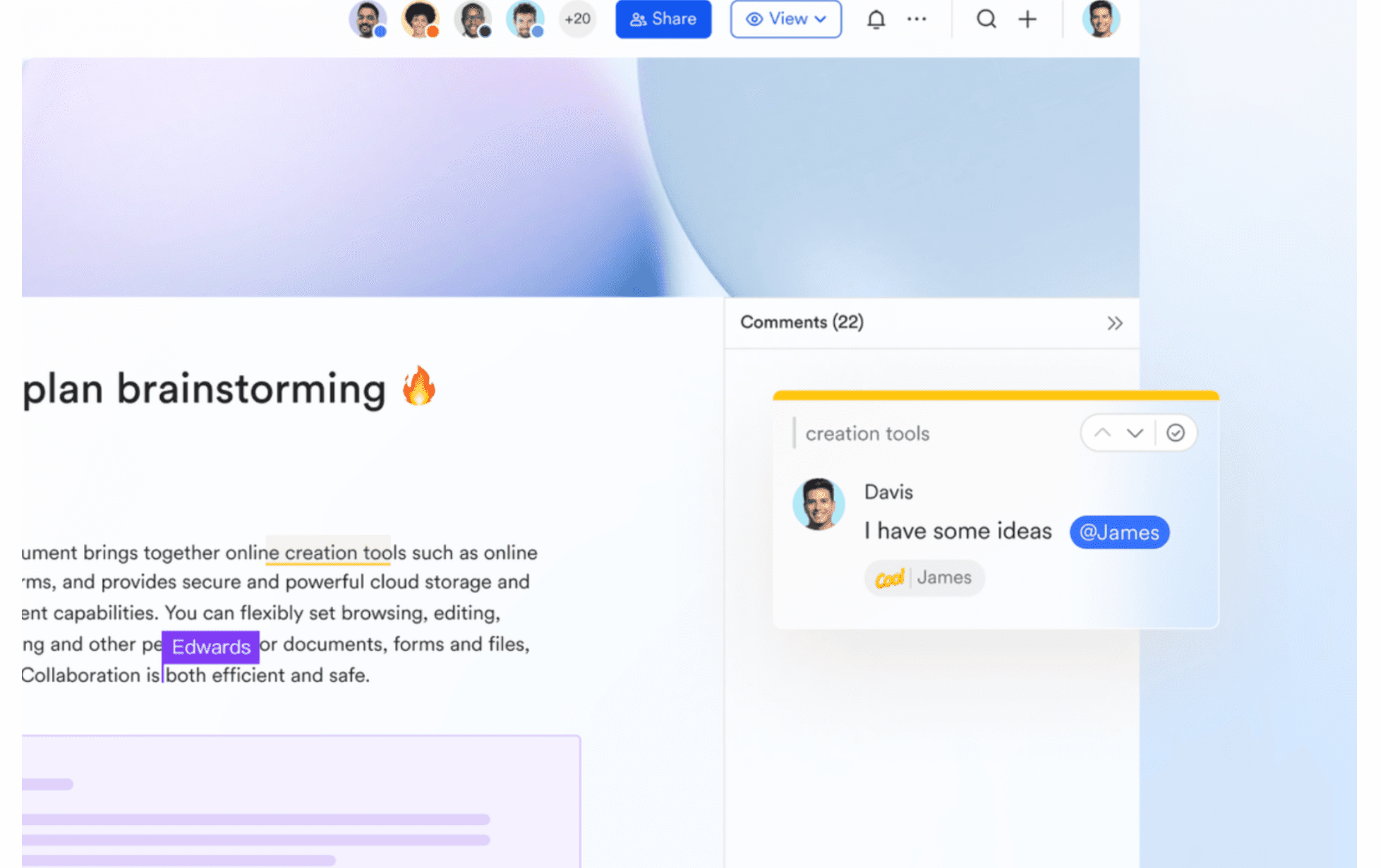
- Effortless real‑time collaboration: Teams can co-edit documents simultaneously, leave inline comments, mention teammates, and react to updates through likes or other markers. All changes are automatically saved in the cloud for peace of mind.
- AI‑powered search retrieves answers instantly: AI search capabilities allow users to locate content across documents in seconds—eliminating the need to manually dig through folders.
- Secure, consistent experience across devices: Whether working from desktop, web, or mobile, users enjoy a unified interface. Fine‑grained permissions enable document owners to control who can view, edit, comment, or share documents.
- Built in zero‑code elements for smarter docs: Teams can insert contents such as sync blocks, forms, mind maps and embedded content without any coding—making it easier to automate parts of document creation directly within the document interface.
Lark Wiki: A centralized knowledge hub that strengthens document automation
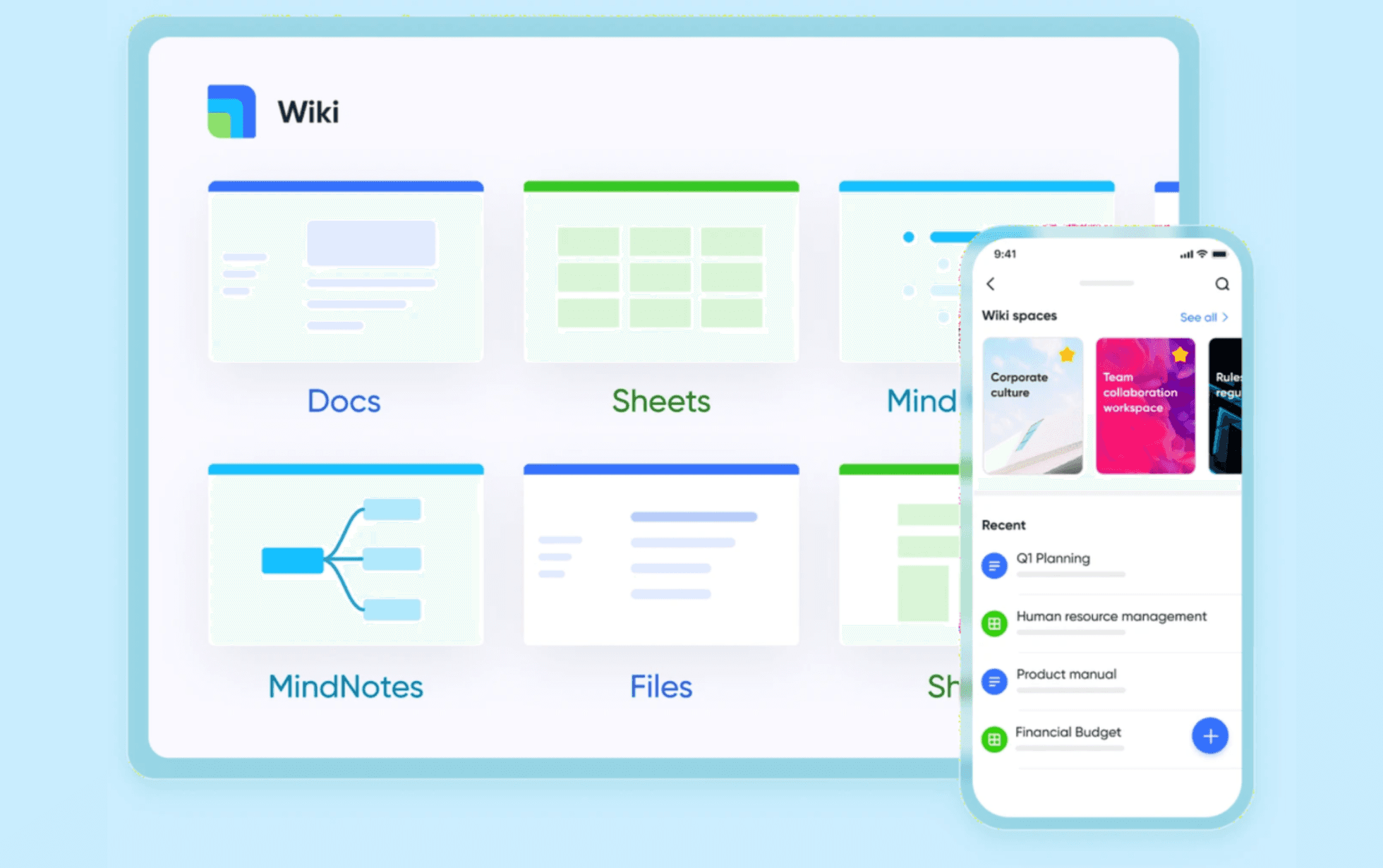
- A unified, structured "single source of truth": Lark Wiki allows teams to create, organize, and manage rich content—including docs, sheets, mind maps, and databases—all within one cohesive and organized knowledge base.
- Automation‑ready storage for generated documents: When workflows produce artifacts like contracts, reports, or standard operating procedures, Lark Wiki ensures they are automatically stored, structured, and fully accessible—completing the automation lifecycle.
- Seamless migration from existing documentation systems: Legacy content from platforms like Confluence, Word, Excel, CSV, or XMind can be imported easily—accelerating adoption and preserving valuable corporate knowledge.
Lark Base: No-code database and workflow automation
- Transforms documents into structured data: Lark Base allows teams to convert unstructured documents into structured records—tracking key details like clauses, templates, owners, and effective dates in a database-like format.
Through a drag-and-drop interface, users can build automated workflows featuring conditional routing, approvals, and time-based triggers—all without IT support.
Best for
Teams that want a collaboration‑first hub to govern content and coordinate stakeholders around document automation and document creation software
Pricing
Lark also offers competitive pricing plans. You get AI search, real‑time co‑editing, granular permissions, and no‑code workflows without buying separate licenses. Transparent, tiered pricing scales predictably by seats and storage, lowering total cost of ownership while accelerating time‑to‑value with generous trials.
- Starter plan: Free. Includes 11 powerful products, supporting up to 20 users, 100 GB storage, 1,000 automation runs and unlimited AI translation in chats, docs and email.
- Pro plans: Starts at $12/user/month, supporting up to 500 users. Includes unlimited message history, 50,000 automated Base workflow executions per month.
- Enterprise plan: Contact sales for custom pricing. Supports unlimited users and includes even more automation runs and advanced security, compliance, and management features.

2. Conga composer and conga grid: Salesforce‑native document generation at scale
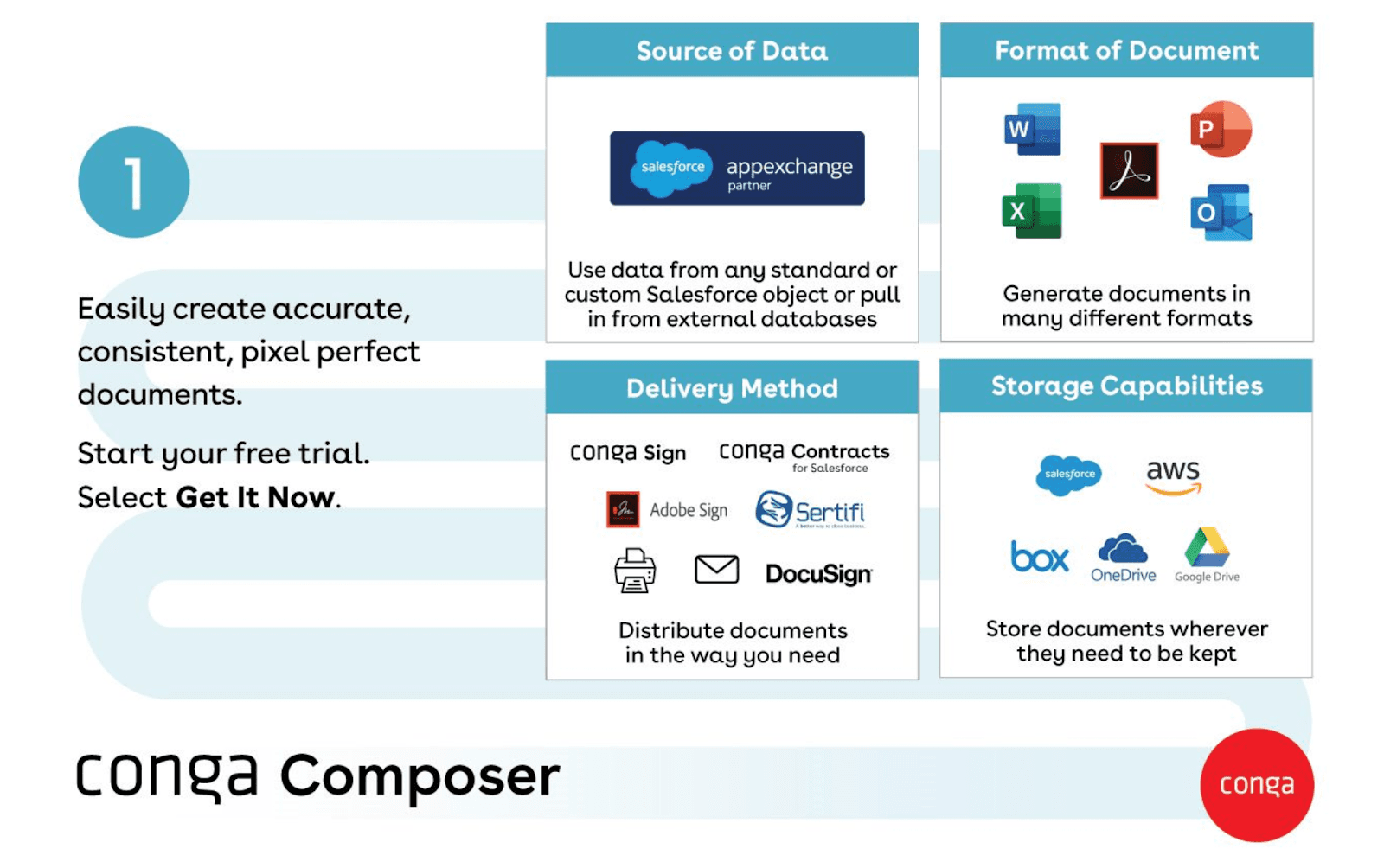 Image source: trustraduis.com
Overview
Conga is a strong choice if your workflows revolve around Salesforce. Conga Composer handles complex data merges, conditional logic, and automated document generation right from CRM records. Conga Grid improves data operations inside Salesforce, helping admins and power users shape inputs before generation. Together, they support standardized templates, approval routing, and integration with adjacent modules like CPQ and CLM. If you need reliable document automation tied to CRM data models and a mature ecosystem,
Key features
- Salesforce‑native document generation with complex merges
- Rule‑based content and multi‑document packages
- Integration with CPQ, CLM, and e‑signature tools
- Admin controls and template management aligned to CRM data
Best for
Salesforce‑centric organizations seeking best document automation software tightly coupled to CRM processes
Pricing
Tiered subscriptions and add‑ons; total cost varies by volume, advanced features, and implementation scope. Expect expert configuration for complex logic.
3. PandaDoc: Fast proposals, quotes, and contracts with built‑in e‑sign
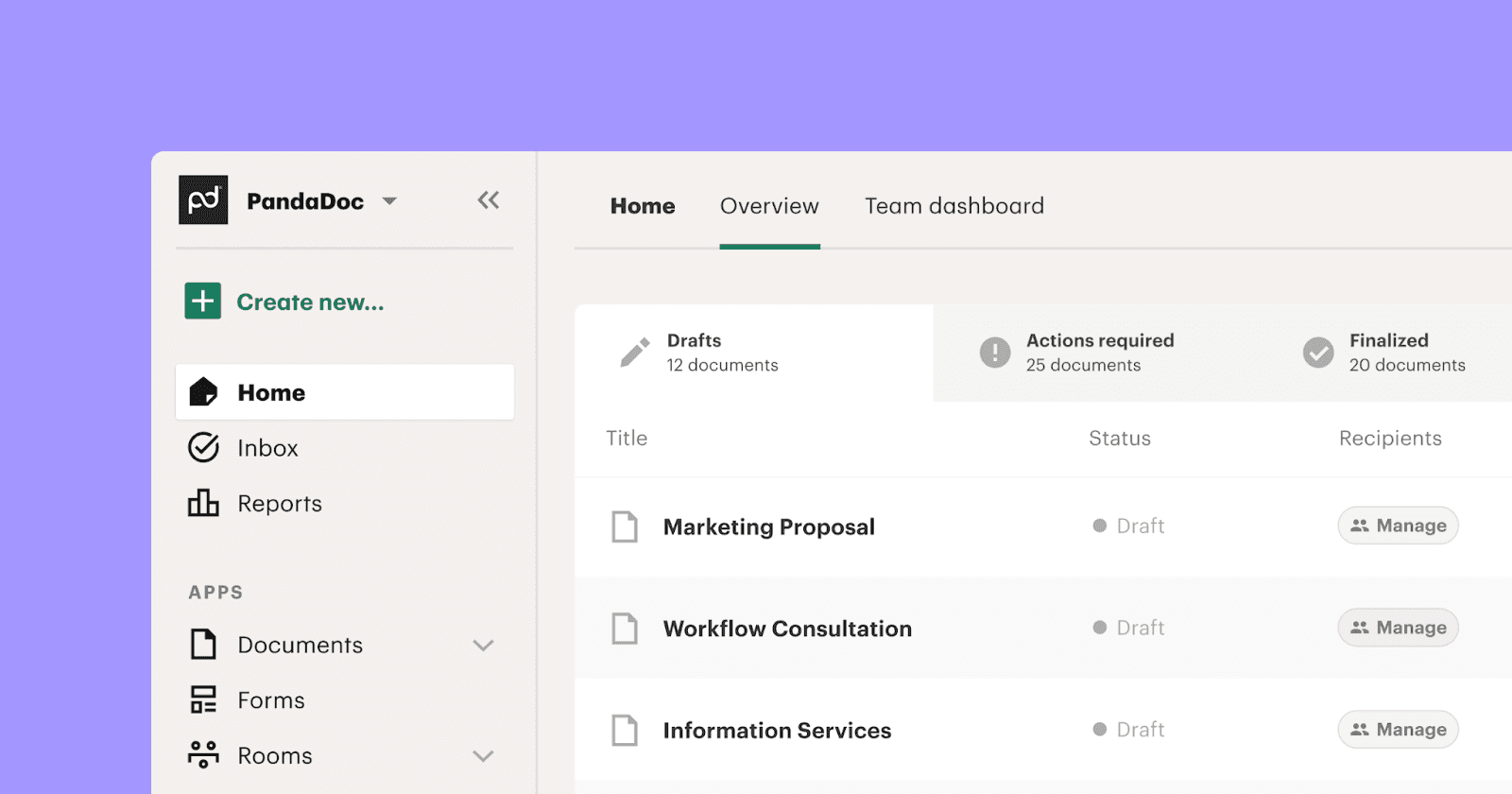 Image source: pandoc.com
Overview
PandaDoc delivers a friendly experience for proposals, quotes, and standard agreements. If you want fast setup, content reuse, and clean analytics, it’s a solid pick. Templates and a content library help teams maintain consistent language, while pricing tables and conditional sections support personalization. Built‑in e‑signature shortens the path to completion. Integrations with CRM and payment systems keep data in sync and reduce manual steps.
Key features
- Drag‑and‑drop editor with templates and content libraries
- E‑signature, analytics, and approval routing
- CPQ‑friendly pricing tables and conditional logic
- Integrations with CRM, payments, and storage
Best for
Sales teams and SMBs prioritizing speed and ease in document creation software for proposals and contracts
Pricing
Per‑user tiers with expanded features at higher levels. Advanced governance and legal workflows may require complementary tools.
4. DocuSign Gen for Salesforce + DocuSign eSignature: From generation to signature in one motion
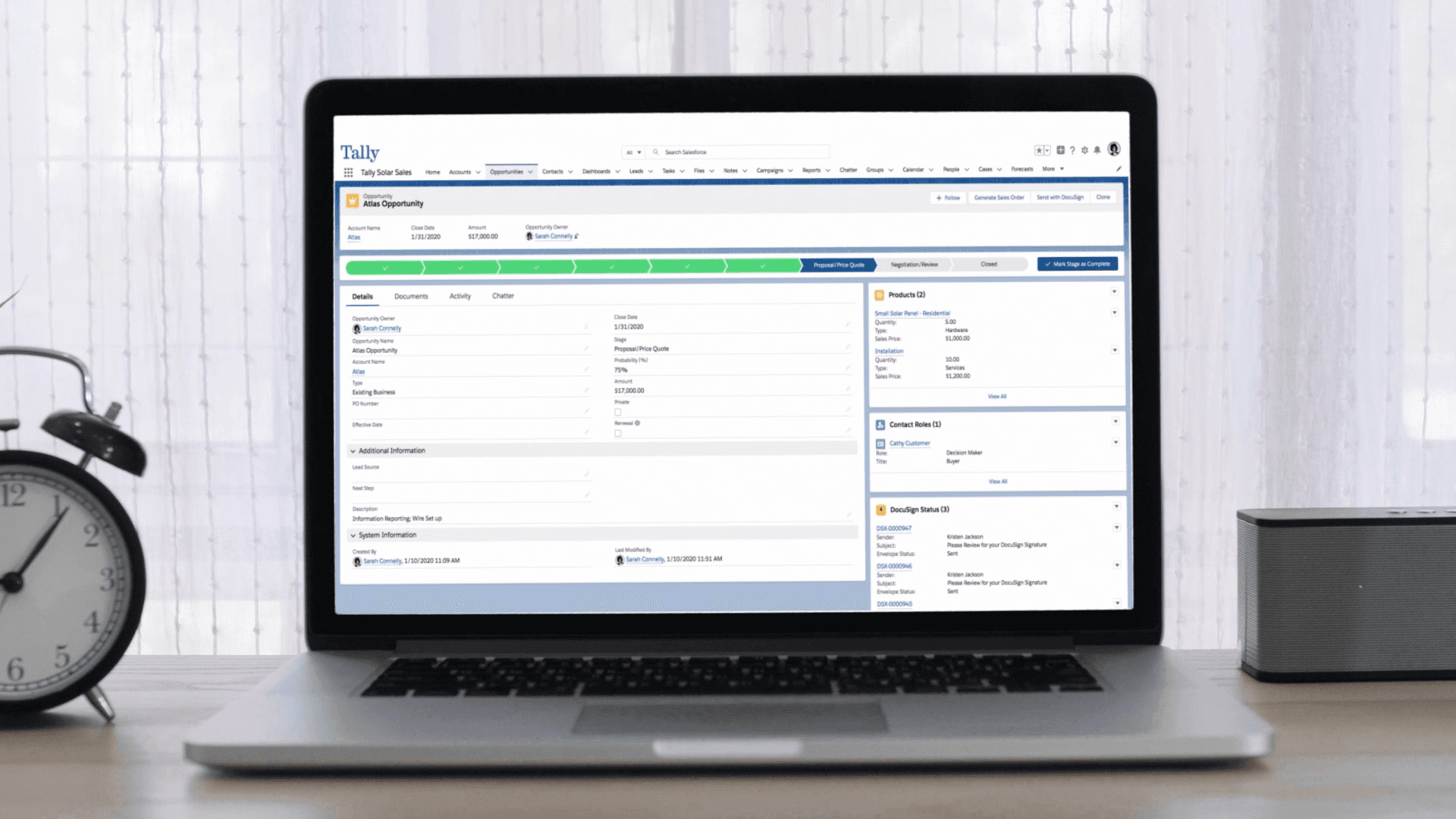 Image source: docusign.com
Overview
Gen maps Salesforce fields into documents, applies basic rules, and then hands off to DocuSign eSignature to finalize. Statuses write back to the CRM, giving teams clear visibility. This setup is strong for straightforward document automation and document generation software use cases, especially where governance is established elsewhere and the goal is a smooth, integrated path from draft to completion.
Key features
- Generation from Salesforce data with template control
- Native e‑signature, audit trails, and completion records
- Automated routing and status updates inside CRM
- Ecosystem integrations across DocuSign products
Best for
Salesforce‑first teams needing a unified generation‑to‑signature experience with minimal context switching
Pricing
Separate licenses for generation and e‑signature; costs vary by usage and integrations. Validate fit for complex clause rules.
5. Templafy: Brand governance for Microsoft 365 content at scale
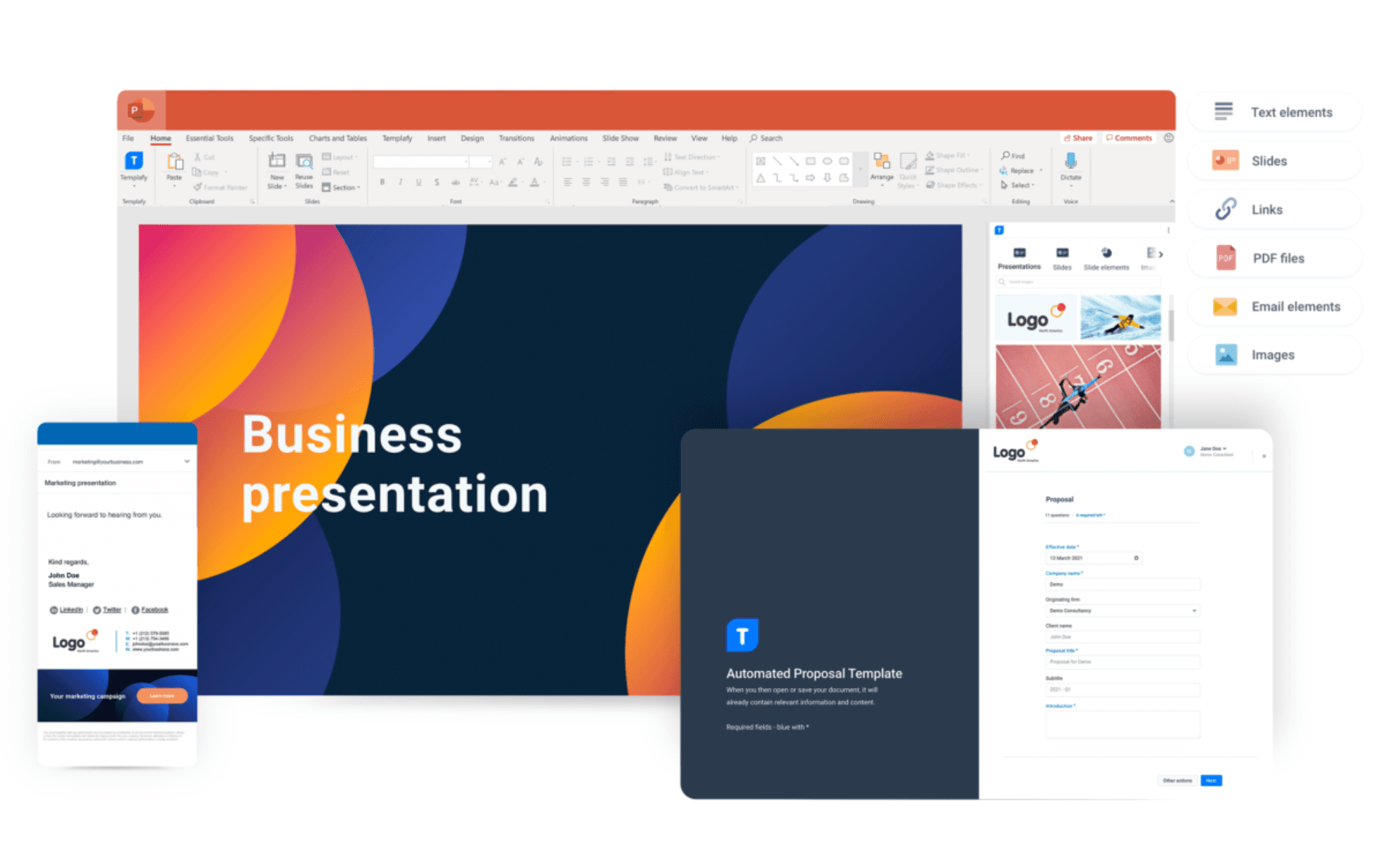 Image source: venturebeat.com
Overview
Templafy focuses on content governance, ensuring teams use approved templates, assets, and language across Word, PowerPoint, and Outlook. If brand consistency and compliance are key, Templafy helps lock in the standards before anyone starts drafting. It delivers context‑aware recommendations so users choose the right slides, clauses, and formats. While it is not a full workflow engine, it pairs well with document assembly software and document automation systems to enforce a single source of truth.
Key features
- Centralized template and asset distribution inside Office apps
- Brand enforcement and compliance policies baked into creation
- Context‑aware content suggestions for faster, on‑brand drafting
- Role‑based governance and update management
Best for
Enterprises that want strict brand and content control across Microsoft 365, complementing core document automation software
Pricing
Enterprise‑oriented subscriptions priced by users and modules. Pair with a generator for rules‑based assembly and approvals.
6. Windward Studios: Data‑rich templates designed inside Microsoft Office
 Image source: windwardstudios.com
Overview
Windward specializes in data‑driven templates and advanced layouts. The template designer lives inside Microsoft Office, so power users can build complex documents without learning a new editor. It connects to databases, XML, JSON, and REST APIs, which makes it a reliable engine for automated document generation when multiple systems feed the output. Windward fits scenarios like statements, reports, and contracts that depend on structured data and dynamic tables.
Key features
- Office‑embedded template designer for complex formatting
- Strong data binding to SQL, XML, JSON, and REST sources
- Conditional content, dynamic tables, and numbering
- SDKs for embedding and scaling within your stack
Best for
Teams producing complex, data‑heavy documents where precision layout and integrations matter
Pricing
Licensing typically covers designer seats and server/runtime components. Plan for technical setup and integration work.
7. Formstack Documents: No‑code to low‑code automated document generation
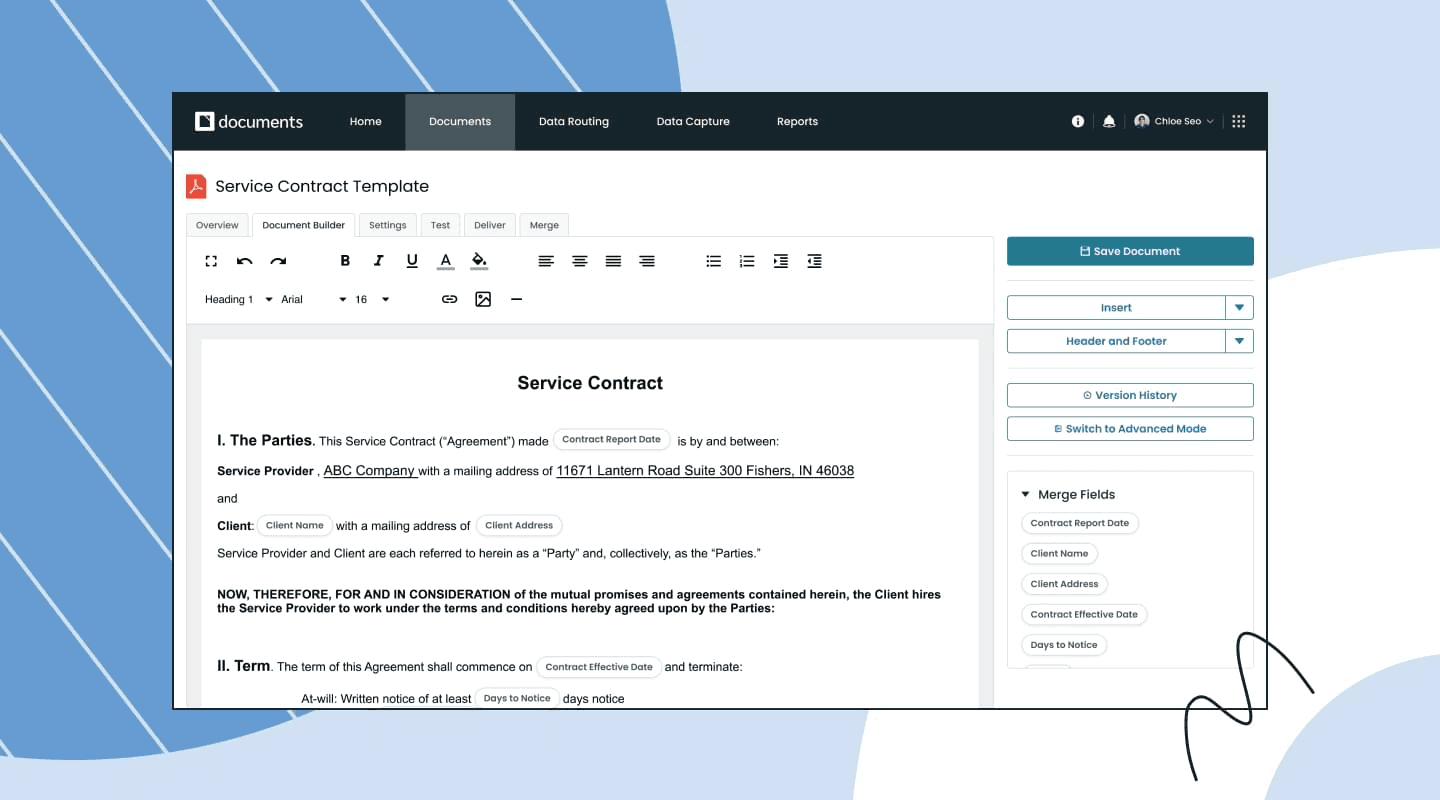 Image source: formstack.com
 Overview
Formstack Documents offers a no‑code to low‑code path to document automation. It connects to forms and business apps, transforms inputs with simple rules, and outputs polished files to email, storage, or e‑signature. It’s ideal for standard forms, confirmations, and routine agreements that benefit from quick configuration. While it is not a heavy legal governance tool, it’s excellent for teams that value speed and broad integrations.
Key features
- No‑code template setup with conditional logic
- Seamless handoffs from Formstack Forms and third‑party apps
- Automated delivery to e‑signature and storage tools
- Webhooks and connectors for flexible workflows
Best for
Operations and admin teams seeking fast time‑to‑value in document automation without deep technical overhead
Pricing
Tiered subscriptions based on features and usage. Add governance or DMS controls for regulated scenarios.
8. Gavel: Legal‑first document automation with guided intake
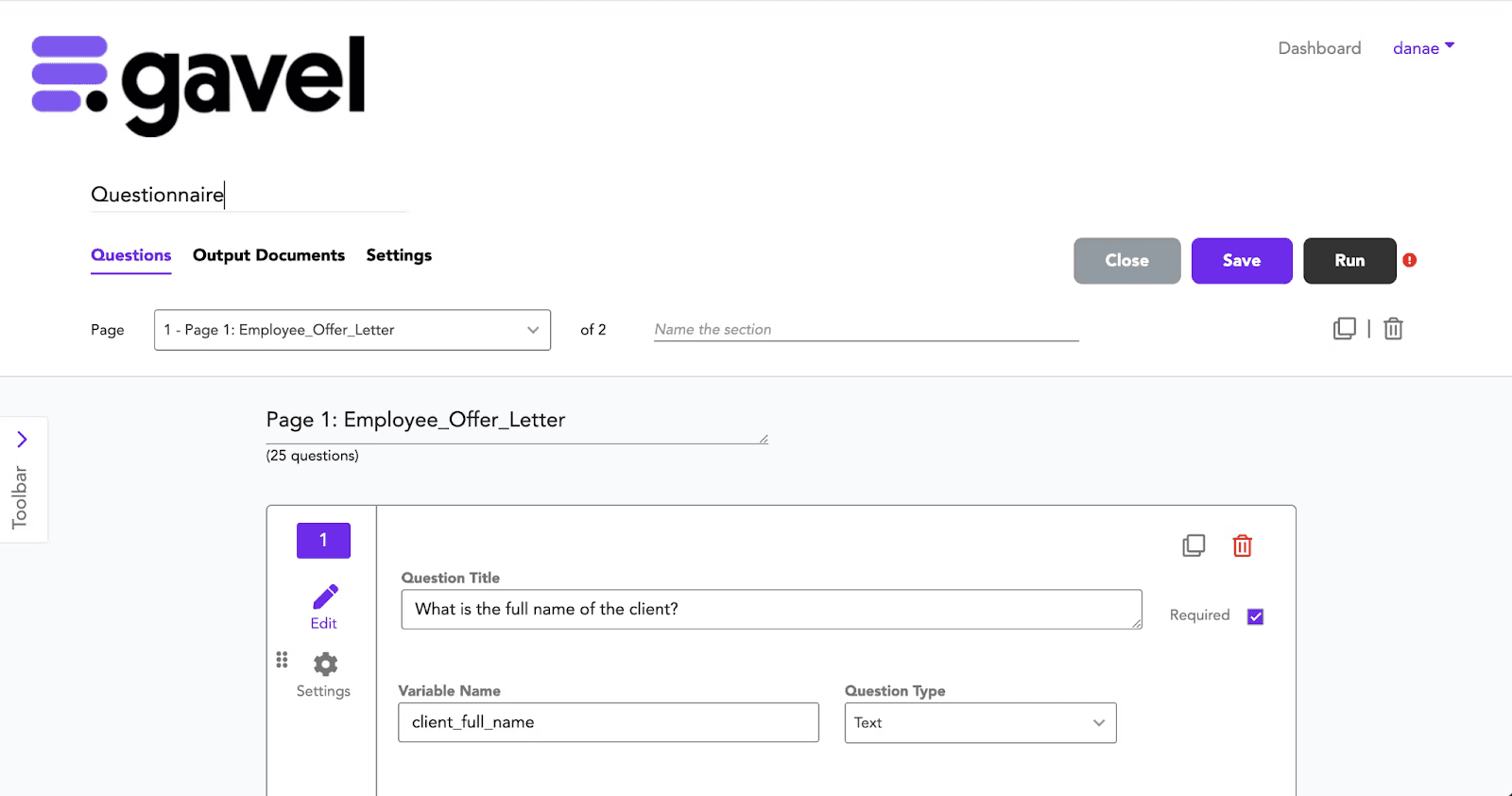 Image source: softwareadvice.com
 Overview
Gavel is oriented toward legal workflows that start with structured intake and end with a first draft. Guided interviews capture facts consistently, and conditional logic builds the right clauses and sections. It’s well suited to standard legal instruments and court forms where precision and repeatability matter.
Key features
- Guided questionnaires that drive conditional drafting
- Legal‑ready templates and reusable clause structures
- Collaboration and client‑facing outputs for review
- Integrations tailored to legal stacks and DMS tools
Best for
Law firms and in‑house teams that need document automation designed for legal intake and standardized documents
Pricing
Subscription tiers vary by users and features. Confirm integration depth and data portability if you connect to broader enterprise systems.
9. Nintex DocGen: Visual, flow‑based document assembly for Microsoft and Salesforce
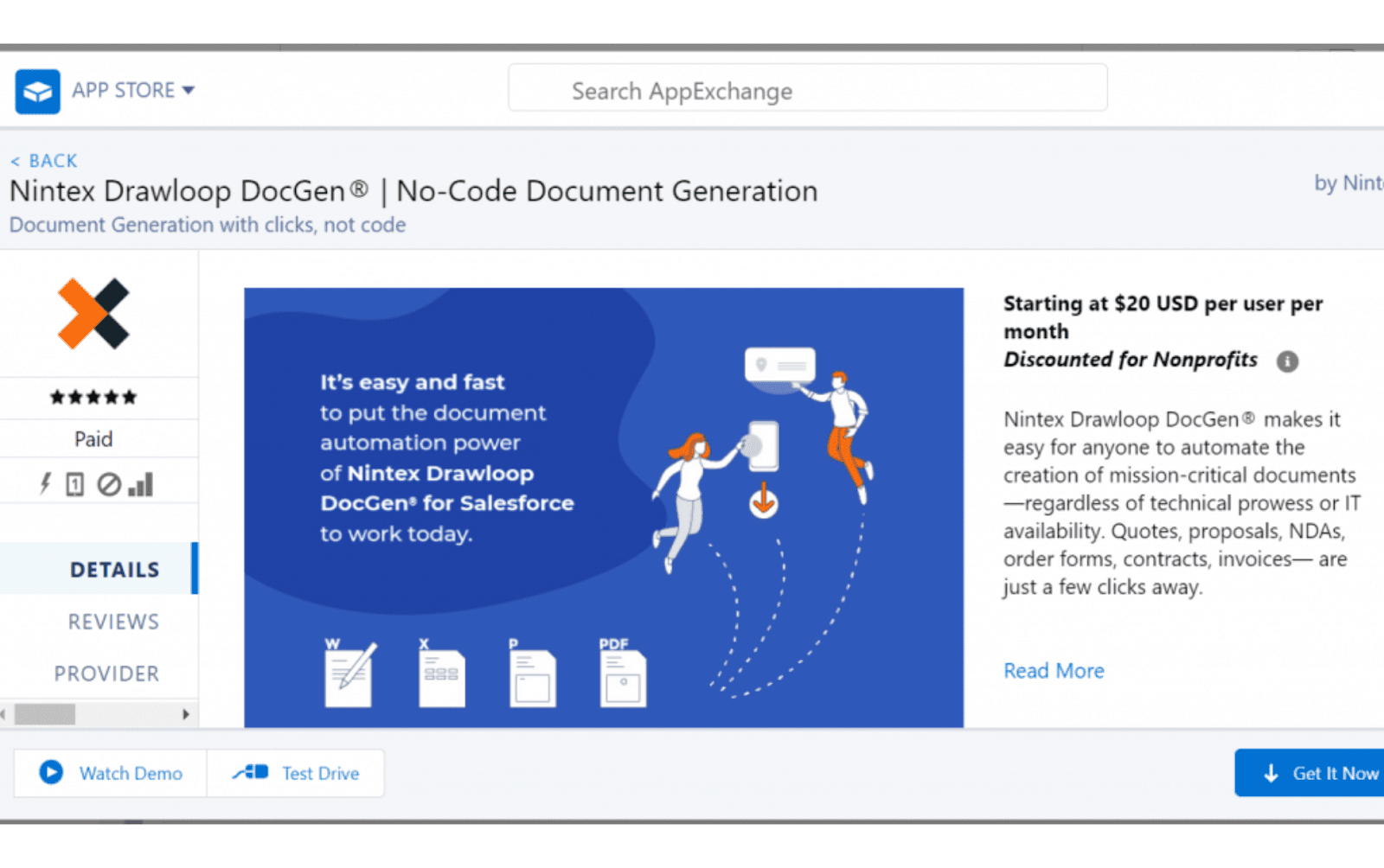 Image source: mstsolutions.com
Overview
Nintex DocGen combines document assembly software capabilities with visual workflows. It aligns naturally with organizations using SharePoint, Microsoft 365, or the broader Nintex process platform. You can model approvals, triggers, and deliveries in a flow designer, then generate documents from mapped data. It’s a good choice if you want process and document automation from the same vendor.
Key features
- Visual workflow builder for generation and routing
- Integrations with SharePoint, Office 365, and Salesforce
- Conditional content, approvals, and automated delivery
- Admin tools for non‑developers to manage change
Best for
- Microsoft‑centric or hybrid Salesforce‑Microsoft environments seeking integrated process and document generation software
Pricing
Licensed within the Nintex platform or as add‑ons. Costs depend on workflow volume, connectors, and admin capabilities.
10. Experlogix Document: Rules‑driven personalization for CPQ and ERP scenarios
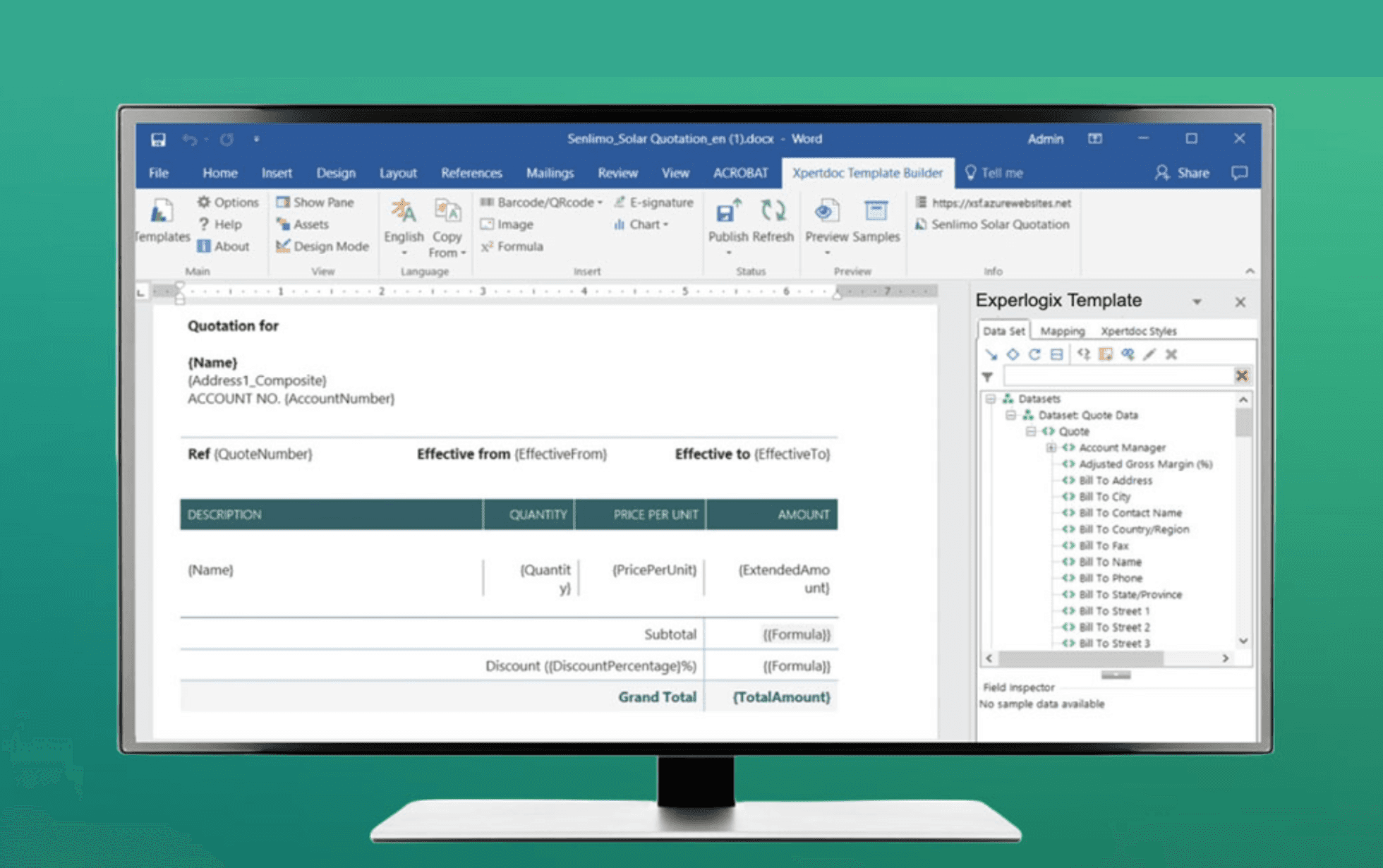 Image source: experlogix.com
Overview
Experlogix brings low‑code rules and CPQ heritage to document automation. If your documents depend on product configurations, pricing, and schedules from ERP or CPQ, this tool translates those rules into accurate outputs with minimal manual edits. It supports complex templates, multi‑document assemblies, and integrations that keep data consistent across the revenue stack.
Key features
- Low‑code business rules tied to CPQ and ERP data
- Dynamic content, complex templates, and assemblies
- Personalization aligned to configurations and pricing
- Admin experience designed for power users, not just developers
Best for
Companies with configuration‑heavy products needing reliable automated document generation aligned to CPQ/ERP
Pricing
Subscription pricing that scales with features and usage. Budget for implementation to align rules and data models.
How to choose the right document automation software
Add a practical lens: prebuilt templates
When I evaluate document automation software, I look for a head start, not just a toolbox. Prebuilt templates provide that boost by giving teams ready‑made structures for common workflows and automated documents. Beyond its powerful co‑authorship and governance features, Lark Docs offers a rich library of prebuilt templates—ranging from project plans and product requirement docs to documents lists and flowcharts—that help teams get started instantly and maintain consistency across workflows.
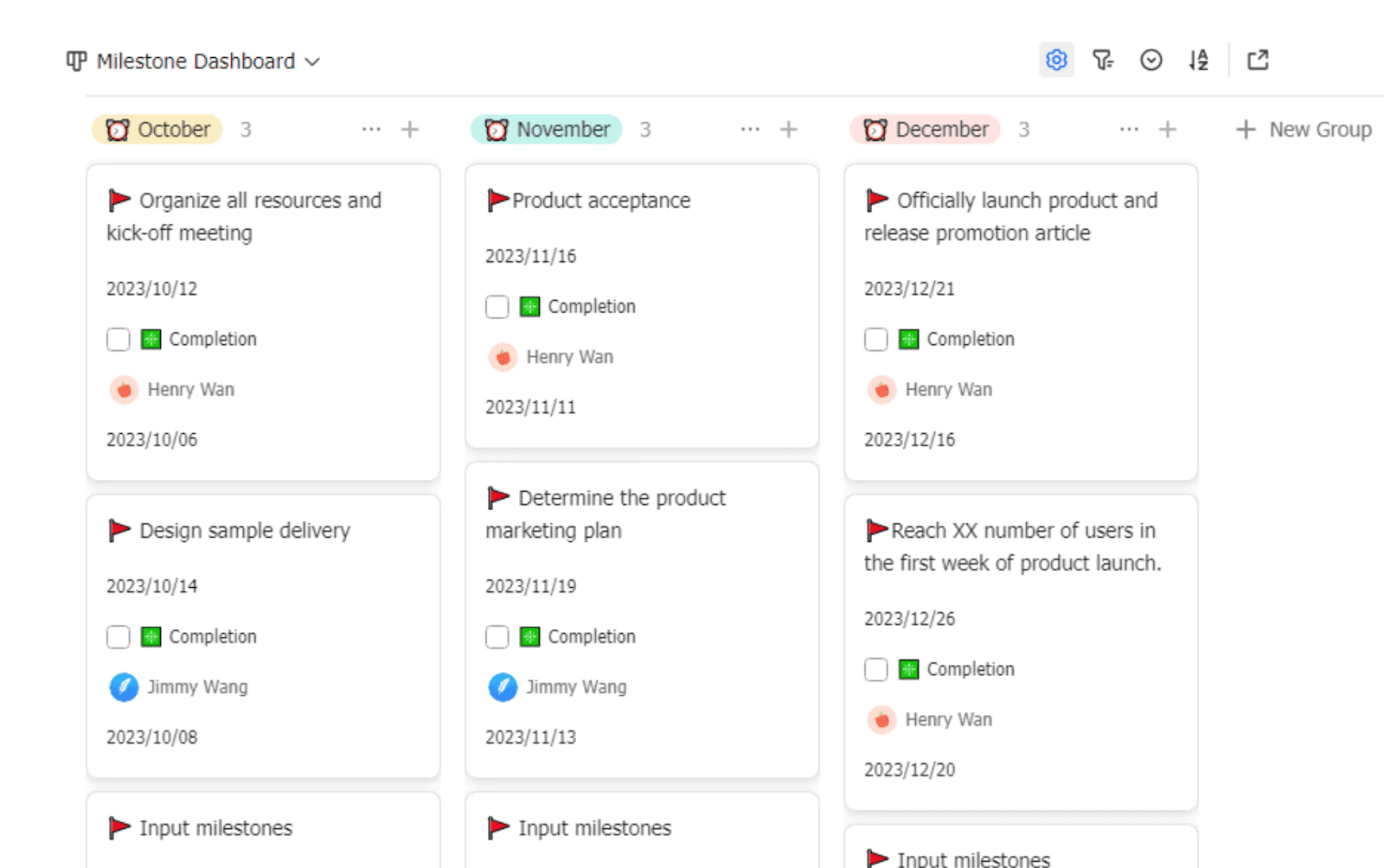 👉 A project introduction template helps you centralize key details, align teams, and streamline execution.
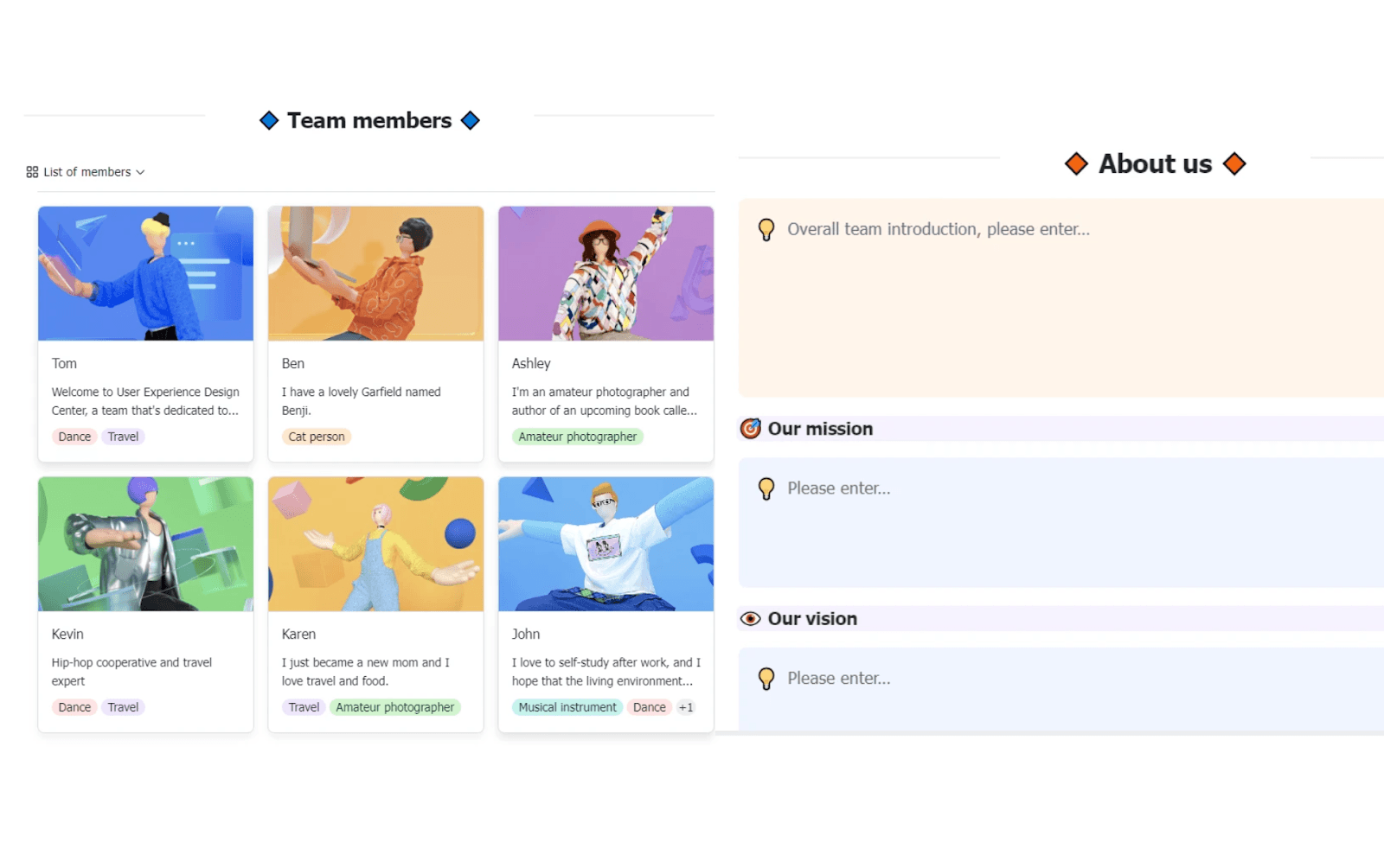 👉 Whether you’re a fast-scaling startup driving innovation or a well-established company adapting to new market demands, this Team Introduction Template helps you unify teams, clarify roles, and communicate your mission with ease.
Align security and compliance with real controls
Trust grows with consistent controls. Legal and compliance teams gain confidence when the platform makes good behavior the default. Keep your policy notes, clause rationale, and advanced permission decisions in Lark Docs, linked to clause records in Lark Base, so context is always available to reviewers and auditors.
Plan for scale and performance
As templates, brands, and jurisdictions expand, complexity rises. A staging area with rollbacks makes continuous improvement safer. Using Lark Base as a lightweight change log—status, owners, effective dates, and update documents —helps everyone see what changed and when without digging through Lark Mail threads.
Choose an admin model that non‑developers can run
Sustainable programs empower admins in legal, sales ops, and revenue ops. Low‑code controls let them adjust clauses, rules, and mappings without a dev queue. I look for preview environments, version comparisons, and easy rollbacks. These traits keep automated document creation nimble and safe. Document your rule logic and field mappings in a shared Lark Doc, link records in Lark Base, and pin them in a team space so new admins ramp quickly.
Conclusion
Document automation works best when it is practical, governed, and integrated. Start with must‑have capabilities. Prove integrations with a POC. Choose an admin model that lets non‑developers maintain rules and templates. Use AI document automation carefully, with review steps and clear logs. As you scale, modular templates and a disciplined clause library protect quality while maintaining momentum.
If you want a collaboration layer that reduces delays, pair your chosen document automation software with Lark. Lark Base holds clause libraries and template metadata, and Lark tasks and chat keep reviews moving so each automated document reaches signature without friction.
FAQs
What’s the difference between document generation and document automation?
Document generation tools produce files from templates and data sources with basic logic. Document automation software spans the full lifecycle: intake, conditional assembly, routing, approvals, e‑signature, system write‑backs, and governed storage. Many teams combine document builder software for free‑form authoring with automation for repeatable, compliant output.
How does automation improve compliance?
Automation makes the right path the easy path. Governed templates and clause libraries apply approved language every time. Access control, version history, and audit logs show who changed what. Rules route sensitive drafts to the right reviewers. Keeping policy notes and approval context in Lark Docs, and linking each clause in Lark Base to its owner and effective date, makes reviews faster and more transparent.
Do I need CLM as well as document automation?
It depends on scope. If you need to automate document creation, review, and e‑signature, a strong automation platform may be enough. If you also manage obligations, renewals, amendments, and post‑signature insights, CLM can help. Many teams link documentation automation software with CLM for contracts and reuse the same engine for proposals, SOWs, and forms.
How long does implementation take?
It varies with complexity. Form‑driven flows can move quickly using low‑code tools. Data‑rich templates across multiple systems take more planning. A short POC with real integrations reduces risk, builds confidence, and sets a realistic rollout plan. Using Lark to coordinate the POC—requirements, tasks, and sample data—keeps everyone aligned without extra meetings.
What are the risks of AI and how do I mitigate them?
AI speeds up intake, validation, and clause suggestions, but it needs guardrails. Keep humans in the loop for high‑risk steps. Protect sensitive data with redaction. Track accuracy over time. Ensure prompts and outputs are traceable. With these controls, AI document automation becomes a safe accelerator rather than a risk. Lark works well as the review surface for AI‑suggested changes, with clear tasks, comments, and acceptance logs.
Where does document assembly fit?
Document assembly software is the rules engine for conditional content. It lets you build multiple outputs from shared components and logic. Pair assembly with orchestration for intake and approvals, and with a DMS for final storage. This combination drives consistent, automated document creation at scale.
Related reading
Table of contents
Start using Lark today

Manage all your work in one place
Boost team efficiency by 10x
Save up to 70% on software costs
Table of contents
Start using Lark today
Manage all your work in one place
Boost team efficiency by 10x
Save up to 70% on software costs
Keep reading







2026 Lark Technologies Pte. Ltd.
Headquartered in Singapore with offices worldwide.






Explore: