Enterprise AI has moved beyond experimentation and into everyday operations. Organizations are no longer evaluating AI based on novelty but on how reliably it supports real work at scale. From planning and coordination to customer engagement and service delivery, AI is increasingly expected to fit into existing processes rather than operate as a separate layer. In enterprise news today, this shift is clear as leaders focus on execution, governance, and measurable outcomes. As a result, platforms that connect AI with structured data, workflows, and collaboration are gaining attention. Tools such as Lark reflect this trend by embedding AI directly into how teams plan, track, and execute work across functions.
Key takeaways: Enterprise AI solutions
1. Lark: AI-powered workspace for enterprise execution
2. Microsoft Copilot: AI assistance across Microsoft 365
3. Google Gemini for Workspace: AI for documents and collaboration
4. Salesforce Einstein: AI for CRM and customer operations
5. ServiceNow AI: AI-driven IT and service management
See how enterprise AI scales in practice
Overview of the best enterprise AI software
Enterprise AI platforms differ widely in how they apply intelligence across organizations. Some focus on individual productivity, while others emphasize execution, governance, or domain-specific workflows. This snapshot highlights how leading enterprise AI solutions compare in focus, capabilities, and ideal use cases.
Information source: Official vendor sites
Update time: 2025-12-29
Note: Pricing and plan details reflect publicly available data as of the update date and may vary based on region, billing cycle, and number of agents.
What enterprise AI really means today
Enterprise AI has evolved beyond experimentation and isolated use cases. Organizations are now looking for systems that can operate reliably across departments, data sources, and compliance boundaries. This evolution is a recurring theme in generative AI enterprise news and enterprise AI updates.
Modern enterprise AI emphasizes repeatability, accountability, and governance. It is not enough for AI to generate output. Those outputs must be explainable, auditable, and actionable within existing business processes. This requirement separates enterprise AI from consumer AI tools.
As AI agents, enterprise news, and news suggest, enterprises are also exploring AI agents that can initiate actions, trigger workflows, and support decisions. These capabilities raise the stakes for structure, permissions, and visibility. What is an enterprise AI solution?
An enterprise AI solution is a platform designed to operate across complex organizational environments. It connects AI capabilities with structured data, , and governance models. Unlike standalone AI tools, enterprise solutions are built to scale across teams and functions.
In enterprise AI news today, enterprise AI solutions are defined by their ability to integrate into daily operations. This includes handling approvals, and maintaining audit trails. Security and compliance are foundational rather than optional.
Enterprise AI solutions also prioritize configurability. Teams can adapt AI behavior without rebuilding systems. This flexibility is critical as enterprise needs evolve.
Examples of enterprise AI at work
Enterprise AI shows up in everyday rather than isolated demos. These examples frequently appear in AI enterprise news today and enterprise AI adoption news.
Finances and fintech
- Hyper-personalized banking: Bank of America's "Erica" now handles millions of client requests each year. It has gone from being a simple chatbot to a financial coach that predicts upcoming bills and suggests transfers to savings.
- Preventing fraud in real time: Mastercard uses generative AI to look through transaction data from billions of cards to guess the full 16-digit card numbers of compromised accounts, stopping fraud before it happens.
- Automated wealth management: Morgan Stanley uses AI to combine thousands of pages of research, enabling advisors to quickly and compliantly create investment summaries for clients.
Manufacturing and shipping
- Digital twins in industry: BMW uses an AI program called SORDI.ai to make 3D digital twins from its factories. It runs thousands of simulations to find the best paths for robots and the best layouts for assembly lines before moving a single machine.
- Predictive supply chains: Walmart uses AI to analyze weather patterns, local events, and social media trends to predict when demand will rise, which cuts inventory holding costs.
- Automated logistics: Domina (a logistics company) uses Google's Gemini models to guess when packages will be returned and automate delivery validation. This makes it easier to get real-time data.
Health care and drugs
- Faster drug discovery: Pharmaceutical companies now use AI to look at molecular structures and guess how well a compound will work. This cuts research and development time from years to months.
- Diagnostic assistance: AI systems are now better than specialists at finding early-stage diabetic retinopathy and some tumors in medical imaging. They act as a "second pair of eyes" for radiologists.
- Operational intelligence: Systems now keep track of "patient flow" in hospitals, predicting when the most people will arrive at the ER so that staffing levels and bed availability can be improved.
Consumer goods and retail
- Virtual try-ons: Sephora and Wayfair use AI and Augmented Reality (AR) together to let customers "try on" makeup or put furniture in their homes virtually. This cuts down on returns significantly.
- Dynamic pricing: Retailers use AI to adjust prices in real time based on what competitors are doing, their stock levels, and local demand. Most retailers now set "price floors" to protect their brand. These capabilities are also becoming a core part of AI in ecommerce, where businesses use dynamic pricing to stay competitive while protecting margins.
- Worker productivity: Procter & Gamble used an internal GenAI tool called "ChatPG" to automate meeting notes, document summaries, and first drafts of creative briefs.
Corporate operations
- AI-accelerated engineering: Reportedly, software teams at big companies use AI agents to write, test, and document code, speeding up product development compared to traditional methods.
- Smart document processing: Volvo uses AI to read, translate, and process thousands of invoices and claims, which saves the company more hours of work each year.
- HR & recruitment: AI now screens resumes for specific skills and automatically sets up interviews. This lets HR teams focus on culture fit and high-level strategy.
Why enterprises need AI solutions
Enterprises operate on a scale where manual coordination inevitably breaks down. Information silos, slow approvals, and inconsistent data reduce speed and accuracy. Below are the core reasons why a dedicated enterprise AI solution is a requirement rather than a luxury:
- Breaking data silos and information fragmentation: In large organizations, vital information is often trapped in separate drives or individual chats. An enterprise AI solution indexes this cross-functional data, providing a unified "intelligence layer" that makes institutional knowledge instantly accessible to every department.
- Scaling operational velocity with automation: Manual coordination, such as chasing status updates or routing approvals, becomes a bottleneck as companies grow. Leveraging ensures these "hand-offs" move at the speed of software rather than the speed of manual email replies.
- Mitigating human error in complex data processing: As data volume increases, the risk of human error in analysis grows. AI solutions provide consistent, rule-based data processing—such as identifying anomalies in a million-row warehouse log—that human teams simply cannot perform manually with the same accuracy.
- Standardizing governance and compliance at scale: Consumer-grade AI lacks the audit trails required by major corporations. By implementing an , enterprises can embed governance directly into their tools, ensuring that AI-generated actions are traceable, permissions-compliant, and aligned with industry regulations like GDPR or SOC2.
- Converting high-level strategy into actionable tasks: A major challenge in enterprise management is the "execution gap." AI helps bridge this by automatically breaking down high-level strategic goals (OKRs) into specific tasks and assignments, ensuring that day-to-day work is always aligned with the company's broader mission.
- Proactive risk identification and decision support: Rather than reacting to problems after they occur, enterprise AI analyzes real-time trends to predict risks. This proactive approach to allows leaders to pivot proactively based on data-driven insights rather than gut feeling.
Explore enterprise AI pricing for execution
Leading 7 enterprise AI tools shaping modern organizations
The following tools represent different approaches to enterprise AI. Each platform reflects trends discussed in AI news today, enterprise AI updates today, and generative AI enterprise news today.
1. Lark: AI-powered workspace for enterprise execution
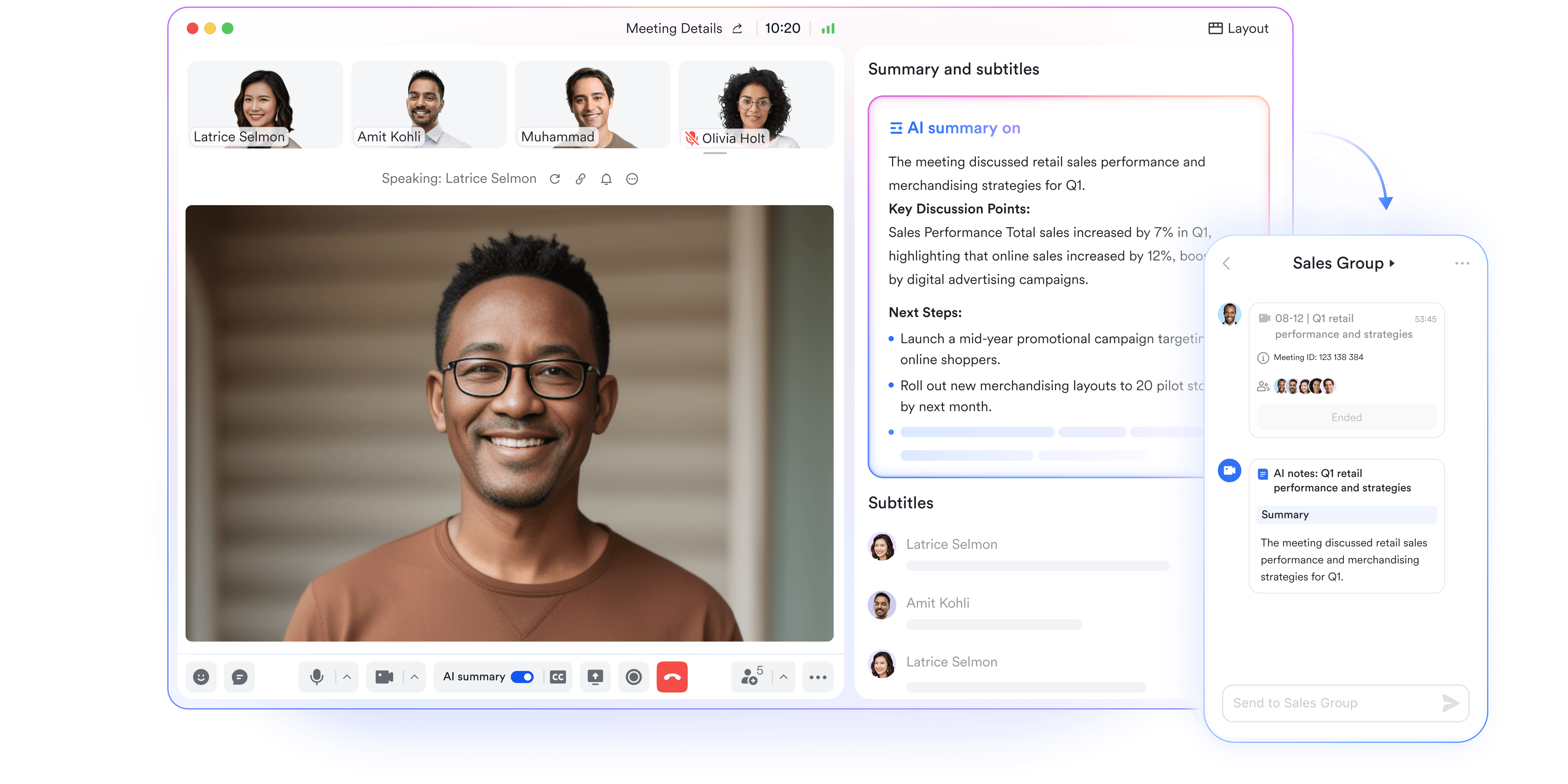
Lark approaches enterprise AI from an execution first perspective. Instead of adding AI as a layer on top of existing tools, Lark embeds AI directly into documents, data, workflows, and communication. This design aligns with how enterprises actually operate day-to-day. In enterprise AI adoption news, platforms like Lark are increasingly recognized for connecting AI outputs to ownership and action. Lark focuses on helping teams move from insight to execution without switching tools. is particularly relevant for cross-functional teams managing ongoing operations rather than isolated projects.
AI-powered tables for faster, smarter data handling
Lark Base tables use AI to reduce the manual effort required to manage structured data. With AI field shortcuts, teams can translate text, summarize long entries, extract key details, categorize records, or generate new content directly inside table fields. AI also recommends relevant records when using link fields, helping teams connect related data without manual searching. For complex calculations, AI-generated formulas remove the need to write or debug formulas, allowing non-technical users to perform advanced data processing confidently and accurately. 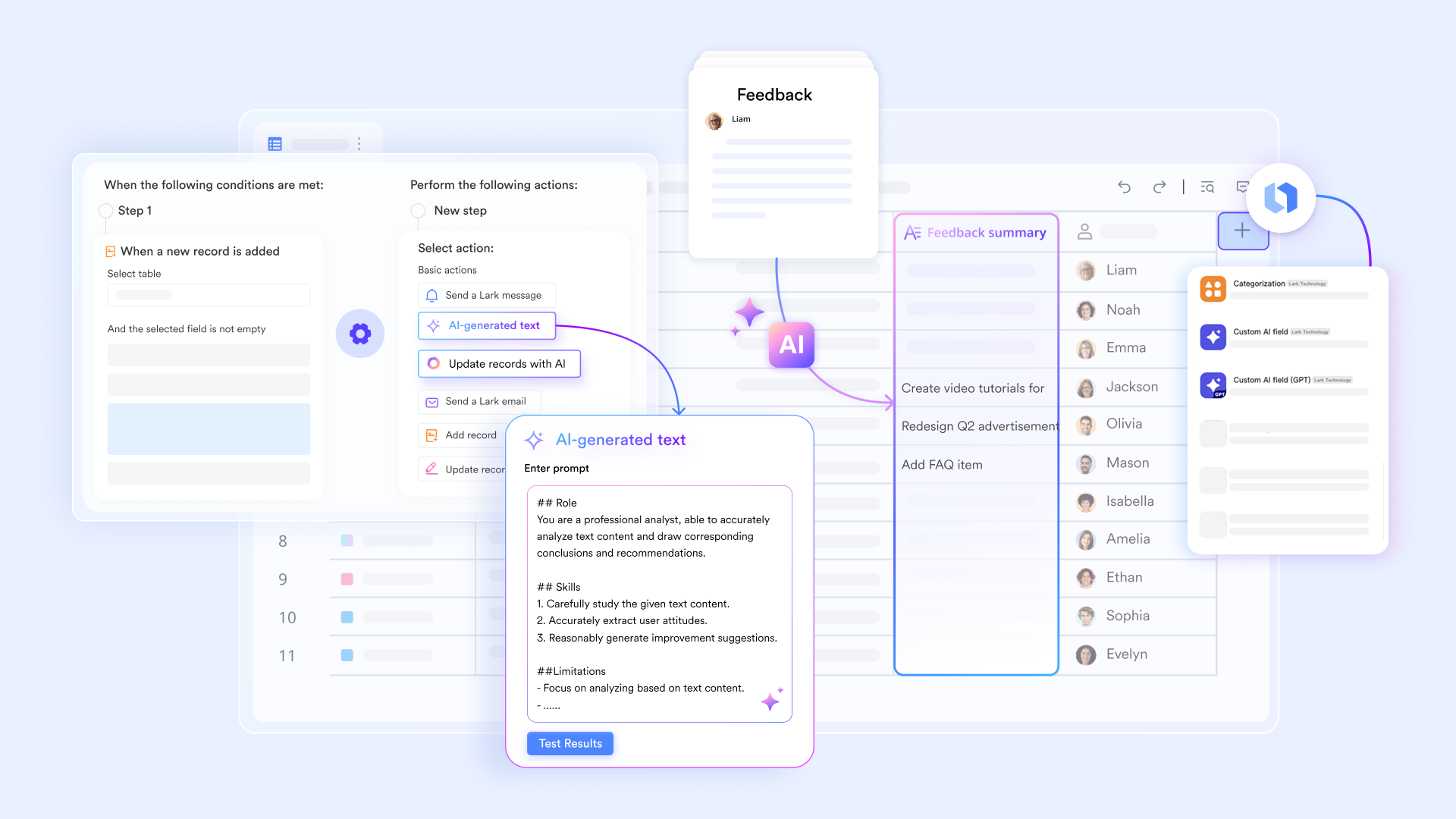
Intelligent data entry and formatting with smart controls
Lark simplifies data consistency through Lark AI-generated options and smart formatting tools. When creating single-select or multi-select fields, AI can suggest relevant options automatically based on existing data, saving setup time and improving standardization. Smart coloring applies conditional formatting visually across rows or columns, making risks, priorities, or status changes instantly visible. Combined with the smart toolbar, users can polish, summarize, or translate text in bulk, keeping records clean and readable at scale. 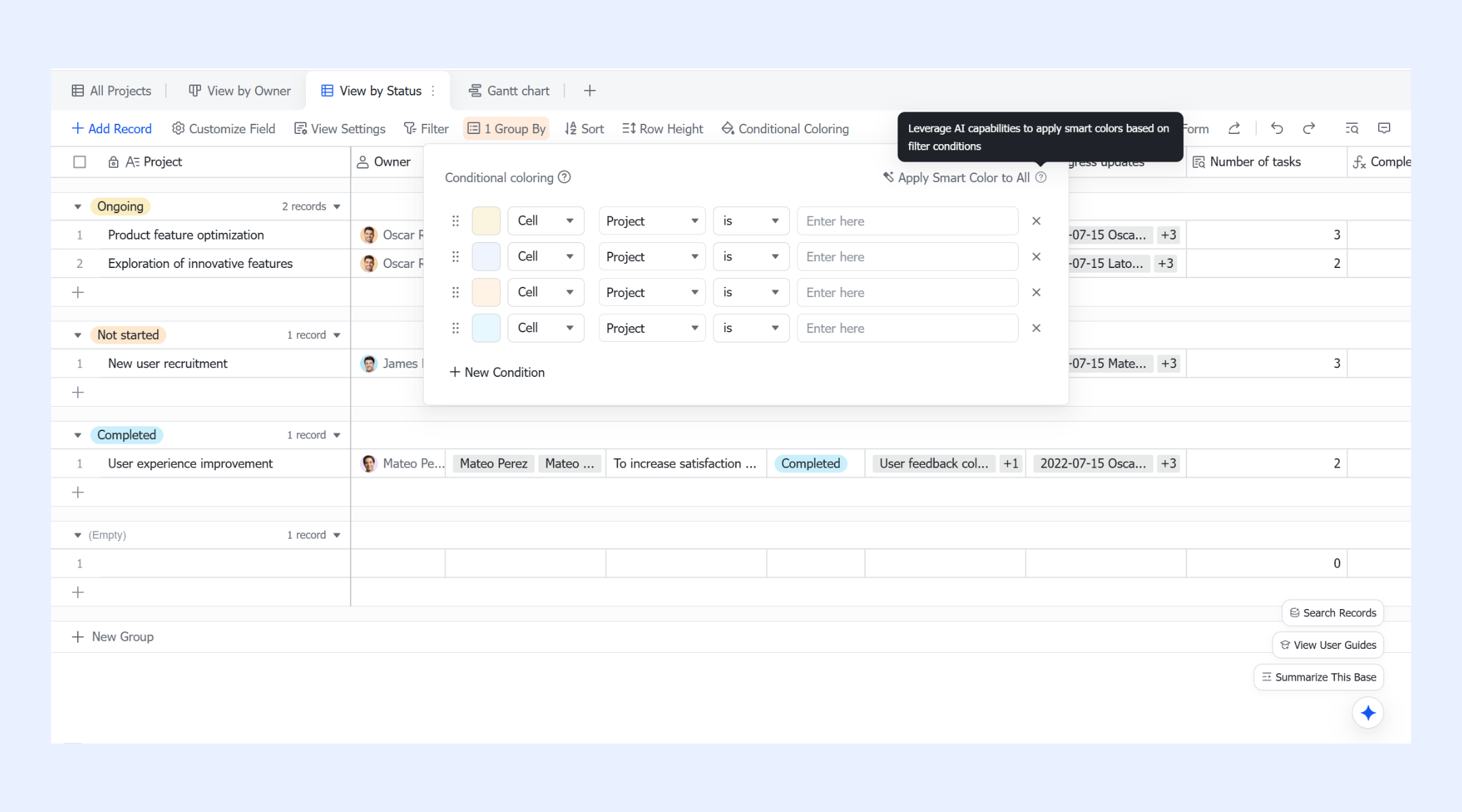
AI-assisted automation and workflow actions
Lark Base automation feature extends AI beyond static data into automations and workflows. AI-generated text can dynamically create summaries, notes, notifications, or task descriptions using live field data or outputs from previous . This allows workflows to adapt their messaging and actions automatically based on context. As a result, routine processes like approvals, handoffs, and updates stay accurate and informative without repetitive manual input. 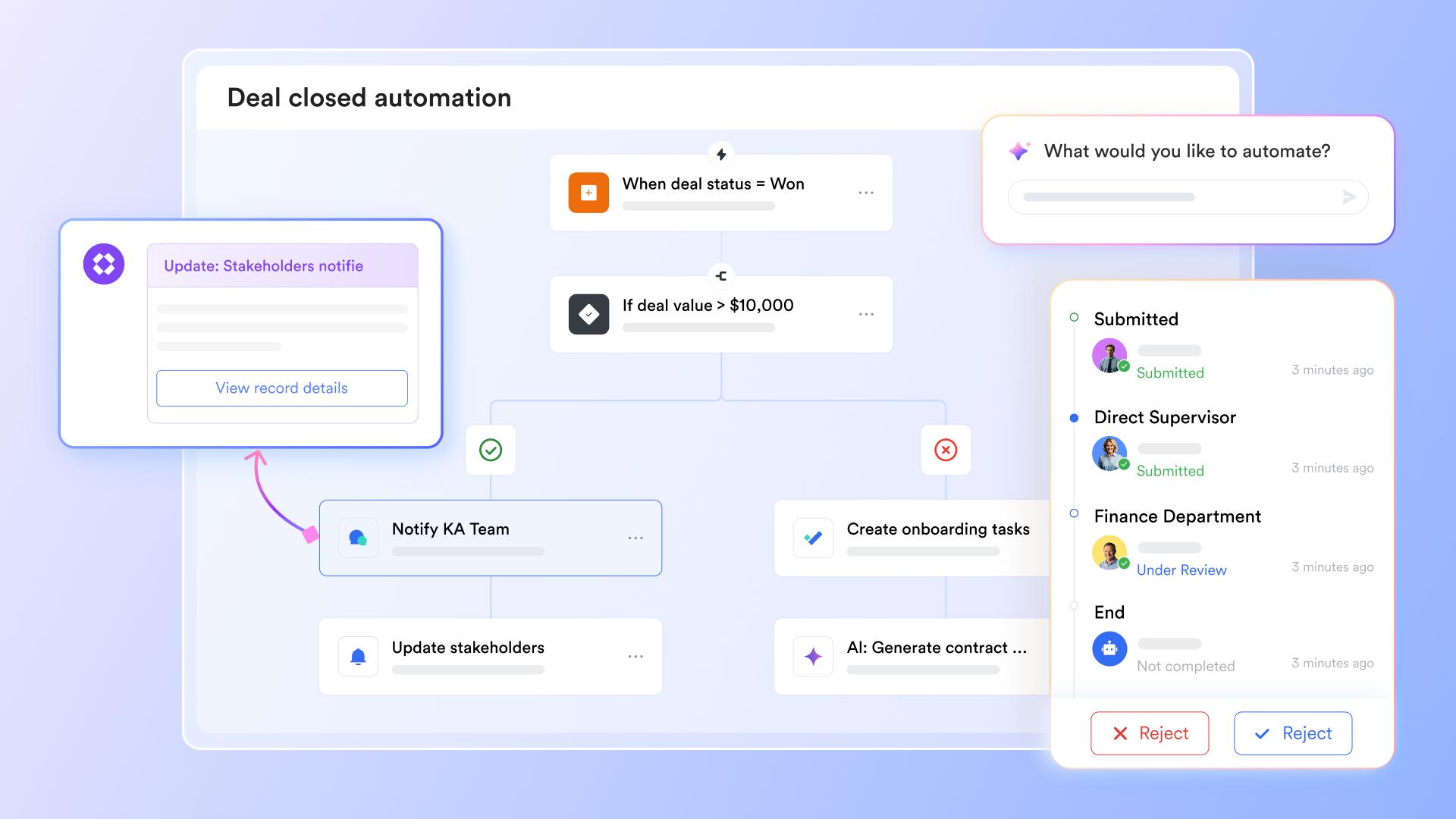
Conversational data analysis with smart Q&A
allows teams to interact with their data using natural language through AI Q&A. Users can ask questions about table data, metrics, or trends without building queries or filters manually. This lowers the barrier to analysis for non-technical users and speeds up decision-making. Smart Q&A also helps users understand how to use Base features, turning the workspace itself into an interactive, AI-guided system. 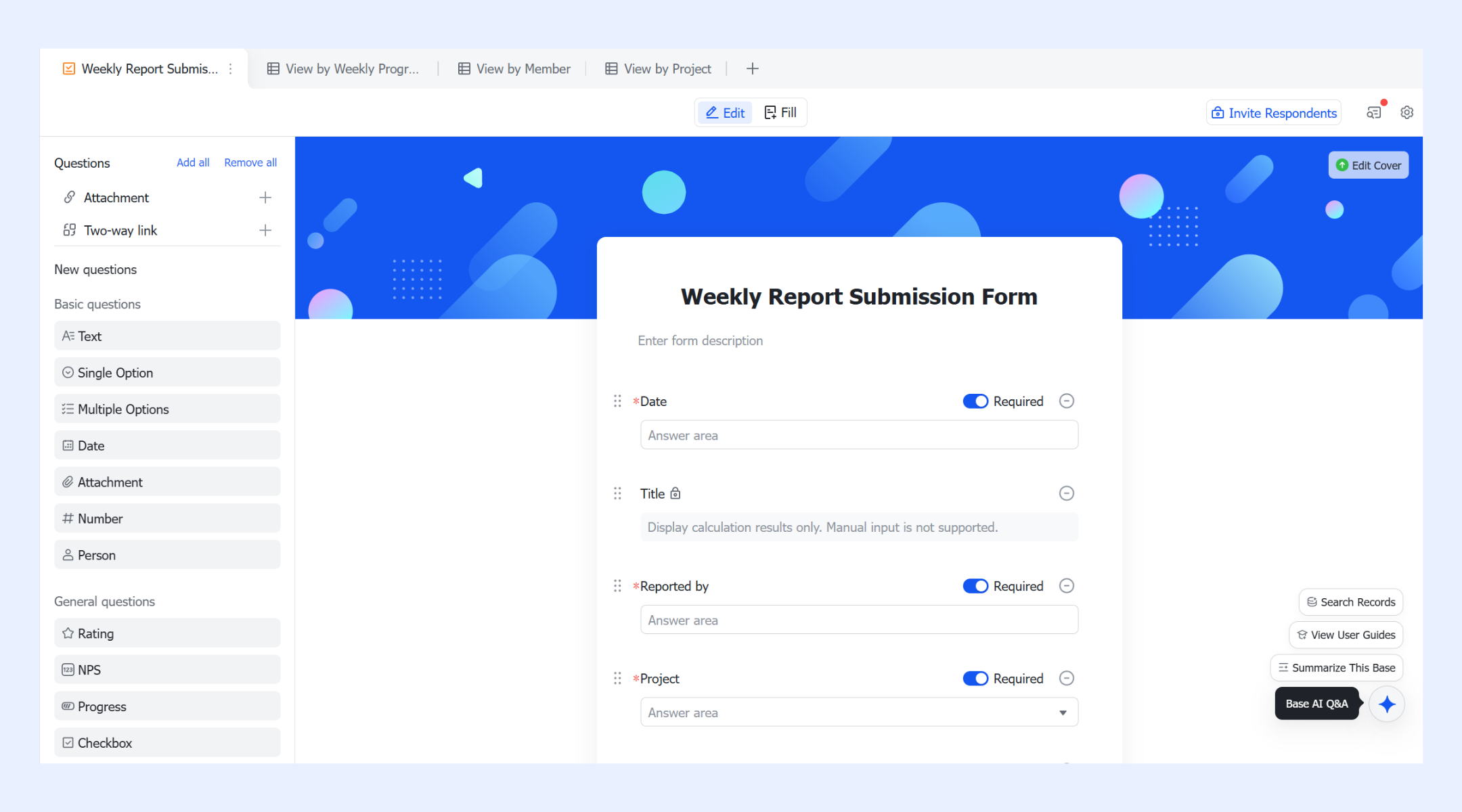
AI-powered meeting notes for executive efficiency
transforms every conversation into a strategic asset by automatically transcribing meetings and generating concise, high-level summaries for immediate review. Using advanced speaker identification and sentiment analysis, the AI highlights key decisions and critical moments, allowing executives to grasp the outcome of a one-hour session in just seconds. These bridge the gap between discussion and execution by automatically extracting action items and suggesting task assignments based on spoken context. This eliminates the need for manual , ensuring that every participant stays fully engaged while the AI handles the documentation and organization.
:
- Starter plan: Free forever plan that includes 11 powerful tools for up to 20 users. It also comes with 100GB of storage, 1000 automation runs, AI translations, and more.
- Pro plan: $12/user/month (billed annually) for up to 500 users. It includes everything in Starter plus group calling for up to 500 attendees, 15TB of storage, 50,000 automation runs, and more.
- Enterprise plan: for custom pricing. Supports unlimited users and includes even more automation runs and advanced security, compliance, and management features.
For small teams with simple communication needs

18 months message history
1000 Base automation runs/month
2000 rows per table in Base
Most POPULAR
For companies with comprehensive collaboration and management needs
Unlimited message history
500-participant video meetings
50k Base automation runs/month
20k rows per table in Base
For large companies with advanced security and organizational management needs
Get a personalized demo and pricing
Unlimited message history
500-participant video meetings
15 TB storage + 30 GB storage/user
500k Base automation runs/month
50k Base automation runs/month
Most POPULAR
For companies with comprehensive collaboration and management needs
Unlimited message history
500-participant video meetings
50k Base automation runs/month
20k rows per table in Base
2. Microsoft Copilot: AI assistance across Microsoft 365
Microsoft Copilot extends AI into familiar Microsoft 365 applications. Its primary goal is to improve individual productivity rather than redesign workflows. Copilot works best in organizations already standardized on Microsoft tools. In enterprise AI news today, Copilot is often positioned as a low-friction entry point for AI adoption. It enhances existing habits instead of changing operating models.
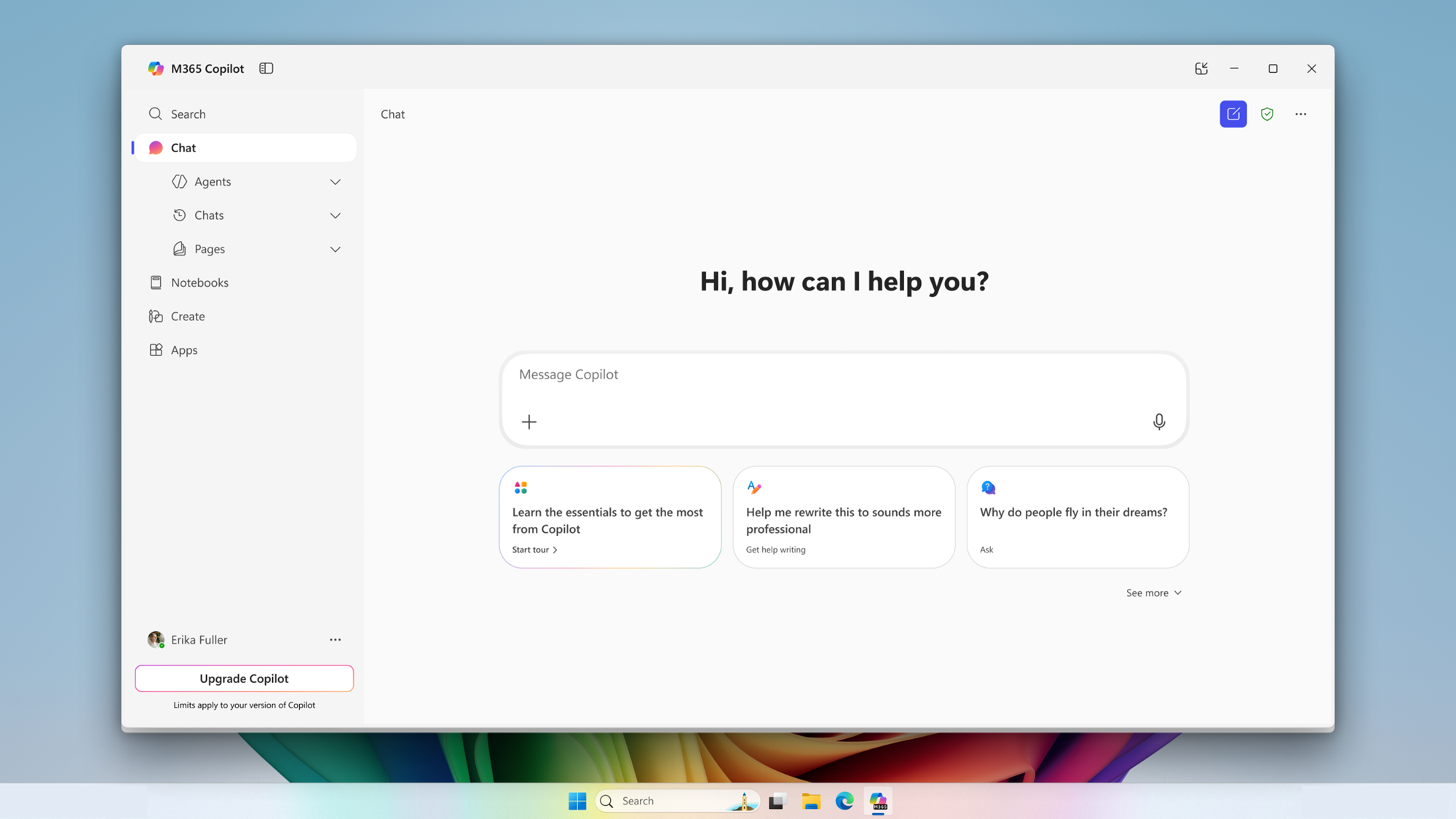
Image source: microsoft.com
Key features
- AI assisted document drafting and editing: Copilot helps generate, rewrite, and summarize content inside Word and PowerPoint. Users save time on routine writing while maintaining control over final outputs.
- Data analysis support in Excel: AI suggests formulas, explains trends, and summarizes datasets. Business users work with complex data more confidently.
- Email and communication assistance: Copilot summarizes long email threads and drafts responses in Outlook. This reduces inbox overload and improves clarity.
- Meeting summaries and action items: Team meetings generate AI summaries, notes, and follow up tasks. Alignment improves after discussions.
3. Google Gemini for Workspace: AI for documents and collaboration
Google Gemini focuses on content creation and collaboration within Google Workspace. It enhances Docs, Sheets, Gmail, and Drive with AI writing and summarization capabilities. Gemini emphasizes speed and accessibility for everyday work. In generative AI enterprise news, it is frequently described as a strong writing and research assistant. It fits teams centered on shared documents and lightweight workflows.
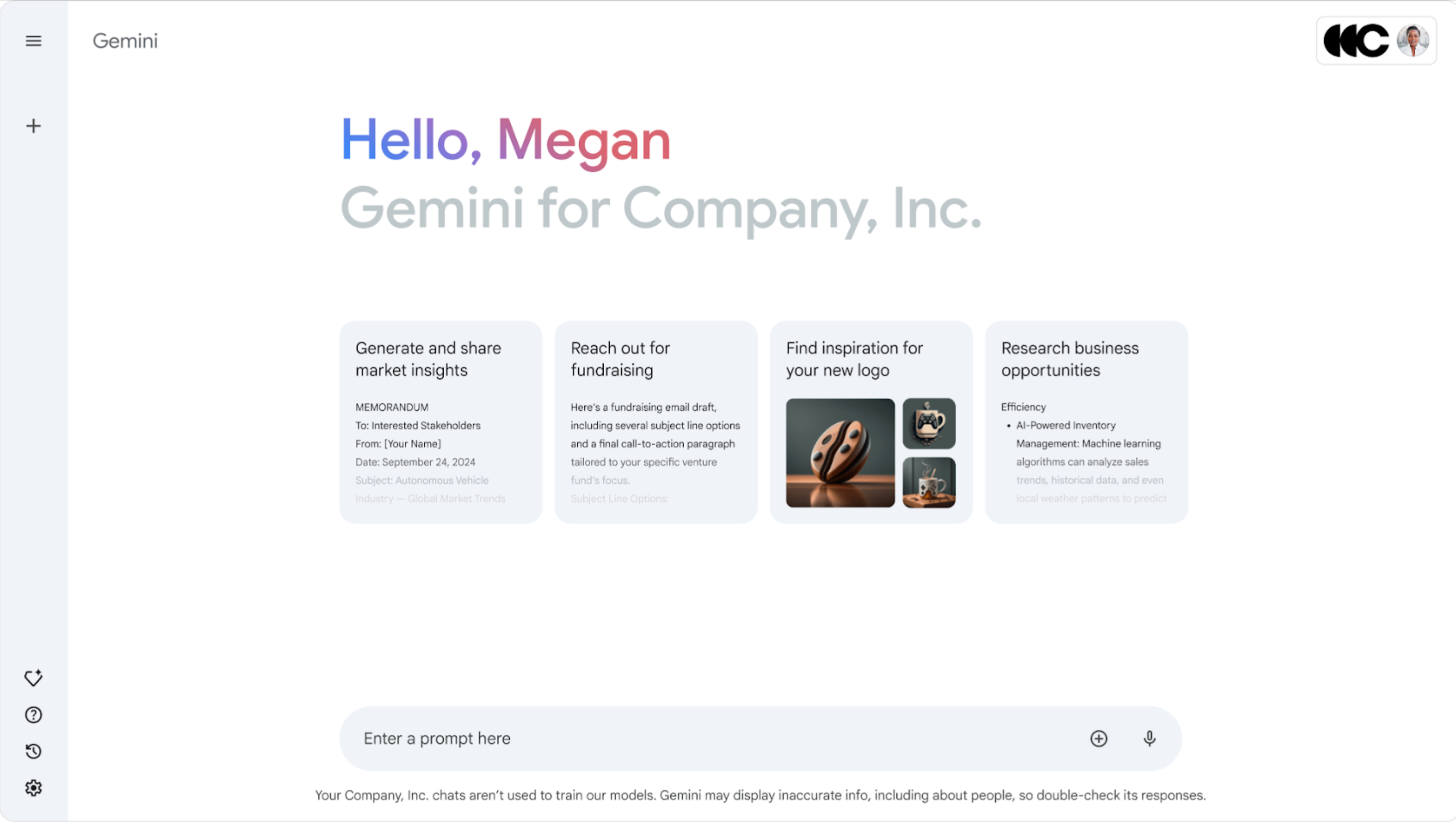
Image source: google.com
Key features
- Writing assistance in Google Docs: Gemini drafts, rewrites, and refines content directly in documents. Teams improve writing speed and consistency without leaving their workspace.
- Data summaries and explanations in Google Sheets: AI highlights patterns, explains tables, and suggests insights. Non-analysts understand data more easily.
- Email drafting and summarization in Gmail: Gemini summarizes conversations and drafts replies. Users spend less time managing inboxes.
- Contextual search across Google Drive: Natural language search finds relevant information across files. Knowledge retrieval becomes faster and more intuitive.
4. Salesforce Einstein: AI for CRM and customer operations
Salesforce Einstein is built specifically for customer facing workflows. It embeds AI into CRM processes such as forecasting, recommendations, and service automation. Einstein is tightly coupled with the Salesforce ecosystem. In enterprise AI solutions discussions, it is positioned as a domain focused AI rather than a general workspace platform. It works best for sales and service teams.
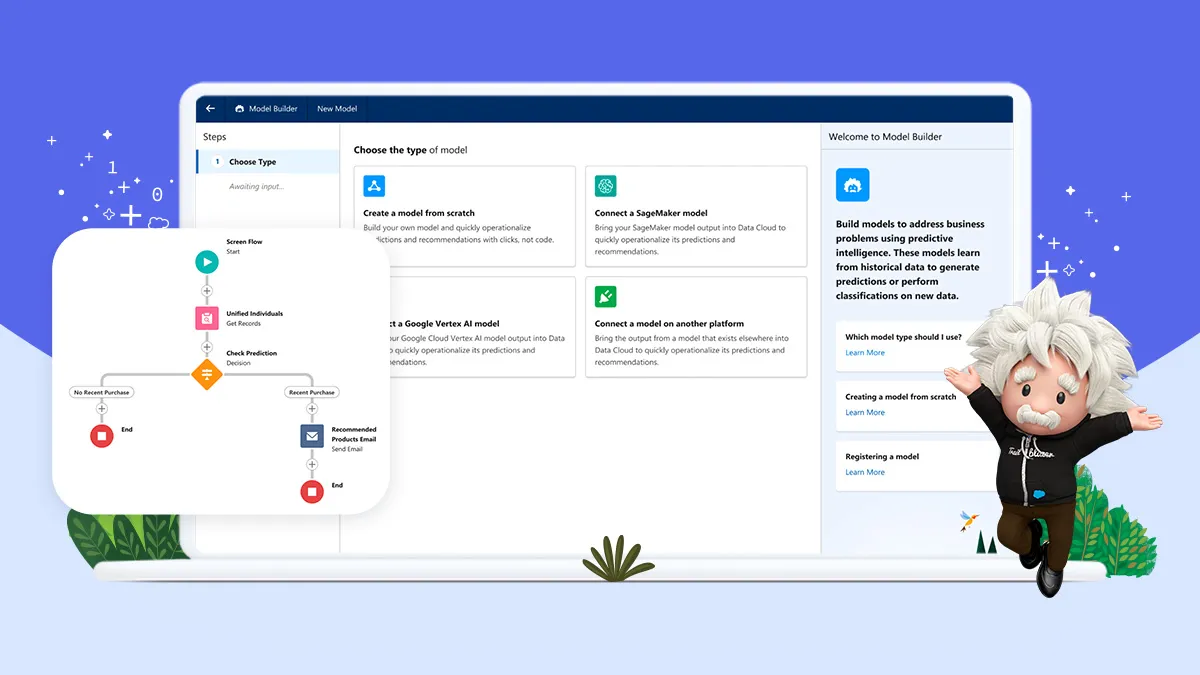
Image source: salesforce.com
Key features
- and opportunity scoring: Einstein predicts deal outcomes and prioritizes opportunities based on historical and real-time data. Sales teams focus effort on high-impact accounts.
- Automated recommendations for next actions: AI suggests follow-ups, content, and timing based on customer behavior. Consistency improves across sales and service teams.
- Customer sentiment and intent analysis: Einstein analyzes interactions to surface sentiment trends and intent signals. Teams respond more effectively to customer needs.
- Service case classification and routing: Support requests are categorized and routed automatically. Resolution times improve as workloads balance.
5. ServiceNow AI: AI-driven IT and service management
ServiceNow AI focuses on large-scale IT and enterprise service operations. It applies AI to incidents, requests, and operational workflows. Stability, predictability, and governance are central to its design. In enterprise AI agents news, ServiceNow is often highlighted for automating responses with strong controls. It fits organizations with complex service environments.
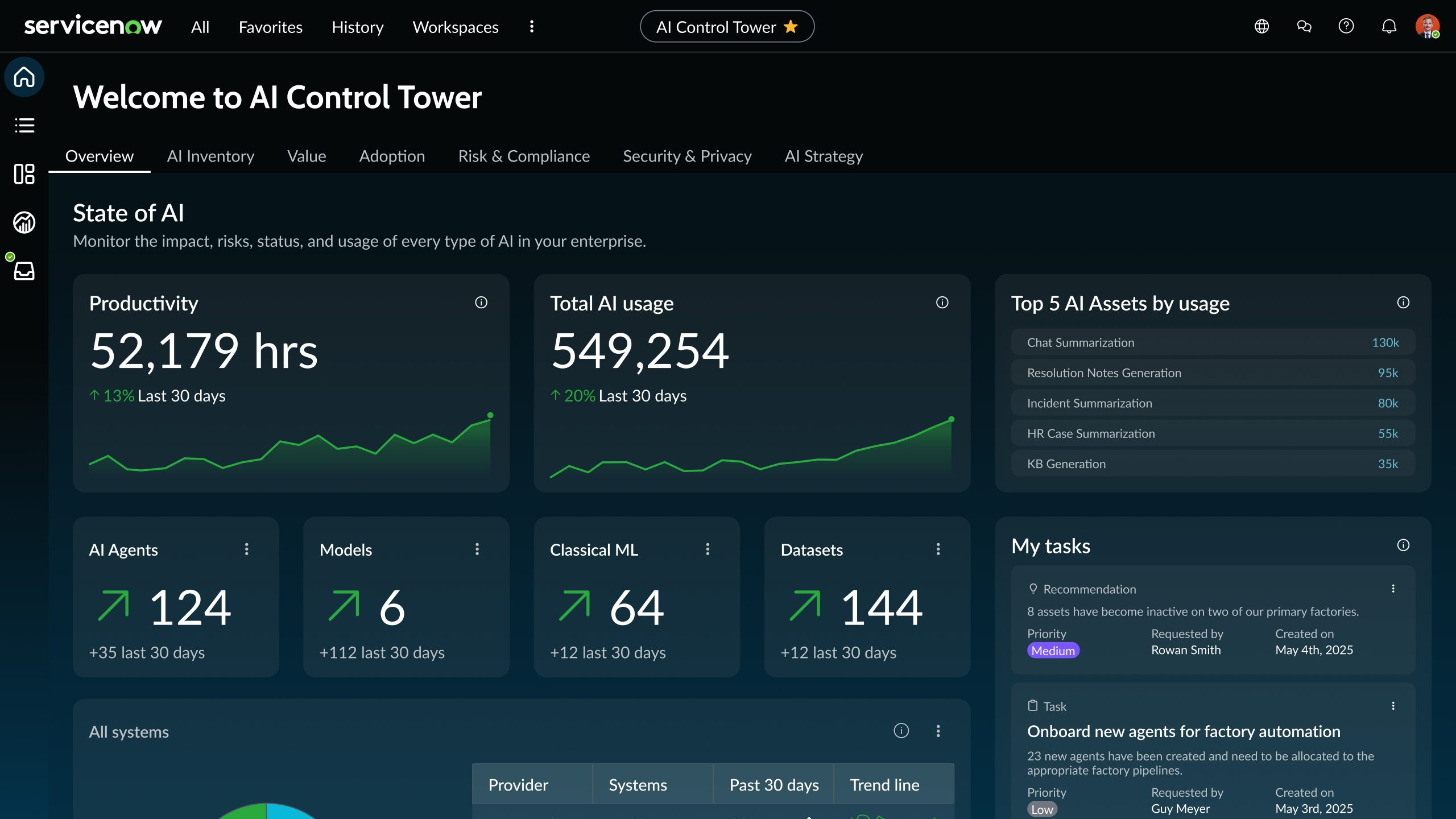
Image source: servicenow.com
Key features
- Incident prediction and anomaly detection: AI identifies potential issues before they escalate into outages. IT teams act proactively rather than reactively.
- Automated ticket classification and routing: Requests are categorized and assigned automatically. Manual triage work is significantly reduced.
- for service delivery: Standard service processes run with minimal human intervention. Consistency improves across teams.
- Service performance insights: AI highlights trends in service health and response times. Leaders gain visibility into operational efficiency.
6. IBM watsonx: Enterprise AI and governance platform
IBM watsonx is designed for enterprises building and managing AI systems at scale. It focuses on model development, governance, and lifecycle management. Trust, transparency, and compliance are core priorities. In enterprise AI updates, Watsonx is often associated with regulated industries. It suits organizations that require strict oversight of AI behavior.
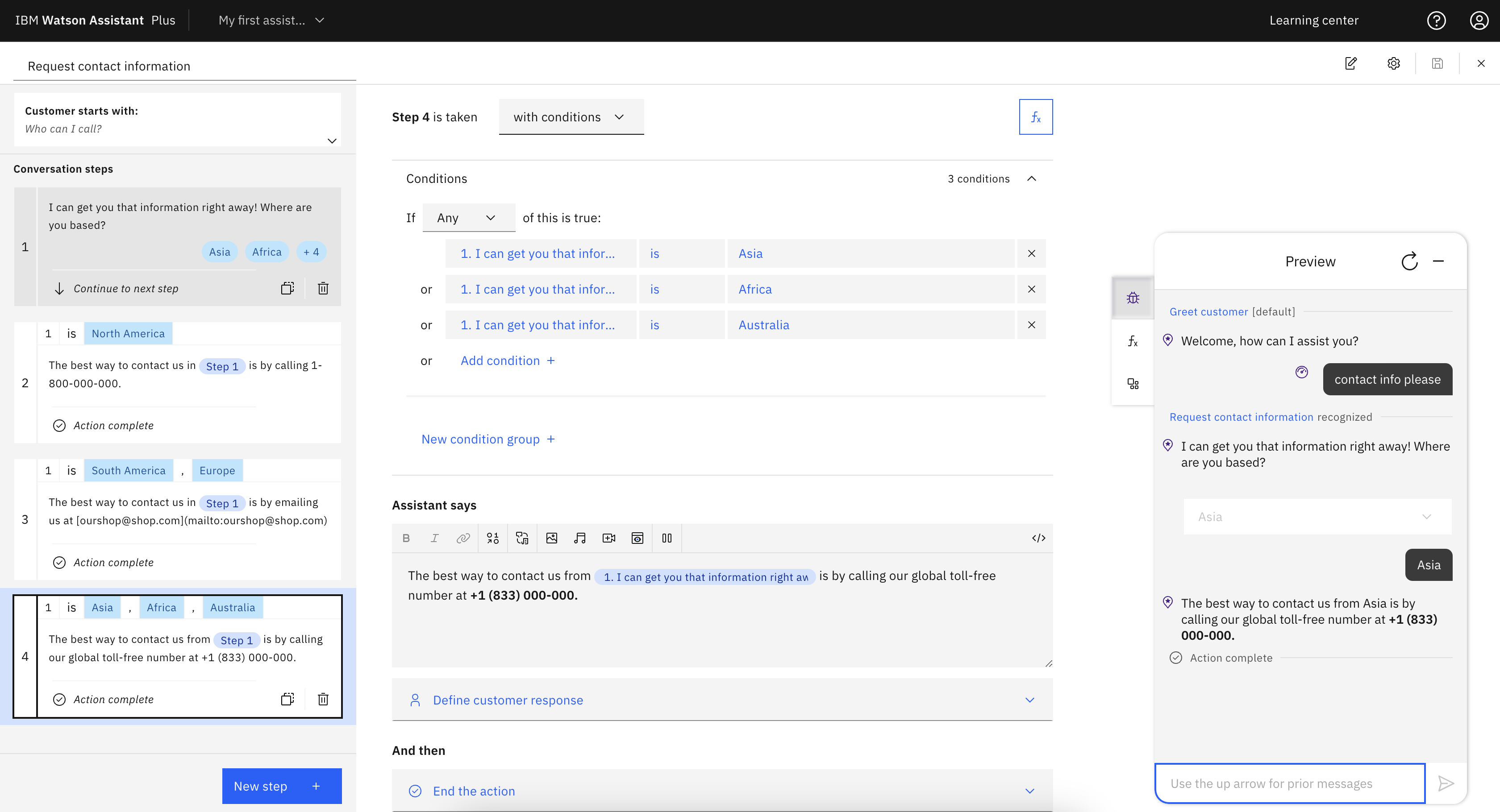
Image source: ibm.com
Key features
- Model training and deployment tools: Teams build, deploy, and manage AI models in controlled environments. This supports diverse enterprise use cases.
- AI governance and risk management: Watsonx tracks model behavior, bias, and compliance signals. Audit and regulatory requirements are easier to meet.
- Explainability and transparency capabilities: Models can be inspected and explained clearly. Stakeholders understand how decisions are produced.
- Hybrid and multi-cloud support: AI workloads run across different infrastructures. This aligns with complex enterprise architectures.
7. UiPath: AI-enhanced robotic process automation
UiPath combines robotic process automation with AI-driven decision making. It focuses on automating repetitive and rule-based work across systems. UiPath frequently appears in agentic AI enterprise news as a bridge between reasoning and execution. It works best in processing heavy environments. The platform is designed to scale automation reliably.
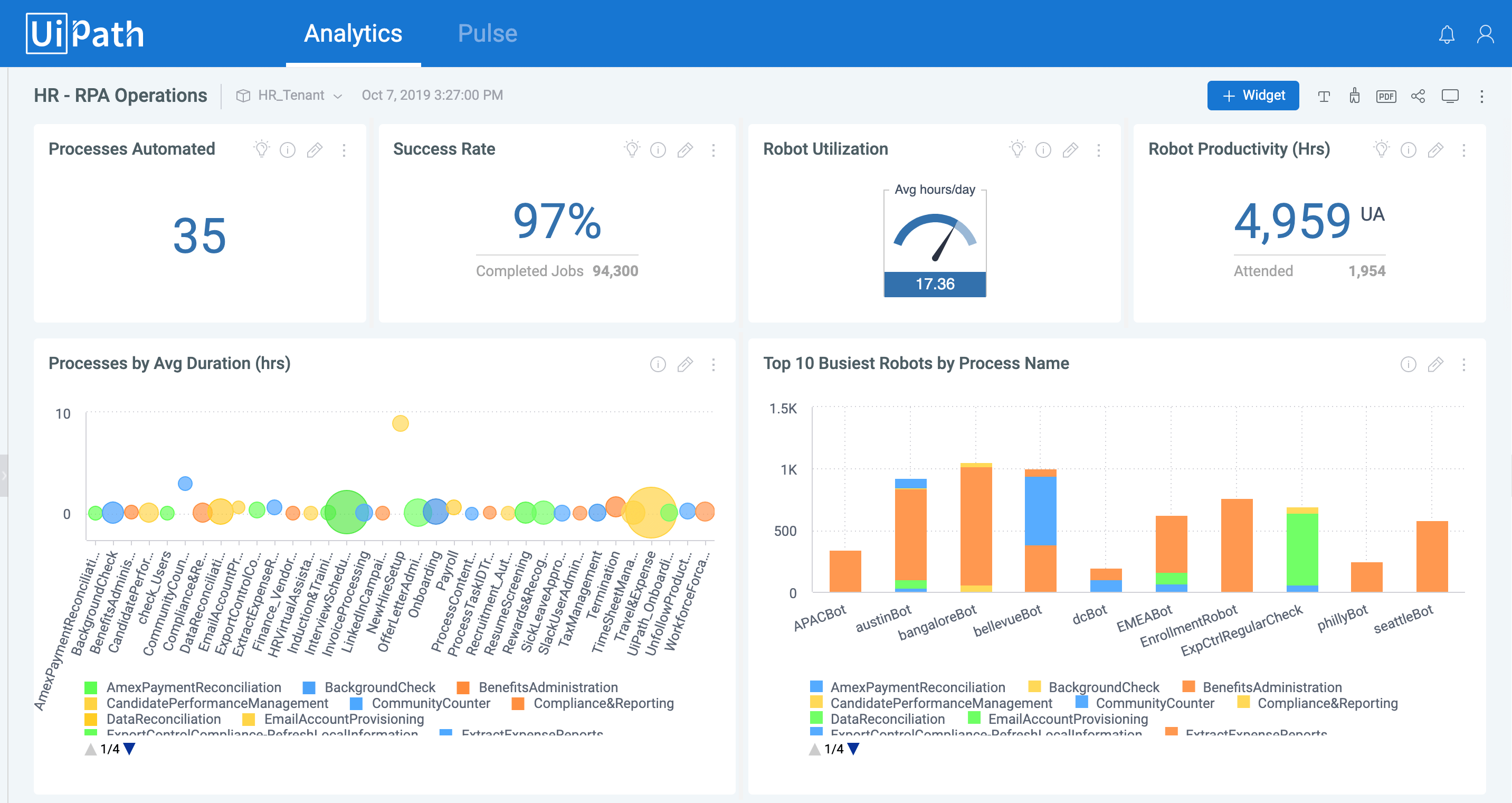
Image source: uipath.com
Key features
- AI-driven robotic : Bots automate structured tasks across applications and systems. Manual effort drops significantly across operations.
- Document understanding and data extraction: AI reads and processes unstructured documents. Information flows into downstream systems automatically.
- Process mining and optimization: UiPath analyzes workflows to identify inefficiencies. Automation targets the highest impact processes.
- Human in the loop controls: AI-driven actions can require approvals when needed. This balances automation speed with enterprise oversight.
Common enterprise AI adoption pitfalls to avoid
As enterprise AI adoption accelerates, many organizations encounter the same structural challenges. These issues rarely stem from model quality alone and are more often caused by how AI is introduced into real workflows. In enterprise AI adoption news, failed or stalled initiatives often share common patterns. Understanding these pitfalls helps teams move beyond experimentation and achieve reliable execution. Avoiding them early reduces risk and improves long-term returns.
- Treating AI as a standalone tool instead of embedding it in workflows: When AI is deployed separately from core processes, insights fail to translate into action. Teams generate output but still rely on manual steps to execute decisions. This disconnect limits adoption and reduces measurable impact on scale.
- Over-reliance on unstructured documents and chat data: Relying heavily on unstructured inputs makes AI outputs inconsistent and hard to validate. Important context is often missing, duplicated, or outdated. Enterprises struggle to maintain accuracy as data volume grows.
- Lack of ownership and approval paths for : Without clear responsibility, AI-generated recommendations remain unexecuted or are applied inconsistently. Approval gaps create risk, especially in regulated environments. Teams lose confidence in automated decisions.
- Poor visibility into how AI decisions are made: When AI outputs cannot be explained or traced, trust erodes quickly. Stakeholders hesitate to act on recommendations they cannot validate. Transparency becomes essential for enterprise adoption.
- Scaling AI without governance or auditability: Expanding AI usage without controls increases . Enterprises need audit trails and permission models to scale safely. Governance must grow alongside adoption.
Conclusion
Enterprise AI has entered a more mature phase. The focus is no longer on novelty but on execution, accountability, and scale. Across AI enterprise news, enterprise AI news today, and generative AI enterprise news today, one message remains consistent. AI delivers value when it is embedded into how work actually happens, not when it sits alongside existing processes.
Different platforms continue to serve different needs. Productivity assistants support individual efficiency, while domain-specific AI strengthens sales, service, or IT operations. Increasingly, execution focused platforms are used to connect insights into real actions across teams. Tools such as reflect this shift by placing AI directly inside documents, data, and workflows where day-to-day decisions are made.
As adoption accelerates, governance, transparency, and matter more than raw model capability. Teams that treat AI as part of their operating system, rather than an add-on, tend to see faster and more durable returns. Enterprise AI is becoming less about intelligence alone and more about coordinated execution at scale.
Turn enterprise AI into execution using Lark
FAQs
What is the difference between generative AI and enterprise AI?
focuses on creating outputs such as text, images, or code. Enterprise AI includes these capabilities but adds governance, security, and . In enterprise AI news today, enterprise AI is defined by its ability to operate safely at scale. Accountability and execution matter as much as generation quality. Platforms like Lark reflect this shift by embedding AI into structured work, a distinction often noted in generative AI enterprise news.
Can enterprise AI operate without exposing sensitive data?
Enterprise AI platforms are designed with permission controls and role based access. Sensitive information can remain restricted while AI operates on approved data. Enterprise AI updates frequently highlight privacy preserving architectures as essential. This approach allows intelligence without broad data exposure. Tools like Lark align AI behavior with existing ownership and access rules.
What skills do teams need to manage enterprise AI systems?
Teams need a mix of operational, analytical, and governance skills to manage enterprise AI. Technical expertise supports configuration, while business knowledge guides use cases. Enterprise AI adoption news shows that shared ownership across teams is critical. AI management becomes part of daily operations. Platforms such as Lark reduce complexity by placing AI within familiar workflows.
How long does it take to see ROI from enterprise AI?
timelines vary depending on use cases and implementation depth. Productivity gains often appear early, while workflow transformation takes longer. In AI news today's enterprise, organizations report faster returns when AI supports existing processes. Clear ownership accelerates results. Systems like Lark help shorten time to value by linking AI outputs directly to execution.
Related reading




























