














Form Lead: How to Create and Manage High-Converting Lead Forms

Ryan Tanner
Product Marketing Specialist
Sep 18, 2026
Ryan Tanner
Sep 18, 2026

14 min read


A form lead is often the first step in converting a website visitor into a potential customer. Whether embedded on a landing page, shown as a pop-up, or used within platforms like LinkedIn or Facebook, a well-structured lead capture form collects essential details such as name, email, or company so teams can understand buyer intent. However, capturing information alone is not enough. Effective lead generation also requires clear follow-up processes, organized data handling, and collaboration between sales and marketing teams.
This guide covers how to design high-converting lead forms, the different form types available, and how Lark can support centralized lead collection and management without adding complexity.

What is a lead form?
A lead form is a structured digital form used to collect information from potential customers who are interested in a product, service, or resource. It usually requests details such as name, email, company, and sometimes additional qualifiers like role or budget. A well-designed lead capture form helps convert site visitors into identifiable prospects who can be followed up by sales and marketing teams. These forms may appear as embedded fields on landing pages, pop-ups, chat-based forms, or within platforms like Facebook lead form or LinkedIn lead gen form tools, which often auto-fill profile data.
In some contexts, the term can also refer to compliance documents, such as a lead paint disclosure form or lead disclosure form, but in marketing, the focus is on generating qualified interest. A clear and user-friendly lead generation form is essential for improving conversion rates and building a healthy sales pipeline.
Key components of an effective lead capture form
An effective lead capture form focuses on making the conversion process simple, clear, and trustworthy. The goal is to encourage visitors to share their information without hesitation or friction. Every element of the form should support clarity, ease of use, and relevance to the user's intent. The components below help improve completion rates and overall lead quality.
- Clear headline: The headline should immediately communicate the value of filling out the form. It sets expectations and helps users understand what they will receive in return. A direct and benefit-focused headline reduces confusion and encourages engagement.
- Minimal fields: Asking only for necessary information helps avoid overwhelming the user. Fewer fields typically lead to higher submission rates, especially on mobile. Additional details can be collected later during follow-up or qualification.
- Strong CTA button: The call-to-action should use clear, action-driven wording that reflects the user's goal. It should guide the user toward a decisive next step. Language like "Start Now" or "Get My Quote" helps reinforce momentum.
- Privacy assurance: A brief reassurance statement helps users feel safe sharing personal information. This shows respect for data and builds trust at a critical decision point. Even a simple line like "We never share your data" can reduce hesitation.
- Responsive design: The form should be easy to complete on any device, including mobile, tablet, and desktop. A responsive layout prevents form abandonment caused by poor readability or formatting. This ensures a smooth experience for all users, regardless of where they access the form.
Types of lead generation forms
Different lead generation forms serve different stages of the customer journey and levels of user intent. The form type you choose can affect how easily visitors are willing to share information. Some formats work well for direct, high-intent actions, while others are better suited for casual browsers who need more engagement. Understanding these varieties helps match form style to the user's context and platform.
- Embedded forms: These are placed directly on landing pages or product pages where intent is already present. They work well for demo requests, sign-ups, or gated content. Because they appear naturally on the page, they often feel less intrusive to users.
- Pop-up forms: These forms appear based on user behavior, such as exit intent or scroll depth. They are useful for capturing leads before a visitor leaves the site. When timed well, they can recover potential conversions without disrupting browsing too early. Try a popup maker by Claspo to launch behavior-triggered popups with advanced targeting and no-code setup.
- Chat-based forms: These collect lead information through conversational widgets or chat interfaces. The interactive format makes data entry feel more natural and personal. They work especially well for users who prefer guided interaction over static fields.
- Multi-step forms: These forms break questions into smaller, sequential steps. By presenting information gradually, they reduce perceived effort and improve completion rates. They are effective for more detailed qualification processes or quote requests.
- Ad platform forms: These include LinkedIn Lead Gen Forms and Facebook Instant Forms that auto-fill user profile data. They reduce friction by eliminating manual typing and keeping users within the platform. This makes them well-suited for paid campaigns focused on fast, seamless lead capture.
While design and content play a vital role in form conversions, the real impact comes from how efficiently teams can act on the data they collect. A successful lead form isn't just about capturing information—it's about transforming that information into meaningful action. This is where Lark stands out. As a unified workspace, it connects lead collection, qualification, and collaboration in one system, ensuring no opportunity slips through the cracks.
Make your form: Try Lark to generate lead forms and gain insights
Effective lead generation doesn't end at capturing information—it depends on how quickly teams can organize submissions, qualify leads, and follow up. Lark simplifies this by offering connected form, database, and automation capabilities that turn raw form submissions into actionable sales pipelines in one workspace. Each feature supports not just form creation, but the full lifecycle of lead management.
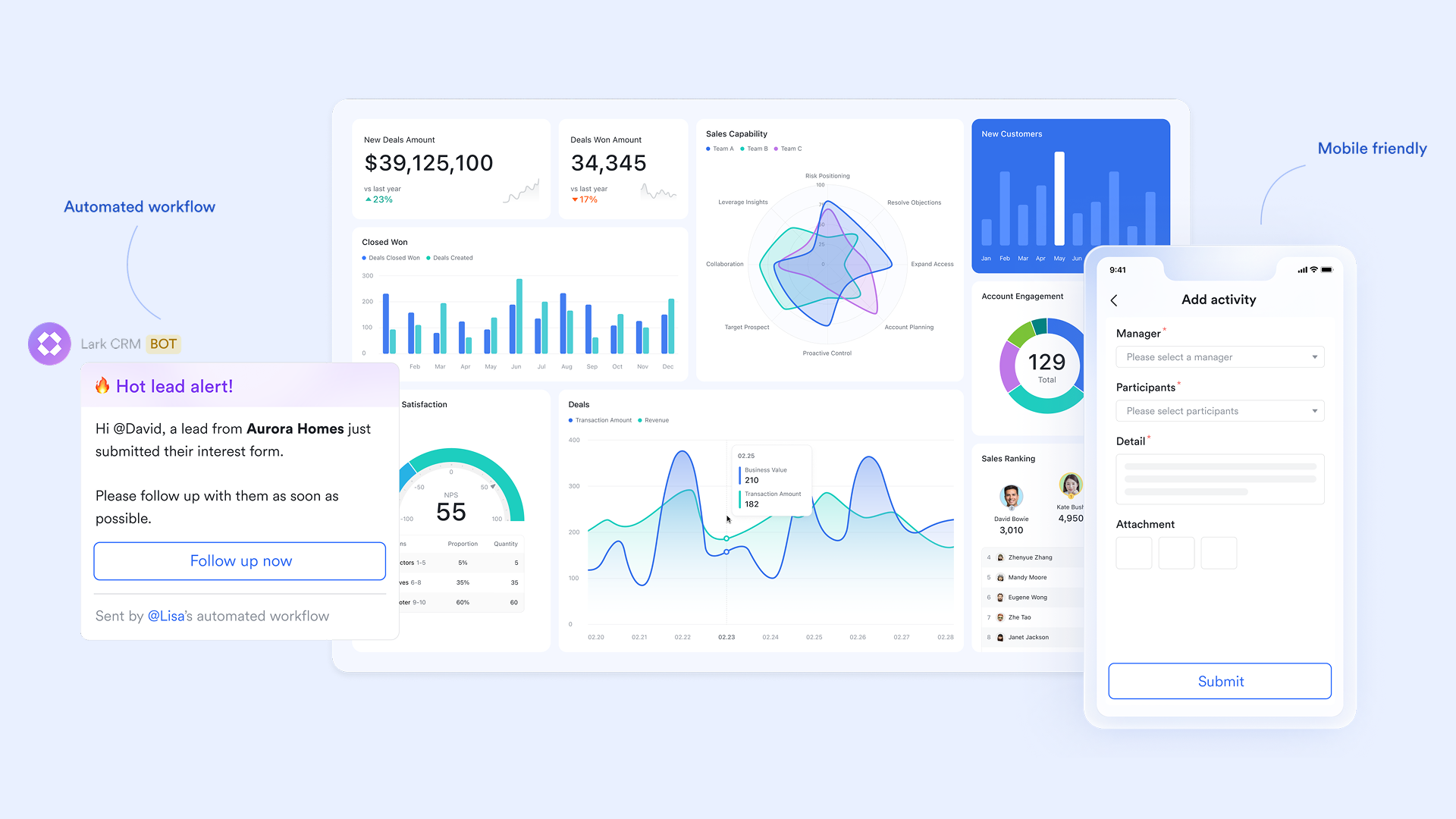
Create custom forms tailored to your lead process
Lark Forms lets teams build tailored lead capture forms with flexible question types—including text fields, dropdowns, rating scales, and contact input fields. Themes and branding options ensure forms look professional, whether they're used for event sign-ups, demos, or sales funnel landing pages. Unlike static form tools, Lark Forms sits inside the same workspace as your lead databases and messaging, so every submitted entry immediately becomes usable data.
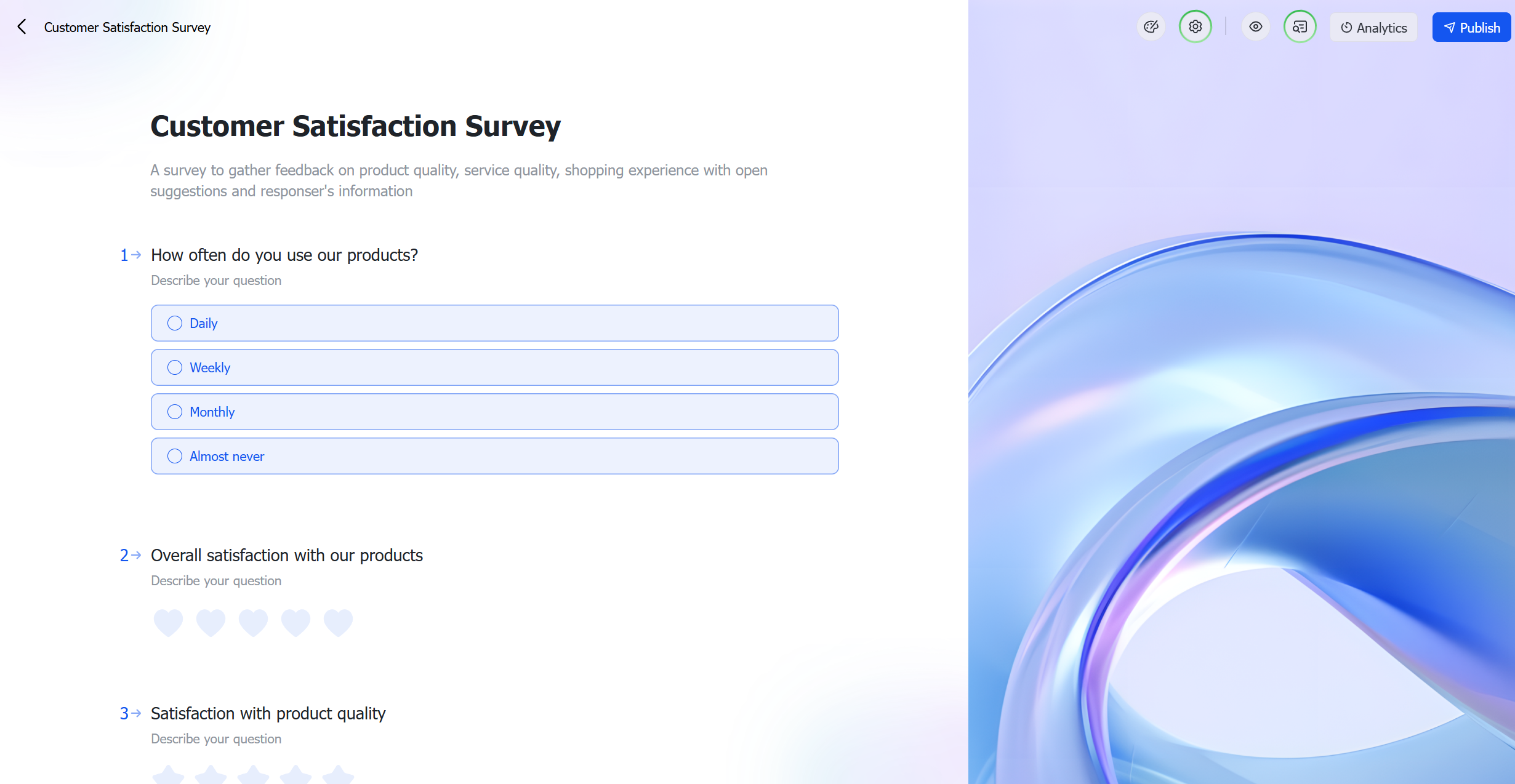
Automate lead syncing, notifications, and follow-up actions
Once leads are submitted, automation rules can take over. Lark Base workflows allow you to route form responses into structured tables, assign ownership, trigger notifications in Lark Messenger, and create tasks for the right team members. You can also set conditional actions—such as flagging high-value leads or triggering verification steps—ensuring your pipeline moves without manual intervention. This shortens response times and increases conversion rates by making follow-up instant and consistent.
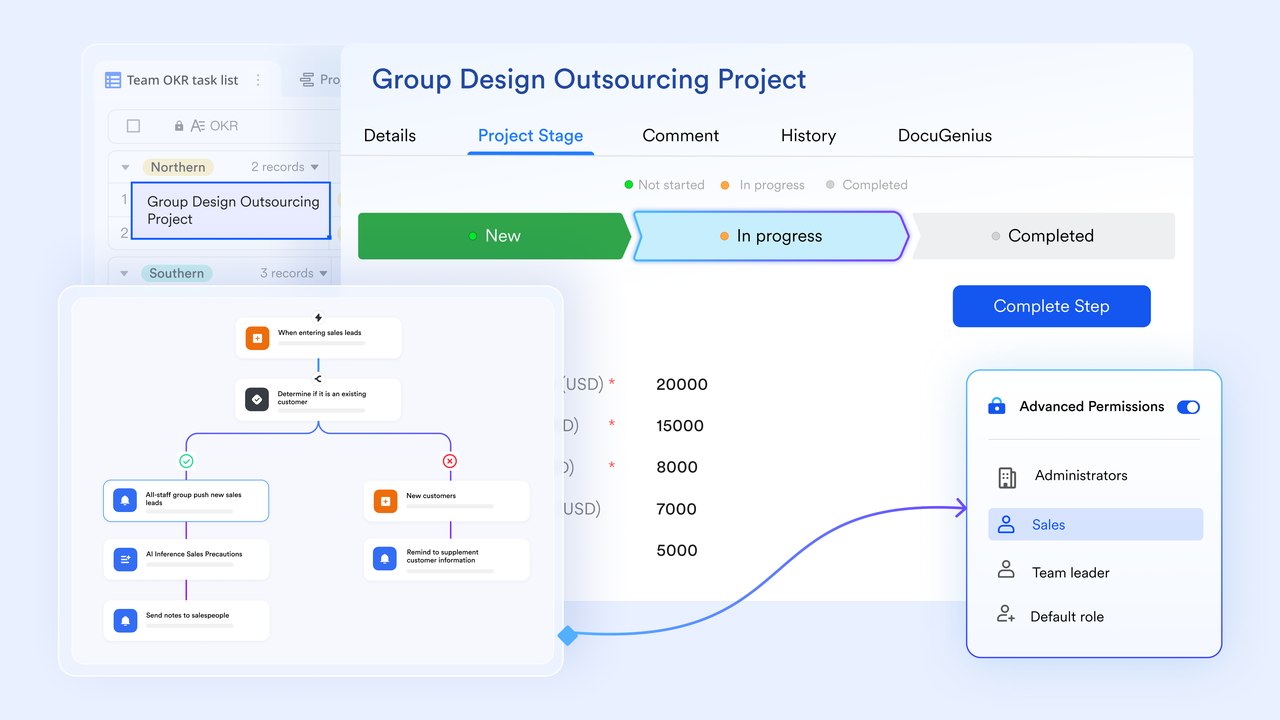
Analyze and visualize lead data within Lark Base
Submitted leads appear directly in Lark Base, where teams can filter, sort, and visualize submissions with built-in charts, dashboards, and pivot views. Performance insights—such as lead source quality, campaign effectiveness, and qualification progress—are available in real time. Teams can monitor conversion indicators and track engagement trends without exporting data to separate BI tools, making reporting faster and more transparent.
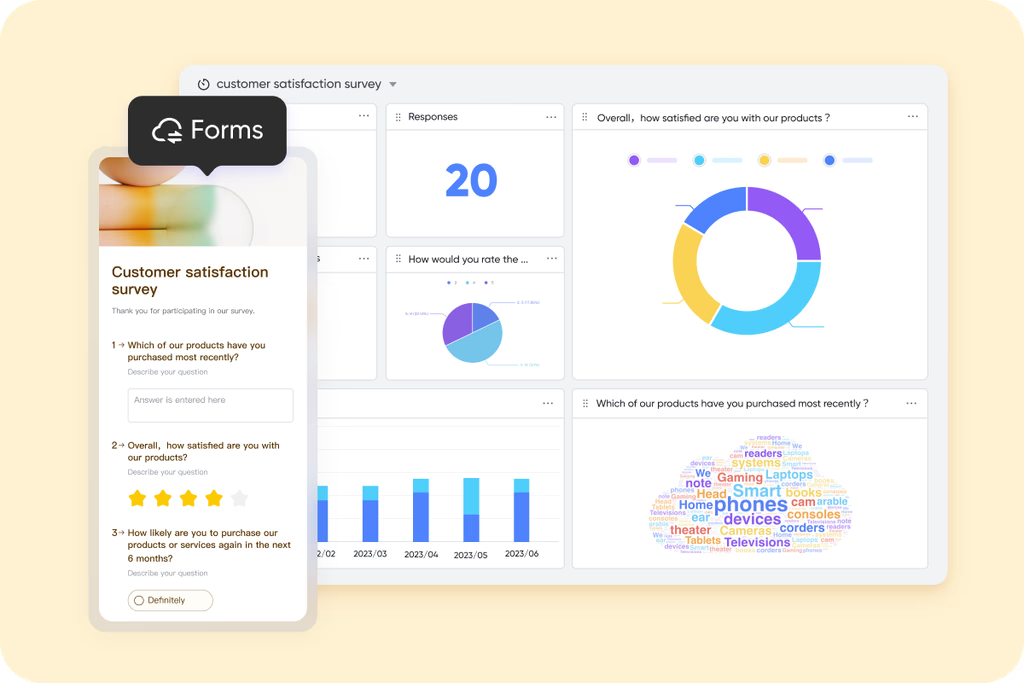
Share forms easily to boost submission rates
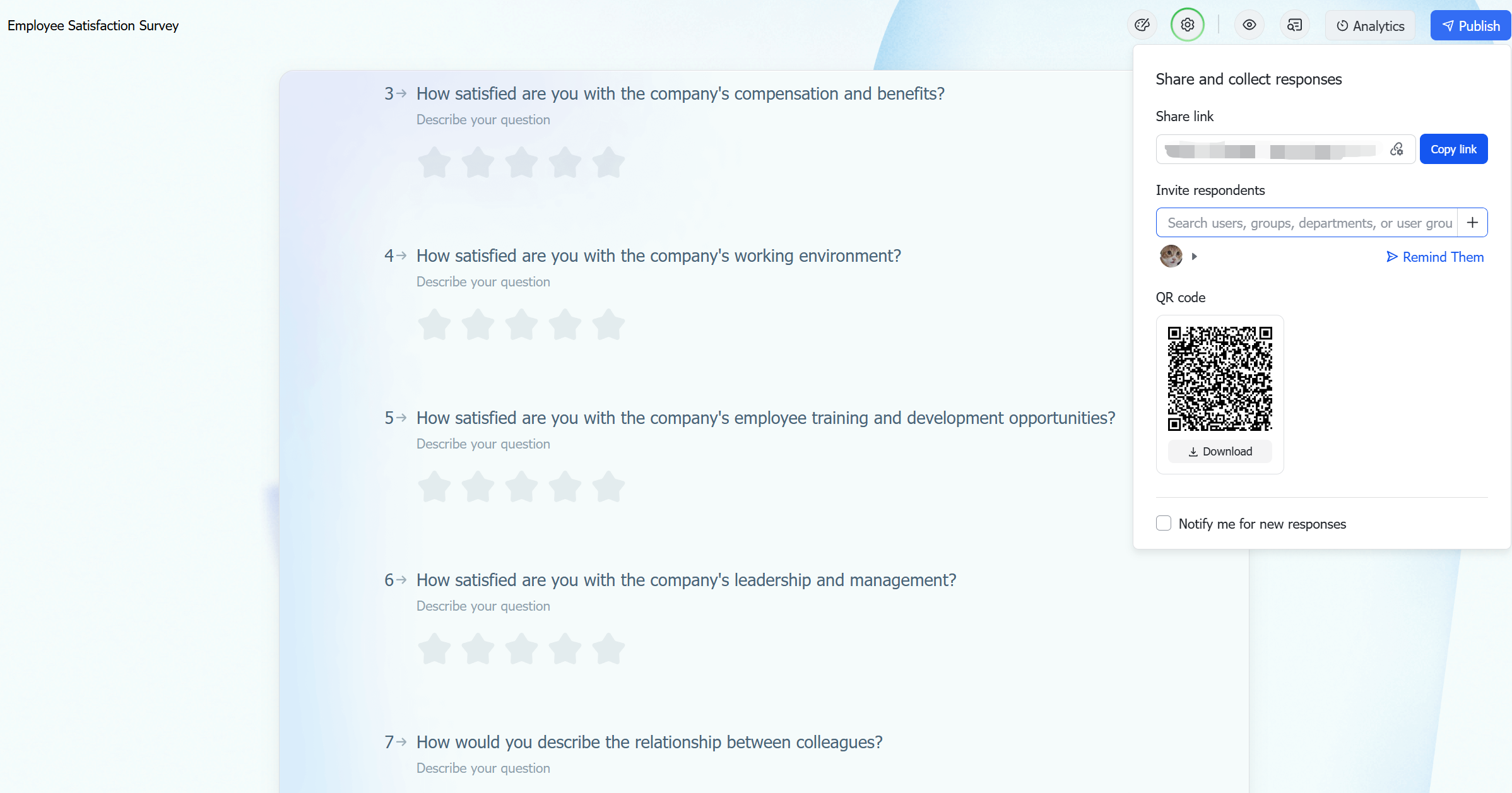
Every form can be shared through a link, QR code, or embed option, allowing teams to distribute them across campaigns, websites, email signatures, or chat channels. Because forms are cloud-based, prospects can submit details from any device. Sales and marketing teams can also post form links directly into Lark group chats or external communication channels, making collection fast and friction-free in both internal and customer-facing workflows.
Control permissions for secure lead access and handling
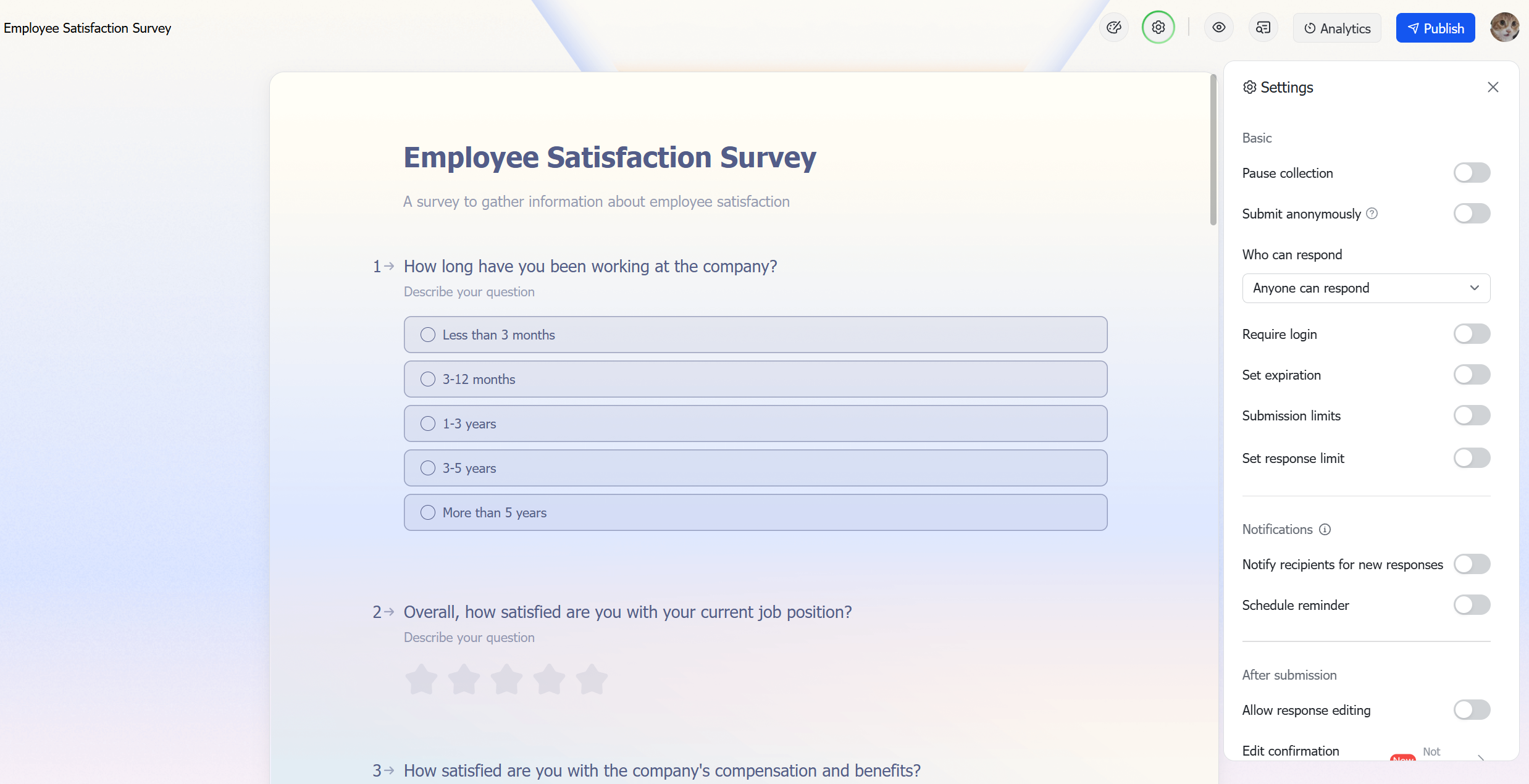
Lark gives granular control over who can view, edit, and manage form responses. Admins can set access levels so only authorized teams—such as sales managers, marketing ops, or SDRs—can curate or export data. This protects sensitive customer information and helps maintain compliance standards while enabling collaborative lead management across departments.
- Starter plan: Free forever plan that includes 11 powerful tools for up to 20 users. It also comes with 100GB of storage, 1000 automation runs, AI translations, and more.
- Pro plan: $12/user/month (billed annually) for up to 500 users. It includes everything in Starter plus group calling for up to 500 attendees, 15TB of storage, 50,000 automation runs, and more.
- Enterprise plan: Contact sales for custom pricing. Supports unlimited users and includes even more automation runs and advanced security, compliance, and management features.
Lead form templates to get started faster
Lead form templates help teams avoid starting from scratch and ensure consistency across campaigns and touchpoints. They provide ready-made structures for capturing essential lead information while maintaining clarity and ease of use. Using templates also helps align marketing and sales teams on what data matters most for qualification. Whether the goal is event sign-ups, sales inquiries, or customer feedback, templates offer a reliable starting point that can be customized to match brand tone and workflow needs.
Lead generation form for sales leads managers
This template is designed for teams that regularly receive inbound inquiries from potential customers. It standardizes the collection of key details such as contact information, company background, and interest level. The sales lead management team can quickly review submissions and assign follow-up actions without manual sorting. It helps maintain a consistent qualification process and improves response efficiency.
Sales lead management
This template helps teams organize and track leads throughout the sales cycle. It provides a structured space to record status, owner, next steps, and priority. By centralizing lead information, it reduces miscommunication and loses opportunities. It supports clearer forecasting and smoother handoffs between team members.
Expo lead collection
This template is suited for events, trade shows, and expos where multiple leads are gathered quickly. It allows teams to record attendee details, interests, and relevant notes in one submission. The structured format helps avoid missing information that often gets lost during busy event interactions. It ensures leads are ready for timely follow-up once the event concludes.
Client technology setup approval form
This template helps collect and document client approvals required before activating or deploying technology solutions. It outlines configuration details, access permissions, and any special setup requirements. Using a standardized format ensures clarity between service teams and clients. It helps prevent misunderstandings and supports smooth onboarding process and implementation.
New product request form for product development teams
This template is used when teams need to propose new product ideas or feature enhancements. It captures the purpose, potential users, expected benefits, and any supporting context for the request. By structuring submissions, it helps teams of product development evaluate and prioritize ideas more consistently. It supports clearer decision-making and reduces back-and-forth clarification.
Customer satisfaction form and analysis
This template is designed to gather feedback from customers after a purchase, service interaction, or support experience. It collects ratings and comments that help identify strengths and areas for improvement. The structured data supports both quantitative and qualitative analysis. It helps teams track satisfaction trends and take action to enhance customer experience.
Best practices for optimizing lead forms
Optimizing lead forms requires balancing simplicity, clarity, and relevance. The goal is to make it easy for users to share their information while ensuring the data collected is actually useful for qualification. Every field, design choice, and interaction should support the conversion process. The following best practices help improve both form completion rates and lead quality.
- Keep the form short and focused on one goal: Limiting fields reduces cognitive load and encourages completion. Only ask for information needed at this stage of the funnel. Additional details can be gathered later through follow-up or nurturing.
- Match form questions to the user's intent and funnel stage: Not every visitor is ready to provide the same level of detail. High-intent pages can support deeper questions, while early-stage content should keep forms lighter. Aligning fields with context increases willingness to submit.
- Pre-fill known information for returning visitors: Auto-filling fields for known users reduces effort and speeds completion. It also creates a more personalized experience. This is especially effective for repeat visitors or logged-in users.
- Use A/B testing to compare design and messaging variations: Test different headlines, button text, or layouts to identify what resonates best. Small changes can have a measurable impact on conversions. Continuous experimentation keeps the form aligned with user behavior.
- Align forms with CRM systems for faster lead qualification and response: Connecting form submissions directly to CRM or lead management tools speeds handoff. Teams can follow up faster and with more context. This reduces response delays and improves the conversion rate.
Conclusion
A well-structured lead form plays a central role in turning interest into opportunity. By focusing on clarity, minimal fields, meaningful CTAs, and trust-building elements, organizations can improve both completion rates and lead quality. Choosing the right form type based on user context—such as embedded forms, pop-ups, multi-step flows, or platform-based forms—helps align the experience with user intent.
Once leads are collected, timely follow-up, organized data handling, and team collaboration are essential for maintaining momentum and guiding prospects through the pipeline. This is where Lark can support teams by keeping form creation, lead storage, communication, and follow-up workflows in one connected workspace. With everything centralized, teams reduce friction, stay aligned, and respond faster to high-intent prospects.
FAQs
What's the difference between a contact form and a lead form?
Lark makes the difference clear: a contact form typically gathers basic queries or support messages, while a lead form is designed to capture specific prospect information for sales or marketing nurturing. Contact forms focus on general communication, while lead forms help qualify buyer intent. Lead forms usually include targeted fields like company size, budget, or use cases to support future follow-up and segmentation.
How can I automate follow-ups from lead forms?
You can automate follow-ups from lead forms by connecting form submissions to workflows that trigger emails, chat messages, or CRM updates. Automation ensures every inbound lead receives timely acknowledgement, reducing manual workload and response delays. Integrating form tools with CRM, email marketing platforms, or unified workspaces helps maintain consistent follow-up sequences.
Can I track lead form submissions in real time with Lark?
You can track lead form submissions in real time with Lark through integrated notifications, dashboards, and Base views. Form entries can automatically update shared records, so teams always see the latest pipeline changes. This ensures faster lead routing and aligned responses.
What's the best form type for high-converting landing pages?
The best form type for high-converting landing pages is often a short embedded form focused on one primary action. Reducing fields and friction helps maintain user momentum and improves conversion rates. Clear value statements and simple layout usually drive higher completions.
How can teams collaborate on lead data inside Lark Base?
Teams can collaborate on lead data inside Lark Base by working from shared tables, assigning owners, and updating lead statuses in one place. Comments, mentions, and status changes happen directly on entries, removing the need for external spreadsheets. This keeps everyone aligned and reduces duplicate outreach.
Related reading
Table of contents
Start using Lark today

Manage all your work in one place
Boost team efficiency by 10x
Save up to 70% on software costs
Table of contents
Start using Lark today
Manage all your work in one place
Boost team efficiency by 10x
Save up to 70% on software costs
Keep reading







2026 Lark Technologies Pte. Ltd.
Headquartered in Singapore with offices worldwide.






Explore: