For millions of professionals, Google Chat has become the default utility, largely because it comes bundled with Google Workspace. It sits quietly in the sidebar of Gmail, accessible to all Google Workspace users without any additional setup. However, as organizations scale and team communication becomes more complex, "available" often stops being synonymous with "optimal." Many teams eventually hit a ceiling where the convenience of the Google ecosystem transforms into a source of fragmentation. This drives organizations to evaluate comprehensive that offer better centralized communication.
In this comprehensive guide, we will explore why high-performing teams are migrating away from Google’s default options. We will analyze the best Google Chat alternatives in the market, diving deep into their key features, paid plans, and unique strengths. Whether you are prioritizing data privacy, advanced task management, or a unified experience under one roof, there is a solution here that will upgrade your team's operating system.
Key takeaways: Top 5 Google Chat alternatives at a glance
1. Lark: The all-in-one superapp for unified collaboration
2. Slack: The market leader known for its massive integration ecosystem
3. Microsoft Teams: The default hub for Office 365 enterprises
4. Rocket.Chat: An open-source platform for total data sovereignty
5. Discord: A casual voice-first community for agile startups
What is Google Chat?
is the dedicated team chat app within the Google Workspace ecosystem, designed to facilitate real time communication through text, images, and file sharing. Born as the enterprise-focused successor to the beloved Google Hangouts, it was developed to compete directly with modern platforms like Slack and Microsoft Teams. Functionally, it divides communication into direct messaging for one-on-one discussions and "Spaces" for group conversations.
While it deeply integrates with Google products like Drive and , many users find that it lacks the standalone power of its competitors. Its interface is often viewed as an extension of Gmail rather than a robust, independent tool. This "add-on" nature, combined with limitations in granular control for large organizations, is precisely why the market for chat alternatives has exploded. Today, users expect a communication app to be a seamless hub for their entire tech stack, not just a sidebar in their email client.
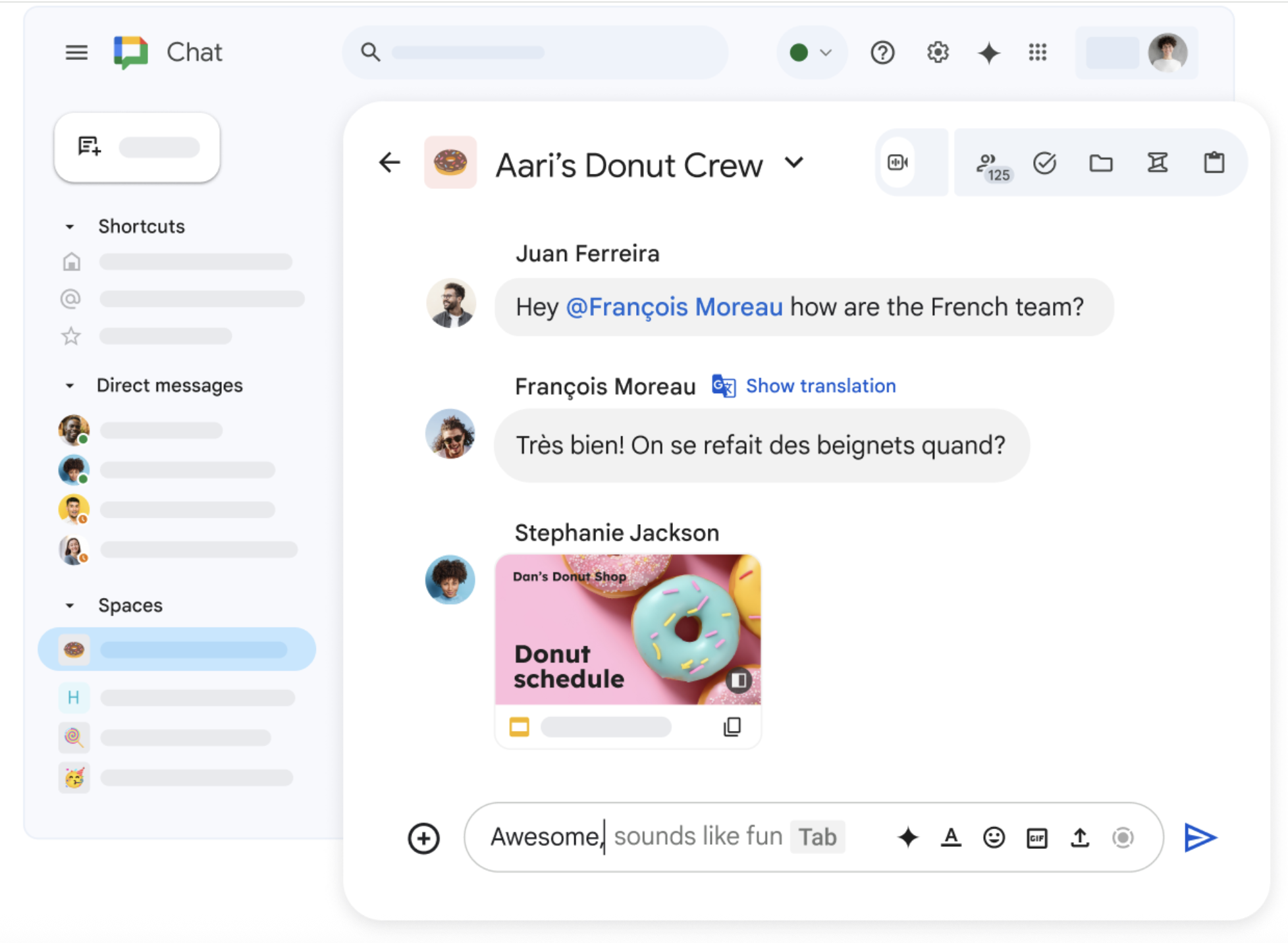
Image source: workspace.google.com
Why teams are actively seeking Google Chat alternatives
The search for google chat alternatives is rarely about a dislike for the company itself. Rather, it is about the specific demands of modern workflow management. One of the most cited frustrations is the interface design. Because Google Chat is often nested inside Gmail, it creates a "cognitive overload." Users find themselves constantly distracted by incoming emails while trying to focus on team chat. This lack of separation between asynchronous email and synchronous chat can severely hamper deep work.
Another significant driver for migration is the "feature gap" regarding . Google Chat is excellent for quick direct messaging, but it struggles to hold the weight of complex projects. Google Workspace users often complain that in chat have no persistence—they get buried under new messages within minutes. Unlike dedicated alternatives that treat tasks as first-class citizens, Google Chat often requires users to open a separate tab to track action items.
Privacy and data sovereignty also play a massive role in the decision to switch. For industries dealing with sensitive intellectual property, the Google data model can be a concern. Many IT managers are looking for google chat alternatives that offer self hosting options or stricter end-to-end encryption protocols that guarantee full privacy. Enhanced security is no longer a luxury; it is a requirement.
Finally, there is the issue of tool fragmentation. Google Workspace apps operate on a "suite" model—Docs, Sheets, Meet, and Chat are all separate entities. To collaborate, you often have to juggle multiple tabs. If you are in a chat and need to edit a document, you are sent to a new window. This constant context switching breaks flow. Teams are increasingly looking for platforms that consolidate these functions into a single, fluid interface.
Solve all the problems with an all-in-one app
Criteria for choosing the best team communication app
Before diving into the list of tools, it is essential to establish a framework for evaluation. The best google chat alternatives share several key characteristics that separate basic messengers from true productivity hubs.
Unified collaboration features
First and foremost is the ability to facilitate group conversations effectively. The ideal tool should allow you to do more than just talk; it should let you work. Look for platforms that go beyond simple text by allowing and file sharing directly within the chat interface. This context switching or lack thereof is what defines a modern workspace.
Advanced search options
are also non-negotiable. As your entire team generates thousands of messages a month, the ability to retrieve a specific file or decision from six months ago becomes critical. Google Chat search is powerful but can be confusing when mixed with email results. Superior alternatives offer granular search filters that can pinpoint messages by user, date, file type, and specific channels without the noise of your inbox.
Seamless integration capabilities
Integration capabilities determine how well the new tool fits into your existing ecosystem. A chat tool does not exist in a vacuum. It needs to talk to your CRM, your engineering tools, and your design software. The best platforms offer seamless integration with third party apps, allowing you to pipe notifications and data directly into your team channels so action can be taken immediately.
Pricing and value
Finally, must be considered. Google Chat pricing is usually hidden within the overall tiers, making it feel "free." However, when you look for google chat compared to other tools, you realize you might be paying for the workspace bundle just to get a subpar chat experience. Many alternatives offer a generous free plan or competitive business plans that provide better value for money and scale with your growth.
Top 8 Google Chat alternatives: a detailed comparison
We have analyzed the market to bring you the definitive list of tools that outperform Google Chat in various categories. Here is a detailed look at the top 10 contenders.
1. Lark: The all-in-one superapp for unified collaboration
Overview
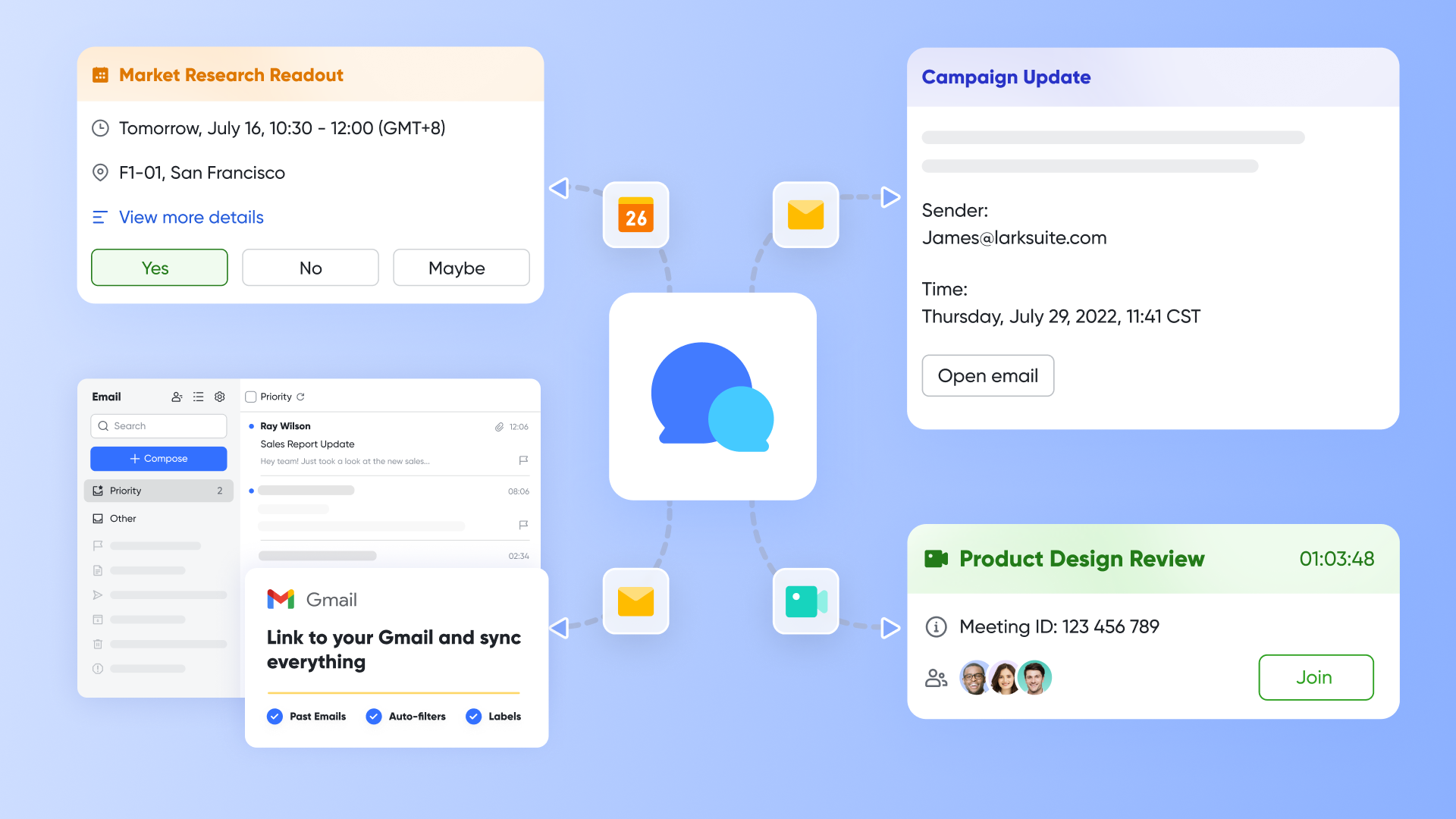
Lark defines itself not just as a team chat app, but as a "superapp" for work. It stands out as the most comprehensive among the google chat alternatives because it fundamentally rejects the idea of fragmentation. In Lark, is seamlessly woven together with , , , , and other apps. You don't switch tabs to get work done; everything happens in one roof. For teams tired of the disjointed Google Workspace experience, Lark offers a refreshing, unified digital headquarters.
Key features
Next-gen messaging: Lark transforms static text into dynamic workflows. You can use rich text formatting, insert code blocks, and utilize threaded messages to keep conversations focused. Unlike Google’s flat structure, Lark allows for "Schedule Send" and "Urgent" buzzers (alerts) to ensure critical updates cut through the noise and reach your entire team.
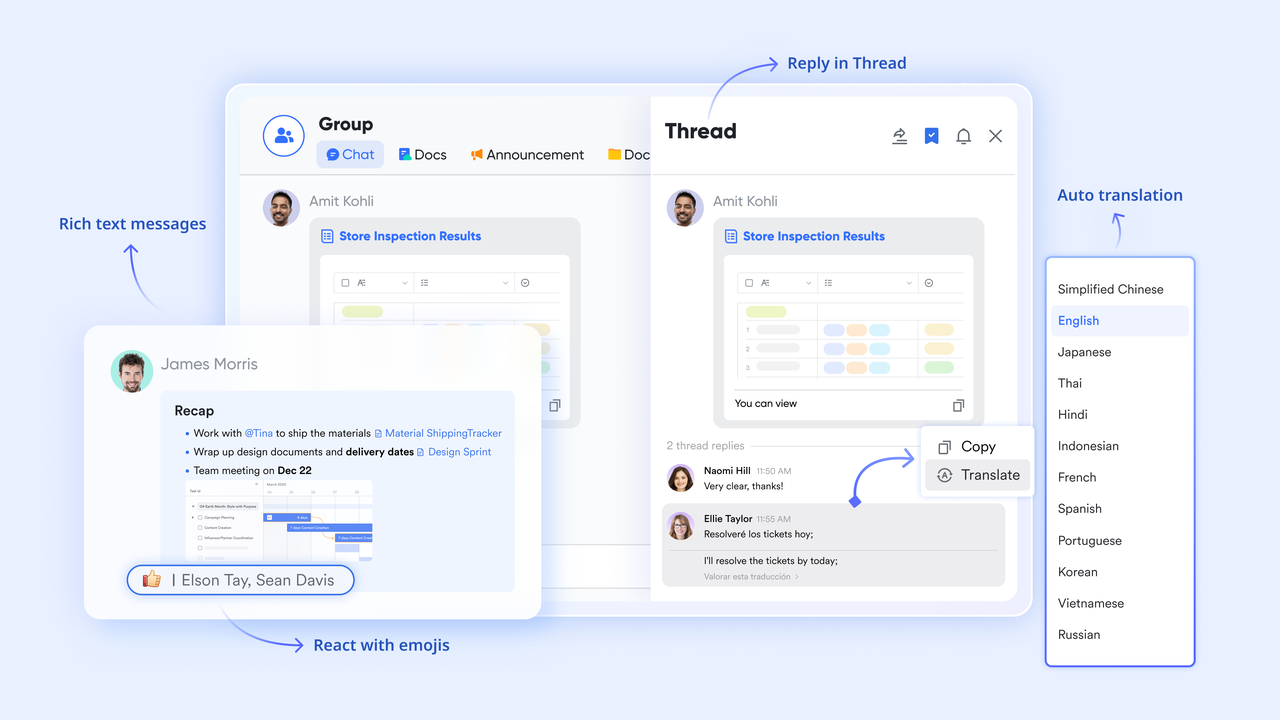
Smart inbox management: To combat information overload, Lark allows you to "Pin" important chats to the top and organize discussions with custom "Labels." Within the chat itself, you can pin important files and announcements to a dedicated side panel, creating a persistent knowledge base that ensures vital information never gets lost in the scroll. Actionable messaging: Lark bridges the gap between conversation and execution. You can turn any chat message into a task with a single click, assigning due dates and owners immediately. This built-in task management ensures that great ideas discussed in group conversations actually become completed projects, rather than getting lost in the scroll. 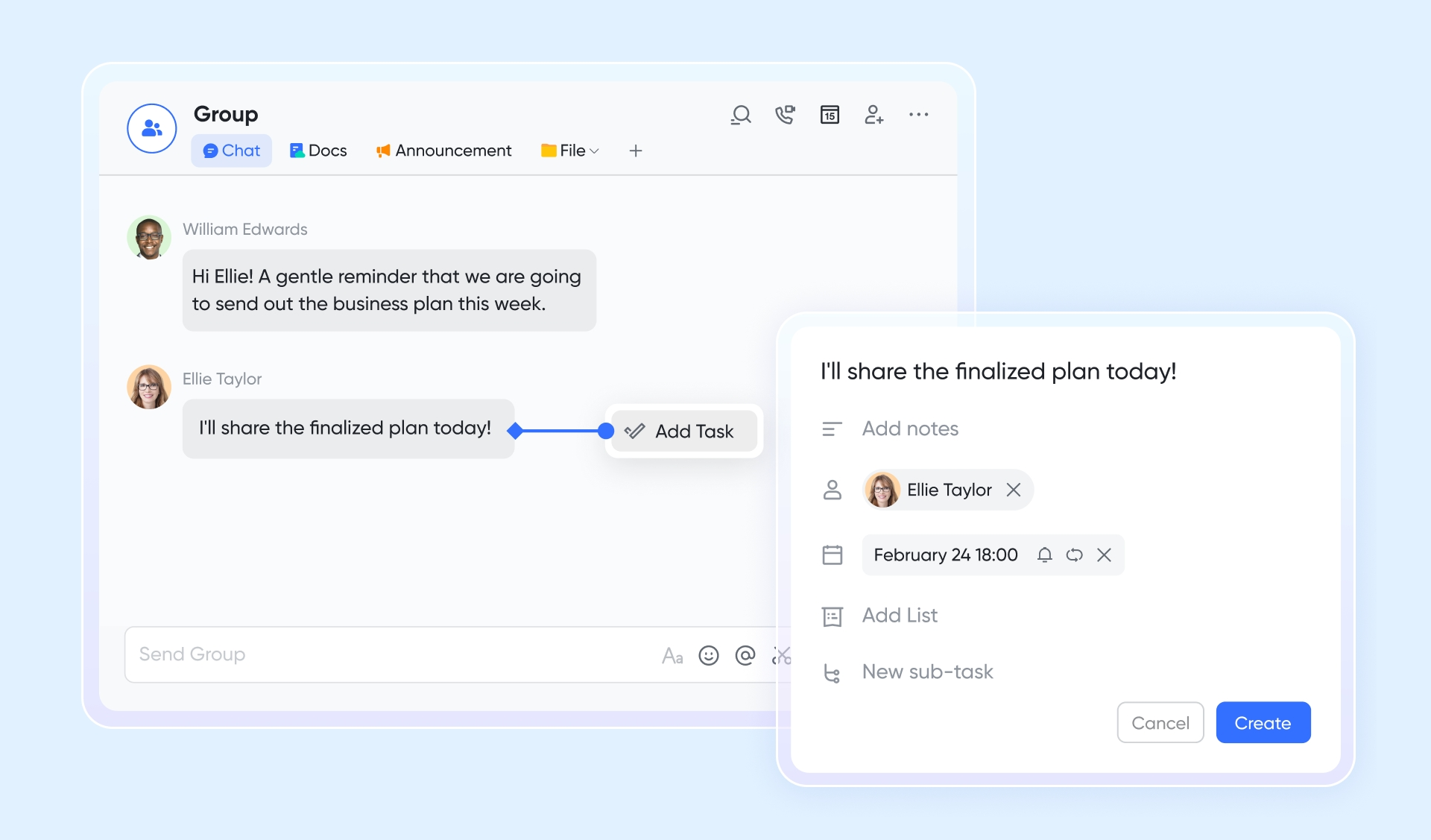
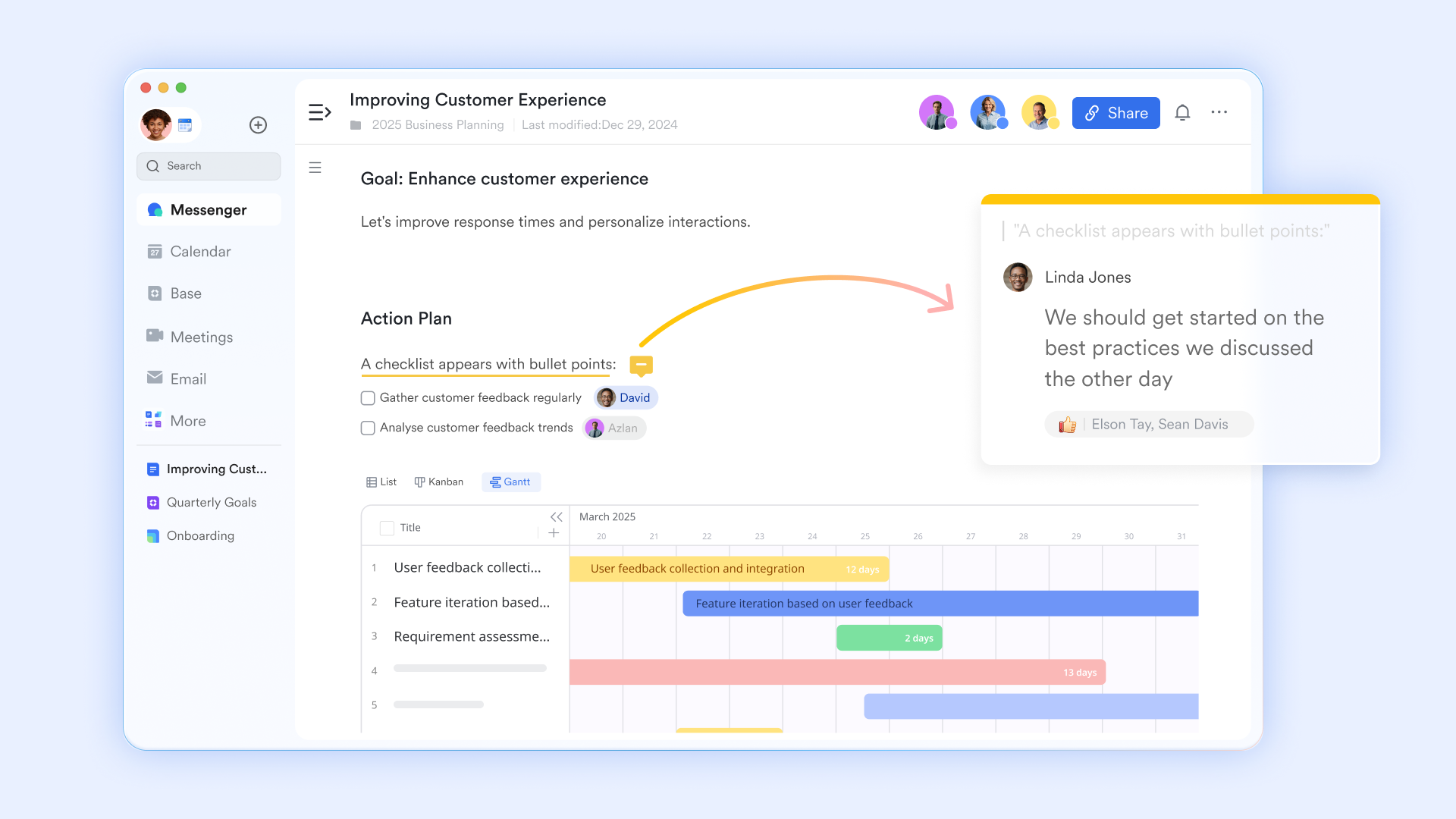
Seamless in-doc collaboration: Unlike Google Workspace, where docs and chat feel separate, Lark allows you to directly within the chat flow. You can @mention stakeholders inside a document to notify them instantly in the chat, keeping the feedback loop tight and ensuring the entire team stays aligned without switching tabs.
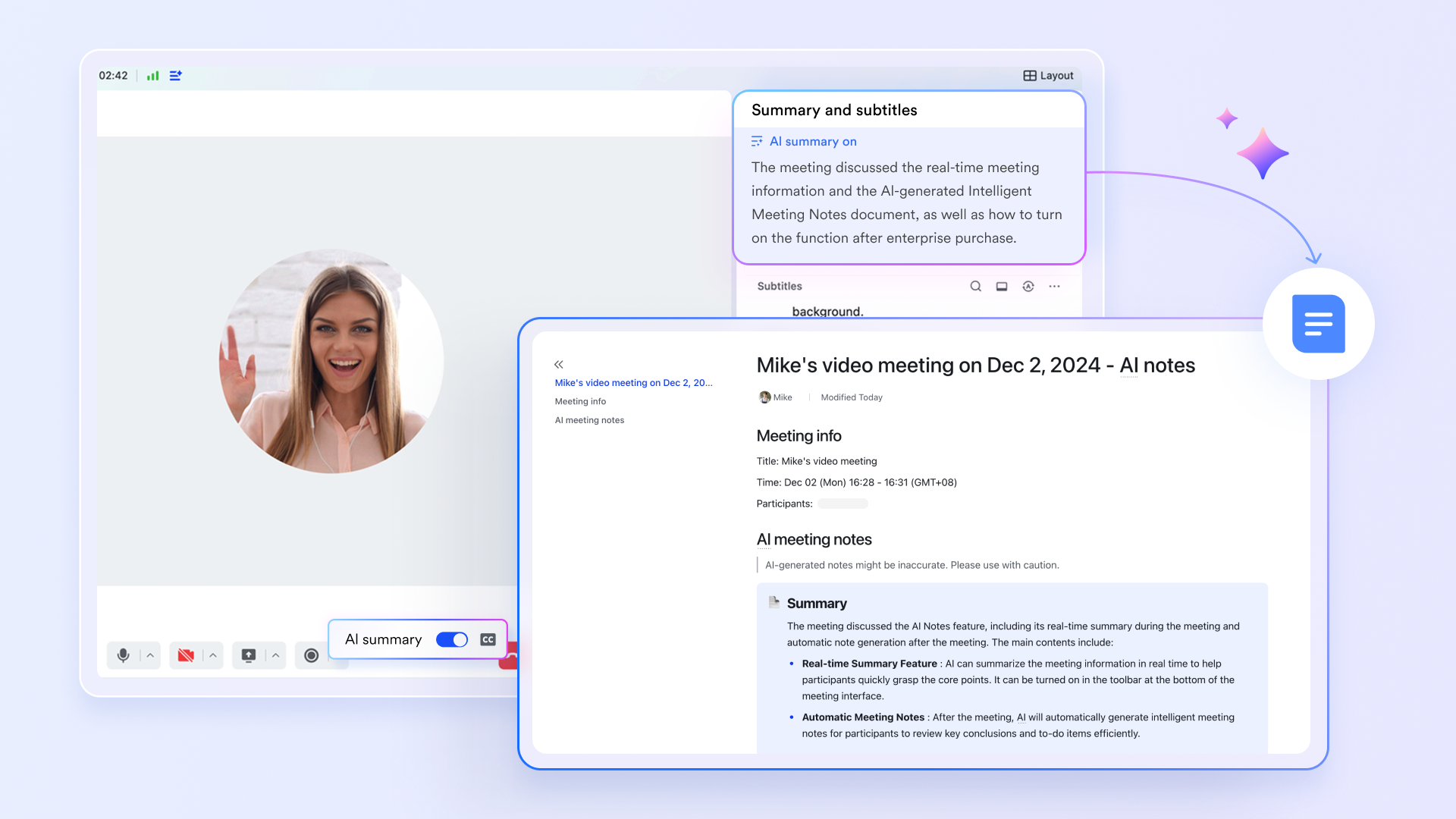
AI-powered meetings: Forget about juggling third party meeting apps. Lark provides with high video quality requiring zero integration. Even better, Lark uses AI to generate smart meeting notes and transcripts automatically, turning your voice or video calls into searchable text assets instantly.
Robust project management: Stop paying for separate project management software. Instead of comparing complex options like for external trackers, Lark includes Base, a powerful database and project tool. You can with Kanban boards, Gantt charts, and Grid views without ever leaving the app. Because it is native, you can pull project status updates directly into chat, giving your specific team real-time visibility without complex integrations.
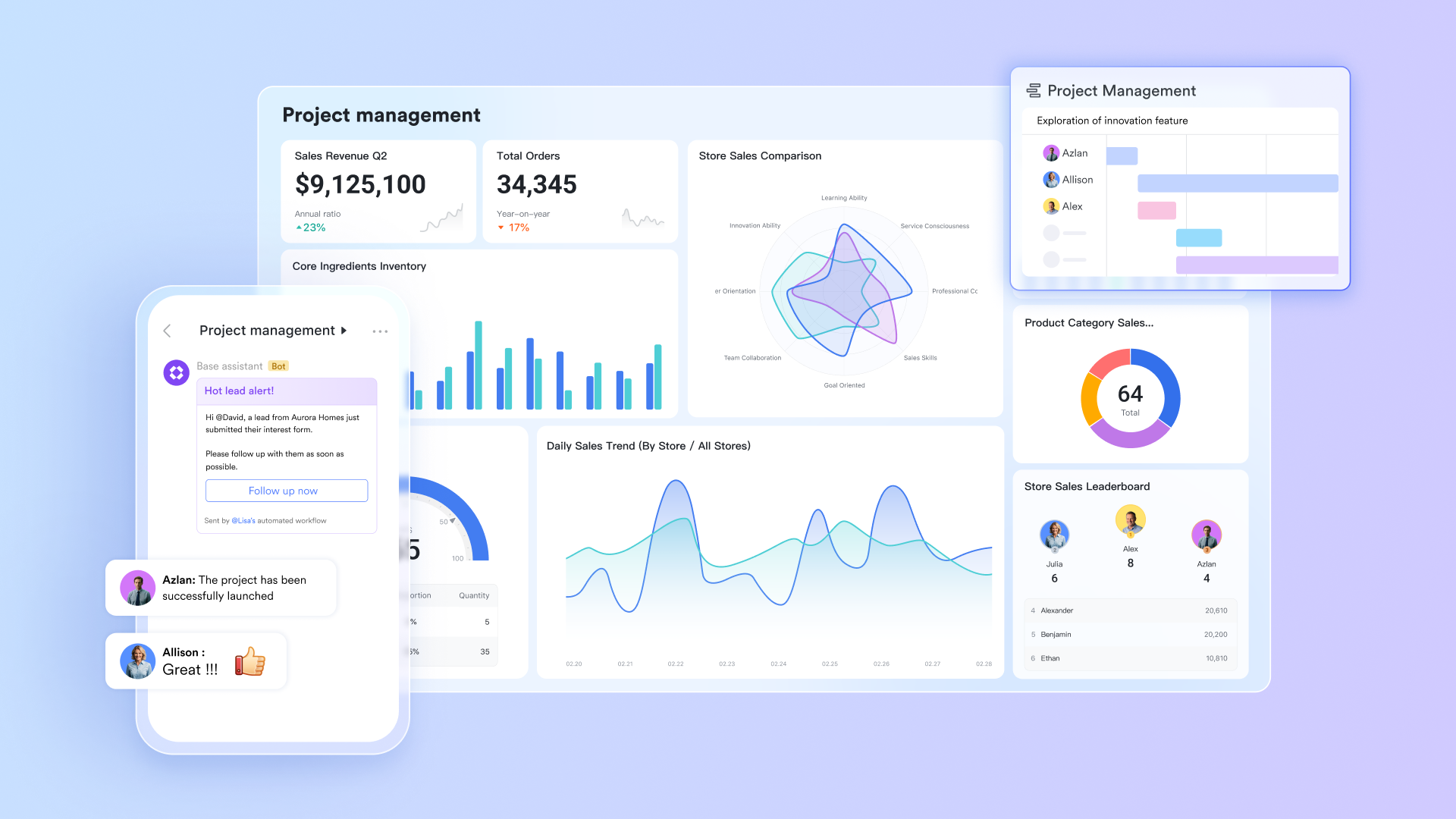
- Starter plan: Free forever plan with 11 powerful tools for up to 20 users, 100GB storage, 1,000 automation runs, AI translations, and more. No credit card needed.
- Basic plan: $6/user/month (billed annually) for up to 500 users. Includes everything in Starter plus unlimited message history, 5TB storage, 1,000 automation runs, and more. Some users may need to to purchase.
- Pro plan: $12/user/month (billed annually) for up to 500 users. Includes everything in Basic plus group calling for up to 500 attendees, 15TB storage, 50,000 automation runs, and more.
- Enterprise plan: for custom pricing. Supports unlimited users and includes advanced automation, security, compliance, and management features.
For small teams with simple communication needs

18 months message history
1000 Base automation runs/month
2000 rows per table in Base
Most POPULAR
For companies with comprehensive collaboration and management needs
Unlimited message history
500-participant video meetings
50k Base automation runs/month
20k rows per table in Base
For large companies with advanced security and organizational management needs
Get a personalized demo and pricing
Unlimited message history
500-participant video meetings
15 TB storage + 30 GB storage/user
500k Base automation runs/month
50k Base automation runs/month
Most POPULAR
For companies with comprehensive collaboration and management needs
Unlimited message history
500-participant video meetings
50k Base automation runs/month
20k rows per table in Base
2. Slack: The market leader known for its massive integration ecosystem
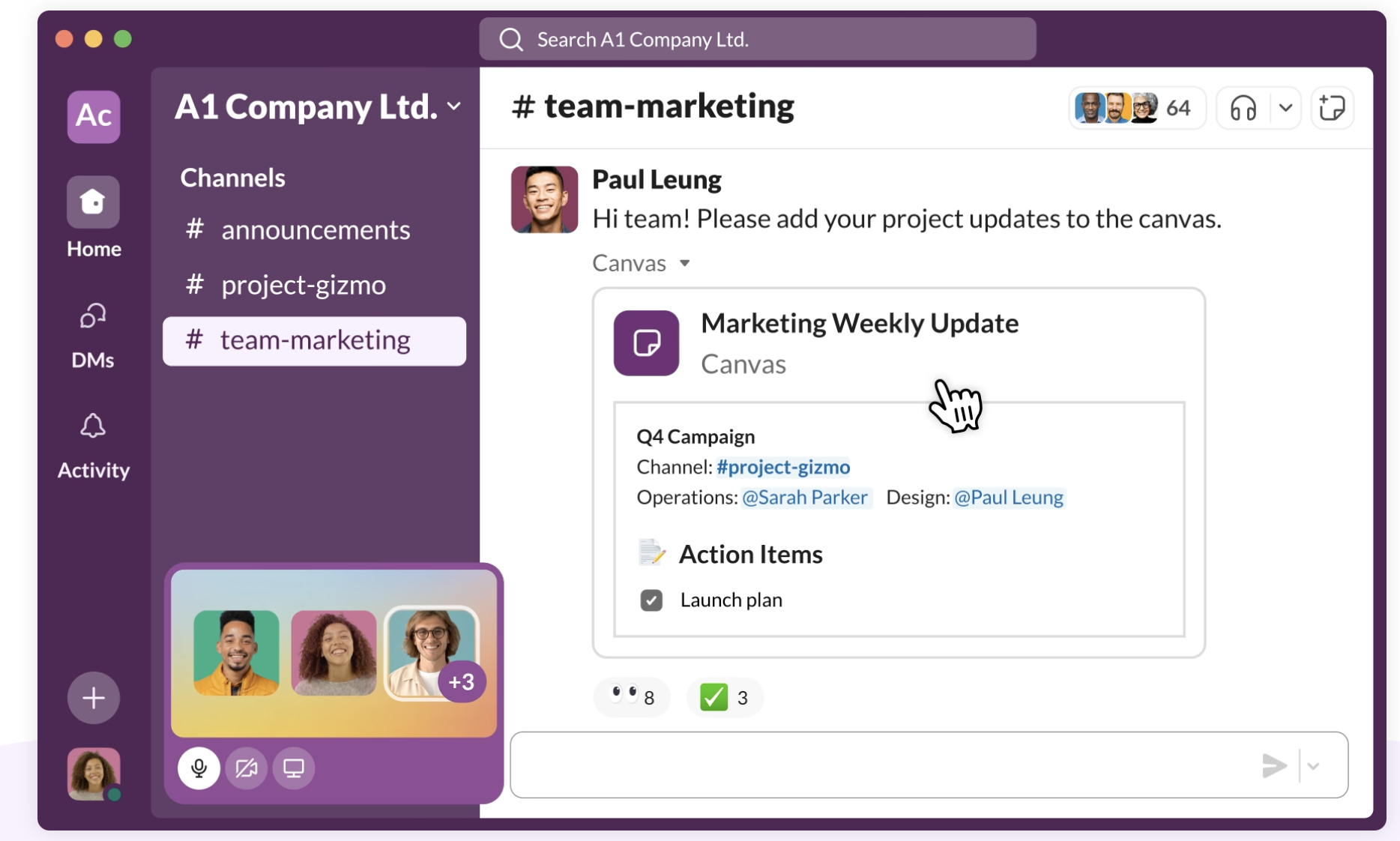
Image source: slack.com
Overview
Slack is arguably the most famous name in this space and the standard against which all other google chat alternatives are measured. It popularized the channel-based communication model. Slack is renowned for its lovable user interface and its massive library of third party apps. If your team uses 50 different SaaS tools, chances are Slack offers an integration for all of them.
Key features
- Huddles: Quick, audio-first voice channels that mimic walking over to a colleague's desk. It is a lower-friction alternative to setting up a formal Google Meet.
- Canvas: A new surface within Slack for creating and sharing persistent content directly linked to channels.
- Workflow builder: A powerful automation tool that lets non-technical users create custom workflows without writing code.
Pricing
Slack offers a free plan, but it limits your message history visibility, which can be a dealbreaker for some. Paid plans start at $4.39/user/month.
3. Microsoft Teams: The default hub for Office 365 enterprises
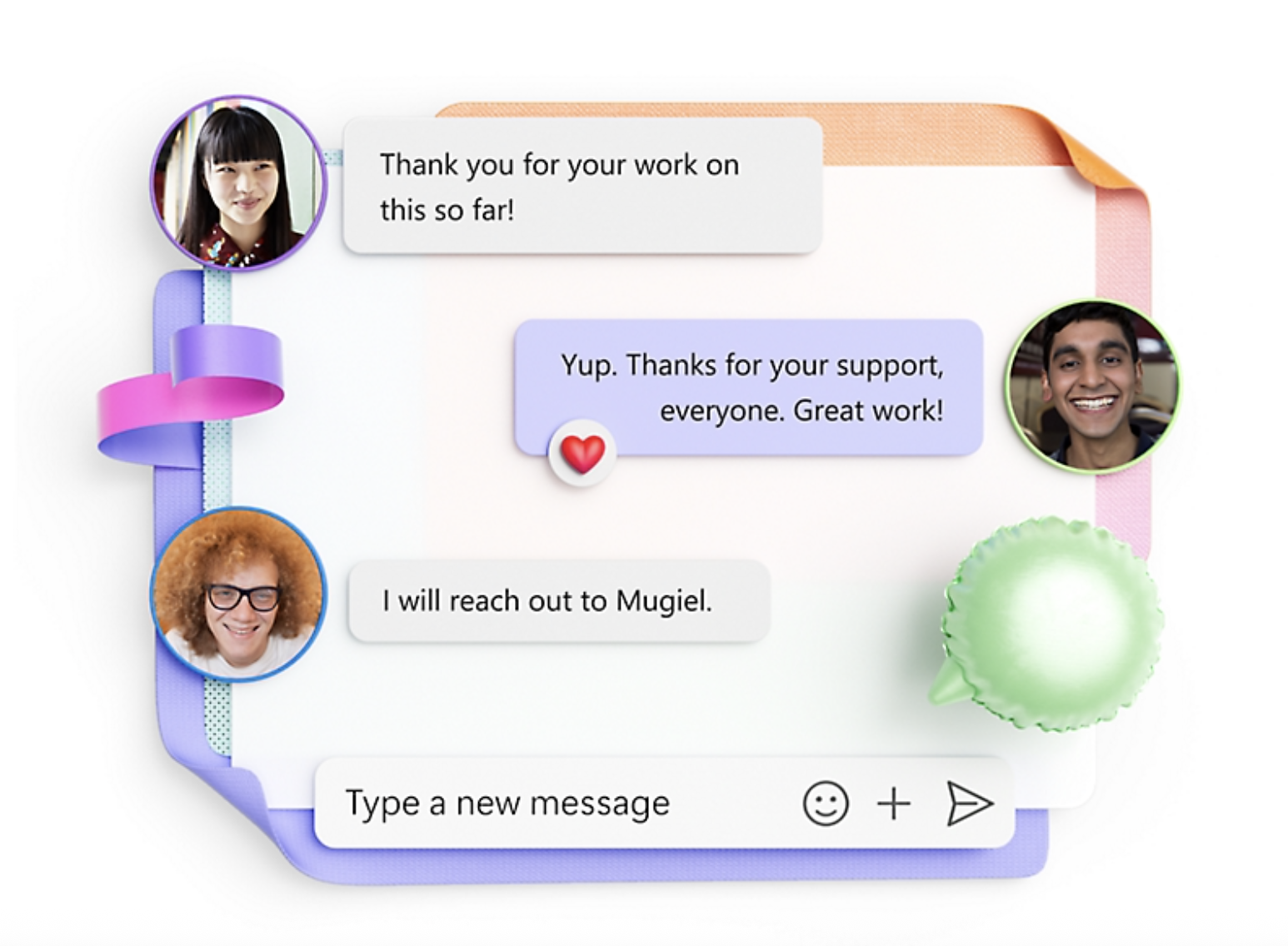
Image source: microsoft.com
Overview
For organizations already entrenched in the Microsoft ecosystem, Microsoft Teams is the logical gravity well. It is often viewed as the direct enterprise competitor to Google Workspace. Teams is less of a standalone chat app and more of a hub for Office 365. If your day involves heavy use of Word and Excel, Teams attempts to bring those files into the conversation layer.
Key features
- Deep integration: You can co-author documents directly within the Teams interface without launching separate other apps.
- Video calls: Teams places a heavy emphasis on video quality, with robust features for webinars and large meetings that often surpass Google Meet.
- Channels and tabs: Each channel can have tabs for files or specific apps, allowing for a structured organization of resources for a specific team.
Pricing
Teams is rarely purchased standalone; it is included in Microsoft 365 business plans. This makes it effectively "free" for companies already paying for the Microsoft suite.
4. Rocket.Chat: An open-source platform for total data sovereignty
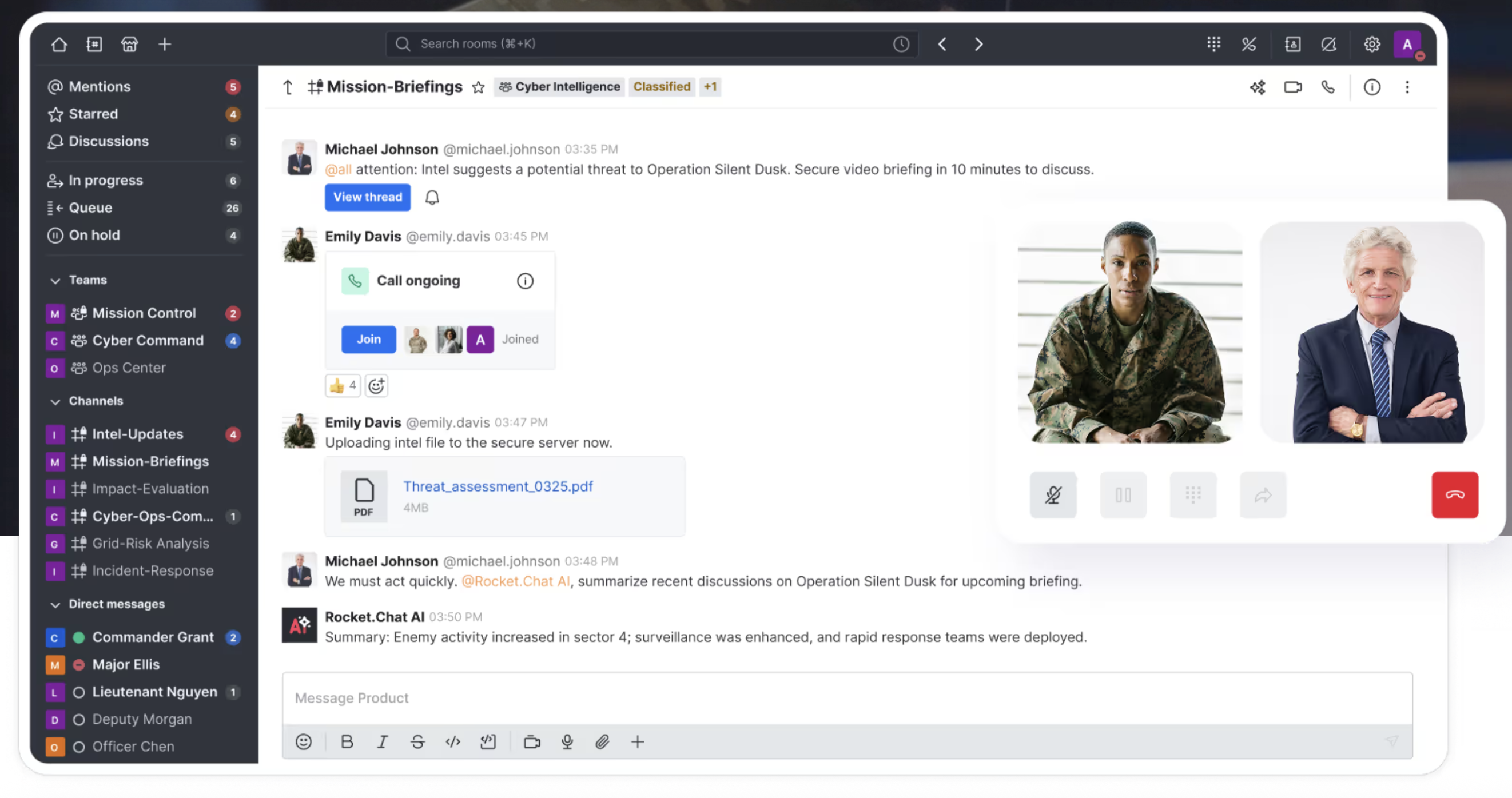
Image source: rocket.chat
Overview
For organizations where data privacy is the paramount concern, Rocket.Chat is a top contender among google chat alternatives. It is an open-source platform, which means the underlying code is available for audit. This transparency appeals to government agencies and tech-savvy companies that want full control over their communication infrastructure.
Key features
- Self hosting options: Unlike Google or Slack, you can host Rocket.Chat on your own servers. This ensures complete data sovereignty.
- Omnichannel support: It acts as a bridge, allowing teams to chat with customers on external platforms directly from the interface.
- Customization: Being open-source, developers can modify the interface to suit specific channels and organizational needs.
Pricing
There is a free version with very limited features. Paid plans start at $8/user/month.
5. Discord: A casual voice-first community for agile startups
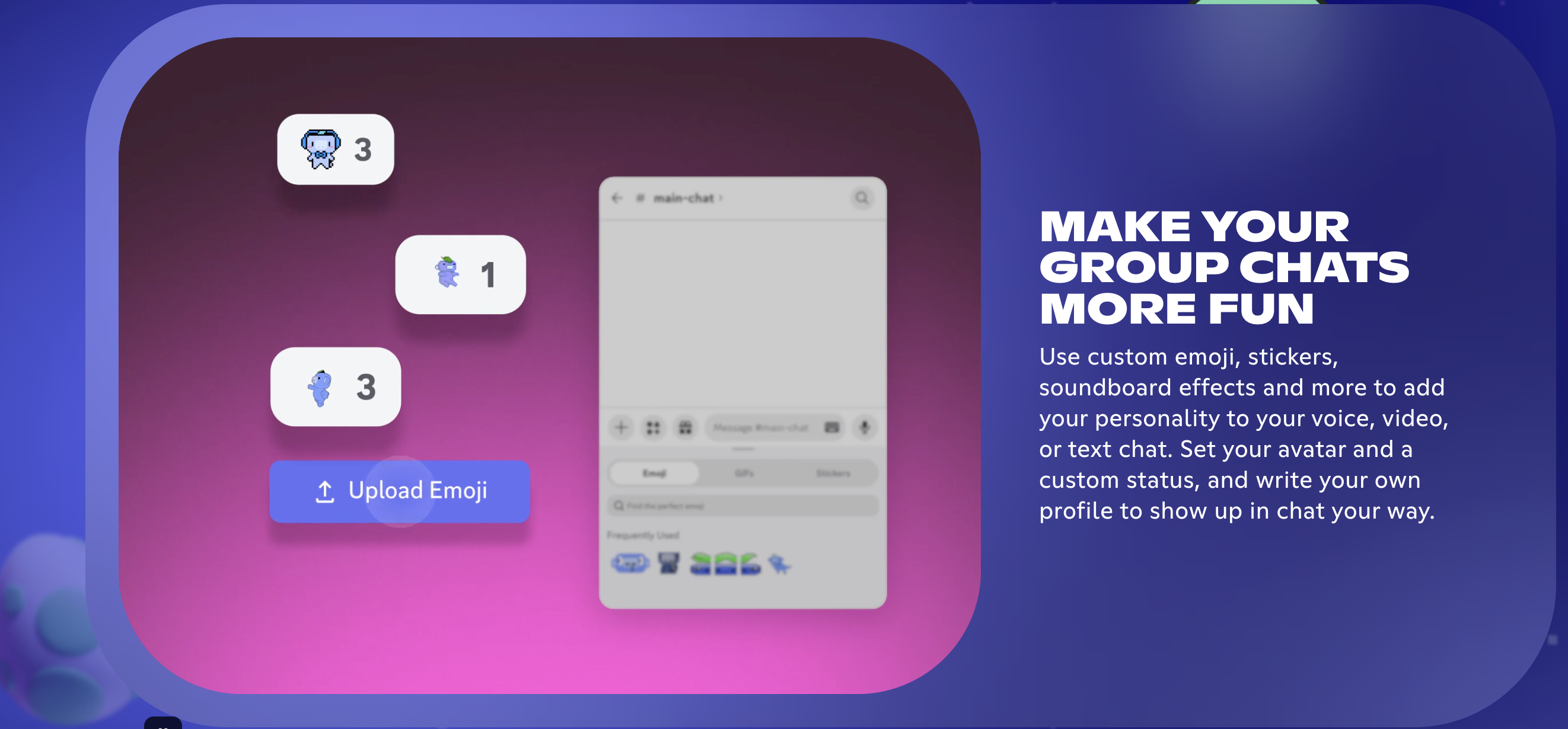
Image source: discord.com
Overview
Originally built for gamers, Discord has found a surprising niche as a workplace tool for startups. Its vibe is distinctly casual. Unlike the formal structure of Google Chat, Discord feels like a virtual lounge. It is excellent for many teams that thrive on spontaneous conversations and a strong sense of community culture.
Key features
- Voice channels: These are "always-on" rooms. You can hop in and out of voice conversations instantly. It simulates an open-plan office.
- Role management: Extremely granular control over who sees what. You can create complex permission structures based on user roles.
- Community focus: Features like stage channels allow for town-hall-style broadcasts.
Pricing
Discord is free for the vast majority of basic features. They monetize through upgrades that offer cosmetic changes and larger file upload limits.
6. Mattermost: A secure open-source tool built for technical teams
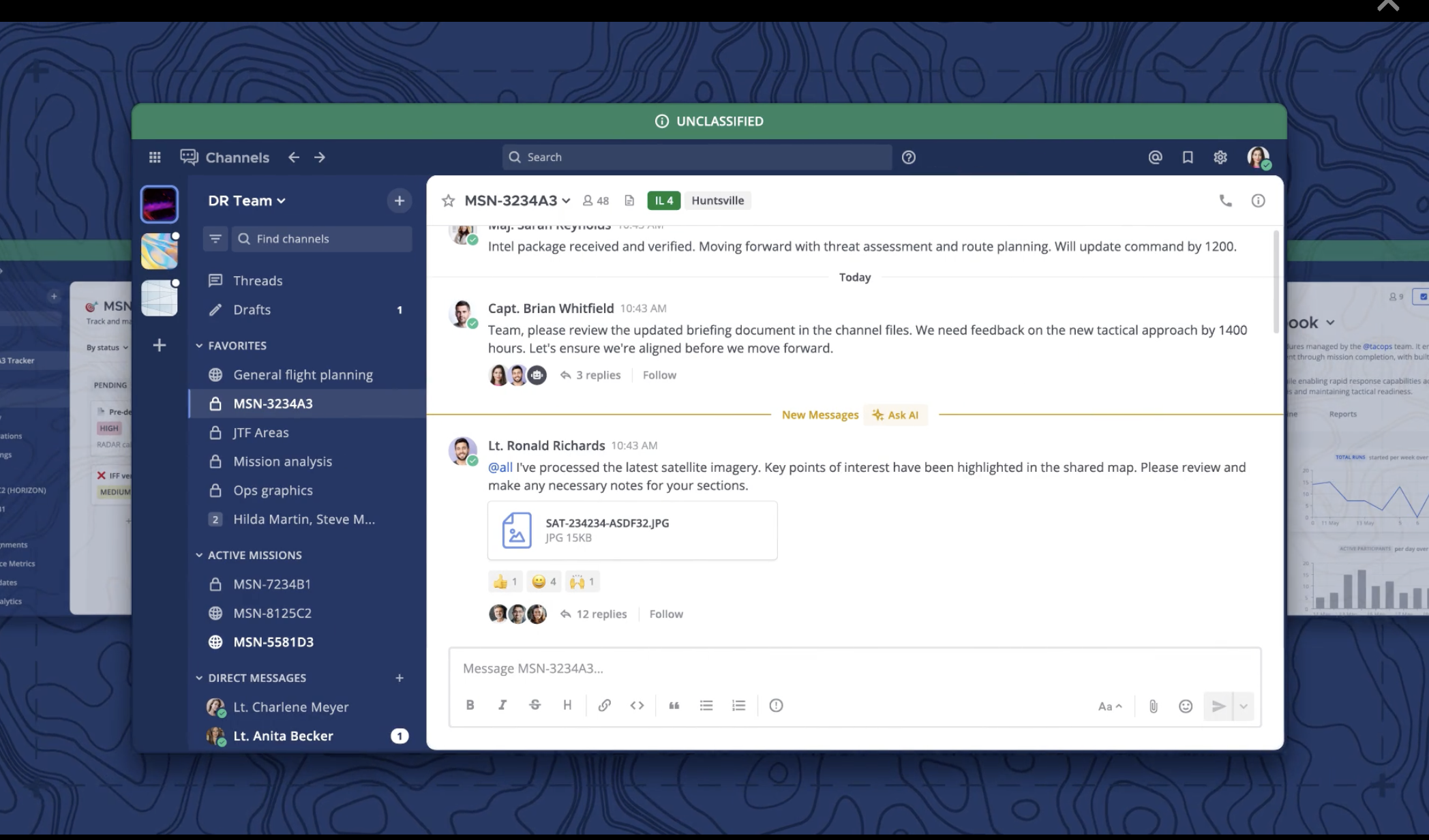
Image source: mattermost.com
Overview
Mattermost markets itself as the secure collaboration platform for technical teams. Like Rocket.Chat, it offers self hosting options. It is designed specifically for developers and DevOps workflows. If your team lives in the terminal and cares deeply about security features, Mattermost is a strong slack alternative.
Key features
- Playbooks: Dedicated checklists and workflows for incident management.
- Boards: Integrated Kanban boards for project management, allowing dev teams to track sprint progress alongside their chat.
- Security: High emphasis on end-to-end encryption and compliance standards.
Pricing
Mattermost offers a Free Self-Hosted starter edition. Their professional plans are priced per user and include advanced identity management features.
7. ClickUp: A project management powerhouse with integrated chat
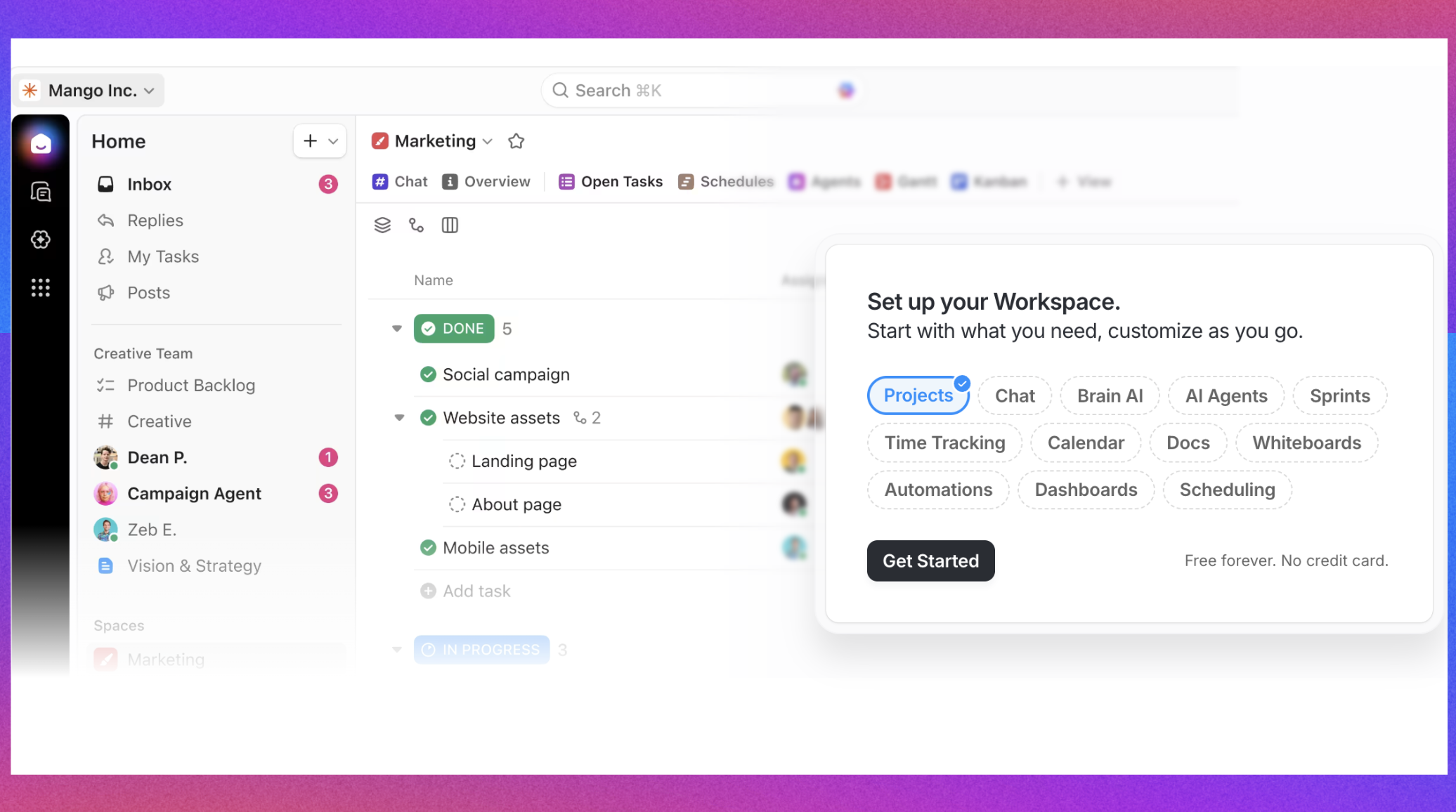
Image source: clickup.com
Overview
ClickUp is primarily a project management tool that decided to fix the "chat vs. work" disconnect by building a chat system directly into its platform. While Google Chat separates conversation from tasks, ClickUp merges them. It is the ideal choice for teams that believe every conversation should lead to an actionable item.
Key features
- Chat view: You can add a chat window to any specific project or folder.
- Actionable messages: Any message can be converted into a task with a due date.
- Whiteboards: Visual collaboration spaces that are integrated with chat and tasks.
Pricing
With a free plan for limited features. Paid plans start at $7/user/month.
8. Chanty: An intuitive and simple tool for simplified focus
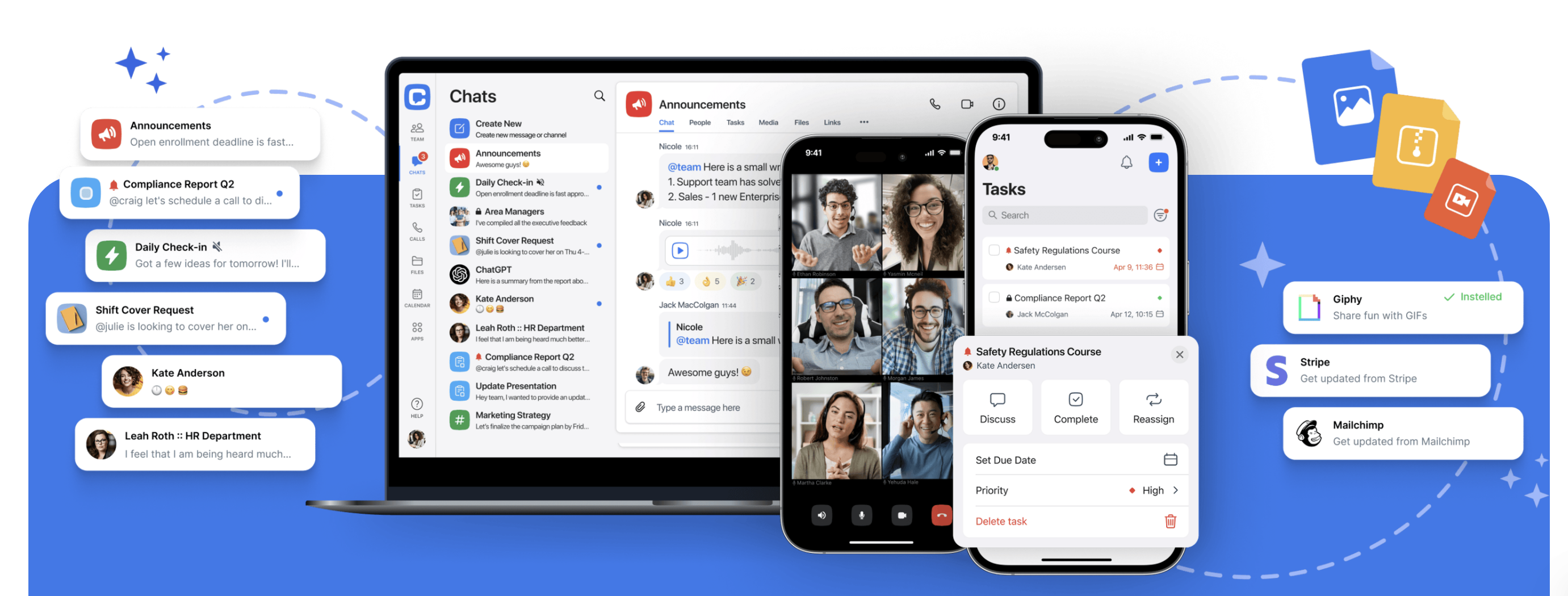
Image source: chanty.com
Overview
Chanty is designed for teams that find Slack and Microsoft Teams too complex. It focuses on simplicity. If Google Chat feels cluttered but other enterprise tools feel like overkill, Chanty strikes a nice balance. It promises to get your team organized without a steep learning curve.
Key features
- Teambook: A single hub where all your tasks, conversations, and file sharing history are organized.
- Task conversion: Like ClickUp, Chanty allows you to turn any message into a task instantly.
- Audio messages: Send quick voice notes when typing is too slow.
Pricing
Chanty offers a free plan for small teams. Paid plans start at $3/user/month.
Manage complex projects without leaving your chat
Switching from Google Chat? Here is what to expect
Making the decision to switch is only half the battle; the migration process is where the real work begins. Moving away from Google Chat requires both technical planning and cultural adjustment.
Data migration is the first hurdle. Google does not make it easy to leave. You will likely need to use administrative export tools to archive your direct messaging history. Most enterprise-grade chat alternatives offer import tools to help you map your old data to new specific channels.
The cultural shift is equally important. Google Chat encourages a specific type of behavior—often reactive. Moving to a platform like or Slack opens up new workflows. You are moving from "sending emails" to "collaborating in channels." You will need to educate your specific team on how to use threaded messages properly to keep noise down and how to utilize status updates to signal deep work modes.
Adoption tips:
- Start with a pilot: Pick a tech-savvy department to test the new team communication tool.
- Set guidelines: Create a document outlining when to use chat, when to use video calls, and when to use email.
- Highlight the wins: Show your team specifically what they gain. "Look, you can approve this expense report right inside the chat now!" Focusing on these immediate quality-of-life improvements will speed up adoption.
Conclusion
Google Chat is a serviceable tool that benefits from being part of the massive G Suite legacy. However, "serviceable" is rarely the standard for high-growth organizations. The limitations in interface, task management integration, and flexibility are real hurdles that can stifle velocity.
The best alternatives aren't just about swapping one icon for another; they are about finding a platform that aligns with your culture. If you are ready to stop switching tabs and start streamlining your workflow, it is time to look beyond the Gmail sidebar.
Ready to experience a unified workspace? Try today and see how much more your team can get done when everything is in one place.
Use unified Lark to avoid too many integration fees
FAQs
What has replaced Google Chat?
While Google Chat officially replaced Google Hangouts, many organizations are now replacing Google Chat itself with more comprehensive platforms like Lark, Slack, and Microsoft Teams. These alternatives have effectively "replaced" Google Chat in high-performance environments by offering superior threaded messaging, built-in project management tools, and a unified interface that prevents the fragmentation often experienced within the Google Workspace ecosystem.
Which is the no. 1 chatting app?
In the business world, Slack is often regarded as the number one innovator for standalone chat and integrations, while Microsoft Teams leads in total user volume due to Office 365 bundling. However, Lark is rapidly emerging as a top contender for teams seeking a "Superapp" experience, ranking highly for organizations that want to consolidate chat, docs, and meetings into a single window.
Is Google Chat obsolete?
Google Chat is not technically obsolete, as Google actively updates it. However, functionally, many teams consider it outdated compared to modern standards. Its basic feature set lacks the advanced workflow automation, rich collaborative tools, and "deep work" focus found in newer competitors. For complex projects, relying solely on Google Chat often feels inefficient compared to using dedicated all-in-one collaboration platforms.
Which is the best app for secret chat?
For absolute privacy requiring End-to-End Encryption (E2EE), Signal is the standard for personal use. For businesses requiring secure, "secret" communication with data sovereignty, self-hosted platforms like Rocket.Chat or Element are superior choices. Additionally, enterprise tools like Lark provide robust enterprise-grade security certifications and private, encrypted channels to ensure sensitive internal discussions remain strictly confidential.
Related reading