Choosing the right project management software goes beyond features—pricing flexibility, scalability, and overall value matter most. Hive pricing has become a frequent consideration for teams seeking efficient project tracking and collaboration. Hive offers solid tools for task management, automation, and communication, but its add-ons and per-user costs often raise questions about overall affordability.
This guide breaks down Hive's pricing plans, outlining their key features, pros, and limitations. By the end, you'll have a clear understanding of Hive's value structure and how it compares to other modern alternatives.
Discover smarter ways to work together
What is Hive?
Hive is a cloud-based and collaboration platform designed to help teams organize tasks, , and track performance efficiently. It offers multiple project views like Gantt, Kanban, Table, and Calendar, making it flexible for various work styles. Hive also supports time tracking, team messaging, and file proofing, making it suitable for marketing, product development, and creative teams.
For organizations comparing hive project management pricing or exploring workflow automation tools, Hive provides scalable options that cater to both small teams and enterprises. Its integration with third-party apps allows seamless connection across departments. Additionally, features like analytics and hive AI pricing capabilities enhance visibility into team productivity. Overall, Hive aims to centralize task execution, reporting, and communication—though its pricing tiers, similar to tax hive pricing or hive moderation api pricing, vary depending on automation depth and enterprise-level requirements.
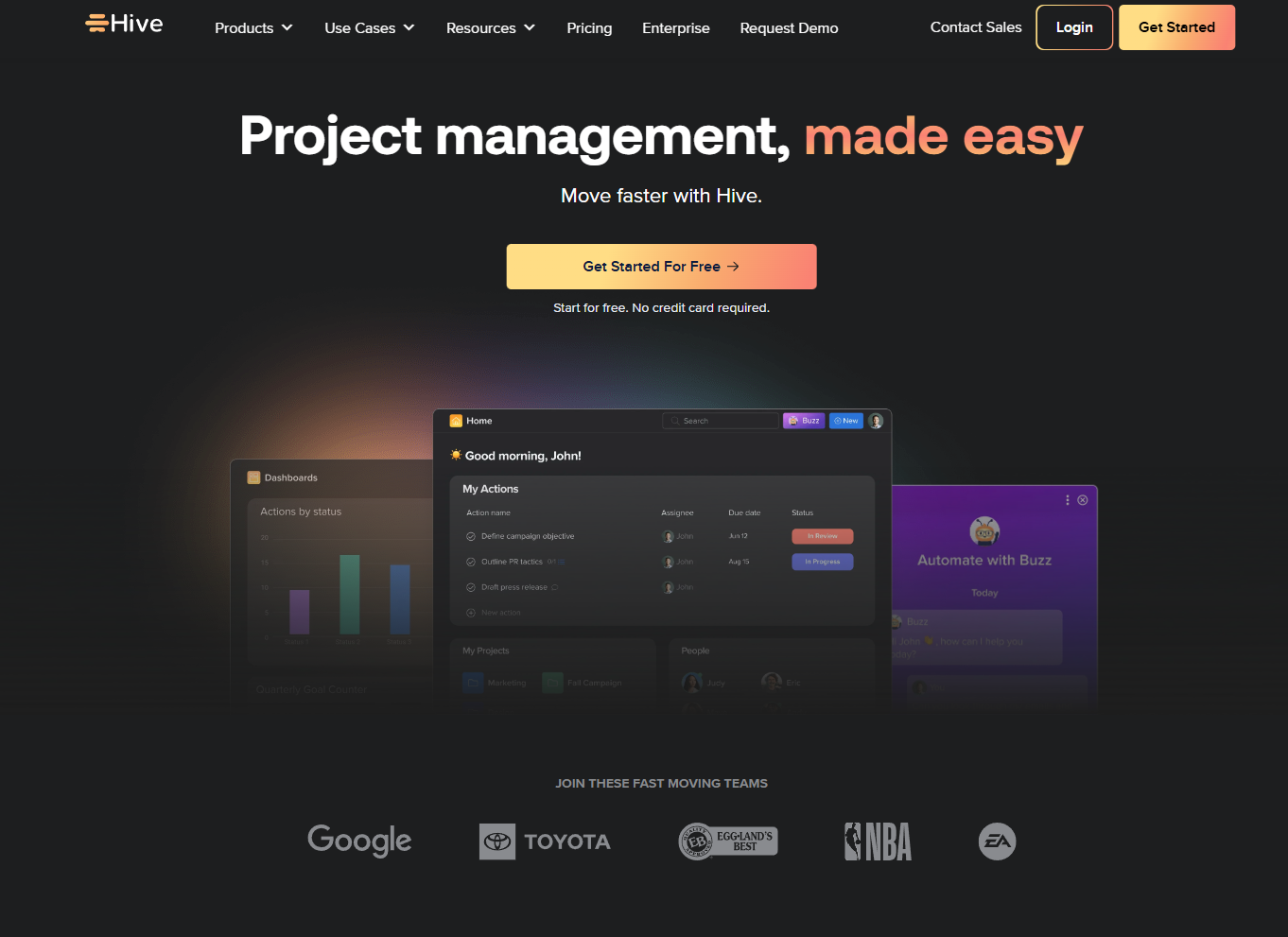
Image source: hive.com
Hive pricing plans explained in detail
Hive offers a tiered pricing model designed to meet the needs of different team sizes and business complexities. Each plan builds on the previous one, unlocking advanced features like , analytics, and security. Understanding what's included in each tier helps teams choose the most cost-effective option without overpaying for tools they don't need. Below is a complete breakdown of Hive's Free, Teams, and Enterprise plans.
Free plan
- Price: $0 per user/month.
- Basic task management and up to 10 active projects. Users can create and assign tasks, use lists or Kanban views, and collaborate within a limited number of projects.
- Limited automations and no advanced analytics. While suitable for simple workflows, teams outgrowing manual updates or requiring insights will need to upgrade to paid tiers.
Starter plan
- Price: $5 per user/month (billed annually)
- Designed for small teams ready to move beyond basic task tracking. It includes all Free plan features plus expanded project limits, time tracking, and task dependencies for better workflow visibility.
- Ideal for freelancers or compact teams looking to coordinate more effectively without committing to higher-tier automation or enterprise features.
Teams plan
- Price: $12 per user/month (billed annually).
- Includes unlimited projects, , Kanban, time tracking, and basic automation. Teams gain access to visual project planning, real-time progress tracking, and custom workflow templates that streamline repetitive processes.
- Best for growing teams needing structured workflows. Ideal for departments managing multiple projects simultaneously, the plan balances flexibility and control without the complexity of enterprise solutions.
Enterprise plan
- Price: Custom (contact sales)
- Adds advanced security, account management, analytics, and automation. Enterprises benefit from enhanced governance tools such as SSO, custom permissions, and detailed analytics dashboards for data-driven decision-making.
- Designed for large organizations requiring governance and customization. This plan is designed for companies that need secure , dedicated customer support, and scalability across multiple departments.
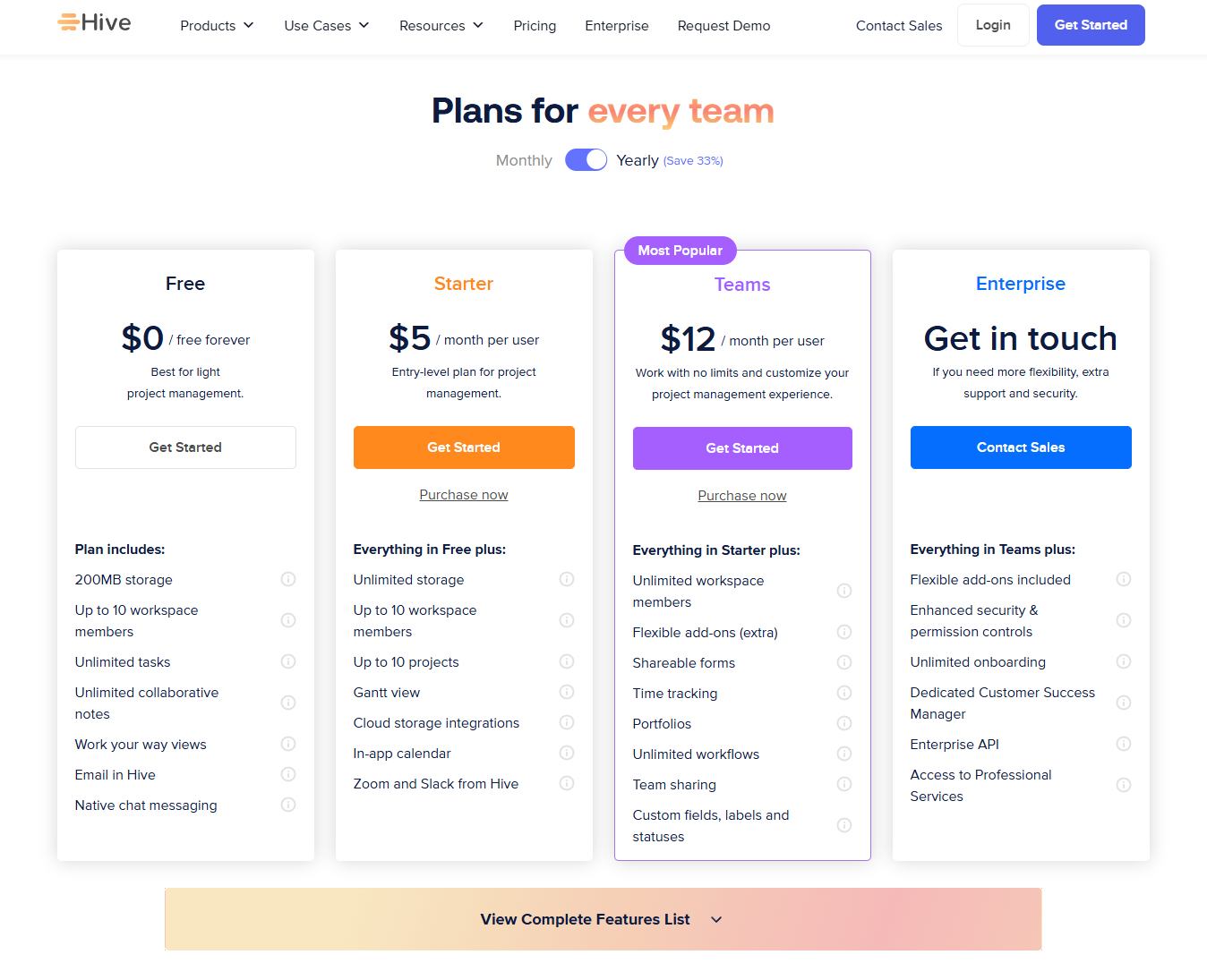
Image source: hive.com
Hive features overview
Hive is designed to bring structure and visibility to collaborative work, combining task management, communication, and in one platform. Its diverse set of tools supports teams across industries—from marketing to operations—helping them stay organized and efficient. Each feature within Hive's ecosystem contributes to smoother project execution, clearer accountability, and improved performance tracking. Below is an overview of Hive's core capabilities.
- Task & project management: Hive's foundation lies in its powerful task and project management features. Teams can assign responsibilities, set priorities, and through customizable views like Gantt, Kanban, and Table. This flexibility ensures every project stays aligned and visible across departments.
- Time tracking: With built-in time tracking, Hive enables users to log hours directly against tasks. Managers can analyze productivity patterns, identify bottlenecks, and make informed resource allocation decisions. This feature also supports accurate client billing and performance evaluation.
- Team messaging: Hive includes native messaging and email integrations to support in-context . Team members can discuss tasks, share updates, and collaborate without switching between multiple platforms. This unification strengthens coordination and minimizes lost information.
- Analytics dashboard: The analytics dashboard provides insights into team performance, project timelines, and rates. Customizable reports allow managers to monitor KPIs and optimize workflow efficiency. However, advanced analytics are available mainly in higher-tier plans.
- Automation builder: Hive's automation builder simplifies repetitive workflows through custom triggers and actions. Users can automate task creation, notifications, and approvals, reducing manual work. Although useful, advanced automations are limited to premium plans.
- Templates and proofing: Templates help teams standardize recurring workflows, ensuring across projects. The built-in proofing tool allows for easy feedback and version control on creative assets. Together, they streamline review cycles and accelerate delivery timelines.
Hive pros and cons
Like most project management tools, Hive's pricing structure offers clear benefits but also a few limitations depending on your team size and workflow complexity. Its tiered model makes it easy for teams to start small and scale up, but certain advanced features remain locked behind higher-priced plans. Understanding these pros and cons can help you decide whether Hive's pricing aligns with your organization's collaboration and automation needs.
Pros:
- Flexible view options (Table, Gantt, Kanban, Calendar): Hive allows teams to switch between multiple project views effortlessly. Whether you prefer visual , structured Gantt charts, or detailed table views, flexibility enhances task visibility. This adaptability suits teams with diverse working styles.
- Built-in messaging and email integration: Hive includes native chat and integrates with popular email platforms, enabling communication without leaving the workspace. This reduces dependency on external messaging tools and helps centralize updates. Teams can manage conversations and tasks in one environment.
- Action templates and time tracking: The platform supports reusable action templates for recurring workflows and built-in time tracking for . These tools streamline repetitive processes, helping managers assess efficiency and improve resource planning.
Cons:
- Per-user pricing can get expensive at scale: While affordable for small teams, costs rise significantly as user count increases. Larger organizations may find total expenses higher than unified platforms offering broader functionality at fixed rates.
- Limited features on the Free plan: Hive's Free tier is functional but minimal, offering basic without automation or analytics. It's suitable for testing but insufficient for data-driven or process-heavy teams.
- Some automation and analytics only on Enterprise: Advanced workflow automation and analytics are restricted to the top-tier plan. Smaller teams must upgrade or rely on third-party tools to achieve similar capabilities.
- Requires external tools for comprehensive documentation and cross-team workflows: Hive lacks native document collaboration and enterprise-grade workflow integration. To manage complex, cross-department projects, teams often need to connect external apps like Google Docs or Slack, adding cost and complexity.
While Hive offers flexible views and workflow tools, advanced features are often limited to higher-tier plans, and larger teams may need external apps for full functionality. For a more unified workspace that combines task management, collaboration, and communication, Lark provides a strong alternative. Let's dive in
Streamline your workflow with smarter collaboration
How Lark outperforms Hive in value
While Hive offers solid project management functionality, delivers greater overall value by combining collaboration, automation, and in one unified workspace. Instead of relying on multiple third-party tools or paying for add-ons, teams using Lark get everything they need to plan, communicate, and execute projects efficiently—under a single pricing structure.
Unified platform covering all core tools
Lark replaces the need for separate software like Slack, Google Docs, Trello, and Zoom. Every team can chat in , host meetings in , document processes in , manage projects in , and schedule tasks in —all without switching between apps. This consolidation cuts subscription costs, minimizes context switching, and simplifies IT management—something Hive cannot match without relying on integrations.
Automation built for scale
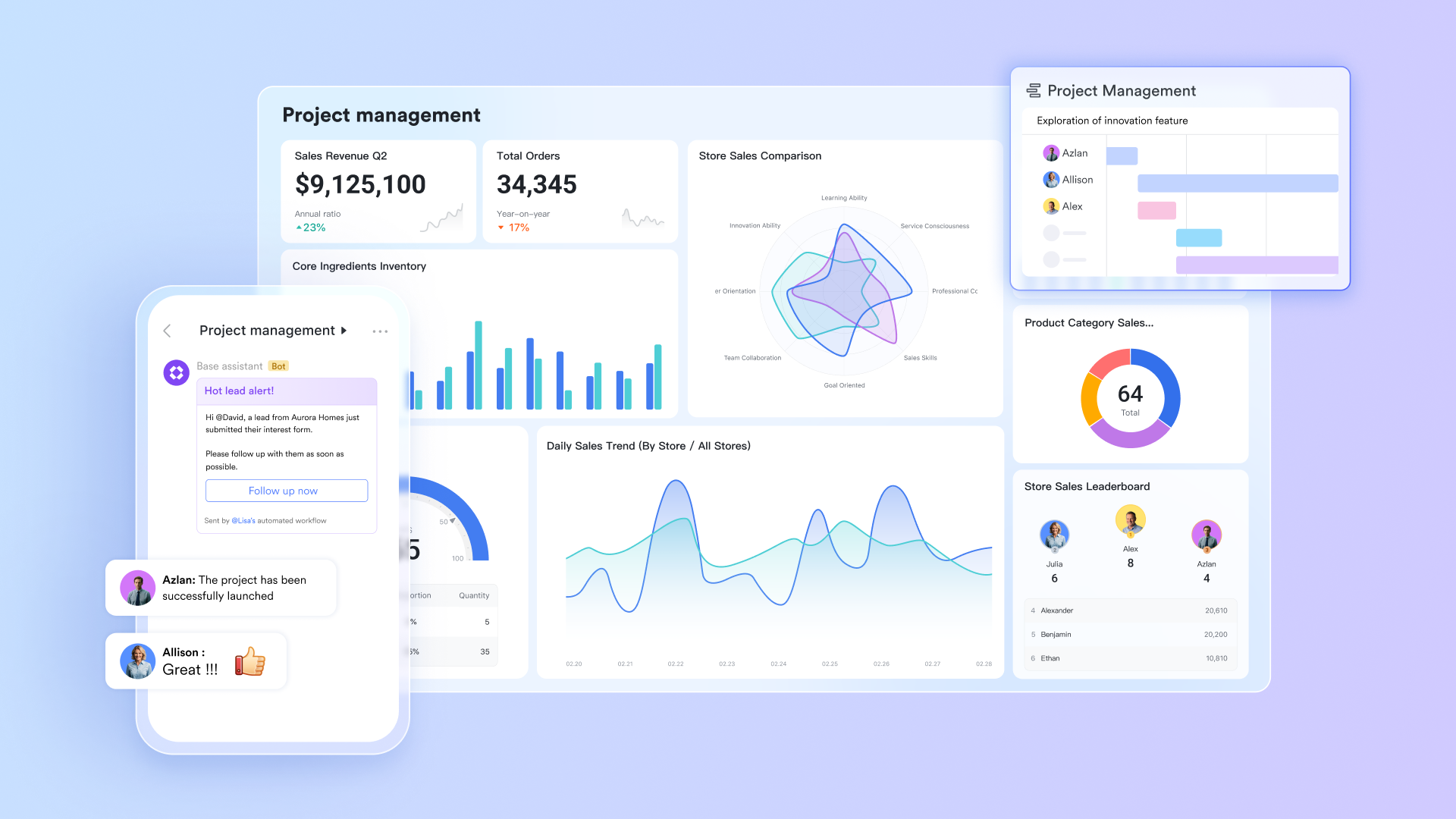
Hive's automation is limited to higher-tier plans or additional purchases, while Lark includes automation capabilities directly in . Teams can set conditions that trigger status changes, notifications, or task creation automatically—all within the same system.
For example, once a design document is approved, Base can automatically update the project status, notify the next department, and log progress for reporting. These built-in automations help teams scale faster without adding complexity or cost.
Cross-department collaboration in real time
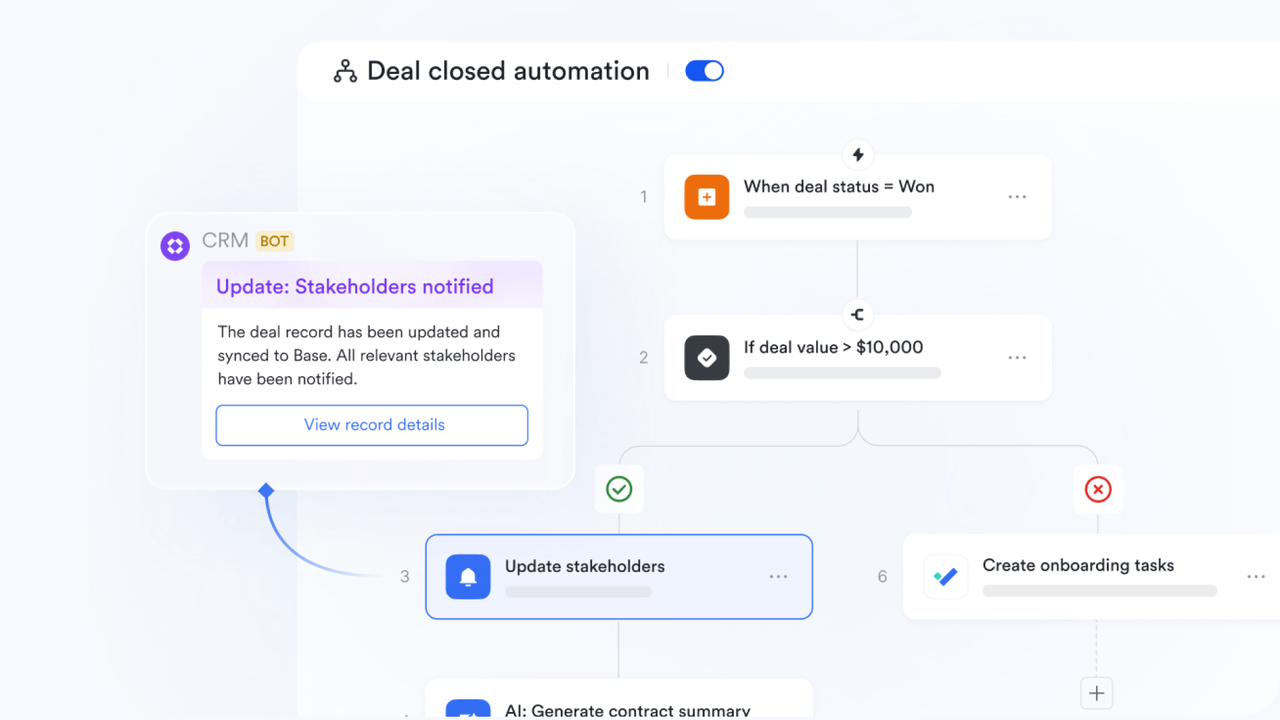
Lark is designed for connected work. Engineering, design, and operations teams can collaborate on the same platform—sharing files, dashboards, and approval workflows in real time. Hive focuses primarily on task management, but Lark provides a full operational ecosystem. This enables different departments to stay aligned without having to switch between multiple systems or worry about version control. 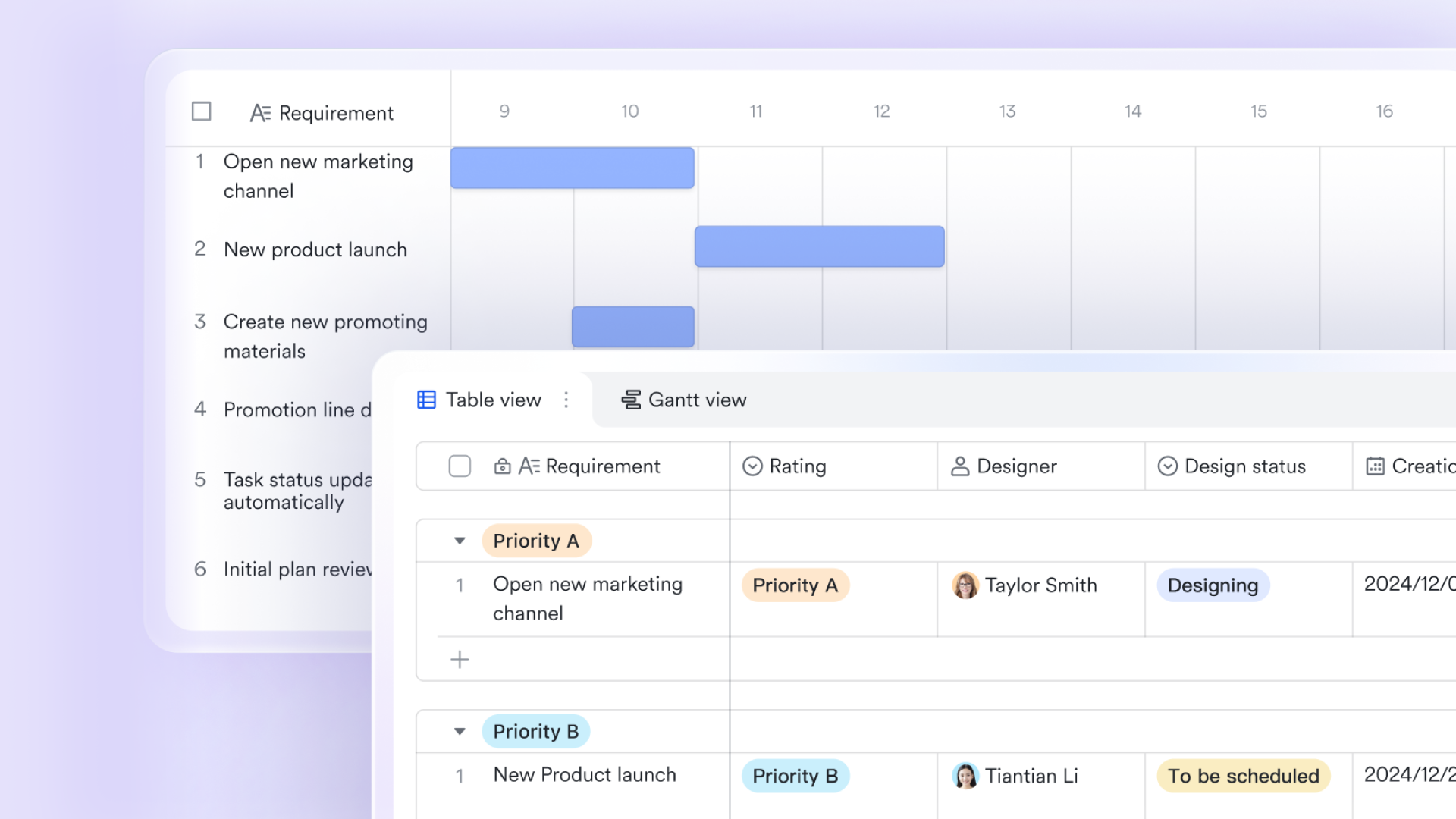
AI-enhanced productivity and meeting summaries
Lark goes beyond traditional project management by introducing AI-assisted features. With , teams automatically receive summaries, key points, and action items after meetings—reducing manual note-taking and ensuring accountability. This productivity layer shortens meeting turnaround time and allows teams to focus on execution rather than administration—a feature Hive currently lacks.

Better long-term ROI
By offering communication, documentation, automation, and analytics in one space, Lark eliminates the need for multiple tools and costly integrations. Over time, organizations save on subscription fees, reduce IT overhead, and boost team efficiency. Even at similar pricing tiers, Lark delivers more features per dollar, making it the smarter investment for teams seeking long-term scalability and productivity. 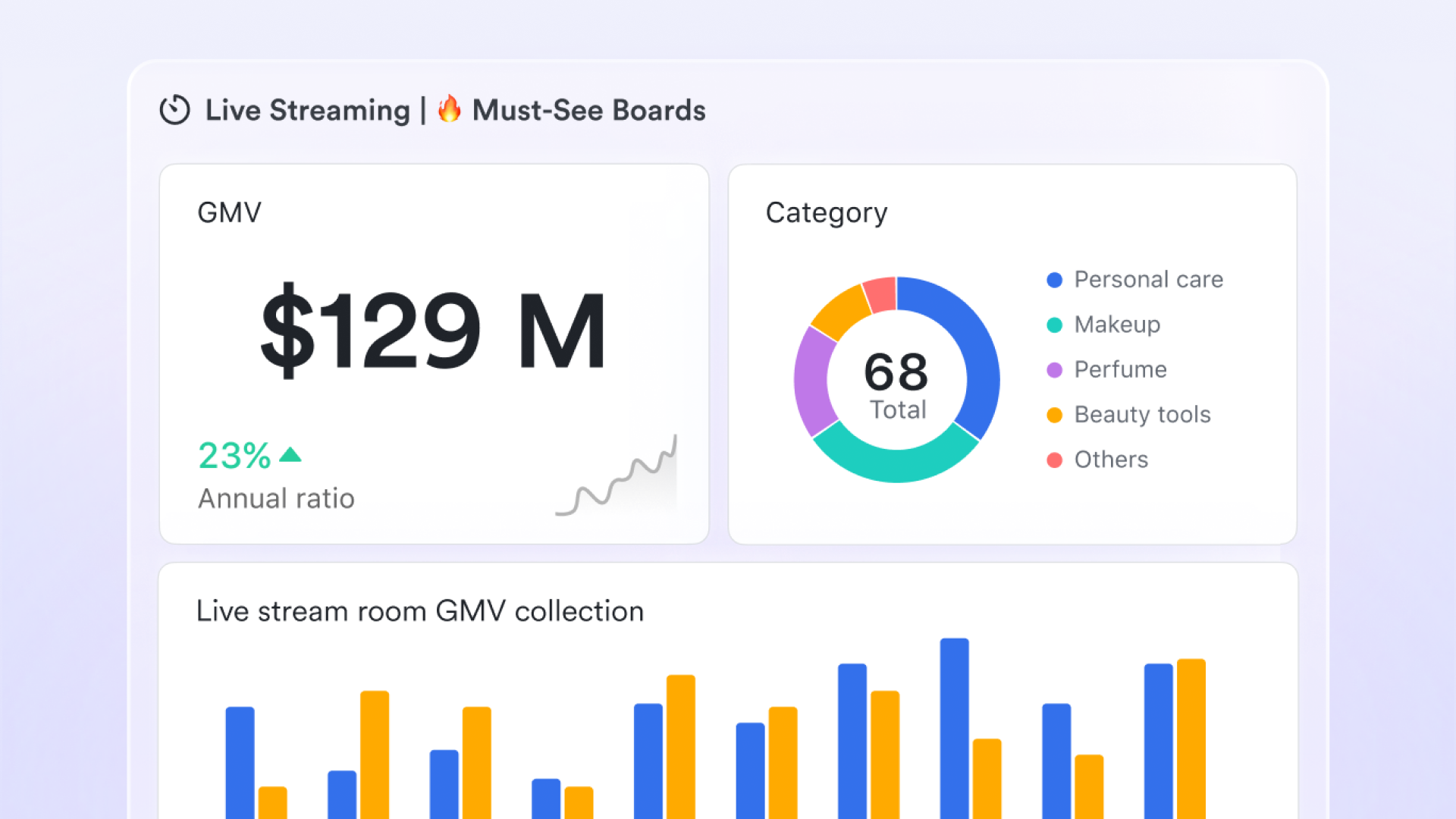
Transparent and affordable pricing
Unlike Hive, which adds costs for features such as automation, analytics, or extra workspaces, Lark offers all major features within simple :
- Starter plan: Free forever plan that includes 11 powerful tools for up to 20 users. It also comes with 100GB of storage, 1000 automation runs, AI translations, and more.
- Basic plan: $6/user/month (billed annually) for up to 500 users. It includes everything in Starter plus group calling for up to 500 attendees, 5TB of storage, 1000 automation runs, and more.
- Pro plan: $12/user/month (billed annually) for up to 500 users. It includes everything in Starter plus group calling for up to 500 attendees, 15TB of storage, 50,000 automation runs, and more.
- Enterprise plan: for custom pricing. Supports unlimited users and includes even more automation runs and advanced security, compliance, and management features.
There are no hidden add-ons or premium "workflow" fees—teams pay once and get access to everything. This makes cost management straightforward and ensures scalability without price spikes.
For small teams with simple communication needs

18 months message history
1000 Base automation runs/month
2000 rows per table in Base
Most POPULAR
For companies with comprehensive collaboration and management needs
Unlimited message history
500-participant video meetings
50k Base automation runs/month
20k rows per table in Base
For large companies with advanced security and organizational management needs
Get a personalized demo and pricing
Unlimited message history
500-participant video meetings
15 TB storage + 30 GB storage/user
500k Base automation runs/month
50k Base automation runs/month
Most POPULAR
For companies with comprehensive collaboration and management needs
Unlimited message history
500-participant video meetings
50k Base automation runs/month
20k rows per table in Base
: Switching to Lark's Pro plan can lead to significant cost savings. For example, a 100-employee company currently paying for tiers alongside Slack and Airtable could save approximately $25,200 annually by consolidating their tools. As more businesses seek out to reduce 'subscription bloat,' Lark’s all-in-one structure offers a clear financial advantage without sacrificing essential collaboration features.
Hive vs Lark: Which offers better value?
When comparing Hive and Lark, value extends beyond surface-level pricing—it's about how each platform supports growth, efficiency, and long-term cost control. While Hive delivers robust project management capabilities, Lark takes a broader approach by combining , documentation, and automation in one platform. Below is a detailed comparison of the two tools across pricing, features, scalability, and operational efficiency.
- Pricing simplicity & predictability: Lark's flat per-user pricing offers transparent costs that include a wide range of features from day one, minimizing surprises as teams scale. Hive's model, while flexible, can become costlier with add-ons for analytics or automations. For organizations seeking predictable budgeting and straightforward scalability, Lark's structure may provide better financial clarity and stability.
- Feature breadth: Lark combines with native chat, meetings, cloud documents, and workflows, reducing the need for third-party integrations. Hive focuses heavily on task and project execution but relies on external tools for areas like documentation and communication. This difference means Lark functions as a centralized workspace, whereas Hive excels in narrower project management use cases.
- Scalability & team growth: As teams grow, Lark's pricing remains stable because its features scale across all users without incremental add-on fees. Hive, on the other hand, can become more expensive when expanding teams or unlocking advanced features such as unlimited and forms. For organizations with fast-paced growth, Lark offers more predictable cost-to-value alignment over time.
- Operational efficiency: Using fewer disconnected tools, as Lark enables, minimizes context-switching and streamlines daily operations. Hive users may find themselves juggling between different platforms for messaging, file sharing, and analytics. The reduced integration overhead in Lark contributes to faster onboarding, smoother , and long-term ROI that extends beyond just subscription costs.
Conclusion
Choosing the right project management software depends on more than features—it's about overall value, scalability, and efficiency. Hive delivers solid project and tools, ideal for teams that prioritize structured workflows and visual planning. However, its per-user pricing model and reliance on add-ons can make scaling costly over time. Lark, on the other hand, provides an all-in-one collaboration suite that integrates chat, docs, meetings, and within a single, transparent pricing structure. This unified approach not only simplifies operations but also improves cross-team communication and long-term cost predictability.
For teams seeking to reduce tool fatigue, streamline workflows, and enhance collaboration without worrying about escalating costs, Lark presents a compelling alternative. Its ecosystem empowers organizations to scale efficiently while maintaining productivity and clarity across every project.
Experience smarter project management today
FAQs
Does Hive offer monthly billing or only annual plans?
Lark recognizes that flexibility matters when choosing productivity tools, and Hive offers both monthly and annual billing options. Teams can start with monthly billing to test features before committing long term. Annual subscriptions provide discounted rates, making them more cost-effective for established teams planning extended use.
Can I use Hive offline or export project data?
Hive operates primarily as a cloud-based platform, ensuring real-time collaboration and centralized data access. While offline functionality is limited, users can still view cached tasks and receive mobile notifications. For documentation or analysis, Hive allows data export in formats like CSV and PDF, supporting backup and reporting needs.
How does Lark's free plan compare to Hive's free plan?
Lark's free plan offers more built-in functionality, supporting up to 20 users and including tools like Docs, Tasks, Calendar, and Meetings. Hive's free plan, in contrast, allows up to 10 users and focuses mainly on task tracking. This makes Lark more suitable for small teams seeking complete collaboration tools from the start.
Is Hive suitable for large enterprises or complex workflows?
Hive's Enterprise plan caters to large organizations by providing custom permissions, enhanced analytics, and advanced security controls. However, costs can rise significantly as team size and features expand. In comparison, Lark's unified structure offers similar scalability under a transparent pricing model, helping enterprises control budgets effectively.
Does Lark support third-party integrations for project workflows?
Yes, Lark seamlessly connects with over 2,000 third-party apps via Zapier and open APIs. This allows integration with CRMs, finance tools, and other enterprise systems for smoother data synchronization. Teams benefit from enhanced workflow automation and centralized project visibility without relying on multiple disconnected platforms.
Related reading






























