














Inside Sales Explained: Strategies, Process, and Best Tools for Success

Ryan Tanner
Product Marketing Specialist
Sep 18, 2026
Ryan Tanner
Sep 18, 2026

24 min read


Inside sales has become the backbone of modern selling, enabling teams to connect with prospects, build relationships, and close deals all without stepping into the field. It combines strategy, communication, and technology to drive consistent growth through digital channels. From managing leads to tracking performance, the right tools make inside sales smarter and more efficient.
Platforms like Lark, HubSpot Sales Hub, Salesforce Sales Cloud, and Pipedrive help streamline collaboration, automate workflows, and keep teams aligned. This guide explores what inside sales means, key strategies for success, and the best tools to empower your sales teams. Here is the list of best inside sales tools:
1. Lark: All-in-one inside sales collaboration suite
2. HubSpot Sales Hub: CRM and automation for scaling teams
3. Salesforce Sales Cloud: Enterprise-grade CRM for complex sales workflows
4. Pipedrive: Pipeline-focused CRM for small and mid-sized teams
5. Zoho CRM: Budget-friendly CRM with strong customization options
6. Gong: Conversation intelligence and call analytics platform
7. Close CRM: Built-in calling, emailing, and SMS for fast-paced teams
8. Outreach: Sales engagement and outreach automation tool

What is inside sales?
Inside sales refers to the process of selling products or services remotely rather than meeting customers in person. Sales representatives connect with leads and clients via phone, email, video meetings, and digital platforms, focusing on building relationships and closing deals online.
Unlike outside sales, which involves face-to-face meetings and travel, inside sales emphasizes efficiency and scalability. It allows teams to manage higher volumes of leads, shorten sales cycles, and leverage technology for communication and analytics. Inside sales have become especially vital in B2B and SaaS industries, where buyers prefer digital engagement. A typical workflow includes lead research, outreach, virtual demos, follow-ups, and closing deals all handled through collaborated tools like CRM systems and collaboration platforms.

Image source: unsplash.com
Inside sales vs outside sales: Key differences
Inside sales focuses on handling high lead volumes quickly and efficiently through digital channels. It emphasizes rapid communication, automation, and data-driven engagement, enabling teams to reach more prospects, shorten sales cycles, and close deals faster without in-person interactions.
Comparison table:
8 best inside sales tools to boost performance
1. Lark: Unified collaboration and sales productivity platform
Inside sales success depends on fast communication, consistent follow-ups, and clear visibility across deals. Lark combines instant chat, remote meetings, document management, and workflow automation into a single workspace, helping sales teams close more deals without switching between tools. From tracking leads to hosting demos and automating reminders, Lark gives inside sales teams everything they need to move faster and perform better.
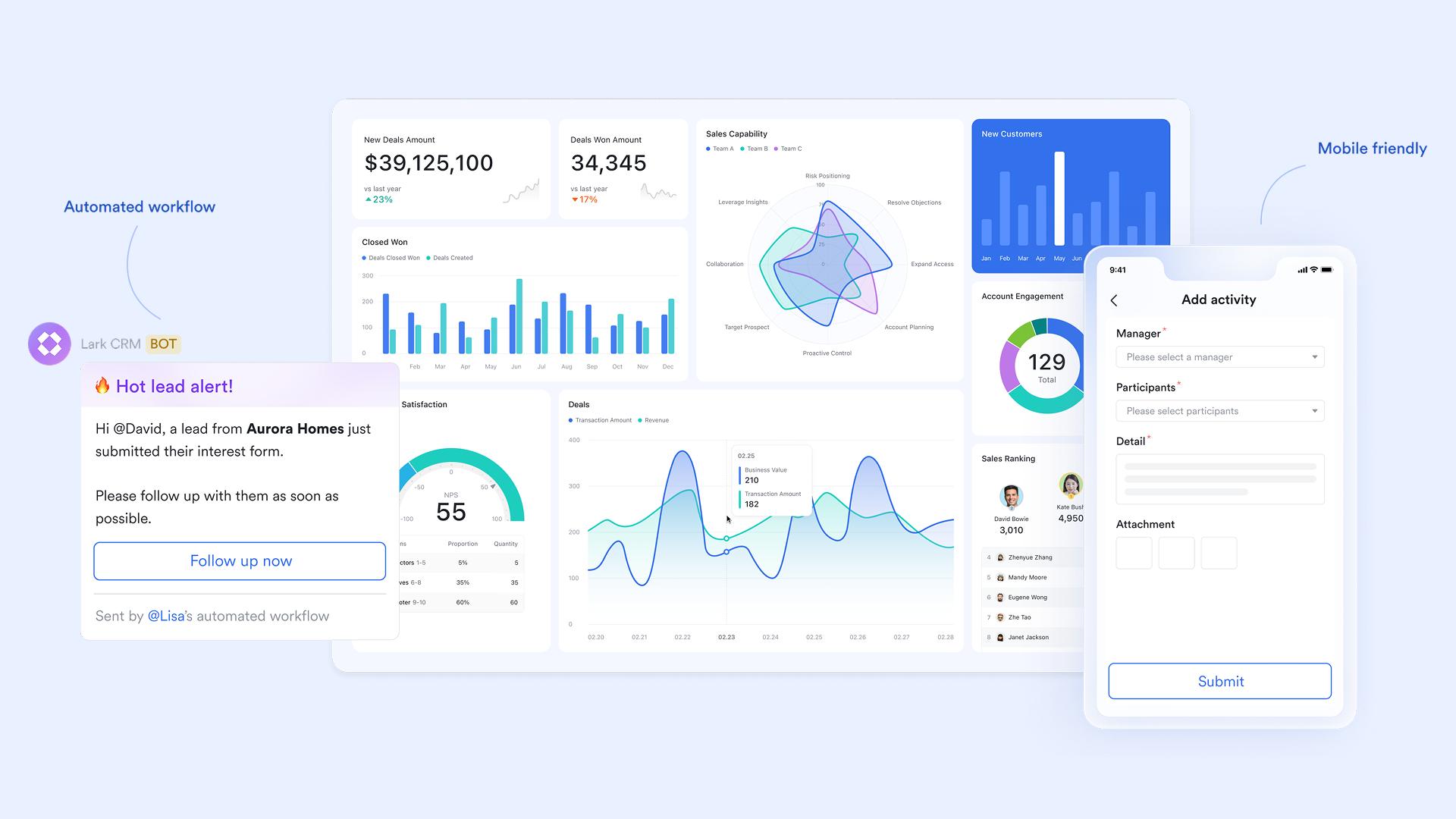
Key features:
- Sales pipeline management and automated follow-ups with Lark Base
Lark Base acts as a customizable, CRM-style workspace for inside sales teams. Reps can track leads, deal stages, and revenue goals in structured databases with Kanban, list, or calendar views. Managers gain complete visibility into pipelines filtering by stage, rep, or deal value to identify opportunities faster.
Beyond tracking, Lark Base also powers automated workflows that handle repetitive but critical actions like lead reminders and follow-ups. You can set triggers to automatically remind reps to call prospects, send demos, or revisit inactive leads. These reminders appear directly in Lark Tasks or Messenger, ensuring no opportunity slips through the cracks.
Example: When a deal moves to the"Negotiation" stage, Lark Base automatically notifies the assigned manager in Messenger and schedules a"Review proposal" task for the next day.
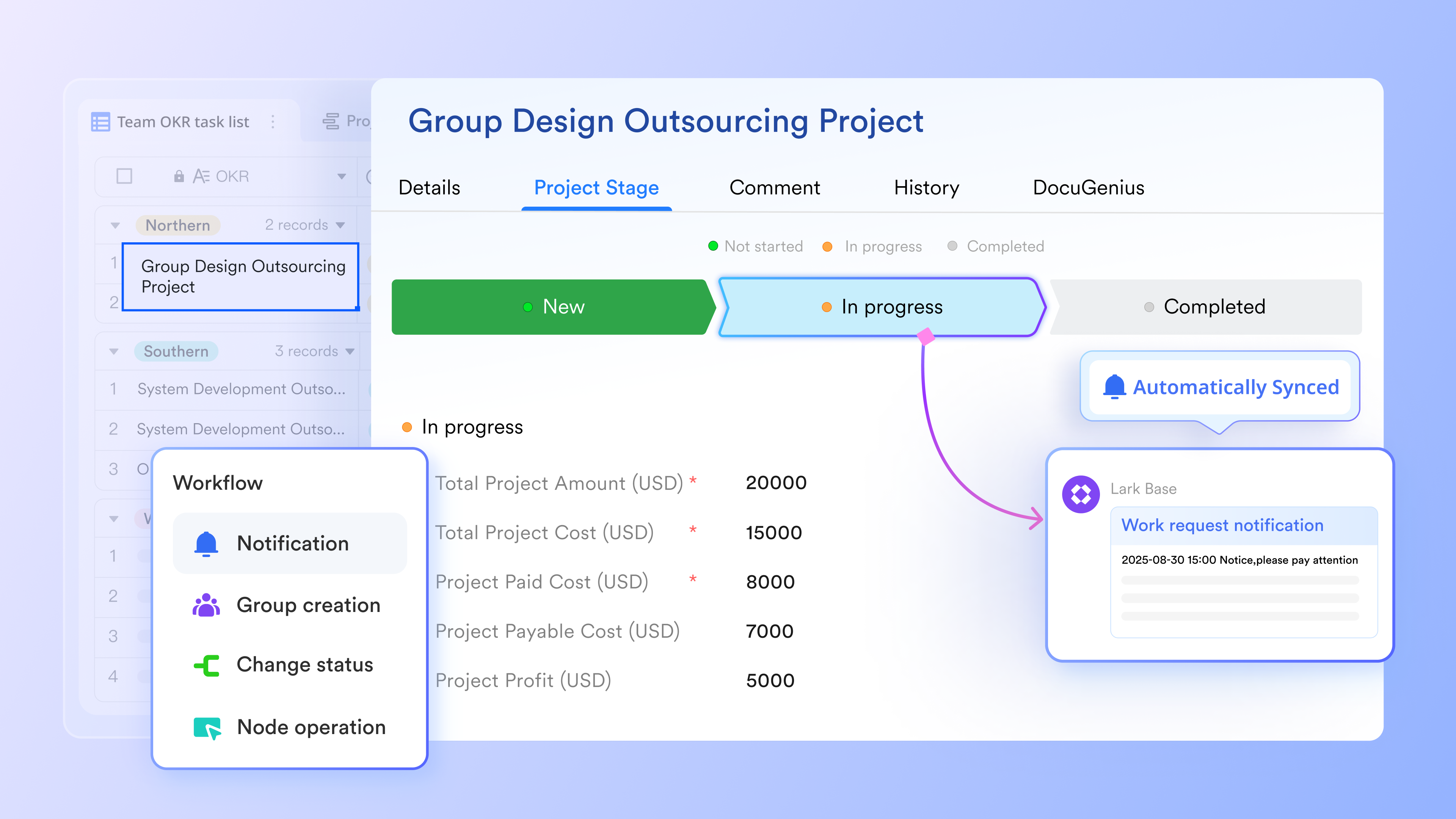
- Task ownership and accountability with Lark Tasks
Inside sales involves constant multitasking, from scheduling calls to logging follow-ups. Lark Tasks helps reps stay organized by keeping every action item clearly visible and assigned. Team members can view their priorities by day or week, ensuring nothing slips through the cracks. Meanwhile, managers can easily check task progress and deadlines within shared task lists keeping the entire sales team aligned and accountable..
Example: A sales manager assigns "5 follow-ups + 3 demos" for the week. Progress updates automatically, and overdue tasks trigger reminders ensuring targets are always met.
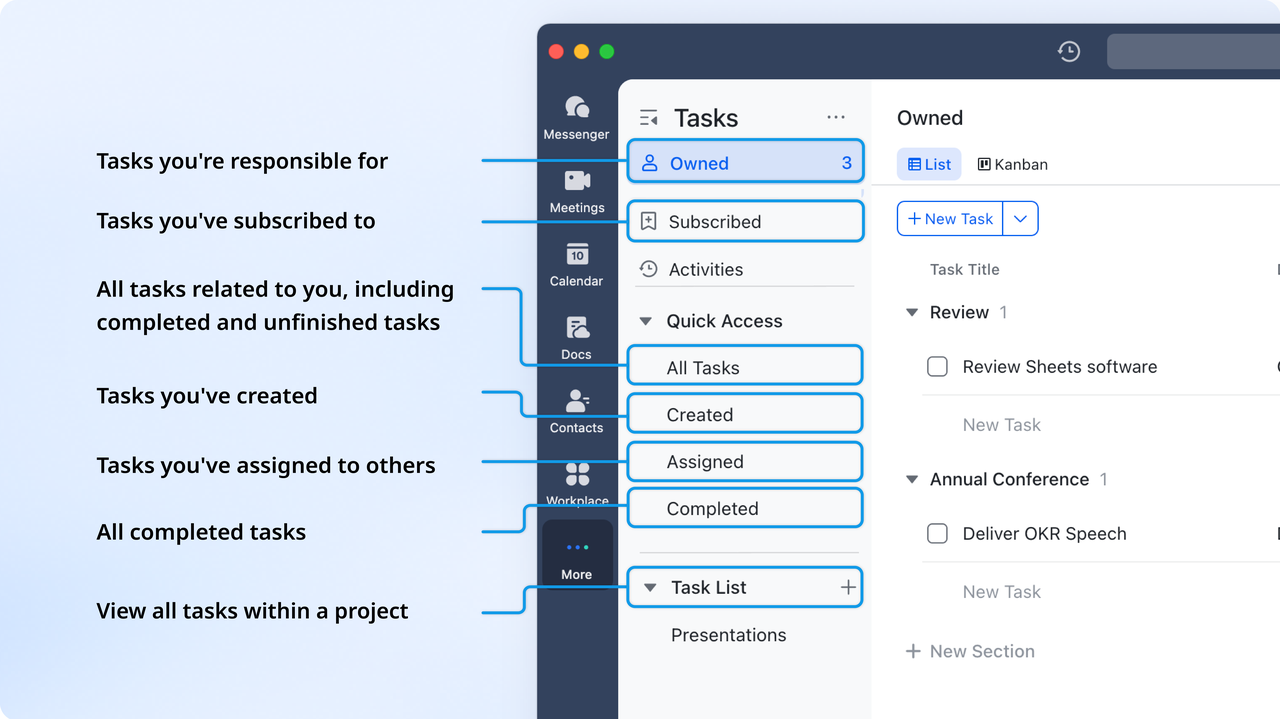
- Real-time proposal and content collaboration in Lark Docs
Proposals, pitch decks, and presentations often require multiple approvals. Lark Docs allows sales, marketing, and finance teams to co-edit proposals in real time. Inline comments make review cycles faster, while permissions keep sensitive data secure. Each document can be linked to its corresponding lead or deal record in Lark Base for easy tracking.
Example: An inside sales rep is preparing a proposal for a prospect. Sales, marketing, and finance teams co-edit the proposal in real time. Inline comments allow quick feedback, permissions keep sensitive pricing secure.
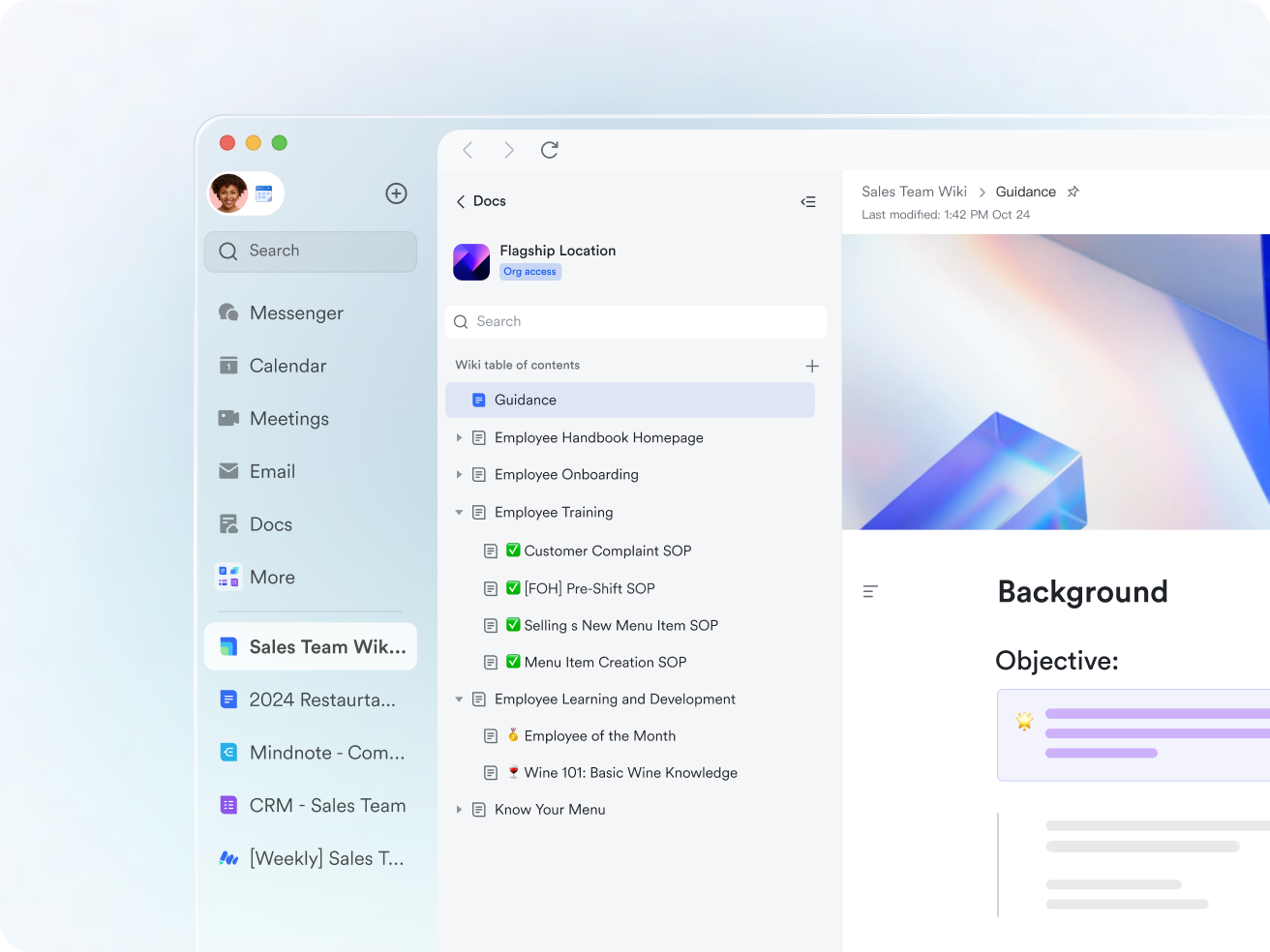
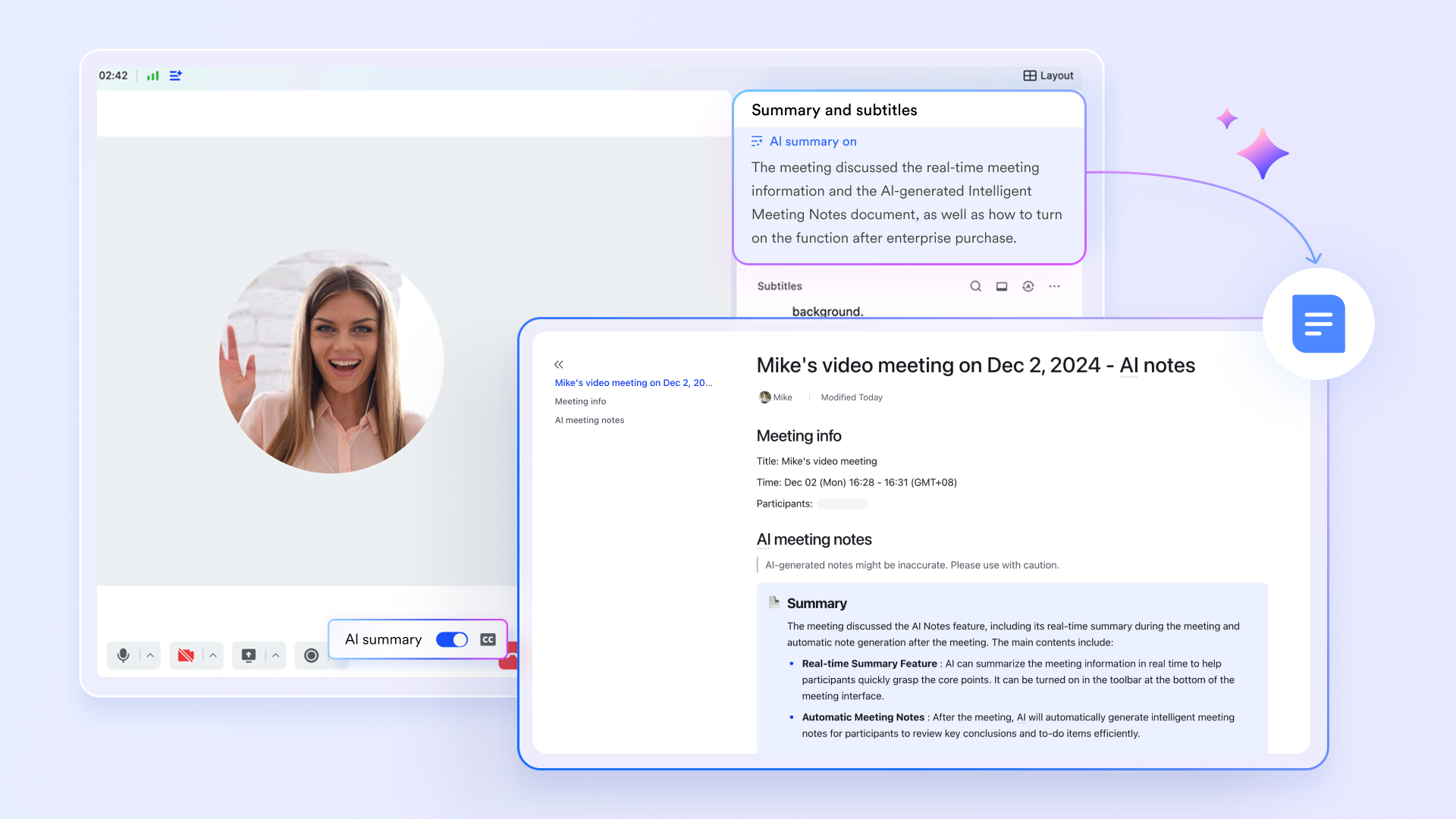
- AI-powered meeting summaries with Lark Meetings
Sales calls and demos are packed with valuable insights. Lark Meetings makes them actionable with features like Magic Share for real-time collaboration and AI Meeting Notes, which automatically captures discussion points and next steps. Sales reps can focus on listening while Lark records action items for follow-up.
Example: After a demo call, Lark automatically generates a summary listing key client objections and next-step commitments, saving reps time on manual note-taking.
- Centralized sales communication with Lark Messenger
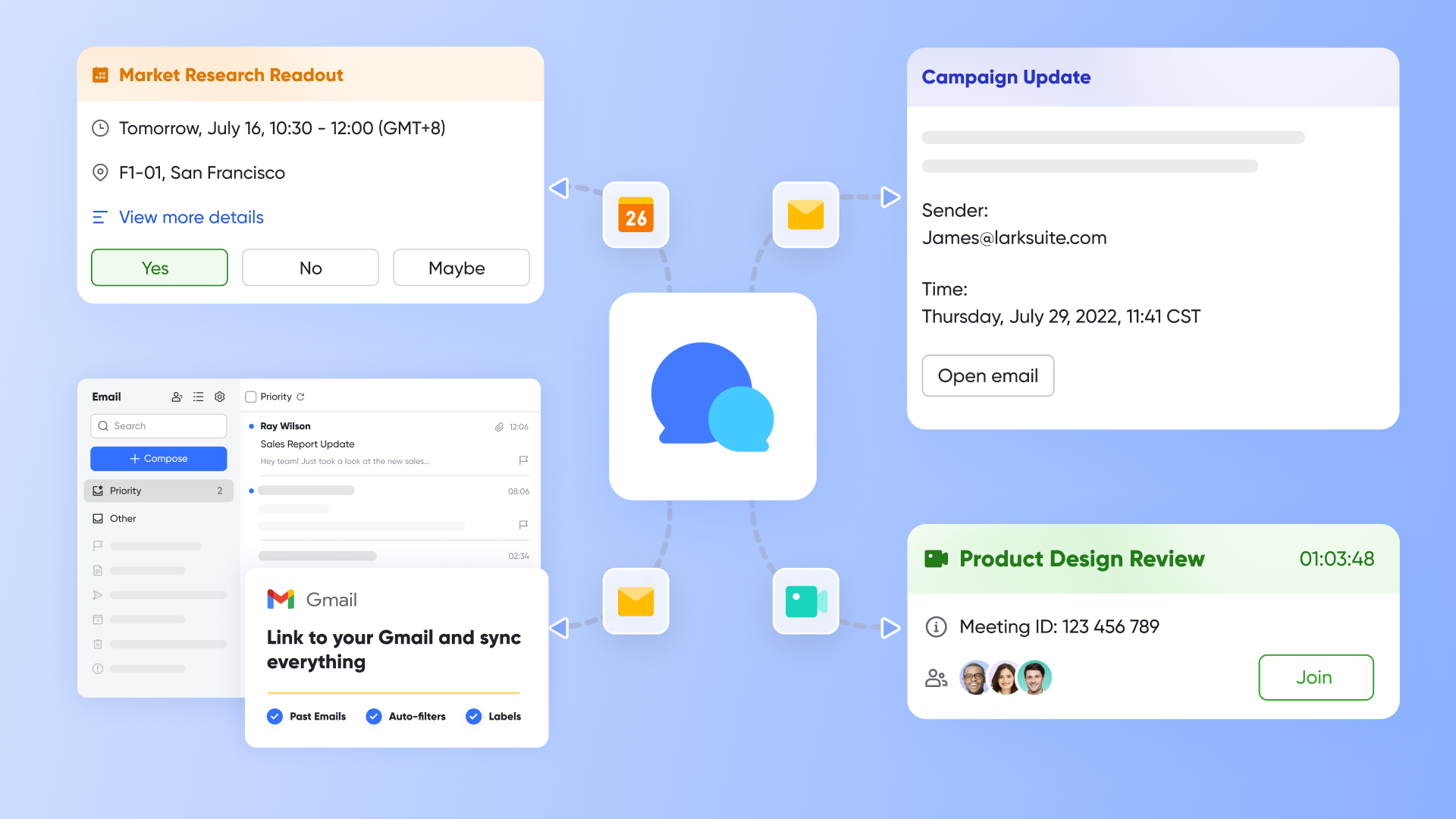
Inside sales reps constantly coordinate sharing client updates, pricing notes, and approval requests. Lark Messenger keeps all communication organized by deal, region, or team. You can pin important chats, for updates, and share documents or client links directly in a conversation. No more chasing information through emails or chat silos, everything related to a customer stays in one thread.
Example: A rep sends a quote to their manager in Messenger, receives instant feedback, and finalizes the offer in minutes instead of hours.
Pros:
- Unified workspace: Combines chat, CRM-like tracking, docs, and meetings under one platform.
- AI-powered productivity: Summaries, task suggestions, and automation reduce manual overhead.
- Real-time collaboration: Enables seamless teamwork across sales, marketing, and support.
- Scalable and secure: Suitable for startups to enterprises with robust permission controls.
Cons:
- Learning curve: Teams shifting from multiple apps may need brief onboarding to adapt fully.
Best for: Remote or hybrid inside sales teams that need to centralize communication, documentation, and sales tracking. Ideal for organizations seeking a single, AI-enhanced platform that replaces multiple disjointed tools boosting team productivity, visibility, and deal velocity.
- Starter plan: Free forever plan that includes 11 powerful tools for up to 20 users. It also comes with 100GB of storage, 1000 automation runs, AI translations, and more.
- Pro plan: $12/user/month (billed annually) for up to 500 users. It includes everything in Starter plus group calling for up to 500 attendees, 15TB of storage, 50,000 automation runs, and more.
- Enterprise plan: Contact sales for custom pricing. Supports unlimited users and includes even more automation runs and advanced security, compliance, and management features.
2. HubSpot Sales Hub: CRM and automation for scaling teams
HubSpot Sales Hub is a powerful CRM platform designed to help growing sales teams manage leads, automate workflows, and close deals efficiently. Built on the free HubSpot CRM, it offers deeper automation, analytics, and engagement tools as teams scale. With seamless integrations, real-time insights, and easy-to-use dashboards, it simplifies every stage of the sales process from prospecting to deal closure
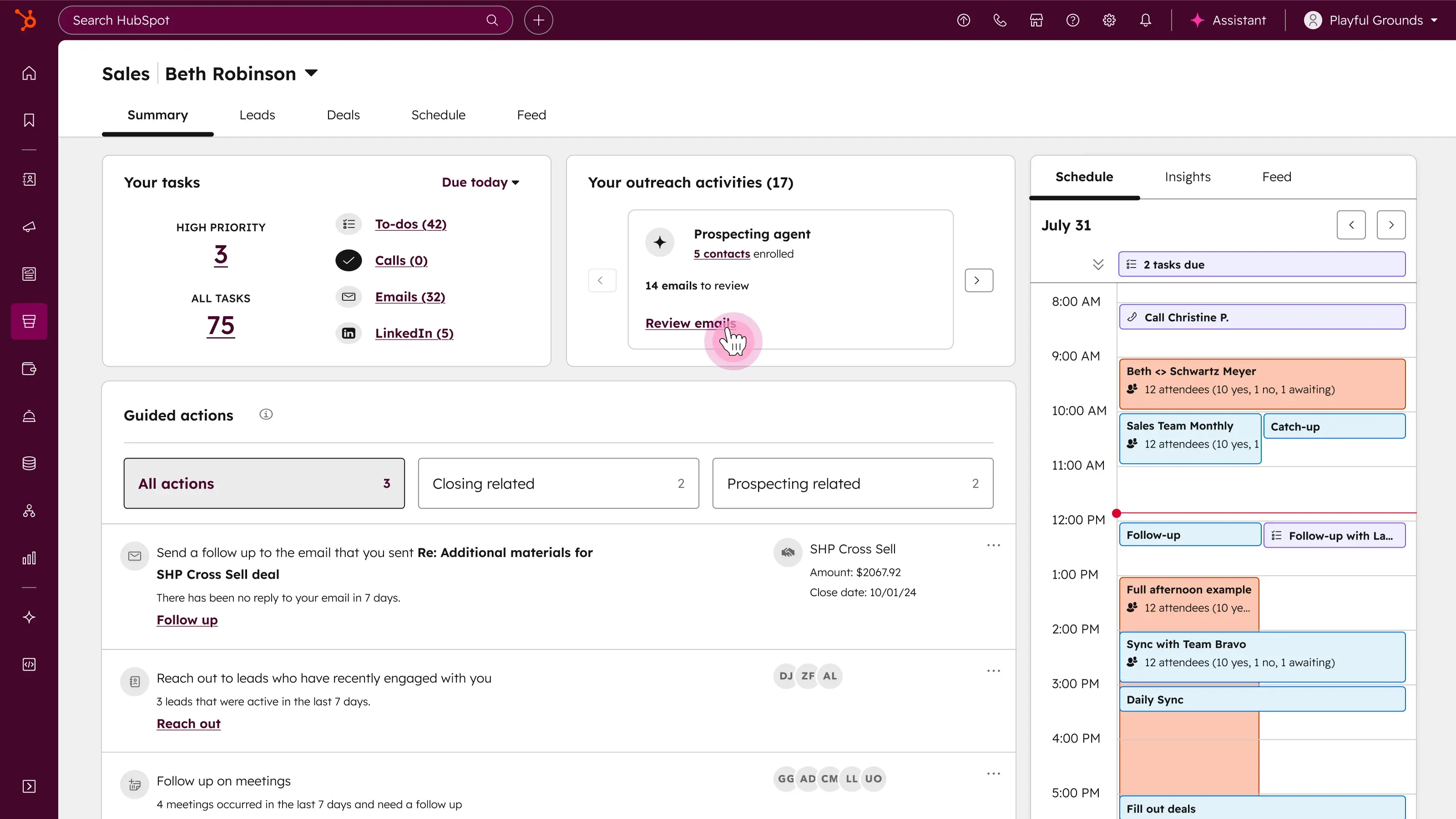
Image source: hubspot.com
Key features:
- Pipeline management: Track contacts, deals, and activities in one unified dashboard for full visibility.
- Automation & sequences: Automate follow-ups and repetitive tasks to maintain sales momentum.
- Reporting & analytics: Access customizable dashboards to measure performance and forecast revenue.
- Quotes & payments: Generate branded quotes and process payments directly within the CRM.
- AI & conversation insights: Use AI to summarize calls, score leads, and identify high-performing patterns.
Pros:
- Unified CRM with built-in automation and analytics.
- Scalable features suitable for teams of all sizes.
- Strong integration ecosystem with marketing tools.
- Excellent user experience and training resources.
Cons:
- Pricing increases significantly at higher tiers.
- Advanced automation and AI features require paid plans.
Best for: Sales and marketing teams looking for a scalable, automation-driven CRM that supports alignment and data-backed growth.
Pricing:
- Free: Basic CRM and contact tools
- Starter: From $20/seat/month
- Professional: From $100/seat/month
- Enterprise: From $150/seat/month
3. Salesforce Sales Cloud: Enterprise-grade sales management
Salesforce Sales Cloud is a robust CRM platform built for large and scaling sales teams that need deep customization and automation. It centralizes customer data, automates complex workflows, and provides AI-powered insights to improve forecasting and sales performance. With strong analytics and extensive integrations, Salesforce helps teams manage multi-stage pipelines, automate repetitive tasks, and align cross-functional operations to close deals more efficiently.
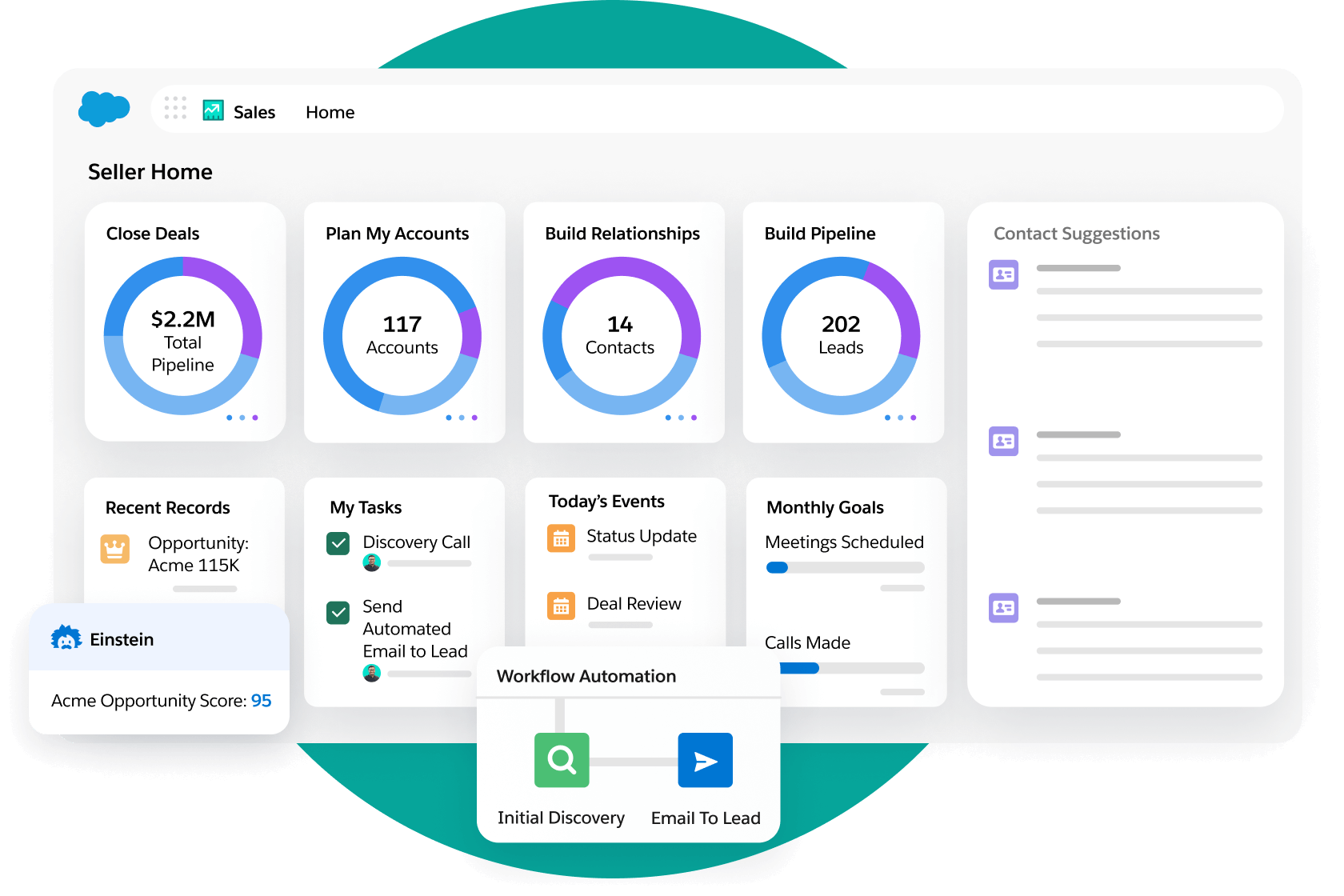
Image source: salesforce.com
Key features:
- Lead and opportunity management: Track prospects, deals, and customer activity from first contact to closing in one place.
- Custom dashboards: Build tailored reports to monitor KPIs, pipeline health, and team performance in real time.
- Workflow automation: Streamline lead routing, approvals, and notifications to eliminate manual work.
- Einstein AI insights: Predict outcomes, suggest next actions, and identify the best opportunities for conversion.
- Integrations and scalability: Connect with thousands of business apps and scale effortlessly across global teams.
Pros:
- Highly customizable with advanced CRM and reporting features.
- AI-driven forecasting improves sales accuracy.
- Rich ecosystem of integrations and partner apps.
- Ideal for managing complex, large-scale sales pipelines.
Cons:
- Requires onboarding and training due to complexity.
- Costly for smaller teams or organizations with simple workflows.
Best for: Enterprises or fast-growing businesses that manage complex, multi-step sales processes and need deep customization with powerful automation and analytics.
Pricing:
- Starter: $25/user/month
- Professional: $80/user/month
- Enterprise: $165/user/month
- Unlimited: $330/user/month
4. Pipedrive: Pipeline-focused CRM for small and mid-sized teams
Pipedrive is a simple yet powerful CRM designed to help small and mid-sized sales teams manage deals, track activities, and improve conversion efficiency. Its visual interface makes pipeline management intuitive, ensuring every lead and opportunity moves smoothly toward closure. With automation, reporting, and integrations built in, Pipedrive streamlines daily workflows without overwhelming teams with complexity.
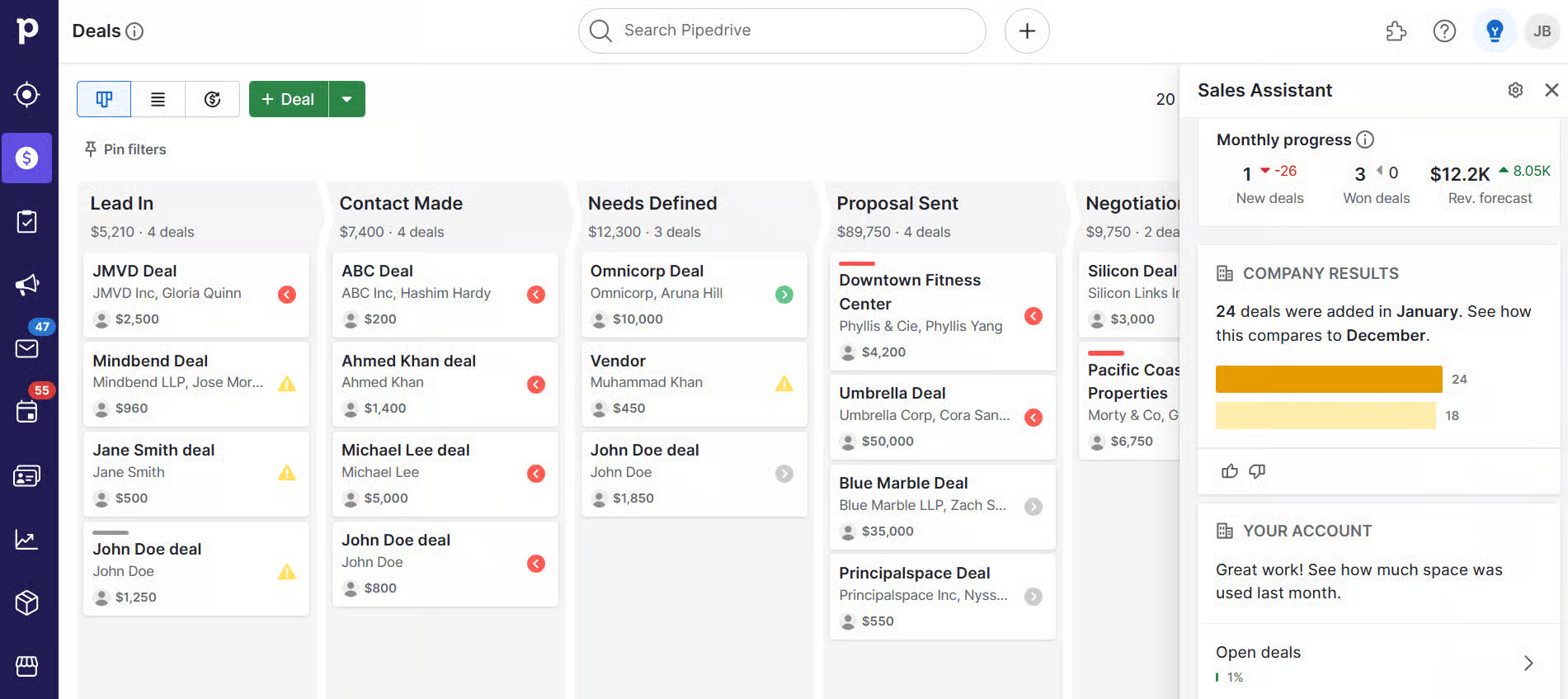
Image source: pipedrive.com
Key features:
- Visual sales pipelines: Manage deals with an easy drag-and-drop interface for clear visibility into every stage.
- Activity and goal tracking: Set goals, schedule follow-ups, and track progress with reminders and notifications.
- Workflow automation: Automate routine actions such as email sends, lead assignment, and status updates.
- Email and communication sync: Integrate with Gmail, Outlook, or other tools to centralize all communication.
- Reporting and insights: Generate visual reports to monitor conversion rates and identify performance trends.
Pros:
- Extremely user-friendly and easy to set up.
- Affordable and ideal for small to mid-sized teams.
- Visual deal tracking improves clarity and accountability.
- Strong automation and integration options for everyday tasks.
Cons:
- Limited marketing automation and AI features.
- Reporting customization is basic compared to larger CRMs.
Best for: Small and mid-sized inside sales teams that want an affordable, easy-to-use CRM focused on managing deals, automating workflows, and improving pipeline visibility.
Pricing:
- Essential: $15/user/month
- Advanced: $29/user/month
- Professional: $59/user/month
- Power: $69/user/month
- Enterprise: $99/user/month
5. Zoho CRM: Budget-friendly CRM for growing teams
Zoho CRM is a flexible and affordable customer relationship management platform built for growing businesses. It offers end-to-end sales automation, multichannel communication, and extensive customization features. Its intuitive interface and scalability make it suitable for teams that want a balance between functionality and cost efficiency. Zoho CRM helps sales teams automate lead management, improve engagement, and gain actionable insights without requiring heavy technical setup.
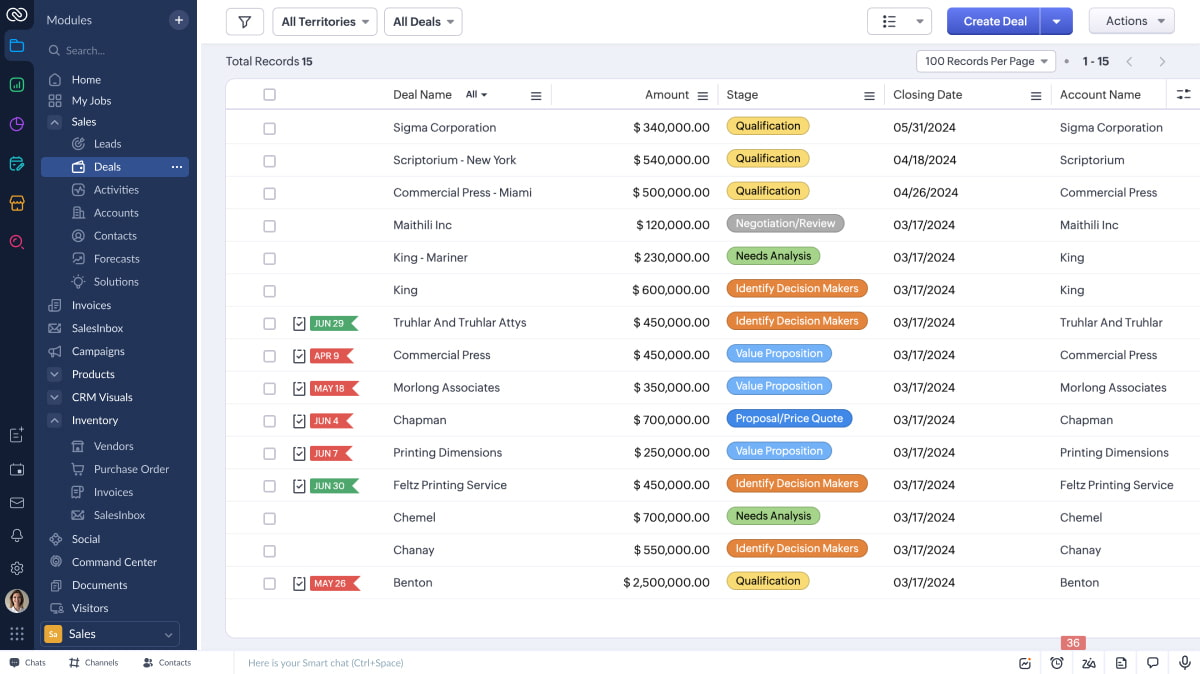
Image source: zoho.com
Key features:
- Lead and contact management: Capture, track, and nurture leads through the entire sales journey from a single dashboard.
- Sales automation: Automate tasks like follow-ups, email sequences, and workflow triggers to save time and improve accuracy.
- Multichannel communication: Connect with prospects via phone, email, live chat, or social media directly within the CRM.
- Customization and scalability: Modify fields, layouts, and modules to fit specific sales processes and business needs.
- Analytics and reporting: Access detailed dashboards to measure KPIs, forecast revenue, and track team performance.
Pros:
- Highly affordable compared to enterprise-level CRMs.
- Offers deep customization and flexible automation workflows.
- Integrates well with Zoho's ecosystem of business apps.
- Suitable for both B2B and B2C sales models.
Cons:
- Some advanced analytics and AI features require higher-tier plans.
- Interface can feel cluttered when multiple modules are enabled.
Best for: Small to medium-sized businesses seeking an affordable yet powerful CRM that offers workflow automation, customization, and multichannel sales engagement.
Pricing:
- Standard: $20/user/month
- Professional: $35/user/month
- Enterprise: $50/user/month
- Ultimate: $65/user/month
6. Gong: Conversation intelligence and call analytics
Gong is a leading conversation intelligence platform that helps sales teams analyze customer interactions and improve performance. It captures and transcribes calls, emails, and meetings to provide insights into what drives conversions. By using AI to analyze tone, keywords, and engagement patterns, Gong enables managers to coach reps effectively, identify at-risk deals, and refine messaging strategies for better results.
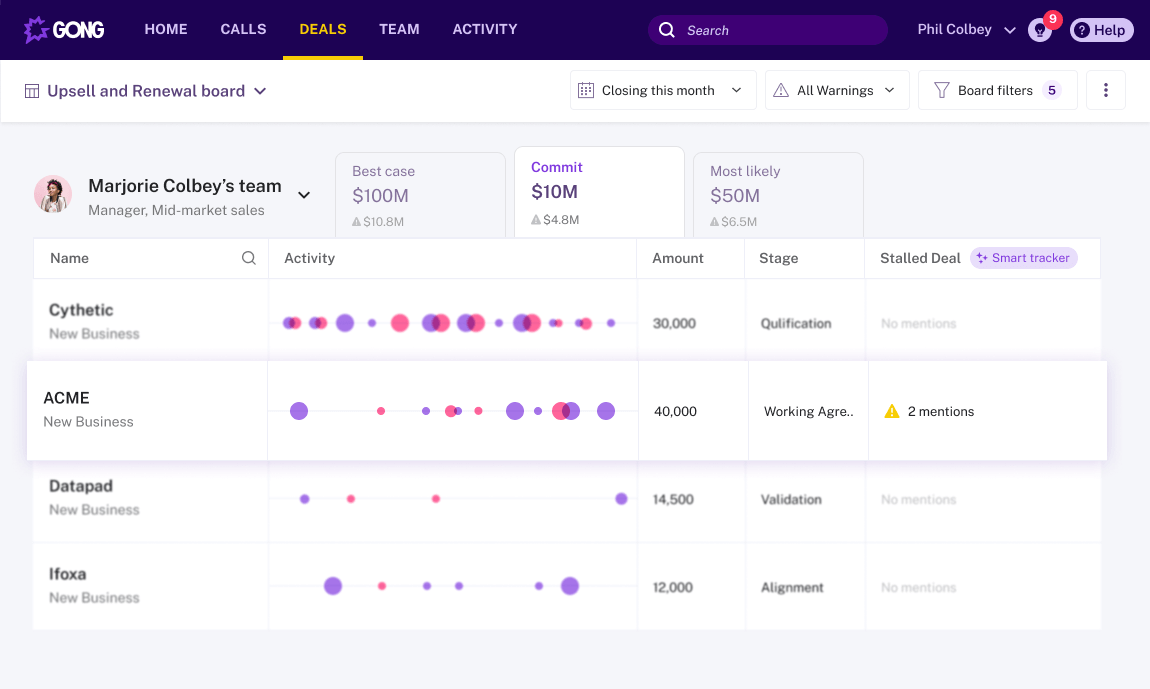
Image source: gong.com
Key features:
- Call recording and transcription: Automatically records and transcribes meetings, providing searchable insights for review.
- Conversation analytics: Uses AI to analyze speaking ratios, keywords, and engagement cues to measure deal health.
- Deal intelligence: Tracks pipeline activity and highlights risks or opportunities based on real-time interactions.
- Coaching insights: Helps managers identify training needs, replicate top performer behaviors, and improve win rates.
- Integration with CRMs: Syncs with Salesforce, HubSpot, and other tools to provide unified sales visibility.
Pros:
- Delivers deep insights into sales conversations and rep performance.
- Excellent for coaching and improving sales effectiveness.
- Provides actionable data to forecast and prioritize deals.
- Seamlessly integrates with major CRM and communication tools.
Cons:
- Primarily focused on call analytics — not a full CRM solution.
- Premium pricing can be restrictive for small teams.
Best for: Sales teams focused on improving call quality, coaching effectiveness, and deal visibility through AI-driven conversation insights.
Pricing:
- Custom pricing based on team size and feature needs (available on request)
7. Close CRM: Inside sales software for startups and SMBs
Close CRM is designed specifically for high-velocity inside sales teams that rely on rapid communication and follow-ups. It combines calling, emailing, SMS, and automation tools within one simple interface — eliminating the need for multiple apps. With real-time activity tracking, automation workflows, and integrated analytics, Close helps sales reps close more deals efficiently while maintaining personal, one-to-one connections with prospects.
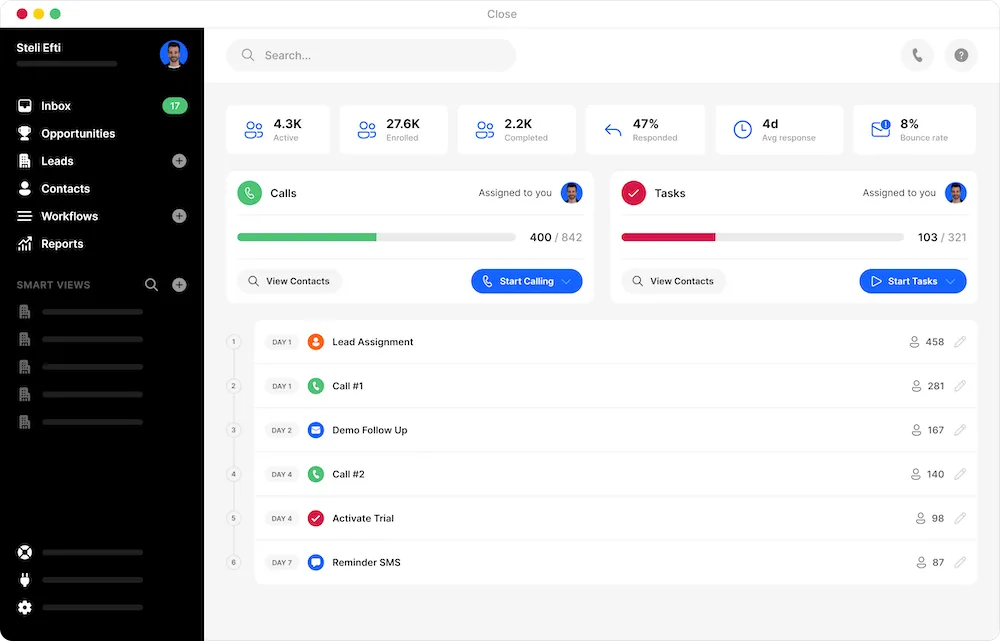
Image source: close.com
Key features:
- Built-in communication tools: Make calls, send emails, and text leads directly from the CRM without switching apps.
- Automation workflows: Automate reminders, follow-ups, and outreach sequences to save time and improve consistency.
- Pipeline management: Visualize deals, set priorities, and monitor progress with simple drag-and-drop pipelines.
- Email tracking and templates: Track opens, clicks, and responses to optimize outreach effectiveness.
- Reporting and insights: Analyze team performance, call metrics, and conversion trends in one dashboard.
Pros:
- Combines communication and CRM in one platform.
- Fast, intuitive interface ideal for small to mid-sized teams.
- Strong automation for email and call workflows.
- Excellent visibility into real-time outreach activity.
Cons:
- Limited marketing and advanced analytics features.
- Less suitable for large enterprises with complex sales structures.
Best for: High-velocity inside sales teams that focus on phone, email, and SMS communication to engage prospects and close deals quickly.
Pricing:
- Starter: $25/user/month
- Basic: $59/user/month
- Professional: $89/user/month
- Business: $129/user/month
8. Outreach: Sales engagement and automation platform
Outreach is a powerful sales engagement platform that helps inside sales teams automate and personalize communication at scale. It enables reps to plan, execute, and track multi-channel outreach sequences across email, calls, and social platforms ensuring consistent and data-driven engagement. With AI-powered insights and analytics, Outreach helps teams prioritize prospects, improve response rates, and accelerate deal conversions through smarter engagement strategies.
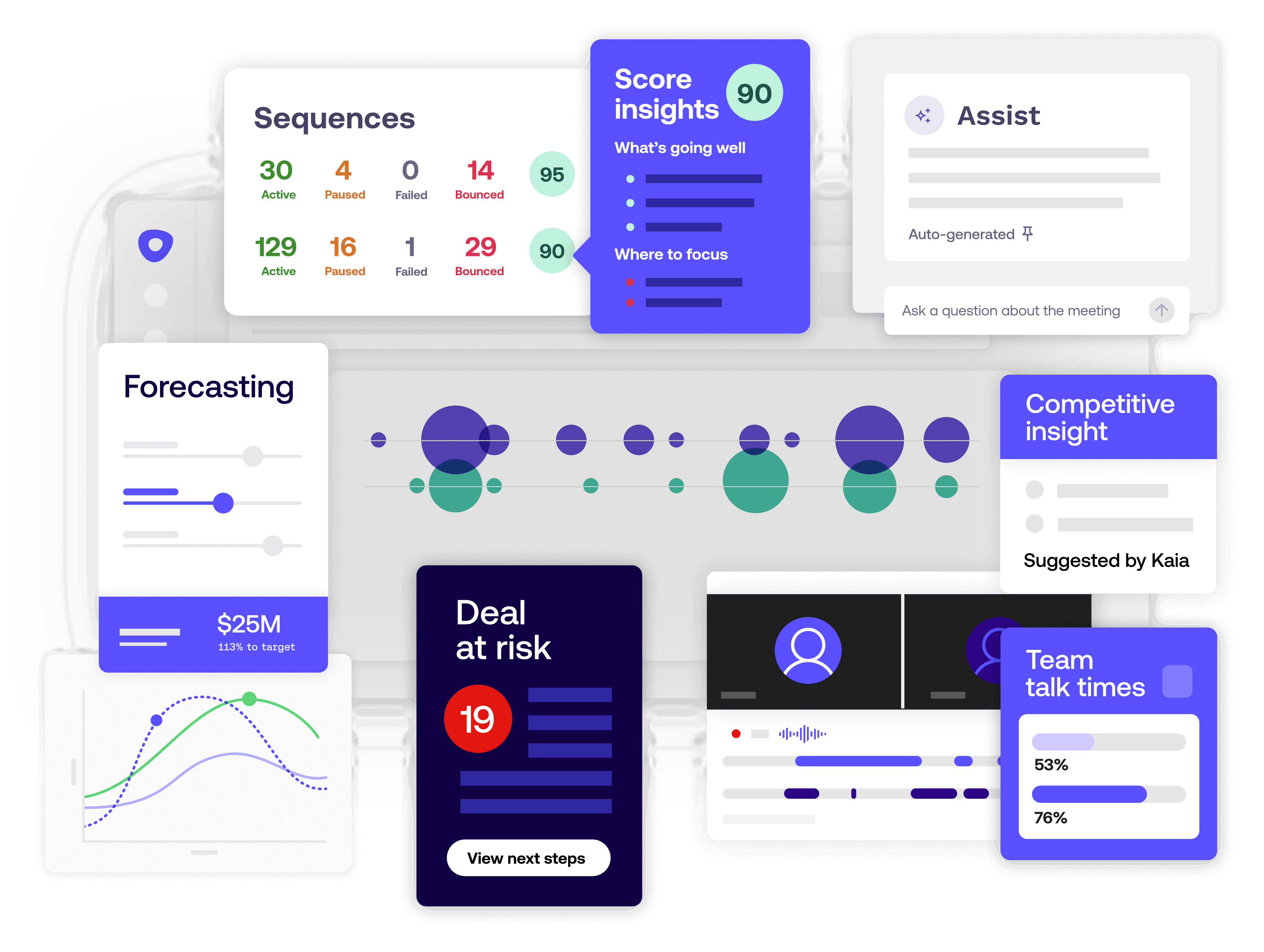
Image source: outreach.com
Key features:
- Multi-channel outreach: Coordinate emails, calls, and social touches within structured sequences for consistent follow-ups.
- Automation and scheduling: Automate repetitive outreach tasks, reminders, and cadence timing to boost productivity.
- Personalization at scale: Customize messages using templates, dynamic fields, and behavioral data.
- AI-driven analytics: Get insights on engagement rates, best-performing messages, and optimal contact times.
- Integration ecosystem: Works seamlessly with CRMs like Salesforce and HubSpot to sync data automatically.
Pros:
- Enables large-scale personalized outreach efficiently.
- Strong automation and sequencing tools for consistent engagement.
- Provides detailed analytics to optimize communication strategies.
- Enhances productivity by unifying outreach and tracking.
Cons:
- Not a full CRM — requires integration with existing systems.
- It can be costly for smaller teams or startups.
Best for: Inside sales teams focused on automating outreach, scaling personalized communication, and improving engagement efficiency across multiple channels.
Pricing:
- Custom pricing based on features and team size (available on request)
The inside sales process: Step by step
Step 1. Lead identification and research
Sales reps identify potential prospects through inbound marketing, databases, or referrals. They research company size, needs, and decision-makers to build a targeted outreach list. This groundwork ensures quality leads enter the pipeline.
Step 2. Qualification and segmentation
Leads are evaluated based on fit, budget, and buying intent. Qualified prospects are categorized into segments for personalized communication. This step helps prioritize efforts on high-conversion opportunities.
Step 3. Personalized outreach
Reps connect with prospects through calls, emails, or social channels. Personalized messages address pain points and highlight tailored solutions. The goal is to build rapport and spark meaningful engagement.
Step 4. Product demonstration and proposal
Once interest is shown, reps schedule online demos or share proposals. They showcase product features aligned with the client's challenges and present pricing options. This stage helps move prospects closer to purchase.
Step 5. Follow-up and objection handling
Timely follow-ups keep the conversation active and address any concerns. Sales reps clarify doubts, provide additional resources, and strengthen trust. Effective objection handling often determines deal success.
Step 6. Deal closure and onboarding
After final negotiation, the rep secures the customer's commitment and confirms the sale. Smooth onboarding ensures a positive start, with clear communication on next steps and support channels.
Step 7. Relationship maintenance and upselling
Post-sale engagement focuses on satisfaction and retention. Reps stay in touch to gather feedback, offer upgrades, and identify cross-sell opportunities. Long-term relationships drive recurring revenue.
Step 8. Visual representation of workflow
Use a simple linear or circular visual showing the sales flow — from lead identification → qualification → outreach → demo → follow-up → closure → relationship management. This helps teams visualize the continuous inside sales cycle.
Proven inside sales strategies
Inside sales success depends on a blend of personalization, automation, collaboration, and data-driven decision-making. These strategies help teams engage customers more effectively, streamline workflows, and close deals faster. By leveraging CRM insights, automation tools, and shared digital workspaces, sales teams can enhance productivity while maintaining a human touch throughout the sales journey.
- Personalize outreach using CRM insights and buyer data: Tailor every interaction using customer information stored in your CRM. Personalized emails, offers, and messages demonstrate genuine understanding of client needs. This approach boosts engagement, trust, and response rates.
- Automate repetitive tasks like follow-ups and reminders: Automation ensures timely follow-ups and consistent engagement without manual effort. It eliminates missed opportunities and keeps leads warm throughout the sales cycle. Reps can then focus on higher-value conversations and closing deals.
- Align sales and marketing for consistent messaging: When sales and marketing teams share insights and objectives, outreach becomes more coherent. Aligned communication nurtures leads effectively from awareness to conversion. This consistency strengthens brand trust and increases lead-to-customer conversions.
- Use analytics to refine conversion tactics: Tracking performance metrics helps identify what's working and where improvement is needed. Sales analytics reveal winning behaviors, campaign performance, and conversion bottlenecks. Data-driven insights enable smarter decisions and continuous process optimization.
- Foster collaboration through shared workspaces and AI insights: Centralized workspaces keep teams connected across tasks, chats, and projects. AI-powered tools provide real-time insights, meeting summaries, and workflow recommendations. Together, they enhance teamwork, speed, and overall sales efficiency.
Tips to improve inside sales performance
Maintaining strong performance in inside sales requires a mix of discipline, adaptability, and consistent improvement. These best practices help teams stay efficient, organized, and customer-focused while driving better conversion outcomes.
- Keep CRM data updated and clean: Accurate and up-to-date CRM data is the foundation of effective sales management. Regularly updating lead information, deal status, and contact history ensures your team works with reliable insights. Clean data helps prevent missed opportunities, duplicate records, and reporting errors.
- Track metrics like conversion rates and follow-up time: Monitoring performance metrics allows teams to identify bottlenecks and improve efficiency. Metrics such as conversion rates, follow-up response times, and call-to-close ratios reveal what's working and where adjustments are needed. Data-driven tracking supports informed decision-making and continuous optimization.
- Use scripts as flexible guides, not rigid templates: Sales scripts should serve as conversation frameworks, not word-for-word manuals. Reps can personalize scripts based on buyer needs, tone, and context. This flexibility keeps conversations natural, builds rapport, and helps sales reps respond effectively to objections.
- Automate repetitive communication: Automation tools can handle routine outreach, reminders, and follow-ups, freeing reps to focus on relationship building. Automated workflows ensure consistency, timeliness, and engagement across multiple leads — all without losing the personal touch that drives trust.
- Encourage continuous learning and sales role-play sessions: Regular training keeps sales teams sharp and confident. Role-playing scenarios allow reps to practice handling objections, refining pitches, and improving communication. Ongoing learning fosters adaptability, enhances skill sets, and ensures sustained sales performance over time.
The future of inside sales
The future of inside sales is being shaped by technology, collaboration, and data-driven intelligence. AI-driven insights and predictive analytics are transforming how sales teams identify opportunities and personalize outreach. There's a stronger alignment between marketing, sales, and customer success, ensuring a unified customer experience. The shift toward remote-first, data-informed selling continues to grow, empowering teams to connect and convert from anywhere.
Leading the evolution are tools like Lark, which combines communication, automation, and analytics into one ecosystem, enabling smarter collaboration, faster decision-making, and more efficient sales operations in an increasingly digital environment.
Conclusion
Inside sales has become the driving force behind modern revenue growth, combining technology, strategy, and human connection to deliver consistent results. By focusing on personalization, automation, and data-driven decision-making, inside sales teams can convert leads faster and build lasting customer relationships. Collaboration tools and CRMs play a crucial role in streamlining workflows, improving communication, and enhancing performance visibility.
As organizations continue to embrace remote and hybrid models, adopting unified platforms like Lark empowers teams to operate efficiently and stay aligned across every stage of the sales cycle. Inside sales isn't just about closing deals it's about creating scalable, intelligent systems that help businesses grow smarter, stronger, and more connected.
FAQs
What does inside sales mean?
Inside sales refers to selling products or services remotely rather than meeting clients face-to-face. It relies on phone calls, emails, video meetings, and digital platforms to engage customers. This approach allows teams to reach more prospects efficiently and close deals faster.
How is inside sales different from outside sales?
Inside sales is conducted online or over the phone, emphasizing speed, automation, and scalability. Outside sales involves in-person meetings, travel, and relationship-driven selling. Inside sales focuses on volume and efficiency, while outside sales prioritizes personal connection.
What tools are best for inside sales?
Essential tools include Lark, HubSpot Sales Hub, Salesforce Sales Cloud, Pipedrive, and Zoho CRM. These tools manage pipelines, automate workflows, and enhance communication. They help sales teams collaborate effectively and close deals faster.
What skills are needed for an inside sales role?
Inside sales professionals need strong communication and listening skills to engage customers remotely. They should be proficient in CRM software and digital tools for tracking and follow-ups. Time management and adaptability are crucial for handling multiple leads efficiently.
Can small businesses benefit from inside sales tools like Lark?
Yes, small businesses can use Lark to centralize communication, automate routine sales tasks, and track deals effortlessly. It combines chat, documents, and CRM-like tracking in one workspace. This helps small teams work smarter, stay organized, and scale efficiently.
Related reading
Table of contents
Start using Lark today

Manage all your work in one place
Boost team efficiency by 10x
Save up to 70% on software costs
Table of contents
Start using Lark today
Manage all your work in one place
Boost team efficiency by 10x
Save up to 70% on software costs
Keep reading









2026 Lark Technologies Pte. Ltd.
Headquartered in Singapore with offices worldwide.






Explore: