














15+ Best IT Management Software Tools for IT Operations

Ryan Tanner
Product Marketing Specialist
Sep 18, 2026
Ryan Tanner
Sep 18, 2026


- What it covers: four connected domains — IT service management (ITSM), IT asset management software and inventory, endpoint and patch management, and infrastructure monitoring. Most teams run a stack rather than a single product.
- Top 5 picks: Lark (IT request intake, asset records and approvals in one workspace), ServiceNow (enterprise ITSM), Freshservice (cloud ITSM with built-in asset tracking), Jira Service Management (agile service desk), ManageEngine (assets plus infrastructure monitoring).
- What changed in 2026: AI triage and virtual agents are now standard, SaaS and shadow-IT discovery ships as a built-in module, and patching is bundled into endpoint suites — so the best IT management software now competes on breadth, not just ticketing.
- How to choose: map your gaps first, shortlist three to five IT management tools, pilot them for two to four weeks with real tickets and real devices, then model three-year total cost of ownership before signing.
First glance: 5 Best tools for IT management

What is IT management software?
Core categories of IT management software (and how they overlap)
Operational challenges IT management software helps solve
- Lack of visibility into IT assets and infrastructure: Without proper tracking systems, organizations may struggle to monitor hardware assets, software licenses, and network devices. IT asset management software provides centralized visibility into infrastructure resources. Accurate asset tracking helps IT teams maintain inventory records, manage hardware lifecycles, and ensure compliance with licensing policies. For virtualized environments specifically, solutions like NAKIVO VMware monitoring software provide IT teams with real-time visibility into VM performance and resource utilization.
- Slow response to service requests and incidents: Support teams often face delays when handling service tickets manually. IT service management software introduces ticketing systems that prioritize requests and track resolution progress. Automation ensures incidents are assigned quickly and resolved efficiently.
- Difficulty tracking software licenses and compliance: Organizations must carefully track installed applications and license usage. IT inventory management software helps monitor software deployments and prevent compliance violations. Tracking licenses also helps organizations optimize software spending. For teams that need to extend compliance enforcement to the device layer itself, platforms like SwiF UEM offer unified endpoint management that keeps laptops and other endpoints continuously aligned with security and audit requirements.
- Communication gaps between IT teams and employees: IT teams frequently coordinate with employees across departments. Without structured collaboration tools, communication delays may slow issue resolution. Integrated workflow platforms help teams coordinate support requests and technical discussions more effectively.
Full review of the 15+ best IT management software tools
1. Lark: All-in-one collaboration platform supporting smart IT workflows
- Unified workspace combines communication, workflows, and documentation for IT operations.
- Customizable IT asset management software workflows using Lark Base databases.
- Automated approvals and request workflows support IT governance processes.
- Real-time collaboration tools help IT teams respond quickly to incidents.
- Some advanced configurations may require guidance from the Lark Help Center during initial setup.
"We have had a wonderful experience on Lark. Our teams are more connected than ever before, and this has really helped productivity. Older tools simply aren't enough and these days, everything happens on Lark."

Mario Suntanu
CEO & Co-Founder
- Starter plan: Free forever plan that includes 11 powerful tools for up to 20 users. It also comes with 100GB of storage, 1000 automation runs, AI translations, and more.
- Basic plan: $6/user/month (billed annually) for up to 500 users. It includes everything in Starter plus group calling for up to 500 attendees, 5TB of storage, 1000 automation runs, and more. For more details, please contact sales.
- Pro plan: $12/user/month (billed annually) for up to 500 users. It includes everything in Basic plus group calling for up to 500 attendees, 15TB of storage, 50,000 automation runs, and more.
- Enterprise plan: Contact sales for custom pricing. Supports unlimited users and includes even more automation runs and advanced security, compliance, and management features.
Starter
For small teams with simple communication needs
$0
/ user / month

Pro
For companies with comprehensive collaboration and management needs
$12
/ user / month
Enterprise
For large companies with advanced security and organizational management needs
Get a personalized demo and pricing
Pro
For companies with comprehensive collaboration and management needs
$12
/ user / month
2. ServiceNow: Enterprise IT service management platform
- Incident and request management tools help IT teams track service tickets and resolve issues efficiently.
- Workflow automation allows organizations to streamline operational processes and reduce manual tasks.
- IT asset management software capabilities track devices, licenses, and infrastructure resources.
- Reporting dashboards provide visibility into service performance and operational metrics.
- Comprehensive IT service management software capabilities for enterprise environments.
- Advanced automation tools improve service workflows and operational efficiency.
- Scalable architecture supports large organizations with complex infrastructure.
- Strong integration ecosystems connect with many enterprise tools.
- Implementation can be complex for smaller organizations.
- Licensing and deployment costs are relatively high.
- Requires specialized expertise for configuration and administration.
- Custom quotes
3. Freshservice: Modern IT service management platform
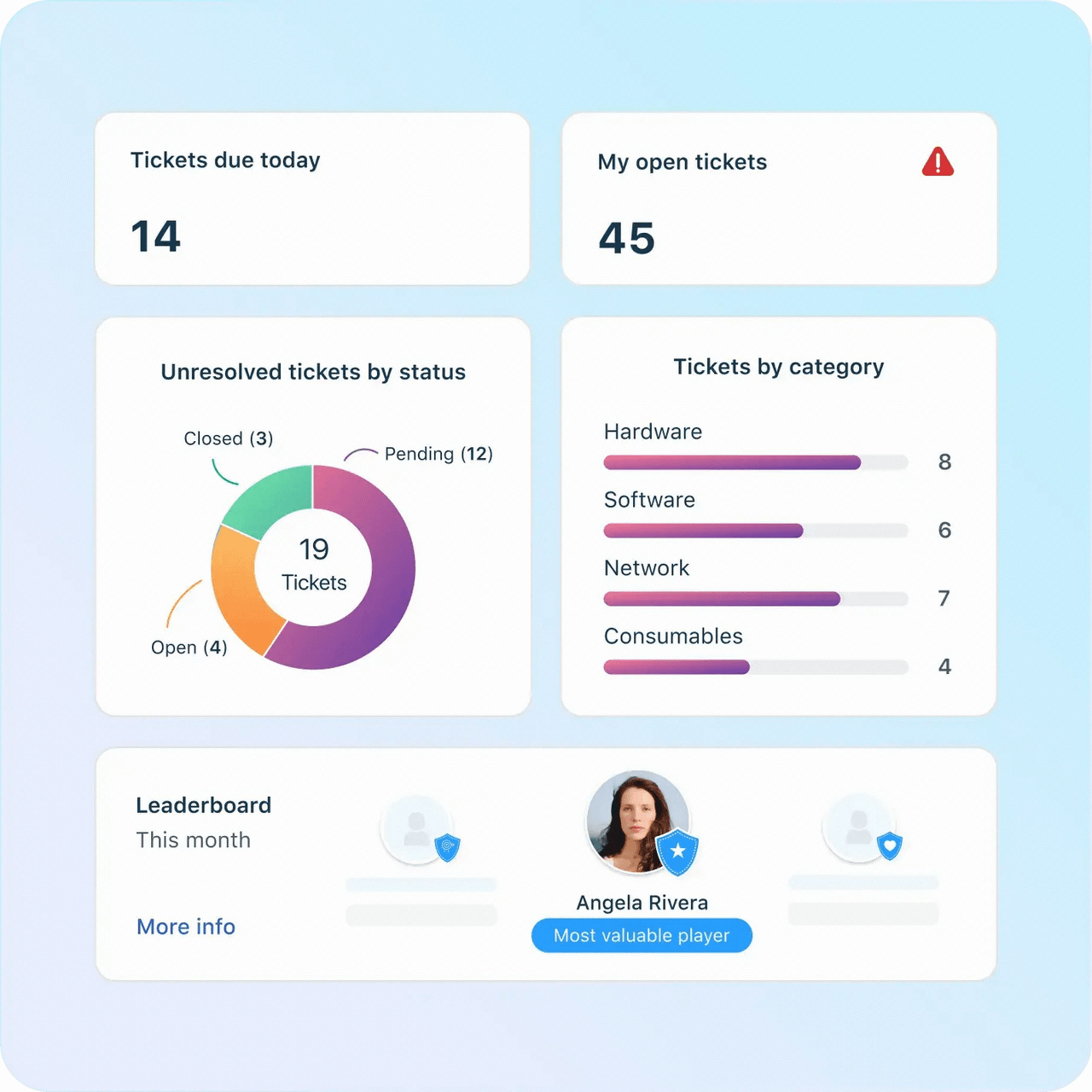
- IT service desk system tracks support requests and incident tickets.
- Asset management features help monitor hardware devices and software licenses.
- Workflow automation tools streamline service request processes.
- Reporting dashboards provide insights into IT service performance.
- User-friendly interface simplifies service desk operations.
- Strong automation features improve support efficiency.
- Built-in IT asset management software capabilities track devices and licenses.
- Cloud-based deployment allows easy implementation.
- Pricing may increase as organizations scale.
- Advanced customization options may be limited.
- Some integrations require higher-tier plans.
- Starter plan: $19/agent/month
- Growth plan: $49/agent/month
- Pro plan: $99/agent/month
- Enterprise plan: Custom pricing
4. Jira Service Management: IT service desk for agile teams
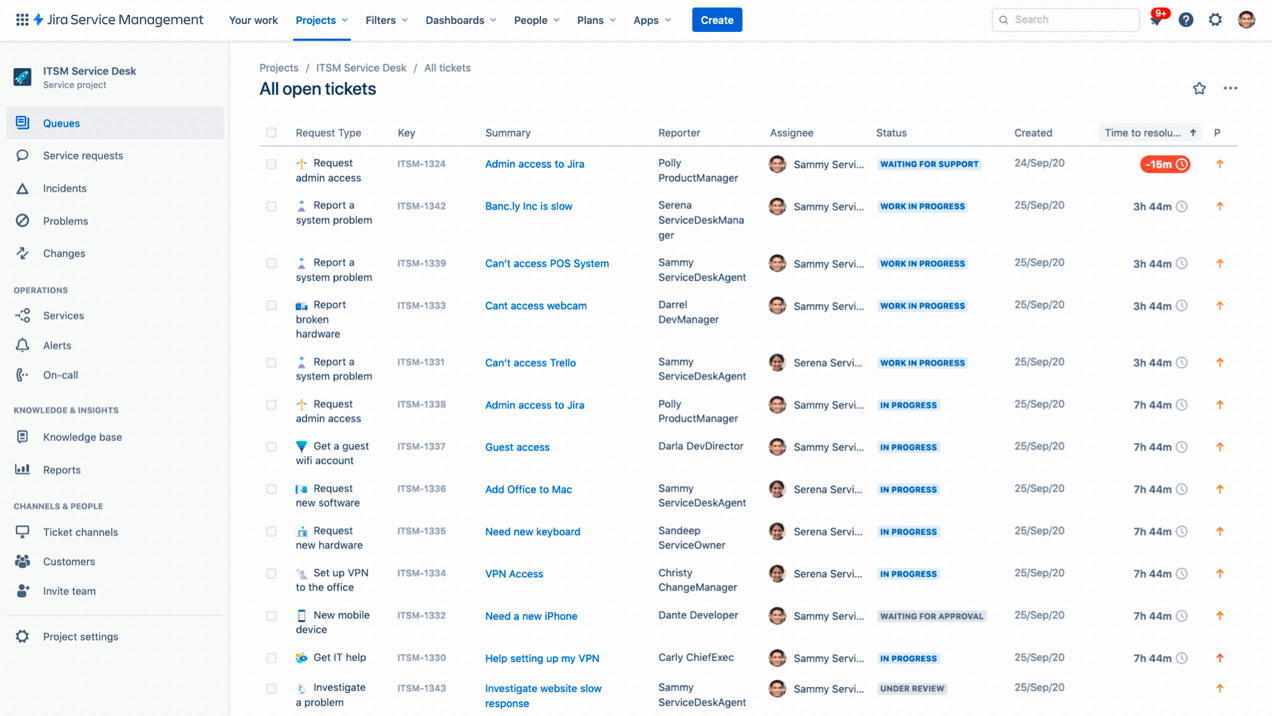
- A ticketing system helps IT teams track incidents and service requests.
- Workflow automation supports change management and service processes.
- Integration with development tools enables DevOps collaboration.
- Reporting dashboards provide insights into service performance.
- Strong integration with the Atlassian ecosystem and development tools.
- Flexible workflows suitable for agile IT teams.
- Customizable ticketing systems improve service management processes.
- Scalable platform for growing organizations.
- Interface may require configuration for non-technical teams.
- Advanced automation features require premium plans.
- Asset tracking capabilities are limited compared with dedicated IT asset management software.
- Free plan: $0 (up to 10 users)
- Standard plan: $7.91/user/month
- Premium plan: $14.54/user/month
- Enterprise plan: Contact sales
5. ManageEngine ServiceDesk Plus: IT asset and infrastructure management platform
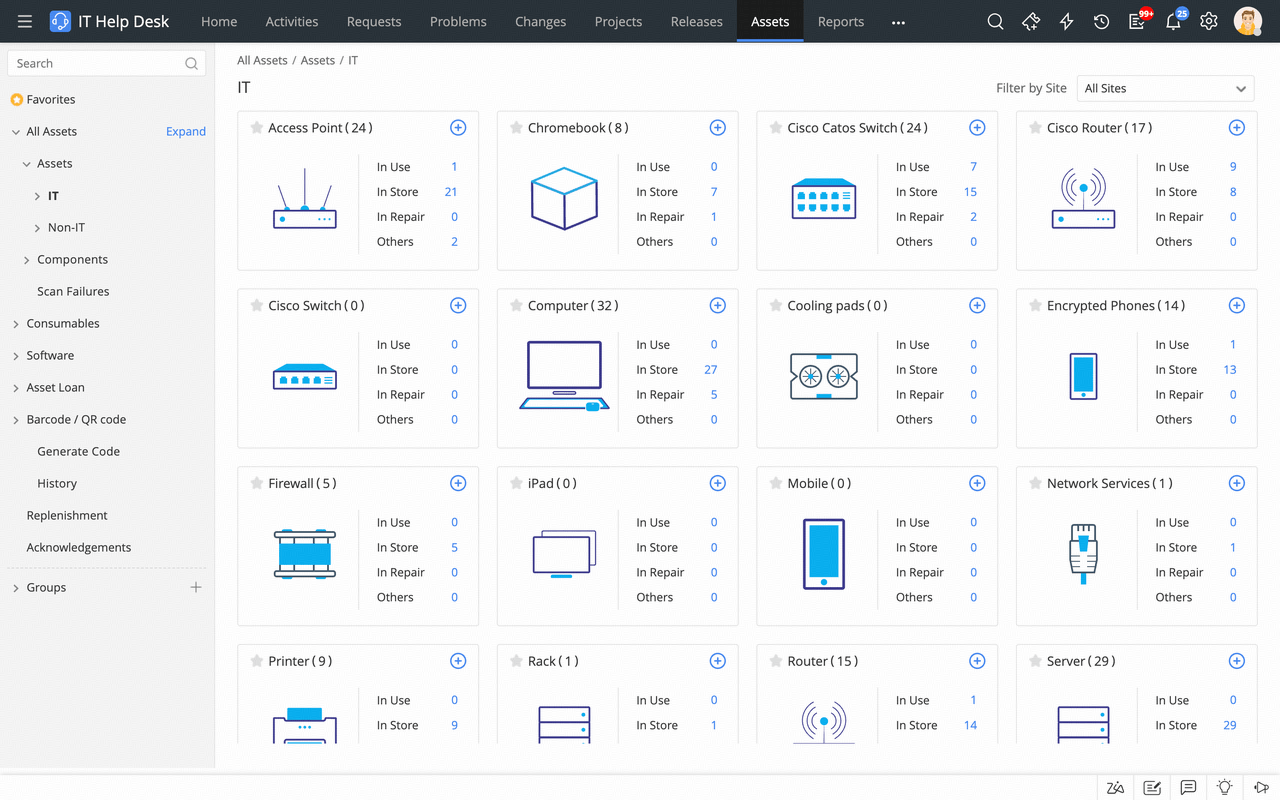
- Infrastructure monitoring tools track servers, networks, and system performance.
- IT asset management software capabilities help manage hardware and software inventories.
- Service desk tools support ticket management and incident resolution.
- Automation features streamline routine IT tasks and administrative workflows.
- Comprehensive suite of tools for infrastructure monitoring and asset tracking.
- Strong IT inventory management software capabilities for device tracking.
- Flexible deployment options, including cloud and on-premise.
- Suitable for both small businesses and large enterprises.
- Some tools require separate installations or modules.
- Interface complexity can require training for new users.
- Advanced features may require higher-tier subscriptions.
6. Scalefusion: Comprehensive endpoint management solution

- Application management handles app deployment, configuration, updates, and removal.
- Patch management automates OS and third-party application updates.
- Remote management supports remote troubleshooting and device actions.
- Kiosk management configures devices for dedicated use scenarios.
- Endpoint security with Veltar adds DLP, SWG, encrypted VPN tunneling, and automated compliance capabilities.
- Identity and access management with OneIdP supports SSO, conditional access, and SCIM-based provisioning.
- Supports corporate-owned, BYOD, shared, kiosk, and dedicated-device deployments.
- Provides multiple enrollment and provisioning options for different scenarios.
- Consolidates UEM, endpoint security, and zero-trust access management in one platform.
- Supports integrations, Developer APIs, webhooks, and AI-powered scripting to extend and automate workflows.
- Steep learning curve due to the breadth of endpoint, security, and identity access management capabilities.
- Initial configuration can be complex when deploying advanced policies across diverse device environments.
- Extensive customization options may require additional time for administrators to optimize workflows and policies.
- Essential plan: $2/device/month/billed annually
- Growth plan: $3.5/device/month/billed annually
- Business plan: $5/device/month/billed annually
- Enterprise plan: $6/device/month/billed annually
7. SolarWinds: Infrastructure monitoring IT management platform
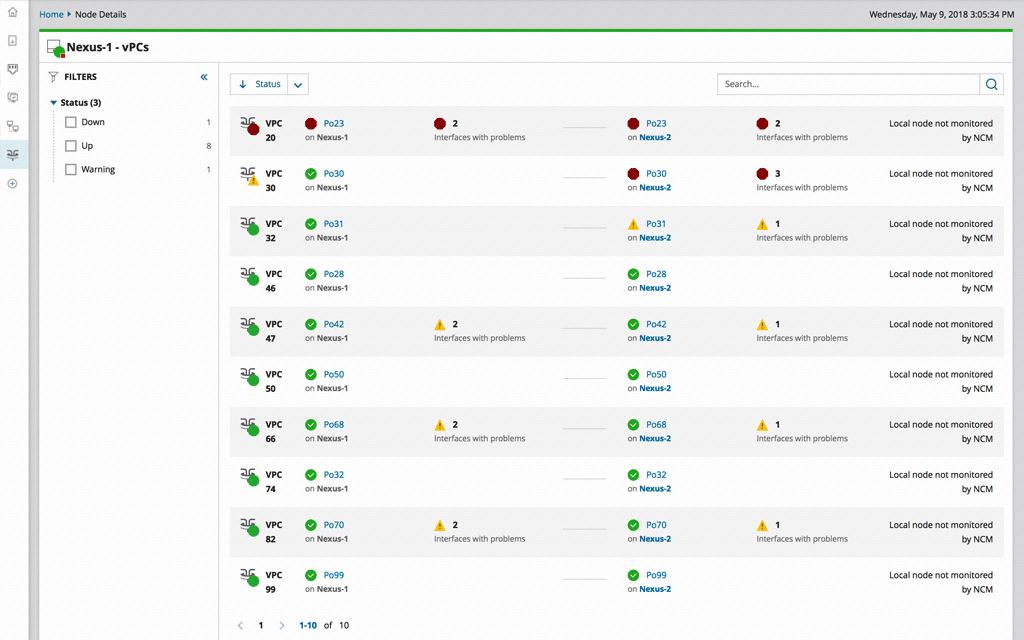
- Network monitoring tools track server performance, bandwidth usage, and system health.
- Infrastructure management dashboards provide visibility across networks and devices.
- Alerting and notification systems help IT teams respond quickly to incidents.
- Integration capabilities connect SolarWinds with other IT service management software platforms.
- Powerful monitoring tools for network and infrastructure performance.
- Real-time alerts help teams resolve issues quickly.
- Comprehensive reporting dashboards improve operational visibility.
- Suitable for medium to large enterprise environments.
- Configuration and deployment may require technical expertise.
- Pricing can increase as infrastructure scale grows.
- Interface complexity may require training for new users.
- Monitoring & observability: $7/node/month
- Database: $142/database/month
- IT service management: $39/technician/month
- Incident response: $9/user/month
8. Ivanti: Enterprise IT asset management platform
- Asset lifecycle management tracks hardware and software from procurement to retirement.
- IT inventory management software capabilities monitor devices and installed applications.
- Endpoint management tools help manage patches, updates, and system configurations.
- Automation features streamline asset tracking and operational workflows.
- Strong IT asset management software capabilities for large organizations.
- Endpoint management tools improve device security and maintenance.
- Automation features reduce manual asset tracking processes.
- Scalable platform suitable for enterprise infrastructure environments.
- Implementation complexity may require specialized expertise.
- The interface may feel complex for smaller teams.
- Licensing costs can be higher compared with lightweight solutions.
- Custom enterprise pricing by requesting a quote
9. NinjaOne: Endpoint monitoring IT management system
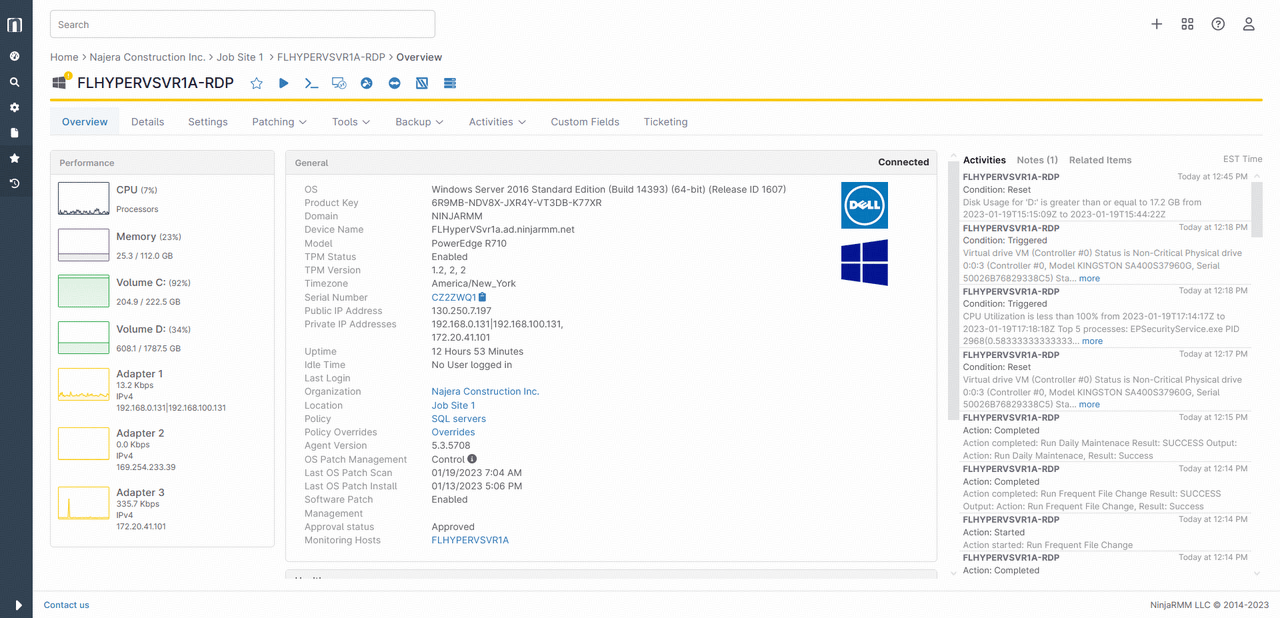
- Endpoint monitoring tracks device performance and system health.
- Automation tools help schedule maintenance tasks and software updates.
- Remote device management allows IT teams to control systems from centralized dashboards.
- Reporting tools provide insights into infrastructure performance and device status.
- Easy to deploy cloud-based infrastructure monitoring system.
- Strong endpoint monitoring capabilities for distributed environments.
- Automation tools reduce manual IT maintenance tasks.
- User-friendly interface simplifies device management.
- Limited advanced ITSM features compared with full IT service management software platforms.
- Pricing may increase as device numbers grow.
- Some integrations may require configuration.
10. Atera: Remote monitoring and IT automation platform
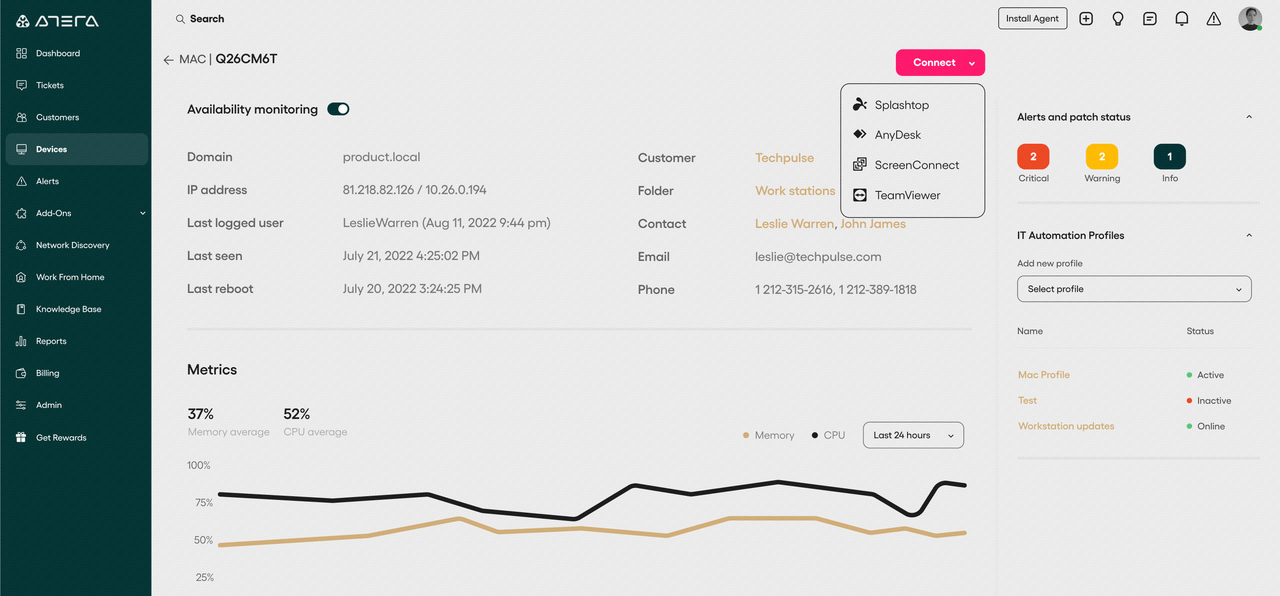
- Remote monitoring tools track system performance across devices.
- Automation features streamline maintenance tasks and updates.
- Built-in helpdesk system manages service requests and support tickets.
- IT inventory management software tracks devices, software, and network resources.
- Integrated monitoring, automation, and helpdesk capabilities.
- Strong remote management features for distributed IT environments.
- User-friendly interface simplifies daily operations.
- Cloud-based platforms support scalable deployments.
- Advanced customization options may be limited.
- Reporting features may require configuration.
- Some enterprise features require higher-tier plans.
- Professional plan: $149/month/technician
- Expert plan: $189/month/technician
- Master plan: $219/month/technician
- Enterprise plan: Contact sales
11. BMC Helix ITSM: Enterprise AI-driven IT service management platform
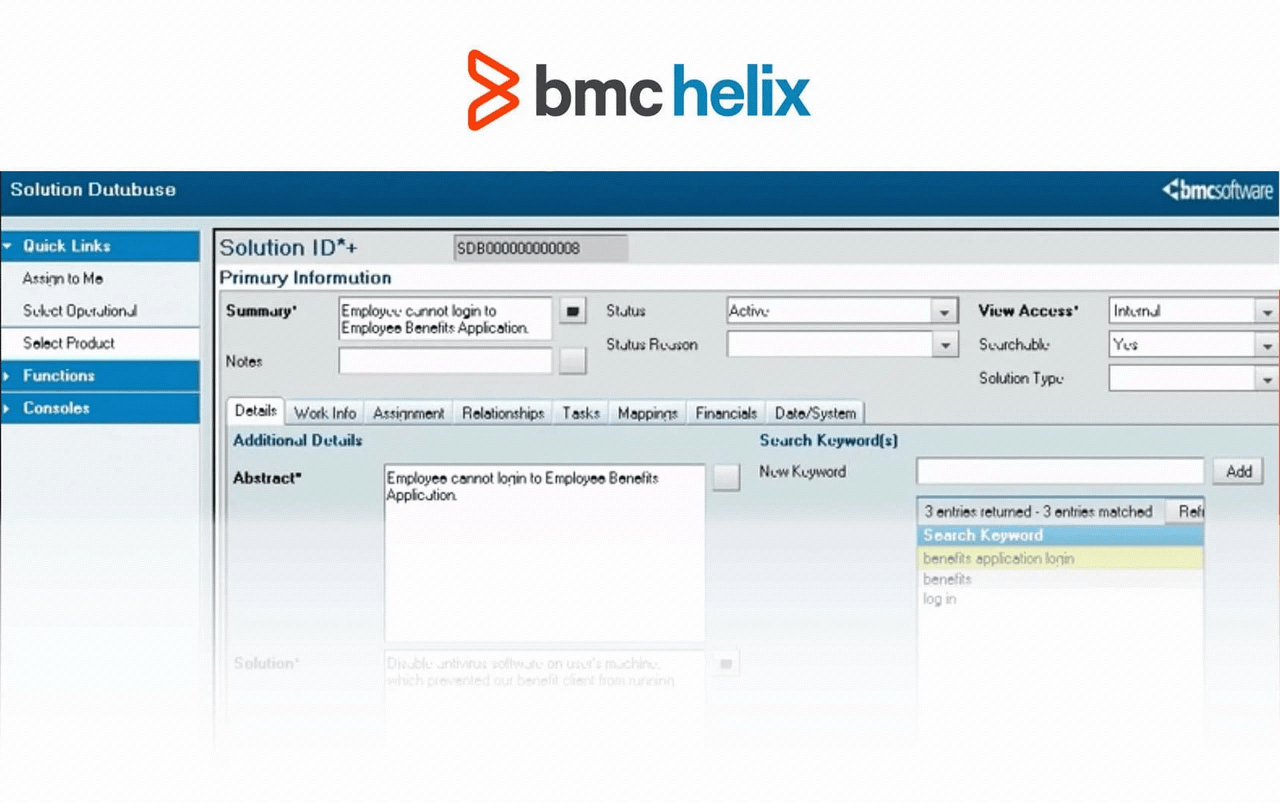
- ITIL 4-aligned incident, problem, change, and knowledge workflows out of the box.
- Agentic AI agents and predictive automation triage tickets and identify recurring incident clusters.
- Robust CMDB with service dependency mapping across hybrid and multi-cloud environments.
- Flexible cloud and on-premise deployment options, including air-gapped support for regulated industries.
- Deep ITIL process coverage and highly configurable change management for SOX/HIPAA-regulated environments.
- Strong CMDB and service dependency mapping for complex enterprise infrastructure.
- BMC reports that AI automation resolves a majority of routine requests without human intervention.
- Mature audit logging and compliance trails suitable for governance-heavy organizations.
- Implementation and customization are complex and typically require specialist partners.
- Licensing is negotiated module-by-module and is expensive; there is no public price list.
- The interface can feel dated compared with modern cloud-native SaaS tools.
- Custom enterprise quotes; pricing depends on modules, deployment model, and seat count.
12. Lansweeper: Agentless cyber asset discovery and inventory platform
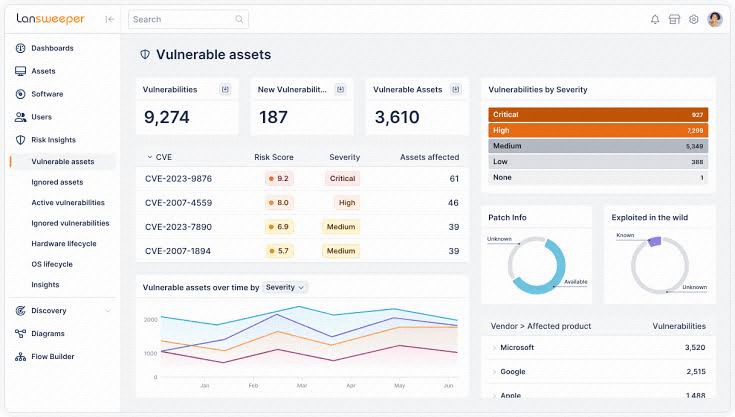
- Combined agentless and agent-based discovery across IP ranges, cloud, OT, and IoT assets.
- Normalized asset inventory with hardware, software, user, and lifecycle data in one pane.
- Vulnerability and end-of-life insights, SSO, and role-based access on paid tiers.
- Open API and integrations that feed clean discovery data into ITSM, CMDB, and security tools.
- Deploys in minutes with no agent required for basic network discovery.
- Broad coverage across hybrid, cloud, OT, and IoT environments in a single inventory.
- Generous free tier with unlimited scanning for smaller estates.
- Strong data normalization makes it a reliable source of truth to pair with IT inventory management software.
- Discovery-only tool; it does not include patching, endpoint protection, or full ITSM workflows.
- Advanced exports, custom views, and SSO require paid tiers.
- Larger environments need the Enterprise plan with concierge onboarding.
- Free plan: unlimited scanning; up to 100 assets with full inventory.
- Starter plan: from ~$219/month billed annually (2,000 assets).
- Pro plan: adds vulnerability insights, OT discovery, SSO, and priority support.
- Enterprise plan: custom quote (10,000+ assets, dedicated customer success).
13. Zendesk: IT helpdesk service management software
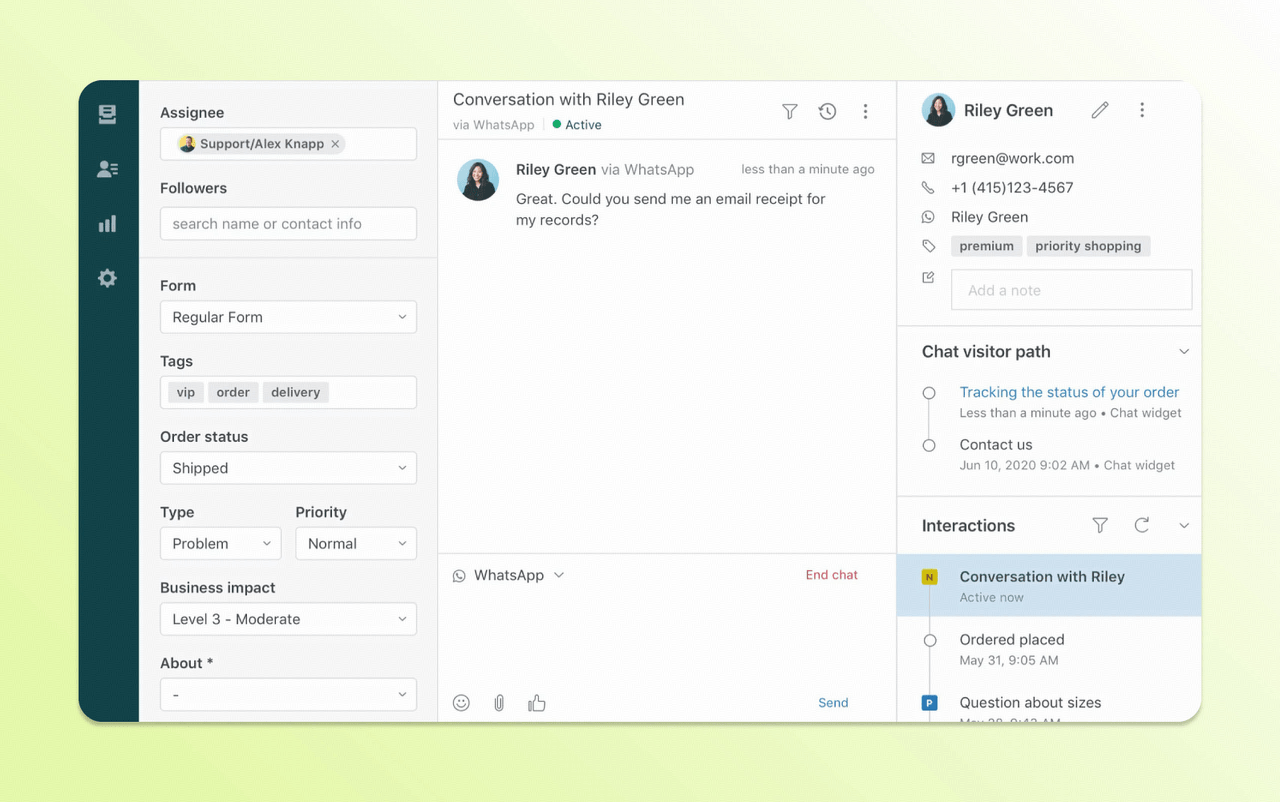
- The ticket management system tracks IT incidents, requests, and support conversations.
- Workflow automation helps route tickets to the correct IT teams.
- Knowledge-based tools allow teams to document troubleshooting guides and support procedures.
- Reporting dashboards provide insights into helpdesk performance and service metrics.
- User-friendly interface simplifies helpdesk operations.
- Strong ticket management capabilities improve IT service workflows.
- Automation tools help streamline support processes.
- Large integration ecosystems connect with many enterprise tools.
- Limited IT asset management software capabilities compared with dedicated asset tracking platforms.
- Advanced features may require higher-tier subscriptions.
- Customization may require additional configuration.
- Free trial: 14 days
- Support team: $19/agent/month
- Suite team: $55/agent/month
- Suite professional: $115/agent/month
- Suite enterprise: $169/agent/month
14. Flexera / Flexera One: Enterprise sofeware asset management and FinOps platform
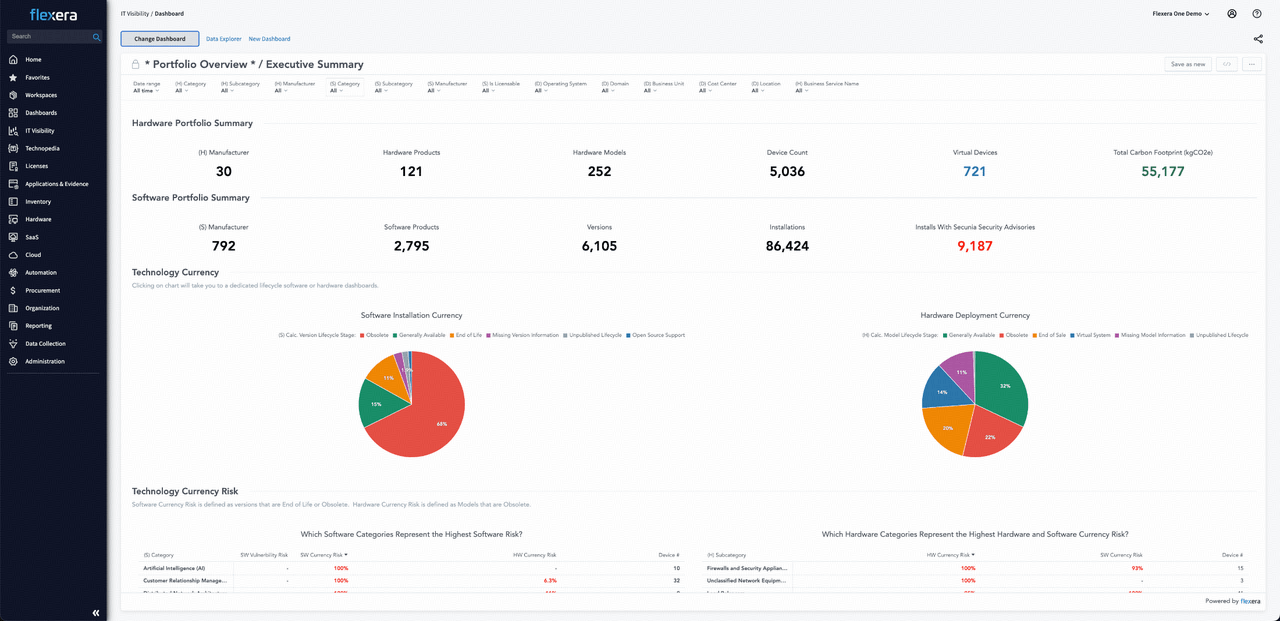
- Multi-method application discovery via agent, browser extension, API, CASB, and SSO to surface shadow IT and SaaS usage.
- Technopedia AI catalog normalizes and enriches the vast majority of inventory data with daily updates.
- License reconciliation and optimization against Microsoft, Adobe, Oracle, and SAP entitlements.
- Cloud cost optimization, self-service catalog, and open-source policy automation.
- Best-in-class software asset management and license optimization for major enterprise vendors.
- Combines IT visibility, SaaS discovery, and FinOps in one platform.
- Strong integrations with ServiceNow, BMC, Apptio, and major cloud providers.
- Provides auditable evidence for software license compliance and vendor audits.
- Pricing is enterprise-grade and expensive; it is aimed at large organizations.
- Implementation can be complex and often requires specialist services.
- The UI and reporting can feel dense for non-technical users.
- Custom enterprise pricing; no public price list (quote-based).
15. Datedog: Cloud infrastructure monitoring platform
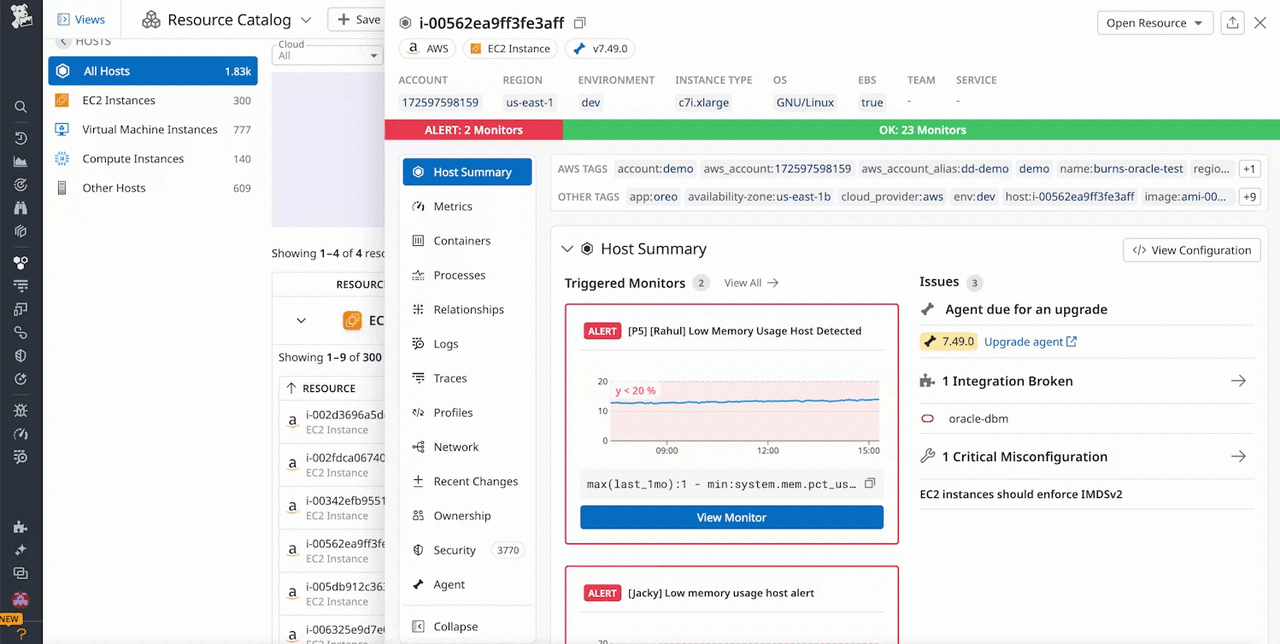
- Infrastructure monitoring tools track server and cloud resource performance.
- Application performance monitoring analyzes system response and reliability.
- Log management features collect and analyze operational data.
- Real-time dashboards provide insights into infrastructure performance.
- Advanced monitoring tools for cloud environments.
- Real-time analytics improve infrastructure visibility.
- Scalable architecture supports distributed systems.
- Extensive integration ecosystems connect with many platforms.
- Pricing can increase significantly for large infrastructure environments.
- Setup complexity may require configuration expertise.
- Focused primarily on monitoring rather than full IT service management software capabilities.
- Free plan: $0 (up to 5 hosts)
- Pro plan: $15/host/month
- Enterprise plan: $23/host/month
- DevSecOps pro: $22/host/month
- DevSecOps enterprise: $34/host/month
16. Snipe-IT: Open-source IT asset management platform
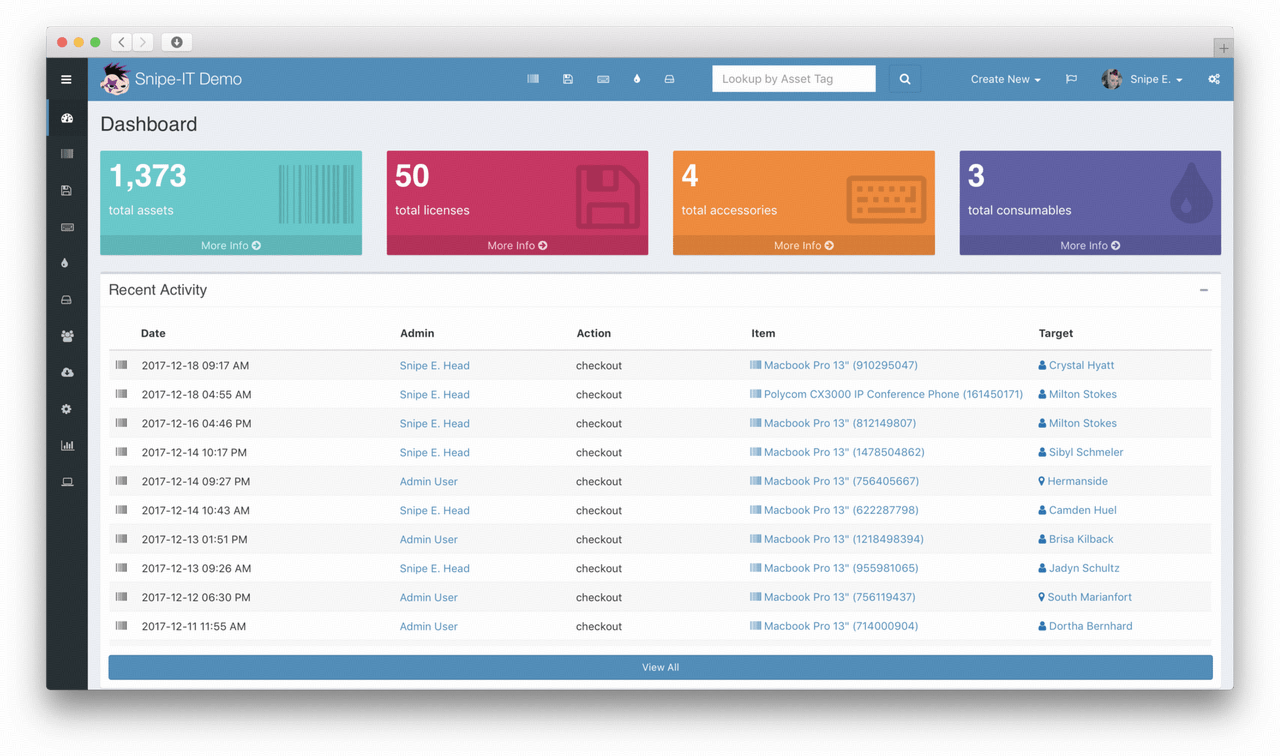
- Hardware and software asset lifecycle tracking with checkout/checkin and custody history.
- Barcode and QR scanning, warranty and license expiry email alerts, and custom fields.
- LDAP, SAML, and a REST API for directory sync and custom integrations.
- One-click check-in, optional end-user EULA acceptance, and audit-ready reports.
- Free, open-source self-hosted edition with no per-asset fee or vendor lock-in.
- Simple, intuitive UI that non-specialist IT staff can adopt quickly.
- Active community plus a commercial cloud hosting tier with a 99.99% SLA.
- Strong data ownership with full CSV and SQL export at any time.
- No built-in remote monitoring, patching, or ITSM ticketing workflows.
- Self-hosted edition requires server administration, backups, and security hardening.
- Automation and advanced reporting are lighter than enterprise ITAM suites.
- Self-hosted edition: Free, open-source (AGPL), unlimited assets.
- Cloud-hosted plans: tiered paid plans with hosting, backups, and support (contact vendor).
How to choose the right IT management software
- Evaluate infrastructure complexity and asset volume: Organizations with large device fleets require advanced IT asset management software capabilities. Infrastructure monitoring tools help track device health, network performance, and system dependencies. Understanding the scale of the infrastructure helps determine which solution is most suitable.
- Assess service desk workflow requirements: Companies that manage frequent support requests should prioritize IT service management software platforms with strong ticketing systems. Automation improves response times and reduces operational overhead.
- Identify monitoring and automation capabilities: Infrastructure monitoring is essential for maintaining system reliability. Platforms with built-in automation tools allow teams to respond quickly to incidents and performance issues. Automation also reduces repetitive operational tasks. From the Ivanti 2026 report, roughly 55% of organizations now use AI for device vulnerability identification and 47% for patch prioritization, so automation maturity should be on every buyer's checklist.
- Consider scalability for growing IT environments: Organizations should choose tools that scale with infrastructure growth. Flexible IT management software platforms support expanding device inventories and complex workflows. Scalable platforms also support integration with existing systems.
Security, compliance and governance checks before you sign
- Data residency and retention: confirm where ticket, asset and log data is stored, how long it is retained, and whether region-specific hosting is available for GDPR or local requirements.
- Access control depth: role-based permissions per queue and per asset group, not just global admin versus agent.
- Audit logging and export: immutable change history with exportable evidence, including who approved each change and when.
- Vendor security posture: current SOC 2 or ISO 27001 reports, a published incident response process, and encryption in transit and at rest.
Common mistakes to avoid when deploying IT management software
- Buying breadth you will not configure: enterprise modules left switched off still appear on the invoice. Start with the two categories causing real pain.
- Migrating dirty asset data: duplicate and orphaned records survive the migration and quietly destroy trust in every report. Clean before you import.
- Automating a broken process: fix the approval path and category list first; automation applied to a bad workflow just produces errors faster.
- Skipping employee-facing rollout: if staff do not know where to submit a request, tickets keep arriving by direct message and your metrics stay fictional. Publish one intake channel and one runbook location.
- Treating the launch as the finish line: review categories, SLAs and automation rules quarterly — otherwise even good IT management systems drift out of step with how the business works.
Conclusion
FAQs
What is IT management software used for?
IT management software helps organizations monitor infrastructure, track assets, and manage service requests. These platforms improve visibility across devices and systems while automating IT workflows. Many businesses combine IT asset management software and service desk tools for operations. Platforms like Lark can also support IT workflow coordination alongside collaboration.
What features should IT management software include?
Key features include asset tracking, incident management, workflow automation, monitoring tools, and reporting dashboards. These capabilities help IT teams maintain infrastructure visibility and resolve issues quickly. Integration with other systems is also important. Some platforms like Lark extend these features by supporting workflow collaboration.
What is the difference between ITSM and IT asset management?
IT service management software focuses on handling incidents, service requests, and support workflows. IT asset management software tracks hardware devices and software licenses across their lifecycle. Both systems are often used together within IT management environments. Collaboration tools such as Lark can help teams coordinate these operational workflows.
Can IT management software track hardware devices?
Yes, most IT inventory management software tools track devices such as laptops, servers, and network equipment. These systems monitor asset ownership, usage, and lifecycle status. Accurate tracking improves security and compliance. Platforms like Lark can also help teams coordinate asset management processes.
Is IT management software useful for small businesses?
Yes, IT management software helps small businesses track devices, manage service requests, and monitor infrastructure. Cloud-based tools make implementation easier without large investments. These platforms improve operational visibility and efficiency. Some organizations also use platforms like Lark to manage IT workflows collaboratively.
Related reading

Start using Lark today

Manage all your work in one place
Boost team efficiency by 10x
Save up to 70% on software costs
Start using Lark today
Manage all your work in one place
Boost team efficiency by 10x
Save up to 70% on software costs
Keep reading







2026 Lark Technologies Pte. Ltd.
Headquartered in Singapore with offices worldwide.





