














Requirements Management Tools: Streamlining Clarity from Concept to Delivery

Ryan Tanner
Product Marketing Specialist
Sep 18, 2026
Ryan Tanner
Sep 18, 2026

19 min read


Clarity is the foundation of every successful project, especially in today's fast-paced world of software, systems, and product engineering. Teams now depend on requirements management tools to align stakeholders, maintain version control, and minimize scope drift across the product lifecycle.
In this guide, we'll explain what requirements management tools are, why they're vital for modern teams, and review the top 12 efficient solutions: from enterprise platforms like Jama Connect and IBM DOORS Next to collaborative options such as Jira, Visure ALM, and Lark. Whether you work in agile development, manufacturing, automotive, or defence, this guide will help you choose the right fit.
1. Lark: Unified workspace for requirements collaboration
2. Jama Connect: Enterprise-grade requirements platform
3. IBM DOORS Next: Advanced engineering requirements tool
4. Jira + Confluence: Agile requirements tracking suite
5. Helix RM: Scalable requirements management by Perforce
6. Visure Requirements ALM: End-to-end lifecycle management
7. Modern Requirements4DevOps: Azure-integrated RM solution
8. ReqView: Lightweight requirements management for SMEs
9. Innoslate: Modeling and simulation for system engineers
10. codeBeamer: Hybrid requirements and risk management tool
11. Xebrio: Affordable requirements-to-release platform
12. Aha! Roadmaps: Strategic product and requirement planning

Quick comparison table: Top requirements management tools
What are requirements management tools?
Requirements management tools are specialized software solutions designed to capture, organize, and track project requirements from concept to delivery. They help teams maintain traceability, ensure version control, and enable collaboration across engineering, product, and quality teams. By providing a single source of truth, these requirements management software tools prevent miscommunication, scope creep, and lost updates that often occur with manual documentation.
Modern requirements management tools, such as Jama Connect, IBM DOORS Next, Visure ALM, Jira, and Lark, support both agile and traditional development processes. They link requirements to design elements, test cases, and deliverables, ensuring end-to-end visibility. Many also include dashboards, change tracking, and approval workflows to simplify audits and compliance in industries like automotive, semiconductor, and defense.
Ultimately, these software requirements management tools provide clarity and control, helping organizations deliver products that meet stakeholder expectations while reducing risk and improving overall project efficiency.
Key capabilities to look for in requirements management tools
The best requirements management tools combine structure, visibility, and automation to keep complex projects on track. Whether managing product specifications or system requirements, these features help teams stay aligned, compliant, and efficient:
- Centralized documentation and change tracking: A single, unified workspace stores all requirements, updates, and comments. This eliminates fragmented spreadsheets and emails, allowing every stakeholder to view real-time progress and understand how changes impact downstream deliverables.
- Collaboration and review workflows for cross-functional teams: Built-in workflows let product managers, engineers, and QA teams review, comment, and approve requirements together. This promotes transparency, reduces rework, and keeps everyone accountable for shared objectives.
- Version control and audit trails for compliance: Each edit or approval is automatically recorded, ensuring full traceability. These audit trails help organizations meet strict regulatory standards, especially in the automotive, aerospace, and medical device industries.
- Integration with task tracking or design tools: Leading requirements management software connects seamlessly with task boards, design platforms, or testing tools. This linkage ensures that design and development activities always reflect the latest requirements and changes.
- Dashboards and reporting for progress and impact analysis: Interactive dashboards visualize key metrics such as requirement status, test coverage, and issue trends. These insights help managers identify bottlenecks early and measure how requirement changes affect overall project delivery.
1. Lark: Unified workspace for requirements collaboration
Lark brings teams together in one connected workspace, making documentation and collaboration effortless. With tools like Lark Base, Tasks, and Messenger, teams can capture requirements, discuss changes, and assign actions all in real-time. Instead of juggling multiple apps, Lark keeps communication, approvals, and progress tracking in one unified, dynamic environment.
Lark Docs: Collaborative documentation for detailed requirement writing
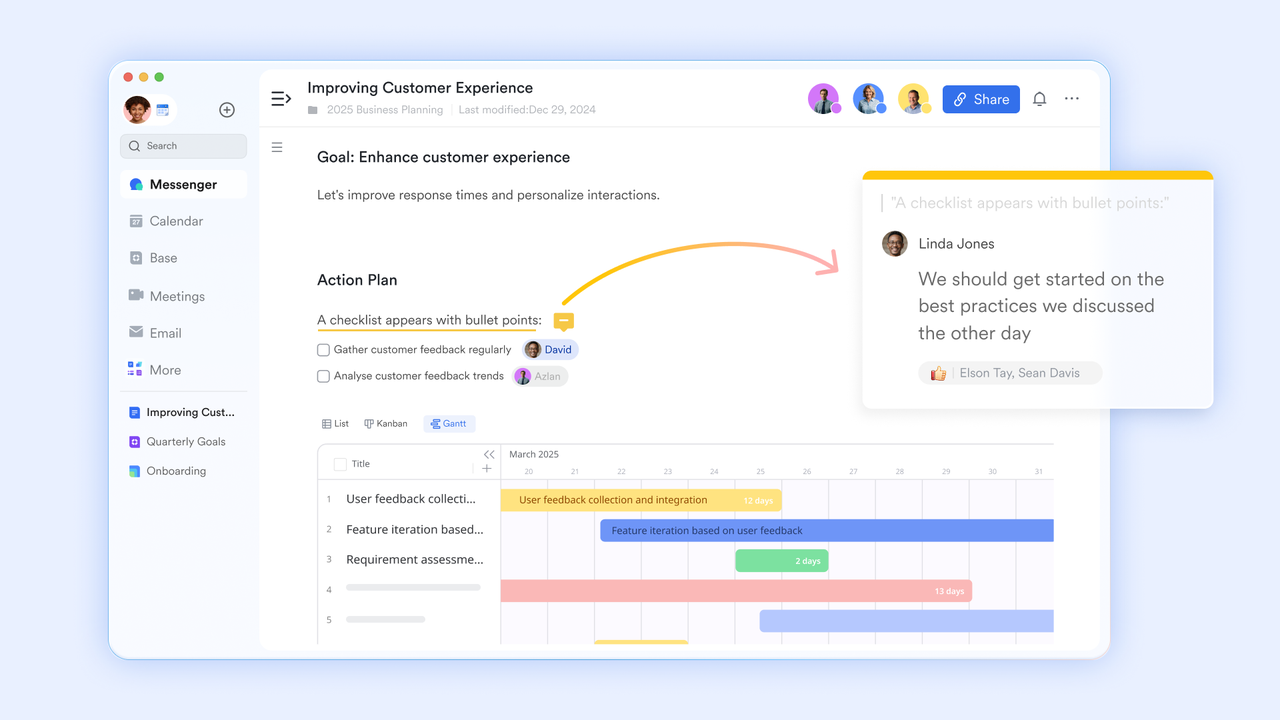
Lark Docs enables product managers and engineers to co-edit requirement documents simultaneously, eliminating version confusion and scattered feedback. Teams can insert text, images, tables, videos, and even embedded Sheets or Bases to provide context-rich specifications.
This helps capture complete requirements, from high-level goals to technical acceptance criteria, in one living document. Comments and inline discussions allow stakeholders to ask clarifying questions directly beside the relevant section, ensuring every requirement is well understood before execution.
Lark Sheets: Structured requirement tracking and reporting
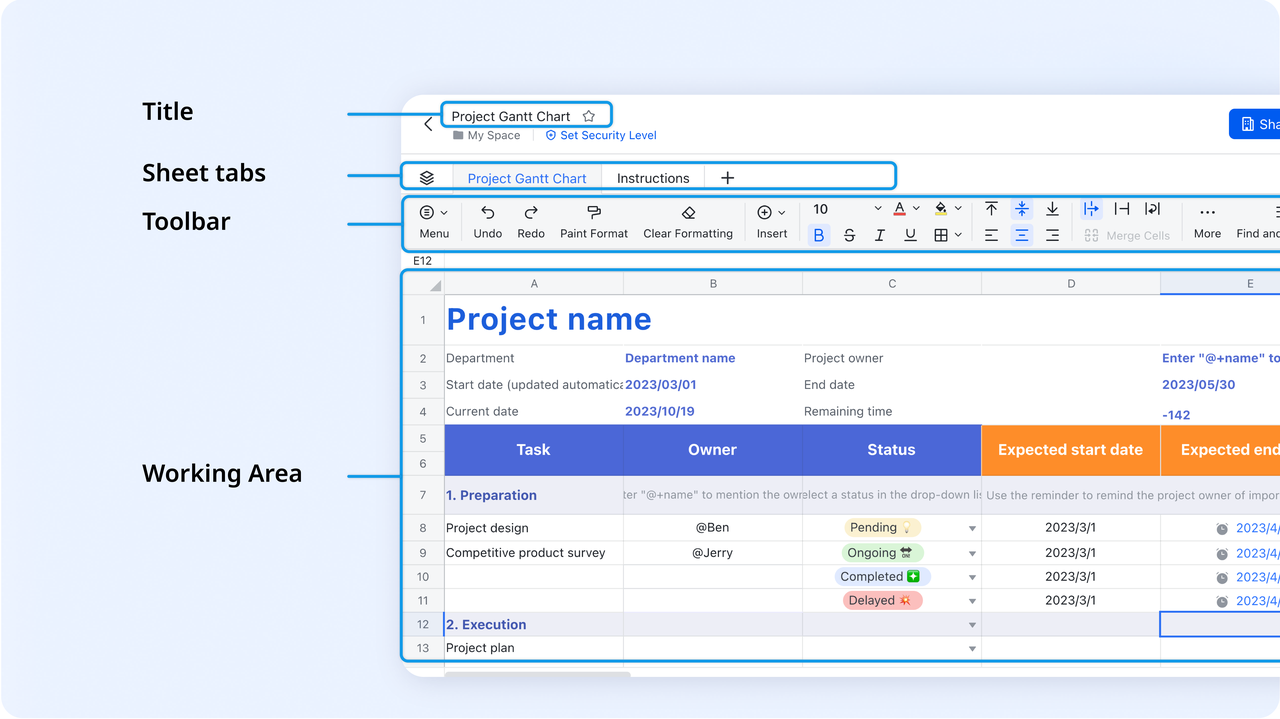
Lark Sheets function like an intelligent spreadsheet for tracking requirement statuses, dependencies, or estimates. Teams can organize requirement lists, assign priorities, and apply formulas to calculate progress or resource allocation.
For example, a project team can create columns for "Feature Name," "Owner," "Complexity," and "Status," and use conditional formatting to flag delays or unapproved changes. Since Lark Sheets are collaborative and connected to Docs or Bases, updates are reflected instantly across all related views, keeping requirement data synchronized and transparent.
Lark Base: Visual database for requirement and workflow management
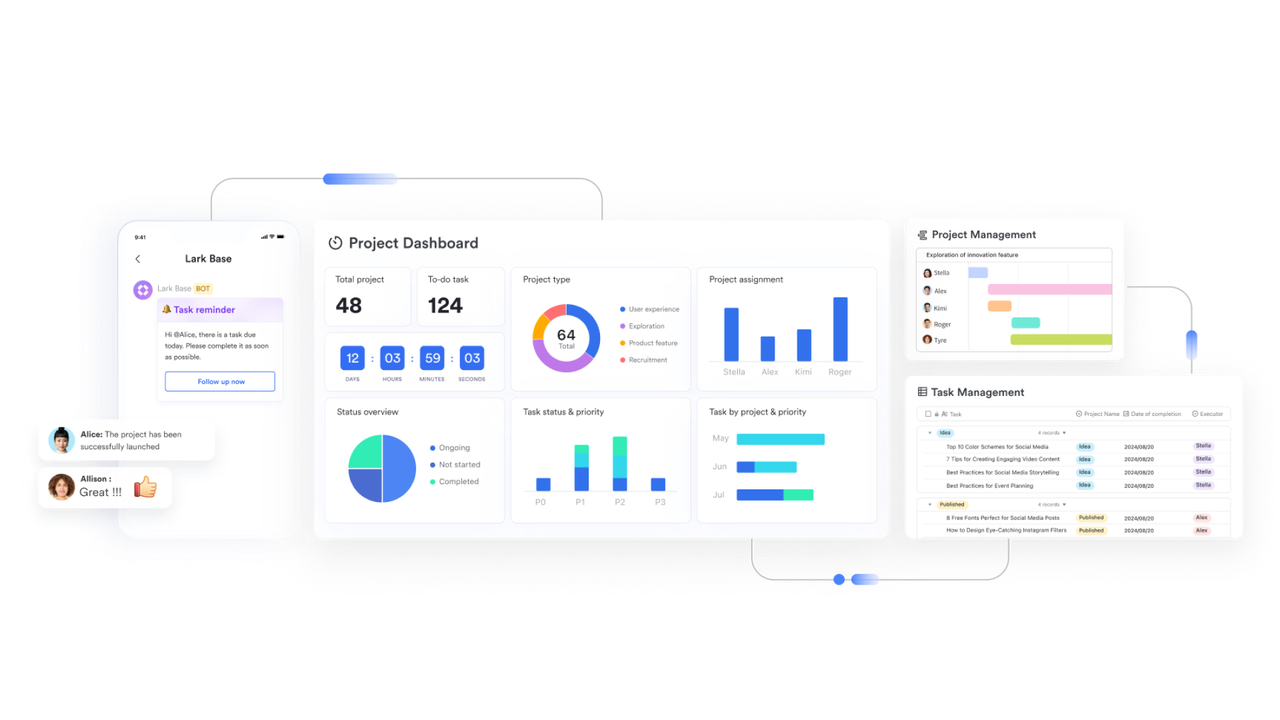
Lark Base serves as a dynamic system for organizing, visualizing, and automating requirement workflows. Each record within Base can represent a specific requirement, feature, or design specification, complete with fields for ownership, due dates, approval status, and related documentation. Teams can switch between grid, Kanban, and Gantt views to see the full lifecycle of every requirement: from ideation to implementation.
Automation in Base allows teams to reduce manual effort by triggering predefined actions when certain conditions are met. For example, Base can automatically update a requirement's status when an approval is completed, send reminders to reviewers before deadlines, or notify stakeholders when feedback is added. These automations keep requirements synchronized and prevent bottlenecks across departments.
MindNotes in Lark Docs: Brainstorming and idea organization
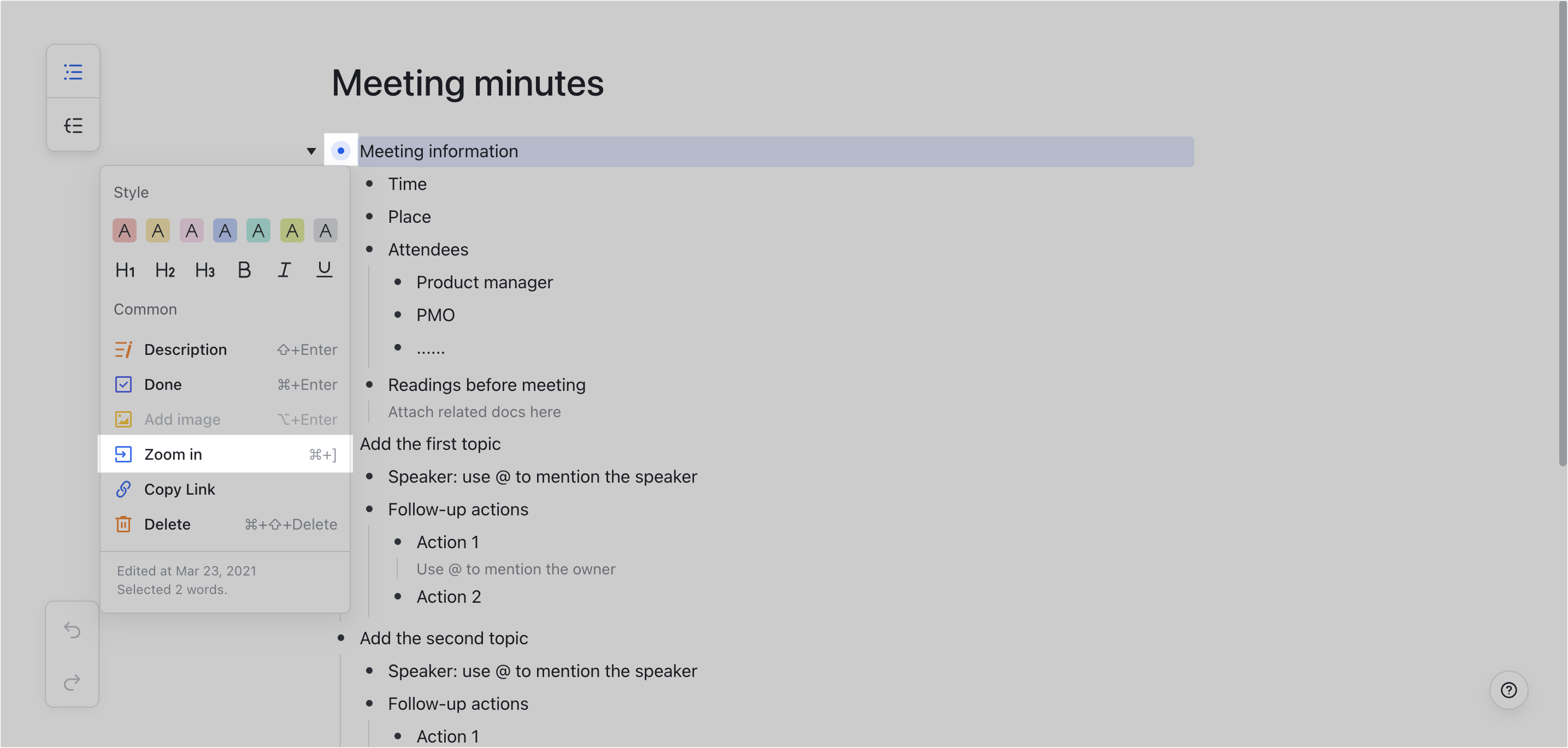
MindNotes is a built-in mind mapping tool that allows teams to brainstorm and visually organize complex requirement ideas before formal documentation begins. Product leads can map out user stories, dependencies, or release plans using branches and sub-branches, ensuring logical structure before writing technical specs. MindNotes can then be converted into Docs or linked with Base tables: bridging creative ideation with structured planning.
Lark Messenger: Contextual communication around requirements
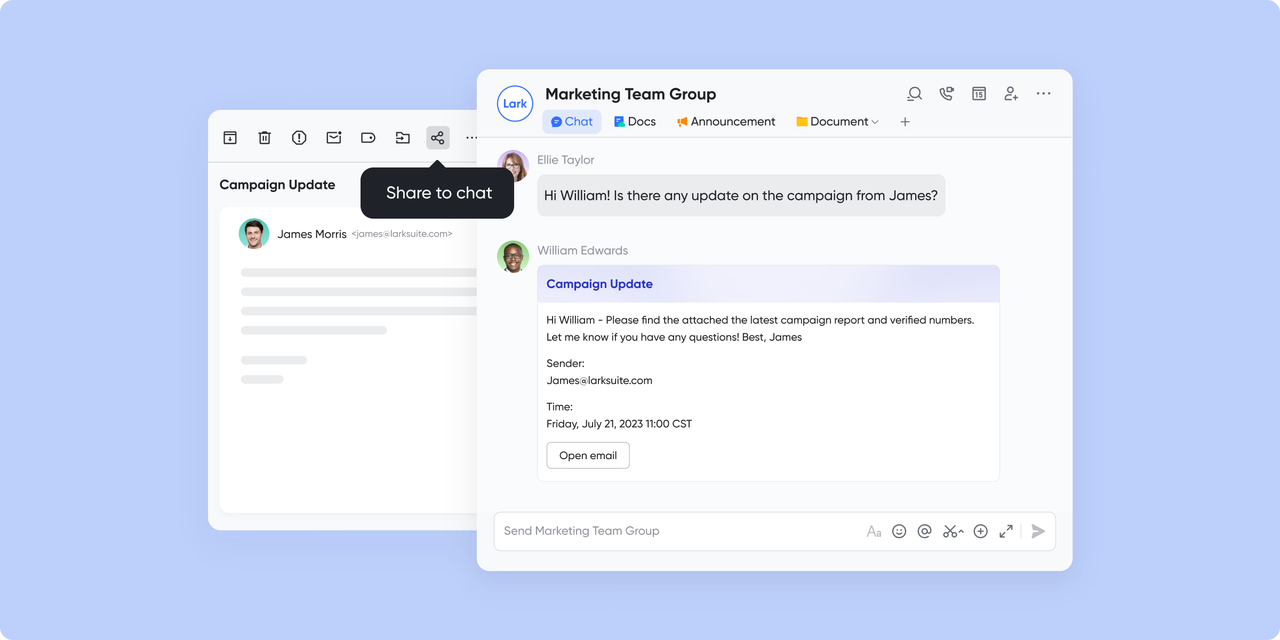
Instead of switching between chat tools and documents, teams can use Lark Messenger for contextual communication directly tied to their work. For instance, a message about a requirement change can include a link to the specific section in Lark Docs or a Base record.
Channels can be dedicated to specific projects or modules, keeping every conversation organized. Mentions (@) and quick replies make it easy for engineers, designers, and stakeholders to stay aligned while message histories remain searchable for future reference.
Lark Approval: Streamlined review and sign-off process
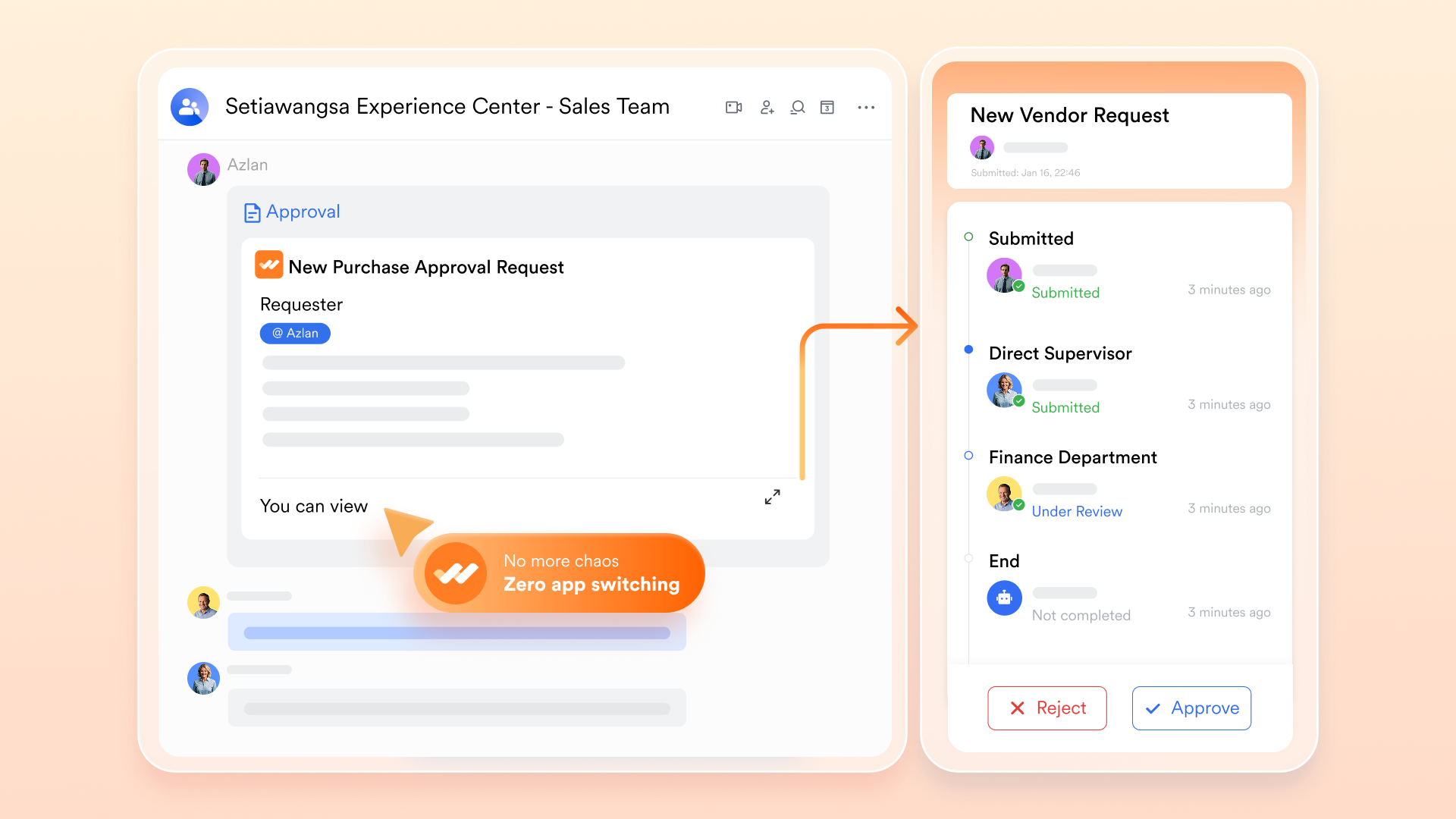
Approvals are essential in requirement management, particularly for engineering or compliance-heavy projects. With Lark Approval, teams can create standardized review flows for requirement documents or feature specs.
Once a requirement document is submitted, it's automatically routed to relevant reviewers (like QA, engineering leads, or product heads). Each decision—approve, reject, or comment—is recorded and can be synced with Lark Base to keep requirement statuses updated. This ensures accountability and formal validation without manual tracking.
- Starter plan: Free forever plan that includes 11 powerful tools for up to 20 users. It also comes with 100GB of storage, 1000 automation runs, AI translations, and more.
- Basic plan: $6/user/month (billed annually) for up to 500 users. It includes everything in Starter plus group calling for up to 500 attendees, 5TB of storage, 1000 automation runs, and more.
- Pro plan: $12/user/month (billed annually) for up to 500 users. It includes everything in Starter plus group calling for up to 500 attendees, 15TB of storage, 50,000 automation runs, and more.
- Enterprise plan: Contact sales for custom pricing. Supports unlimited users and includes even more automation runs and advanced security, compliance, and management features.
2. Jama Connect: Enterprise-grade requirements platform
Jama Connect is one of the most widely used enterprise requirements management tools, designed to help complex engineering and software teams align across the entire product lifecycle. It ensures real-time collaboration, impact analysis, and traceability from concept through testing and validation.
Image source: jamasoftware.com
Why teams choose it: Teams choose Jama Connect for its structured approach to capturing, analyzing, and validating requirements. Its live traceability and impact analysis ensure that changes are managed efficiently without introducing errors downstream.
Best suited for: Aerospace, automotive, and medical device manufacturers manage safety-critical systems.
Benefits:
- Enables end-to-end traceability from concept to testing.
- Simplifies compliance with ISO, DO-178C, and FDA regulations.
- Centralizes collaboration with review and feedback tools.
Challenges:
- Steep learning curve for smaller teams.
- Setup and customization can take time.
Pricing:
- Custom pricing available upon request from Jama Software.
3. IBM DOORS Next: Advanced engineering requirements tool
IBM DOORS Next is a robust software requirements management tool built for complex system engineering environments. It's widely used for managing requirements across multi-tiered projects where compliance, version control, and data integrity are crucial.
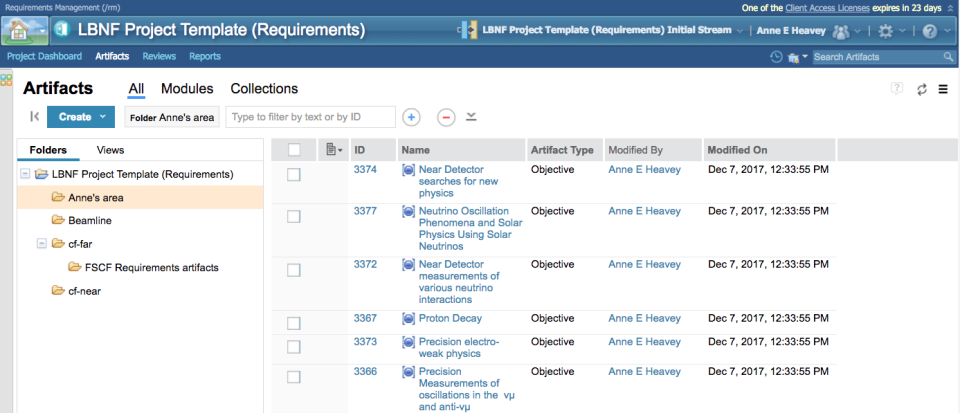
Image source: ibm.com
Why teams choose it: Organizations rely on IBM DOORS Next for its scalability and precise control over baselines, requirements evolution, and team collaboration in regulated industries.
Best suited for: Defense, aerospace, and automotive enterprises manage complex systems.
Benefits:
- Offers hierarchical organization and deep traceability.
- Strong compliance support for large-scale audits.
- Integration with IBM's lifecycle management suite.
Challenges:
- Interface feels dated compared to newer tools.
- High setup and maintenance effort.
Pricing:
- Enterprise pricing available through IBM's sales team.
4. Jira + Confluence: Agile requirements tracking suite
Atlassian's Jira and Confluence provide an integrated platform for managing agile software requirements and documentation. Jira handles tasks and sprints, while Confluence manages user stories, product notes, and feature specifications.
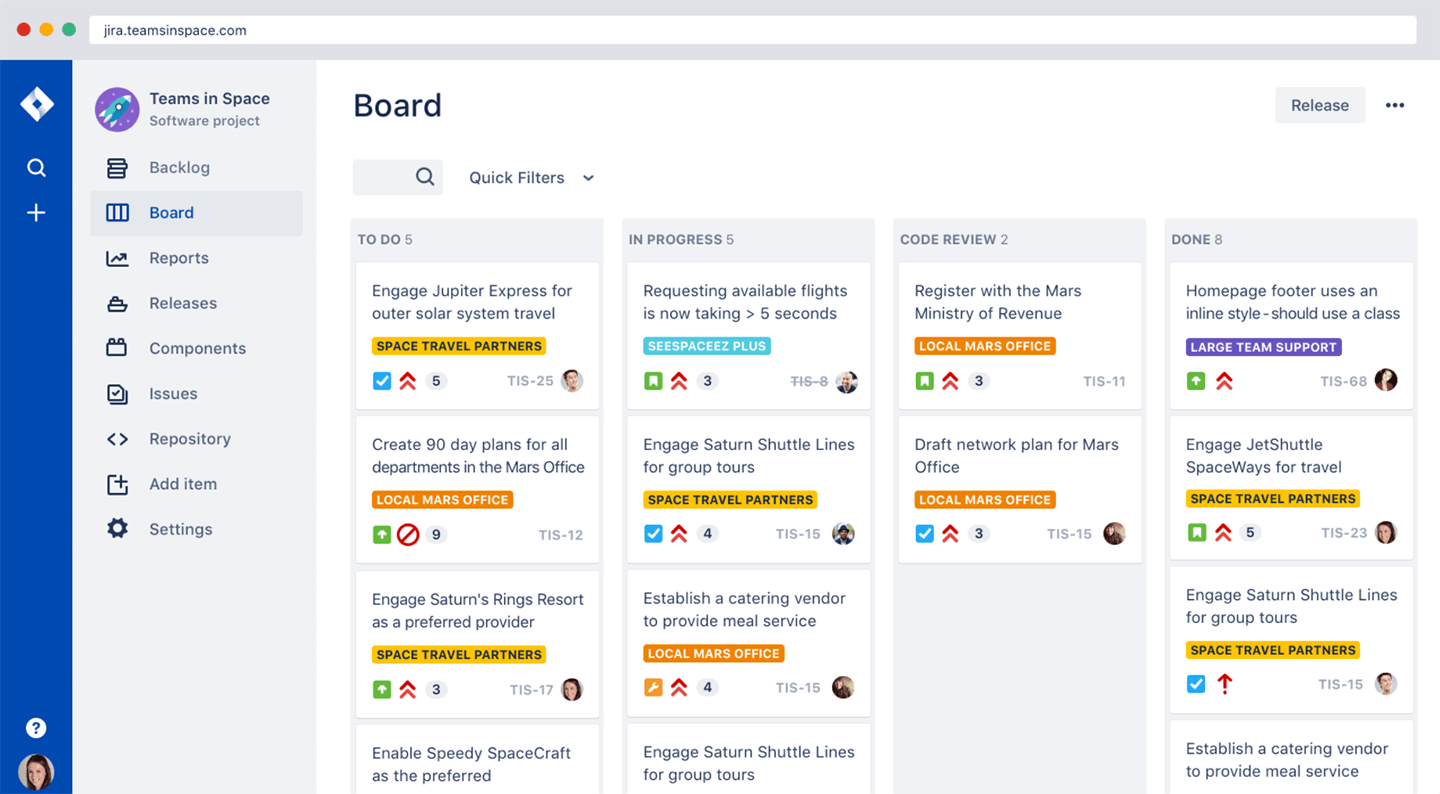
Image source: atlassian.com
Why teams choose it: Agile teams favor Jira and Confluence for their real-time visibility and seamless collaboration between development, QA, and product management.
Best suited for: Software development teams and agile project environments.
Benefits:
- Links documentation directly to Jira issues.
- Supports sprint planning and backlog prioritization.
- Customizable workflows and automation rules.
Challenges:
- Traceability is limited compared to dedicated RM tools.
- Scaling for compliance projects can be difficult.
Pricing:
- Free for small teams; paid plans start at $10/user/month.
5. Helix RM: Scalable requirements management by Perforce
Helix RM, developed by Perforce, offers a scalable requirements management and compliance platform built for engineering teams. It supports full lifecycle traceability, impact analysis, and collaboration for distributed product teams.
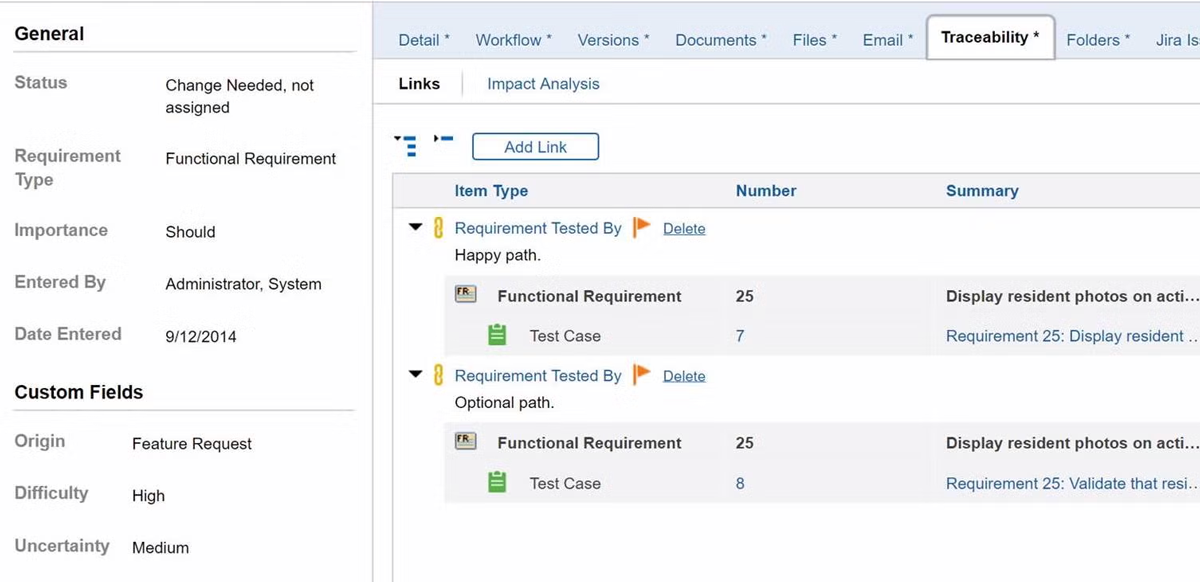
Image source: perforce.com
Why teams choose it: Teams prefer Helix RM for its ability to manage changing requirements efficiently while maintaining compliance with industry standards.
Best suited for: Aerospace, medical, and industrial manufacturing companies.
Benefits:
- Supports reuse and modularization of requirements.
- Automates traceability across linked artifacts.
- Ensures centralized control for distributed teams.
Challenges:
- The interface can feel complex for new users.
- Configuration requires technical setup.
Pricing:
- Custom enterprise pricing from Perforce.
6. Visure Requirements ALM: End-to-end lifecycle management
Visure ALM delivers comprehensive requirements management and lifecycle control for regulated sectors. It connects requirements to design, risk, and testing processes: ensuring complete visibility and compliance.
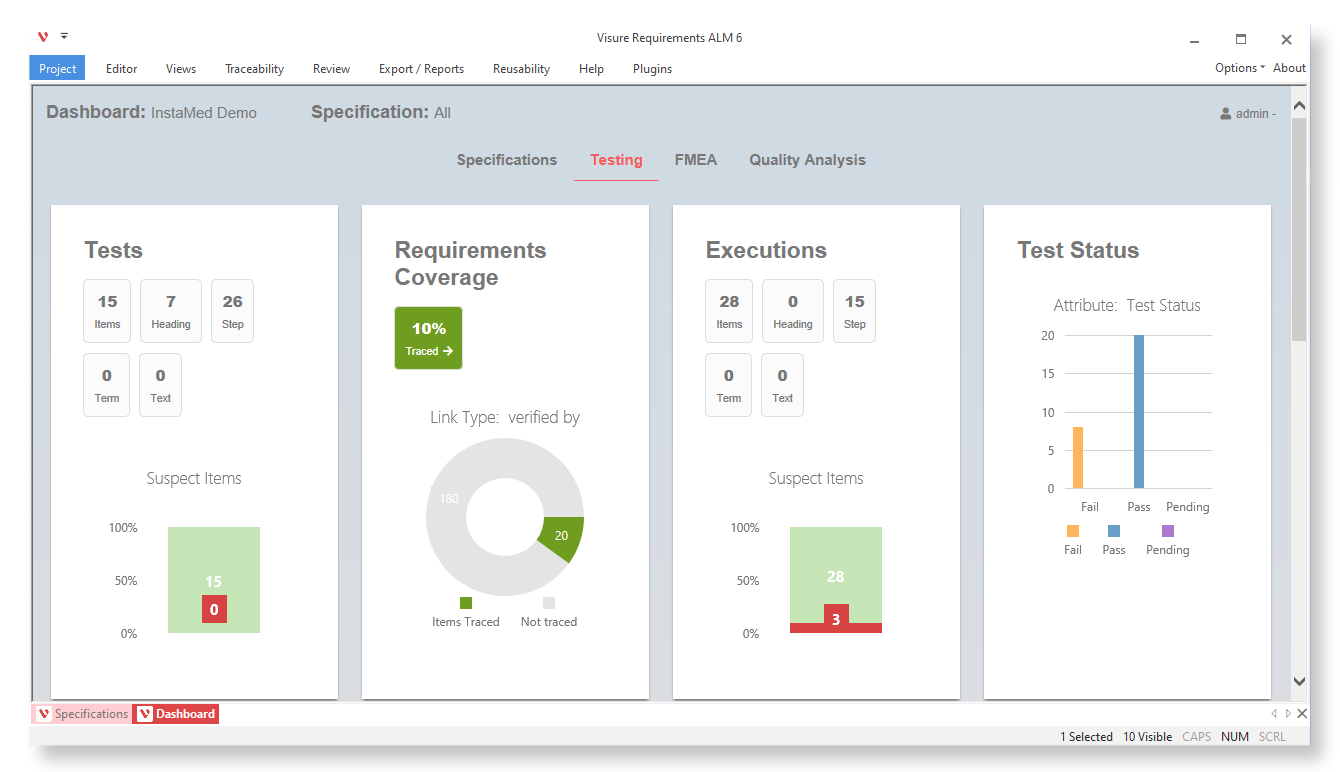
Image source: visuresolutions.com
Why teams choose it: Chosen for its strong regulatory alignment and flexible workflow design, Visure helps teams maintain control across the entire product lifecycle.
Best suited for: Aerospace, defense, and automotive engineering teams.
Benefits:
- Provides end-to-end traceability.
- Supports standards like DO-178C, ISO 26262, and IEC 62304.
- Custom dashboards for real-time status monitoring.
Challenges:
- Configuration complexity for new teams.
- Primarily suited for enterprise use.
Pricing:
- Custom pricing based on organization and use case.
7. Modern Requirements4DevOps: Azure-integrated RM solution
Modern Requirements4DevOps is built directly into Microsoft Azure DevOps, enabling seamless requirements traceability and change management for software and systems teams. It's ideal for organizations already invested in Microsoft's ecosystem.
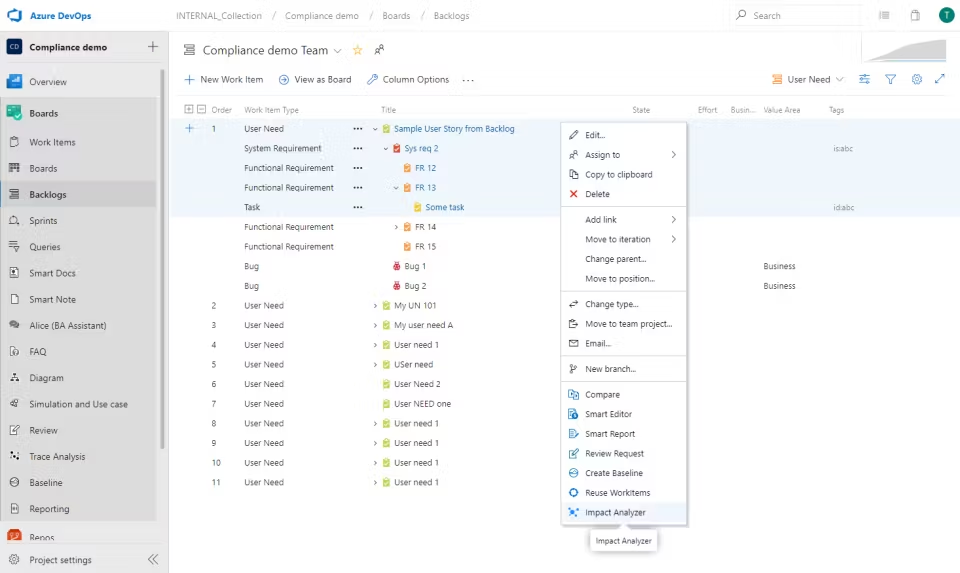
Image source: modernrequirements.com
Why teams choose it: It's popular among DevOps teams seeking to consolidate documentation and requirement tracking within their existing Azure workflows.
Best suited for: Organizations use Microsoft DevOps for software or system projects.
Benefits:
- Real-time traceability within Azure boards.
- SmartDocs allows documentation inside DevOps.
- Simplifies audits and version control.
Challenges:
- Requires Microsoft ecosystem licensing.
- Limited usability for non-Azure users.
Pricing:
- Custom pricing is available upon request.
8. ReqView: Lightweight requirements management for SMEs
ReqView is a simple yet powerful requirements management software for consultants and small to mid-sized engineering teams. It provides offline access, version control, and end-to-end traceability: all within an intuitive desktop interface.
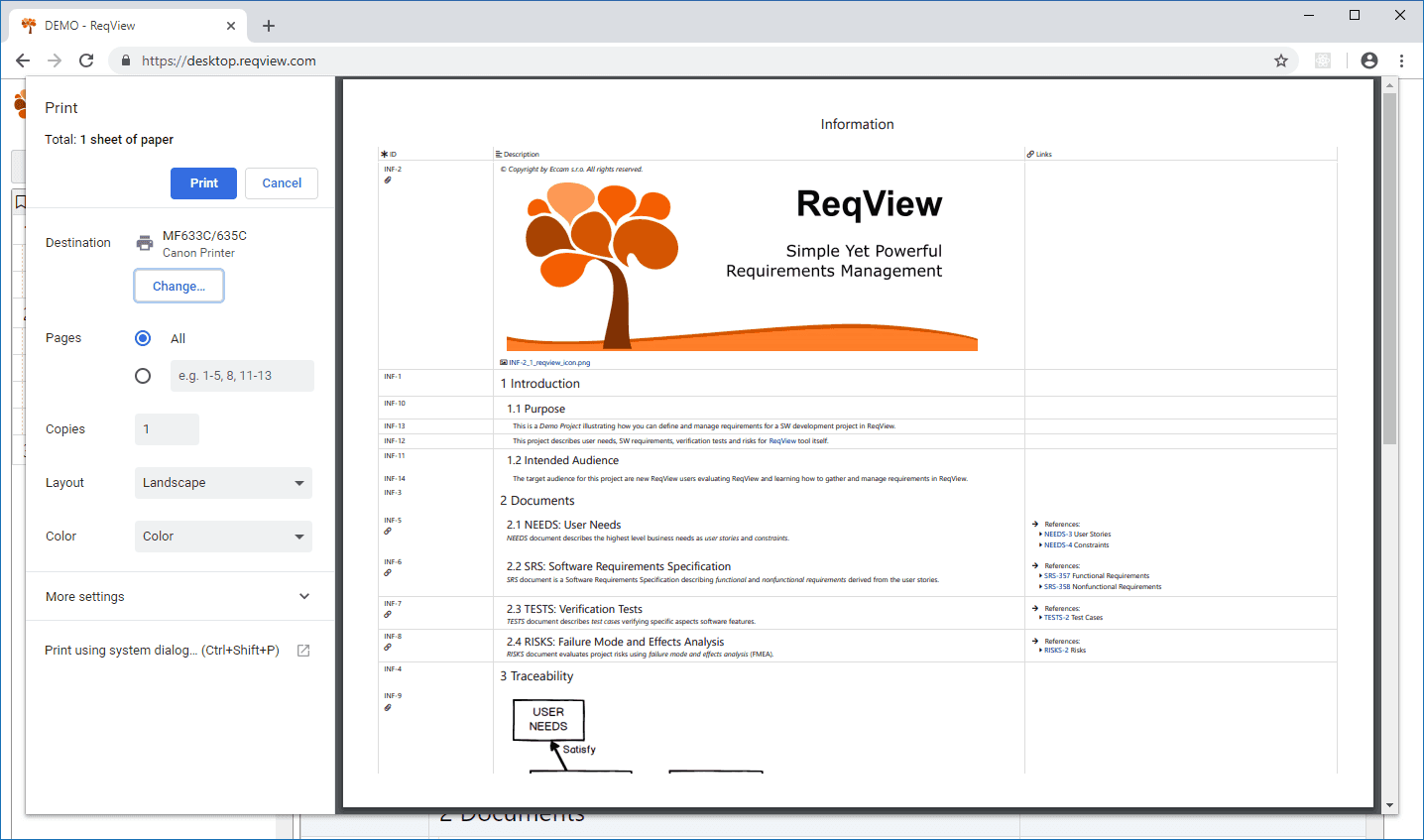
Image source: reqview.com
Why teams choose it: SMEs choose ReqView for its intuitive interface and ability to manage projects securely without cloud dependency.
Best suited for: Small engineering firms, consultants, and freelancers.
Benefits:
- Works offline with version control.
- Offers traceability and baselining features.
- Exports to Word, Excel, and ReqIF formats.
Challenges:
- Limited collaboration tools.
- No real-time multi-user editing.
Pricing:
- Starting from $29/month per user.
9. Innoslate: Modeling and simulation for system engineers
Innoslate is a cloud-based requirements management and systems modeling tool that helps engineers visualize system behavior through lifecycle simulation. It's particularly effective for defense, aerospace, and manufacturing sectors.
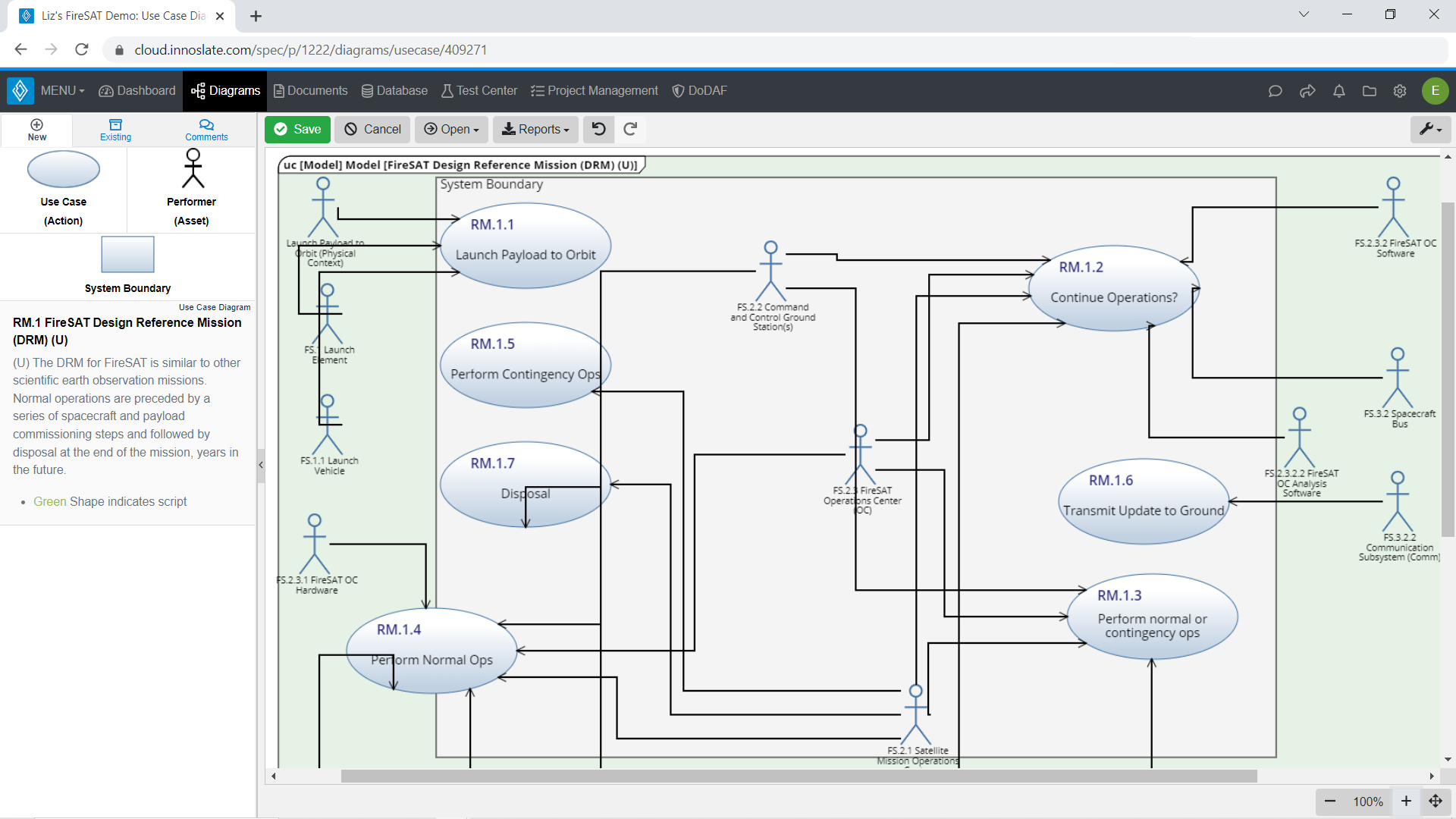
Image source: innoslate.com
Why teams choose it: System engineers appreciate its modeling and simulation capabilities that link directly to requirements documentation.
Best suited for: Aerospace, defense, and manufacturing projects.
Benefits:
- Supports modeling, simulation, and test management.
- Real-time collaboration across distributed teams.
- Traceability dashboards for project oversight.
Challenges:
- Technical interface for non-engineers.
- Higher pricing for premium features.
Pricing:
- Starts at $45/user/month.
10. codebeamer: Hybrid requirements and risk management tool
codebeamer by PTC is a hybrid ALM and requirements management tool designed for safety-critical environments. It provides deep traceability, risk assessment, and compliance management capabilities.
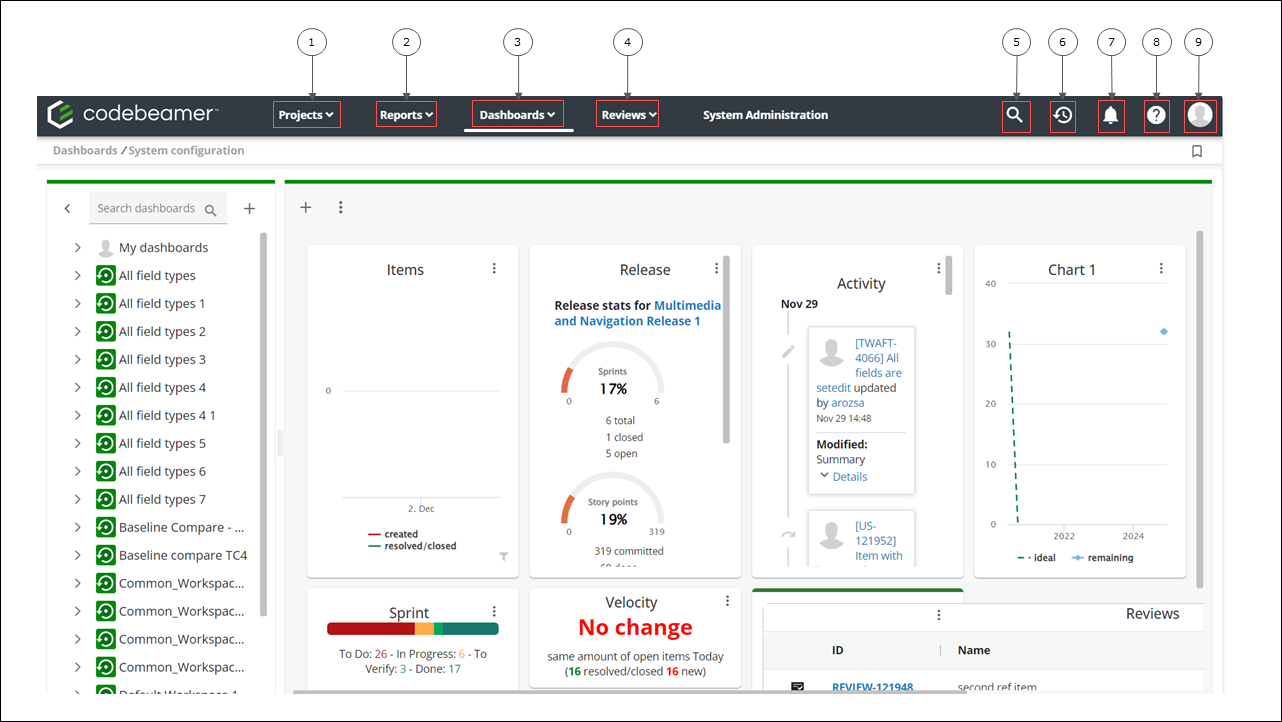
Image source: ptc.com
Why teams choose it: Enterprises rely on codebeamer for its risk analysis, lifecycle traceability, and compliance templates that align with safety standards.
Best suited for: Automotive, defense, and life sciences sectors.
Benefits:
- Full traceability across lifecycle artifacts.
- Risk management with built-in templates.
- Robust reporting and analytics tools.
Challenges:
- Requires onboarding time.
- Complex for small organizations.
Pricing:
- Starts at $35/user/month.
11. Xebrio: Affordable requirements-to-release platform
Xebrio is an affordable, all-in-one requirements management and project delivery tool designed for SMEs. It supports requirements gathering, approval workflows, and test tracking in a single, collaborative environment.
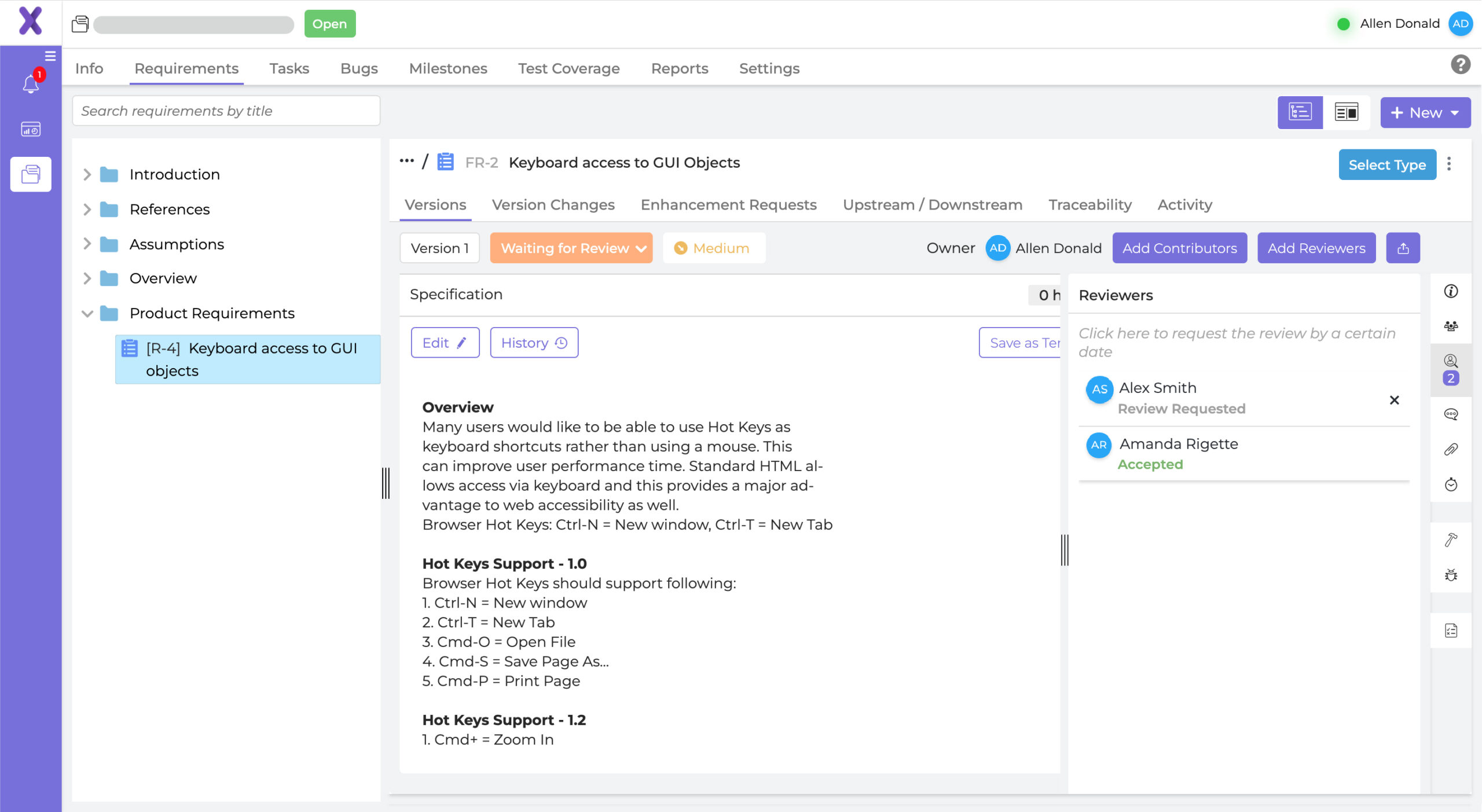
Image source: xebrio.com
Why teams choose it: SMEs choose Xebrio for its simplicity and affordability, making structured RM accessible without enterprise overhead.
Best suited for: Small to medium product and software teams.
Benefits:
- Tracks requirements from ideation to release.
- Built-in approval and review workflows.
- Visual dashboards for monitoring progress.
Challenges:
- Limited automation options.
- Partial traceability compared to larger tools.
Pricing:
- Starts at $8/user/month.
12. Aha! Roadmaps: Strategic product and requirement planning
Aha! Roadmaps is a strategic product management and requirements planning tool built for product managers and roadmap-driven teams. It connects business strategy with execution by linking goals, initiatives, and detailed feature requirements.
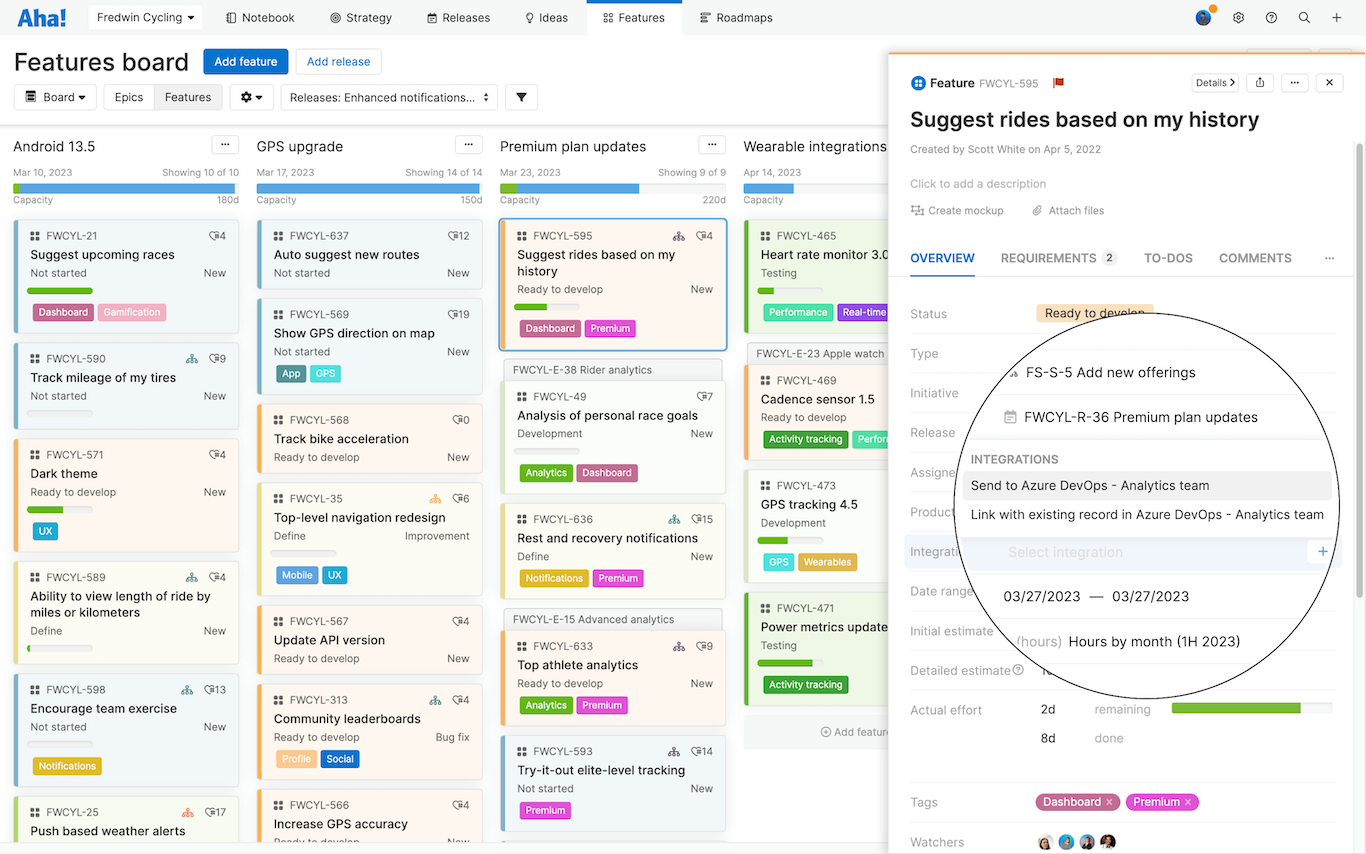
Image source: aha.io
Why teams choose it: Product teams love its visual roadmapping and customer feedback features that align strategy with delivery.
Best suited for: Product managers and strategy-driven teams.
Benefits:
- Links goals, features, and releases.
- Gathers customer feedback for prioritization.
- Integrates with Jira, Trello, and DevOps tools.
Challenges:
- High pricing for smaller teams.
- Less compliance-oriented than engineering tools.
Pricing:
- Starts at $59/user/month, billed annually.
Choosing the right tool for your organization
Selecting the right requirements management software depends on your project scale, team structure, and industry standards. Beyond features, the best fit ensures seamless collaboration and long-term efficiency. Here's what to consider:
- Match the tool to your industry and compliance needs: Every sector, whether automotive, aerospace, medical, or software, has unique standards and audit requirements. Choose a requirements management tool that supports your industry's compliance frameworks (like ISO 26262 or DO-178C) and provides documentation suited for regulatory reviews.
- Assess scalability, ease of adoption, and integration options: As projects and teams grow, your tool should scale effortlessly. Evaluate how easy it is to onboard new users, customize workflows, and connect with existing systems like design tools, testing platforms, or project management apps.
- Prioritize automation and real-time collaboration to avoid version confusion: Opt for tools that offer live editing, change alerts, and automated version tracking. These features prevent duplication, ensure teams always work on the latest data, and promote continuous alignment across distributed or agile teams.
Benefits of requirements management software
Effective product delivery depends on how well teams define, manage, and track their requirements. Requirements management tools give engineers and project managers a structured way to align goals, maintain documentation, and ensure compliance throughout every phase of development. Here's how they make a measurable impact:
- Ensures version control and consistent documentation: In fast-paced projects, requirements evolve frequently. A requirements management tool keeps a complete version history, so teams can track every change, rollback when needed, and maintain a single, reliable source of truth. This prevents confusion from multiple document versions and ensures that everyone references the most up-to-date information.
- Enables end-to-end traceability from concept to testing: Requirements management software connects each requirement to its related design elements, development tasks, and test cases. This end-to-end traceability ensures that every stakeholder can see how a business goal translates into a tested deliverable: critical for both agile and regulated environments.
- Simplifies stakeholder approvals and compliance audits: Complex projects often involve multiple reviewers and regulatory checks. Modern requirements management tools provide built-in approval workflows, digital sign-offs, and audit trails, making it easier to demonstrate compliance and accountability during internal or external reviews.
- Helps cross-functional teams collaborate without silos: With requirements stored in a shared platform, engineers, designers, and product managers can collaborate in real time. Comments, discussions, and notifications stay tied to specific requirements, reducing delays and ensuring that all departments remain aligned throughout the development process.
Conclusion
Choosing the right requirements management tool is essential to keeping teams aligned, projects traceable, and goals clear from concept to delivery. Whether you need an enterprise solution like Jama Connect or IBM DOORS Next, or a flexible platform like Jira or Visure, the best tool depends on your workflow, scale, and compliance needs. Each of these 12 options supports better collaboration, version control, and accountability throughout the project lifecycle. Yet, true efficiency comes when documentation, discussion, and action happen in one place. That's where Lark stands out, uniting strategy, execution, and real-time teamwork in a single connected workspace.
FAQs
What are the main benefits of using a requirements management tool?
Requirements management tools help teams capture, organize, and track requirements efficiently. They reduce miscommunication, prevent scope creep, and maintain version control throughout the project lifecycle. With features like centralized documentation, real-time collaboration, and traceability, they ensure that every requirement is validated and aligned with stakeholder expectations, improving delivery speed and overall product quality.
How do requirements management tools support compliance and traceability?
These tools establish end-to-end traceability by linking requirements to design elements, test cases, and verification reports. They maintain detailed change logs and audit trails for every update, making it easier to demonstrate compliance with industry standards and regulations. Automated workflows, version histories, and approval tracking further streamline compliance reviews and reduce documentation errors.
Which tools are best for agile requirements management?
For agile teams, flexibility and collaboration are key. Tools like Jira, Azure DevOps, Lark, and Jama Connect support iterative development with user stories, backlog tracking, and real-time updates. They help teams adjust requirements quickly, track dependencies across sprints, and ensure that deliverables align with changing customer priorities while maintaining visibility throughout the agile lifecycle.
Can Lark be used for engineering or software requirement documentation?
Yes. Lark Base, part of the Lark suite, can be adapted as a lightweight requirements management tool. Teams can document requirements, assign owners, track changes, and connect discussions directly within the workspace. With collaborative features like comments, task links, and versioned records, Lark simplifies requirement tracking for engineering, software, or product development workflows.
What is the difference between requirements management and project management software?
Requirements management software focuses on capturing, analyzing, and tracking what needs to be built: ensuring each requirement is clear and testable. Project management tools, on the other hand, handle timelines, resources, and task execution. Together, they complement each other: requirements define the "what," while project management handles the "how" and "when."
How do dashboards and automation improve requirement tracking?
Dashboards consolidate real-time data, showing progress, status, and coverage metrics for every requirement. Automation ensures consistent updates, alerts teams to changes, and eliminates manual tracking errors. Together, they enhance visibility across teams, accelerate decision-making, and help managers identify risks early: making requirement management faster, more transparent, and performance-driven.
Related reading
Table of contents
Start using Lark today

Manage all your work in one place
Boost team efficiency by 10x
Save up to 70% on software costs
Table of contents
Start using Lark today
Manage all your work in one place
Boost team efficiency by 10x
Save up to 70% on software costs
Keep reading







2026 Lark Technologies Pte. Ltd.
Headquartered in Singapore with offices worldwide.






Explore: