In the high-stakes world of modern infrastructure, efficiency isn't just a goal; it's a requirement for survival. Managing technical workflows across distributed environments demands more than just a digital to-do list; it requires a robust IT task management software that can bridge the gap between back-end operations and front-end support. Whether your team is handling urgent server patches or long-term software deployments, the right tool provides the accountability and visibility needed to prevent system downtime. This guide breaks down the top platforms that help IT professionals prioritize requests,
Key takeaways: Best 5 task management tools for IT companies
To help you navigate the crowded market of technical solutions, we are highlighting the top 5 tools from our comprehensive list of 15 to provide a quick, high-level overview:
1. Lark: Best for teams seeking a unified workspace that combines tasks, docs, and messaging
2. Jira: Gold standard for DevOps and software development teams
3. ServiceNow: An enterprise-grade platform designed for large-scale IT service management
4. Freshservice: A ticket-centric solution ideal for modernizing internal IT helpdesks
5. ClickUp: A customizable project management tool supporting task tracking
Overview: 5 best IT task management software
With hundreds of options on the market, finding the right fit for a technical team can be overwhelming. To help you narrow down the search, we are covering the top 5 tools from our detailed list of 15 to provide a quick overview of the industry leaders and how they stack up.
Information source: Official vendor sites
Update time: 2026-01-31
Note: Pricing and plan details reflect publicly available data as of the update date and may vary based on region, billing cycle, and number of agents.
Manage your tasks with the #1 tool today
What is IT task management?
In the high-stakes world of technical operations, IT task management is the systematic process of overseeing a technical requirement from its initial request to its final resolution. Unlike general , which often focus on long-term milestones, IT task management is a hybrid discipline that balances planned project work (like server migrations) with unplanned, high-velocity "incidents" (like network outages or security vulnerabilities).
At its core, this process involves:
- Intake & categorization: Capturing requests through tickets or forms and sorting them by urgency and impact.
- Prioritization: Using a framework (often based on ) to determine which "fire" needs to be put out first.
- Execution & documentation: Resolving issues while simultaneously updating runbooks and technical SOPs to prevent future occurrences.
For modern teams, using dedicated IT task management software is essential. It provides the visibility needed to track team bandwidth, manage complex interdependencies between hardware and software, and ensure that every technical action is logged for security and compliance audits, especially for organizations that teams and need centralized oversight.
Streamline your technical operations with expert guidance
Full list: 15 IT task management software tools compared
Here's a complete comparison of 15 IT task management tools to help you find the right fit for your team's workflow, visibility, and operational needs. These solutions range from lightweight trackers to .
1. Lark: Unified IT task management across teams and workflows
Fragmented tools lead to missed alerts and "information silos" that can delay critical system recoveries. solves this by connecting your technical database and into one place. Instead of juggling dozens of open tabs, your team can manage the entire lifecycle of a task or project right in one ecosystem.
Accountable execution
In the world of IT task management, ambiguity is the enemy of uptime. Lark Tasks allows leads to assign, schedule, and with absolute clarity. By setting clear ownership and firm due dates, the tool ensures that "ghost tasks" never slip through the cracks. The "Status update" function provides immediate visibility into whether a task is "In Progress," "Under review," or "Resolved," and the built-in task assistant reminds you about overdue tasks and tasks that will be due today or tomorrow. 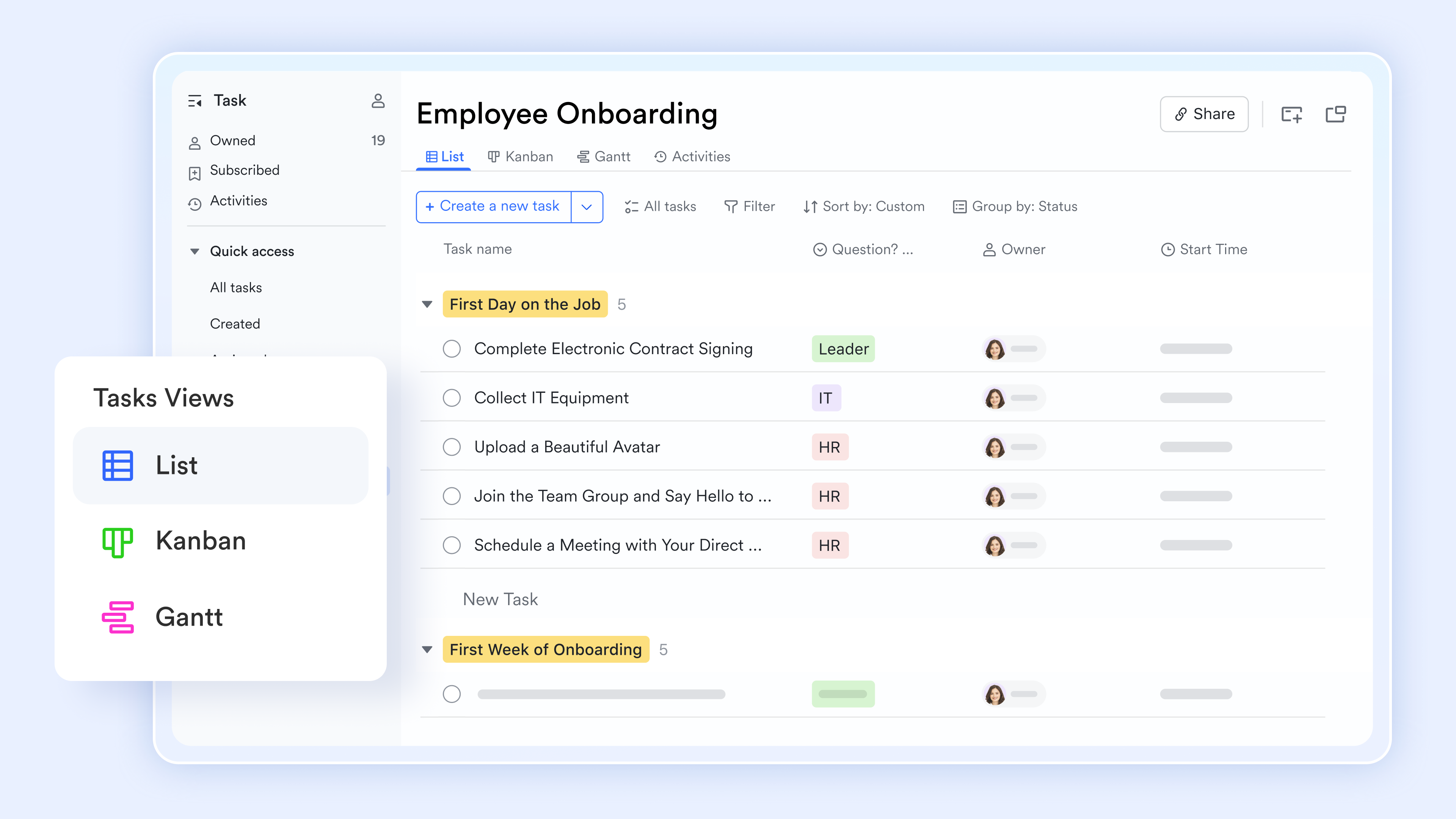
Structured operations
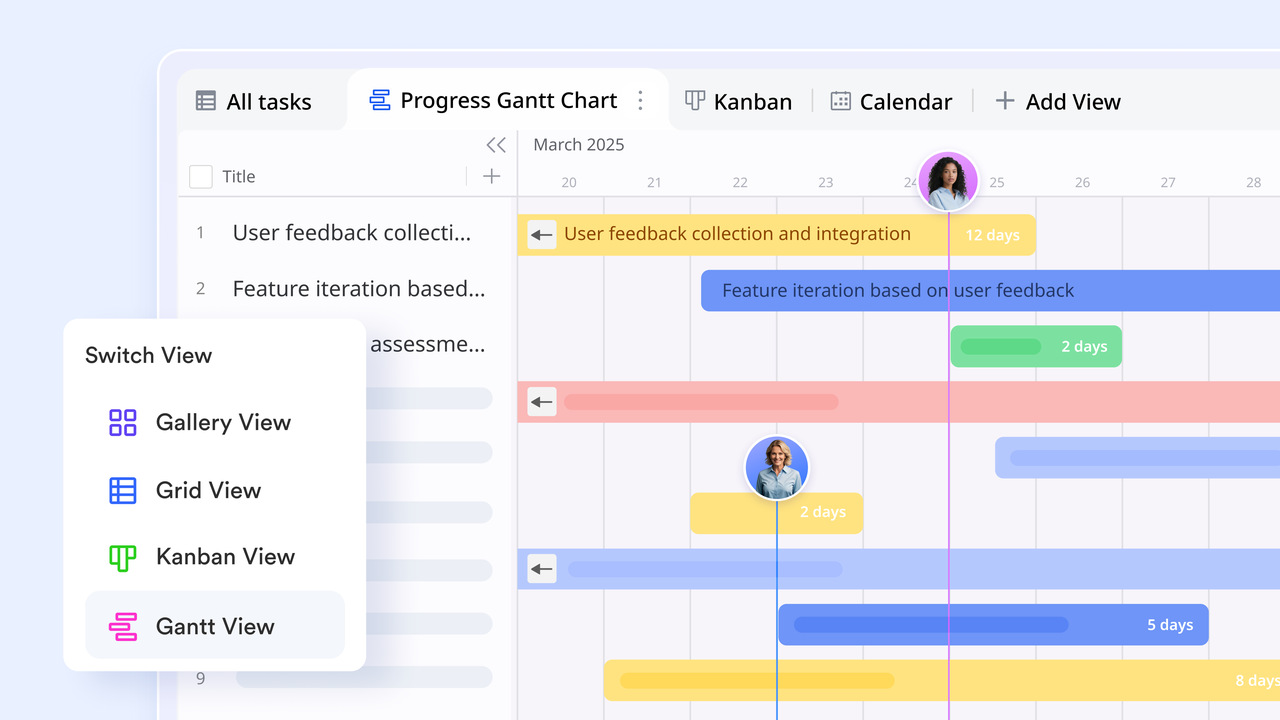
IT workflows often involve complex data points like SLA timers, priority levels, and hardware serial numbers. allows you to build a structured database tailored specifically to your department's needs. You can switch between a "" for daily support tickets, and a "" for the process of resource allocation. This ensures that your IT task management tool adapts to your specific governance framework.
Living knowledge bases
Technical knowledge is only useful if it's accessible and accurate. serves as the central repository for runbooks, SOPs, and project charters. Unlike static documents, these are "live" files: You can create tasks within a Lark doc, @your colleagues for co-editing, and embed your Base tables, flowchart, or timelines right into the document. 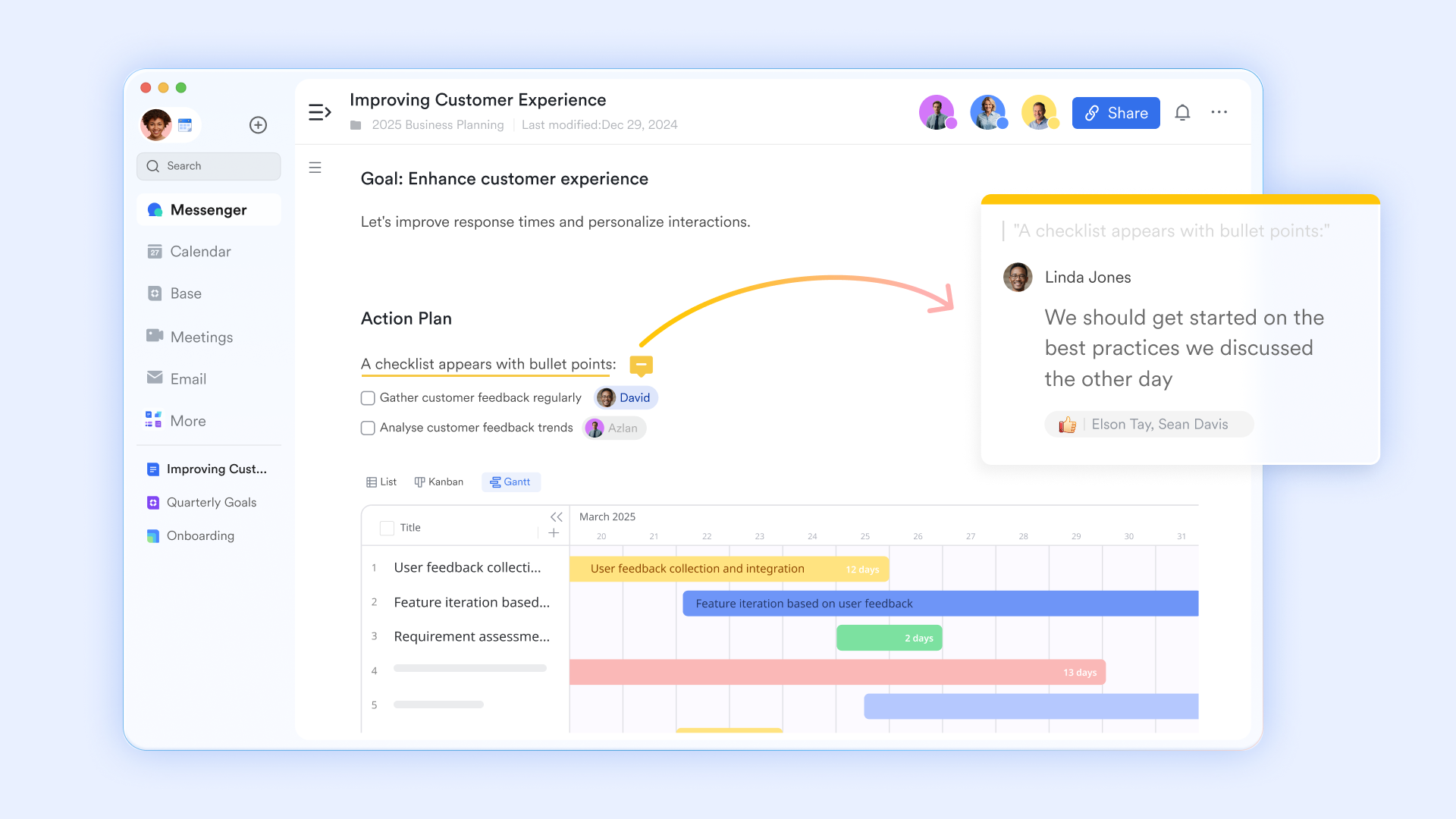
Seamless communication
When an urgent bug report comes in, IT teams need to move fast without losing context. goes beyond simple chat by allowing for context-linked threads and @mentions that pull the right experts into the conversation immediately. Whether coordinating in one time zone or across time zones, the ability to reply directly to a specific data point ensures that the technical dialogue remains organized. 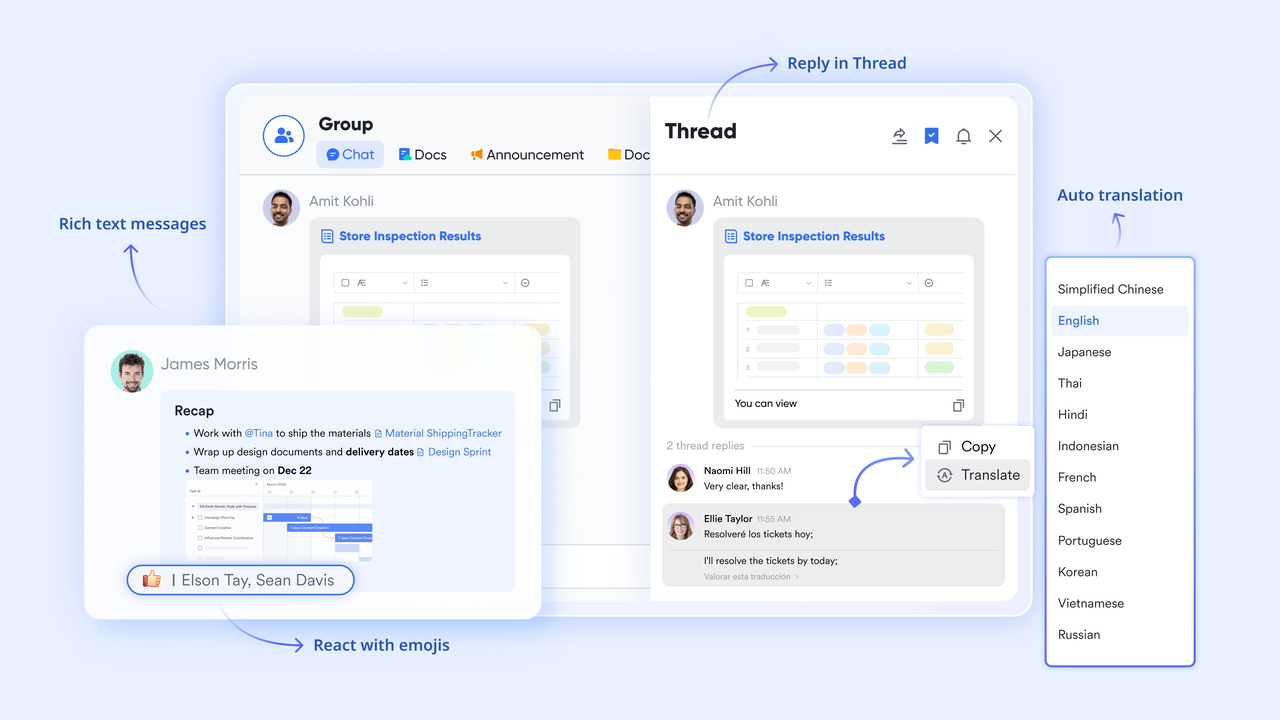
:
- Starter plan: Free forever plan that includes 11 powerful tools for up to 20 users. It also comes with 100GB of storage, 1000 automation runs, AI translations, and more.
- Basic plan: $6/user/month (billed annually) for up to 500 users. It includes everything in Starter plus group calling for up to 500 attendees, 5TB of storage, 1000 automation runs, and more. For more details, please .
- Pro plan: $12/user/month (billed annually) for up to 500 users. It includes everything in Basic plus group calling for up to 500 attendees, 15TB of storage, 50,000 automation runs, and more.
- Enterprise plan: for custom pricing. Supports unlimited users and includes even more automation runs and advanced security, compliance, and management features.
For small teams with simple communication needs

18 months message history
1000 Base automation runs/month
2000 rows per table in Base
Most POPULAR
For companies with comprehensive collaboration and management needs
Unlimited message history
500-participant video meetings
50k Base automation runs/month
20k rows per table in Base
For large companies with advanced security and organizational management needs
Get a personalized demo and pricing
Unlimited message history
500-participant video meetings
15 TB storage + 30 GB storage/user
500k Base automation runs/month
50k Base automation runs/month
Most POPULAR
For companies with comprehensive collaboration and management needs
Unlimited message history
500-participant video meetings
50k Base automation runs/month
20k rows per table in Base
2. Jira: Issue-driven task management for IT and development
Jira by Atlassian is a powerful task management platform built for IT teams and software development workflows. It focuses on issue-driven work, making it easy to track bugs, feature requests, service tasks, and technical tickets from start to resolution. Teams can organize work using backlogs, sprints, and customizable workflows that match agile and DevOps practices.
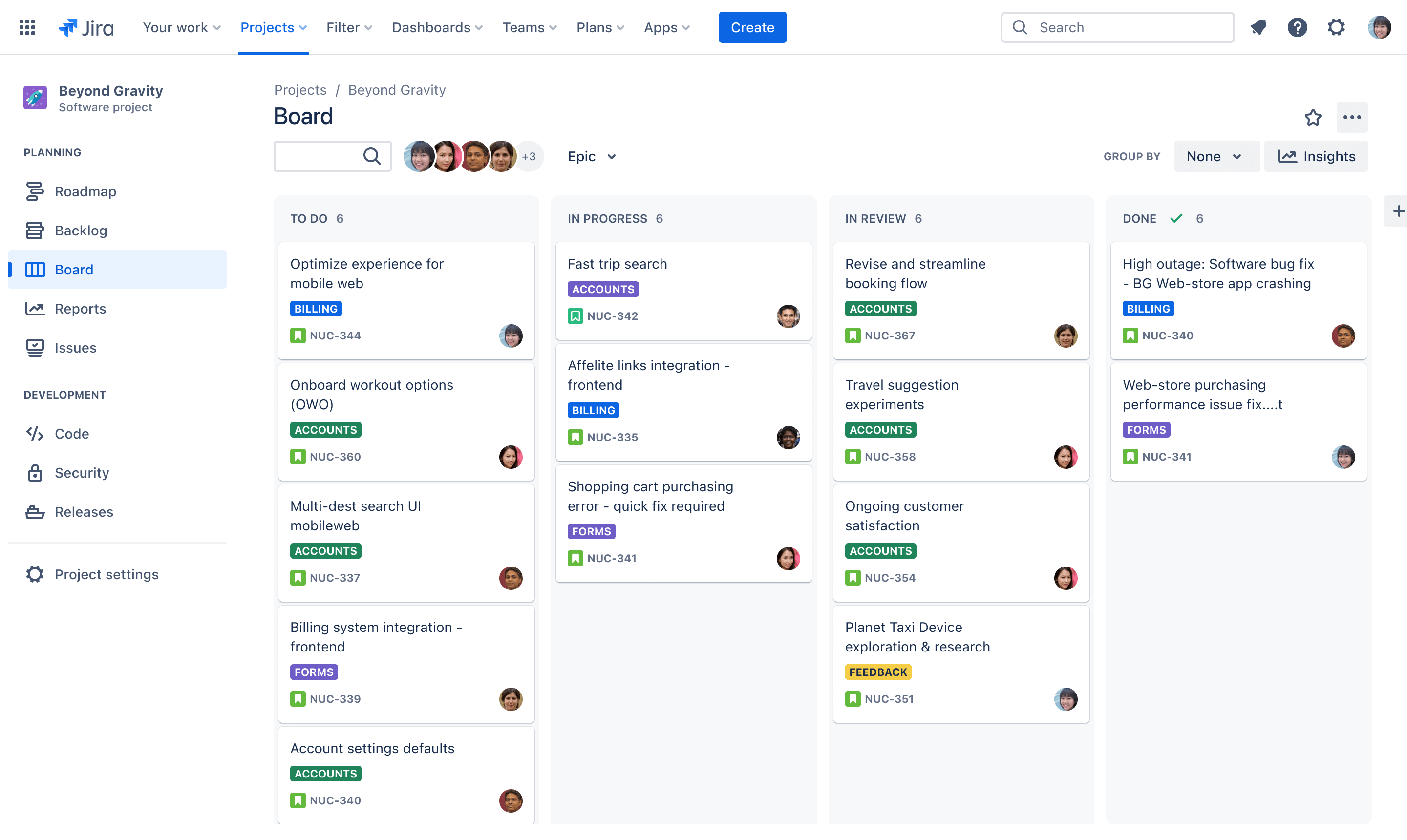
Image source: atlassian.com
Key features:
- Agile boards (Scrum/Kanban) with program views
- Roadmaps and release planning
- Advanced issue and dependency tracking
- Custom workflows and automation
- Deep integration with the Atlassian ecosystem
Pros:
- Excellent for agile and technical teams
- Highly customizable workflows
- Extensive app and integration marketplace
- Scales for enterprise usage
Cons:
- Steep learning curve for non-technical users
- Interface can feel complex
- Less intuitive for non-agile programs
Pricing:
- Free: $0 (up to 10 users)
- Standard: $7.91/user/month
- Premium: $14.54/user/month
- Enterprise: Custom pricing
3. ServiceNow: Enterprise IT task and service management
ServiceNow is a comprehensive platform designed to manage IT tasks alongside enterprise service workflows. It helps organizations handle incidents, service requests, changes, and routine IT operations within a single system. With structured workflows, automation, and strong reporting, ServiceNow enables IT teams to prioritize tasks, reduce manual effort, and improve response times.
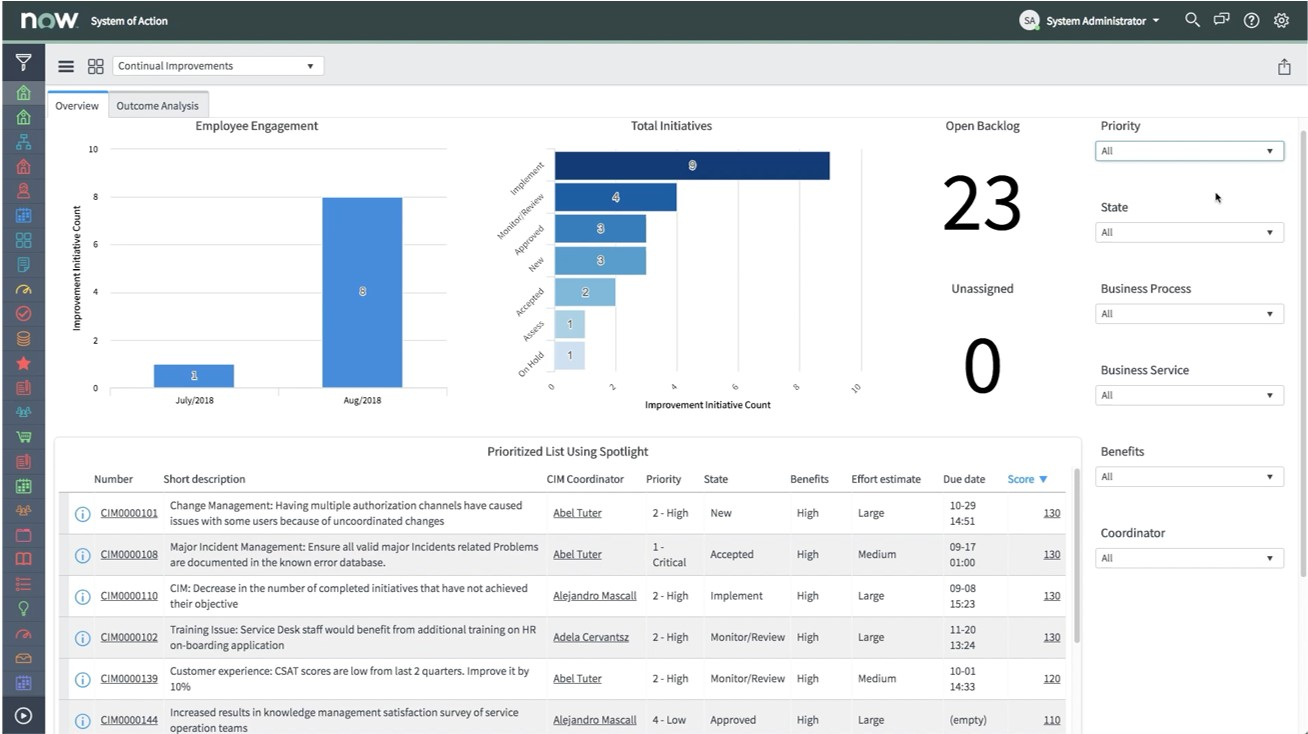
Image source: servicenow.com
Key features:
- Automatic time tracking with activity levels
- App and website usage monitoring
- Screenshot capture (optional)
- GPS and location tracking for field teams
- Detailed productivity and timesheet reports
Pros:
- Strong activity monitoring for remote teams
- Built-in productivity insights and reporting
- Payroll and billing integrations
- GPS tracking for mobile/field work
Cons:
- Can feel intrusive if misconfigured
- Advanced features require paid plans
Pricing:
4. Freshservice: IT task management built around tickets
Freshservice is an IT task management platform centered on ticketing workflows. It helps IT teams capture, organize, and resolve issues through a structured ticket system. Users can submit requests, assign tasks, set priorities, and monitor progress in one place. With automation for routing and escalation, Freshservice reduces manual work and speeds up incident resolution.
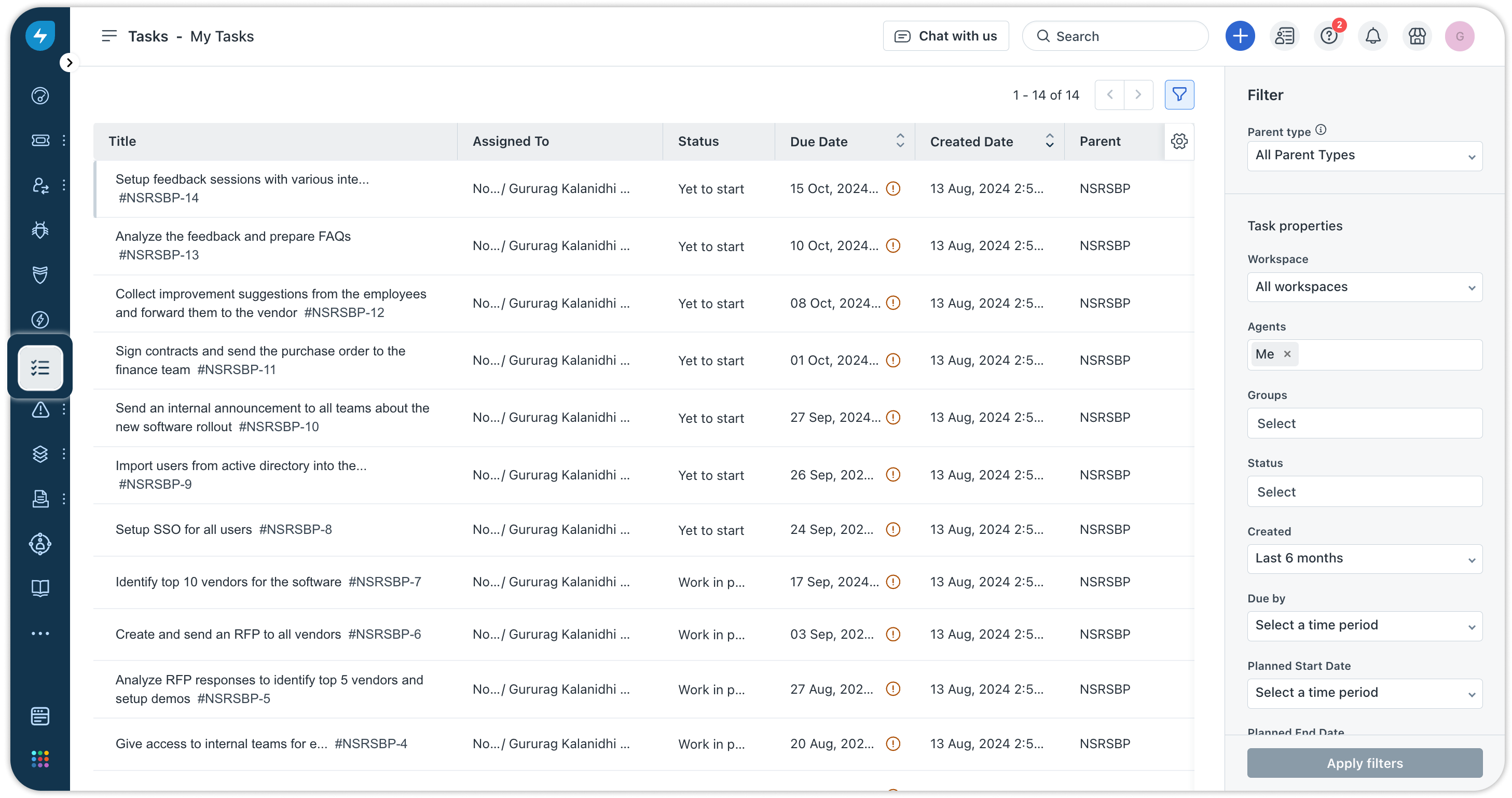
Image source: freshworks.com
Key features:
- Simple time tracking with timers and manual entry
- Expense tracking and project budgeting
- Invoicing and billing support
- Visual reports and time summaries
- Integrations with accounting and project tools
Pros:
- Excellent for client billing and invoices
- Clean, user-friendly interface
- Time and expense tracking in one place
- Useful reports for profitability insights
Cons:
- Limited task management capabilities
- Advanced features require paid plans
Pricing:
- Growth: $19 per agent/month (billed annually)
- Pro: $55 per agent/month (billed annually)
- Enterprise: $89 per agent/month (billed annually)
5. ClickUp: Customizable IT task workflows
ClickUp is a flexible platform that supports customizable IT task workflows. It lets teams build and tailor workflows to match how they work, whether that's simple task lists or more complex issue chains. With features like multiple views, automation, and task dependencies, ClickUp helps IT teams organize work, track progress, and manage priorities effectively.
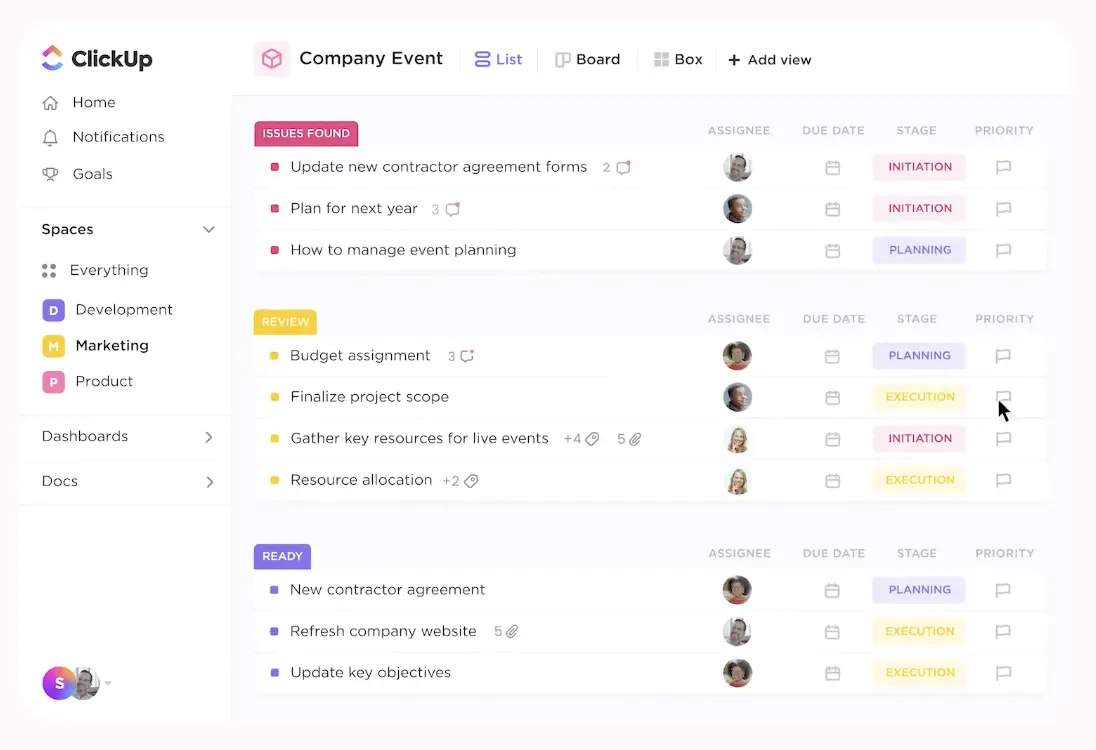
Image source: clickup.com
Key features:
- Multiple views, including List, Gantt, Timeline, and Kanban
- Goal and milestone tracking
- Built-in docs and knowledge sharing
- Automation and custom fields
- Broad integration ecosystem
Pros:
- Very flexible and customizable
- Suitable for diverse team needs
Cons:
- A feature-rich interface can feel cluttered
- Performance issues at scale
- Learning curve for advanced setups
Pricing:
- Unlimited: $7/user/month
- Business: $12/user/month
- Enterprise: Custom pricing
6. Asana: Structured task planning for IT initiatives
Asana is a task management tool that helps IT teams plan and organize work in a clear, structured way. It breaks down projects into tasks and subtasks, assigns responsibilities, and tracks progress toward goals. With features like timelines, boards, and automatic reminders, Asana makes it easy to keep IT initiatives on schedule and communicate updates across teams.
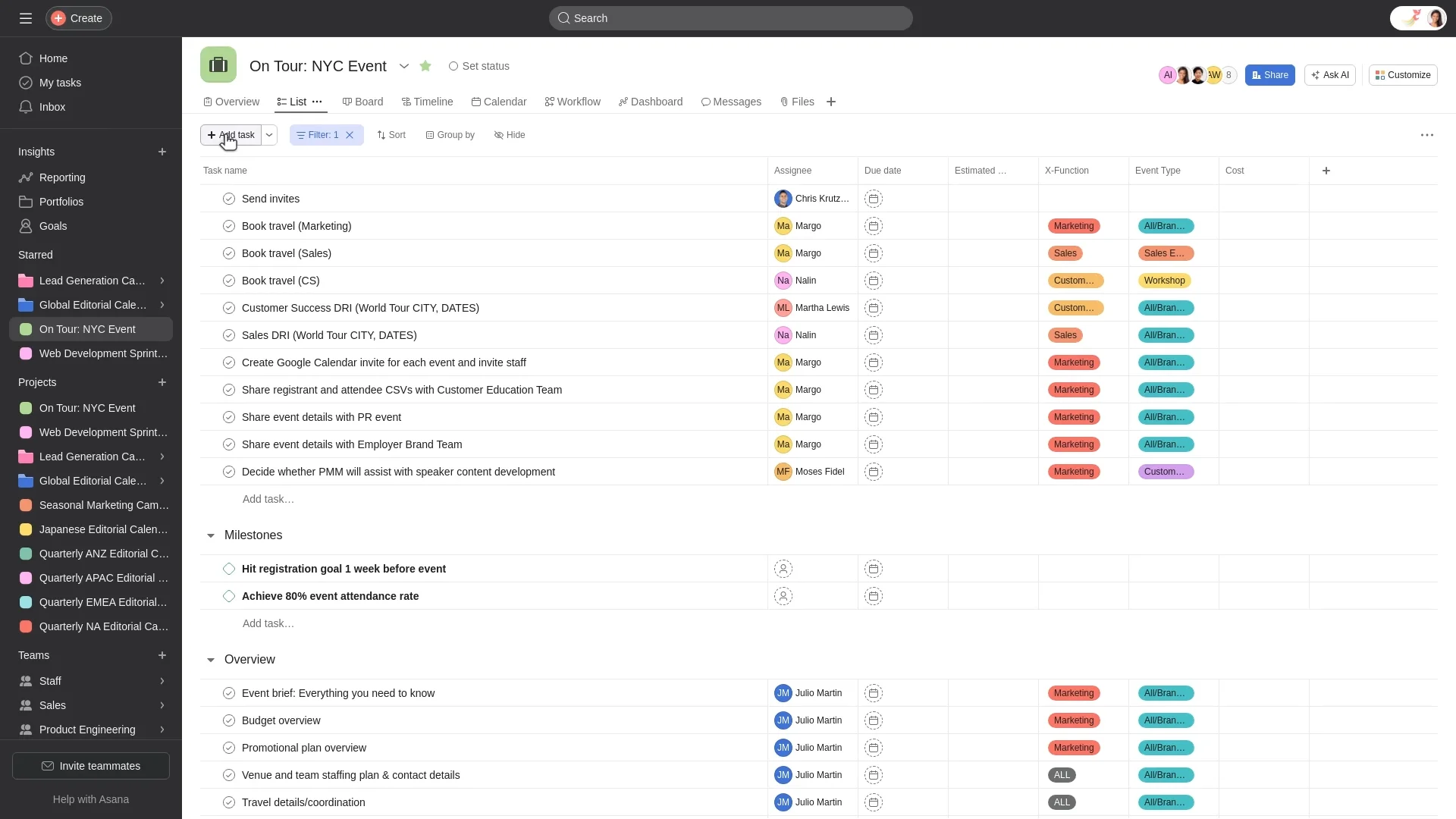
Image source: asana.com
Key features:
- Program and portfolio views
- Timeline (Gantt) and dependency tracking
- Goal and milestone alignment
- Workflow automation rules
- Integrations with work tools and calendars
Pros:
- Clean, intuitive user experience
- Effective task and goal visibility
- Easy onboarding for teams
- Good collaboration and notifications
Cons:
- Advanced resource management is limited
- Reporting depth is moderate
- Some capabilities require higher-tier plans
Pricing:
- Personal: $0 (free forever)
- Starter: $10.99/user/month
- Advanced: $24.99/user/month
- Enterprise: Contact sales (custom pricing)
7. Monday.com: Visual task tracking for IT operations
Monday.com is a task management platform that uses visual boards and customizable views to support IT operations. It helps teams organize tasks, monitor progress, and assign responsibilities in an intuitive interface. With timelines, calendars, and status updates, Monday.com makes it easy to see what's happening across IT projects and daily support work.
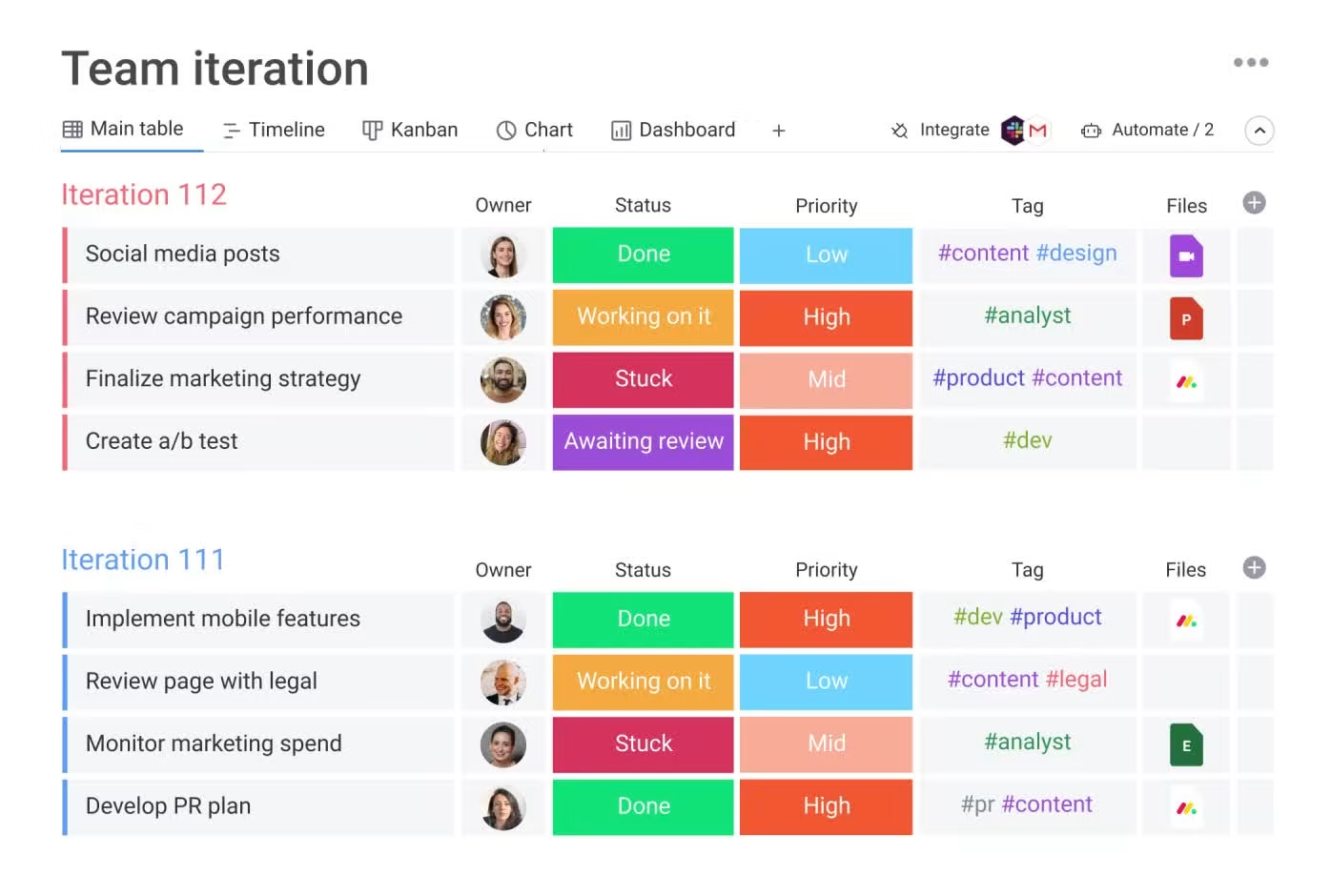
Image source: monday.com
Key features:
- Customizable boards for program and project tracking
- Visual dashboards with real-time status updates
- Automation rules for recurring workflows
- Timeline and dependency management
- Integration with popular third-party tools
Pros:
- Intuitive and visually appealing interface
- Highly customizable workflows
- Strong collaboration features
- Scales well across teams
Cons:
- Advanced features locked behind higher plans
- Can become complex with heavy customization
- Limited native reporting depth
Pricing:
- Free: $0 (up to 2 seats)
- Basic: $9 per seat/month (total $90/month)
- Standard: $12 per seat/month (total $120/month)
- Pro: $19 per seat/month (total $190/month )
- Enterprise: Custom pricing
8. Wrike: Enterprise-grade task management for IT teams
Wrike is a robust task management solution built for larger IT teams and complex projects. It offers advanced workflow customization, task dependencies, and real-time collaboration to help teams coordinate work efficiently. With features like resource management, reporting dashboards, and automated processes, Wrike gives IT leaders visibility into workloads and progress across initiatives.
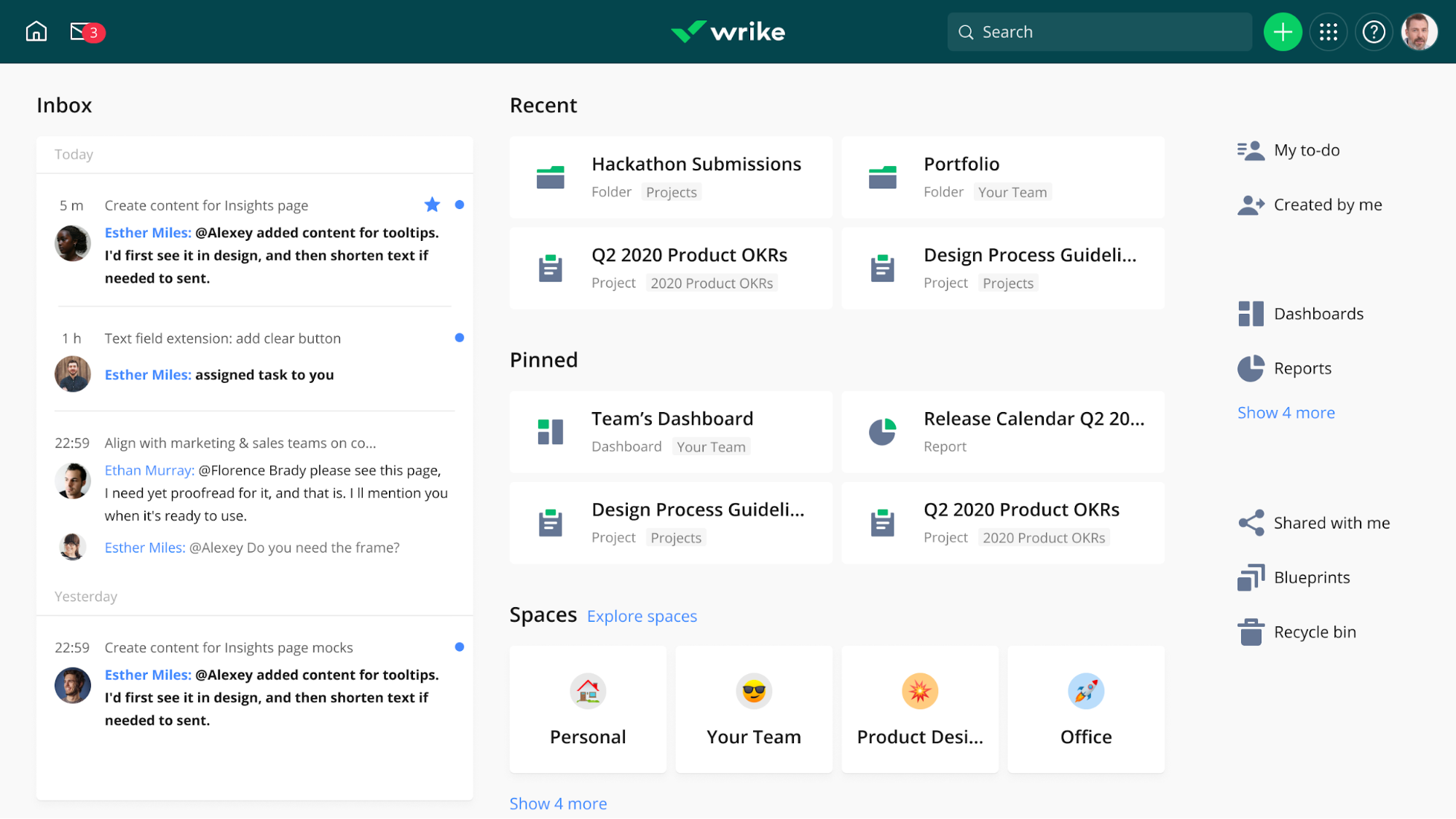
Image source: wrike.com
Key features:
- Program-level dashboards and reporting
- Advanced workflow and approval automation
- Resource and workload management
- Gantt charts with dependencies
- Enterprise-grade security and controls
Pros:
- Powerful workflow customization
- Strong reporting and analytics
- Suitable for large and distributed teams
Cons:
- The interface can feel overwhelming
- Setup requires time and planning
- Higher-tier plans are expensive
Pricing:
- Business: $25/user/month
- Pinnacle: Custom pricing
9. Zoho Projects: Cost-effective IT task management tool
Zoho Projects is a budget-friendly task management platform designed to help IT teams plan and execute work without complexity. It offers essential features like task lists, milestones, Gantt charts, and time tracking, making it easier to organize priorities and monitor progress. With built-in collaboration tools and integrations with other Zoho apps, teams can streamline communication and keep work moving forward.
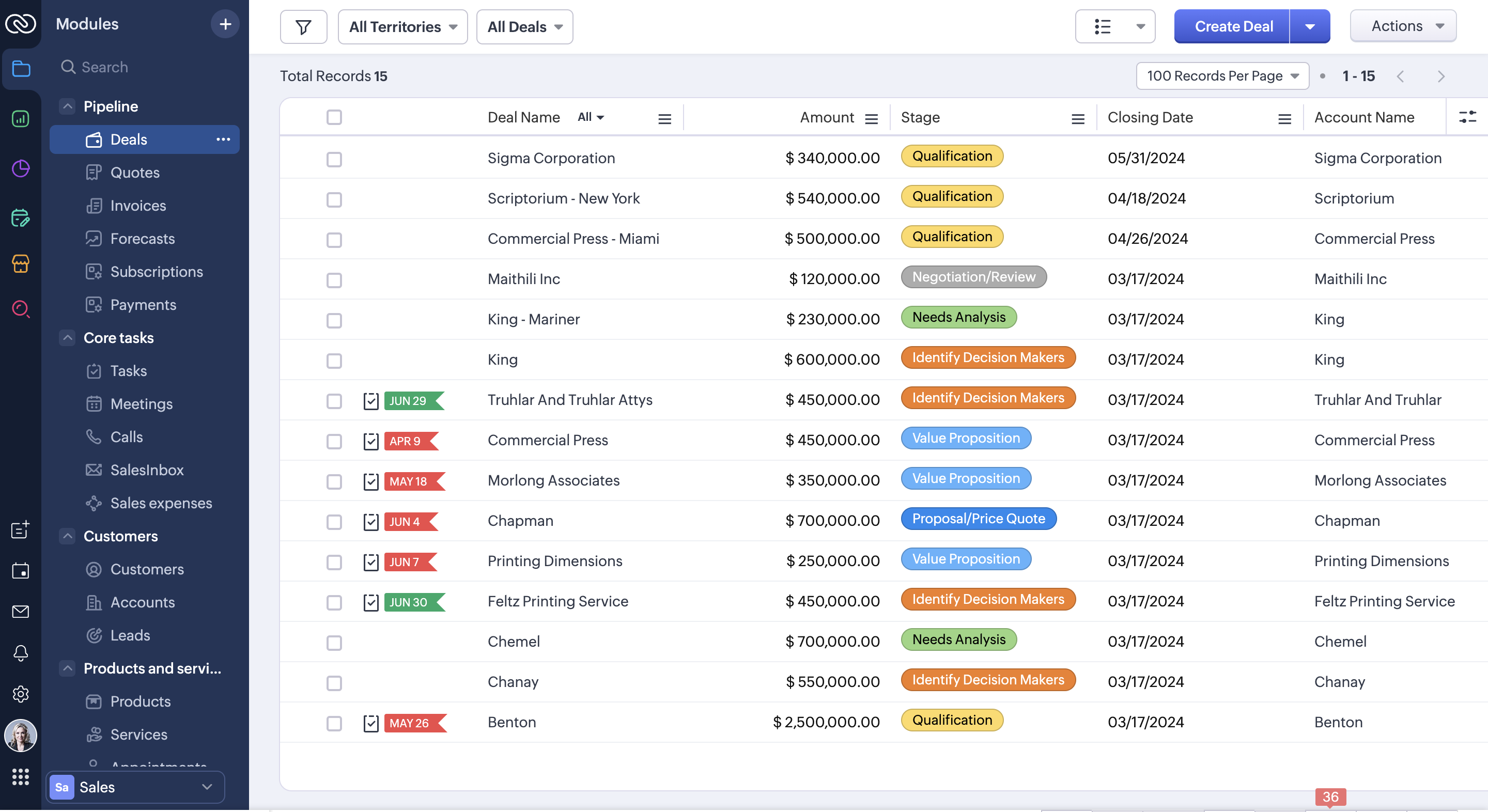
Image source: zoho.com
Key features:
- Project and program dashboards
- Gantt charts with dependencies
- Time tracking and billing tools
- Workflow automation and alerts
- Integration with Zoho apps
Pros:
- Strong automation features
- Good for time and expense tracking
- Smooth integration with the Zoho suite
Cons:
- Interface feels less modern
- Reporting and analytics are basic
- Limited third-party integrations
Pricing:
- Free: $0 (up to 5 users)
- Premium: $4/user/month (billed annually)
- Enterprise: $9/user/month (billed annually)
- Zoho projects plus: Custom pricing
10. Linear: Fast task handling for technical teams
Linear is a streamlined task management tool built for technical teams that need speed and simplicity. It focuses on helping teams create, organize, and resolve tasks quickly without unnecessary complexity. With clean interfaces, keyboard-friendly navigation, and efficient workflows, Linear helps developers and IT professionals stay focused on work that matters.
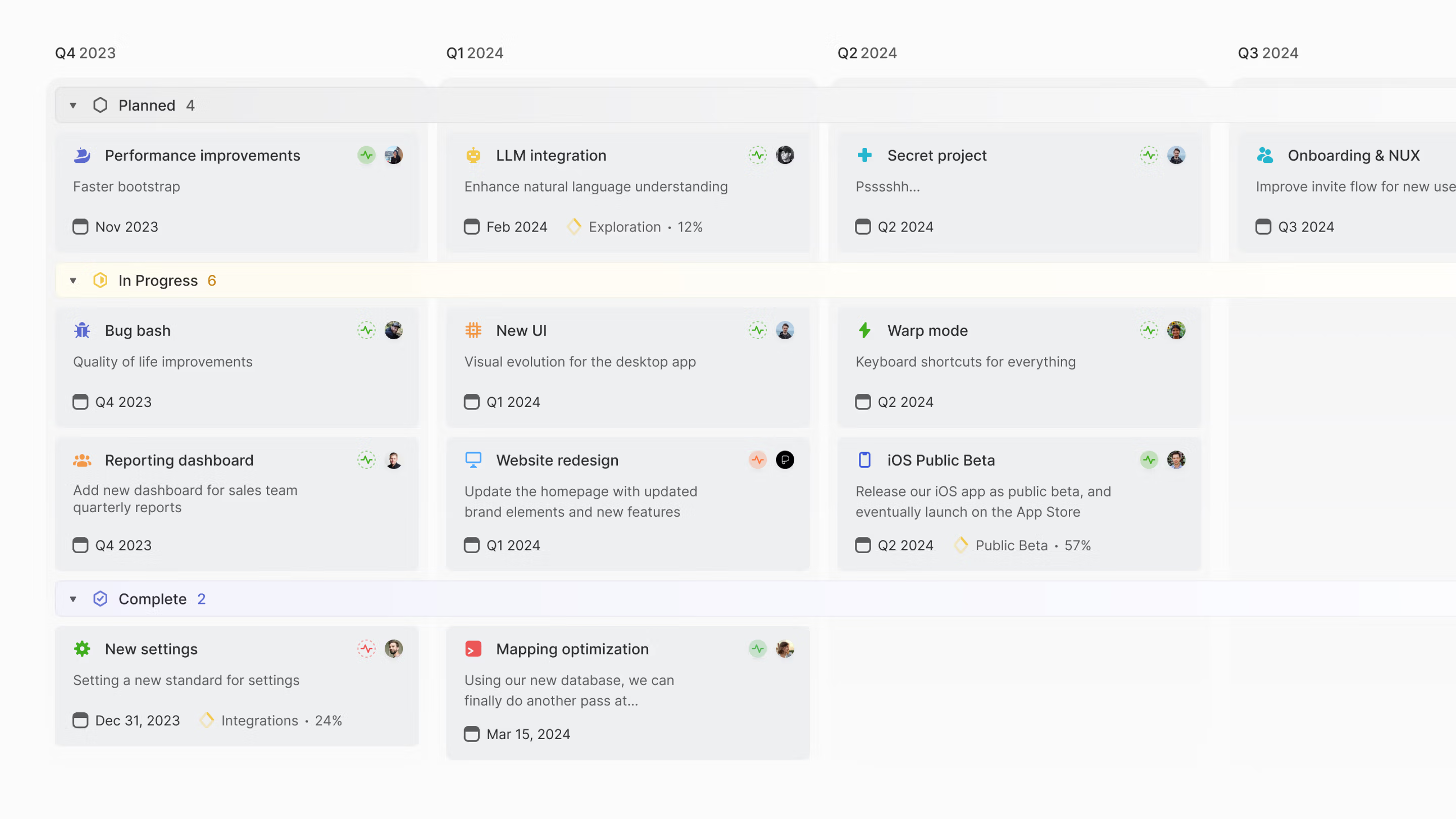
Image source: linear.com
Key features:
- Advanced Gantt charts with dependencies
- Critical path and milestone tracking
- Resource and workload management
- Team collaboration tools
Pros:
- Strong visual timeline management
- Easy to use for planning
- Clear dependency tracking
- Useful for schedule-focused programs
Cons:
- Less suited for agile programs
Pricing:
- Free: $0 (free for everyone)
- Basic: $10/user/month (billed annually)
- Business: $16/user/month (billed annually)
- Enterprise: Custom pricing
11. Smartsheet: Spreadsheet-style IT task tracking
Smartsheet brings familiar spreadsheet-style views to IT task management, combining the simplicity of rows and columns with powerful tracking tools. It lets teams organize tasks, set deadlines, assign ownership, and create dependencies just like they would in a spreadsheet, but with added collaboration and automation features. With shared sheets, alerts, and real-time updates, Smartsheet helps IT teams stay coordinated and monitor progress without losing clarity.
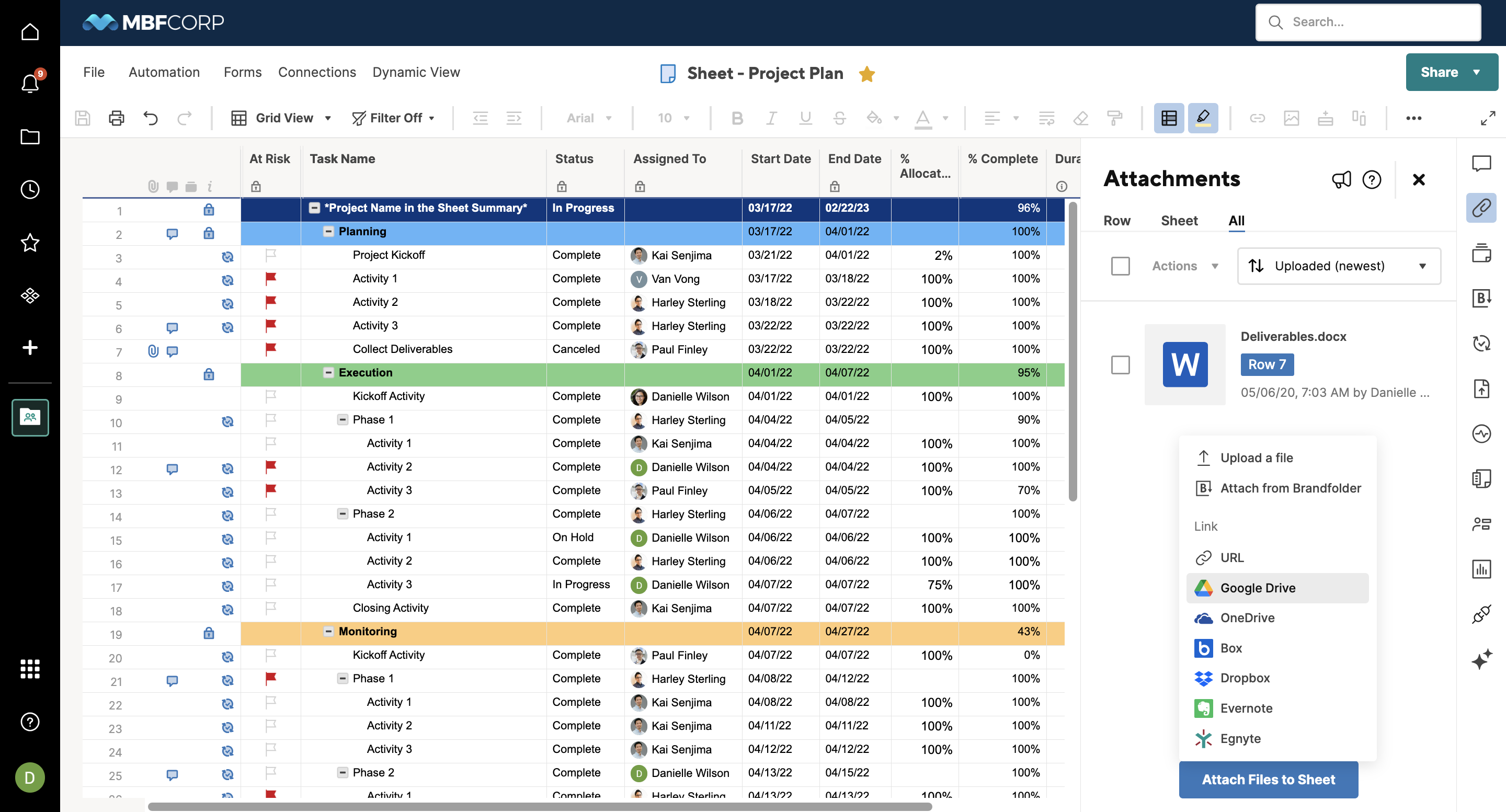
Image source: smartsheet.com
Key features:
- Spreadsheet-style grids with program views
- Gantt charts and dependency tracking
- Automated workflows and alerts
- Resource and workload management
- Dashboards and real-time reporting
Pros:
- Familiar layout for spreadsheet users
- Strong automation and alerts
- Flexible integration capabilities
- Scales for large program portfolios
Cons:
- Collaboration features are less robust than dedicated tools
- Reporting requires setup and maintenance
- It can feel complex for new users
Pricing:
- Pro: $9 per member/month
- Business: $19 per member/month
- Enterprise: Custom pricing
- Advanced work management: Custom pricing
12. Basecamp: Simple task coordination for internal IT teams
Basecamp is a straightforward task coordination tool that helps internal IT teams stay organized without complexity. It combines to-do lists, message boards, schedules, and file sharing in one easy interface. Teams can assign tasks, set deadlines, and communicate updates without juggling multiple apps. Its simple structure makes it easy to onboard new users and keep everyone aligned on priorities.
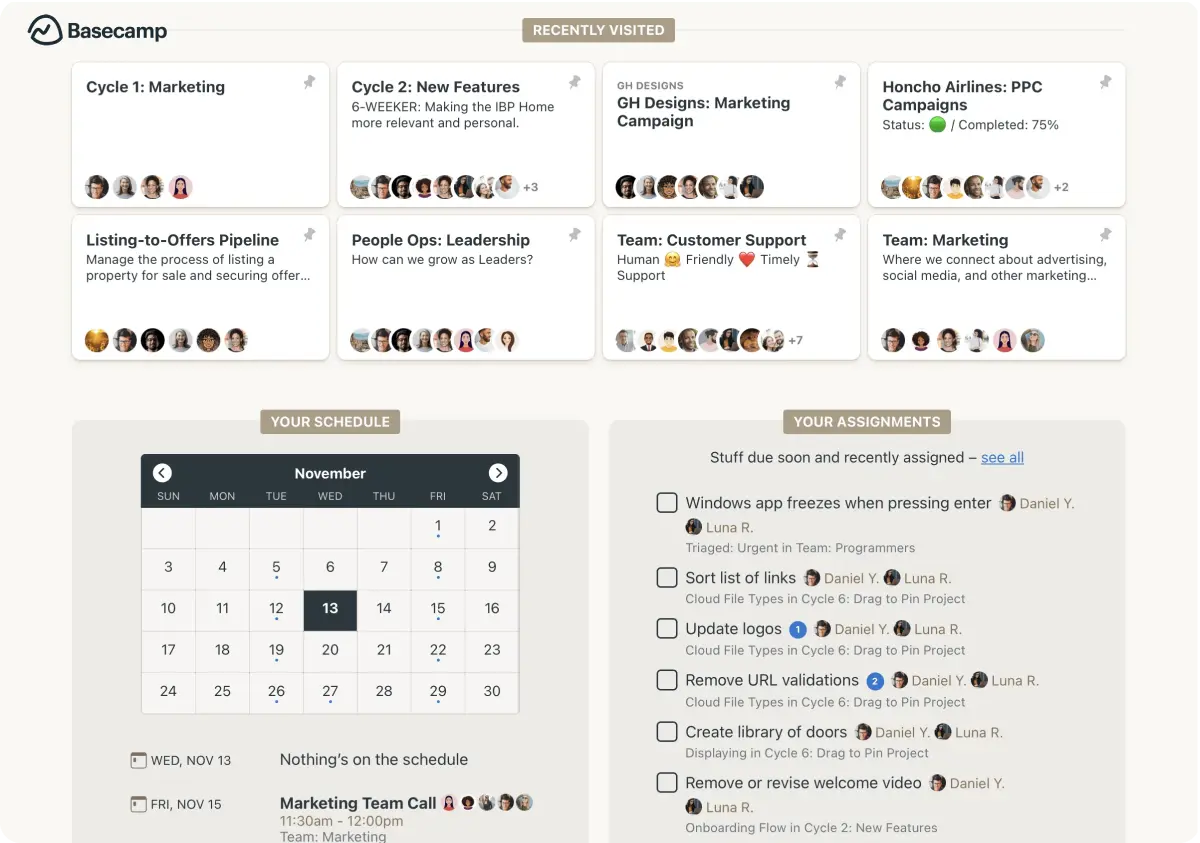
Image source: basecamp.com
Key features:
- Message boards and group chat
- To-do lists and schedules
- File storage and sharing
- Centralized notifications
Pros:
- Strong communication focus
- Predictable pricing model
Cons:
- No Gantt charts or advanced planning
- Limited reporting and analytics
- Not suitable for complex programs
Pricing:
- Basecamp: $0 (free forever)
- Basecamp Plus: $15/user/month
- Basecamp Pro Unlimited: $299/user/month (billed annually)
13. Notion: Custom task systems for documentation-led IT teams
Notion is a flexible tool that lets IT teams build custom task systems that center around documentation and knowledge sharing. Instead of rigid workflows, teams can design pages, databases, and task boards that match how they work. This makes it easy to link tasks with detailed notes, procedures, and technical documentation in one place.
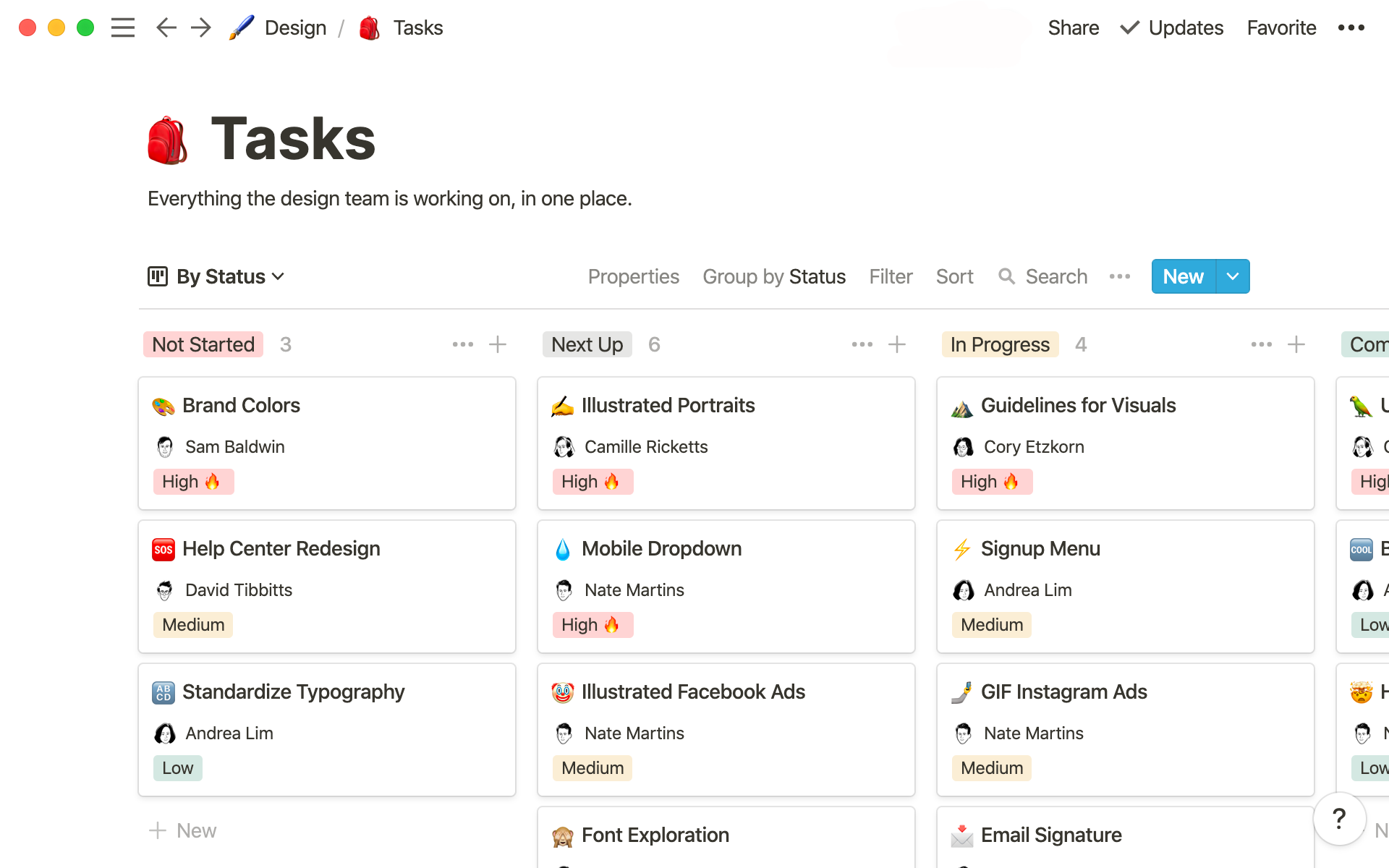
Image source: notion.com
Key features:
- Custom databases, boards, calendars, and lists
- Interlinked pages for program documentation
- Templates for tasks, roadmaps, and wikis
- Real-time collaboration and comments
- Integrations with popular work tools
Pros:
- Highly flexible and customizable
- Excellent for documentation and knowledge sharing
- Easy to adapt to different use cases
Cons:
- Limited native program-level reporting
- No advanced scheduling or resource management
- Requires strong governance to stay organized
Pricing:
- Free: $0 per member/month
- Plus: $10 per member/month
- Business: $20 per member/month
- Enterprise: Custom pricing
14. Trello: Lightweight task boards for IT requests
Trello is a simple and visual task management tool that uses boards, lists, and cards to organize IT requests and workflows. It makes it easy to create task cards, move them through stages, assign team members, and add comments or attachments. Its lightweight design helps IT teams track support tickets, routine tasks, or small projects without heavy setup or complexity. With drag-and-drop boards and flexible organization, Trello keeps work visible and easy to update.
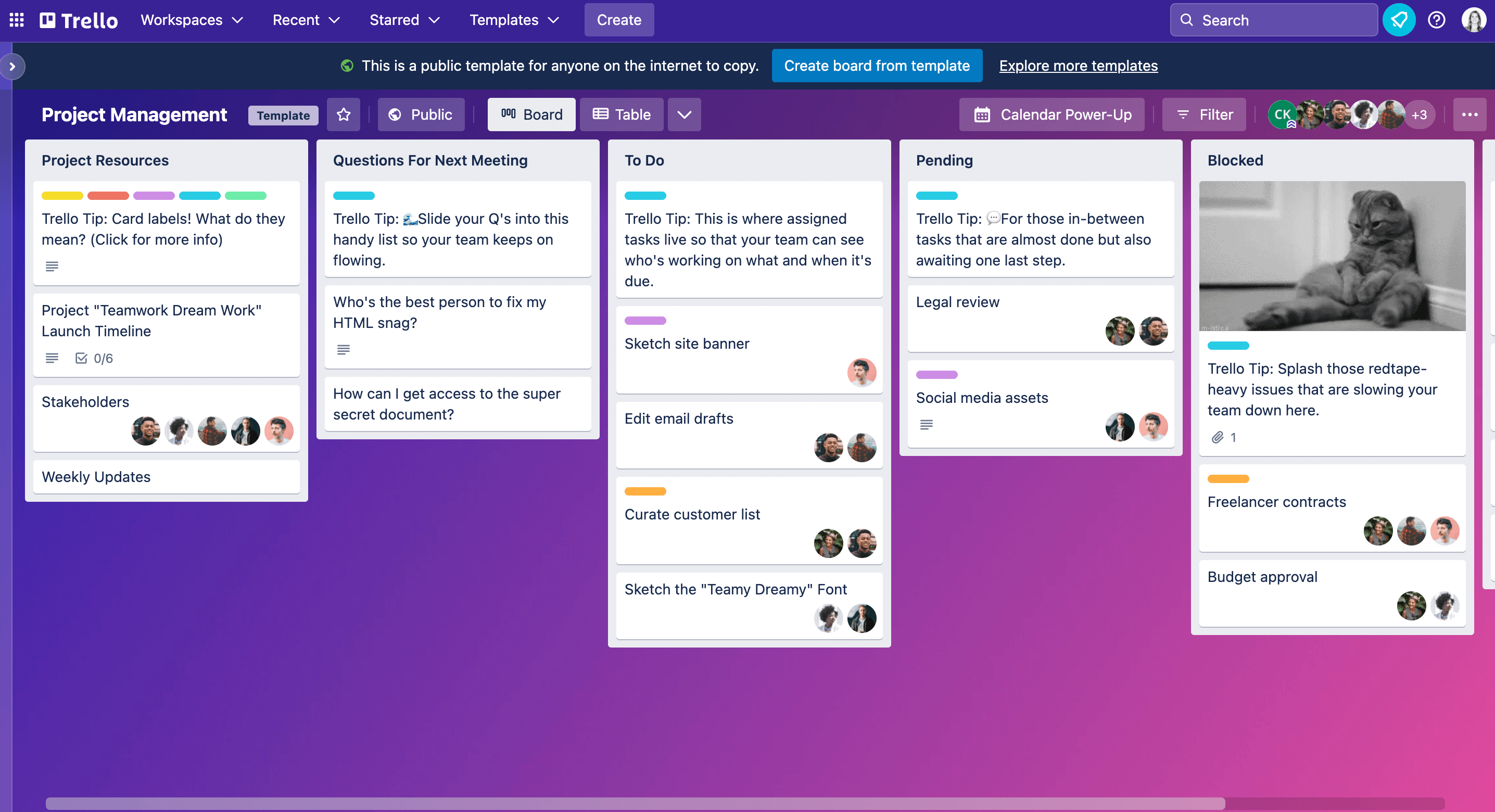
Image source: trello.com
Key features:
- Kanban-style boards and cards
- Checklists, labels, and due dates
- Power-Ups to extend capability
- Drag-and-drop task management
- Real-time collaboration and notifications
Pros:
- Extremely easy to adopt and use
- Flexible and visual interface
Cons:
- Limited built-in program-level insights
- Weak native reporting and analytics
- Not ideal for complex program structures
Pricing:
- Free: $0 (up to 10 collaborators per workspace)
- Enterprise: $17.50/user/month
15. Airtable: Structured task management with database logic
Airtable combines the simplicity of a spreadsheet with the power of a database to support structured task management for IT teams. It lets you organize tasks with custom fields, linked records, and relational views so projects stay connected and easy to navigate. Teams can sort, filter, and visualize work in grids, calendars, or kanban boards, all while keeping information tied together logically.
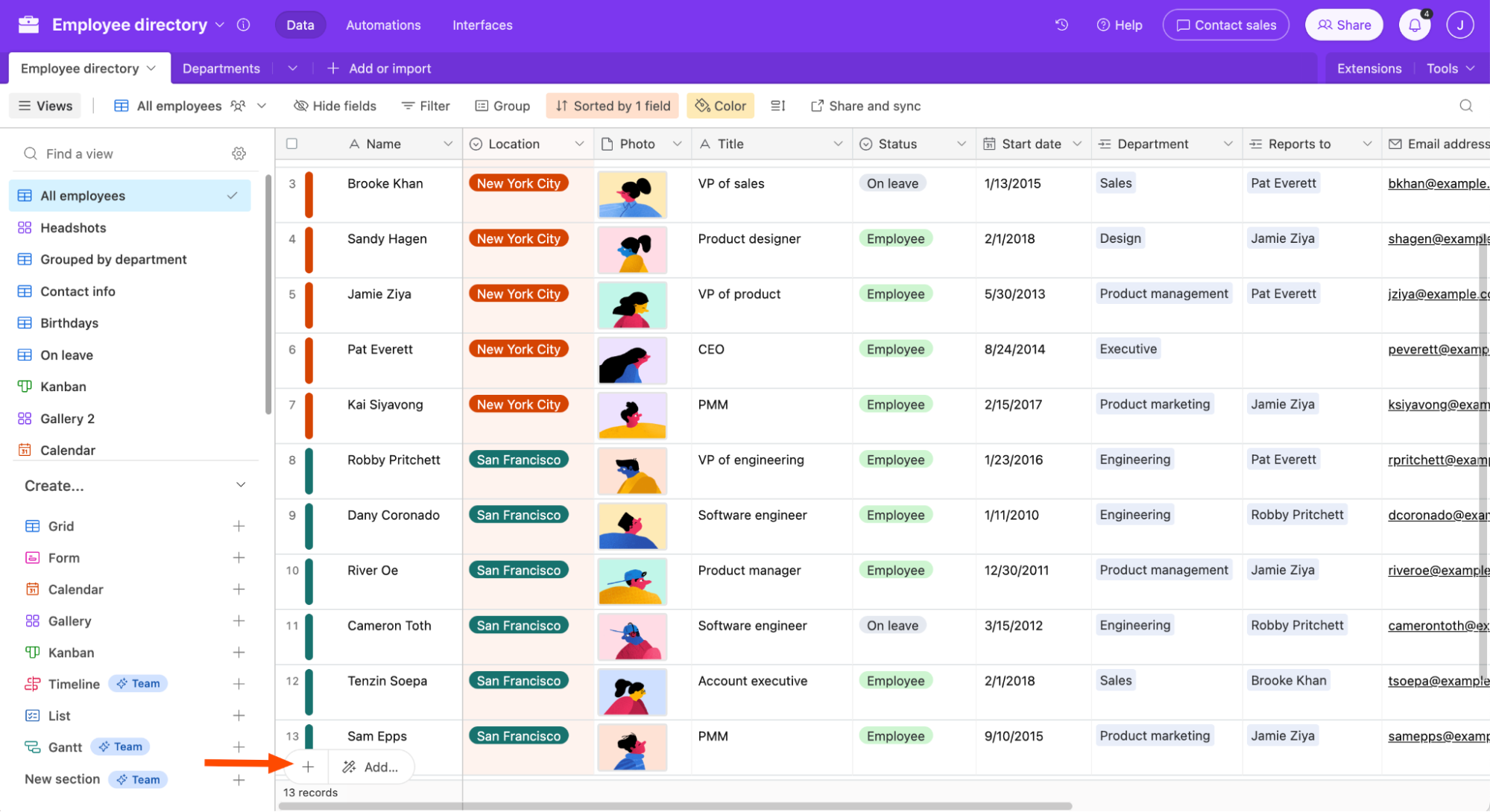
Image source: airtable.com
Key features:
- Task and program planning with Gantt charts
- Time tracking and invoicing
- Program health and status reports
- Client collaboration tools
- Integrations with common business apps
Pros:
- Strong client and agency support
- Built-in billing and time tracking
Cons:
- Advanced features require higher plans
- Can feel complex for simple use cases
- Costs increase with larger teams
Pricing:
- Team: $20/user/month (billed annually)
- Business: $45/user/month (billed annually)
- Enterprise scale: Custom pricing
How to choose the right IT task management software
Selecting the right IT task management software is a high-stakes decision that impacts your system's uptime and your team's sanity. To ensure you pick a tool that scales with your infrastructure, consider these five critical pointers:
Integration of communication and data
In a crisis, switching between a chat app and a tracker wastes vital seconds. Choose a tool that embeds real-time messaging directly within the task view so technical "War Rooms" have immediate access to relevant logs and data.
With Lark Messenger, discussions can happen alongside tasks, records, or documents, so logs, updates, and decisions stay connected to the actual issue. This is especially valuable during incident response or live troubleshooting.
Automation and SLA triggers
Your software should act as a silent supervisor. Look for robust automation capabilities that can route tickets based on keywords, send escalation alerts for missed , and trigger recurring maintenance tasks without human input.
Using Lark Base, teams can set up automated workflows to assign tasks based on conditions, trigger alerts when SLAs are at risk, and schedule recurring maintenance work. This turns the system into a proactive support layer rather than a passive tracker.
Flexibility for hybrid workflows
IT teams often juggle two distinct worlds: rapid-fire support tickets (incidents) and long-term infrastructure upgrades (projects). Ensure the tool offers multiple views, like Kanban for support and for deployments.
Lark supports multiple task views and structures, allowing teams to handle incident-style work alongside planned projects. This flexibility helps IT teams manage day-to-day support and strategic initiatives in the same environment without friction.
Mobile-first accessibility
IT doesn't just happen at a desk. Whether a tech is in a server room or working remotely, the software must provide a high-quality mobile experience with push notifications for high-priority system alerts. For organizations with distributed or remote teams, layering these capabilities with tools like a can further reduce exposure by securing user connections and minimizing suspicious access patterns before incidents escalate.
Lark’s mobile apps allow technicians to receive real-time notifications, review tasks, respond to messages, and update progress on the go, ensuring critical issues aren’t delayed by location.
Security and permission granularity
IT tasks often involve sensitive data, such as admin credentials or network maps. The right platform must offer strict permission controls to ensure that only authorized personnel can view or edit critical infrastructure documentation.
With Lark Docs and Lark Base, teams can apply granular access rules so only authorized users can view or edit sensitive data. This helps maintain security while still enabling collaboration where appropriate.
Conclusion
The right IT acts as the backbone of your department's success. It's no longer enough to simply "get things done." Modern IT demands a level of transparency and speed that only an integrated ecosystem can provide. By bridging the gap between high-speed communication and structured data, tools like allow your team to move from reactive firefighting to proactive innovation.
As you evaluate your options, remember that the best platform is one that scales with your complexity while keeping your team's daily workflows frictionless. Investing in a unified system today ensures that when the next critical system challenge arises, your team is already prepared to lead the way.
Streamline your task workflows with Lark today
FAQs
What software do you use the most as a task manager?
Teams commonly use task management software that offers task lists, priorities, due dates, and collaboration features. The most used tools are usually those that are simple to adopt, integrate well with other work apps, and provide clear visibility into daily and long-term tasks.
What is the 1/3/5 rule for tasks?
The 1/3/5 rule is a productivity method that helps teams focus on what matters most. Each day, you plan one large task, three medium tasks, and five small tasks. This approach keeps workloads realistic and helps prevent teams from feeling overwhelmed.
Is free IT task management software reliable for growing teams?
Free tools can work well for small teams or basic task tracking. However, as teams grow, they often need advanced features like reporting, automation, permissions, and integrations. At that stage, free software may become limiting.
What is the difference between IT task management and ITSM tools?
IT task management tools focus on organizing tasks, assigning work, and tracking progress. ITSM tools are designed for managing IT services, incidents, changes, and service requests. Task management is about getting work done, while ITSM is about delivering and supporting IT services.
Related reading





























