














IT Project Examples: Proven Information Technology Projects for 2026

Ryan Tanner
Product Marketing Specialist
Sep 18, 2026
Ryan Tanner
Sep 18, 2026

13 min read


Information technology projects are structured initiatives that use technology to solve problems, improve efficiency, or introduce innovation. Common IT project examples include cloud migrations, cybersecurity upgrades, data analytics, and software development. These projects matter because they help businesses stay competitive, reduce costs, and adapt to fast-changing market demands. By studying proven project examples, organizations can better understand what works, what challenges to expect, and how to deliver outcomes successfully.
In 2026, digital transformation continues to accelerate with AI adoption, cloud-first strategies, and the rise of hybrid and remote work. Managing such projects effectively requires clarity, collaboration, and reliable tools. Platforms like Lark support teams by providing a centralized space to plan, execute, and monitor IT projects across distributed environments.

Why IT project examples matter
An IT project is any structured initiative that applies technology to improve business operations, enhance customer experiences, or address technical challenges. These projects can range from deploying new software to upgrading infrastructure or implementing stronger cybersecurity measures.
The value of looking at IT project examples lies in the tangible benefits they provide:
- Efficiency: Streamlining outdated processes with modern technology.
- Cost savings: Avoiding downtime and reducing manual workloads.
- Collaboration: Connecting distributed teams in real time.
- Productivity: Freeing people to focus on innovation instead of routine tasks.
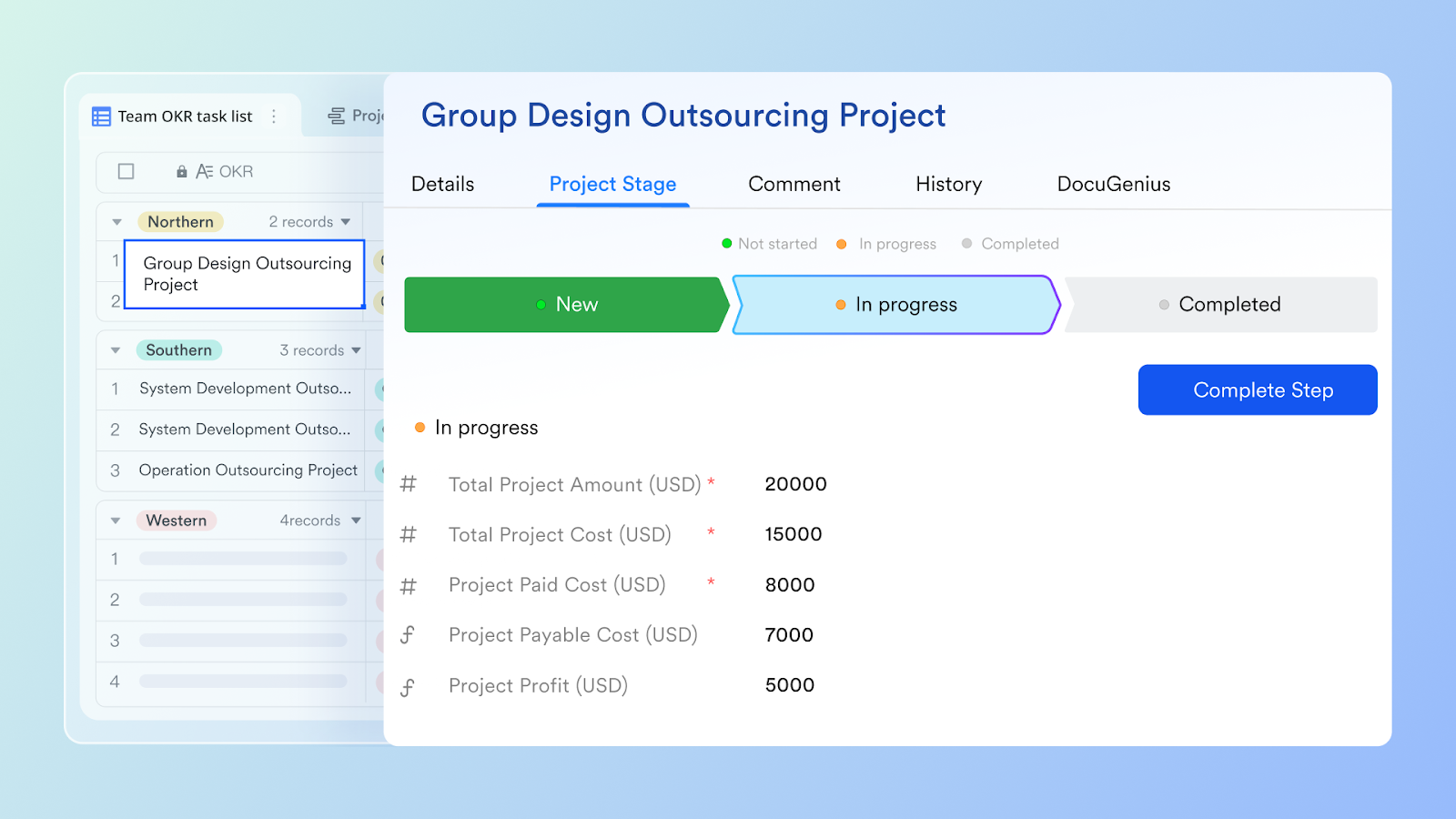
With teams spread across offices, homes, and even time zones, keeping IT projects on track can be a real challenge. Unlike disconnected project management tools that force teams to juggle multiple apps, a unified platform like Lark centralizes everything in one place: Lark Base for tracking tasks, Lark Docs and Lark Wiki for sharing knowledge, Lark Messenger for quick conversations, and Lark Calendar for scheduling milestones. Instead of switching between scattered tools, teams can see what’s happening, stay accountable, and move projects forward with less friction.
Who is responsible for IT projects
Successful information technology projects depend on the combined efforts of multiple roles, each with a clear responsibility:
- IT managers oversee the scope, resources, and overall direction.
- Developers design, test, and build the software or systems.
- System administrators ensure servers, networks, and infrastructure stay reliable.
- Business analysts translate business needs into technical requirements.
- Project managers coordinate tasks, manage risks, and keep timelines realistic.
Clear accountability is essential to avoid confusion and delays. Tools like Lark Base make it easy to assign tasks, track ownership, and monitor progress. With visibility built into every project stage, teams know exactly who is responsible, reducing overlap and ensuring nothing falls through the cracks.
8 typical samples of IT projects
Businesses run many different kinds of technology initiatives, each with its own goals and challenges. Looking at IT project examples helps teams understand the scope of work, plan better, and apply best practices. Below are some of the most common information technology project examples organizations are focusing on.
Infrastructure upgrades
Projects that refresh servers, networks, and storage systems to keep pace with growing business needs. These infrastructure upgrades reduce downtime, improve speed, and create a stable foundation for future improvements. A sample of IT projects in this area could include replacing outdated hardware or implementing faster connectivity solutions.

Image source: pexels.com
Cloud migration projects
Moving applications and data from on-premises systems to cloud platforms. Cloud projects provide flexibility, scalability, and better support for remote work. These information technology projects also cut infrastructure costs while improving security and access.
Software development projects
Developing new applications or updating existing software to improve performance and usability. This can range from custom-built internal tools to customer-facing apps. Such IT project examples help businesses deliver smoother workflows and better digital experiences.
Image source: pexels.com
Cybersecurity enhancements
Initiatives designed to strengthen defenses against threats like malware, phishing, or ransomware. These projects may involve advanced firewalls, monitoring systems, staff training, and secure network tools such as residential proxies for safer data access, threat monitoring, and identity verification. Effective cybersecurity projects protect sensitive data and reduce business risks. For example, cybersecurity initiatives may include setting up systems that show teams how to check Mac for malware automatically as part of ongoing device protection.
ERP/CRM implementation
Implementing enterprise systems such as ERP or CRM to unify business functions. These information technology project examples often streamline sales, finance, customer support, and identity verification workflows. When executed well, they improve visibility and decision-making across the organization.
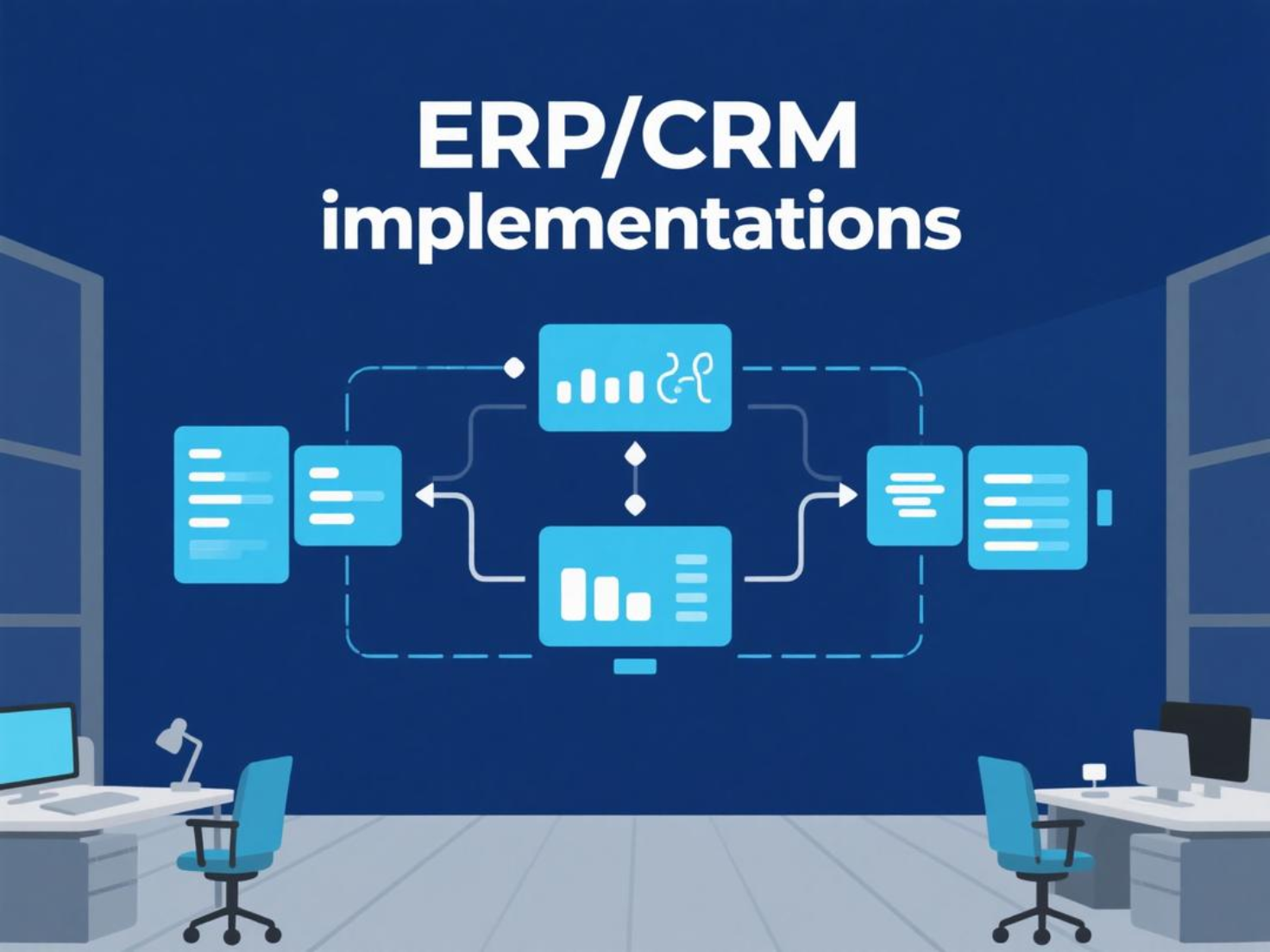
Image source: pexels.com
AI & automation unified
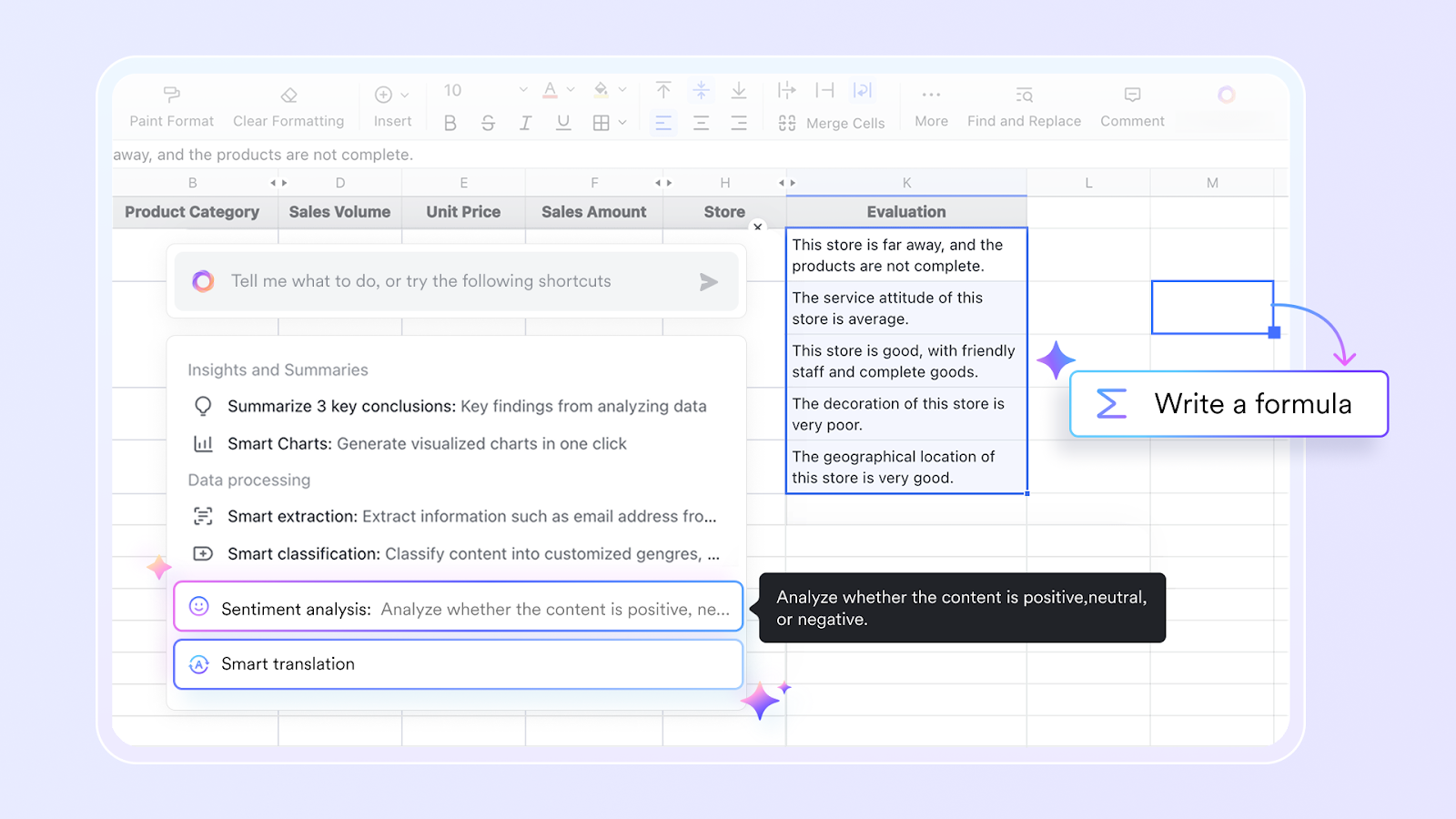
Projects that bring in artificial intelligence or automation to reduce manual work. Common cases include automated reporting, chatbots, or machine learning for predictive analysis. These samples of IT projects improve speed, accuracy, and productivity.
Data analytics projects
Using data tools to turn raw information into actionable insights. Analytics projects may involve dashboards, reporting systems, or predictive modeling. These information technology projects guide decision-making and help businesses stay competitive.
Mobile app development
Designing or enhancing apps to support employees, partners, or customers. Mobile projects make services accessible anytime and anywhere. They also align with the growing demand for mobile-first business solutions.
Proven best practices for IT project management
1. Define goals and responsibilities
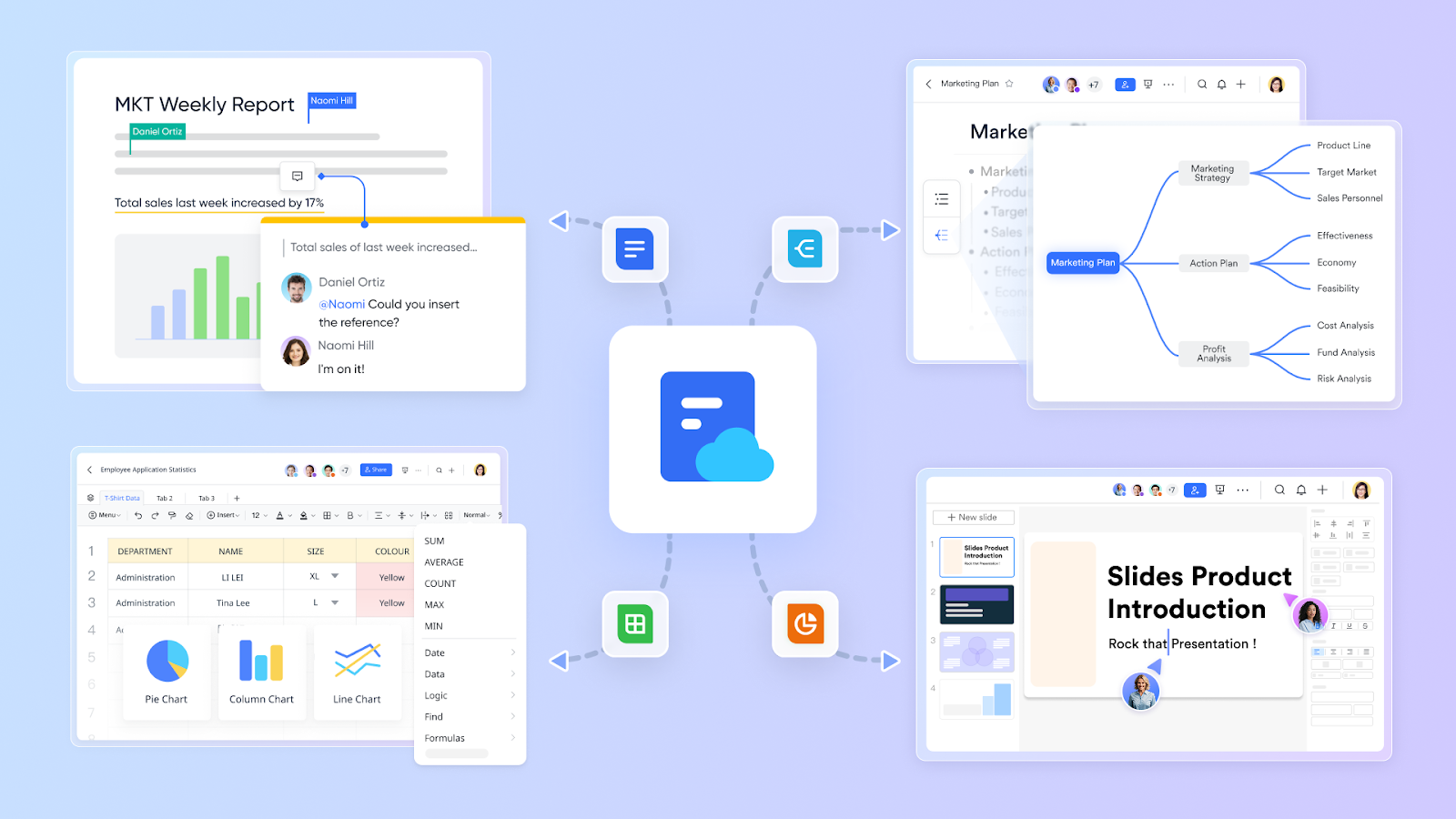
Every IT project starts with clear goals and assigned responsibilities. Without this, teams risk confusion, duplication of work, and missed deadlines. Lark Docs allows managers to outline objectives, requirements, and success criteria in one shared document. Combined with Lark Base, goals can be broken down into specific tasks, each assigned to an owner. This visibility ensures everyone knows their role, which keeps accountability high and projects moving forward.
2. Build realistic timelines
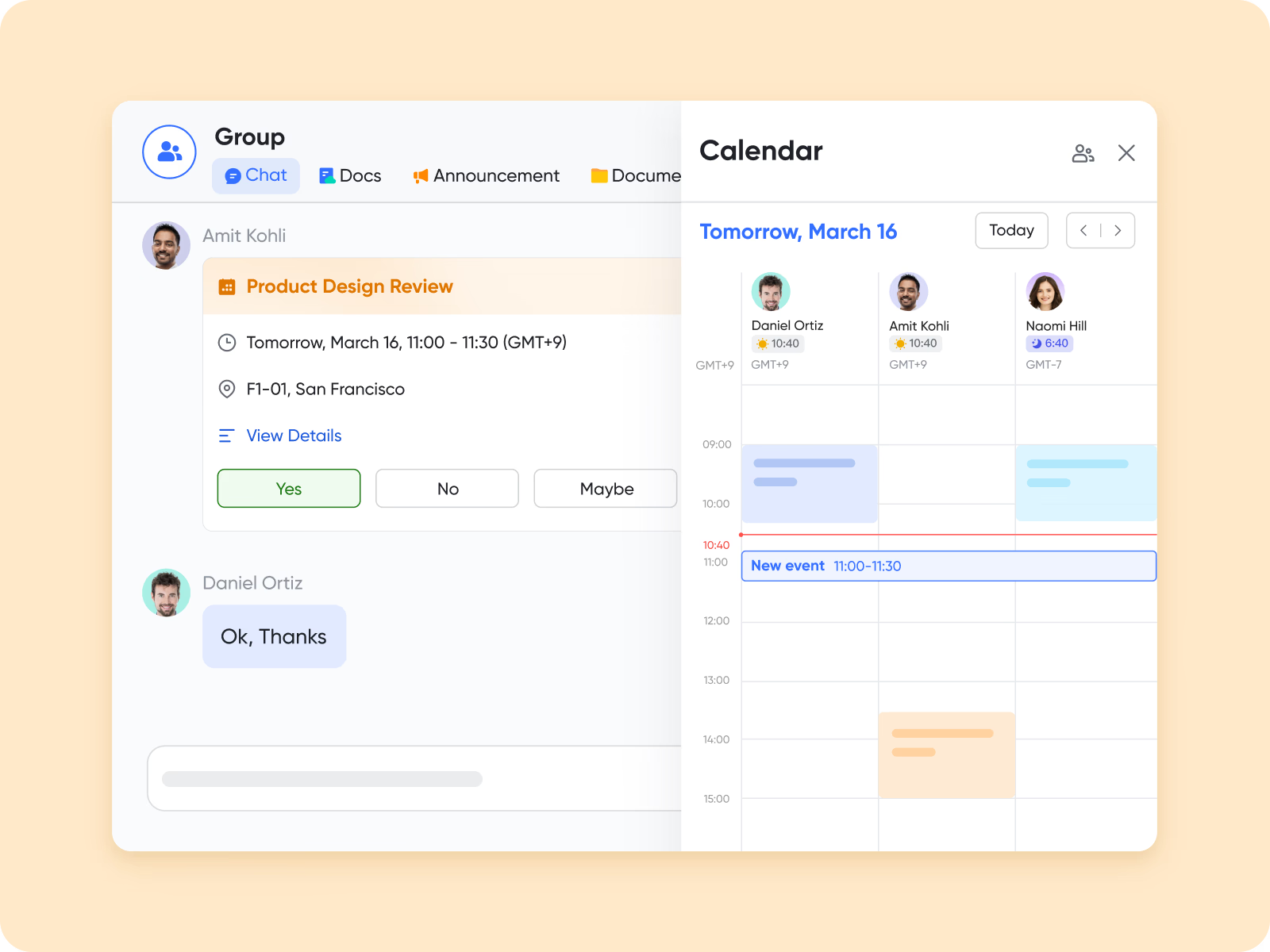
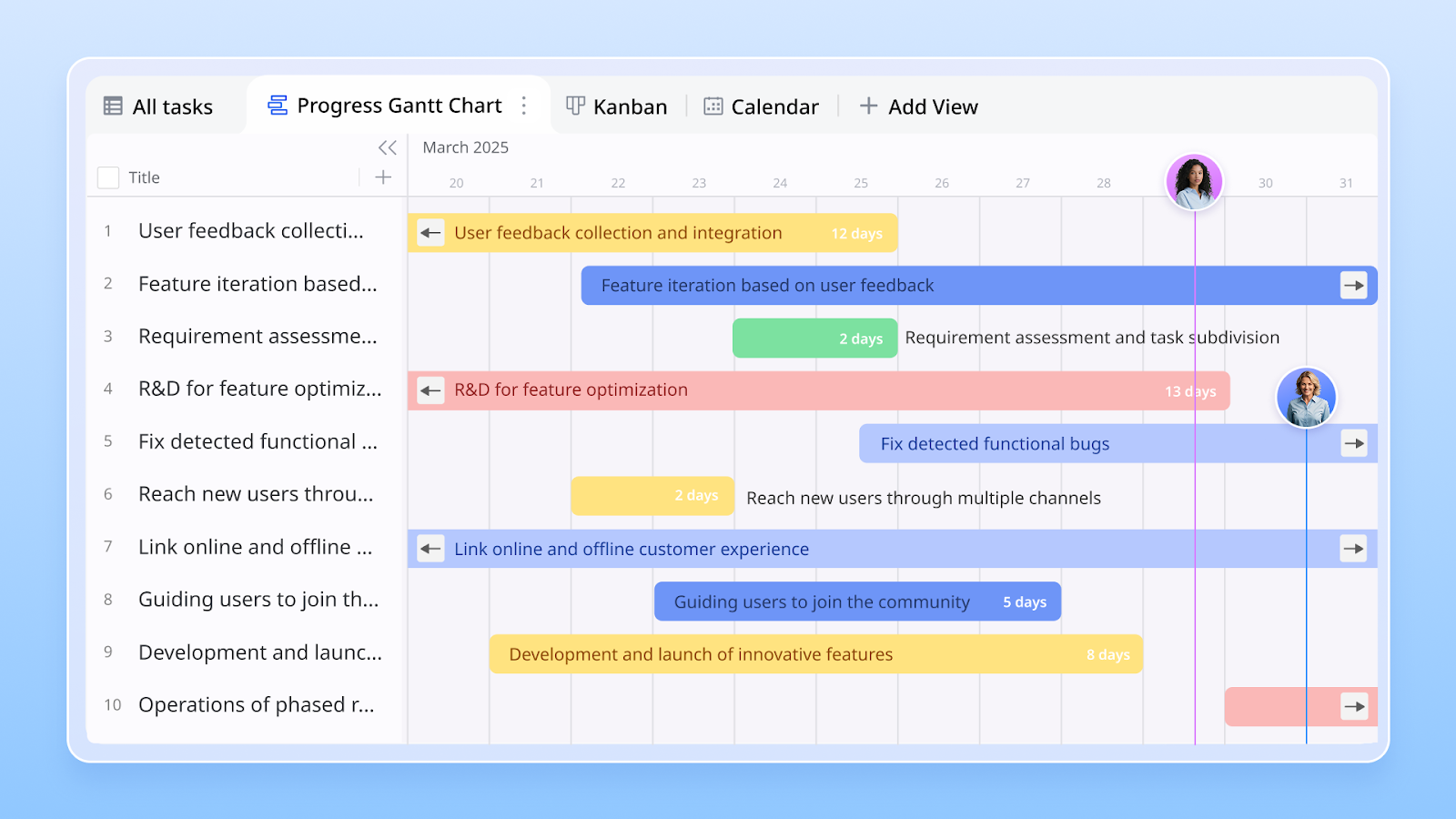
Unrealistic deadlines are one of the main reasons projects fail. With Lark Calendar, teams can map out sprints, reviews, and milestones in a visual, easy-to-follow format. Calendar entries are automatically synced across the team, so no one misses critical dates. Managers can also set reminders for checkpoints, making it easier to keep large and complex information technology projects on schedule.
3. Collaborate in real time
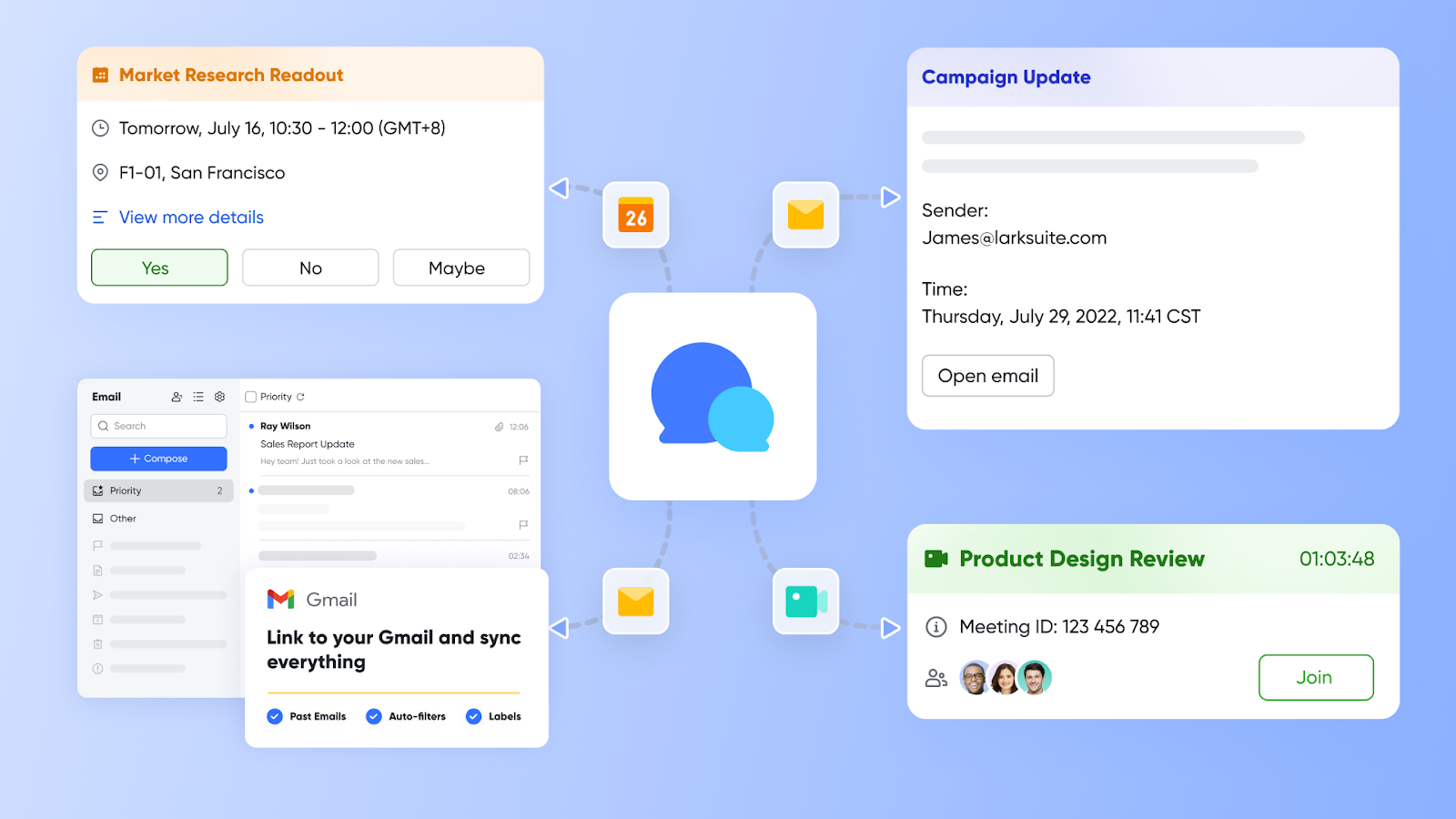
Communication silos slow down even the most well-planned IT projects. Lark Messenger solves this by centralizing team conversations in one place. Instead of scattered emails or third-party chat apps, teams can discuss directly within project channels. Messenger links conversations to tasks in Base, ensuring context isn’t lost and project discussions remain tied to actual deliverables. Real-time messaging also means faster decision-making for distributed teams.
4. Track progress continuously
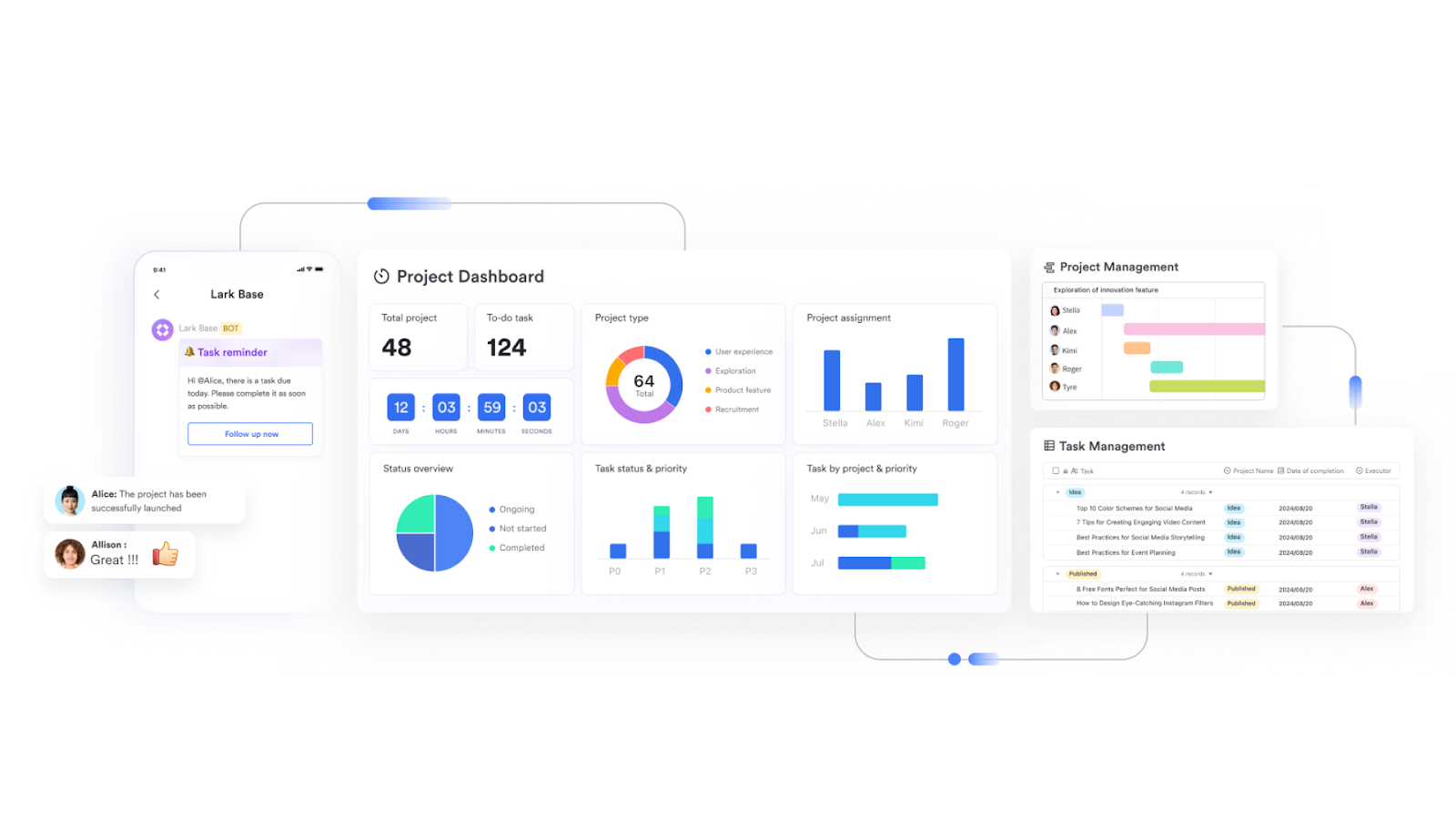
IT projects involve multiple moving parts, and managers need visibility into progress at all times. Lark Base provides task boards, dashboards, and reporting features to make tracking easy. Teams can see which tasks are pending, in progress, or completed, while managers get real-time updates without chasing for status reports. This transparency helps identify bottlenecks early and keeps stakeholders informed without extra effort.
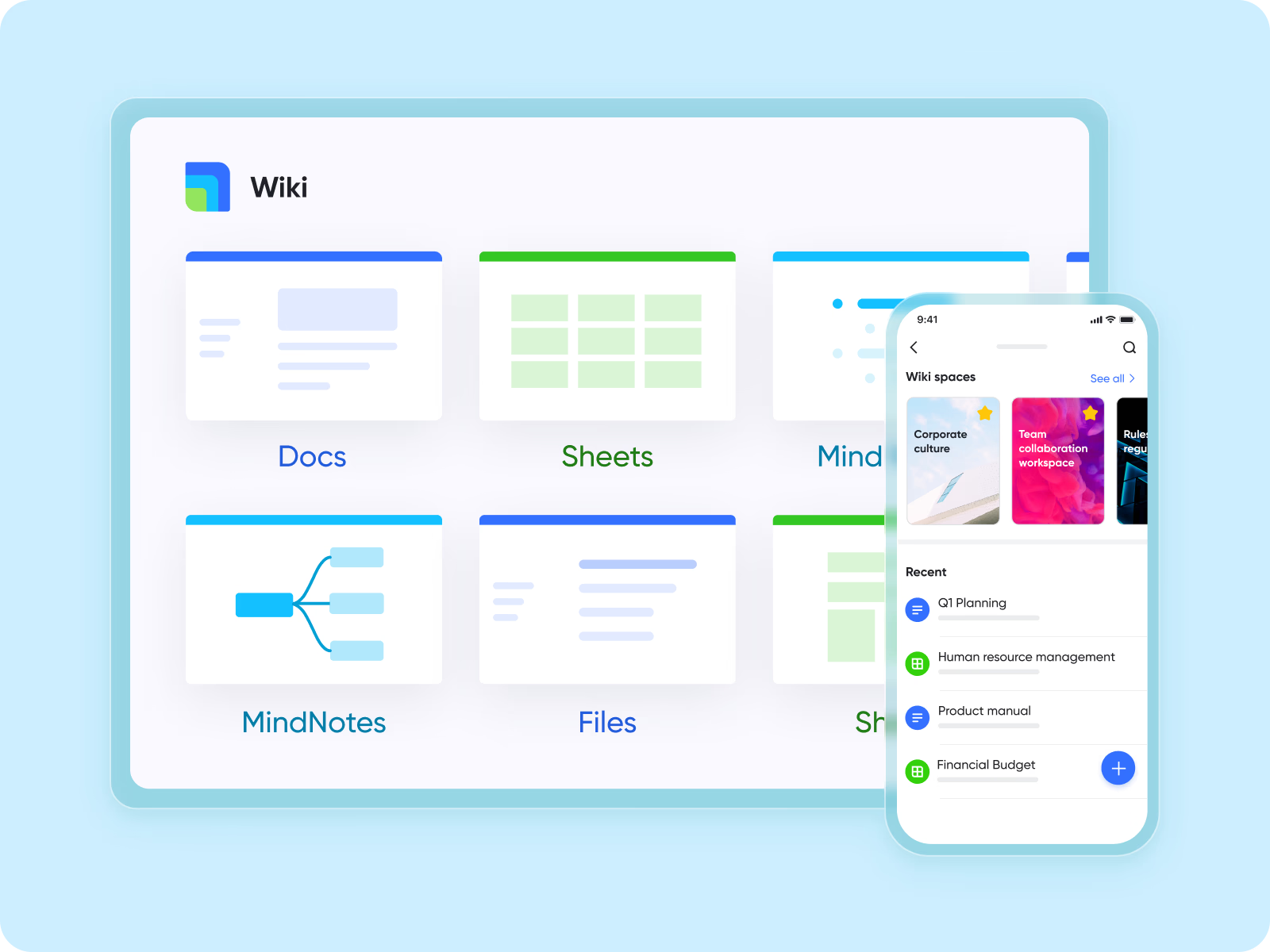
5. Document knowledge centrally
Handovers are common in IT projects, whether between shifts, departments, or contractors. Without centralized documentation, valuable knowledge can get lost. Lark Wiki acts as a single source of truth where project documentation, technical specifications, and how-to guides are stored. Because it’s searchable and organized, new team members can quickly get up to speed, and important information stays accessible long after the project ends.
6. Automate routine workflows
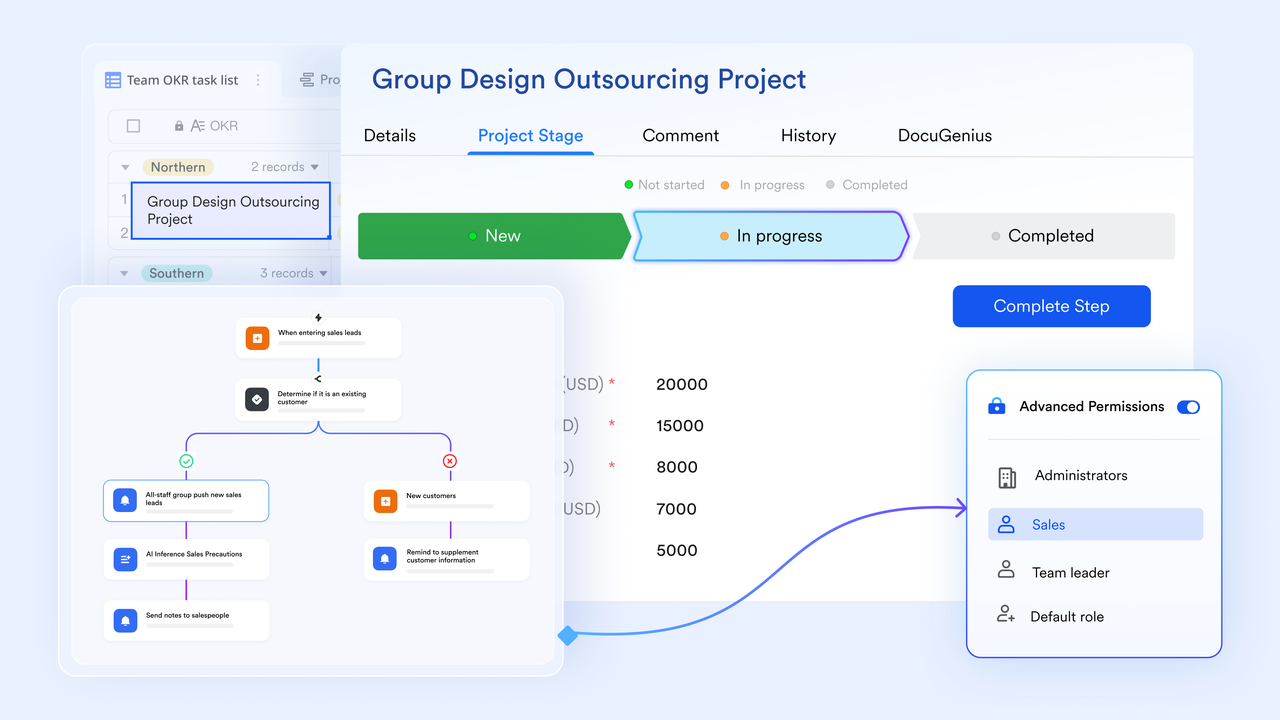
Repetitive tasks like creating tickets, sending reminders, or updating project statuses waste valuable time. Lark Base supports automation that handles these workflows automatically. For example, when a task moves to “completed,” a notification can be sent to stakeholders, or when a ticket is created, it can be auto-assigned based on rules. By reducing manual admin work, automation gives IT teams more time to focus on problem-solving and innovation.
7. Keep stakeholders aligned
IT projects often involve multiple stakeholders—executives, clients, or cross-department leads—each with different expectations. Misalignment here can lead to costly delays. With Lark Meetings, teams can schedule check-ins, reviews, and approvals directly within the platform. Meetings come with built-in Minutes, which automatically capture discussions, decisions, and action items, then share them with all participants. This means no one is left guessing what was agreed upon. By pairing Meetings with Base, stakeholders can see how decisions translate into updated tasks and timelines, keeping everyone aligned from planning to delivery.
Streamline IT success with Lark use cases
Managing IT projects isn’t just about assigning tasks—it’s about connecting people, tools, and workflows into one seamless process. Lark provides that foundation by combining communication, documentation, and task management in a single platform. Here’s how its features come together in real IT project scenarios:
- Software rollouts: When launching new applications, IT teams need to track bugs, document release notes, and coordinate with stakeholders. With Lark Base, tasks are logged and prioritized, while Lark Docs holds technical documentation. Teams discuss fixes in Lark Messenger, and Lark Calendar keeps release deadlines visible to all.
- Cloud migrations: Moving to the cloud requires careful planning across multiple teams. Lark Wiki stores migration guides and checklists, while Lark Base monitors each phase—from data backup to final deployment. Regular updates are shared in Lark Meetings, with action items automatically captured in Minutes so no detail is overlooked.
- Support ticketing: IT support teams juggle requests daily. With Automation in Lark Base, tickets can be created automatically, assigned to the right engineer, and tracked until resolution. Lark Messenger allows quick communication with users, while Lark Docs provides reusable troubleshooting guides, ensuring faster turnaround times.
- Cybersecurity initiatives: Security upgrades require constant monitoring and documentation. Teams use Lark Base to manage tasks like patch deployments, penetration testing, and audits. Lark Docs keeps compliance records updated, and Lark Meetings ensure leadership stays informed of risks and mitigation plans.
- Data analytics projects: Large analytics projects often involve multiple datasets and reporting requirements. With Lark Base, tasks such as data collection, cleaning, and visualization are organized. Insights and dashboards can be shared through Lark Docs or Lark Wiki, while Lark Calendar helps align reporting cycles with business reviews.
By applying its features to these real-world information technology projects, Lark turns fragmented workflows into connected processes, making IT delivery faster, more transparent, and more reliable.
- Starter plan: Free forever plan that includes 11 powerful tools for up to 20 users. It also comes with 100GB of storage, 1000 automation runs, AI translations, and more.
- Pro plan: $12/user/month (billed annually) for up to 500 users. It includes everything in Starter plus a group calling for up to 500 attendees, 15TB of storage, 50,000 automation runs, and more.
- Enterprise plan: Contact sales for custom pricing. Supports unlimited users and includes even more automation runs and advanced security, compliance, and management features.
IT project pitfalls and how to overcome them
Even well-planned IT project examples can run into obstacles. Recognizing common pitfalls and having clear solutions in place makes all the difference.
- Lack of clear requirements: Many projects fail because objectives aren’t documented properly. With Lark Docs, teams can capture requirements in detail, update them as the project evolves, and keep a single source of truth accessible to everyone.
- Miscommunication in hybrid teams: Remote and in-office staff often miss context or duplicate work. Lark Messenger and Lark Meetings keep conversations structured and action-oriented, while automatic meeting minutes ensure no decisions are lost.
- Scattered files and tools: Switching between multiple apps slows teams down and creates version issues. A centralized Lark workspace connects chats, documents, tasks, and schedules in one place, reducing confusion and saving time.
- Poor tracking: Without visibility, managers can’t spot delays until it’s too late. Dashboards in Lark Base provide real-time status updates and progress views, allowing teams to identify bottlenecks early and stay on track.
By addressing these pitfalls head-on, teams can turn potential roadblocks in information technology projects into opportunities for smoother, faster delivery.
Conclusion
IT project examples highlight how critical technology has become for business growth—whether through cloud migrations, cybersecurity initiatives, or AI adoption. These projects shape efficiency, strengthen security, and enable better decision-making in an increasingly digital-first world.
Following best practices such as setting clear goals, documenting requirements, and keeping stakeholders aligned makes delivery smoother. The right tools ensure those practices are more than theory—they become everyday reality. Lark brings planning, collaboration, and tracking into a single workspace, making it easier to manage even the most complex information technology projects.
FAQs
What are the top tips for beginners in IT project examples?
Start with small, clearly defined projects, and make sure goals and responsibilities are documented from the beginning. Using a platform like Lark helps beginners stay organized by keeping tasks in Lark Base, discussions in Lark Messenger, and requirements in Lark Docs.
How do I handle challenges in IT project management?
Common challenges include unclear requirements, poor communication, and missed deadlines. The key is to document thoroughly, collaborate in real time, and track progress consistently. Lark addresses these needs by combining Docs, Messenger, and Base, so teams can tackle issues before they grow.
What’s the best way to manage IT project collaboration?
Successful collaboration depends on transparent communication and shared visibility. Hybrid teams work best when chats, documents, and tasks are all connected. Lark Messenger, Lark Calendar, and Lark Base ensure collaboration stays on track without scattered tools.
Which tools are best for IT project examples?
The best tools help you plan, document, and execute in one place rather than juggling separate apps. Instead of using multiple disconnected platforms, Lark combines chat, documents, wikis, tasks, and meetings into a single workspace.
How do I manage information technology projects better with limited resources?
When budgets and staff are tight, prioritization and efficiency are essential. Automating routine work and centralizing information saves time and reduces errors. Lark Base automation, Docs, and Wiki help smaller teams work like larger ones by cutting manual effort.
Related reading
Table of contents
Start using Lark today

Manage all your work in one place
Boost team efficiency by 10x
Save up to 70% on software costs
Table of contents
Start using Lark today
Manage all your work in one place
Boost team efficiency by 10x
Save up to 70% on software costs
Keep reading







2026 Lark Technologies Pte. Ltd.
Headquartered in Singapore with offices worldwide.






Explore: