














Microsoft Project Review: Features, Pricing, and Alternative

Sreya Anumolu
Content Specialist
Nov 3, 2026
Sreya Anumolu
Nov 3, 2026

17 min read
Add to preferred sources


Managing complex projects, resources, and timelines requires robust software capable of handling multiple dependencies, reporting, and advanced planning requirements. In this Microsoft Project review, we examine why this software has long been a preferred choice for enterprises and project managers seeking precise control over project schedules, resource allocation, and portfolio management.
While Microsoft Project offers powerful tools for detailed planning and reporting, its complexity, steep learning curve, and relatively high cost can pose challenges for teams, especially those adopting agile or fast-paced workflows. This review explores its key features, pricing, advantages, limitations, and highlights why modern teams are increasingly turning to platforms like Lark for a simpler, more collaborative project management experience.

What is Microsoft Project?
Microsoft Project is a comprehensive project management software designed to help teams plan, execute, and monitor projects efficiently. As a leading solution in enterprise project management, it enables users to create detailed schedules, track resources, and manage complex project portfolios. This Microsoft Project online review highlights its ability to handle task dependencies, milestones, and critical path analysis, making it ideal for structured, large-scale projects.
Whether used via the web or the desktop client, a Microsoft Project Professional review emphasizes features like resource allocation, budget tracking, and advanced reporting. It integrates seamlessly with other Microsoft 365 tools, including Teams, Excel, and Power BI, providing a cohesive ecosystem for project planning and analysis. While highly effective for traditional Waterfall methodologies, this software can feel rigid for agile or hybrid workflows. Teams often compare it with modern platforms in a Microsoft Project vs Smartsheet review, looking for simpler, cloud-native alternatives for real-time collaboration and automation.
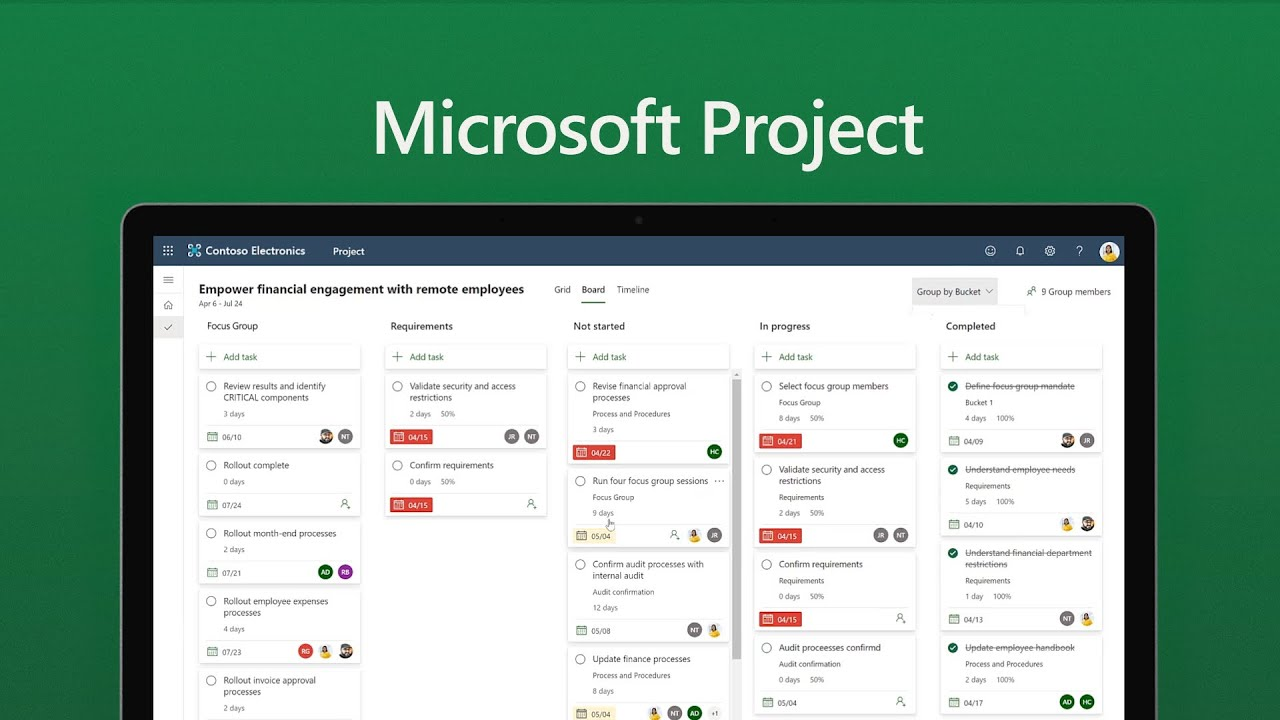
Image source: microsoft.com
Key features of Microsoft Project
Microsoft Project offers a robust set of features designed to help teams plan, manage, and execute projects of all sizes. From detailed scheduling to resource management, the platform provides tools that support complex project workflows while integrating seamlessly with the Microsoft ecosystem. This section of the Microsoft Project review highlights the key capabilities that make it suitable for enterprise project management, portfolio oversight, and reporting.
Advanced scheduling and planning
Microsoft Project enables detailed project scheduling through Gantt charts, task dependencies, milestones, and critical path analysis. Teams can visualize timelines clearly, identify bottlenecks, and ensure projects stay on track. These tools are especially useful for large, multi-phase projects requiring precise planning. Advanced scheduling features help managers allocate time efficiently and anticipate delays before they impact project delivery.
Resource management
The platform allows teams to allocate and track personnel, equipment, and costs across multiple projects. Managers can monitor workloads, avoid overbooking, and optimize resource utilization. Real-time updates provide insights into project performance and resource availability. This ensures balanced workloads and more efficient project execution.
Portfolio and program management
Microsoft Project supports enterprise-level portfolio and program management. Users can manage multiple projects simultaneously, compare progress, and align initiatives with strategic goals. The software provides high-level visibility for executives and program managers. This capability is essential for organizations juggling multiple priorities.
Reporting and analytics
Reporting features include visual dashboards, timeline reports, and resource utilization summaries. While these provide actionable insights, customization often requires integration with Power BI. Reports help teams make data-driven decisions and track project health. Analytical tools also allow for evaluation of past performance to improve future planning.
Integrations with Microsoft ecosystem
Microsoft Project integrates seamlessly with tools such as Excel, Teams, SharePoint, and Power BI. These connections enhance collaboration, data analysis, and workflow efficiency. Integration allows teams to leverage existing Microsoft 365 infrastructure. It also supports centralized project management across departments and platforms.
Microsoft Project pricing
Pricing source: Microsoft.com
Disclaimer: Prices verified as of November 2025. Actual costs may vary depending on region, billing cycle, and licensing terms.
Note: Only Microsoft Project Plan 3 and higher include Microsoft Project. Lower tiers (Plan 1 and Plan 2) do not provide full Project capabilities; they are limited to basic task management.
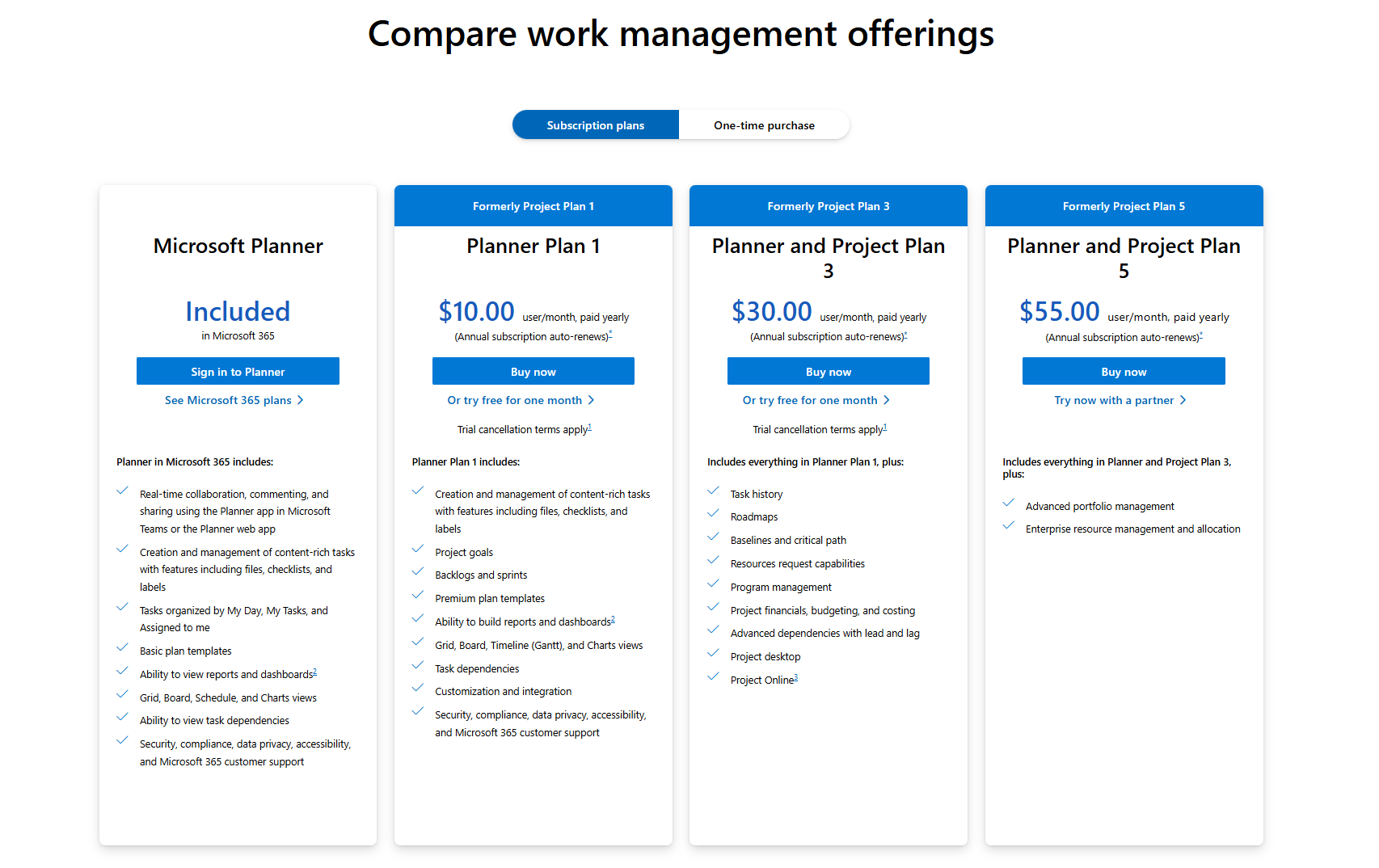
Image source: microsoft.com
Microsoft Project pros and cons
Microsoft Project offers a powerful suite of tools for enterprise-level project management, but it is not without its challenges. This Microsoft Project review examines both the strengths and limitations of the platform to help teams make informed decisions. While it excels in structured project planning and reporting, some features may feel rigid for modern workflows. Understanding the pros and cons can clarify whether it aligns with your organization's needs.
✅ Pros
- Highly detailed project planning and scheduling tools: Microsoft Project Professional review often highlights its advanced scheduling capabilities. Teams can create Gantt charts, define task dependencies, and manage project timelines with precision. These features make it ideal for complex projects requiring detailed planning and milestone tracking. It ensures managers have full visibility over each phase of a project.
- Seamless compatibility with Microsoft 365 products: Integration with Teams, SharePoint, Excel, and Power BI allows smooth collaboration across the Microsoft ecosystem. This makes data sharing and reporting easier for enterprises already using Microsoft tools. It ensures consistency, reduces duplication, and leverages familiar workflows for teams.
- Suitable for large and complex enterprise projects: Microsoft Project is designed to handle multi-phase projects, multiple stakeholders, and extensive resource allocation. Portfolio and program management capabilities support strategic alignment at an organizational level. Large enterprises benefit from its scalability and structured approach.
- Robust reporting and resource tracking: Reporting and analytics tools provide visual dashboards, resource summaries, and timeline reports. Teams can evaluate performance, identify bottlenecks, and track resource utilization effectively. This ensures data-driven decision-making and helps optimize project delivery.
❌ Cons
- Steep learning curve for non-technical users: Microsoft Project's complexity can be overwhelming for new users or those without a project management background. The interface and advanced features require time to master. Teams may need formal training to use the software effectively.
- Requires training or PM background to use effectively: A Microsoft Project management course review shows that mastering task dependencies, scheduling, and reporting often requires formal instruction. Without training, users may underutilize features, impacting project efficiency.
- Limited collaboration tools (heavily dependent on Teams): While Project integrates with Teams, collaboration is not built into the platform itself. Users must rely on external apps for communication and document sharing. This can slow down agile workflows or cross-functional teamwork.
- Expensive compared to modern SaaS project tools: Microsoft Project pricing ranges from $10 to $55 per user per month, making it costly for small or mid-sized teams. Licensing fees and additional training can increase the total cost of ownership. Modern SaaS alternatives often provide similar functionality at lower costs.
- Less suitable for agile or hybrid teams: Although newer versions offer agile boards, Microsoft Project is primarily designed for waterfall methodology. Teams using hybrid or fast-moving project approaches may find it restrictive. Flexible, cloud-native tools often provide better real-time collaboration.
Why teams seek alternatives to Microsoft Project
While Microsoft Project offers robust enterprise project management capabilities, many modern teams are exploring alternative solutions. This Microsoft Project review shows that factors like ease of use, collaboration, and adaptability often drive organizations to consider other tools. Teams increasingly prioritize platforms that combine project planning, communication, and automation seamlessly. Understanding these challenges can help organizations select software that aligns better with fast-moving, cross-functional workflows.
- Need for faster onboarding and easier collaboration: Microsoft Project Professional review often highlights the software's steep learning curve. New users typically require training to manage schedules, dependencies, and resources effectively. Teams looking for quick adoption and immediate collaboration prefer platforms that are intuitive, reducing time spent on setup and training. This ensures faster project execution and higher team productivity.
- Desire for unified tools (chat, tasks, docs) under one platform: Many teams seek a single platform that integrates chat, tasks, and documents. Microsoft Project relies heavily on external tools like Teams and SharePoint for collaboration. In contrast, modern cloud-native alternatives provide unified workspaces where communication and project management coexist. This reduces fragmentation and keeps teams aligned.
- Preference for real-time updates and automation: Real-time visibility into task progress, deadlines, and resource usage is essential for agile teams. Microsoft Project lacks built-in automation for notifications or workflow updates, often requiring Power Automate. Teams increasingly value platforms that automatically synchronize updates, assign tasks, and streamline repetitive processes without extra tools.
- High licensing and training costs: Microsoft Project pricing ranges from $10 to $55 per user per month, and additional training is often required. For smaller teams or organizations adopting multiple projects, these costs can quickly accumulate. Alternatives with lower pricing and built-in training resources offer a more cost-effective solution for project management.
- Lack of adaptability for agile or hybrid work models: Although Microsoft Project has introduced some agile features, it remains primarily designed for waterfall methodologies. Teams working with hybrid workflows or fast-moving sprints often find it restrictive. Modern project management platforms provide flexible structures that support both traditional and agile approaches.
While Microsoft Project focuses on structured enterprise planning, Lark empowers teams with flexibility, real-time visibility, and effortless collaboration. It combines project management, communication, documentation, and automation within one connected workspace.
Meet Lark: Modern alternative to Microsoft Project
Lark offers a modern, cloud-native approach to project management that combines planning, collaboration, and automation in a single platform. Unlike Microsoft Project, which focuses on structured Gantt charts and hierarchical workflows, Lark emphasizes flexibility and real-time visibility. Teams can manage tasks, timelines, resources, and documents seamlessly without relying on multiple external tools. Its unified workspace supports cross-functional collaboration, making it ideal for fast-moving organizations. In this section, we explore how Lark's suite of tools provides a simpler, more connected alternative for modern project management.
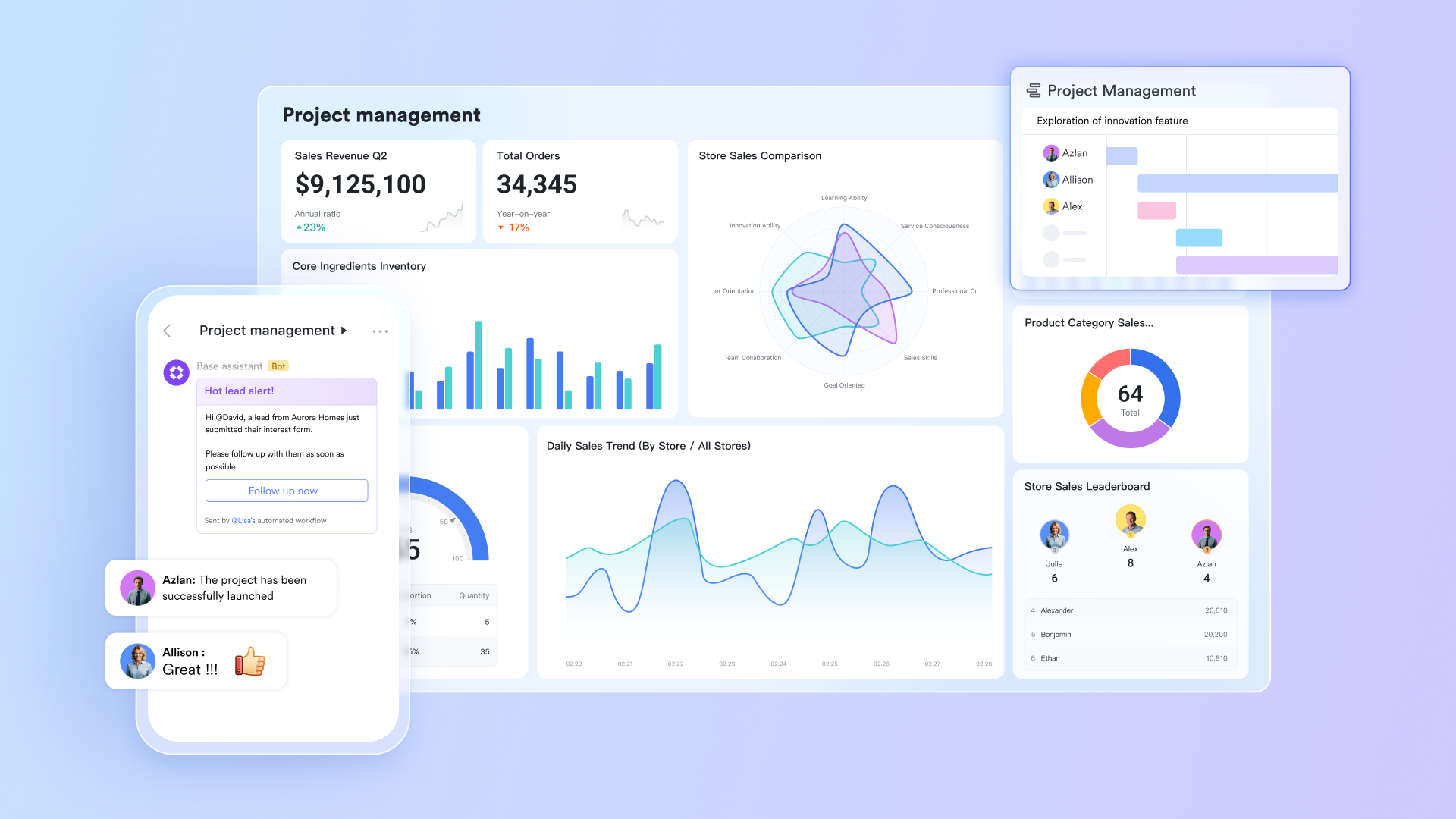
Lark Base: A dynamic workspace for structured project management
Lark Base functions as the operational backbone of modern project management within Lark. Unlike Microsoft Project, which focuses on hierarchical Gantt charts and predefined dependencies, Base offers a flexible, visual environment for tracking every element of a project—from timelines and tasks to budgets and deliverables.
You can build multiple interconnected tables to manage different project components such as tasks, teams, clients, and milestones. These tables can link to one another with two-way connections, creating a living database that updates automatically whenever changes occur. For instance, updating a "Task Status" field in one table instantly reflects in the related "Project Overview" table—eliminating redundant data entry and version conflicts.
Lark Base also supports multiple view types such as Kanban, Grid, Gantt, Calendar, and Gallery, enabling teams to visualize projects in the way that best fits their workflow. Filters and groups let you slice data by priority, status, or owner, ensuring that managers see high-level summaries while individual contributors focus on actionable details. Combined with built-in dashboards, Base delivers real-time insights into project progress, workloads, and performance—all without external add-ons or Power BI.
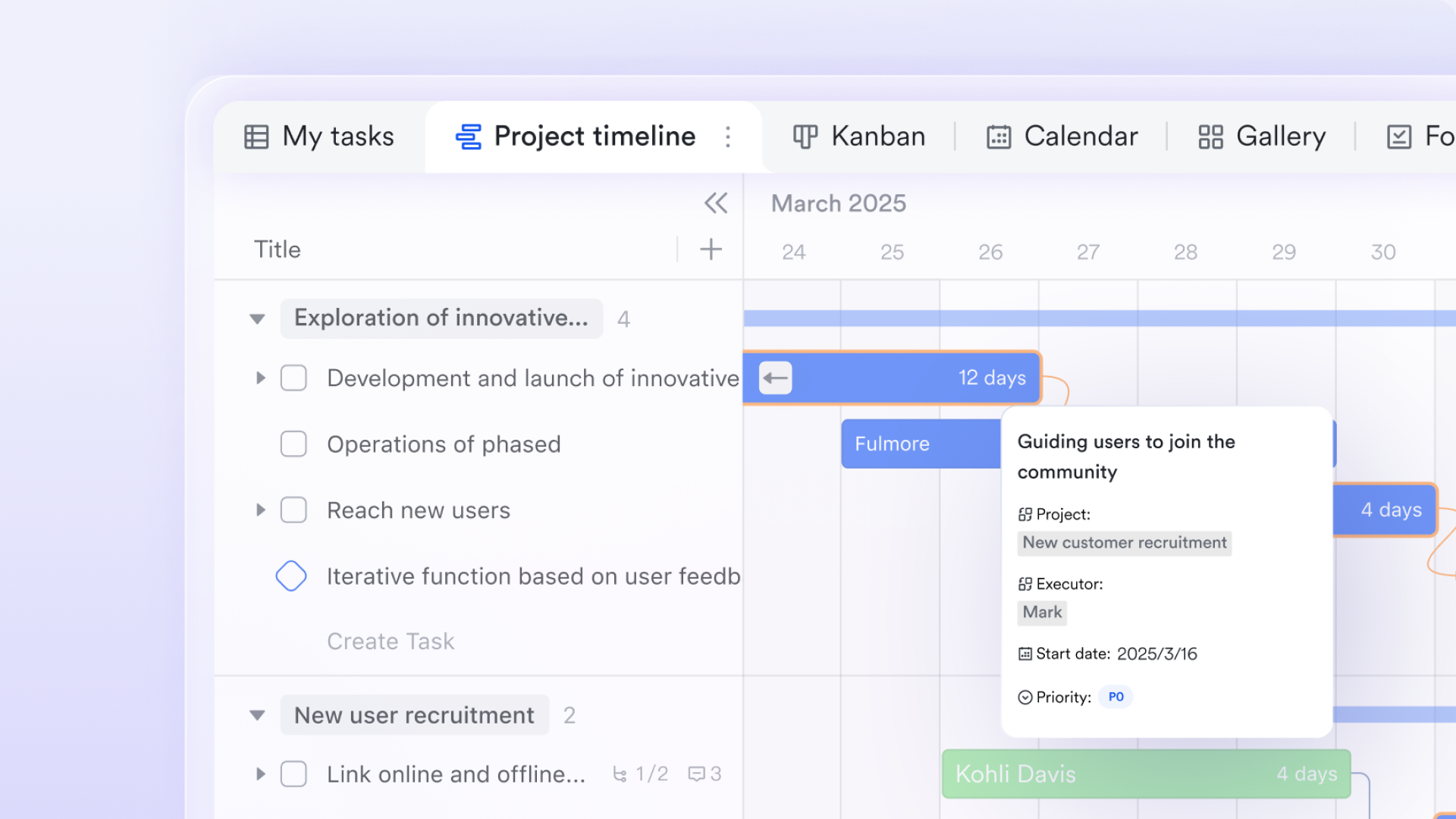
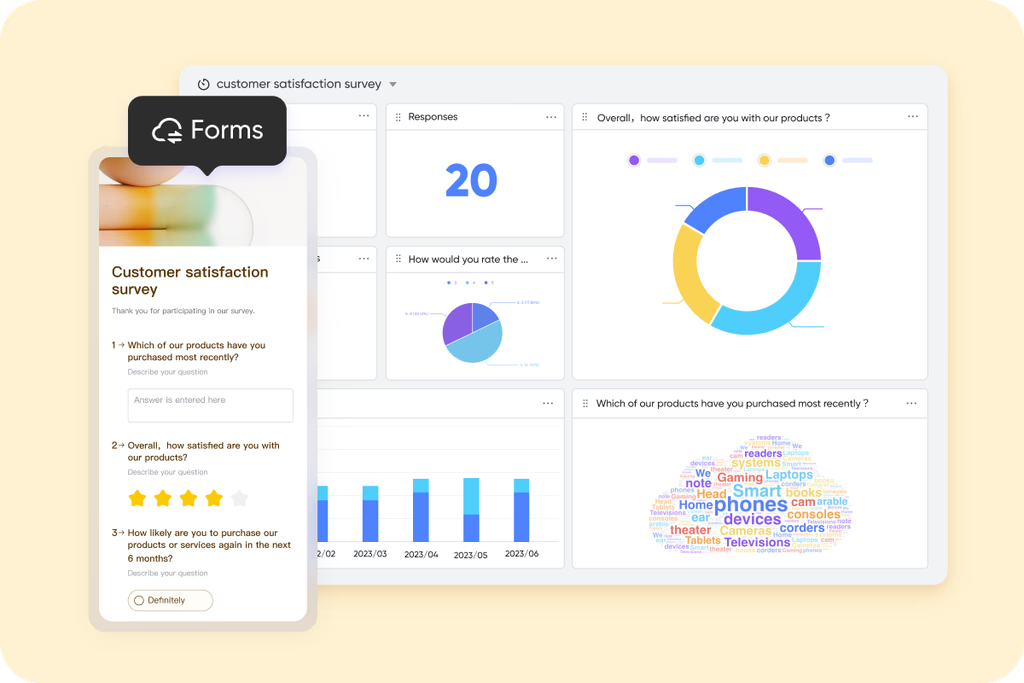
Lark Forms: Streamlined data collection and project inputs
Lark Forms simplifies data collection for project teams. Instead of relying on external survey tools or spreadsheets, teams can create custom forms to capture inputs directly from colleagues, clients, or stakeholders.
For project managers, this feature is invaluable for gathering task requests, feedback, approvals, or issue reports. Every form submission automatically populates into a Base table or Sheet, where it can trigger automation workflows—such as assigning tasks or sending notifications in Messenger.
This combining ensures that data moves instantly from submission to action, improving responsiveness and reducing manual handling. For example, a "New Feature Request" form can immediately generate a task in Lark Tasks and notify the product manager in Messenger, ensuring no request goes unnoticed.
Lark Sheets: Simplified planning and task tracking
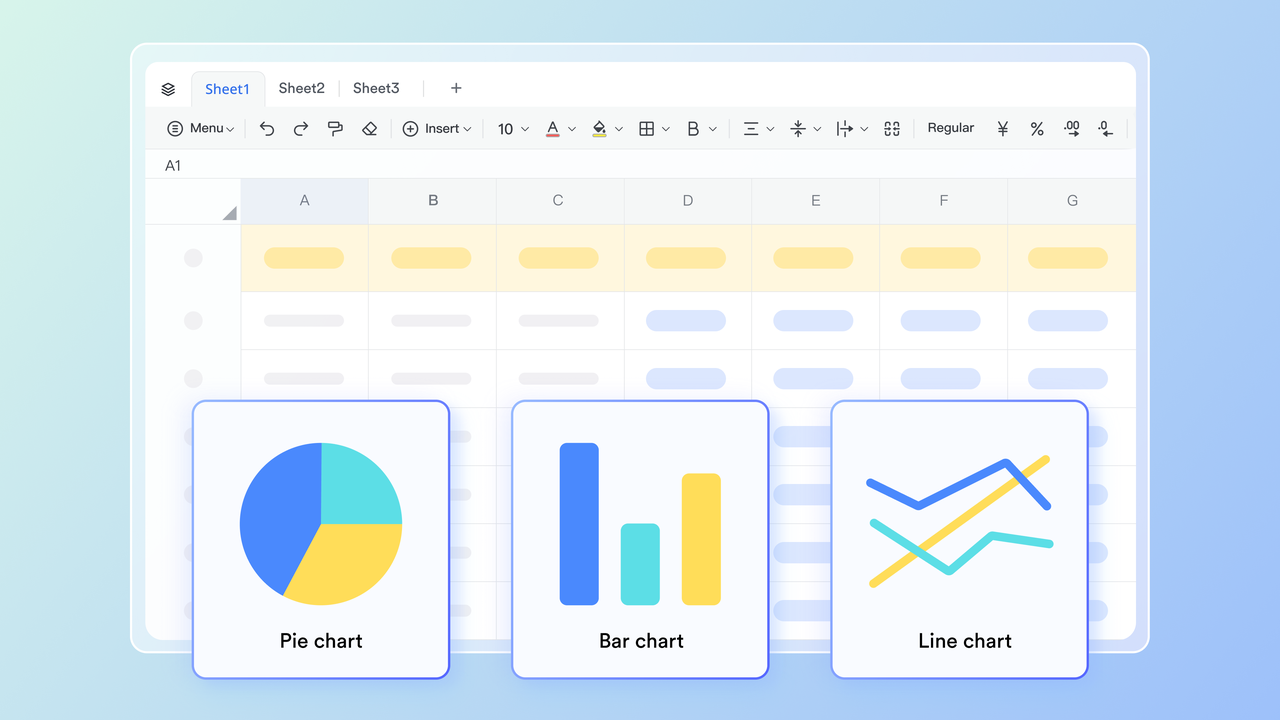
For teams that prefer spreadsheet-style control, Lark Sheets provides a familiar yet more collaborative alternative to Microsoft Project's data-heavy tables. Sheets are ideal for smaller projects or task-specific planning where speed and simplicity matter.
Teams can use Sheets to create to-do lists, assign responsibilities, track due dates, and manage recurring tasks—all within a shared, cloud-based environment. What sets Lark Sheets apart from Excel or Project's resource grid is its real-time co-editing capability: multiple team members can work on the same file simultaneously, comment inline, and update data instantly.
Additionally, Sheets connect seamlessly with other Lark tools—for example, linking Sheets data to Base tables or embedding Sheets into Docs for reference during project discussions. This makes Lark Sheets perfect for agile project tracking, campaign planning, or lightweight sprint management, especially for non-technical teams who don't need full Gantt chart complexity.
Lark Docs: Collaborative documentation for projects
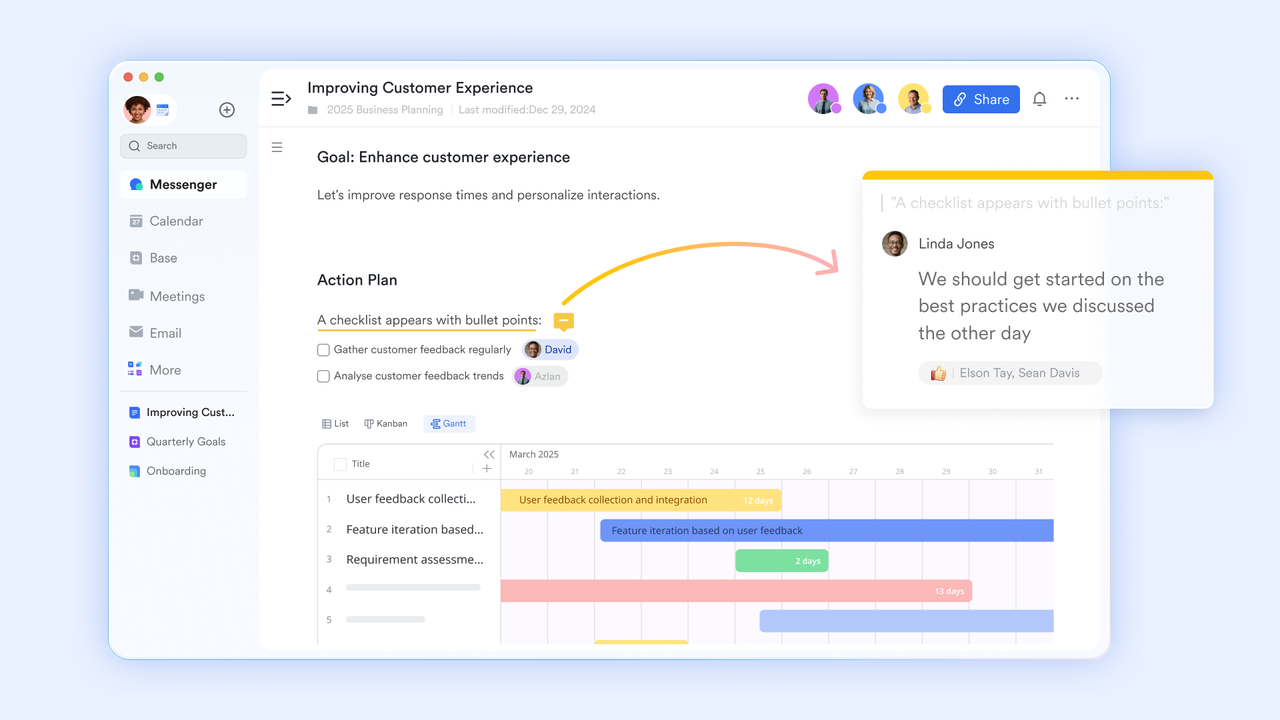
Lark Docs transforms how teams document and share project knowledge. In contrast to Microsoft Project, which relies heavily on external documentation tools like Word or SharePoint, Lark Docs brings collaborative editing directly into the project workspace.
Teams can co-create project proposals, meeting notes, requirement documents, and post-launch reports—all in real time. Comments, mentions, and version history make feedback loops instant and traceable. Docs also support embedded dynamic elements such as Base tables, Sheets data, or task lists, turning static documents into live, interactive project hubs.
For example, a product launch plan in Docs can include an embedded Base table for task tracking and a timeline chart pulled from Sheets—allowing team members to monitor execution progress right from within the same document. This deep interconnectivity keeps all documentation current, visible, and actionable.
MindNotes in Lark Docs: Visual brainstorming and project mapping
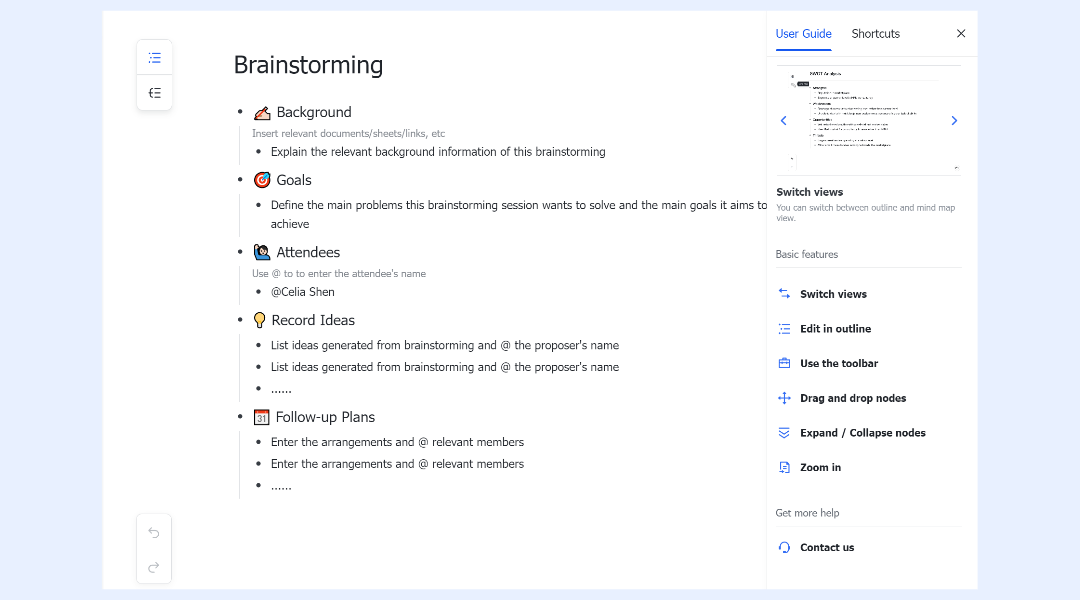
Lark MindNotes supports the creative and strategic side of project management. It allows teams to visualize ideas, outline project structures, and map dependencies in an intuitive, mind-mapping format.
During project planning or brainstorming sessions, teams can use MindNotes to outline goals, define phases, or identify potential risks and dependencies. These maps can then be converted into actionable items within Lark Tasks or Base, maintaining continuity from ideation to execution.
For instance, during a sprint planning session, a MindNotes board might visualize feature priorities and development stages, which can then feed directly into Base as structured tasks with deadlines and owners.
By bridging brainstorming and task execution, MindNotes helps teams move seamlessly from concept to action—something traditional Gantt-based tools like Microsoft Project often overlook.
Lark Slides: Interactive presentations for project reviews
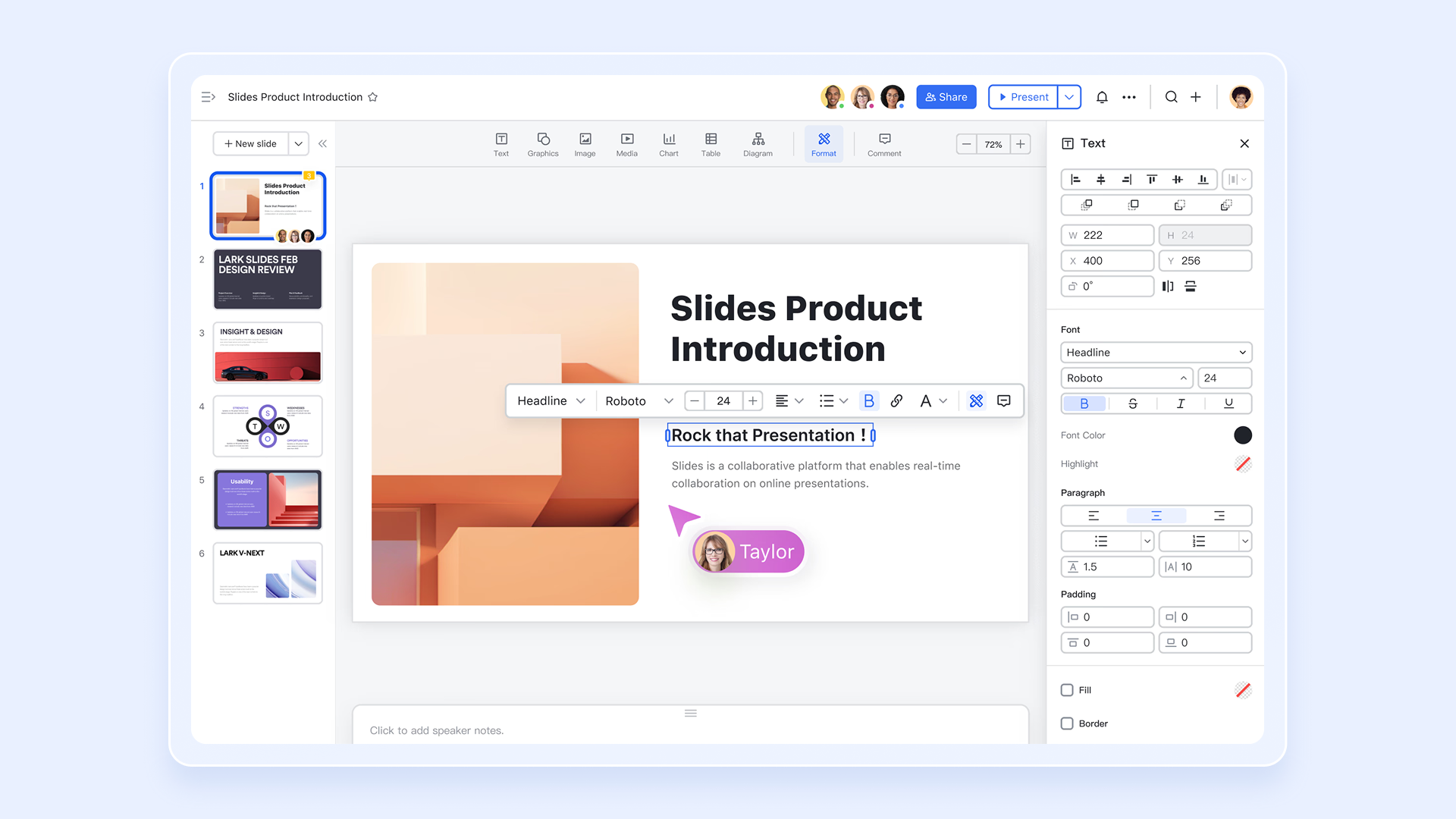
Lark Slides reimagines how teams present project updates, replacing Microsoft Project's static report exports with interactive, collaborative presentations. Teams can co-edit slides, add comments, and incorporate live data from Base or Sheets directly into their decks.
This means project review presentations always reflect real-time metrics—progress charts, task completion rates, or budget utilization—without manually updating visuals before every meeting. Presentations can also include embedded Docs or linked workflows, making them ideal for stakeholder reviews, sprint retrospectives, or executive briefings.
In short, Lark Slides makes reporting as dynamic as project execution itself—ensuring updates remain accurate, engaging, and aligned with the latest project data.
- Starter plan: Free forever plan that includes 11 powerful tools for up to 20 users. It also comes with 100GB of storage, 1000 automation runs, AI translations, and more.
- Pro plan: $12/user/month (billed annually) for up to 500 users. It includes everything in Starter plus group calling for up to 500 attendees, 15TB of storage, 50,000 automation runs, and more.
- Enterprise plan: Contact sales for custom pricing. Supports unlimited users and includes even more automation runs and advanced security, compliance, and management features.
Microsoft Project vs Lark: Quick comparison
Before diving into the detailed comparison, it's important to note that Microsoft Project and Lark serve different project management needs. While Microsoft Project is geared toward traditional, enterprise-level planning with complex schedules and project dependencies, Lark offers a more flexible, all-in-one workspace that combines collaboration, task tracking, and automation, making it ideal for teams that prioritize speed, transparency, and real-time coordination. Here is the quick comparison for you:
Conclusion
Microsoft Project remains a powerful solution for structured enterprise project management, offering advanced scheduling, resource tracking, portfolio oversight, and robust reporting. Its strengths lie in detailed planning and compatibility with the Microsoft 365 ecosystem, making it ideal for large, complex projects and technical teams. However, the platform's steep learning curve, high licensing costs, limited built-in collaboration, and rigidity for agile or hybrid workflows can pose challenges for modern organizations. Teams increasingly require solutions that combine project management, real-time communication, and automation in a unified, cloud-native workspace.
Lark addresses these needs by providing a flexible, all-in-one platform where teams can manage tasks, timelines, documents, and workflows seamlessly. With tools like Base, Sheets, Docs, Slides, Form, and MindNotes, Lark enables faster onboarding, intuitive collaboration, and real-time visibility across projects. For teams looking to simplify project execution and enhance productivity, Lark offers a modern alternative that keeps work connected and actionable.
FAQs
How does Microsoft Project compare to other tools like Smartsheet?
In the Microsoft Project vs Smartsheet review debate, both platforms target structured project management, but they differ in flexibility. Microsoft Project excels at large-scale scheduling, task dependencies, and resource control, while Smartsheet focuses on collaboration, spreadsheet-style management, and workflow automation. Teams looking for an easier, cloud-native experience often find Smartsheet more approachable, whereas Project suits enterprises that need detailed Gantt-style control and advanced portfolio management. Evaluating a Microsoft Project online review can help organizations determine which platform aligns better with their operational and reporting requirements.
What is covered in a Microsoft Project Professional review?
A typical Microsoft Project Professional review highlights the advanced capabilities available in the desktop version of the software. This edition offers features like offline access, detailed resource tracking, and powerful reporting—ideal for project managers who prefer local installations or complex enterprise environments. However, it lacks real-time collaboration, no-code automation, and flexible workflow capabilities available in modern tools such as Lark, which support agile, hybrid, and cross-functional team management.
Is taking a Microsoft Project management course worth it?
For those exploring formal certifications or structured training, a Microsoft Project management course review generally indicates that the course is beneficial for users managing complex enterprise projects or large-scale portfolios. It helps users understand advanced scheduling, task dependencies, resource allocation, and cost tracking. However, for agile, hybrid, or fast-moving teams, modern collaborative platforms like Lark may eliminate the need for extensive technical training while still providing real-time dashboards, task tracking, and combined reporting.
Can Microsoft Project handle agile or hybrid workflows effectively?
Microsoft Project was originally designed for Waterfall-style management, but newer versions include agile boards, sprint planning features, and limited hybrid support. Still, these features are more rigid compared to flexible, collaborative tools such as Lark or ClickUp. However, as organizations evaluate ClickUp pricing and their overall software budget, many begin exploring Google Workspace alternatives to escape compounding Google Workspace pricing. Ultimately, teams that balance structured planning with real-time collaboration, dynamic dashboards, and combined documentation often find that true unified workspaces are much more intuitive and cost-efficient than traditional Microsoft Project workflows.
Related reading
Table of contents
Start using Lark today

Manage all your work in one place
Boost team efficiency by 10x
Save up to 70% on software costs
Table of contents
Start using Lark today
Manage all your work in one place
Boost team efficiency by 10x
Save up to 70% on software costs
Keep reading



Lark recognized in 2023 Gartner® Collaborative Content Workspaces and Meeting Solutions reports
Lark, the global superapp for productivity, is delighted to announce it receives recognition in the Gartner's 2023 Innovation Insight for Collaborative Content Workspaces and Market Guide for Meeting Solutions.






2026 Lark Technologies Pte. Ltd.
Headquartered in Singapore with offices worldwide.






Explore: