














10 Best Notion CRM Templates and Alternatives

Ryan Tanner
Product Marketing Specialist
Sep 18, 2026
Ryan Tanner
Sep 18, 2026

17 min read


Notion CRM templates help individuals and small teams manage leads, clients, and relationships within Notion's flexible workspace. These templates simplify tracking interactions, organising pipelines, and storing contact details without needing external tools. However, as teams grow, Notion's manual structure and lack of automation can become limiting. That's where collaborative solutions come in.
This article explores the best Notion CRM templates and shows why Lark's CRM templates are the smarter choice for growing teams. Here is the list of 10 Best Notion CRM templates to try:
1. Ultimate CRM dashboard for Notion: All-in-one view for leads, deals, and tasks.
2. Personal CRM by Notion: Track personal contacts and communication frequency.
3. Freelancer CRM template: Manage client projects, invoices, and proposals.
4. Sales pipeline template: Visualise leads by deal stage and close probability.
5. Agency CRM template: Designed for small agencies to track campaigns and retainers.
6. Startup CRM template: Ideal for founders managing investor and customer relations.
7. Notion sales CRM template: Sales-oriented dashboard for tracking outreach and conversions.
8. Real estate CRM template: Manage listings, buyers, and seller communications.
9. Simple CRM tracker: Minimalistic CRM for daily follow-ups.
10. Notion client manager: A client-centric approach with notes and contact logs.

What is a Notion CRM template?
A Notion CRM template is a pre-built database designed to help users manage customer relationships, sales pipelines, and interactions within Notion's flexible workspace. It includes tables, properties, and linked views that allow you to organise leads, track deals, log communication, and store client details all in one place.
These templates save time by providing a ready-made CRM structure that can be customised to fit personal, freelance, or business needs. While Notion CRM templates are great for simplicity and organisation, they rely on manual updates, which can limit automation and real-time collaboration as your client base grows.
10 Best Notion CRM templates to try
1. Ultimate CRM dashboard for Notion: All-in-one view for leads, deals, and tasks
The Ultimate CRM Dashboard for Notion provides an all-in-one view of your sales process, combining leads, deals, and tasks in a single workspace. It's perfect for professionals who want to track progress visually with Kanban boards, tables, or timelines. You can filter deals by status, assign owners, and even integrate project notes, helping you stay organised from prospecting to closing.
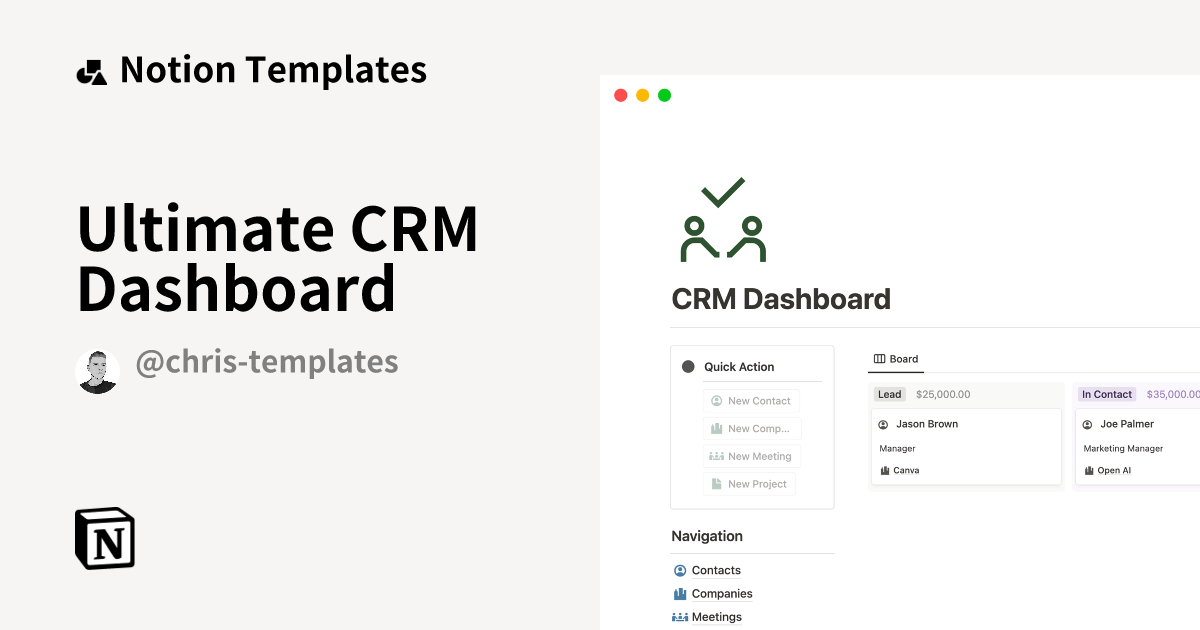
Image source: notion.com
2. Personal CRM by Notion: Track personal contacts and communication frequency
Personal CRM by Notion helps individuals nurture personal and professional relationships. It allows you to store contact details, track last interactions, set follow-up reminders, and categorise relationships based on frequency of communication. Ideal for freelancers, networkers, or founders, this template ensures you never lose touch with key contacts again.
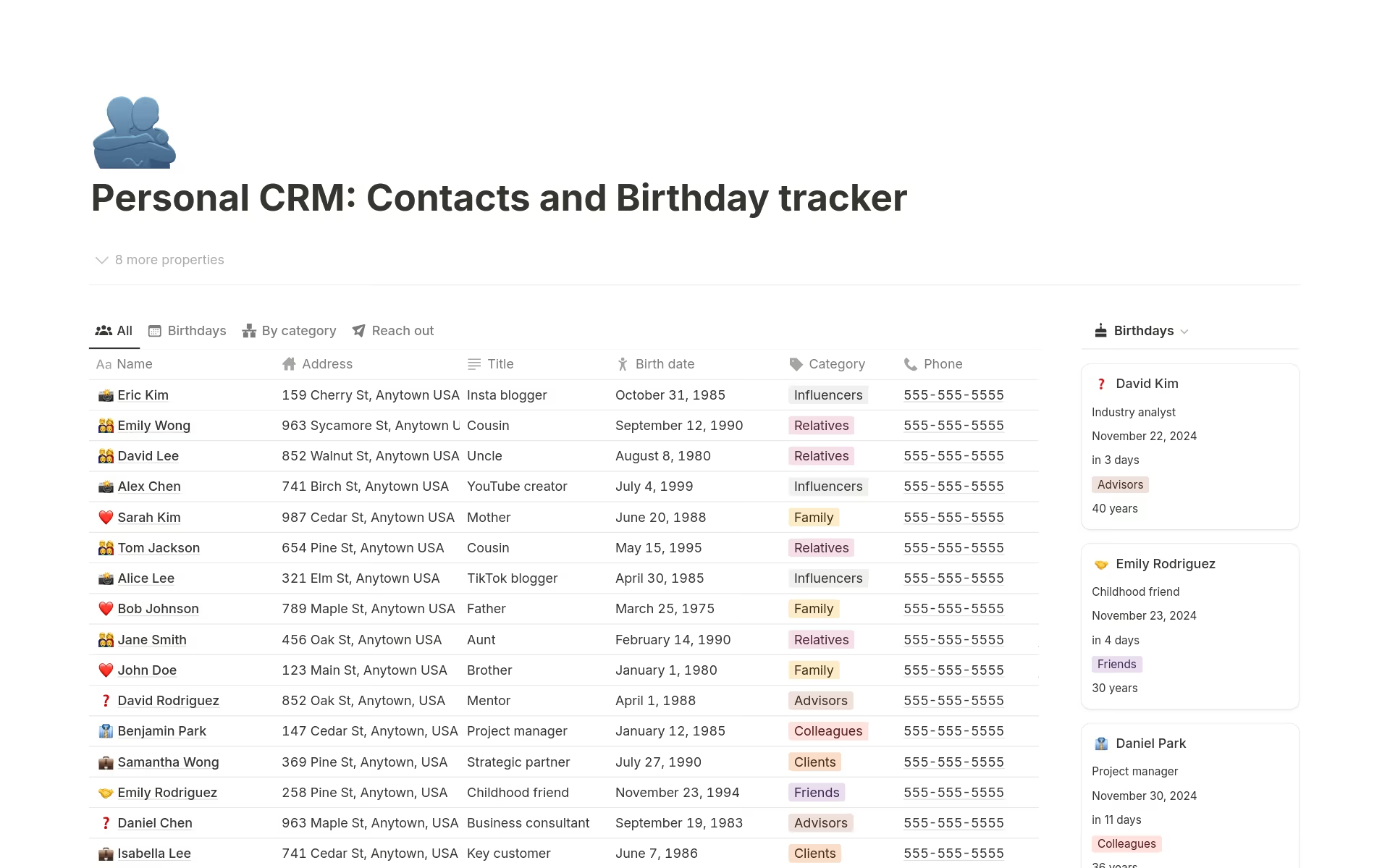
Image source: notion.com
3. Freelancer CRM template: Manage client projects, invoices, and proposals
The Freelancer CRM Template is built for solo professionals managing multiple clients and projects. It helps track proposals, project progress, and invoices all in one place. You can create client profiles, record payment details, and monitor deliverables, making it easier to balance client work and business development without external tools.
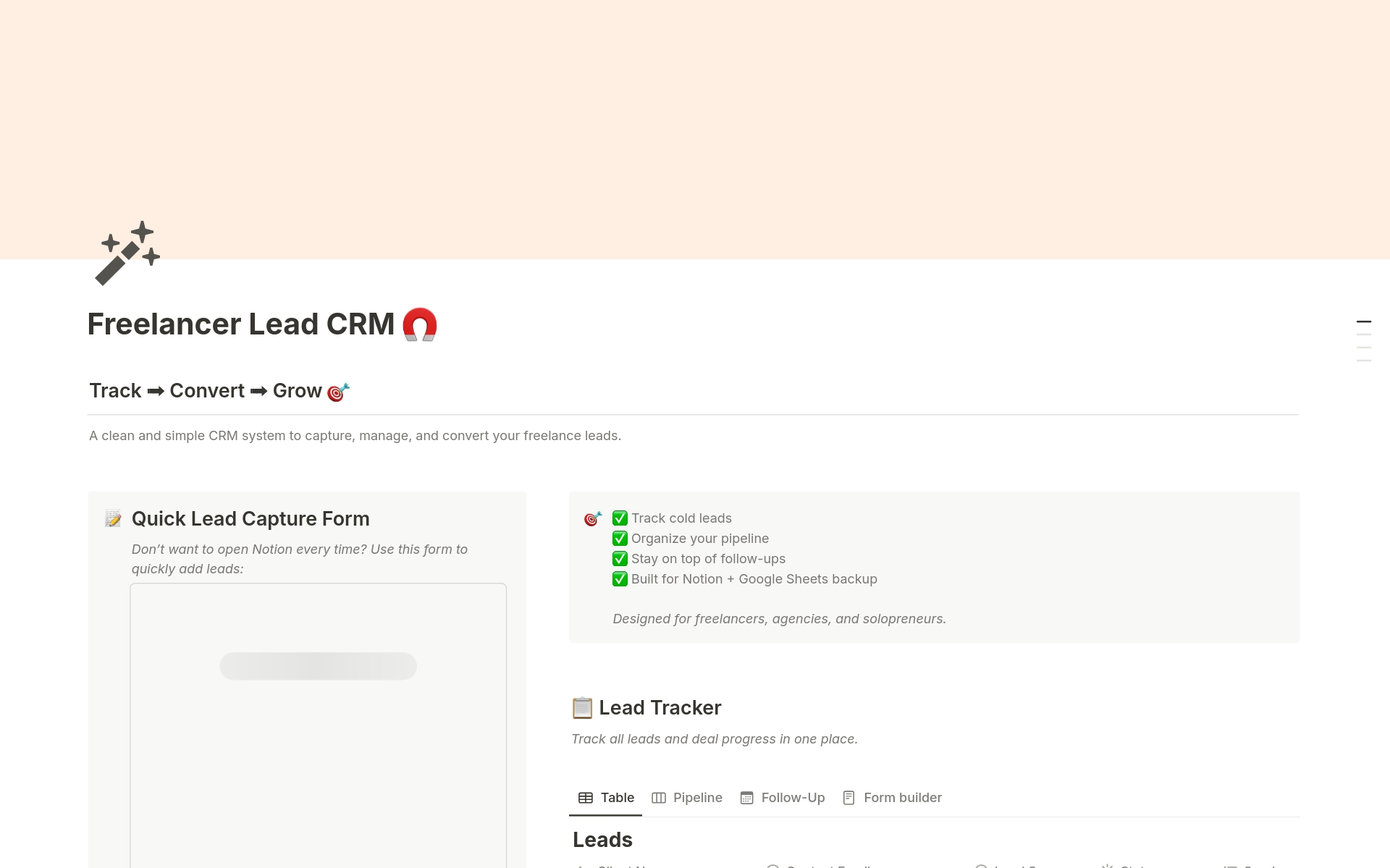
Image source: notion.com
4. Sales pipeline template: Visualise leads by deal stage and close probability
The sales pipeline template in Notion helps visualise deals at every stage from new leads to negotiations and closures. It uses Kanban-style boards to display deal movement, along with probability percentages for forecasting. This template is great for small sales teams who need a quick, visual way to track progress without complex CRM software.
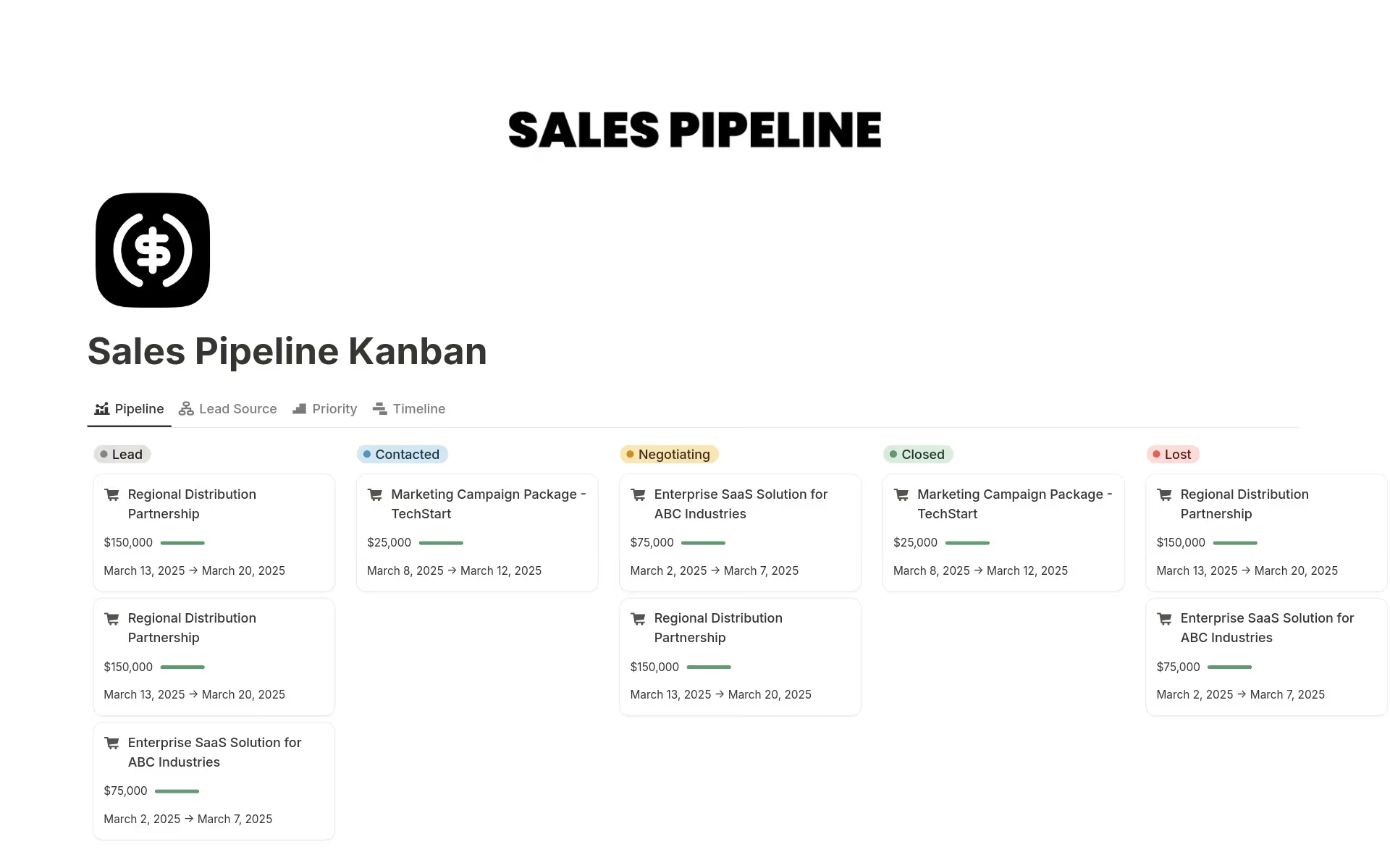
Image source: notion.com
5. Agency CRM template: Designed for small agencies to track campaigns and retainers
The agency CRM template is tailored for marketing or creative agencies managing multiple clients, campaigns, and retainers. It provides sections for tracking project deliverables, campaign timelines, and revenue per client. Teams can use it to monitor active engagements, automate reminders, and store briefs or contracts for quick access, all within Notion.
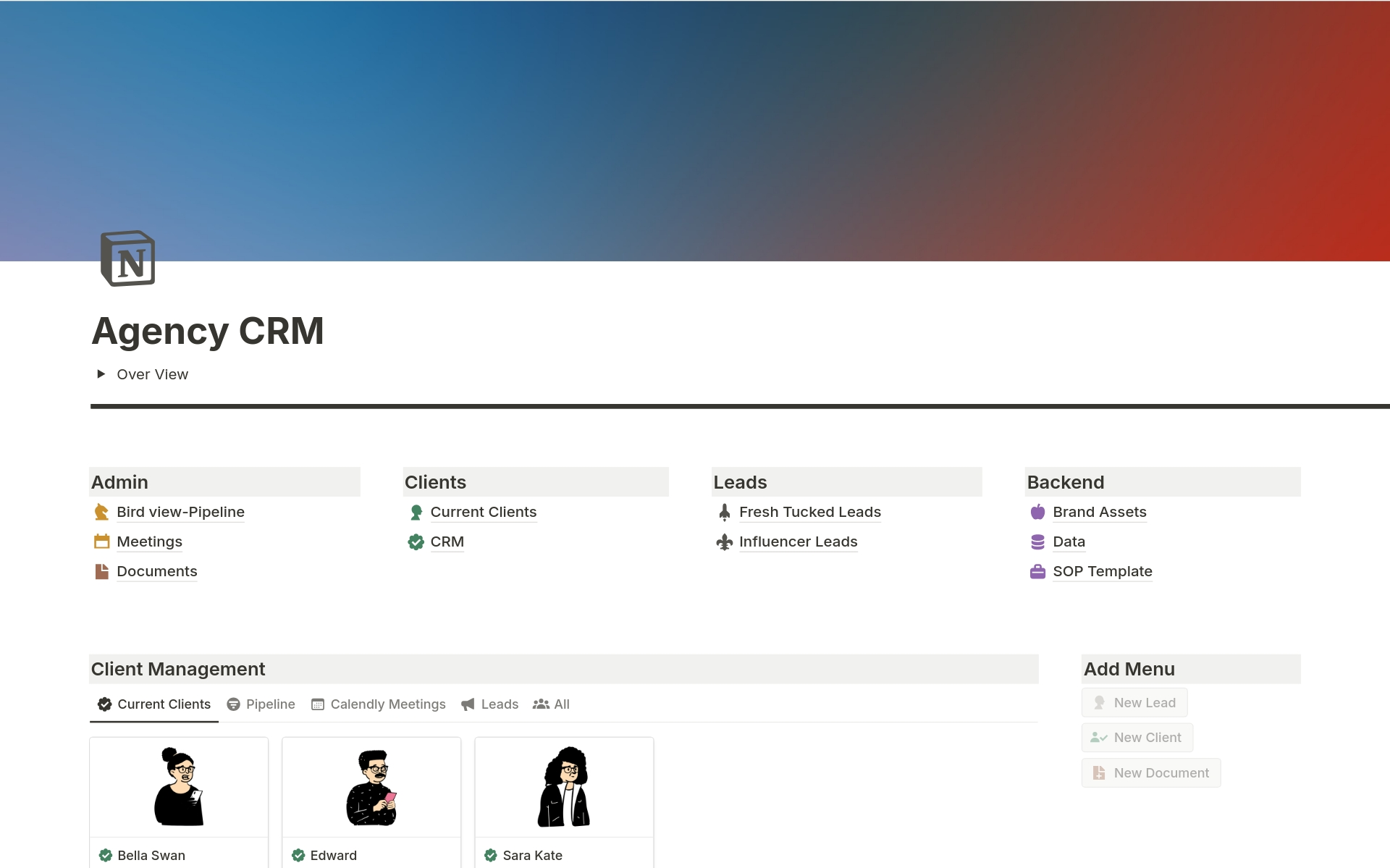
Image source: notion.com
6. Startup CRM template: Ideal for founders managing investor and customer relations
Designed for founders and early-stage startups, this template centralizes investor, partner, and customer relationship management. You can record contact histories, manage fundraising pipelines, and monitor customer feedback. It's an excellent option for small startup teams that need structure without investing in expensive CRM software early on.
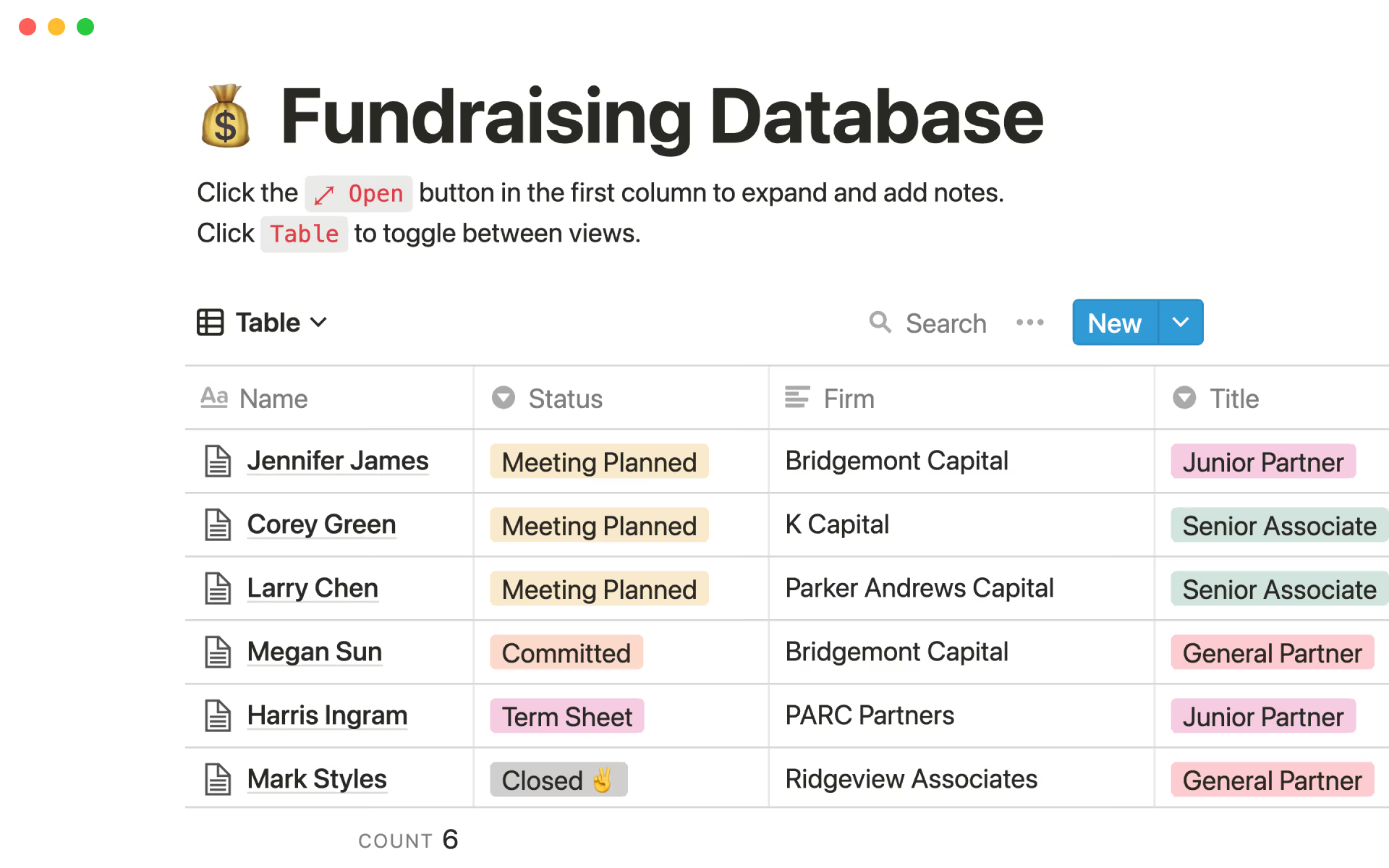
Image source: notion.com
7. Notion sales CRM template: Sales-oriented dashboard for tracking outreach and conversions
The Notion sales CRM template focuses specifically on outbound sales and conversion tracking. It allows you to organize prospects by stage, add deal values, and monitor outreach performance. You can log calls, emails, and meeting notes directly within the template, helping sales reps maintain visibility into every interaction.
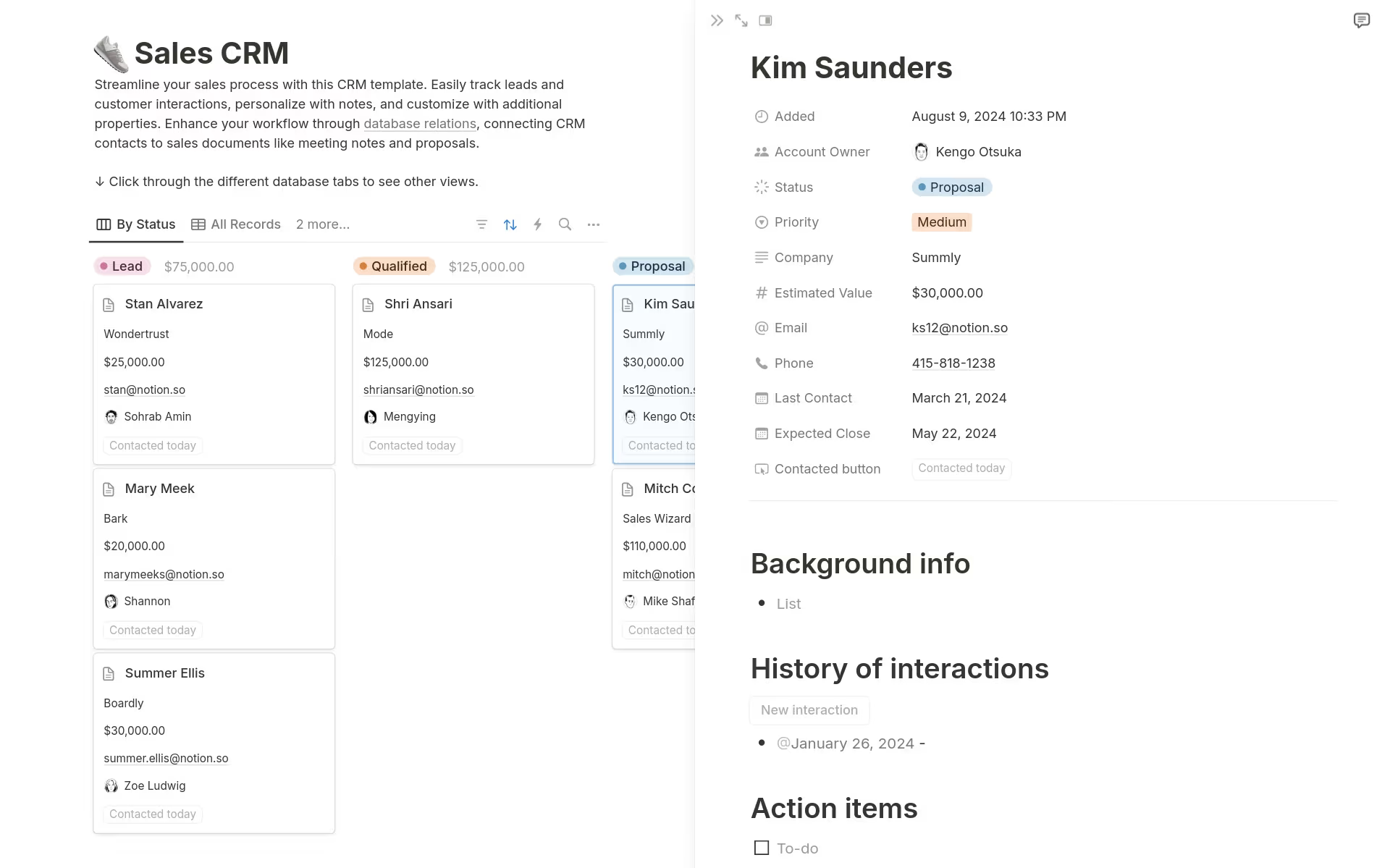
Image source: notion.com
8. Real estate CRM template: Manage listings, buyers, and seller communications
The real estate CRM template is perfect for agents and realty firms managing multiple listings and client communications. It helps track properties, buyers, sellers, and ongoing deals in a clear dashboard. You can attach listing details, meeting notes, and follow-up tasks — ensuring every lead is nurtured efficiently until closure.
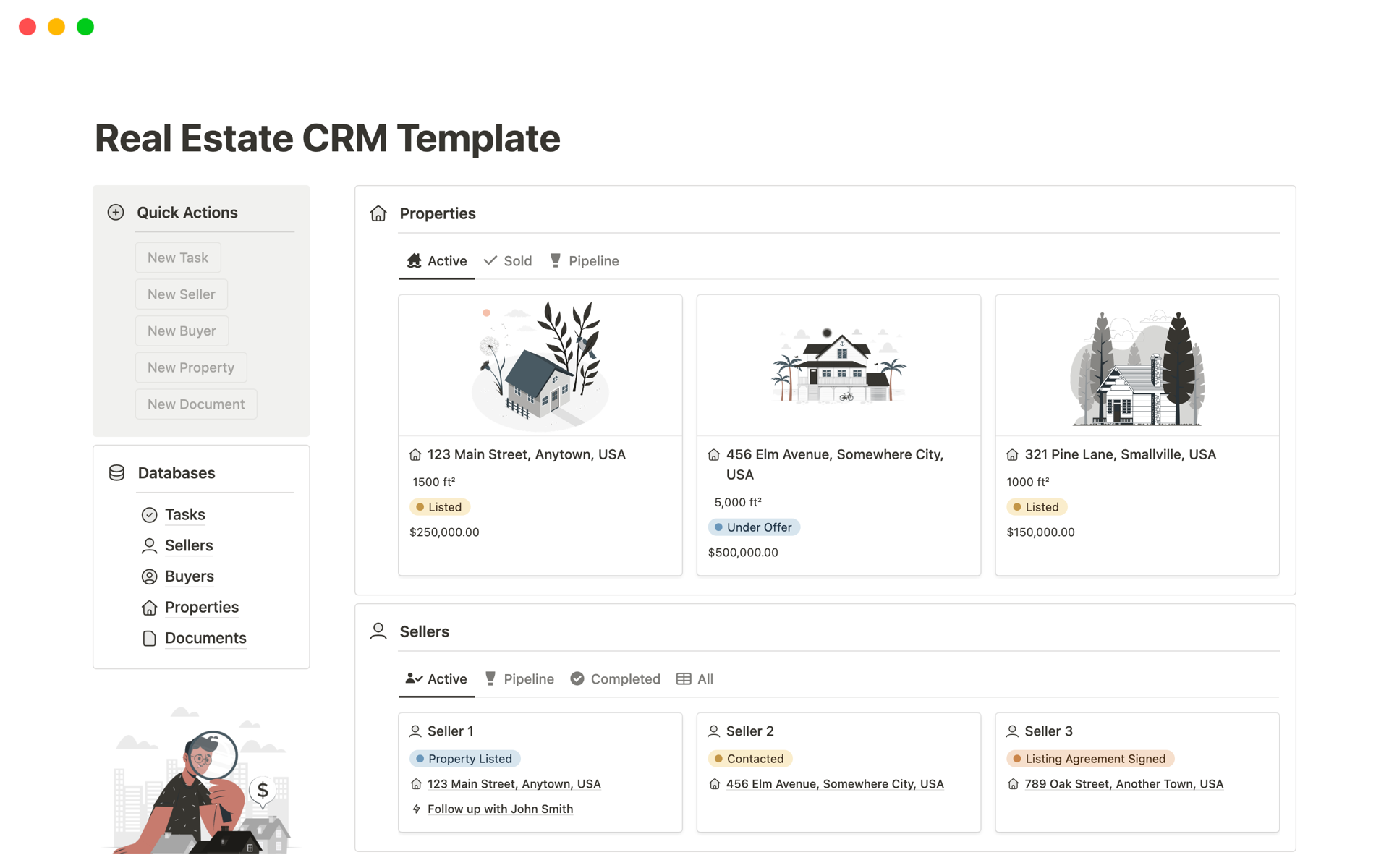
Image source: notion.com
9. Simple CRM tracker: Minimalistic CRM for daily follow-ups
For individuals or small teams who prefer minimalism, the simple CRM tracker provides just the essentials. It helps record leads, track interactions, and set daily follow-up reminders without the clutter of complex dashboards. Its lightweight structure makes it ideal for those who want a quick, no-fuss CRM experience.
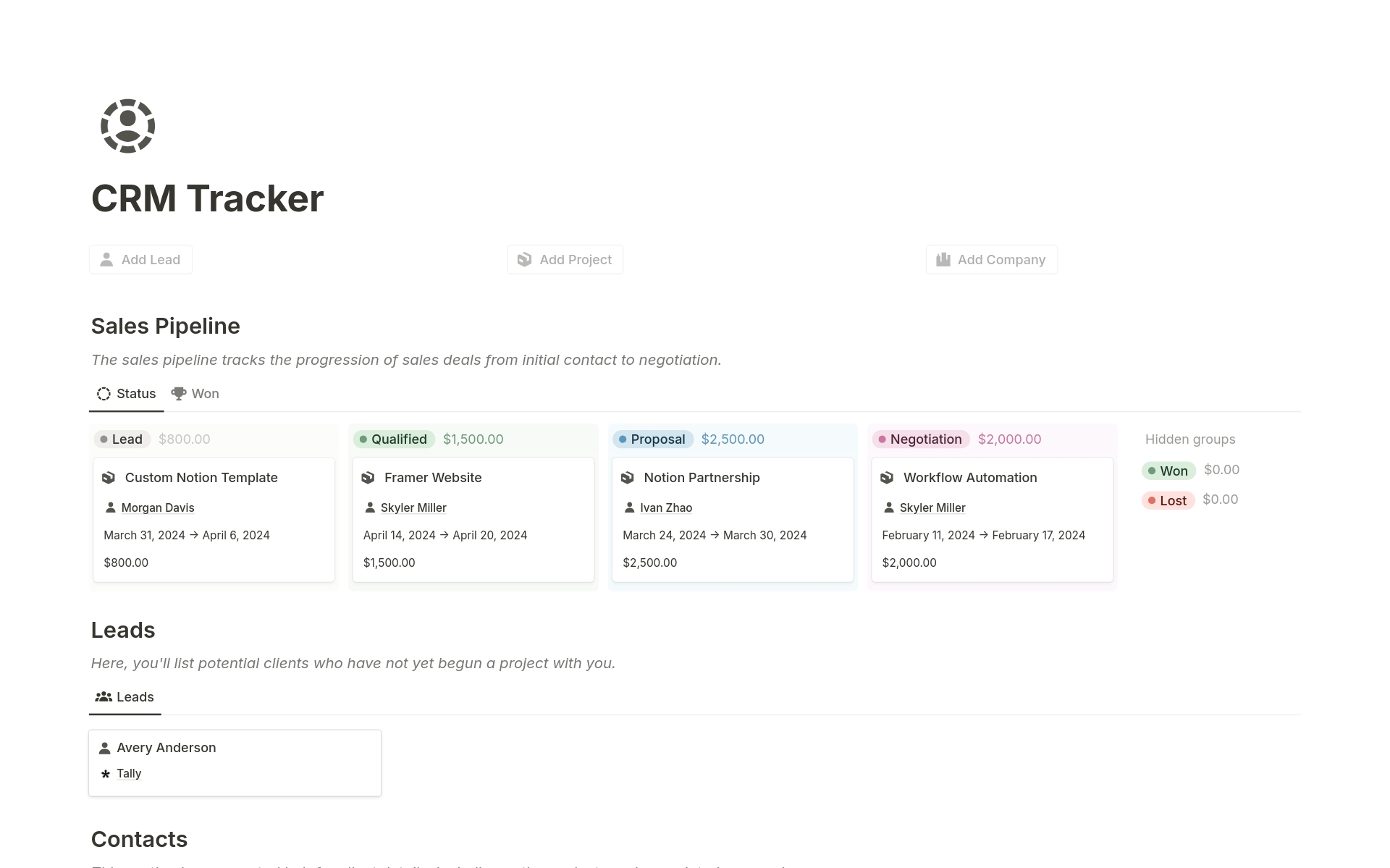
Image source: notion.com
10. Notion client management: A client-centric approach with notes and contact logs
The Notion client manager template offers a client-centred workspace with detailed profiles, contact logs, and linked meeting notes. It's best suited for consultants, coaches, or service providers who want to maintain a 360° view of every client relationship. You can record session details, upcoming meetings, and related Docs all within one organised hub.
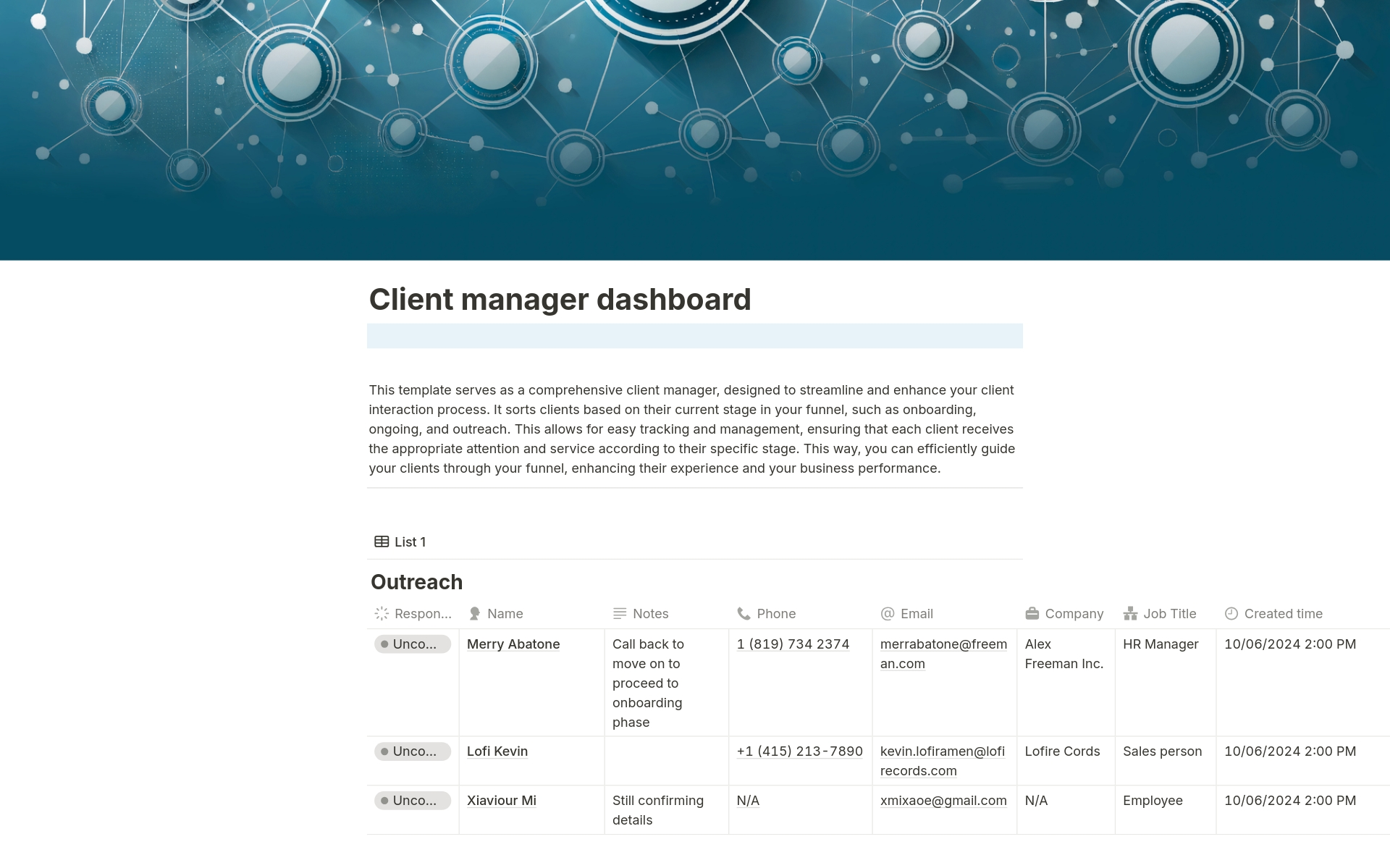
Image source: notion.com
Why Notion CRM templates may not be enough for growing teams
- No real-time automation: Every deal or lead requires manual updates, making it hard to maintain accurate, up-to-date records as your pipeline grows.
- No built-in communication tools: You must rely on external apps like Slack or Gmail, leading to scattered messages and reduced context during collaboration.
- Limited collaboration visibility: Edits and updates aren't trackable in real time, which makes teamwork slower and less transparent.
- Scaling limitations: As teams grow, managing multiple disconnected templates becomes cumbersome, creating data silos and workflow inefficiencies.
Lark CRM templates overcome these gaps by offering real-time automation, collaborated communication, and connected workflows in one unified platform.
Lark CRM templates: A connected upgrade
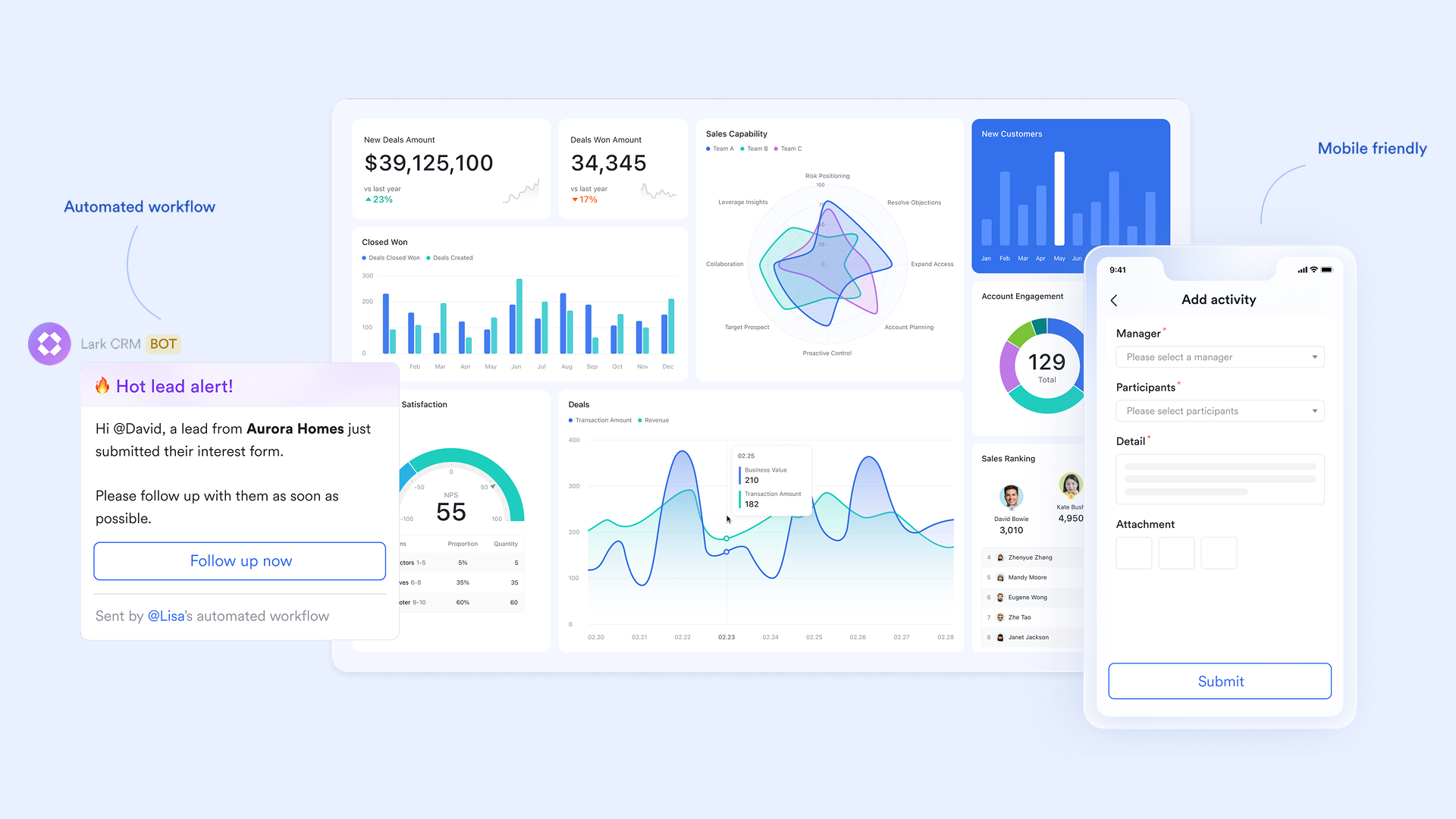
Lark CRM templates offer teams a connected, ready-to-use foundation for managing customer relationships. Each template collaborates seamlessly with Lark's collaborative tools—Lark Docs, Lark Tasks, and Lark Base to simplify workflows from lead tracking to deal closure. Whether you're in sales, marketing, or customer success, these templates help you organise data, automate actions, and visualise results in one place.
1. Sales CRM template: Track leads, deals, and pipelines
The Sales CRM Template in Lark Base is designed to help sales teams stay on top of every lead and opportunity. It maps the complete journey from first contact to deal closure, through clear visual pipelines. Teams can filter and group clients by stage, territory, or deal size to prioritise high-value prospects. With built-in automations, tasks, and dashboards, it ensures no opportunity slips through the cracks. Real-time analytics empower managers to track performance and optimise conversion strategies effortlessly.
2. Client relationship management CRM template: Build better relationships
The Client relationship management template in Lark Base helps teams manage multiple clients with ease. It centralizes essential details such as contact information, meeting summaries, project timelines, and linked deliverables. You can quickly filter clients by industry, region, or engagement stage to stay organized. Automated alerts keep teams updated on renewals, milestones, and deadlines. Plus, collaborated Messenger threads enable instant discussions and updates right within each client record.
3. Daily sales report CRM template: Simplify sales forecasting
The Daily sales report template in Lark Base provides a dynamic, pipeline-centric view of your entire sales process. It allows teams to monitor each deal's stage, track revenue potential, and identify bottlenecks instantly. Using visual tools like Kanban or Grid views, you can follow every opportunity from initial inquiry to final negotiation. Smart formulas calculate close probabilities to predict outcomes, while instant alerts keep everyone informed of deal updates. Performance dashboards in Lark Sheets give leadership daily insights into progress and conversion trends.
4. Client Success CRM template: Monitor renewals and satisfaction
The Client success template gives you a clear structure to track what happens after a contract is signed. You can log key client details (contact information, last meeting summary, usage notes) and link in important assets like onboarding docs or service contracts. Renewal dates and project milestones are displayed alongside feedback metrics, so you never miss a check-in or renewal opportunity. Automation makes sure alerts go out ahead of contract expiry or when health scores drop. And through Lark collaboration, you can trigger discussions directly from each client record to speed up coordination.
5. Vendor management CRM template: Manage B2B relationships
The Vendor management template in Lark Base helps businesses manage every stage of the vendor lifecycle—from onboarding to renewal. It centralises supplier information like contact details, service categories, payment terms, and contract timelines. Teams can view vendors in Grid, Kanban, or Timeline layouts to track ongoing relationships and renewal schedules. Automation ensures timely alerts for contract expirations or pending approvals. Linked Lark Docs and Lark Messenger collaboration make it easy to share contracts, discuss issues, and assign follow-up tasks—all within one connected workspace.
6. Manufacturing–sales order management
The manufacturing–sales order management template streamlines your entire sales process—from tracking quotas to monitoring fulfillment progress. It provides a clear view of sales targets, order statuses, and team performance in real time. Linking sales data with production planning, it helps manufacturing teams stay coordinated and efficient. Managers can quickly identify top-performing regions and bottlenecks. Everything stays structured, visible, and easy to manage.
7. Light CRM system
The light CRM system template offers an easy, clutter-free way to manage customers and leads. It's perfect for small businesses or teams that want a simple CRM without complexity. You can track deals, organize contacts, and maintain sales pipelines using clear, customizable views. Automation helps prevent duplicate entries and ensures data consistency. It's a flexible system that grows with your customer base.
8. Sales tracker–lead analysis and follow-up
The sales tracker–lead analysis and follow-up template centralizes lead tracking, sales recording, and payment follow-up. It gives teams a clear picture of pipeline performance and conversion progress. You can analyze lead quality, measure deal success, and manage post-sale actions—all in one dashboard. With automated updates and visual tracking, performance management becomes effortless. It's a practical tool for keeping sales momentum strong.
9. Daily sales amount summary
The daily sales amount summary template gives instant visibility into daily sales performance. It helps teams track progress toward goals, compare results by region, and identify trends at a glance. Managers can see which products or teams are performing best each day. With automated data consolidation, reports stay accurate and up to date. This template keeps sales insights clear, fast, and actionable.
10. Customer relationship management
The customer relationship management template helps teams organize every client interaction in one place. You can track leads, communication histories, and opportunities without jumping between tools. It aligns sales and marketing teams by keeping all contact data centralized and transparent. With clear pipelines and reminders, teams never miss follow-ups. This simple yet powerful CRM base turns scattered information into actionable insights.
Why teams switch to Lark CRM templates
- Starter plan: Free forever plan that includes 11 powerful tools for up to 20 users. It also comes with 100GB of storage, 1000 automation runs, AI translations, and more.
- Pro plan: $12/user/month (billed annually) for up to 500 users. It includes everything in Starter plus group calling for up to 500 attendees, 15TB of storage, 50,000 automation runs, and more.
- Enterprise plan: Contact sales for custom pricing. Supports unlimited users and includes even more automation runs and advanced security, compliance, and management features.
Bonus tips: How to create your own CRM in Lark
Step 1: Open Lark Base → Select a CRM template
Start by navigating to Lark Base, where you'll find a variety of ready-to-use CRM templates for sales, client management, and customer success. Choose a template that matches your team's needs, whether that's tracking leads, managing accounts, or monitoring deals. Lark Base provides structured templates to help you get started instantly without building a CRM from scratch.
Step 2: Customise columns (Client, Stage, Deal Value, Next Action)
Once your template is set up, tailor it to your workflow. Add or modify columns such as Client Name, Deal Stage, Deal Value, Next Action, and Assigned Owner. You can also insert fields for contact details, project status, or meeting notes. Lark allows drag-and-drop customisation, so your CRM stays flexible as your business evolves.
Step 3: Automate follow-ups and Approvals
Take advantage of Lark's automation tools to reduce manual work. Set rules that automatically trigger follow-up tasks after a set number of days, notify team members when deal stages change, or send approval requests for discounts or contracts. These automations ensure that no lead or client slips through the cracks, keeping your pipeline active and accountable.
Step 4: Link Mail and Messenger for a communication context
Combine Lark Mail and Lark Messenger directly into your CRM, so every email can be linked to the relevant client record. This provides full visibility into communication history, making collaboration between sales, marketing, and support effortless. Team members can reply, comment, or attach documents — all within the same workspace.
Step 5: Share dashboards and Sheets with your team for real-time updates
Finally, turn your CRM data into actionable insights. Use Lark Sheets to create live dashboards that visualize performance metrics such as conversion rates, deal velocity, or monthly revenue. Share these dashboards with your team to keep everyone aligned. Real-time updates mean that whenever a deal changes, everyone sees the latest data instantly — no refresh required.
With Lark, building a CRM isn't just about tracking data — it's about creating a connected, collaborative ecosystem where your entire team stays aligned. From sales updates to client communication and performance analytics, everything happens in one place. The result: faster decisions, fewer silos, and a CRM that grows seamlessly with your business.
Conclusion
Notion CRM templates are a great starting point for organizing leads, clients, and basic workflows. They help individuals and small teams centralize customer data, track interactions, and visualize pipelines without needing complex tools. However, as your business grows, these templates quickly reach their limits — requiring manual updates, offering little automation, and lacking built-in communication.
That's where Lark's CRM templates transform the experience. Lark goes beyond static databases to deliver a connected, dynamic workspace. Teams can automate follow-ups, integrate email and chat, and access live dashboards — all in one place. Instead of juggling multiple apps, you manage the entire customer lifecycle collaboratively. With Lark, CRM evolves from a simple tracker into a living system that drives smarter, faster, and more transparent teamwork.
FAQs
Can I import my Notion CRM data into Lark Base?
Yes, you can easily import data from Notion by exporting it as a CSV file and uploading it into Lark Base. Once imported, you can organize and automate your data within Lark's structured templates.
Are Lark CRM templates free to use?
Yes, Lark offers free access to CRM templates within Lark Base. You can customize and automate them without additional cost, though advanced enterprise features are available in paid plans.
How does Lark automation differ from Notion databases?
Lark automates workflows, follow-ups, and approvals in real time unlike Notion's manual updates. It reduces repetitive work and connects your CRM data with chat, tasks, and dashboards automatically.
Can I connect Lark CRM templates with email and meetings?
Absolutely. Lark integrates Mail, Calendar, and Messenger directly into CRM templates, letting teams manage communication, scheduling, and client updates from one connected workspace.
What industries use Lark CRM templates most?
Lark CRM templates are widely used across sales, marketing, agencies, SaaS, and service-based industries. They're especially valuable for teams managing clients, projects, and communications collaboratively.
Related reading
Table of contents
Start using Lark today

Manage all your work in one place
Boost team efficiency by 10x
Save up to 70% on software costs
Table of contents
Start using Lark today
Manage all your work in one place
Boost team efficiency by 10x
Save up to 70% on software costs
Keep reading









2026 Lark Technologies Pte. Ltd.
Headquartered in Singapore with offices worldwide.






Explore: