














Project Cost Tracking for Teams & Managers: Top 8 Tools

Ryan Tanner
Product Marketing Specialist
Sep 18, 2026
Ryan Tanner
Sep 18, 2026

20 min read


In every industry, from construction to IT services, project cost tracking is essential to keep budgets under control and ensure profitability. Even the most innovative projects can fail if expenses spiral out of control or if teams lack visibility into financial data. Done correctly, cost tracking helps prevent overruns, improves decision-making, and builds client trust.
In this guide, we'll explain what project cost tracking is, why it matters, outline practical steps for success, and review top software options—from Lark to Wrike and Asana—that help teams track expenses with accuracy and efficiency.
- Lark: End-to-end project cost tracking software
- Wrike: Cost dashboards and budget insights
- Teamwork: Client project cost management tool
- Asana: Simple cost tracking for teams
- Toggl Track: Time and expense tracker
- Procore: Construction cost tracking platform
- Monday.com: Visual budget and cost tracker
- Smartsheet: Enterprise cost tracking spreadsheet

What is project cost tracking?
Project cost tracking is the practice of monitoring and recording all expenses associated with a project across its entire lifecycle. It ensures that teams stay aligned with the planned budget and provides real-time visibility into financial performance. Unlike cost estimating, which predicts future expenses, cost tracking deals with actual spending as it happens. It also differs from cost management, which is the broader discipline that includes estimating, budgeting, monitoring, and controlling project finances.
A reliable project cost tracking system helps organizations break down expenses into categories such as labor, materials, equipment, overhead, and unexpected changes. For industries like construction, using dedicated construction project cost tracking software ensures that site-specific costs like subcontractor fees, equipment rentals, and raw materials are closely monitored. By maintaining structured tracking, businesses can reduce financial risks, anticipate overruns early, and improve overall project profitability.
Why is project cost tracking important
Effective project cost tracking is the foundation of financial control in any project. It gives managers the visibility they need to keep budgets balanced, stakeholders informed, and teams aligned.
- Prevents budget overruns: Tracking costs in real time ensures that expenses don't spiral out of control. Teams can spot early signs of overspending and make quick adjustments before the project budget is compromised.
- Improves decision-making: With accurate financial data, managers can make smarter choices about resource allocation, timelines, and project priorities. This transparency helps prevent delays caused by uncertain or outdated information.
- Helps with forecasting and reporting: A structured project cost tracking system provides insights for future planning. Teams can generate reports, identify spending patterns, and adjust forecasts to improve project accuracy.
- Builds client trust with transparency: Clients value regular, clear financial updates. Transparent cost tracking demonstrates accountability, strengthens client relationships, and reduces disputes about project spending.
- Better ROI measurement: By comparing planned versus actual costs, organizations can evaluate the true return on investment. This helps measure efficiency, refine strategies, and maximize profitability for future projects.
Key steps in project cost tracking (guide section)
Implementing effective project cost tracking requires structure, consistency, and the right project management tools. Whether you're managing a construction site, IT project, or marketing campaign, these seven steps will help your team maintain financial control from start to finish.
- Define project budget upfront: Start by creating a clear, realistic project budget that includes all expected costs—labor, materials, overhead, and contingencies. Break the total budget into milestones or deliverables so spending can be tracked progressively.
- Break down costs into categories: Categorizing expenses allows for clearer visibility into where money is going. Typical categories include labor, materials, equipment, travel, and administrative costs. For larger teams, sub-categories—like subcontractor fees or equipment rentals—make tracking even more precise.
Tip: Using a project cost tracking system like Lark Base helps visualize these categories in structured tables.
- Use a cost tracking system (spreadsheets vs. software): While small projects can start with spreadsheets, growing teams benefit from project cost tracking software that automates data entry, reporting, and alerts. Software tools also eliminate version conflicts common in shared files.
Example: A marketing team using Lark Approval can automate expense approvals, attach invoices, and monitor campaign budgets without switching between multiple apps.
- Track expenses in real-time: Delays in recording expenses often lead to inaccurate reports. Ensure every transaction—no matter how small—is recorded as it happens. Real-time tracking enables timely corrections before small discrepancies become major problems.
- Compare actual vs. planned costs: Variance analysis is at the heart of project cost tracking. Regularly compare actual spending against the planned budget to identify trends or overruns early. Visual dashboards simplify this comparison and help managers make data-driven adjustments.
- Generate reports & adjust forecasts: Use data to generate periodic financial reports and update forecasts accordingly. Monthly or milestone-based reporting helps stakeholders understand whether the project is on track financially.
- Communicate updates with stakeholders: Transparency builds trust. Share cost tracking updates through summary reports or dashboards so all stakeholders—project leads, clients, and finance teams—stay aligned.
A quick preview of the best cost tracking software
8 Best project cost tracking software reviewed
1. Lark: End-to-end project cost tracking software
Unlike standalone accounting tools or spreadsheets, Lark brings together cost tracking, collaboration, and workflow automation into one unified platform. With Lark Base, Calendar, Messenger, Docs, and Approval tools, teams can monitor expenses, manage budgets, and prevent overruns—all within the same workspace they already use for communication and project management. Below, we'll break down how Lark supports project cost tracking in practice, with real-world examples.
Real-time collaborative cost tracking
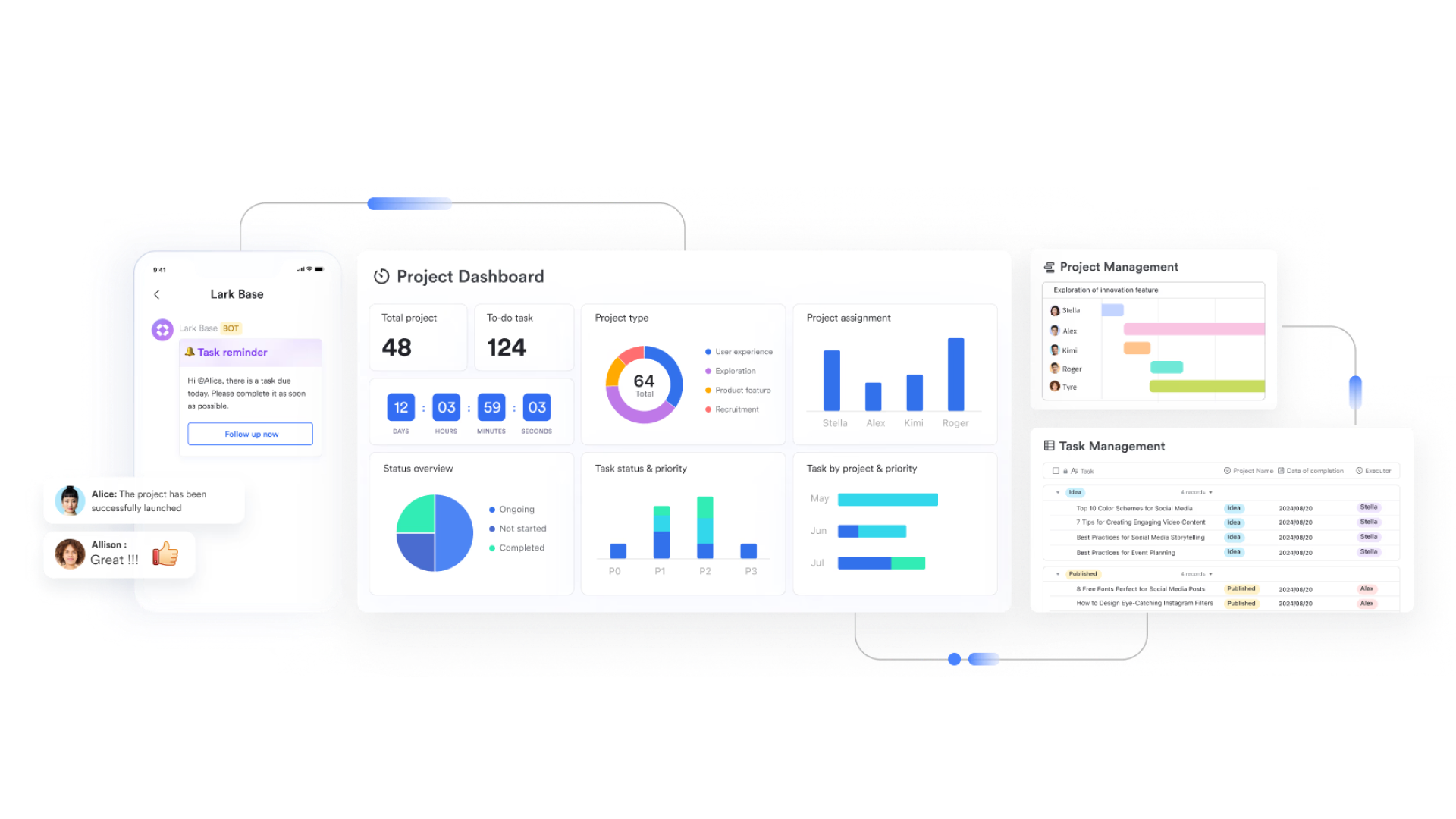
With Lark Base, teams can create structured cost tables to capture budgets, planned vs. actual expenses, contracts, and change orders. These aren't static spreadsheets—they're dynamic, collaborative databases.
- How it works: A project manager sets up a Base table with columns for "Budgeted Cost," "Actual Cost," "Vendor," and "Approval Status." Team members in the office or field can update entries, attach receipts, or comment directly on a line item.
- Example: In a construction project, a site engineer logs material costs from the field via mobile Lark, uploading invoices and tagging the finance team. This ensures the budget dashboard updates instantly, eliminating delays.
Unified approval workflows
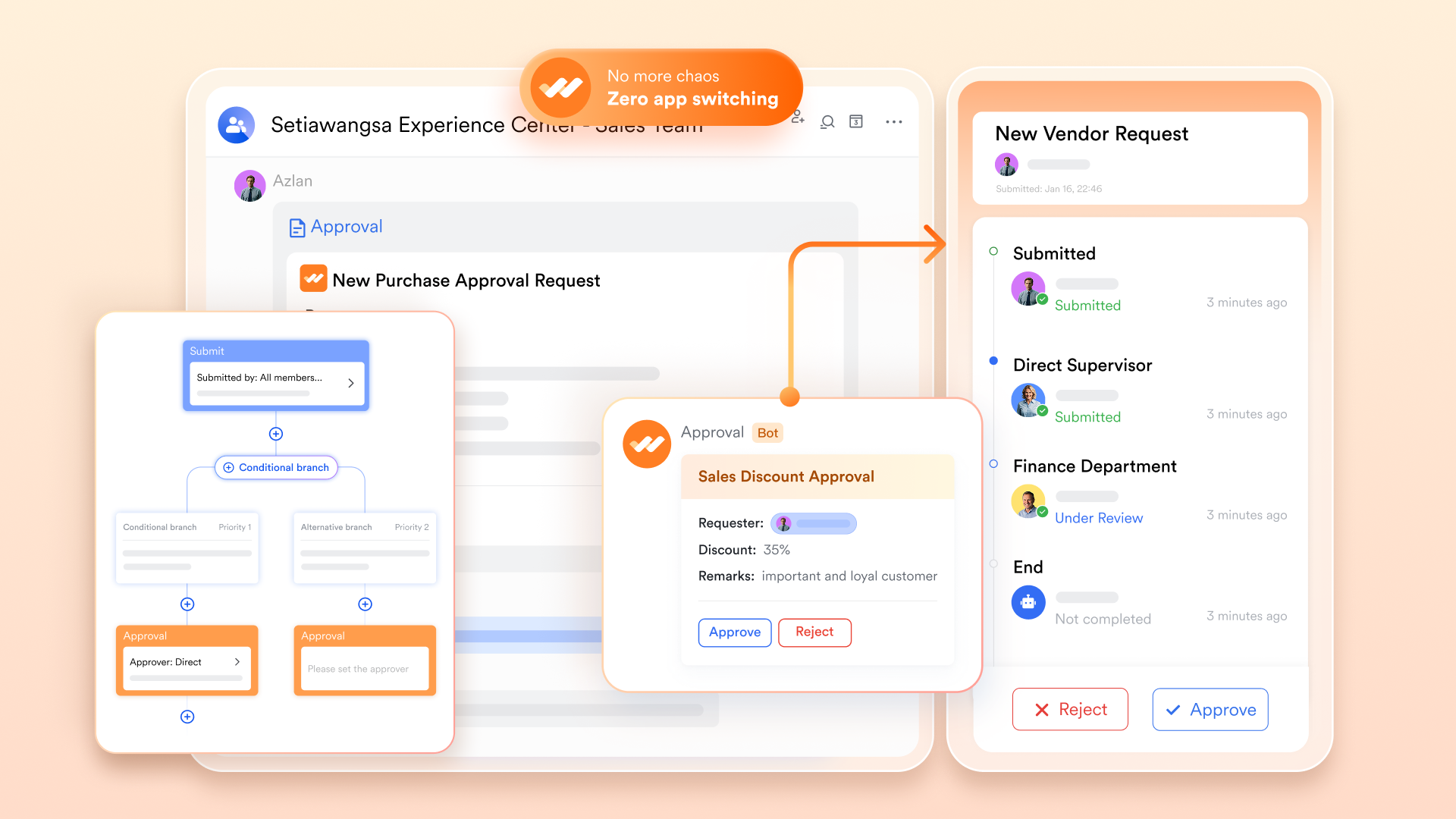
Approvals often delay projects, especially when multiple managers need to sign off. With Lark Approval and Base automation, multi-step workflows are seamless.
- How it works: When a team member submits a request for additional budget or a change order, stakeholders receive instant notifications in Lark Messenger or via mobile. Approvals, rejections, and all discussions are automatically time-stamped and linked to the relevant record.
- Example: An IT project requires purchasing extra software licenses. The request is submitted in Lark, routed to procurement and then finance. Both departments approve within minutes, and the approval trail is stored with the project budget for compliance.
Proactive alerts and cost overrun prevention
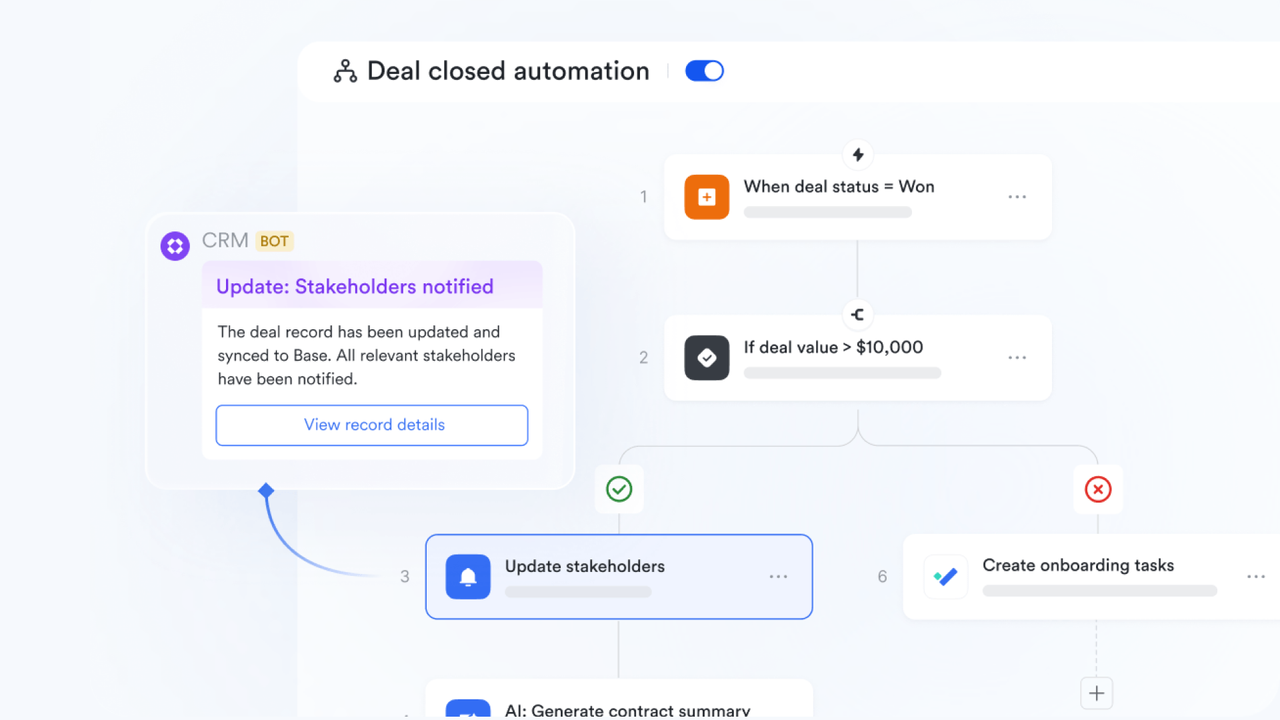
One of Lark's biggest strengths is its automated workflow rules. These allow managers to set real-time alerts for overspending or unusual expense patterns.
- How it works: If actual costs are projected to exceed budget within two weeks, Lark automatically notifies relevant managers through chat or mobile push.
- Example: A product development project forecasts equipment rentals exceeding budget by 15%. Lark flags the overrun, and the project lead receives a Messenger alert, enabling corrective action before the overspend occurs.
Centralized documentation and cost records
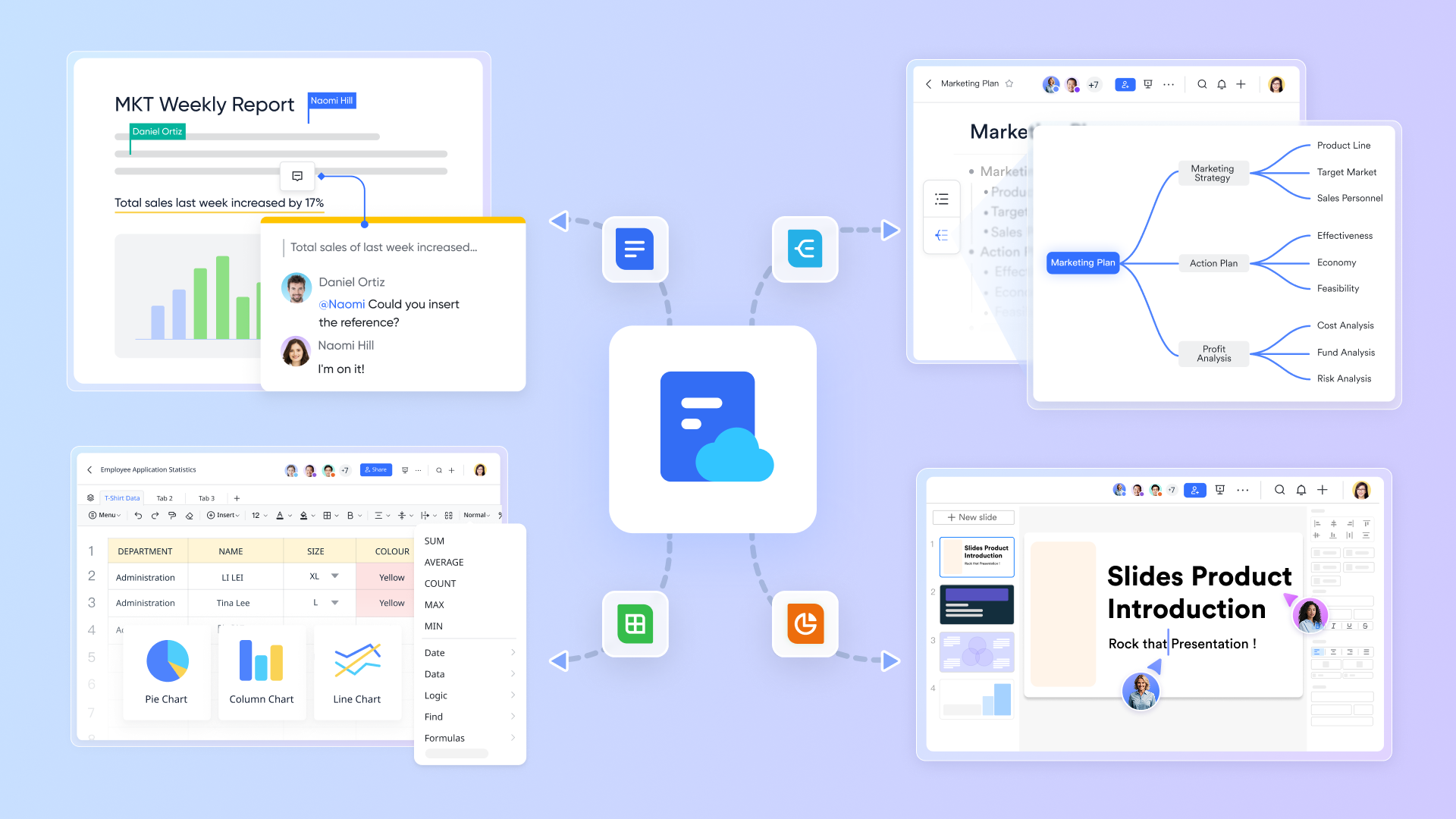
Cost tracking often suffers from scattered documentation. Lark solves this by attaching files directly to records.
- How it works: Contracts, invoices, and statements of work (SOWs) can be uploaded and linked to corresponding budget lines in Base. Everything is version-controlled and easy to retrieve.
- Example: During an audit, the finance team pulls up all vendor invoices for a project directly from Lark Base, without needing to sift through old emails or cloud folders.
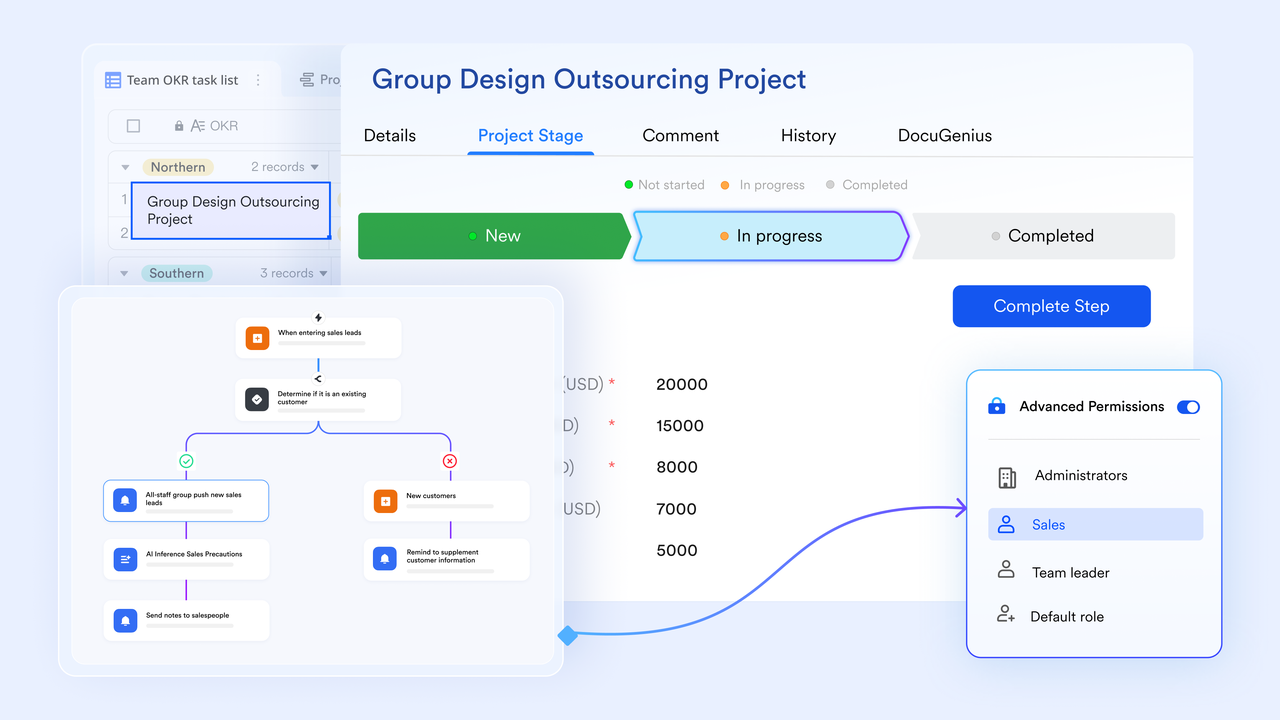
Advanced permission controls and data security
In multi-project environments, financial data must be both transparent and protected. Lark offers granular permissions.
- How it works: Team members can be restricted to view only relevant budgets, while finance and leadership maintain full oversight.
- Example: A construction firm runs five projects at once. Each project team sees only their project's costs, while the CFO has visibility across all projects.
- Starter plan: Free forever plan that includes Sheets, Docs, Base, and 8 other powerful tools for up to 20 users. It also comes with 100GB of cloud storage, 1000 automation runs, AI translations, and more.
- Pro plan: $12/user/month (billed annually) for up to 500 users. It includes everything in Starter plus group calling for up to 500 attendees, 15TB of storage, 50,000 automation runs, and more.
- Enterprise plan: Contact sales for custom pricing. Supports unlimited users and includes even more automation runs and advanced security, compliance, and management features.
2. Wrike: Cost dashboards and budget insights
Wrike is a powerful project cost tracking software designed for mid to large-scale teams managing complex projects. It provides interactive dashboards, real-time cost visibility, and automated budget reporting. Project managers can easily compare planned versus actual spending while tracking resource allocation. With its Gantt charts and customizable workflows, Wrike helps teams maintain both financial and operational control across every project phase.
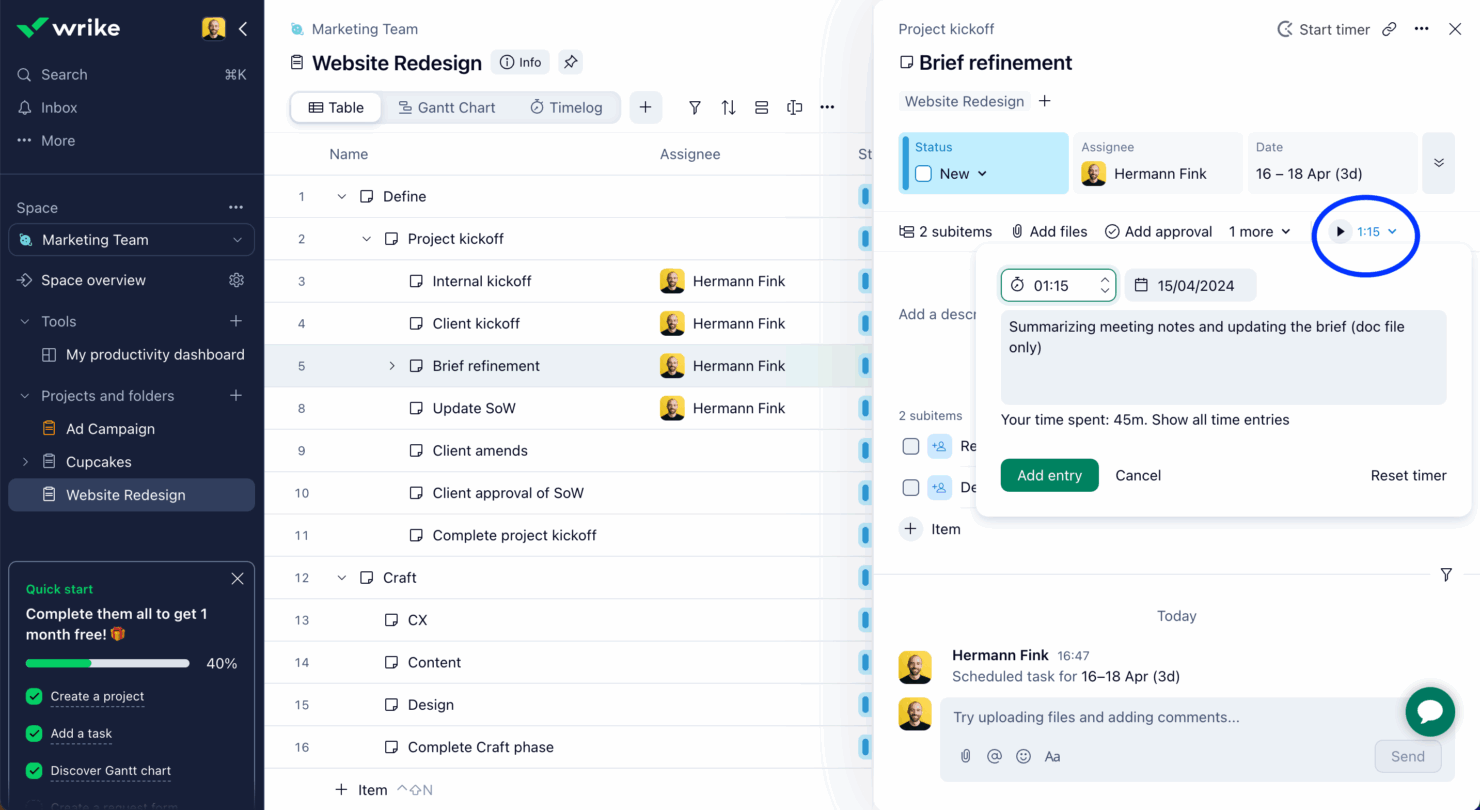
Image source: wrike.com
Key features:
- Advanced cost dashboards for visualizing planned vs. actual project spending in real time.
- Gantt charts and workload tracking to align resources and budgets efficiently.
- Automated project cost reporting that reduces manual data entry errors.
- Customizable financial workflows to match each department's budgeting needs.
- Integrations with accounting tools like QuickBooks and Xero for seamless financial management.
Pros:
- Highly visual dashboards for real-time cost tracking.
- Scalable for teams managing multiple large projects.
- Excellent reporting and analytics features for cost visibility.
- Integrates easily with CRMs, time trackers, and accounting tools.
Cons:
- Steeper learning curve for first-time users.
- Limited offline access and customization in lower plans.
Pricing:
- Free plan available.
- Team plan starts at $9.80/user/month.
- Business plan from $24.80/user/month with advanced reporting and dashboards.
3. Teamwork: Client project cost management tool
Teamwork simplifies billing, budgeting, and profitability tracking for client-focused organizations. It serves as an efficient project cost tracking system where teams can log billable hours, generate invoices, and monitor project budgets in one workspace. Agencies especially benefit from its built-in profitability reports and cost breakdowns by client. This makes Teamwork ideal for service-based companies that need complete transparency in client billing and resource utilization.
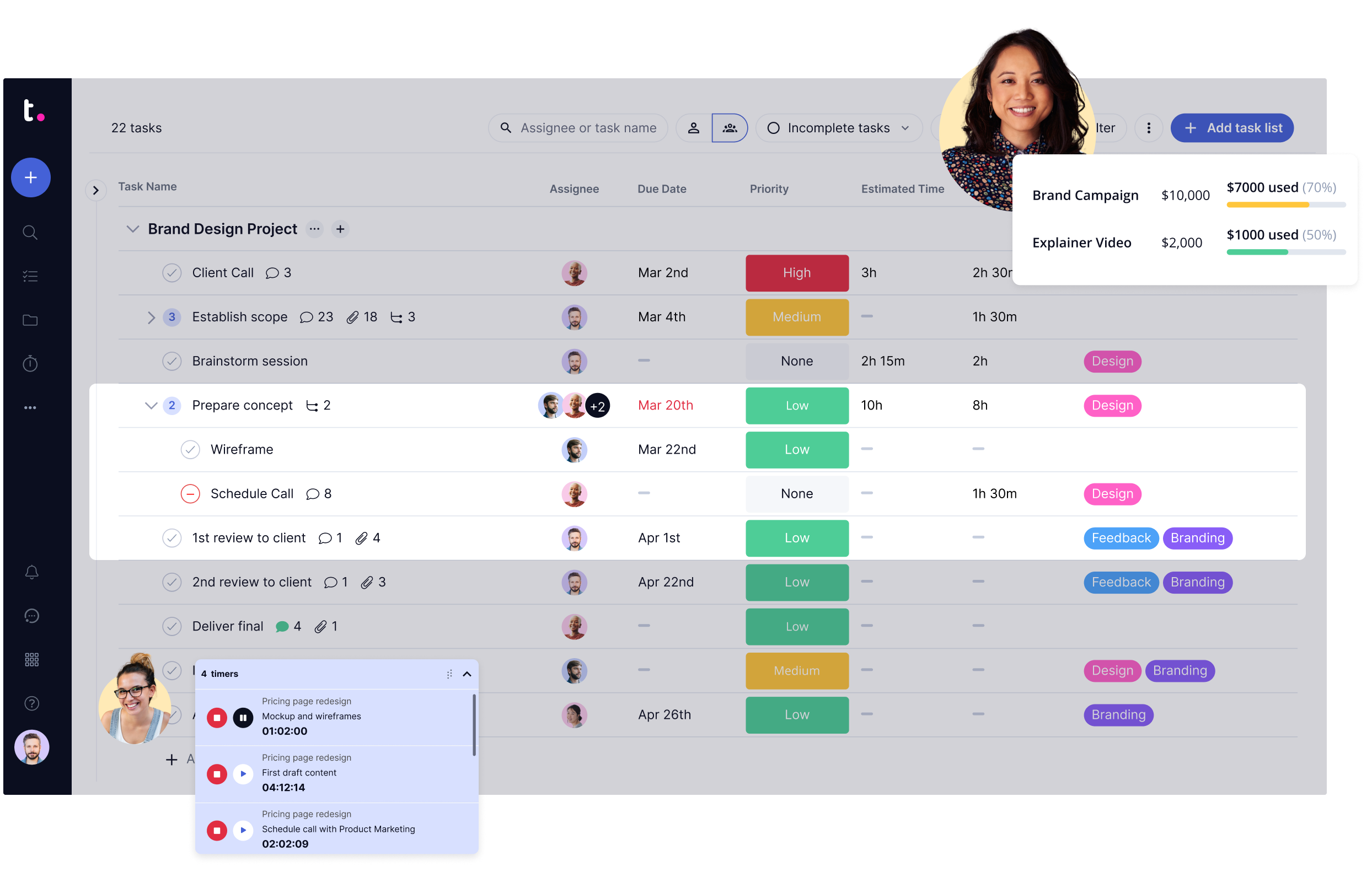
Image source: teamwork.com
Key features:
- Built-in billing and invoicing tools for transparent client cost reporting.
- Budget tracking and profitability monitoring for each client project.
- Time tracking linked to costs for precise billable hour calculations.
- Resource allocation insights to prevent team overbooking and budget overflow.
- Comprehensive project cost tracking system that supports agency workflows from proposal to payment.
Pros:
- Built-in invoicing and client billing streamline financial tracking.
- Excellent for agencies that bill by project or retainer.
- Offers detailed profitability and utilization reports.
- Integrates with QuickBooks and HubSpot for financial accuracy.
Cons:
- Interface feels cluttered with advanced configurations.
- Limited customization for non-service project types.
Pricing:
- Free plan for small teams.
- Starter plan at $5.99/user/month.
- Deliver plan from $9.99/user/month, includes budgeting and reporting.
4. Asana: Simple cost tracking for teams
Asana offers straightforward budget tracking through custom fields and app integrations, making it a flexible option for small to medium teams. As a lightweight project cost tracking software, it allows users to monitor spending alongside task progress and deadlines. Teams can use automation to flag over-budget tasks and generate visual reports. While not as advanced as dedicated accounting tools, Asana's simplicity makes it ideal for growing teams.
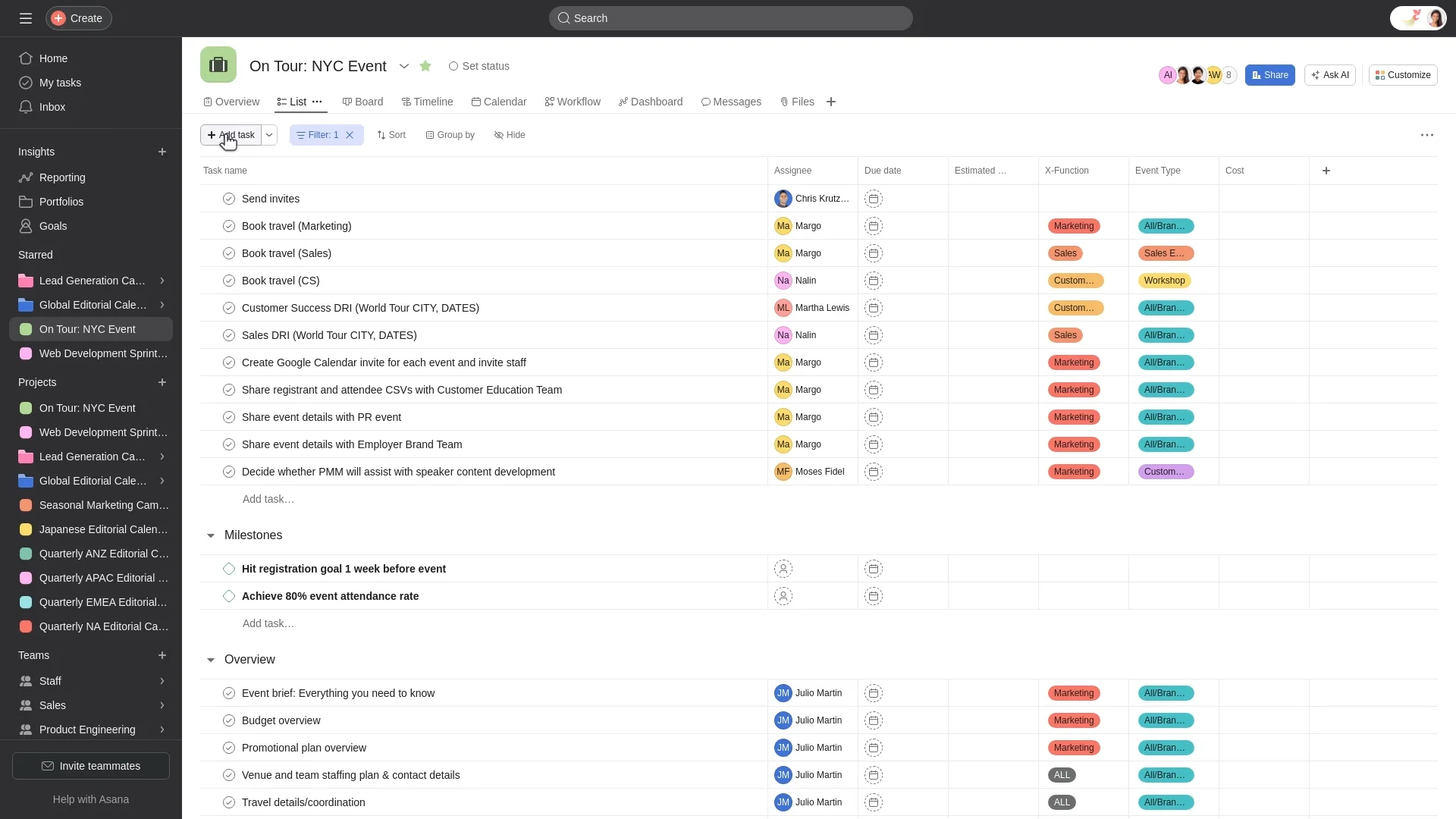
Image source: asana.com
Key features:
- Custom fields for budgets and expenses to track project spending alongside tasks.
- Timeline view to connect cost progress with project milestones.
- Integrations with financial apps like Harvest or Everhour for real-time cost updates.
- Rule-based automations that alert teams when expenses exceed thresholds.
- Simple reporting dashboards that visualize total project costs for stakeholders.
Pros:
- Intuitive interface that's easy for new teams to adopt.
- Integrates with expense and time tracking tools like Harvest.
- Visual timeline and dashboard help track budgets effectively.
- Great for small to mid-size teams managing lightweight projects.
Cons:
- No native budgeting or financial modules.
- Advanced cost tracking requires paid integrations.
Pricing:
- Basic plan: Free for up to 15 users.
- Premium plan: $10.99/user/month.
- Business plan: $24.99/user/month, includes advanced reporting.
5. Toggl Track: Time and expense tracker
Toggl Track is a user-friendly platform focused on time and expense management. It's a great entry-level tool for small businesses looking to improve their project cost tracking accuracy. Teams can log hours, assign costs per task, and generate quick financial summaries. Its clean interface and mobile compatibility make it especially useful for freelancers and remote teams managing multiple client projects.
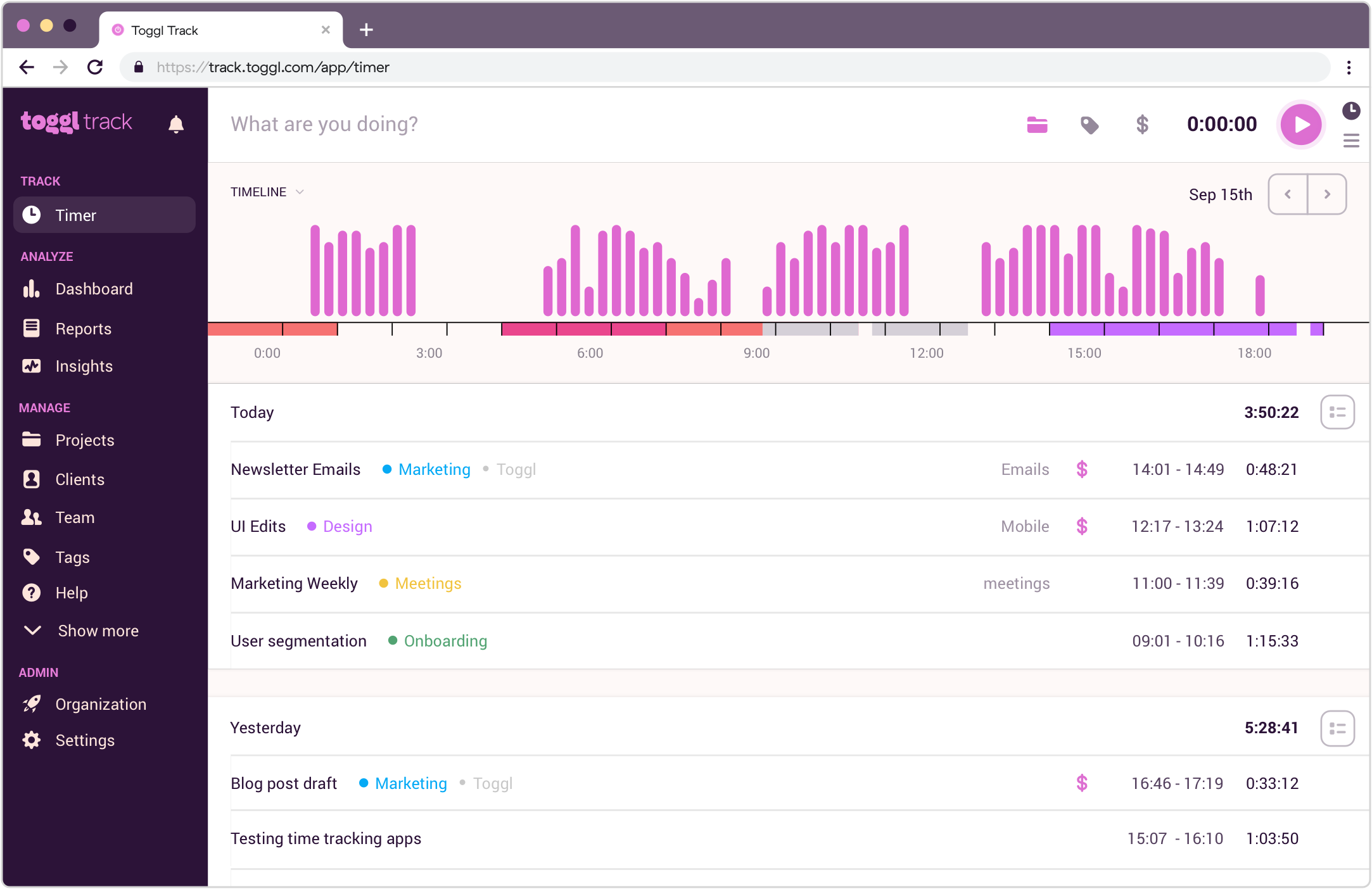
Image source: toggl.com
Key features:
- Time tracking with cost tagging for detailed labor expense breakdowns.
- Automatic cost summaries across multiple projects and clients.
- Budget notifications to alert teams when nearing spending limits.
- Custom reports for profitability, billable hours, and cost performance.
- Cross-platform tracking via desktop, mobile, and browser extensions.
Pros:
- Simple and clean interface for time and cost tracking.
- Budget alerts prevent overspending before it occurs.
- Generates profitability and cost efficiency reports instantly.
- Ideal for freelancers, consultants, and small businesses.
Cons:
- Lacks deeper project management features.
- Limited team collaboration tools.
Pricing:
- Free plan available.
- Starter plan: $9/user/month.
- Premium plan: $18/user/month, includes project forecasts and reports.
6. Procore: Construction cost tracking platform
Procore stands out as a dedicated construction project cost tracking software, built specifically for contractors and builders. It combines budget management, bid tracking, and cost forecasting within a unified dashboard. Project leads can monitor field expenses in real time while managing purchase orders and change orders directly from the platform. Procore helps construction firms reduce manual tracking errors and gain precise financial oversight across all job sites.
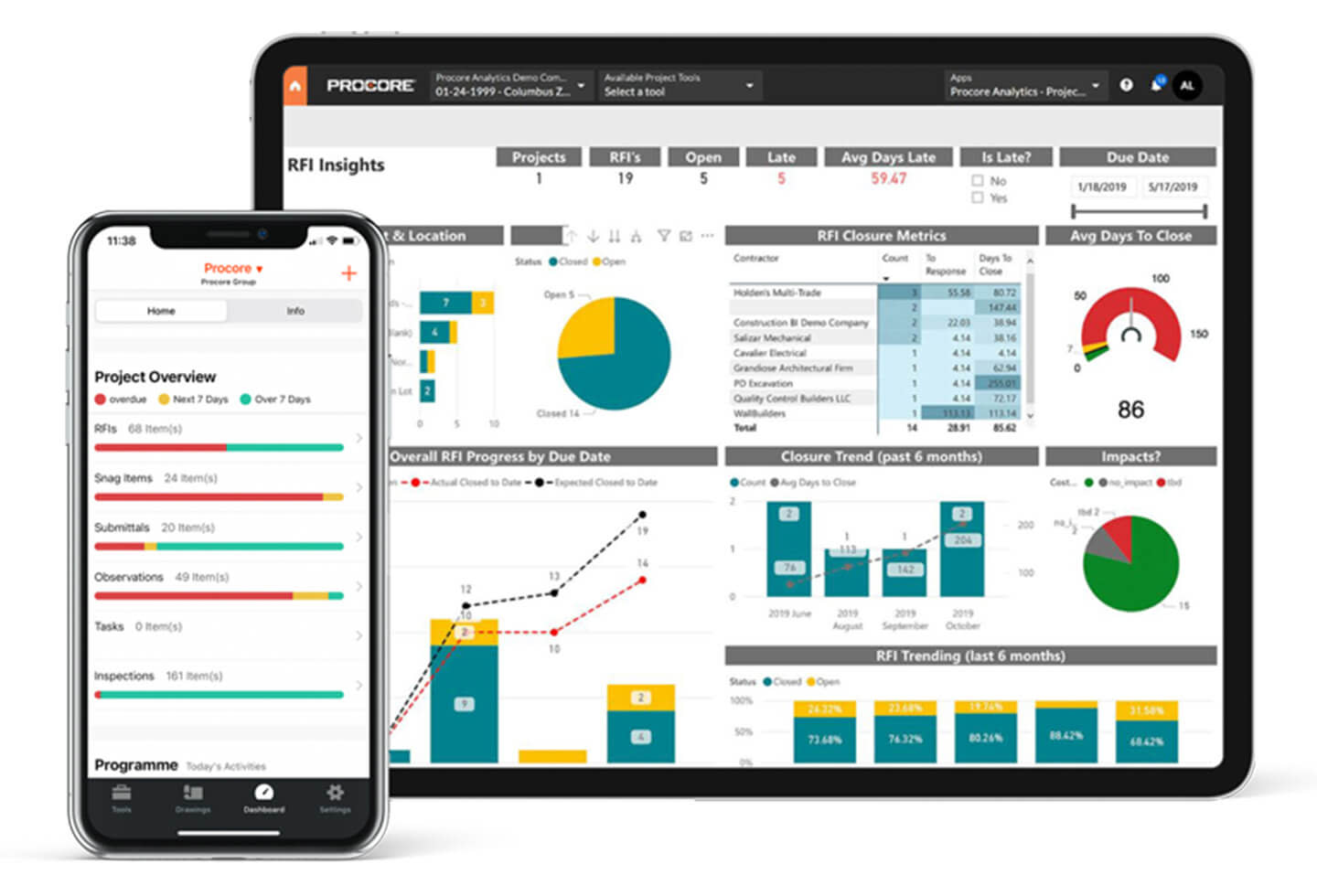
Image source: procore.com
Key features:
- Dedicated construction project cost tracking software built for contractors and builders.
- Comprehensive job cost management linking budgets, bids, and purchase orders.
- Change order tracking to manage adjustments and prevent budget creep.
- Real-time field updates so site teams can log expenses instantly.
- Detailed financial reports and forecasting tools for improved project profitability.
Pros:
- Purpose-built construction project cost tracking software for contractors.
- Real-time updates from field to office improve budget visibility.
- Robust bid, purchase order, and change order management.
- Strong mobile app support for on-site cost tracking.
Cons:
- Pricing is higher compared to general-purpose tools.
- Can be overwhelming for smaller construction firms.
Pricing:
- Custom pricing based on project size and modules.
- Demo and quote available upon request from Procore sales.
7. Monday.com: Visual budget and cost tracker
Monday.com delivers a colorful, intuitive interface for tracking budgets and resource spending. As a customizable project cost tracking system, it enables teams to design visual dashboards, set up automated workflows, and forecast future expenses. Teams can map financial milestones alongside project timelines for better visibility. It's especially useful for creative, IT, and marketing departments managing multiple concurrent projects.
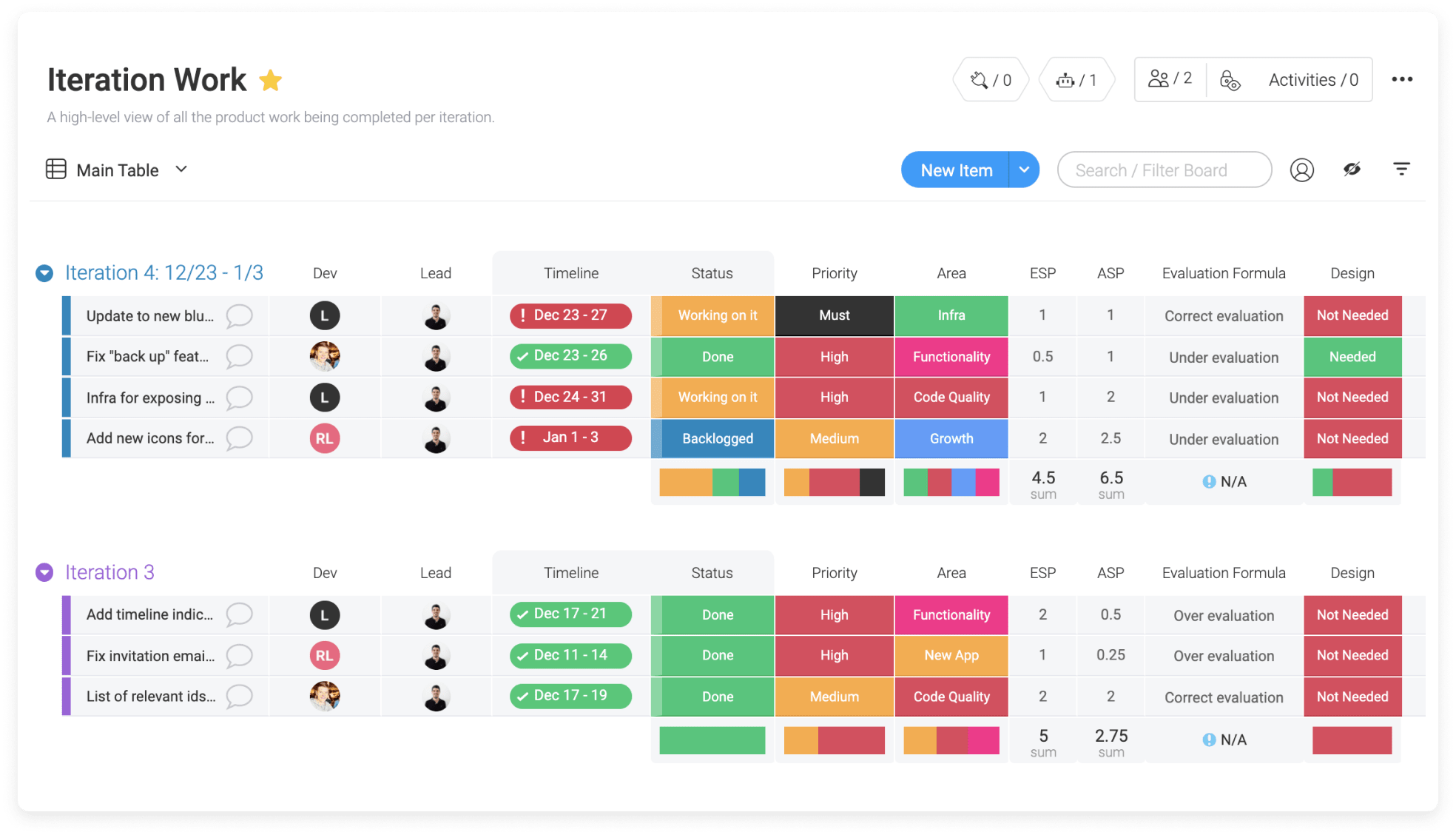
Image source: monday.com
Key features:
- Color-coded dashboards to visualize budgets, expenses, and progress at a glance.
- Automated workflows for purchase requests, approvals, and budget reviews.
- Customizable templates for cost tracking across multiple departments.
- Forecasting tools to predict spending trends and adjust in real time.
- Collaboration tools integrating chat, files, and updates within each budget board.
Pros:
- Highly visual and customizable dashboards.
- Supports automation for budget approvals and alerts.
- Flexible templates for multi-department financial tracking.
- Excellent for marketing, creative, and IT teams.
Cons:
- Reporting features limited in lower plans.
- Requires manual setup for cost tracking formulas.
Pricing:
- Free plan for 2 users.
- Basic plan: $9/user/month.
- Standard plan: $12/user/month, includes automations and dashboards.
Smartsheet: Enterprise cost tracking spreadsheet
Smartsheet bridges the gap between spreadsheets and enterprise-level project management. Acting as a flexible project cost tracking software, it supports automation, reporting, and integration with accounting tools like QuickBooks and Xero. Teams can create dynamic cost tables, monitor budget progress, and share live dashboards across departments. It's ideal for large organizations seeking scalable cost management without leaving the familiar spreadsheet format.
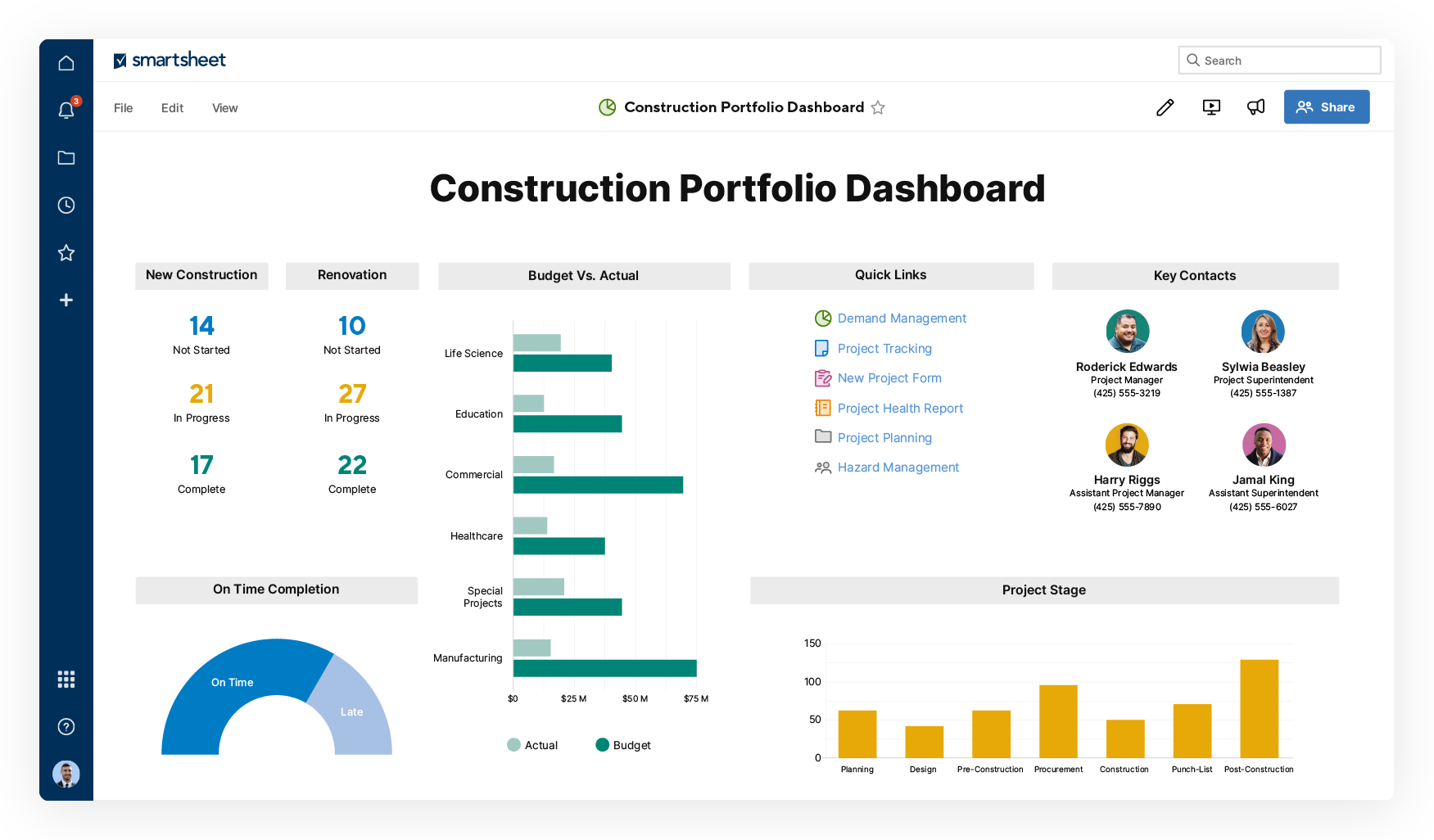
Image source: smartsheet.com
Key features:
- Spreadsheet-style interface for easy transition from Excel-based tracking.
- Automated data collection and reporting across departments.
- Budget dashboards and cost performance tracking for executives.
- Integration with accounting and ERP systems for consistent data accuracy.
- Robust project cost tracking software capabilities that scale for enterprise teams.
Pros:
- Familiar spreadsheet-style interface for easy adoption.
- Excellent automation and workflow capabilities.
- Integrates with ERP and accounting platforms.
- Scalable for large enterprises needing unified cost visibility.
Cons:
- Can feel formula-heavy for non-technical users.
- Mobile experience is less intuitive for complex sheets.
Pricing:
- Pro plan: $7/user/month.
- Business plan: $25/user/month.
- Enterprise pricing available on request with advanced security and admin features.
How to choose the right project cost tracking system
- Assess your team size and project complexity
Choose a solution that scales with your team's size and workload. The more complex your projects, the more you'll need features like multi-level budgets, automated approvals, and real-time analytics.
- Set a realistic budget for your software
Evaluate both subscription pricing and long-term ROI. Factor in per-user costs, add-ons, and storage limits. Free or affordable plans (like Lark's Starter plan) can work well for smaller teams, while enterprise-grade systems justify higher pricing with automation and compliance capabilities.
- Prioritize reporting and analytics capabilities
Look for project cost tracking software that provides customizable dashboards and real-time reporting. Dashboards should visualize cost performance, profitability, and budget trends. Advanced analytics allow you to forecast spending and identify risks early.
- Decide between cloud-based or on-premise solutions
Cloud-based systems (like Lark, Monday.com, Smartsheet) offer remote access, automatic updates, and seamless collaboration. On-premise tools may suit industries with strict data compliance but require higher maintenance costs and IT support.
- Evaluate scalability and collaboration features
Ensure the tool supports your long-term growth. As teams expand, you'll need multi-project dashboards, advanced permissions, and automation to maintain efficiency. Collaboration tools like Lark Messenger or Teamwork Chat help connect cost discussions with daily workflows.
- Consider industry-specific requirements
Not all tools fit every industry. Construction project cost tracking software (like Procore) includes field data and change order management. Service-based teams may need invoicing, while tech or creative firms focus on time tracking and profitability.
Conclusion
Effective project cost tracking is the backbone of successful project management. It ensures every dollar is accounted for, prevents overspending, and builds transparency between teams and clients. The right system not only monitors budgets but also empowers teams to make smarter, data-driven decisions.
Modern platforms like Lark make this process simpler by combining real-time collaboration, automated approvals, and financial visibility in one place. Whether you're managing construction budgets, IT deliverables, or client projects, Lark helps you stay organized and ahead of costs. Start with a structured system today—and let your team scale efficiently with tools designed for clarity, control, and profitability.
FAQs
What's the difference between project cost tracking and expense tracking?
Expense tracking focuses on individual transactions—like receipts or daily operational costs—while project cost tracking monitors all project-related financial activities across its full lifecycle. Cost tracking includes budgeting, forecasting, and performance measurement to ensure profitability. Platforms like Lark simplify this broader process by linking expenses, budgets, and approvals in one system, so teams can manage both granular and big-picture finances seamlessly.
Can project cost tracking be automated?
Yes, automation is one of the biggest advantages of using modern project cost tracking software. Tools like Lark Base let you create automated workflows that alert managers when budgets approach limits or when expenses need approval. Instead of manually updating spreadsheets, teams receive real-time notifications and can act immediately—reducing human error and saving time on repetitive financial updates.
How do you track project costs in Excel vs. Software?
Tracking project costs in Excel can work for small projects but becomes inefficient as teams grow. Spreadsheets lack automation, real-time updates, and collaboration features. In contrast, a project cost tracking system like Lark provides dynamic cost tables, live dashboards, and automatic calculations. It also centralizes files, messages, and approvals—eliminating version confusion and improving visibility across departments.
What industries benefit most from project cost tracking?
Almost every industry can benefit—from construction and IT to marketing and manufacturing. Construction project cost tracking ensures material, labor, and vendor expenses are controlled, while service industries track time, billing, and ROI. With Lark, teams across industries can customize cost tables, automate approvals, and integrate their budgeting workflows—all from one flexible, cloud-based platform.
How often should you update project cost tracking reports?
Ideally, project cost reports should be updated in real time or at least weekly, depending on project complexity. Real-time tracking allows immediate visibility into budget shifts and spending patterns. With tools like Lark Base, every edit or expense entry syncs instantly, ensuring reports are always accurate. This helps managers catch cost variances early and keep stakeholders informed without manual reporting delays.
Related reading
Table of contents
Start using Lark today

Manage all your work in one place
Boost team efficiency by 10x
Save up to 70% on software costs
Table of contents
Start using Lark today
Manage all your work in one place
Boost team efficiency by 10x
Save up to 70% on software costs
Keep reading







2026 Lark Technologies Pte. Ltd.
Headquartered in Singapore with offices worldwide.






Explore: