














Project Management for Non-Project Managers: Essential Guide & Tools

Ryan Tanner
Product Marketing Specialist
Sep 18, 2026
Ryan Tanner
Sep 18, 2026

21 min read


Many professionals handle projects without holding the official title of “project manager.” Whether leading a team or heading a department, tasks like coordinating resources, managing timelines, and monitoring progress often become part of their regular responsibilities.
Learning project management for non-project managers can make a significant difference. It improves delivery, creates clarity for teams, and increases your influence by helping you plan, communicate, and execute effectively. This article will cover the core principles of project management, explore its key phases, provide practical tactics for successful execution, and recommend tools to make managing projects easier and more efficient:
1. Lark: A smart project management hub with collaborative features
2. Asana: Visual project tracking and team coordination
3. Trello: Simple, visual task+project view
4. ClickUp: Flexible tasks, features, views
5. Monday: Templates and intuitive visual workflows
6. Wrike: Robust for project tracking
7. Microsoft Planner: Suited if you're in Microsoft ecosystem
8. Basecamp: Lightweight project-oriented communications
9. Notion: Flexible all-in-one workspaces with project pages
10. Smartsheet: spreadsheet lovers' project tool

What is project management (simplified for beginners)
Definition
Project management is the process of using knowledge, skills, tools, and techniques to meet project requirements. It ensures that objectives are achieved on time, within budget, and to the desired quality.
Operations vs. projects
Unlike routine operations, which are ongoing and repetitive, projects are temporary initiatives with a defined start and end, undertaken to achieve specific goals or deliverables. Understanding this distinction helps prioritize work and apply the right management approach.
The five broad phases of project management
- Initiation: Define the project, its purpose, and key stakeholders.
- Planning: Develop detailed plans for scope, schedule, resources, and risk management.
- Execution: Carry out project tasks and produce deliverables according to the plan.
- Monitoring & controlling: Track progress, manage changes, and ensure alignment with objectives.
- Closure: Finalize all activities, obtain approvals, and review lessons learned for future projects.
Core principles & mindsets you need
- Start with "The end in mind"
Begin every project by clearly envisioning the desired outcome. Knowing the end goal guides decision-making and helps prioritize tasks effectively.
- Define clarity
Establish clear scope, objectives, and deliverables. When everyone understands what success looks like, the team can focus efforts on achieving it without unnecessary confusion.
- Communication & stakeholder alignment
Regularly communicate progress, expectations, and changes. Keeping stakeholders informed ensures alignment and reduces misunderstandings that can derail a project.
- Risk awareness & change management
Anticipate potential obstacles and be prepared to adapt plans. Managing risks proactively and embracing change ensures smoother project execution.
- Accountability & ownership
Take responsibility for tasks and decisions. Clear ownership at every level keeps projects on track and builds trust across teams.
- Business acumen
Even without formal training, understanding business priorities and speaking the language of project management helps you influence decisions and connect your work to organizational goals.
Basic project management steps for non-project managers
- Initiation / definition
Start by clarifying who is involved, what the project is about, why it matters, and any constraints. This sets a clear foundation and ensures everyone understands the purpose and boundaries.
- Planning / design
Break the work into tasks, define timelines, and allocate resources. Planning helps visualize the workflow and anticipate potential challenges before execution begins.
- Execution
Coordinate the team, assign tasks, and facilitate collaboration. Execution is where plans turn into action, and effective communication is key to keeping progress on track.
- Monitoring & control
Track progress against the plan, identify deviations, and make adjustments as needed. Monitoring ensures that small issues don't become major setbacks.
- Closure / review
Wrap up the project by reviewing lessons learned, finalizing deliverables, and completing handoffs. Reflection helps improve future projects and ensures knowledge is retained for the team.
Take a glance at the best project management software for beginners
10 project management tools that work even if you're not a PM
1. Lark: A smart project management hub with collaborative features
Even if you've never been trained in project management, Lark makes it easy to organize, track, and deliver work on one connected platform. By combining tasks, docs, calendars, dashboards, and approvals in a single platform, it helps teams plan, collaborate, and track progress without juggling multiple tools. Each feature supports a specific need of non-project managers who handle ad-hoc initiatives or team goals:
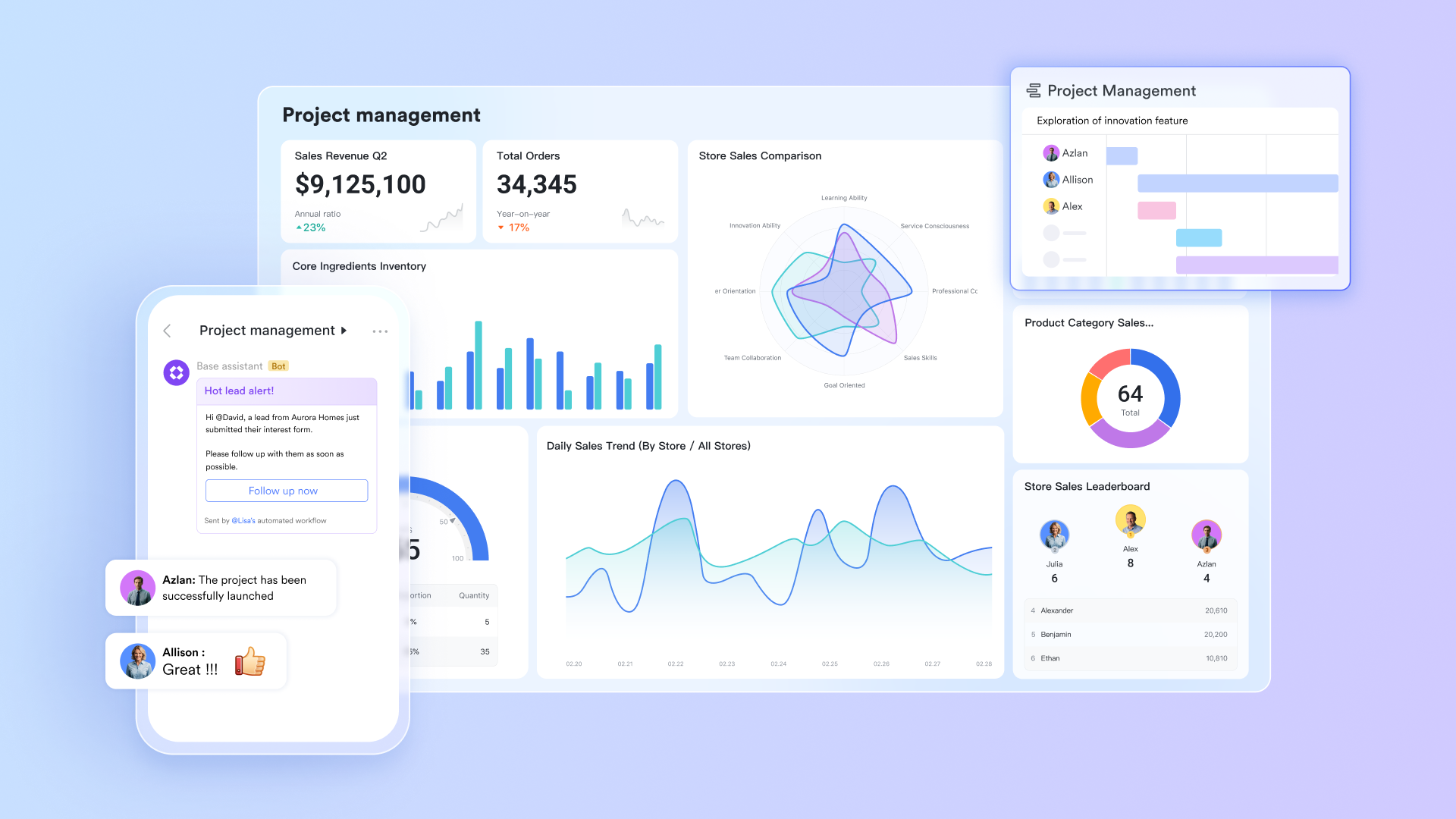
Lark Base: From planning to organized implementation
At the core of Lark is Lark Base, a versatile data hub where teams can simultaneously plan projects and oversee business operations. Business leaders can construct relational tables to monitor ongoing initiatives, allocate resources, and track key performance indicators. At the same time, project managers can connect deliverables, owners, and dependencies within a unified workspace.
For example, a marketing agency can keep one table that tracks company-wide campaigns (business perspective) and another that oversees ad deliverables (project perspective). Linking these tables enables executives to understand how daily creative efforts contribute to revenue objectives. By merging adaptability with structure, Lark Base bridges the strategic "why" of business management with the tactical "how" of project execution.
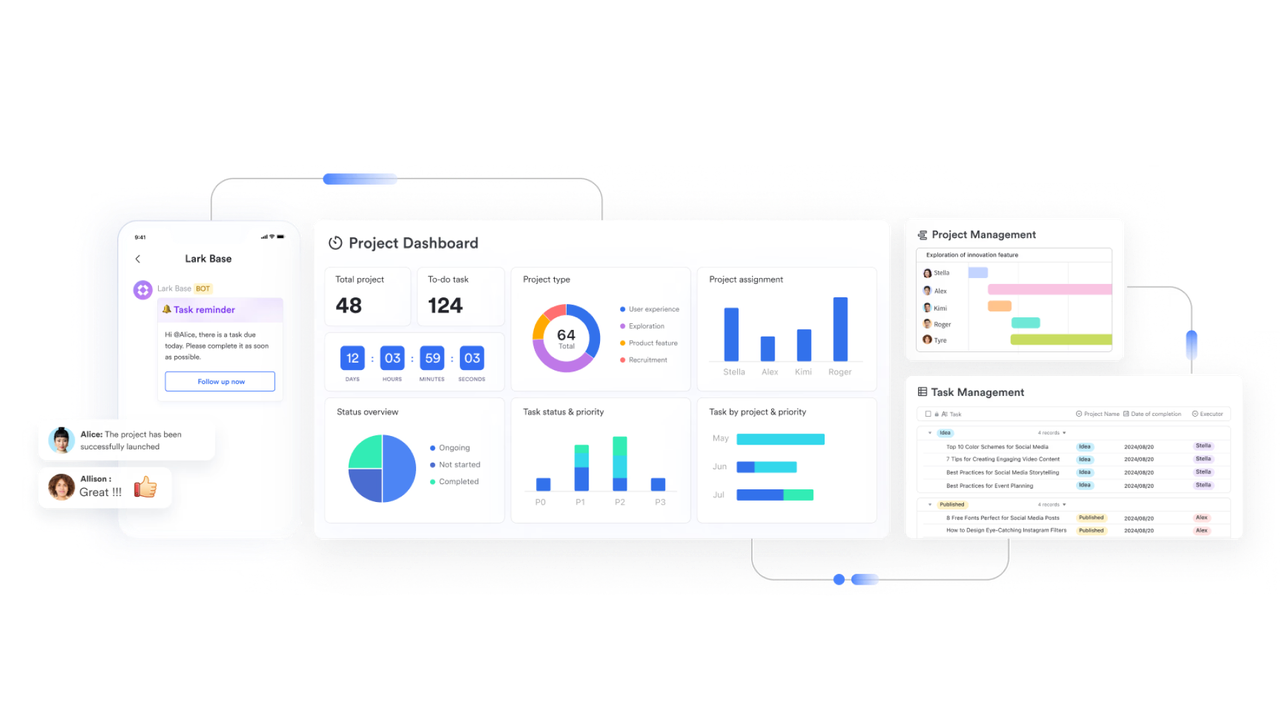
Lark Tasks: Transforming business strategies into executable tasks
While leaders concentrate on strategic direction, project teams require clear guidance on subsequent actions. Lark Tasks guarantees that business plans are converted into concrete steps. Managers can designate tasks with responsible individuals, deadlines, and interdependencies while monitoring progress in real time.
For instance, when a business objective in Lark Base is to "Introduce a new product line in Q2," related milestones automatically generate as project tasks for design, procurement, and marketing teams. As tasks are finished, Lark refreshes the overall business dashboard, ensuring that both managers and executives remain coordinated without the need for manual reporting.
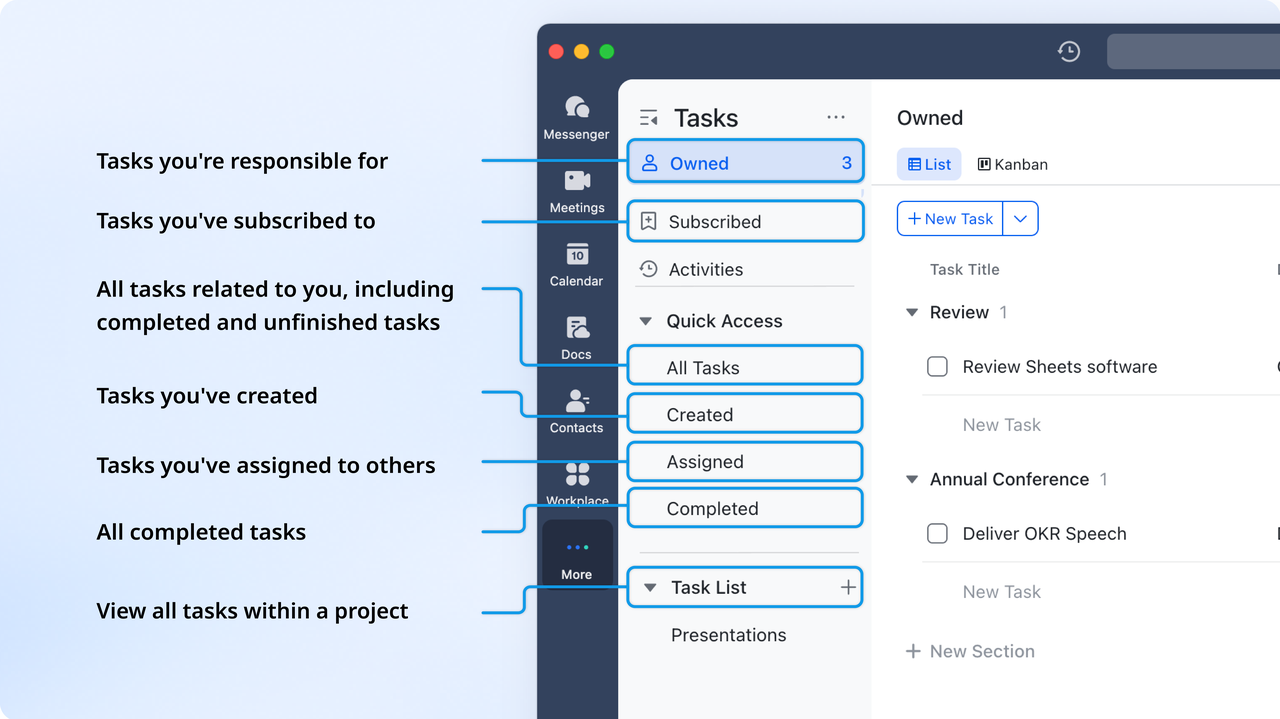
Lark Docs & Lark Wiki: Bringing together strategy, expertise, and teamwork
In many organizations, strategic planning and project documentation often exist in separate areas. Lark Docs & Wiki bridges that divide. Executives can detail yearly business goals in Docs, while project teams can collaboratively draft execution plans or campaign outlines within the same system. The Lark Wiki acts as a permanent archive for SOPs, templates, and best practices, making business knowledge readily accessible.
For example, a marketing team can document brand guidelines, tone of voice, and campaign templates in the Wiki, ensuring consistency across all client projects. Meanwhile, creative leaders can reference those same materials in Docs while planning new campaigns, keeping strategy and execution aligned. With real-time co-editing and commenting, Lark ensures that both strategic direction and daily execution remain connected and transparent for every team member.
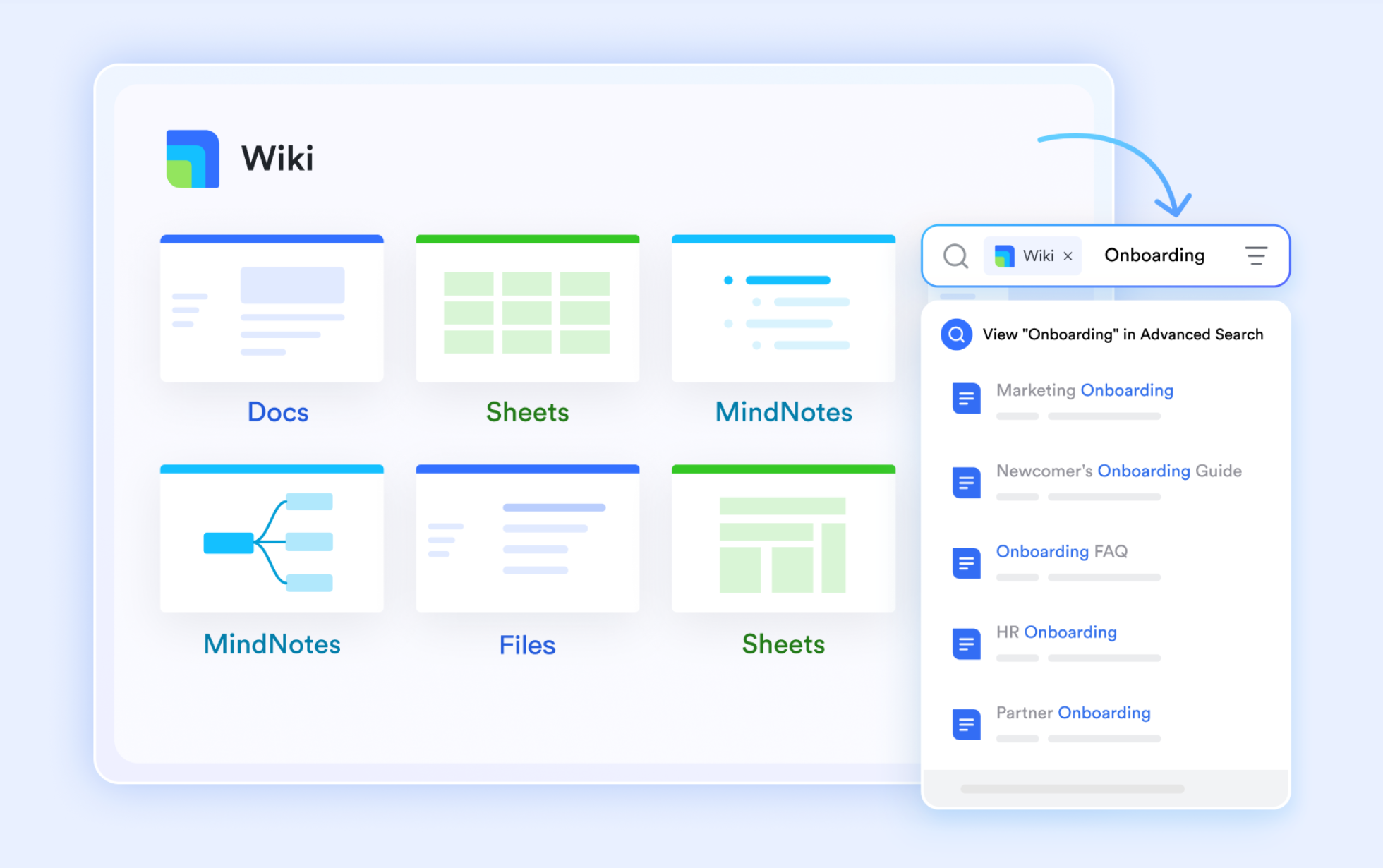
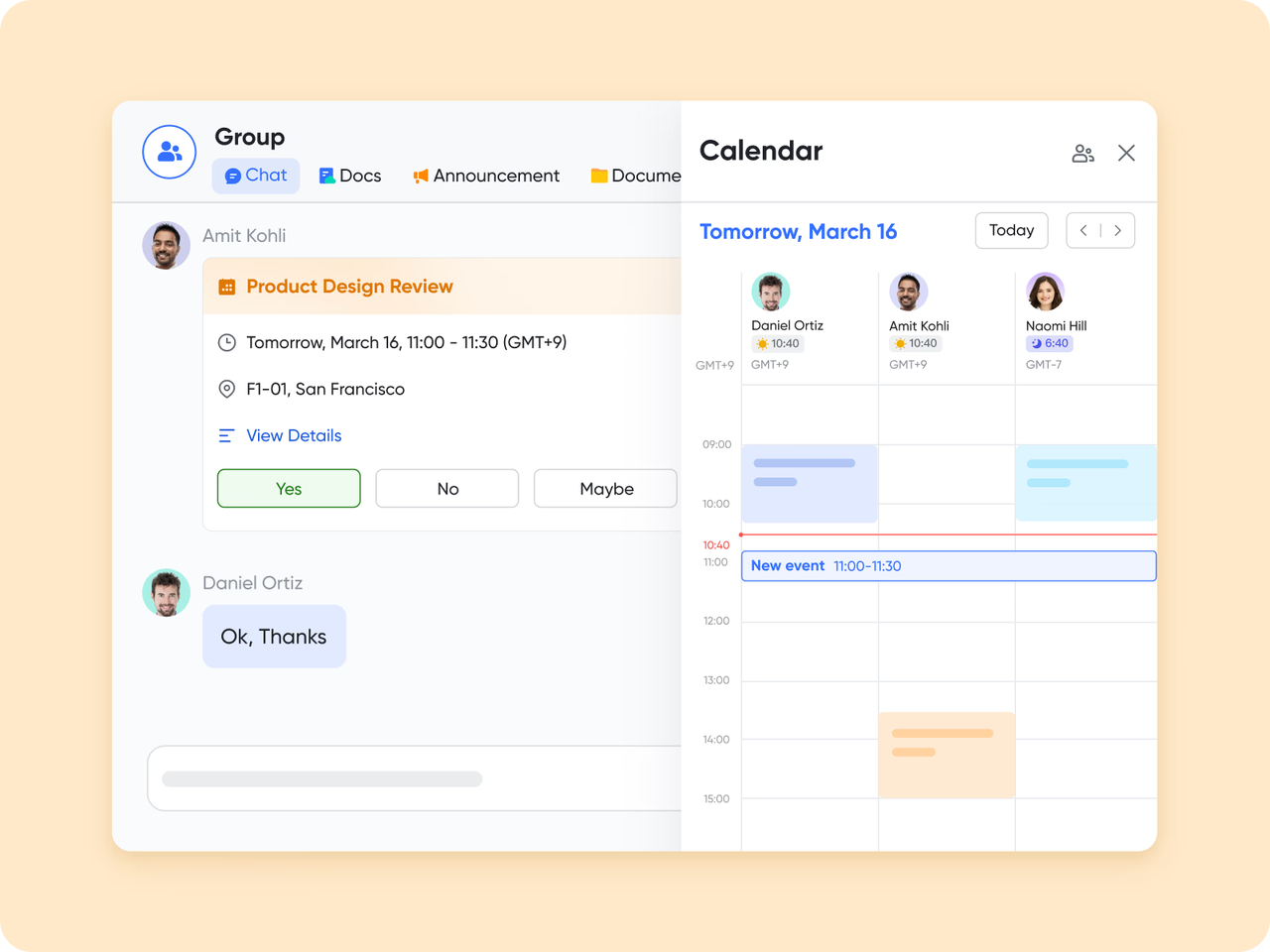
Lark Calendar: Aligning business priorities with project schedules.
Scheduling is frequently where business management intersects with the realities of project execution. With the Lark Calendar, organizations can synchronize executive planning meetings, project evaluations, and milestone check-ins in a unified view.
When a quarterly business meeting is arranged, it automatically meets the relevant project deadlines, avoiding scheduling conflicts and ensuring that essential deliverables are prepared for review. For instance, a product manager gearing up for an executive update can easily see when design, QA, and launch dates coincide — minimizing last-minute scrambles and enhancing time-to-market.
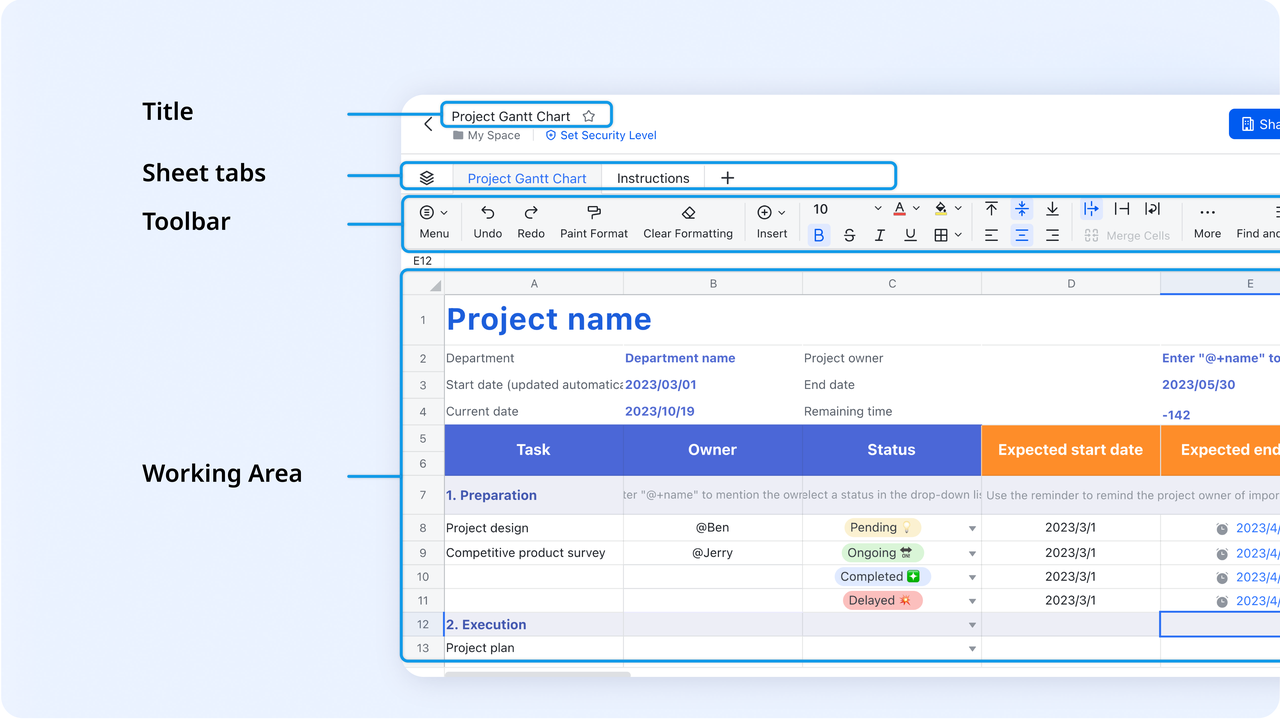
Lark Sheets: Transforming project into valuable business insights
When projects are in progress, maintaining visibility is essential for business leaders. Lark Sheets serves as the analytical workspace where teams record, calculate, and manage the key metrics that drive project success. From tracking budgets and timelines to monitoring resource allocation, Lark Sheets helps teams transform scattered project information into organized, decision-ready data.
Lark Sheets can also be combined with Lark Base to unleash even more powerful capabilities. Lark Base can then pull data directly from Lark Sheets to generate live dashboards that visualize performance, budget utilization, and progress. This seamless flow ensures that the numbers entered in Sheets—such as cost breakdowns, task completion rates, or timeline adjustments—instantly reflect in Base dashboards for real-time visibility.
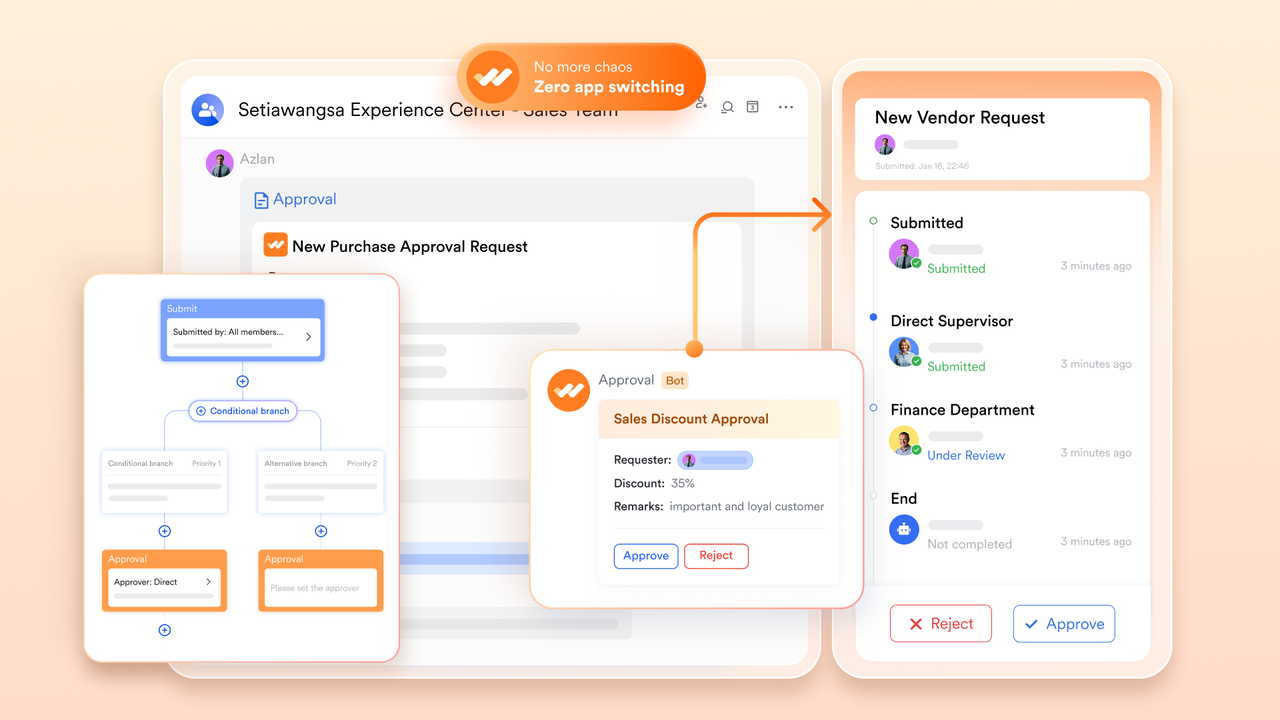
Lark Approval: Streamlining governance and responsibility
Efficient execution depends on having a clear framework — this is where Lark Approval business governance into project management. Teams have the ability to automate approval processes for budgets, proposals, or change requests, ensuring accountability while maintaining momentum. A project manager can present a scope expansion for approval, which is automatically directed to department leaders and finance before receiving final approval. Every action is documented, resulting in a clear audit trail for compliance and tracking performance. This approach replaces the disorganized email approval process with a cohesive, automated workflow that ensures decisions remain in line with business objectives.
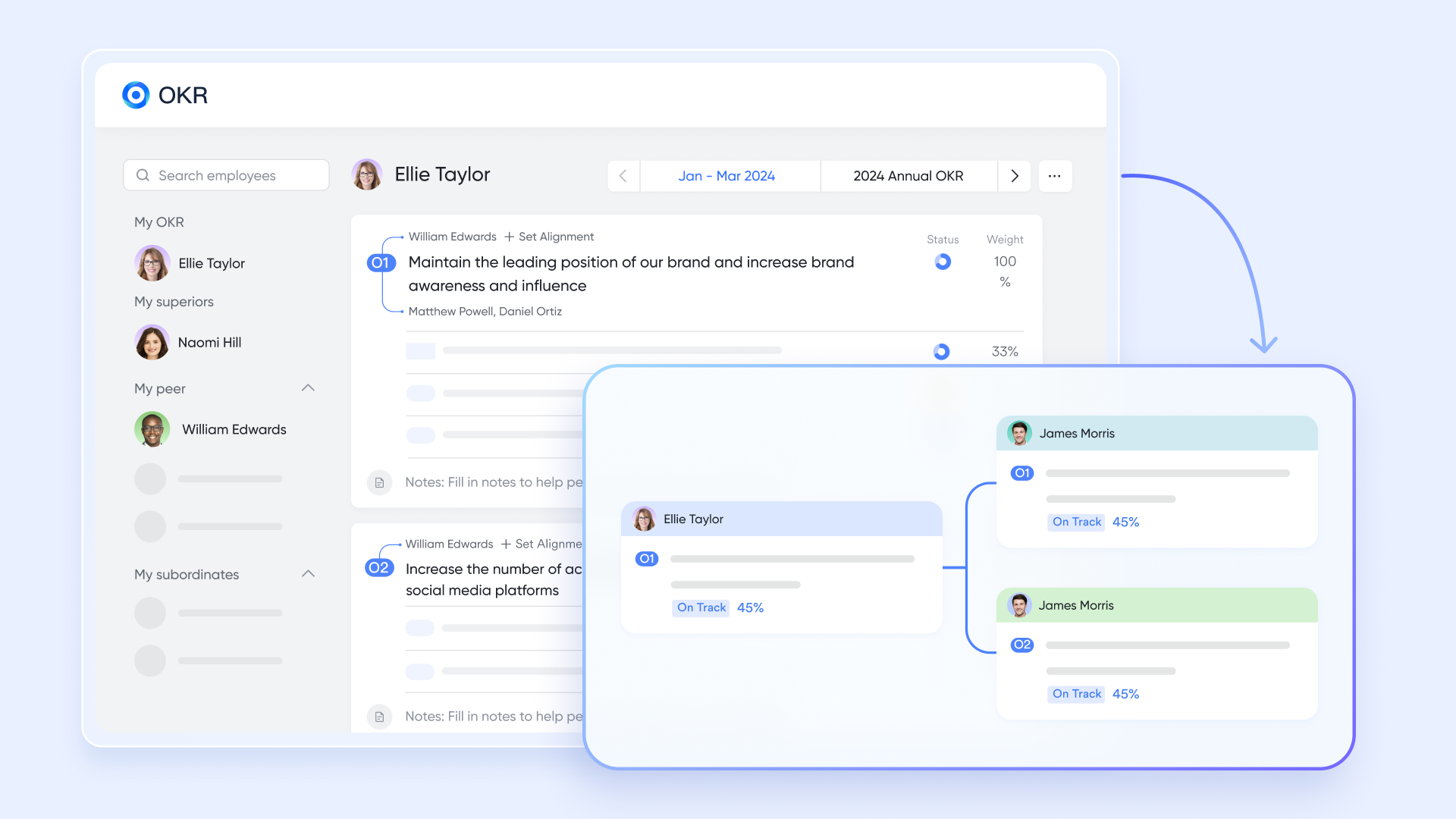
Lark OKR: Connecting execution to strategic results
No business strategy can thrive without a clear connection between objectives and actions. Lark OKR aligns company-wide goals with project-specific deliverables, ensuring everyone understands how their contributions fit into the overarching success.
For instance, a company's OKR aimed at "Increasing client retention by 20%" can be directly connected to customer success efforts, onboarding tasks, and renewal initiatives. As project teams achieve their milestones, updates to OKR progress occur automatically—providing leadership with a real-time view of how execution aligns with strategy. It's a straightforward yet impactful method to transform aspirations into quantifiable results.
Lark Messenger & Meetings: Maintaining a link for collaboration
Effective management hinges on ongoing communication. Lark Messenger empowers teams to collaborate on plans, communicate updates, and address obstacles all within the same workspace. Any message regarding a postponed milestone can quickly be transformed into a task, associated with a project, and monitored until completion.
Additionally, Lark Meetings enables teams to evaluate their progress during live sessions—about synchronizing data from Base, and future actions are recorded as new tasks. Picture a strategic meeting where executives evaluate a product delay; in just a few moments, the related project task is updated, a follow-up is arranged, and accountability is established clearly.
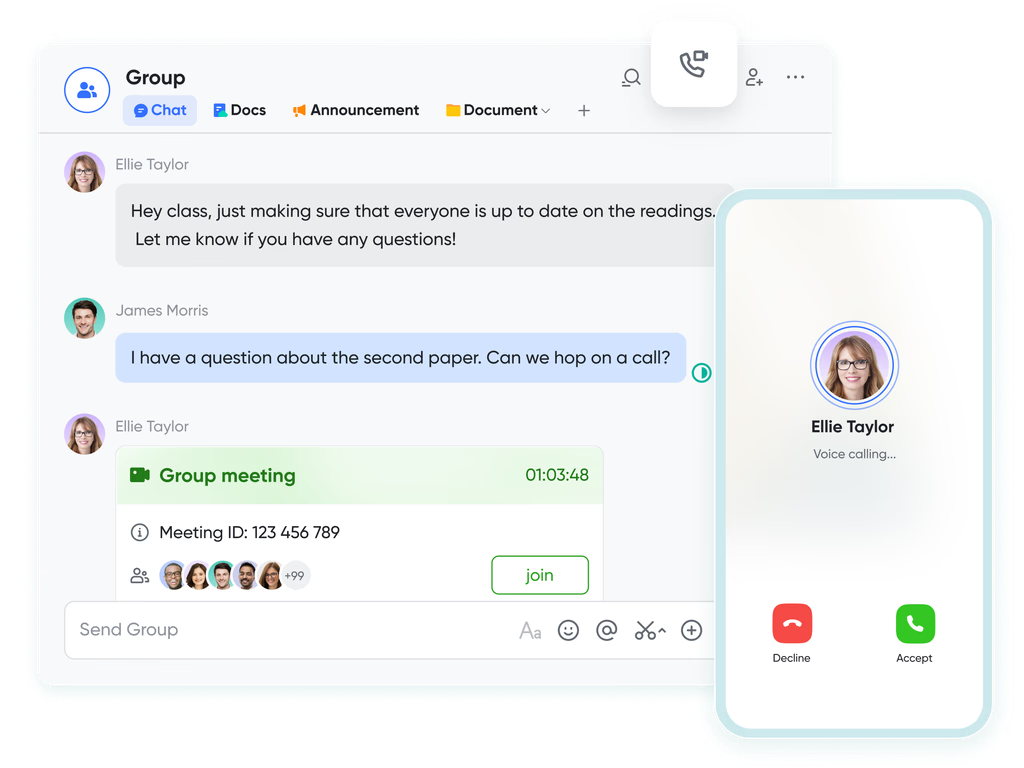
- Starter plan: Free forever plan that includes Sheets, Docs, Base, and 8 other powerful tools for up to 20 users. It also comes with 100GB of cloud storage, 1000 automation runs, AI translations, and more.
- Pro plan: $12/user/month (billed annually) for up to 500 users. It includes everything in Starter plus group calling for up to 500 attendees, 15TB of storage, 50,000 automation runs, and more.
- Enterprise plan: Contact sales for custom pricing. Supports unlimited users and includes even more automation runs and advanced security, compliance, and management features.
2. Asana: Visual project tracking and team coordination
Asana is a project and task management tool built to help teams coordinate work more transparently and efficiently. For retail teams, that means aligning merchandising, store operations, marketing, and supply chain tasks under one roof. It offers ways to assign tasks, schedule timelines, automate repetitive work, and monitor progress — all with an eye toward keeping everyone on the same page.
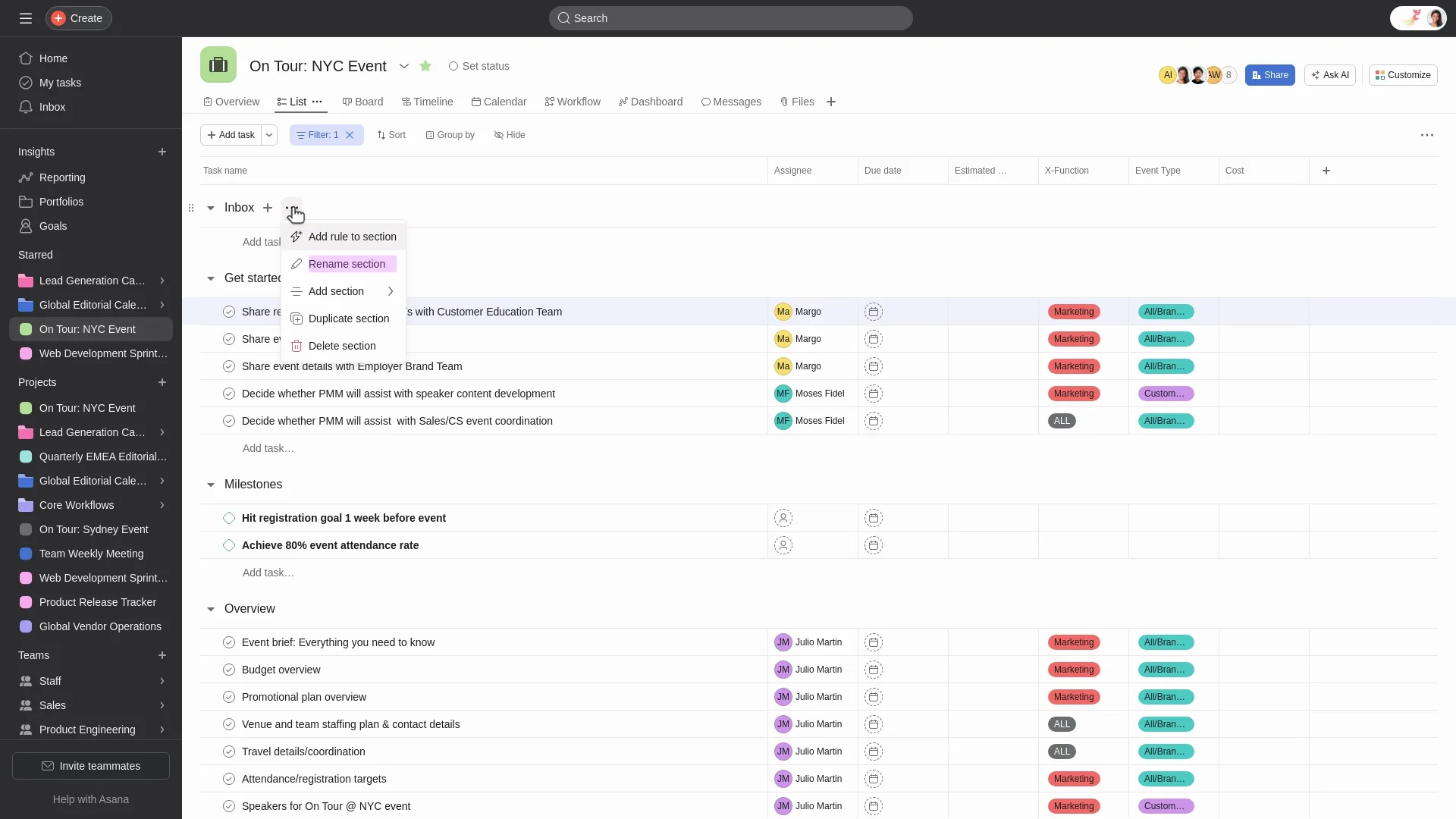
Image source: asana.com
Functional overview:
- Task & project views: Asana supports multiple views (list, board, calendar, timeline) so teams can visualize tasks in different ways depending on what works best.
- Automation via rules & forms: You can set triggers and workflows (e.g. this task moves here when that's done, or a request form feeds directly into tasks). Helpful for things like inventory alerts or approval flows.
- Collaboration & communication: Teams can comment, tag each other, share files, see status updates in dashboards. This keeps cross-department communication clear.
- Goal & portfolio tracking: Beyond individual tasks, Asana lets you track higher-level goals, link multiple projects together, see how they're progressing. Useful for retail initiatives like seasonal campaigns or store roll-outs.
- Security & permissions: Controls for who can see or edit what, roles, permissions, data security, SSO (single sign-on), two-factor auth etc. Makes it safer and more manageable at scale.
3. Trello: Simple, visual task+project view
Trello is a visual project management tool that utilizes boards, lists, and cards to organize tasks and workflows. Its intuitive interface and flexibility make it a popular choice for teams seeking a straightforward, visual approach to task coordination.
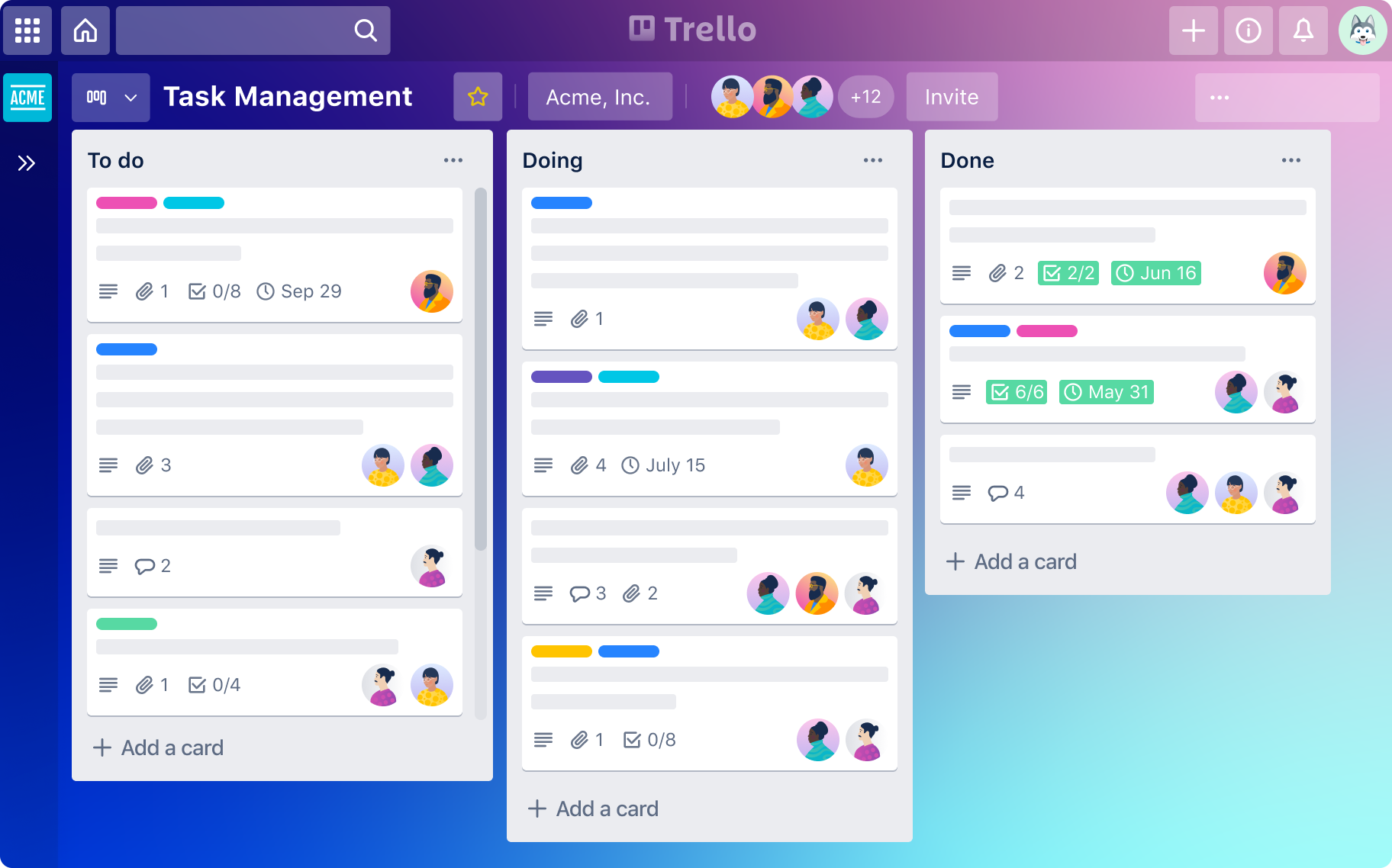
Image source: trello.com
Functional overview:
- Visual organization: Trello employs boards to represent projects, lists for task categories, and cards for individual tasks. This structure allows teams to easily visualize and manage their workflows.
- Checklists and due dates: Within each card, users can add checklists to break down tasks into smaller steps and set due dates to ensure timely completion.
- Labels and attachments: Cards can be color-coded with labels for categorization and priority setting. Additionally, users can attach files directly to cards, centralizing all relevant information.
- Comments and notifications: Team members can comment on cards, facilitating communication and collaboration. Notifications keep everyone informed about updates and changes.
- Power-ups : Trello offers power-ups with other tools like Slack, Google Drive, and calendar applications, enhancing its functionality.
4. ClickUp: Flexible tasks, features, views
ClickUp is a comprehensive project management platform designed to streamline workflows, enhance team collaboration, and provide real-time insights. Its robust features make it suitable for retail teams managing complex projects across multiple locations and departments.
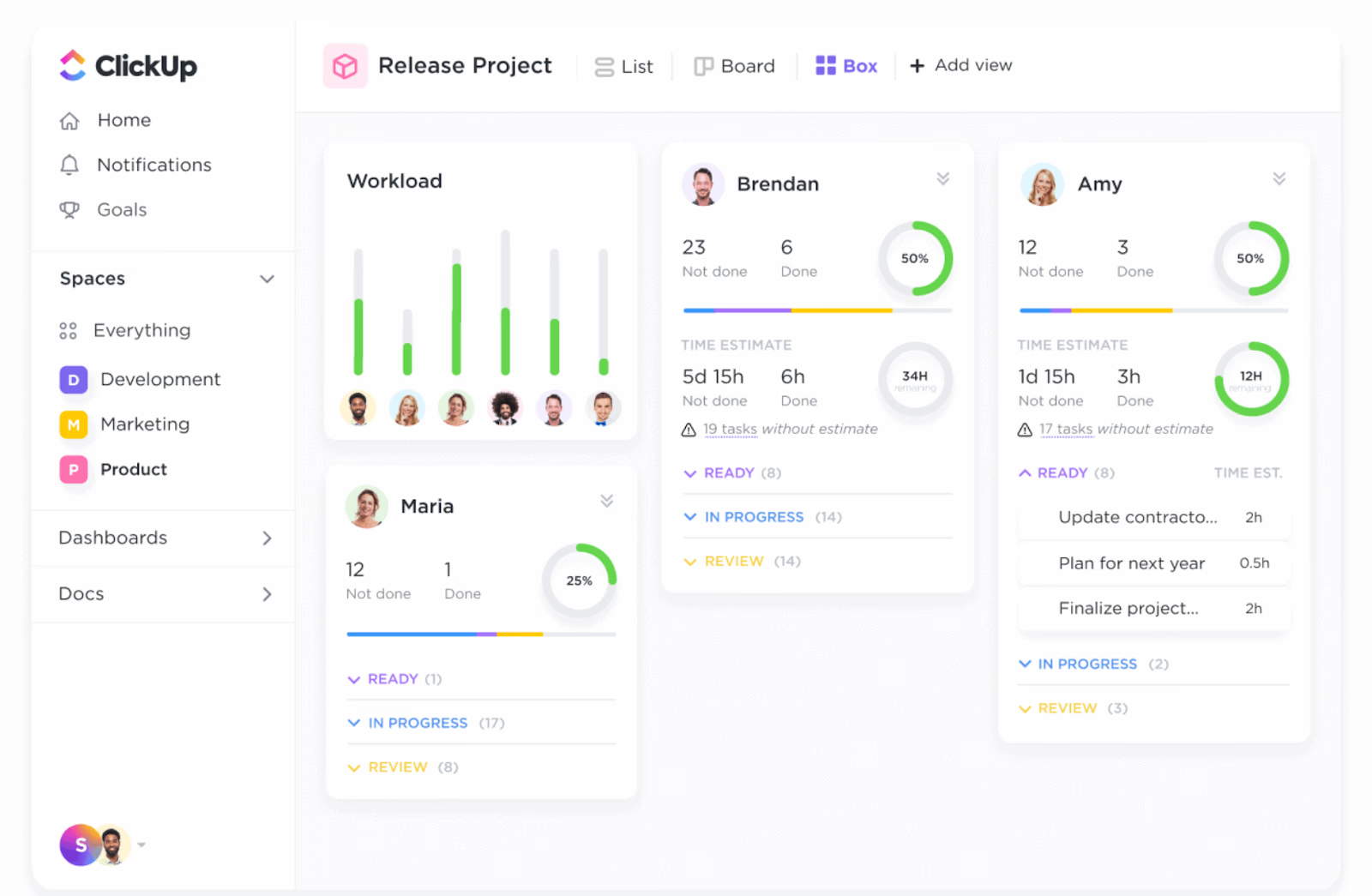
Image source: clickup.com
Functional overview:
- Customizable dashboards: ClickUp allows users to create personalized dashboards to track project progress, budgets, timelines, and team workloads, providing a comprehensive overview of all ongoing tasks.
- Visual project tracking: The platform offers various views, including Gantt charts, Kanban boards, and calendars, enabling teams to visualize tasks and dependencies effectively.
- Automation: ClickUp supports automation of repetitive tasks, such as status updates and notifications, reducing manual effort and increasing efficiency. Additionally, AI predicts project risks and generates detailed reports.
- Resource and time management: ClickUp provides tools for resource planning, time tracking, and budgeting, helping teams allocate resources effectively and manage project costs.
- Collaboration tools: Teams can communicate in real-time, share files, and provide feedback directly within the platform, ensuring seamless collaboration.
5. Monday: Templates and intuitive visual workflows
Monday.com is a versatile work operating system designed to streamline project management through customizable workflows, automation, and real-time collaboration. Its visual interface and robust features make it suitable for retail teams managing complex projects across multiple locations and departments.
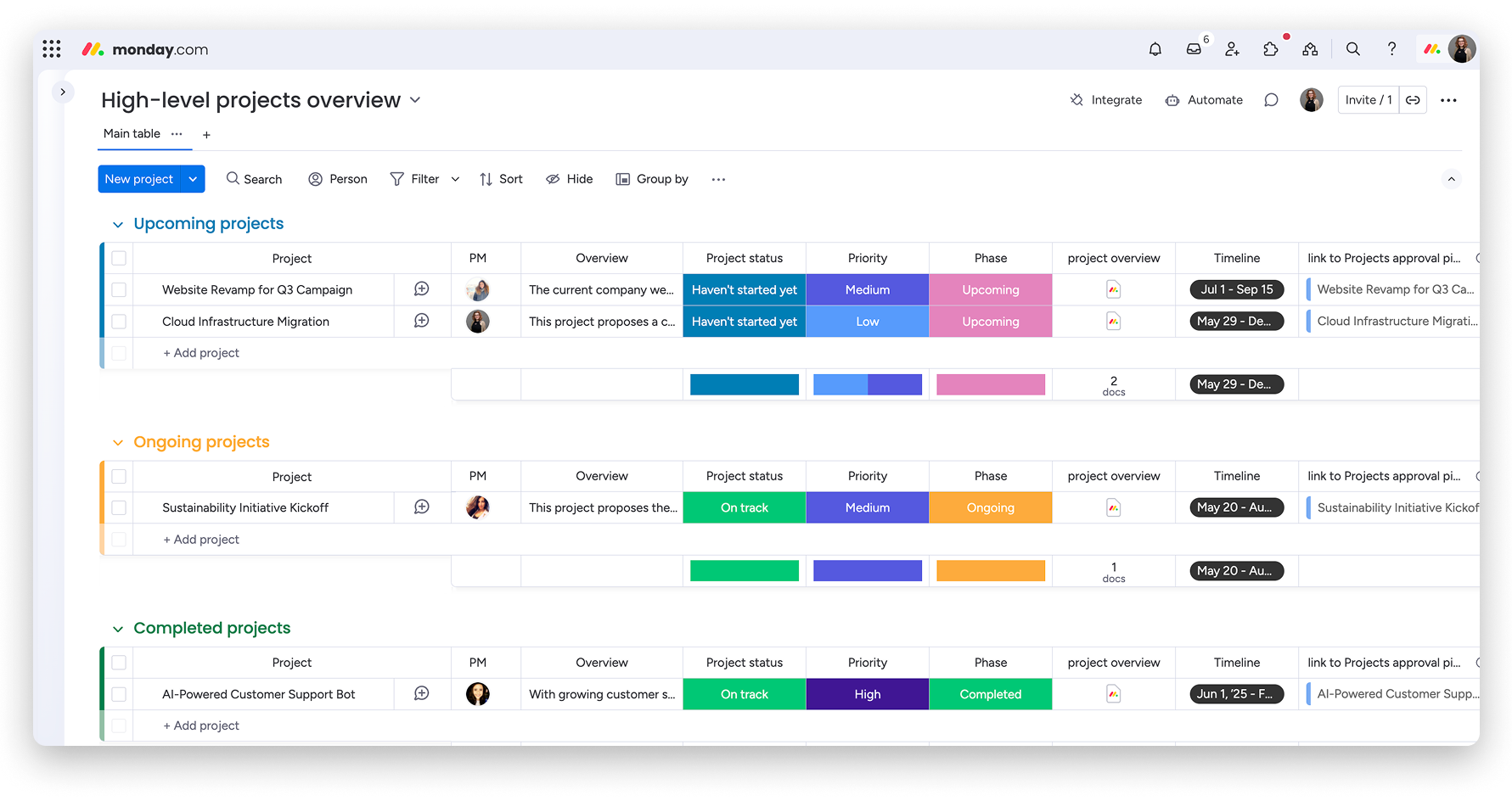
Image source: monday.com
Functional overview:
- Customizable dashboards: Monday.com allows users to create personalized dashboards to track project progress, budgets, timelines, and team workloads, providing a comprehensive overview of all ongoing tasks.
- Visual project tracking: The platform offers various views, including Kanban, Gantt charts, and timelines, enabling teams to visualize tasks and dependencies effectively.
- Automation: Monday.com supports automation of repetitive tasks, such as status updates and notifications, reducing manual effort and increasing efficiency.
- Collaboration tools: Teams can communicate in real-time, share files, and provide feedback directly within the platform, ensuring seamless collaboration.
6. Wrike: Robust for project tracking
Wrike is a comprehensive project management and collaboration platform designed to streamline workflows, enhance team collaboration, and provide real-time insights. Its robust features make it suitable for retail teams managing complex projects across multiple locations and departments.
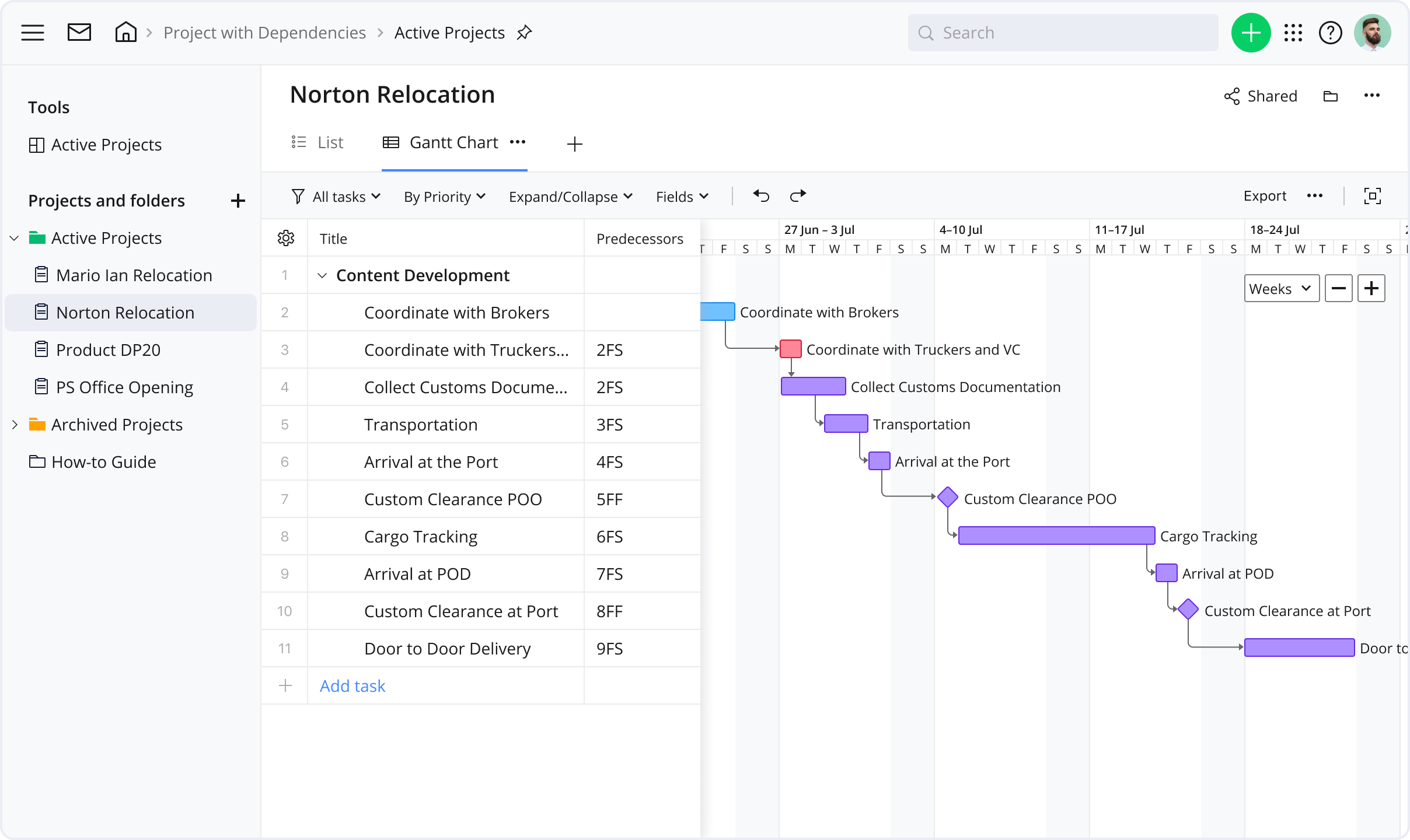
Image source: wrike.com
Functional overview:
- Customizable dashboards: Wrike allows users to create personalized dashboards to track project progress, budgets, timelines, and team workloads, providing a comprehensive overview of all ongoing tasks.
- Visual project tracking: The platform offers various views, including Gantt charts, Kanban boards, and calendars, enabling teams to visualize tasks and dependencies effectively.
- Automation: Wrike supports automation of repetitive tasks, such as status updates and notifications, reducing manual effort and increasing efficiency. Additionally, AI predicts project risks and generates detailed reports.
- Resource and time management: Wrike provides tools for resource planning, time tracking, and budgeting, helping teams allocate resources effectively and manage project costs.
- Collaboration tools: Teams can communicate in real-time, share files, and provide feedback directly within the platform, ensuring seamless collaboration.
7. Microsoft Planner: Suited if you're in Microsoft ecosystem
Microsoft Planner is an intuitive project management tool integrated within the Office 365 ecosystem. It helps teams organize tasks, manage workloads, and collaborate efficiently through a simple, visual interface. Designed for both small and large teams, planner makes it easy to assign tasks, track progress, and stay aligned with other Microsoft tools like Teams and Outlook.
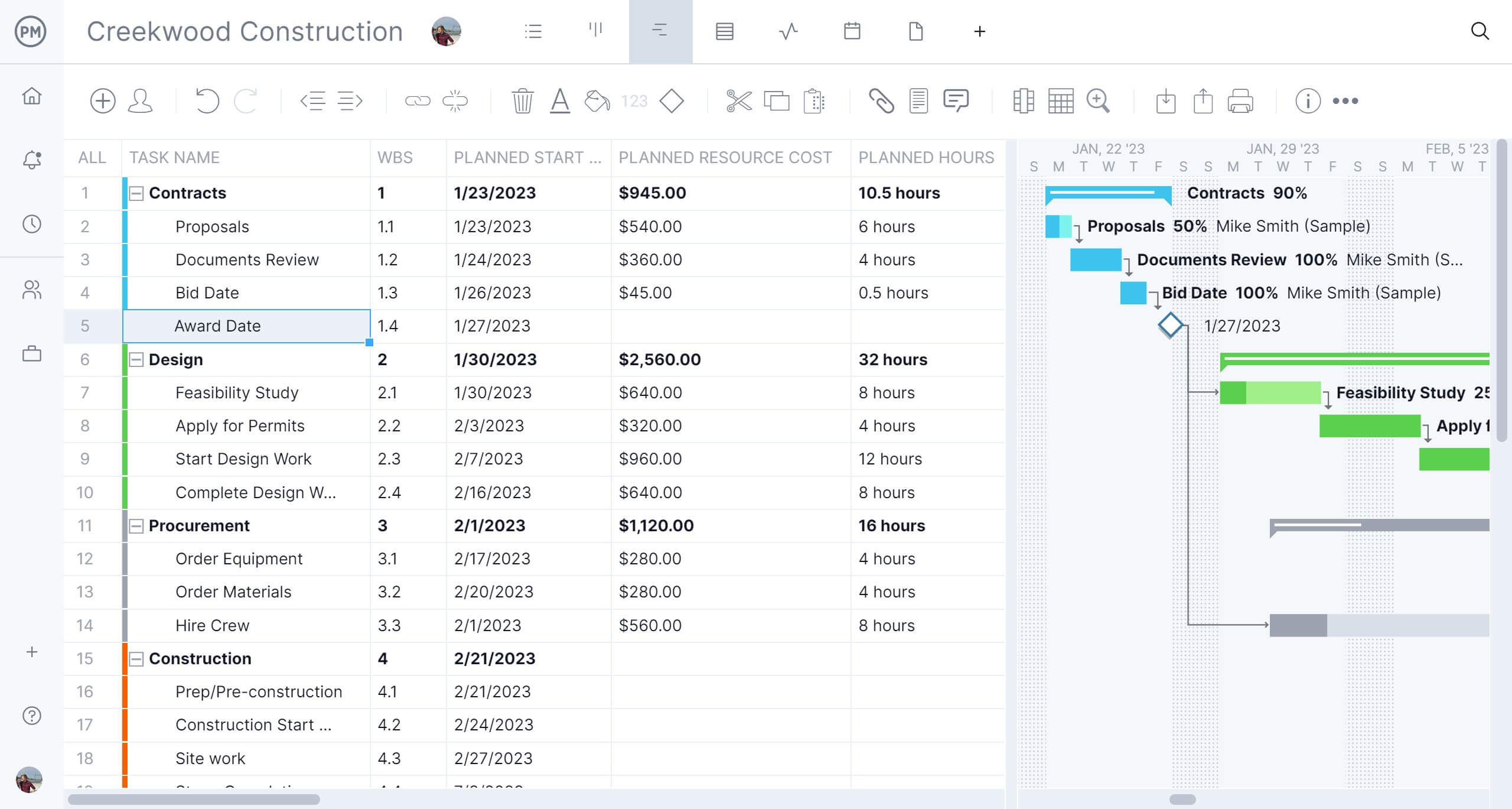
Image source: microsoft.com
Functional overview:
- Visual task boards: Planner uses kanban-style boards where teams can create, assign, and categorize tasks using buckets and labels for better organization.
- Integration with Office 365: The tool works seamlessly with Microsoft Teams, Outlook, and SharePoint, ensuring that all updates, files, and conversations stay connected across platforms.
- Collaborative workspace: Team members can comment on tasks, attach files, and share updates in real time, promoting transparency and communication.
- Progress tracking: Built-in charts and dashboards display task status, completion rates, and workloads, making it easy to monitor team performance.
- Mobile and desktop accessibility: With apps available across devices, teams can update and review their plans anytime, keeping everyone in sync regardless of location.
8. Basecamp: Lightweight project oriented communications
Basecamp is a straightforward project management and communication tool designed to keep teams organized without unnecessary complexity. It brings tasks, discussions, schedules, and files into one place, reducing the need for multiple apps and endless email threads. Ideal for small to medium teams, Basecamp focuses on clarity, accountability, and easy collaboration.
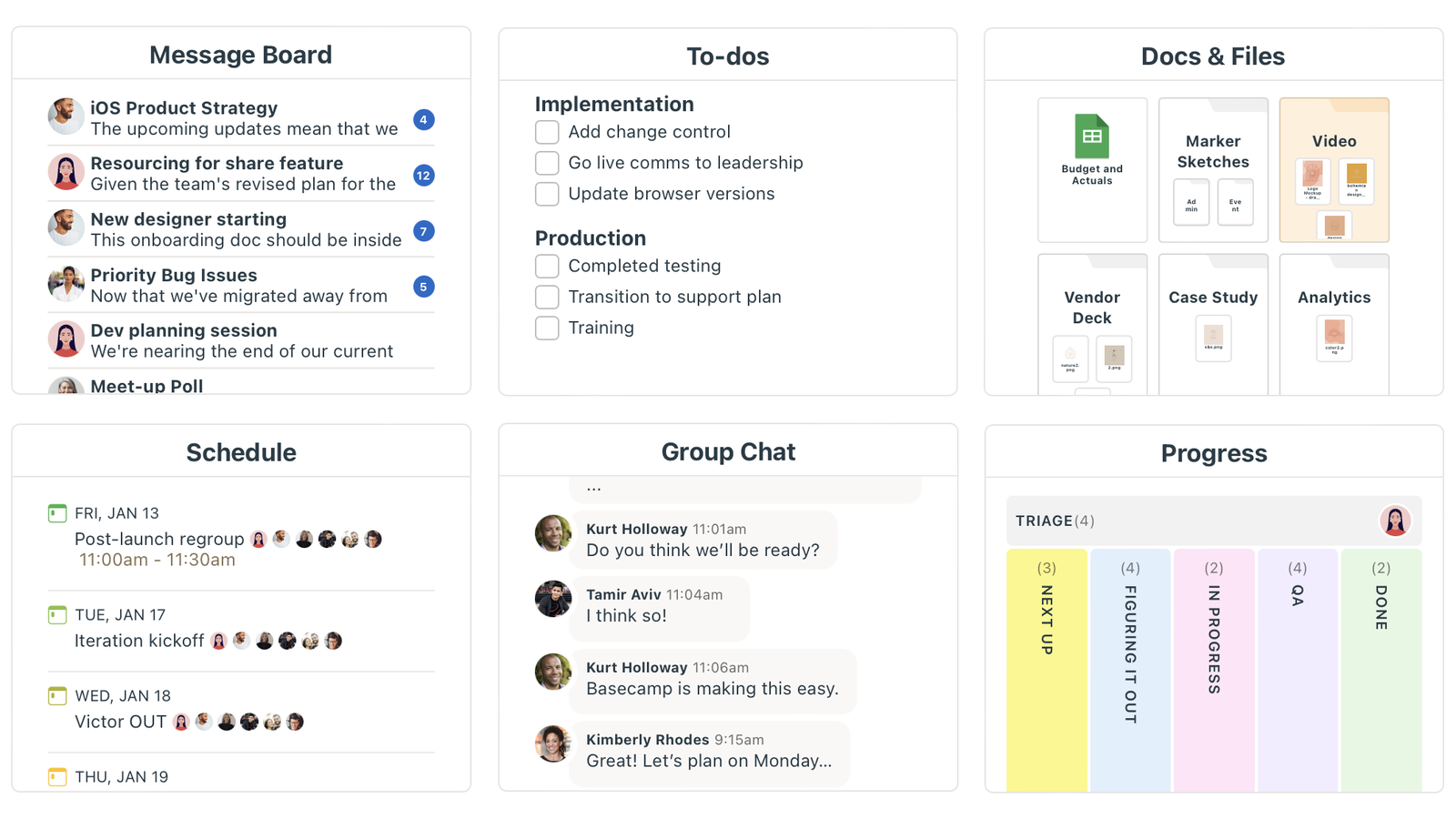
Image source: basecamp.com
Functional overview:
- Centralized workspace: Basecamp consolidates to-dos, messages, documents, and schedules into a single, easy-to-navigate interface.
- To-do lists and task tracking: Users can create detailed task lists, assign responsibilities, set deadlines, and track progress with visual indicators.
- Message boards: Each project includes message boards for focused discussions, keeping communication organized and context-specific.
- Automatic check-ins: The tool allows managers to schedule recurring questions (like daily updates or progress reports), encouraging regular communication without meetings.
- File sharing and storage: Basecamp provides secure file uploads, version control, and organized folders, making document management simple and efficient
9. Notion: Flexible all-in-one workspaces with project pages
Notion is a versatile productivity tool that combines note-taking, task management, databases, and collaboration in one unified platform. It's designed for teams and individuals who want flexibility in organizing projects, documents, and workflows their own way. With its drag-and-drop interface and customizable templates, Notion adapts to any workflow — from content planning to project tracking.
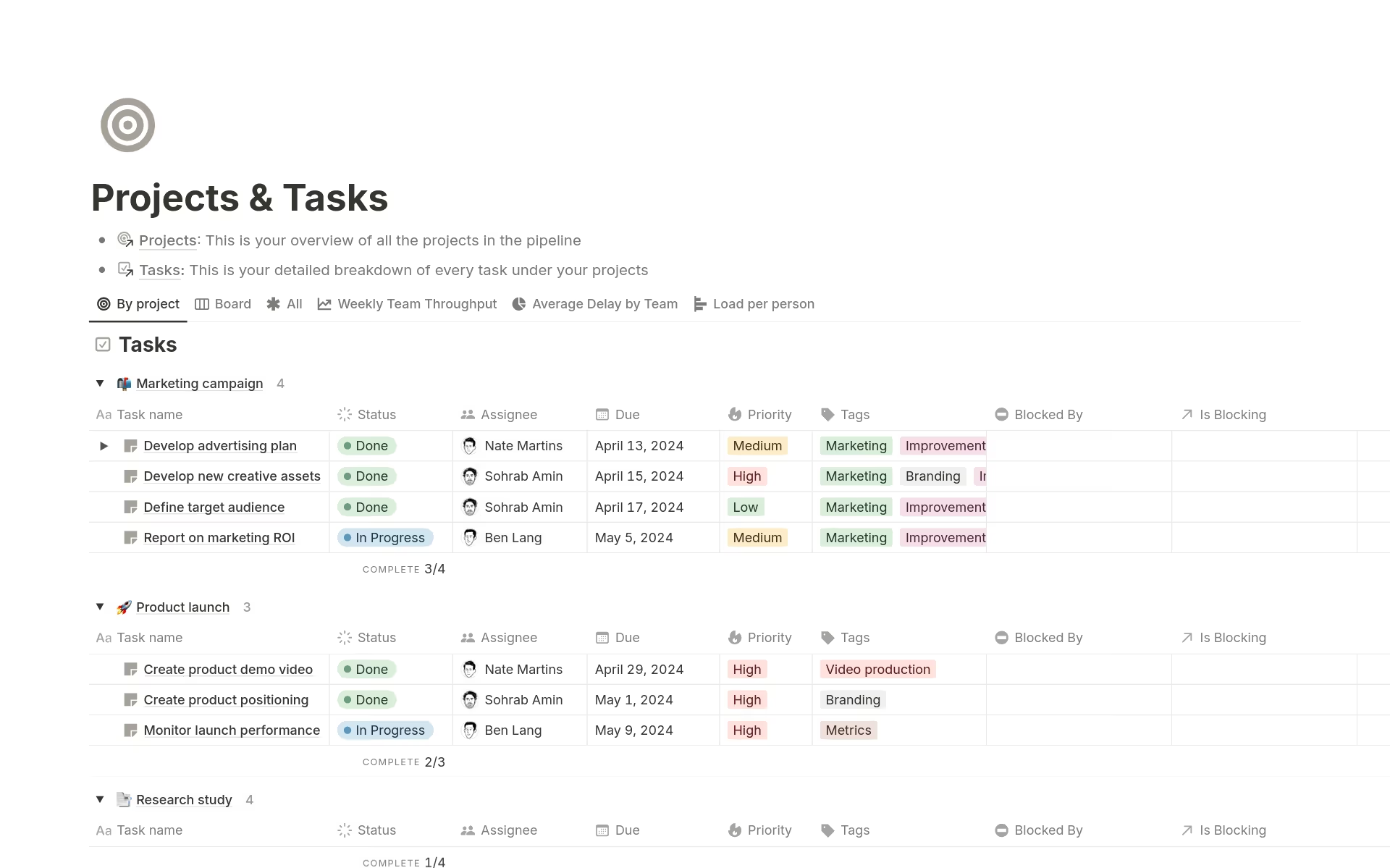
Image source: notion.com
Functional overview:
- Customizable pages and databases: Notion lets users build dynamic pages with embedded databases, tables, and lists to organize information visually and efficiently.
- Integrated task management: Teams can create Kanban boards, timelines, and calendars to manage tasks and monitor deadlines in one place.
- Real-time collaboration: Multiple users can edit pages simultaneously, comment on tasks, and share feedback instantly, improving team coordination.
- Powerful knowledge base: Notion serves as a digital hub for storing documents, guides, and SOPs, helping teams centralize and access information easily.
- Seamless integrations: It connects with tools like Slack, Google Drive, and Trello, making it easier to sync data and streamline workflows.
10. Smartsheet: Spreadsheet lovers' project tool
Smartsheet is a cloud-based platform that combines the familiarity of spreadsheets with powerful project management features. It's designed to help teams plan, track, and automate work processes, making it particularly useful for retail operations that require structured data management and cross-department coordination.
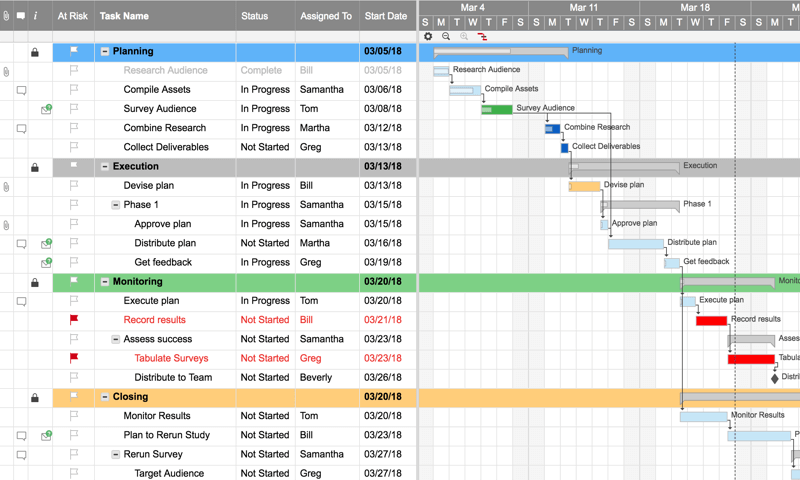
Image source: smartsheet.com
Functional overview:
- Spreadsheet interface: Smartsheet offers a grid-based interface similar to Excel, allowing users to manage tasks, timelines, and budgets in a familiar format. This design facilitates quick adoption for teams accustomed to spreadsheet tools.
- Gantt charts and calendar views: Users can visualize project timelines and dependencies through customizable Gantt charts and calendar views, aiding in effective scheduling and resource allocation.
- Automation and workflows: The platform supports automation of repetitive tasks, such as sending reminders, updating statuses, and assigning tasks, streamlining workflows and reducing manual effort.
- Resource management: Smartsheet provides tools to track team availability, allocate resources, and monitor workloads, ensuring efficient utilization across projects.
- Reporting and dashboards: Users can create real-time dashboards and generate reports to monitor project progress, track key performance indicators (KPIs), and make data-driven decisions.
Common challenges & pitfalls for non-project managers
- Managing without structure
Without a clear framework, projects can become chaotic, with missed deadlines and unclear responsibilities.
- Overcommitting or underestimating
Taking on too much or underestimating effort leads to stress, delays, and reduced quality of work.
- Scope creep / shifting goals
Uncontrolled changes or expanding objectives can derail timelines and overwhelm teams if not managed properly.
- Poor communication or stakeholder misalignment
Failing to keep stakeholders informed or aligned can result in confusion, conflicting priorities, and missed expectations.
- Ignoring risks or changes
Neglecting potential risks or not adapting to changes can cause setbacks and compromise project success.
- Getting lost in tools or features
Focusing too much on software functionalities rather than actual project priorities can reduce efficiency and distract from achieving goals.
Conclusion
You don't need the formal title of "project manager" to lead initiatives effectively. By applying basic project management principles—clarity, planning, communication, and accountability—any professional can improve delivery, reduce confusion, and drive results.
Adopting practical practices and leveraging the right tools makes this process even easier. Platforms like Lark, along with other project management tools, enable seamless planning, collaboration, and monitoring, helping non-project managers manage work efficiently and confidently.
FAQs
Do I need formal training to manage projects effectively?
No. While formal training can help, many project management skills—like planning, communication, and tracking—can be learned on the job. Understanding basic principles is often sufficient to manage initiatives successfully.
What's the simplest way to manage a project if I'm not a project manager?
Start by defining clear goals, breaking work into tasks, setting deadlines, and tracking progress. Using tools like Lark can simplify coordination, communication, and monitoring without requiring complex systems.
What are the first steps to manage my first project?
Begin with project initiation: define objectives, identify stakeholders, clarify scope, and outline constraints. Then plan tasks, assign responsibilities, and set timelines before moving into execution.
How do I keep my team accountable without micromanaging?
Use clear task ownership, regular progress reviews, and automated tracking tools. Focus on outcomes rather than constant oversight, and trust the system and data to highlight issues that need attention.
Related reading
Table of contents
Start using Lark today

Manage all your work in one place
Boost team efficiency by 10x
Save up to 70% on software costs
Table of contents
Start using Lark today
Manage all your work in one place
Boost team efficiency by 10x
Save up to 70% on software costs
Keep reading







2026 Lark Technologies Pte. Ltd.
Headquartered in Singapore with offices worldwide.






Explore: