














10 Project Management Software Architects Need for Better Collaboration

Ryan Tanner
Product Marketing Specialist
Sep 18, 2026
Ryan Tanner
Sep 18, 2026

20 min read


Architectural projects involve complex workflows from concept design to client delivery requiring precise coordination, documentation, and communication. Without the right tools, managing revisions, schedules, and approvals can easily become overwhelming. That's why project management software for architects is essential to bring structure and clarity to every stage of a project. In this guide, we explore the 10 best project management software for architects designed to simplify collaboration and ensure on-time project delivery:
1. Lark: Best all-in-one project management for modern architecture teams
2. Autodesk Construction Cloud: Best for design-to-construction integration
3. Wrike: Best for cross-functional project tracking
4. Monday.com: Best for visual project planning
5. Asana: Best for task and milestone tracking
6. Trello: Best lightweight tool for smaller architecture firms
7. Smartsheet: Best spreadsheet-style project tracker
8. ClickUp: Best for scalable architecture project management
9. Notion: Best for knowledge and documentation management
10. Basecamp: Best for client communication and simplicity

Quick overview: Best project management software for architects
Choosing the right project management software for architects can transform how architecture teams plan, design, and deliver projects. These tools simplify communication, manage complex workflows, and keep everyone aligned from concept to construction. They help track timelines, approvals, and budgets while improving collaboration between architects, engineers, and clients. Each platform offers unique strengths, from automation to document control. Here are the 10 best project management software for architects that make every project more efficient and organized.
Why architects need project management software
Architectural projects often move through several complex phases from concept sketches to detailed construction drawings. Managing these processes manually can lead to delays, confusion, or version errors. Using project management software for architects helps teams maintain control, streamline communication, and ensure every milestone stays on track. Here's how it supports daily architectural workflows:
- Manage multiple design stages and revisions efficiently: Architectural designs evolve through multiple iterations. Project management tools help track each version, document changes, and ensure all stakeholders are working on the latest files. This reduces rework and keeps the project moving forward smoothly.
- Coordinate between designers, engineers, and contractors: Architecture projects involve cross-functional collaboration. Software platforms create shared visibility, so architects, engineers, and contractors can review updates, assign tasks, and address issues in one place—ensuring alignment across all teams.
- Track project budgets, resources, and client approvals: Monitoring budgets and approvals is crucial to avoid scope creep. Project management software enables real-time tracking of expenses, timelines, and approvals, helping architects make informed decisions and keep clients updated. Many firms also prefer project management and accounting software for architects, which combines financial tracking with design management for a complete project overview
- Store and share large drawings, plans, and documents securely: Architectural files like CAD drawings and blueprints are large and sensitive. Cloud-based tools provide secure storage with permission controls, ensuring only authorized team members can access or modify critical documents.
- Enable real-time collaboration and version control: Architects often work across locations and time zones. Real-time collaboration features allow multiple users to comment, edit, or review simultaneously, while version control ensures everyone is always referencing the most current plans and data.
Top 10 project management software for architects
1. Lark: Best all-in-one project management for modern architecture teams
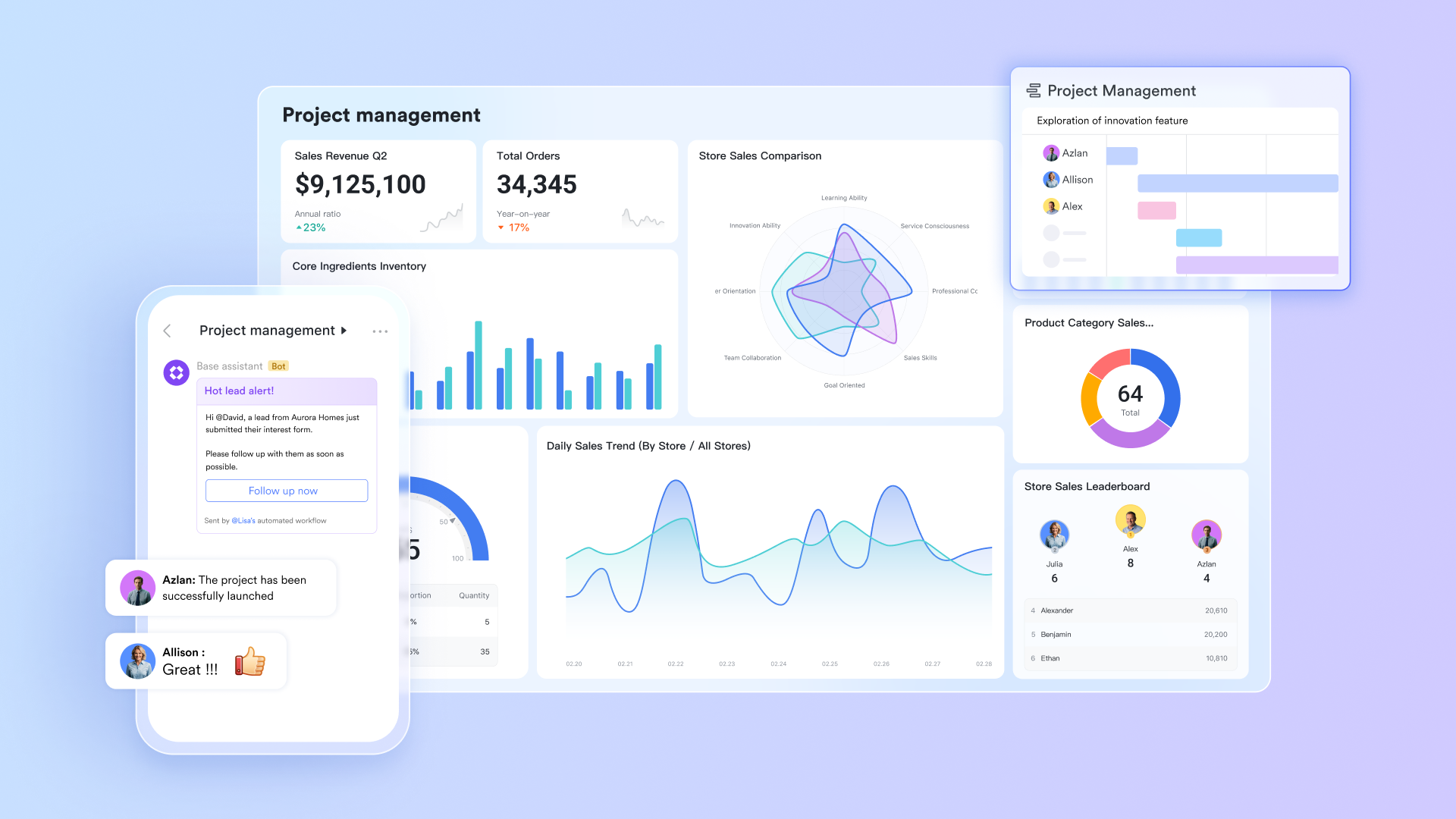
Lark provides a connected project management environment that helps architecture teams move seamlessly from concept to completion. By combining Docs, Sheets, Calendar, and OKR, Lark unifies team communication, project planning, and reporting within a single workspace, removing the friction of switching between multiple systems.
Key features
Manage complex workflows with multiple tables and views
Architectural projects have layers of dependencies, design iterations, site coordination, engineering inputs, and contractor feedback. Lark Base helps teams manage this complexity by organising work across multiple linked tables. For instance, one table might list all ongoing projects, another track design deliverables, and a third monitors client approvals. These datasets can be linked so that when a design status updates from "In Progress" to "Approved," related deadlines and budgets update automatically.
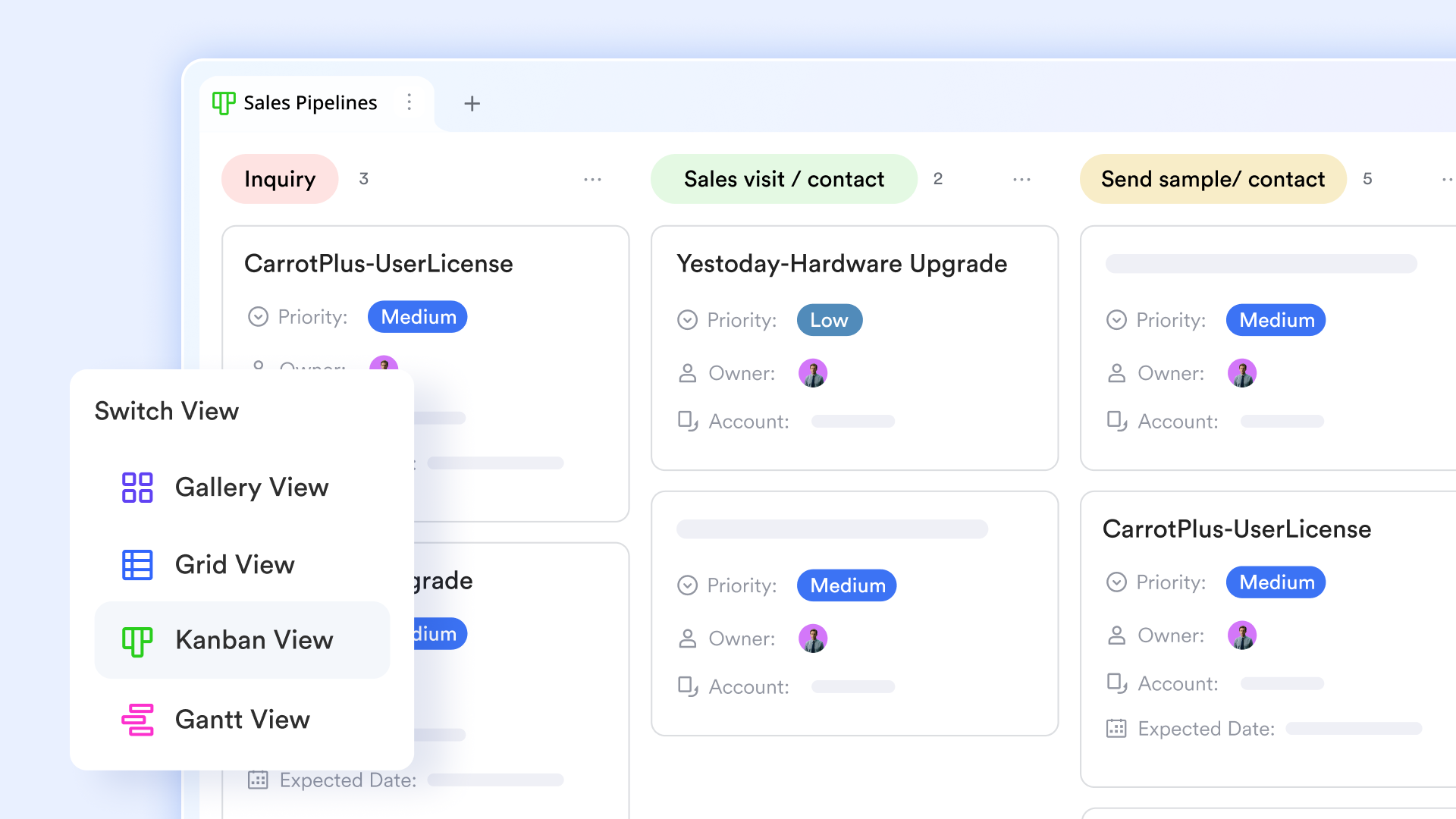
Lark Base supports architectural project management with multiple views. The Grid view organizes tasks like design edits and approvals in clear rows and columns, while the Gallery view highlights visual deliverables such as sketches and renderings. The Kanban view allows teams to move tasks through stages, such as "Concept" and "Construction Documents," while the Gantt view schedules key deliverables, manages dependencies, and prevents overlaps. Together, these views streamline workflows from concept to execution.
Streamline repetitive tasks and get notifications by automations
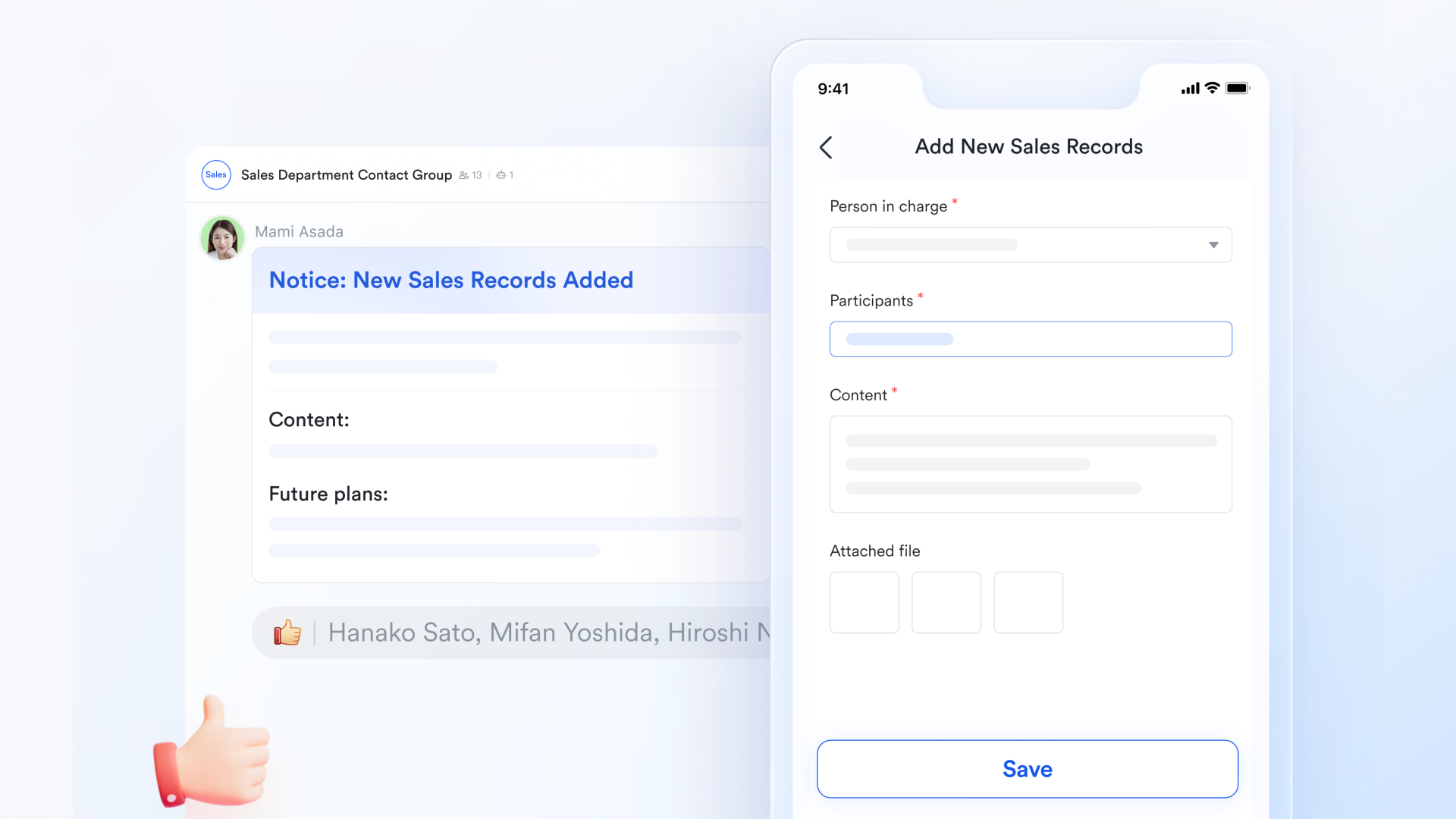
Lark Base automations streamline architectural project management by reducing repetitive work and keeping teams on track. With the setup of the triggers, they can automatically identify unfinished or ongoing tasks and send follow-up reminders to task leaders. Workflows can notify team members when new records are added, such as pending approvals or updates. Automated daily or weekly reminders ensure progress reports and documents are submitted on time, with customizable schedules. Interactive buttons in reminders allow task owners to confirm completion, instantly updating the project status.
Define clear project objectives with OKRs
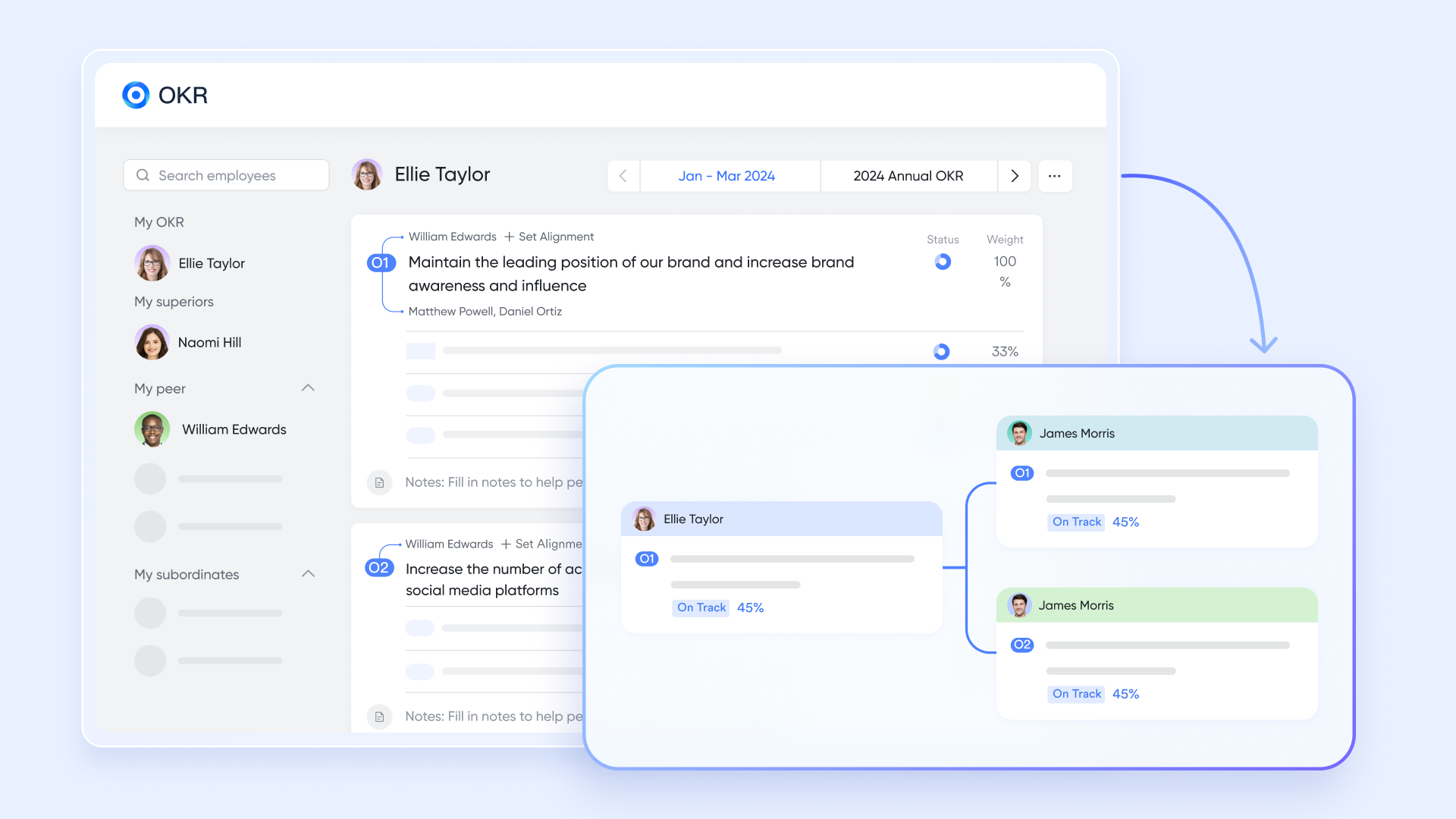
Architectural projects often span months or years, involving multiple phases, from concept design to final handover. With Lark OKR, teams can translate these stages into clear, measurable goals that everyone understands. For example, a firm working on a new residential complex might define quarterly OKRs such as "Finalize schematic design for all units by Q1" or "Secure structural approvals by Q2."
Each objective can then be broken into smaller, trackable results assigned to specific team members. This approach ensures everyone, from lead architects to junior designers, works toward the same defined milestones while maintaining transparency for project managers and clients.
Consolidate reports and share context-rich documents & spreadsheets
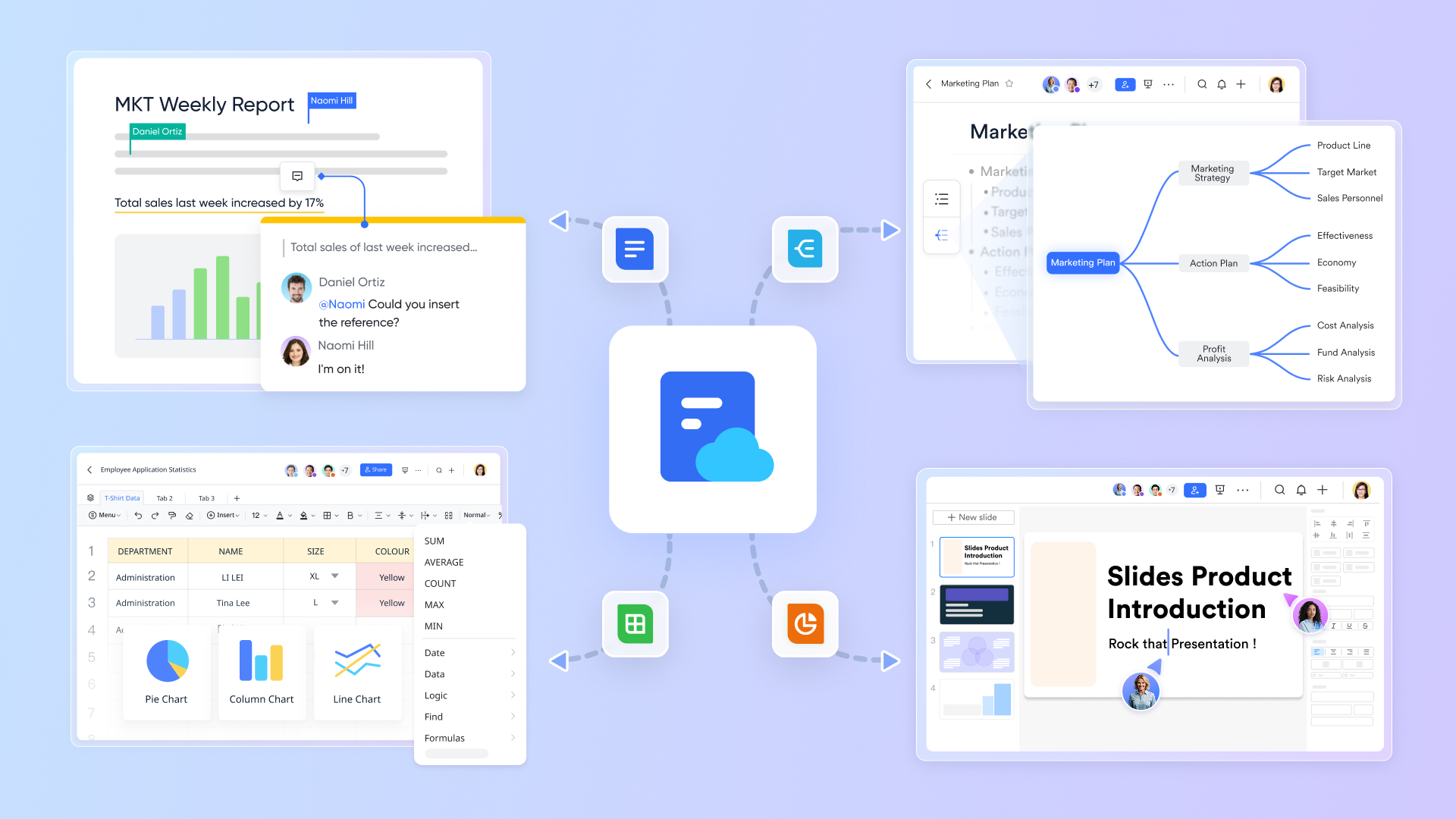
Architectural teams generate a vast amount of documentation—drawings, specifications, cost estimates, and client feedback. With Lark Docs and Lark Sheets, all project data lives in one connected ecosystem.
Imagine a project manager creating a progress report that links directly to drawings stored in Docs and cost tables in Sheets. Instead of sending attachments over email, the team can open one document where updates, images, and comments coexist in real time. Lark's real-time collaboration ensures that when a cost estimate is revised or a material specification changes, everyone sees the latest version instantly.
Ensure timeline transparency with Lark Calendar
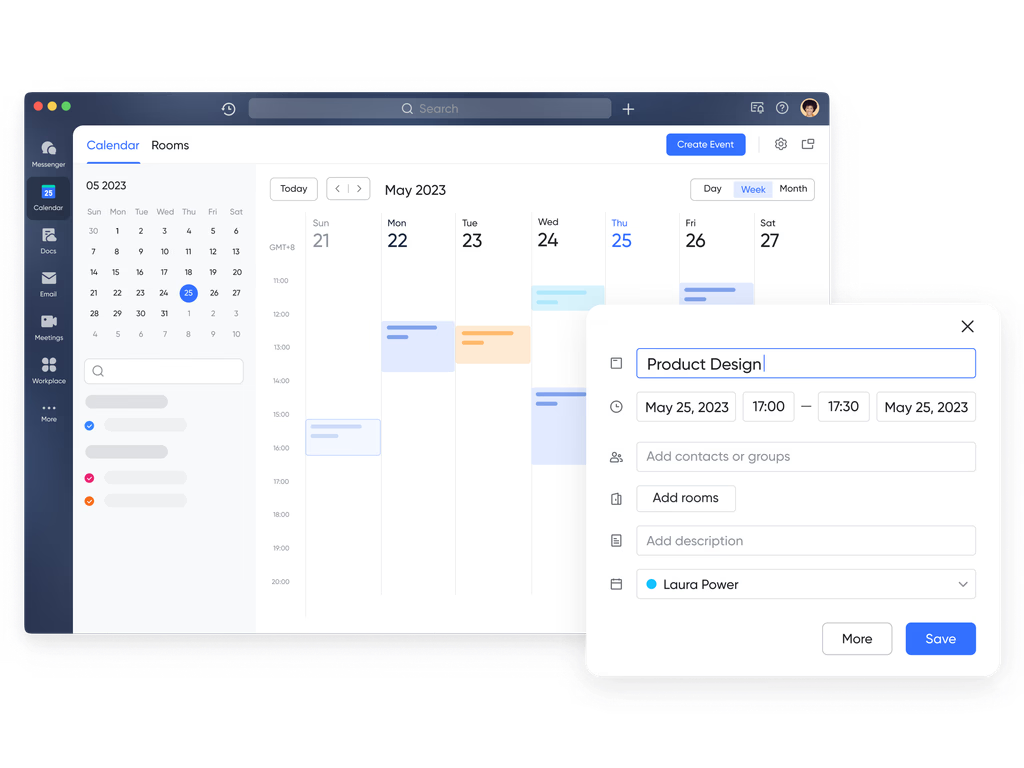
Time management is critical in architecture deadlines for design reviews, permit submissions, and site inspections can't afford confusion. Lark Calendar brings clarity by publishing project schedules accessible to the entire team.
For example, a senior architect can schedule weekly coordination meetings with consultants, while project managers can set reminders for drawing submissions or client presentations. Team members automatically receive notifications, and overlapping events are flagged in advance. By collaborating with Lark Tasks, and Calendar using Base automations, you can link events in the calendar directly to actionable tasks, ensuring that timelines remain synchronized across departments. This level of visibility improves accountability and keeps every stakeholder aligned on what's next.
- Starter plan: Free forever plan that includes 11 powerful tools for up to 20 users. It also comes with 100GB of storage, 1000 automation runs, AI translations, and more.
- Pro plan: $12/user/month (billed annually) for up to 500 users. It includes everything in Starter plus group calling for up to 500 attendees, 15TB of storage, 50,000 automation runs, and more.
- Enterprise plan: Contact sales for custom pricing. Supports unlimited users and includes even more automation runs and advanced security, compliance, and management features.
2. Autodesk Construction Cloud: Best for design-to-construction integration
Autodesk Construction Cloud offers a unified platform built specifically for architecture, engineering, and construction professionals. It connects design and project workflows, helping teams move seamlessly from planning to delivery. With built-in support for BIM and CAD files, it enables architects to collaborate directly with contractors and clients in real time. Teams can manage documents, track issues, and visualize project data through interactive dashboards. It's ideal for firms handling large or multi-phase architecture projects that require precision, structure, and accountability.
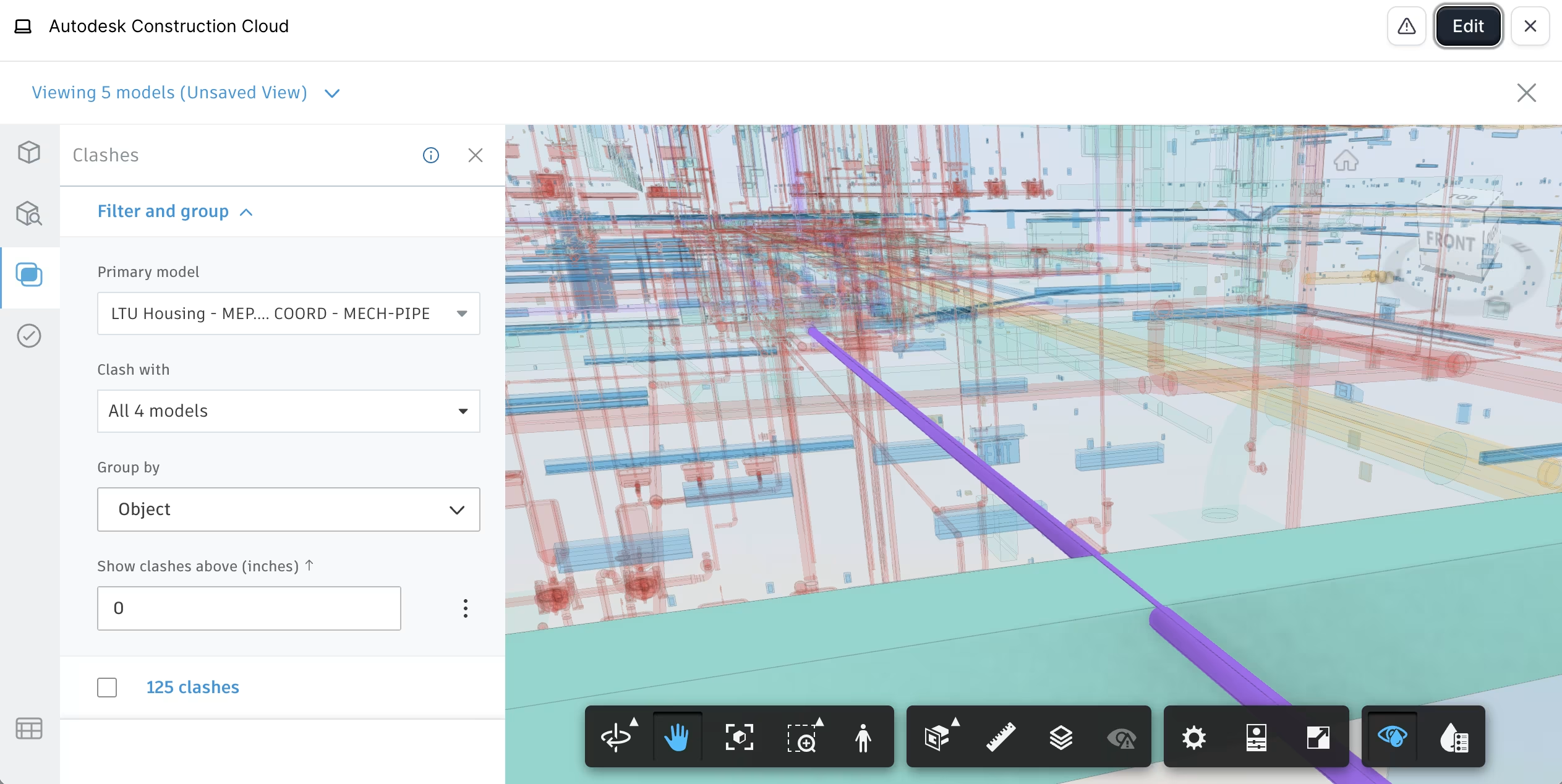
Image source: autodesk.com
Key features:
- Centralized platform for drawings, models, and documentation
- Real-time issue tracking and progress dashboards
- BIM 360 support for 3D model collaboration and file management
- Automated approval workflows for design reviews and submittals
- Integration with popular design and construction tools like Revit and AutoCAD
Pros:
- Ideal for managing large-scale, multi-team architecture projects
- Strong document control and version tracking
- Supports both 2D and 3D design collaboration
- Enhances communication between design and construction teams
Cons:
- Complex setup process for new users
- Higher pricing compared to lightweight alternatives
Pricing:
- Custom quote-based depending on project size and team requirements
- Free trial available upon request
3. Wrike: Best for cross-functional project tracking
Wrike is a flexible project management software for architects designed to improve visibility and coordination across departments. Architecture firms can track design progress, manage multiple project timelines, and centralize client communications in one workspace. Its customizable dashboards and Gantt charts make it easy to monitor deadlines, budgets, and resource allocation. Wrike's real-time reporting helps firms identify bottlenecks early and maintain control over deliverables.
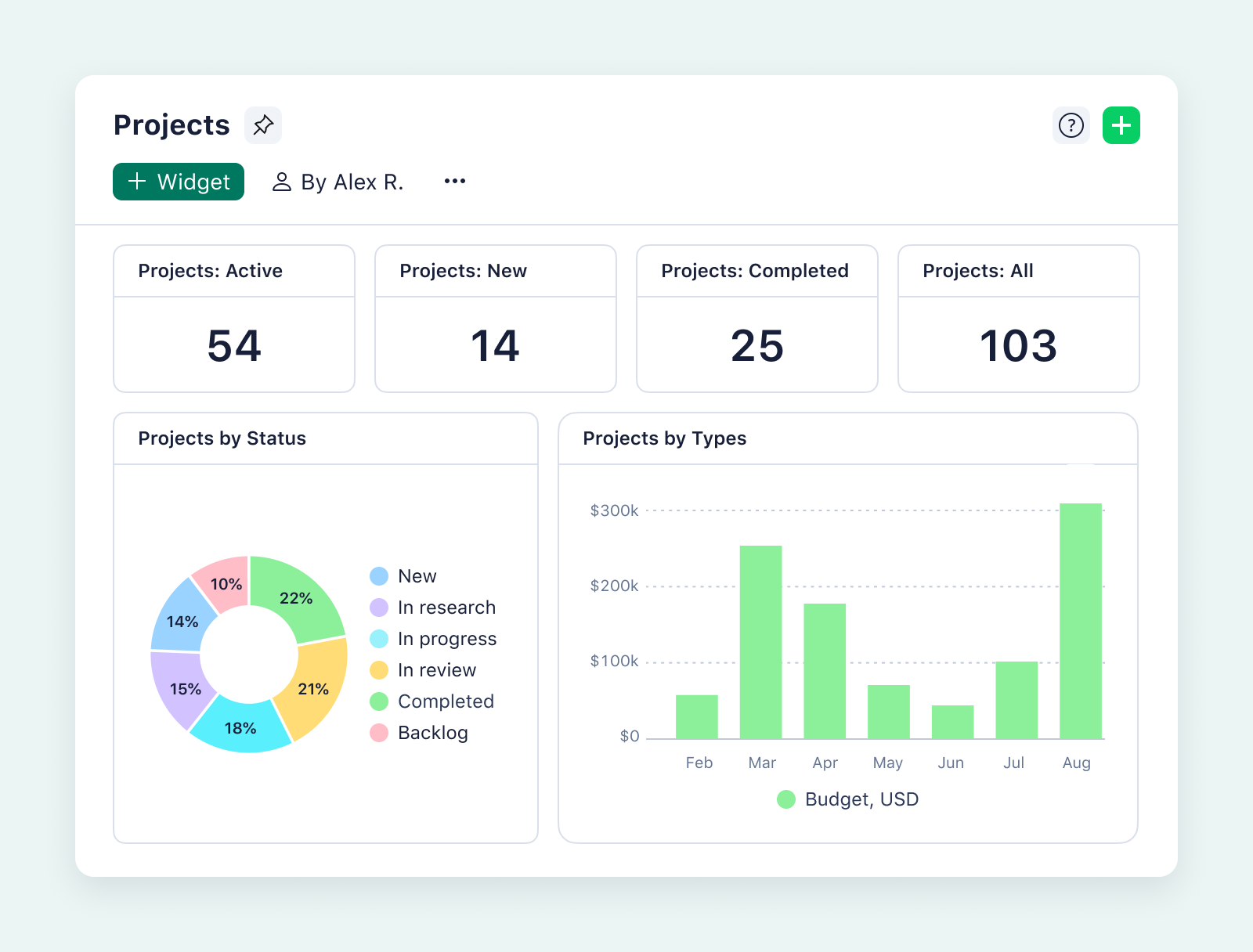
Image source: wrike.com
Key features:
- Customizable dashboards and task views
- Real-time performance and workload reports
- Gantt charts and timeline planning tools
- File proofing and feedback tracking for design revisions
- Role-based permissions for secure data management
Pros:
- Excellent for managing multiple architectural projects
- Real-time visibility across design, construction, and client teams
- Strong reporting and analytics capabilities
- Scalable for firms of all sizes
Cons:
- Requires setup time for workflow customization
- Interface can feel complex for new users
Pricing:
- Free plan available for small teams
- Paid plans start at $9.80/user/month billed annually
4. Monday.com: Best for visual project planning
Monday.com offers an intuitive, color-coded platform that helps architects plan, schedule, and visualize projects with ease. It's perfect for tracking milestones, managing design submissions, and maintaining transparency across multiple stakeholders. Teams can switch between views—like timeline, calendar, or Kanban—to monitor tasks in whichever format works best. Its automation and collaboration tools ensure architectural workflows remain smooth and transparent.
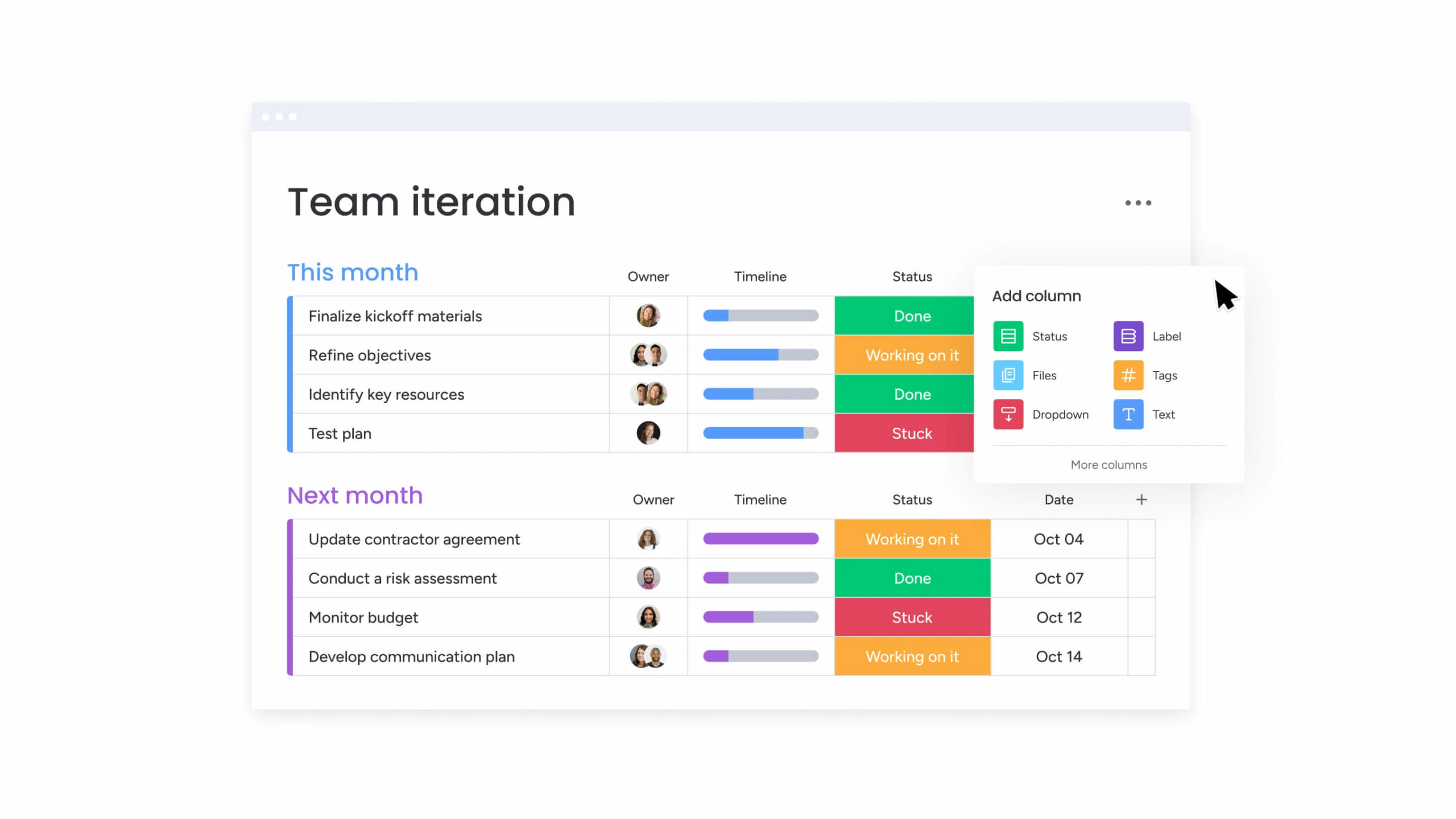
Image source: monday.com
Key features:
- Visual dashboards and timeline tracking
- Custom workflows for architecture project phases
- Task automation to reduce repetitive work
- File sharing and commenting within each project
- Multiple view options: Gantt, board, and calendar
Pros:
- Highly visual and easy to use
- Ideal for both small and mid-sized architecture teams
- Simplifies task dependencies and deadlines
- Excellent template library for architecture projects
Cons:
- Limited document versioning tools
- Fewer advanced features for large enterprises
Pricing:
- Free plan for up to 2 users
- Paid plans start at $10/user/month billed annually
5. Asana: Best for task and milestone tracking
Asana is a trusted project management tool for architects that helps teams structure their design workflows and manage tasks from concept to completion. It's particularly useful for tracking milestones, managing approvals, and visualizing dependencies. With calendar and Gantt-style views, architecture firms can stay organized while maintaining visibility over deliverables and deadlines.
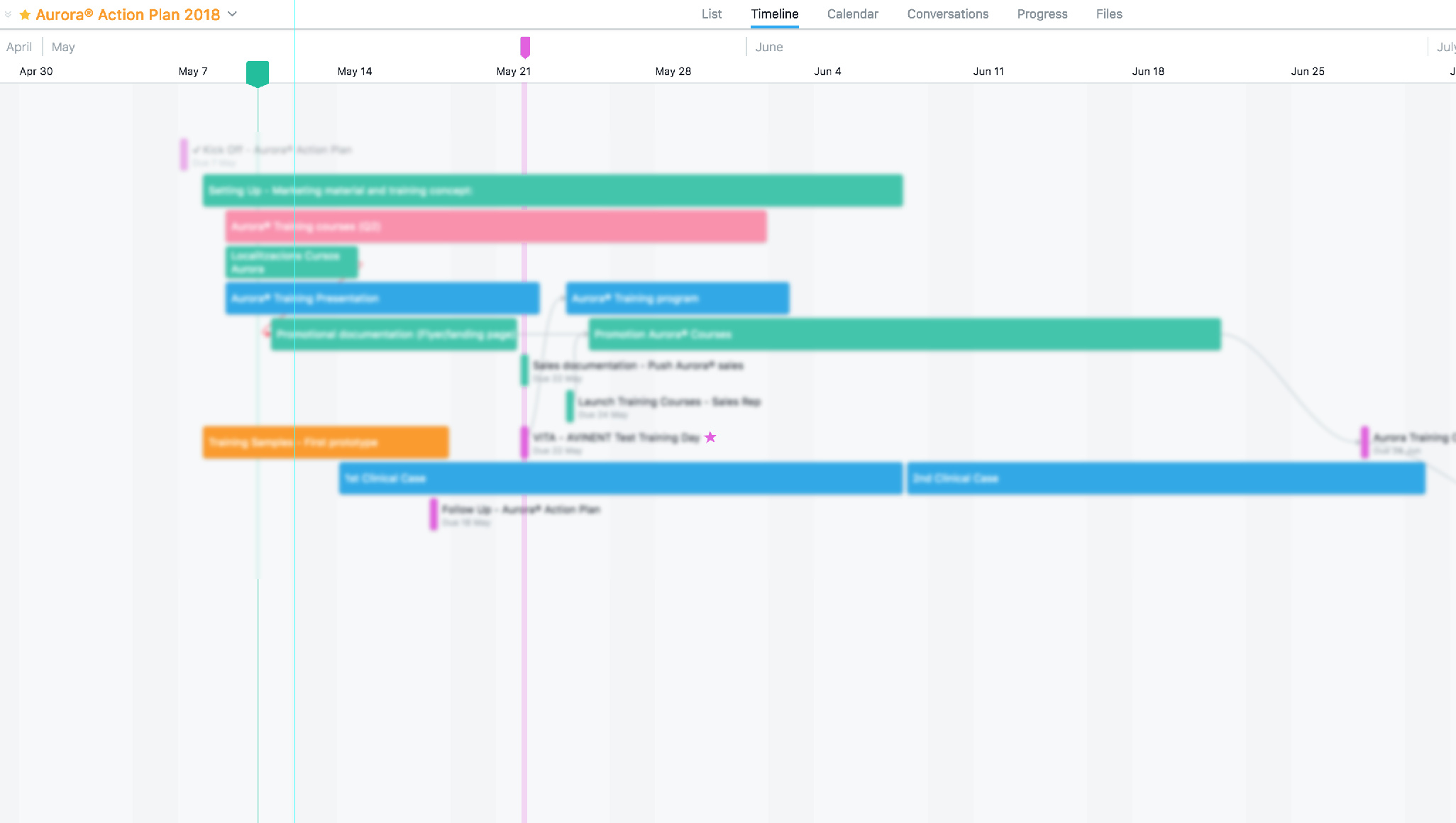
Image source: asana.com
Key features:
- Task lists, dependencies, and milestones tracking
- Timeline view for project scheduling
- Built-in automation for routine updates
- Shared team calendars and task reminders
- Progress tracking through visual dashboards
Pros:
- Easy to set up and use
- Great visibility into ongoing projects
- Efficient task assignment and tracking
- Integrates with cloud storage for file sharing
Cons:
- Limited file size support for large CAD drawings
- Custom reporting features available only on higher plans
Pricing:
- Free basic plan available
- Paid plans start at $10.99/user/month
6. Trello: Best lightweight tool for smaller architecture firms
Trello offers a simple, visual Kanban-style system ideal for smaller architecture studios. This free project management software for architects perfect for managing design tasks, team discussions, and client updates with ease. Each project can be represented as a board, and tasks as cards that move across different workflow stages—from concept to delivery. Trello's flexibility makes it a favorite among architects who need a straightforward tool without complex setup.
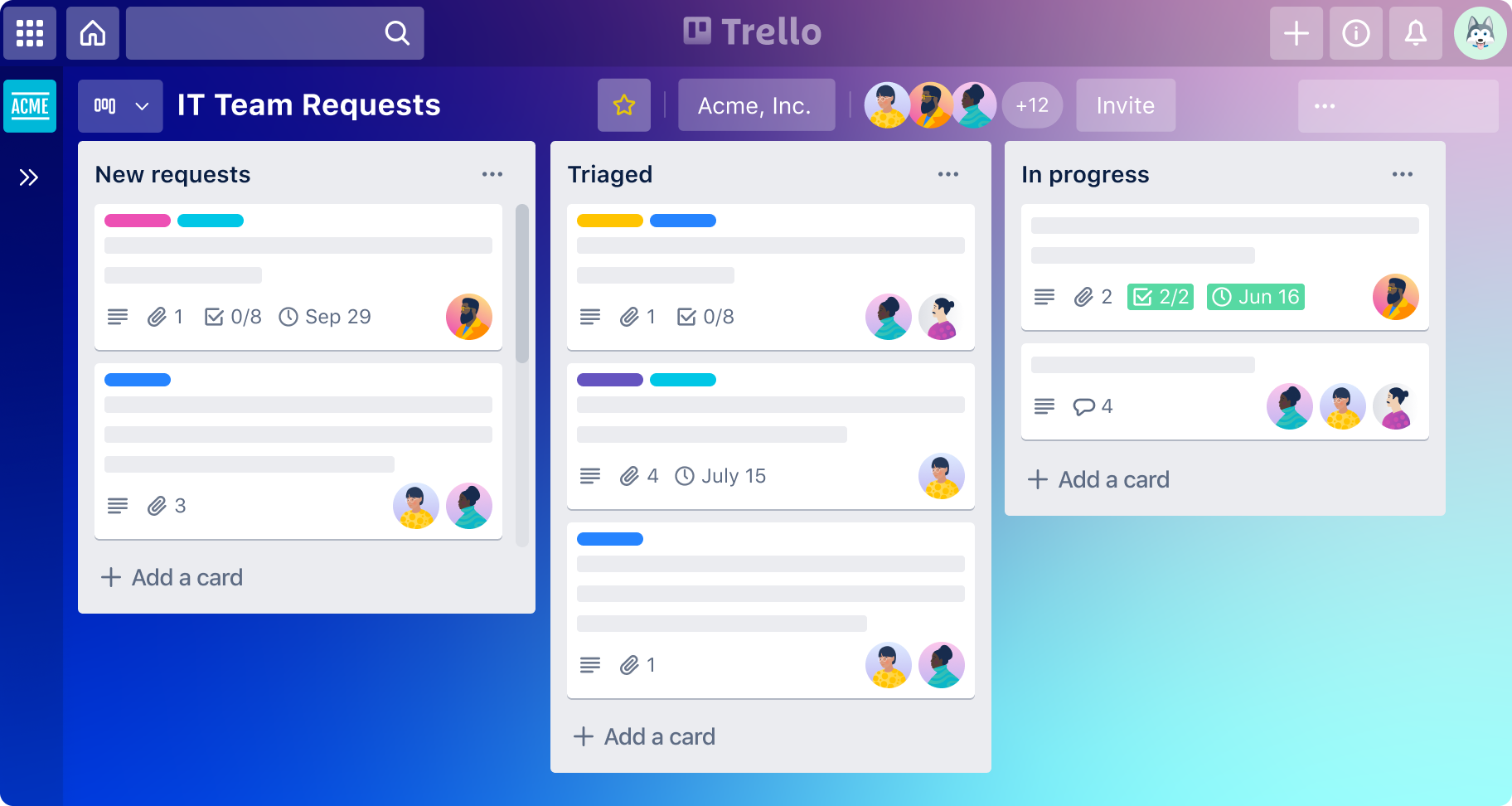
Image source: trello.com
Key features:
- Visual Kanban boards for design stages
- Drag-and-drop task management
- Power-Ups for automation and file linking
- Built-in comments and checklists
- Cloud sync for remote team access
Pros:
- Extremely easy to use and set up
- Great for smaller architecture projects
- Mobile-friendly and flexible
- Seamless collaboration for distributed teams
Cons:
- Limited reporting and analytics
- Not ideal for complex architectural workflows
Pricing:
- Free plan available
- Paid plans start at $5/user/month
7. Smartsheet: Best spreadsheet-style project tracker
Smartsheet is a robust project management software for architects who prefer a data-driven, spreadsheet-like approach to planning. It combines traditional sheet-based layouts with modern automation and project tracking tools. Teams can manage budgets, timelines, and resource allocations while maintaining full visibility of progress. Its flexible view options help architects visualize data in Gantt, grid, or card formats.
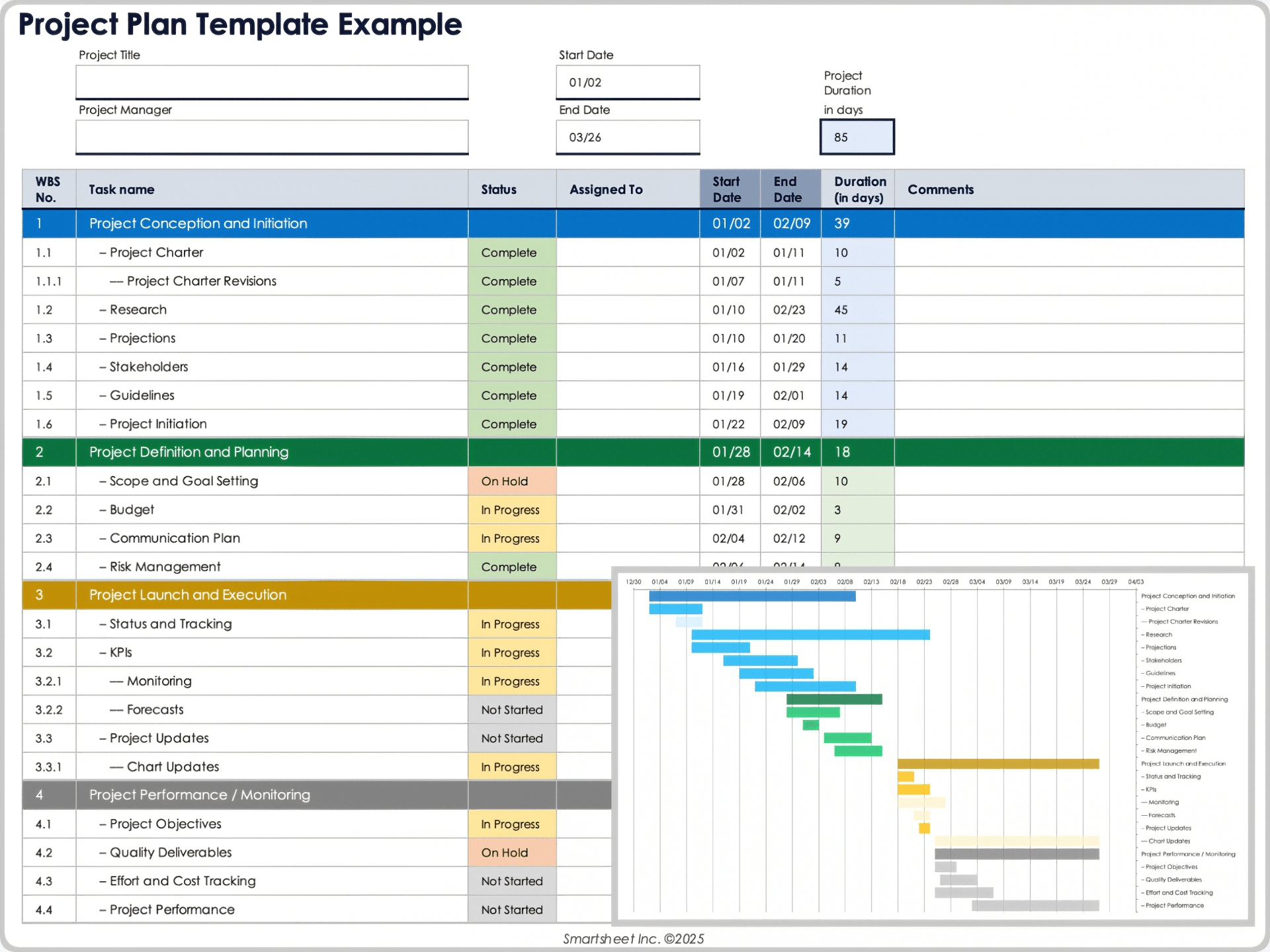
Image source: smartsheet.com
Key features:
- Spreadsheet-style task management with formulas
- Gantt, card, and calendar views
- Real-time updates and automated alerts
- File attachments and version tracking
- Reporting and performance dashboards
Pros:
- Familiar spreadsheet interface for easy adoption
- Excellent for detailed budget tracking
- Strong automation and reporting tools
- Scales well for large architectural firms
Cons:
- Less visually intuitive than board-style tools
- Slight learning curve for new users
Pricing:
- Paid plans start at $7/user/month
- Free trial available
8. ClickUp: Best for scalable architecture project management
ClickUp is a highly flexible project management software for architects engineers that combines task management, documentation, and reporting in one platform. It allows architecture teams to plan projects, visualize dependencies, and collaborate on design deliverables from a single dashboard. With features like goal tracking and workload management, firms can scale operations efficiently as projects grow.
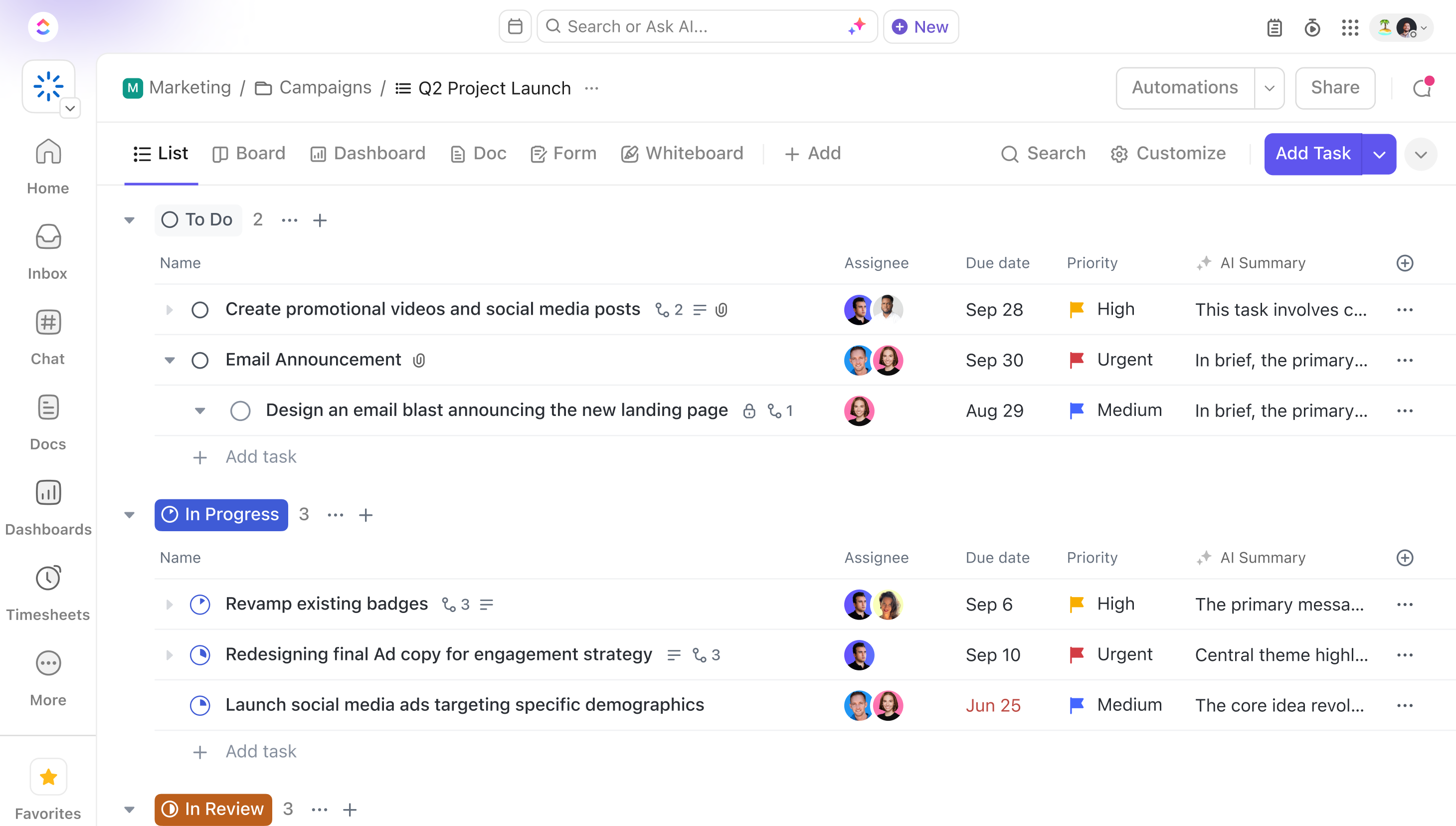
Image source: clickup.com
Key features:
- Task and goal tracking with time estimates
- Custom dashboards for design projects
- Gantt, board, and list views
- Built-in document sharing and comments
- Advanced automation and reporting tools
Pros:
- Highly customizable to fit any project size
- Excellent visibility across teams
- Great for scaling with multiple ongoing projects
- Offers both desktop and mobile functionality
Cons:
- Can feel overwhelming at first due to many options
- Some advanced features require setup time
Pricing:
- Free plan available
- Paid plans start at $7/user/month
9. Notion: Best for knowledge and documentation management
Notion serves as both a project management and documentation platform for architects, ideal for storing design references, meeting notes, and project timelines. It combines databases, pages, and task lists to help teams organize information effectively. Architecture firms can use it to create project dashboards, client briefs, or design libraries all within a clean and customizable interface.
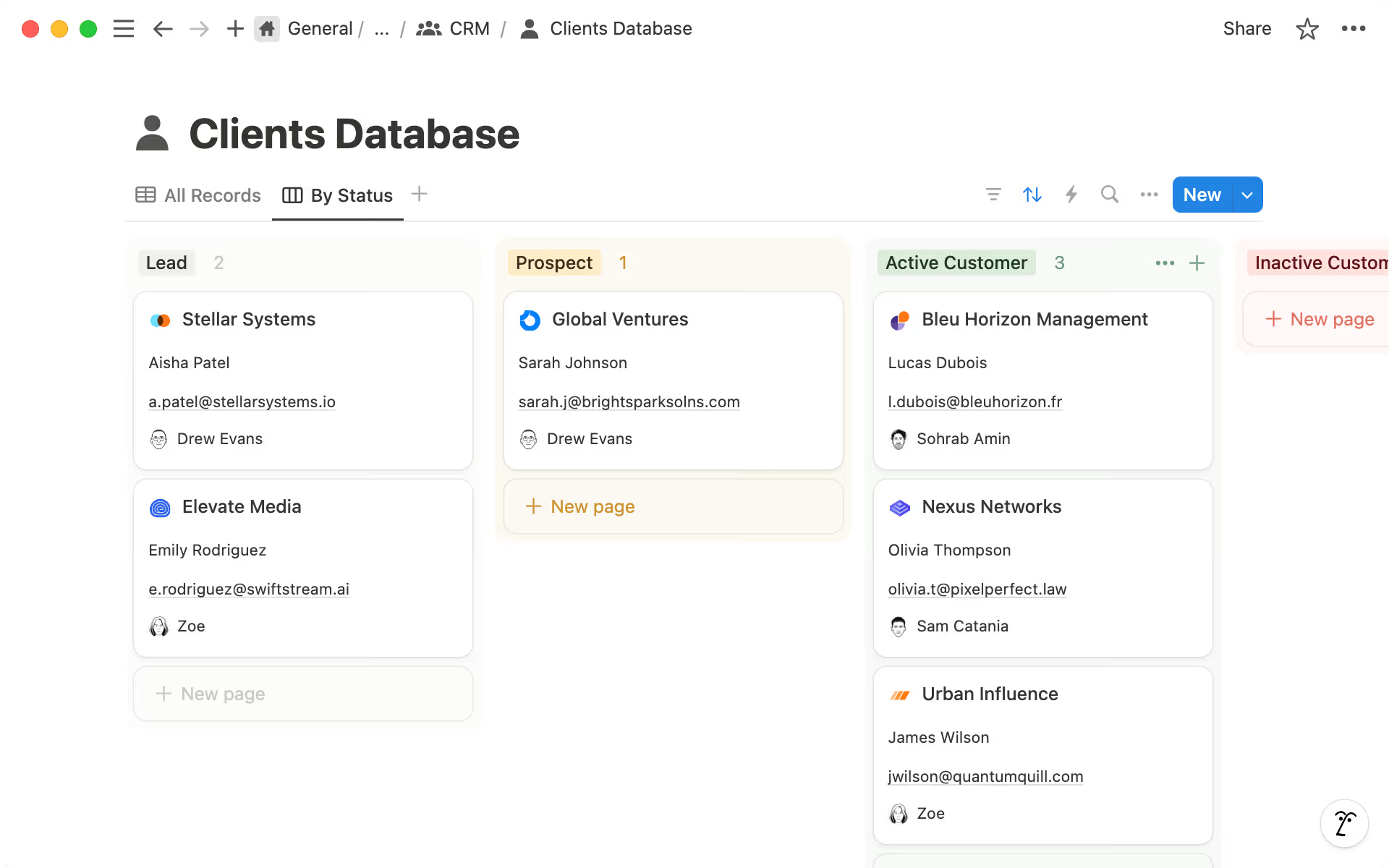
Image source: notion.com
Key features:
- Custom databases for design documentation
- Task tracking with board and timeline views
- Linked pages for project collaboration
- Real-time editing and commenting
- Templates for design and client workflows
Pros:
- Ideal for organizing project knowledge and assets
- Highly customizable interface
- Great for small to mid-sized architecture teams
- Simple and visually appealing
Cons:
- Limited automation and analytics features
- Weaker timeline tracking compared to other tools
Pricing:
- Free personal plan available
- Paid plans start at $8/user/month
10. Basecamp: Best for client communication and simplicity
Basecamp is a straightforward project management software for architects for free. It emphasizes communication and clarity. It's designed to bring architects, clients, and contractors into a single space for updates, discussions, and approvals. With tools for scheduling, file sharing, and message boards, Basecamp simplifies project communication without unnecessary complexity. It's perfect for firms that prioritize transparency and simplicity over heavy customization.
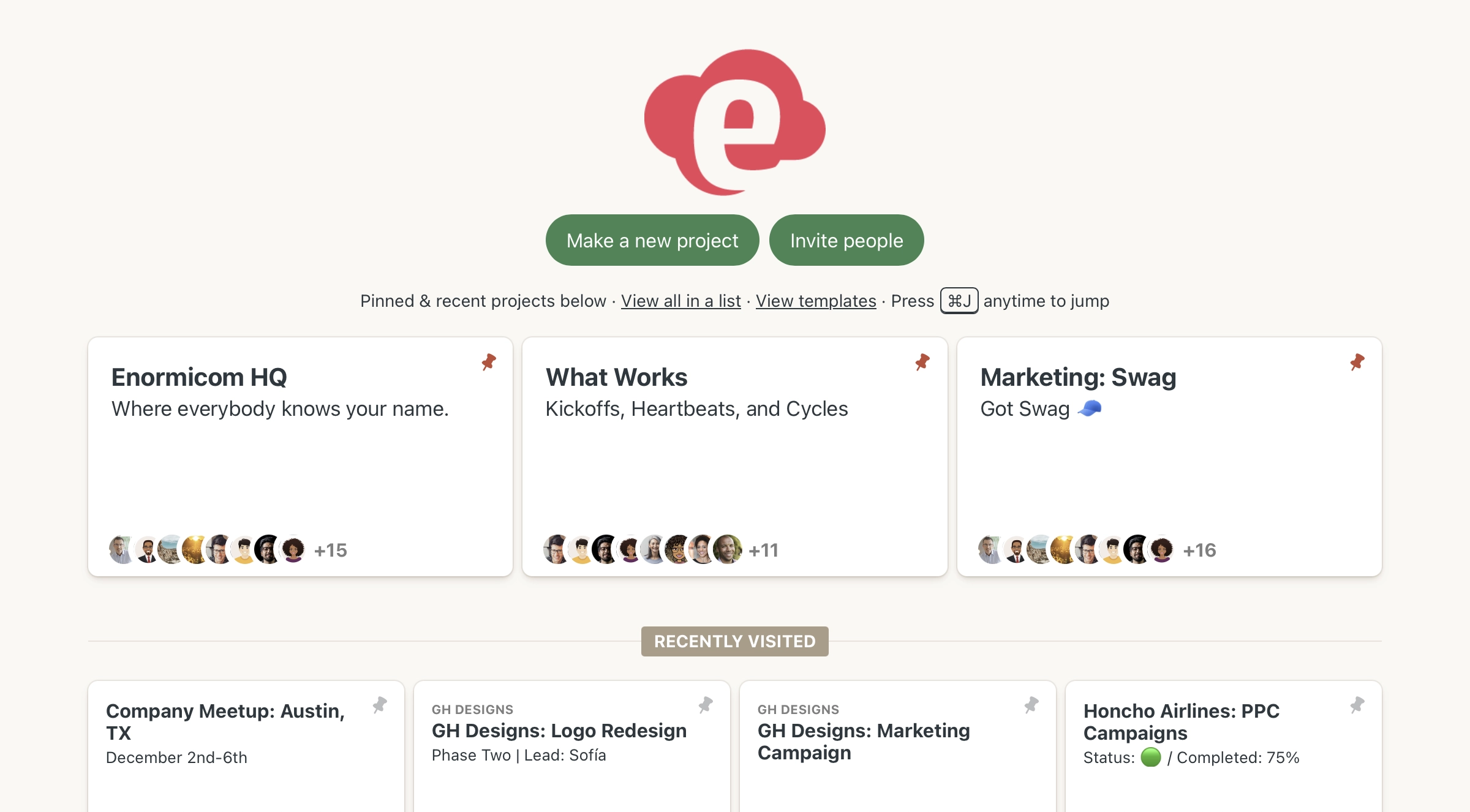
Image source: basecamp.com
Key features:
- Message boards and to-do lists for project tasks
- File storage and document sharing
- Project scheduling and automatic reminders
- Group chat and client access options
- Centralized project discussions and feedback
Pros:
- Ideal for maintaining clear client communication
- Clean and intuitive interface
- Quick setup and easy to navigate
- Great for smaller or mid-sized architecture firms
Cons:
- Limited advanced tracking or analytics tools
- No automation for complex workflows
Pricing:
- Flat rate of $15/user/month
- Free trial available
Key benefits of using project management software for architects
Architectural projects require coordination across teams, design stages, and client expectations all while managing timelines and budgets effectively. Using project management software for architects enhances control, visibility, and collaboration throughout every stage of the workflow. Here are the key benefits these tools bring to architecture firms:
- Greater transparency and fewer miscommunications: Centralized dashboards and shared updates give every team member access to real-time project information. This visibility ensures that architects, contractors, and clients stay aligned, reducing confusion and improving overall accountability.
- Simplified document control and approval tracking: Architecture teams can manage multiple versions of drawings, plans, and blueprints within one secure space. Built-in approval workflows make it easy to track changes, ensuring only the latest documents are used for design and construction.
- Efficient collaboration between architects, engineers, and clients: Project management platforms allow teams to share files, leave comments, and assign responsibilities in one place. This fosters smoother communication between architects, engineers, and clients while keeping feedback organized and actionable.
- On-time delivery through structured task management: Scheduling tools and progress trackers help teams plan milestones, monitor dependencies, and stay on top of deadlines. Automated reminders and visual timelines ensure every stage of the project advances as planned.
- Improved cost tracking and budget control: Real-time budget dashboards allow firms to compare projected and actual expenses. This helps architects control costs, allocate resources effectively, and prevent financial overruns before they escalate.
Conclusion
Managing architectural projects requires precision, teamwork, and clear communication across every stage from initial concept to client delivery. The right project management software for architects helps firms stay organized, reduce delays, and ensure accountability throughout the design process. These tools centralize communication, simplify document control, and improve collaboration between architects, engineers, and clients. Whether your team focuses on residential designs or large-scale commercial projects, adopting a structured project management system can transform efficiency and project outcomes.
Among the top options, Lark offers a connected workspace that brings together tasks, documents, and communication, helping architecture teams stay aligned from start to finish. These tools are trusted by architecture firms around the world, including those seeking project management software for architects UK for regional compliance and client collaboration needs.
FAQs
What features should architects look for in project management software?
Architects should look for tools that support task tracking, document management, and real-time collaboration. Features like Gantt charts, file versioning, approval workflows, and secure storage are essential for managing complex design projects. Compatibility with common design file formats also enhances efficiency and accuracy.
Can project management software handle large CAD or BIM files?
Yes, most modern project management software for architects can store and share large CAD or BIM files securely in the cloud. These platforms support version tracking and access control, ensuring teams always work with the latest designs. This eliminates confusion and reduces data loss during collaboration.
Is free project management software suitable for architecture firms?
Free tools can work well for smaller studios or early-stage projects with limited requirements. Platforms like Lark, Trello, and ClickUp offer free plans that include essential task and file management features. However, growing firms often upgrade to paid plans for advanced reporting and automation.
How can architects manage design revisions efficiently?
Architects can manage revisions through centralized document management systems with version control and comment tracking. These features ensure every change is documented and accessible to the entire team. This structured approach reduces duplication, confusion, and errors during design updates.
Can project management tools integrate with design software?
Yes, many tools connect directly with leading design applications like AutoCAD, Revit, and SketchUp. This connection allows architects to link design files to project tasks and share updates in real time. It helps teams maintain a continuous workflow between design development and project tracking.
Related reading
Table of contents
Start using Lark today

Manage all your work in one place
Boost team efficiency by 10x
Save up to 70% on software costs
Table of contents
Start using Lark today
Manage all your work in one place
Boost team efficiency by 10x
Save up to 70% on software costs
Keep reading







2026 Lark Technologies Pte. Ltd.
Headquartered in Singapore with offices worldwide.






Explore: