














Project Management Software for Engineers : 15 Top Picks for Teams

Nidhi
Freelance Content Writer
Oct 30, 2026
Nidhi
Oct 30, 2026

16 min read
Add to preferred sources


Managing complex engineering projects takes more than spreadsheets and email chains. From tracking design changes to coordinating multidisciplinary teams, the right project management software for engineers helps bring order and visibility to every stage. Whether you're handling civil, mechanical, or software engineering projects, the right tools can improve collaboration and reduce costly errors.
In this guide, we explore the top platforms that help engineering teams plan efficiently, monitor progress in real time, and deliver precise results on schedule. Each option is designed to fit different engineering workflows, team sizes, and technical requirements:
1. Lark: Unified workspace for engineering collaboration and automation
2. Wrike: Resource-heavy engineering project tracking
3. Asana: Workflow and milestone management
4. ClickUp: Customizable engineering task tracking
5. Smartsheet: Spreadsheet-style project planning
6. Autodesk Construction Cloud: Built for architectural and civil engineering projects
7. Jira: Project management for software and IT engineers
8. Monday.com: Visual workflows and automation
9. Trello: Lightweight Kanban-based collaboration
10. Teamwork: Client and resource management for agencies
11. Basecamp: Simplified communication and project tracking
12. Microsoft Project: Classic enterprise-grade project planning
13. Zoho Projects: Affordable all-in-one project management
14. Notion: Documentation-led project coordination
15. nTask: Simple project and issue management

Comparison table: Top project management tools for engineers
Here's a quick comparison of the leading project management tools for engineers, highlighting their key features, best use cases, and suitability for different engineering disciplines.
What engineers need from project management software
Engineering projects often involve multiple disciplines, tight deadlines, and complex dependencies. To keep everything on track, teams need more than basic task management tools. They require project management software for engineers that supports real-time collaboration and precise control over technical data.
Effective software should enable engineers to collaborate on designs and documents instantly, ensuring everyone remains up-to-date with the latest changes. Version control is crucial for managing revisions of drawings and specifications. Visual tools like Gantt charts and Kanban boards make resource tracking and scheduling straightforward. Automated workflows simplify design reviews and approvals, while seamless integration with modeling or calculation tools—such as CAD or BIM—keeps engineering data connected. Ultimately, data dashboards offer valuable insights into performance and budget, enabling teams to make informed project decisions.
Top 15 project management software for engineers
Here are 15 of the best project management software for engineers, carefully selected for their ability to streamline workflows, improve collaboration, and keep complex projects running smoothly.
1. Lark: Unified workspace for engineering collaboration and automation
Lark is an all-in-one workspace designed to help engineering teams simplify complex workflows, enhance communication, and manage projects from planning to delivery—all within a single, connected platform. It combines messaging, meetings, cloud documentation, automation, and project tracking, ensuring engineers, designers, and managers stay aligned at every stage.
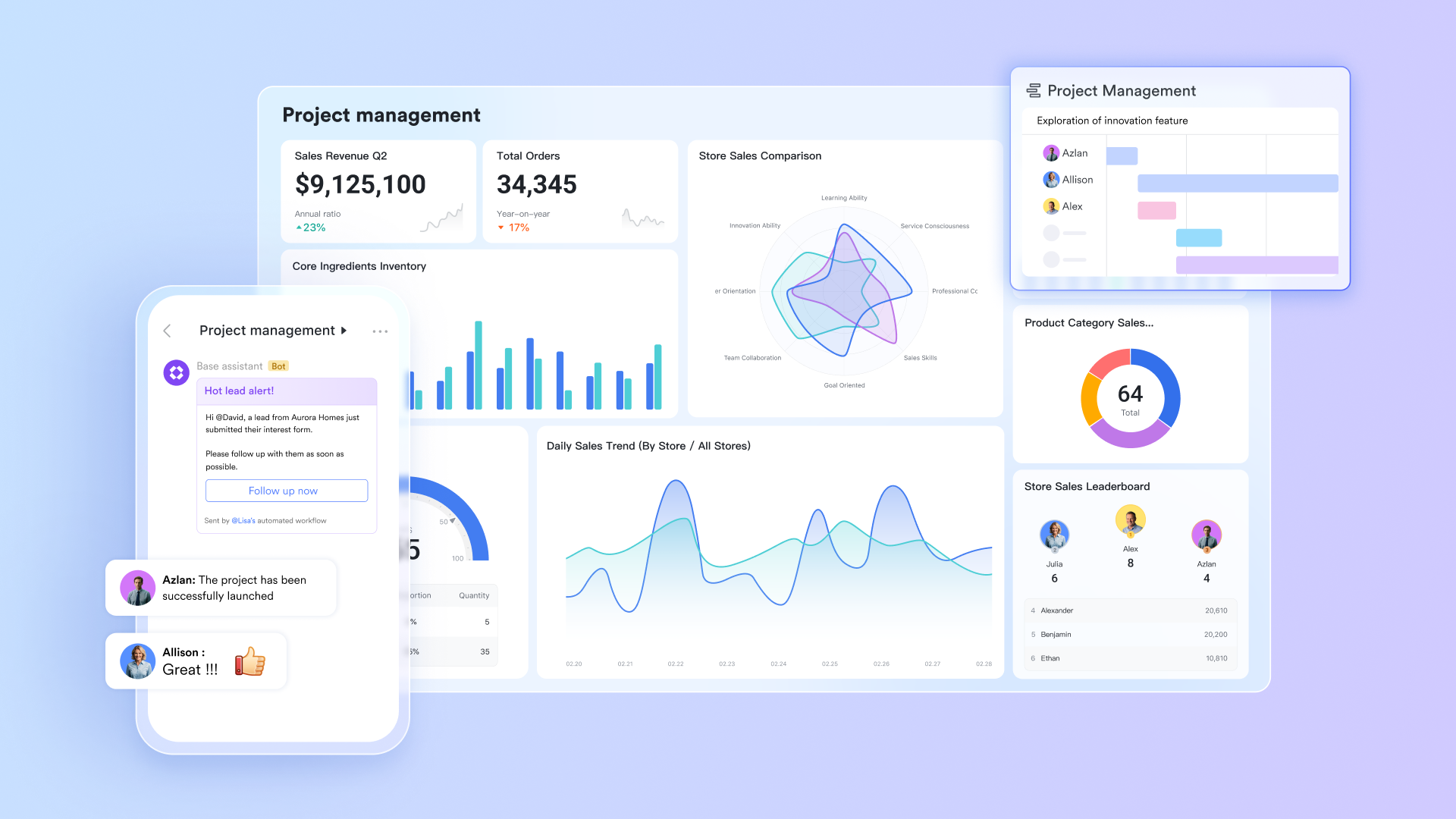
Lark Base: Centralized project tracking and workflow automation
Lark Base acts as a powerful project management and data tracking system. Engineering teams can create tables to manage design tasks, construction schedules, or material logs—all within a flexible interface. Using grid, Kanban, or Gantt views, teams can visualize timelines, dependencies, and progress in real time. On the other hand, dashboards in Lark are interactive, meaning stakeholders can drill down into specific datasets or stages for deeper insights.
Lark Base also supports automation, allowing tasks to progress automatically as conditions are met. For example, when a design passes review, it can automatically move to the "Approved" column, send a notification to the procurement team, and update a linked schedule. These automations reduce manual effort and help ensure no critical steps are missed.
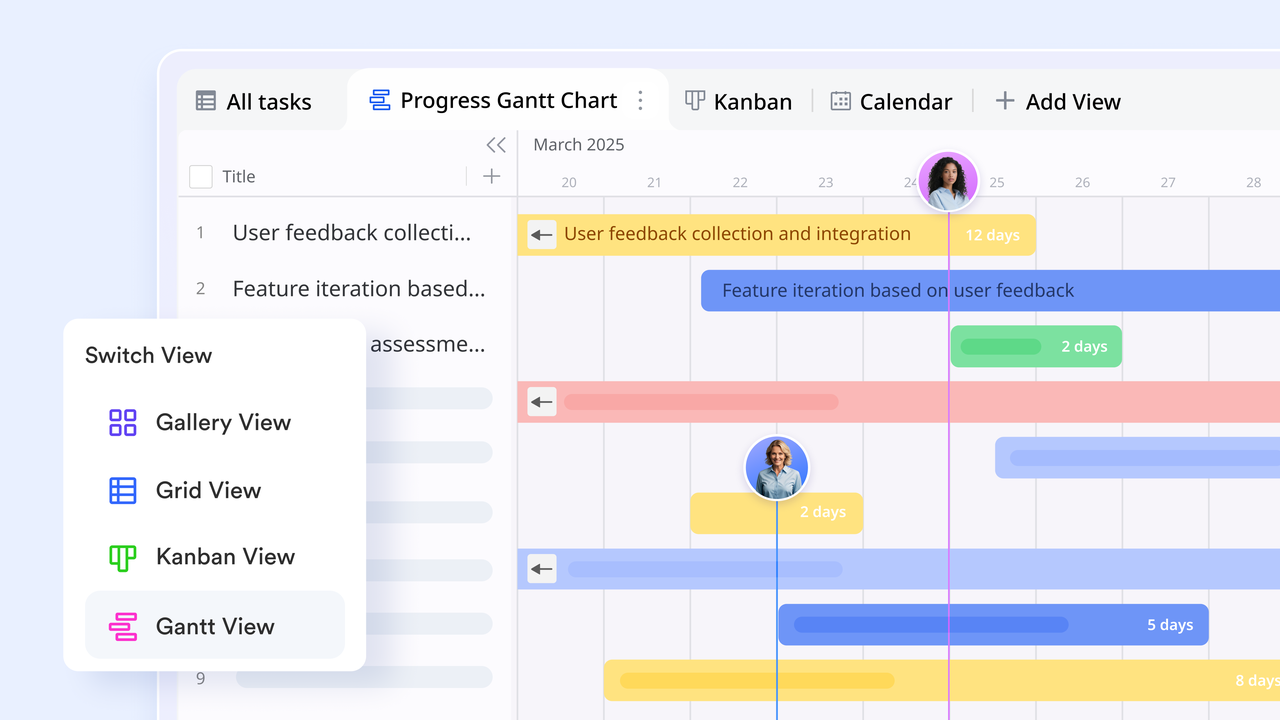
Lark Messenger & Lark Meetings: Real-time communication for faster coordination
Lark Messenger provides a centralized hub where engineering teams can communicate instantly—whether they're in the office, on-site, or working remotely. Teams can create dedicated chat groups for specific projects or disciplines (like structural, mechanical, or electrical engineering), ensuring discussions stay organized.
Built-in video conferencing allows quick review sessions or daily standups without switching apps. Teams can share drawings, CAD screenshots, or project documents directly in chat. Lark Meetings sync automatically with Lark Calendar, and engineers can access recordings, notes, and shared files after sessions. This immediate communication flow helps eliminate delays caused by disconnected tools and ensures that all project updates are transparent and traceable.
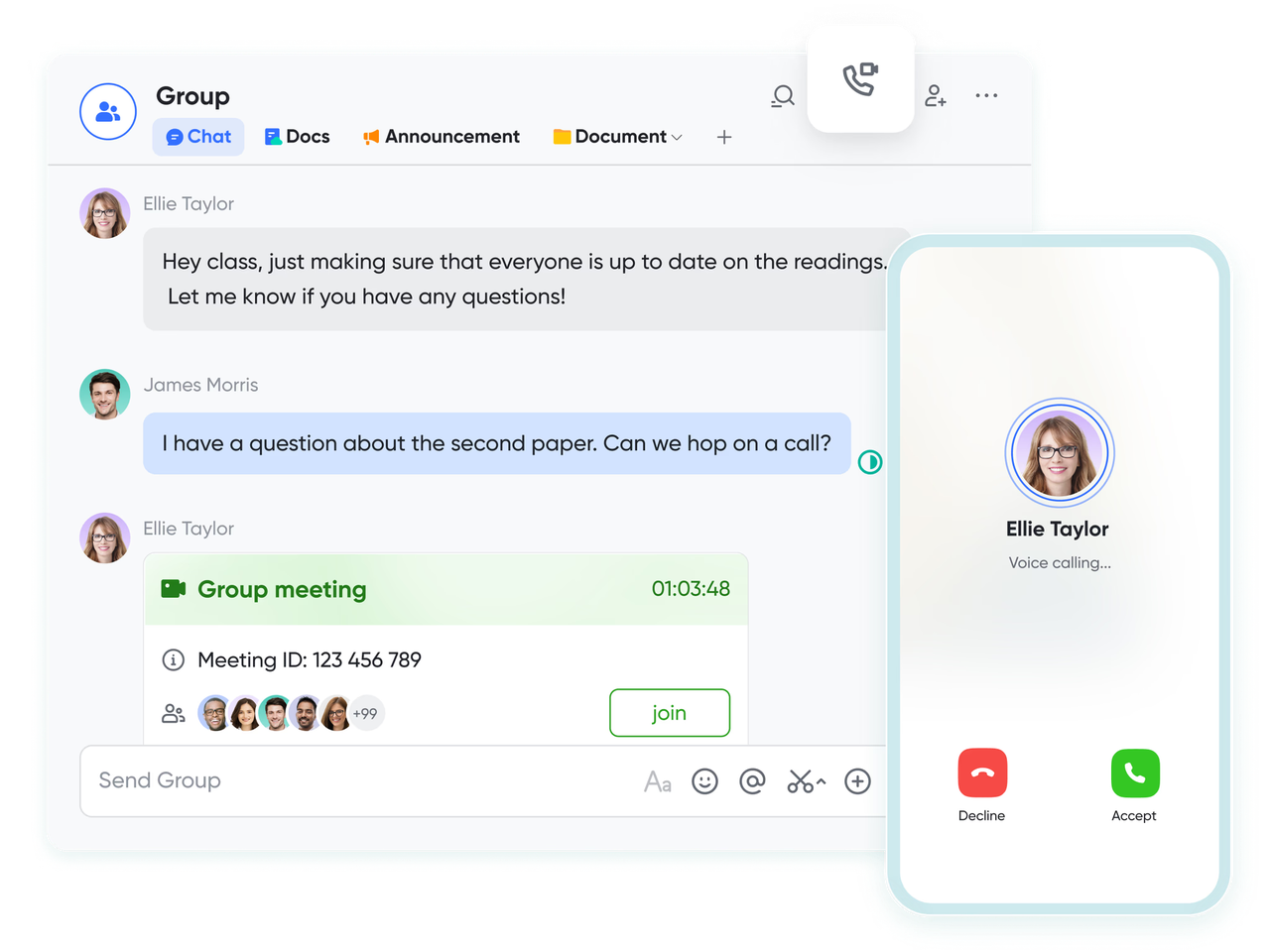
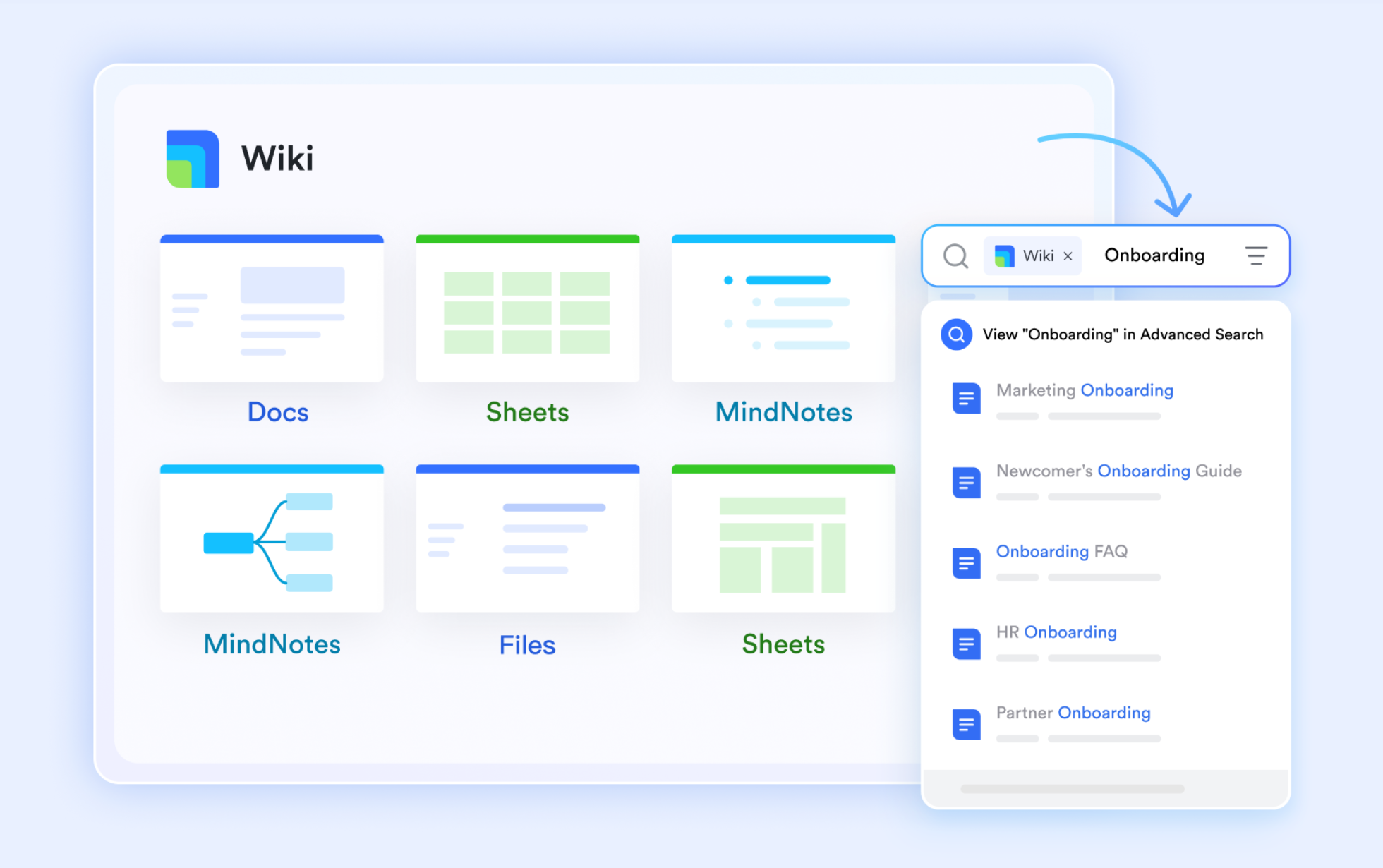
Lark Docs & Lark Wiki: Collaborative documentation for design and reporting
Documentation plays a vital role in engineering—from design specifications to compliance reports. Lark Docs enables multiple team members to co-edit proposals, project briefs, and technical reports simultaneously. Comments, annotations, and version history ensure that feedback is tracked without losing previous data.
Teams can also use Lark Wiki to build a structured knowledge base containing technical manuals, process guidelines, or standard operating procedures. This enables every engineer—whether new or experienced—to access reference materials in a single searchable repository. Together, Docs and Wiki create a living documentation system where information remains consistent and accessible across departments and project phases.
Lark Calendar: Smart scheduling and milestone management
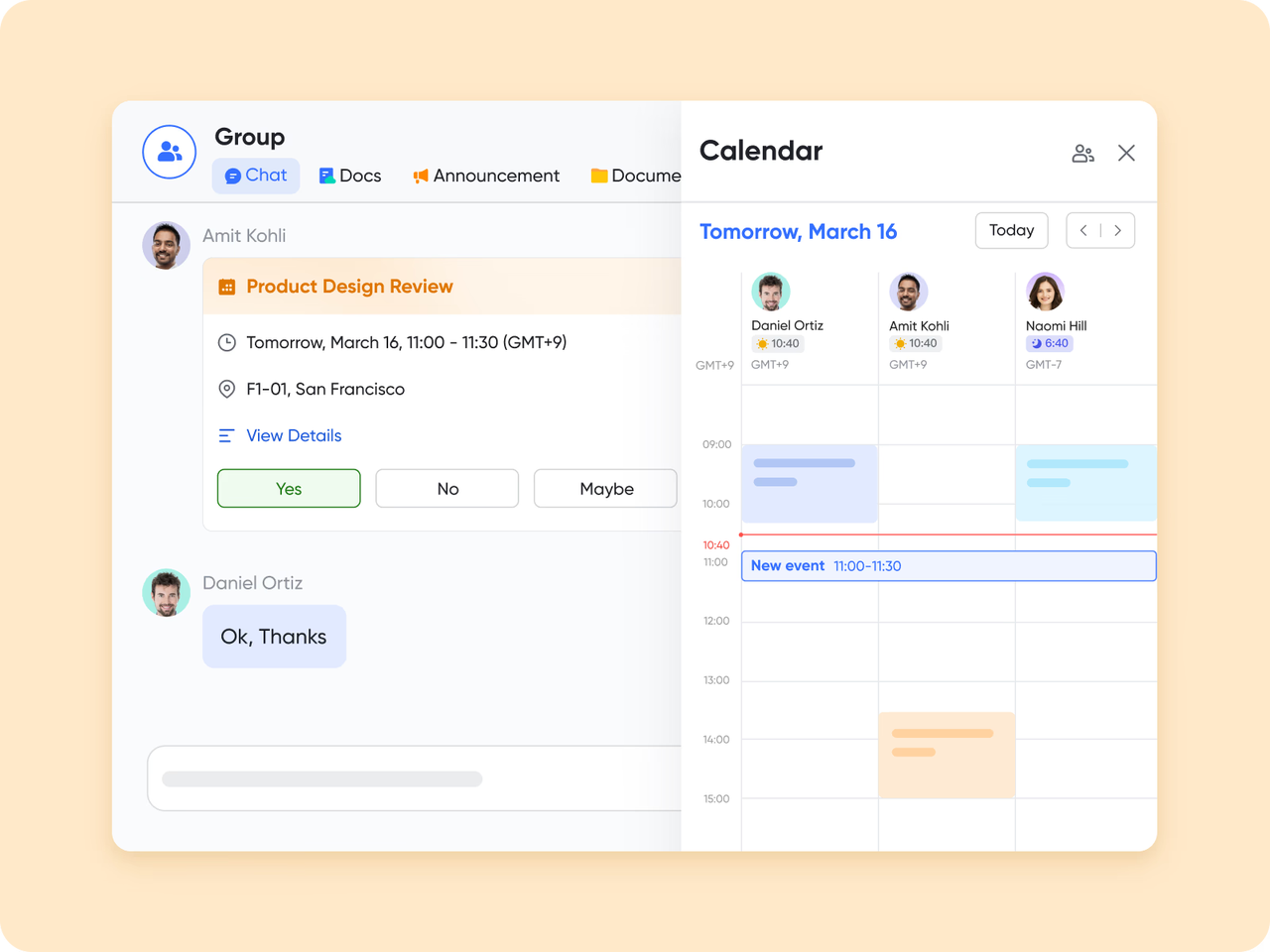
Managing schedules across multiple engineering projects can be complex. Lark Calendar simplifies the process by syncing with team availability to automatically suggest optimal meeting times based on working hours and time zones. It supports scheduling regular meetings—such as daily stand-ups or weekly check-ins—to maintain clear communication and alignment. Teams can also publish product release schedules to share milestones and subscribe to public calendars for inter-team awareness.
Lark Tasks: Aligning goals with project deliverables
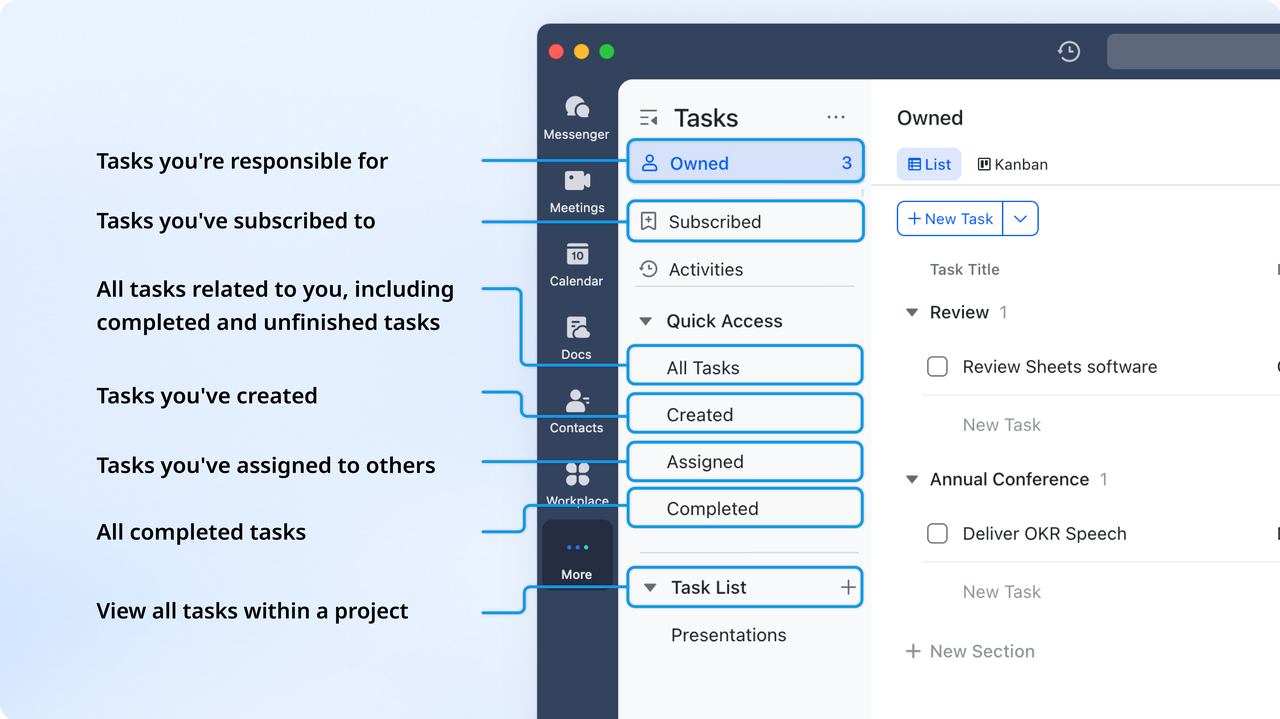
Engineering projects often involve multiple goals, dependencies, and sub-tasks. Lark Tasks provides the structure to manage them effectively. It enables teams to assign responsibilities, set priorities, and track progress across every level of a project. Tasks can be organized by project, team, milestone, or role—such as Owned, Subscribed, Created, or Assigned—and viewed in list, board, or calendar formats.
- Starter plan: Free forever plan that includes 11 powerful tools for up to 20 users. It also comes with 100GB of storage, 1000 automation runs, AI translations, and more.
- Basic plan: $6/user/month (billed annually) for up to 500 users. It includes everything in Starter plus group calling for up to 500 attendees, 5TB of storage, 1000 automation runs, and more.
- Pro plan: $12/user/month (billed annually) for up to 500 users. It includes everything in Starter plus group calling for up to 500 attendees, 15TB of storage, 50,000 automation runs, and more.
- Enterprise plan: Contact sales for custom pricing. Supports unlimited users and includes even more automation runs and advanced security, compliance, and management features.
2. Wrike: Resource-heavy engineering project tracking
Wrike is a powerful project management platform designed to handle the complexity of large-scale engineering projects. It offers a flexible workspace where teams can plan, track, and execute tasks while maintaining complete visibility over timelines, budgets, and resources. Ideal for engineering firms that manage multiple projects simultaneously, Wrike supports detailed task dependencies, workload balancing, and progress tracking. Its structured dashboards and automation tools make it easy to coordinate between design, development, and production teams.
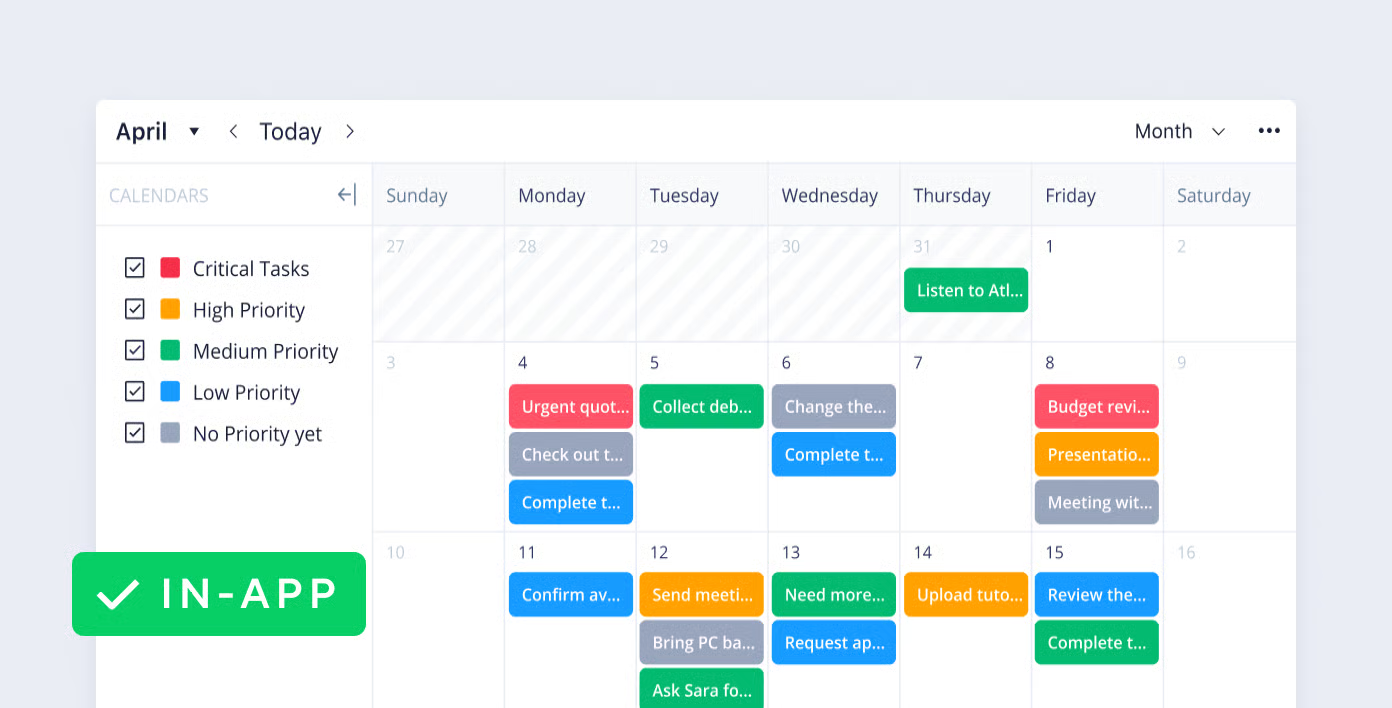
Image source: wrike.com
Key features:
- Advanced Gantt charts and Kanban boards for visual project planning
- Resource management tools for workload and capacity tracking
- Real-time collaboration with document sharing and comments
- Custom workflows for design review and approval cycles
- Integration with CAD, BIM, and cloud storage tools
Pros:
- Excellent for managing large, resource-intensive engineering projects
- Customizable dashboards offer strong visibility and control
- Built-in automation reduces manual updates and status checks
- Ideal for multidisciplinary teams working on complex deliverables
Cons:
- Steeper learning curve for new users
- Can feel overwhelming for smaller engineering teams
Pricing: Free plan available; Team ~$9.80/user/month; Business ~$24.80/user/month; Enterprise custom.
3. Asana: Workflow and milestone management
Asana is a versatile project management tool that helps engineering teams organize workflows, set milestones, and stay aligned across every stage of a project. Its clean interface and flexible task structure make it ideal for tracking complex engineering processes without losing sight of priorities or dependencies. Teams can map out timelines, assign responsibilities, and monitor progress in real time, making Asana one of the most approachable yet powerful platforms for structured project coordination.
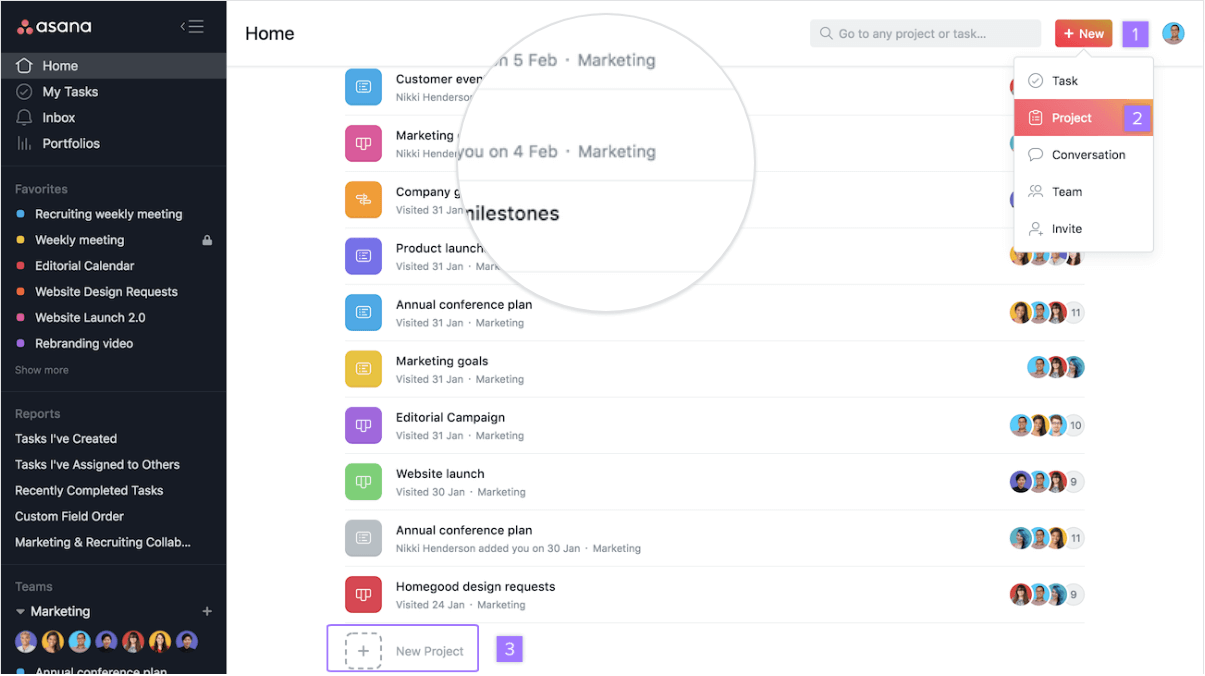
Image source: asana.com
Key features:
- Timeline and milestone tracking for structured project delivery
- Task dependencies and priority setting for clear accountability
- Real-time collaboration with comments, attachments, and updates
- Customizable project templates for engineering workflows
- Integration with Slack, Google Drive, and cloud modeling tools
Pros:
- Simple interface suited for both technical and non-technical team members
- Excellent visibility into project timelines and dependencies
- Helps manage multi-phase engineering projects with defined milestones
- Highly adaptable to various engineering disciplines
Cons:
- Limited resource management compared to enterprise tools
- May require integrations for advanced reporting or version control
Pricing: Free for up to 10 people; Starter ~$10.99/user/month (annual billing); Advanced ~$24.99/user/month (annually).
4. ClickUp: Customizable engineering task tracking
ClickUp is a highly flexible platform built to support a wide range of workflows—including those common in engineering teams. It allows teams to structure their projects with a hierarchy of spaces, folders, and lists, and offers custom task fields and automations so you can tailor the system to your engineering processes. Highly flexible tool that lets engineering teams build tailored workflows, automate updates, and visualize progress in multiple views.
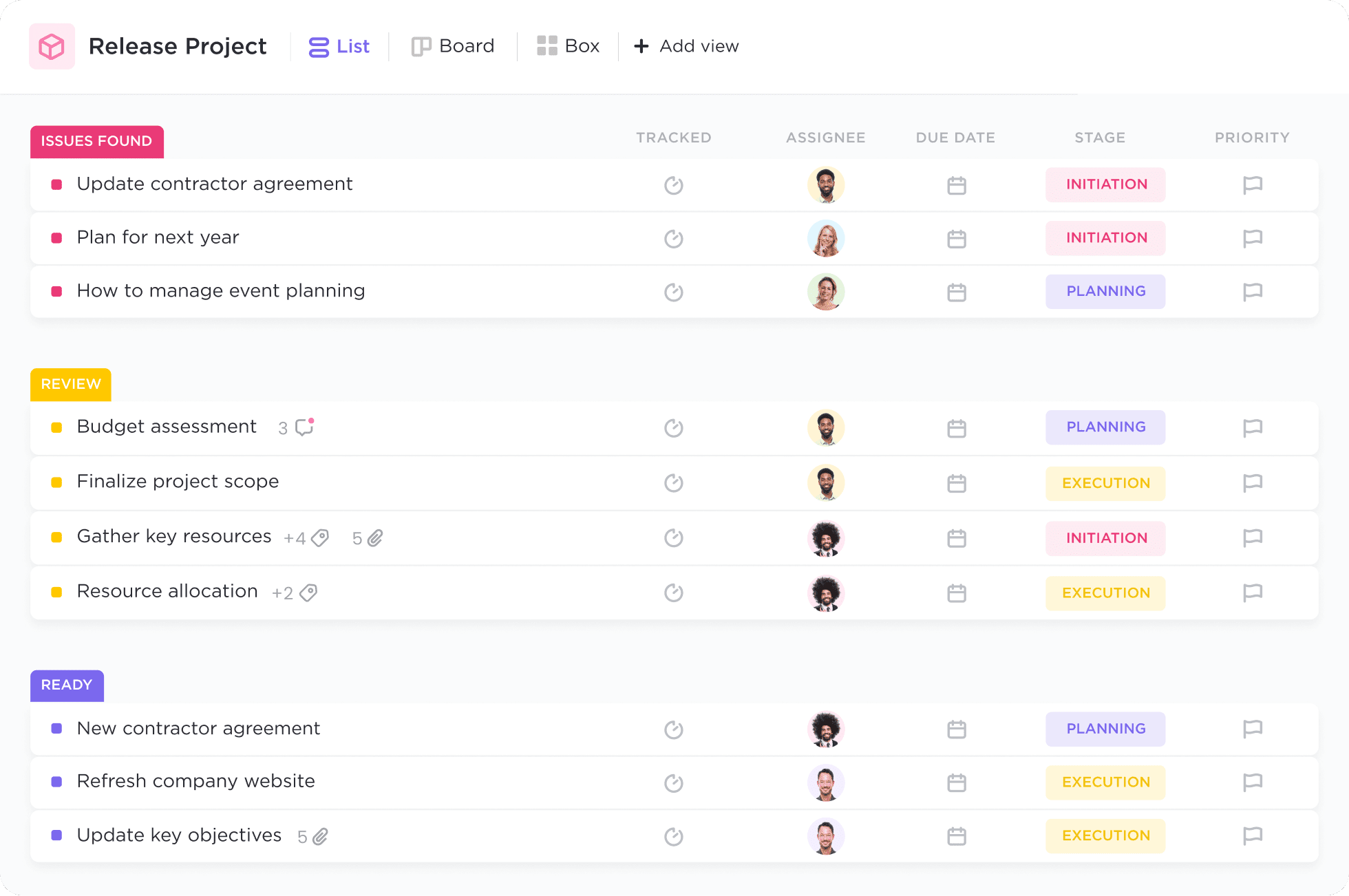
Image source: clickup.com
Key features:
- AI-powered writing, task generation, and project summarization
- Customizable dashboards, lists, boards, and goal tracking
- Workflow automation with conditional triggers
- Built-in chat, docs, and whiteboards for seamless collaboration
- Integrations with Slack, Google Drive, Zoom, and more
Pros:
- Highly customizable for different team structures and industries
- AI boosts productivity through automation and instant insights
- Centralized workspace reduces tool-switching
- Great balance between flexibility and ease of use
Cons:
- Feature-rich interface can feel overwhelming for new users
- Some advanced AI capabilities are limited to higher-tier plans
Pricing: Free Forever plan; Unlimited ~$7/user/month (annual billing); Business ~$12/user/month (annual billing).
5. Smartsheet: Spreadsheet-style project planning
Smartsheet brings the familiarity of spreadsheets into modern project management, making it a great fit for engineering teams that prefer a structured, data-driven approach. It combines grid-based task tracking with powerful automation, dashboards, and collaboration tools. Engineering teams can use Smartsheet to manage project timelines, track resource allocation, and maintain visibility across multiple workflows—all within a layout that feels intuitive and flexible.
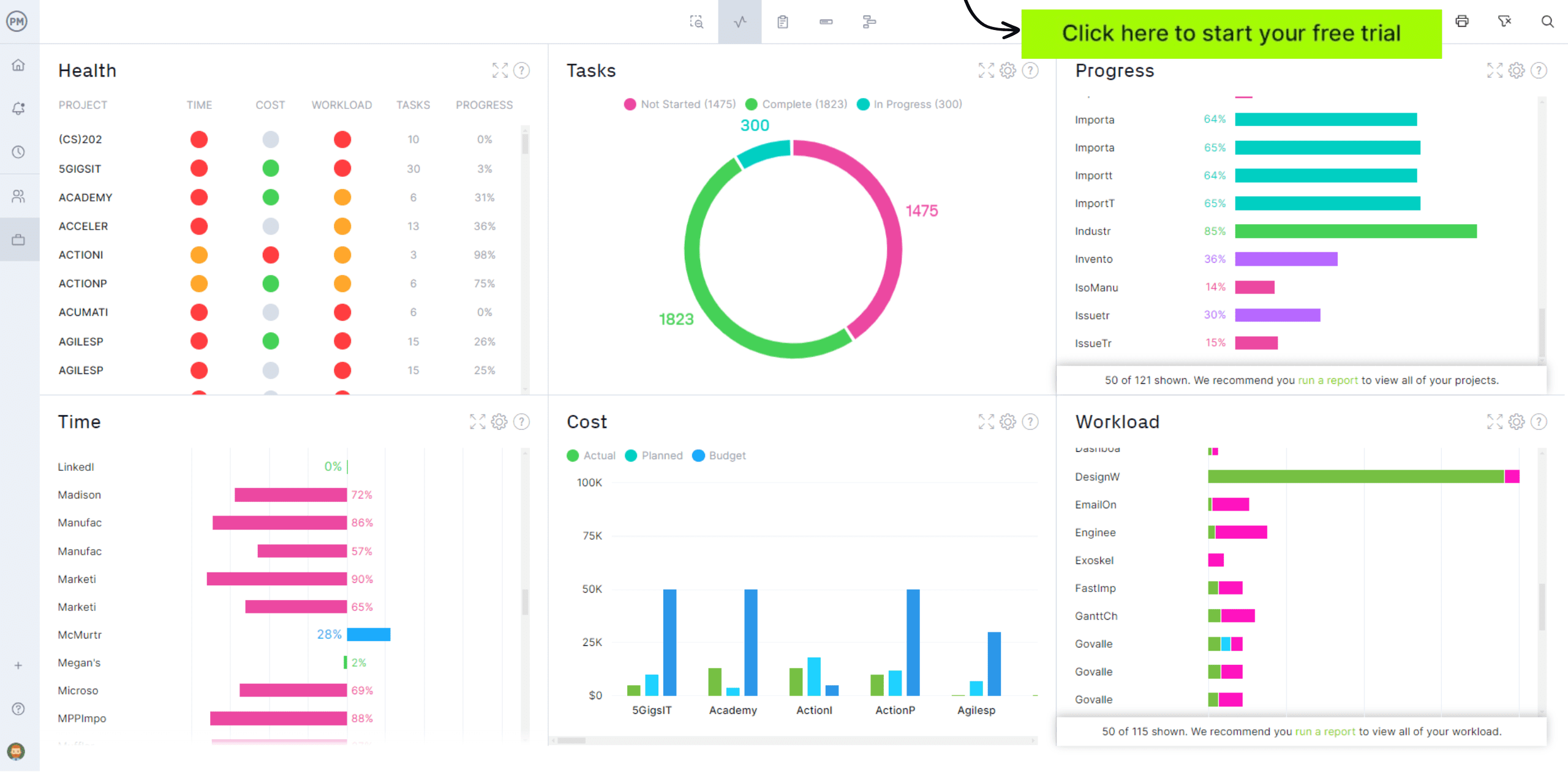
Image source: smartsheet.com
Key features:
- Spreadsheet-style interface with Gantt, Kanban, and calendar views
- Automated workflows and alerts for status updates and approvals
- Centralized dashboards for project performance and reporting
- Real-time collaboration with file attachments and comments
- Integrations with Microsoft 365, Google Workspace, and design tools
Pros:
- Easy transition for teams used to Excel or Google Sheets
- Strong automation and dashboard capabilities for complex engineering projects
- Great visibility into project progress and budgets
- Highly scalable for large organizations with multiple concurrent projects
Cons:
- Can be overwhelming for small teams or simple projects
- Some advanced features require higher-tier subscriptions
Pricing: Pro ~$9/user/month (when billed annually); Business ~$19/user/month (annual billing); Enterprise/custom pricing above that.
6. Autodesk Construction Cloud: Built for architectural and civil engineering projects
Autodesk Construction Cloud is purpose-built for the architecture, engineering, and construction (AEC) industry, offering a unified platform that connects every phase of the project lifecycle—from design to handover. It brings together tools for document management, model coordination, field collaboration, and cost tracking, helping civil engineers and architects work seamlessly across disciplines. With robust BIM (Building Information Modeling) integration, it ensures design accuracy, version control, and real-time collaboration for complex infrastructure and construction projects.
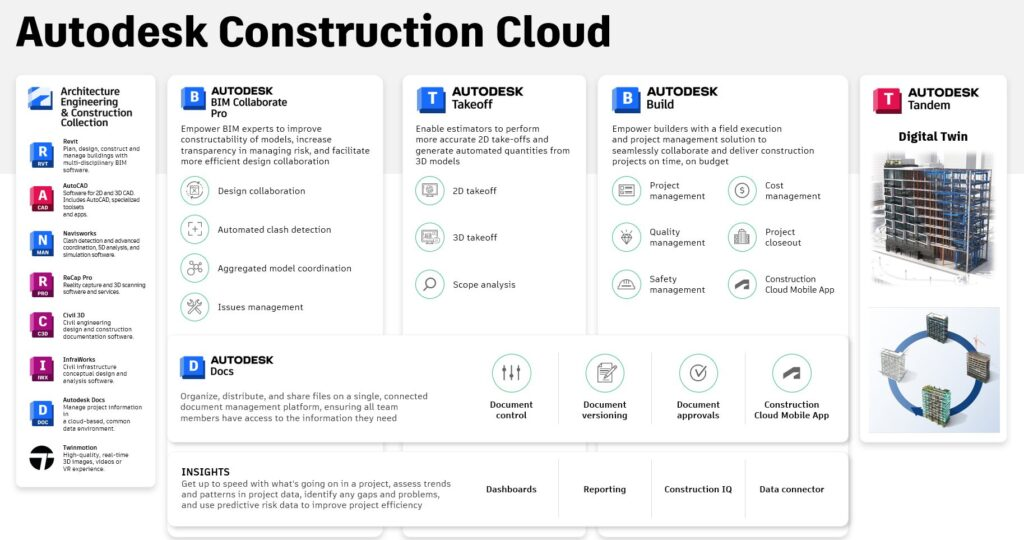
Image source: autodesk.com
Key features:
- Centralized document and drawing management with version tracking
- BIM-based design collaboration for architecture and civil engineering
- Field and site management tools for issue tracking and inspections
- Real-time data dashboards for project performance monitoring
- Integrations with AutoCAD, Revit, Navisworks, and other Autodesk tools
Pros:
- Ideal for large-scale architectural and civil engineering projects
- Excellent version control and data accuracy for design workflows
- Seamless collaboration between design, engineering, and construction teams
- Reduces rework through connected BIM and project insights
Cons:
- Steeper learning curve for smaller teams or non-BIM users
- Premium pricing suited for mid to large organizations
Pricing: Custom pricing
7. Jira: Project management for software and IT engineers
Jira is one of the most widely used tools for managing software development and IT engineering projects. Designed by Atlassian, it helps teams plan sprints, track bugs, and manage complex workflows with precision. Its flexible setup allows engineers to use Agile methodologies like Scrum or Kanban while maintaining complete visibility over tasks, deadlines, and dependencies. Jira's strength lies in its customization—teams can adapt it to their unique processes, from coding and QA to deployment and maintenance.
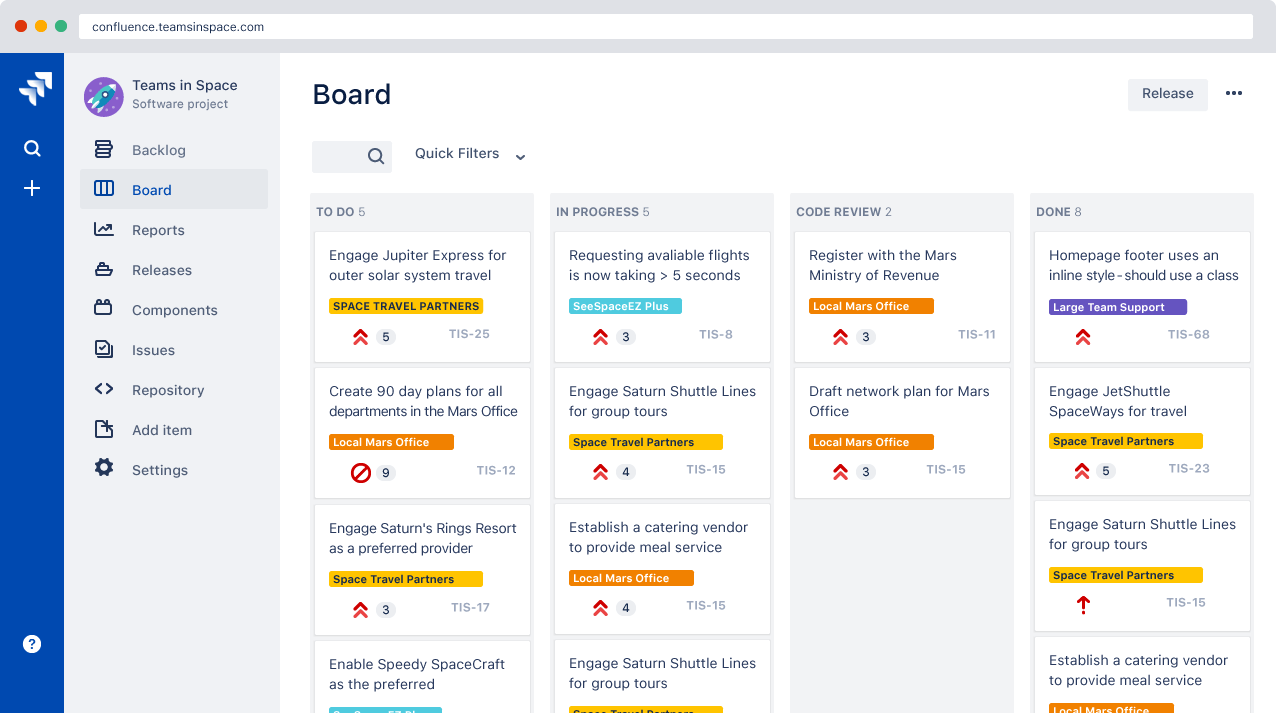
Image source: jira.com
Key features:
- Agile project management with Scrum and Kanban boards
- Customizable workflows for issue tracking and release cycles
- Sprint planning, backlog management, and performance reporting
- Automation for repetitive development and testing tasks
- Integrations with GitHub, Bitbucket, Jenkins, and other dev tools
Pros:
- Excellent for software and IT engineering teams using Agile frameworks
- Powerful tracking and reporting for bugs, features, and performance metrics
- Highly customizable workflows for different engineering processes
- Strong integration ecosystem with development and CI/CD tools
Cons:
- Complex setup for non-technical users
- Can feel overwhelming for small teams needing simple task tracking
Pricing: Free plan up to 10 users; Standard ~$8.60/user/month; Premium ~$17/user/month (for first ~100 users) with seat-based volume discounts.
8. Monday.com: Visual workflows and automation
Monday.com is a popular work management platform that helps teams plan, track, and automate their workflows. With its colorful boards and flexible layouts, it's designed to give everyone a clear view of project progress in real time. The platform supports multiple views, including timelines, Gantt charts, and calendars, allowing teams to visualize tasks the way they prefer.
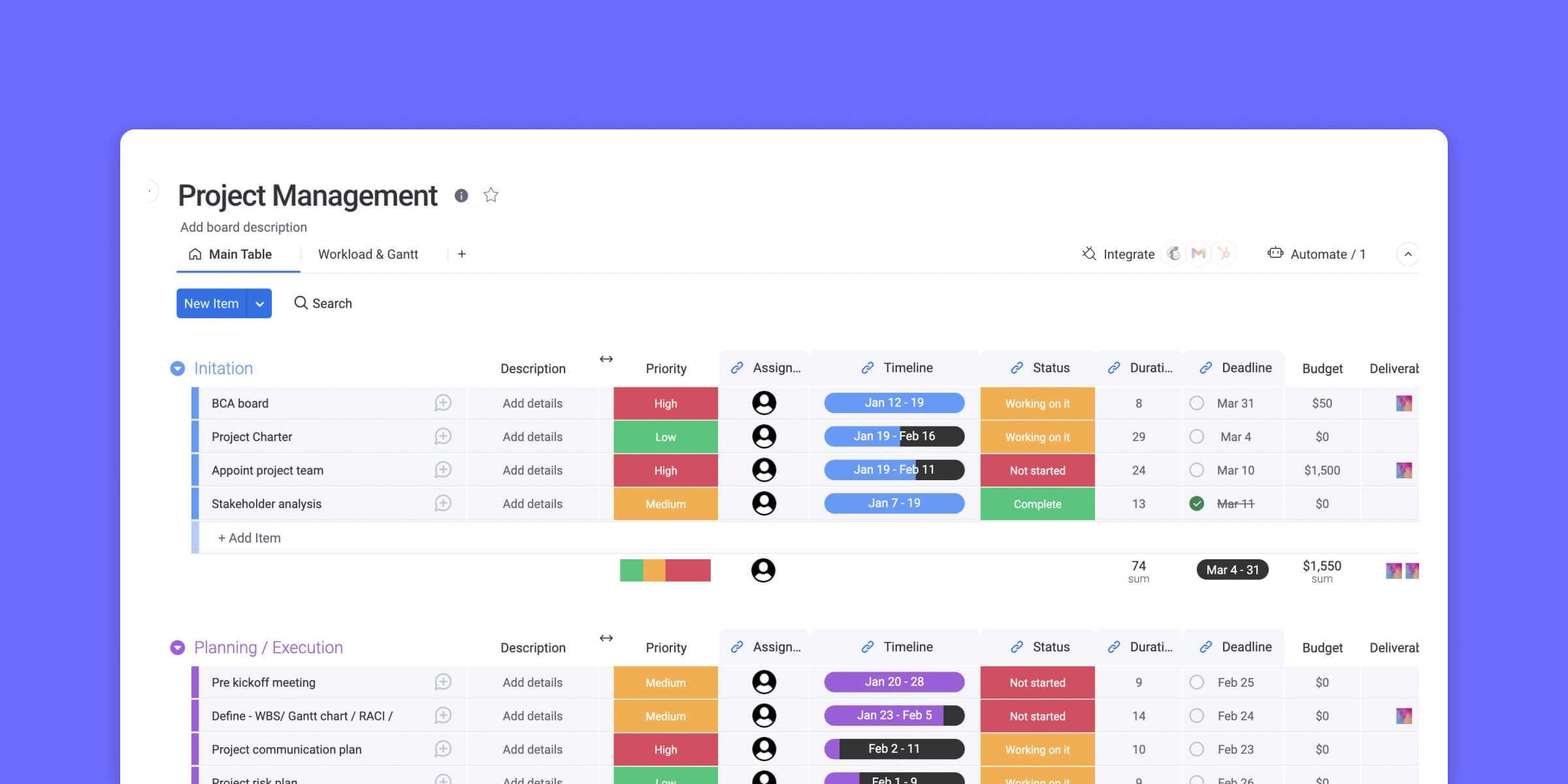
Image source: monday.com
Key features:
- Visual project boards for easy task tracking
- Workflow automation to save time and reduce manual work
- Customizable dashboards for better visibility
- Integrations with popular tools like Slack, Google Drive, and Zoom
- Real-time collaboration and progress updates
Pros:
- Intuitive and highly visual interface
- Flexible layouts to match your workflow
- Excellent automation and integration options
- Great for managing multiple projects in one place
Cons:
- Can feel overwhelming for smaller teams
- Pricing increases quickly as the team size grows
Pricing:
- Starter: $12/user/month
9. Trello: Lightweight Kanban-based collaboration
Trello is a simple yet effective tool for engineering teams that prefer a visual, lightweight approach to project management. Built around Kanban boards, it helps teams organize tasks, track progress, and maintain clarity across projects at a glance. Each task is represented as a card that can be moved through different workflow stages—ideal for smaller engineering teams or those managing straightforward processes without heavy documentation or resource tracking.
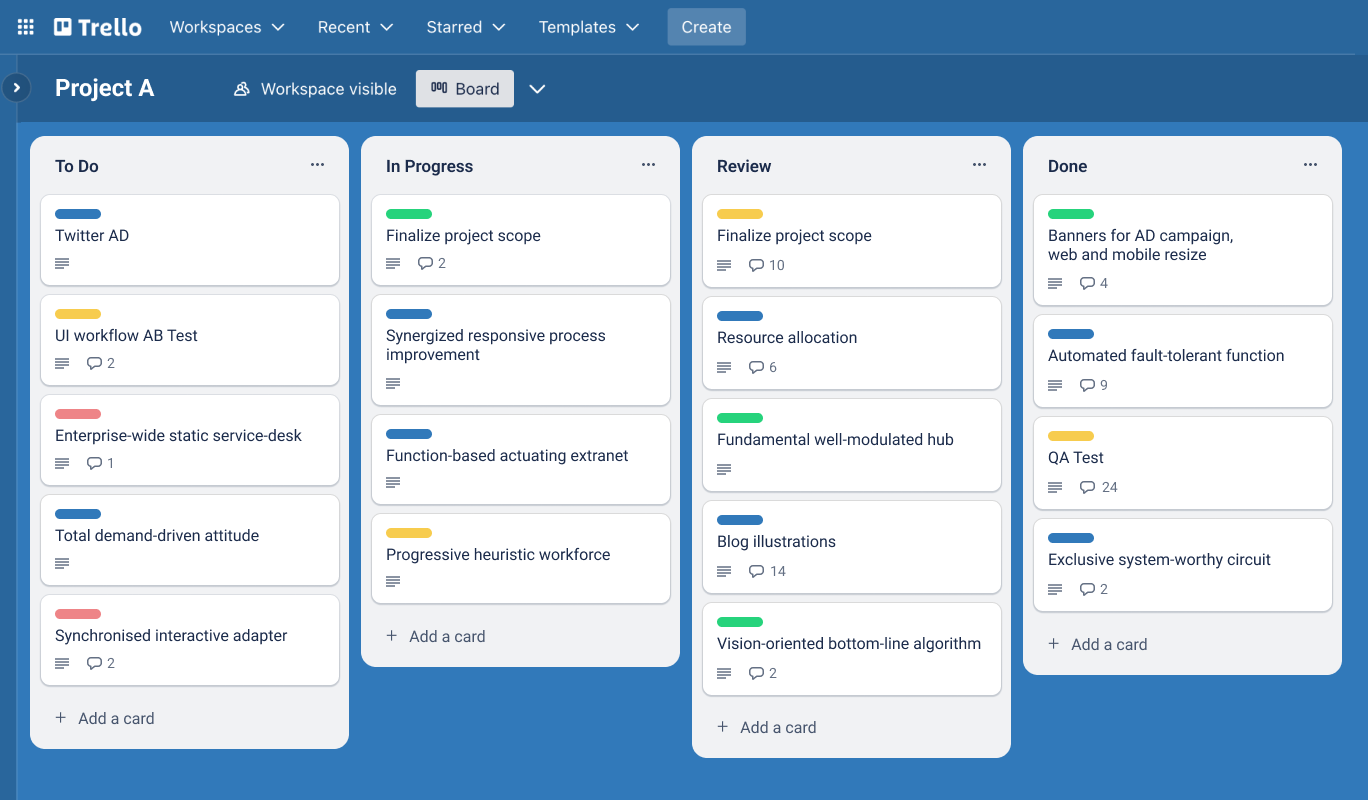
Image source: trello.com
Key features:
- Kanban-style boards for visual task organization
- Customizable lists, labels, and checklists for workflow management
- Real-time collaboration with file sharing and comments
- Power-Ups for integrations with tools like Slack, Google Drive, and Jira
- Automation through Butler for recurring tasks and reminders
Pros:
- Extremely easy to set up and use for quick project visibility
- Great for small to mid-sized engineering teams
- Highly visual and intuitive interface
- Flexible customization with Power-Ups and templates
Cons:
- Limited reporting and analytics for complex engineering projects
- Lacks built-in resource management or advanced scheduling features
Pricing: Free plan available; Business-class ~$10/user/month; Enterprise and higher tiers with custom pricing.
10. Teamwork: Client and resource management for agencies
Teamwork is a project management platform built to help engineering and service-based teams manage client work, track resources, and deliver projects efficiently. It combines task tracking, time logging, and budgeting tools, making it especially useful for engineering consultancies and agencies that juggle multiple client projects. Teamwork's clean interface and detailed reporting features make it easy to balance internal workloads while maintaining full transparency with clients.
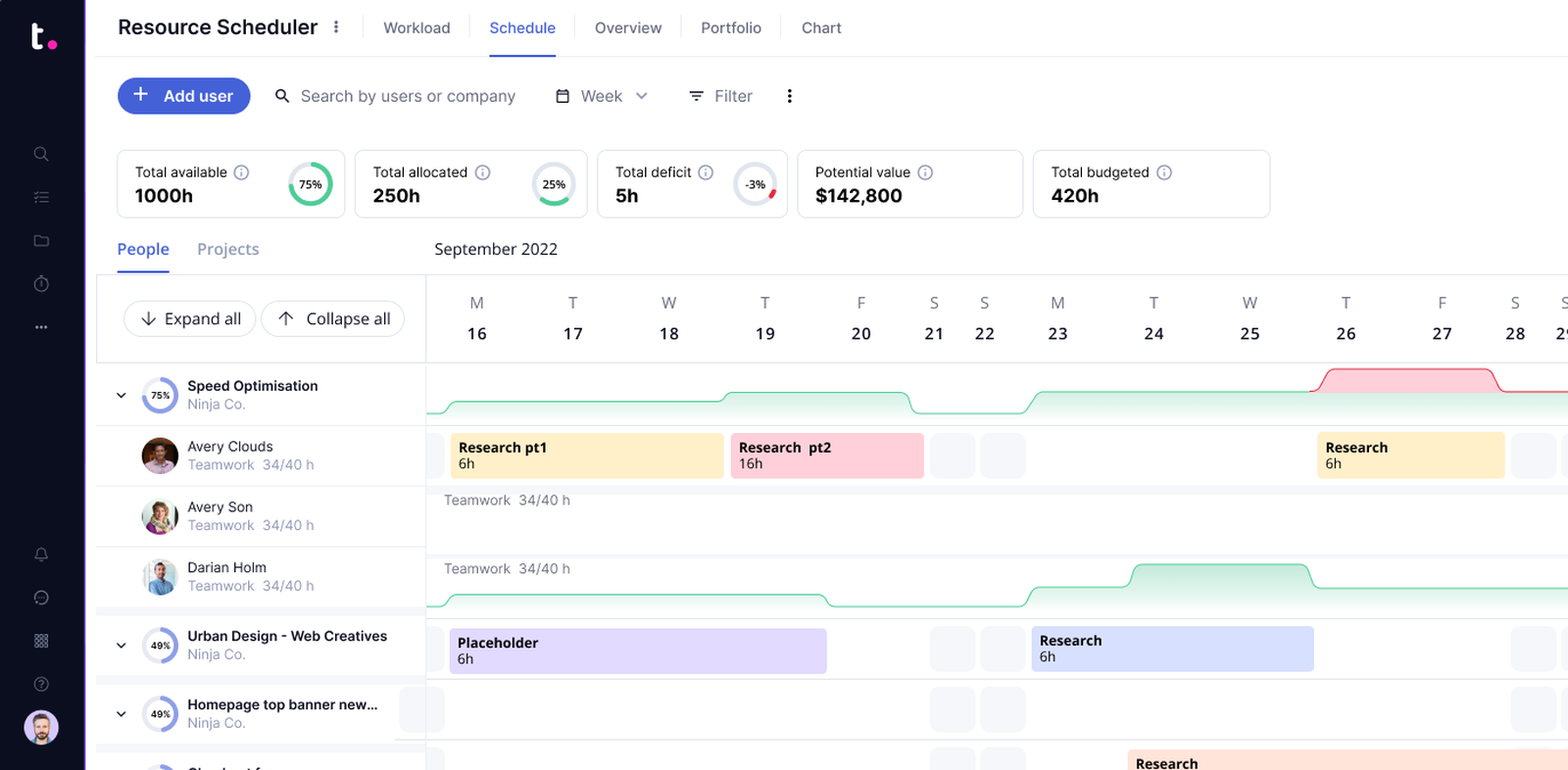
Image source: teamwork.com
Key features:
- Task and milestone tracking with Gantt and board views
- Time tracking and billable hours management for client projects
- Resource planning to allocate workloads effectively
- Client portal for real-time progress visibility
- Integrations with HubSpot, Slack, and Google Workspace
Pros:
- Excellent for engineering agencies handling multiple client accounts
- Strong time tracking and billing features built into project workflows
- Easy to share updates and progress reports with clients
- Scalable for small to mid-sized engineering firms
Cons:
- Fewer advanced engineering integrations compared to technical tools
- Interface may feel basic for highly complex or specialized projects
Pricing: Free forever plan available; "Grow" plan around ~$10.99/user/month; "Scale" plan ~$19.99/user/month (billed annually) for unlimited users/projects.
11. Basecamp: Simplified communication and project tracking
Basecamp focuses on making project management simple and communication clear. It's ideal for engineering teams that want a straightforward tool to organize projects, share updates, and reduce email clutter. Instead of complicated dashboards, Basecamp uses a clean layout with to-do lists, message boards, schedules, and file sharing—all in one central hub. Its emphasis on transparency and simplicity makes it a great option for small to mid-sized engineering teams that prioritize communication and accountability over complex project controls.
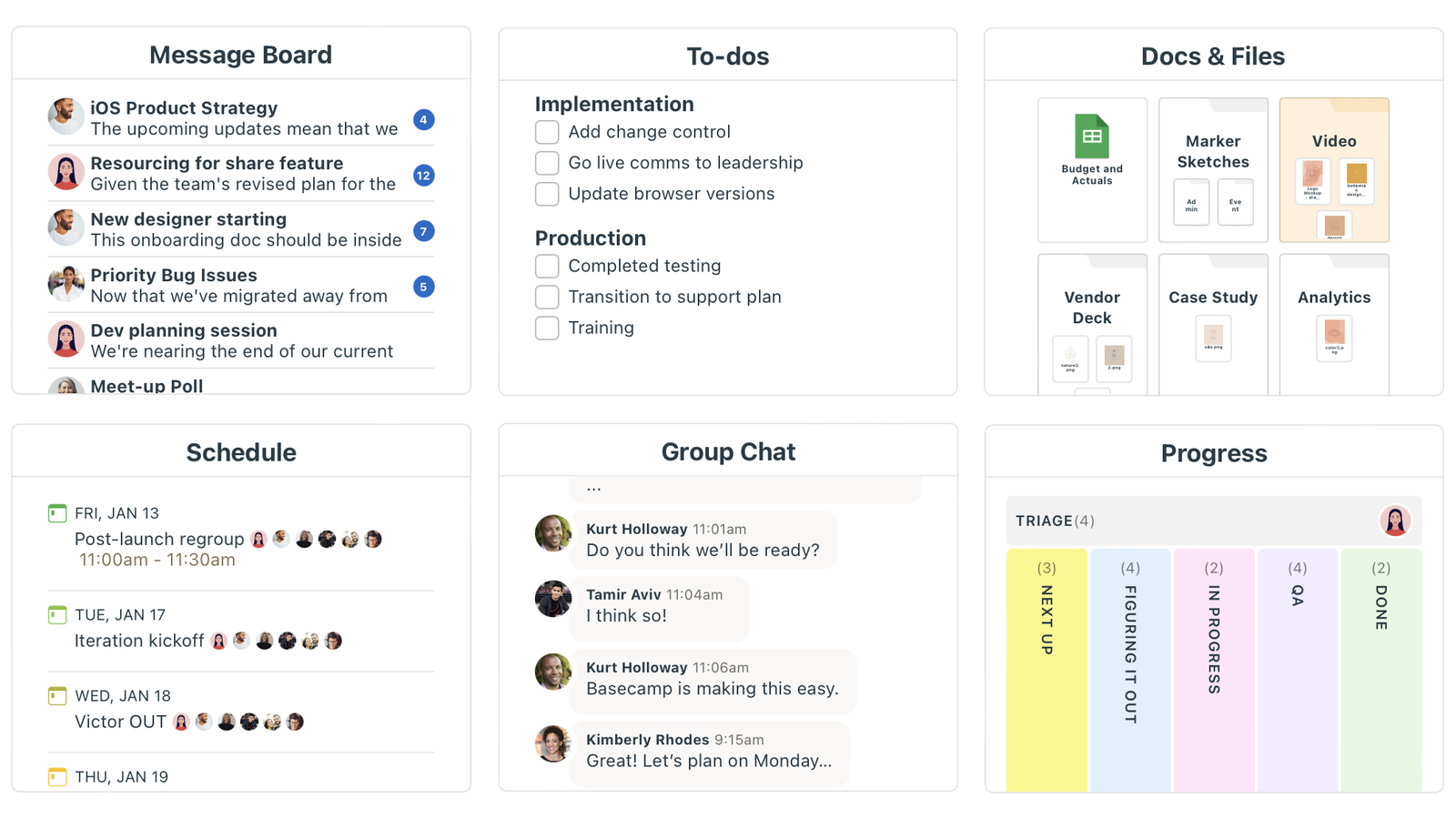
Image source: basecamp.com
Key features:
- To-do lists, message boards, and real-time chat for collaboration
- Centralized file storage and document sharing
- Project schedules with automatic reminders and notifications
- Hill Charts for visual progress tracking
- Client access for project visibility and feedback
Pros:
- Simple and intuitive for teams new to project management software
- Streamlines communication and keeps everyone aligned
- Reduces reliance on long email threads and external messaging tools
- Great for smaller engineering projects or teams with flexible workflows
Cons:
- Limited advanced project tracking or resource management tools
- Not ideal for large-scale or data-intensive engineering projects
Pricing: Free; Paid from $15/user/month; Flat‑fee Pro Unlimited plan at $299/month (billed annually) for unlimited users
12. Microsoft Project: Classic enterprise-grade project planning
Microsoft Project is one of the most established tools in professional project management, widely used across engineering and construction industries. Known for its depth and precision, it helps engineering teams plan complex timelines, manage dependencies, allocate resources, and control budgets with high accuracy. Its Gantt chart–based planning and advanced scheduling algorithms make it ideal for large, multi-phase engineering projects that demand structure and detailed oversight.
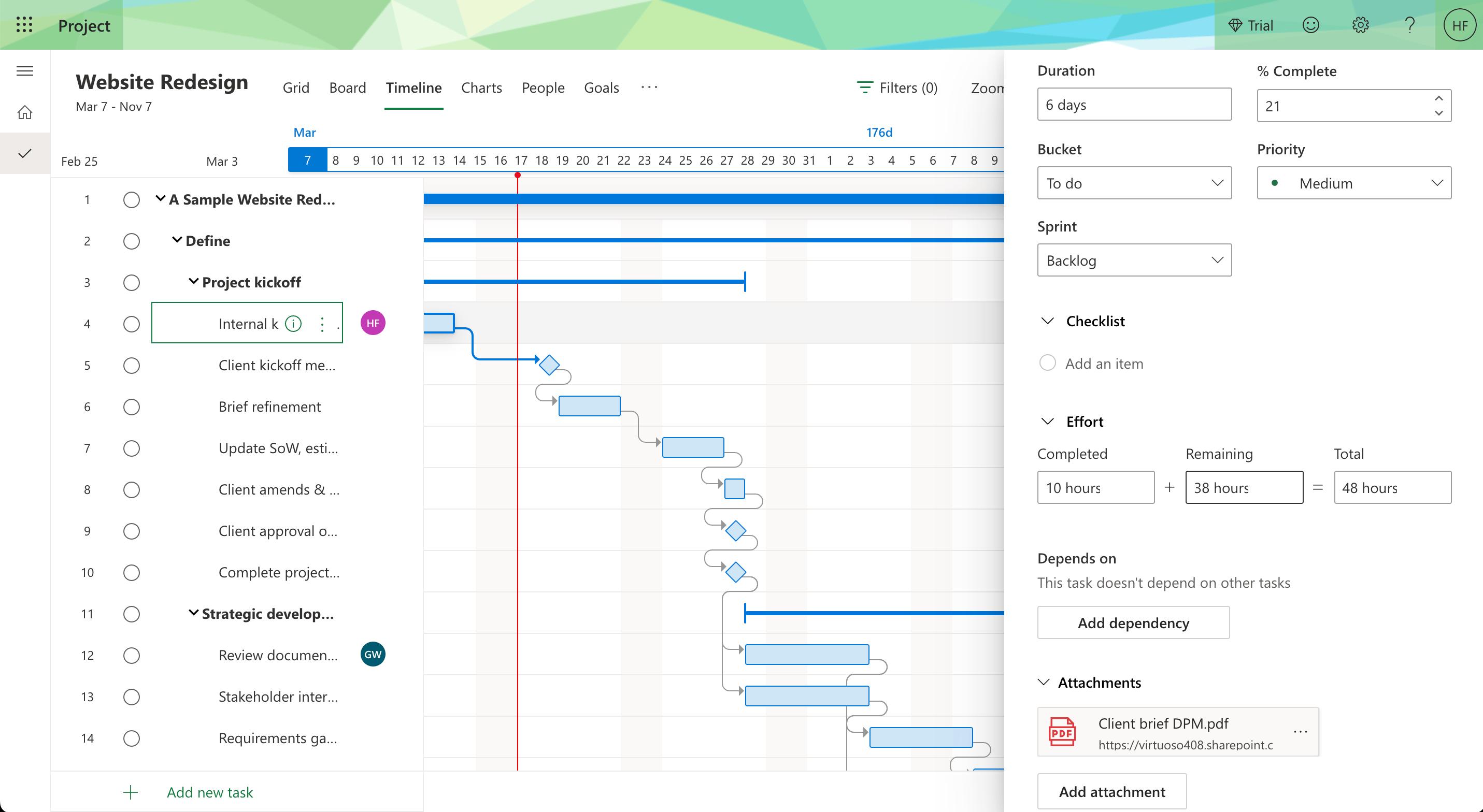
Image source: microsoft.com
Key features:
- Advanced Gantt charts for scheduling and task dependencies
- Resource management for workforce and equipment planning
- Budget tracking and cost forecasting tools
- Integration with Microsoft 365 and Power BI for reporting
- Supports Waterfall, Agile, and hybrid project methodologies
Pros:
- Excellent for enterprise-level engineering and construction projects
- Highly detailed planning and reporting capabilities
- Strong resource allocation and financial tracking features
- Seamless integration with other Microsoft products
Cons:
- Steeper learning curve for new users
- Requires significant setup for smaller or agile engineering teams
Pricing: Subscription plans: Planner Plan 1 ~$10/user/month; Project Plan 3 ~$30/user/month; Project Plan 5 ~$55/user/month. One-time purchase options also exist (Standard ~$679.99, Professional ~$1,129.99).
13. Zoho Projects: Affordable all-in-one project management
Zoho Projects is a cost-effective project management solution designed to help engineering teams organize tasks, collaborate efficiently, and monitor progress without breaking the budget. It offers a full suite of features, including task tracking, time management, automation, and reporting—all within an easy-to-navigate interface. For engineering teams looking for balance between functionality and affordability, Zoho Projects delivers strong value while supporting complex workflows.
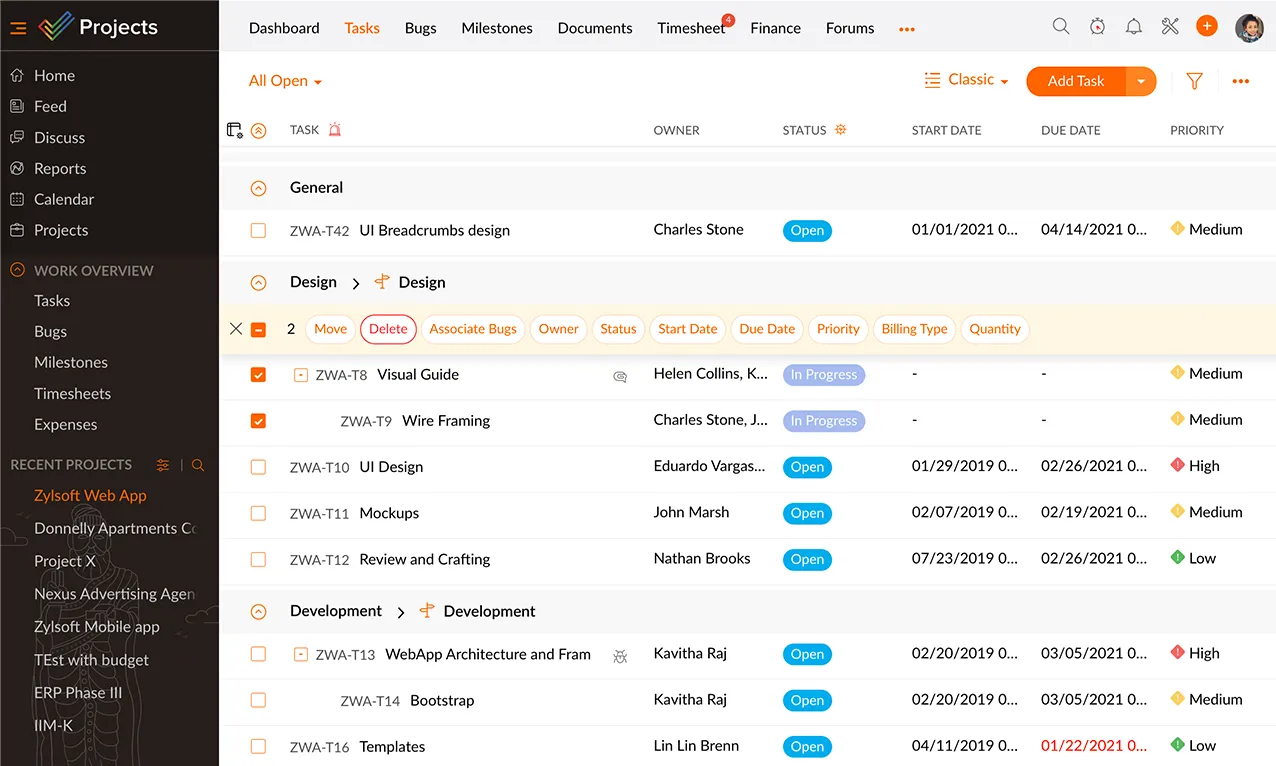
Image source: zoho.com
Key features:
- Task and milestone tracking with Gantt and Kanban views
- Built-in time tracking and timesheet management
- Workflow automation for approvals and recurring processes
- Resource utilization charts for capacity planning
- Integrations with Zoho ecosystem tools, Google Workspace, and Microsoft apps
Pros:
- Affordable option with features comparable to premium tools
- User-friendly interface suited for technical and non-technical users
- Scalable for small to mid-sized engineering firms
- Strong time tracking and reporting capabilities
Cons:
- Limited customization for highly complex engineering workflows
- Interface can feel less polished compared to enterprise-grade tools
Pricing: Free tier for up to 3 users/projects; Paid tiers begin at ~$4/user/month in some markets; published comparison shows ~$4/user/month and ~$9/user/month for higher tiers
14. Notion: Documentation-led project coordination
Notion combines note-taking, task management, and team collaboration in a single flexible workspace, making it ideal for engineering teams that value documentation as much as task tracking. Its modular setup allows teams to build custom pages, databases, and dashboards that fit their unique workflows—from design documentation and test logs to sprint planning and resource tracking. By centralizing project notes, schedules, and files, Notion helps engineers keep context and communication organized in one place.
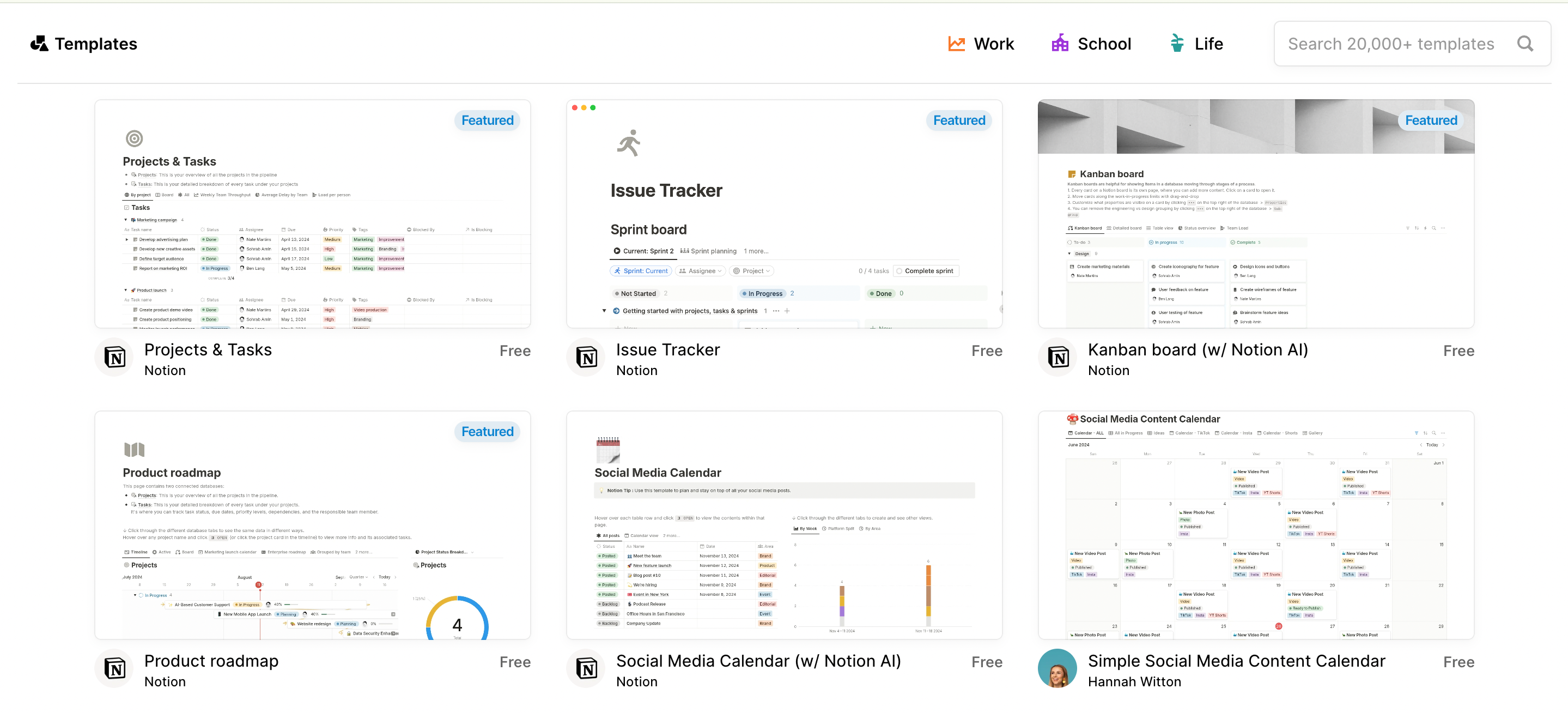
Image source: notion.com
Key features:
- Customizable pages and databases for project documentation
- Task tracking with Kanban boards, timelines, and calendars
- Real-time collaboration and commenting on shared documents
- Integration with GitHub, Slack, and cloud storage tools
- Templates for engineering workflows and documentation systems
Pros:
- Excellent for teams that need strong documentation and collaboration tools
- Highly flexible and customizable to match engineering workflows
- Great for combining project plans, technical notes, and reports in one hub
- Clean, intuitive interface with minimal setup required
Cons:
- Lacks native advanced project tracking or resource management
- Can become cluttered if not organized with clear structure
Pricing: Free; Paid from $10/user/month (Plus plan, billed annually), Business $20/user/month (billed annually), Enterprise custom pricing.
15. nTask: Simple project and issue management
nTask is a straightforward project management tool designed to help engineering teams manage tasks, issues, and meetings in one place. Its clean interface and built-in issue tracking make it especially useful for smaller teams handling technical projects or product development cycles. nTask supports everything from task assignments and time tracking to risk and bug management, making it a practical choice for engineers who want simplicity without losing essential control.
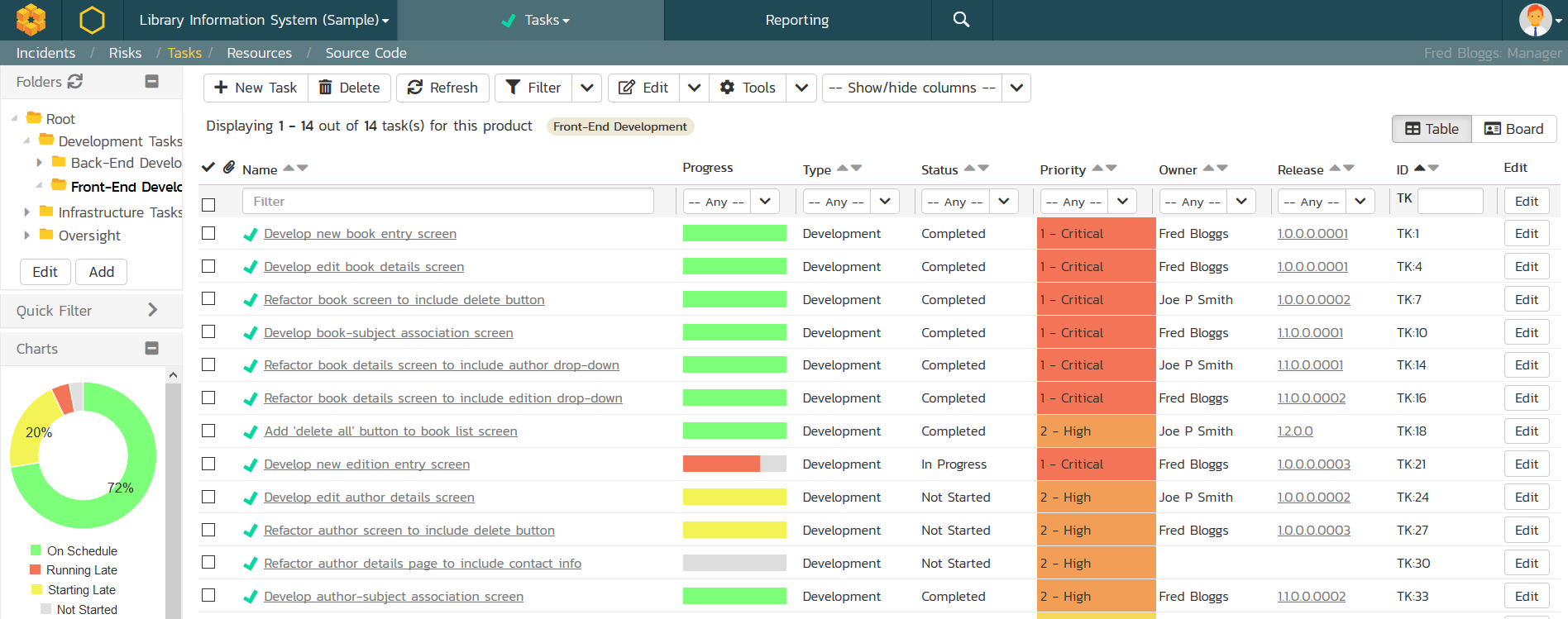
Image source: ntask.com
Key features:
- Task creation, assignment, and scheduling with Gantt charts
- Built-in issue and risk tracking for engineering projects
- Time tracking and meeting management tools
- Collaboration with comments, file sharing, and real-time updates
- Integrations with Slack, Google Calendar, and Microsoft Teams
Pros:
- Easy to set up and use for small to mid-sized engineering teams
- Combines task, issue, and risk management in one platform
- Affordable pricing with strong functionality for project tracking
- Clean, intuitive interface with minimal learning curve
Cons:
- Limited customization options for advanced engineering workflows
- Reporting and analytics features are basic compared to enterprise tools
Pricing: Free Basic plan (up to 5 team members, unlimited workspaces/tasks). Paid tiers start above that (details vary).
Choosing the best software for your engineering team
Selecting the right tool depends on your team's specific needs and project scope. Here are some suggestions:
- Define needs and scope: Select a tool based on your team's particular needs and the overall scope of your projects, considering both short-term tasks and long-term goals.
- Align with discipline: Match features to your engineering discipline—whether civil, mechanical, software-focused, or multi-disciplinary—to ensure the tool aligns with your workflows and technical requirements.
- Support collaboration and analytics: Prioritize solutions that support real-time collaboration, maintain data accuracy, provide version control, and offer precise, customizable dashboard analytics for monitoring progress and performance.
- Leverage automation: Look for automation features that streamline approvals, reporting, notifications, and recurring tasks to save valuable time and reduce human error.
- Ensure scalability: Ensure the platform can handle increasing project complexity, larger teams, or multiple concurrent projects as your organization grows.
- Enable integrations: Consider integration capabilities with other software your team uses, such as CAD tools, communication apps, or project management platforms, to create a seamless workflow.
- Focus on usability and support: Evaluate user experience and support resources, as an intuitive interface and reliable customer support can significantly reduce onboarding time and improve adoption.
- Prioritize security and compliance: Assess security and compliance features, particularly those that handle sensitive engineering data or meet regulatory requirements.
Conclusion
The right project management software can make a huge difference in how efficiently engineering teams plan, collaborate, and deliver results. With numerous options available, the key is to select a platform that aligns with your team's technical requirements and workflow style. Whether you need detailed version control, visual scheduling tools, or integrations with design software, there's a solution built to fit. With insights from Lark, teams can make informed decisions and find the right project management software for engineers to reduce errors, improve communication, and deliver projects on time with confidence.
FAQs
How does Lark help engineering teams manage projects more efficiently?
Lark offers project tracking, task assignments, document collaboration, and automated workflows all in one connected workspace. With Base dashboards and AI Meeting Notes, engineering teams can visualize progress and make data-driven decisions faster.
Is there free project management software for engineers?
Yes, tools like Lark (Starter plan), Trello, and Zoho Projects offer free plans suitable for smaller teams or startups.
Can engineering teams use project management software for fieldwork or remote collaboration?
Absolutely. Many platforms, including Lark, Monday.com, and Wrike, have mobile and cloud versions, allowing field engineers to update tasks, upload site reports, and communicate in real time.
What's the difference between engineering and construction project management software?
While both focus on timelines and resource tracking, construction PM software (like Autodesk Construction Cloud) emphasizes on-site coordination, while engineering tools (like Lark or Wrike) cover end-to-end design, analysis, and documentation processes.
How can automation improve engineering project delivery?
Automation helps by triggering status updates, sending alerts when milestones are due, syncing approvals, and generating real-time progress reports—reducing manual input and improving accuracy.
Which software supports both engineering design data and project management?
Platforms like Lark, Autodesk Construction Cloud, and Smartsheet can manage structured project data alongside design and document workflows.
Related reading
Table of contents
Start using Lark today

Manage all your work in one place
Boost team efficiency by 10x
Save up to 70% on software costs
Table of contents
Start using Lark today
Manage all your work in one place
Boost team efficiency by 10x
Save up to 70% on software costs
Keep reading







2026 Lark Technologies Pte. Ltd.
Headquartered in Singapore with offices worldwide.






Explore: