














Project Schedule Management Explained: Plan, Track and Deliver

Akhil Nimmathota
Content Specialist
Nov 3, 2026
Akhil Nimmathota
Nov 3, 2026

22 min read
Add to preferred sources


Effective schedule management is the backbone of every successful project. It ensures that tasks are completed on time, resources are used efficiently, and teams stay aligned toward shared goals. Yet, many projects struggle with missed deadlines, conflicting priorities, and constant scope changes that disrupt progress. Without a clear plan and a system to track timelines, even the best teams can lose momentum.
This article breaks down everything you need to know about project schedule management, from planning techniques and tracking methods to monitoring progress and leveraging digital tools. It also explores how platforms like Lark can simplify scheduling, collaboration, and timely delivery.

What is project schedule management?
Project schedule management is the process of creating, managing, and controlling a project's timeline to ensure that all tasks are completed within set deadlines and aligned with project objectives. It's about more than just marking dates on a calendar—it involves defining what needs to be done, when it should happen, and who is responsible for each task.
The key components of schedule management include identifying tasks and activities, determining dependencies between them, estimating durations, establishing the correct sequence, and setting milestones to measure progress. Together, these elements form the foundation for a structured and realistic project timeline.
While the project plan outlines what needs to be achieved and how, the project schedule focuses on when each part of that plan will happen. In other words, the schedule is the time-based execution layer of the overall project plan—it turns strategy into actionable, time-bound steps.
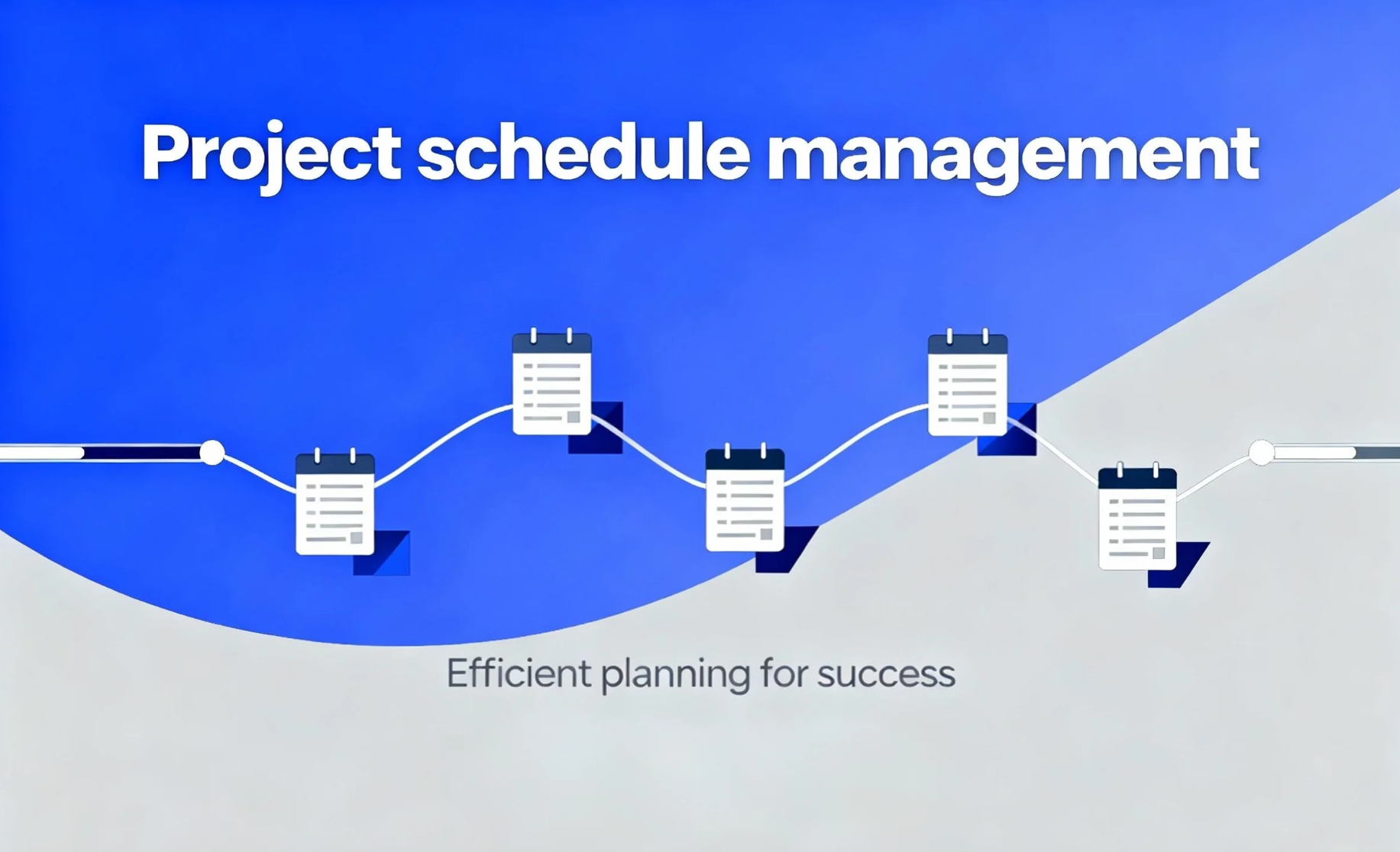
Image source: unsplash.com
Core processes/steps in schedule management
Project schedule management follows a structured set of steps to ensure that every task aligns with the project's timeline and goals. Each stage builds on the previous one, turning high-level plans into a detailed and actionable schedule.
- Plan schedule management: This first step defines how scheduling will be handled throughout the project. It covers the chosen methodology, tools, formats, and any constraints that may affect the schedule. This plan serves as a guideline for consistency and accuracy during execution.
- Define activities: Here, the project work is broken down into smaller, manageable tasks. Each activity represents a specific piece of work that contributes to project deliverables. A clear task definition helps avoid overlaps and ensures accountability.
- Sequence activities and identify dependencies: Once tasks are defined, the next step is to determine their logical order. Some tasks must be completed before others can begin. Project management management techniques like the precedence diagramming method (PDM) help visualize these relationships and dependencies.
- Estimate durations and resources: This involves estimating how long each task will take and what resources (people, tools, or materials) are needed. Accurate estimates are crucial for setting realistic deadlines and preventing resource conflicts.
- Develop the schedule: At this stage, all information—activities, durations, and dependencies—is combined to create the project timeline. Tools like Gantt charts, network diagrams, and critical path analysis help visualize and optimize the sequence of work.
- Monitor and control the schedule: After the project starts, the schedule must be tracked regularly. This includes comparing planned vs. actual progress, identifying delays or slippages, and making adjustments to stay on course. Effective monitoring keeps the project timeline flexible and achievable.
Techniques and tools for effective scheduling
Managing a project schedule requires more than intuition—it relies on proven techniques and the right project management tools to plan, track, and adjust timelines efficiently. Here are some of the most effective methods used in project scheduling:
- Gantt charts: A gantt chart is one of the most common scheduling tools. It visually represents tasks along a timeline, showing start and end dates, task durations, dependencies, and progress. It helps teams quickly see which tasks overlap and which are on track or delayed.
- Critical path method (CPM): The critical path method identifies the longest sequence of dependent tasks that determines the project's total duration. It helps pinpoint critical activities that cannot be delayed without affecting the entire schedule. Alongside this, float or slack analysis shows which tasks have flexibility in timing.
- Network diagrams and PERT: Network diagrams map out task dependencies, showing how activities connect and flow through the project. The program evaluation and review technique (PERT) adds a layer of uncertainty management by estimating best-case, worst-case, and most-likely durations for each activity.
- Resource leveling and smoothing: These techniques help balance workloads and prevent resource bottlenecks. Resource leveling adjusts the schedule to accommodate limited resources, while resource smoothing makes minor timing adjustments without affecting the project's critical path.
- Schedule compression techniques: When deadlines are tight, crashing (adding resources to speed up work) and fast-tracking (performing tasks in parallel) can shorten timelines. Both methods should be used carefully to avoid quality or coordination issues.
- What-if analysis and scenario planning: This involves testing alternative scenarios to see how potential changes—like delays or resource shifts—would impact the schedule. It helps project managers prepare contingency plans and make data-driven decisions.
- Templates and scheduling software: Using standardized templates or tools like Excel, Microsoft Project, or online project management platforms saves time and ensures consistency. Modern scheduling software also supports automation, progress tracking, and real-time collaboration, making schedule management far more efficient.
How Lark helps with project schedule management
Lark centralizes task management, deadlines, and dependencies in one workspace, making schedules easy to create and track. Real-time updates and automated notifications keep teams aligned and aware of upcoming milestones. Built-in calendars, Gantt-like views, and roll-up sheets provide clear visibility of progress and potential delays. Documentation tools like Lark Docs and Wiki store timelines, assumptions, and change logs for easy reference and transparency.
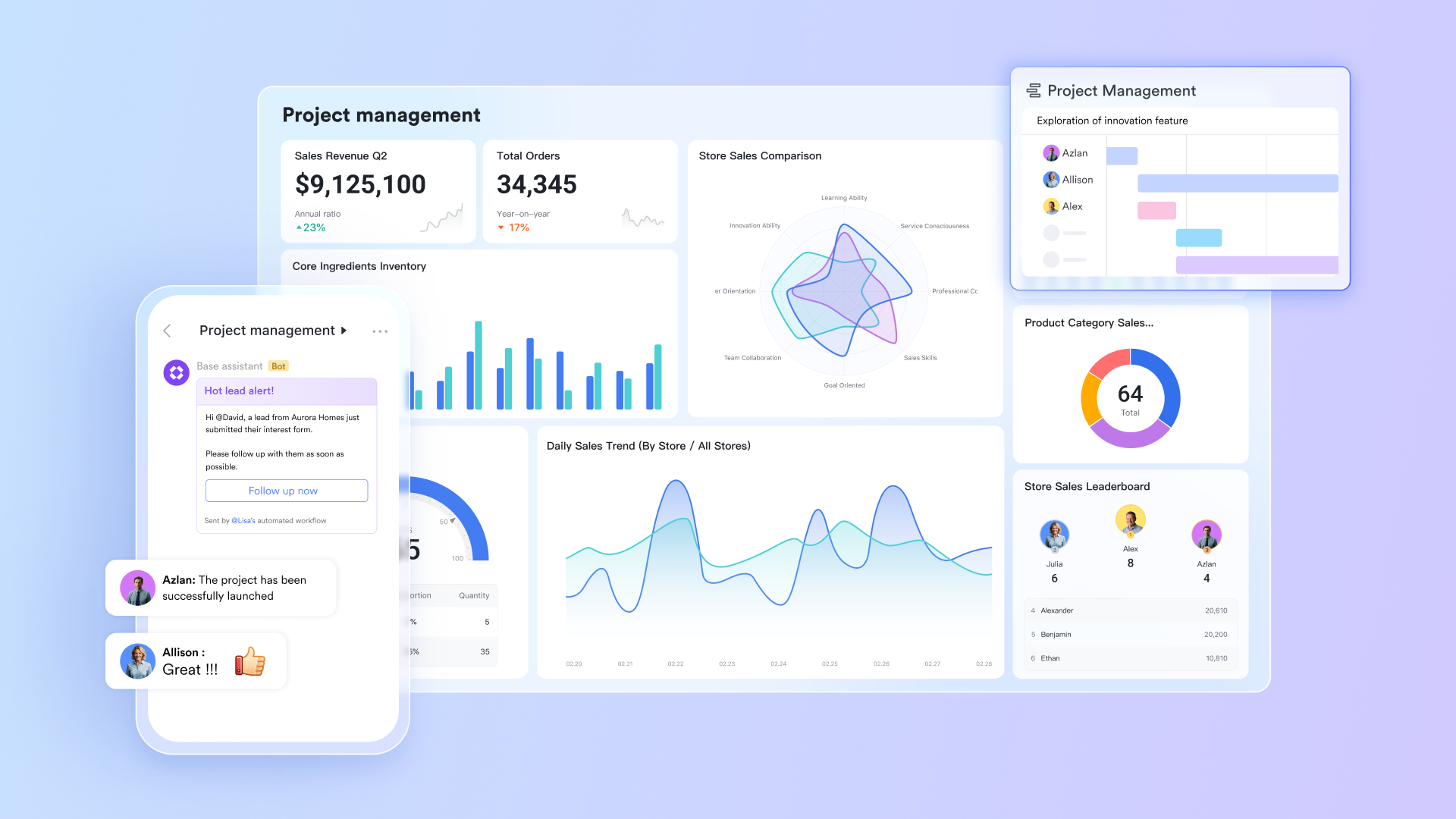
Key features:
Lark Base: Organizing schedules with structure and clarity
Lark Base brings structure to project schedule management through customizable tables that make tracking and visualization simple. It works like a dynamic database where teams can record every key detail—tasks, start and end dates, dependencies, assigned owners, and current statuses—in one organized manner. Additionally, with automations, managers just need to set up the configuration to streamline the whole process.
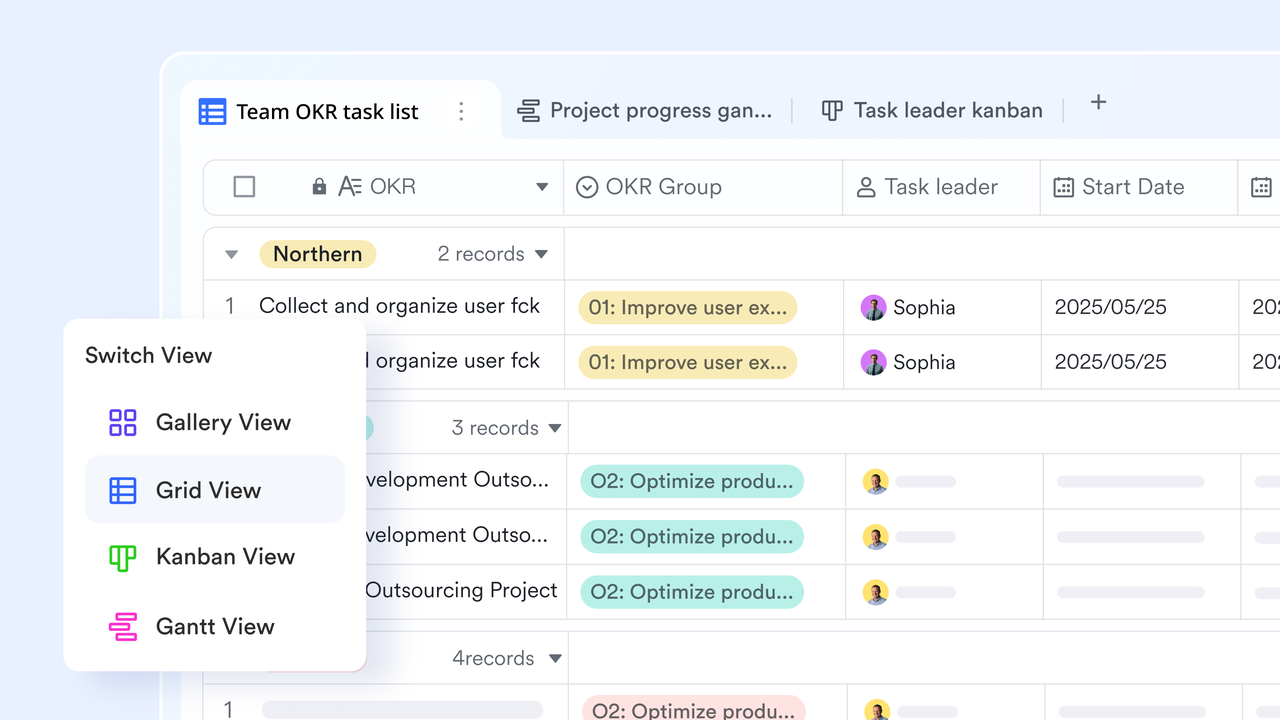
What makes Lark Base powerful is its flexibility. You can switch between different views to see your schedule from multiple angles:
- Grid view for a spreadsheet-style layout that's perfect for quick edits and overviews.
- Timeline or Gantt-like view to visualize task sequences, dependencies, and overlaps.
- Calendar view for a clear picture of upcoming deadlines and daily workloads.
Filters and sorting options let you focus on specific teams, time periods, or project phases, making it easier to identify delays or overloaded resources. Whether you're managing a complex project or a small team plan, Lark Base provides the clarity and control needed to keep every schedule on track.
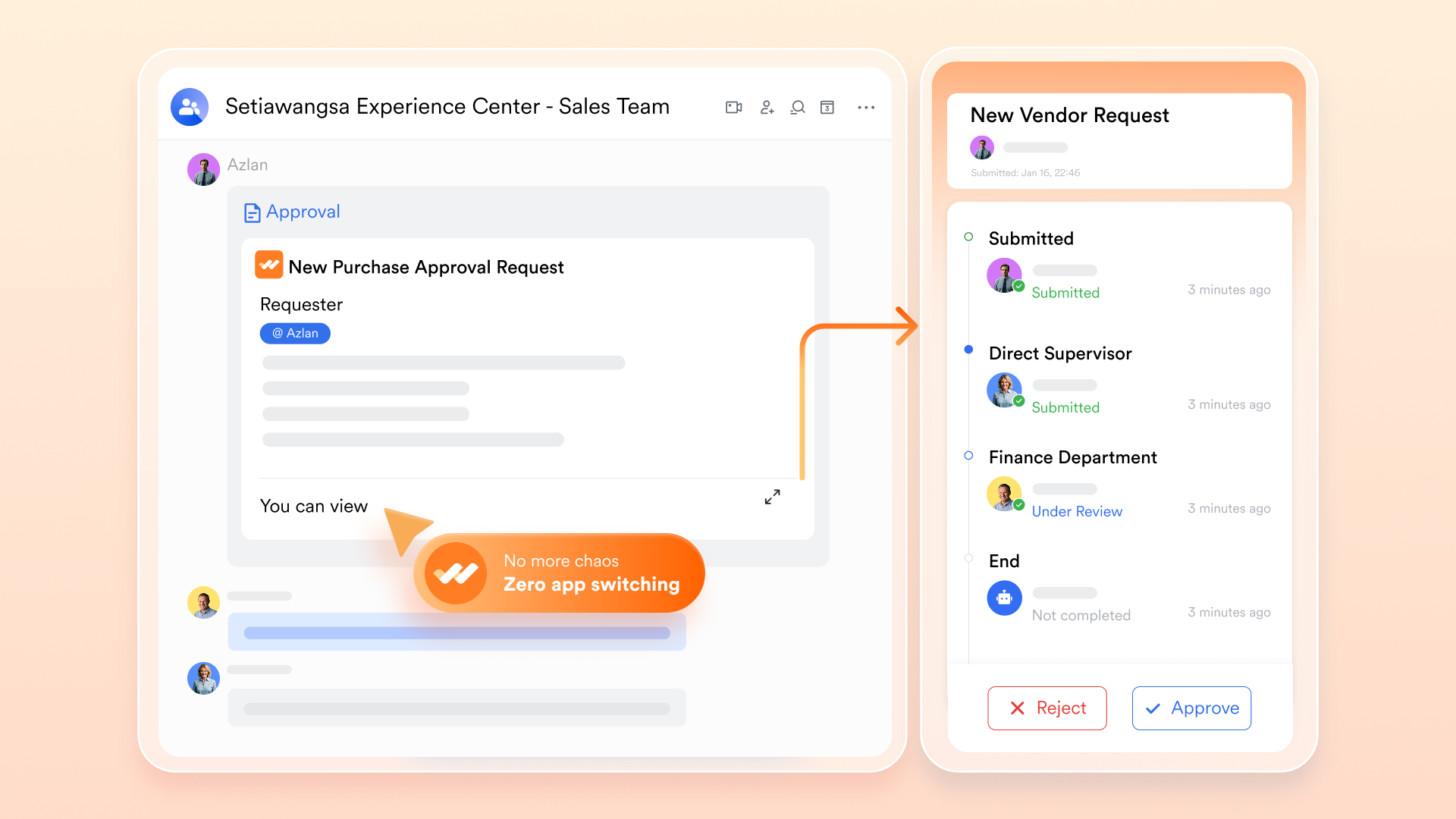
Lark Approval: Approvals and checkpoints: Ensuring quality at every stage
Lark Approval supports approvals and checkpoints to maintain control over critical project milestones. These are gating points where a deliverable must be reviewed, validated, or approved before the next phase can begin.
By setting up these checkpoints in Lark, project managers can:
- Ensure that work meets quality standards before progressing.
- Prevent downstream errors caused by incomplete or incorrect tasks.
- Maintain accountability by clearly assigning reviewers and approvers.
This structured approach keeps projects on track while ensuring that each phase is properly vetted, reducing rework and supporting consistent, high-quality outcomes.
Lark Calendar: Integrating deadlines, milestones, and meetings
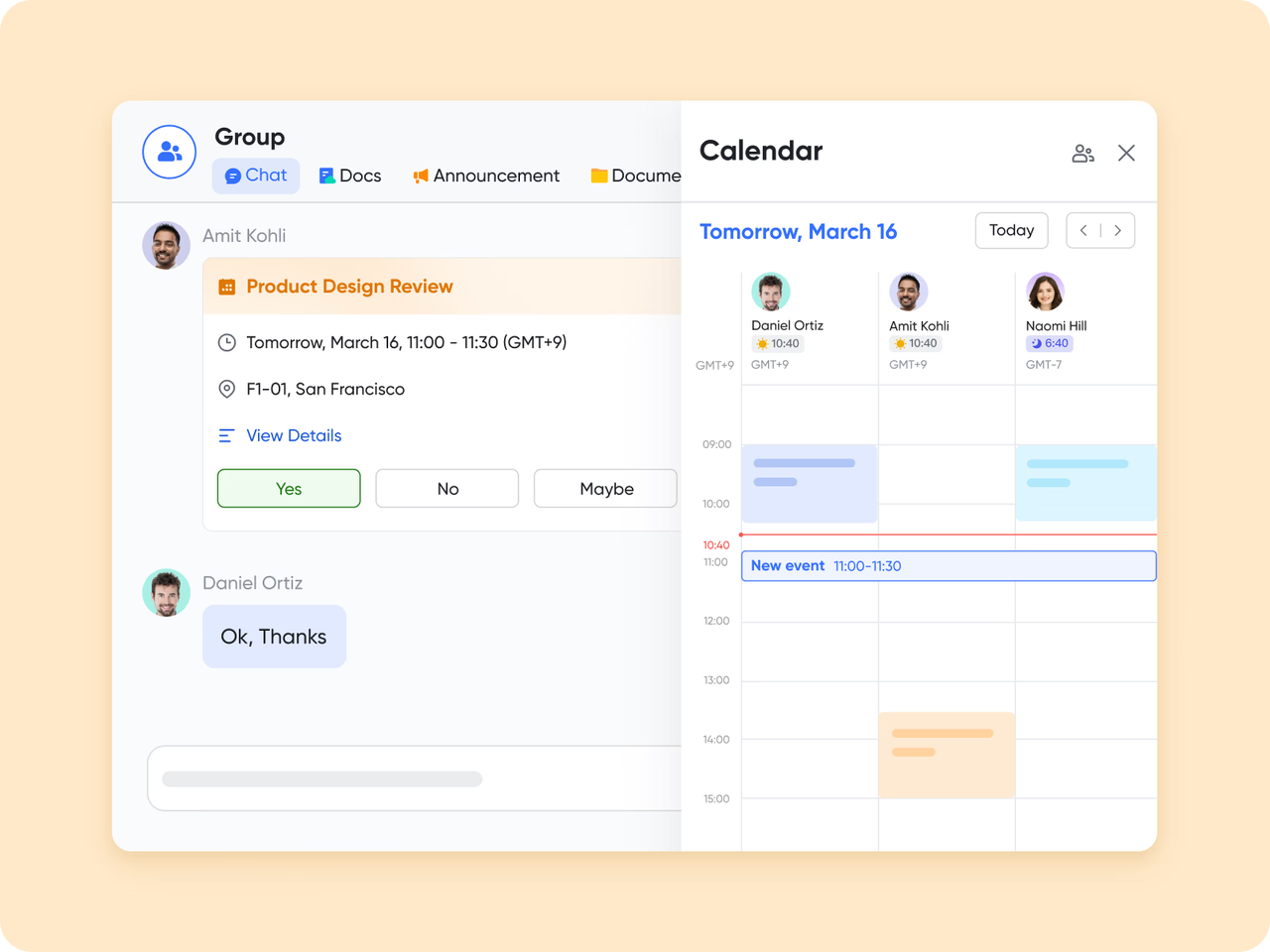
Lark Calendar provides a unified view of all project-related activities, combining task deadlines, key milestones, and scheduled meetings in one shared calendar. This integration ensures that team members have a clear understanding of upcoming priorities and can plan their work accordingly.
With Lark Calendar, teams can:
- Visualize deadlines alongside meetings to avoid conflicts.
- Track milestone progress in context with day-to-day tasks.
- Share calendar views across the team for transparency and alignment.
By bringing all time-sensitive project elements together, Lark Calendar helps teams stay organized, meet deadlines, and coordinate effectively across projects.
Lark Sheets: Monitoring schedule health at a glance
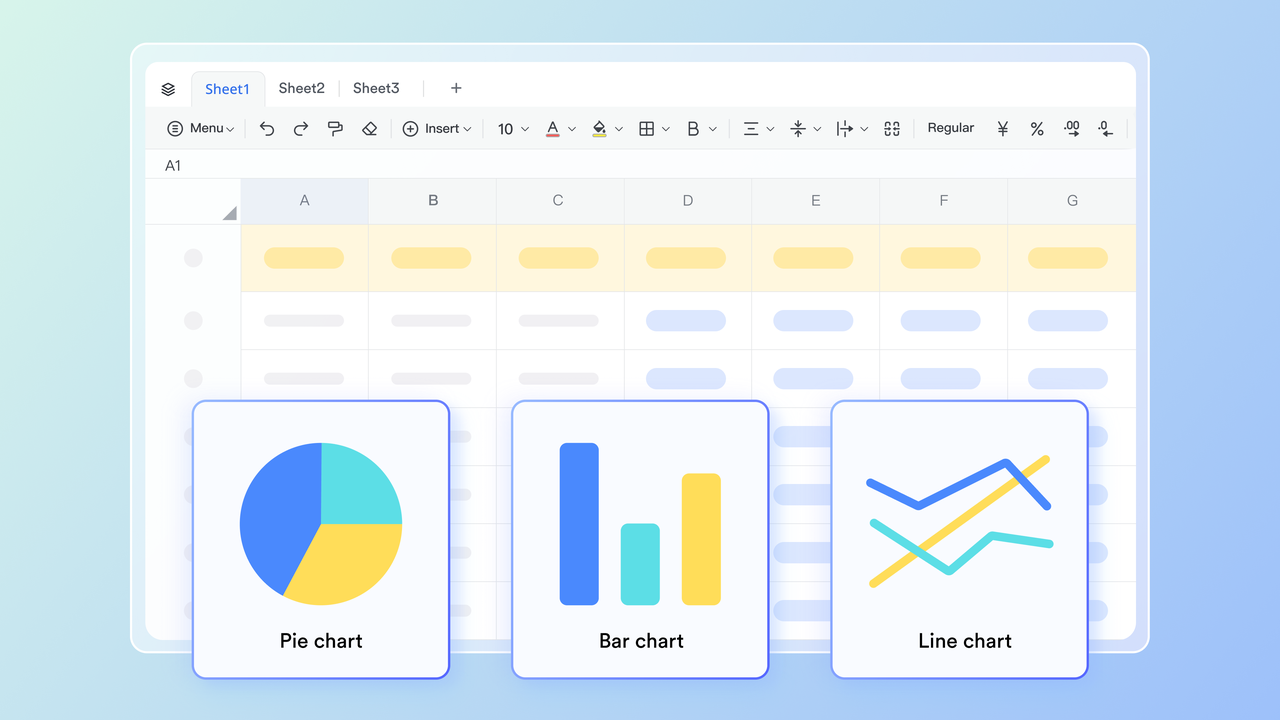
Lark Sheets provides powerful roll-up views that help project managers track the overall health of a schedule. By aggregating data from tasks, milestones, and deadlines, it gives a clear picture of progress and potential issues.
Key benefits include:
- Compare planned versus actual timelines to identify slippages.
- Quickly spot tasks that are behind schedule and assess their impact on the project.
- Gain a high-level view of project status to inform decision-making and prioritization.
With Lark Sheets, teams can monitor progress efficiently, spot risks early, and take corrective actions to keep the project on track.
Lark Docs & Lark Wiki: Centralizing project knowledge
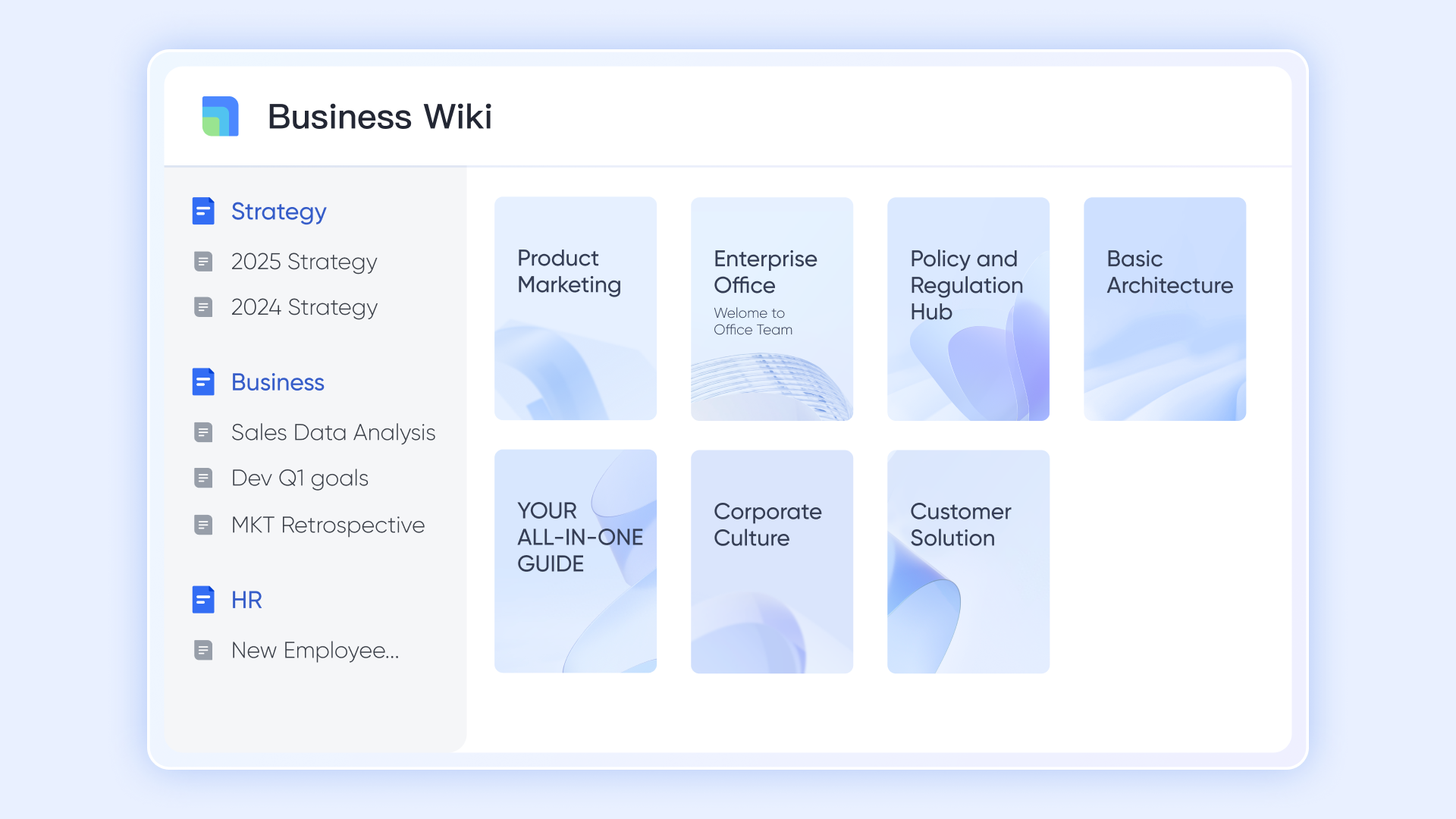
Lark Docs and Lark Wiki provide a centralized space to store all project-related documentation, keeping timelines, assumptions, change logs, and reference materials easily accessible.
With these tools, teams can:
- Keep track of the rationale behind scheduling decisions for transparency.
- Record updates and revisions to the project schedule to ensure a clear history of changes.
- Store templates, guidelines, and key project documents in one place for easy access.
By combining documentation with project scheduling, Lark ensures that teams have the context and records they need to manage schedules effectively and maintain alignment throughout the project lifecycle.
- Starter plan: Free forever plan that includes 11 powerful tools for up to 20 users. It also comes with 100GB of storage, 1000 automation runs, AI translations, and more.
- Pro plan: $12/user/month (billed annually) for up to 500 users. It includes everything in Starter plus group calling for up to 500 attendees, 15TB of storage, 50,000 automation runs, and more.
- Enterprise plan: Contact sales for custom pricing. Supports unlimited users and includes even more automation runs and advanced security, compliance, and management features.
Suggested templates for schedule management in Lark
Teamwork schedule template
Keep your team coordinated, transparent, and productive with the teamwork calendar template. This all-in-one tool combines a Gantt view, Kanban boards, and priority tracking, so tasks, timelines, and priorities are clearly visible. Every team member sees who's doing what—and when—helping prevent overlap, missed deadlines, or confusion. Custom fields and configurations let you adapt the calendar to your workflows, so it truly works for your team, not against it.
Short-Term Project schedule template
Get your projects off the ground fast with the short-term project plan template. Designed for clarity and action, it structures your project's introduction, objectives, milestones, task breakdowns, and meeting cadence in one place. Define team roles, set weekly checkpoints, and maintain alignment throughout execution. It helps teams stay focused, accountable, and agile from kickoff to delivery.
Project schedule template
Managing different events, meetings, and activities can feel overwhelming. With our schedule template, you can effectively organize your calendar and guarantee that you never overlook an essential event. This template allows you to document the date, day of the week, start and end times, activity/event, location, organizer or responsible person, and any additional notes or comments. Whether it's a team meeting, client call, webinar, training session, breakfast meeting, workshop, project review, or dinner gathering, this template is perfect for your needs.
Project timeline template
A project timeline serves as an essential instrument in managing projects. It details the timeframe for activities, significant milestones, and deliverables associated with a project. This template offers a clear visual overview of the project timeline, facilitating the monitoring of progress and task management. It comprises sections for task ID, task name, task description, start date, end date, duration, responsible party, status, milestone, and dependencies.
Tips & best practices for schedule management
Even the best project schedules can fail without disciplined management. Following proven best practices helps keep the timeline realistic, flexible, and aligned with project goals.
- Always include buffers or contingency time: Unexpected delays are common, whether due to resource shortages, technical issues, or changing requirements. Adding buffer time for critical activities helps absorb these uncertainties without derailing the project.
- Revalidate assumptions regularly: Schedules are often built on assumptions about resources, task durations, and dependencies. Review these assumptions throughout the project to ensure they still hold true as conditions change.
- Involve the team in estimation: Accurate schedules come from collective input. Involve the people doing the work when estimating task durations and dependencies. Their practical insights help create more realistic timelines.
- Keep schedule updates frequent and visible: Update the schedule regularly and make those updates visible to the entire team. Transparency keeps everyone aligned and helps spot slippages early, allowing for timely corrective action.
- Maintain version control (baseline vs. updated): Keep a record of the original baseline schedule and compare it with updated versions. This helps track performance, measure delays, and analyze the reasons behind changes.
- Communicating schedule changes clearly: When timelines shift, inform stakeholders promptly and explain the impact on scope, cost, or deliverables. Clear communication prevents surprises and maintains trust.
- Manage dependencies wisely: Avoid creating overly tight task linkages that make the entire schedule fragile. Effective dependency management gives the project more flexibility to handle unforeseen changes without major disruptions.
Conclusion
Project schedule management is essential for keeping teams organized, focused, and accountable. A well-planned schedule not only sets clear expectations but also helps manage resources, anticipate risks, and ensure timely delivery. It's the roadmap that turns strategy into action.
However, a project schedule should never be treated as a fixed document. It's a living plan that needs to evolve with the project—reflecting real-time changes, progress updates, and shifting priorities. Regular reviews and adjustments keep it relevant and reliable.
Modern tools like Lark make this process much easier. With shared calendars, task tracking, and real-time collaboration features, Lark helps teams maintain visibility, stay on schedule, and adapt quickly when plans change—all in one unified workspace.
FAQs
How often should a project schedule be updated?
A project schedule should be updated regularly—ideally weekly or biweekly—depending on the project's complexity and pace. Frequent updates help capture progress accurately, highlight delays early, and keep the team aligned on current priorities.
What software is best for managing complex project schedules?
Tools like Microsoft Project, Primavera P6, and Smartsheet are often used for large or complex projects. For teams looking for flexibility and collaboration, cloud-based platforms like Lark, Asana, or ClickUp provide real-time updates, task tracking, and communication in one place.
How can you handle delays in a project schedule effectively?
Start by identifying the root cause of the delay—whether it's resource-related, technical, or scope-driven. Then, reallocate resources, adjust dependencies, or apply schedule compression techniques like crashing or fast-tracking. Clear communication with stakeholders is key to managing expectations.
Can automation improve project schedule management?
Yes. Automation reduces manual tracking and minimizes errors. It can automatically update progress, send reminders, and flag potential schedule risks. Tools with automation features, such as Lark, help project managers stay proactive and maintain better control over timelines.
Related reading
Table of contents
Start using Lark today

Manage all your work in one place
Boost team efficiency by 10x
Save up to 70% on software costs
Table of contents
Start using Lark today
Manage all your work in one place
Boost team efficiency by 10x
Save up to 70% on software costs
Keep reading








2026 Lark Technologies Pte. Ltd.
Headquartered in Singapore with offices worldwide.






Explore: