Effective customer relationship management (CRM) is crucial for achieving success across various sectors. Propertybase CRM stands out as a valuable tool with features designed to meet diverse business needs by enabling users to manage leads, track client interactions, and streamline workflows—all essential for driving sales and nurturing client relationships. However, many organizations are increasingly interested in all-in-one collaboration platforms that integrate chat, document sharing, calendars, meetings, tasks, and automation, simplifying workflows and enhancing communication.
In this article, we will explore a range of CRM solutions, highlighting 8 noteworthy alternatives to Propertybase CRM. Each platform addresses specific needs, from seamless lead tracking to advanced marketing tools and comprehensive collaboration features. By examining these options, you will gain valuable insights to help identify the best fit for your organizational requirements and enhance overall operational efficiency.
Enhance operational efficiency with the best alternative
Propertybase CRM overview
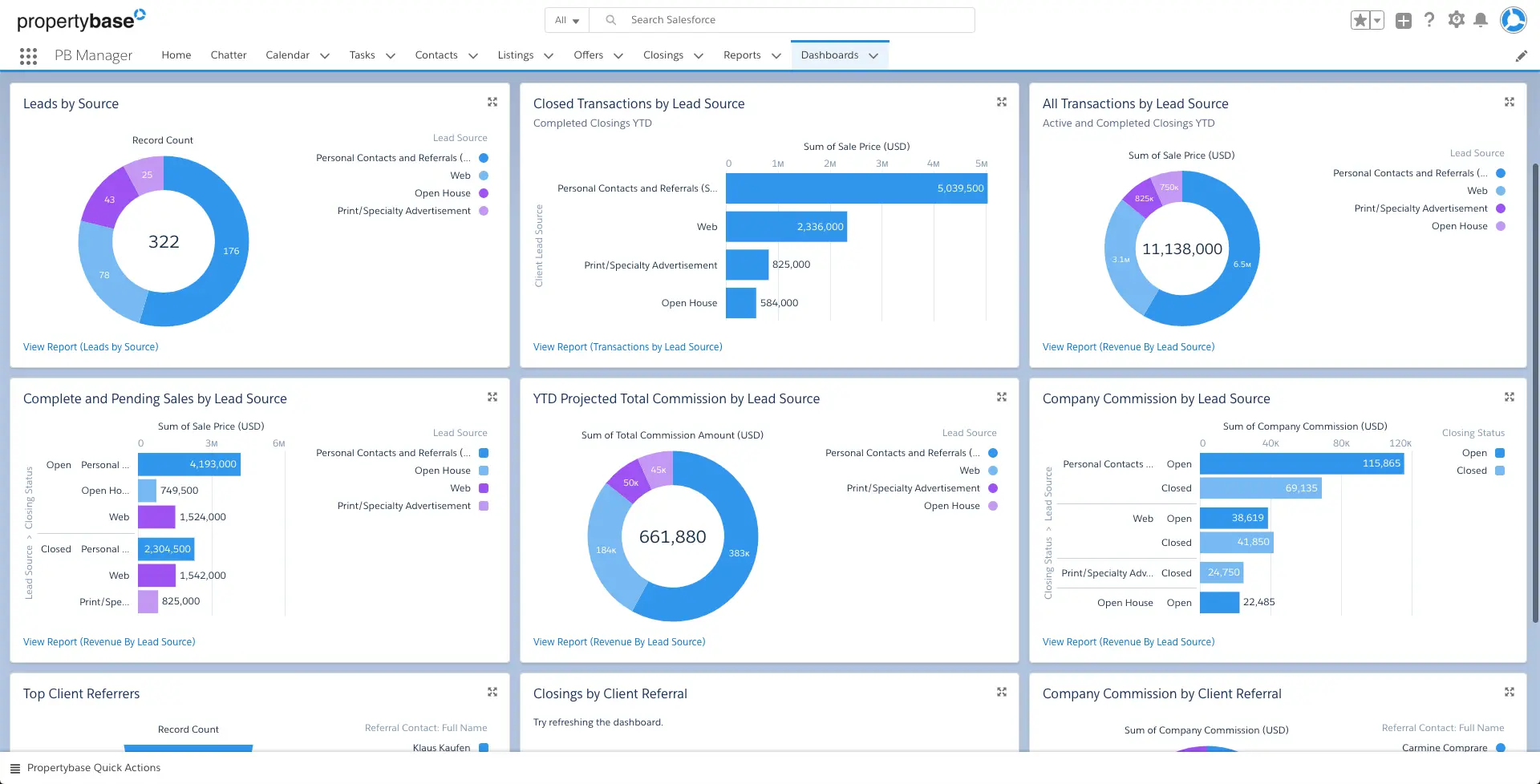
Propertybase CRM is designed to provide customizable solutions that assist businesses in managing their customer relationships efficiently. Built on the Salesforce platform, it harnesses flexibility and reliability to deliver essential tools for organizations seeking a tailored approach to CRM. Particularly beneficial for sectors requiring robust real estate solutions, Propertybase is a popular choice for firms needing specialized customer management functionalities.
Key features of Propertybase CRM
- Comprehensive real estate solutions: Propertybase excels in features specifically designed for real estate management. Users benefit from capabilities that support , , and transaction management, all tailored to meet the unique demands of the real estate market. This focus offers a more relevant experience compared to general CRM solutions.
- Integration with MLS and other tools: A standout feature is its seamless integration with Multiple Listing Services (MLS) and other commonly used tools in the real estate industry. This functionality allows users to automatically import listings and manage them within the same platform, significantly enhancing workflow efficiency.
- and support: The user interface is designed for simplicity and accessibility, making it approachable for users of varying technical skills. Extensive customer support resources, including tutorials, forums, and responsive help desks, are available. Users frequently praise the quality of customer service, noting the guidance available when navigating the software or addressing issues.
- Lead management and reporting: Advanced lead management tools help users capture, track, and nurture leads effectively. The contact tracking functionality records all client interactions, ensuring personalized communication. Comprehensive reporting capabilities provide valuable insights into sales performance and customer trends, aiding strategic decision-making.
- tools: Propertybase includes robust marketing automation that enables users to design and execute marketing campaigns engaging clients at various stages of the buyer’s journey. This feature is essential in competitive industries where effective communication critically impacts conversion rates.
- Mobile accessibility: Recognizing the need for flexibility in today’s fast-paced environment, Propertybase offers mobile accessibility. Users can log in from smartphones or tablets, ensuring access to crucial information and the ability to manage relationships on the go, which is especially advantageous for professionals frequently in the field or attending client meetings.
Start a journey with smarter automation
Pros and cons of using Propertybase CRM
Pros: Discuss scalability, flexibility, and industry focus
One of the significant advantages of Propertybase CRM is its scalability, allowing businesses to adapt and grow their user base and feature sets as needed. It is designed to accommodate small firms as well as large enterprises, making it a viable option for businesses at various stages of development. Its industry focus on real estate enhances its relevance; companies looking for tailored software solutions often find great value in Propertybase CRM.
Cons: Highlight areas needing improvement or user complaints
Despite its strengths, some users have voiced concerns regarding the software’s complexity, particularly for those new to or those transitioning from simpler tools. The features, while comprehensive, may require a learning curve that can be challenging for some users. Additionally, there are requests for in reporting tools and a more intuitive user experience to streamline the navigation process.
Exploring Propertybase CRM pricing
Understanding the pricing structure of a CRM solution is essential for businesses to make informed decisions. Propertybase CRM pricing can vary significantly based on the features selected and the number of users. Teams needing minimal features can expect lower costs, while those requiring advanced functionalities may incur higher expenses. Some prices of Propertybase are invisible.
Propertybase CRM pricing tiers
Information source: softwareadvice.com & capterra.com
This tiered approach allows clients to scale their services as needed, ensuring they only pay for the functionalities they currently require. The clarity of these pricing plans is a compelling aspect for businesses that prioritize transparency in their operational costs.
👉 Know more:
Cost-effectiveness compared to competitors
While Propertybase is often recognized as a cost-effective solution in the CRM market, especially for its specialized tools tailored for the , there are alternatives that may provide even greater value. Organizations looking for industry-specific functionalities might find Propertybase advantageous compared to generic CRMs, which generally offer broader but less tailored solutions. However, many businesses are exploring options that not only meet their specific needs but also enhance overall collaboration and productivity at a lower cost. Exploring these options could lead to more efficient operational outcomes while optimizing budget allocations.
Get more for less with Lark
Assessing Propertybase CRM user experience
User reviews highlighting pros and cons
Users of Propertybase CRM often appreciate its extensive capabilities tailored for various industries. Feedback highlights the utility of its lead management and reporting features, which are praised for their robustness and effectiveness. However, some users have pointed out potential drawbacks, primarily focusing on the learning curve associated with the platform. While many find the initial experience rewarding once they adapt, the need for more user-friendly design elements has been a common theme in reviews.
Insights on the learning curve involved
Many users express that while Propertybase CRM offers invaluable features, the onboarding process may not be as seamless as desired. Training materials and support resources exist; however, some users believe there should be more extensive onboarding sessions offered to assist newcomers in navigating the platform. Enhanced tutorial resources could significantly reduce the initial obstacles that new users face, making the transition smoother and more inviting for teams unfamiliar with CRM software.
In summary, Propertybase CRM is a robust solution tailored to the unique needs of various industries, particularly real estate. Its wealth of features and integrations with MLS systems makes it appealing for businesses seeking an efficient way to . While its complexity may pose a challenge for some, the benefits often outweigh the drawbacks, especially for organizations ready to leverage its advanced capabilities. The flexible pricing tiers and user-friendly access further enhance its attractiveness, making Propertybase a leading choice in the CRM landscape.
Exploring Propertybase CRM alternatives
While Propertybase CRM is a solid choice for many users, considering alternatives can be beneficial as each platform offers unique features and advantages. Below, we will explore seven competitive alternatives, starting with Lark, a versatile collaboration tool that integrates core CRM functionalities.
1. Lark: The all-in-one collaboration platform
Overview
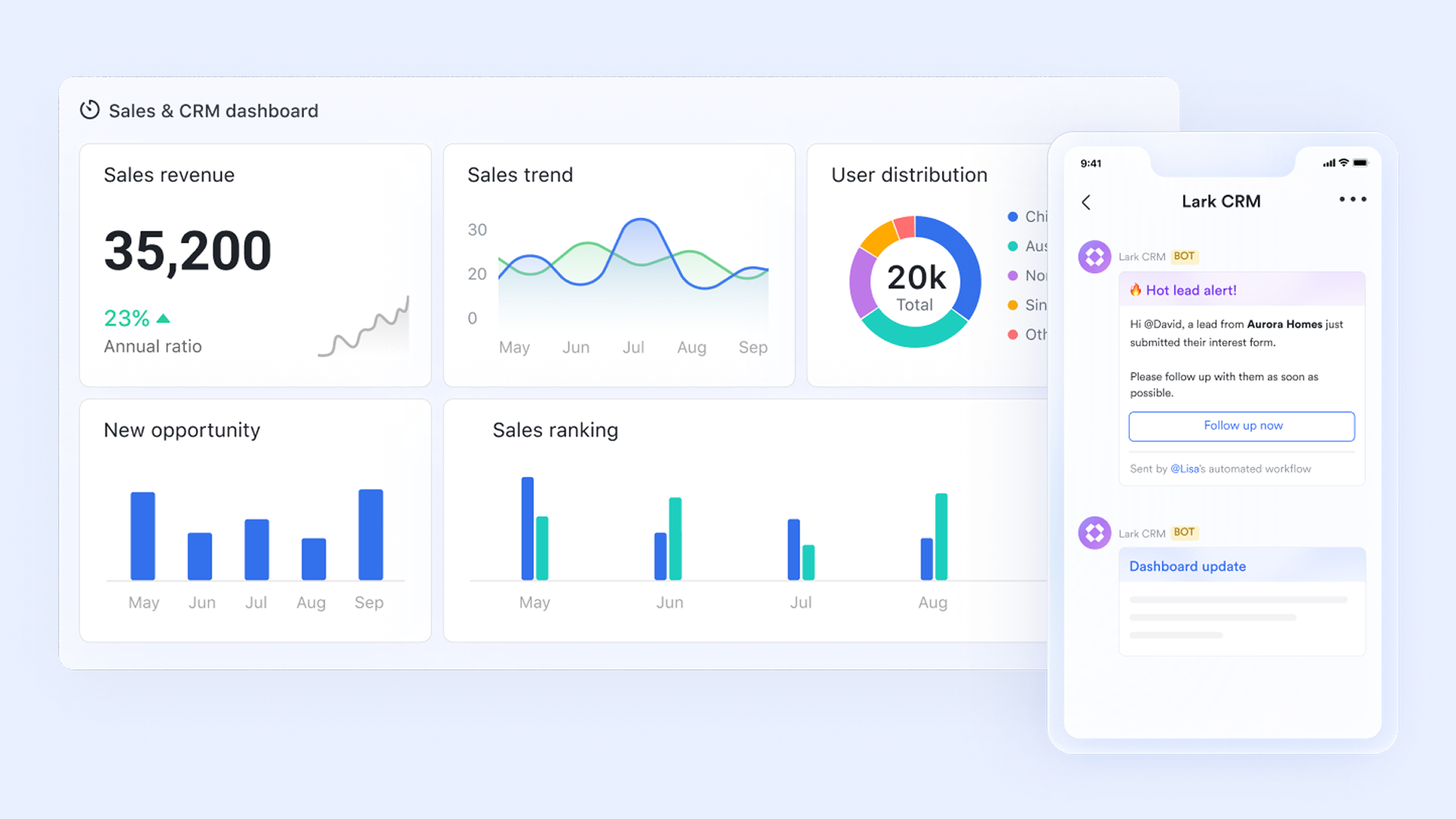
is an innovative platform designed to unify communication, , document sharing, and collaboration, all in one space. By connecting no-code databases and automation capabilities, it helps teams streamline processes and improve productivity significantly.
Key features:
Empower your data management:
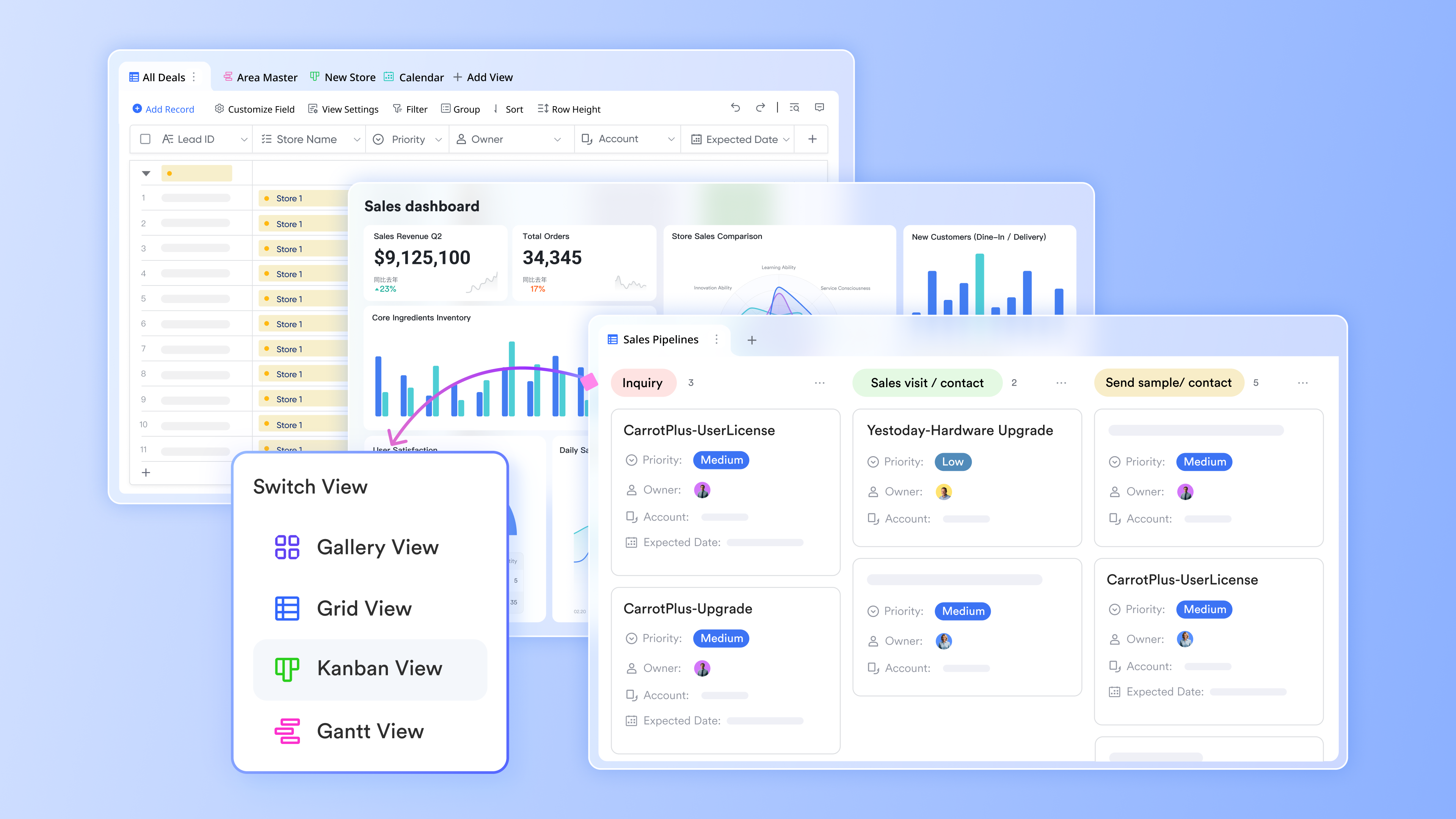
Lark Base is a no-code database solution specifically designed for businesses that require efficient and without the need for extensive development skills. Its functionality and flexibility make it a powerful tool for customer relationship management (CRM). Here’s how stands out in the CRM landscape:
- Create custom tables: Lark Base allows users to design custom tables featuring various field types such as select, multi-select, formulas, and assignees. This versatility is essential for managing leads, tracking customer interactions, or organizing client information. Users can customize their databases to cater precisely to their operational needs, enhancing the effectiveness of their CRM strategies.
- Link tables and build reports: With Lark Base, businesses can establish relationships among different datasets. This capability enables the creation of comprehensive reports and rollup summaries that provide valuable insights quickly. The ability to and performance metrics is crucial in CRM, allowing teams to stay informed and make timely decisions based on reliable data.
- Automate lead management: Lark Base streamlines lead management through the use of customizable forms that can be embedded on websites to capture leads directly. Furthermore, users can set up automated workflows to assign next actions based on preset criteria, ensuring that no opportunity falls through the cracks and follow-ups are prompt and organized.
- Scalable for growing businesses: As your business grows, so can Lark Base. Its scalable architecture allows businesses to add new tables, workflows, and features as needed, ensuring that your CRM system evolves alongside your operational requirements without needing a complex overhaul.
These capabilities make Lark Base an invaluable tool for users seeking to optimize their client relationship management and stay organized without complicating their workflow.
Centralize communication:
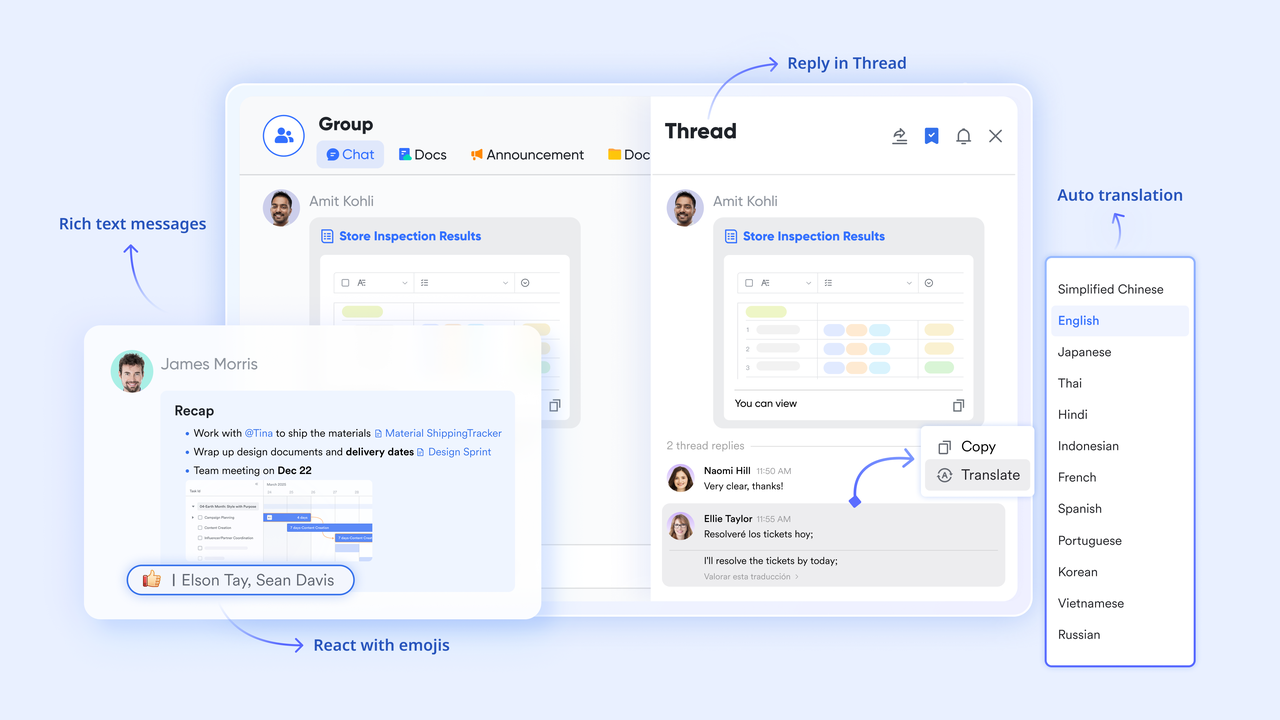
is vital for users who often juggle multiple client interactions and project discussions. Lark Messenger offers a centralized platform for managing this communication efficiently.
- Built-in chat and file sharing: Keep all client conversations, proposals, and files in one place. This integration helps businesses easily access previous discussions and documents, enhancing collaboration and continuity.
- Task conversion: Lark Messenger allows users to convert chat messages into tasks with just one click, streamlining the process of tracking follow-ups and action items derived from conversations.
- Cross-device accessibility: With Lark Messenger, users can manage their chats on the go, ensuring they stay responsive to clients and team members regardless of their location.
Using helps businesses maintain professionalism and organization in their communications, which is critical for building strong client relationships.
Optimize scheduling:
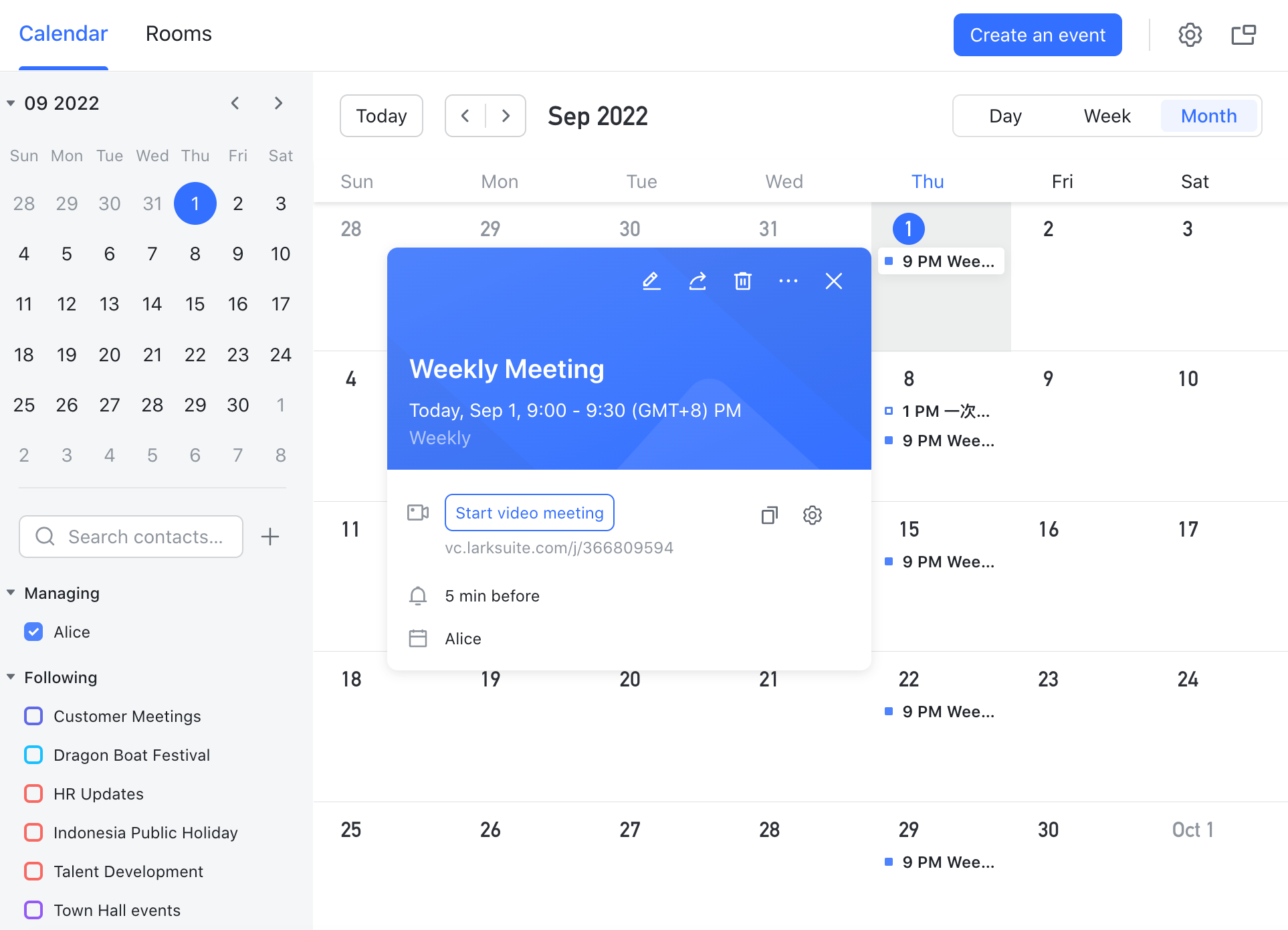
can be a challenge for users who need to balance client meetings, project deadlines, and personal commitments. Lark Calendar helps simplify scheduling.
- Booking links and time zone handling: Publish booking links that allow clients to schedule meetings based on availability. This feature is particularly useful in avoiding miscommunication about time zones and ensures seamless meeting arrangements.
- Event association with deals: Link calendar events directly to specific deals within your CRM. This functionality gives businesses a clear view of commitments tied to each client or project.
- Buffer management: Manage buffers between meetings to ensure adequate preparation time, reducing the risk of burnout and keeping schedules efficient.
Create and manage your documents seamlessly:
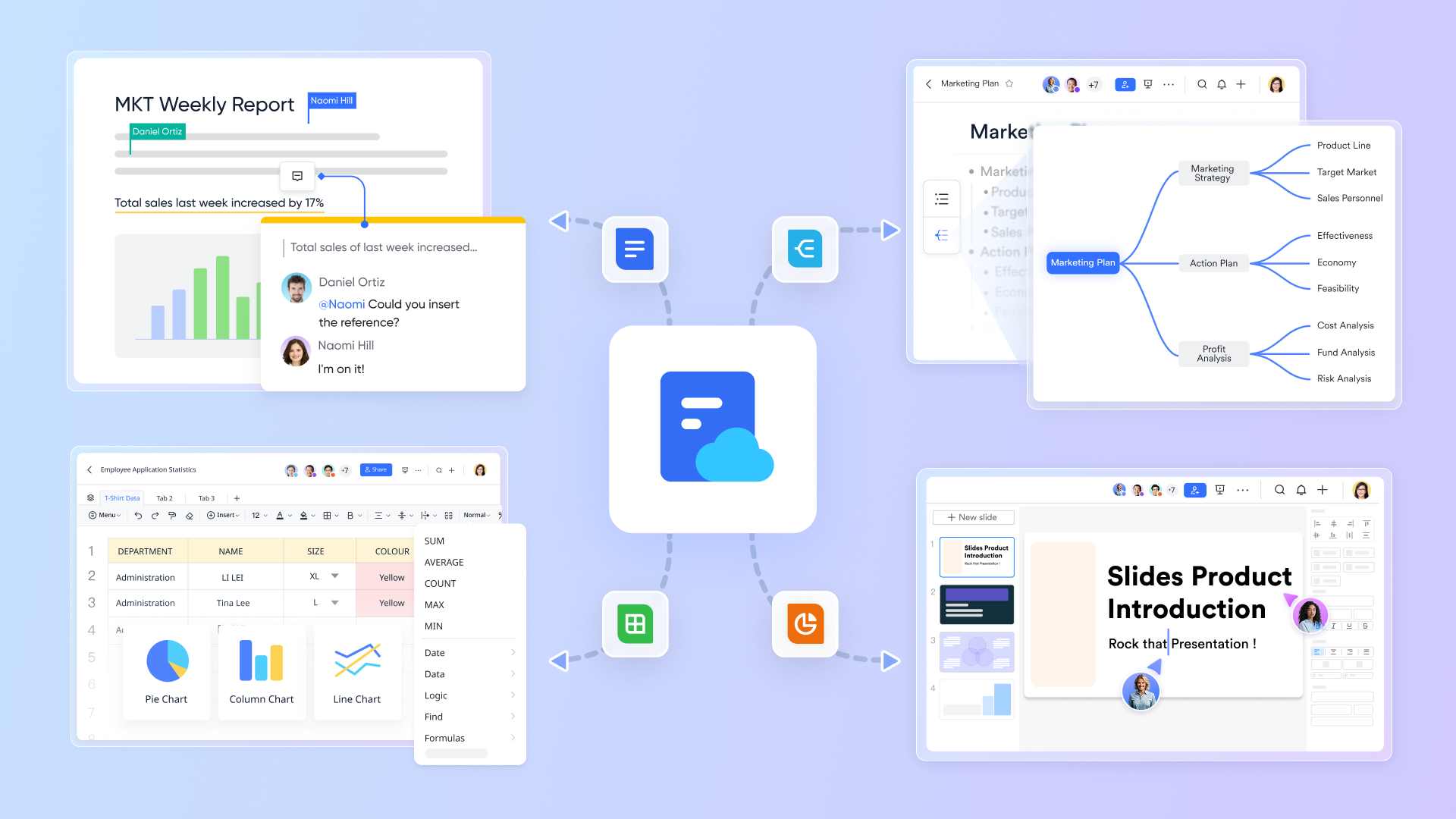
Lark Docs is a comprehensive and management tool designed to enhance collaboration and efficiency in the workplace. With Lark Docs, users can create various types of documents including text documents, spreadsheets, slides, and more, all in a unified platform that promotes teamwork and information sharing. Here are some of the standout features:
- Diverse document types: Users can create and manage not only standard text documents but also spreadsheets, presentations, and mind maps. This versatility makes Lark Docs suitable for a range of tasks, from drafting reports to brainstorming sessions.
- Centralized content storage: Lark Docs provides various storage options including Wiki pages, a My Document Library, and Drive, allowing users to organize and manage their content effortlessly. This organized system streamlines access to information and enhances collaboration among team members.
- Collaborative editing: Collaborate in real time with colleagues, with the ability to edit documents simultaneously. Lark Docs supports live commenting and chat, facilitating instant feedback and discussions directly within the document.
- Fine-tuned access permissions: Users can assign specific access rights to team members, ensuring that sensitive information remains secure while allowing for controlled sharing of documents and data.
These capabilities make Lark Docs an invaluable resource for businesses aiming to enhance their document management and collaboration processes while maintaining an organized and user-friendly workspace.
for Lark:
- Starter plan: Free forever plan with 11 powerful tools for up to 20 users, 100GB storage, 1,000 automation runs, AI translations, and more. No credit card needed.
- Basic plan: $6/user/month (billed annually) for up to 500 users. Includes everything in Starter plus unlimited message history, 5TB storage, 1,000 automation runs, and more. Some users may need to to purchase.
- Pro plan: $12/user/month (billed annually) for up to 500 users. Includes everything in Basic plus group calling for up to 500 attendees, 15TB storage, 50,000 automation runs, and more.
- Enterprise plan: for custom pricing. Supports unlimited users and includes advanced automation, security, compliance, and management features.
For small teams with simple communication needs

18 months message history
1000 Base automation runs/month
2000 rows per table in Base
Most POPULAR
For companies with comprehensive collaboration and management needs
Unlimited message history
500-participant video meetings
50k Base automation runs/month
20k rows per table in Base
For large companies with advanced security and organizational management needs
Get a personalized demo and pricing
Unlimited message history
500-participant video meetings
15 TB storage + 30 GB storage/user
500k Base automation runs/month
50k Base automation runs/month
Most POPULAR
For companies with comprehensive collaboration and management needs
Unlimited message history
500-participant video meetings
50k Base automation runs/month
20k rows per table in Base
Best for
Lark is ideal for organizations looking for enhanced collaboration alongside essential CRM functionalities to manage client relationships.
Limitation
Some users may find the extensive range of features slightly overwhelming at first, especially if they primarily need CRM functionalities.
Real user feedback
“Lark has revolutionized our team’s communication and workflow. The ability to collaborate on documents and manage tasks in one place has improved our efficiency noticeably.”
Note: The review above is sourced from G2.
Master CRM task effortlessly with Lark
2. Salesforce: A highly customizable powerhouse
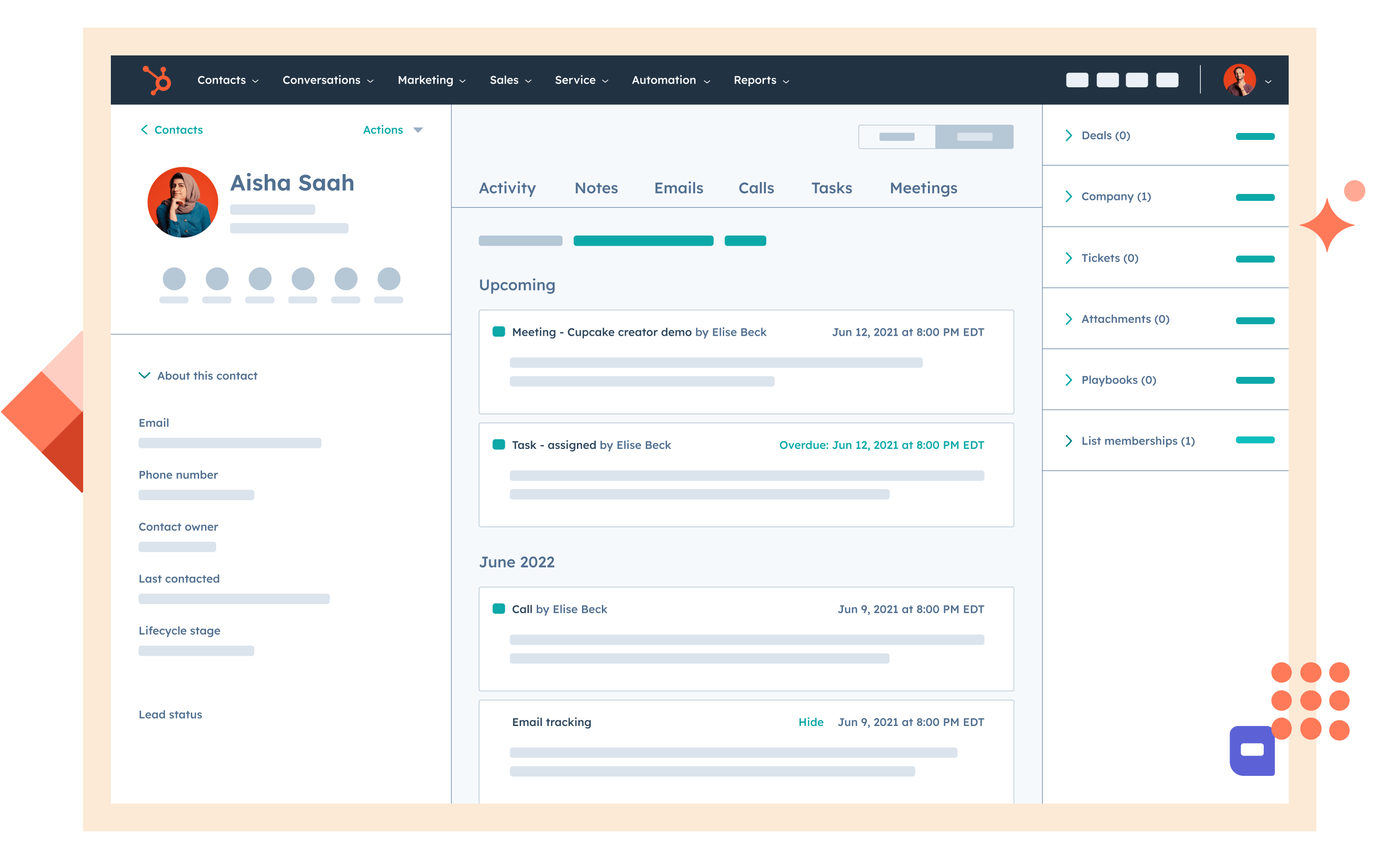
Image source: salesforce.com
Overview
Salesforce is a leading CRM platform that offers extensive customization and a robust set of features. Though not specifically designed for any one industry, it provides the flexibility to adapt to various business models, making it a versatile CRM choice.
Key features
- Extensive third-party integrations: Easily connects with numerous applications to enhance functionality.
- Advanced reporting and analytics: Helps users create detailed reports, vital for measuring performance and operational insights.
Best for
Salesforce is suitable for organizations that require deep customization and have resources for a comprehensive CRM solution.
Pricing
- Free plan: Not available
- Paid plans: Start at $25/user/month(billed annually)
Real user feedback
“Salesforce has all the tools you could want in a CRM, but it can be complicated. It takes time to learn how to use everything effectively.”
Limitation
The learning curve can be significant, which might deter smaller organizations or those without dedicated technical support.
Note: The review above is sourced from G2.
3. Zoho CRM: Affordable and feature-rich
Image source: zoho.com
Overview
Zoho CRM provides businesses with an accessible solution featuring a robust array of tools at budget-friendly pricing. Its flexibility makes it suitable for small to mid-sized companies that aim to improve customer engagement.
Key features
- Comprehensive lead management: Automates the lead capture process for easier tracking and faster conversions.
- Customization options: Offers various customization features to tailor the platform to business-specific needs.
Best for
Zoho CRM is well-suited for smaller businesses looking for cost-effective solutions without sacrificing essential features.
Limitation
While feature-rich, some users report the interface might feel cluttered or overwhelming at times.
Pricing
- Free plan: Available(3 users)
- Paid plans: Starts at $14/month per user (free trial available)
Real user feedback
“Zoho CRM is a great value with its host of features. It's generally user-friendly, but I’ve experienced some delays in customer support response times.”
Note: The review above is sourced from G2.
4. HubSpot CRM: Free and marketing-focused
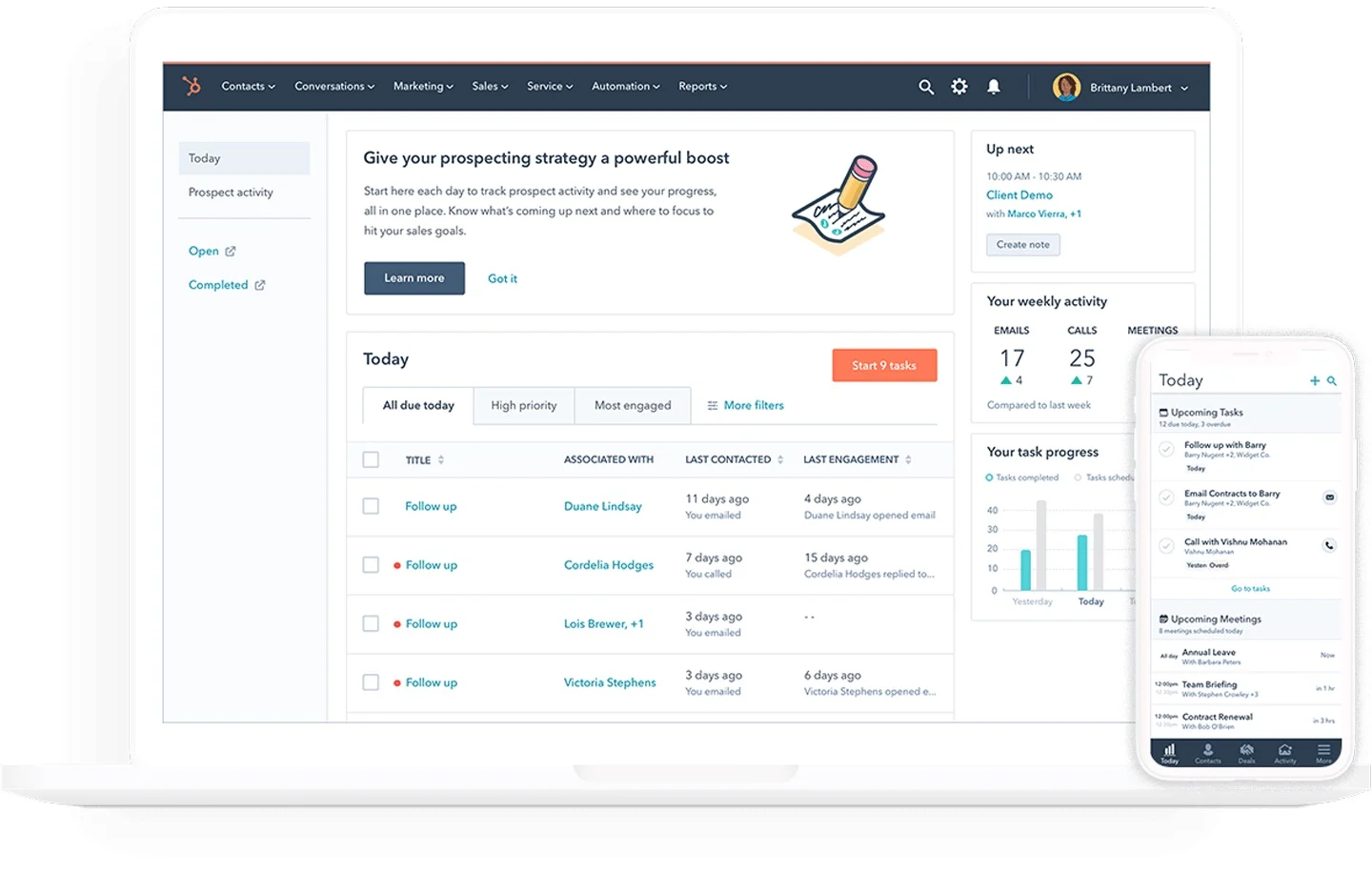
Image source: hubspot.com
Overview
HubSpot CRM is known for its free tier that provides a robust entry-level CRM solution, making it an attractive option for teams seeking a blend of marketing and sales functionalities without upfront costs.
Key features
- Lead tracking and automation tools: Simplifies capturing and nurturing leads with automated workflows.
- Marketing integration: Smoothly integrates with HubSpot’s marketing suite to enhance outreach capabilities.
Best for
HubSpot CRM is perfect for teams prioritizing marketing alongside customer management efforts.
Limitation
Some users find that premium features come at an additional cost, which can add up over time.
Pricing
- Free plan: Available for up to 2 users
- Paid plans: Start at $13/month per user (free trial available)
Real user feedback
“The free version of HubSpot is fantastic for a starting point. It offers good features and allows you to scale up as your needs grow.”
Note: The review above is sourced from G2.
5. Real Geeks: Focused on lead generation
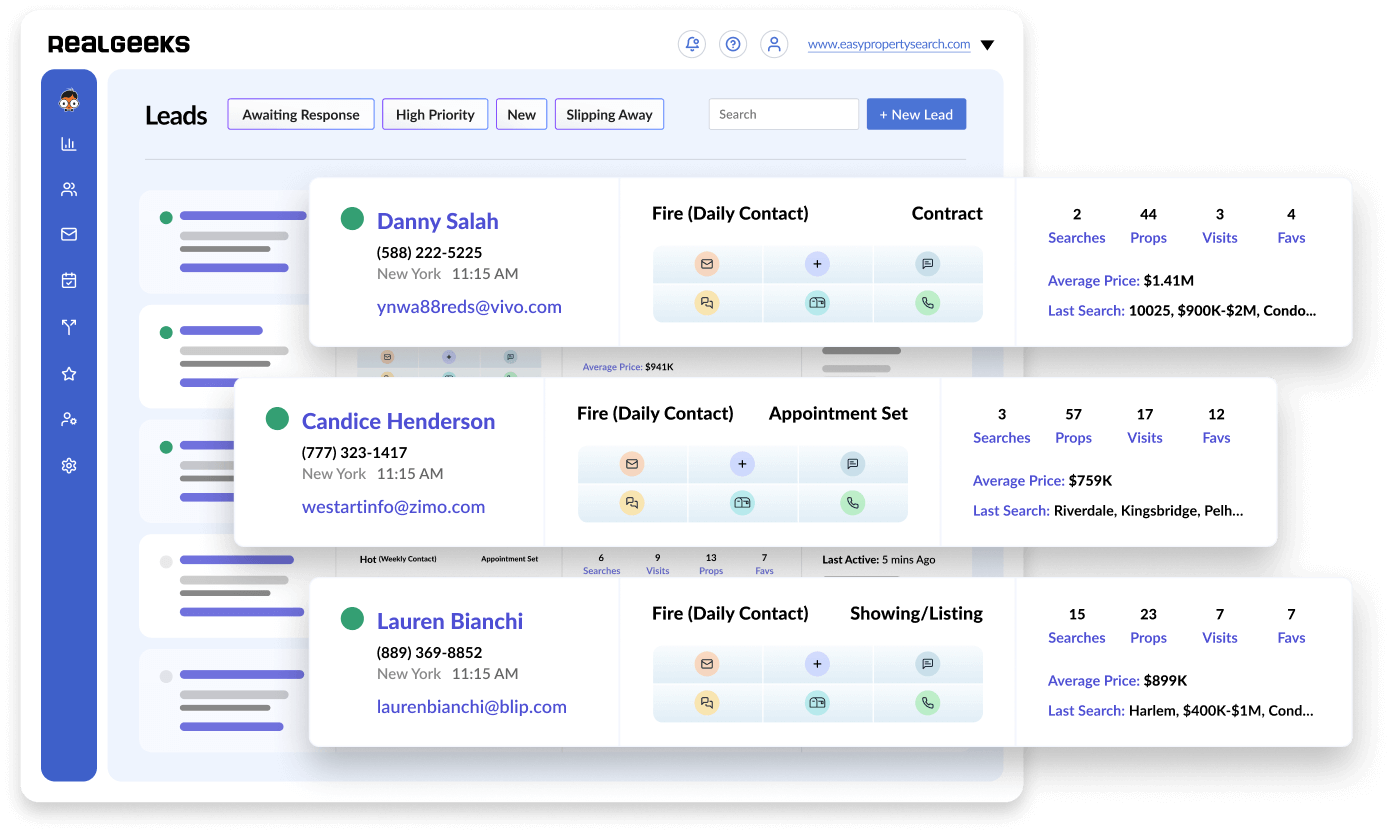
Image source: realgeeks.com
Overview
Real Geeks specializes in providing CRM solutions and lead generation tools that help users effectively capture and manage leads, making it particularly valuable for sales-focused organizations.
Key features
- Integrated lead capture forms: Facilitates seamless lead generation directly from websites and landing pages.
- Market insights: Provides actionable market data, aiding businesses in making informed decisions.
Best for
Real Geeks is best suited for sales-oriented teams looking to improve lead capture and management.
Limitation
Some users feel it may lack the advanced reporting functionalities found in more established CRM systems.
Pricing
Real user feedback
“Real Geeks has allowed me to capture leads more effectively than I ever thought possible. The platform is easy to use and integrates well with my existing processes.”
Note: The review above is sourced from G2.
6. Follow Up Boss: Streamlined lead management
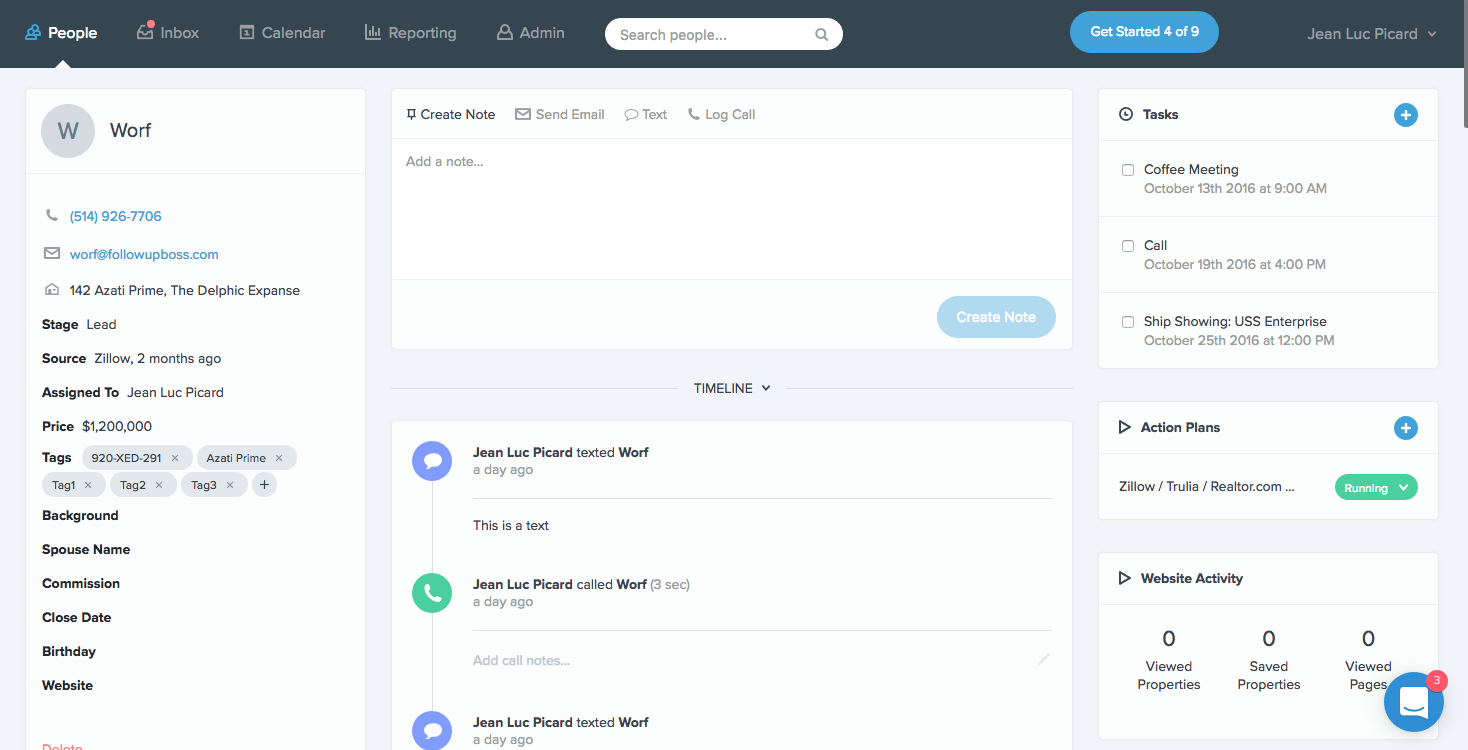
Image source: followupboss.com
Overview
Follow Up Boss is designed to help organizations manage leads more effectively, streamlining the follow-up process to boost conversion rates.
Key features
- Automated follow-up reminders: Keeps users organized and informed about leads needing immediate attention.
- Compatibility with popular apps: Offers integration with various applications to enhance organic workflow efficiency.
Best for
Follow Up Boss is ideal for teams prioritizing quick response times and efficient lead management.
Limitation
Some users might find the platform lacks certain customizability options compared to other CRM solutions.
Pricing
- Free plan: Not available
- Paid plans: Start at $58/user/month(billed annually; free trial available)
Real user feedback
“Follow Up Boss has entirely changed how we handle our leads. It keeps us organized, which is critical for maintaining relationships.”
Note: The review above is sourced from G2.
7. Propertyware: Bridging CRM and property management
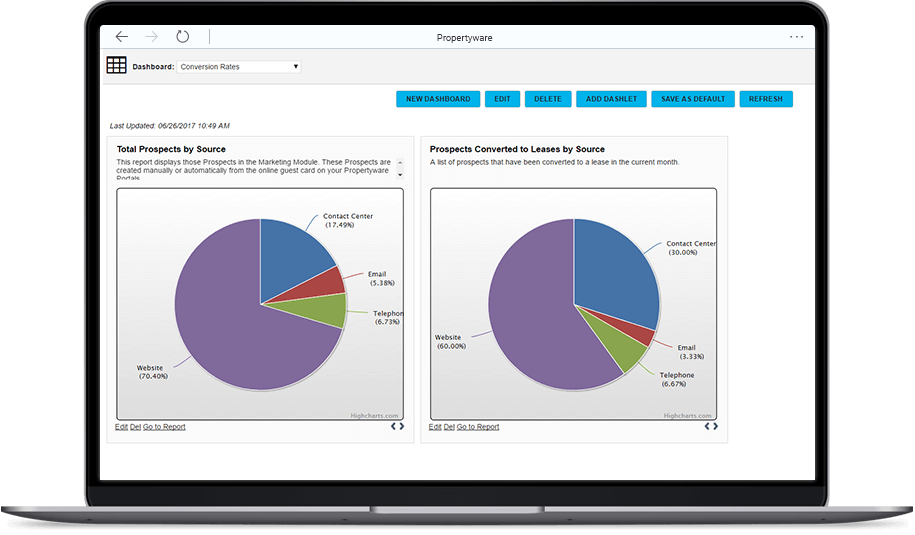
Image source: propertyware.com
Overview
Propertyware primarily serves as a property management solution but integrates CRM functionalities to assist organizations managing rentals or real estate assets effectively.
Key features
- Tenant and lease tracking: Provides robust tools for overseeing property management alongside customer relationship aspects.
- Maintenance request management: Streamlines tenant requests, enhancing overall satisfaction.
Best for
Propertyware is most beneficial for property managers needing tools that integrate both property management and customer management functionalities.
Limitation
As a primary property management tool, it may not offer all advanced CRM functionalities that dedicated CRM systems provide.
Pricing
- Free plan: Not available
- Paid plans: Start at $100/user/month(billed annually; free demo available)
Real user feedback
“Propertyware has simplified my rental management tasks. The CRM features are a great added benefit, helping me maintain strong tenant relationships.”
Note: The review above is sourced from G2.
8. Salesforce: Customizable CRM at scale
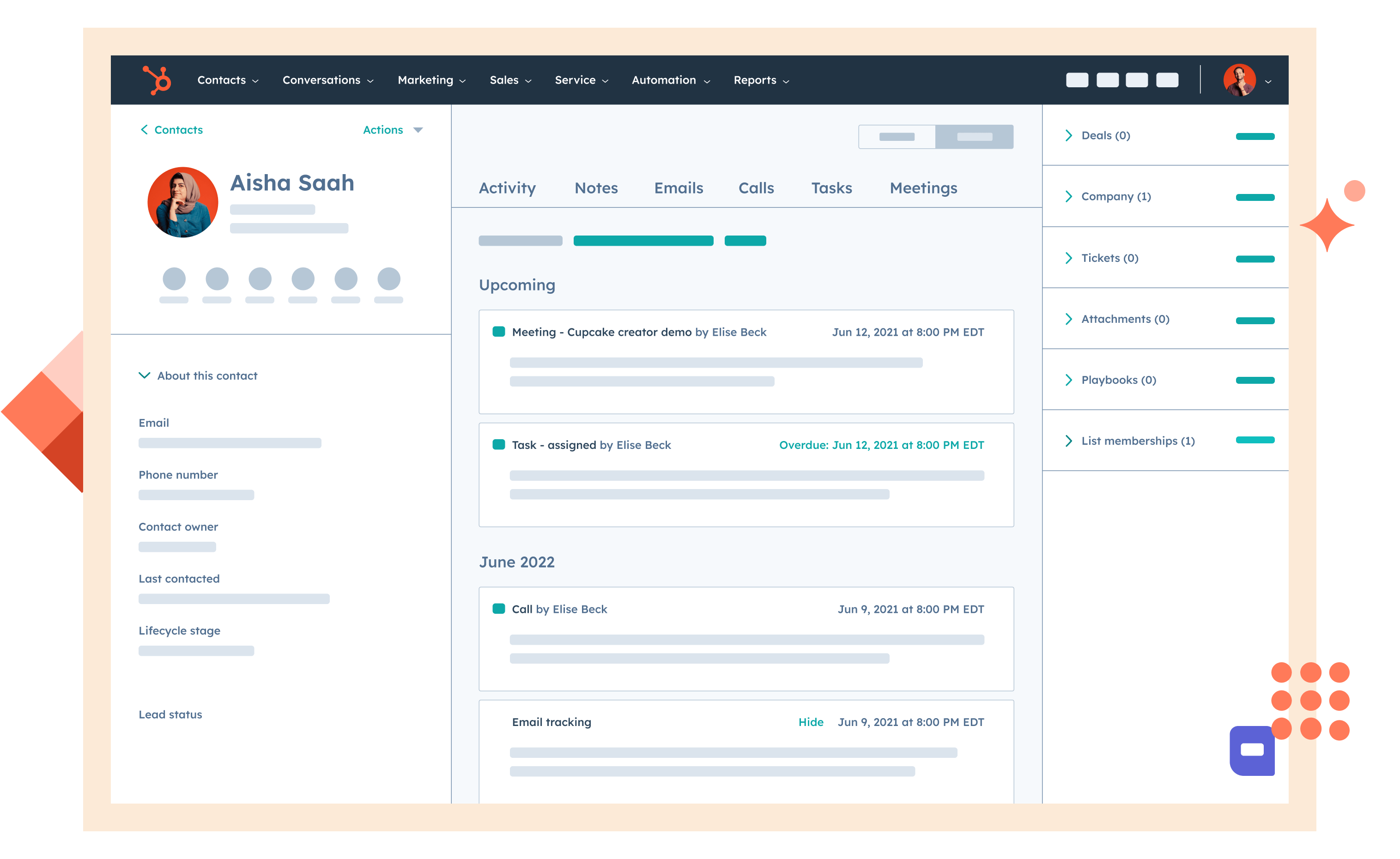
Image source: salesforce.com
Overview
Salesforce centralizes sales, service, and marketing data in a secure, cloud CRM with deep customization, automation, and a vast app ecosystem, helping teams standardize processes and scale revenue operations.
Key features
- Lead-to-revenue management: Capture leads, qualify, convert to accounts/contacts/opportunities, and forecast pipeline in real time.
- Automation with Flow and approvals: No/low-code workflows for routing, alerts, data updates, and multi-step approvals.
- AI assistance (Einstein): Lead and opportunity scoring, next-best actions, and predictive forecasting to prioritize work.
- Reporting and dashboards: Real-time, role-based dashboards and KPIs; drill-down analytics for coaching and planning.
- Integrations and AppExchange: Native email/calendar sync plus thousands of third-party apps to extend CRM without heavy development.
Best for
Organizations that need an enterprise-grade, highly customizable CRM with strong governance, security, and ecosystem support.
Limitation
Powerful but complex—setup, customization, and ongoing administration can require dedicated expertise and time.
Pricing:
- Free plan: Not available
- Paid plans: Start at $25/user/month(billed annually)
Real user feedback
“Highly customizable and scalable; once configured, it streamlines our sales process. The trade-off is a steeper learning curve.”
Note: The review above is sourced from G2.
Conclusion
Selecting the right CRM platform is essential for improving operational efficiency and enhancing client relationships across industries. While Propertybase CRM offers valuable features that cater to diverse user needs, exploring alternatives like Lark, Salesforce and Propertyware can reveal unique solutions that suit different business requirements. Each platform boasts distinct advantages, whether in integrated collaboration tools, lead generation capabilities, or affordability. By thoroughly evaluating your options, you can choose a CRM solution like Lark that aligns best with your organizational needs and drives success.
Start a better journey at a lower cost
FAQs
How much is Propertybase CRM?
Propertybase CRM pricing varies based on the selected features and user count. Plans typically range from a few hundred to several thousand dollars monthly, depending on the organization's needs. For specific pricing details, it’s best to check their official website.
What CRM do most realtors use?
Many realtors commonly use CRM platforms like Salesforce, Follow Up Boss, and Real Geeks. While these solutions are popular, they may lack all-in-one collaboration features that Lark provides. Lark combines CRM functionalities with communication tools, making it a strong contender for modern teams.
What is Propertybase used for?
Propertybase is primarily used for managing customer relationships in the real estate industry. It offers tools for lead tracking, client interactions, and transaction management, helping businesses streamline their sales processes and enhance client engagement.
What kind of companies use Propertybase?
Propertybase is commonly used by real estate firms, brokerages, and property management companies. These organizations benefit from its specialized tools. However, for businesses seeking a more integrated approach, Lark offers a collaborative platform that enhances communication and project management.
Which tool is the best alternative to Propertybase CRM?
Lark is an excellent alternative to Propertybase CRM, offering an all-in-one solution that combines CRM features with tools for collaboration, document sharing, and task management. Other options like Salesforce and Zoho are also strong but may lack Lark's integrated communication features.
Related reading
































