














Quote Management: Process, Benefits, and Best Tools

Ryan Tanner
Product Marketing Specialist
Sep 18, 2026
Ryan Tanner
Sep 18, 2026

20 min read


Precision, quick responses, and clear visibility define successful sales operations. Whether you're in SaaS, construction, or professional services, managing quotes efficiently can make or break a deal. That's where quote management software comes in—connecting teams, automating workflows, and ensuring every client quote is accurate, timely, and approved with confidence.
A modern quote management system simplifies the entire quote-to-cash process, from creation and pricing approvals to version control and client delivery. With built-in automation and CRM connectivity, these platforms reduce manual work, eliminate delays, and help teams close deals faster. In this guide, we'll explore the best quote management tools available today—including options like Lark, Salesforce CPQ, and PandaDoc—and how they help unify quotes, approvals, and collaboration within one connected workflow.
1. Lark: Connected workspace with quote tracking, approvals, and automation
2. HubSpot CRM: Free CRM with built-in quote templates
3. Salesforce CPQ: Advanced quoting and pricing automation
4. PandaDoc: Proposal and contract management
5. Zoho CRM: Affordable quoting for small businesses
6. Pipedrive: Visual pipeline and quote creation
7. Monday Sales CRM: Simple quote and deal tracking
8. Freshsales: AI-supported quote management
9. DealHub: CPQ platform for enterprise teams
10. Insightly: CRM and project-linked quote workflows

What is quote management?
Quote management is the process of creating, tracking, and approving sales quotations across the entire sales cycle. It ensures every quote—including pricing, terms, and customer information—is consistent, accurate, and approved before reaching the client.
At the core of the quote-to-cash (QTC) process, quote management connects every stage of a deal—from creation and approval to conversion and invoicing. A modern quote management system works seamlessly with CRM and pricing tools, enabling smooth data flow between sales, finance, and operations while minimizing manual effort and reducing errors.
Efficient quote management is especially critical in industries that depend on precision and speed—such as SaaS and software firms managing renewals, construction companies tracking materials and timelines, manufacturers dealing with complex product configurations, and service providers offering customized packages.
In essence, quote management keeps your organization organized, professional, and customer-focused—helping teams respond faster, win more deals, and maintain consistent pricing accuracy.
Image source: unsplash.com
Why is quote management important
Accuracy and responsiveness can make or break a deal. Efficient quote management software not only streamlines pricing but also enhances collaboration, decision-making, and customer experience across teams.
- Ensures consistent and accurate pricing: Inconsistent pricing can harm credibility and cause delays. With a centralized quote management system, teams maintain unified pricing structures across all departments. Tools like Lark Base automate approvals and standardize pricing data, ensuring compliance and consistency in every client interaction.
- Reduces manual work and data errors: Manual quoting is time-consuming and prone to mistakes. Automated quote management tools pull customer and pricing data directly from CRM systems, minimizing errors and eliminating repetitive tasks. This efficiency allows sales reps to spend more time nurturing leads and closing deals.
- Accelerates approvals and decision-making: Approval bottlenecks can slow down even the best sales teams. With automated approval workflows, managers can review, approve, or reject quotes instantly—whether on desktop or mobile. This real-time responsiveness keeps deals moving smoothly through the quote-to-cash process.
- Increases customer satisfaction: Quick, accurate quotes show professionalism and reliability. When clients receive precise estimates without delays, they're more likely to trust your business. A well-managed quote process builds confidence and helps move opportunities to closure faster.
- Improves visibility across the sales pipeline: With connected CRM and quote management software, every quote's status, value, and ownership become transparent. This visibility enables better forecasting, accountability, and collaboration between sales, finance, and operations—ensuring no opportunity slips through the cracks.
Key features to look for in quote management software
Modern quote management software goes beyond basic document creation—it connects sales, finance, and operations in a single automated workflow. The right features ensure accuracy, speed, and collaboration from quote creation to final approval.
- Centralized quote and client database: A unified database keeps every quote version, client detail, and approval history in one place. This helps sales teams quickly access information, compare past quotes, and maintain consistency across deals—eliminating scattered spreadsheets or lost email trails.
- Version control: Effective quote management systems offer built-in version control to track edits, approvals, and historical changes. This ensures transparency across revisions and prevents confusion when multiple stakeholders are involved in pricing or negotiation updates.
- Automated approval routing: Automation is key to fast-moving sales. With automated approval workflows, quotes can be routed to managers or finance teams based on set parameters—like deal size or discount rate—ensuring compliance while keeping momentum high.
- Customizable templates: Branded, reusable quote templates save time and ensure consistency in client communication. Sales reps can quickly generate professional-looking proposals that reflect company branding while maintaining accuracy in pricing and terms.
- Real-time collaboration: Enable seamless teamwork with real-time collaboration features that let multiple users review, comment, and update quotes simultaneously. This fosters transparency between sales, finance, and operations while accelerating the quote-to-approval process.
- CRM and billing connectivity: Connecting with CRM and billing systems like Salesforce, HubSpot, or Lark Base ensures your quotes always use accurate client and pricing data. This connectivity enables a seamless flow from quote creation to invoicing—minimizing errors and manual updates.
Best quote management tools you should check out
1. Lark: Connected workspace with quote tracking, approvals, and automation
Quote management becomes effortless when every stage—from creation to approval—happens within one connected workspace. Lark brings together CRM-style tracking, automated workflows, and real-time collaboration so sales, finance, and operations teams can move faster and stay aligned.
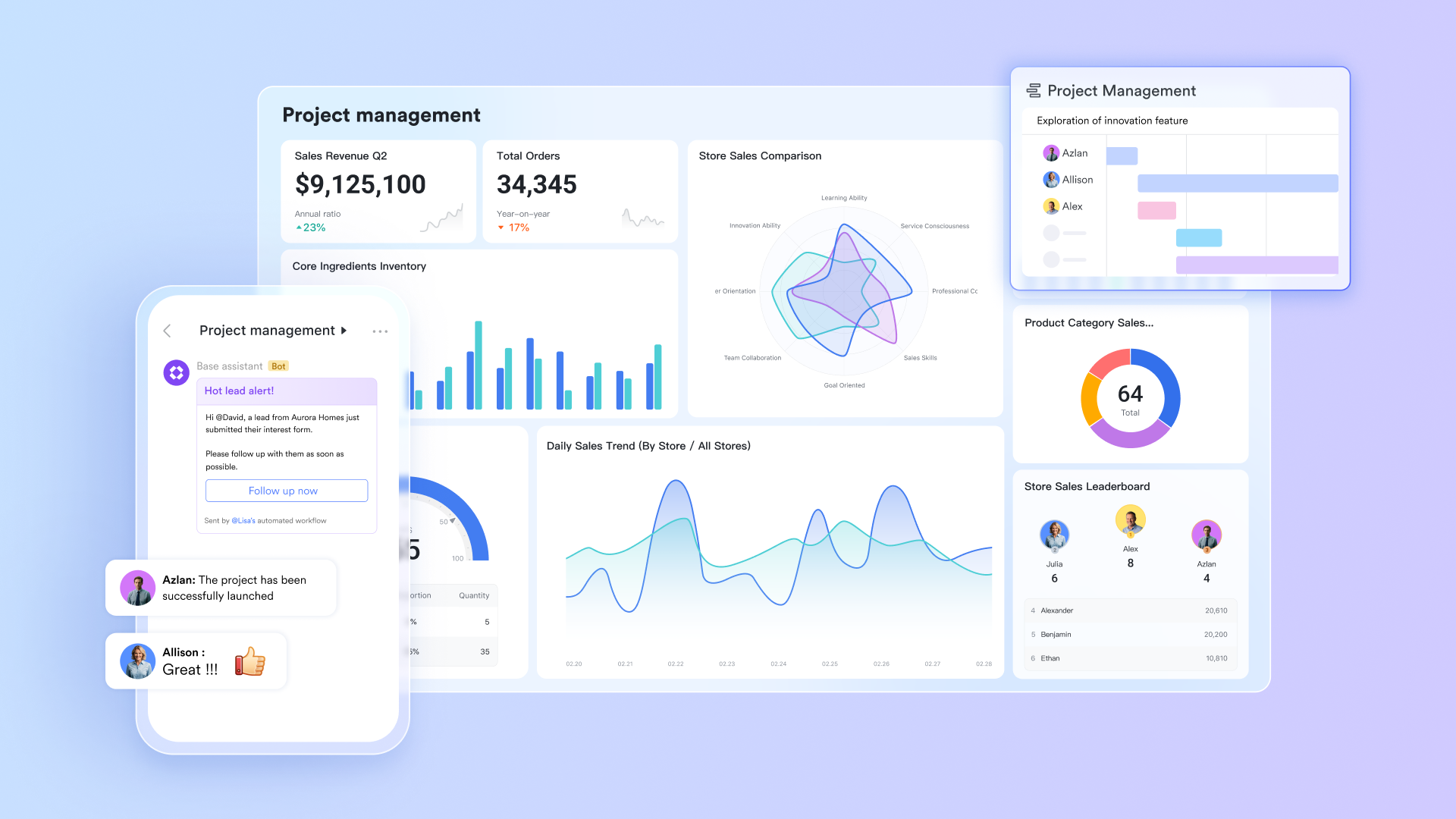
- Lark Base: Centralize and automate your quote database
Lark Base acts as your live quote repository, where every deal, client, and quote detail is stored and updated in real time. Teams can create structured quote records with customizable fields such as quote value, approval status, and client name.
Through Base automation, routine steps like quote approvals or follow-up reminders happen automatically. For instance, when a quote's value exceeds a certain threshold, Base can trigger a manager notification or send a reminder when a quote is about to expire. This reduces manual tracking and keeps the entire quote lifecycle flowing smoothly.
Example: A sales rep enters a quote in Lark Base → automation routes it to finance for review → upon approval, a follow-up task and client email are generated instantly.
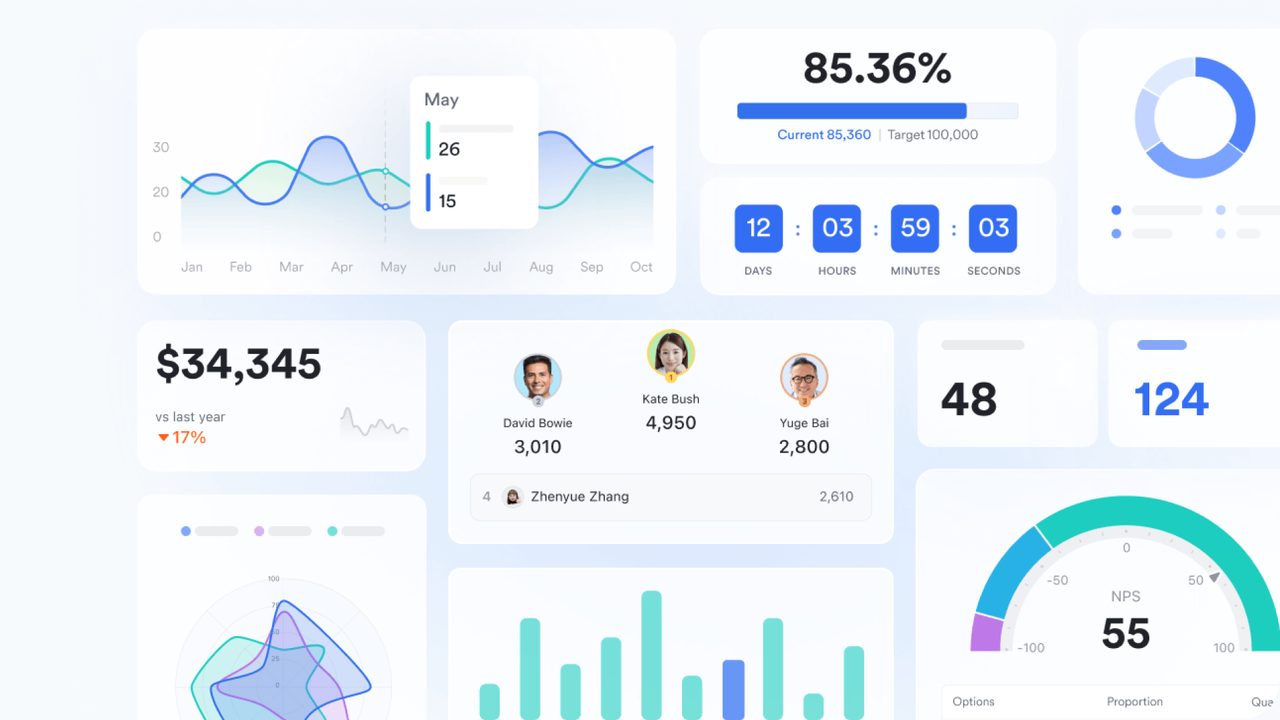
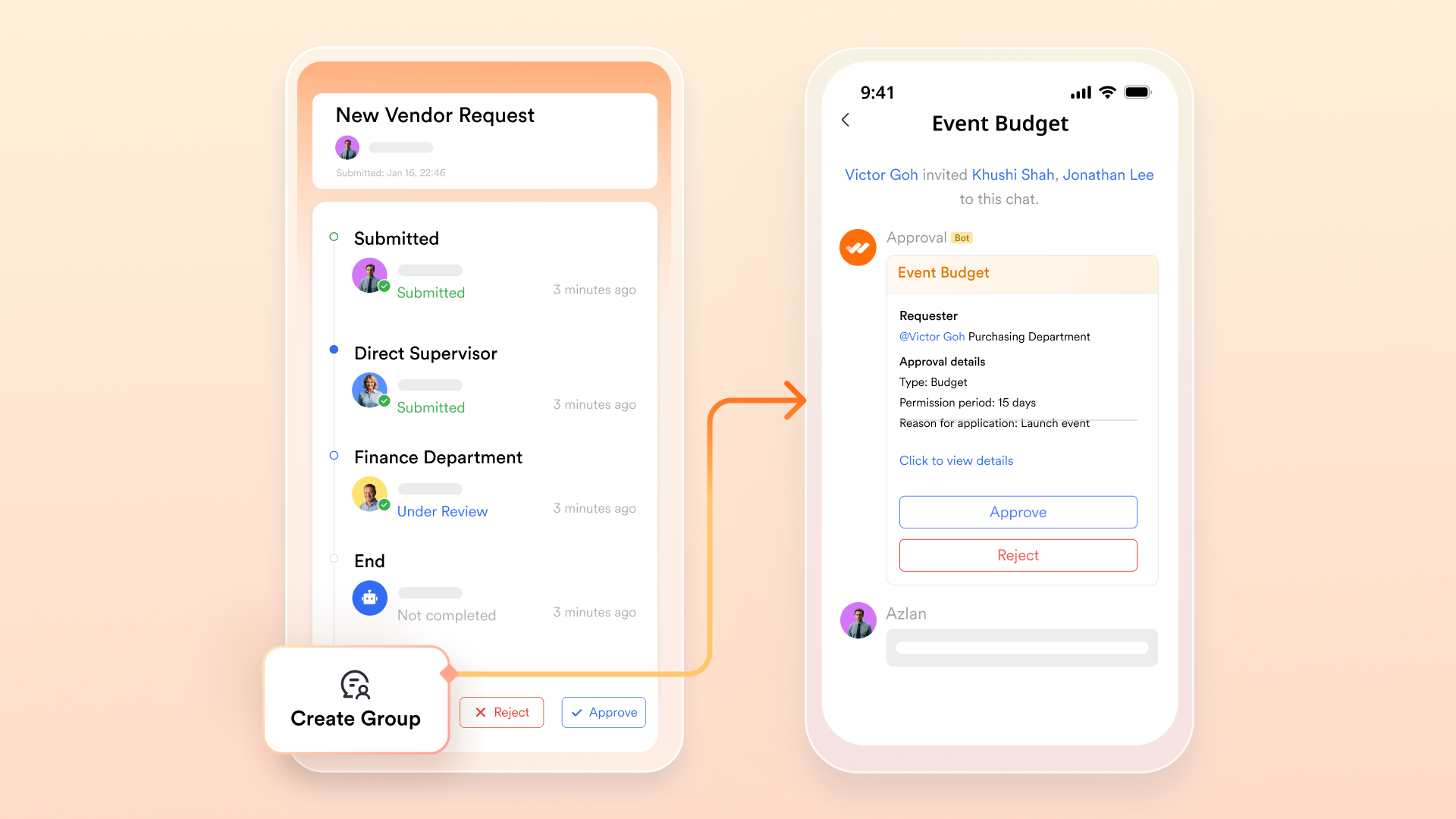
- Lark Approval: Speed up decision cycles
Approvals are often the slowest part of the quote process—but with Lark Approval, they're built right into your workflow. Managers receive instant notifications when a quote needs review, and can approve or request edits directly from their chat or mobile app. Each approval is logged automatically, creating a transparent trail of who approved what and when—essential for accountability and audit readiness.
Example: A quote for a major client automatically sends an approval request to the department head, who can approve it within seconds on mobile—keeping the deal moving forward without email delays.
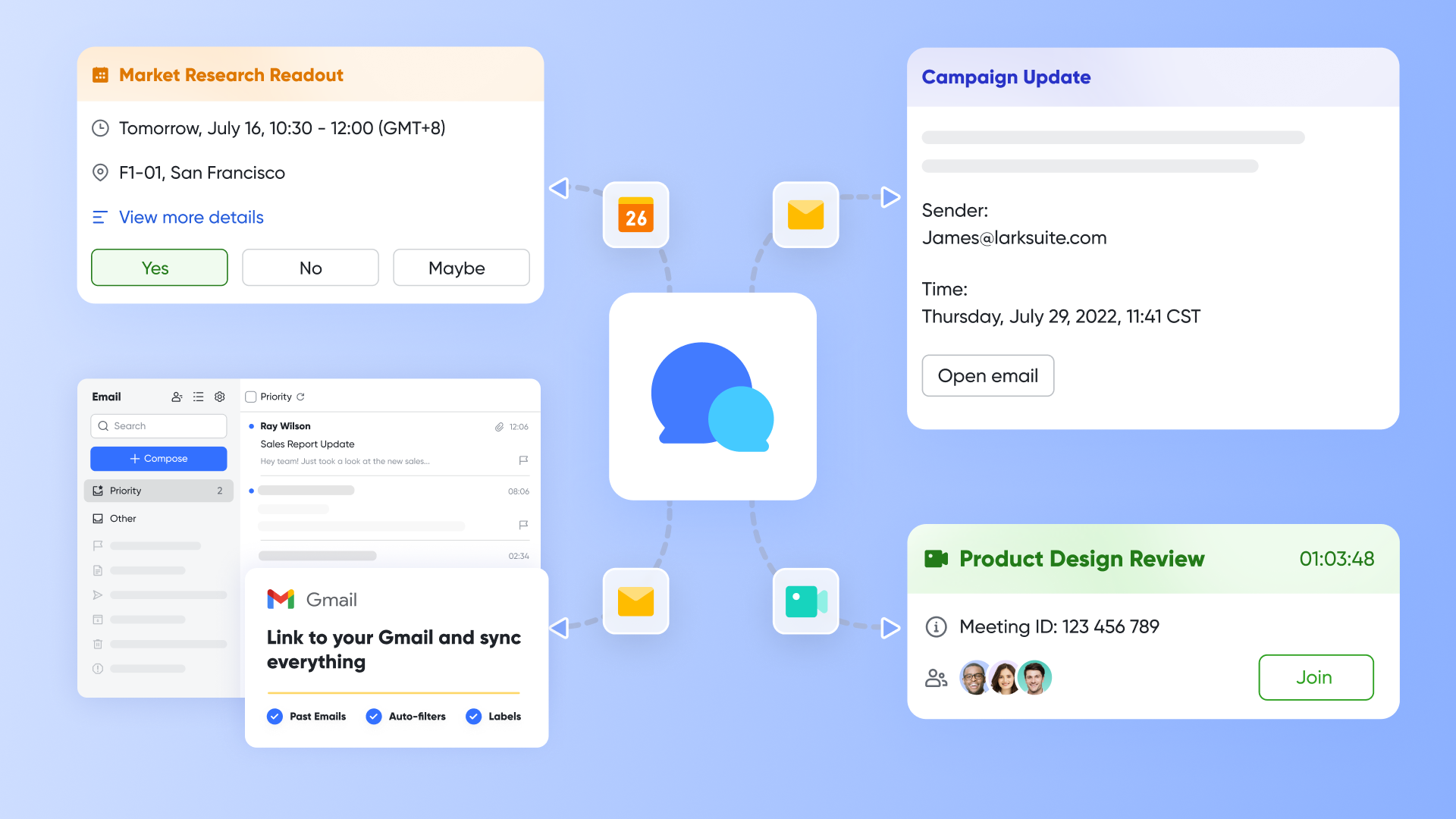
- Lark Messenger & Lark Meetings: Discuss quotes in real time
Communication is the backbone of smooth quote management. With Lark Messenger and Lark Meetings, teams can discuss quote revisions, negotiate terms, or resolve pricing questions instantly—all in context. You can link a quote record directly to a Messenger thread or start a video meeting to clarify details, ensuring that every discussion stays tied to the right document.
Example: A finance team member spots a pricing discrepancy, comments directly in the Lark Messenger thread linked to the quote, and the issue is resolved in minutes instead of days.
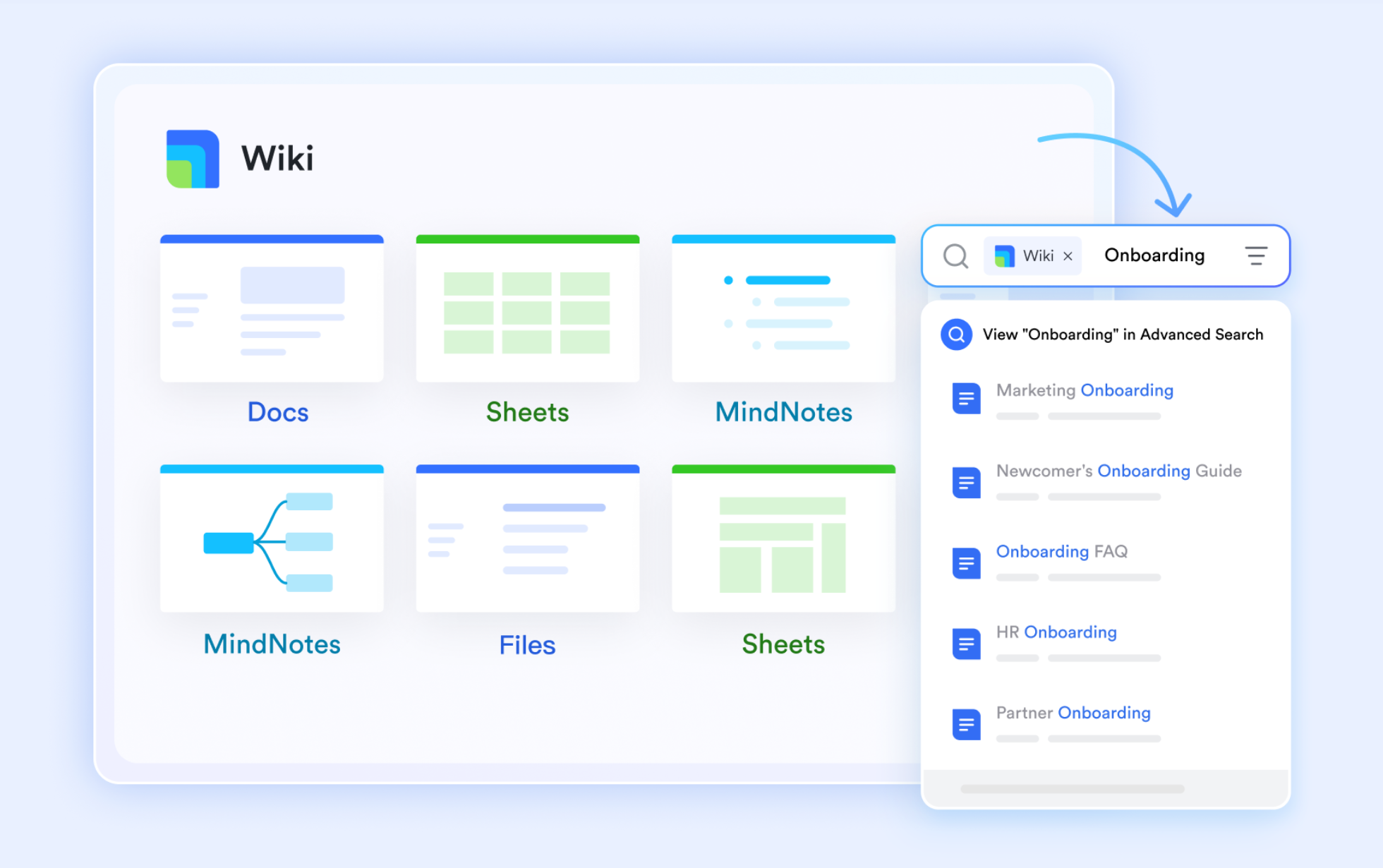
- Lark Docs & Lark Wiki: Keep templates and policies accessible
Lark Docs makes it easy to store, update, and collaborate on quote templates, terms, and pricing policies in one shared location. Teams can co-edit templates in real time, maintain version history, and ensure that everyone uses the latest approved format. Lark Wiki complements this by housing your standard operating procedures (SOPs)
Example: When teams need approval guidelines or discount policies, they always resort to the company's Wiki as a reference point for compliance and consistency.
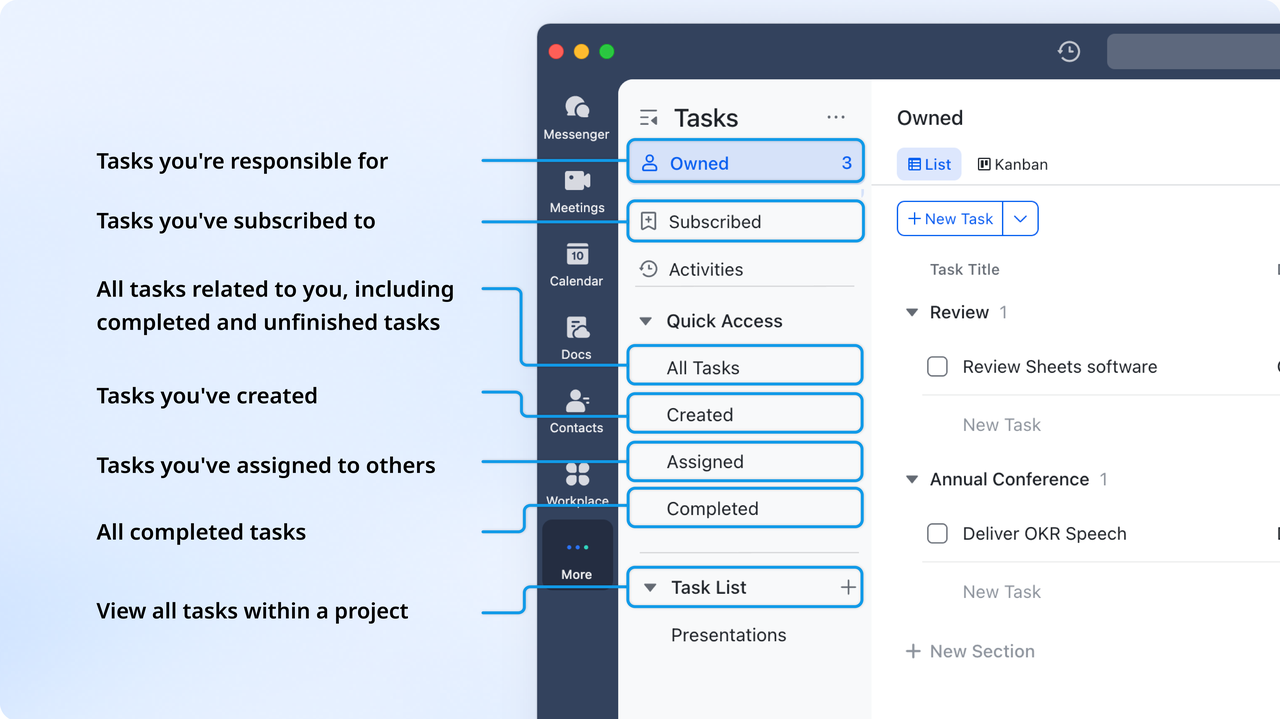
- Lark Tasks: Track actions after approval
Once a quote is approved, Lark Tasks ensures that every next step—from sending the client version, to updating the CRM record—is clearly assigned and tracked. Via Base's automation feature, tasks can also be auto-created from quote approvals, keeping follow-ups visible and ensuring nothing slips through the cracks.
Example: After approval, Lark automatically assigns a “Send final quote to client” task to the sales coordinator with a due date and reminder.
- Starter plan: Free forever plan that includes 11 powerful tools for up to 20 users. It also comes with 100GB of storage, 1000 automation runs, AI translations, and more.
- Pro plan: $12/user/month (billed annually) for up to 500 users. It includes everything in Starter plus group calling for up to 500 attendees, 15TB of storage, 50,000 automation runs, and more.
- Enterprise plan: Contact sales for custom pricing. This solution supports unlimited users and includes even more automation runs, along with advanced security, compliance, and management features.
2. HubSpot CRM: Free CRM with built-in quote templates
HubSpot CRM provides a powerful yet user-friendly platform for managing quotes, deals, and customer relationships all in one place. Its built-in quote templates allow teams to generate professional, branded quotes directly from their pipeline, ensuring consistency and accuracy. Ideal for startups and mid-sized companies, HubSpot simplifies the quoting process by linking every quote to client records and deal stages. Plus, its free plan makes it an accessible entry point for teams looking to streamline their sales workflow without additional costs.
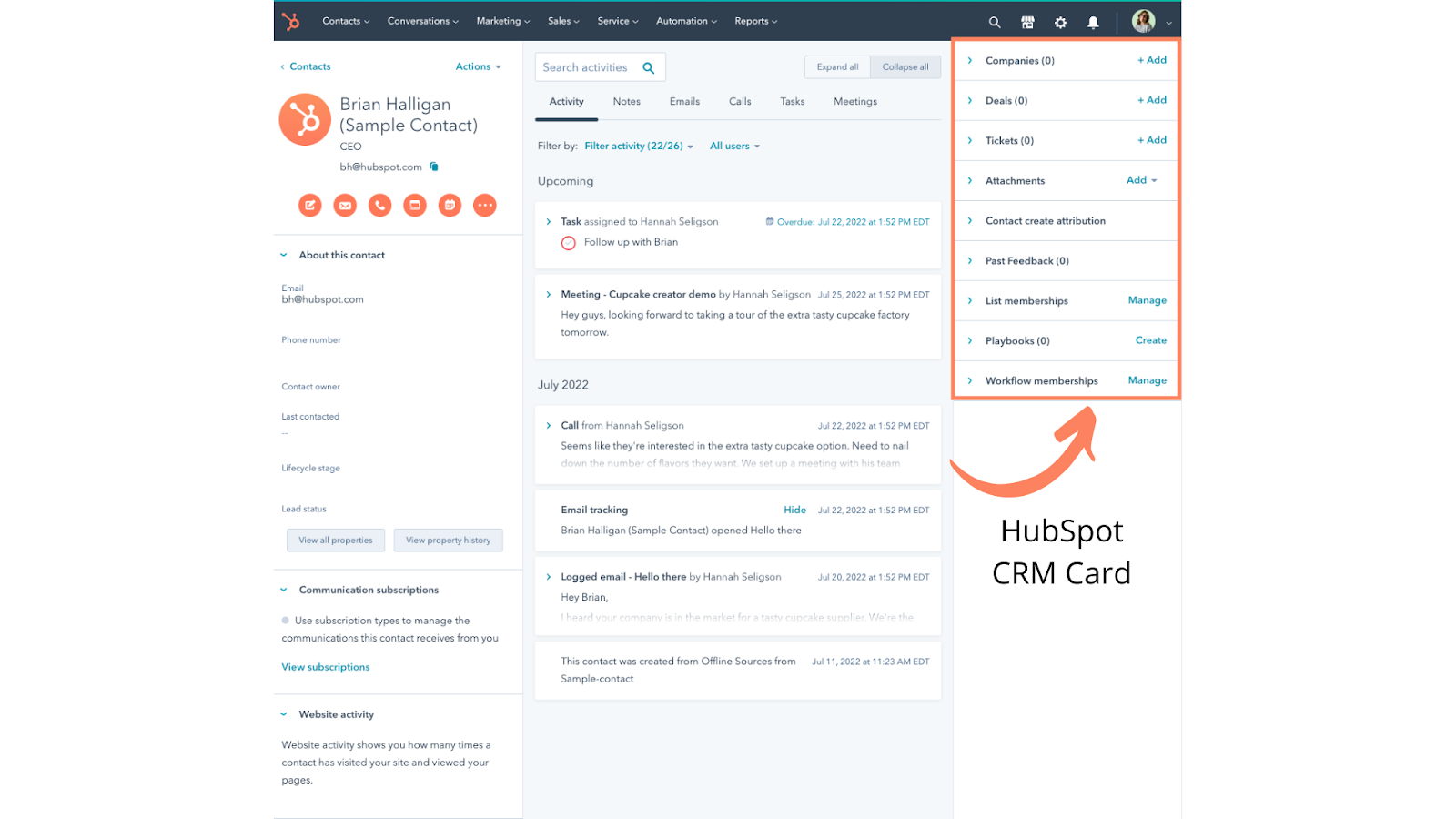
Image source: hubspot.com
Features:
- Create branded quotes directly from deals.
- Sync customer and product data automatically.
- Collect e-signatures and payments online.
Pros:
- Free and simple to set up.
- Tight connection with HubSpot's marketing and service hubs.
- Ideal for growing sales teams.
Cons:
- Limited automation in the free plan.
- Not as customizable for complex approval hierarchies.
Pricing:
Free for basic use, with paid upgrades for advanced automation.
3. Salesforce CPQ: Advanced quoting and pricing automation
Salesforce CPQ (Configure, Price, Quote) is designed for businesses managing complex pricing models, product bundles, and multi-level approvals. It streamlines the entire quote-to-cash process by automating pricing, discounting, and contract generation within Salesforce CRM. Teams can quickly configure quotes based on client needs while ensuring accuracy and compliance with company policies. With its deep customization options and advanced analytics, Salesforce CPQ empowers enterprises to scale efficiently and close deals faster.
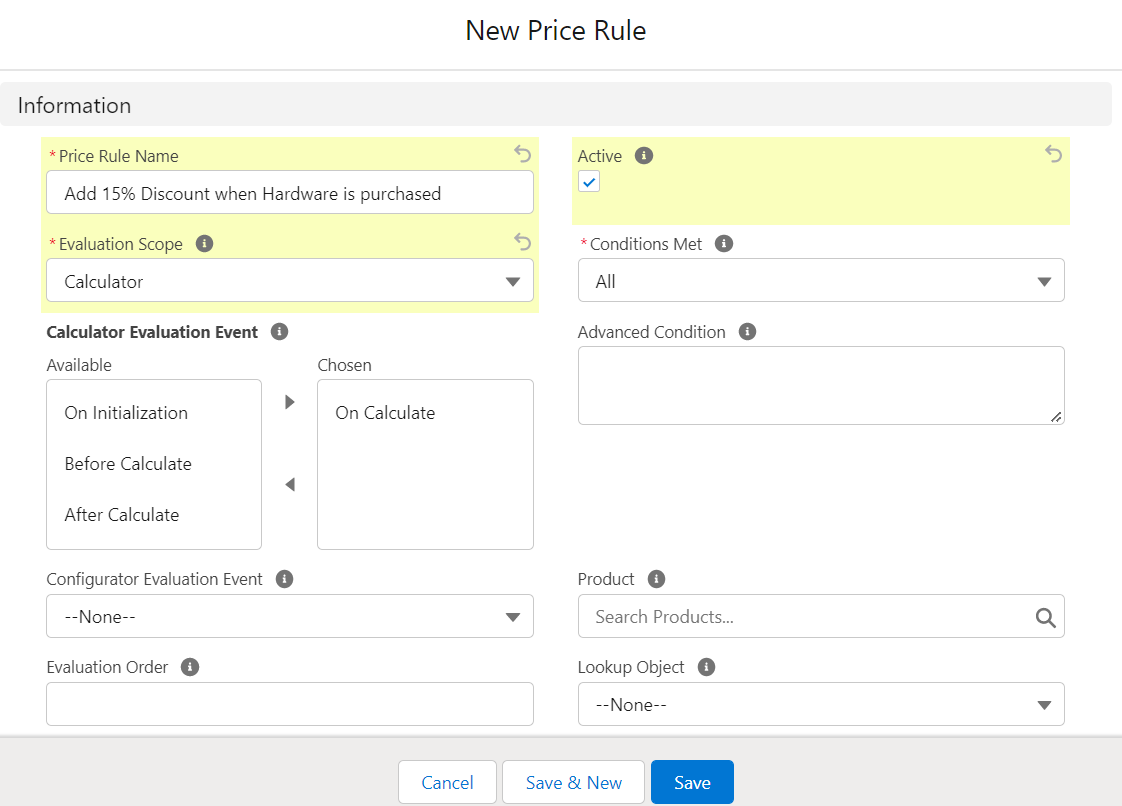
Image source: salesforce.com
Features:
- Dynamic product configuration and discount rules.
- Automated approval routing.
- Direct link to Salesforce CRM.
Pros:
- Excellent scalability for enterprise use.
- Strong analytics and approval management.
- Highly customizable workflows.
Cons:
- High setup and licensing costs.
- Requires training due to complexity.
Pricing:
Available through Salesforce's enterprise pricing plans.
4. PandaDoc: Proposal and contract management
PandaDoc simplifies the entire quote and proposal process by combining document creation, e-signatures, and workflow automation in one platform. Sales teams can design professional, branded quotes and track client engagement through real-time notifications. Its drag-and-drop editor and reusable templates make it easy to generate polished documents quickly. Ideal for service-based businesses and agencies, PandaDoc helps teams close deals faster while maintaining accuracy and compliance in every client interaction.
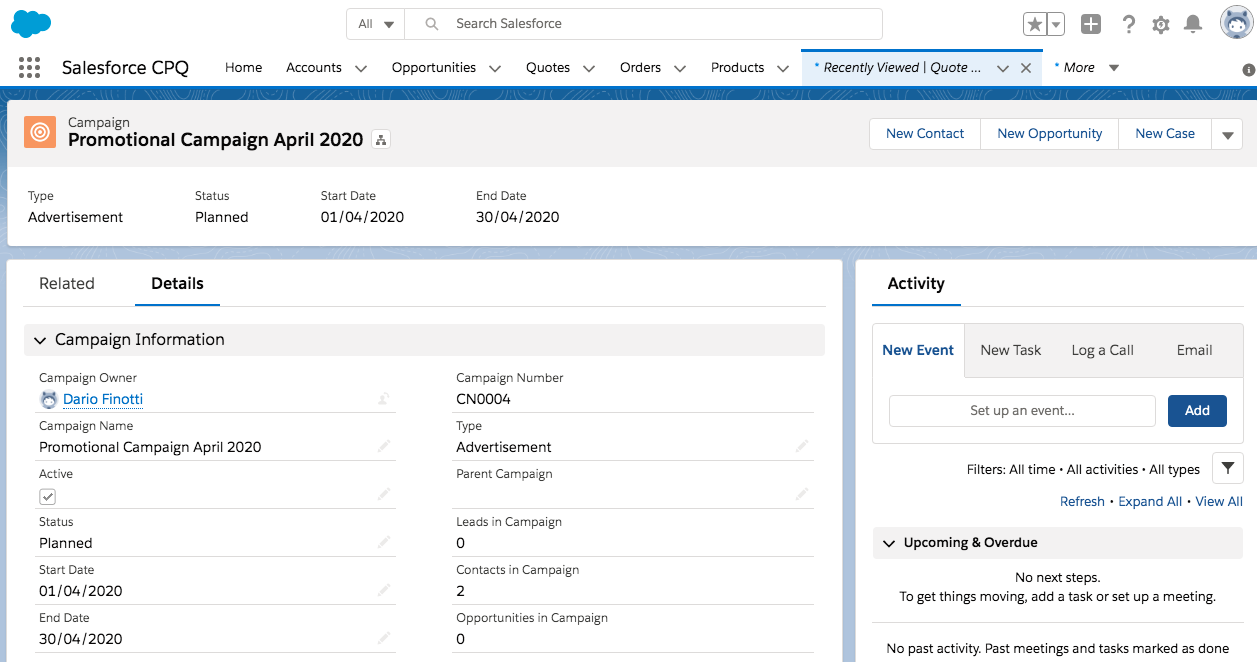
Image source: pandadoc.com
Features:
- Drag-and-drop quote templates.
- Built-in e-signature and payment options.
- Analytics to track client interactions.
Pros:
- Perfect for proposal-driven teams.
- Excellent design flexibility.
- Streamlined e-signing and approvals.
Cons:
- Limited CRM capabilities.
- Requires integration for full automation.
Pricing:
Free plan available; paid plans start with additional automation and analytics tools.
5. Zoho CRM: Affordable quoting for small businesses
Zoho CRM provides an all-in-one solution for managing customers, deals, and quotes without breaking the budget. Its built-in quote and invoice modules allow teams to generate and share professional quotes directly from the CRM, keeping the sales process simple and organized. Users can automate approvals, apply pricing rules, and integrate with Zoho Books or third-party payment tools. Perfect for startups and small teams, Zoho CRM ensures smooth quote-to-cash workflows while maintaining affordability and scalability.
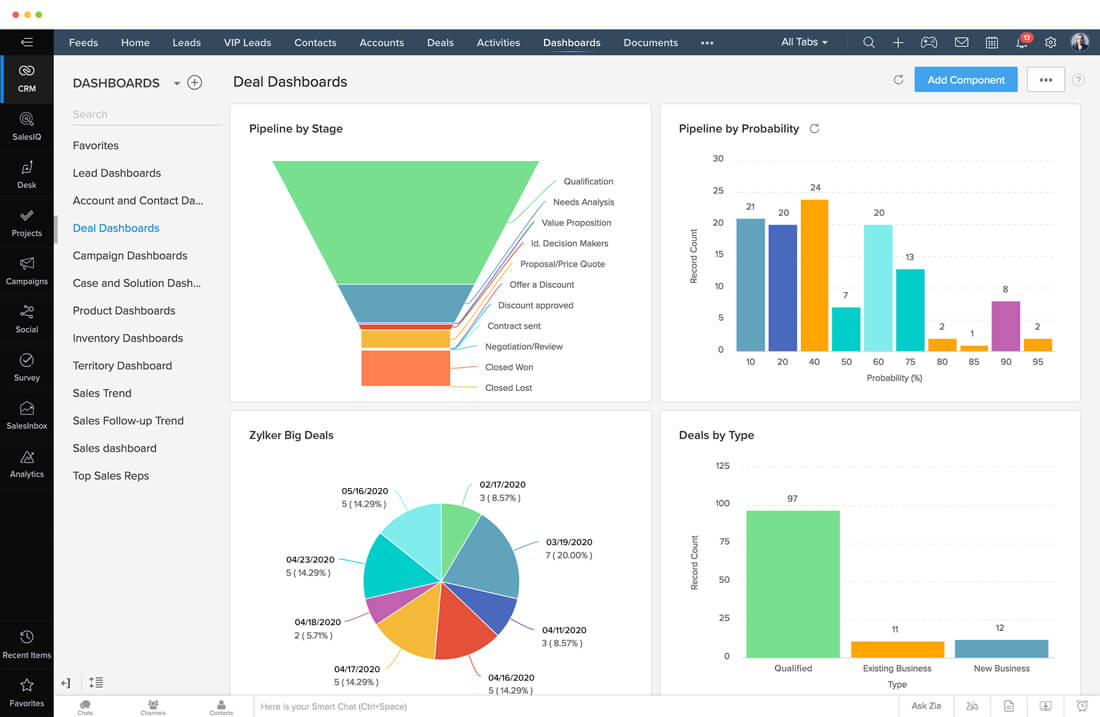
Image source: zoho.com
Features:
- Quote and invoice management within CRM.
- Integration with Zoho Books and Inventory.
- Email tracking and workflow automation.
Pros:
- Affordable and feature-rich.
- Perfect for small businesses.
- Integrates easily within Zoho ecosystem.
Cons:
- Outdated interface.
- Limited AI-powered insights.
Pricing:
Offers a free plan; paid tiers start affordably for small teams.
6. Pipedrive: Visual pipeline and quote creation
Pipedrive is a sales-focused CRM built to simplify deal management and quote creation through a highly visual interface. It allows teams to generate and send quotes directly from deal stages, reducing back-and-forth and keeping everything in one place. With customizable fields, automated follow-ups, and integration with e-signature tools, Pipedrive makes quoting fast and intuitive. Ideal for small to mid-sized sales teams, it helps streamline the quote-to-close process while maintaining complete visibility across the sales pipeline.
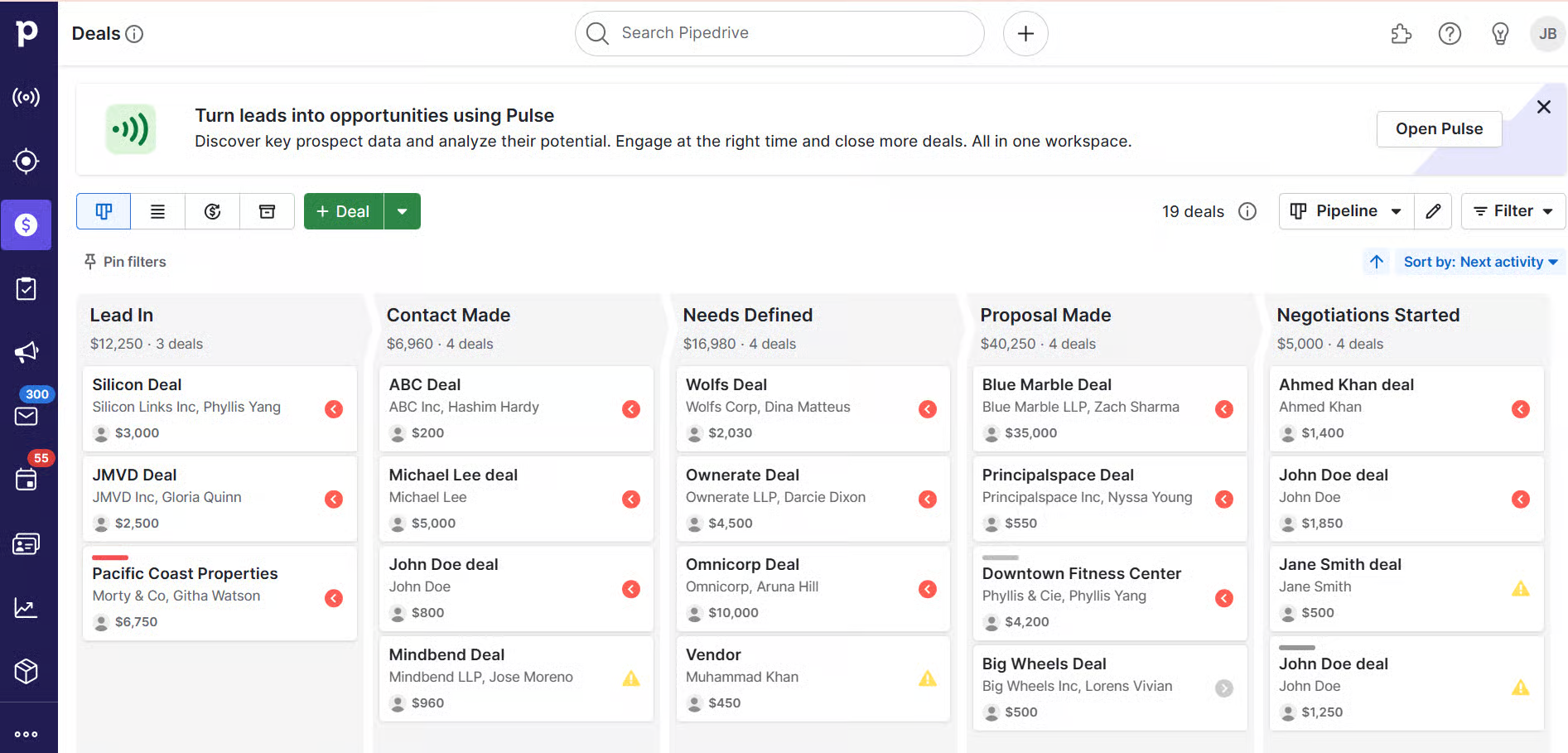
Image source: pipedrive.com
Features:
- Visual pipeline for tracking deals.
- Create and send quotes instantly.
- Automated reminders and follow-ups.
Pros:
- Easy-to-use, intuitive interface.
- Great for fast-paced sales environments.
- Integrates with Google Workspace and Mailchimp.
Cons:
- Limited customization for quotes.
- No built-in approval workflows.
Pricing:
Free trial available; paid plans start affordably for small teams.
7. Monday Sales CRM: Simple quote and deal tracking
Monday Sales CRM brings visual organization and automation together to simplify quote and deal tracking. It allows teams to build custom quote boards, automate approvals, and track every client interaction in real time. With its drag-and-drop interface and integrated workflows, managing quotes becomes intuitive and transparent. Ideal for growing teams, Monday Sales CRM ensures that sales processes stay streamlined—from quote creation to final deal closure—without requiring complex configuration.
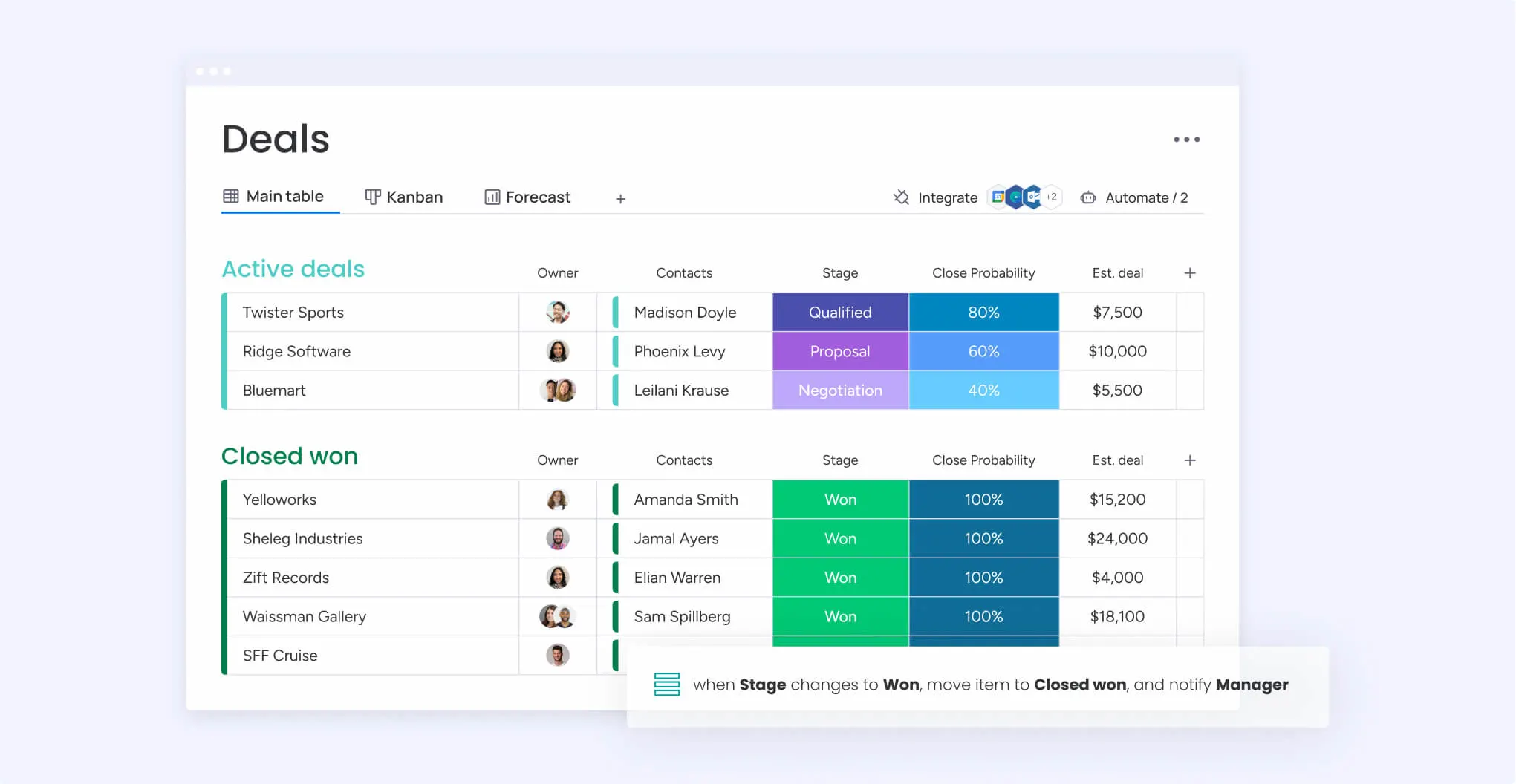
Image source: monday.com
Features:
- Visual deal pipeline.
- Automated reminders for pending quotes.
- Custom dashboards and templates.
Pros:
- Great user interface.
- Simple to learn and onboard.
- Works well for small sales teams.
Cons:
- Limited quote automation for complex pricing.
- Restricted document storage in lower tiers.
Pricing:
Offers free trials; paid plans available per user per month.
8. Freshsales: AI-supported quote management
Freshsales streamlines the quoting process by combining automation, CRM integration, and AI-driven insights. Its built-in Freddy AI helps teams predict deal outcomes, recommend next actions, and ensure pricing accuracy across all quotes. With automated quote generation, approval routing, and client tracking, Freshsales minimizes manual effort while improving efficiency. It's an excellent choice for sales teams that want to manage quotes intelligently and close deals faster using data-backed decisions.
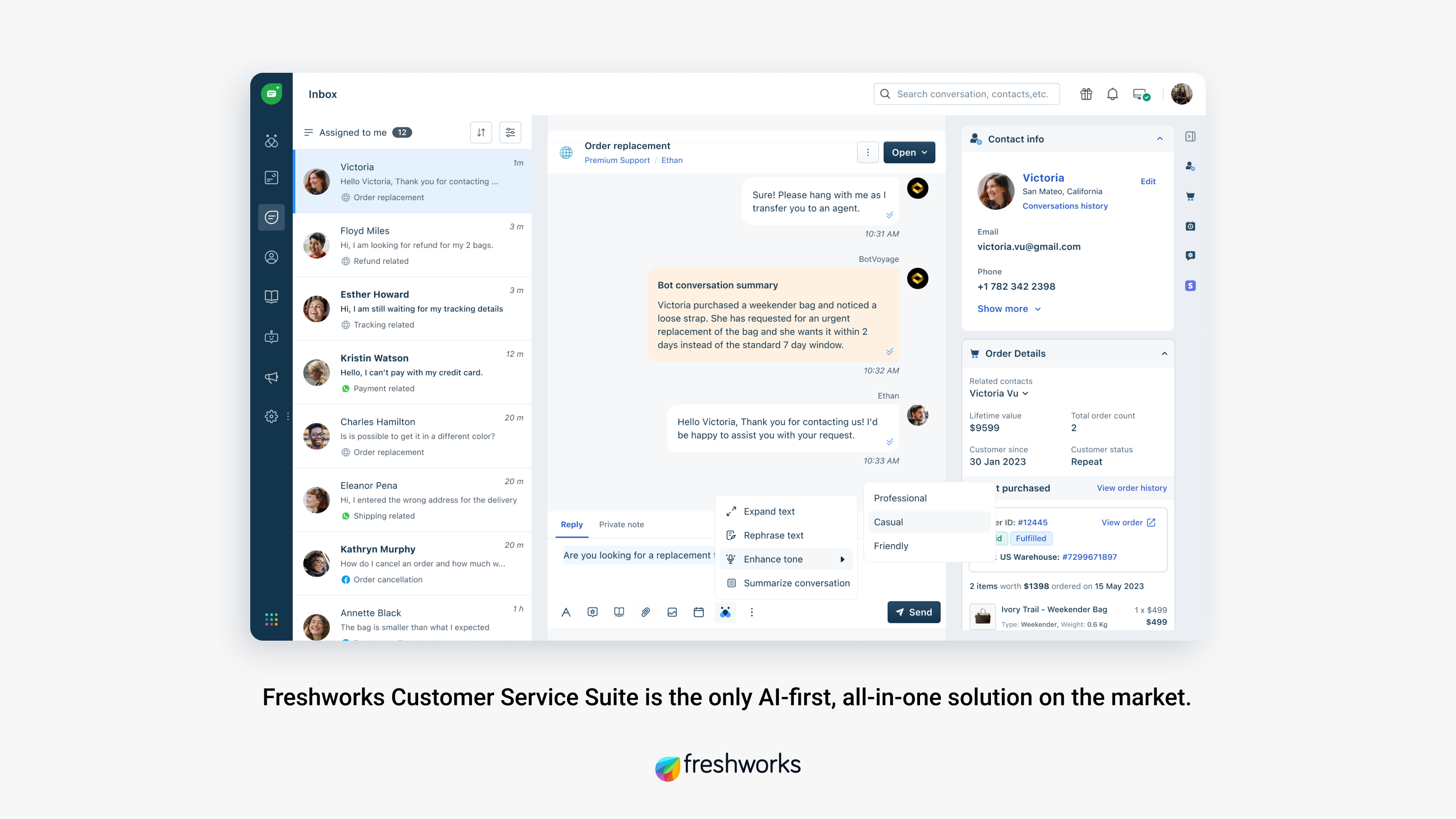
Image source: freshworks.com
Features:
- AI-based deal scoring.
- Built-in quote templates and approval workflows.
- Integration with email and CRM tools.
Pros:
- Intelligent automation with AI.
- Strong value for money.
- Simple to use and manage.
Cons:
- Limited deep CPQ customization.
- Smaller integration library.
Pricing:
Free tier available; paid plans with AI features start affordably.
9. DealHub: CPQ platform for enterprise teams
DealHub CPQ is an advanced configure–price–quote solution built for enterprise-level sales environments. It unifies quoting, subscription billing, and contract management into one connected workspace. Teams can generate accurate quotes, manage approvals, and track renewals seamlessly—all without leaving their CRM. With support for complex pricing models and real-time collaboration, DealHub helps large organizations standardize processes, reduce errors, and accelerate revenue cycles.
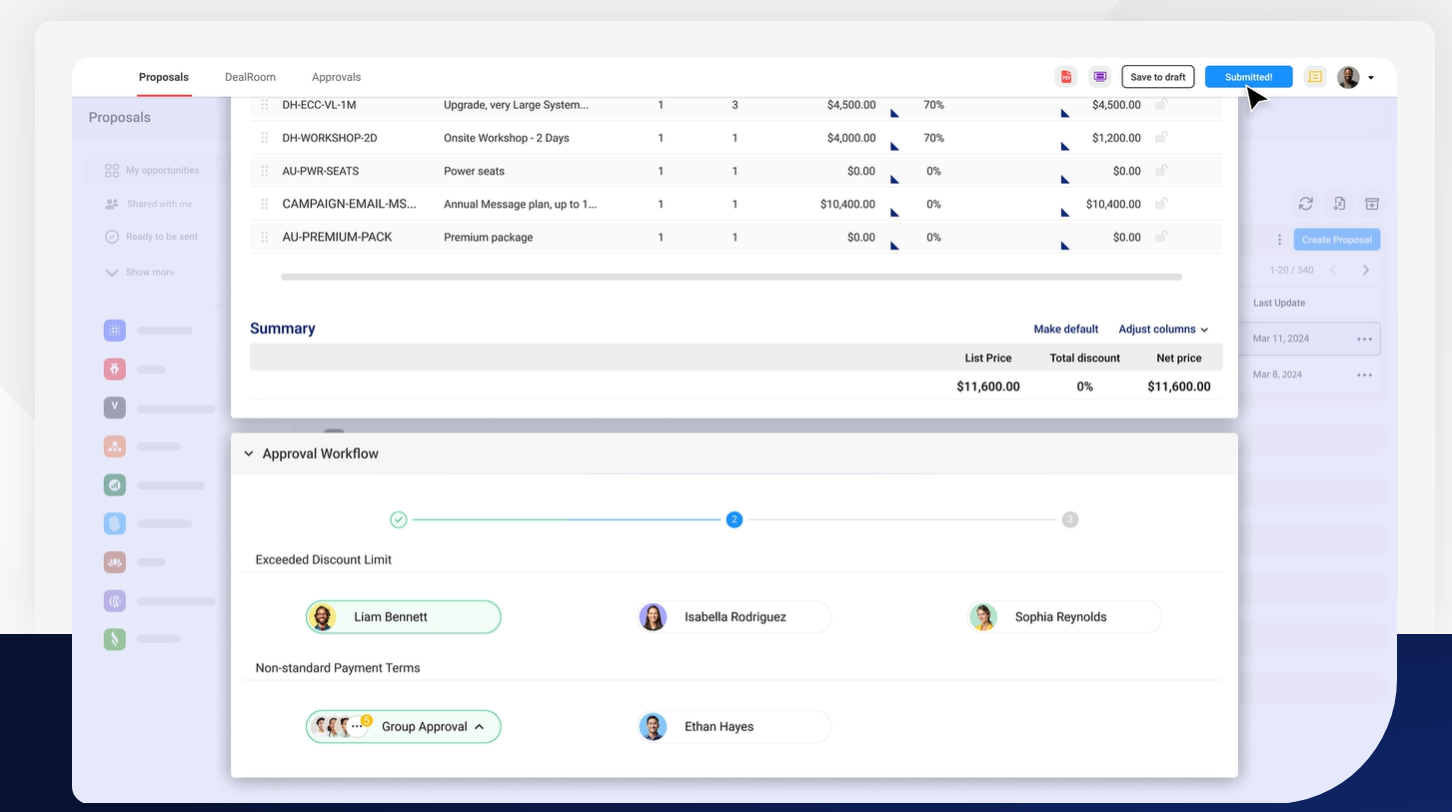
Image source: dealhub.io
Features:
- Configure complex deals efficiently.
- Revenue intelligence and automated approvals.
- Connects with Salesforce, HubSpot, and NetSuite.
Pros:
- Excellent for enterprise scalability.
- Advanced analytics dashboards.
- Strong contract and subscription tools.
Cons:
- Costly for smaller teams.
- Requires guided onboarding.
Pricing:
Custom enterprise pricing available upon request.
10. Insightly: CRM and project-linked quote workflows
Insightly combines CRM functionality with integrated project management and quoting tools, giving teams full visibility from initial lead to final delivery. It allows users to generate and track quotes directly within their sales pipeline while linking them to ongoing projects. This makes it particularly effective for service-based businesses that manage client relationships and deliverables side by side. With automation, task tracking, and reporting features, Insightly ensures quotes stay accurate, timely, and connected to project outcomes.
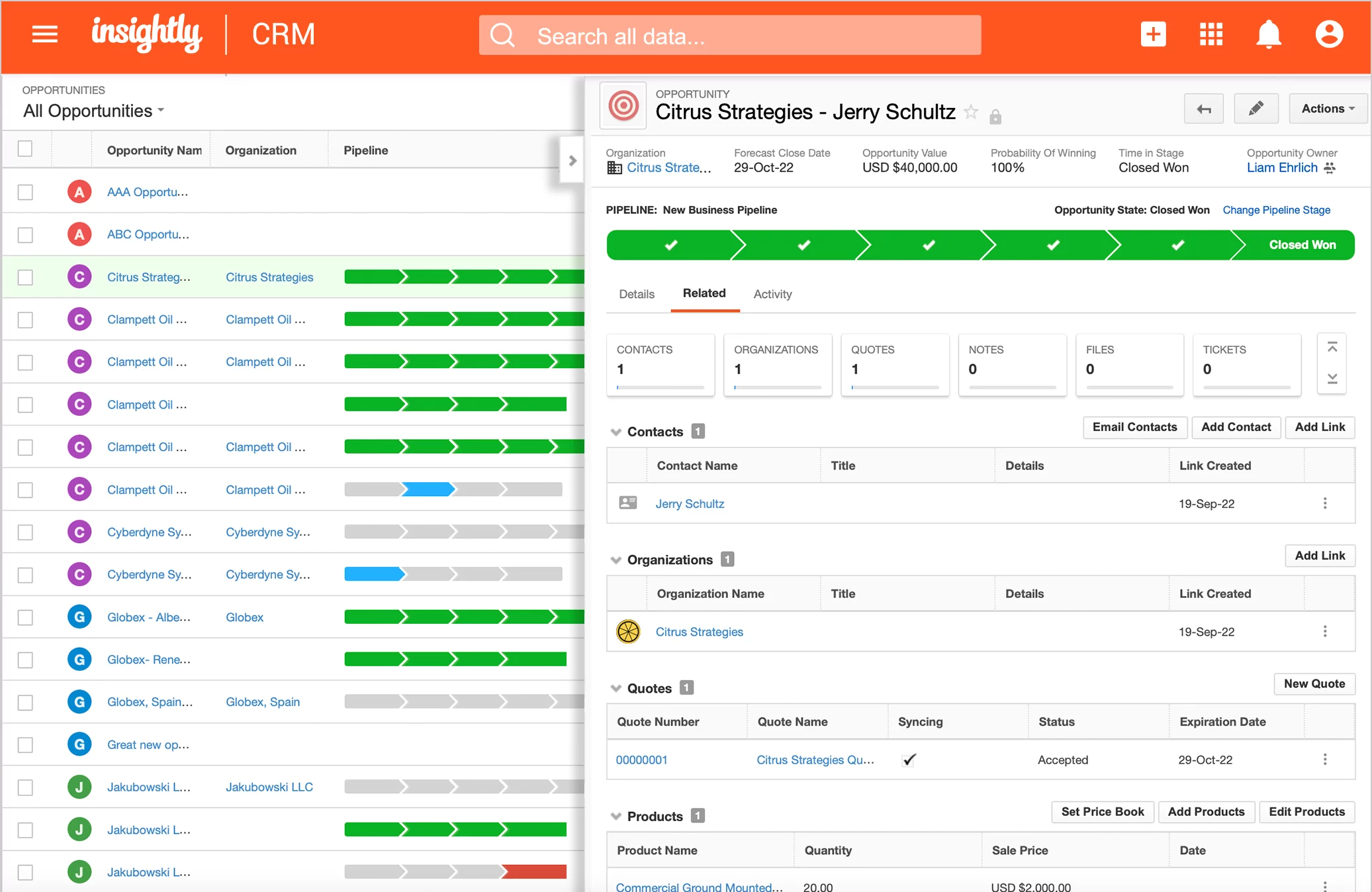
Image source: Insightly.com
Features:
- Link quotes directly to projects.
- Set approval milestones and due dates.
- Integrates with accounting tools.
Pros:
- Great for service-based operations.
- Smooth transition from sales to project delivery.
- Simple workflow management.
Cons:
- Limited template customization.
- Reporting could be more advanced.
Pricing:
Free trial available; pricing varies by plan.
Bonus: Quote management templates from Lark
1. Free quote template
This simple, ready-to-use template helps businesses generate professional quotes quickly and accurately. Ideal for freelancers and small teams, it includes fields for client details, pricing, and payment terms. Users can customize layouts, add branding, and share quotes instantly via Lark Docs. It’s a reliable choice for anyone who needs a fast, clean quoting process without starting from scratch.
2. Lark quote template
Designed for collaborative teams, this template streamlines the entire quotation workflow—from draft to approval. It allows users to add product or service details, adjust discounts, and calculate totals automatically. With version control and real-time editing, teams can refine quotes together before sending them to clients. It’s perfect for organizations that prioritize accuracy and coordination in their sales process.
3. Product quotation template
This structured template is built for product-based businesses managing multiple SKUs or inventory categories. It enables clear itemization with quantities, unit prices, and tax breakdowns for transparent client communication. Teams can link it with inventory records in Lark Base for live updates. Ideal for manufacturing, retail, or distribution workflows, it ensures every quote remains consistent, detailed, and up to date.
Conclusion
A structured quote management process is essential for any business aiming to streamline its sales operations. By centralizing quotes, automating approvals, and connecting with CRM systems, teams can eliminate manual errors, improve response times, and maintain consistent pricing across every deal.
The tools discussed—from HubSpot and Salesforce to Zoho and PandaDoc—each bring unique strengths to the table. However, as businesses look to unify every part of their sales workflow, a connected platform like Lark becomes invaluable, offering automation, collaboration, and visibility in one seamless workspace.
That's where Lark stands out—combining quote management, approvals, communication, and automation in a single connected workspace. With Lark, teams can move from quote creation to client approval seamlessly, keeping every stakeholder aligned. It's the smarter, faster way to manage the entire quote-to-cash process—all in one place.
FAQs
What does quote management software do?
Quote management software helps teams create, approve, and track quotes efficiently. It centralizes pricing, client details, and approvals to reduce errors and delays. With Lark, these workflows are automated and connected—linking quotes to messages, tasks, and approvals for real-time visibility.
How is quote management different from proposal management?
Proposal management focuses on presenting value and terms, while quote management ensures pricing accuracy and approvals. Using Lark Docs and Lark Base, teams can manage both seamlessly—keeping pricing data, templates, and client information in one connected system.
Can quote management systems automate approvals?
Yes, modern platforms automate approvals to speed up the sales cycle. Lark allows rules-based routing—for instance, automatically sending high-value quotes to managers—reducing delays and ensuring consistent oversight.
What industries benefit most from quote management?
Industries such as SaaS, construction, and manufacturing rely heavily on accurate and timely quotes. Lark's automation and built-in collaboration features empower these teams to handle scale efficiently while ensuring consistency, accuracy, and compliance across every deal.
How can teams track quote performance effectively?
Tracking quote performance requires visibility across stages and outcomes. With Lark Base, teams can view real-time dashboards showing quote status, approval progress, and conversion rates—enabling smarter, data-driven sales decisions.
Related reading
Table of contents
Start using Lark today

Manage all your work in one place
Boost team efficiency by 10x
Save up to 70% on software costs
Table of contents
Start using Lark today
Manage all your work in one place
Boost team efficiency by 10x
Save up to 70% on software costs
Keep reading







2026 Lark Technologies Pte. Ltd.
Headquartered in Singapore with offices worldwide.






Explore: