














8 Shared Inbox Tools to Streamline Team Collaboration

Akhil Nimmathota
Content Specialist
Nov 3, 2026
Akhil Nimmathota
Nov 3, 2026

16 min read
Add to preferred sources


As businesses juggle increasing volumes of customer queries and internal messages, maintaining organized communication has become a significant challenge. That's where a shared inbox proves invaluable. It centralizes emails sent to addresses like support@company.com or sales@company.com, allowing multiple teammates to access, assign, and reply from a single location. The result? Better visibility, fewer missed messages, and faster collaboration.
In this guide, we'll explore how a shared inbox enhances teamwork and efficiency, plus compare leading tools such as Lark, Hiver, Help Scout, Missive, and others to help you find the best fit for your organization.
1. Lark: Connected communication reimagined
2. Hiver: AI-powered support for complex, high-stakes operations
3. Help Scout: Shared inbox with help desk power
4. Missive: Team chat meets email collaboration
5. Front: Customer-focused shared inbox software
6. Freshdesk: Shared inbox for support teams
7. Zoho TeamInbox: Streamlined group email management
8. Outlook Shared Mailbox: Built-in collaboration for Microsoft 365 users

Quick overview: Comparing the top 8 shared inbox tools
Choosing the right shared inbox software can make all the difference in how efficiently your team communicates and collaborates. From managing customer inquiries to internal updates, the right tool brings structure, accountability, and speed to every conversation. In this section, we've compiled a quick comparison of the top 8 shared inbox tools, covering their best use cases, key features, and ideal team sizes, to help you decide which platform aligns best with your workflow.
What is a shared inbox, and why do teams need it
A shared inbox is a single email inbox that multiple team members can access, manage, and reply from, typically for addresses like support@company.com or sales@company.com. Unlike individual mailboxes, a shared email inbox gives every teammate visibility into incoming messages, helping avoid duplicate replies and missed communications. It's especially valuable for customer support, sales, and operations teams that handle high volumes of inbound requests.
Modern shared inbox tools such as Lark, Hiver, and Help Scout go beyond basic access; they enable teams to assign emails, add comments, track response times, and automate workflows. Compared to a shared inbox in Outlook or a Gmail shared inbox, these dedicated solutions offer more collaboration and reporting capabilities. By using the right shared inbox software, organizations can centralize communication, boost accountability, and improve customer response times, turning every email into a coordinated team effort.
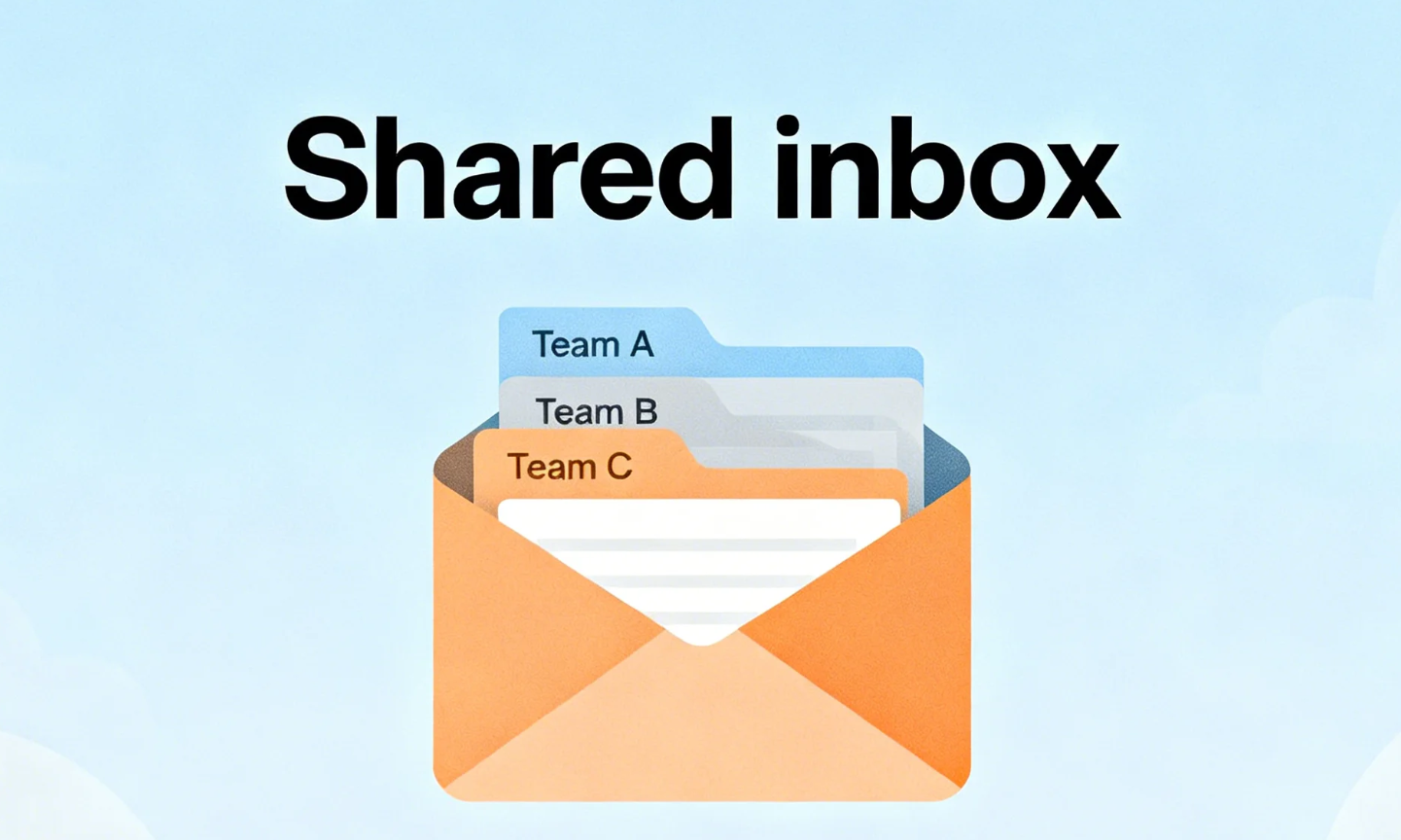
Image source: unsplash.com
Shared inbox vs. distribution list: What's the difference?
A shared inbox and a distribution list may sound similar, but they work very differently. While both allow teams to manage group emails, only one truly supports collaboration and visibility. A shared inbox lets multiple teammates access, assign, and respond from the same mailbox, whereas a distribution list simply forwards copies of an email to individuals. The result? Shared inboxes foster ownership and efficiency; distribution lists often lead to confusion and clutter.
Top 8 shared inbox tools for modern teams
1. Lark: Connected communication reimagined
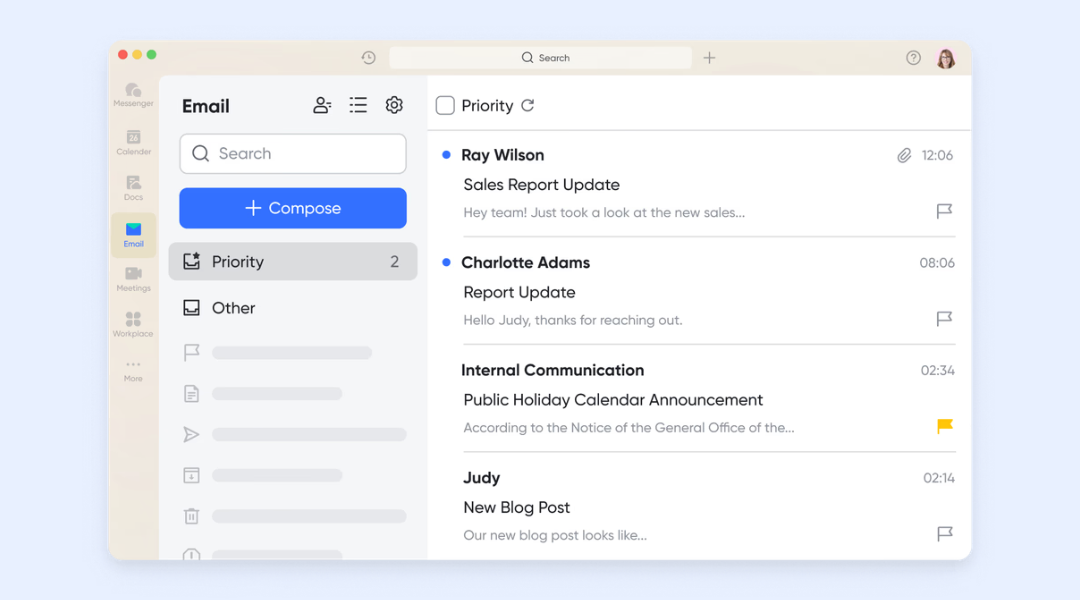
Lark, one of the most versatile project management tools, enables shared, team-accessible email addresses (e.g., info@ or support@) so that multiple users can access, assign, and respond to messages in a collaborative workspace. It combines email with chat, docs, and workflows—meaning an email thread can be converted into a chat discussion or task without leaving the platform. By combining inbox, chat, document sharing, and data tracking, Lark turns what was once an individual mailbox silos into a team-centric communication hub
Strong support for third-party integrations
Lark Mail integrates seamlessly as a shared inbox by allowing teams to connect existing business or third-party email accounts, such as Gmail, Microsoft 365, Zoho Mail, directly within Lark. This setup enables multiple members to access, manage, and reply to messages from a shared mailbox, ensuring full visibility and collaboration. Emails can be turned into group chats or linked to tasks in Lark, streamlining discussions and follow-ups without leaving the workspace. With role-based permissions and access controls, teams can maintain structured workflows while keeping communication transparent and efficient.

Seamless communication within one unified workspace
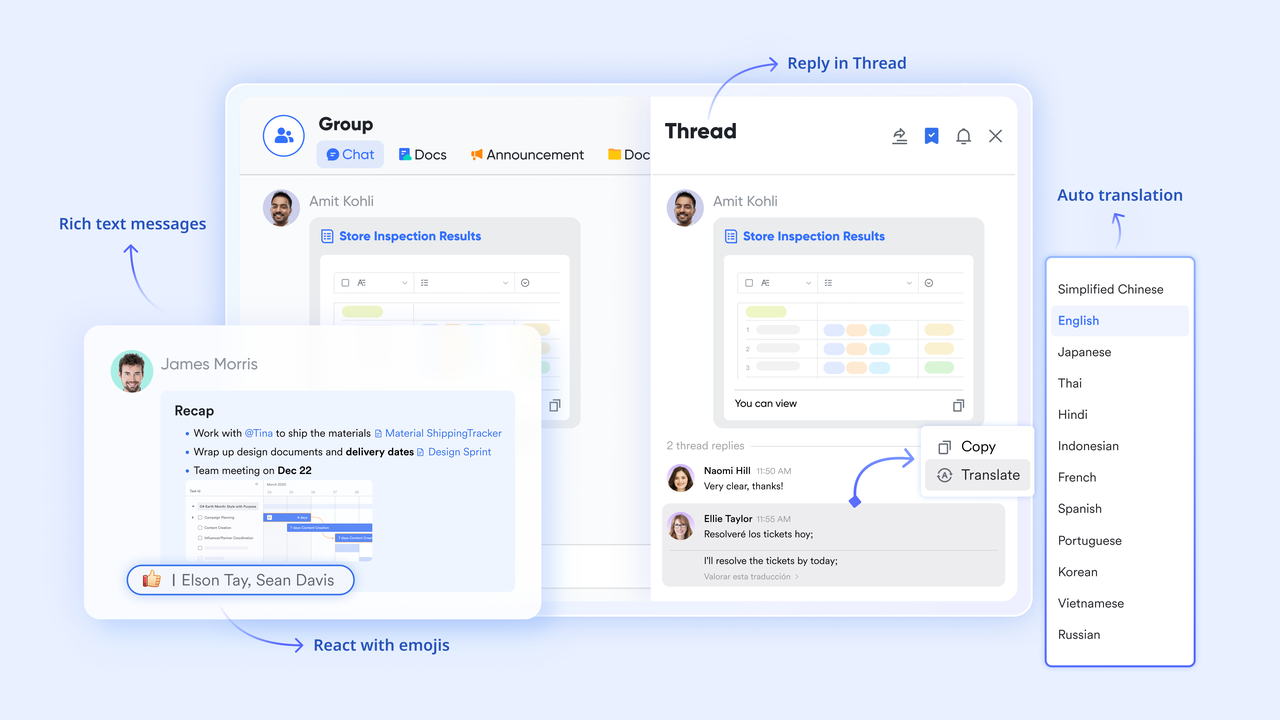
With Lark Mail, communication becomes more connected across tools. You can seamlessly insert meeting invitations from Lark Calendar directly into emails, ensuring recipients can join or schedule events instantly. Emails can also be embedded within Lark Docs for easy sharing, record-keeping, or collaborative review. Additionally, messages are accessible right from Lark Messenger, enabling quick replies and discussions without switching between apps—keeping your workflow smooth and unified.
Action for tasks directly from email content
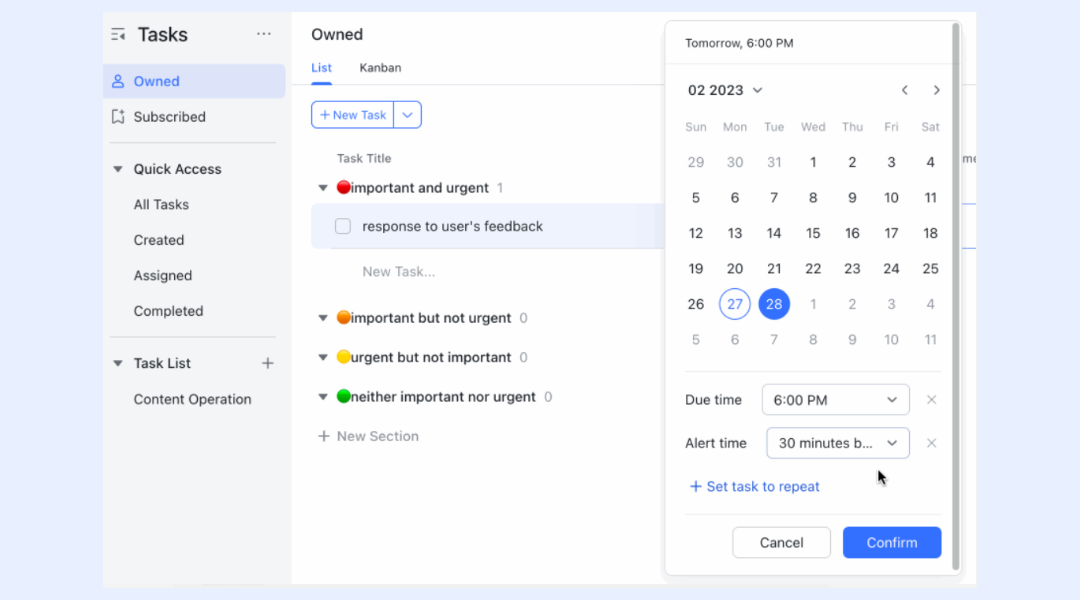
Lark Mail brings clarity and efficiency to everyday communication by connecting all channels in a single workspace. You can link your business email to manage messages, attachments, and discussions without ever leaving the platform. When an email includes an action items, simply highlight a line of text and convert it into a task instantly. The task remains linked to the original email for context, helping teams stay organized and ensuring every follow-up is tracked and completed.
Advanced email management capabilities
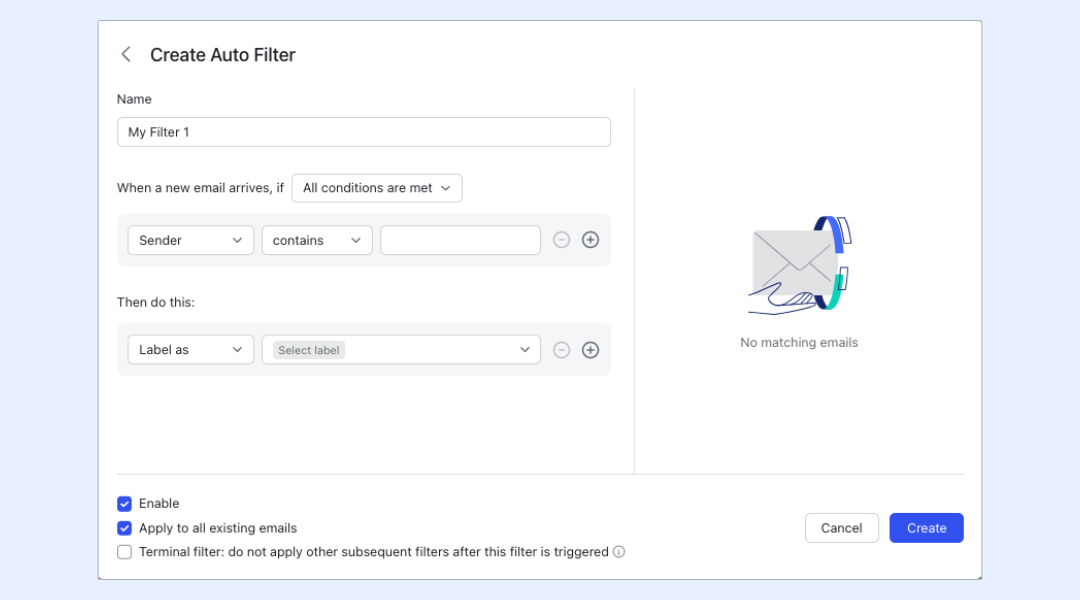
Built for modern organizations, Lark Mail includes powerful tools that streamline communication and enhance security. You can send messages to shared group mailboxes for collective visibility, create mailing list for large updates, and use auto filters to manage incoming emails efficiently. Features like email recall, read receipts, and automatic thread grouping make organization effortless. On the security side, spam detection, anti-spoofing warnings, and external sender alerts safeguard communication.
- Starter plan: Free forever plan that includes 11 powerful tools for up to 20 users. It also comes with 100GB of storage, 1000 automation runs, AI translations, and more.
- Pro plan: $12/user/month (billed annually) for up to 500 users. It includes everything in Starter plus group calling for up to 500 attendees, 15TB of storage, 50,000 automation runs, and more.
- Enterprise plan: Contact sales for custom pricing. Supports unlimited users and includes even more automation runs and advanced security, compliance, and management features.
2. Hiver: AI-powered support for complex, high-stakes operations
Hiver is an AI customer service platform purpose-built for teams handling complex, high-stakes support that spans multiple teams and tools. While most helpdesks prioritize simple ticket deflection, Hiver enables seamless cross-team collaboration across email, chat, and external tools like Jira and Salesforce. It pulls real-time customer data from every relevant system, giving agents full account-centric context so every response is grounded in reality. Whether deployed as a dedicated omnichannel platform or as an AI helpdesk within Gmail, Hiver keeps conversation history intact across every handoff and escalation.
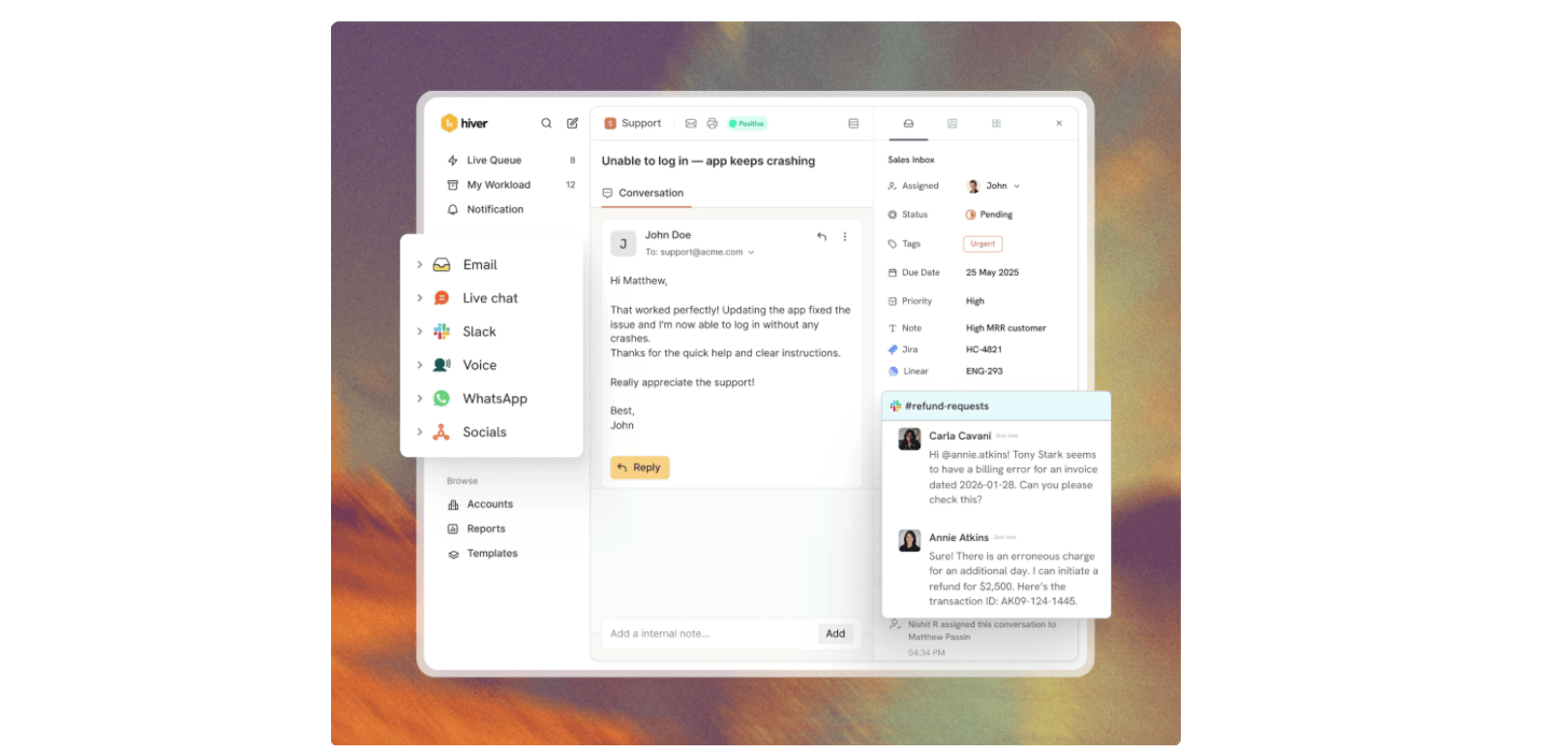
Image source: hiverhq.com
Key features:
- Cross-team operations that span teams, tools, and channels without losing context.
- Unified account-centric context pulled from CRMs, ERPs, and internal systems.
- Reliable AI grounded in support documentation, past conversations, and real-time data.
- Automation that acts across the entire support lifecycle, not just deflection.
Strengths:
- Maintains conversation history and context across handoffs to engineering or success teams.
- AI and agents work with deep customer context pulled from CRMs, ERPs, and internal systems.
- Controlled AI rollout with full observability, so teams can trust every automated action.
- Flexible deployment: a Gmail-native helpdesk or a standalone omnichannel platform.
Limitations:
- Built for complex, relationship-driven support, so lightweight transactional teams may not need its depth.
- Limited integrations available in lower plans
- Free plan is quite basic and not as feature rich as other plans
Pricing:
- Plans start at $25/ user with AI built in all plans.
- Enterprise pricing available.
- Free trial available.
3. Help Scout: Shared inbox with help desk power
Help Scout combines a shared inbox with help desk features, ideal for customer support and ticket management. It keeps the interface simple like email but adds automation, workflows, and customer profiles. Teams can collaborate internally without CCs or forwards, improving clarity. Reporting and knowledge base tools help teams manage support efficiently. Perfect for medium to large teams needing organized customer communication.
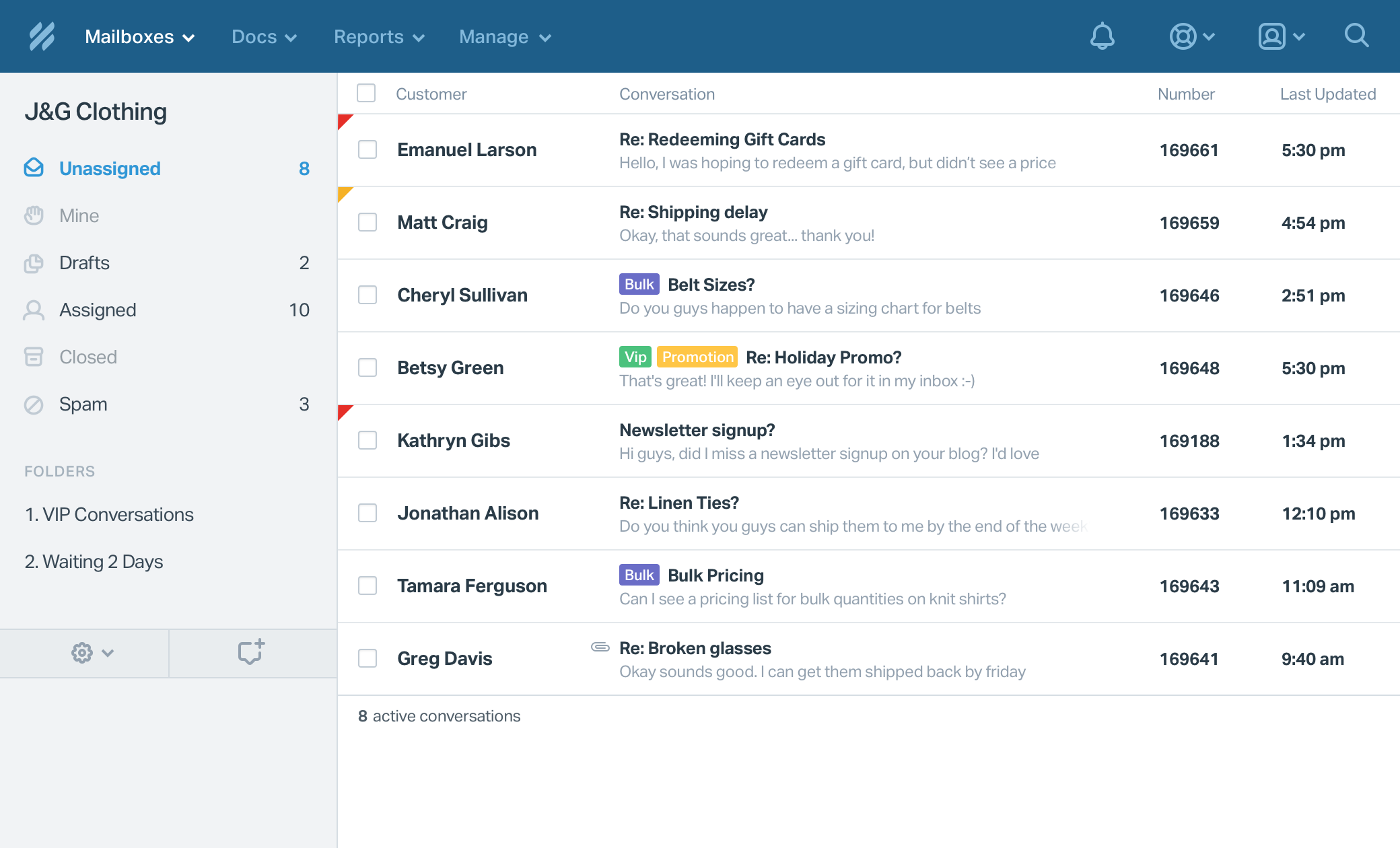
Image source: helpscout.com
Key features:
- Shared inbox with ticket tracking.
- Built-in knowledge base and automation.
- Customer profiles for personalized replies.
- Collision detection to prevent duplicate responses.
- SLA tracking and workflow automation.
Strengths:
- Seamless mix of helpdesk and email.
- Strong reporting and workflow options.
- Good visibility for customer support teams.
- Intuitive and easy-to-use interface.
Limitations:
- More focused on support than sales.
- Limited customization in lower plans.
Pricing:
- Free plan available
- Standard: $25/user/month
- Plus: $45/user/month
- Pro: $75/user/month
4. Missive: Team chat meets email collaboration
Missive is designed for real-time team discussion within email threads, perfect for fast-moving teams. It blends email and chat, allowing shared drafts, labels, and snooze options. Teams can assign emails, comment, and collaborate transparently. Its cross-platform design ensures consistency across desktop and mobile. Ideal for small to medium teams needing instant context and coordination.
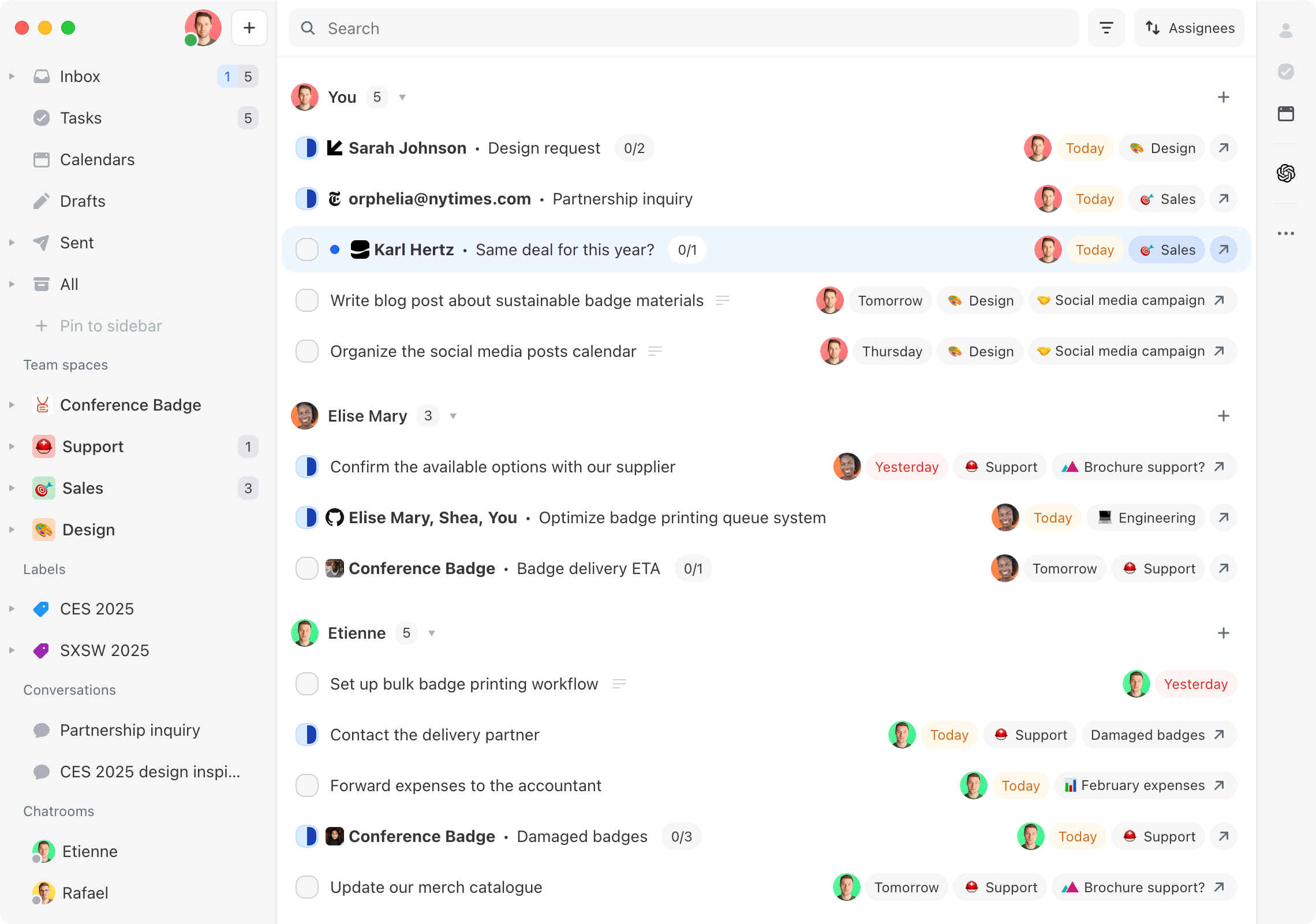
Image source: missiveapp.com
Key features:
- In-thread team chat and shared drafts.
- Custom labels, rules, and snooze options.
- Multi-account and cross-platform access.
- Email assignment and task tracking.
- Analytics on team email performance.
Strengths:
- Real-time discussion inside emails.
- Smooth collaboration without leaving inbox.
- Clean, modern interface.
- Works on mobile and desktop.
Limitations:
- Limited reporting features.
- May not suit large enterprises.
Pricing:
- Free plan available
- Starter: $5/user/month (billed annually)
- Teams: $12/user/month (billed annually)
- Enterprise: Custom pricing
5. Front: Customer-focused shared inbox software
Front centralizes multi-channel communication, including email, SMS, and social messaging. Teams can assign, comment, and use shared templates in one interface. It provides workflow automation and analytics for efficient customer communication. Front is ideal for medium to large customer-facing teams. It supports scalable collaboration while maintaining consistent messaging.
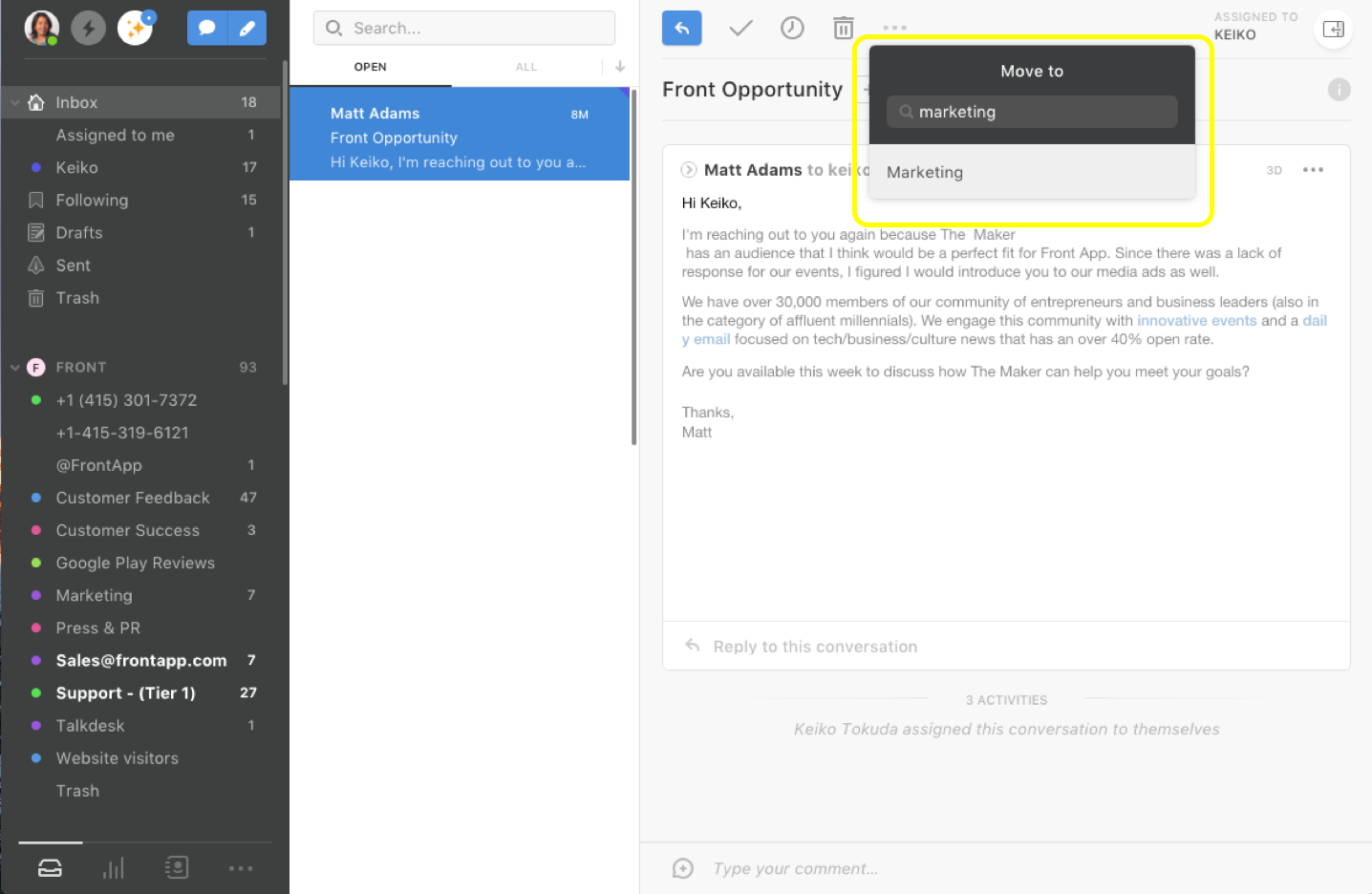
Image source: front.com
Key features:
- Unified inbox for email, SMS, and social channels.
- Assignments, comments, and shared templates.
- Advanced analytics and SLA tracking.
- Workflow automation for repetitive tasks.
- Collision detection to avoid duplicate replies.
Strengths:
- Handles multiple communication channels.
- Powerful automation and collaboration tools.
- Centralizes customer communications efficiently.
- Scales for medium to large teams.
Limitations:
- Costly for small teams.
- Slight learning curve for setup.
Pricing:
- Free plan available (14-day trial)
- Starter: $25/user/month
- Professional: $65/user/month
- Enterprise: $105+/user/month
6. Freshdesk: Shared inbox for support teams
Freshdesk is a helpdesk-focused shared inbox that converts emails into tickets, automates routing, and tracks SLAs. It supports multi-channel communication and AI-assisted ticket suggestions. Teams can collaborate efficiently with analytics and structured workflows. Freshdesk is perfect for growing support teams requiring automation and scalability.
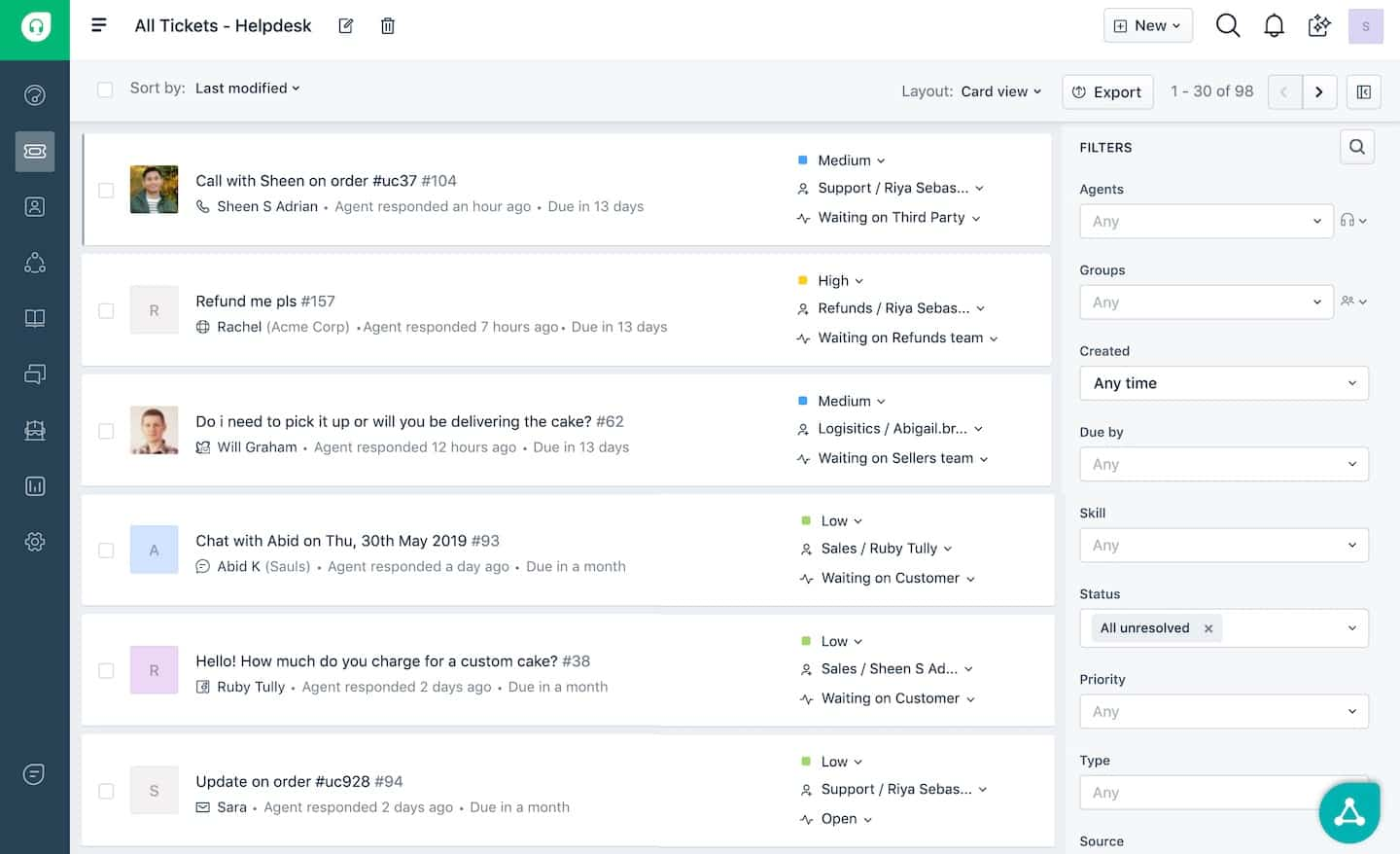
Image source: freshdesk.com
Key features:
- Email-to-ticket automation.
- SLA tracking and AI suggestions.
- Multi-channel support (email, chat, social).
- Advanced analytics and reporting.
- Workflow automation for repetitive tasks.
Strengths:
- Highly scalable for growing teams.
- Excellent automation and self-service features.
- Improves response times and efficiency.
- Robust reporting for team performance.
Limitations:
- Interface can be complex for new users.
- Advanced features locked in higher plans.
Pricing:
- Free plan available
- Growth: $15/agent/month
- Pro: $79/agent/month
7. Zoho TeamInbox: Streamlined group email management
Zoho TeamInbox organizes shared emails like info@ or projects@ for teams. It emphasizes clarity, accountability, and transparency within the Zoho ecosystem. Teams can delegate, comment, and track emails easily. Best for sales and operations teams using Zoho apps. It is a simple, user-friendly solution for collaborative inbox management.
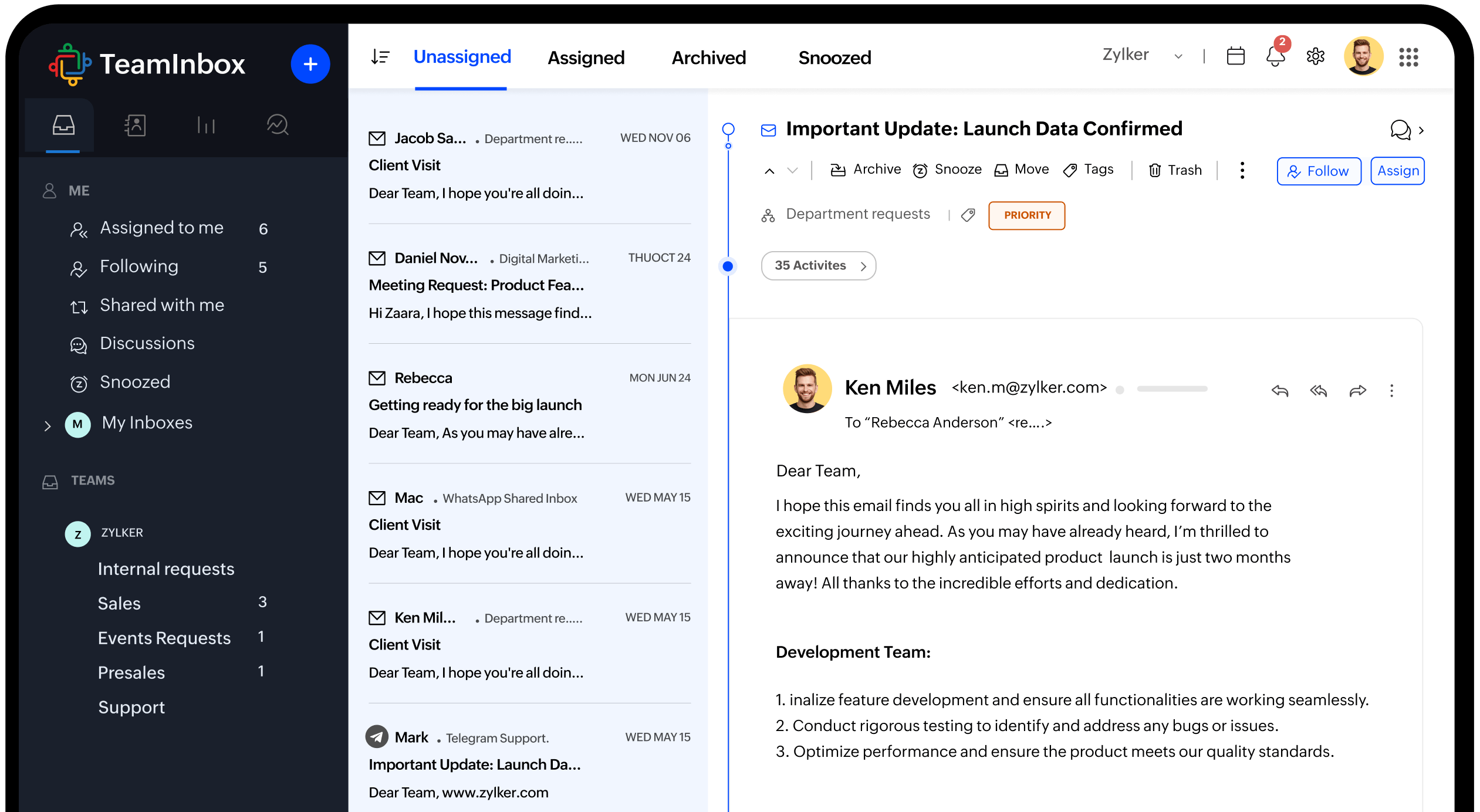
Image source: zoho.com
Key features:
- Email delegation, tracking, and commenting.
- Shared labels and message ownership.
- Works with Zoho apps seamlessly.
- SLA tracking for email response.
- Activity reporting on team performance.
Strengths:
- User-friendly and affordable.
- Strong collaboration tools.
- Clear accountability for emails.
- Scalable within the Zoho ecosystem.
Limitations:
- Limited features vs advanced platforms.
- Fewer integrations outside Zoho.
Pricing:
- Free plan available
- Starter: Paid from $6/user/month
- Professional: Paid from $9/user/month
8. Outlook Shared Mailbox: Built-in collaboration for Microsoft 365 users
Outlook Shared Mailbox provides a native shared inbox for Microsoft 365 teams. It allows multiple users to read and reply from a single account. Teams can collaborate on emails without additional licenses. It is ideal for small teams needing basic shared email functionality within Outlook. The solution is cost-effective and easy to use for Microsoft users.
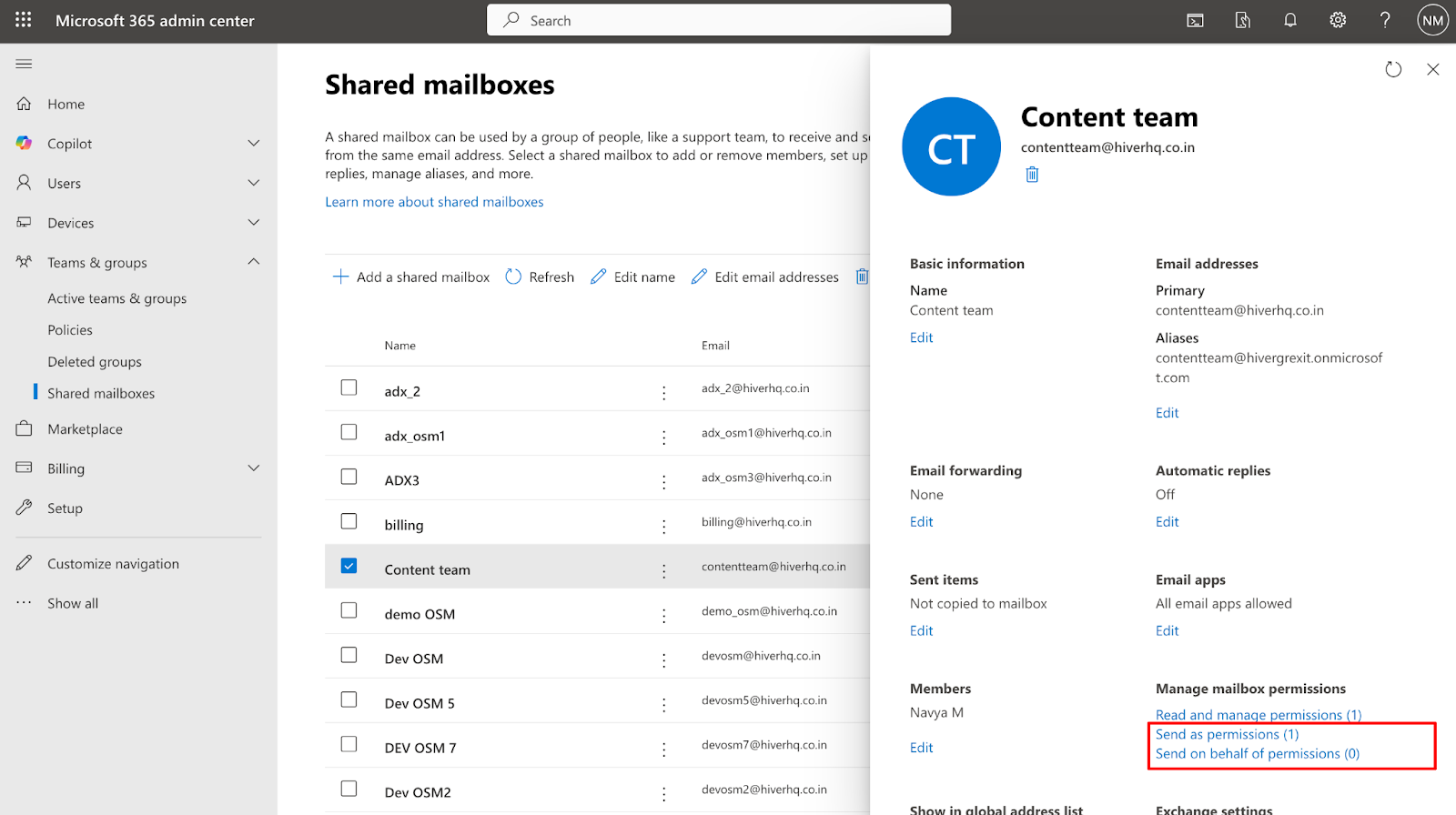
Image source: microsoft.com
Key features:
- Shared mailbox access for multiple users.
- Group reply and calendar linking.
- Native Microsoft 365 functionality.
- Email assignment via folder organization.
- Track team access and response visibility.
Strengths:
- No additional cost for Outlook users.
- Simple and reliable for small teams.
- Familiar interface reduces training.
- Lightweight setup for basic collaboration.
Limitations:
- Lacks advanced collaboration or analytics.
- Not ideal for scaling or multi-channel needs.
Pricing:
- Included for free with Microsoft 365 Business/Enterprise plans
Why shared inbox software is essential for scaling teams
As teams grow, managing team communication across multiple inboxes becomes chaotic and inefficient. That's why adopting the right shared inbox software is essential. It centralizes conversations, ensures accountability, and keeps teams aligned as workloads increase. Here's why it's a game-changer for scaling teams:
- Centralized visibility: A shared email inbox brings every message into one accessible space, giving teams full visibility into conversations. No more hunting through forwarded emails or personal inboxes, everyone stays informed and aligned in real time.
- Faster collaboration: Modern shared inbox tools like Lark and Missive let teammates discuss, assign, and reply to emails together. Internal comments and shared drafts turn email threads into collaborative workspaces, reducing response time and improving accuracy.
- Automated workflows: Many shared inbox platforms include automation to assign, tag, or prioritize emails based on sender or topic. This helps growing teams handle higher volumes efficiently without losing track of important messages.
- Accountability and performance tracking: Shared inboxes provide clear ownership; each email is assigned and tracked. With analytics and activity logs, managers can monitor response times and team performance to maintain consistent service quality.
- Scalability and integration: As your organization expands, a shared inbox in Outlook, Gmail, or advanced platforms like Front or Help Scout scales easily. It connects with CRM systems, project tools, and reporting dashboards, ensuring communication grows alongside your business.
Conclusion
A shared inbox is more than a communication tool; it's a foundation for teamwork, visibility, and consistent customer engagement. By centralizing messages, assigning ownership, and enabling collaboration, teams can respond faster and scale without losing control of their inboxes. Whether you use Gmail, Outlook, or advanced shared inbox software like Help Scout or Front, the key is finding a platform that fits your workflow. For teams seeking a unified workspace that combines email, chat, tasks, and automation, Lark offers a powerful all-in-one solution, helping teams move beyond inbox management to truly connected communication.
FAQs
Can I use a shared inbox with my CRM system?
Yes. Many shared inbox tools, including Lark Mail, can connect with CRM platforms to log messages, track leads, and maintain complete visibility over customer interactions.
Is a shared inbox secure for sensitive communication?
Absolutely. Tools like Lark Mail include enterprise-grade security features, such as encryption, external sender alerts, and anti-spoofing prompts, to protect business data and prevent unauthorized access.
Do shared inboxes support automation?
Most modern shared inbox platforms provide automation to assign, tag, or prioritize emails based on sender or content. In Lark Mail, automation can also trigger tasks or workflows using Lark Base.
What are the signs that my team needs a shared inbox?
If your team often duplicates replies, misses emails, or struggles with transparency in customer communication, it's time to move to a shared inbox. It centralizes discussions and keeps everyone aligned.
Can I manage both internal and external communication from a shared inbox?
Yes. With tools like Lark Mail, teams can handle customer inquiries and internal updates within one connected workspace, turning every message into an opportunity for collaboration.
Related reading
Table of contents
Start using Lark today

Manage all your work in one place
Boost team efficiency by 10x
Save up to 70% on software costs
Table of contents
Start using Lark today
Manage all your work in one place
Boost team efficiency by 10x
Save up to 70% on software costs
Keep reading
![What Is a 2-2-3 Work Schedule? Explanation and More [2026]](https://p16-hera-overseas.larksuitecdn.com/tos-mya-i-lojyj5t9n9/44878bb7037d480a833a337eb2613ae4~tplv-lojyj5t9n9-png:0:0.png)






2026 Lark Technologies Pte. Ltd.
Headquartered in Singapore with offices worldwide.






Explore: