














Sprint in Project Management Explained and Top Tools

Ryan Tanner
Product Marketing Specialist
Sep 18, 2026
Ryan Tanner
Sep 18, 2026

16 min read


Sprint project management is a key practice in agile, helping teams deliver projects in short, focused cycles of 1–4 weeks. During each sprint, teams complete prioritized tasks from the backlog, ensuring speed, accountability, and adaptability. Sprints break complex projects into manageable goals, keep teams aligned, and encourage continuous improvement. With the right tools, managing sprints becomes seamless. Let's dive into the tools now:
1. Lark: All-in-one sprint management
2. Jira: Agile sprint planning at scale
3. Trello: Sprint tracking with Kanban boards
4. Asana: Workflows for agile sprint projects
5. ClickUp: Customizable sprint task management
6. Wrike: Enterprise sprint planning platform
7. Monday: Sprint dashboards for teamwork

What is a sprint in project management?
A sprint in project management is a time-boxed iteration during which teams aim to complete a set of predefined tasks or user stories from the backlog. Sprint durations are usually between 1–4 weeks, depending on team size, project complexity, and industry.
Image source: unsplash.com
Key elements of a sprint
- Product backlog: A prioritized list of tasks, features, or user stories that the team aims to complete during the sprint.
- Sprint planning: A meeting where the team selects backlog items for the sprint, estimates effort, and assigns responsibilities.
- Daily standups: Short daily meetings to discuss progress, blockers, and priorities.
- Sprint review: A session to demonstrate completed work to stakeholders and gather feedback.
- Sprint retrospective: A reflection meeting where teams analyze what worked, what didn't, and how processes can improve.
Sprint vs Kanban
- Sprints: Fixed duration, goal-oriented, iterative.
- Kanban: Continuous workflow, flexible priorities, focuses on visualizing and optimizing process flow.
Understanding this distinction helps teams decide which approach aligns best with their project style and delivery cadence.
Why is sprint project management essential?
Effective sprint project management helps agile teams work faster, stay organized, and continuously improve. By focusing on short, manageable cycles, teams can deliver high-quality results while adapting to changing priorities.
- Improves delivery speed: Sprints break work into short, time-boxed cycles, allowing teams to release features and updates more frequently. This fast-paced rhythm ensures progress is visible and measurable, reducing delays and bottlenecks.
- Breaks down complex projects: Large projects can be overwhelming, but sprints divide work into smaller, actionable tasks. Teams can focus on achievable goals, making it easier to track progress and maintain clarity throughout the project lifecycle.
- Keeps teams aligned and focused: Sprint planning and daily standups ensure that everyone knows their responsibilities and priorities. Clear objectives prevent misunderstandings, keep team members accountable, and maintain momentum toward project goals.
- Encourages continuous learning: Sprint retrospectives allow teams to reflect on successes and challenges after each cycle. By identifying improvements and implementing them in the next sprint, teams foster a culture of continuous learning and efficiency.
Comparison table of sprint project management tools
7 Best sprint project management tools
1. Lark: All-in-one sprint management platform
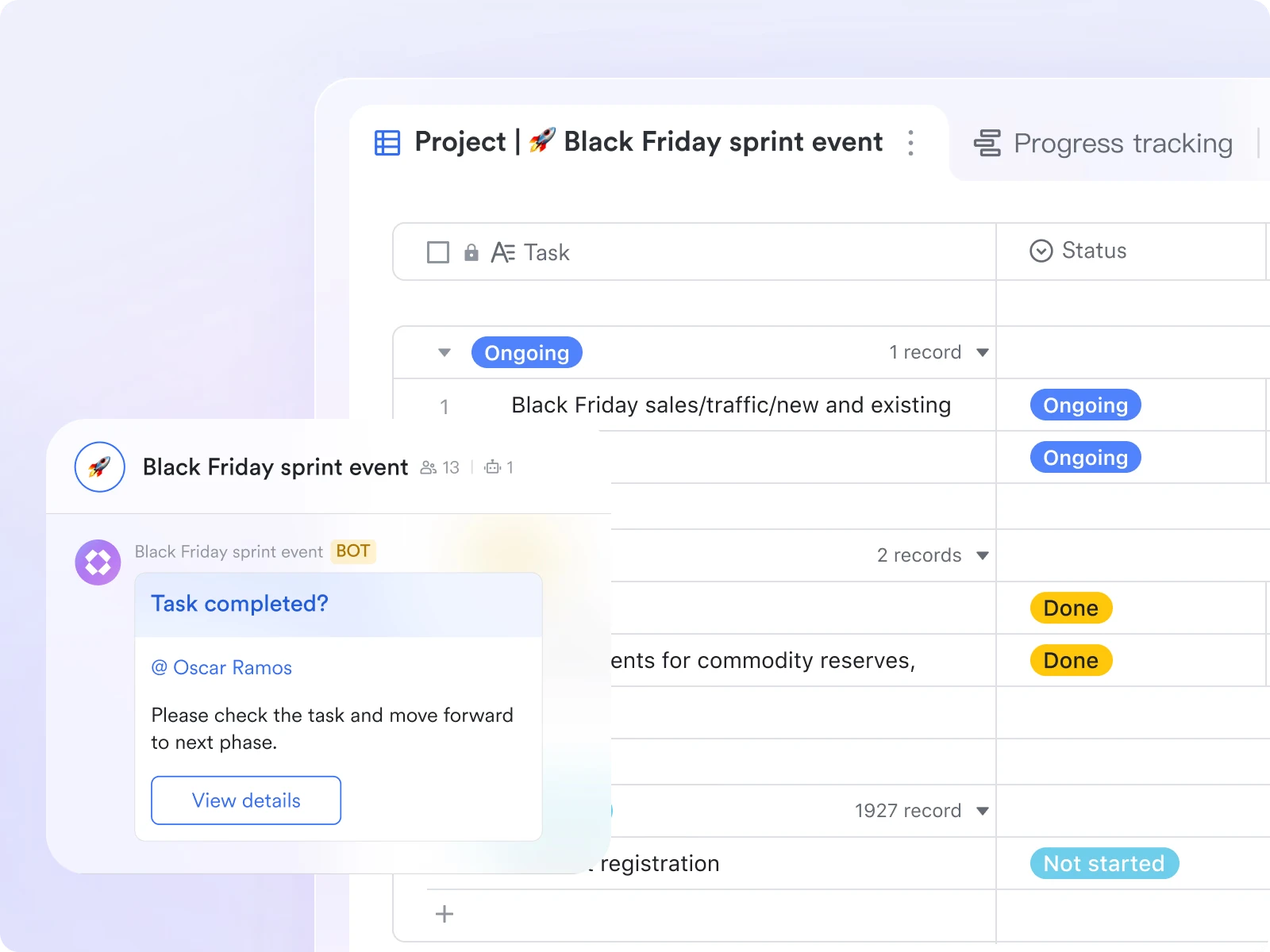
Managing sprints efficiently requires visibility, accountability, and fast communication between teams—and Lark delivers all of these in one integrated workspace. Unlike traditional sprint tools that separate planning, tracking, and collaboration, Lark connects every step of the agile process—from backlog creation and sprint planning to daily stand-ups and retrospectives—under a single digital roof. Its combination of Lark Base, Tasks, Docs, Messenger, and Meetings makes sprint management both structured and collaborative.
- Plan sprints with clarity in Lark Base
Lark Base serves as the foundation for sprint planning. Teams can create custom tables to capture backlog items, user stories, priorities, and assignees, and then visualize that data in multiple views—such as Kanban boards, Gantt charts, or timelines. During sprint planning, product owners can filter backlog items by priority or complexity, drag them into the upcoming sprint, and assign owners instantly. Base's automated workflow rules further streamline the sprint setup. When a story's status changes from "Ready" to "In progress," Lark automatically notifies the assignee in Messenger, updates dependencies, and triggers progress tracking in Tasks.
Example: A development team uses Base to store all backlog items. When planning Sprint 12, they switch to Kanban view, drag selected items into the "Current Sprint" section, and automatically generate linked tasks for developers.
- Execute efficiently with Lark Tasks
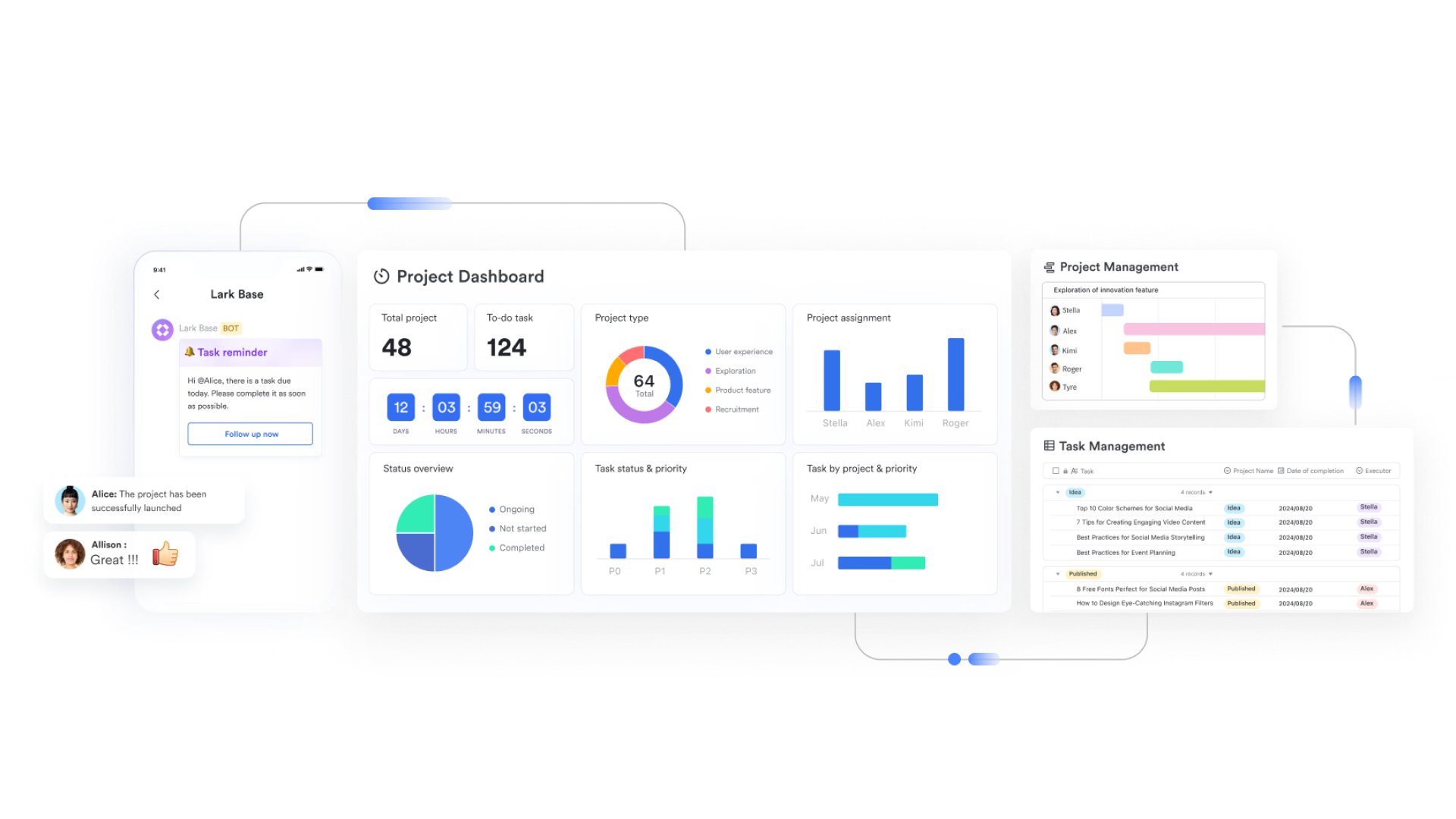
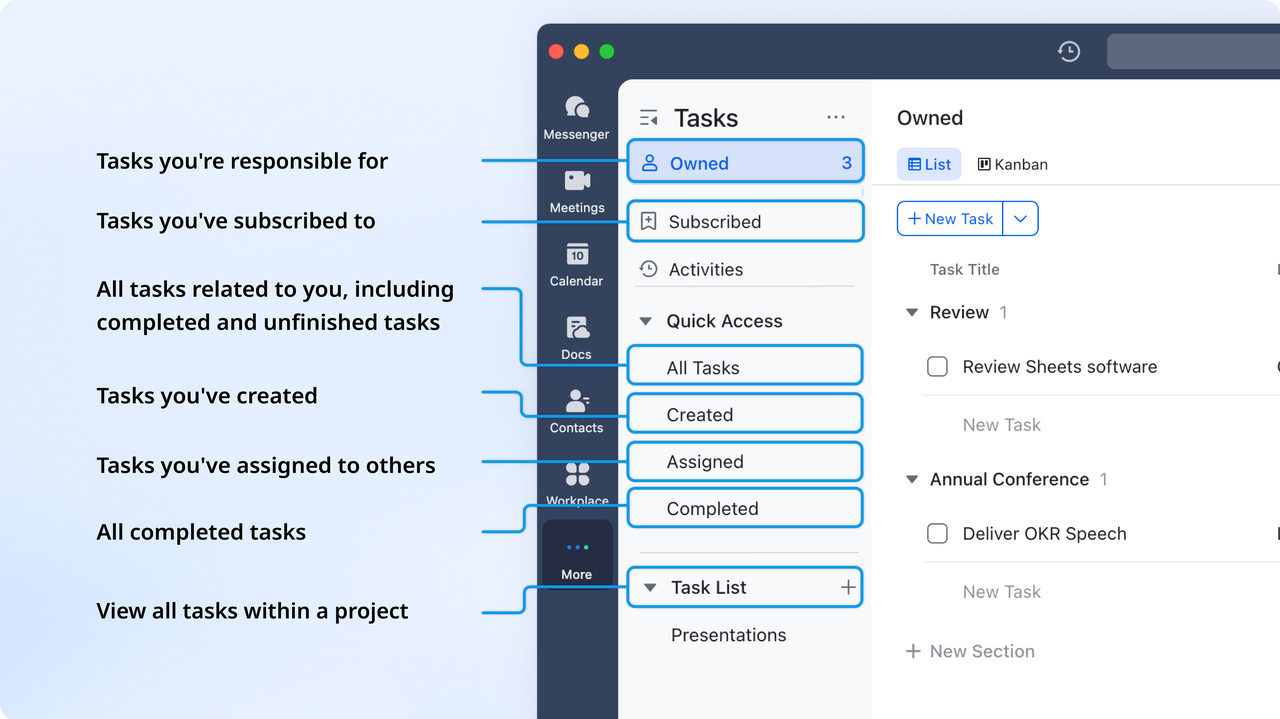
Once the sprint begins, Lark Tasks becomes the execution hub. Every user story or backlog item is converted into a trackable task with a clear owner, due date, and checklist of subtasks. Developers and designers can comment, attach files, or link relevant Docs directly to their assigned tasks. Tasks update automatically when status changes occur in Base, ensuring consistent data across project management tools. Tasks also support reminders and recurring to-dos, helping scrum masters and team leads keep the sprint on track.
Example: When a frontend engineer marks the UI ticket "Complete," Lark updates the status in Base and alerts the QA tester to begin validation—no manual follow-up required.
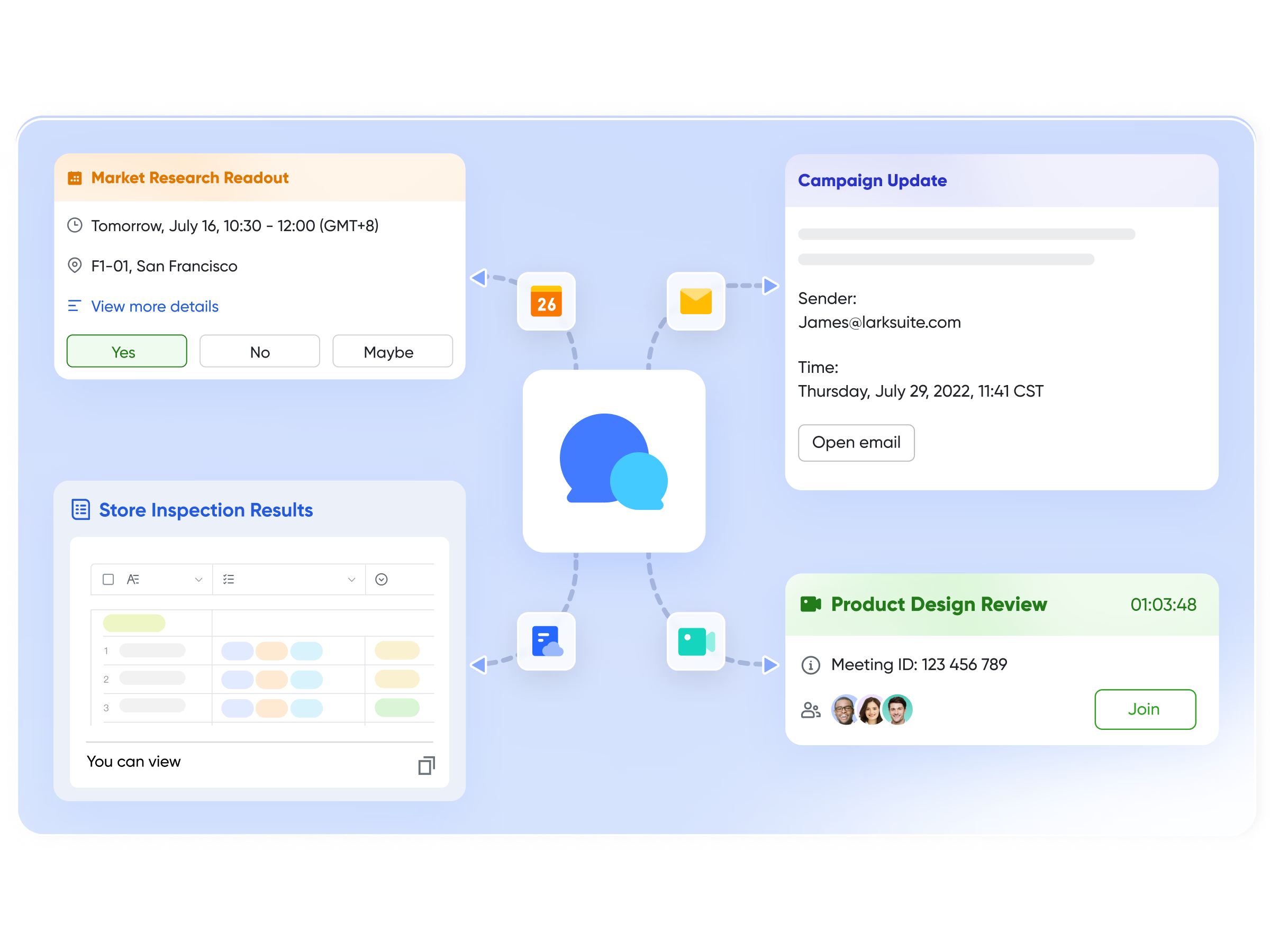
- Collaborate in real time with Lark Messenger
Lark Messenger connects sprint execution with live communication. Team members can discuss blockers, share progress updates, and even convert messages into actionable tasks right from the . Dedicated sprint channels ensure all discussions, files, and decisions stay in one place. Messenger also supports threaded replies, polls for quick team inputs, and AI-powered translation—making it ideal for distributed agile teams working across time zones.
Example: During a daily stand-up in the sprint channel, a developer messages, "Need review for feature branch 4.2." A lead can instantly convert that message into a review task assigned to the appropriate teammate, keeping follow-ups visible and traceable.
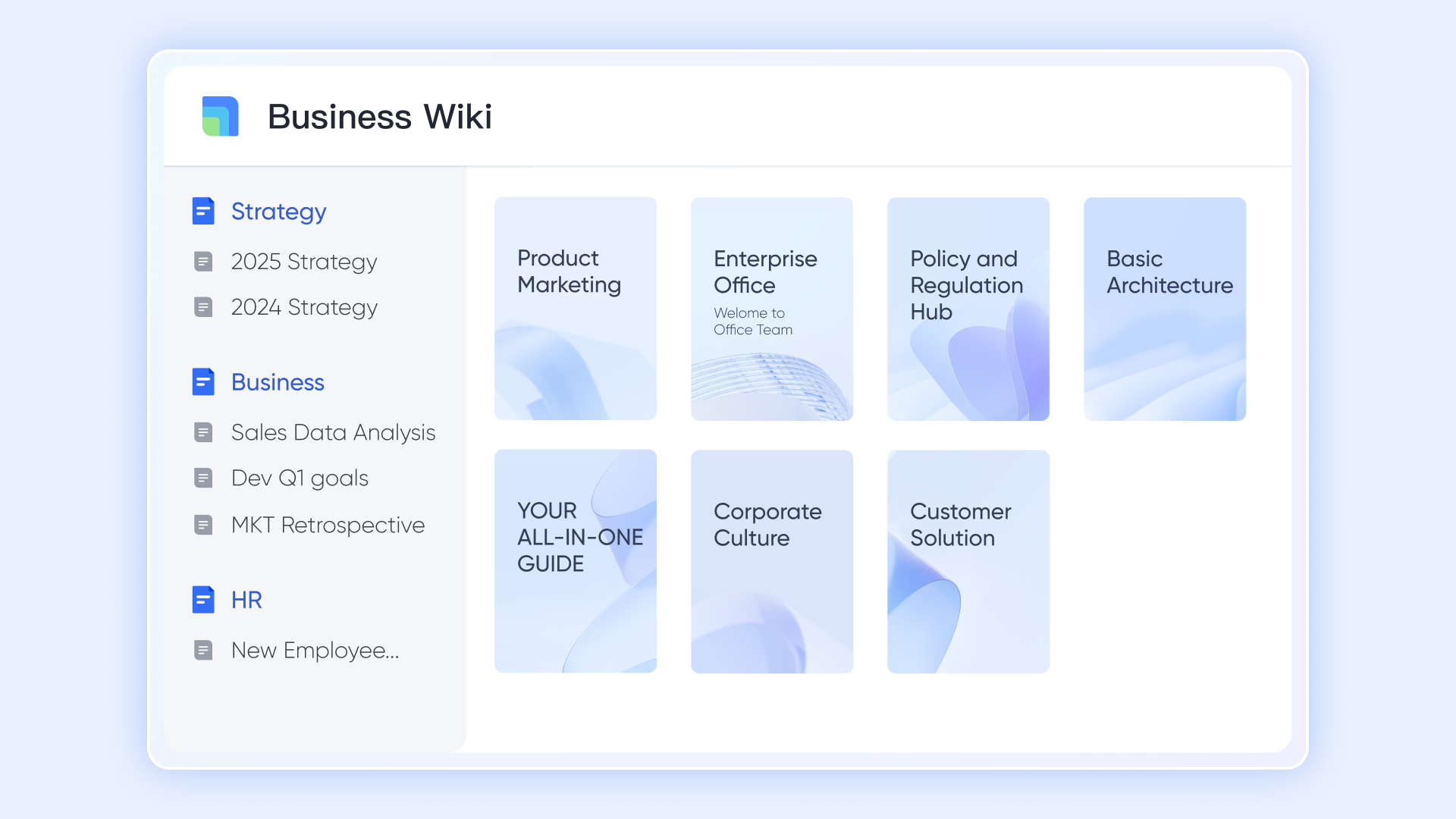
- Document sprint progress in Lark Docs and Lark Wiki
Documentation is a cornerstone of agile delivery, and Lark Docs provides a real-time space for collaborative sprint documentation. Teams can co-edit sprint goals, update progress notes, or maintain retrospectives all in one document. Meanwhile, Lark Wiki organizes those Docs into long-term knowledge repositories, giving future teams access to past sprint reports and learnings.
Example: A scrum master maintains a "Sprint 13 Retrospective" Doc where the team adds feedback and improvement actions. Once finalized, it's published on Wiki under "Sprint Archive", so insights remain accessible for future planning.
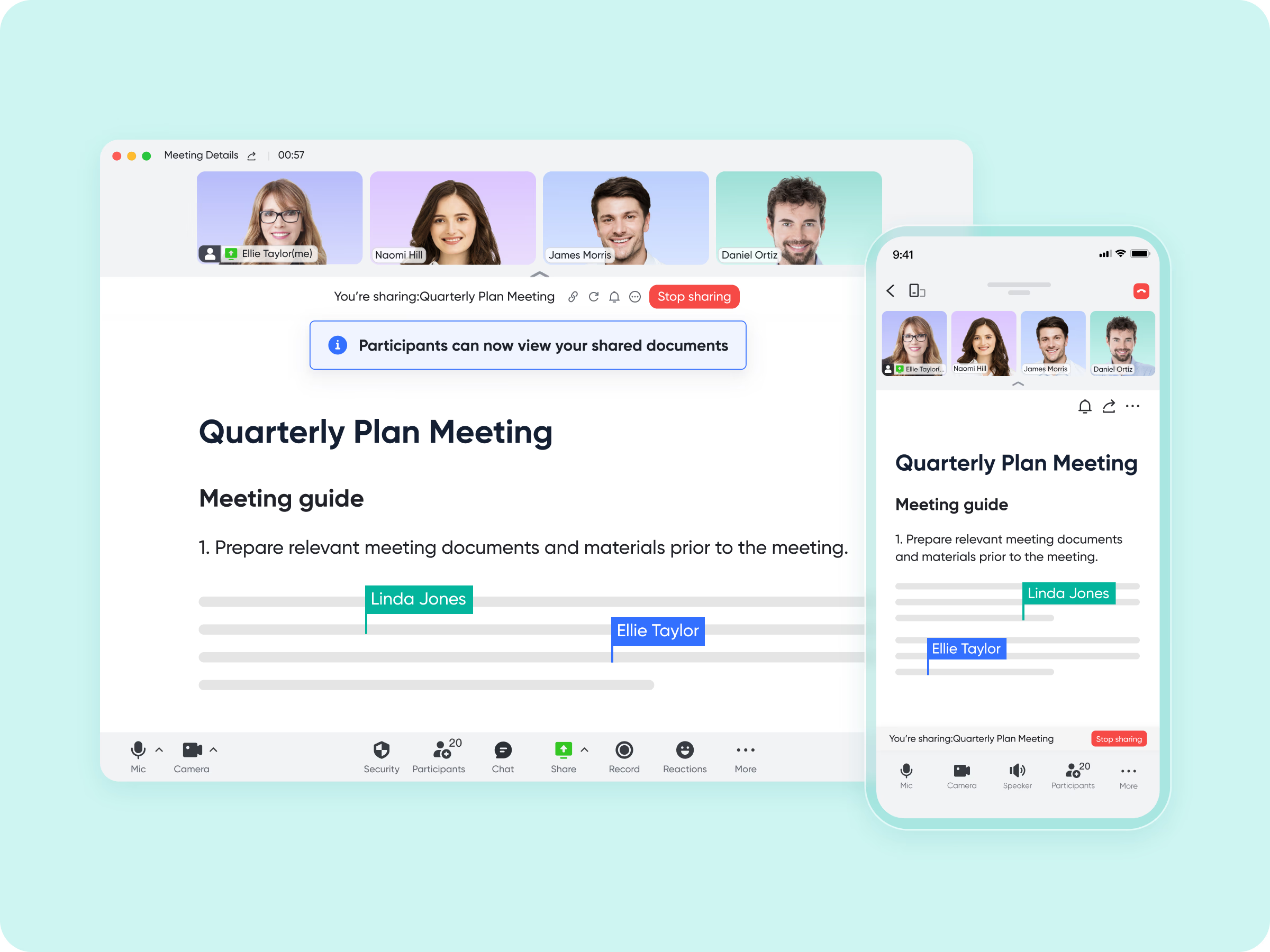
- Review performance and learn in Lark Meetings
At the end of each sprint, teams can use Lark Meetings for retrospectives and sprint reviews. Using Magic Share, members can co-edit Docs, review Base dashboards, or update sprint metrics together in real time during the meeting. Once you activate the Minutes, Lark automatically transcribes video meetings into transcripts for future use.
Example: During a sprint retrospective, the PM shares the sprint performance dashboard via Magic Share. The team reviews velocity and story completion rate, identifies blockers, and records next sprint improvements directly into the shared Doc.
Strengths:
- Combines planning, communication, and execution in one platform
- Built-in automation for faster sprint tracking
- Strong collaboration tools (chat, meetings, docs)
- Affordable for growing teams with scalable plans
Limitations:
- Slight learning curve for teams new to all-in-one tools
- Custom advanced automation requires setup
- Starter plan: Free forever plan that includes 11 powerful tools for up to 20 users. It also comes with 100GB of storage, 1000 automation runs, AI translations, and more.
- Pro plan: $12/user/month (billed annually) for up to 500 users. It includes everything in Starter plus group calling for up to 500 attendees, 15TB of storage, 50,000 automation runs, and more.
- Enterprise plan: Contact sales for custom pricing. Supports unlimited users and includes even more automation runs and advanced security, compliance, and management features.
2. Jira: Agile sprint planning at scale
Jira by Atlassian is the industry standard for enterprise-grade agile project management. It's built for teams running complex sprints across multiple products and departments. With advanced workflows, sprint metrics, and DevOps integrations, Jira enables complete visibility and control from planning to release.
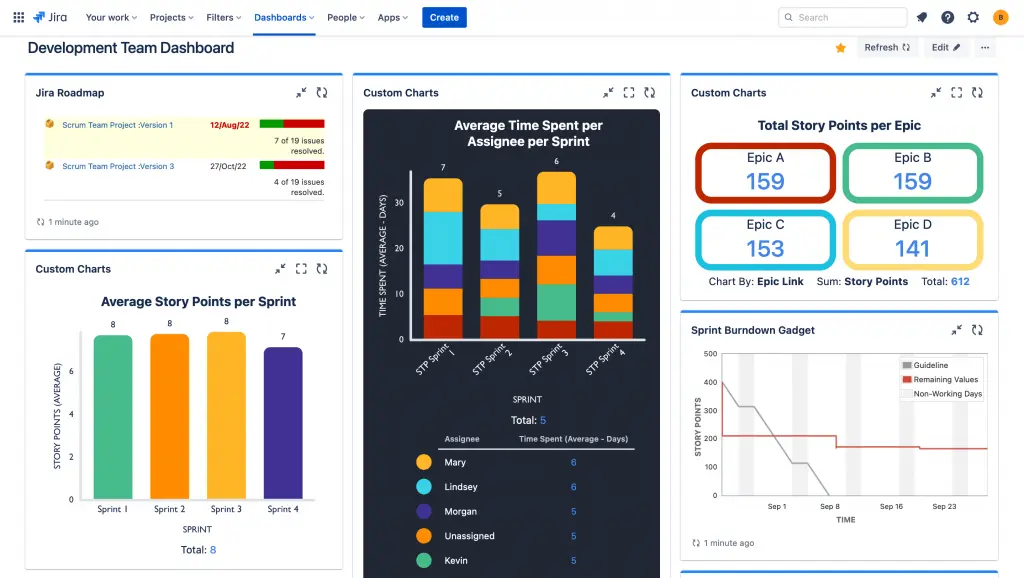
Image source: atlassian.com
Key features:
- Advanced sprint boards: Track user stories, epics, and bugs across customizable Scrum or Kanban boards.
- Powerful reporting: Velocity charts and burndown reports provide detailed sprint insights.
- Workflow automation: Set triggers and conditions to streamline repetitive agile processes.
- Backlog management: Prioritize, plan, and organize sprint-ready tasks for large-scale projects.
- Integrations: Connect with Confluence, Bitbucket, and third-party dev tools for end-to-end visibility.
Strengths:
- Deeply customizable workflows and reporting
- Excellent for enterprise-level project tracking
- Extensive integrations for DevOps and QA teams
Limitations:
- Can feel complex for small teams
- Higher cost at scale
Pricing:
- Free plan: Up to 10 users
- Standard: $8.15/user/month
- Premium: $16/user/month
- Enterprise: Custom pricing
3. Trello: Sprint tracking with Kanban boards
Trello makes sprint management easy with its intuitive Kanban interface. Ideal for small agile teams, Trello helps visualize progress with boards, lists, and cards. It's especially useful for non-technical teams adopting agile principles.
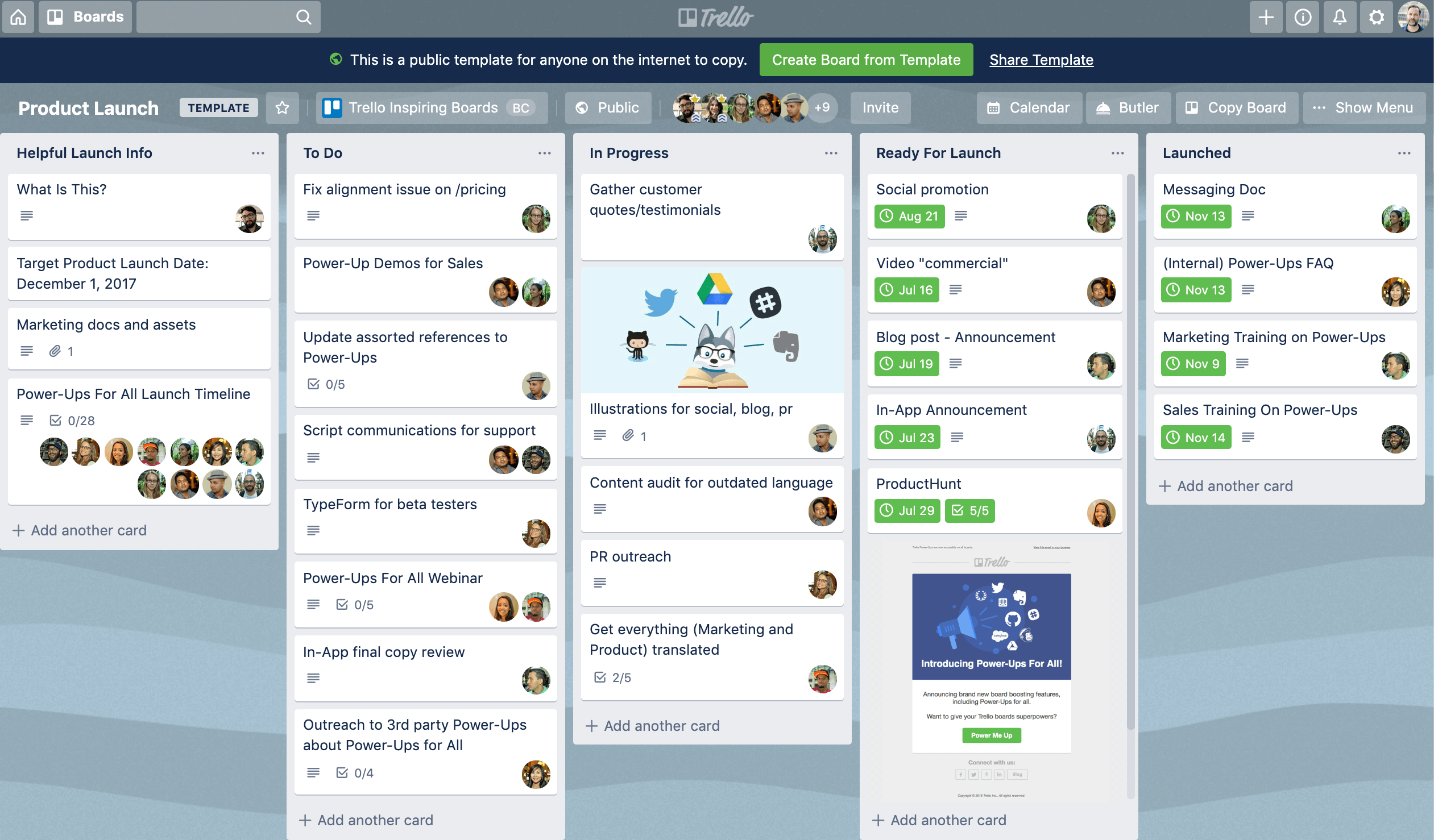
Image source: trello.com
Key features:
- Visual task boards: Organize sprints with customizable lists, cards, and color-coded labels.
- Drag-and-drop simplicity: Easily move tasks across stages to track sprint progress.
- Automation rules: Use Butler automation for recurring tasks and workflow triggers.
- Collaboration tools: Add comments, attachments, and mentions directly on task cards.
- Cross-platform access: Sync sprint boards across desktop and mobile devices in real time.
Strengths:
- Easy to use and visually appealing
- Great for small, fast-moving teams
- Highly flexible with Power-Ups
Limitations:
- Limited reporting and analytics
- Not ideal for complex sprint frameworks
Pricing:
- Free plan: Unlimited cards and 10 boards per workspace
- Standard: $5/user/month
- Premium: $10/user/month
- Enterprise: From $17.50/user/month
4. Asana: Workflows for agile sprint projects
Asana blends sprint planning, task management, and team visibility into one cohesive workflow platform. Its timeline view, dashboards, and automation features help teams organize sprints, prioritize tasks, and track progress efficiently. With customizable boards and milestone tracking, Asana supports structured agile execution while maintaining flexibility for changing priorities.
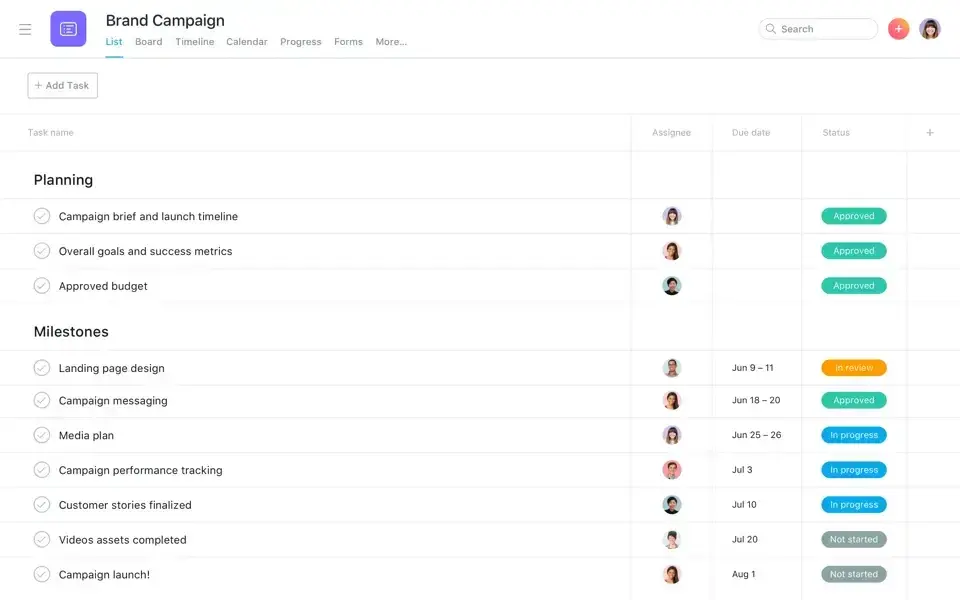
Image source: asana.com
Key features:
- Sprint management: Plan sprints, track tasks, and manage dependencies in timeline or board views.
- Goals alignment: Connect sprint objectives to team or company-wide OKRs.
- Dashboards: Real-time performance tracking with visual analytics and workload charts.
- Task automation: Reduce manual effort with rule-based triggers and recurring workflows.
- Team collaboration: Share updates, feedback, and Docs in one workspace for every sprint.
Strengths:
- Strong visualization and reporting
- Great for hybrid or cross-functional teams
- Easy setup with templates
Limitations:
- Limited agile metrics compared to Jira
- Advanced features are only in higher tiers
Pricing:
- Free plan: Basic task management
- Starter: $10.99/user/month
- Advanced: $24.99/user/month
- Enterprise: Custom pricing
5. ClickUp: Customizable sprint task management
ClickUp offers deep customization for agile workflows—from sprint planning to backlog tracking and performance reviews. It combines tasks, docs, dashboards, and goals in one unified workspace, ensuring all project data stays connected. Teams can automate recurring actions, set measurable objectives, and visualize progress with dynamic reports and charts.
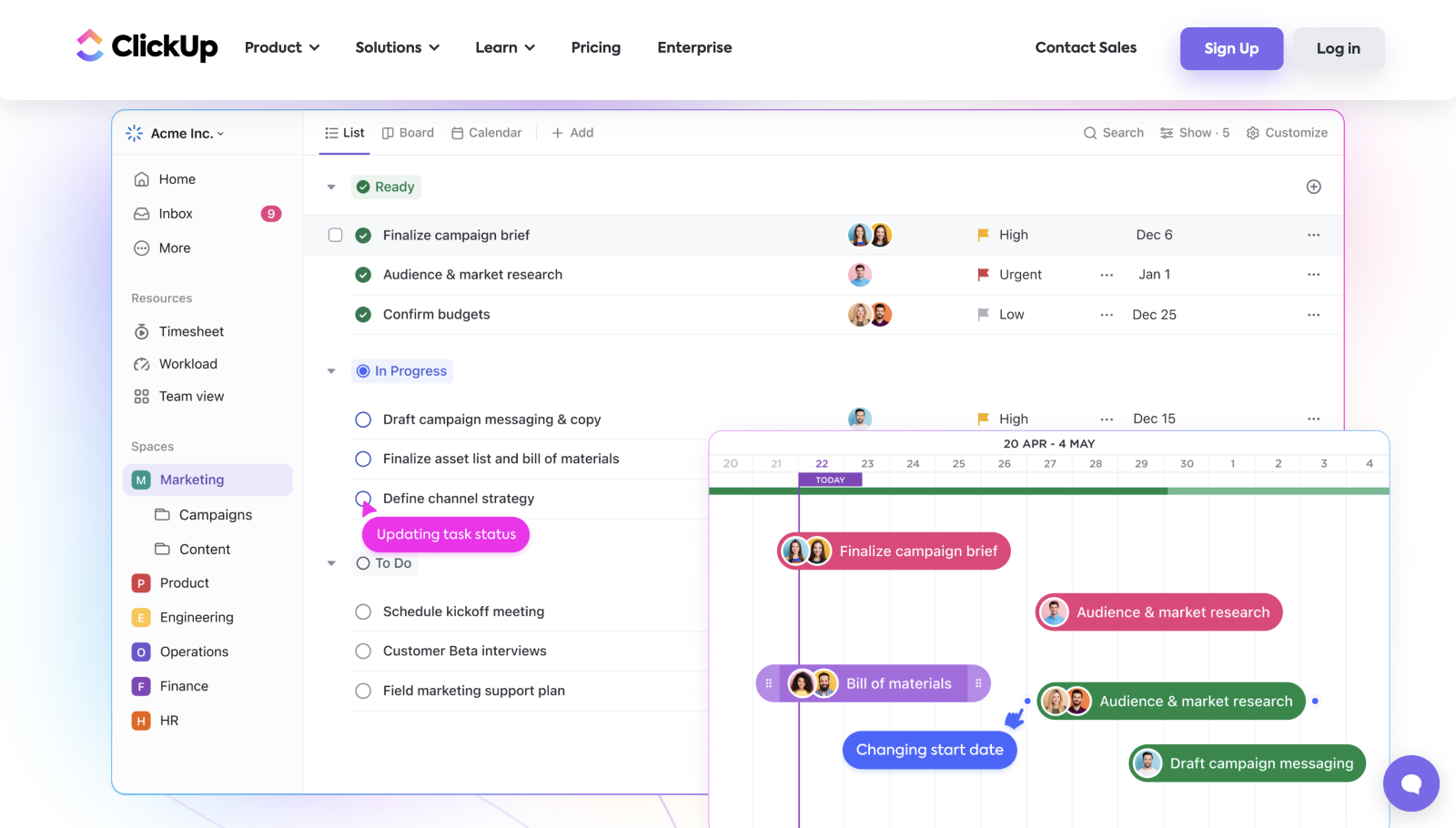
Image source: clickup.com
Key features:
- Fully customizable views: Choose from boards, lists, timelines, or Gantt charts to manage sprints.
- Docs and dashboards: Combine documentation, tracking, and reporting in one workspace.
- Agile templates: Pre-built sprint and backlog templates for quick setup.
- Automation & goals: Track sprint velocity and automate routine task updates.
- Collaboration: Add real-time chat, whiteboards, and comments for team-wide communication.
Strengths:
- Highly customizable interface
- Strong automation and reporting
- Affordable compared to Jira or Asana
Limitations:
- Can feel overwhelming due to feature overload
- Occasional performance lag with large projects
Pricing:
- Free plan: 100MB storage, unlimited tasks
- Unlimited: $7/user/month
- Business: $12/user/month
- Enterprise: Custom pricing
6. Wrike: Enterprise sprint planning platform
Wrike delivers enterprise-grade sprint management with advanced automation, customizable dashboards, and robust analytics. It’s built for large, cross-functional teams managing complex projects that demand real-time visibility, precise control, and strong governance. With tools for workload balancing, resource allocation, and approval workflows.
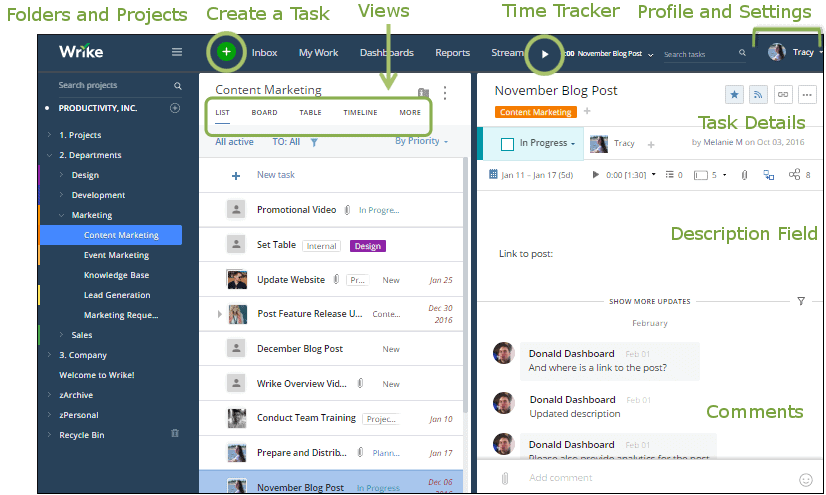
Image source: wrike.com
Key features:
- Enterprise-grade dashboards: Centralize sprint tracking and advanced analytics for big teams.
- Cross-department projects: Link agile tasks across marketing, dev, and operations units.
- Custom workflows: Define sprint statuses, triggers, and multi-step approvals.
- Advanced reporting: Build detailed velocity, workload, and project health reports.
- Scalability: Designed for organizations managing hundreds of concurrent sprints.
Strengths:
- Excellent reporting and enterprise scalability
- Robust automation and security features
- Great for managing complex agile portfolios
Limitations:
- Expensive for small teams
- Less intuitive setup for new users
Pricing:
- Free: Basic task management
- Team: $9.80/user/month
- Business: $24.80/user/month
- Enterprise: Custom pricing
7. Monday.com: Sprint dashboards for teamwork
Monday.com offers colorful, intuitive dashboards that make managing agile sprints both simple and engaging. Its visual boards allow teams to plan, track, and adjust sprint progress in real time, fostering collaboration and transparency. With flexible workflows, automation, and integrations, Monday.com adapts easily to different team structures and project types.
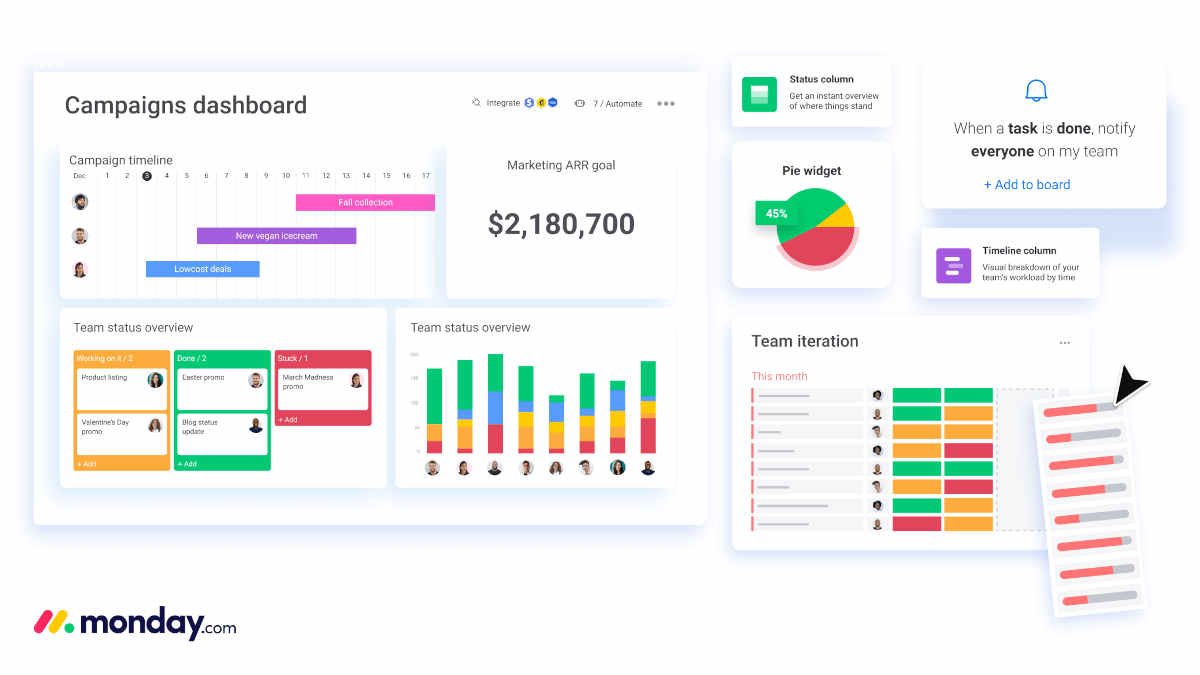
Image source: monday.com
Key features:
- Visual sprint boards: Manage agile cycles through intuitive boards, charts, and progress bars.
- Workload visibility: Track sprint ownership, due dates, and capacity in real time.
- Automation flows: Auto-update task statuses and notify owners when blockers arise.
- Custom views: Switch between Kanban, Gantt, and timeline modes easily.
- Collaboration tools: Comment, attach files, and tag team members directly within sprint boards.
Strengths:
- Very intuitive and beginner-friendly
- Highly visual reporting
- Suitable for both agile and non-agile teams
Limitations:
- Limited agile-specific metrics
- Automation limits on lower-tier plans
Pricing:
- Free: Up to 2 users
- Basic: $9/user/month
- Standard: $12/user/month
- Pro: $19/user/month
- Enterprise: Custom pricing
Tips for sprint project management success
Effective sprint project management requires not just the right tools but also disciplined practices. Following proven tips helps teams stay focused, deliver consistently, and maximize the value of each sprint.
- Keep sprint goals realistic and achievable: Setting realistic sprint goals ensures the team can complete planned tasks within the time-boxed period. Overambitious goals often lead to missed deadlines and frustration. Clear, achievable objectives keep everyone motivated and accountable.
- Don't overload sprint capacity: Avoid overloading a sprint with too many tasks, as it can reduce productivity and increase stress. Capacity planning ensures the team focuses on high-priority items. Balanced workloads allow consistent progress and quality delivery.
- Use backlog grooming for clarity: Regular backlog grooming refines and prioritizes tasks before the sprint starts. This process removes ambiguity and ensures the team understands each item. A well-groomed backlog accelerates sprint planning and improves execution.
- Hold daily standups to solve blockers quickly: Daily standups help teams identify and address obstacles immediately. Short, focused meetings keep everyone informed on progress and dependencies. Quick problem-solving ensures the sprint stays on track.
- Always run sprint reviews and retrospectives: Sprint reviews showcase completed work and gather stakeholder feedback, while retrospectives identify lessons learned. These meetings promote continuous improvement. Teams can adjust processes and enhance performance in future sprints.
Sprint project management use cases by industry
Sprint project management isn't limited to software development—teams across industries can leverage sprints in project management to improve focus, delivery speed, and collaboration. By breaking work into short cycles, organizations can handle complex tasks efficiently and adapt to changing priorities.
- Software development: Agile teams use sprints to plan releases, prioritize features, and fix bugs efficiently. Each sprint focuses on a manageable set of user stories or tasks, ensuring consistent delivery. This iterative approach improves product quality and accelerates time-to-market.
- Marketing: Marketing teams adopt sprints to plan campaigns, create content, and launch initiatives on time. Sprint cycles allow them to track progress, manage approvals, and adjust strategies based on real-time feedback. This keeps campaigns agile and results-oriented.
- Education: Curriculum development and content creation benefit from sprint-based planning. Educators and instructional designers can segment projects into weekly or bi-weekly cycles, review progress regularly, and refine materials quickly. This approach ensures the timely delivery of learning resources.
- Construction: Project managers in construction use sprints to organize phases of work, track milestones, and manage resources. Breaking complex construction projects into sprint cycles helps teams stay aligned and meet deadlines efficiently. It also improves visibility into progress and risks.
- Consulting: Consulting teams deliver client solutions using sprint-based workflows. By dividing projects into short iterations, consultants can provide incremental deliverables, gather client feedback, and adjust strategies without delaying overall timelines. This increases client satisfaction and project transparency.
Conclusion
Sprint project management helps teams improve collaboration, focus, and delivery by breaking projects into short, manageable cycles. With clearly defined goals, daily check-ins, and regular reviews, teams stay aligned and accountable throughout each sprint. The right tools make this process seamless, and Lark stands out by combining planning, task tracking, real-time communication, and documentation on a single platform. By adopting sprint practices and leveraging modern tools, teams across software, marketing, education, construction, and consulting can accelerate project completion, improve quality, and respond quickly to changing priorities—achieving faster, more predictable project success.
FAQs
What is the ideal duration for a sprint?
The ideal sprint duration is typically 1–4 weeks, depending on project complexity and team size. Shorter sprints (1–2 weeks) allow faster feedback and iteration, while longer sprints (3–4 weeks) are suitable for bigger tasks or complex features.
Can non-software teams use sprints?
Yes. Sprints are versatile and can be applied in marketing, education, consulting, construction, and other industries. Any team with iterative work, project goals, or deliverables can benefit from time-boxed cycles.
How does sprint project management differ from Kanban?
Sprints are time-boxed cycles with specific goals, while Kanban focuses on continuous workflow and visualizing task progress. Sprints provide deadlines and iterative planning, whereas Kanban emphasizes flexible task management without fixed timelines.
Which sprint tools are best for remote teams?
Tools like Lark, Jira, ClickUp, and Asana are ideal for remote teams. They offer real-time updates, task tracking, collaborative docs, and communication channels to keep distributed teams aligned and productive.
What are sprint retrospectives, and why are they important?
Sprint retrospectives are reflection meetings held at the end of each sprint. Teams analyze successes, challenges, and areas for improvement, fostering continuous learning, efficiency, and better planning for future sprints.
Related reading
Table of contents
Start using Lark today

Manage all your work in one place
Boost team efficiency by 10x
Save up to 70% on software costs
Table of contents
Start using Lark today
Manage all your work in one place
Boost team efficiency by 10x
Save up to 70% on software costs
Keep reading







2026 Lark Technologies Pte. Ltd.
Headquartered in Singapore with offices worldwide.






Explore: