














10 Best Time Blocking Apps to Organize Your Day and Boost Focus

Ryan Tanner
Product Marketing Specialist
Sep 18, 2026
Ryan Tanner
Sep 18, 2026

22 min read


Time blocking apps help you plan your day with intention, turning scattered to-do lists into structured schedules that boost focus and productivity. By assigning specific time slots to key tasks, you can minimise distractions, manage priorities, and maintain a better work-life rhythm. Whether you're an individual seeking clarity or part of a busy team, the right app makes all the difference. Tools like Lark, an all-in-one workspace with built-in scheduling and collaboration features, simplify time management by keeping meetings, tasks, and communication in one place. Here's a look at the best time blocking apps to stay organised and focused.
1. Lark: Unified workspace for smart scheduling and collaboration
2. Motion: AI-powered time blocking and task automation
3. Reclaim.ai: Intelligent scheduling for work-life balance
4. Todoist: Simple task-based time blocking
5. Toggl Plan: Visual time blocking for project teams
6. Sunsama: Daily planner built around time blocking
7. Clockify: Time tracking meets manual time blocking
8. Akiflow: Productivity hub with intelligent scheduling
9. Notion Calendar: Flexible blocks with database integration
10. Planyway: Time blocking extension for Trello users
Information source: Official vendor websites
Update time: 2025-11-12
Note: Pricing and plan availability are based on publicly available data as of the update date. Actual prices may vary depending on region, user count, and billing frequency.
What is a time blocking app and why it matter
A time blocking app is a digital tool that helps you schedule your day into dedicated time segments, assigning each block to a specific task or type of work. Instead of juggling endless to-do lists, you organize your time visually, making it easier to focus and stay productive. The best time-blocking apps combines with your calendar, remind you of upcoming tasks, and even help you analyse how you spend your time. This approach reduces multitasking, improves concentration, and ensures that important priorities get the attention they deserve.
Whether you prefer simple planners or AI time blocking apps that automate scheduling, these tools empower you to take control of your time rather than letting your day run you. By using a best time blocking app suited to your workflow, you can reduce stress, achieve better work-life balance, and make measurable progress toward your goals.

10 best time blocking apps for focus and productivity
Managing your time effectively is the foundation of focused, productive work. Time blocking helps you schedule tasks intentionally, reduce distractions, and stay in control of your day. Whether you're a student, professional, or entrepreneur, this list of the some best free time blocking apps will help you plan smarter and achieve more with less stress.
1. Lark: Unified workspace with smart scheduling and collaboration
Lark, one of the most versatile project management tools, combines time blocking, scheduling, and collaboration into one seamless platform. Its collaborative Calendar lets you visually organize your day while syncing tasks, meetings, and team workflows in real-time. With automation, reminders, and built-in communication tools, Lark helps individuals and teams manage time more intelligently. Here's how its key features make time blocking smarter and more productive.
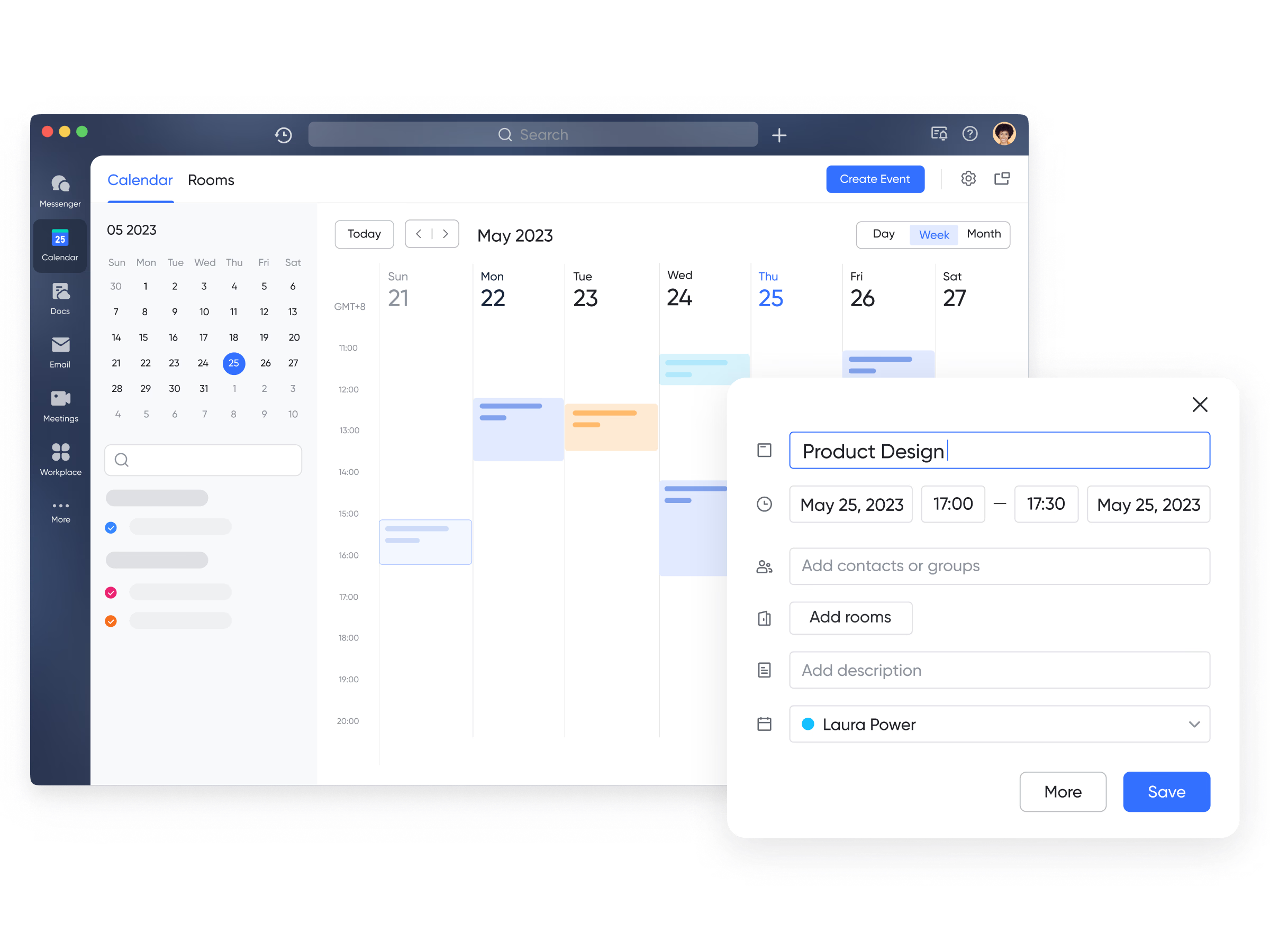
Lark Calendar for visual time blocking
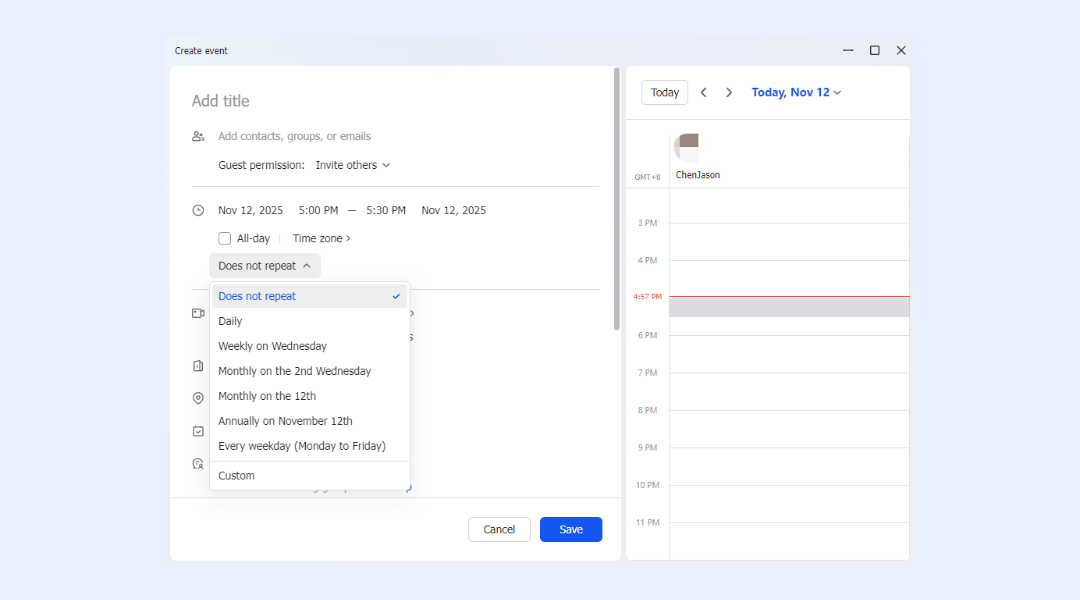
Lark Calendar is the heart of its time blocking feature, allowing you to allocate specific time slots for tasks, meetings, or focus sessions. Mark entries as Busy to visually block your day and avoid scheduling conflicts. Colour-coded events make it easy to distinguish between work, meetings, and personal priorities. The drag-and-drop interface simplifies quick changes as your day evolves. With built-in automation, events can auto-sync across teams—keeping schedules organised and up to date in one unified workspace
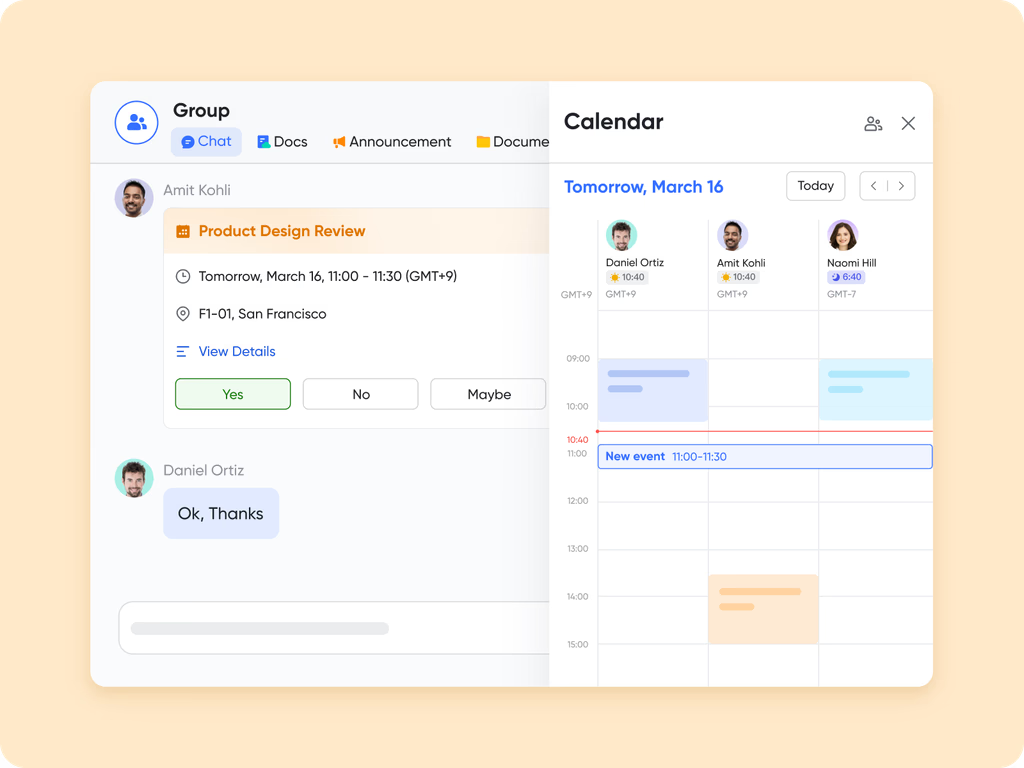
Real-time availability & unified scheduling
In Lark, team members can easily check each other's availability and schedule meetings directly through Lark Calendar, with status indicators like Busy, Awaiting, or Maybe. Time blocking helps prevent double bookings—when a slot is marked as "Busy," others can see your workload at a glance. Calendars and events can be shared with customizable visibility based on permissions. You can also display up to ten additional time zones, making it easier to coordinate meetings across regions.
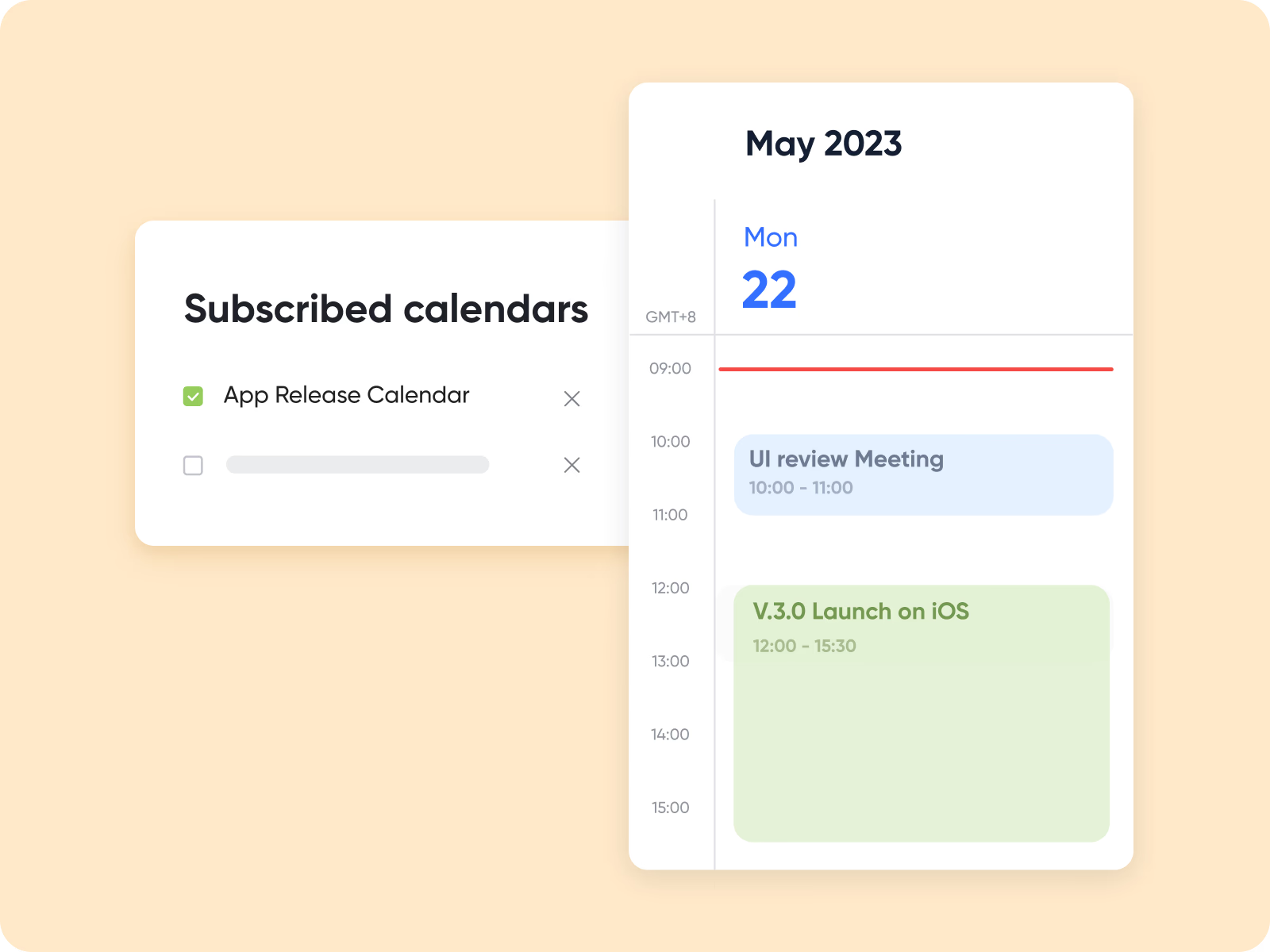
Built-in reminders and smart notifications
Lark Calendar's time-blocking and reminder settings help you stay focused and in control of your schedule. You can customize reminder times for events, ensuring notifications arrive exactly when you need them—or mute them entirely for uninterrupted work. Automated events include a default reminder five minutes before the meeting, which you can adjust anytime. If someone tries to book a meeting outside your working hours, Lark Calendar Assistant automatically notifies them, helping maintain your boundaries and work-life balance.
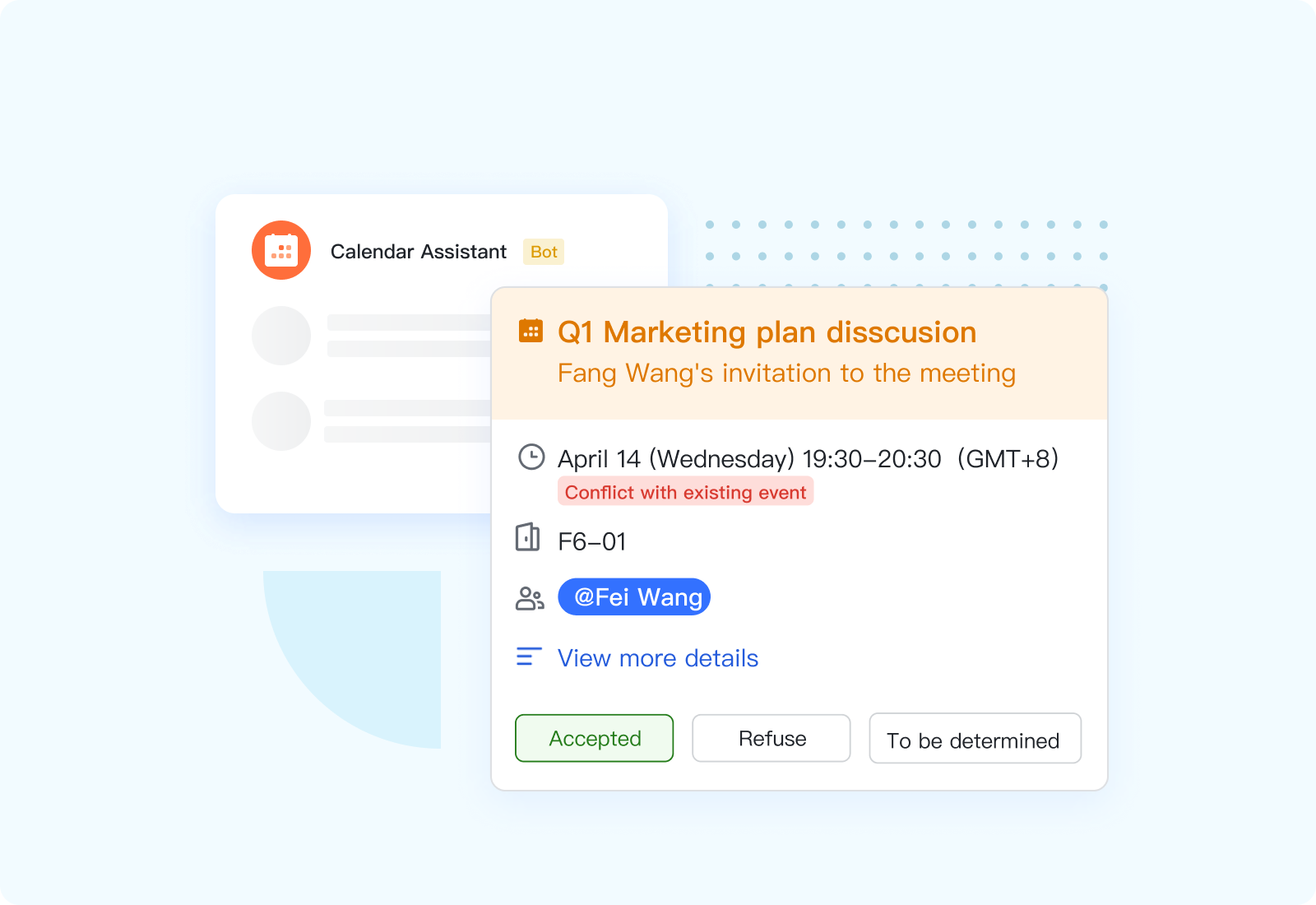
Collaborated meetings, chat, and docs in one workspace
Lark's true strength lies in its all-in-one collaboration ecosystem—each calendar event can host its own meeting link, chat thread, and document. You can start a video meeting directly from a time block, attach notes or slides, and continue discussions in the same thread. This collaboration eliminates the need to switch between multiple apps like Zoom, Slack, or Google Docs. Everything—communication, content, and scheduling—stays connected on one platform. It makes every time block a complete work session rather than just a scheduled reminder.
Automation to streamline recurring events
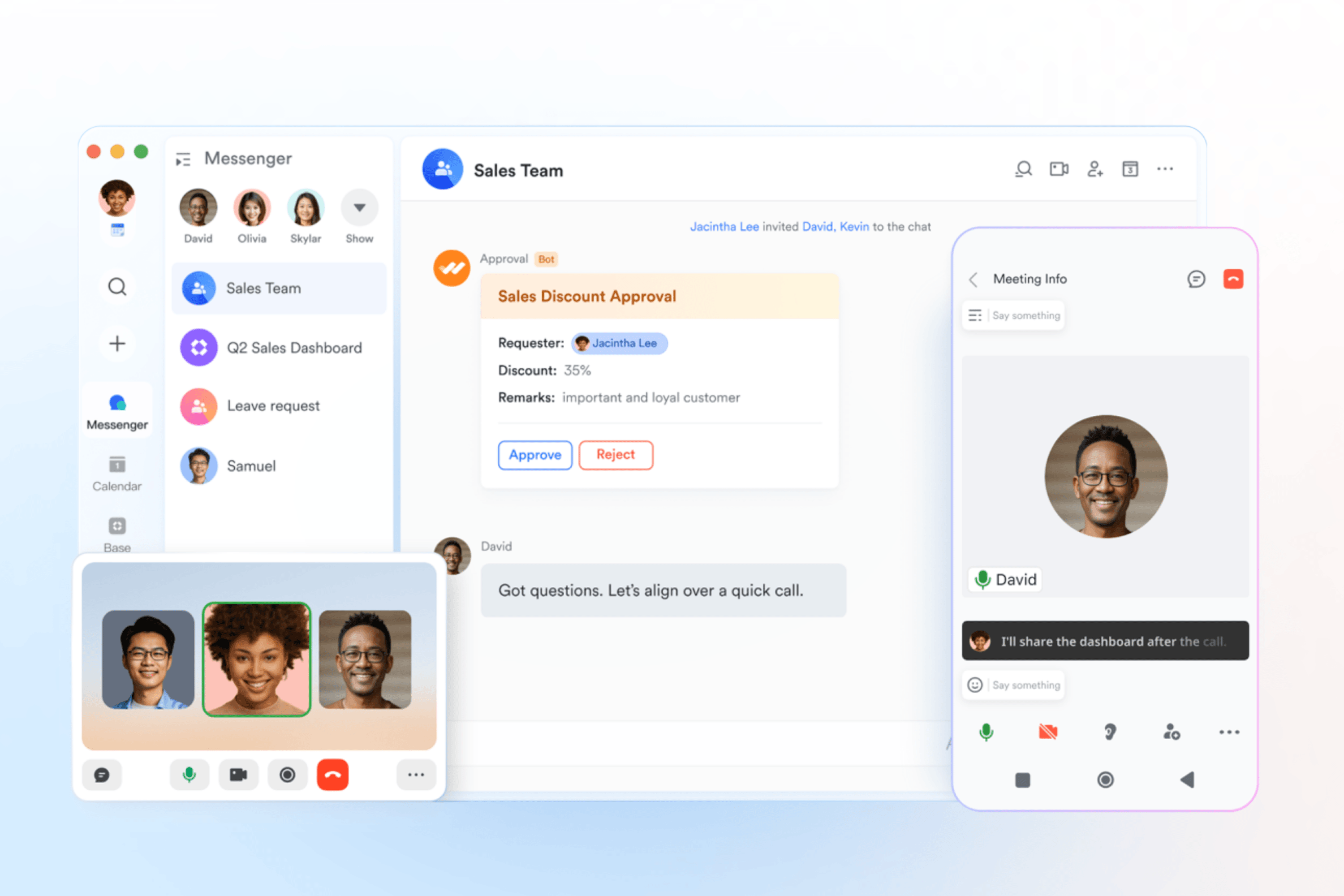
By allowing you to create events that repeat daily, weekly, monthly, annually, or on custom schedules, Lark Calendar ensures regular meetings and check‑ins are automatically scheduled without manual setup. You can set an end date or choose "Never ends," so your recurring events persist until you decide otherwise. This keeps your team aligned through consistent, predictable rhythms for stand‑ups, reviews, or milestones—freeing up time to focus on work instead of rescheduling.
- Starter plan: Free forever plan that includes 11 powerful tools for up to 20 users. It also comes with 100GB of storage, 1000 automation runs, AI translations, and more.
- Basic plan: $6/user/month (billed annually) for up to 500 users. It includes everything in Starter plus group calling for up to 500 attendees, 5TB of storage, 1000 automation runs, and more.
- Pro plan: $12/user/month (billed annually) for up to 500 users. It includes everything in Starter plus group calling for up to 500 attendees, 15TB of storage, 50,000 automation runs, and more.
- Enterprise plan: Contact sales for custom pricing. Supports unlimited users and includes even more automation runs and advanced security, compliance, and management features.
2. Motion: AI-powered time blocking and task automation
Motion uses AI to automatically plan your day by analysing tasks, priorities, and meetings. It continuously adjusts your schedule in real time to help you stay productive without manual updates. Ideal for those juggling multiple deadlines or unpredictable workloads.
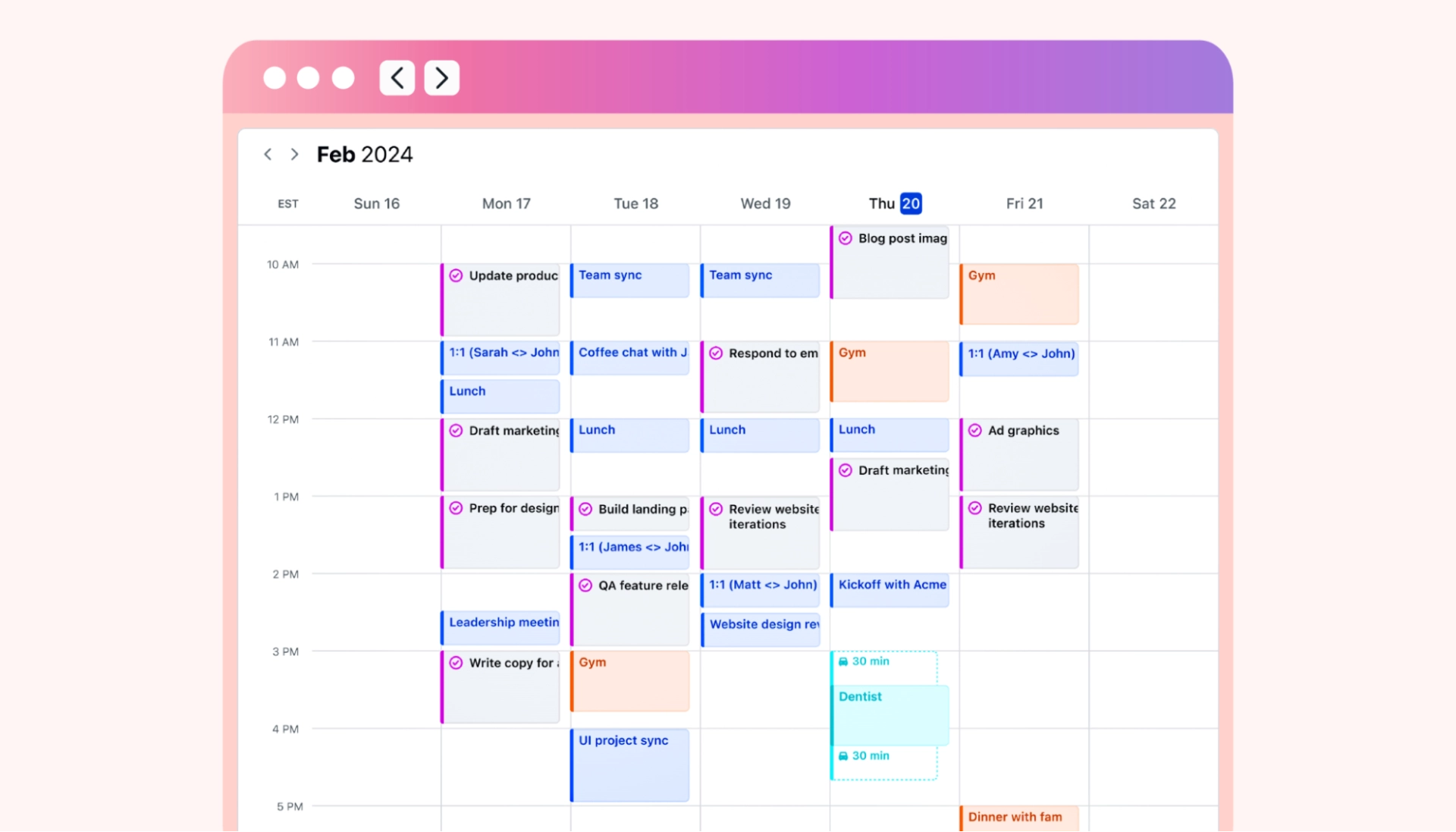
Image source: motion.com
Key features:
- AI-powered task and calendar scheduling
- Automatic rescheduling when priorities change
- Integrated task manager and calendar view
- Focus time and meeting balance optimization
- Real-time updates across all devices
Pros:
- Saves hours of manual planning each week
- Keeps schedule flexible yet structured
- Improves focus by auto-protecting deep work time
- Great for remote teams and busy professionals
Cons:
- Premium pricing for full AI features
- Limited customization compared to manual planners
Best for: Professionals and teams who want automatic schedule optimization and intelligent time management.
Pricing:
- Individual plan: around $19/month
- Team plan: around $29/user/month (Annual billing offers discounted rates)
3. Reclaim.ai: Intelligent scheduling for work-life balance
Reclaim.ai is an AI-powered scheduling tool that helps you automatically organize your calendar around priorities, routines, and personal time. It intelligently blocks focus hours, reschedules meetings when needed, and ensures you never overbook your day. Designed to help busy teams and individuals stay productive without burning out, Reclaim.ai brings structure and balance to modern hybrid work environments.
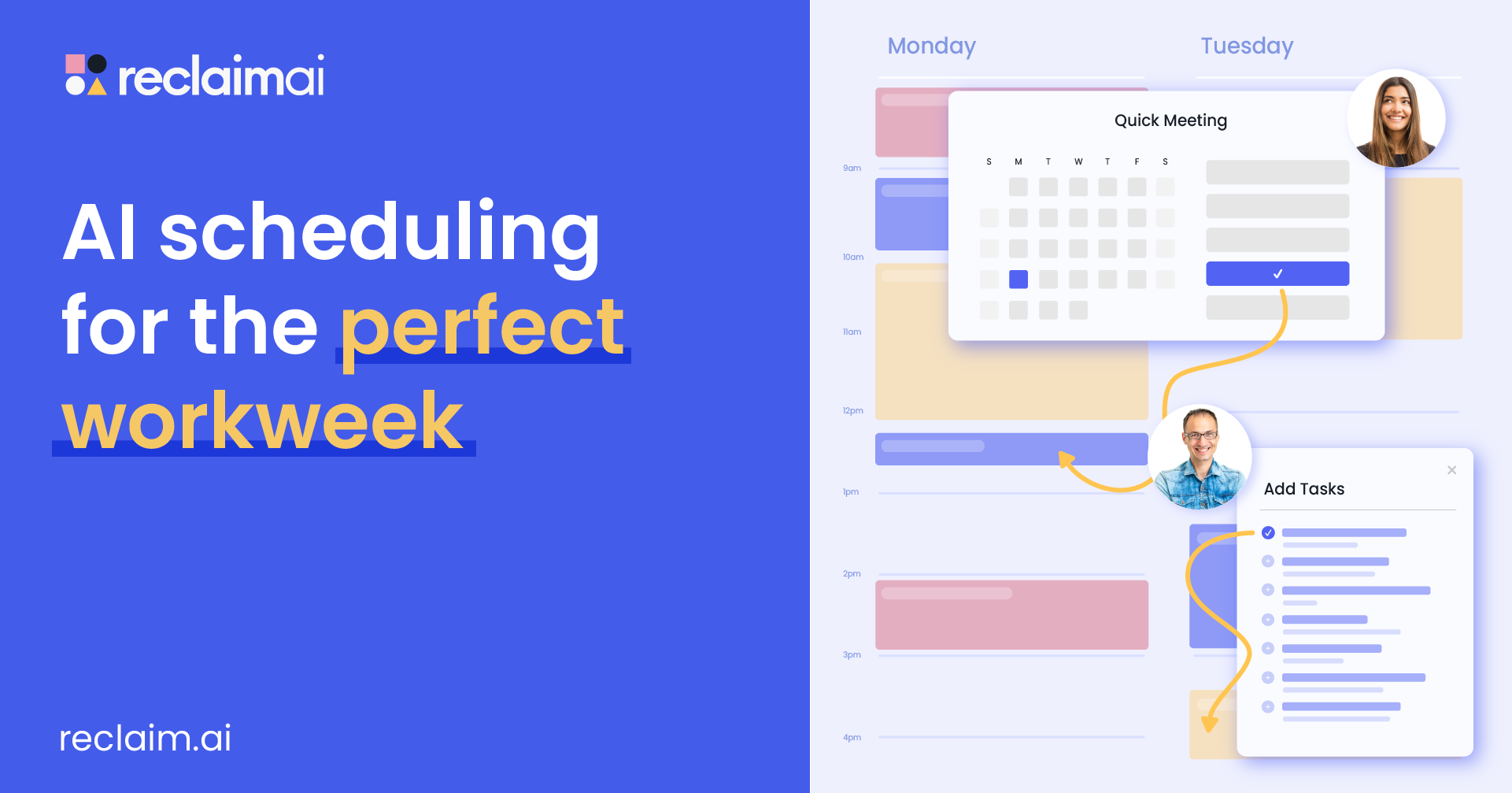
Image source: reclaim.com
Key features:
- Automatic task and meeting scheduling
- Focus time and habit protection
- Smart syncing with Google Calendar and Outlook
- AI-powered time tracking and analytics
- Adaptive rescheduling based on availability
Pros:
- Great for balancing work and personal time
- Prevents calendar conflicts automatically
- Improves team productivity with shared visibility
- Easy setup and integration with existing calendars
Cons:
- Works best with Google Workspace accounts
- Fewer manual customization options
Best for: Teams and professionals who need automatic time protection and balance between work and life.
Pricing:
- Lite plan: Free forever
- Starter plan: $8/user/month
- Business plan: $12/user/month
- Enterprise plan: Custom quote for large teams
4. Todoist: Simple task-based time blocking
Todoist helps you organize your day by turning your task list into actionable time blocks. It's perfect for individuals who like simplicity and structure without complex setups. You can quickly prioritize, schedule, and track your daily goals within a clean, distraction-free interface. A reliable choice for anyone seeking straightforward, effective time blocking.
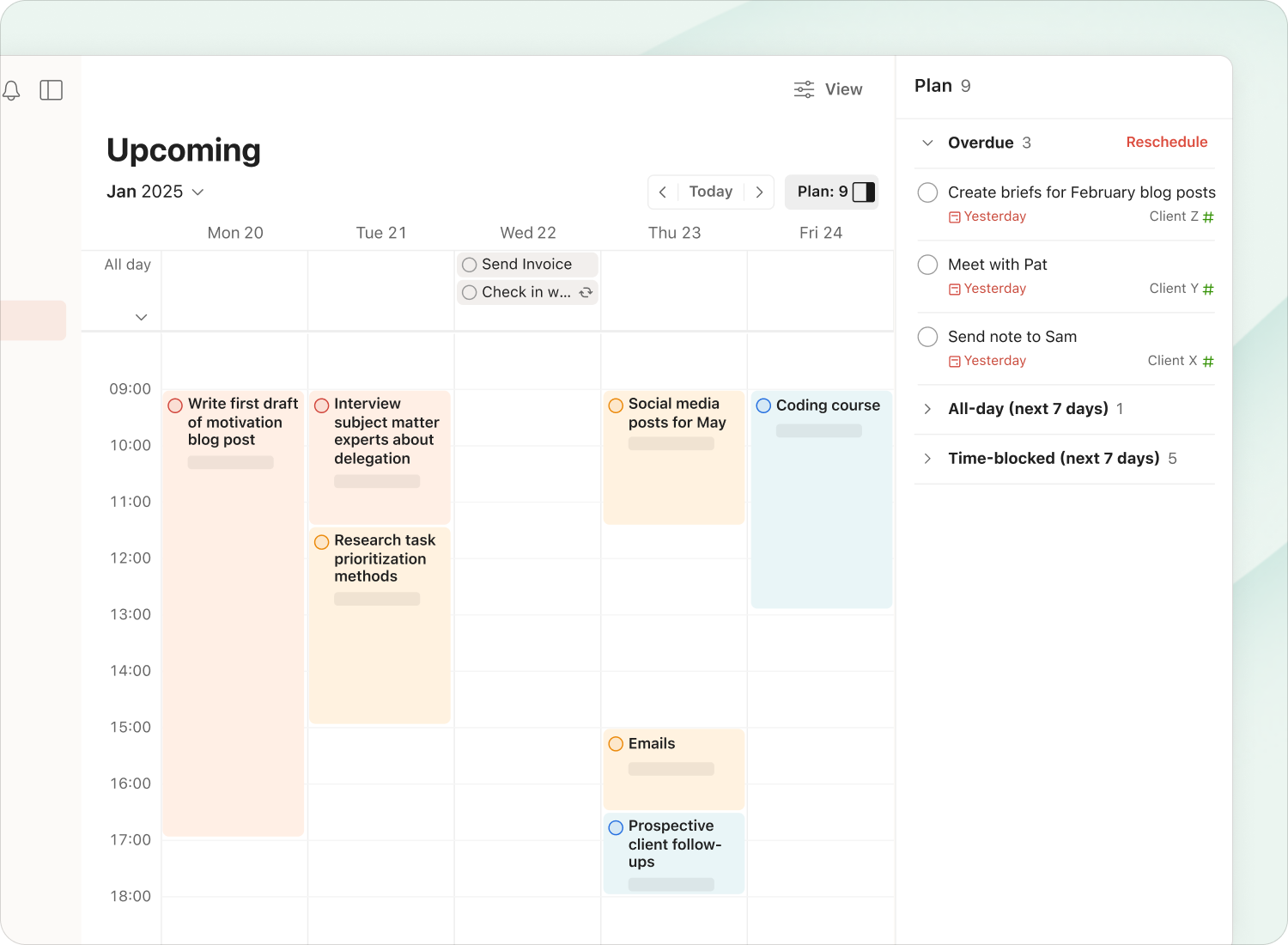
Image source: todoist.com
Key features:
- Task lists with priorities and due dates
- Calendar sync for visual time blocking
- Recurring tasks and reminders
- Labels and filters for organized workflows
- Collaboration options for shared projects
Pros:
- Easy to use and visually minimal
- Works across all devices seamlessly
- Great free version for beginners
- Keeps task planning clear and manageable
Cons:
- No built-in AI or automation
- Limited calendar visualization
Best for: Individuals who want a simple, task-driven scheduling system.
Pricing:
- Free version available
- Paid plan starts at $4/user/month
5. Toggl Plan: Visual time blocking for project teams
Toggl Plan makes team scheduling simple with colorful timelines and easy drag-and-drop planning. It gives project managers a clear overview of everyone's workload to avoid conflicts or burnout. The visual interface makes it easy to track progress and plan tasks by day or week. A great option for visual thinkers managing multiple projects.
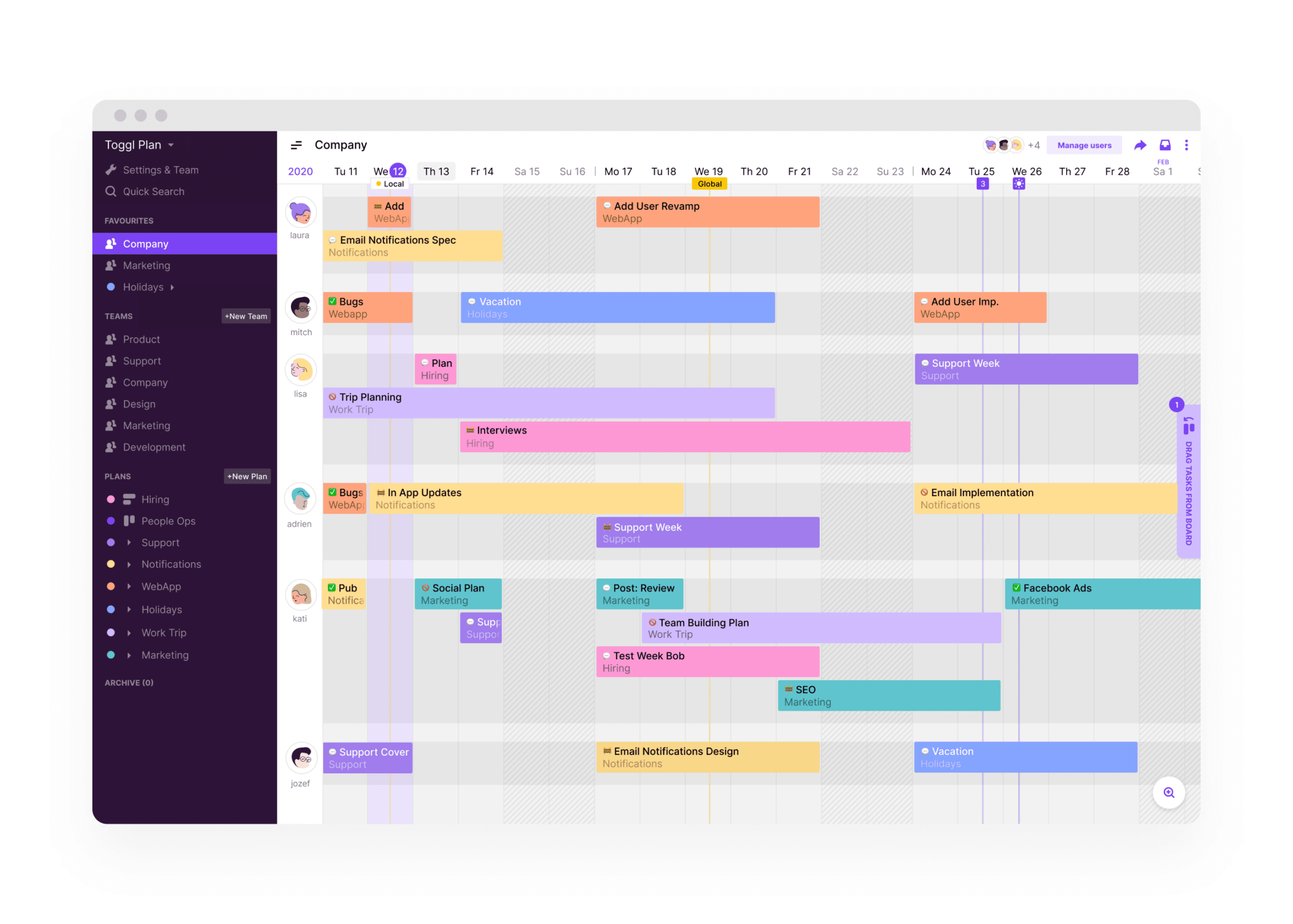
Image source: toggl.com
Key features:
- Drag-and-drop visual timelines
- Shared team calendar for scheduling
- Workload and capacity management
- Color-coded task blocks
- Project tracking and milestones
Pros:
- Intuitive and easy to navigate
- Perfect for visual planners
- Improves team coordination
- Great for managing overlapping projects
Cons:
- Limited automation or AI tools
- Less suited for solo use
Best for: Teams that need visual clarity in project scheduling.
Pricing:
- Free plan available
- Paid plan starts at $8/user/month
6. Sunsama: Daily planner built around time blocking
Sunsama combines your tasks and calendar into a structured daily routine. It promotes mindful work habits by encouraging daily planning and end-of-day reflection. The tool focuses on helping professionals plan achievable workloads and stay balanced. It's ideal for those who want a guided, intentional approach to time blocking.
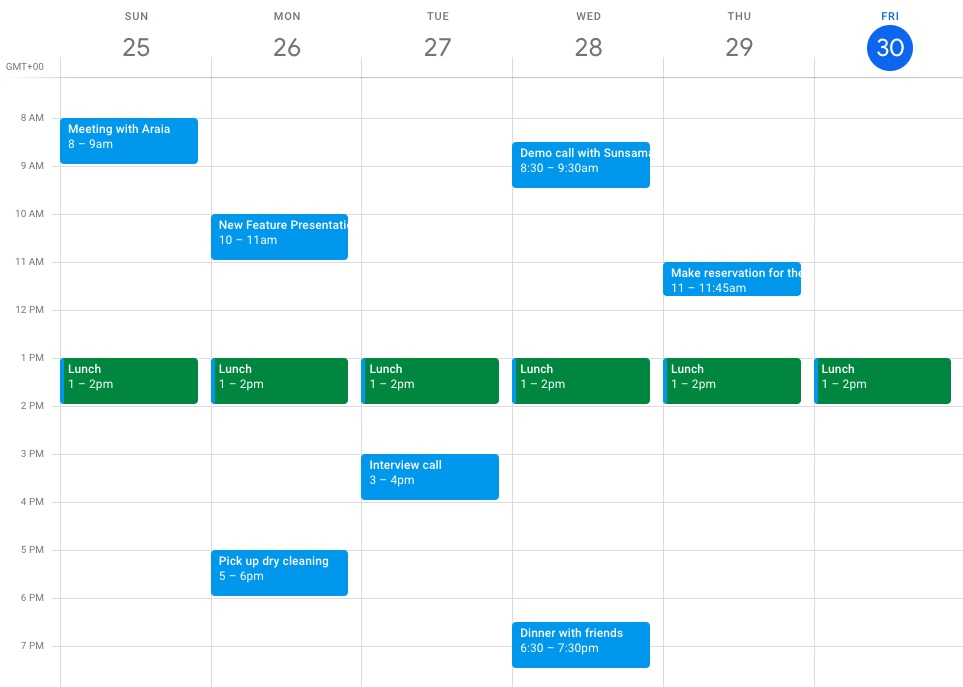
Image source: sunsama.com
Key features:
- Guided daily and weekly planning
- Integration with Google Calendar, Trello, and Asana
- Focus mode for deep work
- Daily reflection and progress review
- Visual time allocation for key priorities
Pros:
- Encourages calm, structured productivity
- Simple and distraction-free interface
- Helps prevent over-scheduling
- Promotes work-life balance
Cons:
- Expensive for individual users
- Fewer team-oriented features
Best for: Professionals seeking mindful, focused daily planning.
Pricing:
- Yearly Subscription: $16/user/month (billed annually)
- Month Subscription: $20/user/month (billed monthly)
7. Clockify: Time tracking meets manual time blocking
Clockify is a blend of time tracking and manual scheduling, ideal for freelancers and teams managing billable hours. It lets you record, review, and plan your time using calendar blocks and detailed reports. The interface is simple yet powerful for tracking productivity and project budgets. A solid choice for teams that value time accountability.
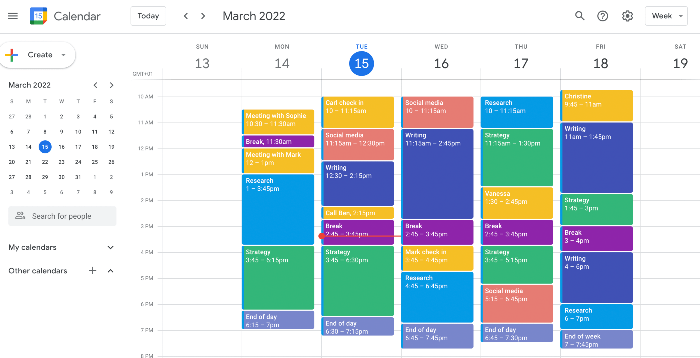
Image source: clockify.com
Key features:
- Manual and timer-based tracking
- Calendar and timesheet views
- Project and client tracking
- Reporting and analytics dashboard
- Integrations with productivity tools
Pros:
- Excellent free plan
- Great for teams and freelancers
- Detailed productivity reports
- Easy to use and scalable
Cons:
- Manual setup required for blocks
- More focused on tracking than automation
Best for: Freelancers and small teams managing tracked or billable time.
Pricing:
- Free plan available
- Paid plans start at $5.49/user/month
8. Akiflow: Productivity hub with intelligent scheduling
Akiflow centralizes your tasks, meetings, and communications into one intelligent dashboard. It helps busy professionals cut through app clutter by managing everything in one place. Its smart scheduling tools allow you to block time efficiently and adapt your day dynamically. Perfect for multitaskers juggling multiple tools and priorities.
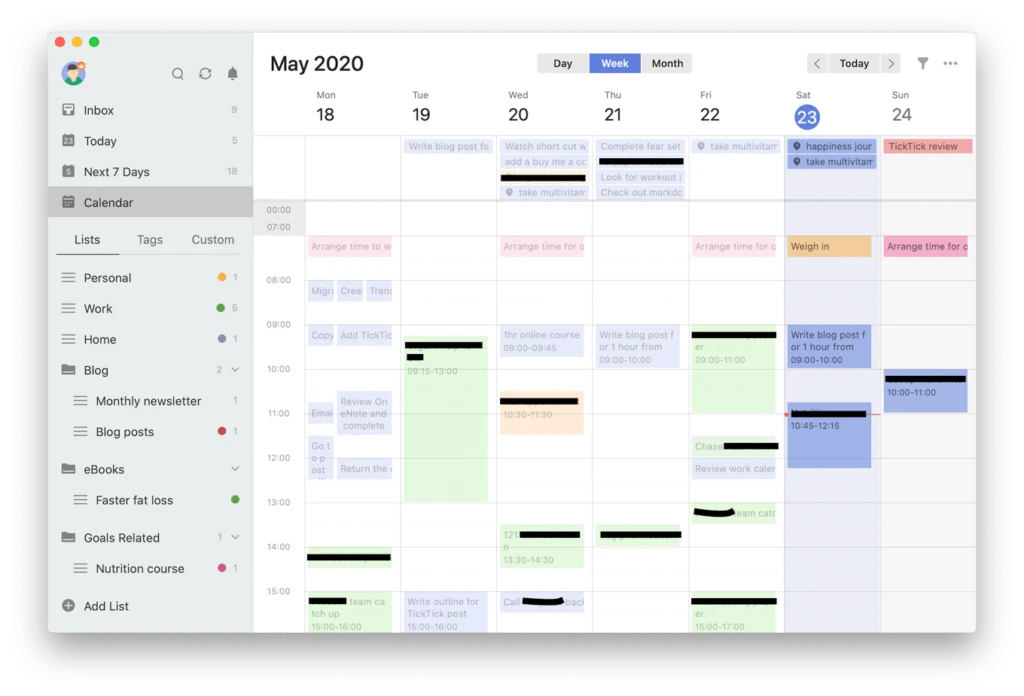
Image source: akiflow
Key features:
- Unified task, calendar, and email hub
- Smart scheduling with automation
- Command-based quick actions
- Powerful third-party integrations
- Notifications and reminders for key events
Pros:
- Reduces context switching between tools
- Excellent integration options
- Fast, modern interface
- Ideal for structured, high-demand workflows
Cons:
- Higher pricing than basic tools
- Requires setup for full benefit
Best for: Professionals handling multiple apps and tasks who want a unified scheduling solution.
Pricing:
- Pro Yearly: $19/user/month (billed annually)
- Pro Monthly: $34/user/month (billed monthly)
9. Notion Calendar: Flexible blocks with database integration
Notion Calendar integrates scheduling directly into your Notion workspace. It lets you create custom time blocks, link them to tasks or projects, and visualize your schedule with flexibility. This approach works best for users who already manage their workflows inside Notion. Great for those who want complete control over structure and layout.
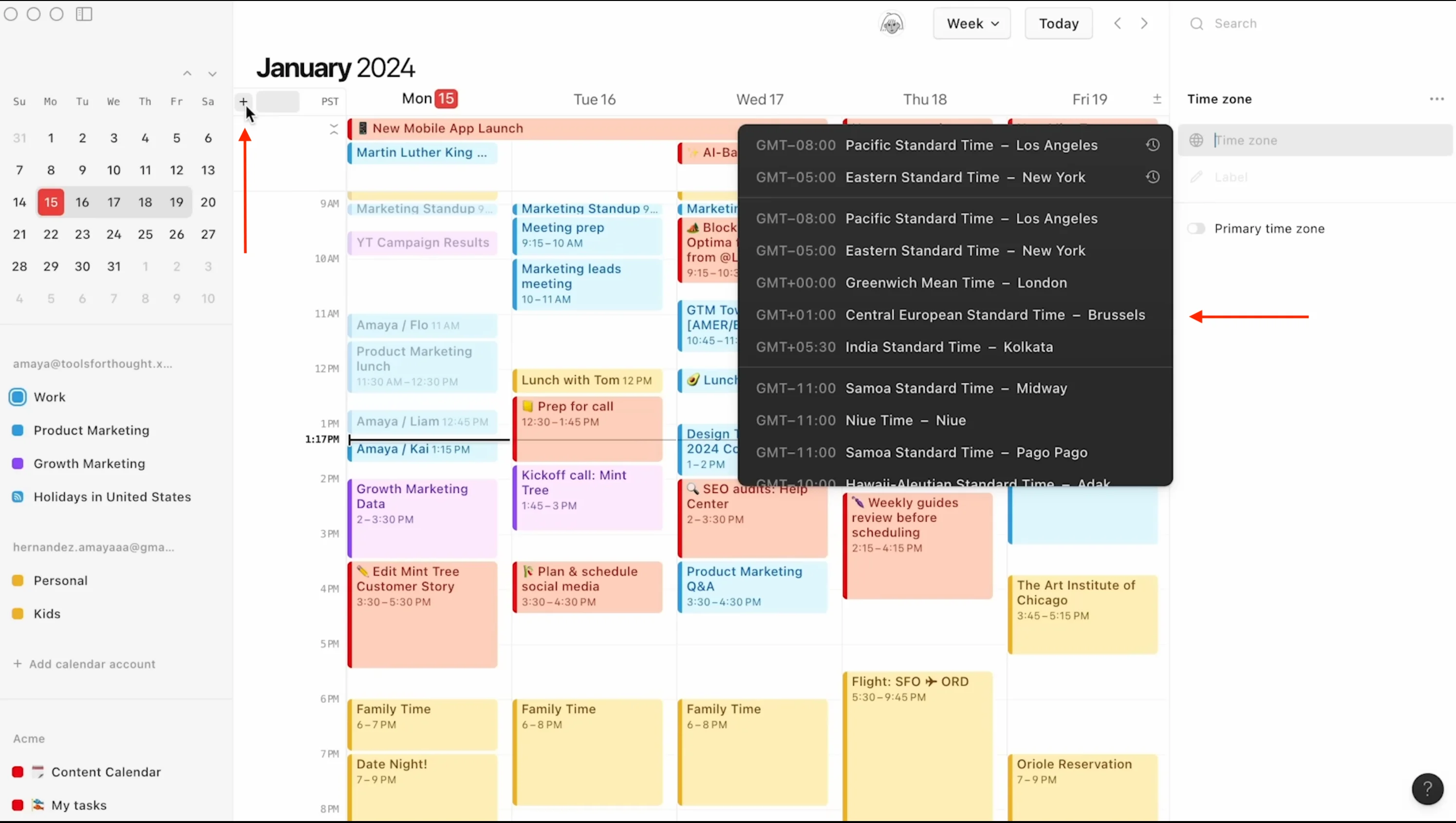
Image source: notion.com
Key features:
- Calendar integrated with databases
- Custom templates for recurring blocks
- Task and note linking
- Filters, tags, and custom views
- Fully flexible for different workflows
Pros:
- Highly customizable
- Ideal for creative and team planning
- Combines tasks, notes, and blocks seamlessly
- Free version available
Cons:
- Manual setup needed
- No AI or automation features
Best for: Notion users who want to add flexible, visual time blocking.
Pricing:
- Free version available
- Paid plans start at $10/user/month
10. Planyway: Time blocking extension for Trello users
Planyway enhances Trello by turning cards into visual time blocks on a shared timeline. It's ideal for teams already using Trello who need calendar-style visibility for their projects. The tool simplifies task scheduling, workload planning, and deadline tracking. A natural fit for collaborative, project-driven environments.
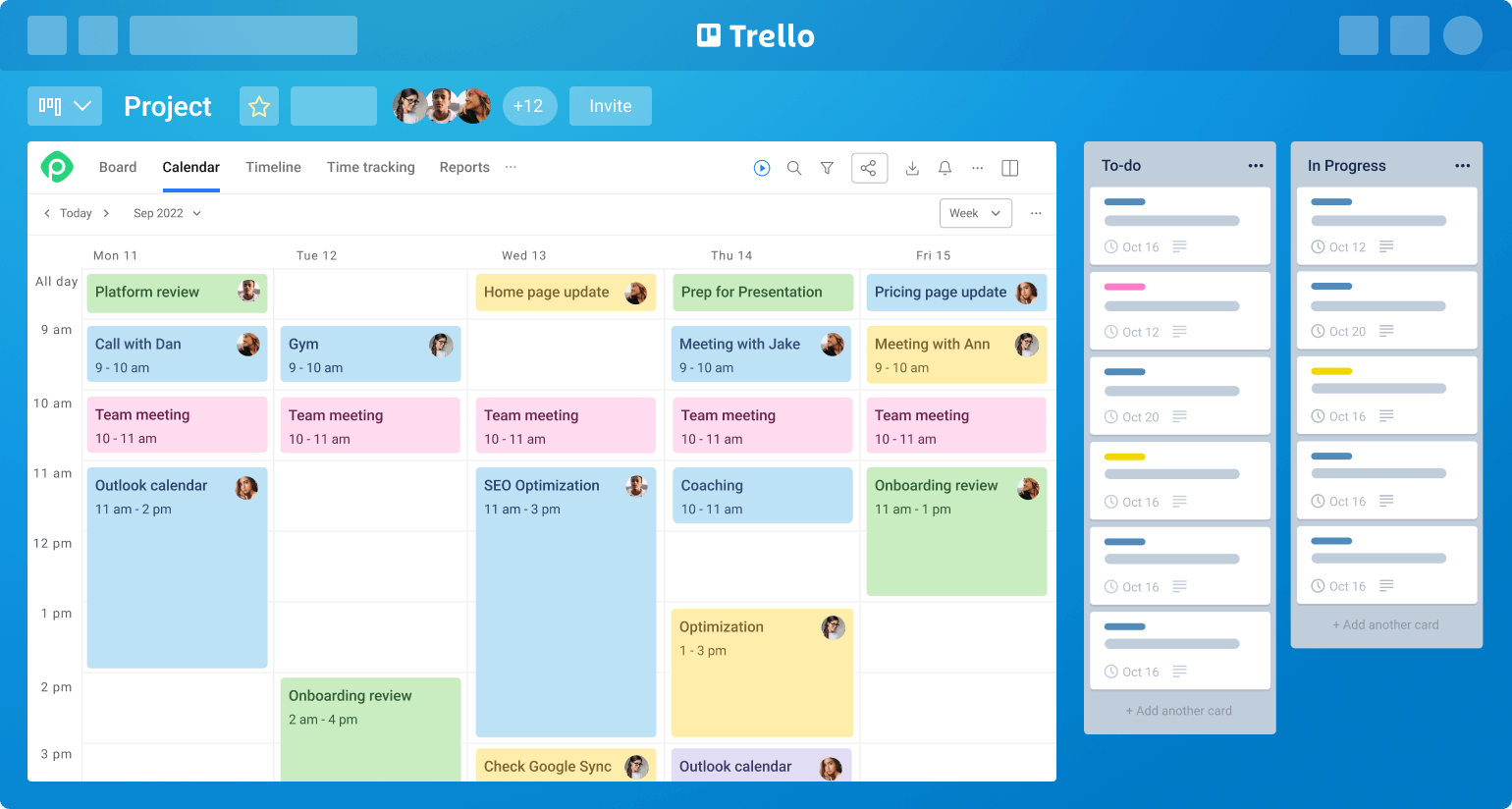
Image source: planyway.com
Key features:
- Calendar and timeline views for Trello cards
- Workload and resource management
- Task dependencies and milestones
- Sync with Google and Outlook calendars
- Multi-board overview for complex projects
Pros:
- Integrates seamlessly with Trello
- Easy to visualize project timelines
- Intuitive for team collaboration
- Affordable pricing
Cons:
- Limited functionality outside Trello
- Advanced tools require paid plan
Best for: Trello-based teams needing visual scheduling and time management.
Pricing:
- Free plan available
- Paid plans start at $5/user/month
How to choose the right time blocking app
Selecting the best time blocking app depends on how you work, the tools you already use, and whether you're an individual or part of a team. The right platform should make scheduling seamless, not stressful. Here's how to narrow it down effectively:
- Define your workflow: Start by identifying what you actually need to manage—are you organizing personal tasks or coordinating team schedules? Solo professionals might prefer simpler tools like Todoist or Sunsama, which focus on personal planning and reflection. On the other hand, teams handling shared calendars and projects benefit from collaborative options like Lark, Toggl Plan, or Planyway, which allow real-time visibility and workload balancing.
- Check compatibility: Collaboration is key. Make sure your chosen app syncs smoothly with your existing tools—especially Google Calendar, Outlook, or your preferred task manager. Apps like Reclaim.ai and Motion connect directly to major calendars, while Akiflow unifies multiple platforms in one dashboard. Compatibility ensures that time blocking fits naturally into your existing workflow without duplicate data entry or missed updates.
- Consider AI vs. manual options: Ask yourself how much control you want over your schedule. AI-powered apps such as Motion and Reclaim.ai automatically arrange and adjust your tasks, ideal for those who want a "set it and forget it" experience. Manual tools like Notion Calendar or Toggl Plan give you total control, allowing you to design your schedule exactly as you like. Your comfort with automation versus customization should guide your choice.
- Evaluate cost: Free versions are often great starting points, but paid plans can unlock advanced capabilities like analytics, automation, and integrations. Lark's free plan, for example, offers rich collaboration tools for small teams, while premium tiers expand storage and meeting capacity. Before upgrading, evaluate whether premium features truly improve your workflow or just add unnecessary complexity.
- Prioritize collaboration: For teams, shared visibility is everything. Choose a time blocking app that allows multiple users to view, edit, and coordinate schedules in real time. Tools like Lark and Reclaim.ai make it easy to see when teammates are in focus mode, reducing interruptions and improving communication. If your team works visually, Toggl Plan or Planyway can help map workloads across projects and prevent scheduling overlaps.
- Assess usability and learning curve: A great app should fit your habits, not force you to adapt to it. Look for an interface that feels intuitive and offers onboarding support. Sunsama and Akiflow, for instance, provide guided daily planning flows, helping new users develop consistency.
- Plan for scalability: Finally, think ahead. As your needs evolve—whether you add more team members, clients, or projects—your app should scale with you. Choose platforms that offer flexible pricing, robust collaboration, and advanced features you can grow into rather than out of.
By carefully weighing these factors, you'll find a time blocking app that not only fits your workflow but also supports sustainable productivity helping you plan smarter, focus deeper, and achieve more with less stress.
Tips for effective time blocking
Time blocking isn't just about scheduling tasks—it's about managing your focus, energy, and priorities throughout the day. When done right, it can transform how you approach work by reducing stress and improving consistency. Follow these practical tips to make your time blocking strategy more effective and sustainable.
- Start small block 2–3 essential tasks per day before scaling up: Begin by scheduling only your most important tasks to avoid overloading your day. This helps you build discipline and understand how much focused time you truly need. As you get comfortable, gradually expand your schedule to include more activities.
- Use color codes to differentiate deep work, meetings, and personal time: Assign colors to each type of activity to create a visual balance in your day. This helps you instantly recognize where your time goes and whether it aligns with your priorities. Most time blocking apps allow you to personalize color schemes for easy tracking.
- Add buffer zones to prevent scheduling fatigue: Avoid stacking back-to-back meetings or focus blocks. Insert short breaks between tasks to reset your energy and allow for flexibility if something runs over time. Buffer zones help you maintain mental clarity and avoid burnout.
- Review weekly adjust underused or overbooked slots: Take time every week to reflect on your schedule's performance. Identify which time blocks worked best and which need adjustment. Regular reviews keep your calendar realistic, efficient, and aligned with changing goals.
- Combine with daily goals and review sheets for reflection: Pair your time blocking routine with brief daily planning and end-of-day reflections. Setting clear goals and assessing outcomes helps reinforce accountability. Over time, this habit sharpens focus and boosts productivity.
- Protect your focus blocks: Treat your scheduled focus periods as non-negotiable appointments. Silence notifications, communicate your availability to your team, and stay committed to the task at hand. Consistent focus time leads to higher-quality work and fewer distractions.
- Be flexible and realistic: Even the best schedules will change—adapt gracefully. If a block gets interrupted, move it instead of abandoning it entirely. Flexibility ensures your time blocking practice remains effective, not stressful.
- Reward consistency, not perfection: Success with time blocking comes from building habits, not creating flawless schedules. Celebrate consistent effort and gradual improvement. Over time, this mindset turns time blocking into a natural part of your productivity routine.
Conclusion
Time blocking is more than just a productivity trend—it's a structured approach to managing time with clarity and purpose. By dedicating focused blocks to meaningful work, you gain control over your schedule, reduce stress, and maintain balance throughout your day. Whether you prefer manual tools like Todoist or visual planners like Toggl Plan, or lean toward intelligent automation with Motion or Reclaim.ai, the right app can make a major difference in how efficiently you work.
The key is consistency—review, adjust, and protect your time blocks as part of your routine. Over time, this method helps you align daily actions with long-term goals, creating lasting productivity without burnout. Start small, stay flexible, and let time blocking guide you toward smarter, calmer, and more intentional workdays.
FAQs
What is the difference between time blocking and time boxing?
Time blocking involves reserving specific periods in your schedule for certain tasks or types of work. Time boxing, on the other hand, limits how long you'll spend on a task, regardless of completion. Both improve focus, but time blocking apps are better for structured planning, while time boxing is ideal for boosting efficiency and managing perfectionism.
Which free time blocking apps are best for beginners?
Beginners can start with free time blocking apps like Lark, Todoist, or Clockify, which offer simple interfaces and essential scheduling tools. These apps help users plan daily tasks, visualize time, and track progress without feeling overwhelmed. They're great for learning the basics of time management before moving to advanced automation tools.
Can I use time blocking for team projects?
Yes, time blocking apps for teams like Lark, Toggl Plan, and Planyway are excellent for managing shared schedules. They let you assign tasks, coordinate deadlines, and maintain visibility across projects. This ensures everyone stays aligned, reduces meeting overload, and improves overall team productivity.
Are AI time blocking apps worth it?
Yes, AI time blocking apps such as Motion and Reclaim.ai are valuable for professionals with dynamic schedules. They automatically reschedule meetings, prioritize tasks, and protect focus time without manual planning. While they cost more than manual tools, the time saved and improved focus often justify the investment.
How long does it take to see results from time blocking?
Most users notice improvements in focus and productivity within one to two weeks of consistent time blocking. As you refine your schedule and stick to dedicated blocks, the benefits compound over time. The best time blocking apps make this process easier through reminders, analytics, and adaptive scheduling.
Related reading
Table of contents
Start using Lark today

Manage all your work in one place
Boost team efficiency by 10x
Save up to 70% on software costs
Table of contents
Start using Lark today
Manage all your work in one place
Boost team efficiency by 10x
Save up to 70% on software costs
Keep reading







2026 Lark Technologies Pte. Ltd.
Headquartered in Singapore with offices worldwide.






Explore: