














7 Best Workflow Management Apps for Teams and Businesses

Ryan Tanner
Product Marketing Specialist
Sep 18, 2026
Ryan Tanner
Sep 18, 2026

16 min read


Today teams need more than just chat or task lists—they need a workflow management app that connects processes, automates repetitive work, and keeps everyone aligned. These tools eliminate bottlenecks, reduce manual errors, and give managers real-time visibility into projects.
From popular solutions like Asana, ClickUp, Trello, Wrike, and Lark, to specialized platforms for small businesses, choosing the right workflow management platform can make a big difference. In this guide, we’ll break down what workflow apps are, explore their benefits, types, and core features, and compare the seven best workflow management systems for modern teams:
- Lark: Collaborative workflow automation
- ClickUp: Highly customizable workflows
- Asana: Task-focused workflow tracking
- Monday: Visual dashboards for teams
- Trello: Simple Kanban workflows
- Wrike: Robust enterprise workflow app
- Zoho Projects: Ecosystem for small businesses

What is a workflow management app?
A workflow management app is a digital tool that helps teams design, track, and automate business processes from start to finish. Its main purpose is to improve efficiency by eliminating repetitive manual tasks, ensuring accountability, and enabling collaboration across departments. Centralizing communication and documentation, it reduces errors and provides real-time visibility into ongoing work.
Unlike traditional project management workflow software, which focuses on tasks, timelines, and deliverables, workflow apps go further by managing approvals, document routing, and cross-team processes. This makes them essential for both small businesses and enterprises looking to scale operations smoothly.
Types of workflow management systems
Different businesses require different types of workflow management systems depending on their processes and priorities. Here are four common categories that teams use to structure and optimize work.
- Human-centric workflows (approvals, HR, content reviews)
These workflows are built around people-driven tasks such as employee onboarding, leave approvals, or content publishing reviews. Each step depends on a person’s input or sign-off. For example, an HR team may use a workflow tool to ensure new hires complete all paperwork before moving to training.
- Integration-centric workflows (connect apps like CRM, Slack, email)
Integration-centric workflows focus on connecting multiple apps so data flows automatically. For instance, when a lead is created in a CRM, the system can trigger an email in Outlook and a Slack notification. This reduces duplicate work and ensures real-time updates across tools.
- Document-centric workflows (contract approvals, finance docs)
Document-centric workflows ensure that files like contracts, invoices, or expense reports move smoothly between departments. A finance team, for example, can route an expense claim from an employee to a manager, then to accounting for final approval—all tracked in one workflow system.
- Project-centric workflows (sprints, agile boards)
These workflows center around projects and tasks, often managed with agile or Kanban boards. Development teams commonly use them to plan sprints, assign tasks, and monitor progress. They help ensure projects move forward in stages with clear ownership and visibility.
Case studies/scenarios
Real-world examples show how different organizations use a workflow management system to improve efficiency and collaboration.
HR (Small business streamlining HR approvals with Lark)
A fast-growing startup with 25 employees relied on email chains and spreadsheets for leave requests, onboarding, and expense approvals. This caused delays, duplicate records, and confusion. By adopting Lark, the HR team created automated approval flows inside the platform—such as routing leave requests directly to managers and notifying payroll automatically once approved. New employee onboarding was mapped in Lark Base, while documents like contracts were stored in Lark Docs & Lark Wiki. This cut HR processing time by 40% and gave both employees and managers real-time visibility into approval status.
Marketing (Automating client approvals with ClickUp)
A creative agency managing multiple campaigns often loses track of client revisions sent via email. With ClickUp, the team built a client approval workflow where each design draft automatically moved from "Review" to "Approved" once feedback was logged. Custom dashboards let account managers see bottlenecks, and clients access shared boards to track progress: this streamlined handoffs, reduced revision cycles, and improved client satisfaction.
Enterprise IT (Scaling global workflows with Wrike)
A multinational enterprise with offices across North America, Europe, and Asia faced challenges coordinating product launch workflows. By implementing Wrike, they standardized templates for launches, aligned regional teams with Gantt charts, and used role-based permissions to ensure secure collaboration. Executives viewed consolidated dashboards to monitor global progress, while teams handled local tasks without losing visibility. This standardization allowed them to cut launch delays by nearly two weeks per region.
Core features to look for in workflow apps
When evaluating a workflow management app, it's essential to focus on features that save time, reduce errors, and support secure collaboration. The right mix ensures teams can scale processes without friction.
- Automation rules & triggers: Automation lets repetitive steps run on autopilot—such as sending reminders, routing approvals, or updating task statuses. For example, a marketing workflow can automatically move content to the “Review” stage once a draft is submitted.
- Role-based permissions & security: Permissions ensure the right people see the correct data. In finance workflows, managers can approve budgets while staff only submit requests, keeping sensitive data secure and audit-ready.
- Mobile accessibility (apps on iOS/Android): Modern teams work on the go, so mobile-friendly workflows are essential. Employees can approve HR requests, update project tasks, or check progress from anywhere, ensuring no delays when away from a desk.
- Integration with Slack, Google Workspace, Microsoft 365: Workflows often touch multiple systems. A request logged in Google Forms can trigger a task in the workflow app and send a Slack notification, ensuring connected processes across platforms.
- Analytics & reporting dashboards: Dashboards track process performance and bottlenecks, offering managers insights into efficiency. For example, an HR team can quickly spot delays in onboarding approvals and adjust staffing or resources.
Comparison table of top workflow management apps
7 Best workflow management apps to try
1. Lark: Collaborative workflow automation
Lark is an all-in-one workflow management app that combines chat, tasks, documents, and automation in one workspace. Designed for modern teams, it eliminates the need to switch between multiple tools. With built-in bots, approvals, and real-time collaboration features, it ensures processes run smoothly from start to finish. Lark adapts easily to small teams or enterprises, making it flexible and scalable. For businesses looking to centralize their workflow, Lark provides a streamlined approach that boosts productivity.
Key features
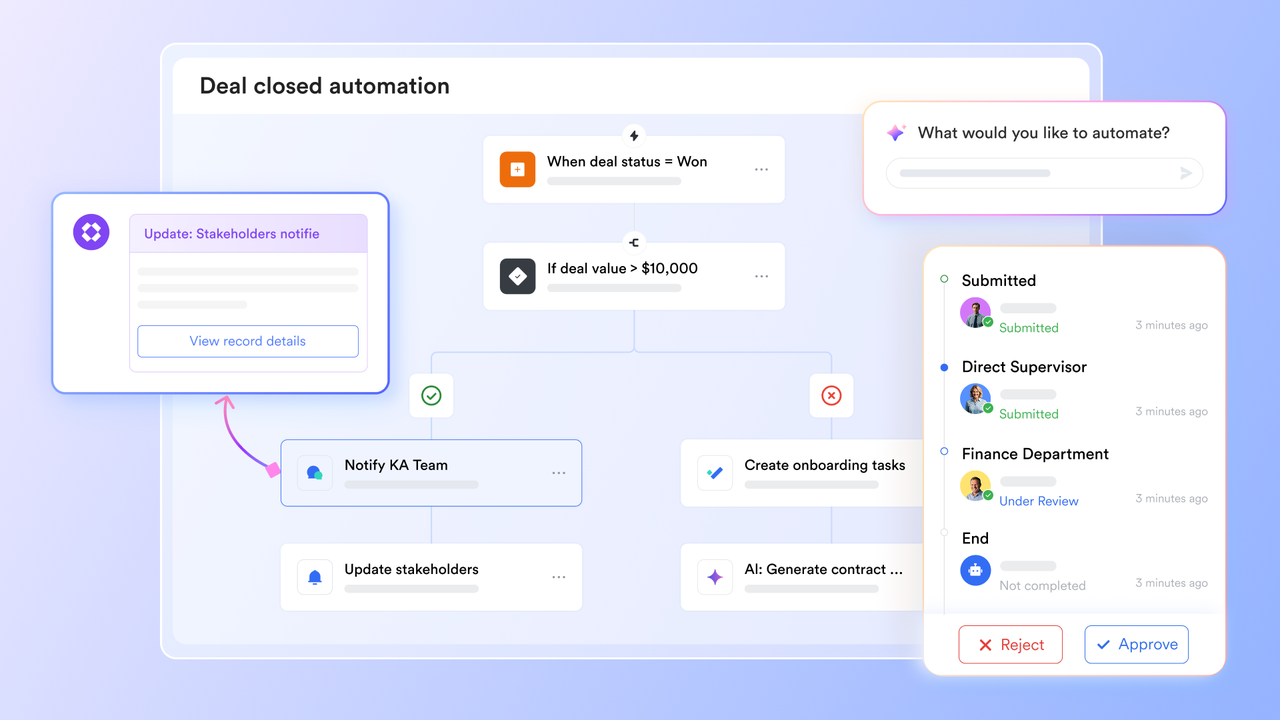
- Process automation and orchestration: Instead of just automating repetitive tasks, Lark helps you orchestrate entire processes from start to finish. Using Lark Base automations and bots, teams can design workflows that route approvals, trigger notifications, and create follow-up tasks based on rules. For example, when a new vendor request is submitted, the workflow can automatically send it for manager approval, create a task for procurement, and notify finance in Lark Messenger. This ensures complex processes move forward without delays or manual intervention.
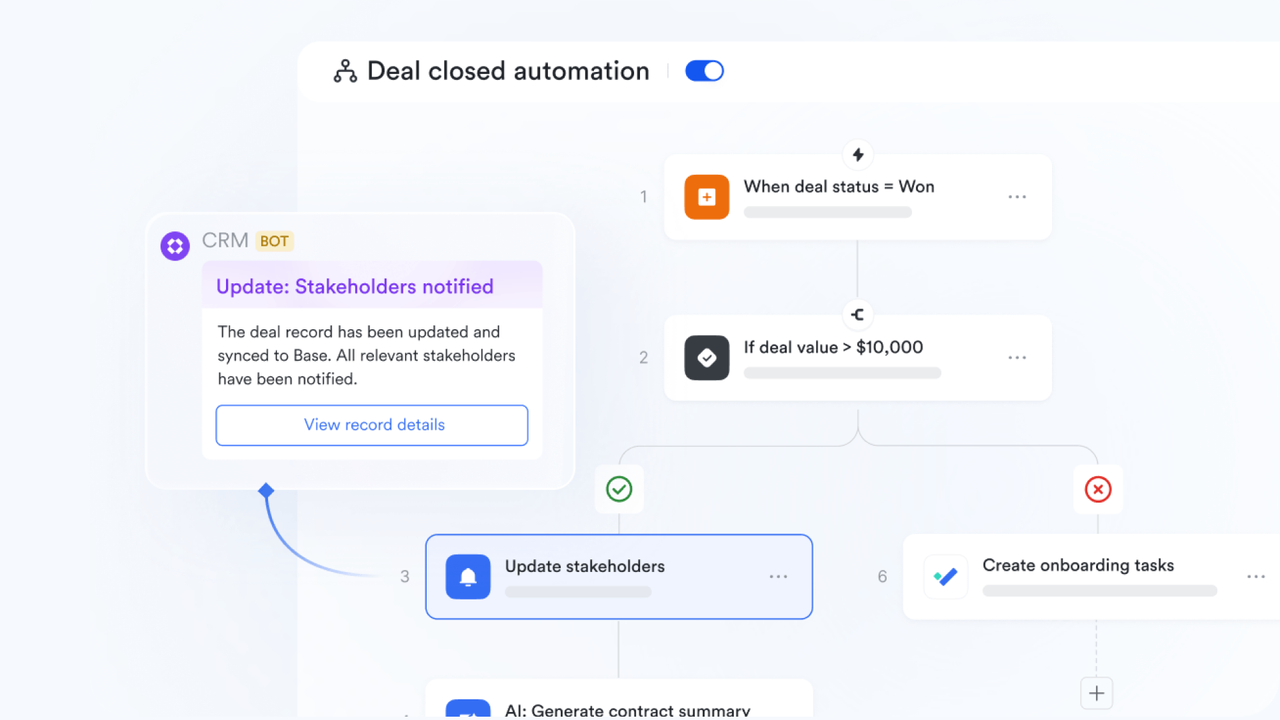
- Customizable workflows: Every department works differently, and Lark makes it easy to adapt. Teams can build modular templates in Lark Base, configure fields, stages, and dependencies, and reuse them across projects. A marketing team might set up a campaign workflow with “Draft → Review → Client Approval → Launch,” while HR creates an onboarding template with tasks for IT, payroll, and training. By tailoring workflows to each team, Lark ensures processes are both consistent and flexible.
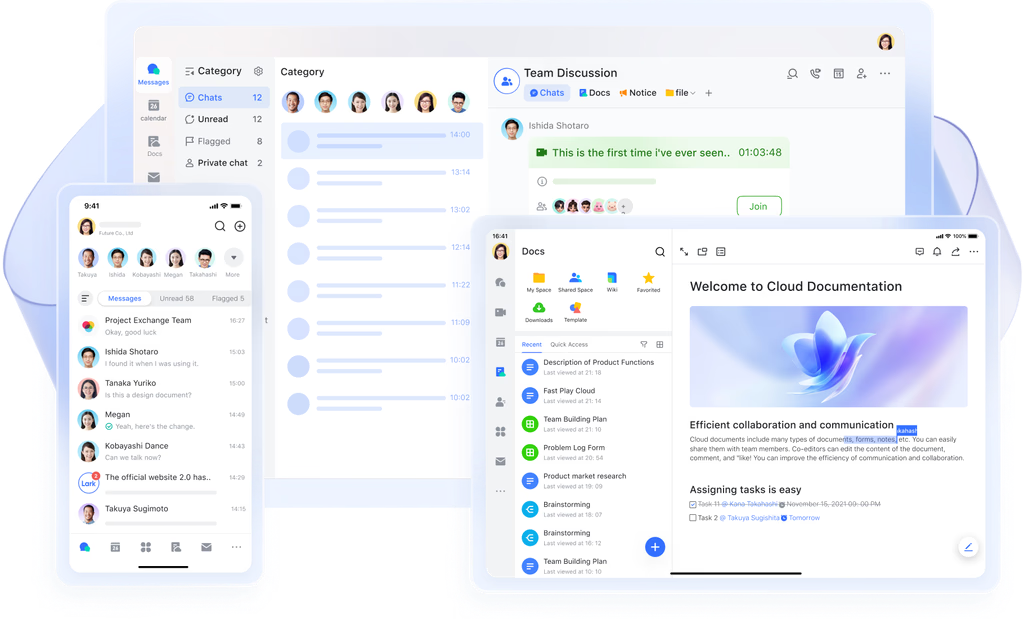
- Cross-platform access: With synchronized apps on desktop, web, and mobile, Lark allows work to flow seamlessly across devices. A manager traveling for business can approve expense requests on their phone, while a project lead updates Gantt views in Base from a laptop. Offline editing in Lark Docs and Lark Sheets ensures critical updates can still be made without connectivity, syncing automatically once online. This keeps work moving regardless of location or device.
- Scalability: Lark grows with your business. Startups can begin with the free plan to manage simple approval flows, while enterprises can take advantage of advanced admin controls, permissions, and automation quotas. For instance, a small team may automate basic leave requests, while a global enterprise uses multi-step workflows for procurement, with region-specific approvals and enterprise-level compliance. This scalability makes Lark equally valuable for small businesses and large organizations.
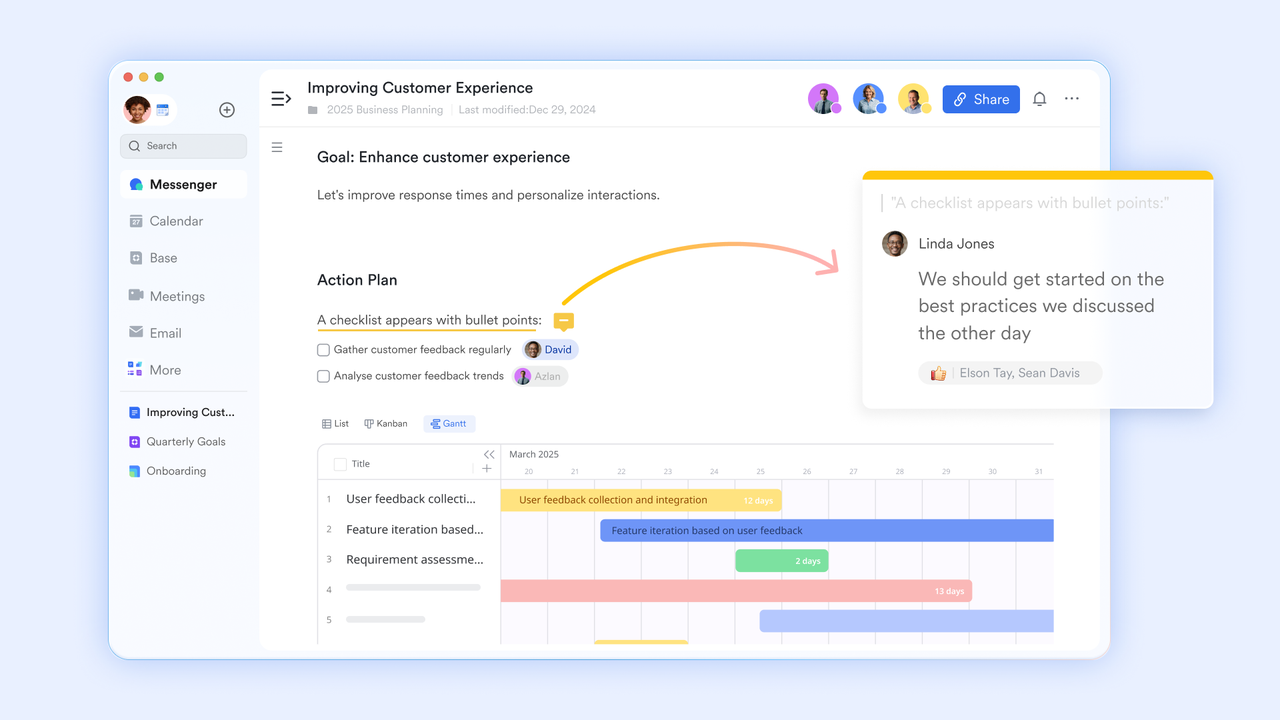
- Real-time collaboration: Collaboration is at the heart of Lark. Teams can co-edit Docs, leave comments, and assign tasks within the same workspace. tie directly to workflow items, ensuring discussions are always linked to context. During a product sprint, for example, developers can update backlog tasks in Base, discuss blockers in Messenger, and adjust deadlines in Lark Calendar—without losing track of the bigger picture. This tight unity keeps teams aligned and decisions documented in real time.
Pros
- All-in-one: reduces app switching and centralizes execution.
- Automation cuts manual handoffs and lowers error rates.
- Real-time collaboration keeps context with the work item.
- Scales from startups to enterprise workflows.
Cons
- Initial setup and governance require planning (templates, permissions).
- Starter plan: Free forever plan that includes 11 powerful tools for up to 20 users. It also comes with 100GB of storage, 1000 automation runs, AI translations, and more.
- Pro plan: $12/user/month (billed annually) for up to 500 users. It includes everything in Starter plus group calling for up to 500 attendees, 15TB of storage, 50,000 automation runs, and more.
- Enterprise plan: Contact sales for custom pricing. Supports unlimited users and includes even more automation runs and advanced security, compliance, and management features.
2. ClickUp: Highly customizable workflows
ClickUp is widely recognized as a powerful workflow management platform that allows teams to design processes exactly the way they work. From Kanban boards to Gantt charts, ClickUp offers an extensive set of views and automation options. Its flexibility makes it suitable for cross-functional teams managing complex projects. Businesses can easily tailor workflows for marketing, development, or operations. With advanced customization, ClickUp has become a go-to solution for teams that want total control over their processes.
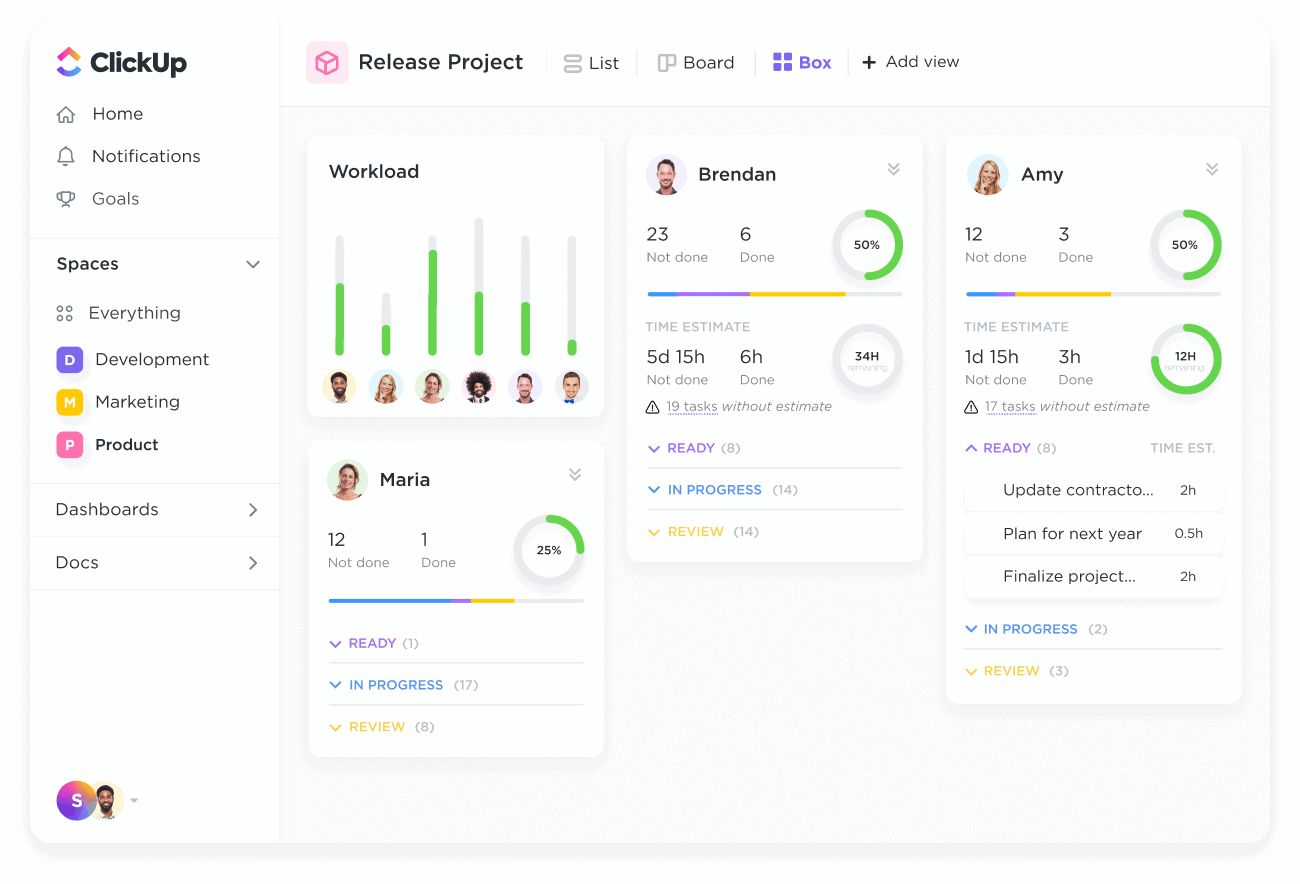
Image source: clickup.com
Features
- Custom fields and views (list, board, Gantt)
- Workflow automation / “if this then that” triggers
- Templates library for workflows and projects
- Permissions and guest access control
- Integrations with other tools (GitHub, Slack, etc.)
Pros
- Extremely flexible and customizable
- Strong template library to accelerate setup
- Rich automation capability
- Active app ecosystem and integrations
Cons
- Complexity can overwhelm new users
- Some advanced features only in higher tiers
Pricing
- Free Forever: $0 (limited features)
- Unlimited: ~$10/user/month (monthly billing)
- Business and Enterprise: custom / higher tiers
3. Asana: Task-focused workflow tracking
Asana is a leading project management workflow software designed to help teams break down large projects into smaller, actionable steps. It supports visual timelines, task dependencies, and workload management, making it easier to keep projects on track. Asana’s clean interface and strong collaboration tools make it popular among startups and enterprises alike. It’s especially valuable for teams managing multi-stage campaigns or product launches. With built-in reporting, managers gain full visibility into progress and deadlines.
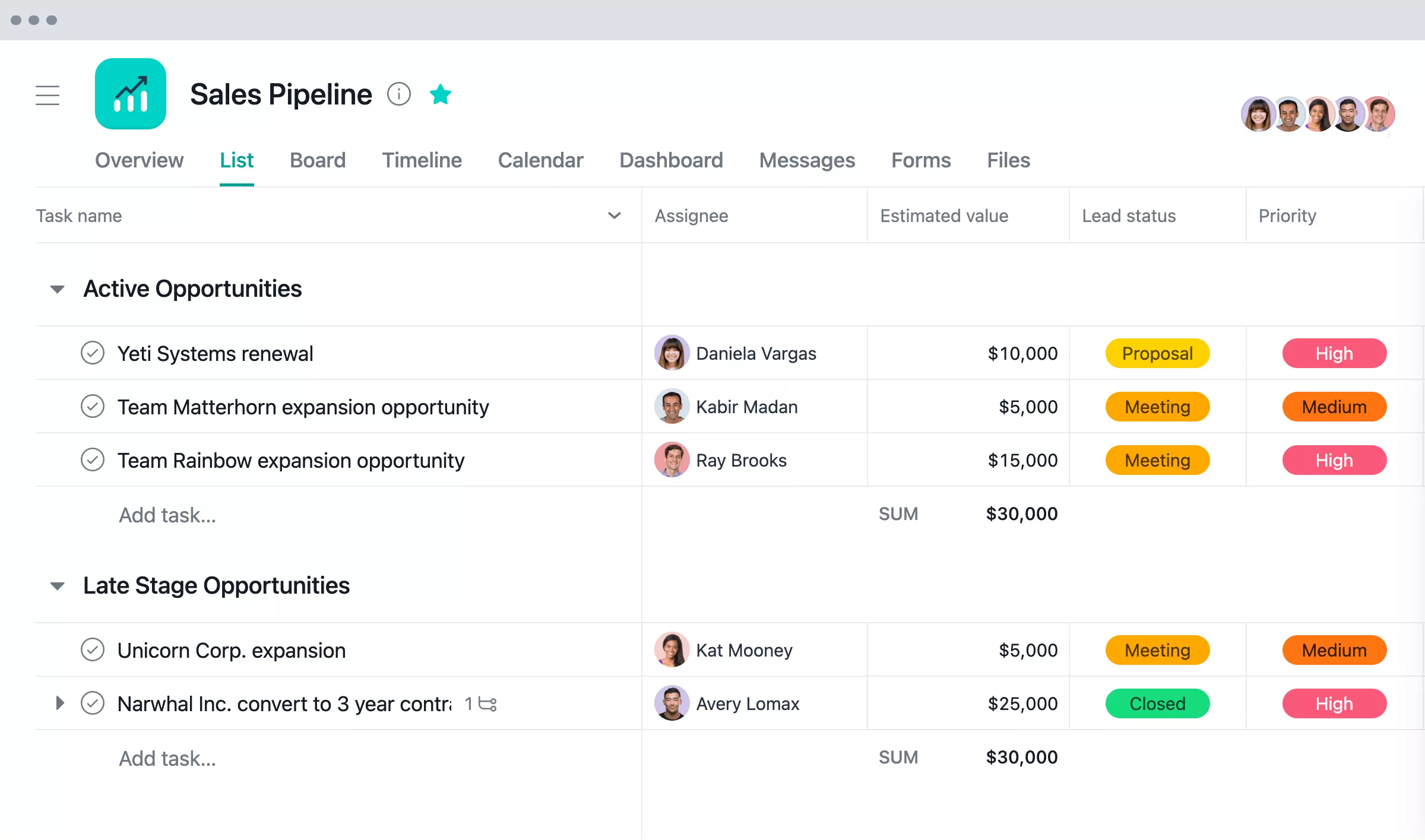
Image source: asana.com
Features
- Task dependencies and scheduling
- Multiple views: list, board, timeline
- Workflow builder and automation rules
- Reporting dashboards and goal tracking
- Guest and collaborator permissions
Pros
- Intuitive UI and ease of onboarding
- Good task-level visibility and dependencies
- Strong portfolio and goal-tracking support
- Good integration ecosystem
Cons
- Automation limits or costs at lower tiers
- May lack deep process automation features compared to specialized tools
Pricing
- Starter: $10.99/user/month (billed annually)
- Advanced: $24.99/user/month (annually)
- Enterprise / custom: contact sales
4. Monday: Visual dashboards for teams
Monday positions itself as a simple workflow tool with highly visual dashboards that make project tracking engaging. Its colorful boards help teams easily understand priorities, progress, and ownership at a glance. From task assignments to automation rules, Monday keeps workflows simple yet effective. It’s particularly popular with creative teams and SMEs that value visual clarity. By focusing on ease of use, Monday ensures workflows stay organized without overwhelming complexity.
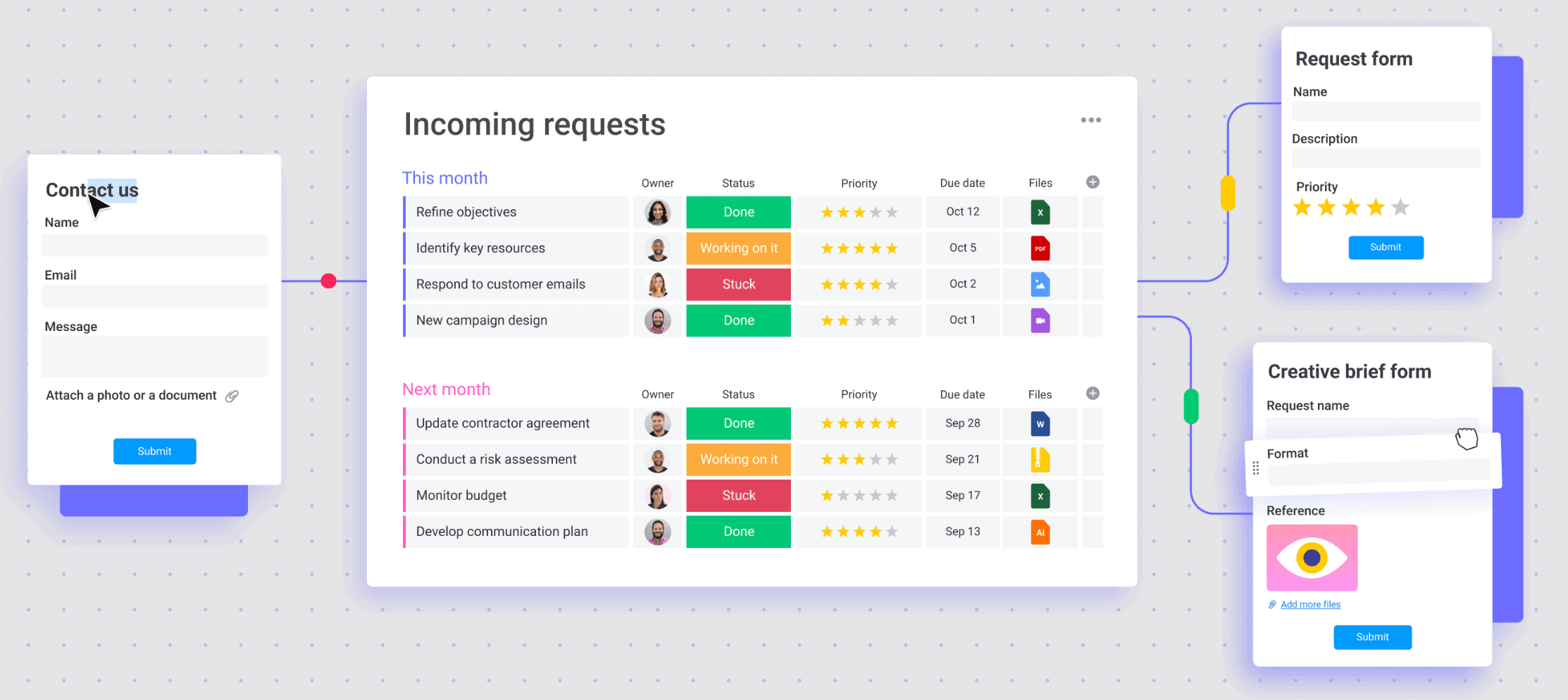
Image source: monday.com
Features
- Dashboards combining multiple boards/projects
- Board views: Kanban, timeline, calendar
- Automation recipes (if/then triggers)
- Integrations with apps (Slack, Google, etc.)
- Role-based permissions and guest access
Pros
- Highly visual and intuitive for team use
- Good customization of dashboards and views
- Solid automation support
- Scales reasonably for growing teams
Cons
- Pricing can escalate with more users/features
- Advanced features locked in higher tiers
Pricing
- Basic plans starting around $9/user/month
- Standard, Pro, Enterprise with more features and automations
5. Trello: Simple Kanban workflows
Trello is one of the most popular team workflow software options, built around an intuitive Kanban board system. Teams can organize tasks into lists and cards, move them across stages, and add comments or attachments. Trello’s simplicity makes it a favorite for startups, freelancers, and small teams managing straightforward processes. With Power-Ups, users can extend functionality to add automation, reporting, or integrations. It’s ideal for teams looking for lightweight, visual task and workflow tracking.
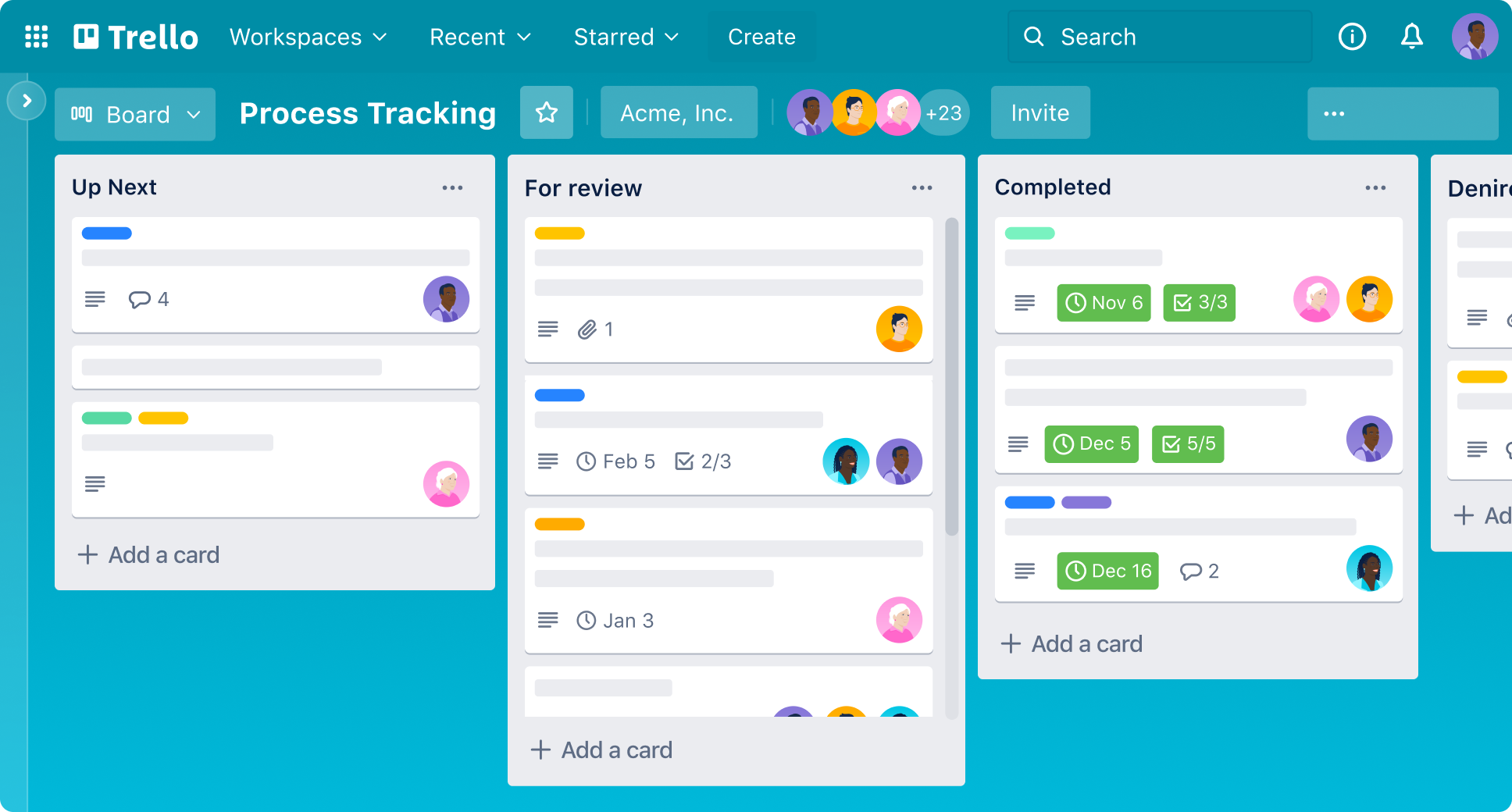
Image source: trello.com
Features
- Boards, lists, and cards for Kanban-style tracking
- Drag-and-drop task movement
- Power-Ups (integrations, add-ons)
- Automation via “Butler” rules
- Template / board duplication support
Pros
- Very easy to use and familiar interface
- Quick setup, minimal training required
- Flexible for small teams or simple workflows
- Add-ons enable more advanced functionality
Cons
- Limited in built-in reporting or analytics
- Complex workflows may require multiple Power-Ups (added cost)
Pricing
- Free tier with basic functionality
- Standard / Premium / Enterprise tiers with more features (e.g. ~$5, ~$10, ~$17.50 per user)
6. Wrike: Robust enterprise workflow app
Wrike is designed as an enterprise workflow tool for large organizations managing complex, cross-departmental processes. It offers advanced features like Gantt charts, analytics, and workflow automation tailored for scalability. Security and compliance options also make it attractive for regulated industries. Wrike is highly customizable, allowing enterprises to map workflows across global teams. Its strength lies in giving leaders full visibility while still empowering individual contributors to execute efficiently.
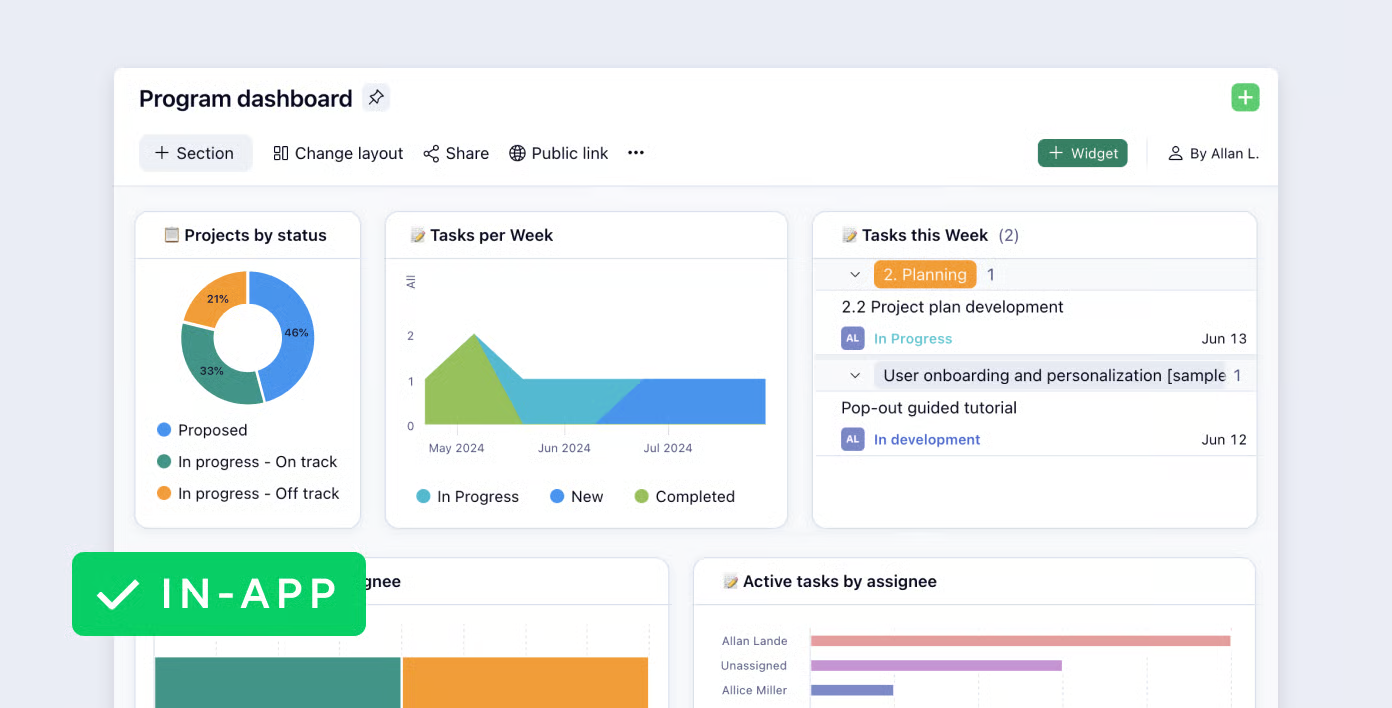
Image source: wrike.com
Features
- Gantt charts and dynamic timelines
- Request forms and intake workflows
- Automation and rule-based tasks
- Reporting dashboards and KPI views
- Cross-project resource management
Pros
- Powerful for complex enterprise workflows
- Strong feature set including reporting and automation
- Well-suited for cross-team coordination
- Good security and compliance capabilities
Cons
- Steeper learning curve
- Higher cost for full-featured plans
Pricing
- Free: $0/user (basic features)
- Team: ~$10/user/month
- Business and higher tiers: contact sales / under “Business” plan
7. Zoho Projects: Ecosystem for small businesses
Zoho Projects is a cost-effective workflow management system for small business, offering everything from task tracking to reporting within Zoho’s broader ecosystem. Integrated with Zoho CRM, Books, and other apps, it’s especially attractive for SMEs seeking an end-to-end solution. The platform supports timesheets, automation, and project tracking at an affordable price point. For small businesses managing HR, finance, and projects together, Zoho Projects offers a connected and efficient system. Its affordability and ecosystem make it a practical choice for growing companies.
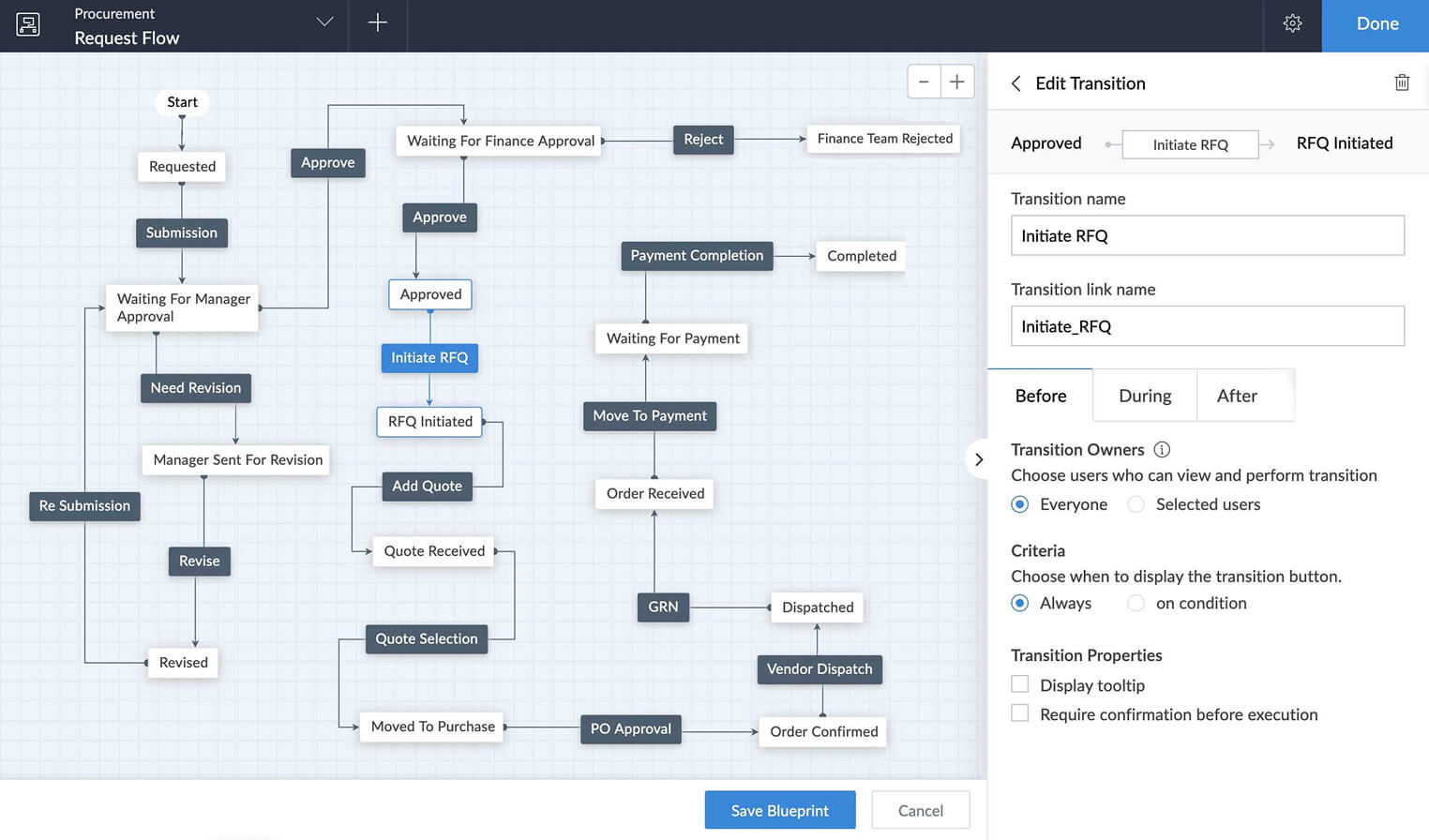
Image source: zoho.com
Features
- Task and milestone management
- Project Gantt charts and timelines
- Blueprint automation / workflow rules
- Time tracking and timesheet approval
- Integration with Zoho apps (CRM, Invoice, Books)
Pros
- Strong value and pricing for small teams
- Tight integration with Zoho’s other business tools
- Flexible automation with blueprints
- Good for end-to-end project and workflow management
Cons
- Setup and configuration may take time
- The search or cross-project reporting may be less powerful than top-tier tools
Pricing
- Free plan: up to 3 users & 3 projects
- Premium: ~$4/user/month (billed annually)
- Enterprise: ~$9/user/month with advanced features
Challenges businesses face without workflow software
Without a proper workflow management app, teams often rely on disconnected tools like email, spreadsheets, or chat-only platforms. This leads to inefficiencies, reduced accountability, and slower decision-making. Here are some common challenges businesses encounter:
- Miscommunication between teams: When conversations are scattered across emails and messaging apps, important updates often get lost. For example, a marketing team may finalize a campaign design, but the sales team isn’t informed on time, causing delays in client delivery.
- Missed deadlines & poor accountability: Without clear task ownership and automatic reminders, deadlines slip easily. Teams struggle to know who is responsible for what, leading to finger-pointing and reduced trust across departments.
- Repetitive manual work: In the absence of automation, employees spend hours on repetitive tasks like routing approvals, updating spreadsheets, or sending status emails. This not only slows down progress but also increases the risk of human error.
- Lack of real-time progress tracking: Managers without a centralized workflow system often have no visibility into project status. They rely on outdated reports, making it harder to spot bottlenecks or reallocate resources before it’s too late.
Best Practices for workflow implementation
- Start simple, scale gradually: Begin with one or two workflows—like leave approvals or expense requests—before rolling out complex, cross-department processes. This helps teams build confidence and reduces resistance to change.
- Involve team members in setup: Engage the people who will actually use the workflow system during design. Their feedback ensures that steps reflect real needs and prevents unnecessary bottlenecks.
- Automate repetitive approvals first: Target high-volume, repetitive tasks—such as timesheet approvals or purchase requests—for automation. Quick wins show immediate value and free up time for more strategic work.
- Train staff for adoption: Provide training sessions, short guides, or demo workflows to help employees adapt. Adoption rises when staff see how the tool makes their daily work easier.
- Track ROI regularly: Monitor performance through dashboards and reports—look for reduced turnaround times, fewer errors, or higher employee satisfaction. This data proves the value of the workflow system and guides future improvements.
Conclusion
In this guide, we explored what a workflow management app is, the different types of workflow systems, and the common challenges teams face without them. We also looked at the core features to prioritize, real-world case studies, and best practices for successful adoption. Finally, we compared some of the best workflow apps available today, from lightweight tools for small businesses to robust enterprise platforms. Among these, Lark stands out as the all-in-one solution that unifies chat, tasks, Docs, automation, and approvals into a single workspace. By combining flexibility with scalability, Lark makes it easier for teams to design, manage, and optimize workflows—no matter their size or industry.
FAQs
Can I use workflow apps offline?
Some workflow tools offer limited offline capabilities, mainly for documents or notes, while approvals and automations usually need connectivity. Lark Docs and Sheets support offline editing, so teams can keep working and sync updates once online, reducing downtime.
Do these apps integrate with Google Workspace or Microsoft 365?
Most leading workflow apps connect with productivity suites to centralize work. Lark simplifies this by bringing chat, tasks, calendar, and docs into one platform, minimizing the need for constant switching between external apps.
For more Google Workspace's information, you can refer to Google Workspace Pricing and Google Workspace alternatives.
Are free workflow apps enough for small businesses?
Free versions often provide the basics but lack advanced automation or admin controls. Lark’s free plan includes workflow automation, Docs, Sheets, and task management for up to 20 users, making it ideal for small teams to get started.
How secure is data stored in workflow apps?
Security varies by provider, but top platforms use encryption and role-based permissions. Lark offers enterprise-grade security and access controls, ensuring sensitive workflows like HR or finance approvals are protected at every stage.
Can workflow apps replace project management software entirely?
Some workflow apps only handle approvals, while others support full project execution. Lark combines workflow automation with project management views like Kanban, Gantt, and tasks, making it suitable as both a workflow and project management platform.
Related reading
Table of contents
Start using Lark today

Manage all your work in one place
Boost team efficiency by 10x
Save up to 70% on software costs
Table of contents
Start using Lark today
Manage all your work in one place
Boost team efficiency by 10x
Save up to 70% on software costs
Keep reading







2026 Lark Technologies Pte. Ltd.
Headquartered in Singapore with offices worldwide.






Explore: