Successful businesses don't force themselves to fit rigid CRM platforms. Instead, they choose a custom CRM system. A custom CRM is built around your processes, goals, and customer journey. With the right setup, you can centralize data, unify touchpoints, and turn information into meaningful insights.
In this guide, we'll walk you through everything you need to know about custom CRMs in 2025, including the best options available and how to build a CRM system that empowers your team, supports your sales funnel, and evolves as your business grows.
Top custom CRM systems
- Lark - Best for sales and marketing teams
- Salesforce - Best for large enterprises
- Creatio - Best for visual workflow design
- Pipedrive - Best for deal management efficiency
- Zoho CRM - Best for automation capabilities
Build your custom CRM system in minutes with Lark
What is a custom CRM?
A, or customer relationship management system, is a specialized software solution built from the ground up to meet the unique needs of a specific business. Instead of using an off-the-shelf, one-size-fits-all product, a company can create its own CRM to perfectly align with its processes and goals.
This allows a business to build in the exact features its teams need—like custom tools for lead management, document tracking, or sales analytics. By tailoring the software to match their specific workflows, companies can boost efficiency and better manage their customer data.
Who needs a custom CRM?
A custom CRM is ideal for businesses that need to go beyond what standard, out-of-the-box solutions can handle.
- Businesses with unique processes: If your team manages specialized workflows or customer interactions—common in niche industries—a fully customizable CRM ensures your system matches how you work, not the other way around.
- Growing organizations: Companies expecting significant growth need a scalable CRM that can adapt to increasing operations and customer volume. Customization helps save time and resources while keeping teams aligned as your business expands.
In short, if your processes are complex, your growth is accelerating, or your teams require flexibility, a custom CRM can provide the structure and insights your organization truly needs.
Benefits of a custom CRM
A custom CRM system offers a range of benefits that can significantly improve how your business operates and grows.
Enhanced flexibility and user experience
Custom CRMs are designed to fit your unique needs, not the other way around. Unlike rigid, off-the-shelf software, a custom system allows you to build the exact workflows and features your team needs. This not only makes the software easier to use but also helps your team focus on high-value tasks without getting bogged down by clunky processes.
The user interface can also be tailored to your employees, making it a central hub where they can easily access the tools and information they need to manage customer relationships.
Increased customer satisfaction and retention
With a custom CRM, you can gather and analyze key data about customer behavior and preferences. This allows you to personalize every interaction, ensuring a unified and consistent approach to customer engagement across all departments.
By using these insights to deliver personalized service, you can build stronger relationships and boost customer loyalty.
Scalability for future growth
A custom CRM system is built to grow with your business. As your business evolves and your sales processes change, your CRM can easily adapt. You can add new features or adjust existing ones as needed, ensuring your system remains a perfect fit for your business as you expand. This adaptability keeps your business agile and responsive, even as customer needs and market demands shift.
Incorporating a custom CRM like into your business strategy brings an array of benefits that can significantly impact your organization's performance.
Get a free guided tour of Lark CRM
Key features of a custom CRM
A custom CRM system does more than manage contacts—it’s a tool that helps your business grow smarter and faster. By combining tailored functionality, automation, and collaboration, it empowers teams to work efficiently and make data-driven decisions.
Tailored customization and workflows
Custom CRM systems can be built to fit your business needs. From managing leads and customer retention to streamlining internal processes, you can create workflows that automate routine tasks like follow-ups or onboarding. This saves time, reduces errors, and lets your team focus on high-value work.
Personalized dashboards and insights
See your business at a glance with custom dashboards. Track sales pipelines, team performance, and customer engagement in real time. Detailed reports and visualizations give you the insights you need to act quickly and strategically.
Lead and document management
Capture, sort, and score leads, then assign them to the right team members. Keep all important documents in one central hub for easy sharing and collaboration. Your team can access the information they need, whenever they need it.
Team collaboration and ease of use
Custom CRMs are built for teamwork. Share information, coordinate efforts, and customize workflows without coding skills using low-code or no-code tools. Everyone can adapt the system to their workflow without IT support.
Seamless integrations and automation
Connect your CRM with existing tools like email, marketing platforms, or accounting software. Automate repetitive tasks and receive alerts for important actions, freeing your team to focus on strategic initiatives.
Security and branding
Protect sensitive data with robust security controls and manage access easily. Plus, with white-labeling options, you can brand the CRM to reflect your company identity, giving your team a professional and personalized experience.
Low-code or no-code tools
Your sales team should not be limited by what it can build or automate; that's why low-code and no-code tools are becoming increasingly popular. They allow you and your team with limited programming experience to build what you need without requesting IT support.
For example, with Lark's , you can build your entire CRM system from the ground up and create automated workflows through a simple drag-and-drop interface, helping you create what you need easily.
Work 10x more efficiently with Lark automation
Best custom CRM software at a glance
Top 5 custom CRM software
When searching for the right custom , you'll find a wide variety of options with different levels of customization. To make your decision easier, we've researched customer reviews and industry analysis to highlight 5 CRM solutions known for their strengths, whether it's ease of use or powerful analytics.
1. Lark: Best CRM for sales and marketing teams
is the all-in-one workspace with a fully customizable CRM for modern sales teams. Unlike traditional CRMs that force you to juggle tools, Lark brings everything together—chat, email, calendar, video meetings, and docs—in one seamless platform across desktop and mobile.
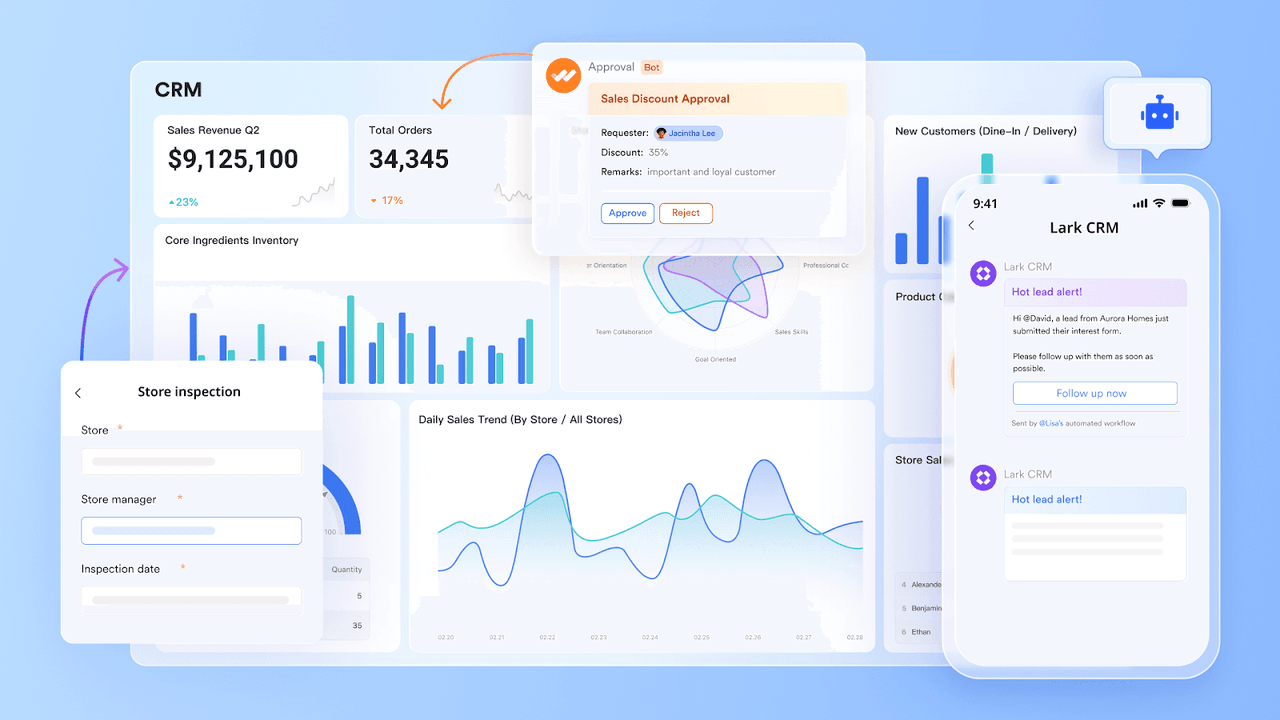
Sales reps can update deals, collaborate, and access client files from anywhere, while managers track pipelines and approvals in real time. Build a CRM that matches your workflows by customizing fields, views, and permissions, with instant notifications that keep everyone aligned.
Key features:
- Customizable no-code CRM: Build a CRM tailored to your workflows with configurable fields, role-based permissions, and no coding required.
- Custom workflow automation: Build tailored business process automations without coding expertise to eliminate repetitive tasks and streamline operations.
- Visual data dashboards: Monitor performance through customizable, real-time visualizations of critical business metrics and KPIs.
- Rich template resources: A large template library full of to organize and streamline your sales operations and document your unique business processes.
- Configurable client databases: Centralize with custom fields and advanced role-based permissions for secure data management.
- Cross-platform synchronization: Maintain seamless workflow continuity across mobile and desktop platforms, with automatic synchronization with all historical data accessible on any device.
- AI-driven data management: Equip your team with to improve deal management and enhance productivity.
- Mobile-first design: Full-featured mobile app lets sales reps update deals, join meetings, and access client files anywhere. Highly-rated CRM mobile app across app stores, especially for.
"With Lark, we automated complex workflows without writing a single line of code. It’s secure, mobile, and built for how we work today."
- Arvin Reyes, Head of IT, 7-Eleven Philippines.
Pricing:
- Starter plan: that includes 11 powerful tools for up to 20 users. It also comes with 100GB of storage space, 1000 automation runs, AI translations, and more. No credit card is needed.
- Basic plan: (billed annually) for up to 500 users. It includes everything in Starter, plus unlimited message history, 5TB of storage space, 1,000 automation runs, and more. Some users may need to to purchase this plan.
- Pro plan: (billed annually) for up to 500 users. It includes everything in Basic plus group calling for up to 500 attendees, 15TB of storage space, 50,000 automation runs, and more.
- Enterprise plan: for custom pricing. Supports unlimited users and includes even more automation runs and advanced security, compliance, and management features.
For small teams with simple communication needs

18 months message history
1000 Base automation runs/month
2000 rows per table in Base
Most POPULAR
For companies with comprehensive collaboration and management needs
Unlimited message history
500-participant video meetings
50k Base automation runs/month
20k rows per table in Base
For large companies with advanced security and organizational management needs
Get a personalized demo and pricing
Unlimited message history
500-participant video meetings
15 TB storage + 30 GB storage/user
500k Base automation runs/month
50k Base automation runs/month
Most POPULAR
For companies with comprehensive collaboration and management needs
Unlimited message history
500-participant video meetings
50k Base automation runs/month
20k rows per table in Base
2. Salesforce: Best CRM for large enterprises
A household name in the CRM space, Salesforce is known for its advanced features, including powerful AI-driven customization that helps businesses adapt and grow. The platform offers real-time insights and a strong developer community, allowing for extensive personalization with both programming and low-code tools.
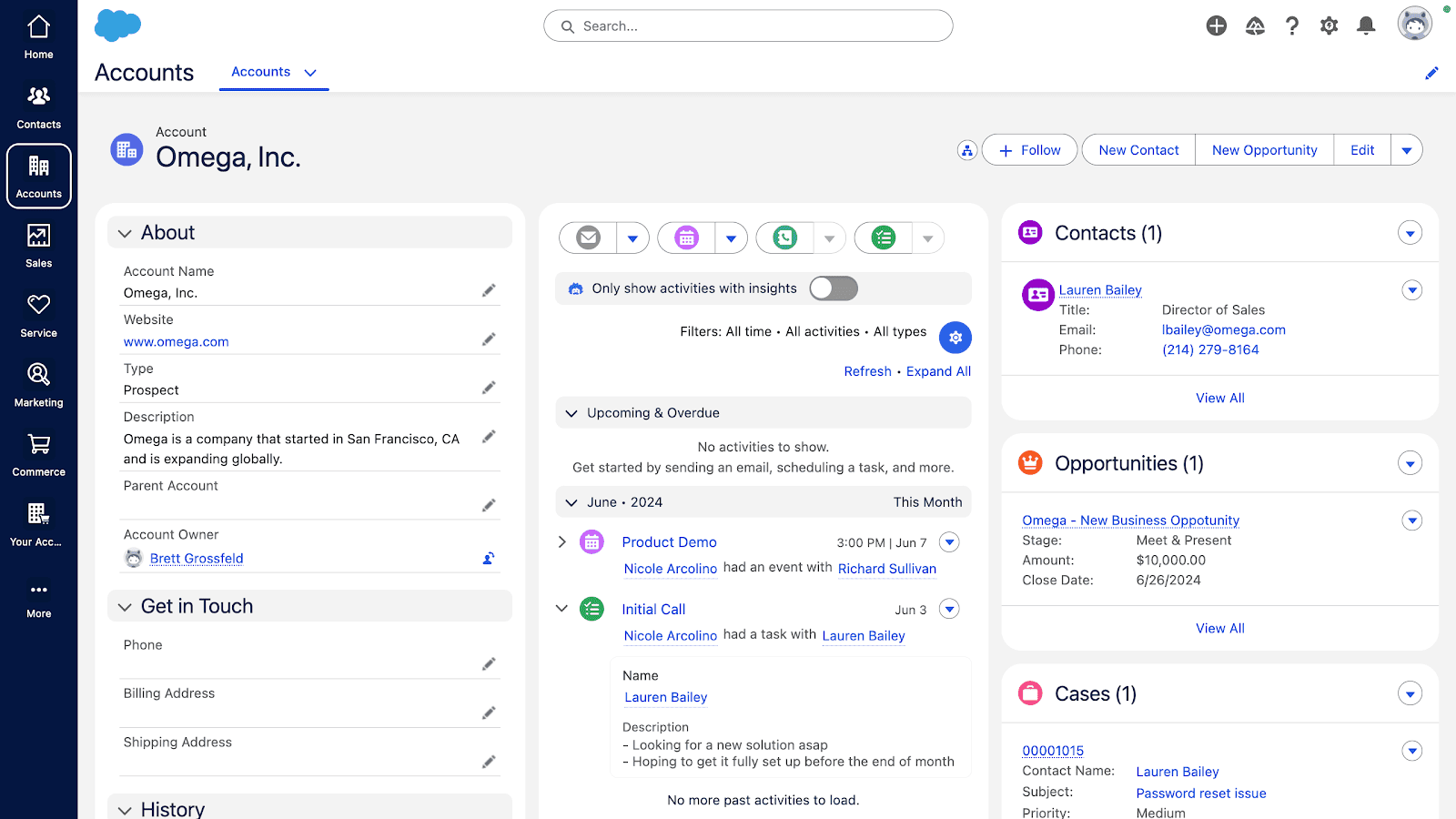 Image source: salesforce.com
 Key features:
- Advanced customization: A variety of tools to customize your team's experience with Salesforce.
- Automation: Comprehensive automation tools for sales processes, lead management, and customer journeys.
- Integrations: Salesforce integrates with tools you already use, like Mailchimp. DocuSign, Slack, Dropbox, and more.
- AI power: AI-powered analytics and forecasting capabilities for data-driven decision making.
- AppExchange integration: You can expand functionality with a vast marketplace of third-party applications.
Pricing:
- No free plan. A 30-day free trial is available. Paid plans start at $25 per user per month.
3. Creatio: Best CRM for visual workflow design
Creatio offers a customizable CRM powered by its own no-code platform. The system is built around three main modules: Sales, Marketing, and Service, and it lets sales and marketing teams customize their CRM by dragging and dropping various elements. This process makes it simple to add anything from new buttons and data fields to entire workflows.
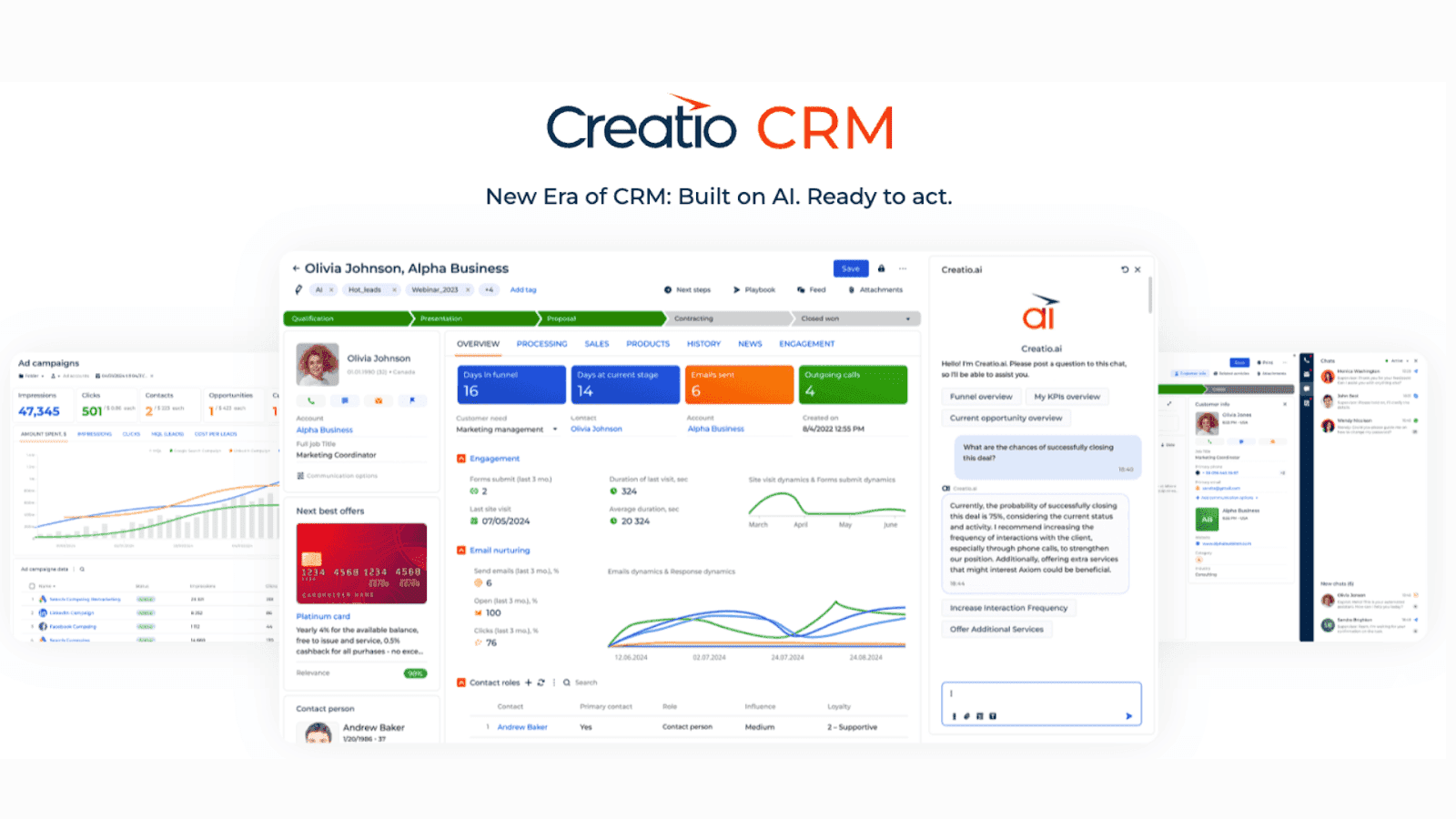 Image source: creatio.com
 Key features:
- No-code platform: Building your custom CRM is simple, as it doesn't require coding or IT support.
- Customer 360° view: Centralize all customer interactions, preferences, and history to provide a comprehensive profile for personalized engagement.
- Omnichannel engagement: Engage customers across various channels, ensuring consistent and seamless communication.
- Advanced analytics & reporting: Leverage built-in analytics to gain actionable insights, monitor performance, and make data-driven decisions.
Pricing:
- No free plan is available. Includes a 14-day free trial. Paid plans start at $25 per user per month.
4. Pipedrive: Best CRM for deal management efficiency
Pipedrive stands out for its user-friendly design and powerful customization features, making it a great choice for sales teams. Users can easily personalize their sales pipeline by adjusting deal stages, closing probability, and setting custom indicators. The platform's flexibility extends to data fields, email templates, and automation, allowing any team to shape the CRM to their unique needs.
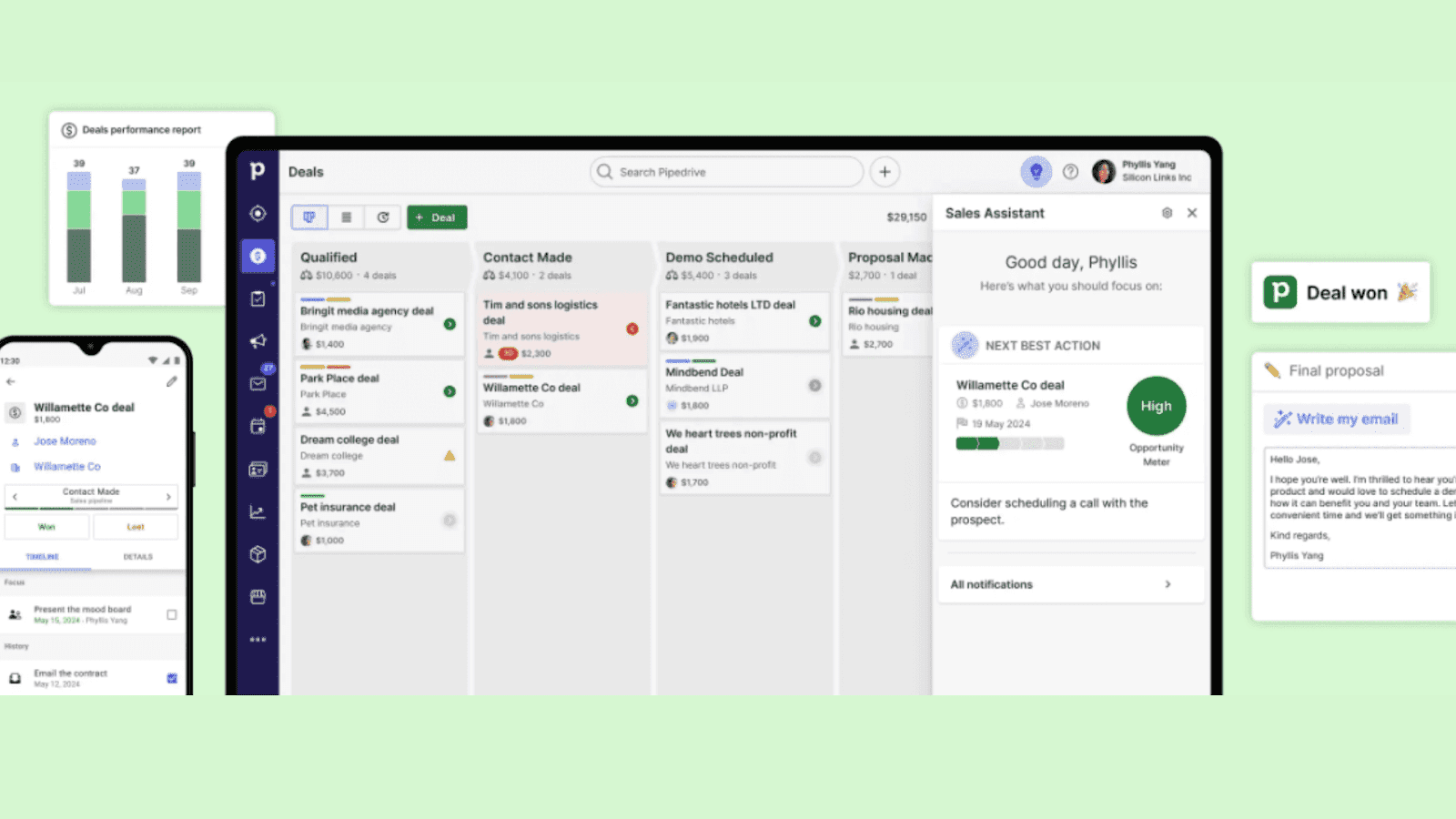 Image source: pipedrive.com
 Key features:
- Customizable sales pipelines: Tailor your sales process with custom stages, fields, and filters to match your unique workflow.
- Lead generation: Utilize tools like LeadBooster, which includes chatbots, web forms, and live chat, to capture and qualify leads efficiently.
- Complete reporting: Access customizable dashboards and reports to gain insights into sales performance, track KPIs, and forecast revenue.
- Mobile accessibility: Manage your sales pipeline on the go with Pipedrive's mobile app, ensuring productivity from anywhere.
Pricing:
- No free plan available. Include a free 14-day trial. Paid plans start at $14 per user per month.
5. Zoho CRM: Best CRM for automating processes
Zoho CRM is a powerful automation-focused software known for its customizability and scalability. It excels at streamlining processes, marketing campaigns, and customer journeys, with a strong emphasis on automation. Thanks to its extensive Marketplace, Zoho also offers robust integration options, providing over 800 connectors with various other applications.
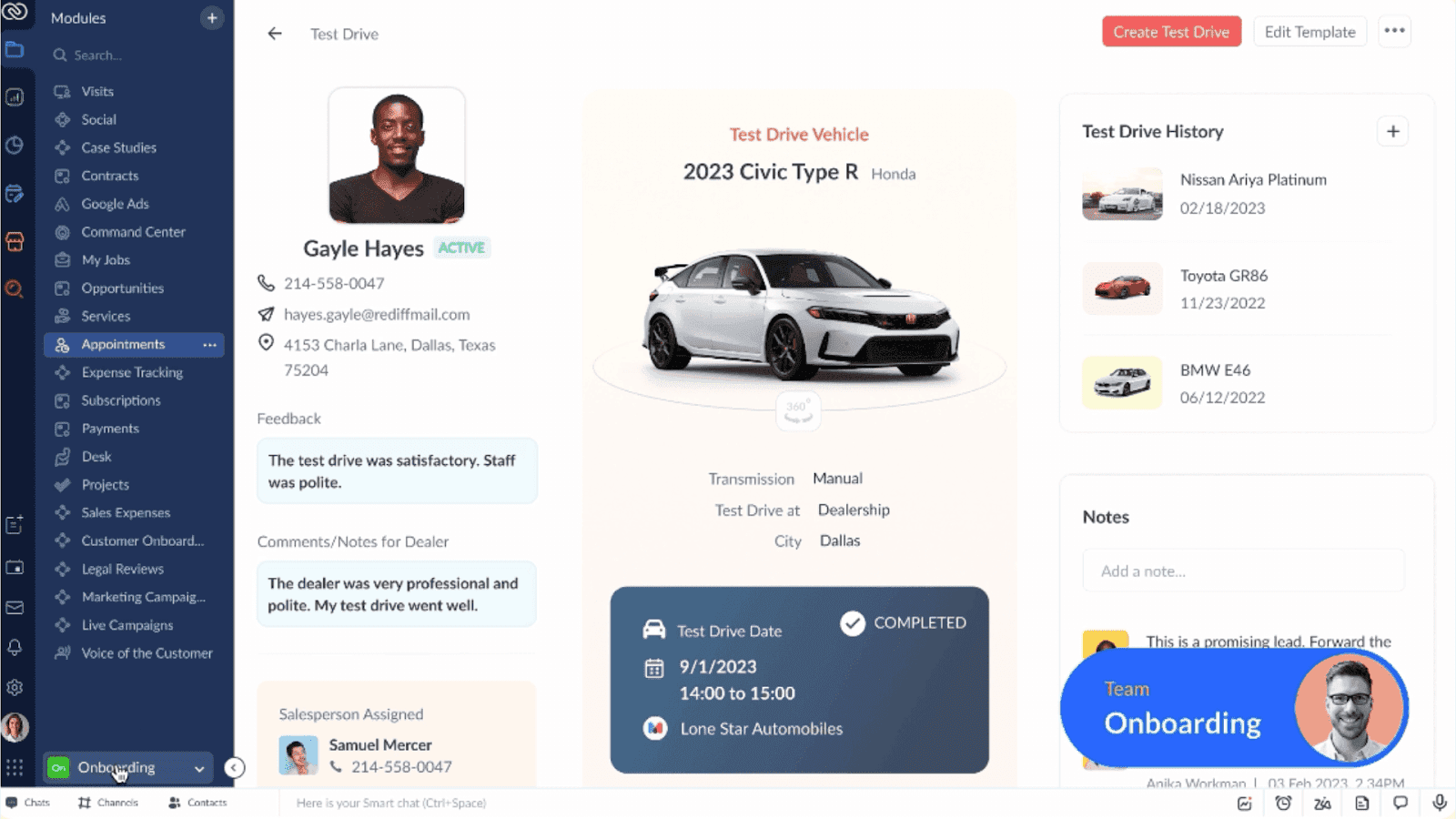 Image source: zoho.com
 Key features
- AI-powered analytics & forecasting: Predictive insights, lead scoring, and automated recommendations to improve sales productivity and data accuracy.
- Omnichannel communication: Unify email, phone, social media, and live chat within a single CRM interface.
- Workflow automation: Drag-and-drop tools to automate repetitive tasks, follow-ups, and standardize sales processes.
- 360° customer view: Centralize all customer interactions, preferences, and history for personalized engagement.
Pricing
- Free plan available for 3 users. A 15-day free trial is available. Paid plans start at $14 per user per month.
Other custom CRM software
- Monday CRM: A highly customizable CRM that combines visual sales pipelines, workflow automation, and collaboration tools. Perfect for teams that want flexibility and centralized communication.
- HubSpot CRM: An all-in-one customizable CRM platform that unifies marketing, sales, and service tools. Offers AI-powered insights, extensive integrations, and a free tier for teams starting out.
- Freshsales: A flexible CRM featuring built-in phone and email tools, AI-powered lead scoring, and intuitive visual pipelines. Designed for teams that prioritize efficiency and seamless customer engagement.
- Nimble: A relationship-focused, customizable CRM that pulls rich insights from social media. Ideal for teams looking to strengthen connections and build smarter, socially-informed sales strategies.
- Vtiger CRM: An open-source CRM offering comprehensive support, collaboration tools, and custom spreadsheet software. Ideal for teams that need full control over workflows and adaptable sales processes.
How to build a custom CRM system
Building a custom CRM may sound daunting, but no-code platforms like Lark make the process easier than ever before. Here's a step-by-step guide on how to build a custom CRM solution using Lark:
Step 1: Sign up for Lark
- Fill in your personal or business information.
- Download Lark and log in.
Step 2: Open Lark Base
- On the, click New > Base > New Base.
- You can choose to create a blank base or select a .
- Watch the video below to get started with Base.
Step 3: Design your CRM system
Create tables for each type of data you need to track. Common tables for a CRM include:
- Leads: To track potential customers. Fields could include Name, Company, Email, Phone Number, Lead Source, Status (e.g., New, Contacted, Qualified), Assigned Sales Rep, and notes.
- Contacts: For your current customers. Fields could include Name, Company, Role, Email, Phone Number, Last Interaction Date, and a link to the company record.
- Companies: To store information about the businesses you work with. Fields could include Company Name, Industry, Website, Address, and Notes.
- Opportunities/Deals: To track active sales processes. Fields could include Deal Name, Associated Company, Stage (e.g., Prospecting, Negotiation, Won, Lost), Value, and Expected Close Date.
Step 4: Customize fields and views
- Use Base's flexible fields (e.g., text, number, date, single-select, multi-select, currency) to capture the exact data you need.
- You can also create different views, such as a Kanban board to visualize your sales pipeline, a calendar view for follow-up schedules, or a simple grid view for data entry.
Step 5: Automate workflows
Set up automated workflows to handle repetitive tasks and keep your team informed. Follow the video below to learn how:
Step 6: Create custom forms
Use, which integrates with Base, to create web forms for lead capture.
For example, you can embed a form on your website. When someone fills it out, it can automatically create a new record in your Leads table in Lark Base and trigger a notification to the sales team.
Step 7: Build dashboards and reports
Lark Base allows you to create customizable dashboards to visualize your data. Follow the video below to learn how:
Step 8: Extend capabilities with API and integrations
While Lark's no-code tools are powerful, you can extend your custom CRM's capabilities with its developer platform and APIs, which allow for third-party system integration.
- Connect to other apps: Use a platform like Zapier or Make (formerly Integromat) to connect your Lark CRM to hundreds of other applications, such as your website, marketing platforms, or billing software.
- Custom bots and web apps: For advanced use cases, you can use Lark's Developer Console to build custom bots that interact with your CRM data or create web apps and blocks to embed additional functionality directly into your Lark workspace.
Step 9: Get all your CRM work done in Lark
The real power of building a CRM on Lark is the seamless integration with its other core functionalities. This is what differentiates it from a standalone CRM.
- Messenger for communication: Your team can discuss a specific contact or deal directly in a, and you can send automated notifications from your CRM directly to these chats.
- Meetings for video calls: Schedule and conduct client directly from within Lark. You can even use AI to help you summarize your discussion, the key action items, and who in your team will be responsible for them.
- Docs and Sheets for collaboration: Use to create and share client proposals, contracts, or presentations. Team members can collaborate on these documents in real-time. You can also link these documents to your CRM record—ideal for managing important customer documents.
- Calendar for scheduling: Schedule follow-ups, meetings, and client calls. With automation, you can automatically create a event when a new lead is assigned.
- Approval for request management: Simplify your internal processes with. Manage reimbursements, budget adjustments, special project requests, and all in one centralized place.
- OKR for performance management: Align your team around shared goals with Lark’s feature. Beyond tracking KPIs, you can set objectives and key results for your team, enabling everyone to work toward common objectives.
With your custom CRM in Lark set up, you can streamline client management, track interactions, handle project management, and collaborate more effectively—all in one platform.
Take the first step and start building your CRM
The future of custom CRM solutions
While it can be hard to predict future sales trends, adopting a custom CRM means positioning your business at the forefront of innovation, particularly as new technologies continue to reshape the customer relationship landscape. These are some of the key trends expected to influence customer relationship management in the coming years.
AI will transform customer relationships
Artificial intelligence (AI) is set to revolutionize how we manage customer relationships. will be able to analyze customer behavior and preferences, providing insights that lead to more effective engagement strategies than existing systems. Predictive analytics, driven by AI, can forecast sales trends and suggest the most promising leads, making a sales team's job more efficient and productive.
Automation will become more sophisticated
The pursuit of operational excellence will lead to an increased use of automation within custom CRM systems. By automating routine tasks like follow-ups and data entry, businesses can free up valuable time and focus their efforts on high-value activities. Features such as automated reporting help teams stay focused on performance without getting bogged down by daily, repetitive work.
Data will drive more decisions
As businesses strive to leverage the wealth of data they collect, decision-making will rely more and more on insights gathered through CRM systems. A custom CRM allows organizations to centralize important customer data and extract actionable insights to inform marketing, sales, and service strategies. This focus on data-driven decision-making will ultimately lead to improved business performance.
User experience and customization will be a top priority
User adoption is critical for any CRM system to be successful. As a result, more emphasis will be placed on creating tailored experiences. Businesses will continue to seek out custom CRM systems that allow them to configure systems to their personal preferences and operational needs. A better, more intuitive user experience will drive user engagement and, in turn, improve overall customer satisfaction.
Final thoughts on custom CRM
A custom CRM gives your business a centralized location to manage data and customer relationships. With tailored features that strengthen your sales funnel, you can improve teamwork, simplify workflows, and deliver better experiences.
With Lark’s no-code approach, building a CRM is faster and more accessible, empowering businesses to design systems that match their unique needs. And as your business evolves, a tailored CRM ensures you stay agile and ready to capture new opportunities.
Work smarter with Lark—Trusted by 2000+ global leaders.
FAQs about custom CRM
What is a custom CRM?
A custom CRM solution is a custom-built CRM designed to fit a company’s unique needs. Unlike an off-the-shelf solution, it lets teams manage data, track relationships, and store important customer documents in ways that align with business goals.
Can I create my own CRM?
Yes. You can build your own CRM system using no-code platforms like Lark. This approach integrates with your existing tools and processes while giving business users flexibility to shape features into a custom solution.
Is open-source CRM customizable?
Yes. Open-source CRMs are completely customizable. This means you can adjust and modify the code to add new features and change the way existing ones function to make your CRM fit your unique needs. However, open-source CRMs require technical expertise to manage.
Are cloud or on-premise CRMs better for customization?
Both can be highly customizable. On-premise CRMs give you complete creative control with unrestricted customization. However, you'll need strong IT resources and expertise to customize the CRM. On the other hand, cloud CRMs like Lark offer built-in features to customize their platforms, without requiring coding or IT support.
How does a custom CRM improve customer satisfaction?
By analyzing customer data and preferences, a CRM delivers actionable customer insights. Businesses can respond faster, personalize communication, and free up time by automating workflows to streamline repetitive tasks, all of which strengthen loyalty and retention.
What are the key features of a custom CRM?
Common features include collaboration tools, task management, and customizable reports. Together, these features create a tailored CRM that adapts to unique processes and scales as the business grows.
How much does a custom CRM cost?
Custom CRM costs vary significantly based on feature complexity, required integrations, and ongoing maintenance needs. Despite upfront investment, custom CRMs often deliver long-term efficiencies and improve customer relationship management capabilities. For more related information, see
Are custom CRMs and customizable CRMs the same thing?
The phrases "custom CRM" and "customizable CRM" are sometimes used interchangeably to mean the same thing. But for some, customizable CRM refers to pre-made software that you can customize. With a custom CRM, nothing is pre-made, and you must build your CRM through coding, IT resources, and capital investment.
How to build a custom CRM without coding?
You can use platforms like Lark or Creatio to build your CRM system from the ground up. In addition, these platforms also include visual app builders for custom CRM development, such as specialized apps and tools, allowing you to design workflows, databases, and dashboards without programming.
What are the 4 types of CRM systems?
The main types are Operational, Analytical, Collaborative, and Strategic CRMs—each offering different CRM functionalities to fit your needs.
Which CRM is best for beginners?
For ease of use, the most customizable CRM options include HubSpot, Lark, and Zoho CRM. These integrate smoothly with existing software while keeping setup simple.
What's the best customizable CRM software?
Lark, Creatio, and Salesforce offer a wide variety of customization options, allowing businesses to adapt their CRM to specific workflows, scale with growth, and support unique customer management needs.
Related reading
































