Adobe Workfront is widely recognized as an enterprise-grade work management platform used by large marketing, creative, and operations teams. As part of Adobe's ecosystem, it aims to connect strategy, planning, and execution across complex organizations. However, understanding Workfront pricing is not always straightforward. Pricing varies by tier, usage, and add-ons, and is often customized based on organizational needs rather than published openly. This can make it difficult for buyers to assess total cost and long-term value. In this guide, we break down Workfront pricing plans, explain what each tier includes, highlight hidden fees, and briefly explore alternative options for teams evaluating different work management approaches.
Start managing projects the easy way
What is Adobe Workfront?
Adobe Workfront is an and project management platform designed to help large organizations plan, prioritize, and execute work at scale. It is commonly used by marketing, creative, IT, and operations teams that manage complex workflows across multiple departments. As part of the Adobe ecosystem, Adobe Workfront integrates with Adobe Creative Cloud and Adobe Experience Manager, enabling teams to connect content creation to project execution.
From a functionality perspective, Workfront goes beyond traditional task management. It supports structured request intake, detailed project planning,, approvals, and reporting. Organizations can choose from different Workfront pricing tiers depending on the level of governance, portfolio planning, and automation required. Because Adobe Workfront pricing is customized, costs often vary based on team size, features, and add-ons such as automation, making it primarily suited for enterprise-scale use cases rather than smaller teams.
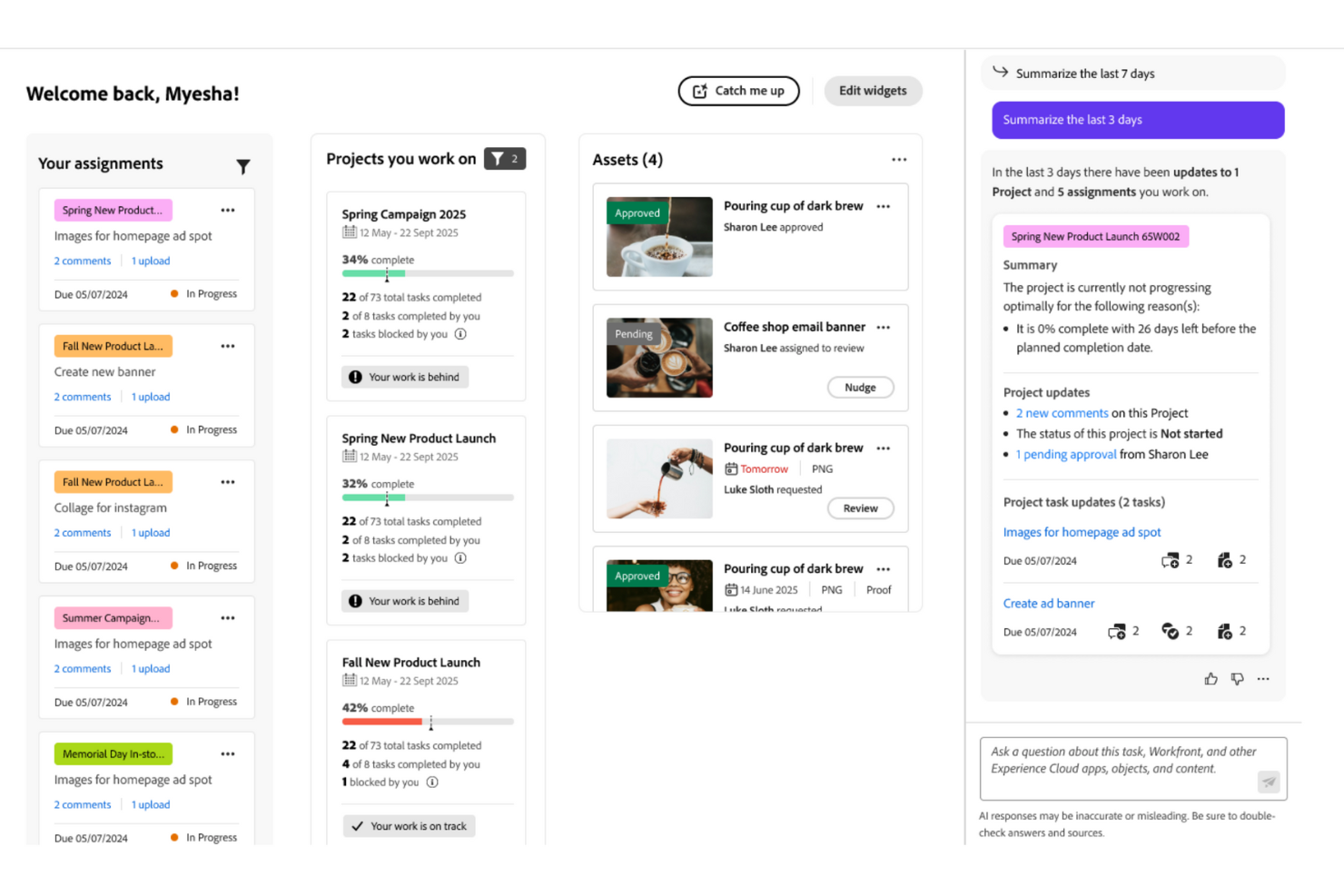
Image source: adobe.com
Core features of Adobe Workfront
Adobe Workfront is a comprehensive project management platform focused on standardizing workflows, coordinating collaboration, and providing end-to-end visibility across complex projects.
Work management and project execution
Adobe Workfront offers a structured system for managing work from intake to delivery, with standardized requests, detailed project plans, and enforced through templates and rules.
Strategic planning and portfolio alignment
Adobe Workfront supports by helping leaders prioritize initiatives, align projects with business goals, and evaluate work based on impact, cost, and resources.
Automation capabilities with Workfront Fusion
Workfront Fusion enables rule-based automation across Workfront and external systems, including CRM, ERP, and , helping teams automate tasks, updates, and data flows. While powerful, Fusion often comes at an additional cost and requires technical expertise to build and maintain automations at scale.
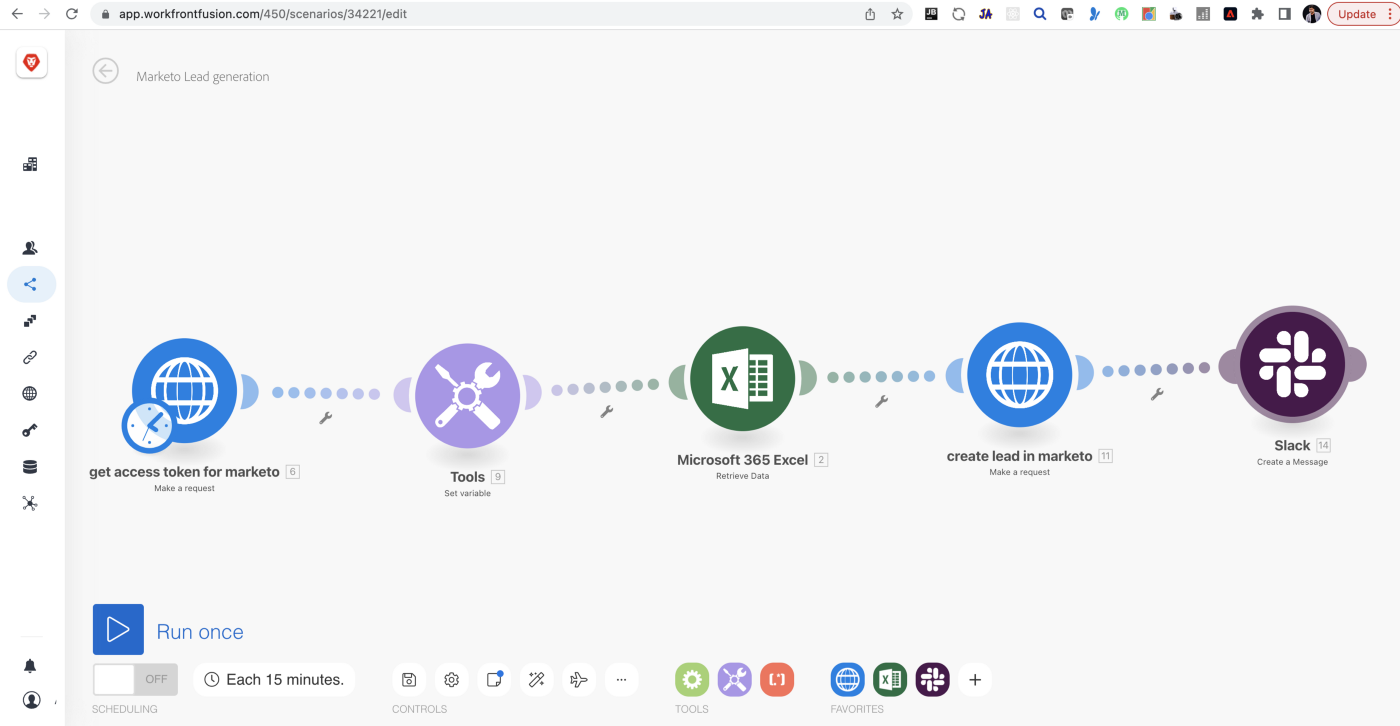
Image source: adobe.com
Proofing, reviews, and approvals
Adobe Workfront offers built-in for proofing and reviews, allowing stakeholders to annotate assets, track versions, and manage structured approval cycles. While this improves governance, review discussions are often separated from real-time collaboration。
Resource and capacity management
Workfront provides that help managers forecast demand, balance workloads, and identify resource constraints across teams. These features support enterprise planning but require ongoing data maintenance and administrative effort。
Reporting, analytics, and AI-powered insights
Adobe Workfront offers reporting and analytics to , monitor project health, and gain visibility into delivery and resource trends, supported by AI-powered insights. While valuable for leadership, building meaningful dashboards and reports often requires configuration and ongoing expertise.
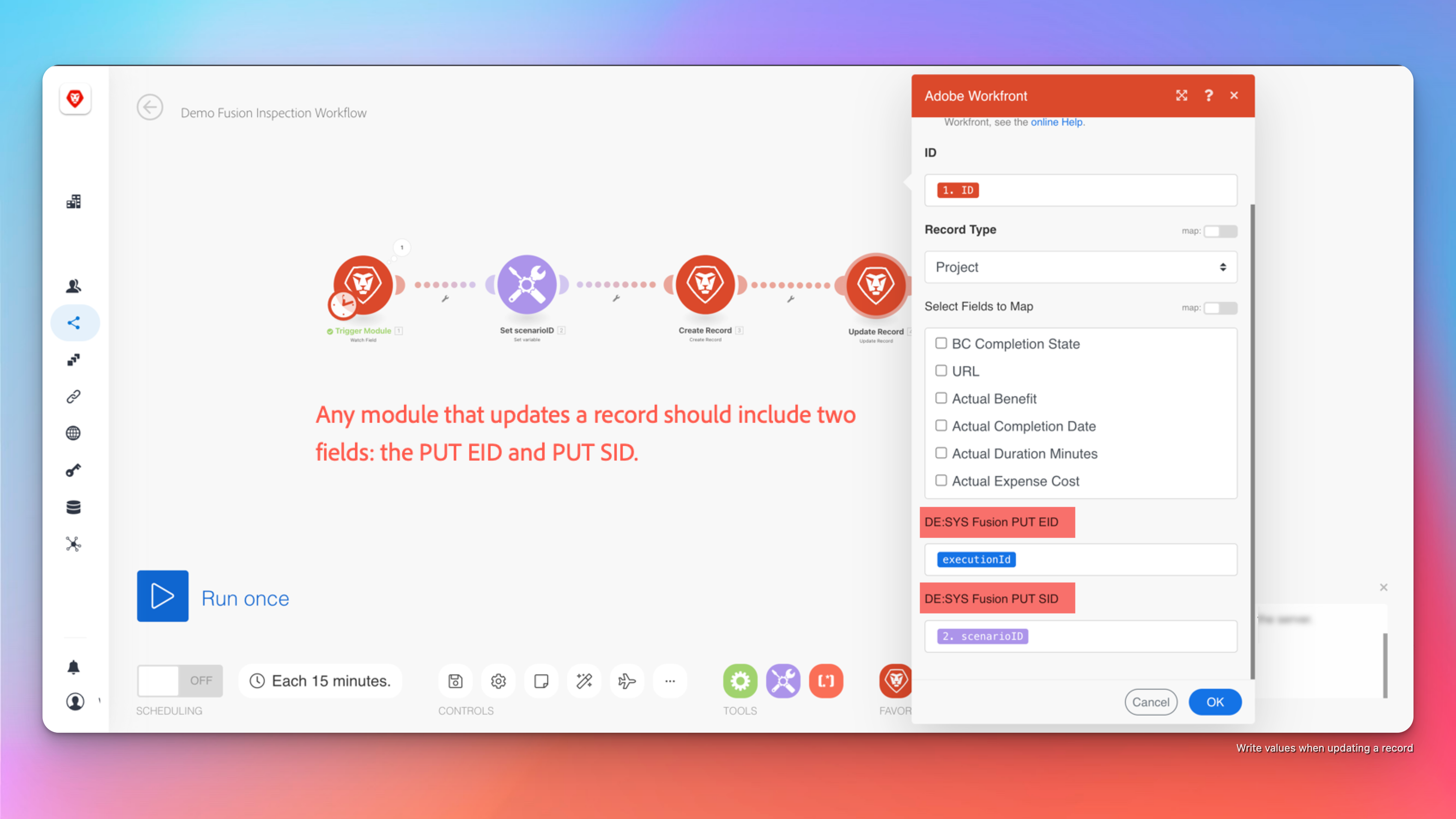
Image source: adobe.com
Adobe Workfront pricing plans and tiers
Adobe Workfront uses a tiered pricing model designed to support different levels of enterprise work management complexity. Each plan builds on the previous one, adding more advanced capabilities around planning, security, and automation. However, Adobe does not publish fixed prices, and costs vary based on usage, team size, and selected features. Understanding what each tier includes is essential for evaluating overall value and long-term investment.
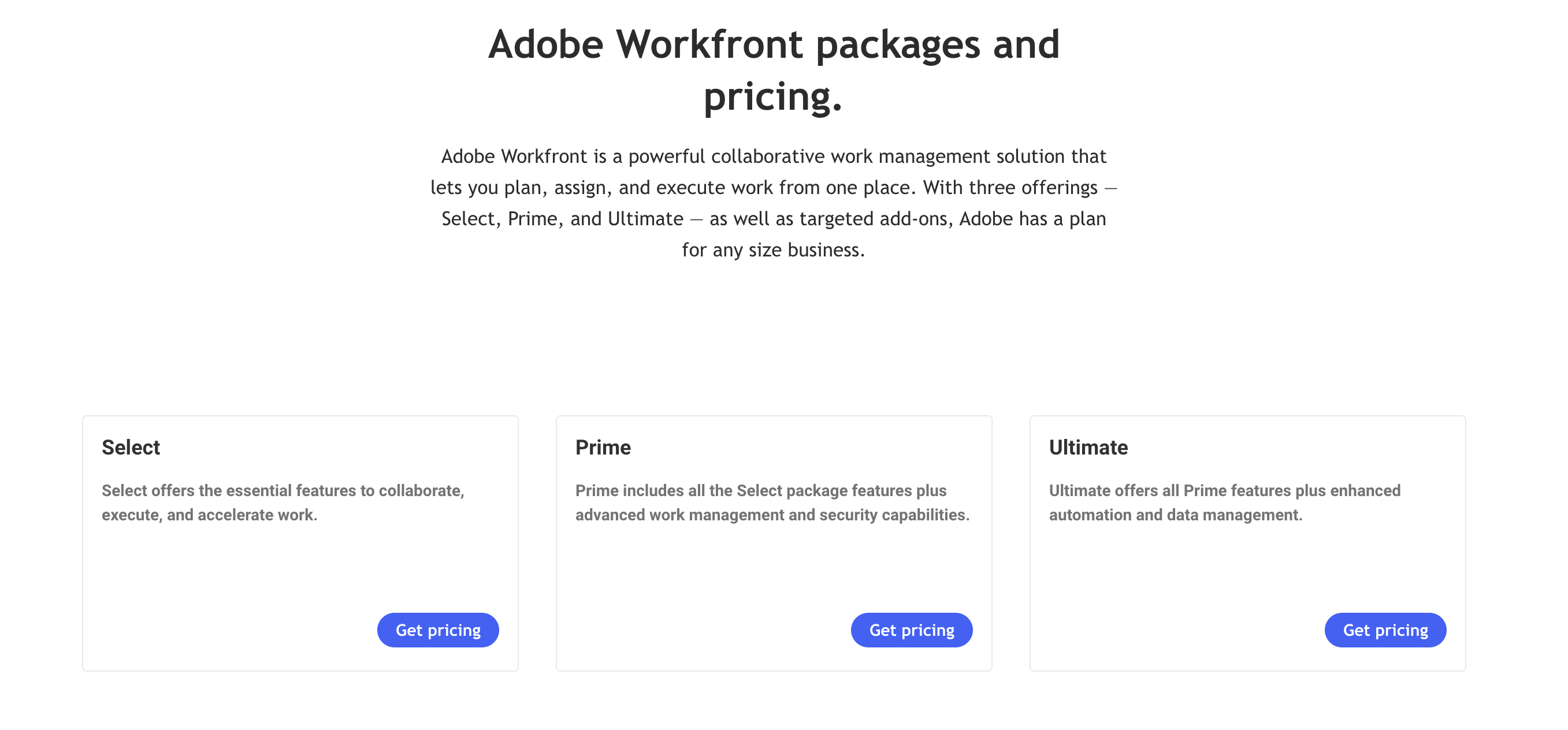
Information source: business.adobe.com
Update time: 2025-12-12
Note: Pricing and plan details reflect publicly available data as of the update date and may vary based on region, billing cycle, and number of agents.
Hidden and indirect costs to consider with Adobe Workfront
While license fees are a significant part of Workfront pricing, they rarely reflect the full cost of ownership. Many organizations encounter additional expenses during setup, adoption, and long-term operation that can significantly impact total spend.
- Implementation and : Adobe Workfront typically requires professional services to configure workflows, permissions, and integrations. Implementation timelines can span weeks or months, depending on complexity. These services add upfront costs that are often separate from standard licensing.
- Training and : Because of Workfront's depth and structure, teams usually need formal training to adopt the platform effectively. Change management efforts are often required to standardize processes across departments. This results in both direct training costs and indirect productivity impacts.
- Custom workflow configuration: Most organizations customize Workfront to match their internal processes and approval structures. Designing, testing, and maintaining these workflows requires time and technical expertise. Ongoing changes can increase long-term configuration and support costs.
- Ongoing admin and maintenance effort: Workfront often requires dedicated administrators to manage users, workflows, reports, and system updates. As usage grows, admin responsibilities increase. This ongoing effort contributes to the actual cost behind Adobe Workfront pricing beyond per-user licenses.
Compare lower-overhead alternatives before committing
When Adobe Workfront makes sense, and when it doesn't
Adobe Workfront is built for organizations that prioritize structure, governance, and scale. Whether it's the right fit depends largely on company size, process maturity, and tolerance for complexity.
Adobe Workfront makes sense if:
- You run a large enterprise with complex, multi-layered project portfolios: Workfront is well-suited for managing numerous initiatives across departments and regions. Its portfolio and governance tools support long-term planning and executive oversight.
- Your teams are deeply embedded in Adobe's ecosystem: Organizations using Adobe Creative Cloud or Experience Manager benefit from tighter integrations. This helps connect creative production with project execution and approvals.
- You need advanced , governance, and compliance controls: Workfront supports formal approval structures, audit trails, and standardized processes. These capabilities are essential for regulated or highly structured environments.
- You have the budget and internal resources for long implementation cycles: Successful Workfront deployments often involve extended setup, training, and customization. Enterprises with dedicated teams can better support this investment.
- Standardized, top-down processes matter more than flexibility: Workfront excels when processes are clearly defined and consistent. It is less optimized for teams that need frequent, rapid workflow changes.
Adobe Workfront may not be the right fit if:
- You're a small or mid-sized team seeking faster time-to-value: Workfront's setup and learning curve can delay adoption. Smaller teams may prefer tools that deliver immediate productivity.
- Predictable, transparent pricing is a priority: Adobe Workfront pricing is customized and often includes additional costs. This can make budgeting more difficult for growing organizations.
- Your workflows change frequently: Making changes in Workfront often requires admin effort and reconfiguration. Dynamic teams may find this limiting.
- You want simpler collaboration across teams: often relies on additional tools. Teams looking for lightweight communication may find Workfront heavy.
- You don't have dedicated admins: Ongoing management, reporting, and optimization typically require specialized administrators. Without them, the platform can become challenging to maintain.
Workfront's challenges—including slow time-to-value for small/mid-sized teams, complex pricing, rigid workflow changes, and heavy administration needs—are effectively addressed by platforms like Lark. Lark provides immediate productivity with an easy learning curve, offers transparent and predictable pricing, and supports dynamic teams through its flexible, integrated design.
Explore smarter alternatives to Workfront
Affordable option: Achieve modern work and project management in Lark
is a modern designed for teams that want structure without complexity. Unlike traditional enterprise systems, it combines project execution, , and automation into a single, flexible workspace. Teams can adapt workflows quickly as priorities change, without long setup cycles or heavy administration. This makes Lark a practical alternative for organizations seeking faster adoption and more transparent work management.
Faster, more flexible project workflow across teams
Adobe Workfront emphasizes structured execution through predefined workflows that often require upfront configuration. Lark approaches work execution with far greater flexibility. Using , teams can design project trackers, , timelines, and task databases that reflect how work actually happens, not how a system expects it to happen. Lark Tasks ensures every task has a clear owner, priority, and deadline. This allows teams to move faster, adjust workflows instantly, and keep execution aligned without administrative friction. 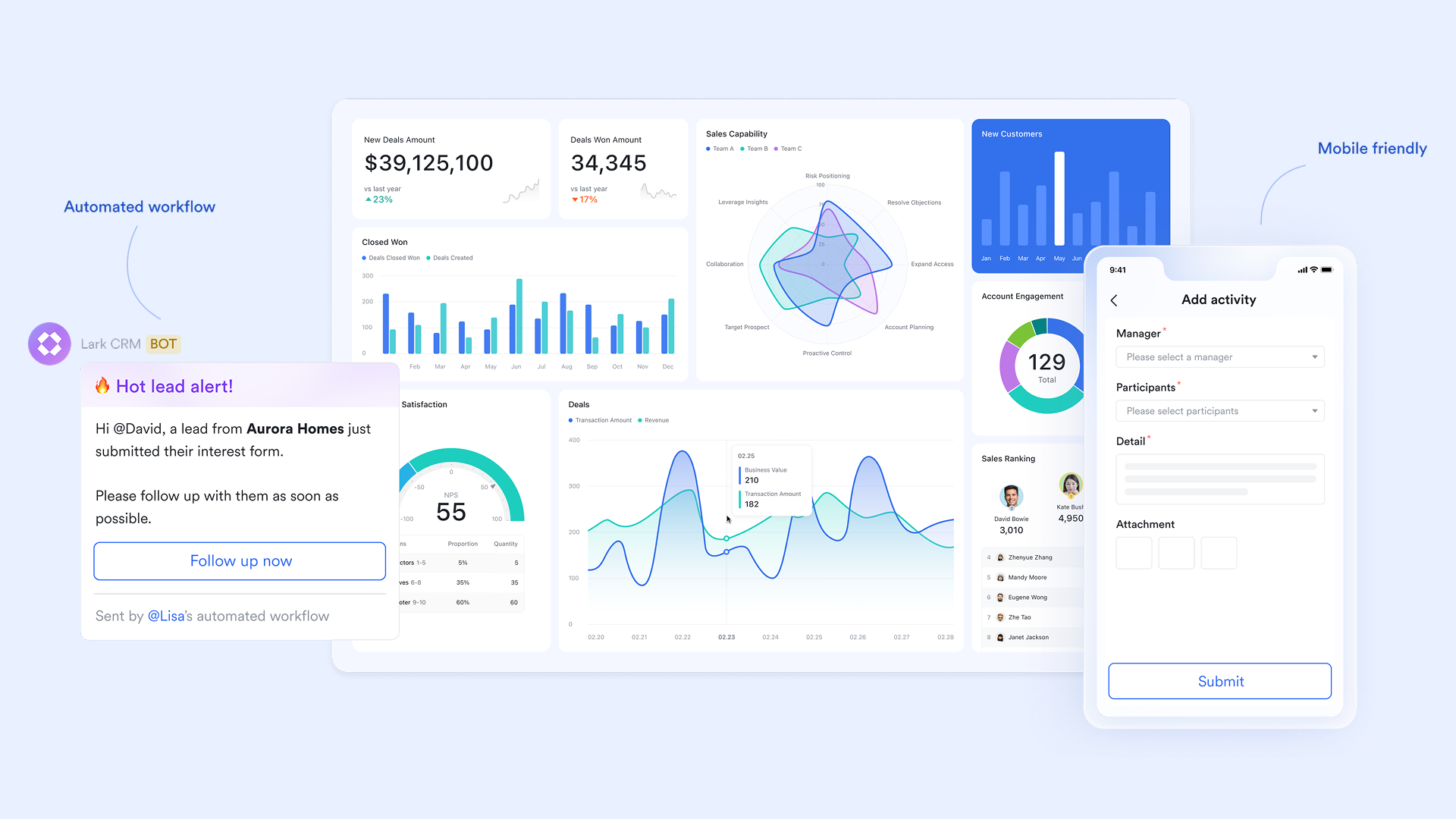
Strategy-to-execution alignment without portfolio complexity
Workfront is built for enterprise portfolio planning, which can feel heavy for teams that need visibility without rigid governance layers. Leadership can outline priorities in Lark Docs, link them to execution data in Lark Base, and through live views rather than static portfolio reports. In this way, Lark enables strategic alignment by connecting goals, plans, and execution directly within daily workspaces. This keeps strategy visible to teams at every stage, while avoiding the complexity of traditional . 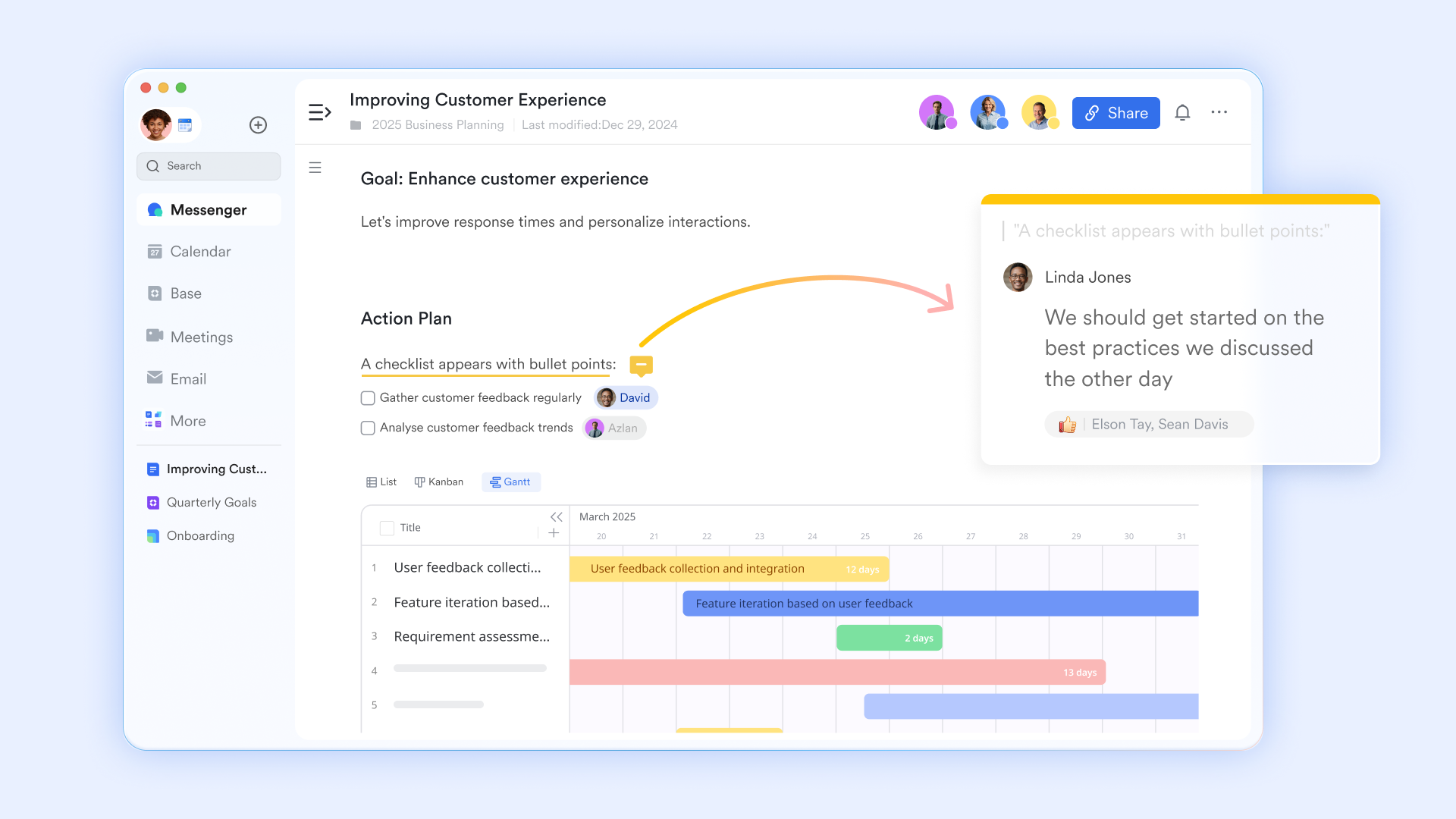
Practical automation built directly into everyday workflows
Workfront Fusion delivers powerful automation but often comes with added cost and technical setup. Lark provides automation directly within Lark Base, allowing teams to trigger actions based on status changes, deadlines, or form submissions. For example, when a task moves to "Ready for review," approvals can start automatically, owners can be notified, and records can be updated instantly. This makes automation accessible to non-technical users and easy to adjust as workflows evolve, instead of being locked into complex automation logic. 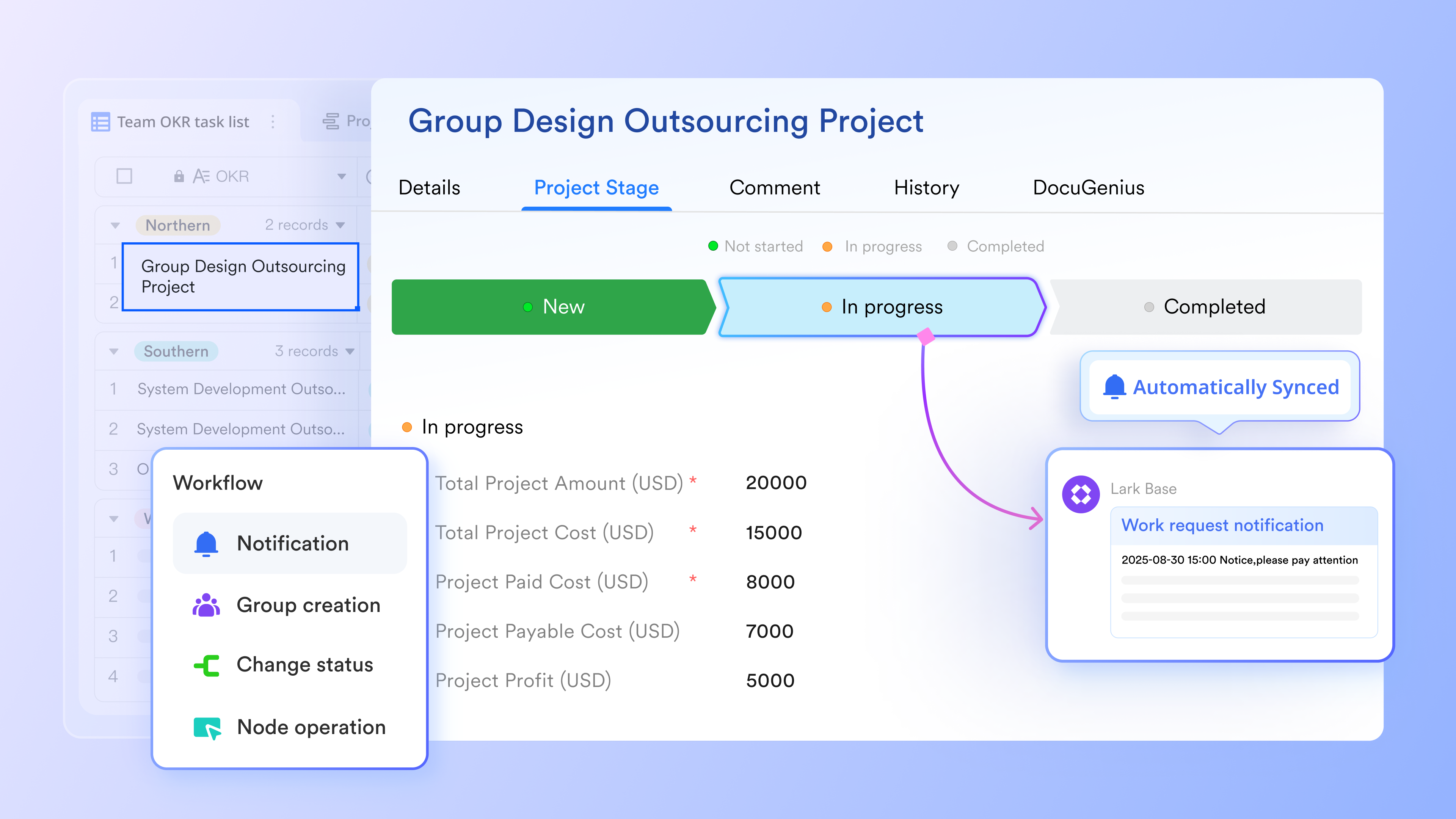
Real-time reviews and approvals that stay connected to the work
Adobe Workfront offers , especially for creative teams, but reviews often live in separate approval layers. Lark keeps feedback and approvals close to the work itself. With Lark Docs, stakeholders can comment, suggest edits, and approve content directly in the document. handles structured sign-offs for campaigns, assets, or , while Lark Messenger enables instant clarification without breaking context. This reduces review cycles and prevents feedback from getting lost across tools. 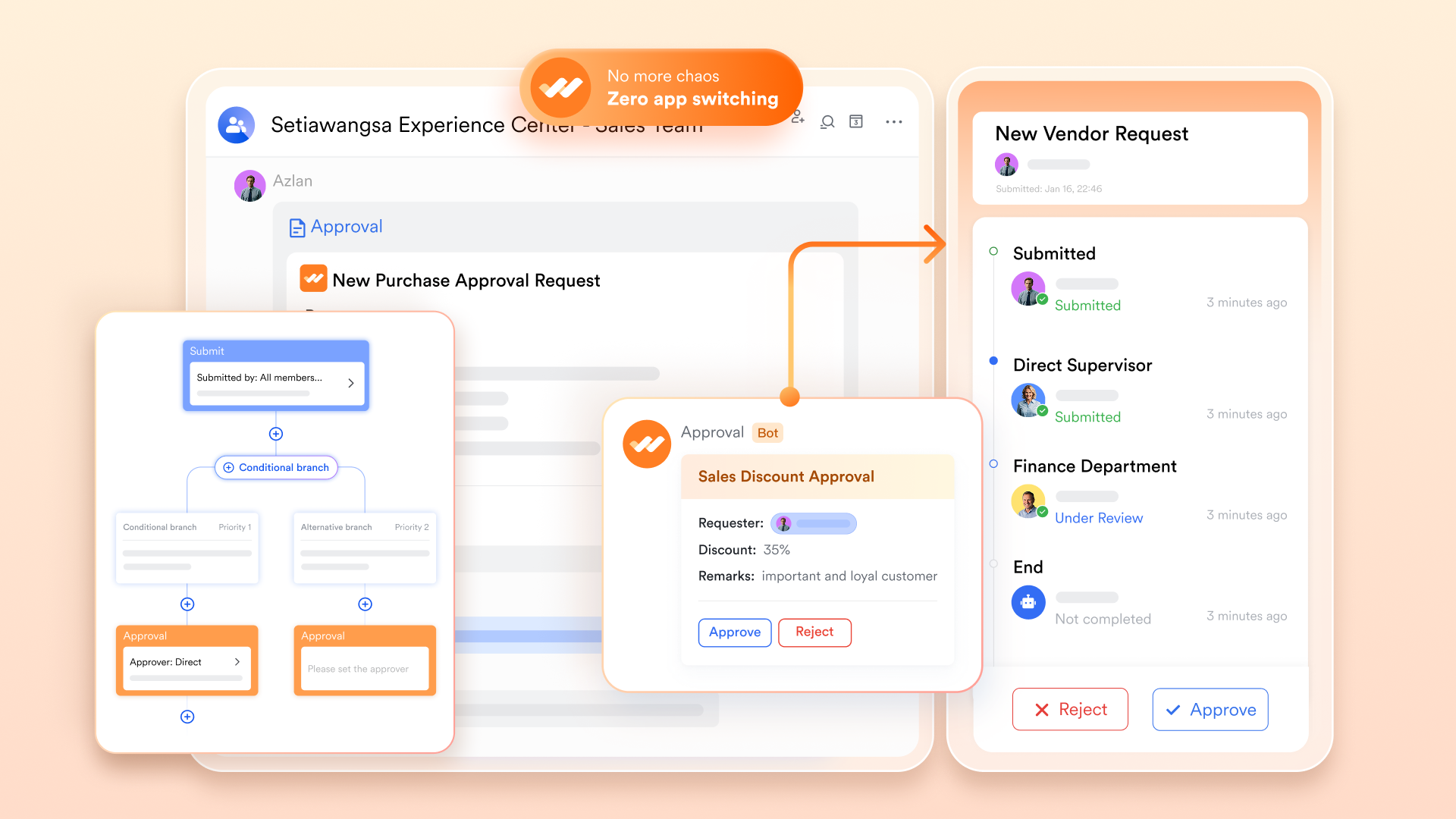
Clear communication via text, audio, and video
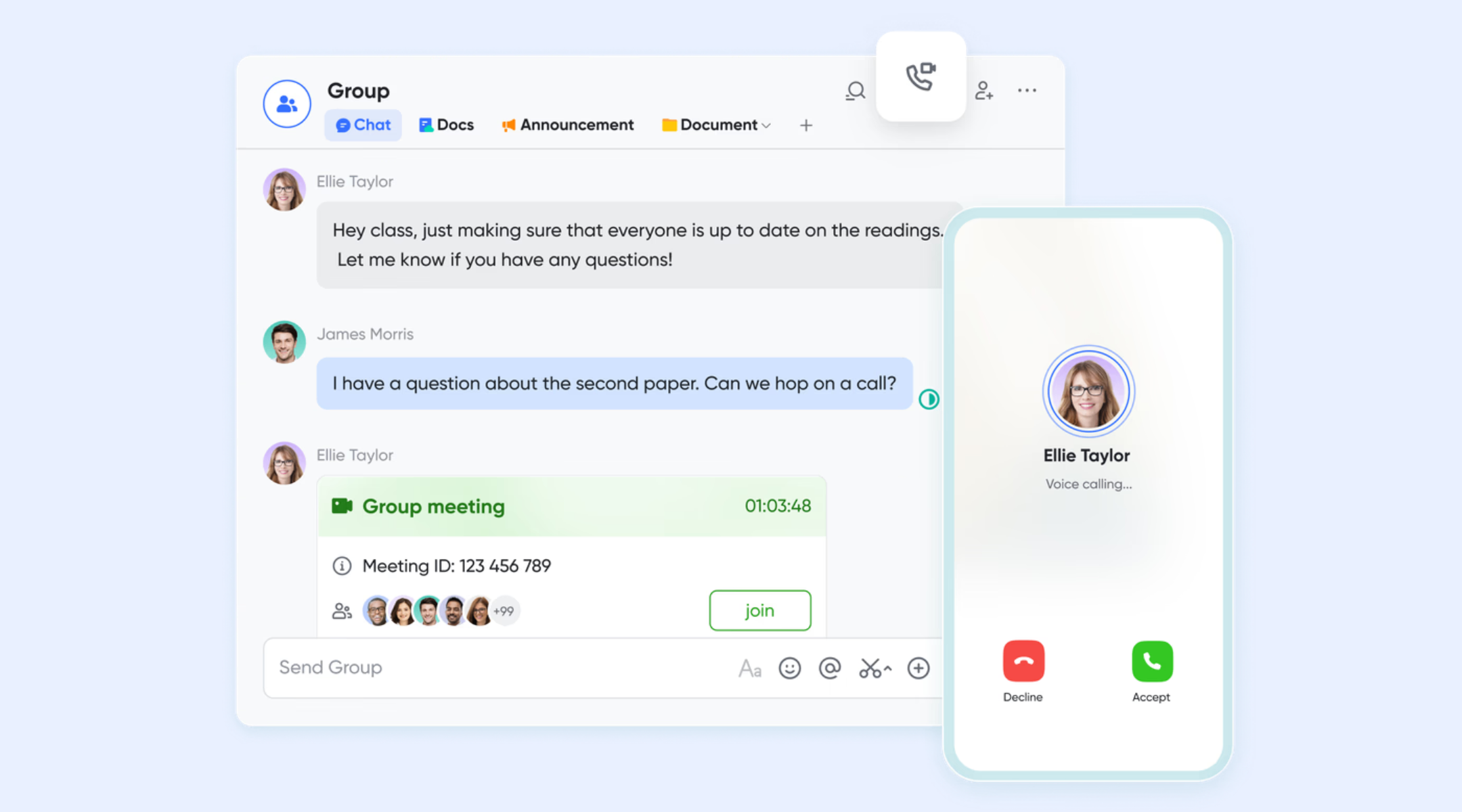
Workfront focuses more on facilitating collaboration, often relying on integrations with separate tools like Microsoft Teams or Slack for core messaging and video. Differently, Lark enables seamless communication by offering its and within a single platform. Key features include the ability to swiftly start video calls directly from any chat, preventing context loss and accelerating decision-making. During a meeting, features like can help summarize discussions, while provide searchable transcriptions of recorded calls. This ensures the conversation flow is fully documented and always with context.
:
- Starter plan: Free forever plan that includes 11 powerful tools for up to 20 users. It also comes with 100GB of storage, 1000 automation runs, AI translations, and more.
- Basic plan: $6/user/month (billed annually) for up to 500 users. It includes everything in Starter plus group calling for up to 500 attendees, 5TB of storage, 1000 automation runs, and more. For more details, please .
- Pro plan: $12/user/month (billed annually) for up to 500 users. It includes everything in Basic plus group calling for up to 500 attendees, 15TB of storage, 50,000 automation runs, and more.
- Enterprise plan: for custom pricing. Supports unlimited users and includes even more automation runs and advanced security, compliance, and management features.
Before selecting a productivity suite, it's worth reviewing the latest and plans.
For small teams with simple communication needs

18 months message history
1000 Base automation runs/month
2000 rows per table in Base
Most POPULAR
For companies with comprehensive collaboration and management needs
Unlimited message history
500-participant video meetings
50k Base automation runs/month
20k rows per table in Base
For large companies with advanced security and organizational management needs
Get a personalized demo and pricing
Unlimited message history
500-participant video meetings
15 TB storage + 30 GB storage/user
500k Base automation runs/month
50k Base automation runs/month
Most POPULAR
For companies with comprehensive collaboration and management needs
Unlimited message history
500-participant video meetings
50k Base automation runs/month
20k rows per table in Base
Why choose Lark over Adobe Workfront?
While Adobe Workfront is designed for , not every team needs that level of complexity. Many organizations are looking for tools that balance visibility, collaboration, and flexibility without long implementation cycles or opaque pricing. Lark takes a more adaptable approach to work management, focusing on real-time collaboration and customizable workflows. This makes it a practical option for teams that want faster adoption and easier day-to-day execution.
Final verdict: Is Adobe Workfront worth the cost?
Adobe Workfront is a strong choice for large enterprises that need structured governance, portfolio planning, and tight integration with Adobe's creative ecosystem. Organizations with stable processes, dedicated administrators, and sufficient budgets are more likely to see long-term value. However, for small to mid-sized teams or fast-moving organizations, the complexity, implementation effort, and indirect costs of Adobe Workfront can be limiting.
In these cases, many teams prefer more like Lark, which offers flexible workflows, real-time collaboration, and transparent pricing without the operational overhead of enterprise-focused platforms.
Conclusion
Adobe Workfront is a powerful enterprise work management platform designed for organizations that require structured processes, advanced planning, and governance at scale. Its tiered pricing model, implementation requirements, and add-on costs make it best suited for large enterprises with complex workflows and dedicated administrative resources. For teams evaluating alternatives, factors such as flexibility, ease of adoption, and pricing transparency are increasingly important. As work becomes more dynamic and cross-functional, many organizations are rethinking traditional enterprise tools in favor of platforms that adapt more easily to change. For teams seeking a modern, flexible approach to work management, stands out.
Boost collaboration and productivity now
FAQs
Is Adobe Workfront just a project management tool?
Adobe Workfront goes beyond by combining work intake, portfolio planning, resource management, approvals, and reporting into a single platform. While task tracking is a core function, its real strength lies in enterprise governance and cross-team coordination. This broader scope is reflected in Adobe Workfront pricing, which is designed for complex organizational needs rather than simple task management.
What are the hidden costs beyond the license fee?
Beyond licenses, organizations often incur costs for implementation services, training, , and ongoing administration. Automation can also add expense, especially when advanced integrations are required. For teams that use automation extensively, Workfront Fusion pricing may significantly increase the total cost of ownership over time.
How long does Adobe Workfront implementation take?
Implementation timelines vary based on company size, complexity, and customization requirements. For many enterprises, rollout can take several weeks to a few months, including configuration and training. During this period, internal resources are heavily involved, which affects the real cost when evaluating Adobe Workfront pricing per user.
Can teams use Workfront without relying on other Adobe products?
Yes, Adobe Workfront can function independently, but its most substantial value appears when paired with Adobe Creative Cloud and other Adobe tools. Teams outside the Adobe ecosystem may still benefit, but should carefully review Workfront pricing tiers to ensure they are paying for capabilities they actively use.
What happens if workflows change after setup?
Workflow changes are possible, but often require admin involvement and reconfiguration. Adjustments can impact reporting, automation, and approvals, increasing maintenance effort. Organizations should factor this flexibility requirement into long-term planning, especially when assessing Adobe Workfront pricing tiers, cost, and selecting the right Adobe Workfront pricing plans.
Related reading


















