














Project Portfolio Management Guide and 11 Best Tools

Ryan Tanner
Product Marketing Specialist
Sep 18, 2026
Ryan Tanner
Sep 18, 2026

22 min read


Project portfolio management (PPM) is a strategic approach that helps organizations oversee multiple projects while ensuring alignment with business goals. Effective PPM allows teams to prioritize initiatives, allocate resources efficiently, and track progress across portfolios, leading to better decision-making and measurable outcomes.
In this guide, we explore what project portfolio management entails, why it matters, and the top tools that can help organizations manage their project portfolios more effectively. From visual tracking platforms like Monday.com and Wrike to collaborative workspaces like Lark, these tools cater to enterprises and smaller teams alike.
1. Lark: Unified portfolio and collaboration workspace
2. Monday.com: Visual project portfolio tracking for growing teams
3. Wrike: Enterprise-grade PPM tool with advanced reporting and dependencies
4. ClickUp: Flexible, customizable workspace for managing multi-project portfolios
5. Asana: Clean interface with robust workload management for teams
6. Smartsheet: Spreadsheet-style portfolio tracking with automation and dashboards
7. Businessmap: Portfolio visibility and strategy-to-execution alignment
8. Jira Align: Scalable solution for agile portfolio management
9. Notion: Lightweight system for teams managing smaller portfolios collaboratively
10. Teamwork: Combines PPM with client and resource management
11. Sciforma: Enterprise PPM software for financial and strategic portfolio planning

What is project portfolio management (PPM)?
Project portfolio management (PPM) is the process of managing a collection of projects in a coordinated way to achieve strategic business objectives. Unlike traditional project management, which focuses on individual projects, PPM provides a holistic view of all initiatives, helping organizations prioritize projects, allocate resources efficiently, and balance risk and reward across the portfolio. It involves selecting the right projects, monitoring progress, and aligning outcomes with organizational goals. PPM also enables data-driven decision-making through performance metrics, dashboards, and reporting tools. By implementing PPM, businesses can optimize resources, improve transparency, and ensure that all projects contribute to long-term success.
Image source: unsplash.com
Why project portfolio management matters
Effective project portfolio management (PPM) helps organizations oversee multiple projects while ensuring alignment with business objectives. By implementing PPM, teams can optimize resources, mitigate risks, and make informed decisions that drive measurable results.
- Ensures project alignment with business strategy: PPM ensures every project supports the organization's strategic goals. It provides visibility into which initiatives deliver the most value, helping leaders focus on high-impact projects. This alignment prevents wasted effort on projects that don't advance core objectives.
- Optimizes resource and budget allocation: With PPM, organizations can allocate resources and budgets across multiple projects efficiently. Teams can avoid overallocation or bottlenecks while ensuring that high-priority projects receive the necessary support. This improves productivity and cost-effectiveness.
- Improves risk management and prioritization: PPM helps identify potential risks and dependencies across projects early. By prioritizing initiatives based on impact and feasibility, organizations can reduce delays, minimize cost overruns, and respond proactively to challenges.
- Delivers data-driven insights for better decision-making: PPM provides dashboards, reporting tools, and performance metrics to monitor project health. Leaders can make informed, evidence-based decisions rather than relying on intuition, improving portfolio outcomes and ROI.
- Promotes transparency and accountability across teams: PPM creates visibility into project progress, responsibilities, and milestones. Teams understand their roles clearly, fostering accountability and collaboration, which drives consistent execution across all projects.
Core components of effective project portfolio management
Project portfolio management (PPM) involves several key components that help organizations manage multiple projects strategically. By focusing on these areas, teams can optimize resources, track performance, and ensure that all projects contribute to overall business goals.
- Project selection and prioritization: PPM enables organizations to evaluate which projects provide the highest return on investment. By assessing strategic value, cost, and resource requirements, teams can focus on initiatives that drive maximum impact. Prioritization ensures that attention is given to projects aligned with business objectives.
- Resource management: Effective PPM involves assigning resources strategically across multiple projects and portfolios. This ensures that teams, budgets, and tools are used efficiently. Proper resource management prevents overallocation and bottlenecks, keeping projects on track.
- Financial tracking: PPM allows organizations to monitor budgets, costs, and profitability across the entire portfolio. Tracking financial performance ensures projects stay within budget while highlighting opportunities for cost savings. Accurate financial oversight supports informed decision-making.
- Risk assessment: Identifying dependencies and potential roadblocks early is a core aspect of PPM. By analyzing risks across all projects, teams can develop mitigation strategies and reduce the likelihood of delays or failures. This proactive approach ensures smoother portfolio execution.
- Performance measurement: PPM relies on dashboards, KPIs, and other metrics to assess portfolio health. Continuous performance measurement helps track progress, identify underperforming projects, and make necessary adjustments. This data-driven insight ensures portfolios remain aligned with strategic goals.
- Governance and reporting: PPM establishes frameworks for decision-making, approvals, and standardized reporting. Clear governance ensures accountability, consistent communication, and transparency across all projects. This structure supports executive oversight and informed portfolio management.
Quick overview of the best portfolio management tools
Top 11 project portfolio management tools
1. Lark: Unified portfolio and collaboration workspace
Lark simplifies project portfolio management (PPM) by bringing communication, task tracking, resource allocation, and analytics together in a single platform. Whether you're drafting a project proposal, updating a client report, or tracking performance metrics, Lark ensures your team can collaborate in real time from any device. It's more than just a PPM tool—it's a workspace where strategy, execution, and communication happen seamlessly.
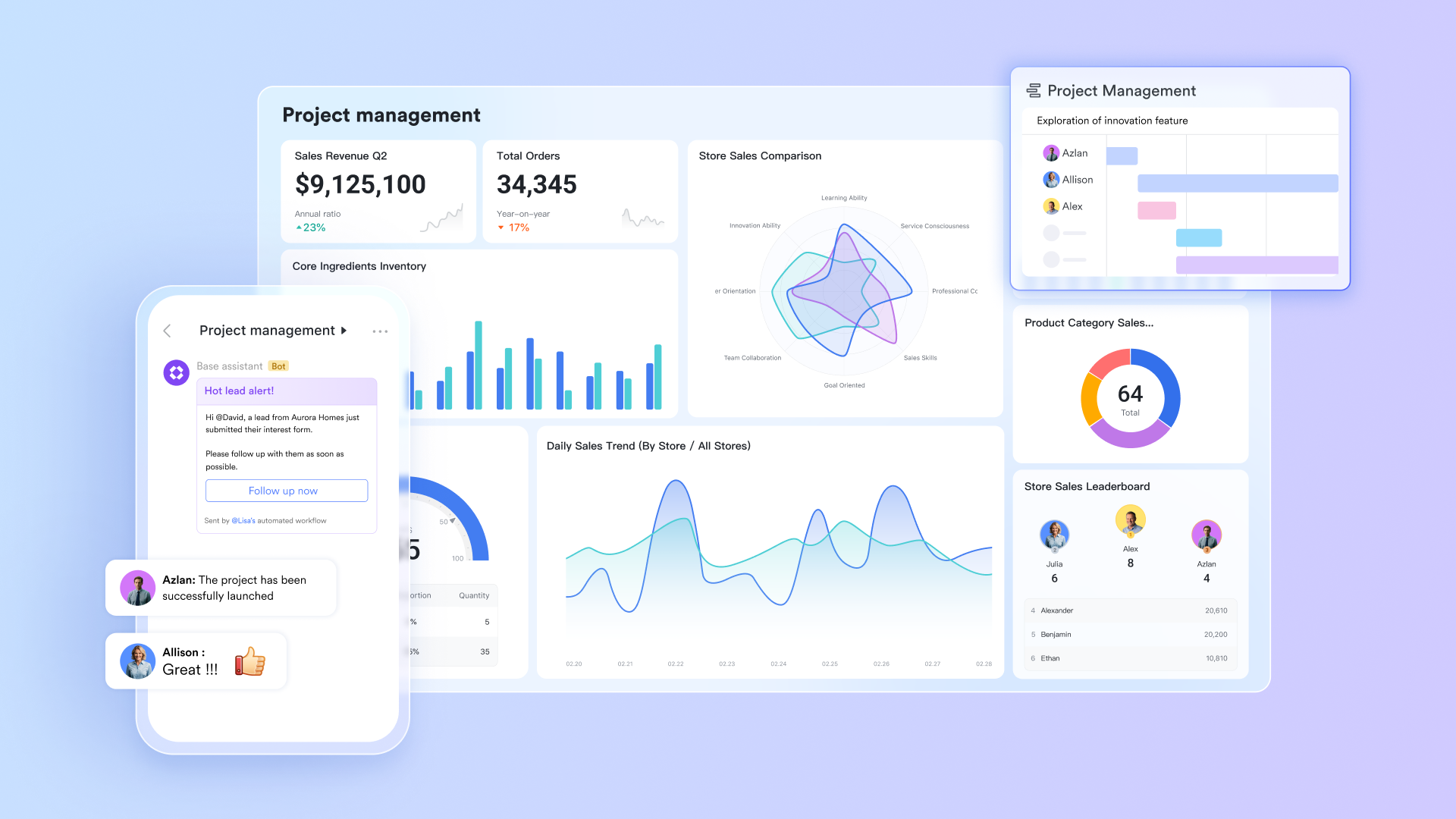
Lark Base: Manage portfolio dashboards with multi-view visibility
With Lark Base, teams can manage their entire project portfolio using Kanban, Gantt, and Table views—offering a complete, dynamic picture of all ongoing projects. Teams can filter, sort, and group projects by priority, deadlines, owners, or completion status to get real-time insights into performance.
For instance, a consulting firm managing 15+ concurrent projects can easily visualize task dependencies, monitor resource usage, and identify which initiatives are ahead or behind schedule.
By centralizing portfolio data in Lark Base, PMOs and executives can make faster, data-backed decisions, ensuring alignment between daily execution and long-term strategy.
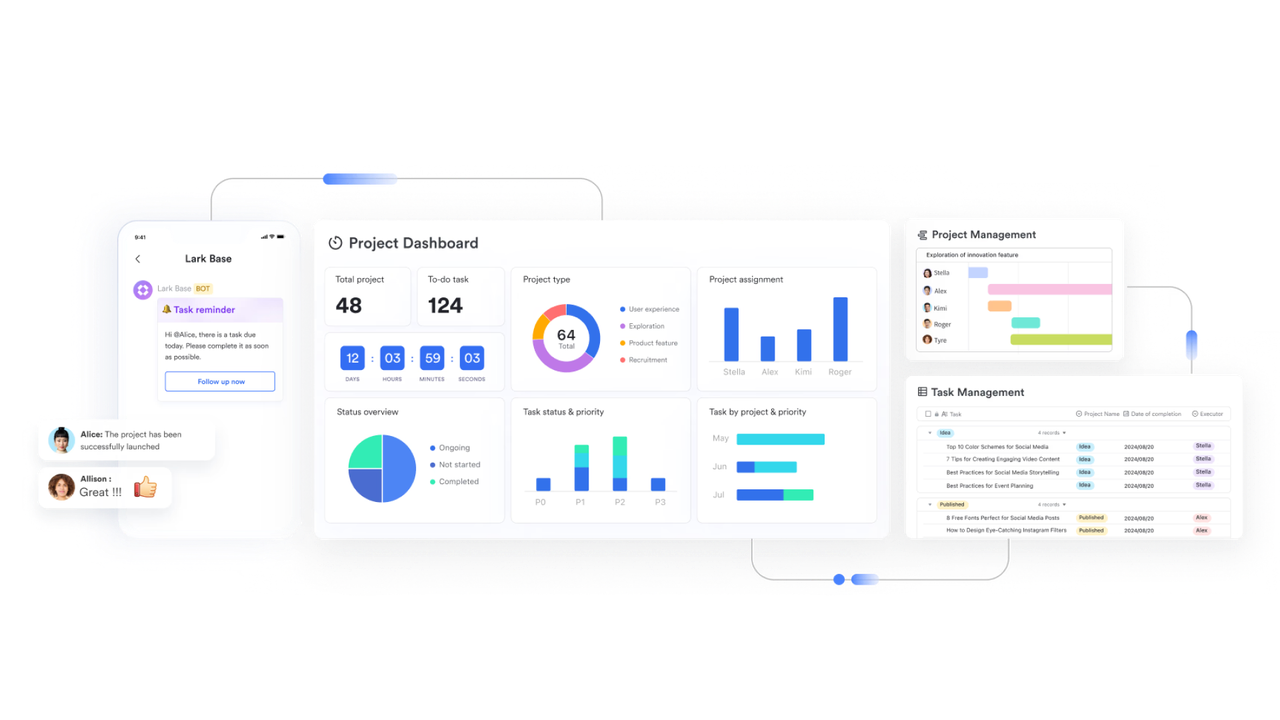
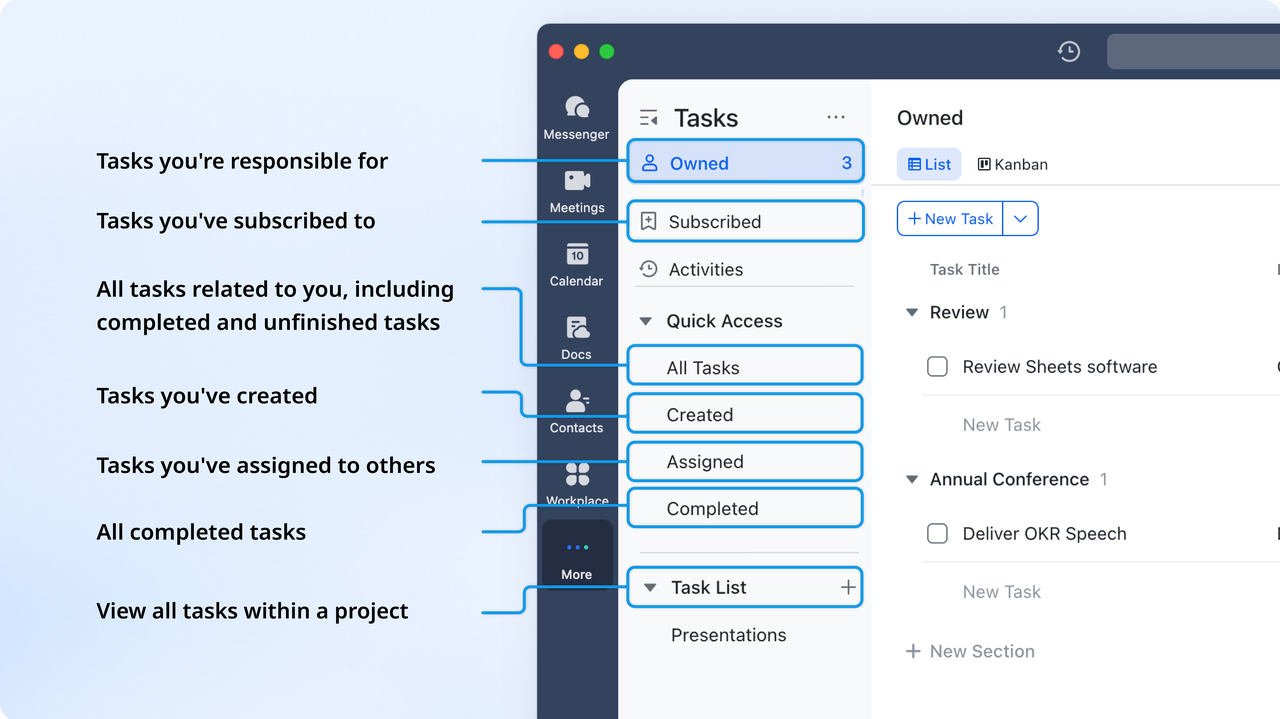
Lark Tasks: Assign and track deliverables across multiple projects
With Lark Tasks, teams can break down large projects into actionable tasks, sub-tasks, and milestones—each with deadlines, owners, and progress indicators. Every task can be linked directly to its corresponding record in Lark Base, ensuring that day-to-day execution stays connected to the overall project portfolio.
For example, when a marketing team builds a campaign plan, Lark Tasks automatically notify all the designated stakeholders, progress, and completion status across the portfolio dashboard. This transparency helps teams reduce confusion, improve accountability, and ensure every deliverable moves forward on schedule—keeping portfolio execution aligned with strategy.
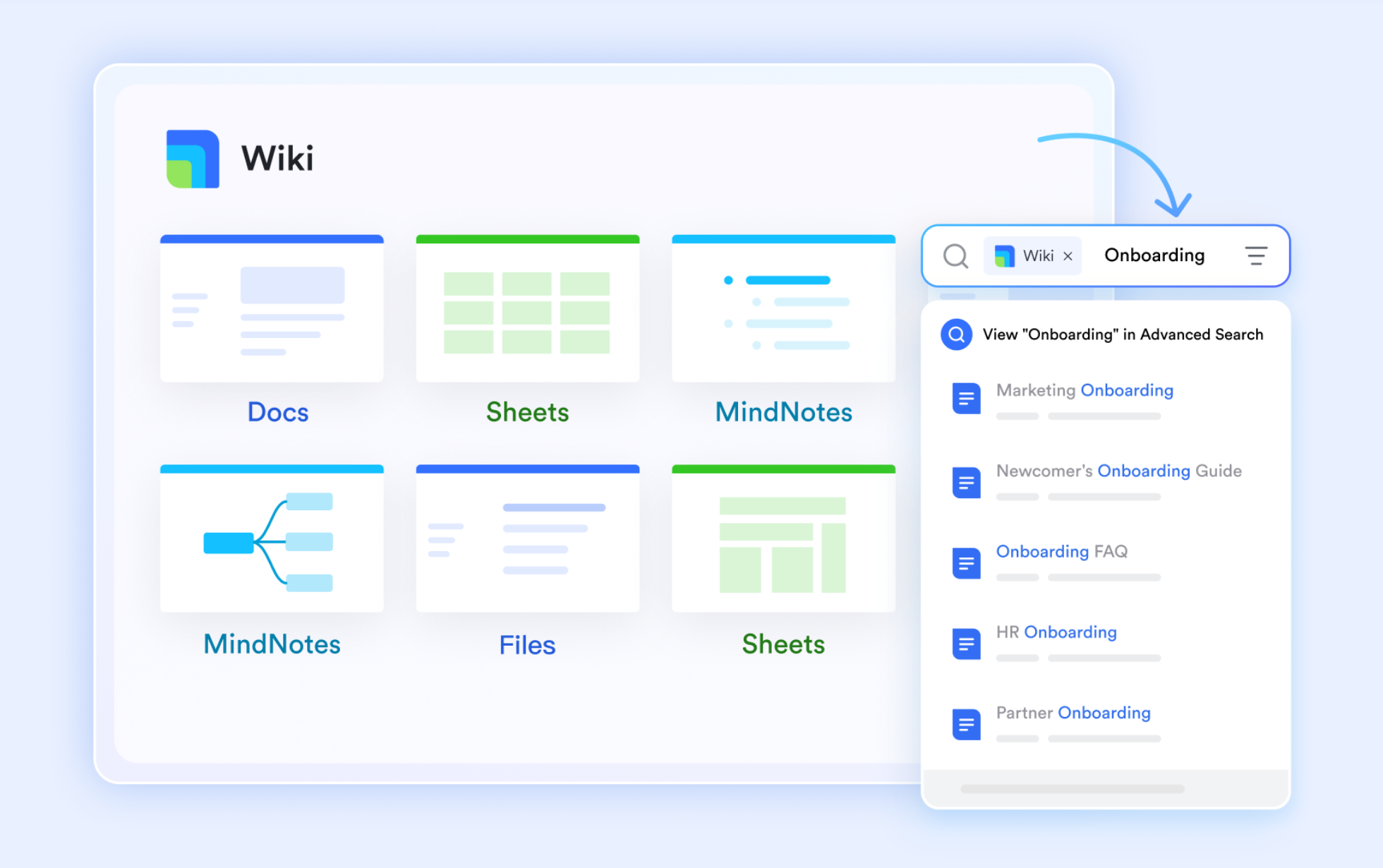
Lark Docs & Wiki: Maintain strategy documents and portfolio roadmaps
With Lark Docs & Wiki, teams can draft, share, and collaborate on project strategies, reports, and portfolio roadmaps—all in one place. Documents stay connected to related tasks or Lark Base records, so teams can move seamlessly between planning and execution without losing context. Whether you’re drafting a project proposal, updating client deliverables, or tracking performance metrics, Lark Docs allows real-time co-editing, inline commenting, and version history tracking.
For instance, if a project roadmap is created in Docs, it can be linked directly to Lark Tasks, ensuring every objective and milestone is reflected in the active portfolio. This eliminates document silos, promotes cross-functional visibility, and ensures everyone works from the latest, most accurate information.
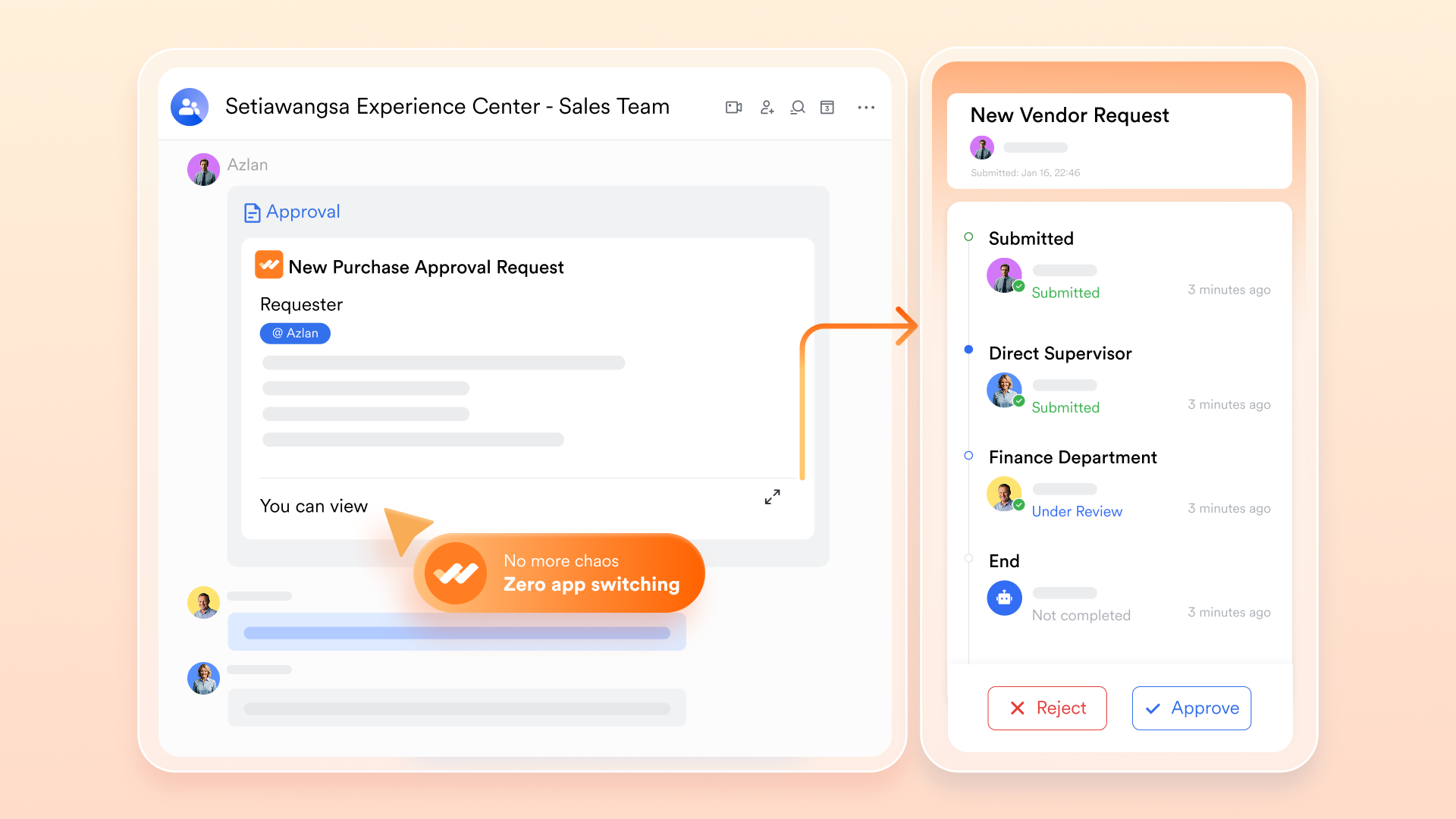
Lark Approvals: Automate workflows for budgets and project proposals
Lark Approvals streamlines the way teams manage budget requests, project proposals, and milestone sign-offs, turning what used to be long email threads into fast, transparent workflows. Sync data to Base from Lark Approval, keeping decision-making visible across the portfolio. Teams can customize approval chains, set conditions, and receive automated notifications to prevent bottlenecks.
For example, when a project manager submits a budget change or a new project proposal, the request automatically routes to the right stakeholders, who can approve or comment directly within Lark.
This automation accelerates portfolio governance, reduces manual follow-ups, and ensures that key decisions are documented and auditable—helping organizations maintain speed and accountability in project execution.
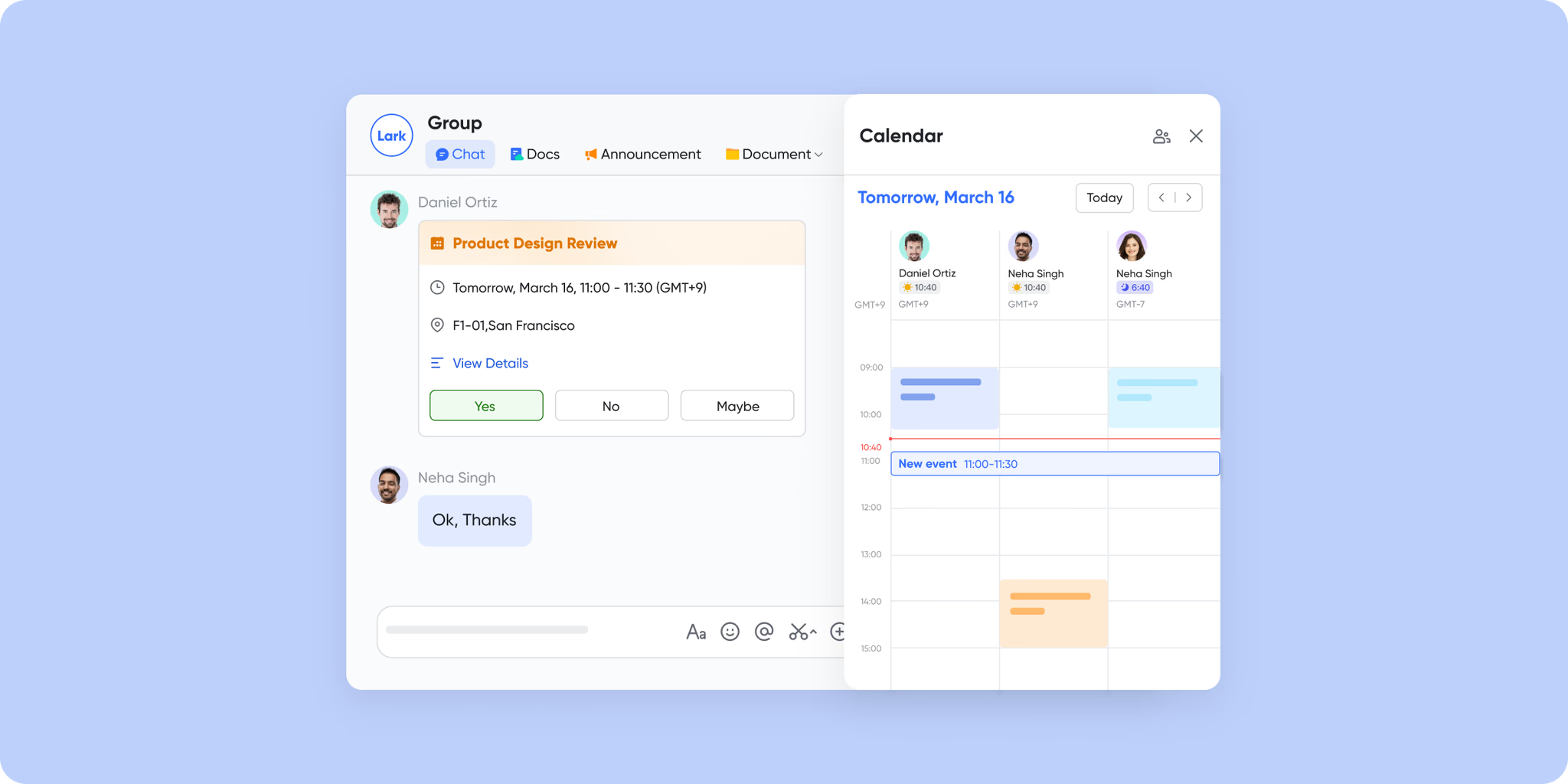
Lark Meetings & Calendar: Plan portfolio reviews and track milestones collaboratively
Lark Meetings & Calendar bring teams together to plan, review, and align on portfolio progress—all within the same workspace. With synchronized scheduling, meeting notes, and reminders, teams can easily coordinate weekly reviews, milestone check-ins, and strategy discussions without switching project management tools.
For example, a project management office (PMO) can schedule a recurring portfolio review on the Calendar, automatically pulling in the latest status reports, KPIs, and approval updates. After the meeting, notes and action items sync to relevant projects, giving everyone a clear view of next steps. By combining scheduling, collaboration, and reporting, Lark Meetings & Calendar keeps projects aligned, deadlines visible, and communication continuous across all portfolios.
Why choose Lark: Lark combines PPM functionality with real-time collaboration. Teams can manage projects, portfolios, approvals, and documentation in a single intelligent workspace, ensuring transparency, accountability, and efficiency across the organization.
- Starter plan: Free forever plan that includes 11 powerful tools for up to 20 users. It also comes with 100GB of storage, 1000 automation runs, AI translations, and more.
- Pro plan: $12/user/month (billed annually) for up to 500 users. It includes everything in Starter plus group calling for up to 500 attendees, 15TB of storage, 50,000 automation runs, and more.
- Enterprise plan: Contact sales for custom pricing. Supports unlimited users and includes even more automation runs and advanced security, compliance, and management features.
2. Monday.com: Visual project portfolio tracking for growing teams
Monday.com is a flexible PPM platform designed for teams that want a visual and intuitive way to manage multiple projects. It combines dashboards, tasks, automations, and reporting in one platform. From product launches to client projects, Monday.com adapts to any workflow, helping teams track progress and align projects with business objectives.
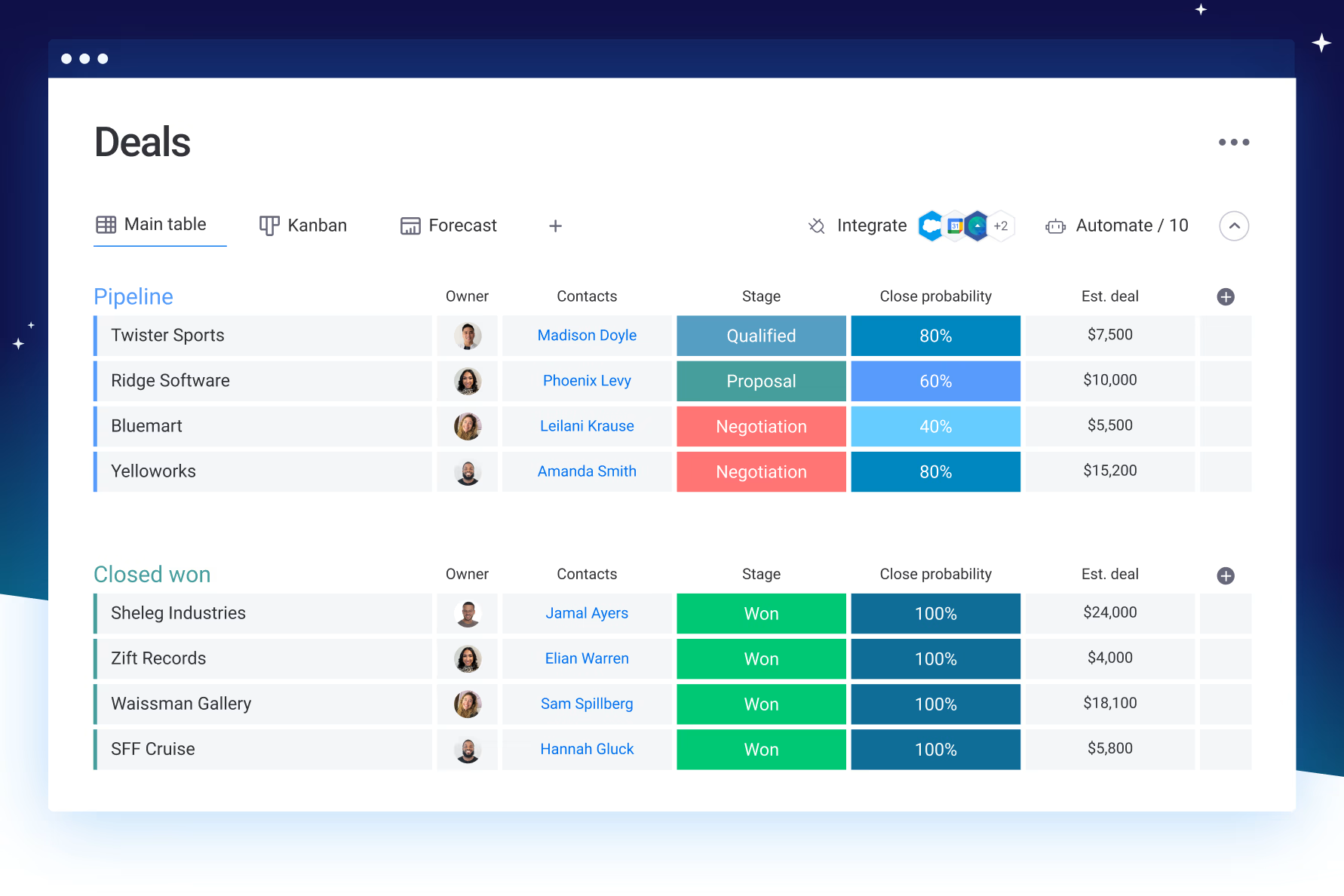
Image source: monday.com
Key features:
- Visual dashboards: Track project status, progress, and dependencies using Kanban, Gantt, or Timeline views.
- Automation tools: Automate recurring tasks, notifications, and updates to reduce manual work.
- Collaboration & reporting: Share updates, attach files, and generate custom reports across the portfolio.
Strengths:
- Highly visual and easy to use.
- Flexible for different team workflows.
- Strong collaboration features for cross-functional teams.
Limitations:
- It can become expensive for large teams.
- Some advanced features require higher-tier plans.
Pricing: Free plan available; Paid plans start at $10/user/month.
3. Wrike: Enterprise-grade PPM tool with advanced reporting and dependencies
Wrike is an enterprise PPM platform designed for teams that need robust project tracking and reporting. It combines task management, portfolio dashboards, and workflow automation to help large organizations oversee multiple projects with clarity. Wrike is ideal for teams needing dependency management and advanced analytics.
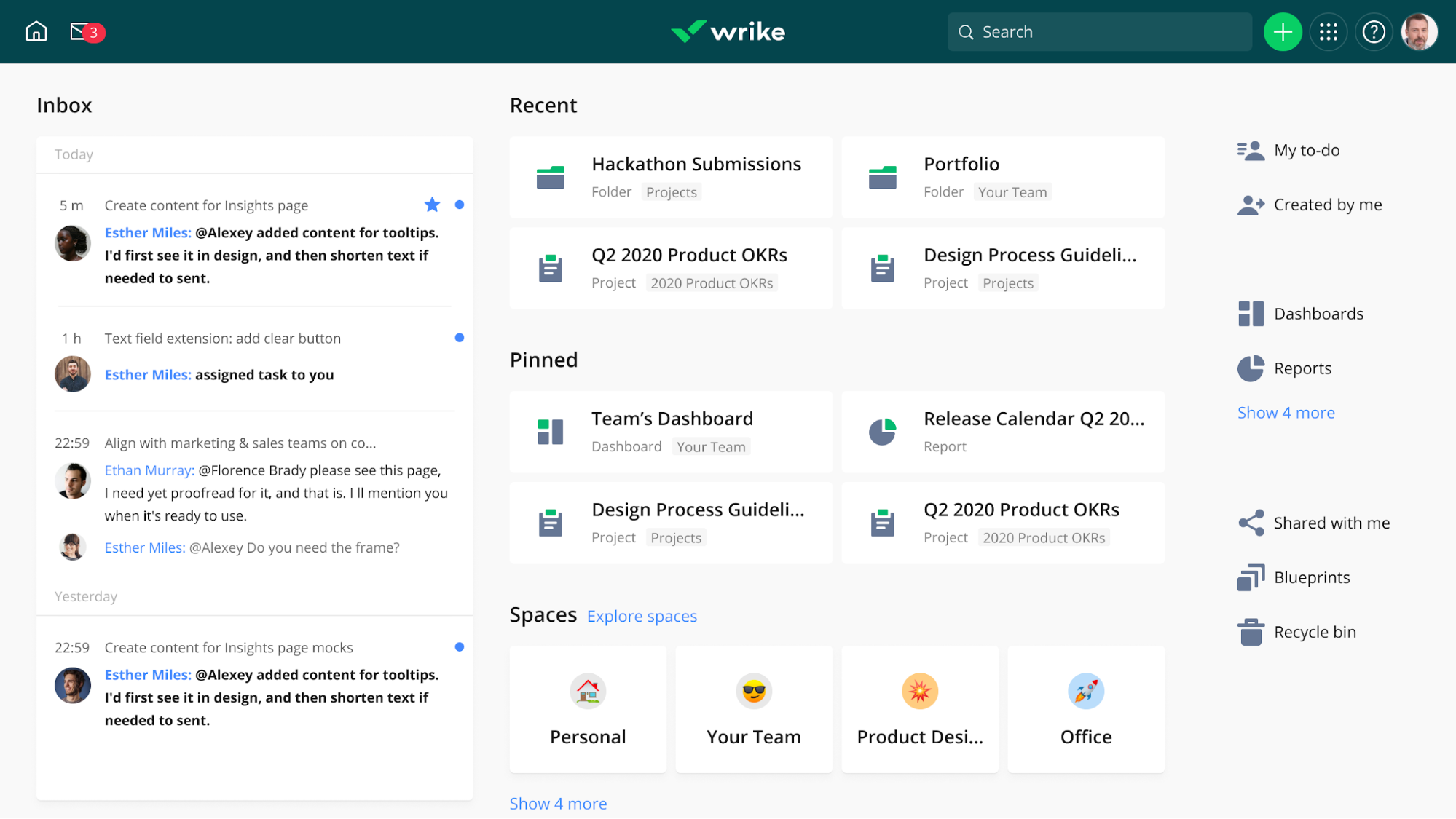
Image source: wrike.com
Key features:
- Gantt charts & dashboards: Visualize project timelines, milestones, and dependencies.
- Resource & workload management: Allocate team members and track availability across portfolios.
- Advanced reporting: Custom reports and analytics track portfolio KPIs in real time.
Strengths:
- Scales well for large enterprises.
- Strong dependency and reporting tools.
- Supports complex workflows and multiple portfolios.
Limitations:
- Steeper learning curve for new users.
- Mobile interface is less refined than desktop.
Pricing: Free plan for small teams; Paid plans start at $9.80/user/month.
4. ClickUp: Flexible, customizable workspace for managing multi-project portfolios
ClickUp is a powerful project management app designed for teams that want full control over how they organize work. It combines tasks, goals, docs, and chat into one flexible workspace. From agile sprints to marketing campaigns, ClickUp adapts to your workflow—making it a favorite for both startups and large teams.
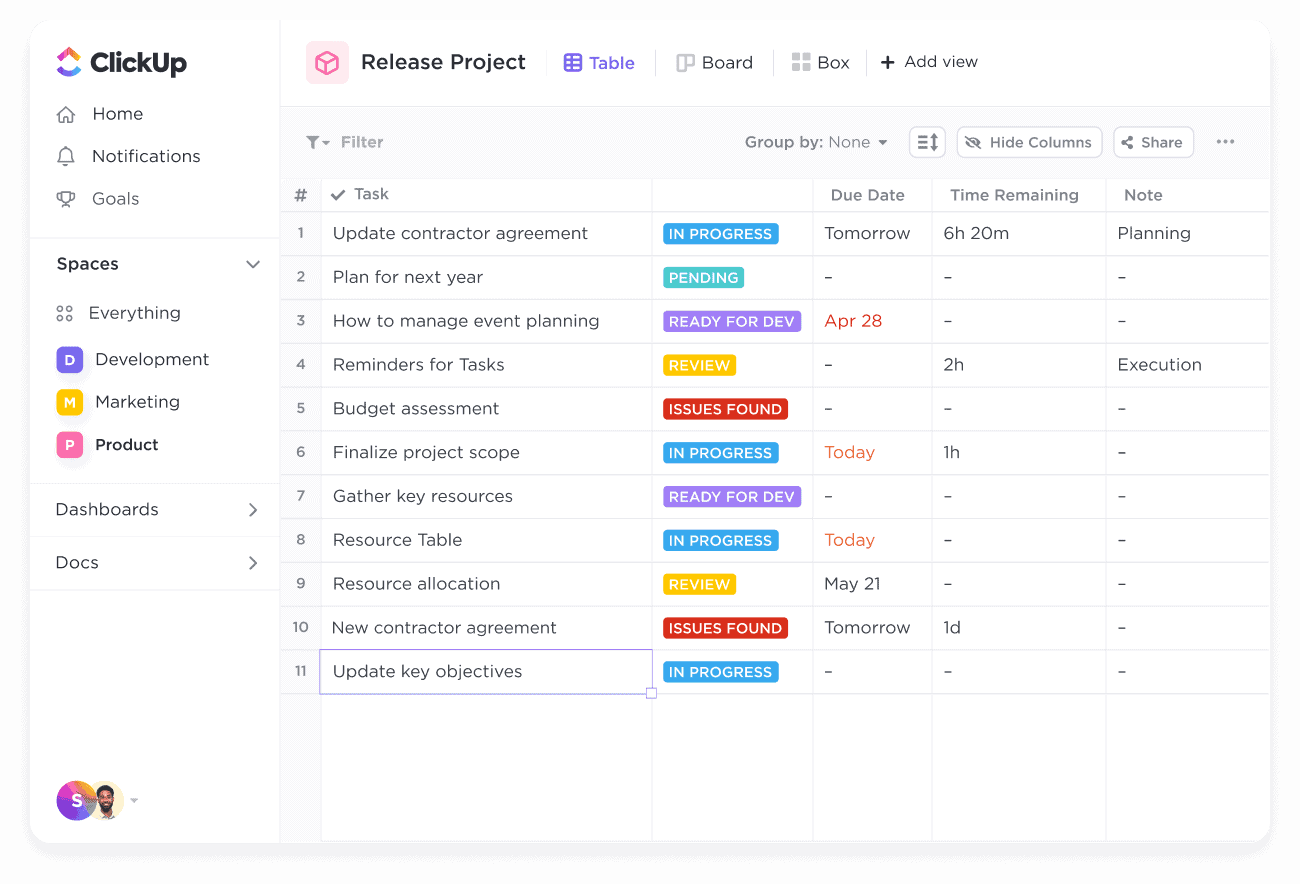
Image source: clickup.com
Key features:
- Multiple project views: List, Board, Calendar, or Gantt for full workflow visibility.
- Automation tools: Recurring actions, due date reminders, and auto-assign tasks.
- Goal tracking & reporting: Monitor objectives with dashboards and analytics.
Strengths:
- Highly customizable for different workflows.
- Scales from small teams to enterprises.
- Strong reporting and agile support.
Limitations:
- Steeper learning curve for new users.
- Mobile interface is slightly less refined than desktop.
Pricing: Free plan available; Paid plans start at $7/user/month.
5. Asana: Clean interface with robust workload management for teams
Asana is a PPM tool designed for teams that value simplicity and visual clarity. It combines tasks, timelines, boards, and workload management to help teams track multiple projects. Asana is ideal for teams that want intuitive task management alongside portfolio-level visibility.
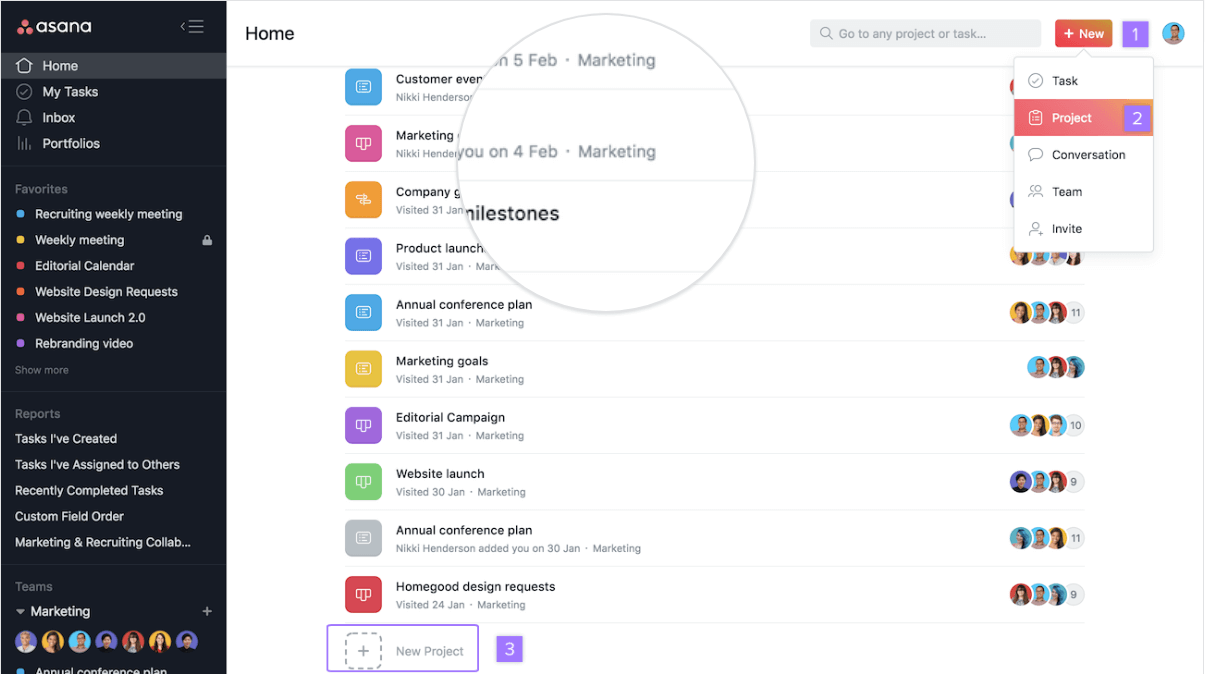
Image source: asana.com
Key features:
- Timelines & boards: Visualize tasks and project dependencies.
- Workload management: Balance team resources across multiple projects.
- Reporting & dashboards: Track project KPIs and portfolio performance.
Strengths:
- Easy to use and visually appealing.
- Strong for task and workload management.
- Flexible for both small and medium teams.
Limitations:
- Limited advanced reporting features.
- Less suited for highly complex enterprise workflows.
Pricing: Free plan available; Paid plans start at $10.99/user/month.
6. Smartsheet: Spreadsheet-style portfolio tracking with automation and dashboards
Smartsheet blends the familiarity of spreadsheets with project portfolio management. Teams can manage multiple projects, automate workflows, and track resources in a grid, card, or Gantt view. It's ideal for teams that want detailed control and structured reporting.
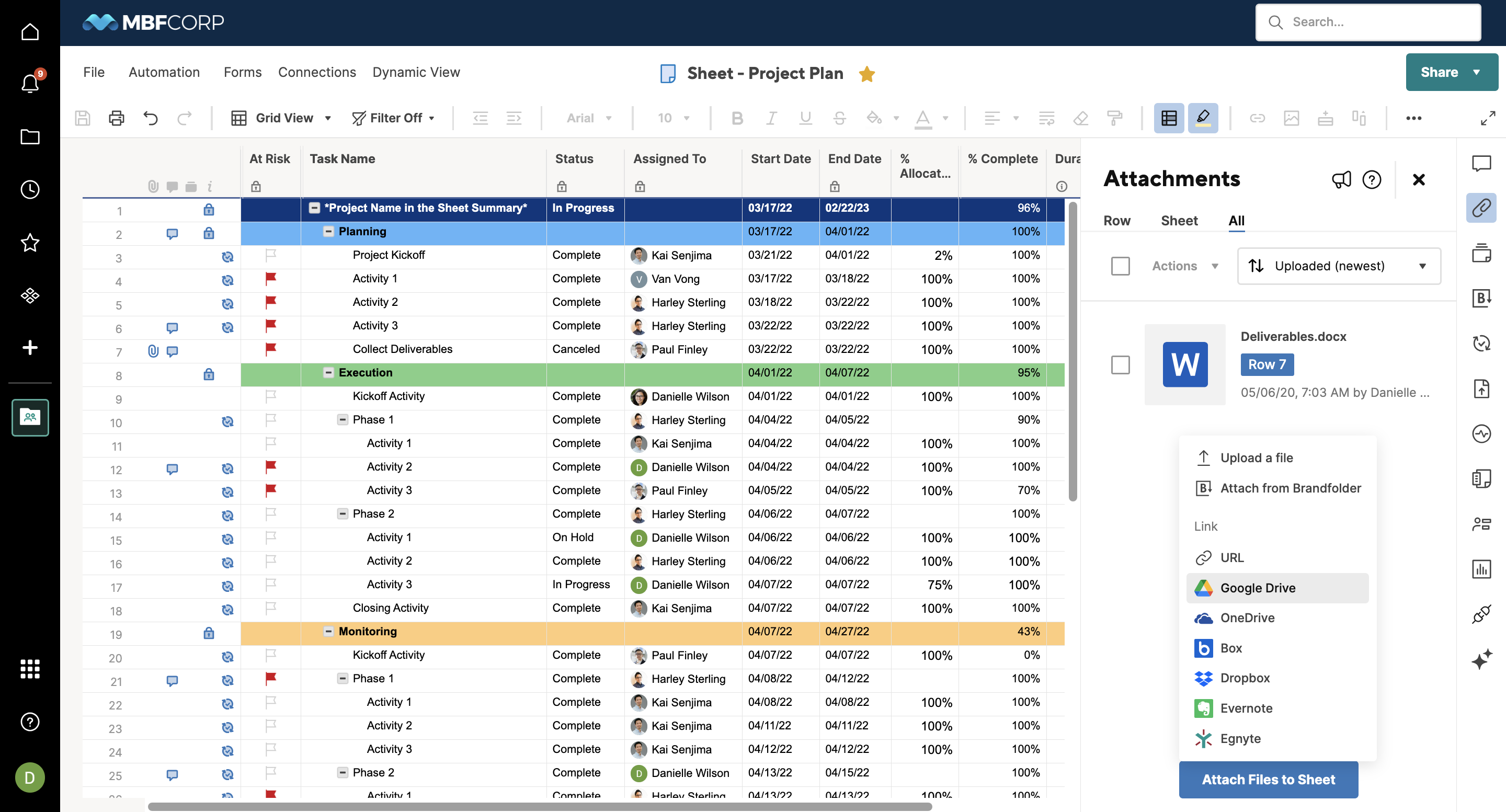
Image source: smartsheet.com
Key features:
- Grid, card, and Gantt views: Track tasks and milestones across projects.
- Automation & alerts: Set reminders, approvals, and recurring tasks automatically.
- Dashboards & reporting: Monitor KPIs, budgets, and portfolio health.
Strengths:
- Familiar interface for spreadsheet users.
- Strong reporting and automation capabilities.
- Scales well for medium and large organizations.
Limitations:
- It can be complex for non-spreadsheet users.
- Collaboration features are slightly less intuitive.
Pricing: Paid plans start at $7/user/month.
7. Businessmap: portfolio visibility and strategy-to-execution alignment
Businessmap is an enterprise project portfolio management platform designed to turn strategic vision into operational reality. Its highly customizable workspaces, portfolio boards, and real-time dashboards enable organizations to coordinate cross-functional initiatives, monitor delivery performance, and make informed decisions based on live data.

Image source: businessmap.io
Key Features:
- Flexible Visual Management: Visualize workflows via customizable Kanban boards, Timelines, Gantt charts, and multi-layered portfolio structures.
- OKR Integration: Seamlessly map high-level strategic objectives directly to operational tasks and epics.
- Smart Analytics & AI: Identify bottlenecks, track work aging, and get AI-assisted recommendations for process improvement.
Strengths:
- Flexible workflows that support Agile, hybrid, and traditional project management approaches.
- Strong dependency management
- Complete visibility across portfolios, teams, and strategic initiatives.
Limitations:
- Could be a little overwhelming for first-time users
- Mobile functionality is more limited than the desktop experience.
Pricing: Starts at €8/user/month (50 users, billed annually). Enterprise plan available.
8. Jira Align: Scalable solution for agile portfolio management
Jira Align is designed for enterprise organizations practicing agile methodologies. It connects strategy to execution, allowing teams to scale agile across multiple projects and portfolios. Jira Align is ideal for enterprises managing complex, large-scale portfolios.
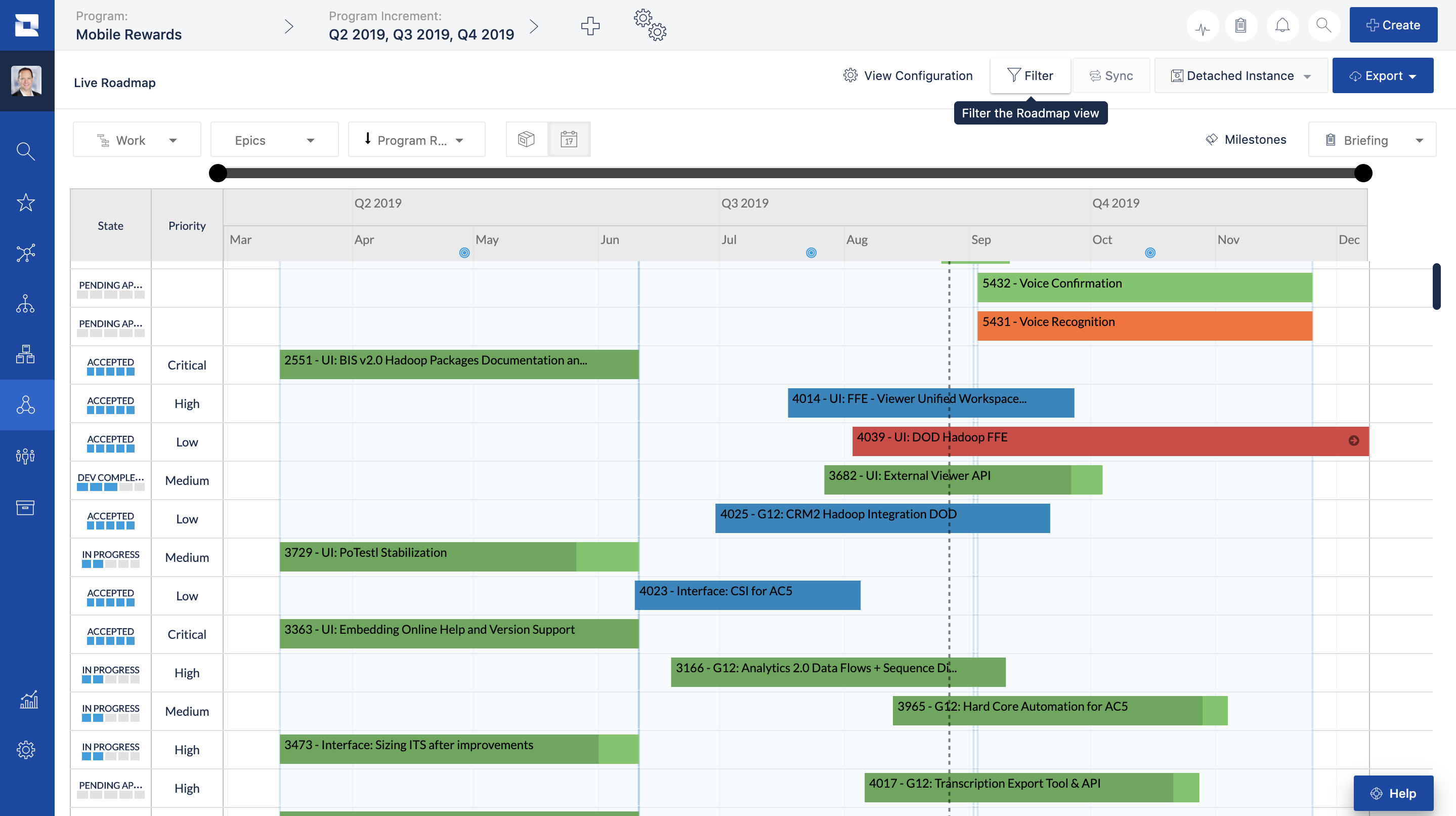
Image source: jira.com
Key features:
- Portfolio visibility: Track multiple agile projects and programs.
- Roadmaps & dependency tracking: Visualize project timelines and interdependencies.
- Advanced reporting: Agile metrics, velocity, and performance dashboards.
Strengths:
- Scales for large agile enterprises.
- Excellent for dependency management.
- Deep integration with Jira Software.
Limitations:
- High complexity and learning curve.
- Expensive for smaller teams.
Pricing: Custom enterprise pricing; contact vendor.
9. Notion: A Lightweight system for teams managing smaller portfolios collaboratively
Notion is a versatile workspace ideal for smaller teams that want a lightweight, flexible PPM tool. It combines databases, docs, and boards in one platform, making it easy to track projects, tasks, and portfolio-level information. Teams can create customized dashboards, link project pages, and visualize timelines without complex setup.
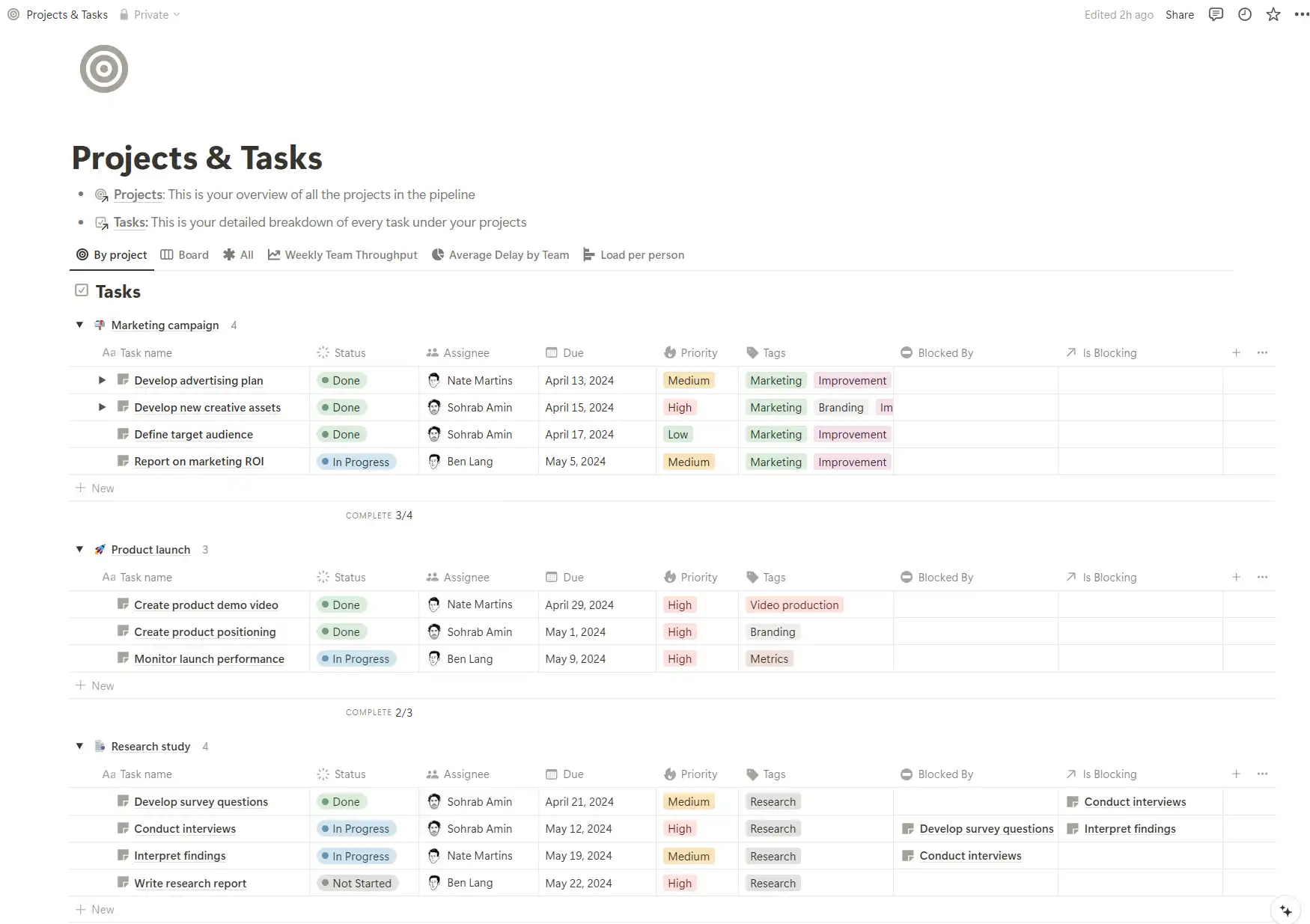
Image source: notion.com
Key features:
- Customizable databases: Track projects, tasks, and milestones.
- Docs & wikis: Maintain project plans and portfolio documentation.
- Collaboration: Comment, co-edit, and link tasks across pages.
Strengths:
- Lightweight and flexible.
- Ideal for small teams and startups.
- Strong documentation and collaboration tools.
Limitations:
- Limited advanced reporting and automation.
- Less suited for complex enterprise portfolios.
Pricing: Free plan available; Paid plans start at $8/user/month.
10. Teamwork: Combines PPM with client and resource management
Teamwork is a PPM tool designed for teams that need project management alongside client and resource tracking. It combines tasks, milestones, time tracking, and dashboards, making it a complete solution for service teams. With built-in client portals, workload visibility, and billing features, Teamwork helps agencies and professional service firms manage projects from planning to delivery.
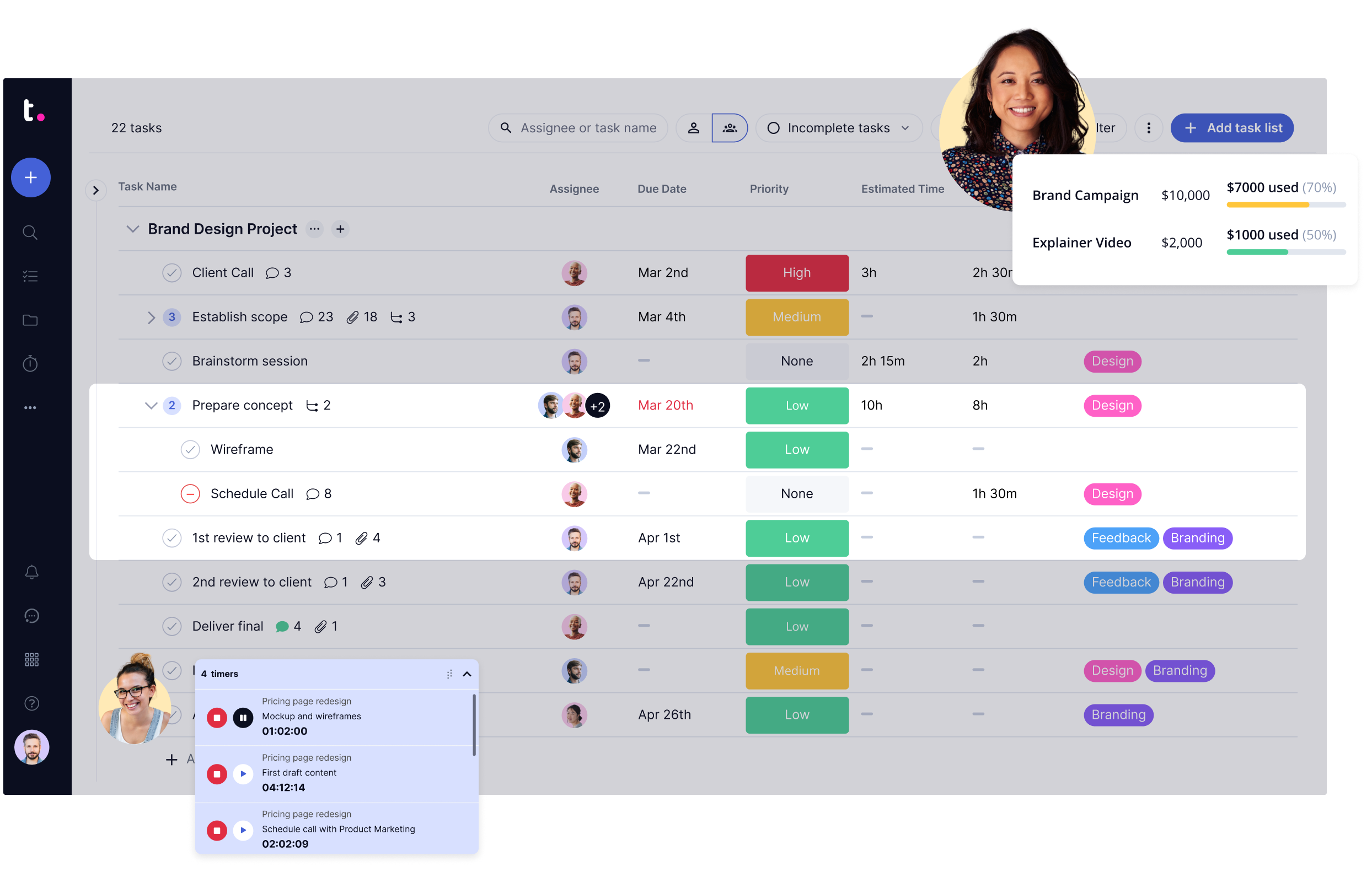
Image source: teamwork.com
Key features:
- Task & milestone tracking: Manage project progress and deadlines.
- Time & resource management: Allocate staff and monitor utilization.
- Dashboards & reporting: Gain insights into project performance and profitability.
Strengths:
- Combines PPM with client and resource management.
- Scales for both small and medium businesses.
- Strong collaboration and reporting features.
Limitations:
- It can be complex for new users.
- Fewer integrations compared to competitors.
Pricing: Free plan available; Paid plans start at $10/user/month.
11. Sciforma: Enterprise PPM software for financial and strategic portfolio planning
Sciforma is an enterprise-grade PPM tool built for organizations managing complex portfolios. It combines financial tracking, resource management, and strategic planning features, making it ideal for large enterprises that need complete visibility across programs and budgets. With real-time dashboards, advanced forecasting, and scenario modeling, Sciforma helps executives evaluate portfolio performance with ease.
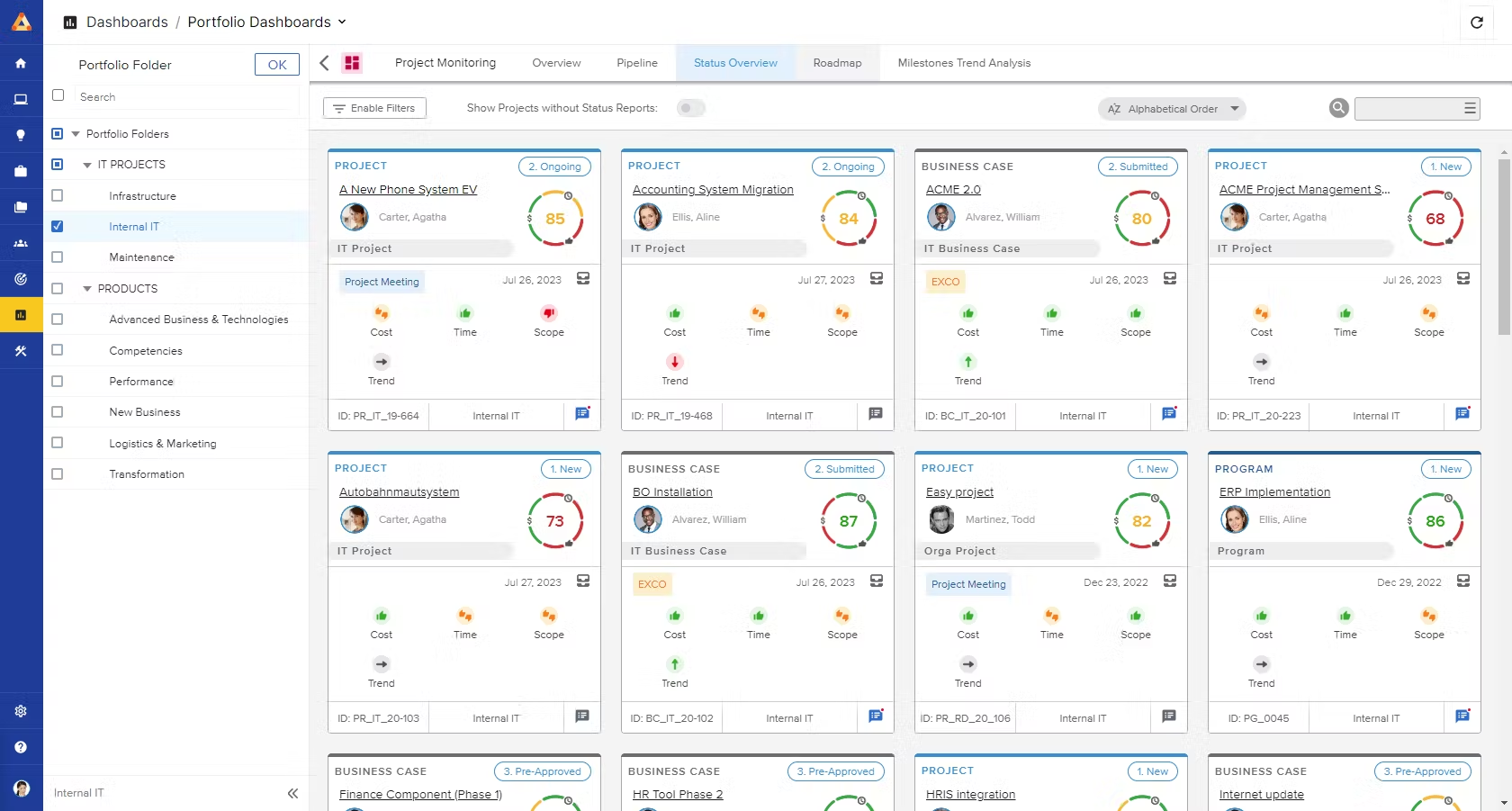
Image source: sciforma.com
Key features:
- Portfolio dashboards: Monitor projects, risks, and budgets in real time.
- Resource & financial management: Allocate staff and track costs across portfolios.
- Strategic planning tools: Align projects with business objectives and ROI targets.
Strengths:
- Excellent for enterprise-scale PPM.
- Strong financial and resource management capabilities.
- Advanced reporting and analytics for decision-making.
Limitations:
- High learning curve.
- Expensive for small to medium teams.
Pricing: Custom enterprise pricing; contact vendor.
How to choose the right PPM tool
Selecting the right project portfolio management (PPM) tool is critical to effectively managing multiple projects and aligning them with business strategy. The right solution should match your organization's needs, improve collaboration, and provide clear insights across all projects.
- Identify your organizational scale and project volume: Consider the number of projects, team size, and complexity of your portfolio. A PPM tool should scale with your organization, supporting growth without compromising visibility or control. Understanding scale ensures you select a solution that fits current and future needs.
- Prioritize collaboration and automation capabilities: Effective PPM tools facilitate teamwork across departments and automate repetitive tasks. Look for features like task assignment, workflow automation, and real-time updates to streamline project execution and improve team productivity.
- Look for dashboards, custom reporting, and resource visibility: A strong PPM tool provides dashboards to monitor project performance and customizable reports to track KPIs. Transparent resource visibility helps managers allocate staff and budgets efficiently across multiple projects.
- Ensure ease of use and mobile accessibility: A user-friendly interface and mobile access encourage team adoption and engagement. PPM tools that are easy to navigate allow teams to update progress, track milestones, and collaborate seamlessly from anywhere.
- Evaluate cost-effectiveness for enterprise scaling: Consider both upfront and long-term costs, including licensing, training, and maintenance. A PPM tool should deliver strong ROI while supporting enterprise-level scaling and strategic portfolio management without excessive expenses
Conclusion
Project portfolio management (PPM) ensures that organizations allocate time, resources, and effort to the most impactful projects, maximizing strategic value and return on investment. While traditional PPM tools primarily focus on data tracking and reporting, modern platforms like Lark go a step further by connecting strategy, execution, and team communication in one unified workspace.
With real-time dashboards, automated reporting, and collaborative documentation, teams can monitor portfolio health, manage tasks, and make informed decisions efficiently. By centralizing all aspects of project portfolio management, organizations can improve transparency, accountability, and overall portfolio performance across every initiative.
FAQs
How does PPM differ from traditional project management?
Project portfolio management (PPM) focuses on managing multiple projects collectively to achieve strategic business goals, whereas traditional project management emphasizes completing individual projects. PPM evaluates project selection, prioritization, resource allocation, and overall portfolio performance. It provides a holistic view, enabling organizations to optimize ROI, mitigate risks, and ensure alignment with long-term objectives across all initiatives.
What are the best project portfolio management tools in 2025?
The best project portfolio management (PPM) tools in 2025 include Lark, Monday.com, Wrike, ClickUp, Asana, Smartsheet, Jira Align, Notion, Teamwork, and Sciforma. These platforms offer features like portfolio dashboards, task management, automation, reporting, and collaboration. They cater to both enterprises and smaller teams, helping organizations streamline project oversight, improve resource allocation, and make data-driven decisions.
How can Lark support portfolio reporting and approvals?
Lark supports project portfolio management (PPM) by providing real-time dashboards, automated reporting, and collaborative documentation. Executives can access up-to-date performance reports in Lark Docs, while approval workflows for budgets and proposals are managed through Lark Approvals. This ensures transparency, faster decision-making, and accountability across all projects, making portfolio reporting and governance efficient and centralized.
Is PPM suitable for small and medium businesses?
Yes, project portfolio management (PPM) is suitable for small and medium businesses. Even smaller organizations benefit from prioritizing projects, allocating resources efficiently, and monitoring progress across initiatives. Modern PPM tools, including Lark, Monday.com, and ClickUp, offer scalable, user-friendly solutions that enhance collaboration, simplify reporting, and provide insights to help SMEs make data-driven decisions and achieve strategic goals.
Related reading
Table of contents
Start using Lark today

Manage all your work in one place
Boost team efficiency by 10x
Save up to 70% on software costs
Table of contents
Start using Lark today
Manage all your work in one place
Boost team efficiency by 10x
Save up to 70% on software costs
Keep reading







2026 Lark Technologies Pte. Ltd.
Headquartered in Singapore with offices worldwide.






Explore: