














Best 15 Chat Platforms for Team Communication and Workflows

Donna Shao
Content Specialist
Nov 3, 2026
Donna Shao
Nov 3, 2026

18 min read
Add to preferred sources


A modern chat platform does a lot more than handle quick messages. Teams now expect one place where conversations can connect with tasks, approvals, documents, meetings, and everyday workflows. As more companies work across offices, remote teams, and time zones, the best online chat platform helps people stay aligned without jumping between too many tools. On top of that, the rise of the AI chat platform is changing expectations even further, with smarter search, summaries, writing help, and automation built into daily communication. Whether you need better internal collaboration or a more scalable chatbot platform for support and operations, the right tool can make teamwork faster, clearer, and much easier to manage.
Key takeaways: 5 best platforms for online chat
1. Lark: Collaboration platform with instant group chatting
2. Slack: Channel-based chat platform for team communication workflows
3. Microsoft Teams: Enterprise chat platform with collaboration tools
4. Google Chat: Chat platform for Google Workspace users
5. Discord: Community-driven online chat platform with voice features
Snapshot of the top 5 platforms for online chatting
If you are shortlisting tools quickly, these five are the strongest starting points. Each one stands out for a different reason, whether that is all-in-one collaboration, enterprise control, simple team messaging, or community-style communication:
Information source: Official vendor sites
Update time: 2026-03-24
Note: Pricing and plan details reflect publicly available data as of the update date and may vary based on region, billing cycle, and number of agents.

New trend: What is an AI chat platform?
An AI chat platform is a messaging tool that blends real-time communication with features like smart search, summaries, writing help, automated replies, and task suggestions. It goes beyond basic chat by helping teams find information faster and cut down on repetitive work. Instead of just keeping conversations in one place, it helps people move from discussion to action more easily.
A strong online chat platform with AI can summarize meetings, surface documents, answer internal questions, and automate customer interactions. In many cases, it also works as a chatbot platform, giving businesses a way to handle support requests, internal help flows, or routine approvals without extra tools. As remote and hybrid work become more common, the AI chat platform is starting to feel less like an add-on and more like the centre of how modern teams collaborate.
Key criteria: What defines a high-performing chat platform
Not every messaging tool is built for serious business use. Some are fine for quick conversations, but they start to feel limited once teams need more structure, visibility, or control. A high-performing chat platform should make communication easier without creating more noise or more manual work. The best tools usually combine speed, organization, collaboration, and reliability in one place.
- Instant messaging and group chats: At the core, every strong chat platform still needs to handle fast, reliable messaging. Teams should be able to use direct messages, group chats, and channels without delays or confusion.
- File sharing and collaboration tools: Most team conversations involve files, documents, screenshots, or shared links, so file handling matters more than many companies expect. A good online chat platform should make it easy to preview, share, and discuss content without endless downloads or version confusion.
- Workflow and task connectivity: Messaging is helpful, but teams also need a way to turn conversations into action. That might mean assigning tasks, tracking ownership, routing approvals, or linking project work to a discussion.
- AI chat and automation capabilities: More teams now expect built-in intelligence from the tools they use every day. Features like summaries, smart search, writing support, and automation can save time and reduce the amount of manual follow-up after busy conversations.
- Security and compliance features: Chat tools often store sensitive conversations, internal documents, and business decisions, so security cannot be treated as an afterthought. Companies need to look at permissions, admin controls, retention settings, audit visibility, and compliance options.
Top 15 chat platform tools for modern teams
In the list below, you will find the top 15 options for businesses looking for a reliable online chat platform, a practical AI chat platform, or even a flexible chatbot platform. Each tool has different strengths, so the right choice depends on how your team communicates and gets work done.
1. Lark: Collaboration platform with robust communication features
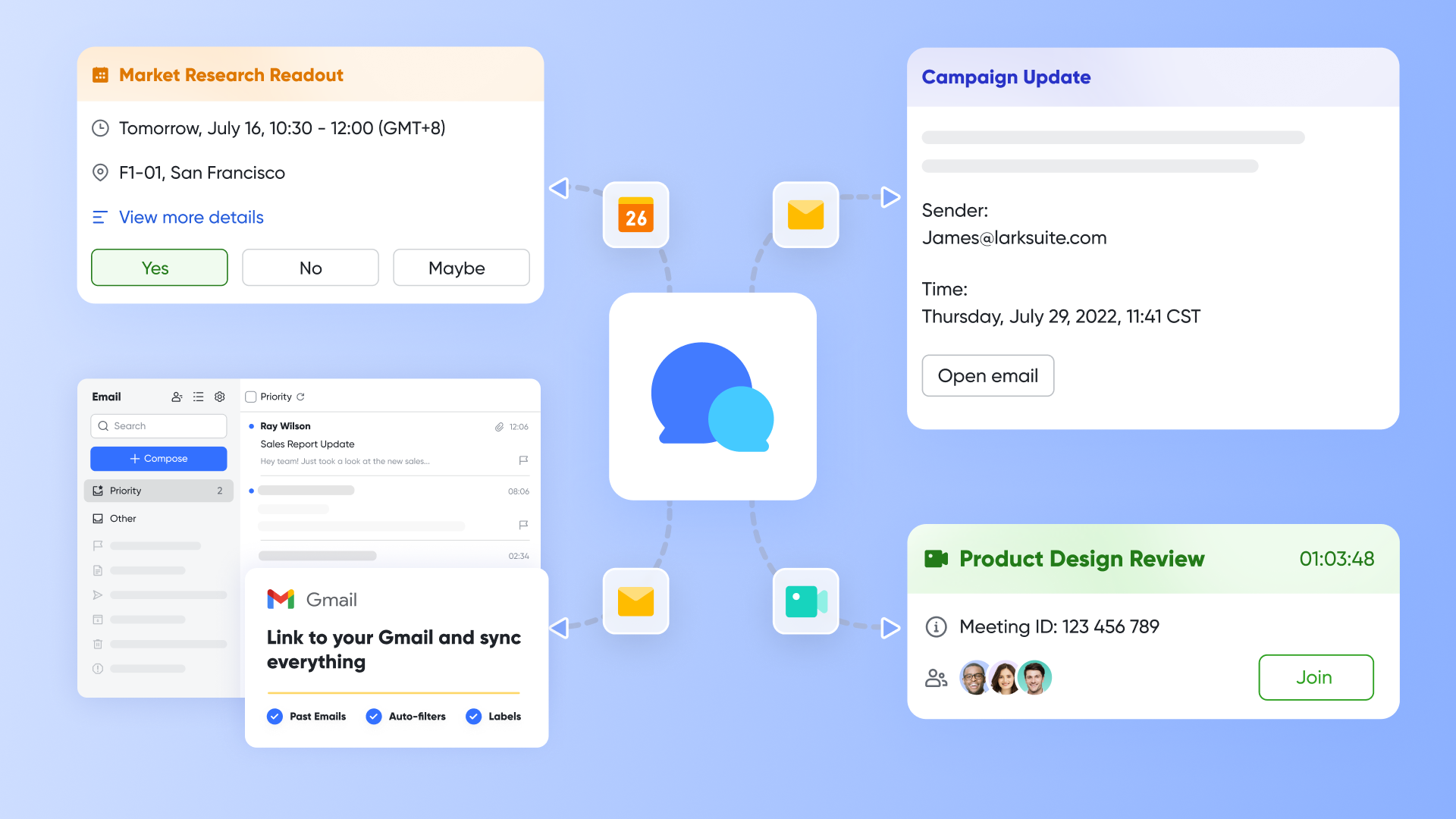
Lark is one of the strongest choices for teams that want more than group chat. It is built as a unified workspace where team communication connects directly to documents, meetings, approvals, calendars, databases, and automation. Instead of adding another standalone chat platform, Lark helps teams keep work and communication in one place.
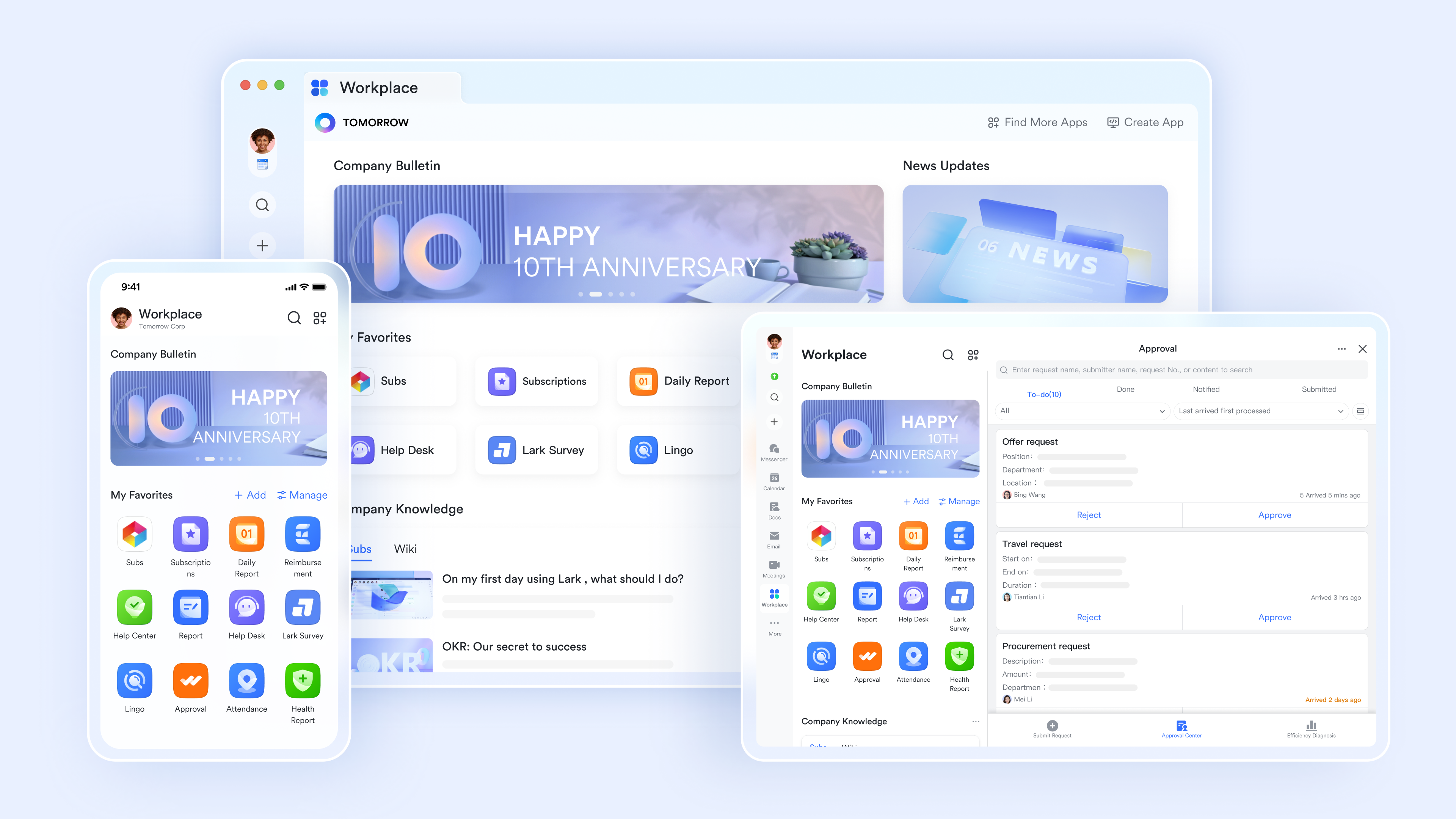
A group chat hub for exchanging ideas
Lark Messenger supports group chats, direct messages, topic threads, and announcement channels. You can try chat tabs to pin essential documents and links directly to the top of any group, ensuring your team's "source of truth" is always one click away. Meanwhile, threaded conversations keep discussions organized and searchable, allowing stakeholders to follow specific topics without cluttering the main chat or creating notification fatigue.
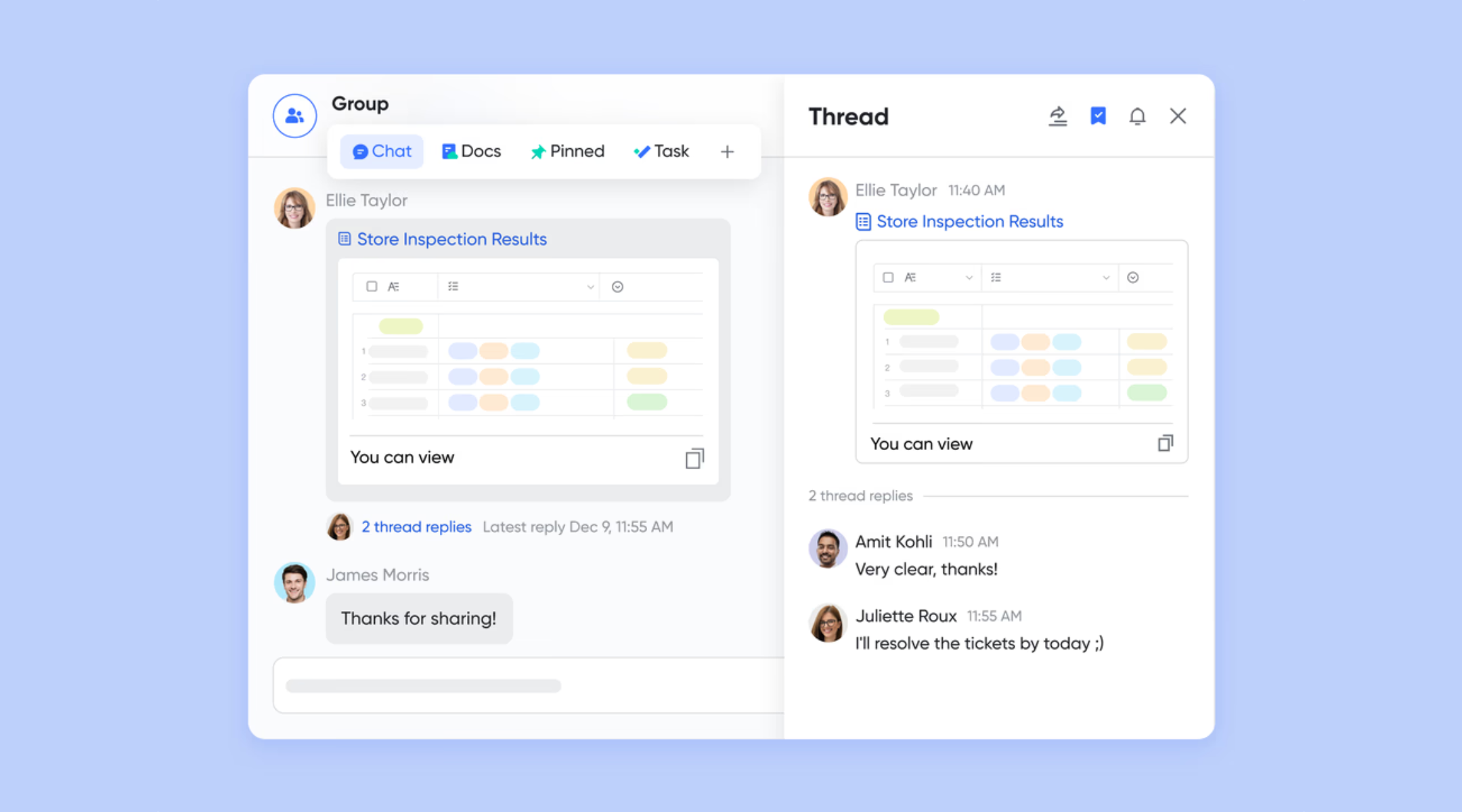
A distraction-free environment
Lark simplifies a busy inbox with advanced filters, custom labels, and chat collapse. You can create personalized labels to group related chats together or use filters to instantly view unread messages, @mentions, and flagged items. To reduce daily clutter, simply move less active conversations to your collapsed folder, where they remain accessible but hidden from your primary view.
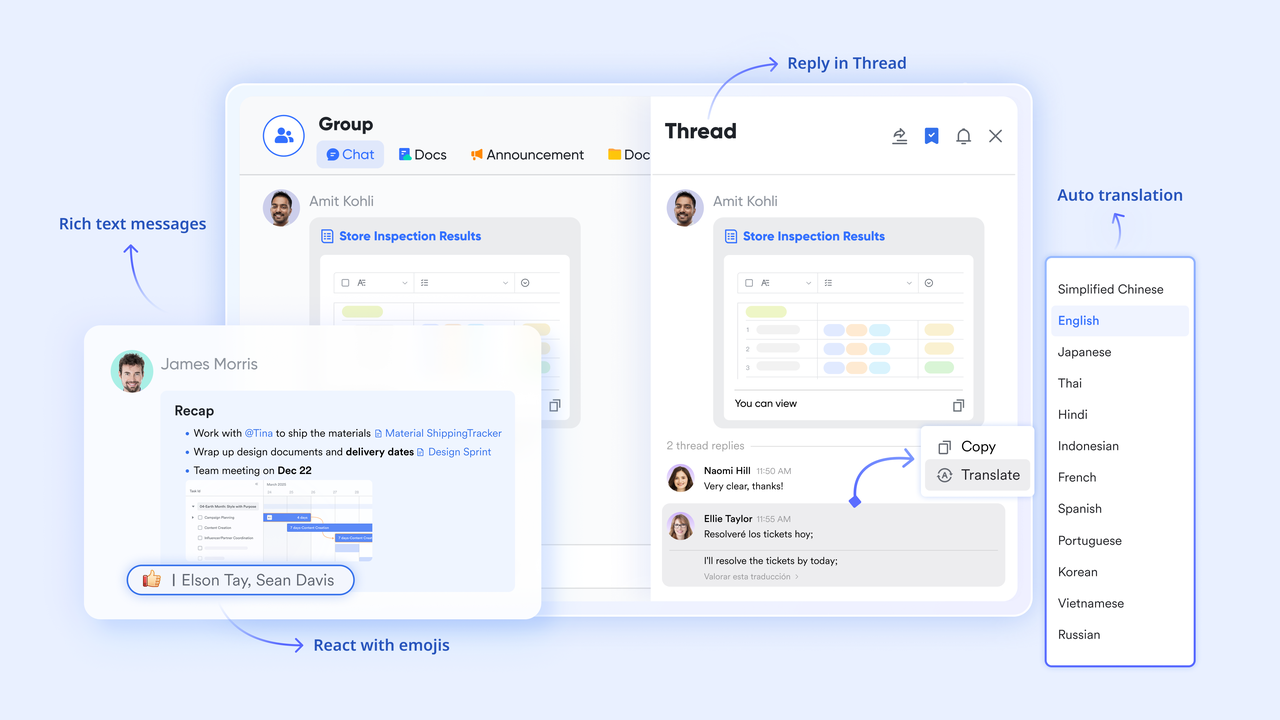
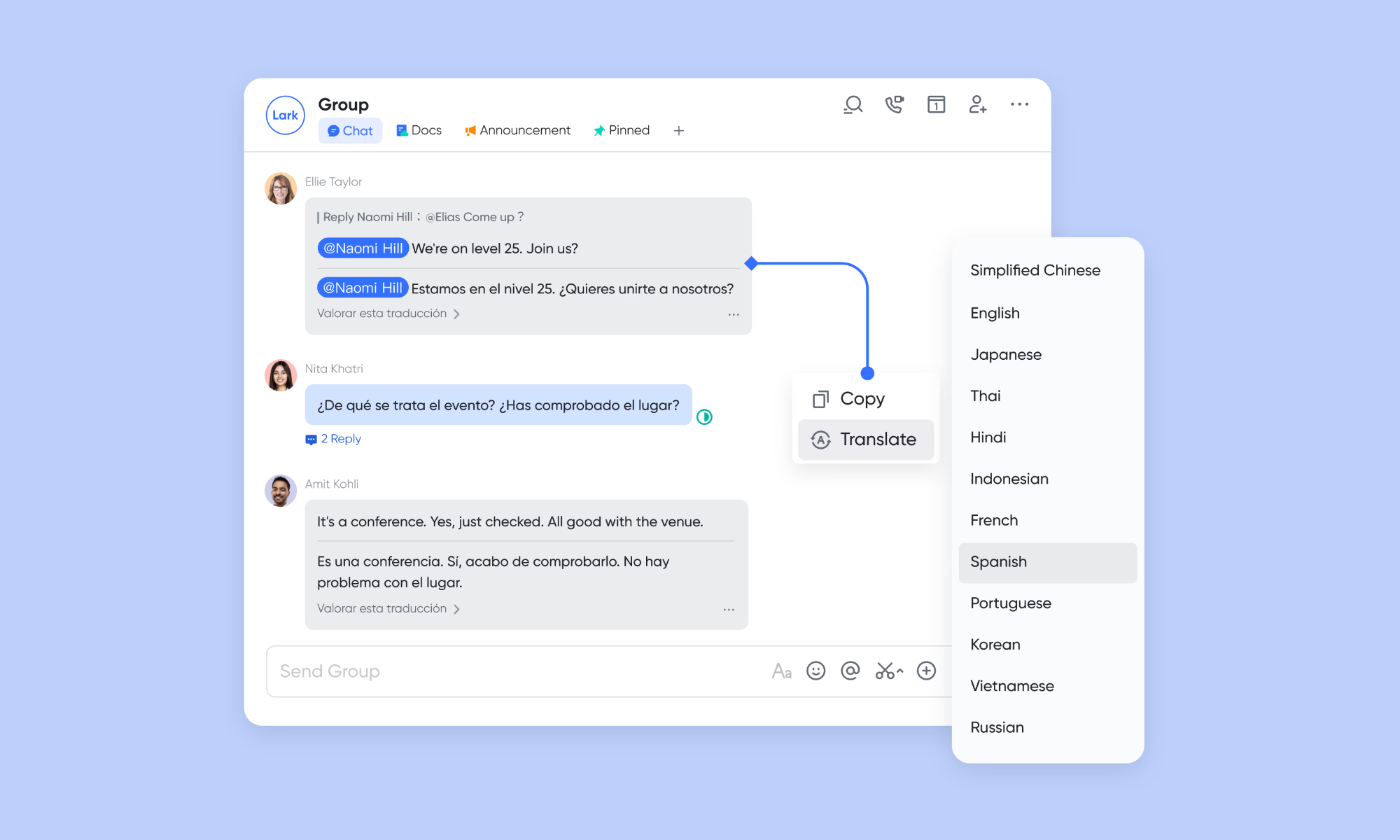
A place for brainstorming and vibrant expression
Lark Messenger also encourages you to express yourself without language barriers. With real-time auto translation, you can instantly convert incoming text, voice messages, and even text within images into your preferred language, ensuring seamless collaboration across global teams. To make your own messages stand out, use rich formatting to add titles, bold text, bullet points, and embedded images.
A workspace that collaborates with workflows
Lark Messenger unifies your workflow by bringing document collaboration, scheduling, and automation directly into your chats. You can manage file permissions, launch video calls, and book meetings based on real-time availability without leaving the conversation window. By connecting Messenger to Lark Base, you can even automate your team's responses and task triggers, transforming simple messages into powerful, actionable results.
Pros
- All-in-one workspace: Lark brings messaging, meetings, docs, calendars, approvals, and automation together in one place, so teams do not have to keep switching between tabs all day.
- Strong workflow connection: Unlike many messaging-first tools, Lark keeps communication close to action. Teams can move from a conversation into a task, a document update, an approval, or a meeting without breaking momentum.
- Built-in AI support: Lark's AI features feel more practical than just a surface-level add-on because they are tied to search, writing, summaries, and workspace knowledge.
- Great for fast-growing teams: Lark works well for startups, scaling businesses, and cross-functional teams that need structure without adding too much complexity.
Cons:
- Onboarding time: It may require new beginners to invest time in onboarding. However, its Help Center provides guides for each feature.
- Starter plan: Free forever plan that includes 11 powerful tools for up to 20 users. It also comes with 100GB of storage, 1000 automation runs, AI translations, and more.
- Basic plan: $6/user/month (billed annually) for up to 500 users. It includes everything in Starter plus group calling for up to 500 attendees, 5TB of storage, 1000 automation runs, and more. For more details, please contact sales.
- Pro plan: $12/user/month (billed annually) for up to 500 users. It includes everything in Basic plus group calling for up to 500 attendees, 15TB of storage, 50,000 automation runs, and more.
- Enterprise plan: Contact sales for custom pricing. Supports unlimited users and includes even more automation runs and advanced security, compliance, and management features.

Starter
Pro
Enterprise
Starter
For small teams with simple communication needs
$0
/ user / month
20 users max
18 months message history
1-on-1 video meetings
100 GB storage
Lark Docs & Mail
1000 Base automation runs/month
2000 rows per table in Base
Pro
For companies with comprehensive collaboration and management needs
$12
/ user / month
500 users max
Unlimited message history
500-participant video meetings
15 TB storage
Lark Docs & Mail
50k Base automation runs/month
20k rows per table in Base
Enterprise
For large companies with advanced security and organizational management needs
Get a personalized demo and pricing
Unlimited users
Unlimited message history
500-participant video meetings
15 TB storage + 30 GB storage/user
Lark Docs & Mail
500k Base automation runs/month
50k Base automation runs/month
Single sign-on (SSO)
Pro
For companies with comprehensive collaboration and management needs
$12
/ user / month
500 users max
Unlimited message history
500-participant video meetings
15 TB storage
Lark Docs & Mail
50k Base automation runs/month
20k rows per table in Base
2. Slack: Channel-based chat platform for team communication workflows
Slack remains one of the most widely used workplace messaging tools because it makes team communication feel organized and familiar. It is a strong chat platform for companies that want channel-based discussions, fast collaboration, and a broad ecosystem of integration. Many teams choose Slack because it works well across departments without requiring major training.
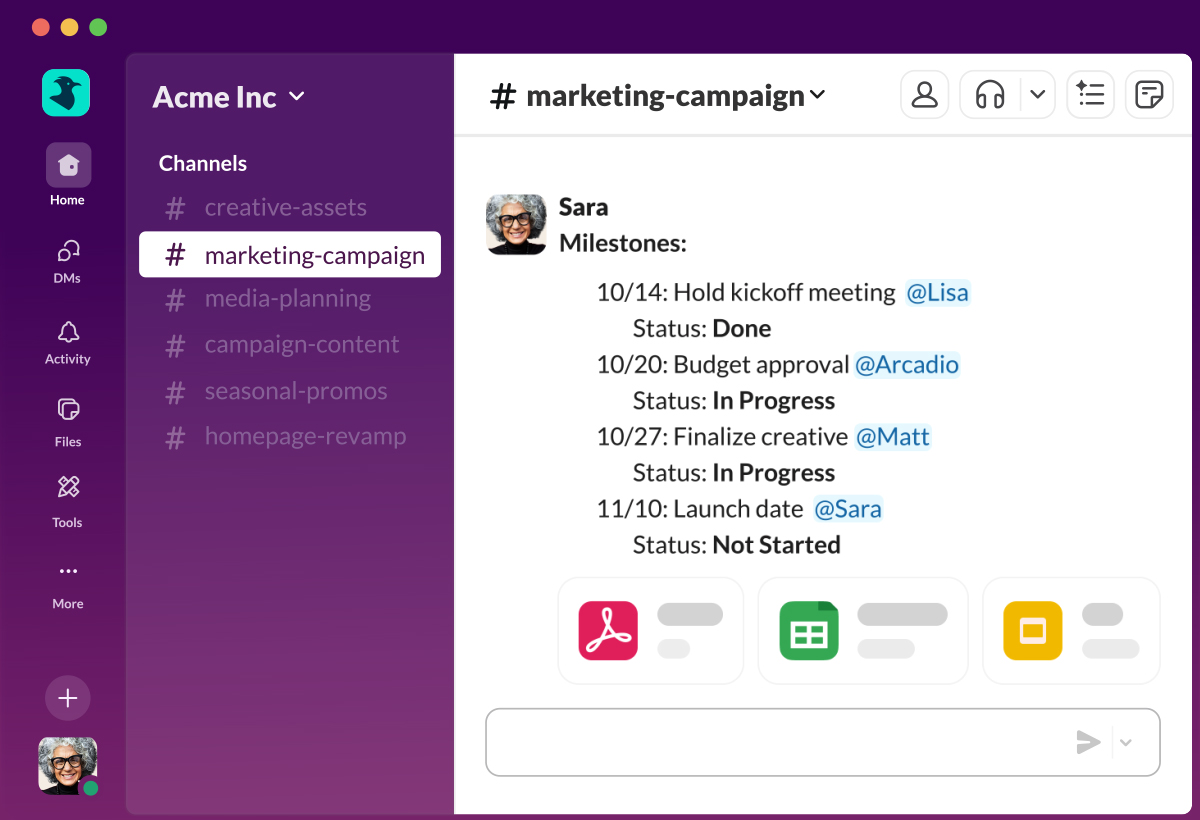
Image source: slack.com
Features:
- Channel-based communication: Slack organizes conversations into channels for teams, projects, departments, or clients.
- Threaded replies: Teams can keep follow-up discussions within threads rather than interrupting the main conversation flow.
- Large integration ecosystem: Slack integrates with tools such as Google Drive, Salesforce, Jira, Asana, Zoom, and many others.
- Workflow Builder: Slack includes no-code workflow tools that help automate repetitive internal processes such as requests, approvals, or team check-ins. This adds lightweight process support without requiring advanced technical setup.
- Huddles and clips: Slack supports quick audio conversations, short recorded video messages, and lightweight real-time collaboration.
Pros:
- Familiar user experience: Slack is easy for many employees to understand because its layout and communication model are widely recognized.
- Excellent app connectivity: Slack's integration marketplace is one of its biggest strengths, as it supports a wide range of business tools.
- Strong channel organization: Channels, threads, mentions, and notifications help teams structure communication more effectively than standard group chat apps.
- Scales across team sizes: Slack works well for startups, midsize companies, and larger organizations with many departments.
Cons:
- Can become expensive at scale: Slack's per-user pricing can add up quickly when organizations expand or need higher-tier features.
- Heavy reliance on integrations: Slack is powerful, but many workflows still depend on third-party apps rather than native all-in-one functionality.
- Message overload can happen fast: Without clear channel rules and notification discipline, Slack can become noisy and distracting.
Pricing:
- Free plan: Free
- Pro plan: $7.25/user/month billed annually
- Business+ plan: $12.50/user/month billed annually
- Enterprise Grid: Custom pricing
3. Microsoft Teams: Enterprise chat platform with collaboration tools
Microsoft Teams is one of the most common choices for enterprise communication because it fits naturally into the Microsoft 365 ecosystem. It combines messaging, meetings, file sharing, and collaboration in a way that feels familiar to organizations already using Outlook, Word, Excel, and SharePoint.
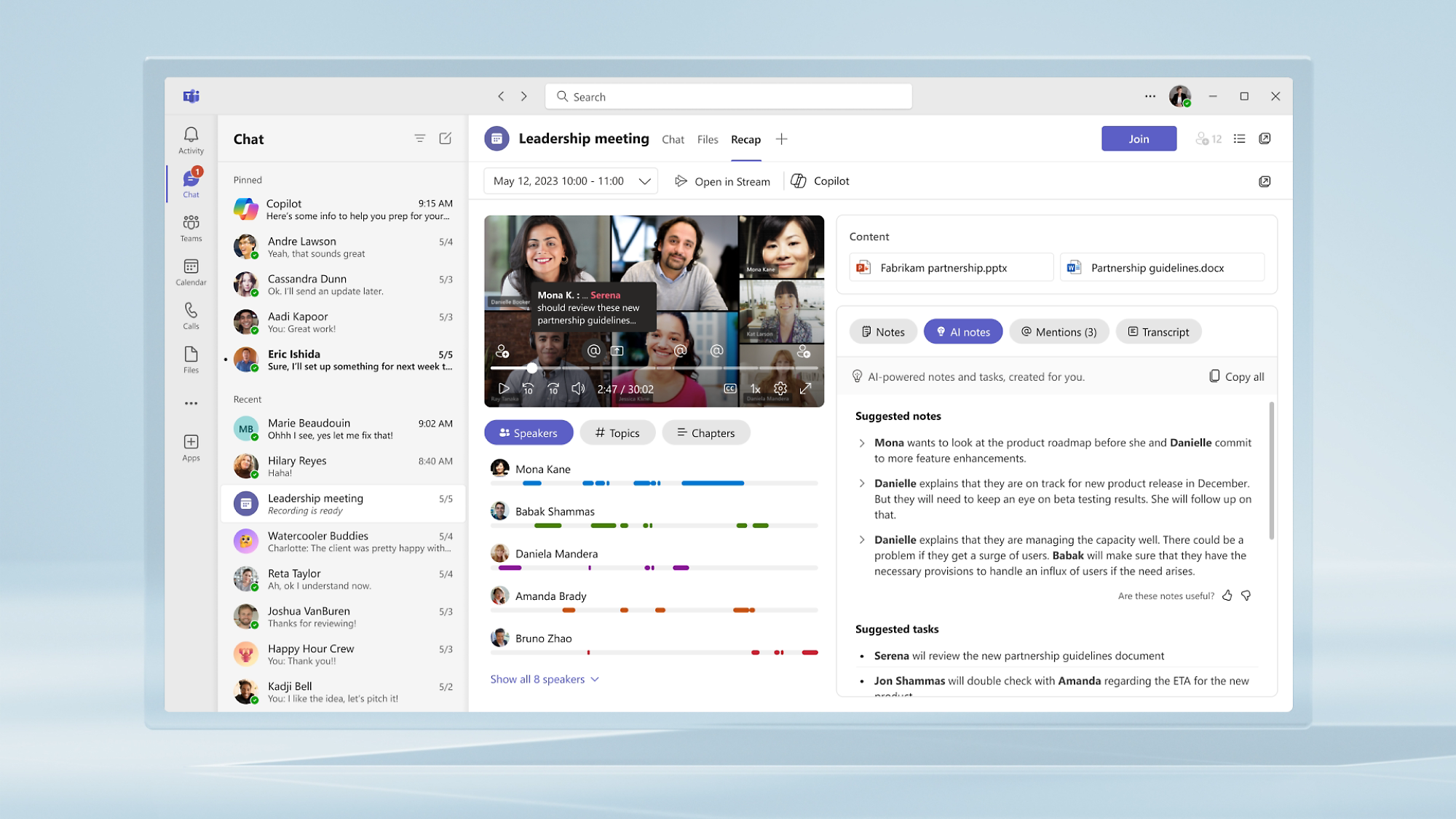
Image source: microsoft.com
Features:
- Deep Microsoft 365 integration: Teams work closely with Outlook, Word, Excel, PowerPoint, SharePoint, and OneDrive.
- Team channels and chats: Teams support direct messages, group conversations, and department or project channels for structured communication.
- Meetings and calling: Microsoft Teams combines messaging with video meetings, webinars, and voice calling in one environment.
- Copilot and AI support: Microsoft continues expanding AI-powered summaries, content assistance, and meeting intelligence through Copilot.
- Enterprise admin controls: Teams include policy controls, user permissions, retention settings, and compliance management for large organizations.
Pros:
- Strong enterprise readiness: Teams are built for organizations that need governance, compliance, and large-scale user management.
- Excellent ecosystem fit: Companies already using Microsoft 365 gain immediate value because Teams integrates naturally with the tools employees use every day.
- Combines chat and meetings well: Teams brings messaging, video, calling, and file collaboration into one system, which simplifies daily communication.
- Good for hybrid work: Teams supports both real-time and asynchronous collaboration through chat, meetings, and shared documents.
Cons:
- Can feel complex for smaller teams: Teams include many enterprise-focused capabilities, which can feel heavy for startups or small businesses. Some users may find the interface less intuitive than simpler tools. Companies with lightweight needs may prefer a more streamlined chat platform.
- Best experience depends on Microsoft usage: Teams delivers the most value when the organization already uses Microsoft 365 broadly.
- The interface can feel crowded: because teams combine many communication and collaboration functions, some users find the workspace gets busy over time.
Pricing:
- Microsoft Teams Essentials: $4/user/month billed annually
- Microsoft 365 Business Basic: $6/user/month billed annually
- Microsoft 365 Business Standard: $12.50/user/month billed annually
- Enterprise plans: Custom pricing
4. Google Chat: Chat platform for Google Workspace users
Google Chat is a practical option for businesses that already rely on Google Workspace for email, files, and collaboration. It offers a simpler communication experience than many enterprise tools, which can make adoption easier for teams that prefer lightweight workflows.

Image source: google.com
Features:
- Native Google Workspace integration: Google Chat connects directly with Gmail, Google Drive, Google Docs, Sheets, and Meet.
- Spaces for team collaboration: Teams can create dedicated spaces for departments, projects, or recurring initiatives.
- Smart search and contextual access: Messages, files, and shared content remain connected across the Google ecosystem, making retrieval easier.
- Meet integration: Teams can launch or join Google Meet calls directly from chat conversations.
- AI direction through the Google ecosystem: As Google expands Gemini across Workspace, more AI-powered support is being added to its productivity tools.
Pros:
- Easy for Google users to adopt: Teams already using Gmail and Google Drive usually need very little training to start using Google Chat.
- Simple and lightweight experience: Google Chat avoids the heavier feel of some enterprise tools, which can be a major advantage for teams that want less complexity.
- Strong document collaboration pairing: When combined with Google Docs, Sheets, and Drive, Google Chat becomes much more useful than a standalone messenger.
- Good value inside Workspace plans: Many businesses already pay for Google Workspace, which means Google Chat often comes included within broader productivity subscriptions.
Cons:
- Less advanced than all-in-one platforms: Google Chat works well for communication, but it does not offer the same native workflow depth as platforms like Lark.
- Fewer native process features: Compared with stronger workflow-oriented tools, Google Chat relies more on the surrounding Google ecosystem than on deep in-platform process design.
- Best fit depends on Google ecosystem: If your company does not already use Google Workspace heavily, many of Google Chat's biggest advantages become less compelling.
Pricing:
- Business Starter: $6/user/month billed annually
- Business Standard: $12/user/month billed annually
- Business Plus: $18/user/month billed annually
- Enterprise: Custom pricing
5. Discord: Community-driven online chat platform with voice features
Discord is best known for gaming and creator communities, but it has also become a useful option for groups that rely on active discussions, voice rooms, and persistent digital communities. It works differently from traditional business tools because it is built around servers, roles, and topic-based channels.
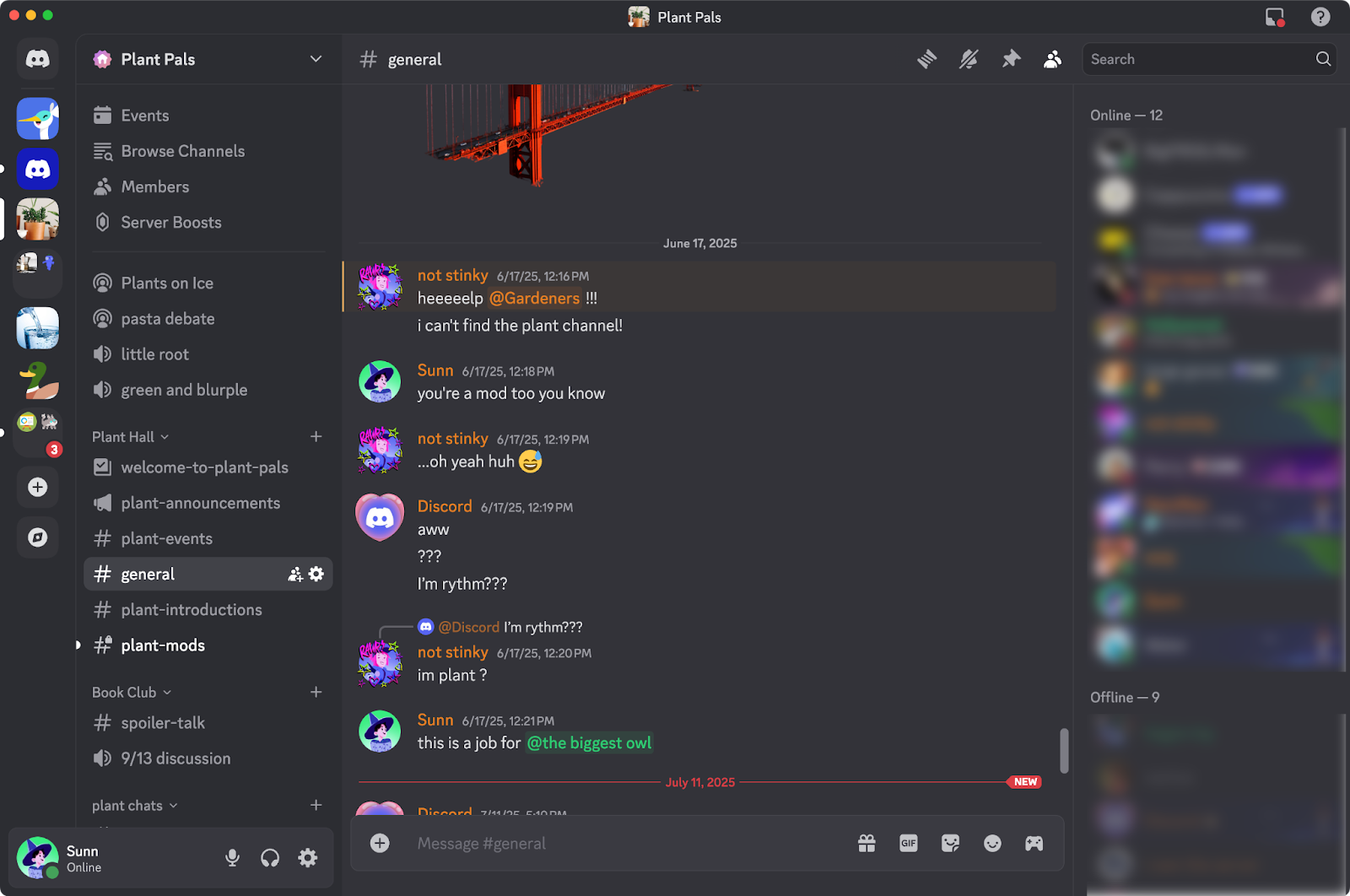
Image source: discord.com
Features:
- Persistent servers and channels: Discord organizes communication within servers, with multiple text and voice channels organized by topic, team, or community.
- Strong voice collaboration: Discord's voice channels are one of its biggest strengths because they allow people to join, leave, and collaborate without a formal meeting setup.
- Role-based permissions: Admins can control access by assigning roles and permissions across channels and features.
- Broad bot ecosystem: Discord supports a wide range of bots for moderation, engagement, announcements, and custom automations.
- Community engagement tools: Reactions, events, announcements, and stage-style experiences help communities stay active and connected.
Pros:
- Excellent for voice-first collaboration: Discord is one of the best tools for teams or communities that rely on ongoing voice communication.
- Very flexible community structure: Servers, roles, and channel organization give admins strong control over how communication is structured.
- Strong bot support: Discord's bot ecosystem is among the most active and customizable on the market.
- Highly engaging user experience: Discord is built to encourage participation, quick interaction, and active community behaviour.
Cons:
- Less enterprise-oriented: Discord is not designed primarily for corporate governance, compliance, or formal business workflows.
- Can become noisy without moderation: Active servers can generate a lot of communication very quickly, especially when channels are not clearly managed.
- Not ideal for structured operations: Discord is excellent for community interaction, but it is not built for approvals, task routing, or document-heavy business workflows.
Pricing:
- Free plan: Free
- Nitro Basic: $2.99/month
- Nitro: $9.99/month
- Server boosts: Variable pricing
6. Zoom Team Chat: Messaging platform built around video collaboration
Zoom Team Chat is a natural extension for organizations that already rely heavily on Zoom for meetings and video communication. It brings persistent messaging into the same environment, which helps teams continue conversations before and after calls without switching tools.
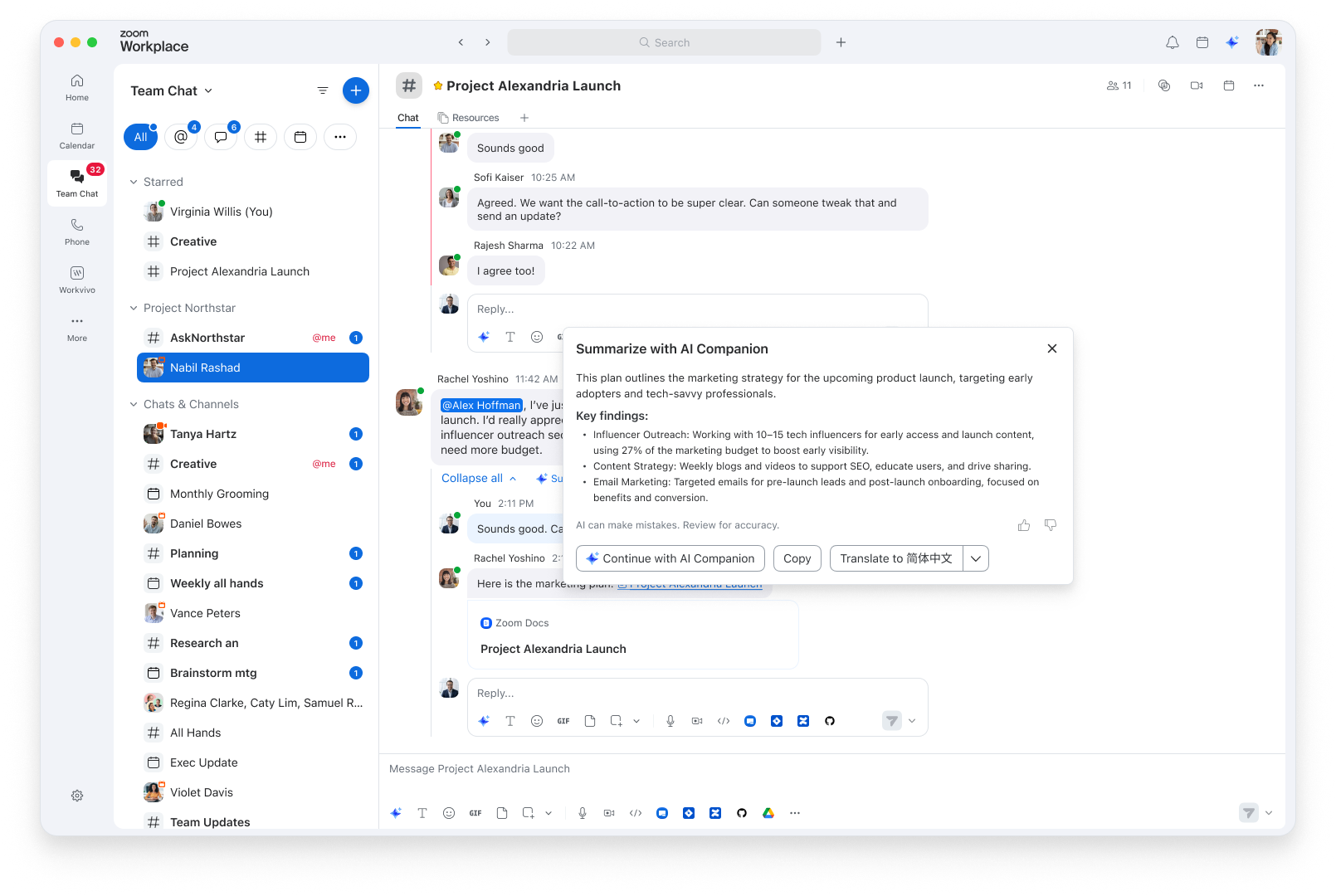
Image source: zoom.com
Features:
- Native Zoom integration: Zoom Team Chat connects directly with Zoom Meetings and other collaboration tools inside the Zoom ecosystem.
- Persistent team messaging: Teams can use channels, direct messages, and group chats to keep communication active between meetings.
- Meeting follow-up continuity: Because messaging and video are connected, teams can share notes, links, and updates in the same environment after calls end.
- Whiteboard and collaboration adjacency: Zoom's broader collaboration features can connect with Team Chat to support brainstorming and shared work.
- AI Companion direction: Zoom continues expanding AI features such as summaries, smart assistance, and productivity support across its platform.
Pros:
- Great for Zoom-heavy teams: Organizations already using Zoom every day gain the most value because Team Chat fits naturally into existing habits.
- Smooth meeting-to-chat workflow: Team Chat helps teams continue discussions after calls without losing context.
- Good for hybrid communication: Teams can use chat for quick updates and jump into calls when real-time collaboration is needed.
- Simple extension of existing tools: For companies that do not want to add a separate messaging vendor, Zoom Team Chat can feel like a convenient next step.
Cons:
- Less comprehensive than all-in-one suites: Zoom Team Chat is useful, but it does not offer the same workflow depth as platforms built around messaging plus operations.
- Best fit depends on Zoom usage: If your company does not already rely heavily on Zoom, Team Chat may feel less compelling compared with more established messaging-first platforms.
- Workflow features are lighter: Compared with stronger AI chat platforms or workflow-oriented tools, Zoom Team Chat is more communication-centric.
Pricing:
- Basic: Free
- Pro: $14.16/user/month billed annually
- Business: $18.33/user/month billed annually
- Enterprise: Custom pricing
7. Rocket.Chat: Open-source chat platform for customizable communication
Rocket.Chat is a strong choice for businesses that want control, customization, and deployment flexibility. Unlike most mainstream SaaS tools, it is built with open-source foundations and supports self-hosted environments for organizations with strict data, security, or compliance requirements.
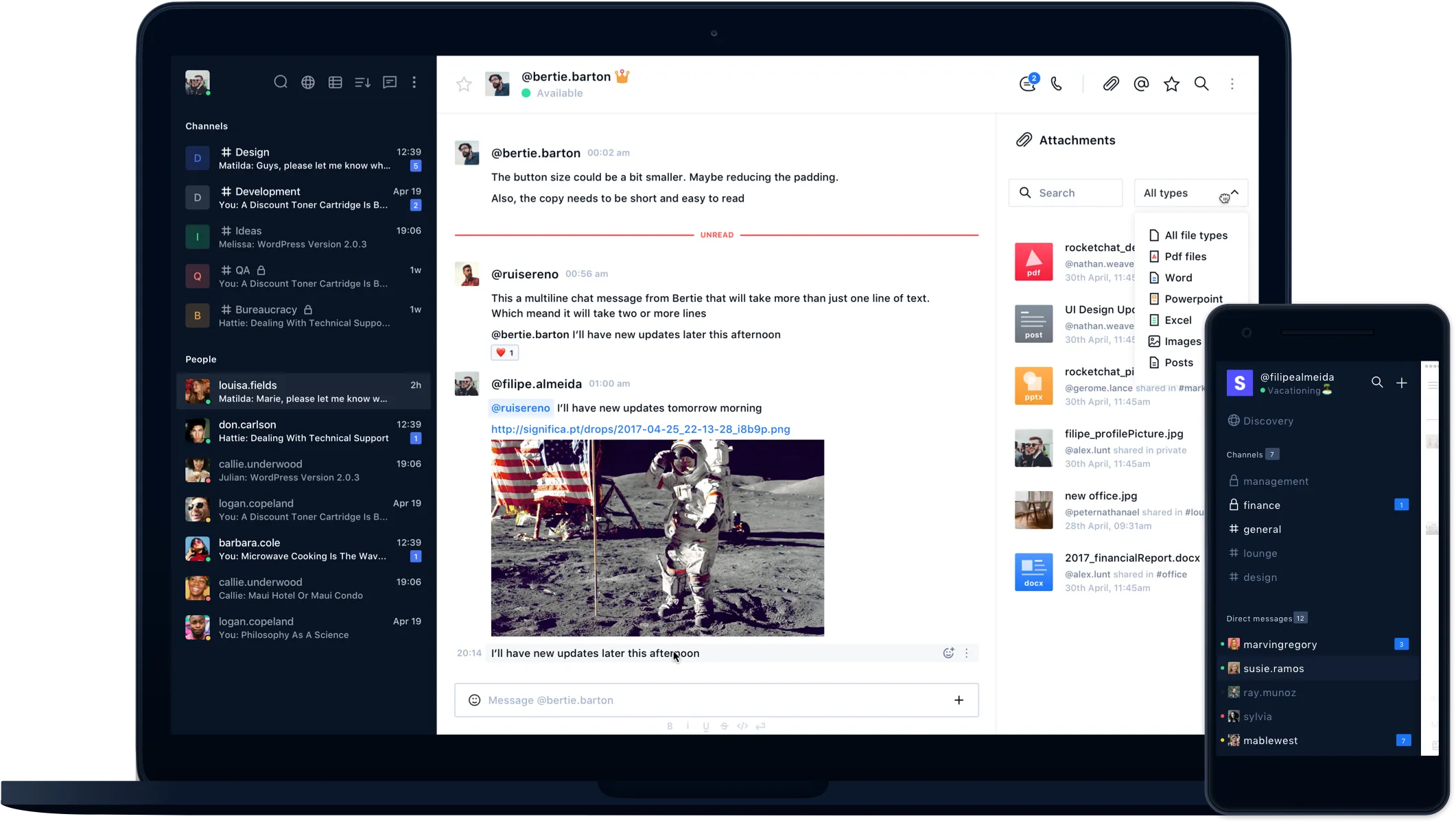
Image source: significa.co
Features:
- Open-source architecture: Rocket.Chat gives organizations access to a highly customizable communication platform that can be tailored to internal needs.
- Self-hosted deployment options: Businesses can deploy Rocket.Chat on their own infrastructure to meet internal data residency, compliance, or security requirements.
- Omnichannel support potential: Rocket.Chat can be used for internal collaboration as well as external messaging scenarios depending on configuration.
- Custom integrations and APIs: Technical teams can extend Rocket.Chat through APIs, custom apps, and integrations tailored to internal systems.
- Automation and bot support: Rocket.Chat supports bots, workflow extensions, and custom automation logic for internal processes or service interactions. This makes it useful for teams that want a chat bot platform without relying on rigid vendor-defined automation. It is especially appealing to organizations with development resources.
Pros:
- High deployment control: Rocket.Chat is ideal for organizations that need to decide exactly where data lives and how the platform is managed.
- Strong customization potential: Because it is open and flexible, Rocket.Chat can be adapted for specialized internal workflows, user models, or security policies.
- Useful for privacy-sensitive industries: Businesses in government, healthcare, finance, or other regulated spaces often need more control over communication tools.
- Can support internal and external use cases: With the right setup, Rocket.Chat can work for employee messaging, service workflows, or support interactions.
Cons:
- Requires more setup and maintenance: Rocket.Chat is not as simple to launch and manage as a mainstream cloud-based messaging app.
- Less polished for non-technical teams: While powerful, the experience may feel less refined than tools designed primarily for broad business adoption.
- Best suited to technical organizations: Rocket.Chat delivers the most value when a company has clear infrastructure goals and the resources to manage them.
Pricing:
- Community plan: Free
- Pro plan: Custom pricing
8. Mattermost: Secure chat platform for enterprise environments
Mattermost is often chosen by technical teams, security-focused organizations, and enterprises that need more control over how communication is deployed and managed. It is especially popular in DevOps, engineering, and operational environments where secure collaboration and incident response matter.
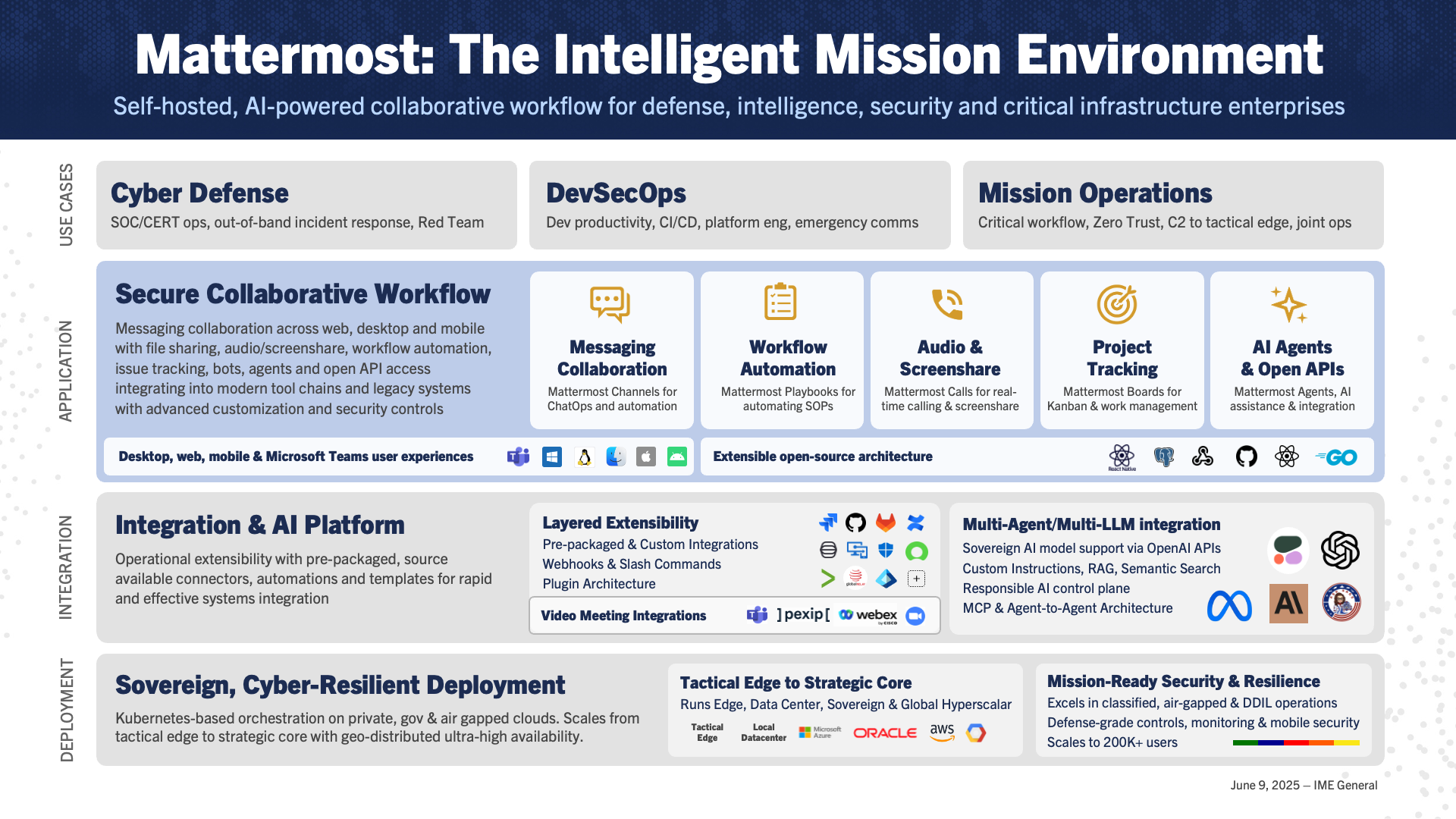
Image source: mattermost.com
Features:
- Secure team messaging: Mattermost supports direct messaging, channels, and team communication in environments where privacy and control are priorities.
- Self-hosted deployment: Businesses can deploy Mattermost on their own infrastructure, which is valuable for strict compliance, internal governance, or security requirements.
- Playbooks for operations: Mattermost includes structured playbooks that help teams manage incidents, response processes, and repeatable workflows.
- Integration and automation support: The platform supports integrations, slash commands, bots, and automation workflows that help teams connect communication to technical systems.
- Channel-based organization: Teams can structure communication by incident, project, department, or service area, which helps maintain clarity in active environments.
Pros:
- Excellent for technical teams: Mattermost is particularly strong in engineering, IT, DevOps, and operational environments where structured collaboration is critical.
- Strong security and control: Self-hosting, governance, and deployment flexibility make Mattermost attractive to organizations with strict internal requirements.
- Useful for incident response: Mattermost's workflow design is well-suited to handling incidents, outages, and operational coordination.
- Good admin visibility: IT and security leaders can manage users, channels, permissions, and platform behaviour with more direct control than many SaaS-first tools.
Cons:
- Less intuitive for general business teams: Mattermost can feel more technical and operations-focused than platforms designed for broad office collaboration.
- Not as broad for general collaboration: Mattermost is not always the best fit for document-heavy, cross-functional business collaboration.
- May require admin resources: To get the most from Mattermost, organizations often need internal support for deployment, governance, and maintenance.
Pricing:
- Free plan: Free
- Professional plan: Custom pricing
- Enterprise plan: Custom pricing
9. Chanty: Simple chat platform for small team collaboration
Chanty is designed for small businesses and teams that want a lightweight communication tool without the complexity of larger enterprise platforms. It combines team messaging with a few practical collaboration features, which makes it appealing for startups, small agencies, and growing companies.
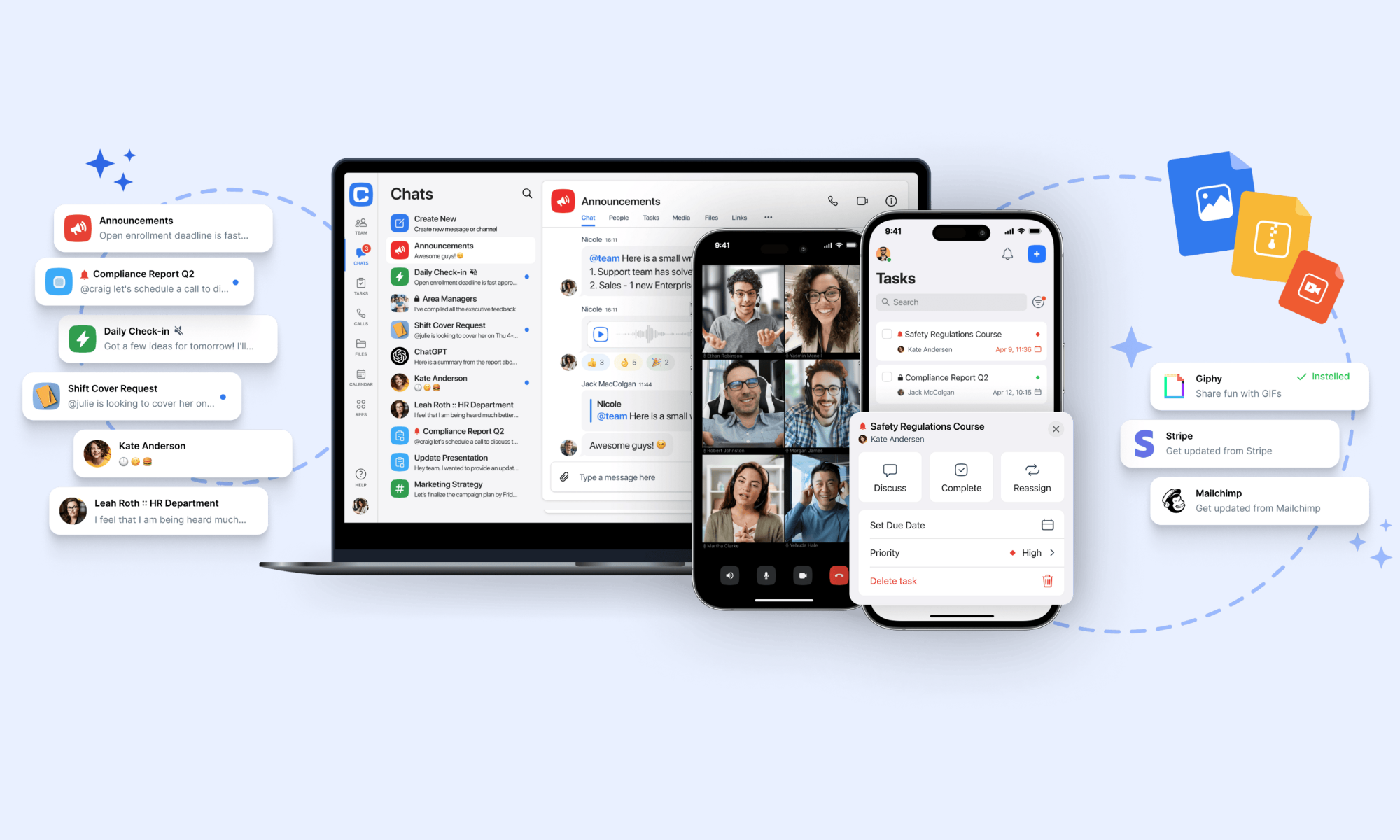
Image source: chanty.com
Features:
- Simple team messaging: Chanty supports direct messages, group chats, and team conversations in a clean, easy-to-understand interface.
- Built-in task conversion: Teams can turn messages into tasks, which helps connect conversations to lightweight action tracking.
- Voice and video support: Chanty includes audio and video communication, so teams can move from text to live discussion when needed.
- File sharing and searchable history: Users can share files, links, and updates while keeping communication easier to retrieve later.
- Clean navigation: Chanty keeps the user experience simple, which is one of its biggest strengths for smaller teams.
Pros:
- Very easy to adopt: Chanty's simplicity makes it ideal for small businesses that want quick setup and minimal training.
- Affordable for smaller teams: Chanty is usually more budget-friendly than larger enterprise messaging tools, which helps startups and small businesses control software costs.
- Useful task support: The ability to turn conversations into tasks adds structure without overwhelming teams with a full project management layer.
- Less overwhelming than enterprise tools: Some businesses do not need a feature-heavy platform with complex governance or broad integrations.
Cons:
- Limited to larger organizations: Chanty works best for smaller teams and may not offer enough depth for large enterprises or complex cross-functional operations.
- Smaller ecosystem: Compared with Slack or Teams, Chanty has a more limited integration and partner ecosystem.
- Fewer advanced AI capabilities: For teams looking for strong AI search, summaries, or writing assistance, they may find it lacking.
Pricing:
- Free plan: Free
- Business plan: $3/user/month billed annually
10. Flock: Business chat platform with productivity features
Flock is a business messaging tool that combines chat with a set of lightweight productivity features such as notes, reminders, and to-dos. It is often considered by smaller and midsize teams that want something more business-focused than consumer chat apps, but less complex than large enterprise platforms.

Image source: flock.com
Features:
- Channels and direct messaging: Flock supports structured team communication through channels and one-to-one chats.
- Built-in productivity tools: Flock includes to-dos, reminders, notes, and lightweight collaboration helpers that can reduce the need for extra small tools.
- File sharing and search: Users can exchange files, links, and resources while keeping content searchable later.
- Video meeting support: Flock supports voice and video communication, allowing teams to shift from text into live discussion when necessary.
- App integrations: Flock connects with a range of business tools to bring notifications and updates into the chat environment.
Pros:
- Good for smaller business teams: Flock works well for companies that want business messaging without the weight of larger enterprise systems.
- Includes useful built-in utilities: The addition of reminders, notes, and to-dos helps teams stay organized without needing extra lightweight apps.
- Easy to learn and use: Flock's interface is generally straightforward, which helps teams start collaborating quickly.
- Can reduce software sprawl: For teams using separate apps for chat, reminders, and quick task tracking, Flock can centralize several basic needs.
Cons:
- Limited advanced workflow depth: Flock is useful for communication and basic productivity, but it lacks deeper process support.
- Smaller market footprint: Flock is less widely adopted than Slack, Teams, or Google Chat, which can affect ecosystem strength and user familiarity.
- Not a leading AI option: Flock is not positioned as a top AI chat platform, so teams looking for strong AI summaries, search, or writing assistance may find it limited.
Pricing:
- Starter plan: Free
- Pro plan: $4.50/user/month billed annually
11. Ryver: Chat platform with built-in task management tools
Ryver stands out because it combines team chat with built-in task boards, making it attractive for teams that want communication and lightweight execution in the same place. It is often considered by smaller businesses or operational teams that want more than messaging but do not need a full enterprise suite.
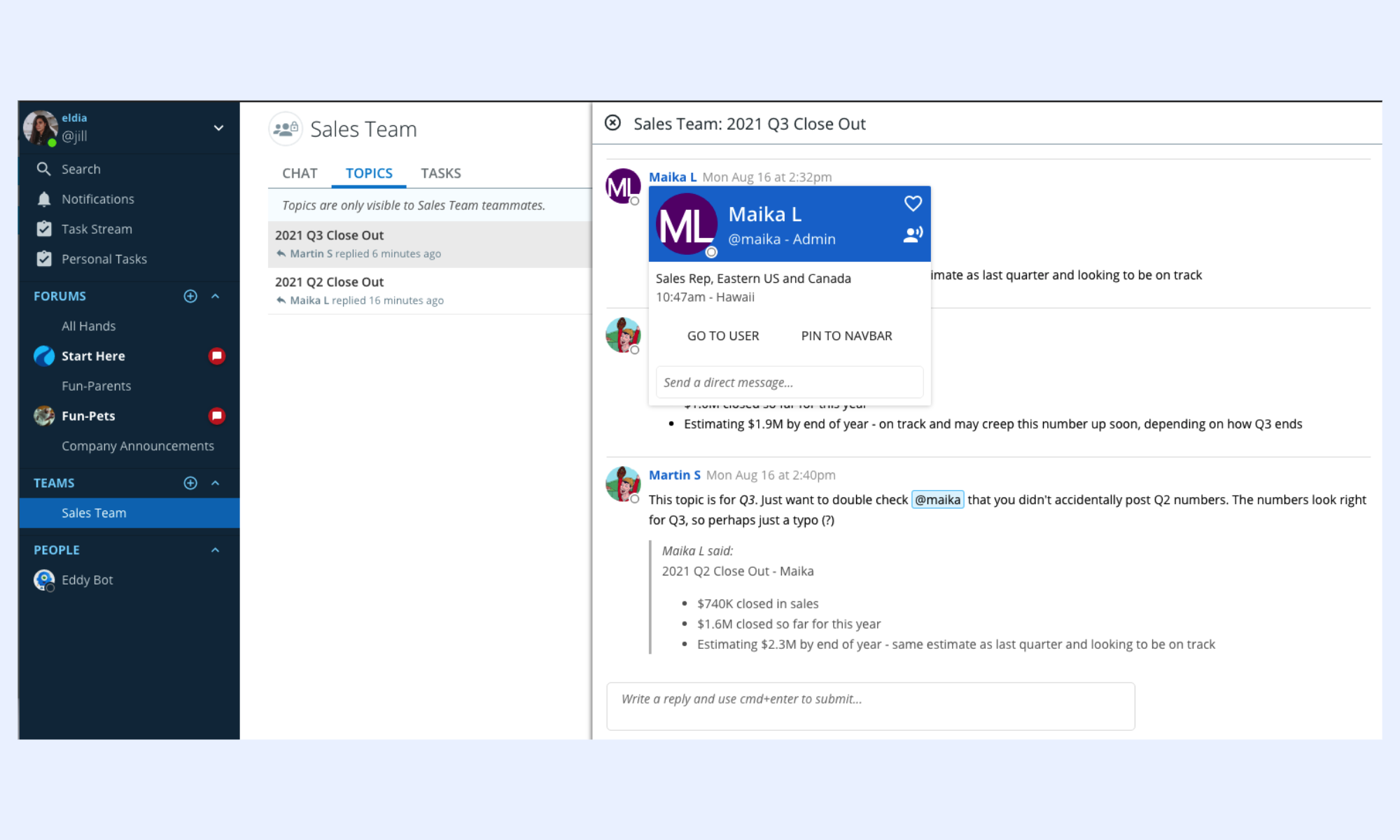
Image source: ryver.com
Features:
- Team chat and topic channels: Ryver supports direct messages, team discussions, and topic-based channels for organized communication.
- Built-in task boards: One of Ryver's strongest features is its native task board functionality, which allows teams to manage work alongside conversations.
- Kanban-style organization: Task boards can be used in a visual workflow format that helps teams track progress more clearly.
- Message-to-task workflow: Teams can move from a conversation into a task assignment without leaving the platform.
- Integrated collaboration focus: Ryver is designed around the idea that teams should communicate and manage work in the same place.
Pros:
- Strong for lightweight task coordination: Ryver is a good fit for teams that want more than chat but do not need a full project management platform.
- Reduces tool switching: By combining communication and task visibility, Ryver can replace separate lightweight apps for some teams.
- Useful for small operational teams: Teams handling internal requests, recurring tasks, or simple project workflows can benefit from Ryver's structure.
- Clearer execution than basic chat apps: Many messaging tools leave action items buried in conversation history.
Cons:
- Smaller ecosystem and brand awareness: Ryver is less widely adopted than major competitors, which can affect integration, community support, and user familiarity.
- Less advanced AI support: Ryver is not positioned as a leading AI chat platform, so it lacks some of the smarter search, summary, or writing features now expected in newer tools.
- May not scale for complex enterprises: While useful for smaller teams, Ryver may not provide governance, administrative depth, or a broad collaboration.
Pricing:
- Free plan template: $0/month.
- Starter plan template: $69/month.
- Standard plan template: $129/month.
- Medium Pack template: $4/user/month.
- Enterprise plan template: $399/month.
12. Twist: Async chat platform for focused team communication
Twist is designed for teams that want calmer, more intentional communication instead of fast-moving chat streams. It is especially popular among remote and distributed teams that value asynchronous work and want to reduce constant interruptions.
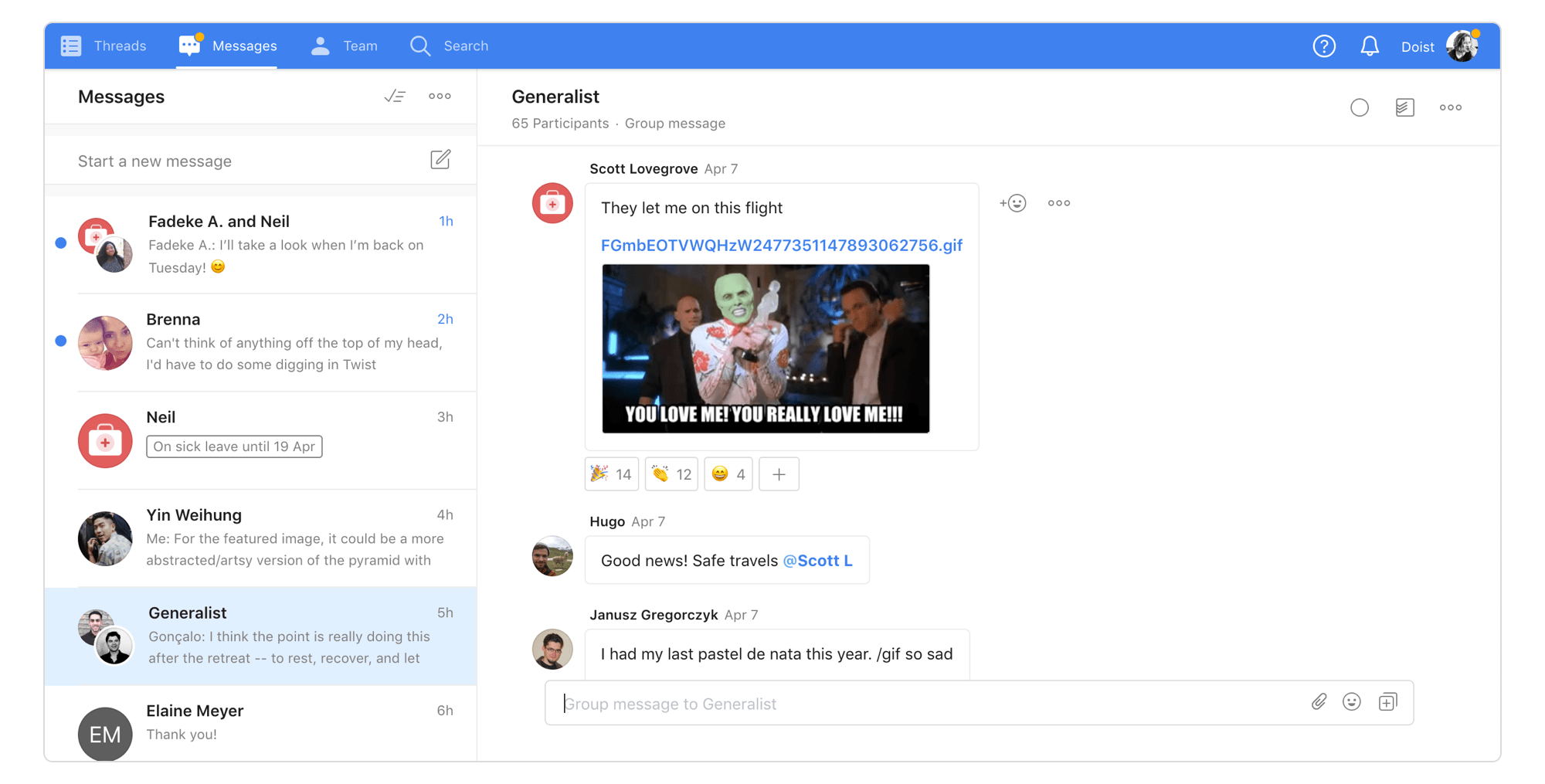
Image source: twist.com
Features:
- Thread-first communication: Twist organizes conversations into clearly structured threads rather than relying on constantly moving live chat.
- Async-friendly design: The platform is intentionally built for teams working across time zones or schedules where not everyone is online together.
- Reduced notification overload: Twist is designed to lower the stress of constant pings and interruptions, which many teams struggle with in traditional messaging tools.
- Long-term conversation clarity: Because discussions are organized more like topic-based records, it is easier to understand decisions over time.
- Simple interface: Twist keeps the interface focused on clarity and discussion quality rather than maximizing real-time activity.
Pros:
- Excellent for remote and async teams: Twist works particularly well for organizations that operate across time zones or value flexible work patterns.
- Helps reduce distraction: Many teams struggle with notification fatigue in faster messaging tools, and Twist directly addresses that problem.
- Clearer conversation history: Thread-first communication makes it easier to understand why decisions were made and what context mattered.
- Encourages thoughtful communication: Twist supports more intentional discussion rather than reactive messaging.
Cons:
- Less suited for urgent work: Teams that rely on constant, rapid-fire coordination may find Twist too slow or too structured for their needs.
- Lighter ecosystem: Twist lacks the depth of integration or broad market presence of tools like Slack or Teams.
- Not built as a broad workflow hub: it is designed as a major AI or chatbot platform.
Pricing:
- Unlimited plan: $6/user/month billed annually
13. Zoho Cliq: Chat platform for Zoho ecosystem users
Zoho Cliq is a practical choice for businesses already using Zoho products such as Zoho CRM, Zoho Projects, Zoho Desk, or other tools in the suite. It brings messaging, channels, calls, and lightweight automation into the same broader ecosystem, which can make it highly convenient for existing Zoho customers.
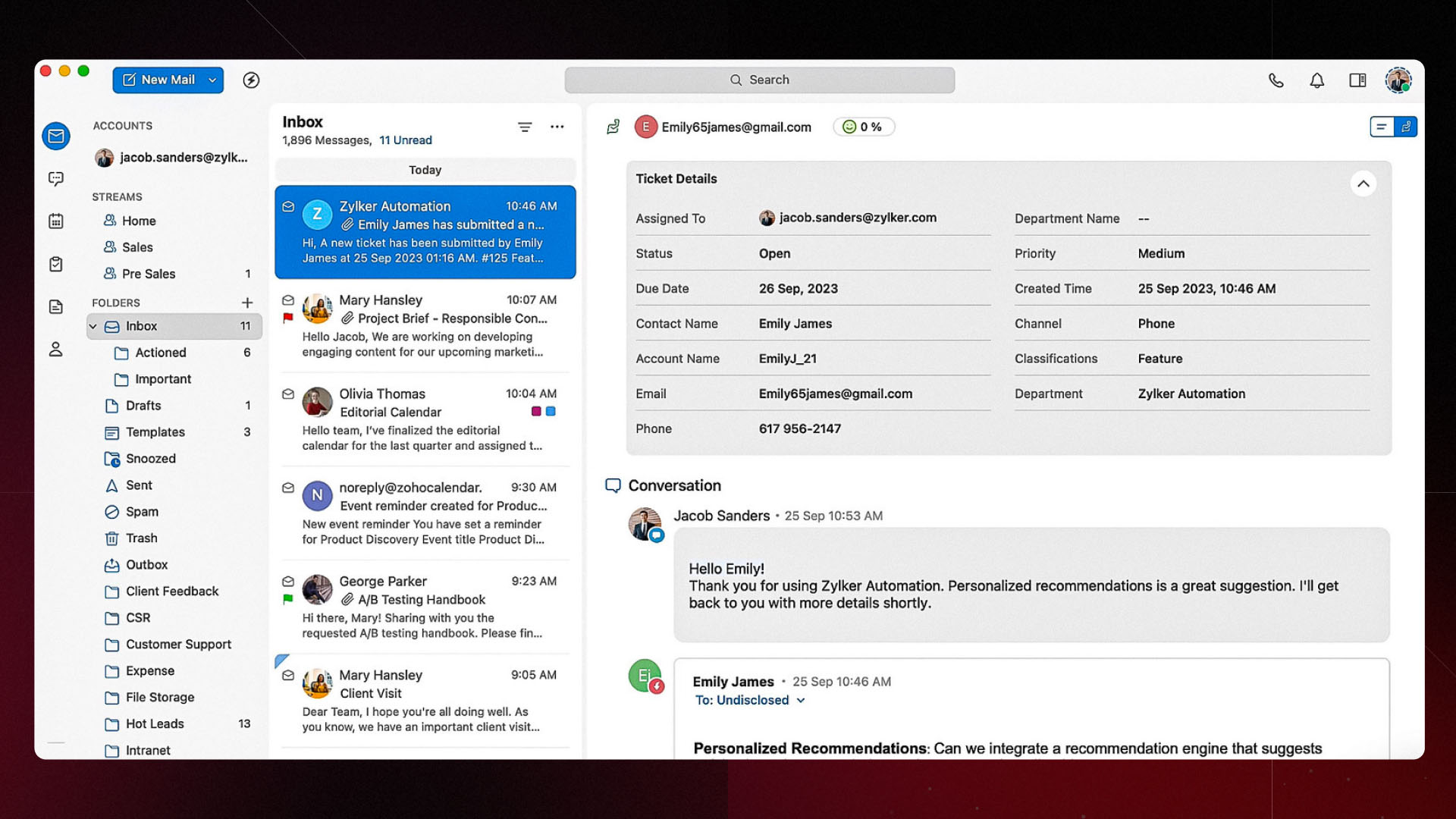
Image source: zoho.com
Features:
- Zoho ecosystem integration: Zoho Cliq works closely with Zoho CRM, Projects, Desk, and other business apps in the Zoho suite.
- Channels and direct messaging: Teams can organize communication through channels, groups, and one-to-one conversations.
- Bots and commands: Zoho Cliq supports bots, commands, and automation to help teams streamline repetitive tasks.
- Voice and video support: The platform includes calling and meeting capabilities so teams can move from text into live conversation when needed.
- Workflow-friendly notifications: Because Cliq integrates with other Zoho apps, teams can receive updates on sales, projects, support, or operations in the same space.
Pros:
- Strong for Zoho customers: Businesses already using Zoho software often gain immediate value because Cliq fits naturally into existing workflows.
- Useful automation options: Bots, commands, and app connectivity make Zoho Cliq more practical than a basic messaging app.
- Good value within the suite: When purchased or used alongside other Zoho products, Cliq can feel cost-effective compared with adding a separate communication vendor.
- Balanced business communication: Zoho Cliq offers a useful middle ground between lightweight messaging and broader business collaboration.
Cons:
- Best fit depends on Zoho adoption: Cliq is most valuable when the organization already uses multiple Zoho tools. Without that ecosystem, some of its strongest advantages become less meaningful.
- Less compelling outside the suite: Companies using Microsoft, Google, or mixed stacks may find other messaging platforms more naturally aligned with their workflows.
- UI preference varies by team: Some users may find the experience less familiar than more widely adopted tools like Slack or Teams.
Pricing:
- Free plan template: $0/month.
- Standard plan template: $10/month.
- Professional plan template: $24/month.
- Ultimate plan template: $110/month.
14. Cisco Webex: Enterprise chat platform for secure business communication
Cisco Webex is a solid choice for businesses that want messaging, meetings, and enterprise-grade security in one ecosystem. It is especially appealing for larger companies that already use Cisco infrastructure or need stronger control over communication and compliance.
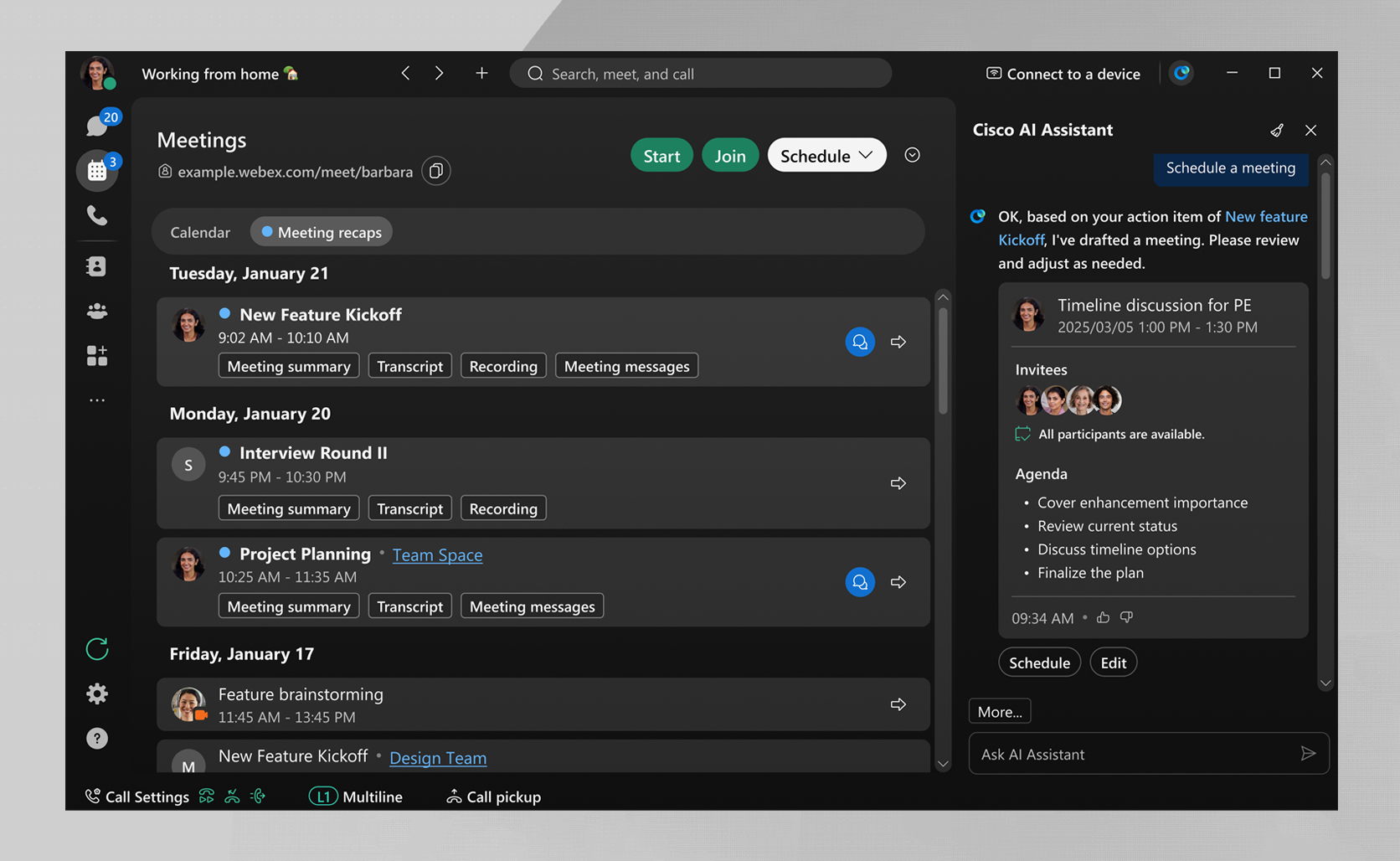
Image source: webex.com
Features:
- Team messaging: Webex includes direct messages, group chats, and team spaces that help employees keep conversations organized across projects and departments.
- Meetings and messaging in one place: One of Webex's biggest strengths is how closely chat connects with meetings and calling.
- File sharing and collaboration spaces: Teams can share files, links, and updates inside dedicated workspaces where conversations stay tied to the right context.
- Enterprise security controls: Webex is built with strong admin controls, compliance support, and security policies that matter to larger organizations.
- AI-powered meeting support: Webex has been adding more AI features around summaries, meeting highlights, and productivity assistance.
Pros:
- Strong fit for enterprise teams: Webex makes the most sense for businesses that need security, reliability, and centralized control across a larger workforce.
- Great for meeting-heavy workflows: If your team already spends a lot of time in video calls, Webex feels natural because chat and meetings work closely together.
- Security is a real strength: Cisco's reputation in enterprise infrastructure gives Webex credibility with IT and security teams.
- Good all-in-one communication layer: Webex combines messaging, meetings, calling, and collaboration.
Cons:
- Can feel heavier than simpler tools: Webex is built for business depth, which means it may feel more formal or less intuitive than lighter messaging apps.
- Best value depends on broader Cisco or Webex usage: Companies that already use Cisco tools or Webex meetings usually get the most out of it.
- Not always the first choice for startups: Startups and smaller teams often prefer tools that feel faster to set up and more flexible for casual collaboration.
Pricing:
- Webex Free: Free
- Webex Meet: $12/user/month
- Webex Suite: $22.50/user/month
- Enterprise plan: Custom pricing
15. Wire: Secure chat platform for privacy-focused teams
Wire is a strong option for businesses and organizations that place privacy, security, and encrypted communication at the centre of their collaboration strategy. It is often considered by teams handling sensitive internal discussions, confidential projects, or regulated communication needs.
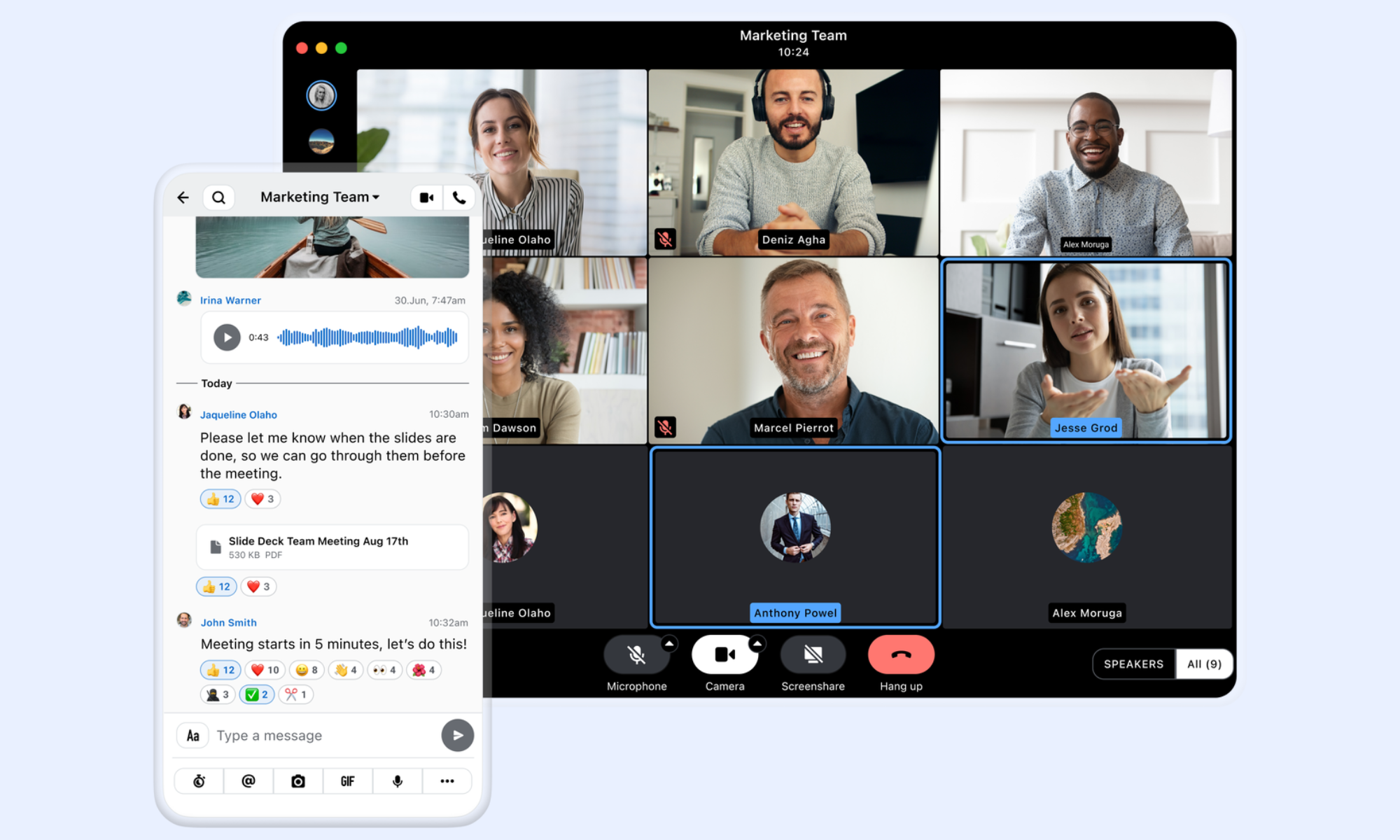
Image source: wire.com
Features:
- End-to-end encryption: Wire is built around strong encryption for messages, calls, and file sharing, which helps protect sensitive communication across teams.
- Secure messaging and calling: Teams can use text, voice, and video communication inside one platform while maintaining a stronger privacy posture than many mainstream tools.
- File sharing with protection: Wire allows users to exchange files and documents inside the same environment while keeping security controls central to experience.
- Cross-device support: Employees can stay connected across desktop and mobile devices without losing access to secure communication channels.
- Enterprise-grade controls: Wire includes administrative controls and business-focused governance features that help organizations manage secure communication at scale.
Pros:
- Strong privacy foundation: Wire is one of the more compelling options for teams that prioritize encrypted communication and confidentiality above broader collaboration breadth.
- Good fit for regulated communication: Organizations with stricter compliance or internal security requirements may prefer Wire over more general-purpose messaging tools.
- Supports secure multi-device work: Teams can stay connected across devices without sacrificing encrypted communication, which is important in hybrid and distributed work models.
- Better business fit than consumer encrypted apps: Wire offers stronger business-oriented controls and team management than many privacy-focused consumer messaging tools.
Cons:
- Less broad than all-in-one platforms: Wire is excellent for secure communication, but it does not offer the same workflow, document, and operational depth.
- Smaller ecosystem: Compared with larger market leaders, Wire has a more limited ecosystem, lower brand familiarity, and fewer surrounding integrations.
- Can feel specialized for general teams: Some organizations may find Wire more specialized than necessary.
Pricing:
- Wire Free plan template: $0/month.
- Wire Enterprise template: $7.65/user/month.
- Wire Enterprise Technology template: $11/user/month.
- Wire Government template: $14/user/month.
Common challenges when adopting chat platforms
Even the best chat platform can become frustrating if teams adopt it without clear rules, training, or the right setup. Many companies expect instant improvements after rollout, but real success usually depends on how well the tool fits daily work. If the platform feels noisy, confusing, or disconnected from actual workflows, adoption drops quickly. That is why it helps to understand the most common problems before choosing or rolling out a new tool.
- Message overload and notification fatigue: One of the biggest complaints teams have after switching to a chat platform is that there are simply too many messages. When every channel is active, and every notification feels urgent, people start muting conversations or ignoring updates altogether.
- Lack of structure in conversations: Without clear communication norms, chats can quickly turn into long, messy threads where decisions get buried. Important updates, deadlines, or approvals may be mentioned once and then disappear under newer messages.
- Fragmentation across multiple tools: A chat platform should make work feel simpler, but in some companies, it becomes just another tab to check. Teams may still keep files in one app, tasks in another, meetings somewhere else, and approvals in email, which means people keep jumping between systems all day.
- Poor adoption across teams: Even a strong platform can fail if only part of the company actually uses it properly. Some teams may stick to email, others may rely on old habits, and some managers may never fully move their work into the new system.
Conclusion
Choosing the right chat platform now comes down to more than just messaging. Teams want a tool that keeps conversations clear, reduces app switching, and helps work move forward without adding extra complexity. Some businesses will prefer Slack for its familiar channels, while others may lean toward Microsoft Teams for enterprise control or Google Chat for a simpler Google Workspace setup. If community-style communication matters more, Discord can also be a strong fit.
But if your team wants a more connected way to work, it is worth looking at platforms that go beyond chat alone. That is where Lark stands out. Instead of treating messaging as a separate tool, it brings chat, docs, meetings, calendars, and workflows into one place.
FAQs
Are chat platforms secure for businesses?
Yes, most business-focused chat platform tools offer solid security features, including encryption, admin controls, access permissions, and message retention settings. The difference is how deep those controls go, especially for larger teams or regulated industries. If security is a top priority, it is worth comparing tools like Microsoft Teams, Mattermost, Wire, and Lark more closely.
Can chat platforms replace email?
For internal communication, in many cases, yes. A good online chat platform can take over quick updates, team discussions, approvals, and day-to-day coordination much faster than email. That said, email still makes sense for formal external communication, contracts, or conversations that need a more traditional format.
What is the difference between chat platforms and collaboration tools?
A basic chat platform is mostly built for messaging, channels, and file sharing. A collaboration tool goes further by bringing in documents, meetings, tasks, approvals, and sometimes automation. That is why the gap between the two is getting smaller, especially as more vendors move toward the AI chat platform model.
How do chatbots work within chat platforms?
A chatbot platform lets businesses automate common conversations or repetitive tasks within the same messaging environment. That can include answering FAQs, routing requests, helping with onboarding, or even supporting customer service teams before a human steps in. On a stronger AI chat platform, bots can also retrieve information, summarize conversations, or trigger workflows based on users' requests. Slack, Discord, Zoho Cliq, and Lark all support this in different ways, depending on how much automation you need.
What industries benefit most from chat platforms?
Almost every industry can benefit, but the biggest impact usually shows up in retail, tech, customer support, logistics, education, and service-based teams. These teams rely on fast communication, quick updates, and clear coordination across people who may not always be in the same place. A strong online chat platform helps reduce delays, while a more connected chatbot platform can also support service and internal requests. Lark tends to work especially well for fast-moving teams because it keeps communication and execution closer together.
Related reading
Table of contents
Start using Lark today

Manage all your work in one place
Boost team efficiency by 10x
Save up to 70% on software costs
Table of contents
Start using Lark today
Manage all your work in one place
Boost team efficiency by 10x
Save up to 70% on software costs
Keep reading
![What Is a 2-2-3 Work Schedule? Explanation and More [2026]](https://p16-hera-overseas.larksuitecdn.com/tos-mya-i-lojyj5t9n9/44878bb7037d480a833a337eb2613ae4~tplv-lojyj5t9n9-png:0:0.png)






2026 Lark Technologies Pte. Ltd.
Headquartered in Singapore with offices worldwide.






Explore: