














9 Best Free Templates for 2026

Owyn Thomas Kerr
Lark Content Manager
Sep 18, 2026
Owyn Thomas Kerr
Sep 18, 2026



- Best start: pick a free content calendar template that matches your workflow first, not the prettiest layout.
- Best for sheets: use Google Sheets or Excel when you need a fast, shareable calendar for dates, owners, channels, and status.
- Best for social: choose a social media content calendar template when platform timing, captions, assets, and approvals drive the work.
- Best upgrade: move into Lark when one calendar needs briefs, comments, tasks, meetings, and reminders in the same workspace.
What is a content calendar template?
- Social media content planning: Keep track of posts across major social platforms (Instagram, Facebook, YouTube, TikTok, and X).
- Blog post scheduling: Stay ahead with your editorial calendar.
- Marketing campaigns: Coordinate product launches, promotions, and seasonal campaigns.
- Team collaboration: Ensure everyone knows their role and deadlines.
- Performance review: Connect published content to engagement, traffic, leads, conversions, or other campaign goals.
Top features of a great content calendar template
- Customization: A template with editable fields for content types, deadlines, and platforms will fit your unique needs, with key details like target audience, goals, roles, content format, due date, and a clear call-to-action.
- Platform-specific planning: Separate sections or columns for Instagram, YouTube, Facebook, etc., to help manage different platforms, since each social media platform may need its own publishing schedule.
- Visual organization: Use color-coded tasks, a monthly calendar view, and easy-to-read layouts to spot gaps and keep publishing consistent.
- Collaboration tools: A great template allows team members to assign tasks, leave comments, and track progress with built-in collaboration tools and automated notifications for approvals and reminders.
- Performance tracking: Include sections to track engagement, traffic, or conversions, so you can evaluate content effectiveness — from blog performance to podcast audience insights.
- Automation-friendly: Integrate with tools like Zapier, Buffer, or Hootsuite as social media scheduling tools to schedule posts and streamline publishing.

Top 9 free content calendar templates you can start using today
1. Basic content calendar template - Lark Base
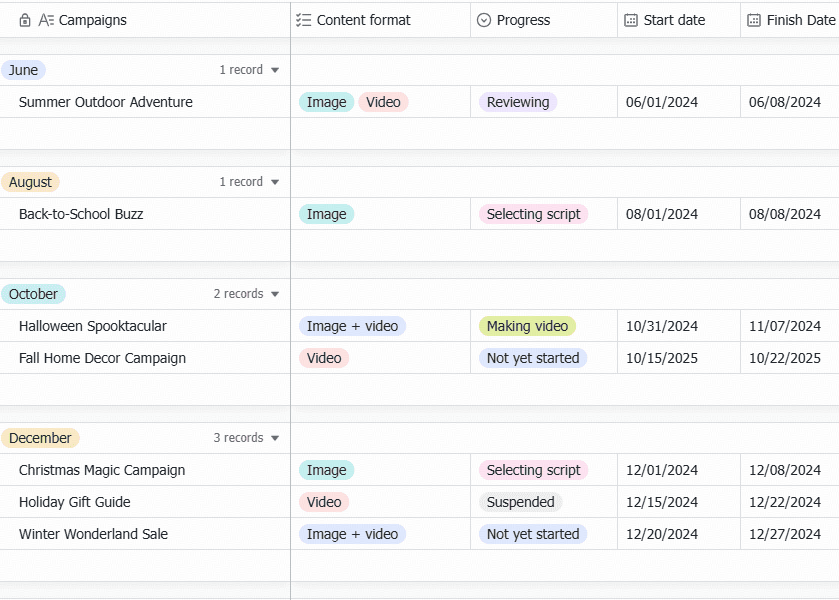
2. Marketing content calendar template - Lark Base
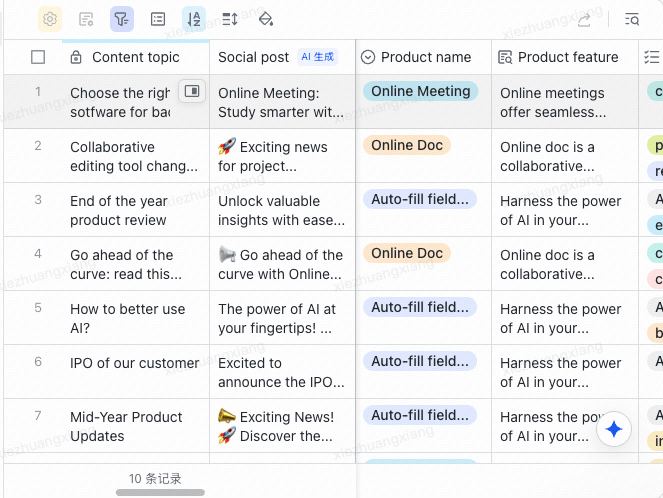
3. Social media content calendar for small business - Excel
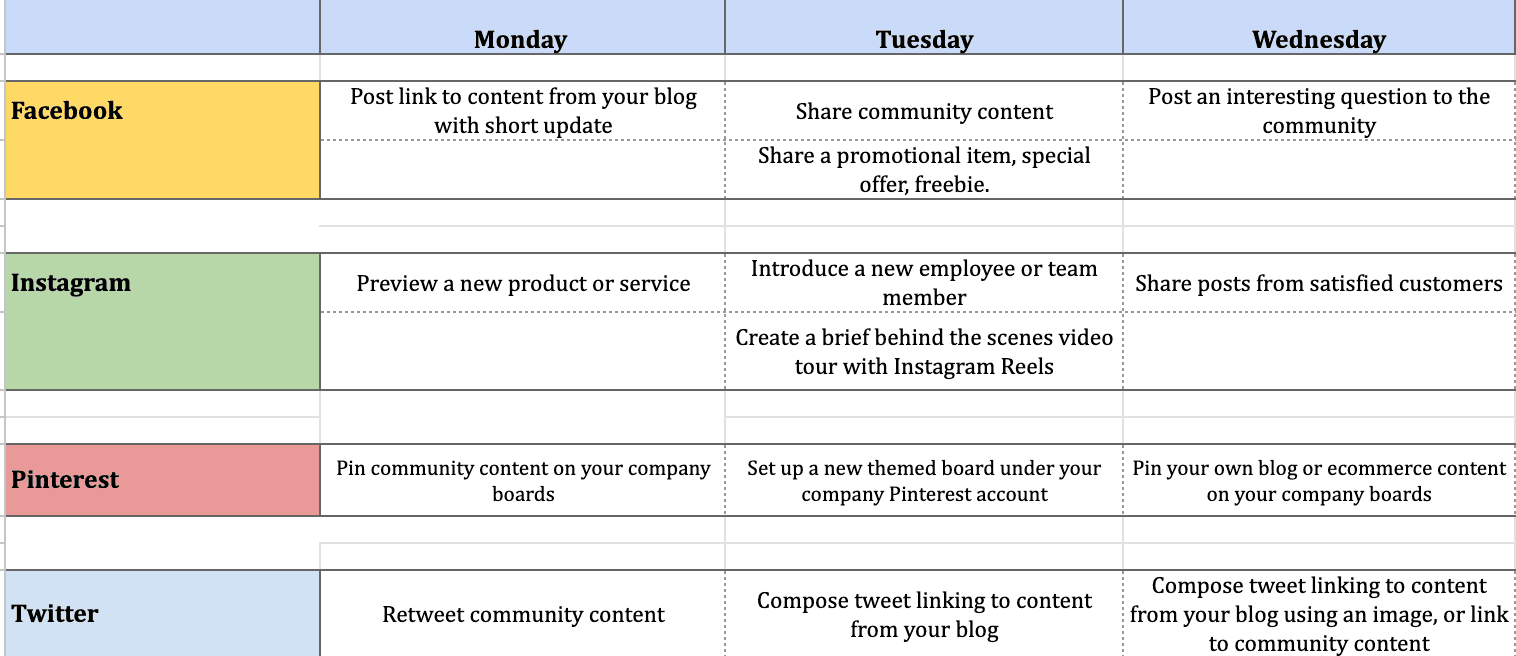
4. Content calendar template - Google Sheets
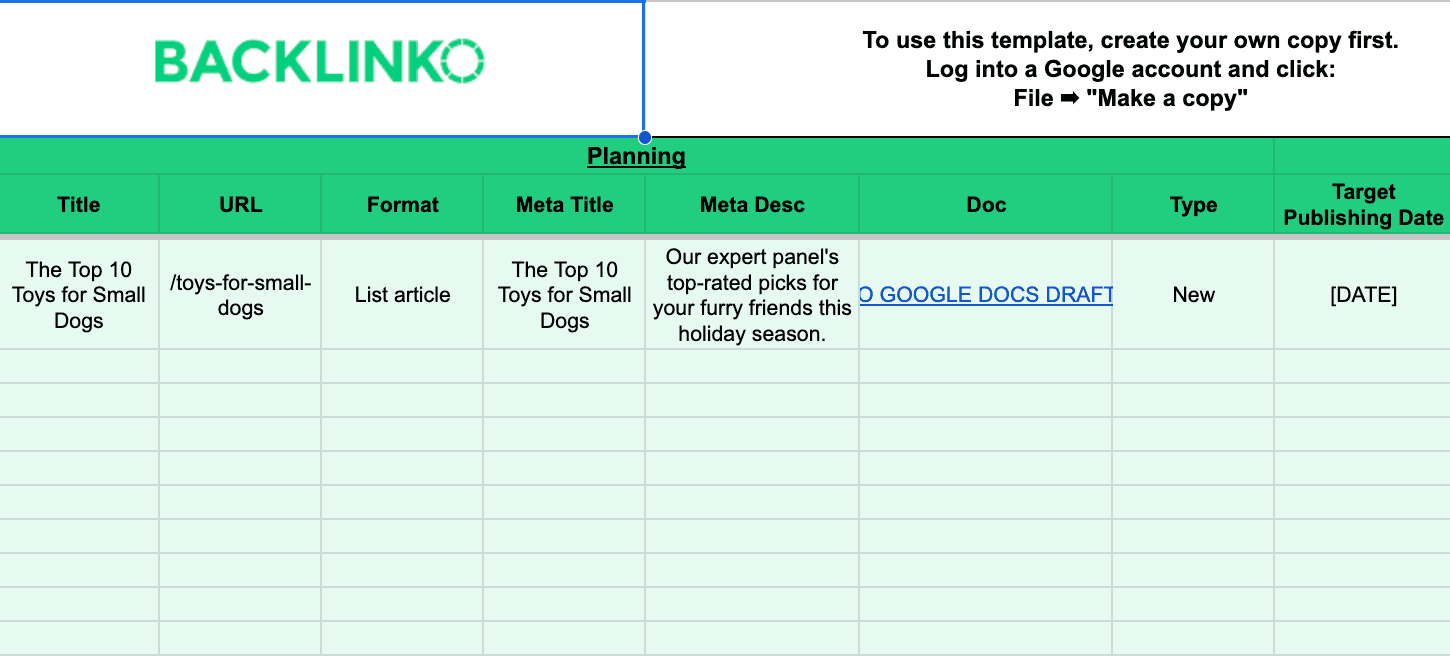
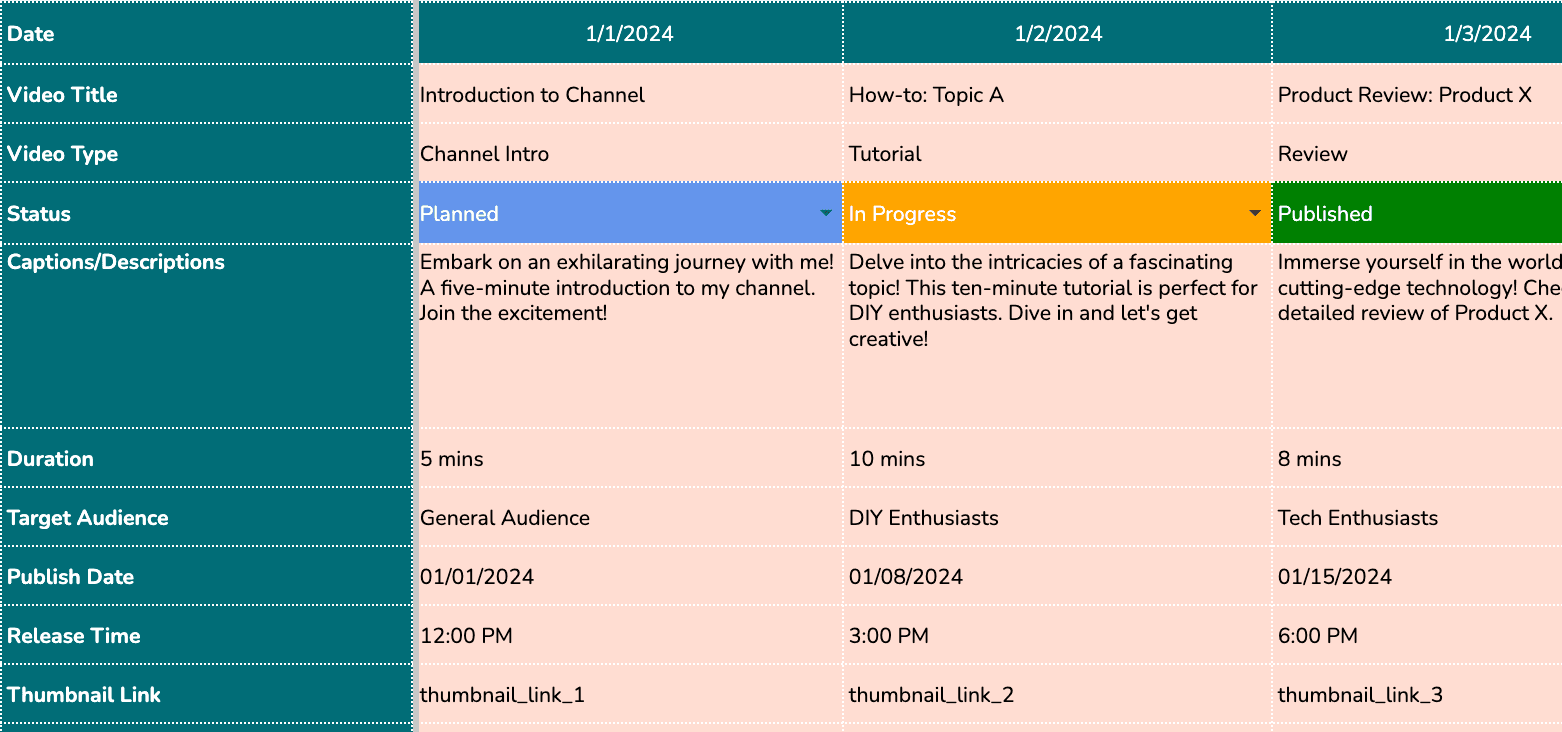
5. Video content calendar template - Google Sheets
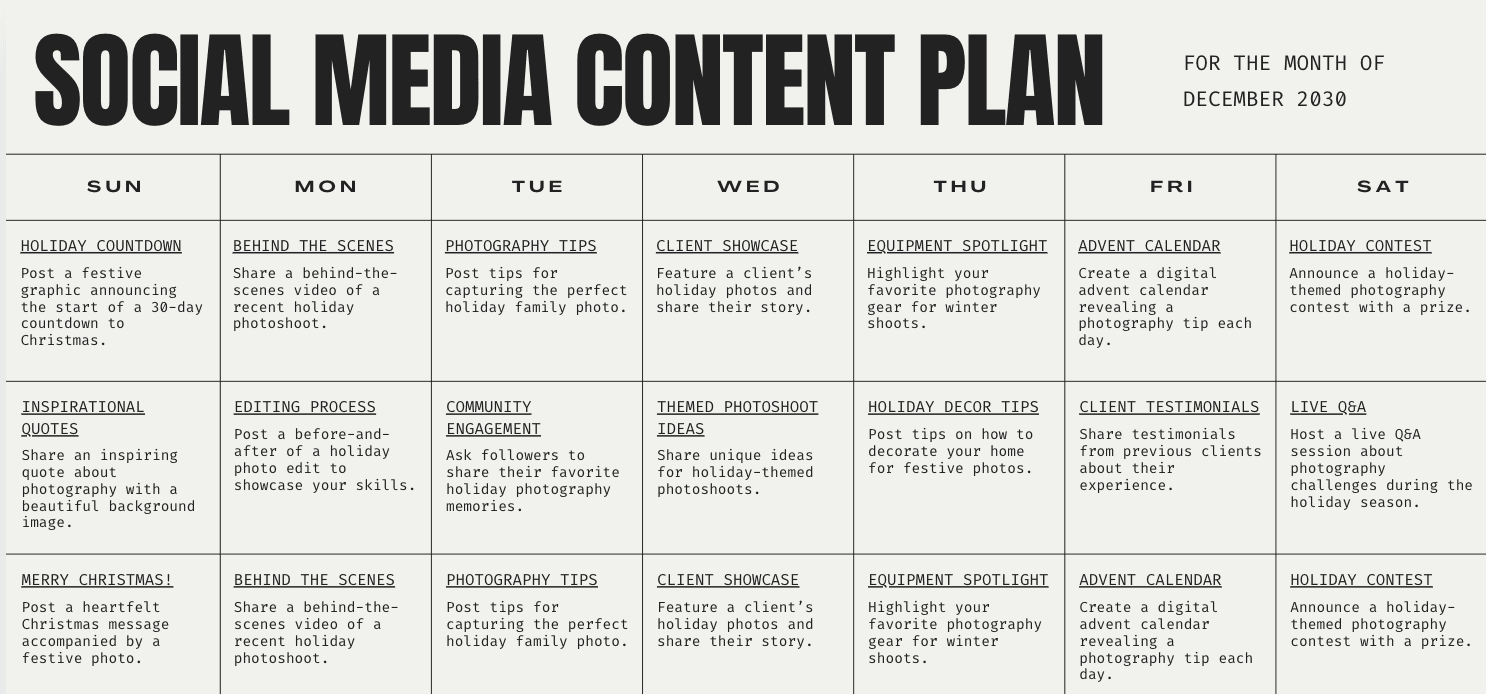
6. Social media content plan - Canva
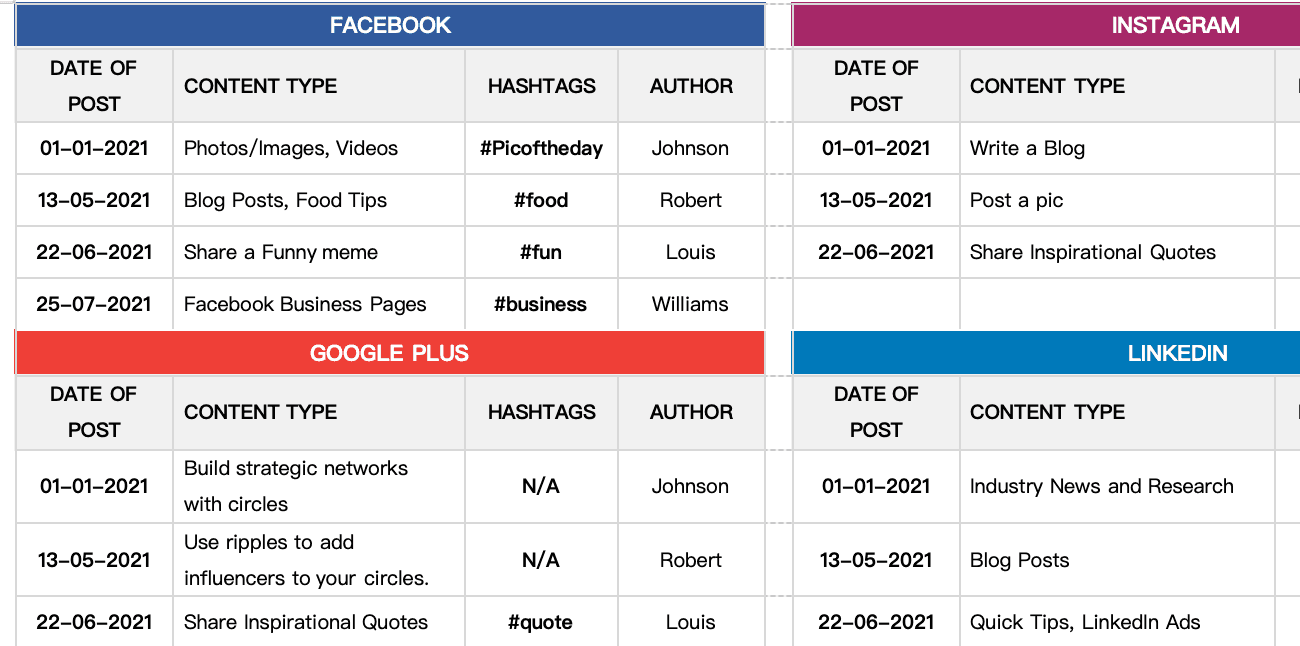
7. Social media calendar template - Word or Google Docs
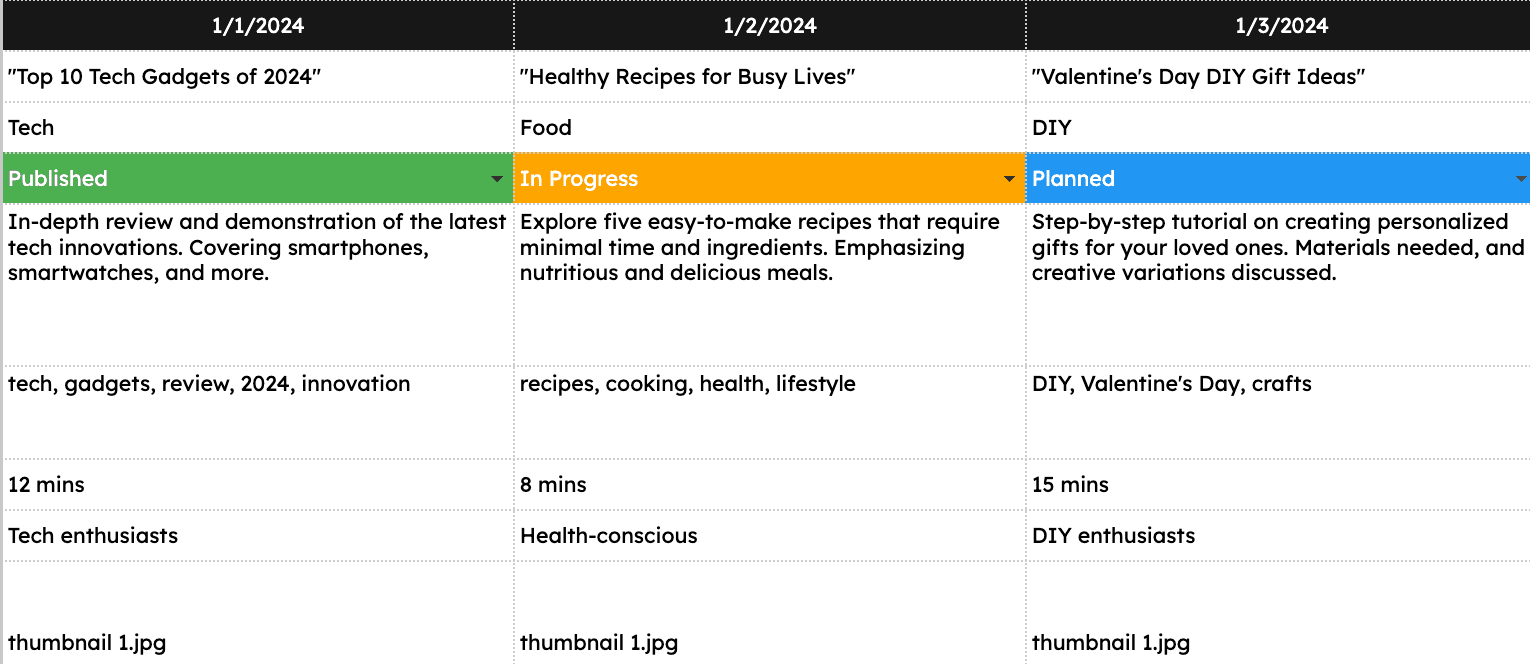
8. YouTube content calendar template - Excel or Google Sheets
9. Content calendar template - Excel
How to use a content calendar effectively
- Plan ahead: Schedule content at least a month in advance so you're not scrambling to post at the last minute, and build a consistent publishing schedule instead of posting ad hoc.
- Stay flexible: Be ready to adjust your content plan for trends, breaking news, or unexpected events, , and review previous posts to improve how you plan content going forward.
- Collaborate with your team: Assign tasks, set deadlines, and use comments for feedback, and make sure the social media team tracks a due date for each task. A content calendar is a collaboration tool, after all.
- Track performance: Keep an eye on key metrics to see how your content is performing and adjust as needed.
- Iterate and improve: Use your performance data to refine your content strategy and calendar over time, including reviewing campaign performance.
- Keep it maintainable: Remove any field that stays blank for 30 days; unused columns make the calendar harder to trust.
How to build a content calendar in Google Sheets
- Create columns for title, owner, due date, publish date, channel, content type, campaign tag, status, draft link, asset link, and performance link.
- Freeze the header row and add drop-downs for status, channel, and content type.
- Use color coding for statuses such as Idea, Draft, In Review, Scheduled, Published, and Overdue.
- Create one detailed table tab and one monthly calendar view tab for quick planning.
- Add example campaigns for the next quarter, then test whether every team member can find their own work in under one minute.
- When approvals, recurring reminders, or linked briefs become hard to manage, import the structure into Lark Base and keep the same columns as custom fields.
How to choose the right content calendar template
Tools for content planning and calendar management in 2026
- Lark: A powerful all-in-one platform that simplifies content creation, collaboration, and project management, especially if you want planning in one place instead of juggling other marketing tools. Ideal for marketers, small businesses, and start-ups.
- Notion: Great for all-in-one workspaces and relational calendars, with custom databases for tracking content assets.
- Airtable: Great for data-driven operations and high-volume scheduling, with custom fields for tracking complex campaigns.
- CoSchedule: Great for unified marketing calendars and team orchestration, with custom color-coding for tracking publish dates.
- monday.com: Great for visual workflows and cross-department collaboration, with custom automation for tracking project status.
- ClickUp: Great for task prioritization and document collaboration, with custom dashboards for tracking content stages.
- Hootsuite: Strong for social media scheduling and analytics, especially when posts need to move from calendar to publishing queue.
- Asana: Useful when the calendar is part of a larger task-management workflow with dependencies and owners.
- Buffer: Great for minimalist scheduling and multi-channel queues, with custom timing slots for tracking post performance.
- HubSpot: Great for inbound marketing and enterprise campaign alignment, with custom attribution tags for tracking lead generation.
- Adobe Express: Useful for visually oriented social media calendar templates and quick creative production.
Create and manage your content with Lark
Manage your content calendar in Lark Base
- Highly customizable content calendar templates: Go beyond traditional Excel or Google Sheets by creating dynamic content calendars with custom fields such as content type, publishing platform, target audience, keywords, and post copy.
- Multiple views: Seamlessly switch between various views including grid view for quick data edits, calendar view to map out publishing dates, and Gantt view to track content creation progress. Some teams compare this setup with Airtable, which offers calendar, Kanban, and timeline views.
- Automated workflows: Set up automatic task assignments for content creation, schedule reminders for publication deadlines, and trigger updates based on progress changes. Teams can also use it as a free content calendar template for a more structured publishing schedule.
Create what you need in Lark Docs
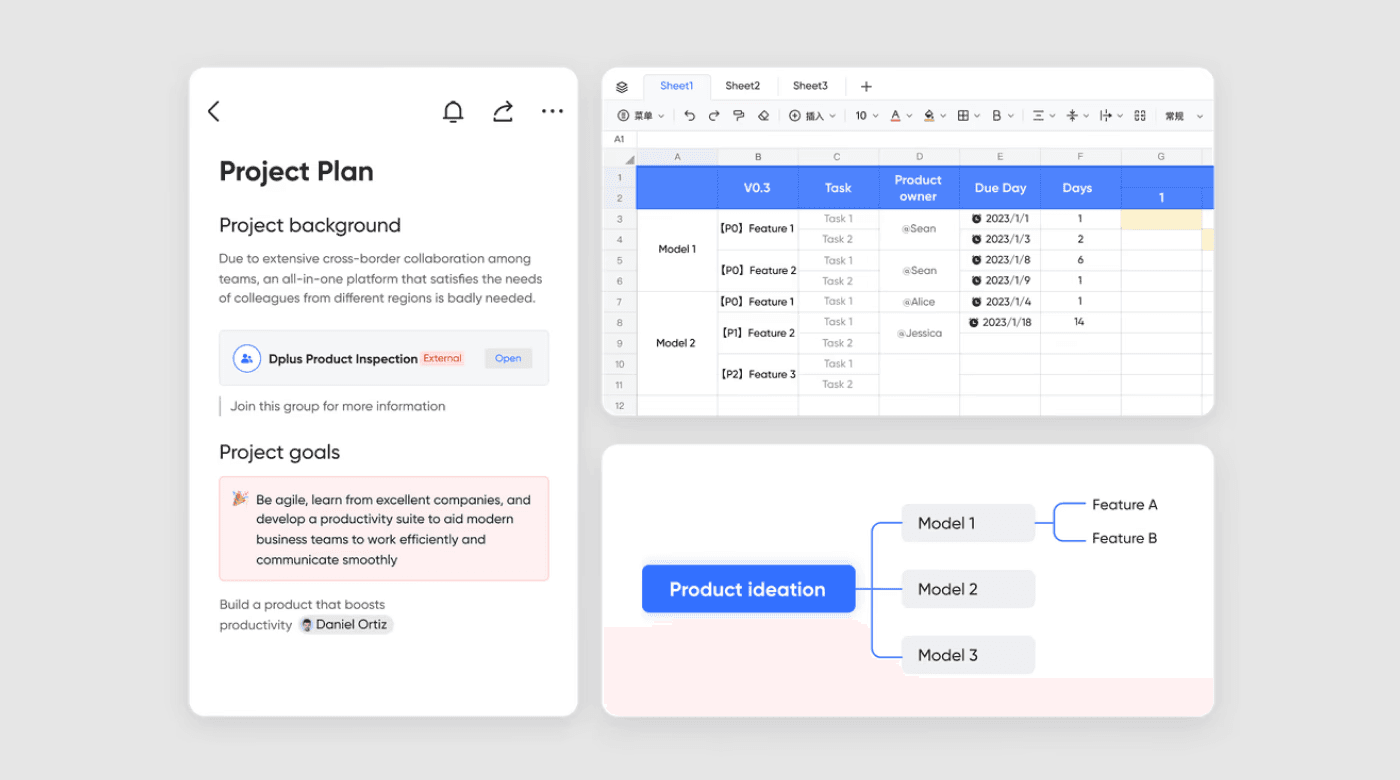
- Content creation: Create documents, spreadsheets, databases, Mindnotes, presentations, and more.
- Embed content calendar: Add your content calendar into documents like meeting agendas, reports, or team plans. This allows your team to map out content strategies, track progress, and collaborate — all within a single, shareable document.
- Real-time edits and comments: Team members can edit content and leave feedback directly, making it easy to brainstorm ideas and discuss changes.
- Version control: Never lose track of changes with automatic version history, ensuring you can roll back or review edits anytime.
- Template sharing: Turn your content into a template and share it with your team. Easily share with both internal teams and external collaborators, setting specific permissions like edit or view-only access.
Coordinate and collaborate with Lark Meetings
- Team calendar: View your team's availability in real-time and book meetings that fit everyone’s schedule.
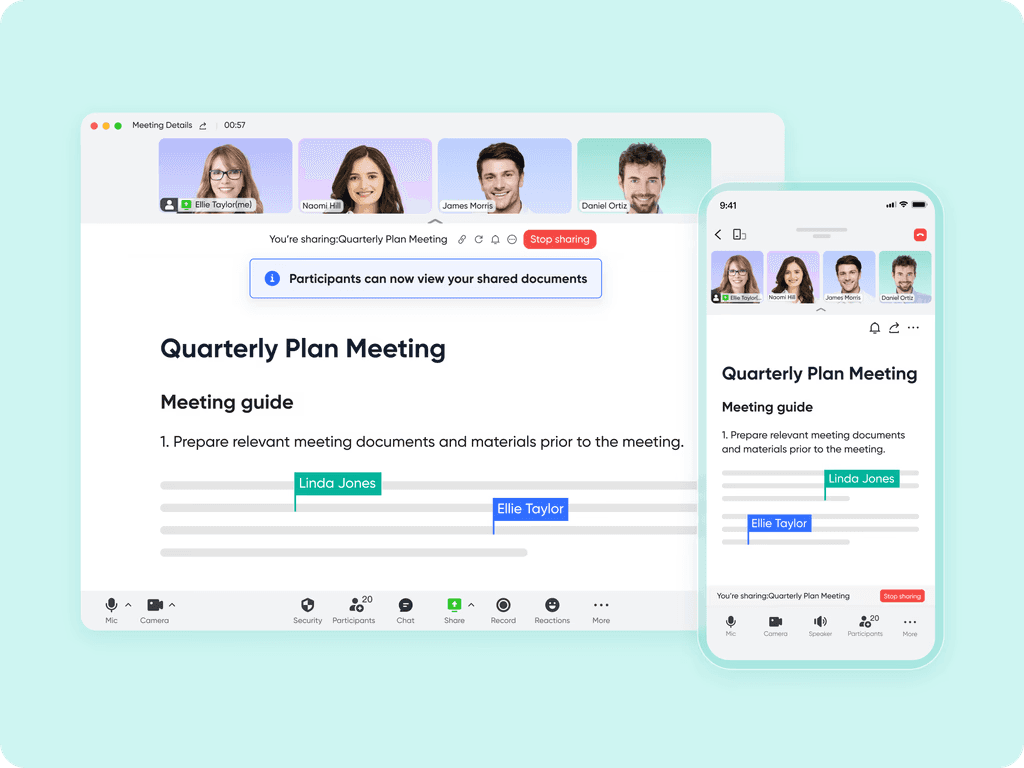
- Content sharing: Share your content calendar, campaign plans, or design mockups directly in meetings for productive, focused discussions.
Best value for money

















Starter
For small teams with simple communication needs
$0
/ user / month

Pro
For companies with comprehensive collaboration and management needs
$12
/ user / month
Enterprise
For large companies with advanced security and organizational management needs
Get a personalized demo and pricing
Pro
For companies with comprehensive collaboration and management needs
$12
/ user / month

"Lark gave us the operational clarity and efficiency we needed to empower our employees. When our people are supported, they deliver better food and better experiences to our customers. Lark did more than digitize our processes. It empowered our people. And when our people thrive, our customers feel it."

Patrick Sim
Group CEO
Final thoughts on content calendar templates
FAQs about content calendar templates
What fields should I put in a content calendar template?
Use publish date, due date, channel, content type, owner, status, campaign tag, target audience, draft link, asset link, CTA, and performance link. If your team uses approvals, add reviewer, approval status, and final scheduled date so the calendar shows what is blocked before publish day.
What is the difference between a content calendar, editorial calendar, and marketing calendar?
A content calendar manages execution: titles, owners, drafts, channels, and publish dates. An editorial calendar manages themes and story angles. A marketing calendar connects campaigns, launches, events, and content deadlines in one timeline.
Can I use one content calendar template for blog, email, and social media?
Yes. Use one master calendar with campaign tags, then create filtered views for blog, email, LinkedIn, Instagram, TikTok, and YouTube. This keeps the content strategy unified while letting each social media team or channel owner see only the work they need.
When is Google Sheets better than Excel for a content calendar template?
Choose Google Sheets when several people need to edit the same content calendar at once, comment on rows, or share a live link with stakeholders. Choose Excel when the team works offline, needs a downloadable file, or uses an existing spreadsheet-based reporting process.
When should I move from Google Sheets or Excel to Lark?
Move to Lark Base when the calendar needs multiple views, task owners, automated reminders, approval tracking, and linked briefs. A spreadsheet can show dates, but Lark can connect the plan to the work that makes each content item publish-ready.
How should social media managers use a content calendar template?
Social media managers should track platform, caption, creative asset, publish date, publish time, approval status, campaign tag, and post owner. A social media content calendar template works best when it also stores links to briefs, design files, and performance results for each post.
How far ahead should I plan social media content?
Plan routine posts four to eight weeks ahead, then leave a few flexible slots for trends, product updates, or urgent announcements. For launches, webinars, and seasonal campaigns, build the calendar one to two quarters ahead so copy, design, review, and scheduling do not collide.
How do I connect a content calendar with content briefs?
Add a draft link column and link each row to a brief in Lark Docs. That keeps the calendar lightweight while giving writers, editors, and reviewers a dedicated place for outlines, keywords, internal links, screenshots, and final copy.
What is the easiest way to turn a template into a repeatable workflow?
Create a weekly review meeting in Lark Calendar, attach the content calendar, and review the next two weeks of work. Use Lark Meetings for campaign kickoffs, then record blockers, decisions, and next steps back on the calendar.
Related readings

Start using Lark today

Manage all your work in one place
Boost team efficiency by 10x
Save up to 70% on software costs
Start using Lark today
Manage all your work in one place
Boost team efficiency by 10x
Save up to 70% on software costs
Keep reading








2026 Lark Technologies Pte. Ltd.
Headquartered in Singapore with offices worldwide.





