


CPQ and CRM: What They Are, How They Work, and Why It Matters

Ryan Tanner
Product Marketing Specialist
Aug 5, 2026
Ryan Tanner
Aug 5, 2026

19 min read


For modern sales teams, efficiency and accuracy are everything. CPQ CRM workflows integrate customer relationship management with configure-price-quote capabilities, enabling teams to generate quotes more efficiently while maintaining consistent pricing and approvals. Platforms like Lark unify CPQ and CRM in a single workspace, connecting deals, pricing, communication, and approvals without requiring users to switch tools. In this guide, we'll explain what CPQ and CRM are, how they work together, their key benefits, and how using a unified platform like Lark can streamline quoting, reduce errors, and accelerate the entire sales cycle.

What is CRM?
CRM, or Customer Relationship Management, is a system that helps businesses manage customer interactions, track deals, and organize account information in one central location. CRM systems store details about leads, contacts, opportunities, and past communications, providing sales teams with a complete view of each customer. By consolidating customer data, CRMs reduce manual re-entry, prevent data silos, and improve collaboration across sales, marketing, and service teams.
When paired with tools like CPQ, a CRM becomes even more powerful. CRM and CPQ workflows allow sales reps to access customer, deal, and account information directly while generating accurate quotes. This alignment ensures that pricing, approvals, and product configurations remain consistent, boosting both efficiency and customer satisfaction. For businesses using Microsoft Dynamics CRM, integrating CPQ functionality enhances quoting accuracy, reduces errors, and accelerates the sales cycle, creating a seamless experience from deal tracking to proposal delivery.
What is CPQ?
CPQ, which stands for Configure, Price, Quote, is a software solution that helps sales teams create accurate, consistent, and professional quotes quickly. CPQ automates product configuration, pricing rules, discounts, and approvals, ensuring that every quote follows company policies and reduces human error. It is especially valuable for businesses with complex products, bundles, or tiered pricing models.
When used alongside a CRM, CPQ leverages customer and deal data to generate proposals faster. CPQ and CRM workflows help sales teams avoid double data entry, maintain pricing consistency, and streamline approvals. For example, CPQ for Microsoft Dynamics CRM allows users to pull customer and account information directly into the quoting process, improving accuracy and reducing delays. Across industries, B2B SaaS, manufacturing, agencies, and retail, CPQ simplifies complex pricing scenarios, accelerates quote delivery, and enhances customer experience, making it an essential tool for modern revenue teams.
CPQ vs CRM: Key differences
While CPQ and CRM both play vital roles in sales, they serve distinct purposes. CRM focuses on managing customer relationships, tracking leads, deals, and accounts, and providing sales teams with visibility into the sales pipeline. It stores all customer interactions, communication history, and deals with data in one centralized platform, enabling better forecasting, reporting, and collaboration across teams.
CPQ, on the other hand, specializes in generating accurate quotes and proposals. It applies product rules, pricing logic, discounts, and approvals automatically, ensuring consistency and reducing errors. CPQ is essential for businesses with configurable products, complex pricing models, or approval workflows.
When used together, CRM and CPQ workflows create a seamless connection between customer data and quoting processes. For example, CPQ Microsoft CRM or CPQ Dynamics CRM setups allow sales reps to pull account and deal details directly from the CRM into the CPQ system, minimizing manual entry and accelerating quote delivery. While CRM manages relationships and deal context, CPQ ensures pricing accuracy and faster proposal generation.
How CPQ and CRM work together
When CPQ and CRM are aligned, sales teams can streamline the entire quoting and deal management process, reducing errors and improving efficiency across the organization.
- CRM provides customer, deal, and account context: A CRM stores all essential customer information, including contact details, account history, communication logs, and open opportunities. This centralized database allows sales reps to have a full view of every customer interaction and deal status. By providing context around accounts and opportunities, CRM ensures that every quote generated by CPQ is relevant, tailored, and based on accurate deal data.
- CPQ provides product rules, pricing, and approvals: CPQ manages complex product configurations, applies pricing rules, calculates discounts, and routes approvals automatically. Whether it's a configurable B2B SaaS package, a tiered manufacturing product, or a bundled retail solution, CPQ ensures that quotes comply with business rules and remain consistent across the sales team.
- Avoiding double entry and reducing quoting errors: When CPQ and CRM are connected, data flows seamlessly between the two systems. Customer and deal information from the CRM populates CPQ automatically, eliminating the need for manual entry and reducing the risk of errors in pricing, configurations, or approvals. This alignment saves time, prevents discrepancies, and ensures all team members are working from the same data.
- Faster proposal generation: CPQ can leverage CRM data to create accurate quotes and proposals in minutes rather than hours. Sales reps can quickly configure products, apply pricing rules, and generate professional proposals without leaving the CRM environment.
- Forecasting and reporting visibility: CRM reflects the progress of quotes, approvals, and deal stages, giving managers real-time visibility into pipeline health. Sales leaders can track quote status, approval bottlenecks, and revenue projections in one place.
- Single view for sales managers: By combining CRM and CPQ, managers gain a holistic view of deal health, quote status, and forecasted revenue. This unified perspective enables smarter decision-making, better resource allocation, and faster sales cycles.
Challenges when using CPQ and CRM separately
When CRM and CPQ systems operate separately, sales teams lose accuracy, speed, and visibility across the quoting cycle. These gaps directly impact revenue performance, forecasting, and the overall customer experience.
- Data silos: When CRM and CPQ don't share information, customer, product, and pricing data remain fragmented. Reps spend more time searching for details across tools. This slows deal cycles and increases the chance of missing critical context needed for accurate quoting.
- Manual re-entry of customer and quote data: Without alignment, reps must copy customer details, deal specifics, and product configurations between systems. This redundancy wastes valuable selling time. It also increases the likelihood of typos, mismatched records, and inconsistent deal information.
- Conflicting or outdated pricing: Pricing updates, discount rules, and product changes may live in CPQ while reps work from older details in the CRM. This disconnect results in quoting errors and wrong commitments to customers. Finance teams then need extra time to correct mistakes.
- Hard-to-track quote versions: In disconnected workflows, each revision often lives in emails or spreadsheets. Reps, managers, and finance lose visibility into the latest approved version. This causes confusion, slows approvals, and sometimes leads customers to receive inconsistent quotes.
- Slower approvals: Without synchronized systems, approvals depend on manual emails or chats. Managers lack real-time visibility into quote details or context. This leads to bottlenecks, longer review cycles, and delayed deal closure.
- Difficulty coordinating with operations and finance teams: Downstream teams rely on accurate quotes to plan inventory, scheduling, and billing. Misaligned CRM and CPQ systems create mismatched data across departments. This generates rework, delays service delivery, and increases operational errors.
What to look for in a CPQ + CRM setup
When CRM and CPQ work together, sales teams gain accuracy, speed, and control across every stage of the quoting cycle. These capabilities help teams scale efficiently while maintaining customer trust and revenue consistency.
- Real-time visibility: Reps, managers, and finance teams can instantly see quote progress, deal status, and customer context in one place. This transparency reduces confusion and accelerates decision-making. Everyone stays aligned with what's moving and what needs attention.
- Consistent product and pricing logic: Rules for configurations, discounts, and pricing stay uniform across all selling scenarios. Reps always access the correct combinations without guesswork. This reduces errors and keeps margins protected.
- Automated approval workflows: Approvals route to the right people based on value, discount level, or product conditions. This eliminates manual chasing and speeds up deal cycles. Managers receive complete context, making reviews faster and more accurate.
- Quote-to-deal synchronization: Updates made during the quoting process reflect directly on the overall deal record. Reps don't have to repeat steps or update details in multiple places. This ensures clean data for forecasting and downstream teams.
- Support for bundles, variants, and multi-currency: Complex product structures can be configured quickly, whether selling packages, add-ons, or global offerings. Reps get accurate totals instantly. This helps companies scale more markets and customer types.
- Strong reporting and forecasting: Sales leaders gain a clearer picture of deal momentum, quote readiness, and revenue potential. Clean and updated records improve forecast accuracy. Trends become easier to spot and act on.
- Workflow automation: Routine actions, like data updates, follow-ups, or record routing, trigger automatically based on rules. Teams save time and reduce errors caused by manual steps. This keeps the sales process consistent and predictable.
Modern solution: Lark unified workspace for CPQ + CRM workflows
Lark provides a fully connected workspace where sales teams can run their entire CPQ and CRM processes without relying on scattered tools. Pricing rules, deal records, customer data, documents, conversations, and approvals all stay in one integrated environment, ensuring every step of the quoting and sales cycle flows smoothly. By unifying communication with operational data, Lark eliminates manual handoffs, reduces delays, and gives teams real-time visibility into deal progress.
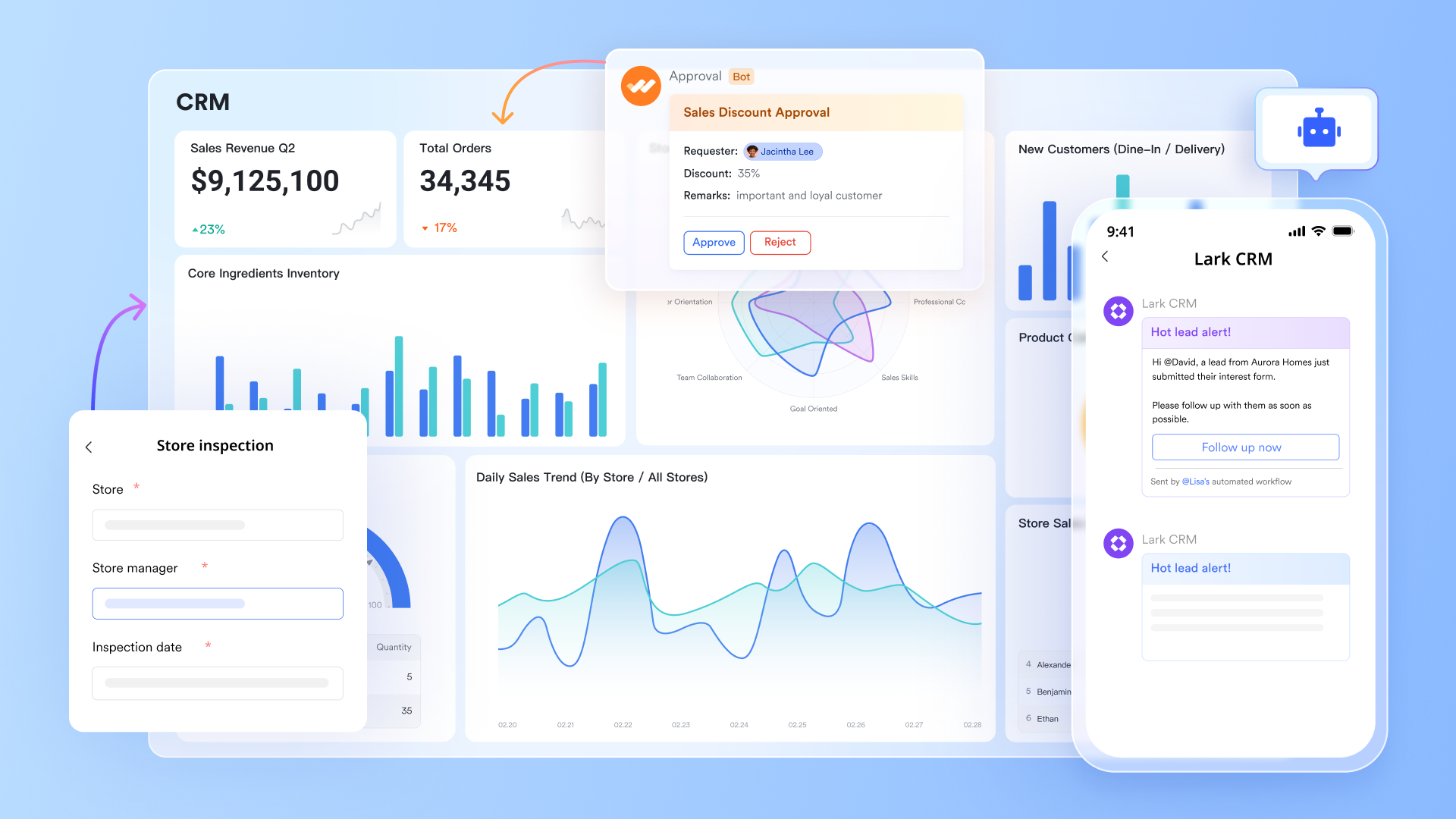
Lark Base: Central hub for product catalogs, pricing logic, and quote records
Lark Base provides sales teams with a structured approach to managing customer data, pricing rules, product configurations, discount frameworks, and quote histories in one centralized location. Multiple tables allow teams to separate catalog items, pricing tiers, deal stages, and quote approvals while keeping everything connected with two-way links. This helps CPQ activities stay aligned with CRM information and ensures all updates flow consistently across records.
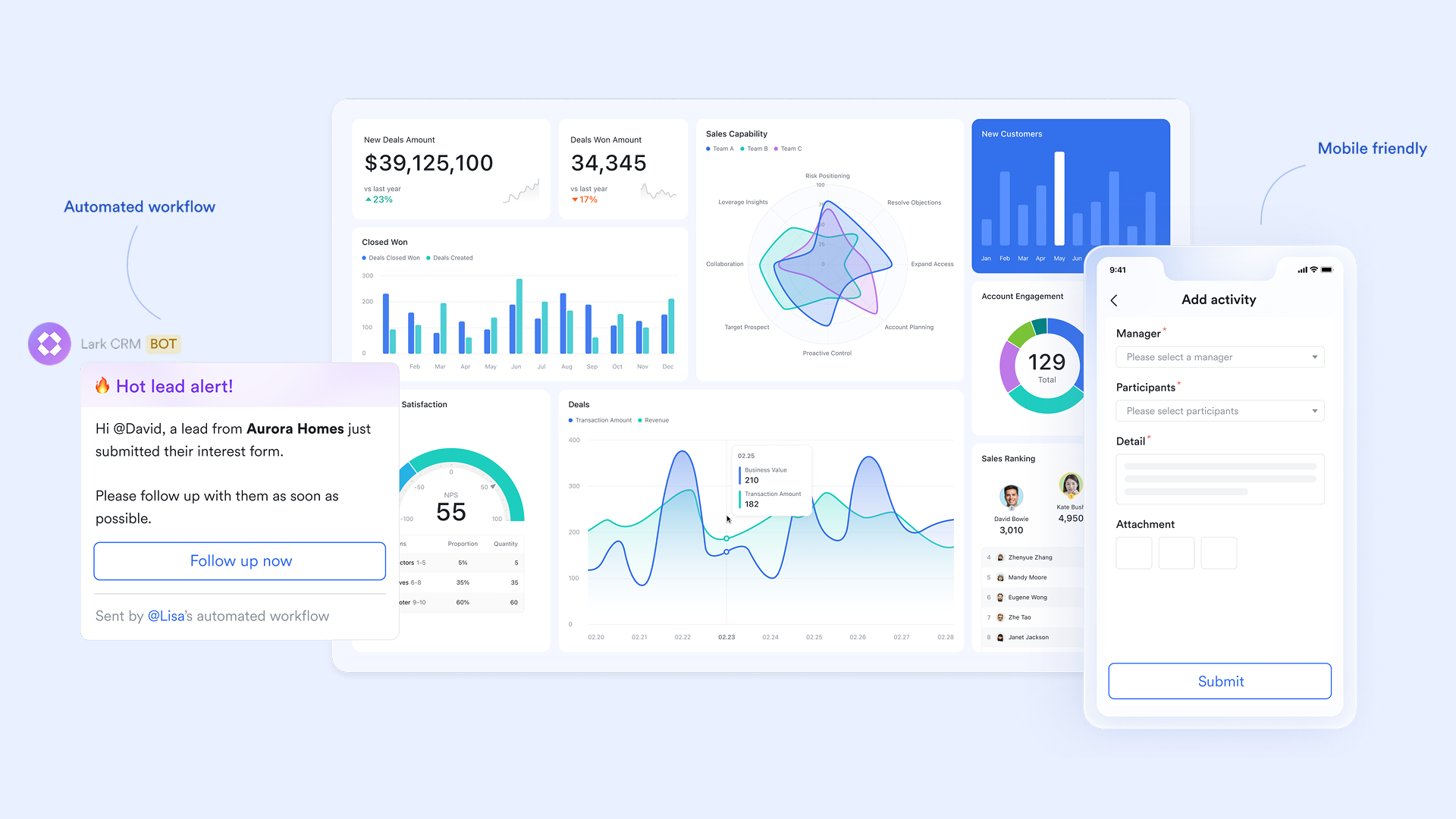
Lark Messenger: Real-time communication for pricing and deal discussions
Lark Messenger keeps conversations close to the work. Sales reps can quickly share pricing changes, quote versions, customer updates, or approval requests with the right people. Messages can be linked directly to Base records, ensuring teams never lose context during fast-moving quoting cycles. This is especially helpful when sales, finance, and operations need to align quickly on complex configurations.
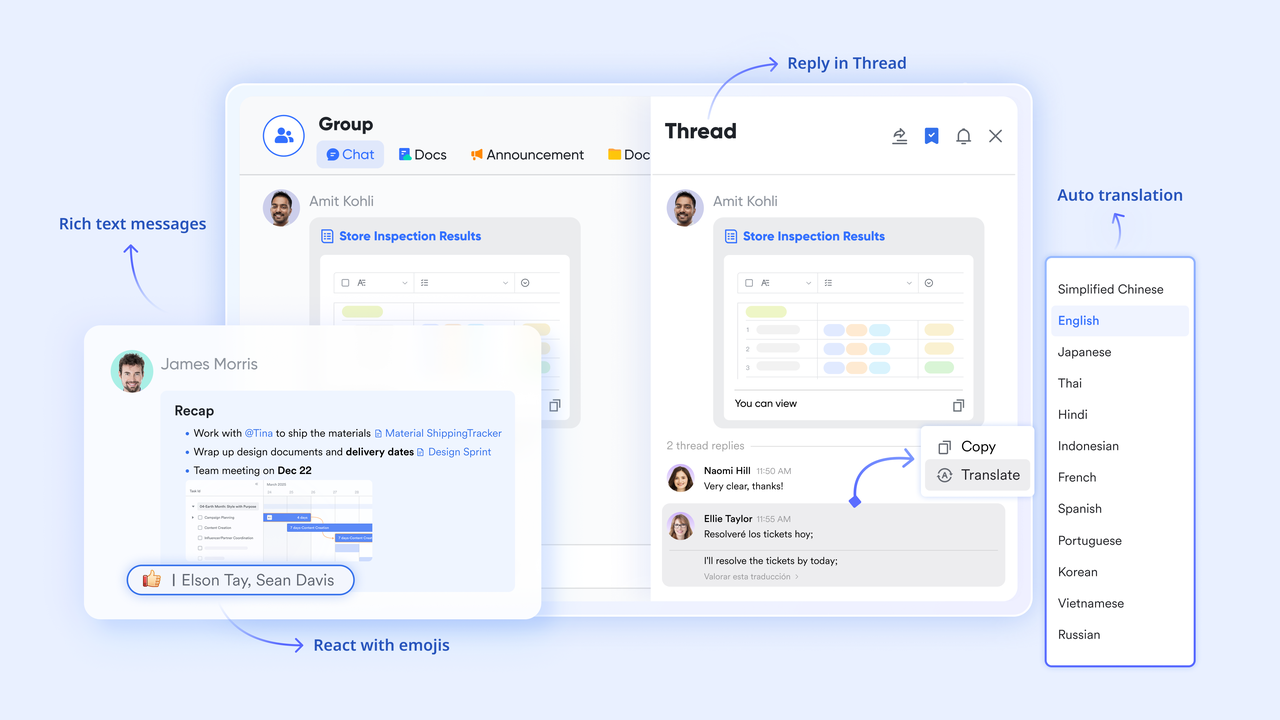
Lark Calendar: Scheduling quote reviews, renewal checkpoints, and deal milestones
Lark Calendar makes it easy to plan internal pricing reviews, customer calls, renewal checkpoints, or negotiation sessions. Because events can be tied directly to project or deal data, teams can visualize key CPQ-related milestones alongside larger sales timelines, keeping everyone coordinated throughout the quoting process.
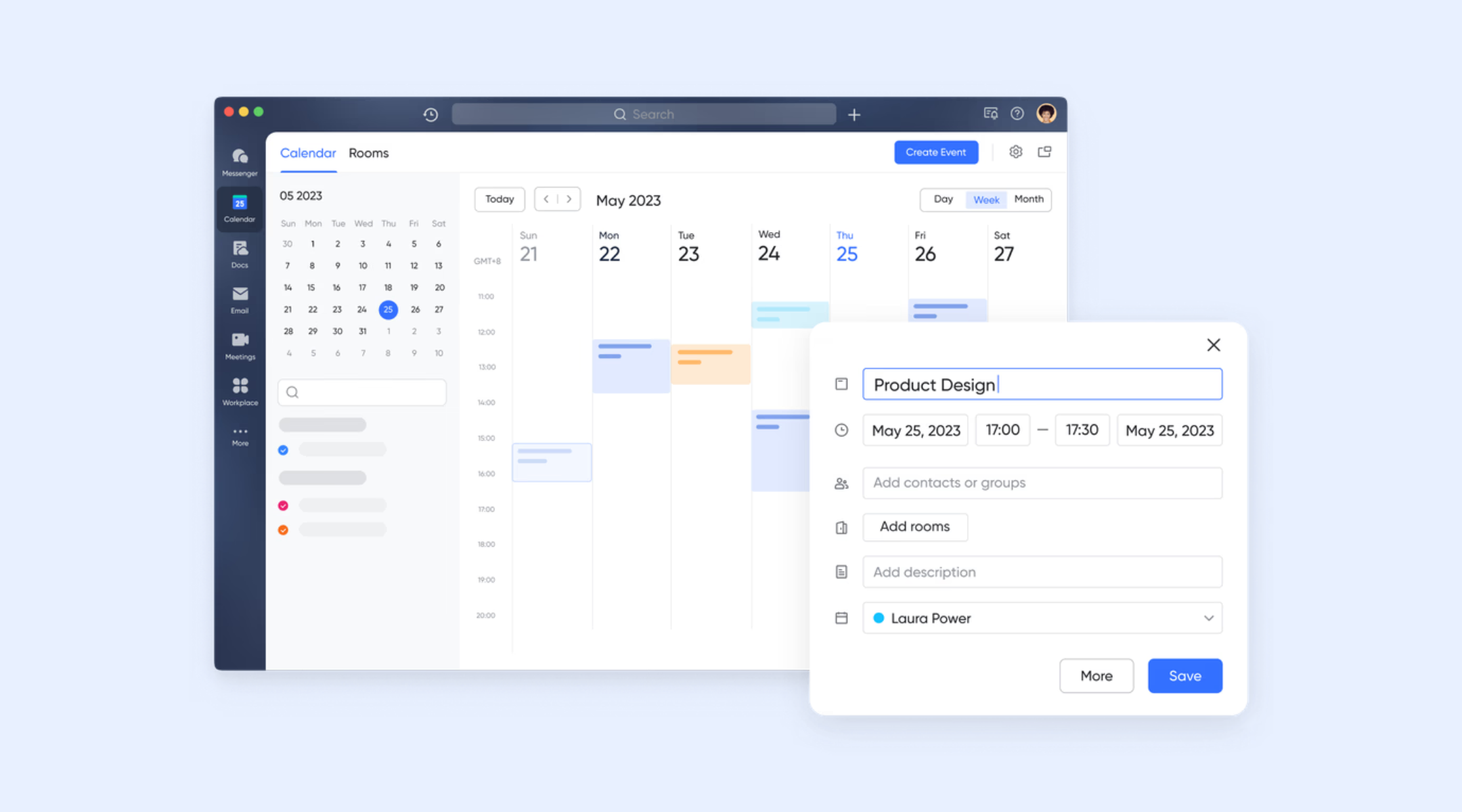
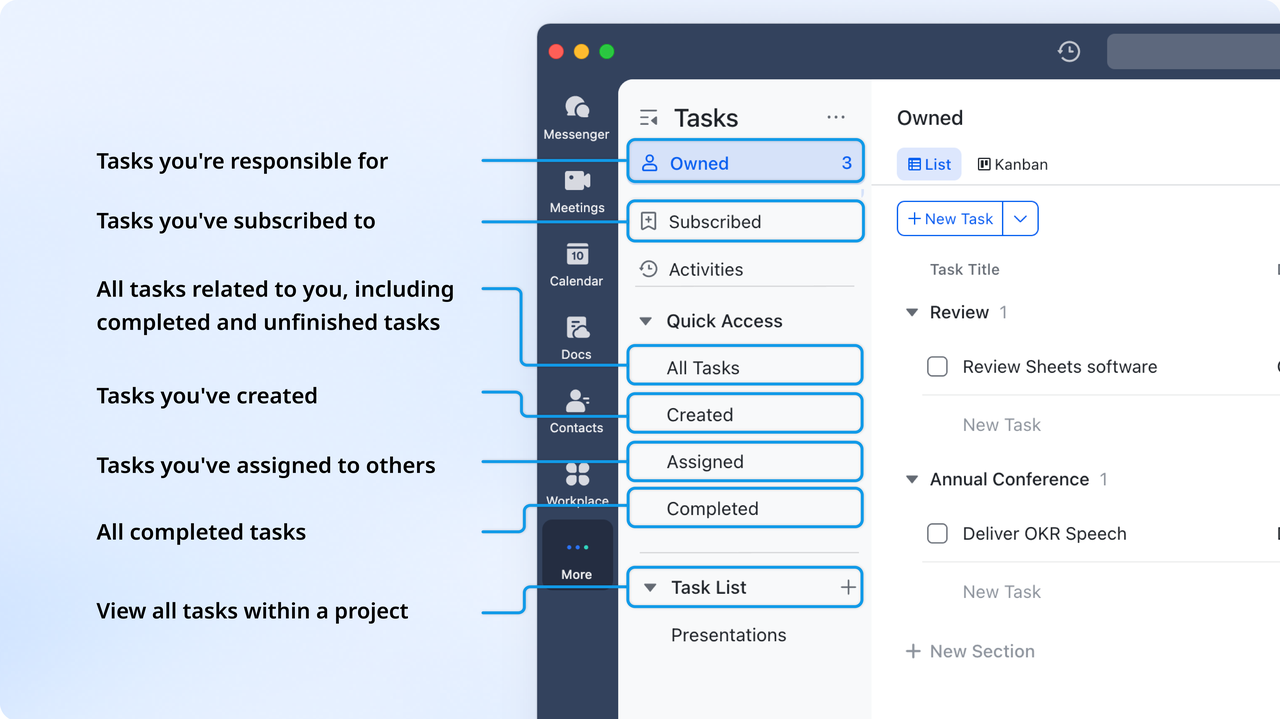
Lark Tasks: Clear ownership during the quoting and approval stages
Lark Tasks help teams assign responsibilities for quote creation, review steps, pricing adjustments, proposal revisions, or customer follow-ups. Each task includes deadlines, owners, and status updates, so sales teams always know who is responsible for moving a quote toward customer delivery. Tasks linked to Base items ensure complete traceability across stages.
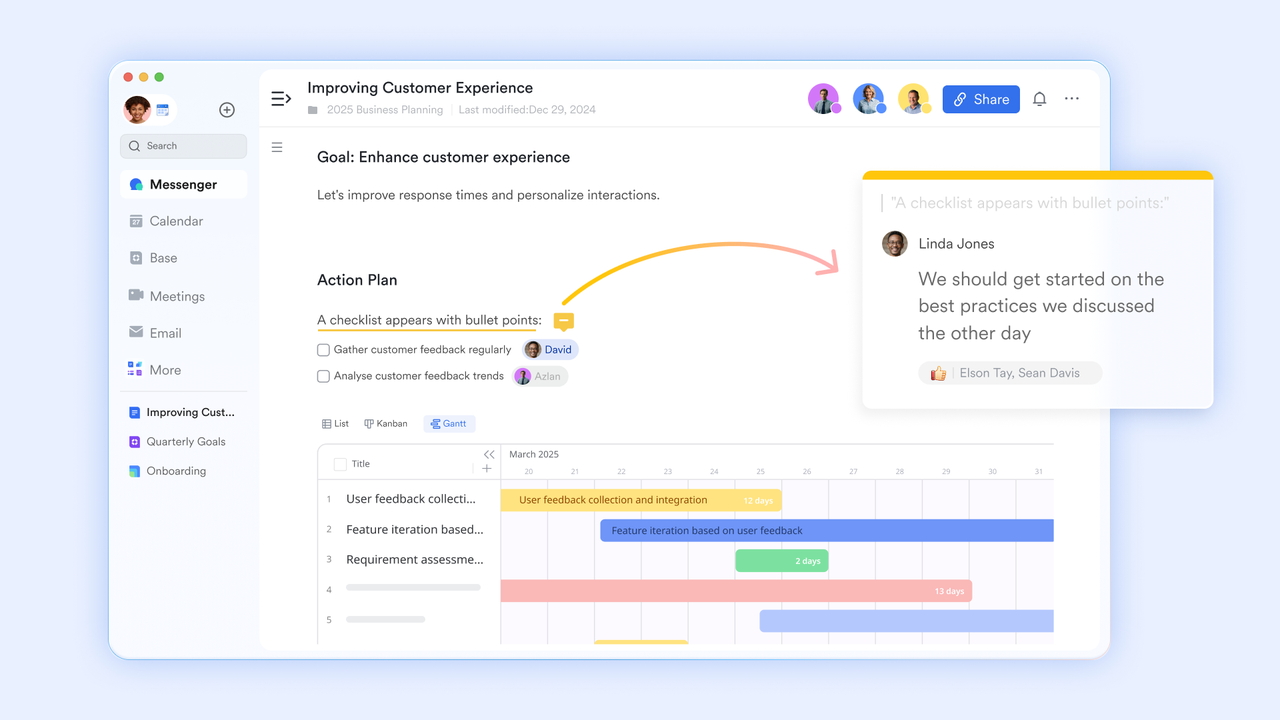
Lark Docs: Collaborative proposals and pricing documents inside one workspace
Lark Docs allow sales teams to create proposals, scopes of work, and pricing sheets without switching tools. Teams can embed Lark Base tables showing pricing details or product configurations directly inside a document. Real-time collaboration makes it easy for sales, finance, and operations to refine the quote together before sending it to the customer.
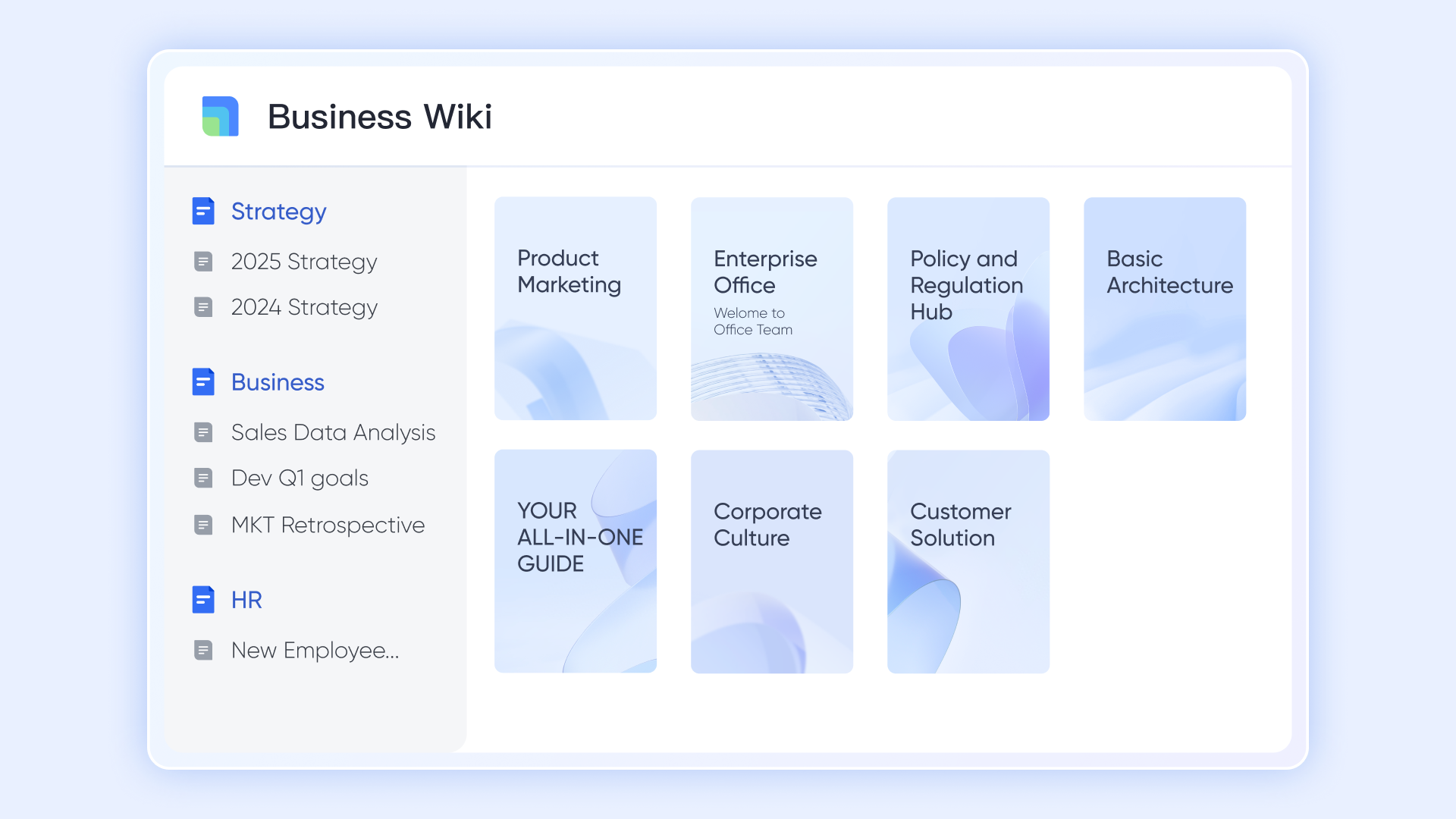
Lark Wiki: Centralized resource center for CPQ rules and sales playbooks
Lark Wiki helps teams document pricing guidelines, discount policies, configuration rules, approval paths, sales scripts, and rate cards. Instead of scattered files, all CPQ-related knowledge stays searchable and organized, which helps new reps ramp faster and reduces mistakes during quote preparation.
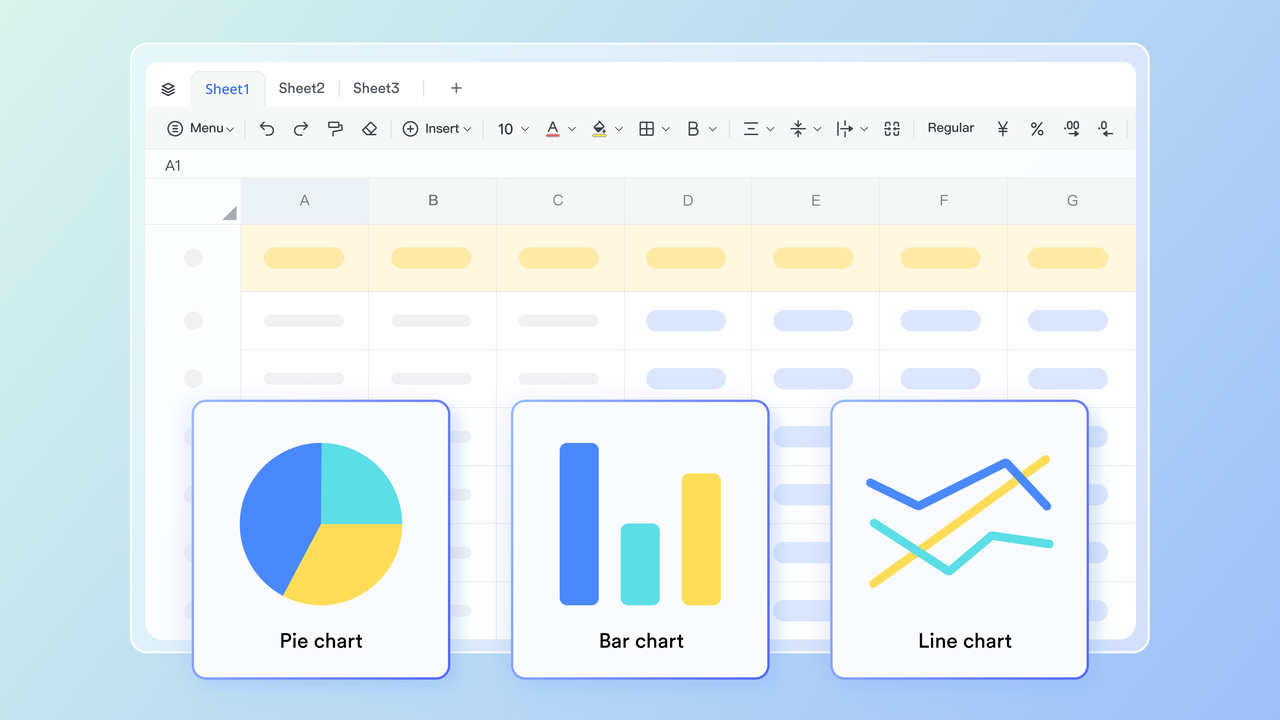
Lark Sheets: Quick pricing analysis and margin calculations
Lark Sheets give revenue teams a familiar spreadsheet environment to run cost calculations, margin estimates, and pricing comparisons while staying inside the same workspace. Teams can build lightweight pricing models or scenario calculators that complement CPQ activities without needing an external tool.
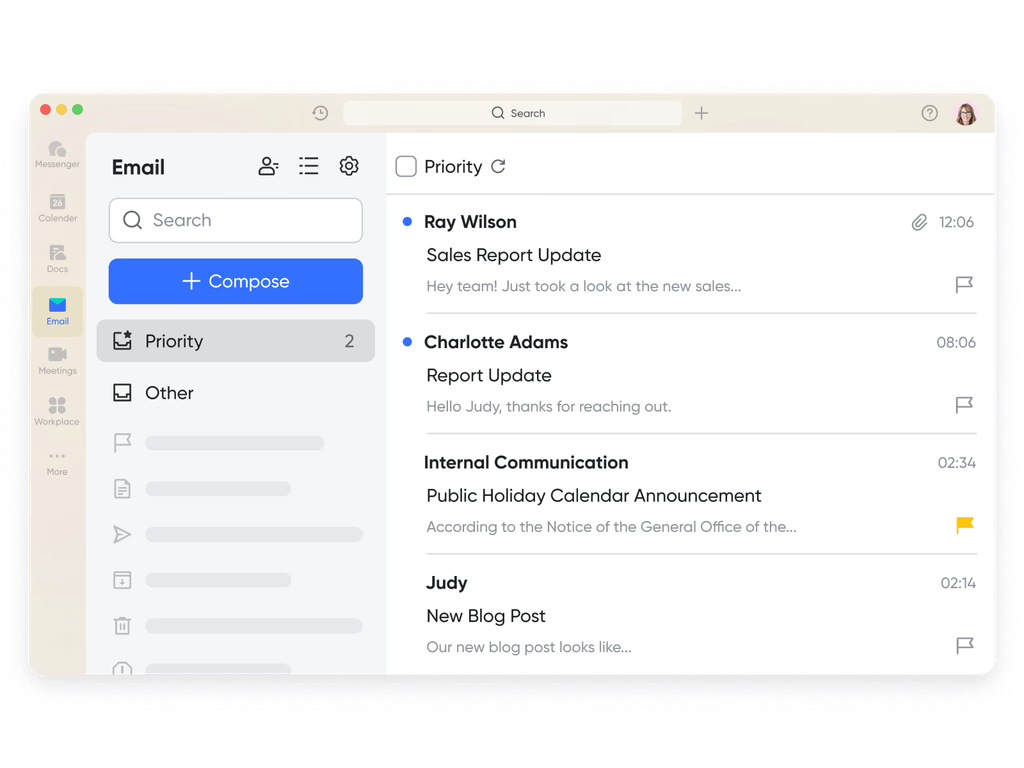
Lark Mail: Customer and vendor communication tied to quote activity
Lark Mail keeps quote-related emails, customer questions, contract changes, and pricing clarifications attached to the workspace where sales teams manage deals. This prevents inbox clutter and ensures external communication stays connected to deal progress.
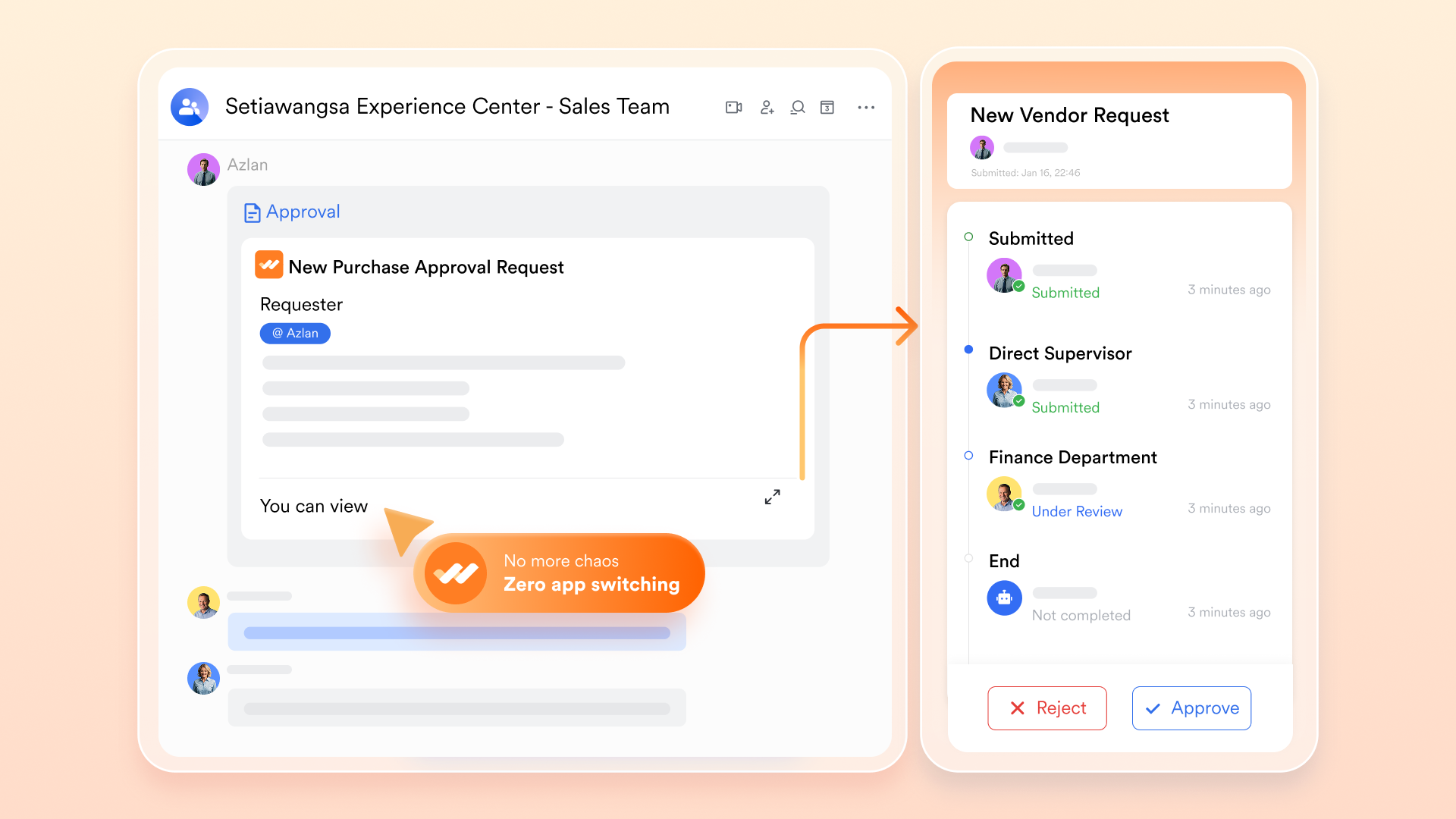
Lark Approval: Controlled pricing and discount approvals for sales teams
Lark Approval help sales teams route discount requests, custom configurations, non-standard terms, or contract changes through a clear review process. Decision history stays attached to the relevant Base record, so teams maintain compliance and audit trails for every quote.
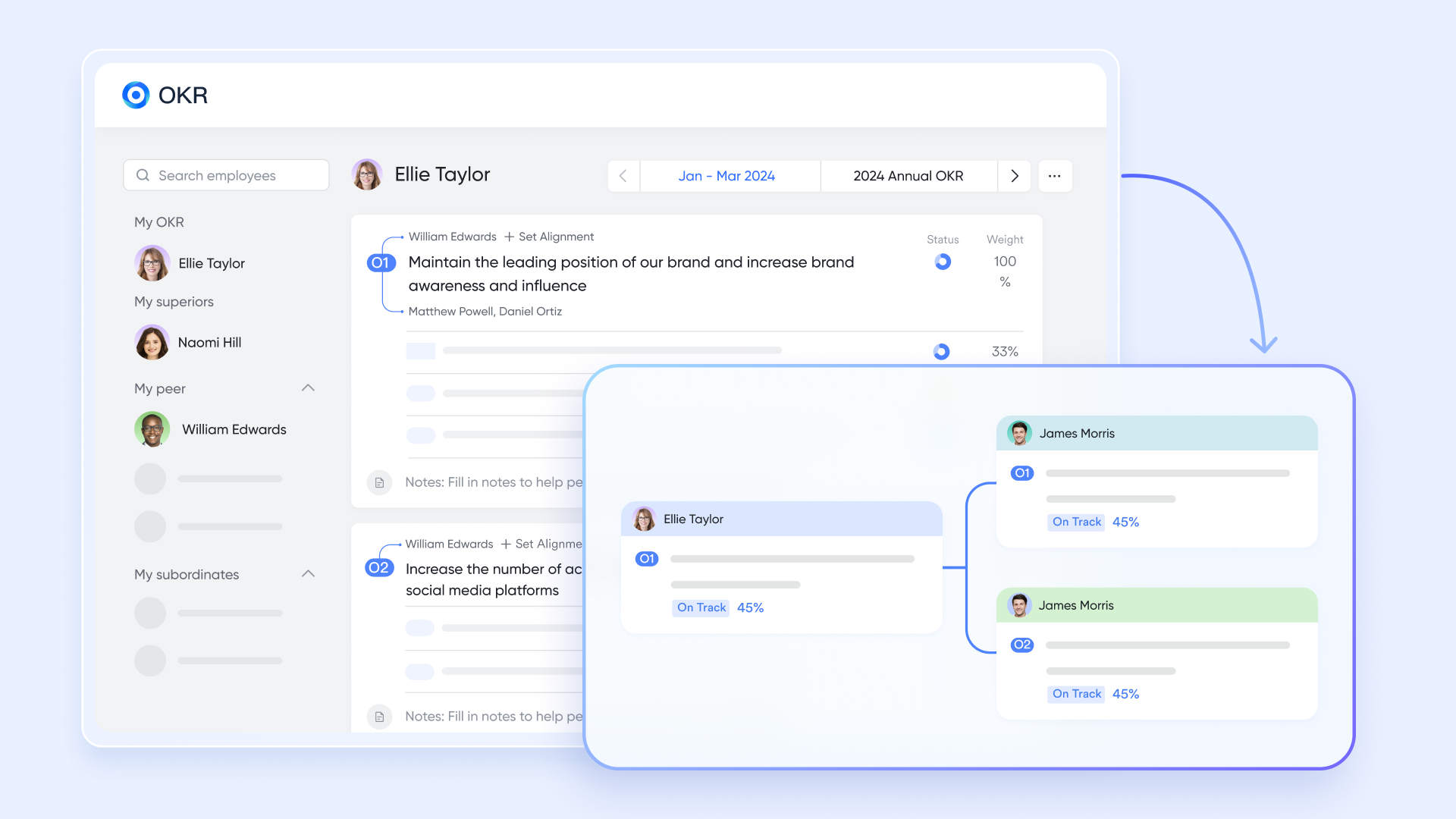
Lark OKR: Aligning quoting performance with sales targets
Lark OKR allows sales leaders to connect quoting activities with broader revenue goals, such as win rates, quote turnaround time, average discount given, or deal velocity. This gives teams visibility into how their CPQ + CRM workflow performance contributes to high-level business objectives.
- Starter plan: Free forever plan that includes 11 powerful tools for up to 20 users. It also comes with 100GB of storage, 1000 automation runs, AI translations, and more.
- Pro plan: $12/user/month (billed annually) for up to 500 users. It includes everything in Starter plus group calling for up to 500 attendees, 15TB of storage, 50,000 automation runs, and more.
- Enterprise plan: Contact sales for custom pricing. Supports unlimited users and includes even more automation runs and advanced security, compliance, and management features. Before selecting a productivity suite, it's worth reviewing the latest Google Workspace pricing and ClickUp pricing plans.
CPQ + CRM examples in a Lark workflow
These workflow actions help sales teams eliminate manual follow-ups, reduce approval delays, and maintain accurate records. Each step keeps the quoting process moving smoothly while ensuring the right people stay informed.
- Generate a task when a quote needs review: Whenever a quote reaches a review stage, a task is automatically created for the assigned rep or manager. This prevents stalled deals and missed checkpoints. Teams always know the next required action.
- Notify sales managers when a quote exceeds discount thresholds: If a rep enters a discount above the allowed level, managers receive an instant alert. This ensures pricing remains controlled and margin rules are followed. Decisions can be made quickly without slowing down the deal.
- Auto-populate Docs with pricing details: As products, quantities, or discounts change, the document fields update automatically. Reps don't need to retype or adjust numbers manually. This keeps proposals consistent, accurate, and ready to send.
- Send a summary of updated quote records to a sales group: At set intervals, a compiled update goes to the sales team with the latest quote changes. Everyone stays aligned on active opportunities and priority deals. This reduces back-and-forth and improves coordination.
- Route approval requests to finance: When quotes require financial validation, requests move directly to the finance team. They receive all relevant details instantly, making the review faster. This smooth flow reduces bottlenecks and accelerates deal closure.
Benefits of using CPQ + CRM in one connected workflow
When CPQ CRM workflows operate in a single connected environment, sales teams eliminate friction from quoting and deal management. This alignment improves accuracy, speeds up the sales cycle, and creates a smoother experience for both internal teams and customers.
- Faster quote turnaround: With CPQ pulling deal and account details directly from the CRM, reps can generate quotes in minutes instead of hours. Automated product rules and pricing calculations remove manual steps. This speed enables sales teams to respond to customer requests faster and close deals sooner.
- Higher accuracy in pricing: CPQ enforces approved pricing logic, discount thresholds, and configuration rules, minimizing human error. By using CRM data as the foundation, every quote reflects the correct customer history and deals with context. This accuracy boosts confidence across sales, finance, and leadership teams.
- Reduced manual updates: A connected CRM and CPQ setup eliminates repetitive manual entry of customer or product details. Changes made in one system are reflected immediately across the workflow. This reduces administrative burden and allows sales reps to focus on selling, not updating tools.
- Better visibility into sales stages: As CPQ updates flow into CRM, managers gain real-time insights into quote progress and deal movement. They can quickly identify stalled quotes, bottlenecks, or approval delays. This visibility supports more reliable forecasting and proactive pipeline management.
- Stronger cross-team collaboration (sales, finance, operations): A unified CPQ CRM workflow brings all teams into the same data environment. Finance can review pricing details instantly, operations can plan configurations, and sales can manage customer communication. This shared visibility reduces misalignment and speeds up decision-making.
- Consistent discounting and pricing rules: CPQ ensures that every quote follows corporate pricing policies, preventing unauthorized discounts or out-of-date pricing. Teams rely on a single source of truth for product rules and price structures. This consistency protects margins and keeps customer expectations clear.
- Better customer experience: Customers receive clear, accurate, and professional quotes without delays or back-and-forth corrections. Faster turnaround and consistent pricing build trust and improve overall satisfaction. A connected CPQ CRM flow also ensures smoother communication from the first interaction to the final proposal.
CPQ + CRM use cases
When CRM and CPQ work together, teams across industries gain speed, accuracy, and clearer visibility in their sales cycles. Each sector has unique quoting challenges, and a combined system helps remove complexity while keeping pricing consistent and reliable.
For B2B SaaS
SaaS teams can instantly build quotes that match their subscription model, whether it's per-seat licensing, feature tiers, or consumption-based pricing. Reps no longer juggle spreadsheets or outdated rate cards. This ensures accurate ARR/MRR numbers, smoother renewals, and faster quote delivery.
For manufacturing
Manufacturers rely on complex product structures, and CPQ helps enforce the correct combinations every time. Reps can select components, accessories, and variations without breaking any configuration rules. This reduces quoting errors, protects margins, and speeds up delivery planning.
For agencies & services
Service teams can build detailed quotes based on hours, phases, deliverables, and retainer models. CPQ helps standardize pricing while still allowing flexibility for custom scopes. This improves transparency for clients and reduces time spent recalculating estimates.
For retail & distribution
Reps can apply bulk discounts, create product bundles, and update pricing instantly as quantities change. This is especially helpful for fast-moving deals where pricing needs to stay precise. Teams respond faster to customer requests and avoid manual recalculations.
For Microsoft Dynamics CRM users
Dynamics users can extend their CRM by adding structured configuration, pricing rules, and guided approvals through CPQ. This ensures quotes match the company's standards and reduces back-and-forth with finance. Sales teams gain cleaner data, better risk forecasting, and more dependable pricing.
Conclusion
Modern sales teams need both CRM and CPQ to deliver accurate quotes, faster deal cycles, and consistent pricing across every customer interaction. CRM provides the essential customer, deal, and pipeline context, while CPQ adds structure to configuration, pricing logic, and approvals. When they work together, teams remove manual work, reduce errors, and gain clear visibility from quote creation to revenue forecasting. This alignment benefits every industry, from SaaS to manufacturing, by making sales processes smoother and more predictable. For teams looking to simplify, accelerate, and scale their sales operations, the most effective path forward starts with Lark.
FAQs
Do all businesses need both CPQ and CRM?
Not every business needs both, but most growing sales teams benefit from combining CRM for customer management and CPQ for structured pricing, especially when using CPQ CRM integration to unify workflows. Companies with configurable products, custom quotes, or frequent discount requests gain the most. Smaller teams selling simple offerings may start with CRM alone, but CPQ becomes essential as pricing complexity, deal volume, or approval needs increase, particularly for teams exploring Dynamics CRM CPQ options.
Can CPQ help reduce pricing errors in sales processes?
Yes, CPQ significantly reduces pricing errors by enforcing product rules, discount policies, and approved price ranges. Sales reps no longer rely on manual spreadsheets or guesswork. CPQ ensures every quote follows the correct logic, preventing mistakes that lead to revenue leakage, customer dissatisfaction, or rework. When paired with CRM data, accuracy improves even further during quoting and forecasting.
What industries gain the most from CPQ + CRM workflows?
Industries with complex pricing or configuration benefit most: B2B SaaS, manufacturing, agencies, professional services, retail distribution, and companies using Microsoft Dynamics CRM. These teams deal with multi-tier pricing, usage models, product bundles, custom scopes, or discount approvals. CPQ + CRM streamlines their workflows, improves quote speed, and ensures pricing consistency across sales, finance, and operations.
How do CPQ and CRM improve forecasting accuracy?
CRM provides visibility into deal stages and customer engagement, while CPQ adds clarity on pricing, quote status, and approval progress. Together, they reduce guesswork by ensuring all deal values reflect current, accurate quotes. Managers can see which quotes are pending, approved, or delivered, leading to more reliable pipeline forecasts and stronger revenue planning across teams.
Is CPQ useful for teams that sell standard-priced items?
Yes, CPQ is still valuable even with fixed pricing. It speeds up quote creation, applies consistent discount rules, and ensures reps always use the latest price lists. For teams handling high quote volume, renewals, or frequent changes, CPQ eliminates manual updates and keeps pricing aligned across departments. As businesses grow, CPQ ensures scalability and stronger control over margins.
Related reading
Table of contents
Start using Lark today

Manage all your work in one place
Boost team efficiency by 10x
Save up to 70% on software costs
Table of contents
Start using Lark today
Manage all your work in one place
Boost team efficiency by 10x
Save up to 70% on software costs
Keep reading









2026 Lark Technologies Pte. Ltd.
Headquartered in Singapore with offices worldwide.






Explore: