














CRM Systems for Law Firms: Features, Benefits, and 7 Top Picks

Ryan Tanner
Product Marketing Specialist
Sep 18, 2026
Ryan Tanner
Sep 18, 2026

19 min read


Managing client relationships is one of the biggest challenges for modern law firms. From intake to case resolution, firms must handle deadlines, documents, and communication while maintaining compliance and delivering a seamless client experience. Spreadsheets and email alone can't keep up with these demands, often leading to inefficiencies and missed opportunities.
This is where CRM systems for law firms come in. By centralizing client information, automating routine tasks, and offering real-time visibility into cases, these tools transform daily operations. Whether you explore platforms like Lark, Clio Manage, Lawmatics, or MyCase, the right CRM empowers both small practices and large firms to improve efficiency and build stronger client relationships.
1. Lark: Cloud-based CRM for small and large law firms
2. Clio Manage: All-in-one legal CRM with case management
3. Lawmatics: Client intake and marketing automation for firms
4. MyCase: Practice management with built-in CRM features
5. Zoho CRM: Flexible CRM adaptable to law firm needs
6. HubSpot CRM: Free and scalable for small law firms
7. PracticePanther: Focused on automation for billing and case tracking

What is a CRM for law firms?
A CRM for law firms is a specialized platform designed to manage client relationships, streamline case intake, and enhance firm-wide collaboration. Unlike generic CRMs built for sales teams, legal CRMs are tailored for attorneys and their unique needs. They combine case management, legal documentation, and communication tools with client relationship tracking.
Difference between general CRMs and law-firm-specific CRMs
- General CRMs: Focus on customer sales pipelines, marketing, and lead management.
- Law-firm CRMs: Address legal workflows like matter management, compliance, intake forms, billing, and court deadlines.
Why traditional spreadsheets and email aren't enough
- Spreadsheets are prone to errors and lack real-time collaboration.
- Emails quickly become cluttered, making it difficult to track conversations across multiple cases.
- Without automation, firms risk missing follow-ups, filing deadlines, or compliance steps.
Key benefits of CRM systems for law firms
Choosing the right CRM software for law firms goes beyond client management—it transforms how attorneys handle intake, cases, and collaboration. These benefits help both small and large practices work smarter and deliver better client experiences.
- Streamlined client intake: CRMs provide automated intake forms, conflict checks, and lead tracking. Instead of manually handling inquiries, firms can automatically capture client data, route it for review, and track progress until engagement.
- Better client relationships: Centralized communication history ensures every attorney can access past interactions, documents, and agreements. This creates consistency and builds trust.
- Efficiency & time savings: From task automation to reminders, CRM platforms reduce repetitive work. Attorneys spend less time on admin tasks and more on billable client work.
- Data-driven insights: Dashboards reveal client conversion rates, revenue by practice type, or staff productivity, helping firms make informed business decisions.
- Improved collaboration: Partners, associates, and staff can share notes, updates, and deadlines in one secure platform, improving coordination across teams.
- Streamlined notarization workflows: If your law firm relies on notarized documents as part of client onboarding or matter intake, integrating an online notary service into your workflow can significantly streamline operations. Law firms handling agreements, affidavits, or estate planning documents can benefit from integrating an online notary service directly into their CRM. This enables remote notarization with built-in identity verification and legally compliant execution, helping clients complete critical document steps quickly before moving forward in the workflow.
Must-have CRM features for law firms
The best CRM systems for law firms are designed to simplify client management, streamline case handling, and ensure compliance with industry standards. Below are the essential features every modern legal CRM should include:
- Case & matter management: Organize all case details, notes, and documents in one place to reduce errors. This ensures attorneys can quickly access client matters without digging through emails or files.
- Document management & e-signatures: Store contracts, pleadings, and agreements securely with version control. Built-in e-signatures allow clients to sign documents remotely, saving time and avoiding delays.
- Client intake automation: Replace manual forms with digital intake workflows that assign tasks automatically. This improves efficiency and ensures no new inquiry slips through the cracks.
- Calendar & deadline tracking (court dates, client calls): Track hearings, meetings, and filing deadlines with automated reminders. Syncing with external calendars prevents scheduling conflicts across multiple attorneys.
- Task & workflow automation: Automate repetitive tasks like follow-ups, conflict checks, or document requests. This frees up valuable attorney hours for client-facing and billable work.
- Email/SMS integration for client communication: Keep all client messages in one centralized platform. This reduces the risk of missed communications and creates a complete record of interactions.
- Reporting & analytics dashboards: Monitor firm performance with real-time dashboards that show revenue, caseloads, and client conversion rates. Data-driven insights help firms allocate resources effectively.
- Compliance and security (confidentiality, GDPR/ABA standards): Ensure all client data is stored and shared securely under strict confidentiality rules. Compliance features protect firms from regulatory risks and maintain client trust. Operational efficiency is only part of the equation—firms must also attract qualified case inquiries consistently. This SEO for Personal Injury Law firm guide explains how targeted search optimization increases local visibility, strengthens authority signals, and converts high-intent injury searches into signed clients.
Best CRM software for law firms you should explore
1. Lark: Cloud-based CRM for small and large law firms
Lark stands out as a powerful cloud-based CRM for law firms, offering more than just client management—it unifies communication, case tracking, and document handling in one platform. At the core of its CRM functions is Lark Base, a highly customizable database that allows firms to organize, automate, and analyze their entire client lifecycle. This makes Lark an excellent choice for both small practices that need simplicity and large firms requiring scalability.

Lark Base for client and case tracking
Lark Base is the foundation of Lark's CRM power for law firms. It acts as a centralized database where all client and case information is securely stored and easily accessible. Attorneys can:
- Store everything in one place: intake forms, case details, conflict checks, deadlines, billing notes, and client communication logs.
- Use flexible views: choose from tables for detailed records, Kanban boards to visualize case progress, or timelines to map hearings and court deadlines.
- Automate routine workflows: set up automated reminders for filing dates, follow-ups, or evidence submissions so nothing slips through the cracks.
- Manage full case lifecycles: track each matter from initial inquiry → active litigation/negotiation → resolution or closure with complete visibility.
- Powerful dashboards & reporting: design dashboards to monitor active caseloads, track billable hours by attorney, measure client conversion rates, or review revenue by matter type. These insights help partners optimize workloads, identify bottlenecks, and deliver consistent client service.
Lark Base doesn't just replace spreadsheets—it elevates case and client management with real-time collaboration, automation, and analytics, making it the core driver of efficiency for law firms.

Lark Approval for legal sign-offs
Lark Approval makes it easy for law firms to manage reviews of contracts, pleadings, and client agreements by routing them through automated approval. With multi-step routing—such as associate → partner → client—it ensures compliance, accountability, and proper oversight at every stage. Automated reminders keep the process moving forward, reducing delays in case preparation or contract review and helping firms stay on schedule.

Lark Docs & Lark Wiki for legal documentation
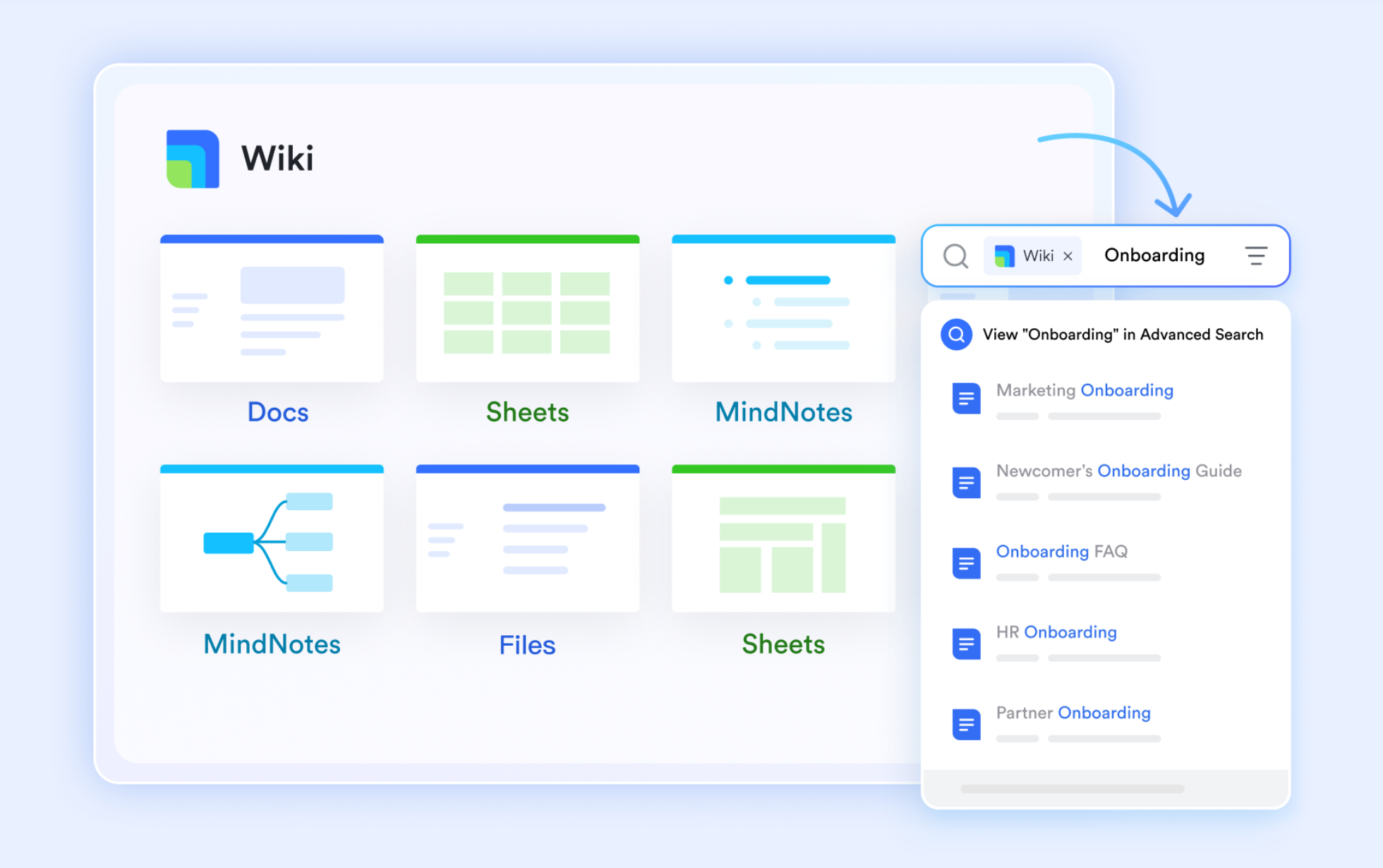
Lark Docs enables attorneys to collaboratively draft contracts, client agreements, and case notes in real time, with built-in version control that ensures full auditability. Once finalized, documents such as NDAs, intake forms, or compliance files can be stored in Lark Wiki, creating a secure and easily searchable library for the firm. Attorneys can also embed links, case references, or statutes directly into Docs, giving every document the right legal context and making research or review faster.
Lark Calendar for court dates and deadlines
Lark Calendar helps firms manage hearings, client consultations, and filing deadlines across offices and time zones so nothing is missed. You can sync external calendars like Google and Outlook to prevent scheduling conflicts, and attach case notes or relevant documents directly to calendar events for quick access during prep. Automated reminders and shared team calendars keep everyone aligned on court dates and client meetings, reducing last-minute surprises.

Lark Messenger & Lark Meetings for client and team communication
Lark Messenger keeps case discussions organized in dedicated channels, such as "Smith vs. Jones Litigation," so conversations remain focused and easy to follow. Attorneys and staff can instantly share discovery documents, exhibits, or legal research in real time without relying on scattered email threads. For virtual consultations, team strategy sessions, or deposition prep, Lark Meetings provides a secure space with recordings and notes automatically linked back to the case, ensuring continuity and accuracy in every matter.

- Starter plan: Free forever plan that includes 11 powerful tools for up to 20 users. It also comes with 100GB of storage, 1000 automation runs, AI translations, and more.
- Pro plan: $12/user/month (billed annually) for up to 500 users. It includes everything in Starter plus group calling for up to 500 attendees, 15TB of storage, 50,000 automation runs, and more.
- Enterprise plan: Contact sales for custom pricing. Supports unlimited users and includes even more automation runs and advanced security, compliance, and management features.
2. Clio Manage: All-in-one legal CRM with case management
Clio Manage is one of the most widely recognized CRM systems for law firms, combining client relationship management with full practice management. It allows firms to centralize client data, streamline casework, and simplify billing in a single cloud platform. With features like document storage, intake forms, and e-signatures, Clio is built to reduce admin work for attorneys. Its scalable design makes it suitable for growing firms handling multiple practice areas. For law firms seeking reliability and efficiency, Clio Manage remains a leading choice.
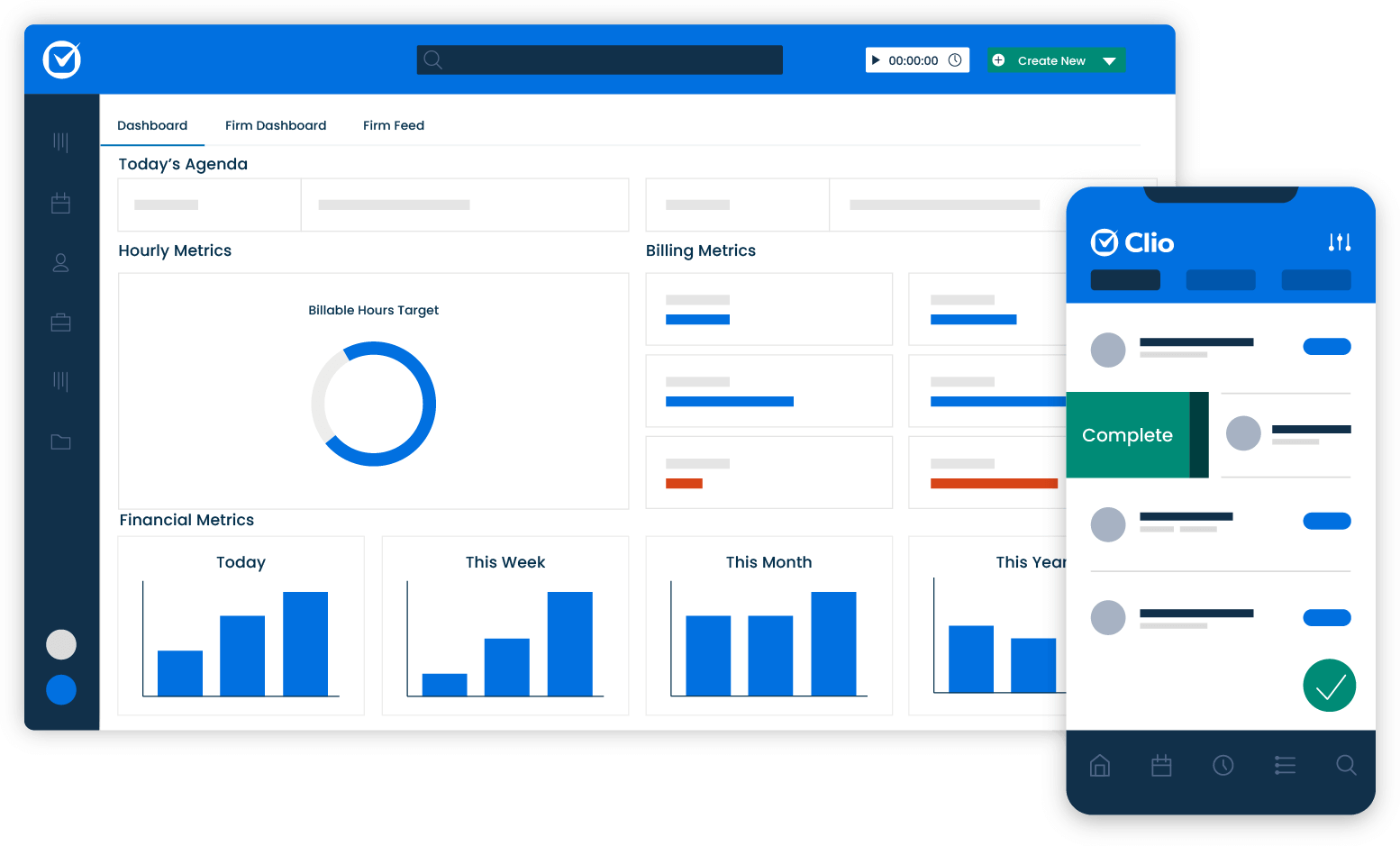
Image source: clio.com
Features
- Client intake & CRM (custom intake forms, lead tracking)
- Document management & e-signatures (template library, versioning, signing)
- Time & expense tracking, billing & invoicing (hourly, flat, online payments)
- Calendar & case deadline management (court date scheduling, reminders)
- Reporting, dashboards & analytics (profitability, case insights)
Pricing
Clio Manage's plans start at $49/user/month (EasyStart) and go up to $149/user/month (Complete).
Who it is best suited for
Clio Manage is ideal for small to mid-sized law firms needing an all-in-one platform that combines CRM and practice management. Its tiered pricing lets firms scale up features as they grow. Firms that handle many cases and want centralized billing, document, and client intake workflows will find Clio especially useful.
3. Lawmatics: Client intake and marketing automation for firms
Lawmatics specializes in client intake and marketing automation, helping firms convert leads into clients with ease. Designed as one of the best CRM software for law firms, it focuses on automating the client journey—from first inquiry to signed engagement. Features like email campaigns, automated follow-ups, and performance tracking make it especially powerful for firms that prioritize growth. Lawmatics helps ensure no lead goes unattended, improving conversion rates over time. It's best suited for practices wanting to strengthen marketing alongside client management.
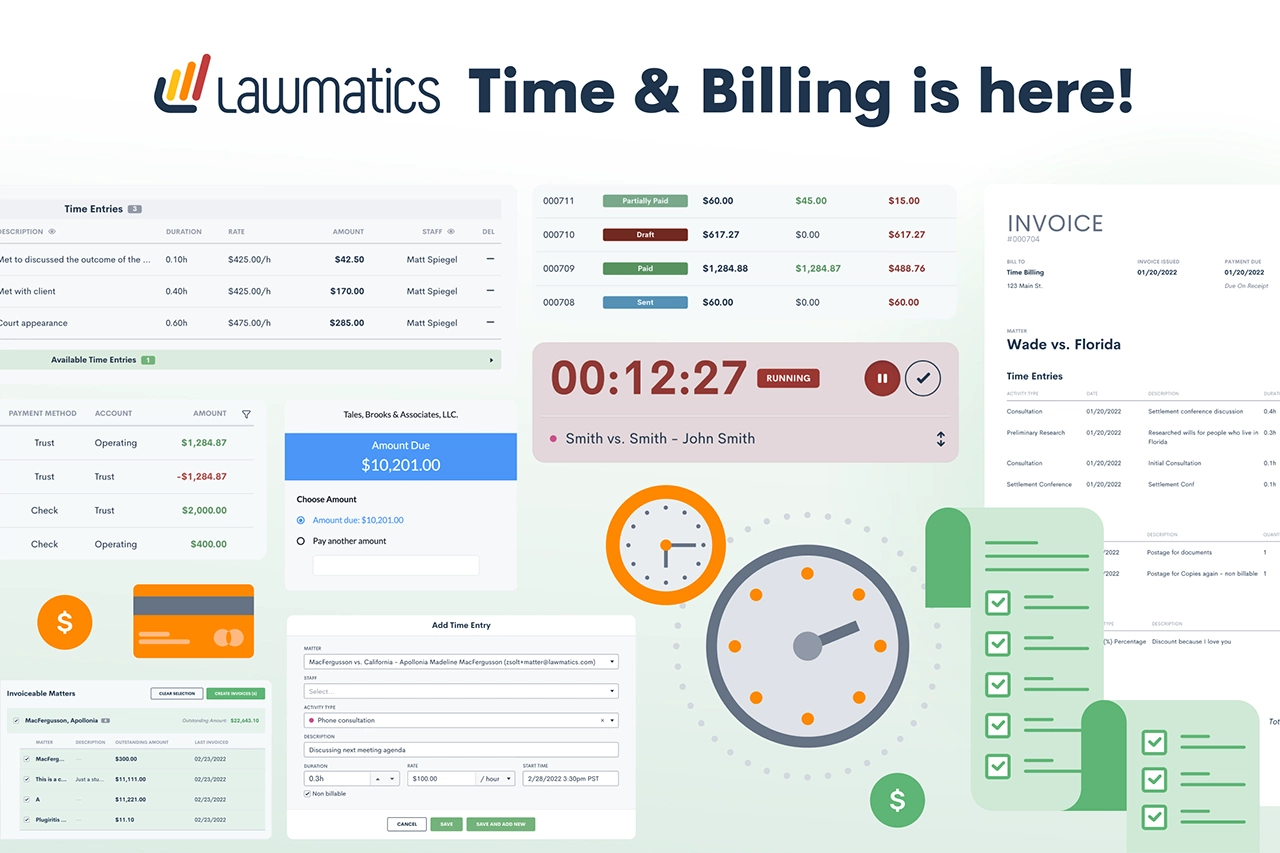
Image source: lawmatics.com
Features
- Automated client intake & onboarding workflows.
- Custom forms & conflict checking systems.
- Email marketing & campaign automation (drip campaigns, segmentation).
- Analytics dashboards & ROI/source tracking.
- Payment & billing support (time & expense, invoicing).
Pricing
Lawmatics uses custom pricing; you need to contact their sales for a quote.
Who it is best suited for
Lawmatics is a strong fit for law firms that focus heavily on marketing and lead conversion — especially those seeking a seamless blend of CRM and marketing automation. Firms looking to optimize intake funnels and drive growth through campaigns will benefit most. It works well for small to medium firms that want automation without piecing together multiple tools.
4. MyCase: Practice management with built-in CRM features
MyCase offers a blend of case management and CRM capabilities, making it a practical solution for firms of all sizes. As a leading client intake and CRM software for small law firms, MyCase simplifies daily workflows with tools for billing, calendaring, and secure communication. Its built-in client portal allows attorneys to exchange updates and documents with clients securely. By combining financial management with client tracking, MyCase reduces the need for multiple platforms. It's especially effective for firms balancing administrative efficiency with strong client engagement.
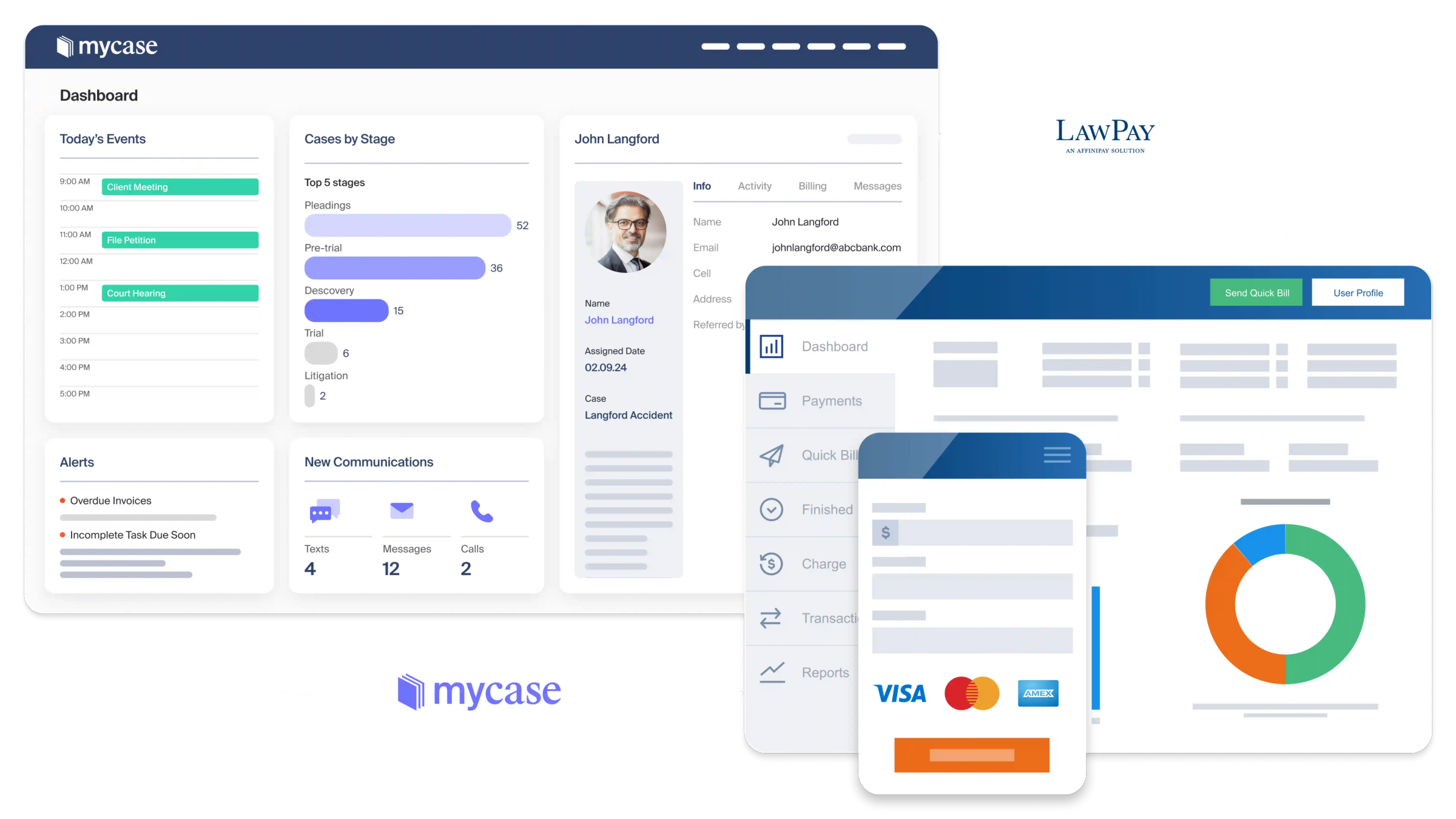
Image source: mycase.com
Features
- Client intake forms & CRM for prospective clients.
- Document management & built-in eSignature.
- Time & expense tracking, billing & invoicing (multiple fee structures).
- Workflow automation (tasks/events based on triggers).
- Analytics & financial reporting (case performance, billing insights).
Pricing
MyCase offers multiple tiers:
- Basic: ~$39/user/month (billed annually) or $49 (monthly).
- Pro: ~$89/user/month (annual) or $99 (monthly).
- Advanced: ~$109/user/month (annual) or $119 (monthly).
Who it is best suited for
MyCase is well suited for small to medium firms or solo practitioners wanting a single platform that handles both case management and client communication. It offers a good balance between features and cost, especially for firms that don't want separate CRM and practice management tools. As the firm grows, the higher tiers offer advanced document, API, and billing capabilities.
5. Zoho CRM: Flexible CRM adaptable to law firm needs
Zoho CRM is a versatile tool that adapts to diverse industries, including legal services. Known as one of the most customizable CRM software for law firms, it allows attorneys to design workflows that match their specific practice needs. With features like pipeline tracking, automated reminders, and reporting dashboards, Zoho empowers firms to stay organized. Its affordability makes it attractive for small to mid-sized practices that want functionality without a heavy price tag. For firms prioritizing flexibility, Zoho CRM provides a strong foundation.
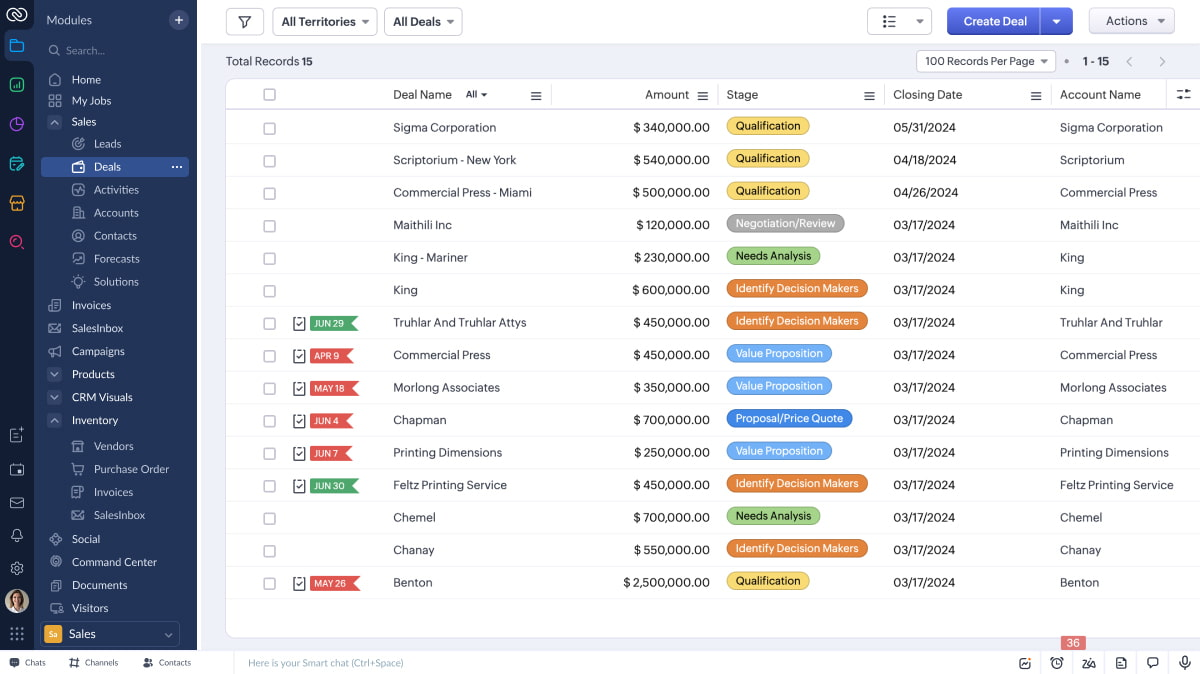
Image source: zoho.com
Features
- Custom pipelines & stages for client intake.
- Workflow automation & rules (triggers, alerts, assignment).
- Email/SMS integration & communication logging.
- Reports & dashboards with custom metrics.
- Custom fields, modules & extensions to tailor to legal workflows.
Pricing
Zoho CRM pricing depends on edition (Standard, Professional, Enterprise, etc.). (No law-firm-specific official pricing given here)
Who it is best suited for
Zoho CRM works well for law firms that want flexibility and customization without committing to a legal-specific system. It's good for firms with existing processes they want to mold rather than adapt. Firms comfortable configuring modules and workflows can make Zoho behave like a law-friendly CRM.
6. HubSpot CRM: Free and scalable for small law firms
HubSpot CRM is a popular option among solo attorneys and small practices looking for a cost-effective solution. Positioned as one of the best CRM for small law firms, HubSpot stands out with its free plan and scalable features. It helps firms manage contacts, track emails, and automate simple workflows without upfront costs. As practices grow, firms can upgrade to advanced tools while retaining their existing data and setup. HubSpot is ideal for those starting their CRM journey with minimal investment.
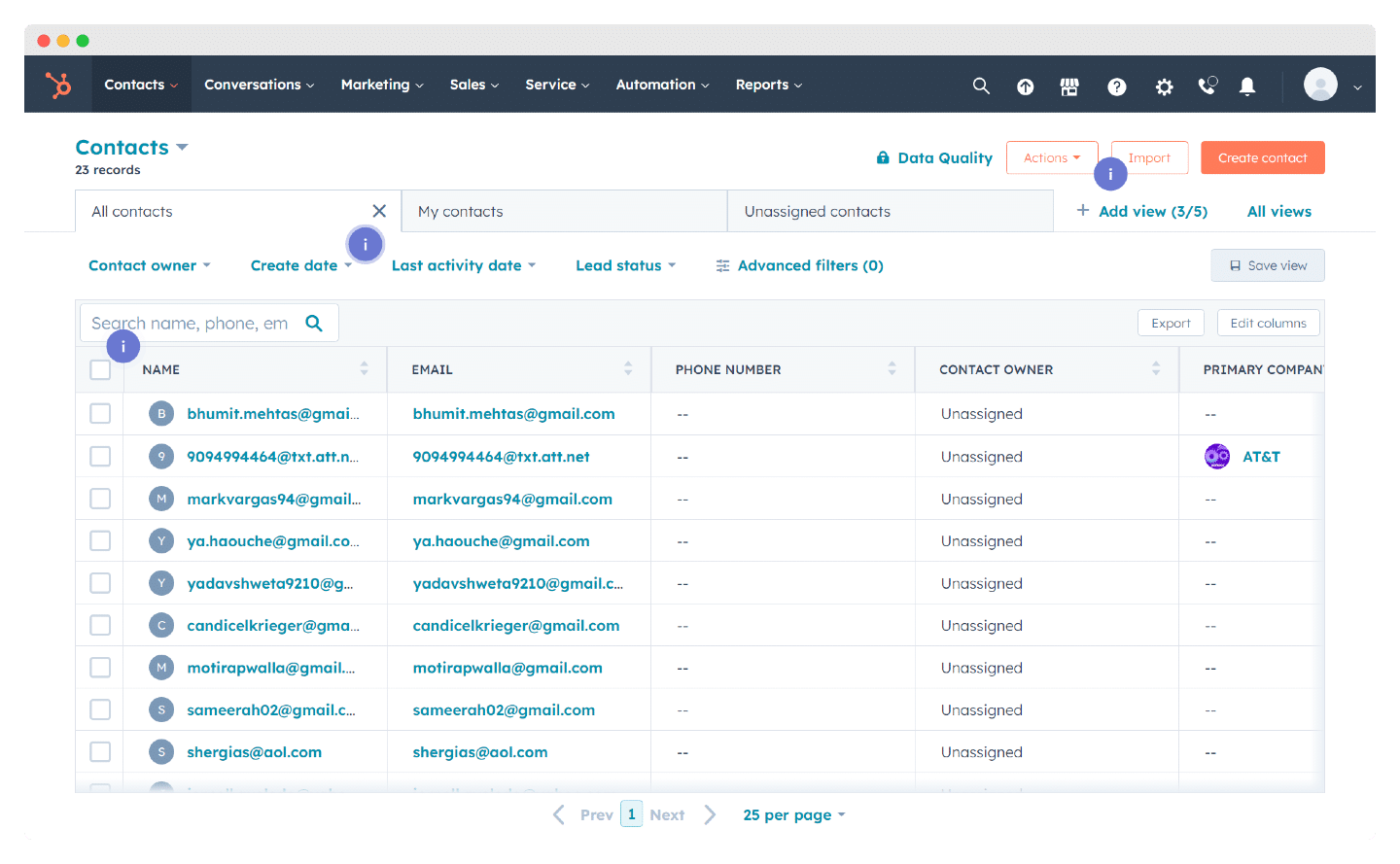
Image source: hubspot.com
Features
- Contact & company management (with relationship tracking).
- Email tracking, templates & sequences.
- Task automation & pipeline workflows.
- Dashboard & reporting (deals, conversion, pipeline).
- Integration with marketing and communication tools.
Pricing
HubSpot CRM has a free tier. Paid tiers (Starter, Professional, Enterprise) scale based on contacts/features.
Who it is best suited for
HubSpot CRM is ideal for small or solo law firms wanting to begin without a large investment. As the firm grows, they can upgrade to paid tiers smoothly. It works best for firms prioritizing lead and contact management before diving into heavy legal operations integration.
7. PracticePanther: Focused on automation for billing and case tracking
PracticePanther is built for efficiency, with a strong emphasis on automation in billing, case tracking, and client communication. As a trusted client intake and CRM software for law firms, it reduces the burden of repetitive administrative tasks. Attorneys can quickly manage matters, send invoices, and share documents securely with clients. Its automation features ensure deadlines and billing cycles never fall behind. PracticePanther is best suited for busy firms that want to maximize productivity and focus more on client service.
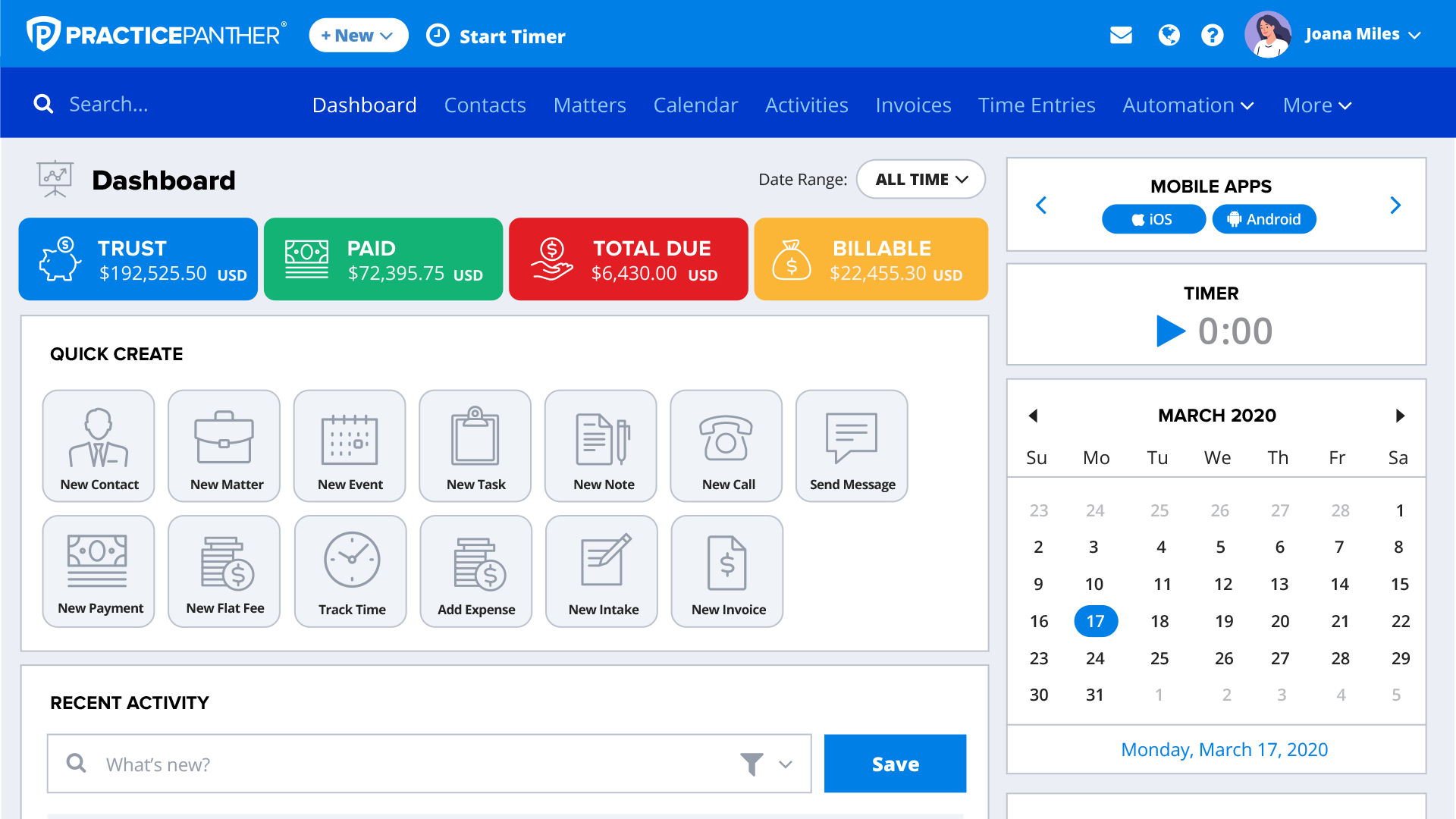
Image source: practicepanther.com
Features
- Case & matter management (link contacts, case notes).
- Time & expense tracking and billing/invoicing.
- Native eSignature and document handling (templates, signing).
- Workflow automation & task/event templates.
- Reporting, analytics & client portals (secure messaging).
Pricing
PracticePanther offers:
- Solo: $59/user/month (or $49 if billed annually).
- Essential: $79/month (or $69 annually).
- Business: $99/month (or $89 annually).
Who it is best suited for
PracticePanther is great for law firms seeking strong automation in billing, case tasks, and client interactions. It's ideal for small to medium firms that want most functions natively (without many add-ons). Firms with moderate volume and needing reliable workflows will appreciate its balanced features and pricing.
How CRM improves client intake for law firms
- Digital forms and automatic intake workflows
- CRM software allows law firms to replace paper forms with online intake forms.
- With Lark Base, firms can design custom intake trackers that automatically assign tasks (e.g., conflict check, document request) and trigger reminders for staff.
- Tracking leads from referral to case acceptance
- CRMs help firms manage the client journey from initial inquiry to signed engagement.
- Using Lark Base dashboards, lawyers can monitor data or referral sources, track conversion stages, and visualize which leads are turning into clients.
- Reducing manual errors and lost opportunities
- Automation reduces human error and ensures no inquiry slips through the cracks.
- Lark Approval ensures that engagement letters, contracts, or intake documents go through the right review steps before onboarding a client, avoiding compliance issues.
- Example: Intake process automated with reminders and approvals
- Imagine a personal injury law firm using Lark Base to track all new inquiries.
- Each new lead triggers an Approval workflow for conflict checks, while Lark Calendar automatically sets follow-up deadlines.
- Staff get reminders in Lark Messenger, ensuring every potential client receives timely outreach.
Common mistakes law firms make with CRM adoption
While CRM software for law firms can transform client and case management, many practices fall into common traps during adoption. Avoiding these mistakes ensures smoother implementation and better long-term results.
- Choosing a generic CRM without legal-specific needs
General CRMs often lack features like matter tracking, compliance workflows, or deadline management. This leaves firms struggling to adapt tools that weren't designed for the legal industry.
- Poor staff training → underutilization
Without proper training, attorneys and staff may use only a fraction of the CRM's capabilities. As a result, the firm misses out on automation, dashboards, and client insights.
- Over-customization → complexity and inefficiency
Overloading the system with too many custom fields or workflows can make it harder to use. A CRM should simplify processes, not add unnecessary complexity.
- Ignoring data security compliance
Failing to address confidentiality and compliance (such as GDPR or ABA rules) puts sensitive client data at risk. A secure, compliant CRM is critical to protecting trust and avoiding legal penalties.
Conclusion
A CRM for law firms is no longer optional—it's essential for delivering client satisfaction and supporting firm growth. Whether a solo practice or a large multi-office firm, structured CRM processes bring order to client intake, case management, and communication. By adopting the right system, firms can reduce inefficiencies, strengthen collaboration, and gain insights that drive better outcomes. Tools like Lark demonstrate how modern collaboration platforms can double as powerful CRMs, helping law firms stay organized, compliant, and client-focused in every matter.
FAQs
What is the difference between general CRM and CRM systems for law firms?
General CRMs are built for sales teams, focusing on pipelines and deals, while legal CRMs include matter tracking, compliance, intake forms, and case deadlines tailored to attorneys. With Lark, firms can manage client intake in Lark Base, route contracts through Lark Approval, and track deadlines in Lark Calendar, giving a legal-specific CRM experience without relying on generic tools.
How do I choose the best CRM for my law firm?
The best CRM depends on firm size, practice area, and workflow needs—smaller firms may prioritize affordability and ease of use, while larger firms may need advanced automation and compliance. Lark offers a free Starter plan for small teams and scalable Pro and Enterprise plans, so practices of all sizes can tailor their CRM processes with features like Base dashboards, Messenger, and Docs.
Is CRM software for law firms secure?
Yes. Security is a top priority, with legal CRMs offering encryption, role-based permissions, and compliance with GDPR and ABA standards. Lark provides enterprise-grade security with strict access controls and compliance tools, ensuring sensitive client data remains protected across every case and communication.
Does CRM software help with client communication?
Absolutely. CRMs centralize emails, calls, and messages to reduce the risk of miscommunication or lost updates.
With Lark Messenger and Lark Mail, law firms can keep every chat, email, and client update in one secure place, making communication seamless and auditable.
Can CRM software help manage deadlines and court dates?
Yes. Most CRMs for law firms include calendar tools that track hearings, filing deadlines, and meetings with automated reminders. Lark's Calendar syncs with Google and Outlook, attaches case notes to events, and alerts attorneys in real time, so deadlines and court appearances are never missed.
For more Google Workspace's information, you can refer to Google Workspace Pricing and Google Workspace alternatives.
Can solo practitioners benefit from CRM software?
Definitely, even small firms or solo attorneys can use CRM tools to automate intake, follow-ups, and reminders, reducing administrative burden. Lark's free Starter plan gives solo practitioners access to Base, Calendar, Docs, and Messenger—all in one platform—helping them stay organized without hiring extra staff.
What reports can law firm CRMs generate?
Law firm CRMs typically generate reports on client conversion rates, billable hours, referral sources, and revenue by matter type. With Lark Base dashboards, attorneys can customize reports to track active cases, revenue growth, or attorney workloads, turning raw case data into actionable insights.
Related reading
Table of contents
Start using Lark today

Manage all your work in one place
Boost team efficiency by 10x
Save up to 70% on software costs
Table of contents
Start using Lark today
Manage all your work in one place
Boost team efficiency by 10x
Save up to 70% on software costs
Keep reading









2026 Lark Technologies Pte. Ltd.
Headquartered in Singapore with offices worldwide.






Explore: