














CRM for Professional Services: Everything You Need to Choose the Right Platform

Ryan Tanner
Product Marketing Specialist
Sep 18, 2026
Ryan Tanner
Sep 18, 2026

26 min read


Professional services businesses work in environments where outcomes depend on relationship strength, knowledge delivery, project clarity, documentation accuracy, and trust-based communication. When firms grow beyond a few clients, spreadsheets and manual tracking systems fail to maintain reliable context or visibility. This leads to confusion, longer proposal cycles, slow billing, and unpredictable profitability.
Selecting the right CRM for professional services is, therefore, an important part of business planning and client management. Some organizations evaluate Lark, Pipedrive Professional, Dynamics CRM for professional services, or other CRM software for professional services, while others seek more flexible, collaborative platforms. As we explore this topic, we will later see how Lark can support professional services workflows through structured data, documentation, communication, and execution alignment.

Overview snapshot: Top CRM software for professional services teams
Information source: Official vendor sites
Update time: 2025-11-23
Note: Pricing and plan details reflect publicly available data as of the update date and may vary based on region, billing cycle, and number of agents.
What is a CRM for professional services?
A CRM for professional services is a central platform where account-level data, stakeholder details, documentation, proposal versions, communication notes, and delivery context remain visible throughout the client lifecycle. This differs from traditional sales CRMs because in service businesses, most value is delivered after contract signing and not before it. Professional services firms handle scopes, strategy, iterations, and advisory cycles that often last several months or years, which require deeper information management.
This is why CRM for professional services firms must provide structured record keeping, project tracking, historical referencing, and operational visibility. Industries like consulting, architecture, IT services, legal advisory, creative agencies, engineering firms, taxation specialists, and audit firms benefit from the best CRM for professional services when working across multiple departments and delivery cycles.
Why professional services firms need specialized CRM
This section explains why professional services companies need a CRM that aligns with delivery workflows, billing expectations, and multi-stakeholder communications, rather than a basic sales pipeline.
- Managing complex multi-stakeholder relationships: Professional services projects involve legal teams, procurement units, directors, finance supervisors, external reviewers, and technical approvers. Communication flows across multiple people who join and exit at different stages. CRM software for professional services records this entire journey to maintain precision and prevent dependency on personal notes.
- Tracking billable vs non-billable work: Service businesses earn revenue through effort hours and intellectual outcomes, so accurate utilization tracking is critical. Tools like Pipedrive professional focus only on the pipeline, while CRM for professional services supports financial relevance through estimation, actual hours, and outcome comparisons.
- Coordinating project and client communication: Meetings, revision notes, email threads, chat discussions, and shared files create cross-departmental dependency. CRM for professional services firms must keep collaboration aligned with the business context to maintain continuity throughout delivery cycles.
- Ensuring proposal accuracy and timeline predictability: Incorrect scoping often leads to delivery friction and margin loss. CRM systems that support proposal history, version records, and negotiation clarity help maintain consistent expectation boundaries.
- Improving reporting for utilization, forecasting, and margins: Professional service firms require analytical clarity that merges people capacity, contract value, opportunity status, and upcoming workload. This leads to better planning and financial protection.
CRM vs PSA vs Project management tools: What's the difference?
Understanding key system roles helps professional services firms avoid tool overlap and mismatched expectations. Here is the detailed comparison between CRM (Customer Relationship Management) and PSA (Professional Services Automation):
Core features of CRM for professional services
Professional services environments need CRM features that support long-cycle delivery, repeat client interaction, and multi-stakeholder visibility.
- Client and contact management: Service organizations require layered client records that document decision makers, influencers, legal contacts, previous collaborations, and reference materials. CRM for professional services firms should support industry classification, priority tagging, and structured notes for long-term clarity.
- Proposal and opportunity tracking: Proposal stages in professional services include discovery, requirement mapping, estimation, drafting, review, negotiation, and closure. Version records reduce confusion when multiple reviewers update contracts.
- Project and resource visibility: CRM software for professional services must show who is available, who is assigned, and how workloads shift across projects. This helps protect delivery feasibility and prevents over-commitment.
- Communication tracking: Teams need visibility across meeting summaries, email threads, chat messages, and shared file discussions. Maintaining context supports client trust and reduces repetitive questioning.
- Billing, time, and expense support: Revenue outcomes depend on scoped hours versus consumed hours. CRM tools must show estimate comparison and expense alignment to protect profitability.
- Reporting and forecasting: Leadership teams require multi-lens reports that reflect renewal cycles, pipeline value, staffing capacity, and client profitability to help shape upcoming strategies.
Top 10 CRM software for professional services teams
1. Lark as a modern CRM alternative for professional services teams
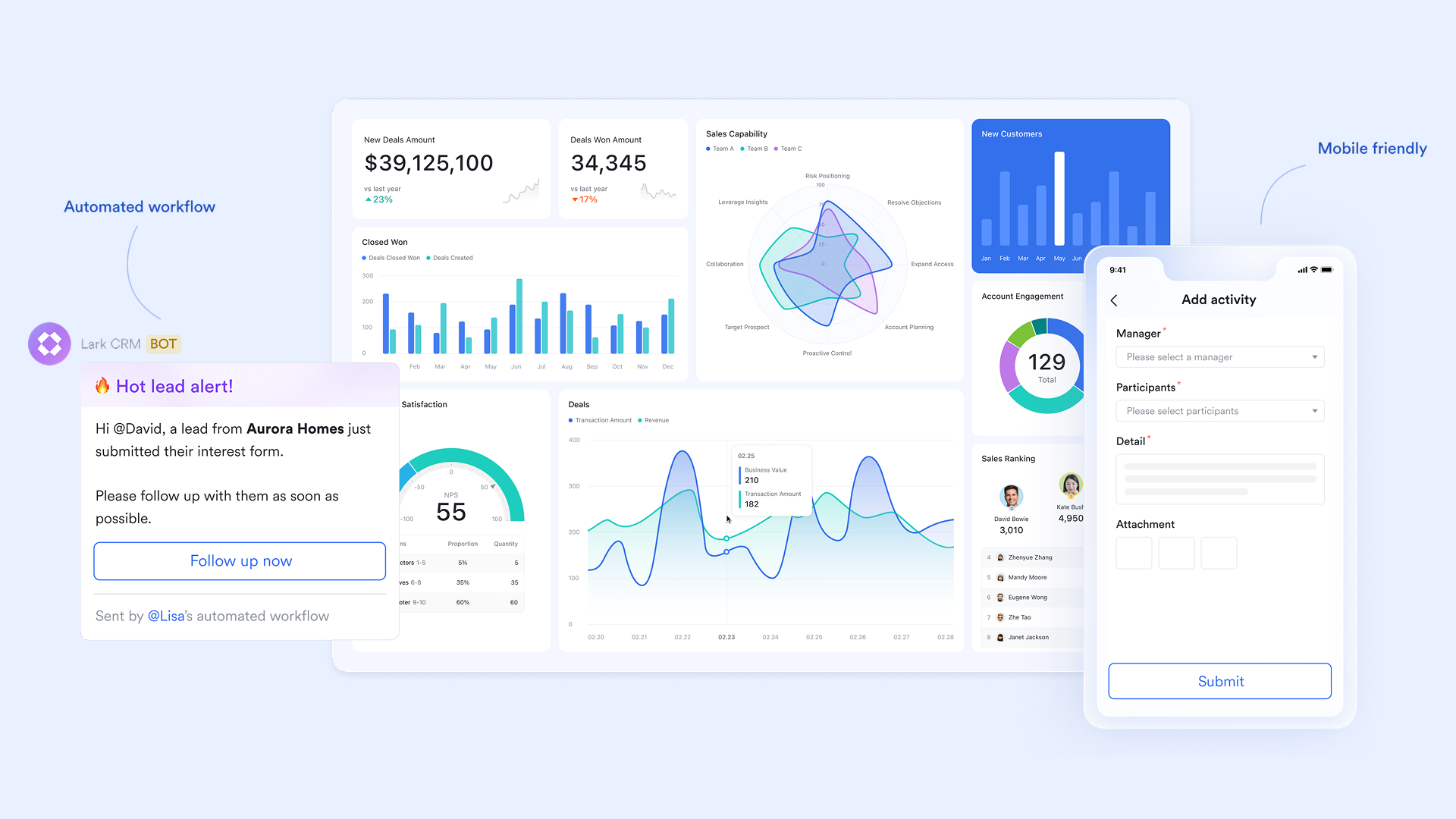
Modern digital collaboration environments allow service organizations to manage CRM records, documentation, online communication, tasks, and workflows using connected workspaces. Lark can serve as a customizable CRM for professional services because client data, proposals, chat threads, task lists, meeting information, and automation events are all in one place, reducing context switching and reliance on multiple applications.
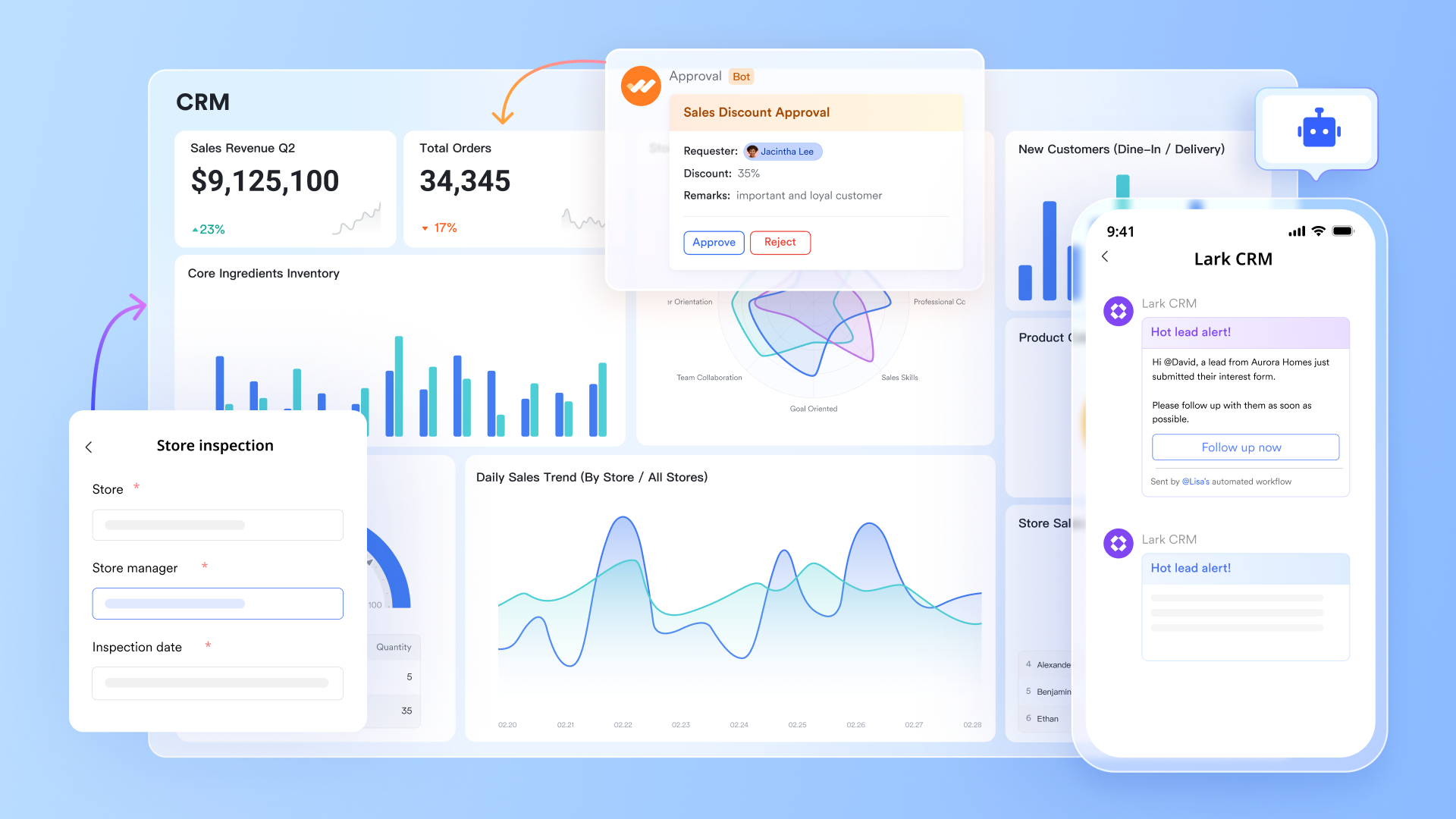
Lark Base: A Flexible CRM database built for client workflows
Professional services rely heavily on detailed client records, contacts, organizations, stakeholders, SOWs, opportunities, active projects, revision cycles, and historical collaboration. Lark Base allows teams to build customizable tables that reflect this exact structure. It benefits professional services:
- Client records can include multiple stakeholders, past project data, renewal timelines, fee structures, and documents.
- Two-way links keep CRM records connected to proposals, tasks, project plans, and deliverables.
- Groups and filters make it easy to view clients by priority, industry, partner, region, or account owner.
- Dashboards offer insights into pipeline value, upcoming deadlines, contract status, and project health—without leaving the workspace.
This gives PS firms a CRM system that adapts to their client lifecycle rather than forcing them into rigid sales modules.
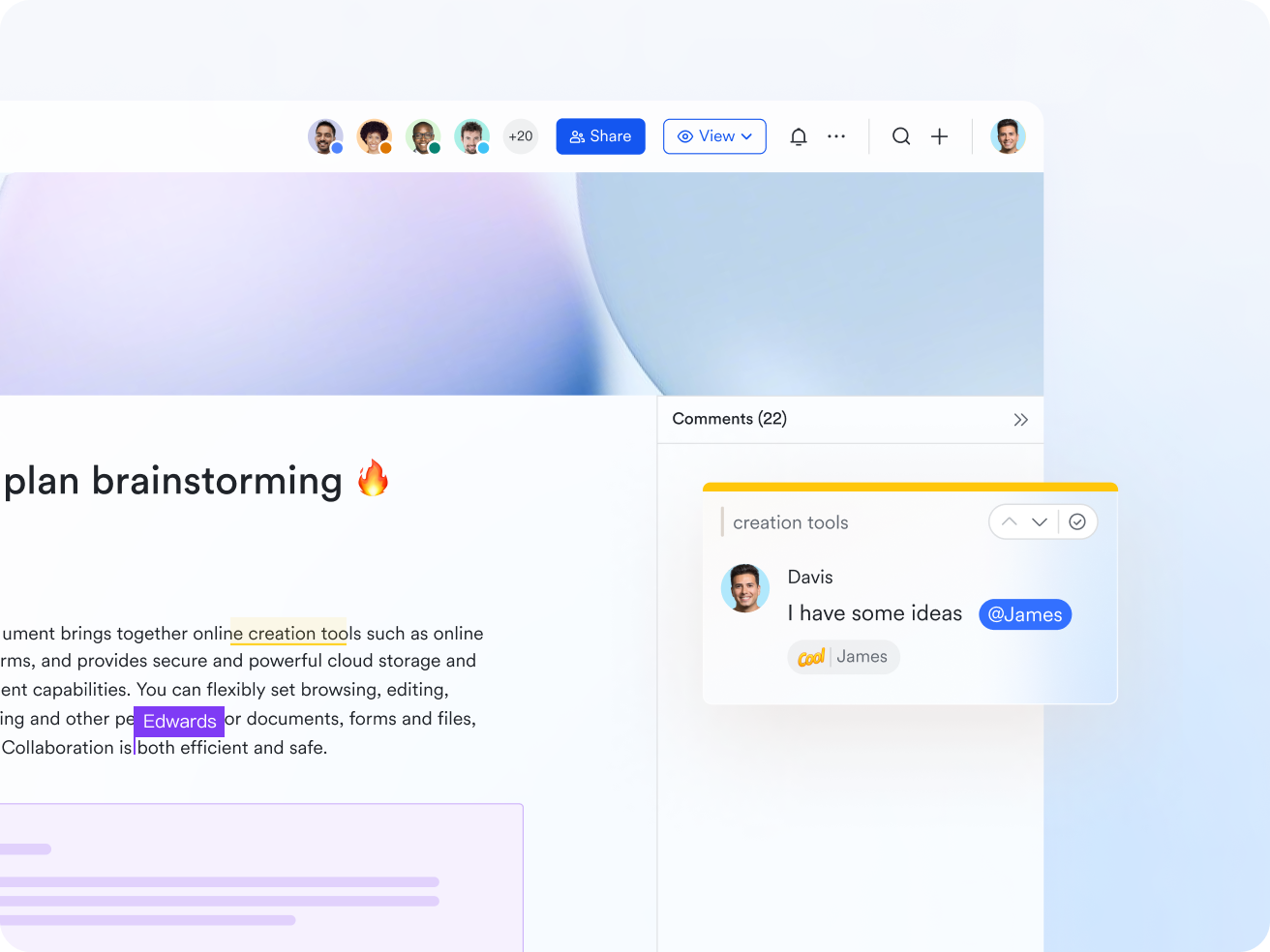
Lark Docs: Collaborative proposals, SOWs, and client deliverables
Consultants and service teams produce heavy documentation: proposals, scopes, frameworks, discovery outputs, and analysis reports. Lark Docs enables teams to draft, revise, and finalize these documents in real time. It supports CRM workflows:
- Collaborative editing replaces endless email threads and version confusion.
- Docs can embed Bases, Sheets, MindNotes, videos, attachments, and tables—turning proposals into interactive documents.
- Comments, suggestions, tags, and mentions streamline cross-department approval.
- Version history helps track changes during multi-round client negotiations.
For firms managing SOW revisions, procurement requests, or strategic documentation, Lark Docs becomes a central engine for client collaboration.
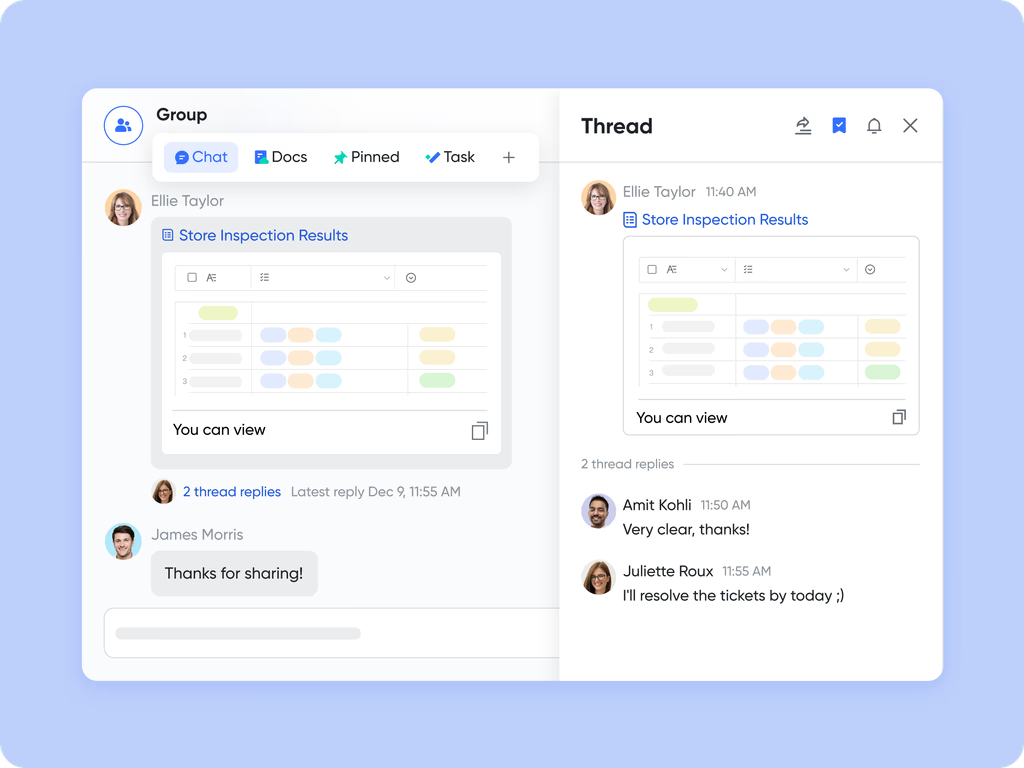
Lark Messenger: Contextual communication that stays connected to clients
Most CRMs store contact details, but not day-to-day internal communication. In professional services, decisions often happen in chats, not CRM fields. Lark Messenger solves this by keeping conversation threads attached to client records, Docs, or Base items. It also supports:
- Teams can discuss client issues directly inside the related record—no scattered screenshots or lost chats.
- Messages can be turned into tasks or saved inside project spaces.
- Channels can be created for clients, accounts, deliverables, or cross-functional teams.
This reduces miscommunication and ensures the client context stays visible across the firm.
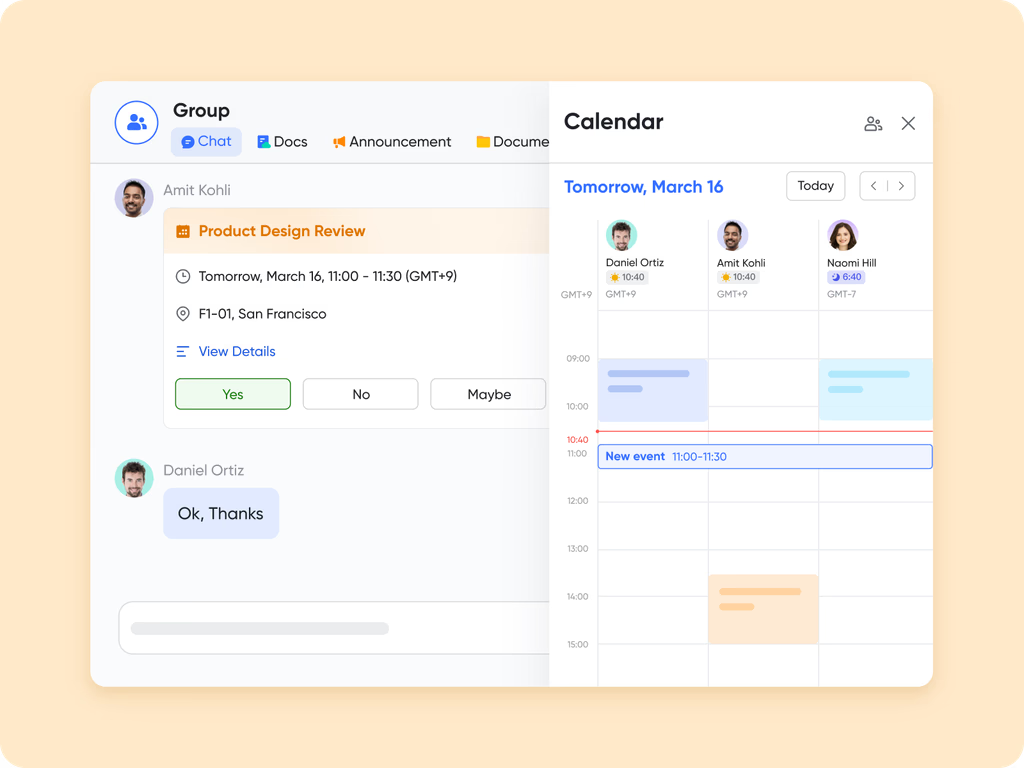
Lark Calendar: Managing client meetings, reviews, and delivery milestones
Professional services teams coordinate multiple client calls, reviews, kickoff sessions, workshops, and deadline check-ins. Lark Calendar centralizes this in a shared environment:
- Client meetings are linked to Docs, Base entries, or project tasks.
- Teams can view resource availability and schedule work based on billable or non-billable capacity.
- Milestone dates from Base or Tasks can appear directly on team calendars.
This helps firms manage both client commitments and internal schedules without juggling multiple apps.
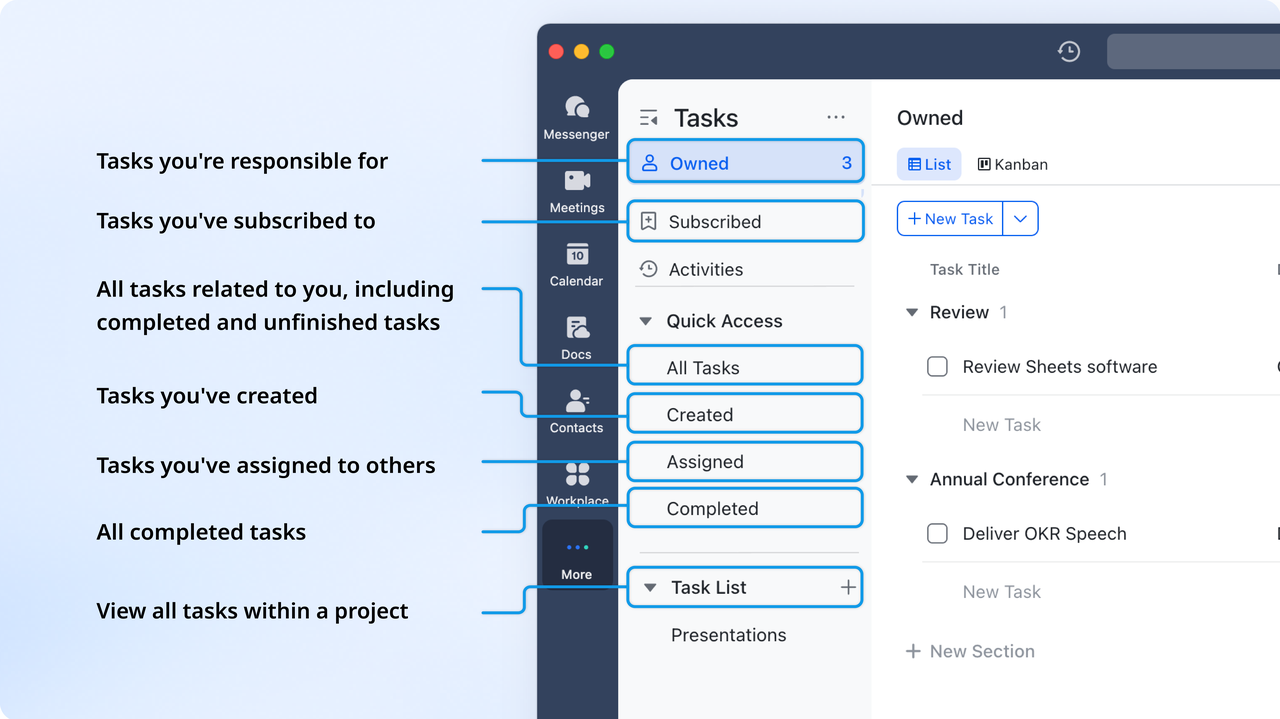
Lark Tasks: Ownership and accountability for client deliverables
Each client engagement uses tasks, checklists, and deadlines across consulting, design, development, legal review, or finance teams. Lark Tasks offers structured task management tightly linked to CRM data. With it teams can:
- Tasks can be attached to client records, Docs, or project timelines.
- Owners, due dates, priorities, and progress indicators help track responsibility.
- Teams get clear visibility into who is doing what for each client engagement.
This reduces bottlenecks and improves project reliability.
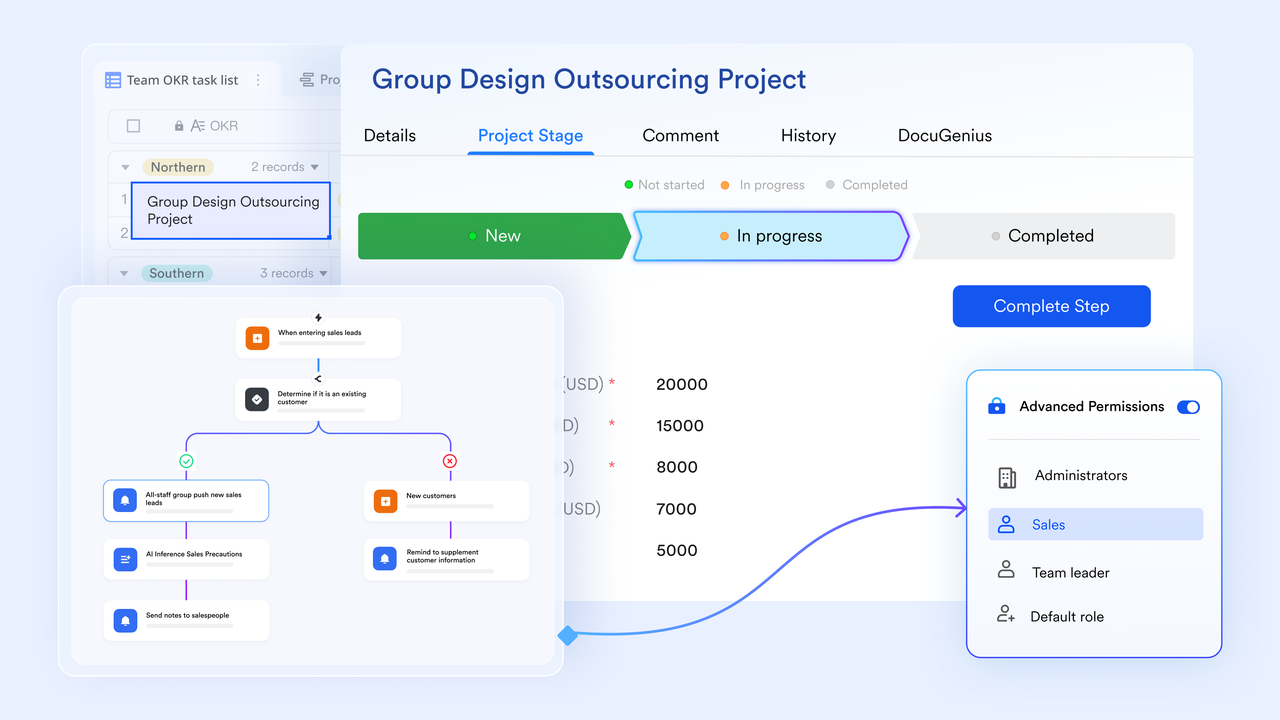
Workflows: Automated client follow-ups, reminders & handoffs
Professional services have recurring activities: proposal reminders, contract renewal alerts, onboarding steps, project approvals, and time-sensitive follow-ups. Lark workflows help teams automate these sequences. It provides workflow values like:
- Send renewal reminders when contract dates approach.
- Automatically assign tasks when a proposal moves to "Review."
- Trigger notifications when a client uploads new requirements.
- Route approval requests for SOWs and budget changes.
This reduces admin load and ensures nothing slips through the cracks.
Lark Meetings: Client calls with instant summaries
Service firms rely on frequent client calls. Lark Meetings supports this with high-quality video and built-in summaries. It benefits CRM and service delivery:
- Meeting summaries capture discussion points and action items automatically.
- Teams can attach summaries to client records or Base projects.
- No need for external meeting tools, improving workflow continuity.
This makes engagement documentation consistent and accessible across teams.

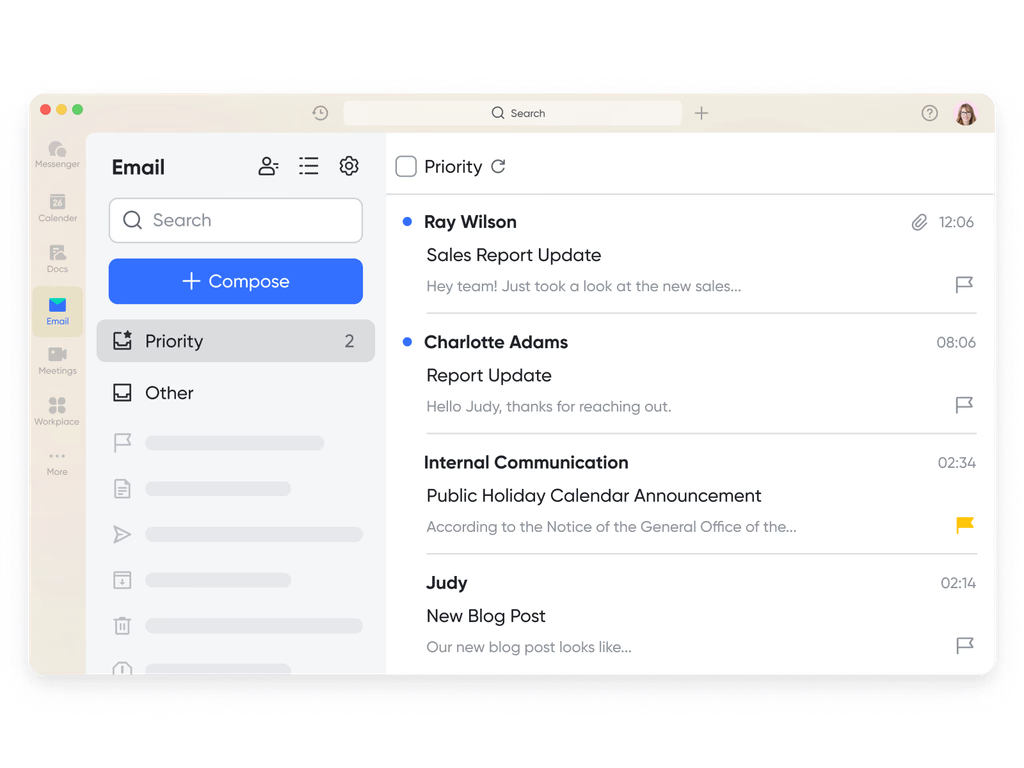
Lark Mail: Client communication stored alongside deliverables
Professional services teams rely heavily on email for approvals, feedback, and documentation submission. Lark Mail keeps important email context connected to client tasks or CRM entries. It enhances CRM workflows:
- Send or receive client emails within the same workspace used for project management.
- Convert client emails into tasks or attach them to records.
- Keep communication logs unified for project managers and consultants.
This removes the disconnect between email and operational tools.
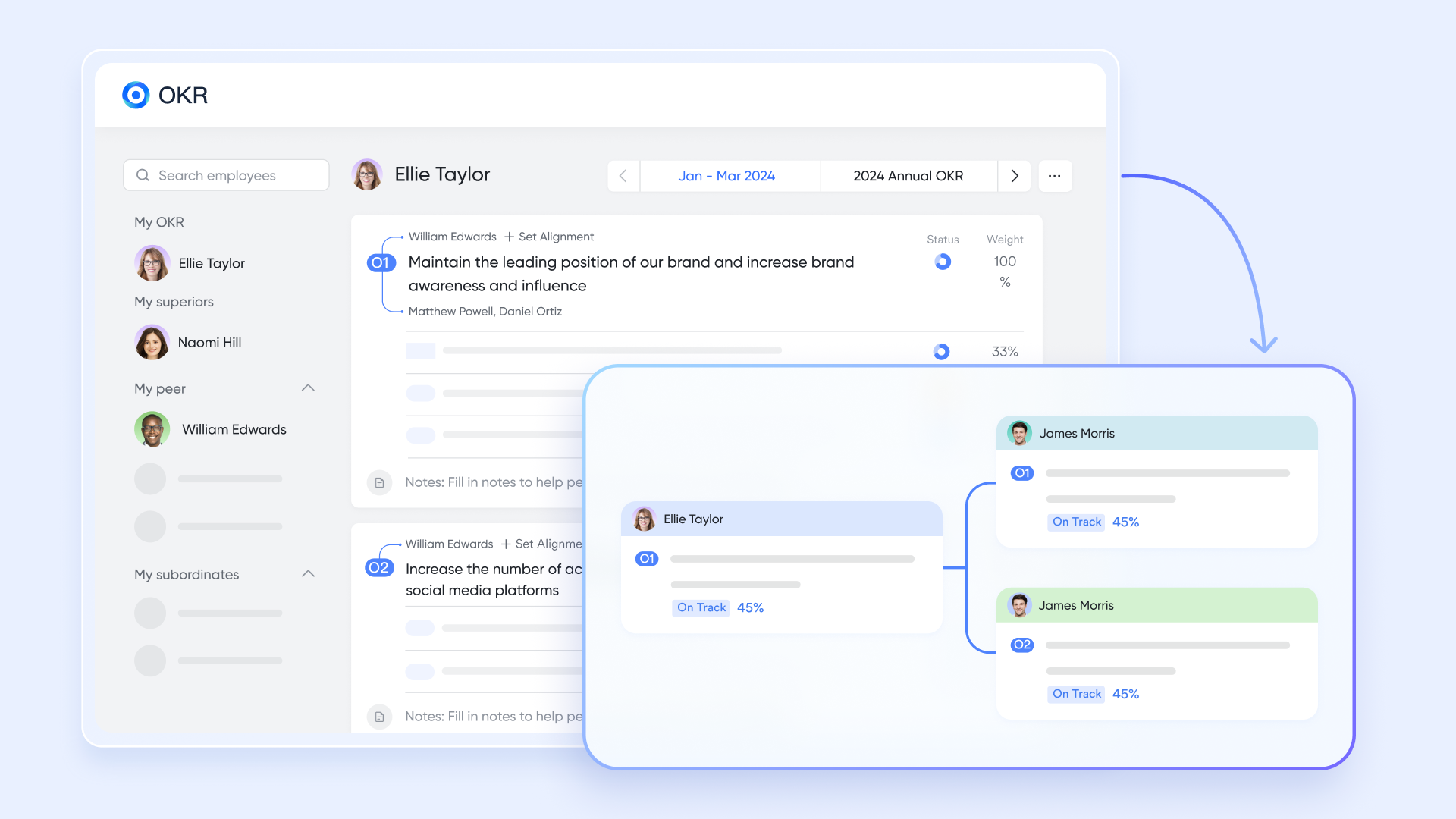
Lark OKR: Linking client projects to firm-level objectives
Professional services firms often measure success through utilization, revenue targets, client satisfaction, or delivery excellence. Lark OKR connects daily client work with strategic goals. It helps multiple cases like:
- Track revenue goals by client vertical.
- Monitor operational improvement initiatives.
- Align consulting teams' project outcomes with firm objectives.
This helps organizations ensure client-facing work supports long-term strategy.
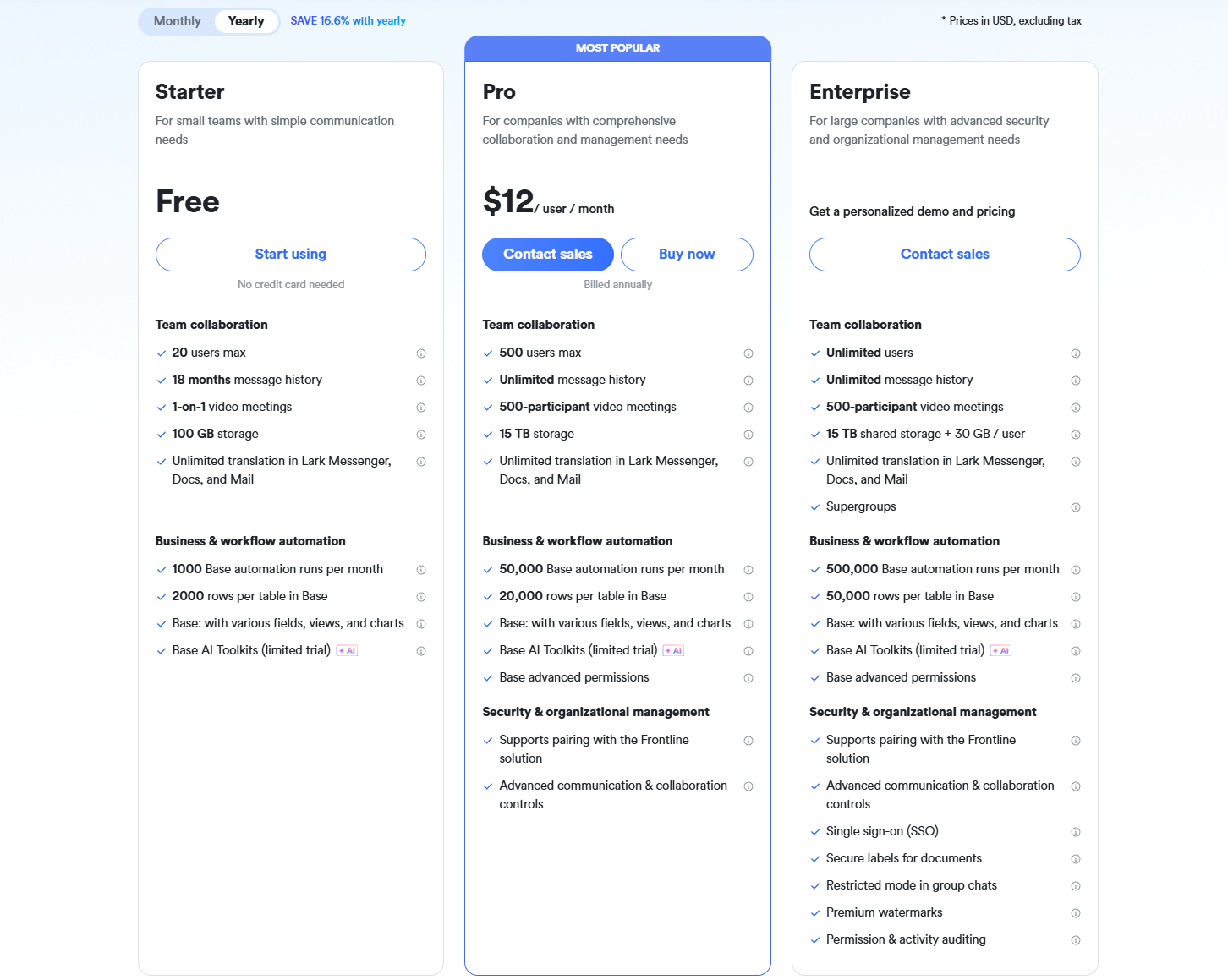
- Starter plan: Free forever plan that includes 11 powerful tools for up to 20 users. It also comes with 100GB of storage, 1000 automation runs, AI translations, and more.
- Basic plan: $6/user/month (billed annually) for up to 500 users. It includes everything in Starter plus group calling for up to 500 attendees, 5TB of storage, 1000 automation runs, and more. For more details, please contact sales.
- Pro plan: $12/user/month (billed annually) for up to 500 users. It includes everything in Starter plus group calling for up to 500 attendees, 15TB of storage, 50,000 automation runs, and more.
- Enterprise plan: Contact sales for custom pricing. Supports unlimited users and includes even more automation runs and advanced security, compliance, and management features.
2. Pipedrive: Pipeline-focused CRM with add-ons for services firms
Pipedrive is a widely used sales CRM that many firms adopt as a lightweight CRM for professional services, especially small consulting teams, agencies, and IT service providers. While originally built for pipelines rather than end-to-end delivery, Pipedrive professional plans offer enough customization to support basic tracking for proposals, stakeholder communication, and opportunity forecasting—making it a potential entry-level option for firms seeking affordable CRM software for professional services. It is often compared with more collaborative platforms like Lark or enterprise tools such as Dynamics CRM for professional services.
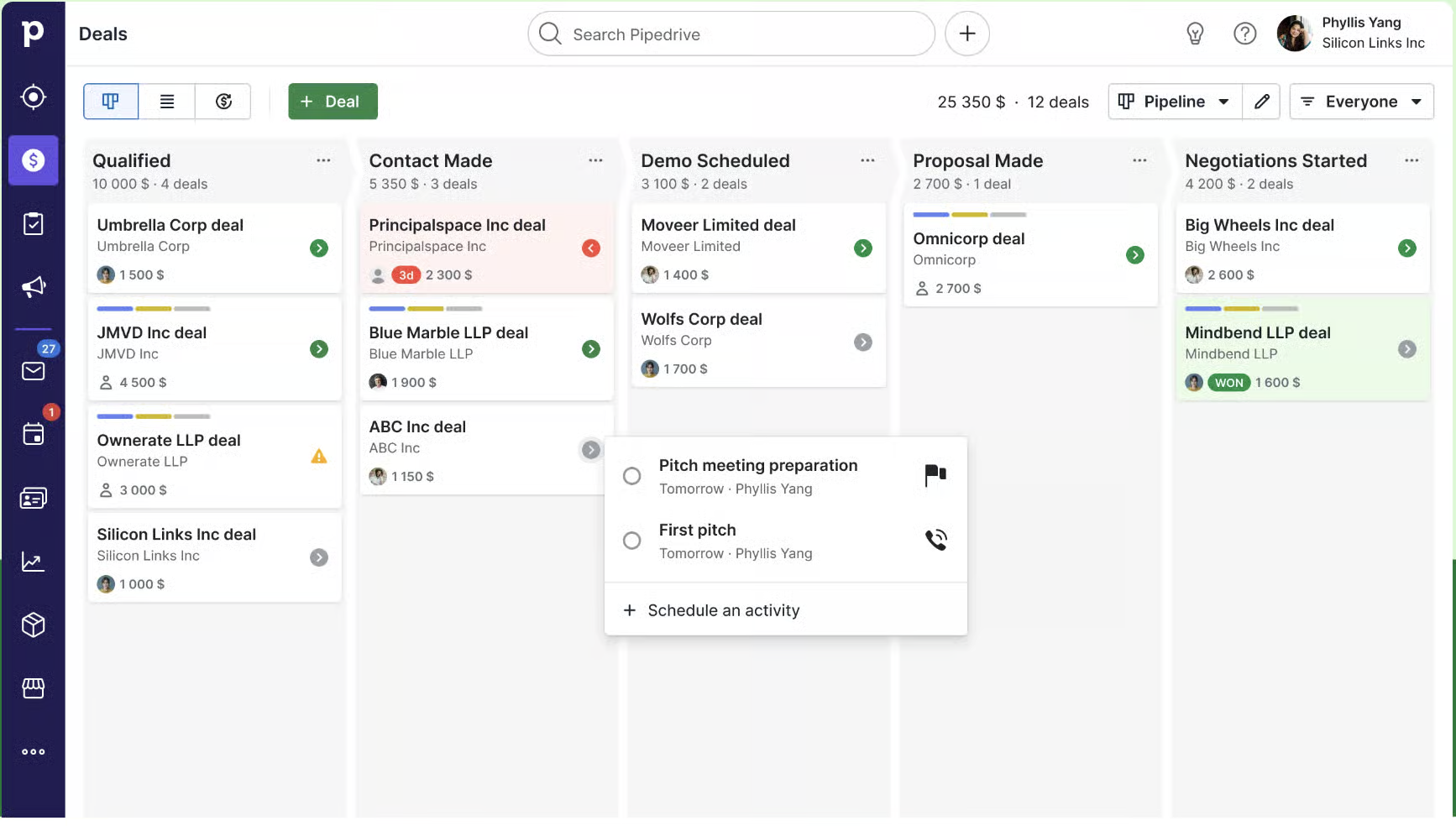
Image source: pipedrive.com
Features:
- Drag-and-drop visual pipeline for structured service proposals.
- Email sync, meeting tracking, and automated follow-ups.
- Custom CRM fields tailored for professional services cycles.
- Forecasting dashboards for project-winning visibility.
- Large integration marketplace for expanding delivery workflows.
Pros:
- Very easy to onboard and intuitive for sales-driven teams.
- Affordable for small or boutique service firms.
- Helpful automation for pipeline follow-ups.
- Broad integration support for connecting production and delivery tools.
Cons:
- Limited delivery, billing, or project execution capabilities.
- Advanced features (e.g., document automation, deeper customization) require higher-tier plans.
Pricing: From $14/user/month (billed annually)
3. Microsoft Dynamics 365: Enterprise CRM for complex professional services
Dynamics 365 is a robust enterprise platform often adopted as a high-end CRM for professional services firms that require deep project, billing, and resource management capabilities. Unlike simpler CRM versions, the Dynamics CRM for professional services environment supports contract delivery, multi-stakeholder workflows, and integration with Microsoft's financial tools. Professional services teams in consulting, engineering, and large IT firms choose Dynamics when they need structured governance, compliance, and long-cycle client engagement management. It is a suitable option for teams seeking enterprise-grade CRM software for professional services tied to Microsoft's ecosystem.
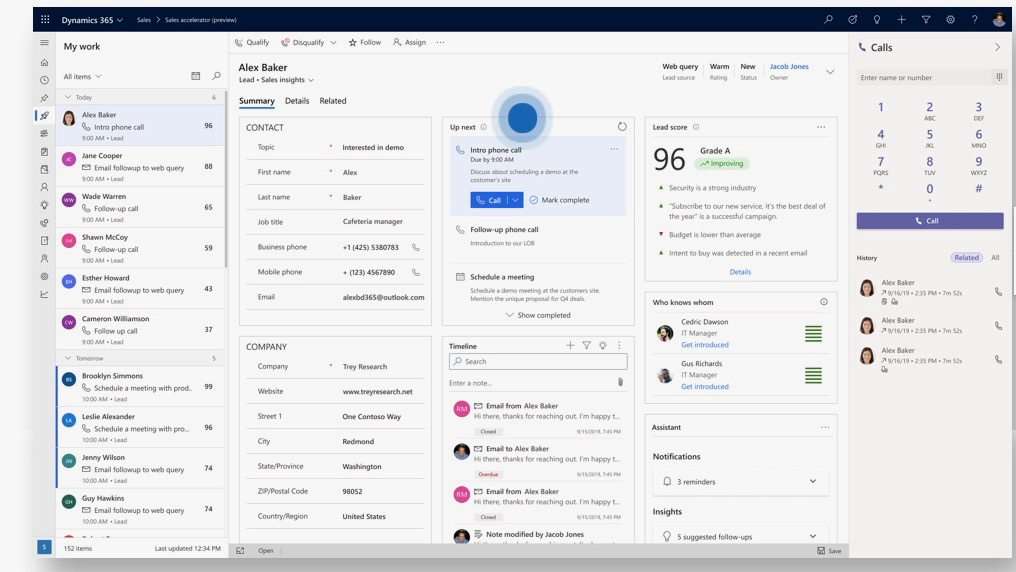
Image source: microsoft.com
Features:
- Advanced client and contract lifecycle management.
- Project operations module for delivery, staffing, and billing.
- Built-in time tracking and expense management.
- Detailed reporting dashboards and forecasting tools.
- Deep integration across Microsoft 365 and Azure services.
Pros:
- Strong enterprise-grade delivery and billing capabilities.
- Highly customizable for complex professional services environments.
- Scales easily for multi-region organizations.
- Exceptional reporting for financial leaders.
Cons:
- Expensive and complex to deploy.
- Requires technical teams to maintain and customize.
Pricing: From $65–$120/user/month (varies by module)
4. HubSpot CRM: Marketing and sales-led client relationship management
HubSpot CRM offers a user-friendly experience that works well as a lightweight CRM for professional services teams focused heavily on lead nurturing, communication, and pipeline clarity. It's popular among marketing agencies, small consulting firms, and service organizations transitioning from spreadsheets to CRM. While it lacks deep delivery management found in specialized CRM for professional services firms, HubSpot's automation, email tracking, and deal visibility support proposal cycles effectively. It's a flexible choice for teams wanting CRM without a heavy technical setup.
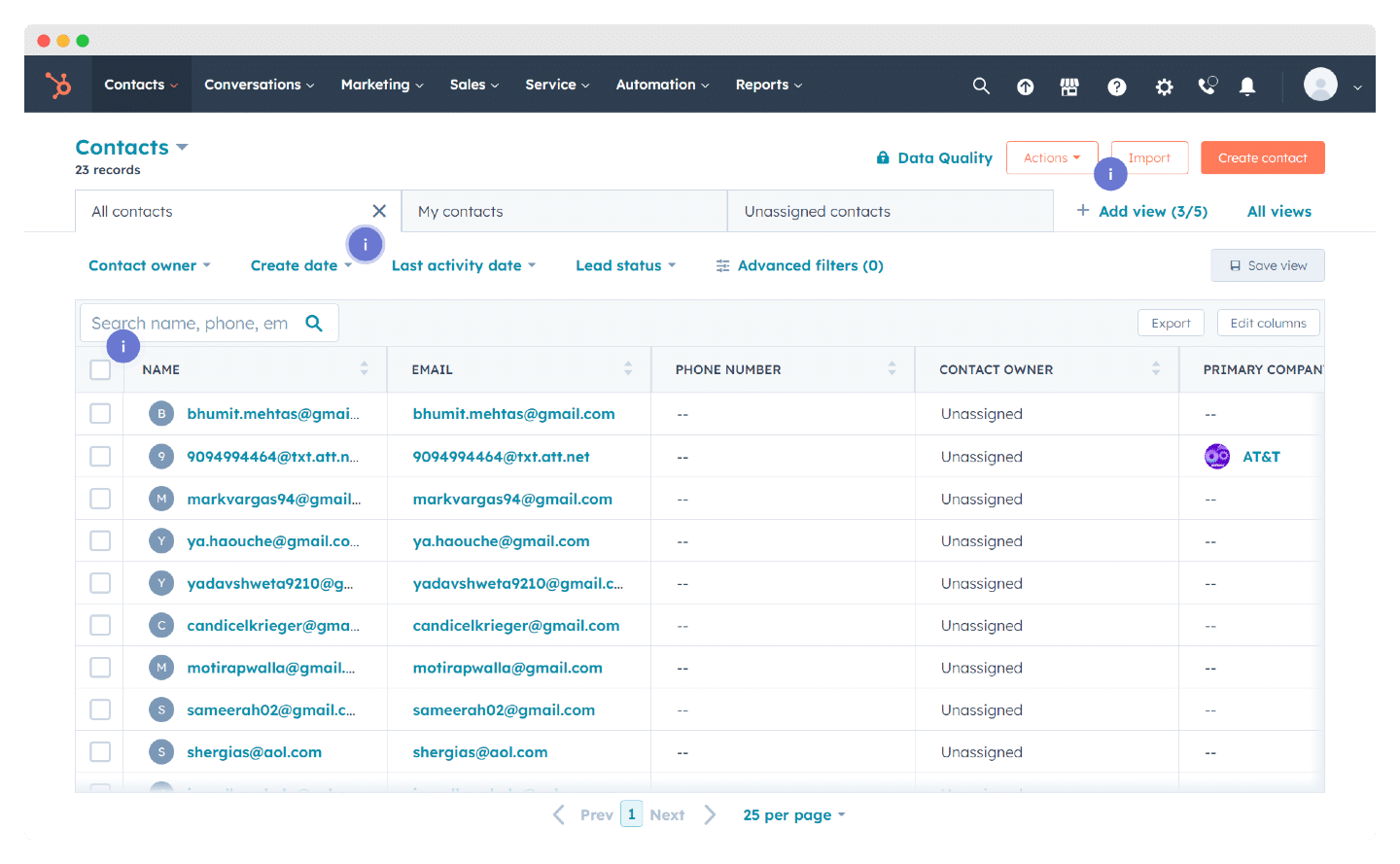
Image source: hubspot.com
Features:
- Email tracking, templates, logging, and automated sequences.
- Deal pipeline with custom stages for proposal workflows.
- Meeting scheduling and call logging.
- Contact and company records with activity timelines.
- Marketing automation (in higher tiers).
Pros:
- Easy to use and very fast to deploy.
- Strong email engagement tools for client relationships.
- Free plan available.
- Large marketplace of integrations.
Cons:
- Limited delivery/project management features.
- Advanced automation requires paid tiers.
Pricing: Free; $20+/mo (Starter)
5. Salesforce: Highly customizable CRM for scaled practices
Salesforce is widely recognized as an enterprise standard for CRM software for professional services, especially in consulting, IT services, and advisory environments. Its flexibility allows firms to manage complex engagement workflows, proposals, opportunity cycles, and client communication in one environment. Many organizations choose Salesforce as the best CRM for professional services when customization, scalability, and multi-stakeholder coordination are top priorities. Its ecosystem supports everything from forecasting to contract lifecycle management.
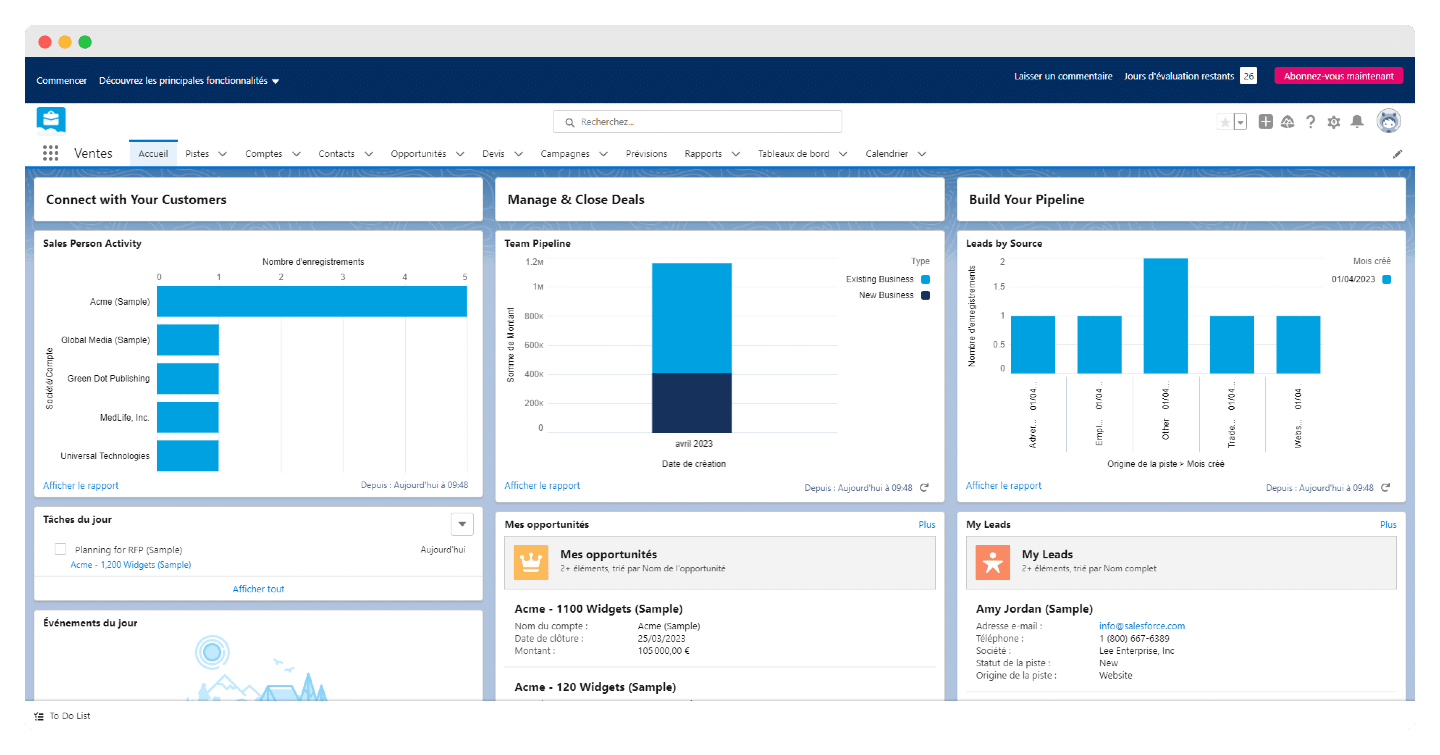
Image source: salesforce.com
Features:
- Highly customizable CRM objects and workflows.
- Pipeline management with forecasting and advanced reporting.
- Multi-stakeholder account and opportunity management.
- Automation builder for complex sequences.
- Email, meetings, tasks, and document tracking.
Pros:
- Extremely adaptable for complex service environments.
- Vast ecosystem of apps and integrations.
- Enterprise-class reporting for directors and partners.
- Suitable for large teams with long-cycle clients.
Cons:
- Expensive, especially at scale.
- Requires dedicated admins for ongoing configuration.
Pricing: Typically $25–$300/user/month
6. Zoho CRM: Budget-friendly CRM with extensible apps
Zoho CRM provides flexible, budget-friendly capabilities that make it appealing for small and medium professional services firms looking for an adaptable CRM environment. It supports structured data capture, proposal stages, automated follow-ups, and client communication history. While it isn't purpose-built as a CRM for professional services, it pairs well with other Zoho apps to manage delivery workflows, billing, and operations. Consulting firms, creative agencies, and IT service providers use Zoho CRM when they need affordability with customization depth.
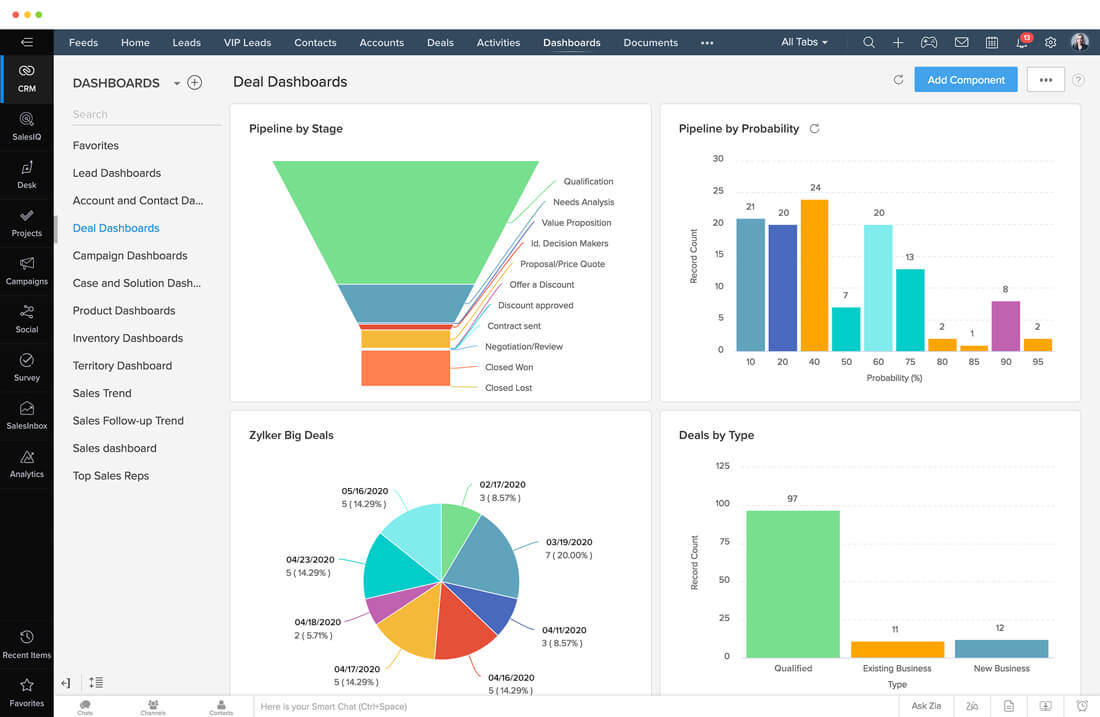
Image source: zoho.com
Features:
- Custom modules and fields for service engagement records.
- Workflow rules for follow-ups and approvals.
- Email insights and client engagement analytics.
- Blueprint processes for structured service cycles.
- Multi-channel communication logs.
Pros:
- Highly customizable without large costs.
- Works well for teams with diverse client data needs.
- Integrates cleanly with Zoho's broader suite.
- Good automation for proposals and follow-ups.
Cons:
- A multi-app structure can create fragmentation.
- UI and reporting require a learning curve.
Pricing: From $14/user/month
7. Insightly: CRM with light project tracking for services
Insightly is a widely used CRM for professional services firms that need relationship management combined with basic project execution. It fits consulting teams, IT service providers, creative agencies, and engineering groups that want client records, pipelines, tasks, and delivery timelines in a unified system. Compared to heavy CRM software for professional services, Insightly offers a balance of CRM, project tracking, and simple workflow automation without requiring a PSA-level setup. Its link-based record system helps teams keep contacts, opportunities, emails, and project work connected throughout long engagement cycles.
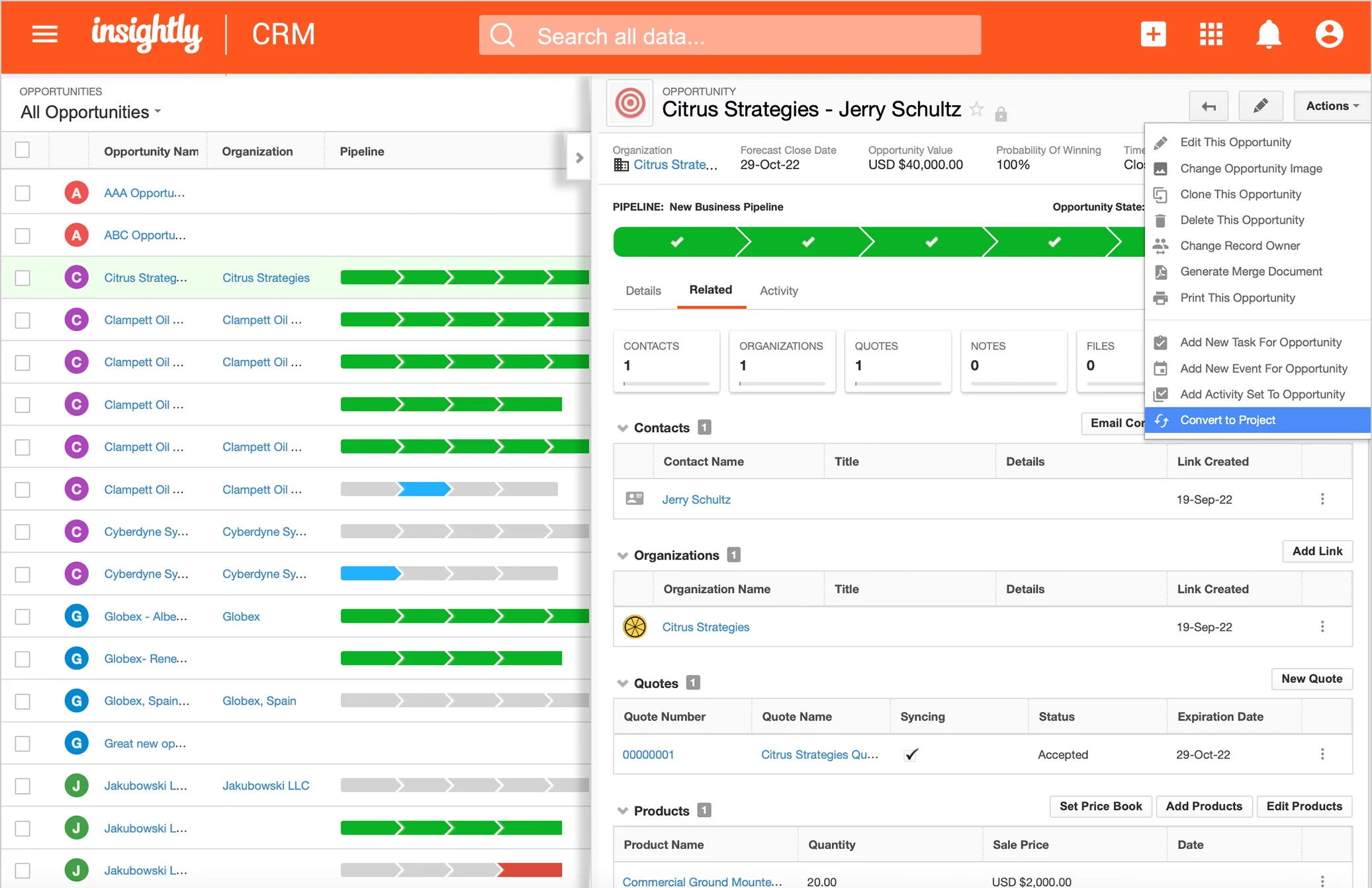
Image source: insightly.com
Features:
- Lead, contact, and opportunity management with relationship linking.
- Built-in project tracking to transition deals into delivery workflows.
- Task lists and milestones for service teams managing deliverables.
- Workflow automation for reminders, handoffs, and follow-ups.
- Email tracking, templates, and communication history logs.
Pros:
- Combines CRM + project tracking in one place.
- Easy to map client relationships across teams and stakeholders.
- Good mid-market fit for service firms with predictable processes.
- Strong reporting and dashboard capabilities.
Cons:
- Project management is basic compared to dedicated PM tools.
- Advanced automation and customization require higher-tier plans.
Pricing: From $29–$99/user/month, depending on the tier.
8. Copper: CRM for Google Workspace–centric firms
Copper is a lightweight, automation-friendly CRM for professional services firms that rely heavily on Google Workspace for email, meetings, documents, and task coordination. Designed specifically for Google users, it fits well for consulting firms, creative agencies, accounting teams, and boutique advisory groups that want CRM embedded directly within Gmail and Google Calendar. Unlike heavier CRM software for professional services, Copper emphasizes simplicity, fast onboarding, and seamless syncing of communication history. It's ideal for smaller teams wanting pipeline clarity without complex system overhead.
For more Google Workspace's information, you can refer to Google Workspace Pricing and Google Workspace alternatives.
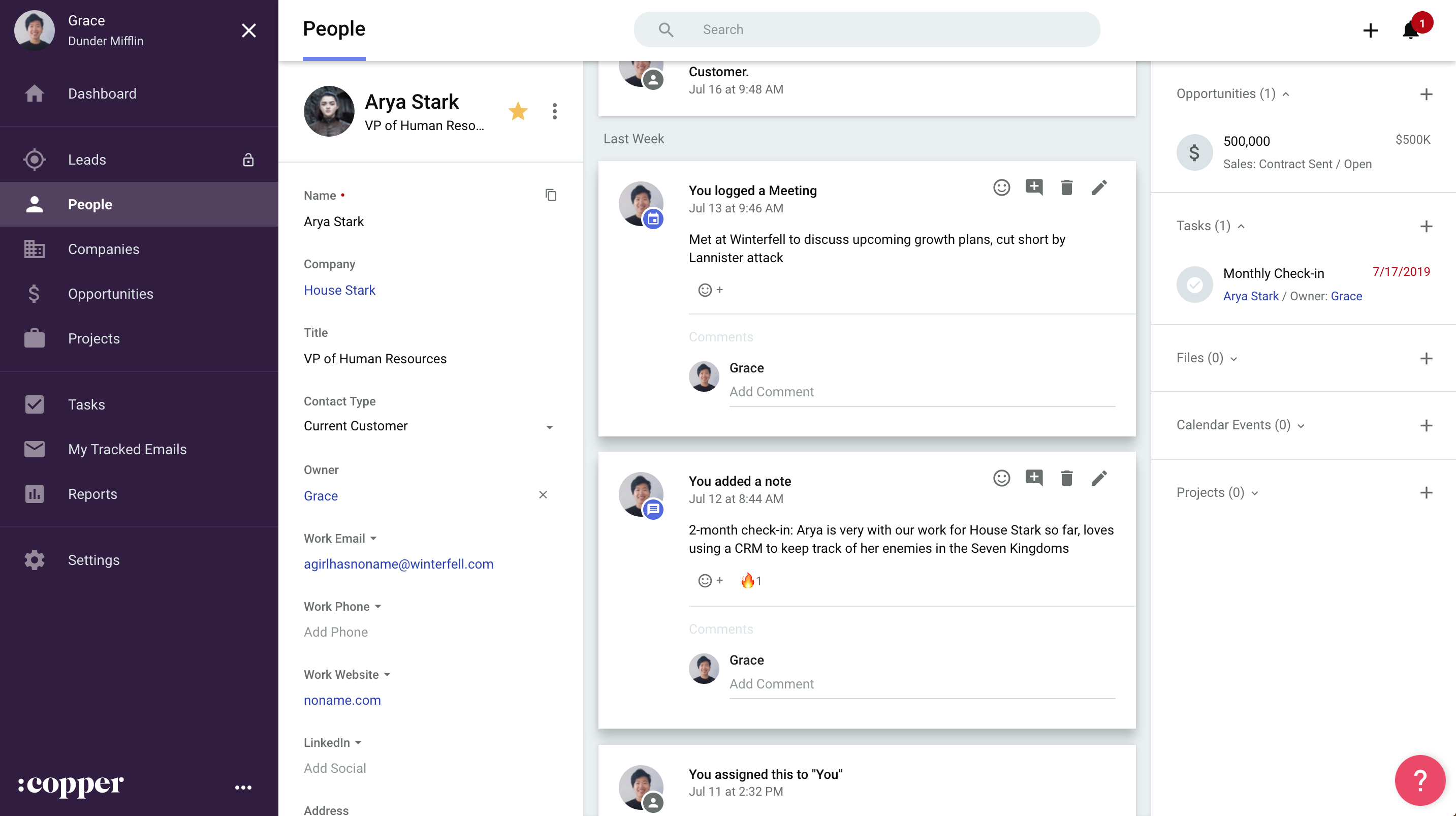
Image source: copper.com
Features:
- Native Gmail and Google Calendar integration for automatic activity tracking.
- Visual pipeline management for proposals and ongoing client engagements.
- Contact and company views are enriched with communication timelines.
- Workflow automation for reminders, tasks, and follow-up sequences.
- Reporting dashboards for pipeline value, forecasting, and team performance.
Pros:
- Extremely easy for Google Workspace–based service teams to adopt.
- Automatic logging of emails and meetings, no manual CRM updates.
- Clean UI with a very low learning curve.
- Great for small consulting or agency teams.
Cons:
- Limited project delivery features compared to PSA platforms.
- Automations and custom fields can feel limited for advanced use cases.
Pricing: From $23–$59/user/month (depending on tier)
9. Accelo: CRM plus PSA for professional services
Accelo is purpose-built for billable teams and is considered one of the strongest PSA and CRM platforms for professional services firms that need project management, billing, and resource planning in one platform. IT service providers, consulting firms, and agencies use Accelo to connect sales, delivery, timesheets, and financial reporting in a unified system. It is more specialized than general CRM software for professional services, giving operations teams full visibility into margins and client profitability.
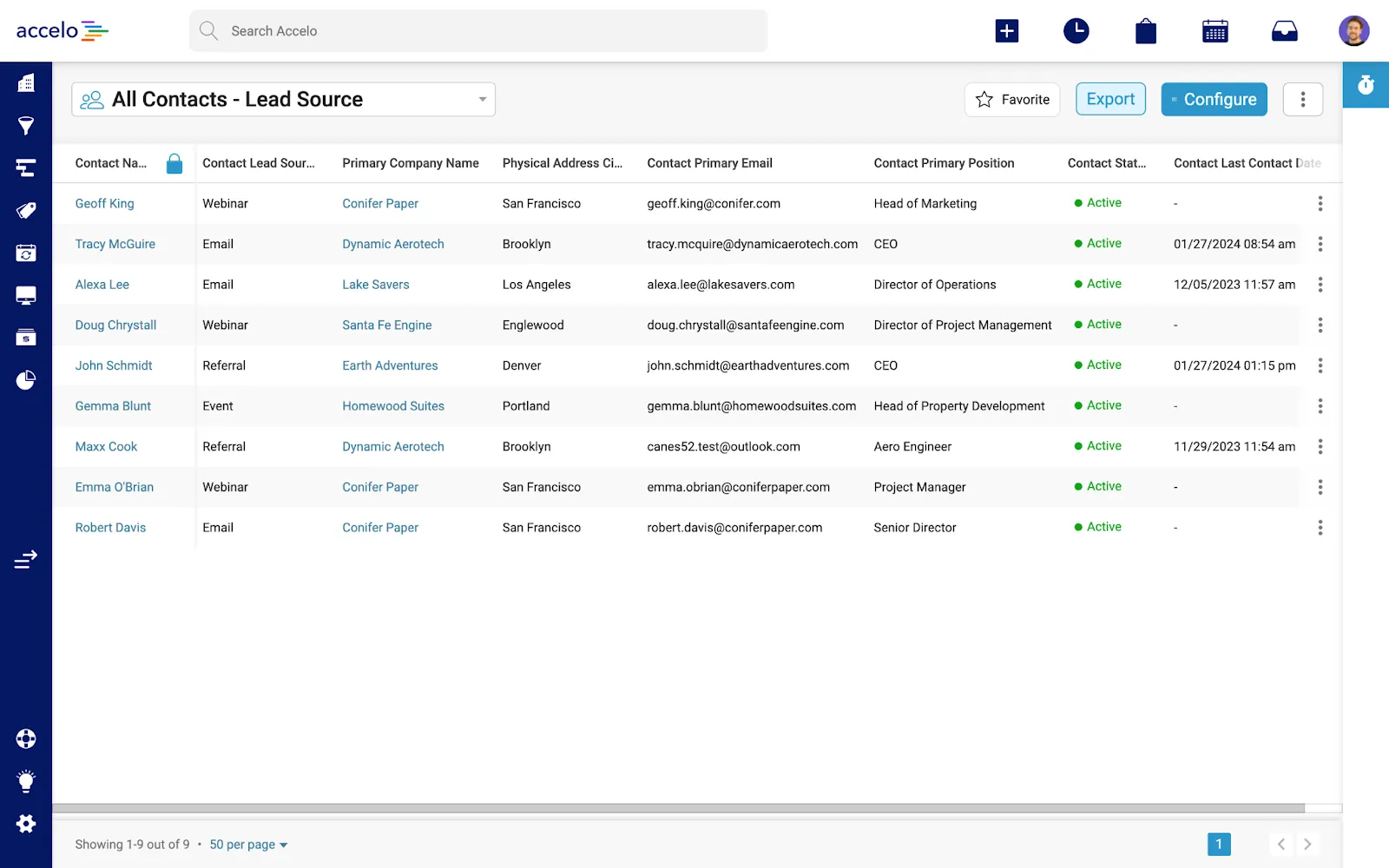
Image source: accelo.com
Features:
- Integrated CRM + project + billing system.
- Automated time tracking and retainer management.
- Resource scheduling and workload capacity views.
- Client lifecycle tracking from sales to delivery.
- Financial forecasting is tied to active projects.
Pros:
- One of the best tools for billable service management.
- Strong financial visibility for leadership.
- Connects CRM directly with delivery.
- Reduces manual billing and timesheet errors.
Cons:
- Expensive for small teams.
- The interface can feel dense for new users.
Pricing: From $24–$30/user/month (module-based)
10. Monday Sales CRM: Visual CRM for project-heavy client work
Monday.com provides a visual work management environment that professional services teams often adapt as a hybrid project + CRM for professional services firms. Its table-based structure makes it easy to track clients, proposals, deliverables, and communication logs. Though not traditional CRM software for professional services, its flexibility makes it suitable for agencies, studios, and IT service providers who want a CRM that merges directly with project delivery workflows. Teams can manage pipelines and execution phases side by side.
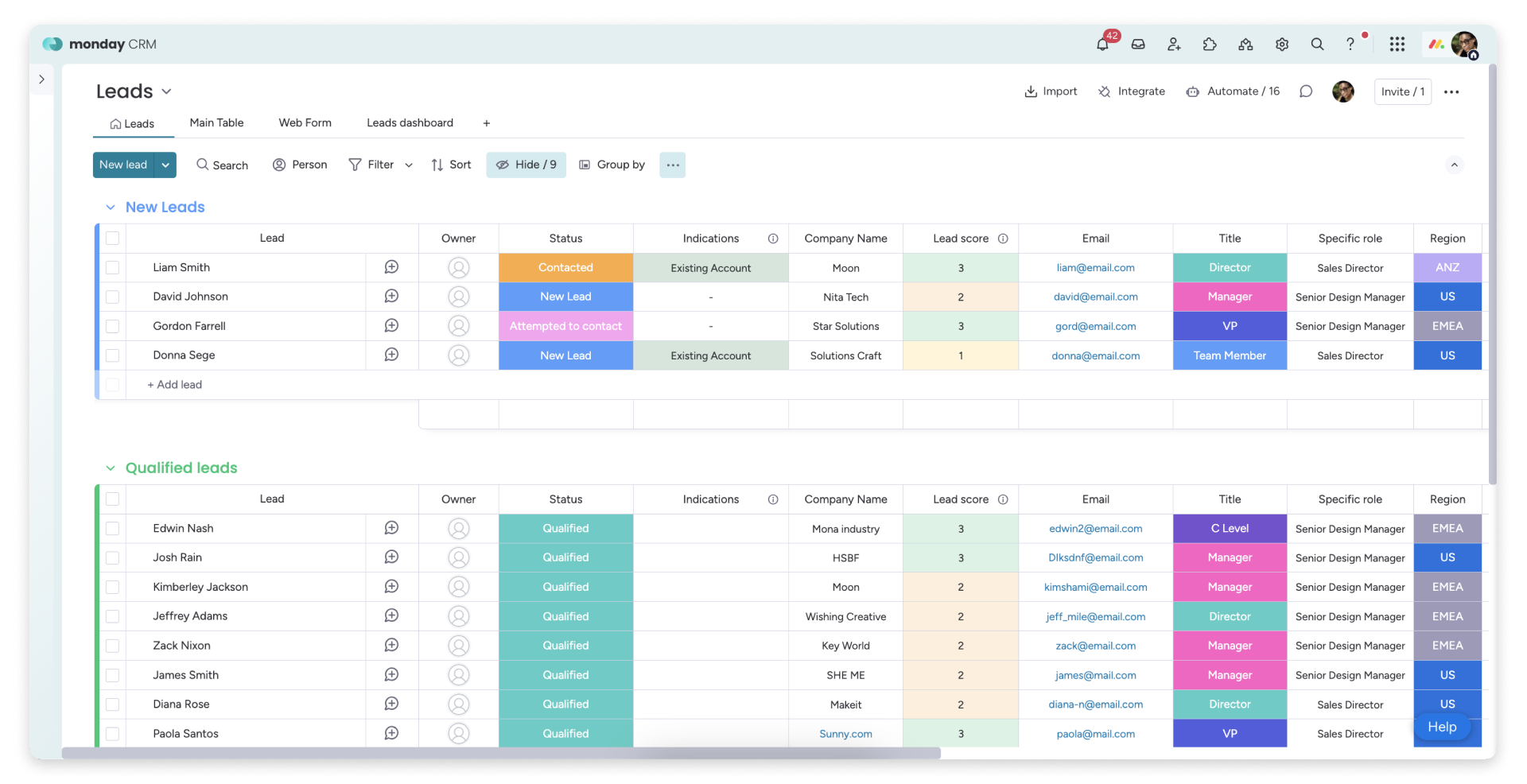
Image source: monday.com
Features:
- Custom boards for client records and project pipelines.
- Automations for reminders, updates, and follow-ups.
- Document sharing and collaborative workdocs.
- Visual dashboards for pipeline and workload visibility.
- Timeline, Kanban, and calendar views for coordination.
Pros:
- Very flexible for combined CRM + project workflows.
- Excellent collaboration features.
- Easy to customize without coding.
- Strong templates for service organizations.
Cons:
- Lacks deep CRM-specific features in the core product.
- Complex automations require higher plans.
Pricing: From $9+/user/month
Benefits of using a CRM for professional services firms
Adopted CRM systems provide measurable advantages that influence delivery success and financial outcomes.
- Faster proposal turnaround: Historical templates, stakeholder records, and previous agreement references reduce drafting time and improve responsiveness.
- Less manual follow-up: Automated notifications, reminder prompts, and update triggers limited wasted administrative time.
- More visibility into ongoing client work: All information remains retrievable by every authorized team member, which prevents misunderstandings and repeat explanations.
- Improved client experience and retention: Organized communication presentation, timely updates, and clarity reinforce trust and renewal probability.
- Better forecasting and resource planning: CRM for professional services firms improves alignment between pipeline expectations and staffing plans.
Best CRM features to look for in a professional services tool
- Flexible client records: CRM platforms must support unique data fields designed for high-involvement service engagements where multiple stakeholders, contract phases, and delivery references need long-term accessibility and clarity.
- Document and proposal management: Document work should remain collaborative, version-controlled, and centrally accessible, so every contributor can review, update, and align without version confusion or file duplication.
- Harmonization with project scheduling: Commitment timelines must reflect real capacity and delivery feasibility, so sales commitments align with operational bandwidth and do not create unrealistic or financially risky execution conditions.
- Time and expense visibility: Planning depends on comparing projected effort, actual consumption, and overall margins, so leaders can evaluate profitability impact and identify potential overruns early.
- Automation to reduce admin load: Routine administrative functions should transition to automated triggers and notifications to reduce manual coordination across follow-ups, approvals, and update reminders.
- Cross-functional collaboration: CRM systems must help delivery teams stay informed and aligned during multi-step engagements by connecting communication, documents, and tasks in one shared environment.
- Dashboards and profitability insights: Decision makers require clear reporting to support long-range improvement through visibility into utilization, renewal probability, financial health, and delivery confidence.
Conclusion
Professional services organizations operate in long-duration client engagement environments where clarity, accuracy, documentation quality, and structured teamwork influence commercial outcomes. CRM for professional services helps teams manage client interactions, delivery cycles, documentation revisions, talent availability, and future renewal planning. Many businesses explore solutions like Pipedrive Professional or Dynamics CRM for professional services, while others evaluate collaborative workplace platforms that keep CRM records, proposals, communication, automation, and action tracking together. Some teams gradually consider connected work environments such as Lark to align CRM information with daily collaboration, helping records, decision history, and delivery data remain linked across roles and timelines for more reliable client outcomes.
FAQs
How do professional services teams transition from spreadsheets to a CRM?
Teams usually begin by identifying which client details, historical notes, scope assumptions, and billing information must be structured. After mapping fields, they migrate clean data into a CRM that mirrors real engagement workflows. Gradual onboarding through small pilot groups helps build adoption confidence. Some teams later explore flexible digital workspaces like Lark that allow CRM data to connect with documents, tasks, and communication in one place.
Can a CRM support long-term, relationship-based contracts common in professional services?
Long-duration client engagements require stored communication history, evolving stakeholder roles, updated documents, and revision evidence. CRM systems can provide the needed continuity even when project cycles span multiple phases or years. Context becomes easier to revisit during renewals, upsells, and advisory extensions. When paired with connected work platforms like Lark, teams maintain CRM information alongside real-time collaboration.
Do small consulting or boutique firms need a CRM, or can they manage without one?
Smaller firms sometimes begin with simple sheets or shared drives but face challenges once project volume, revisions, and parallel engagements increase. CRM helps maintain clean records and prevents misalignment during proposals or delivery cycles. Even small teams benefit from structured information and reduced dependency on individuals. Some firms gradually shift to workspace solutions like Lark, so both simple and advanced usage stay in the same environment.
What data should a professional services firm store inside a CRM?
Firms should capture stakeholders, conversation logs, proposal and SOW versions, contract terms, billing notes, risks, and milestone outcomes. Storing assumptions and decisions also avoids confusion during handovers or staff changes. CRM becomes more powerful when information remains searchable and linkable across delivery cycles. Workspaces like Lark can support this approach by connecting CRM records with shared files and discussions.
How does a CRM help improve visibility for partners, directors, and team leads?
Leaders gain a clear overview of utilization, profitability trends, renewal probability, and project health without manual reporting cycles. CRM insights support prioritization, staffing, and pricing decisions with better confidence. Visibility reduces uncertainty for resource forecasts and client commitments. When CRM insights appear alongside communication and documents in tools like Lark, visibility becomes smoother and faster to act upon.
Related reading
Table of contents
Start using Lark today

Manage all your work in one place
Boost team efficiency by 10x
Save up to 70% on software costs
Table of contents
Start using Lark today
Manage all your work in one place
Boost team efficiency by 10x
Save up to 70% on software costs
Keep reading









2026 Lark Technologies Pte. Ltd.
Headquartered in Singapore with offices worldwide.






Explore: