


CRM for Utilities: 12 Best Platforms Reviewed

Ryan Tanner
Product Marketing Specialist
Aug 5, 2026
Ryan Tanner
Aug 5, 2026

14 min read


The utilities industry, covering electricity, water, gas, and energy, is undergoing rapid digital transformation. Managing customer data, field operations, outage reports, and billing efficiently has become critical. That's where a CRM for utilities steps in, helping providers streamline communication, optimize field service management, and deliver faster resolutions.
In this guide, we'll explore what a CRM for utilities is, why it's essential, the key features to look for, and the 12 best CRM tools for utilities available today.
1. Lark: All-in-one CRM for utilities and field teams
2. Salesforce energy and utilities cloud: Smart service and billing
3. Microsoft Dynamics 365 for utilities: Utility CRM with insights
4 .Oracle Utilities Customer Cloud Service: Cloud-based customer platform
5. SAP Utilities CRM: An integrated customer and billing system
6. HubSpot CRM for utilities: CRM for utilities to manage customer outreach
7. Zoho CRM: For automating billing and service tasks
8. Freshsales (Freshworks CRM): CRM for utilities with support automation
9. Pipedrive: CRM for utilities and energy contractors
10. Copper CRM: Google Workspace CRM for utilities
11. Bitrix24: Utilities and team collaboration
12. Kylas CRM: Scalable and affordable solution

What is CRM for utilities?
A CRM (Customer Relationship Management) for utilities is a specialized system that helps utility companies manage customer interactions, automate workflows, and handle service requests efficiently. Unlike general CRMs, utility CRMs are designed with industry-specific needs, such as:
- Outage tracking and management: Logging, monitoring, and communicating service outages in real time.
- Field service coordination: Dispatching and scheduling field teams for maintenance or emergency response.
- Meter data integration: Linking smart meter data for accurate billing and consumption tracking.
- Regulatory compliance: Maintaining audit trails, documentation, and reporting in line with government mandates.
- Customer self-service portals: Empowering customers to raise issues, track bills, and manage their accounts.
In short, a CRM for utilities doesn't just store contact data; it connects the operational and service layers of the business for smoother communication and better performance.
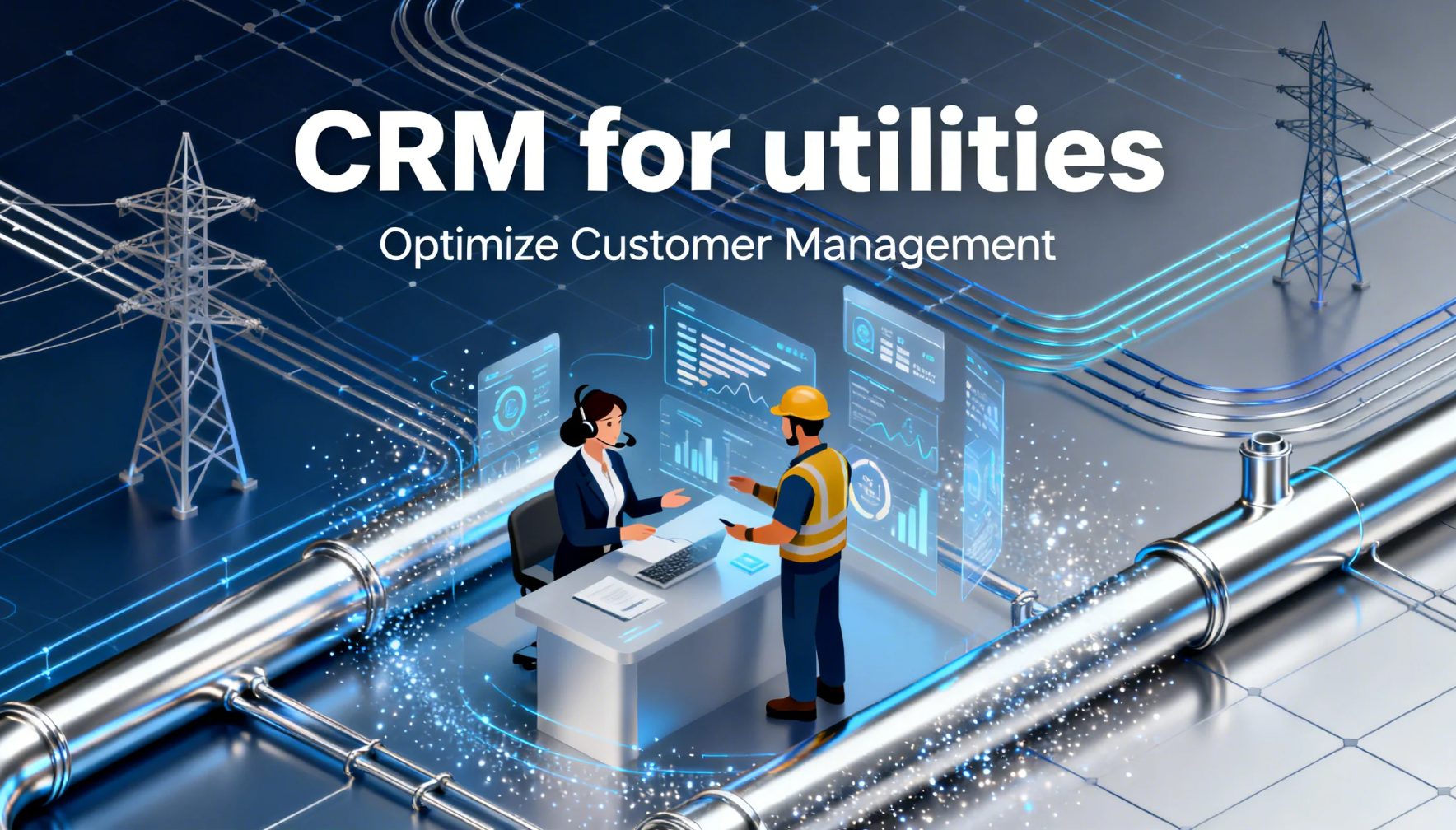
Image source: unsplash.com
Why do utilities need a CRM?
Utility providers face unique challenges: massive customer bases, strict regulatory requirements, and constant demand for reliable service. Traditional systems often lack flexibility and transparency. A robust CRM helps overcome these barriers by:
- Centralizing data: Consolidates customer information, billing records, and service histories into one accessible dashboard.
- Improving customer satisfaction: Enables timely communication about outages, billing, or service changes.
- Streamlining field operations: Automates dispatching, tracking, and reporting for field teams.
- Enhancing compliance: Keeps audit logs and automates regulatory reporting.
- Driving operational efficiency: Reduces manual work through automation and integrated workflows.
For example, during a power outage, a CRM can instantly log reports, alert customers, assign technicians, and update real-time restoration status, all from a single system.
Key features to look for in a CRM for utilities
When evaluating CRM software for utilities, look for these essential capabilities:
- Field service management: A powerful CRM for utilities streamlines field service management by connecting dispatchers, technicians, and supervisors in one unified system. This ensures the right technician with the right skill set is assigned to each task, reducing downtime and improving response efficiency.
- Outage and incident management: Utility providers handle high-stakes scenarios where service interruptions can affect thousands of customers. A CRM built for utilities simplifies outage and incident management by offering centralized visibility of ongoing issues and enabling proactive communication with affected users.
- Meter and usage data integration: Modern CRM systems for utilities integrate directly with smart meters and IoT-based data sources, enabling seamless synchronization of consumption data. This eliminates manual entry errors and provides real-time insights into customer usage patterns, energy losses, or abnormal fluctuations.
- Billing and CIS integration: A Customer Information System (CIS) is the operational backbone for billing and account management. When tightly integrated with a CRM, it bridges customer communication with transaction data, creating a seamless end-to-end experience.
- Regulatory compliance tools: The utility sector is heavily regulated, and compliance is non-negotiable. CRMs built for this industry come with compliance management tools that automate data collection, reporting, and documentation. Each customer interaction, service update, and billing transaction can be automatically logged and time-stamped, ensuring a traceable record for audits or inspections.
- Asset management: For utility companies managing vast physical infrastructures from transformers to pipelines, asset management within CRM provides full lifecycle visibility. Assets can be cataloged with details such as serial numbers, maintenance schedules, and warranty data.
- Document management: Utility operations involve extensive paperwork from contracts and permits inspection reports. A robust CRM includes document management capabilities that digitize and centralize these assets for easy access and control.
- Automation & analytics: Automation and analytics are at the heart of a next-generation utility CRM. Repetitive tasks like scheduling, notifications, and status updates can be automated, freeing up staff for more strategic initiatives.
- Mobile access: In field-intensive industries like utilities, mobile access is a critical enabler of efficiency. Technicians equipped with mobile CRM apps can receive assignments, access equipment history, and update job status directly from remote locations.
How much does CRM for utilities cost?
The cost of a CRM for utilities depends on several factors, including user count, modules, customization, and integration needs.
Typical pricing models include:
- Per user/month: Common for SaaS CRMs like Lark, HubSpot, or Zoho.
- Per module: Large-scale enterprise systems like Oracle or SAP often charge per feature or capability.
- Custom quotes: Tailored for large utility companies with complex integrations.
Pricing range:
- Small providers: $12–$50 per user/month
- Mid-sized utilities: $50–$120 per user/month
- Enterprise-level systems: $150–$300+ per user/month
Factors affecting cost:
- Number of users or departments
- Integration with billing/meter systems
- Data storage and automation usage
- Support and training services
12 Best CRM tools for utilities
1. Lark: All-in-one CRM for utilities and field teams
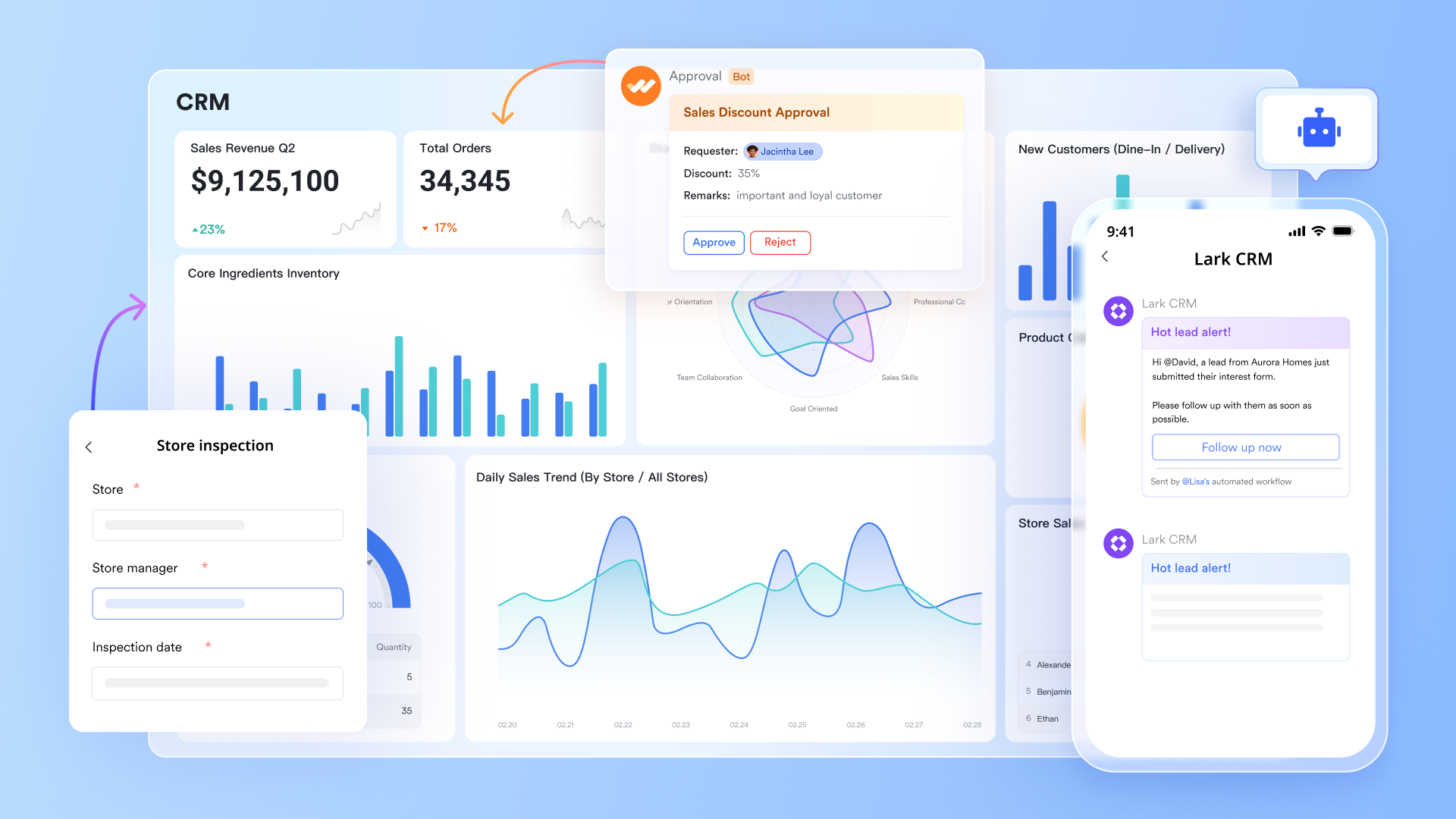
Lark is an all-in-one collaboration and CRM platform designed to bring together utility operations, field coordination, and customer management under one connected system. Instead of relying on fragmented tools, Lark creates a single workspace where teams can manage projects, handle outage communication, track service data, and share critical documents seamlessly.
Lark Base empowers utilities to manage assets, maintenance records, and service requests with custom workflows and real-time automation. With built-in messaging, meetings, and document collaboration, Lark ensures that back-office teams and field staff remain connected, enabling faster response times, transparent operations, and better customer experience.
Key features
Lark Base: Structured data meets smart utilities management
Lark Base acts as the operational backbone for utility management. It combines the flexibility of a no-code database with the structure of a powerful CRM system, allowing teams to organize and connect every operational record.
Utility teams can link assets, maintenance schedules, outage reports, compliance documents, and permit records directly to their relevant projects or regions. Visual tools like Kanban boards, Gantt charts, and table views help managers monitor repair timelines, approval stages, and ongoing fieldwork.
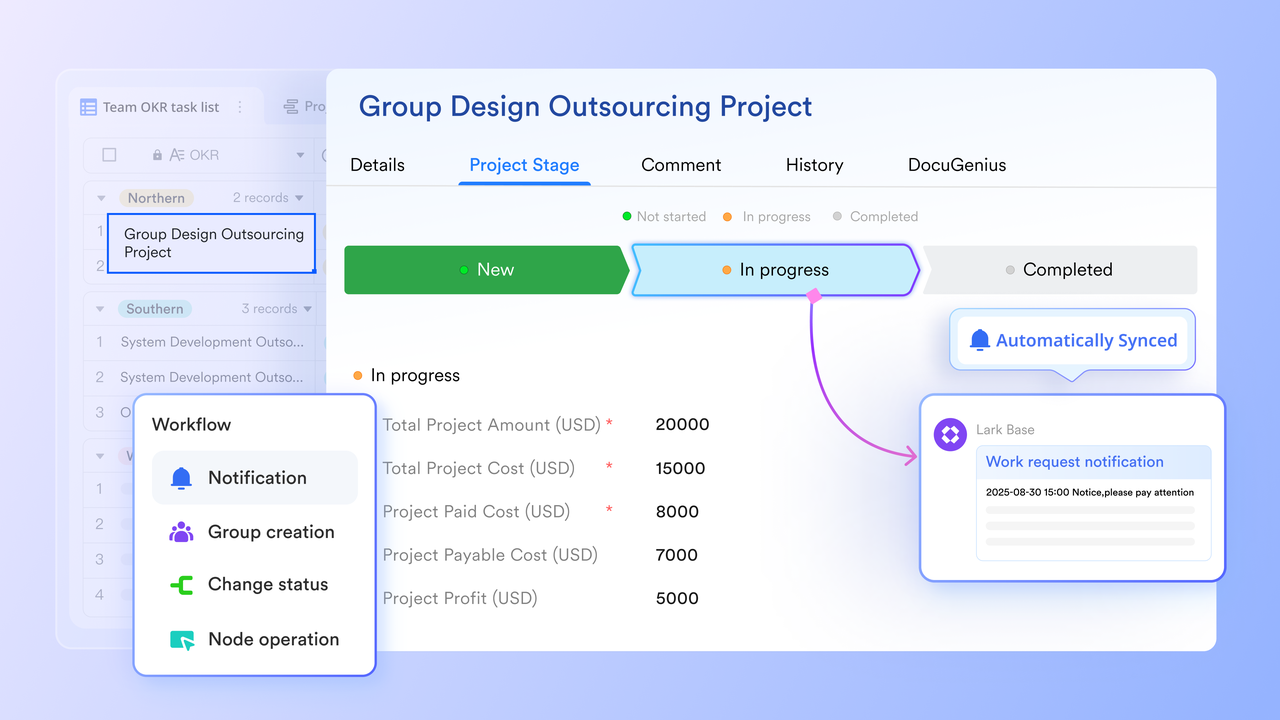
Its built-in automation engine further enhances efficiency, sending alerts when maintenance is due, auto-updating work order statuses, or notifying supervisors when critical repairs are completed. With Base, utilities gain complete visibility from initiation to resolution, reducing manual tracking and communication lags.
Lark Docs: Collaborative CRM documentation for field and operations teams
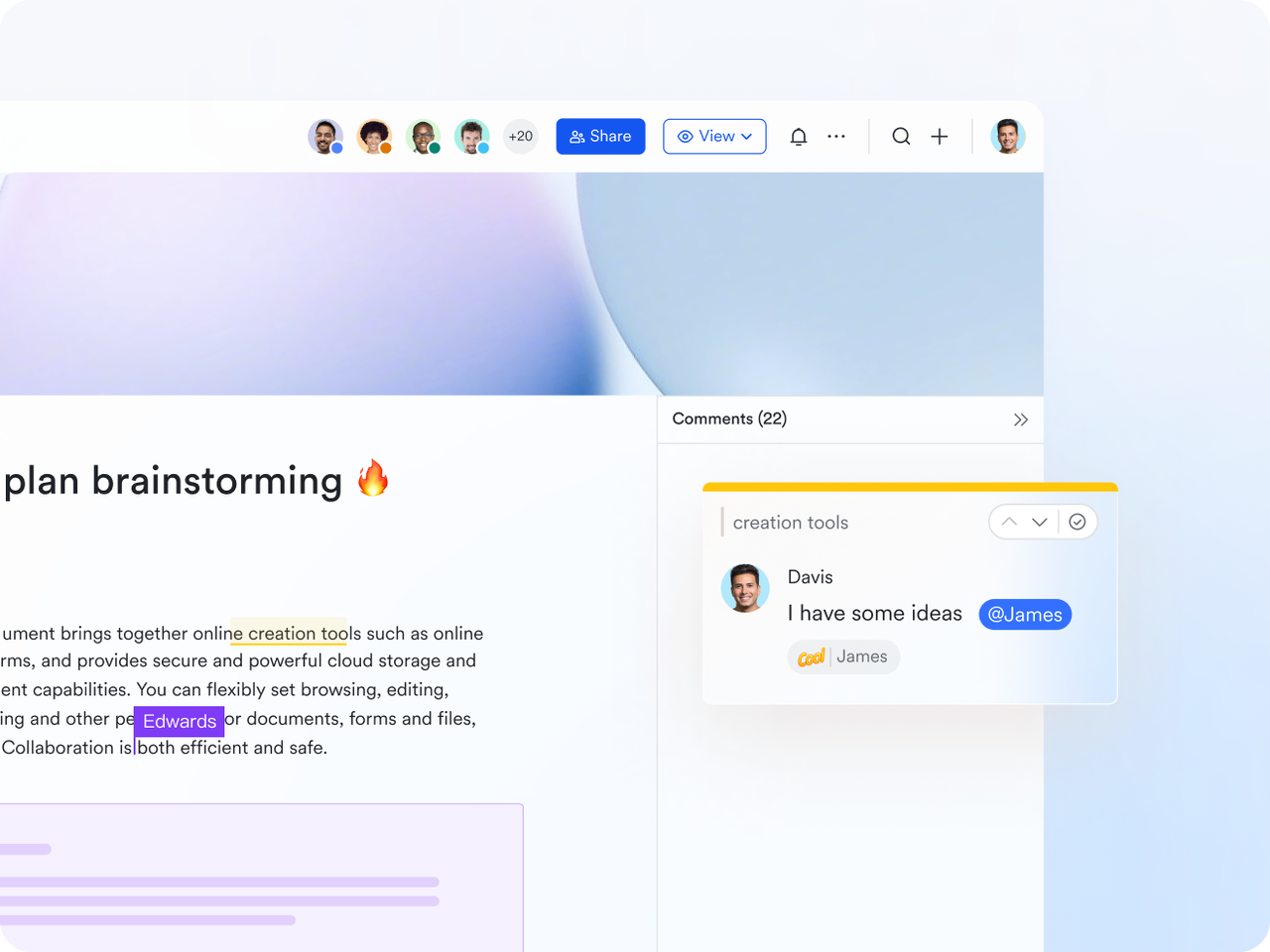
Lark Docs transforms traditional documentation into a dynamic, shared experience. Field engineers, compliance officers, and customer service teams can co-edit reports, safety checklists, outage summaries, and maintenance notes in real time. No more juggling multiple document versions, teams can embed spreadsheets, operational trackers, and visual maps directly within a single document. Inline comments and task tagging allow instant feedback, ensuring that field reports or compliance summaries are updated and approved faster. Whether you're drafting new safety procedures or updating network maintenance plans, Lark Docs ensures every document stays current, traceable, and connected to your operational data in Base.
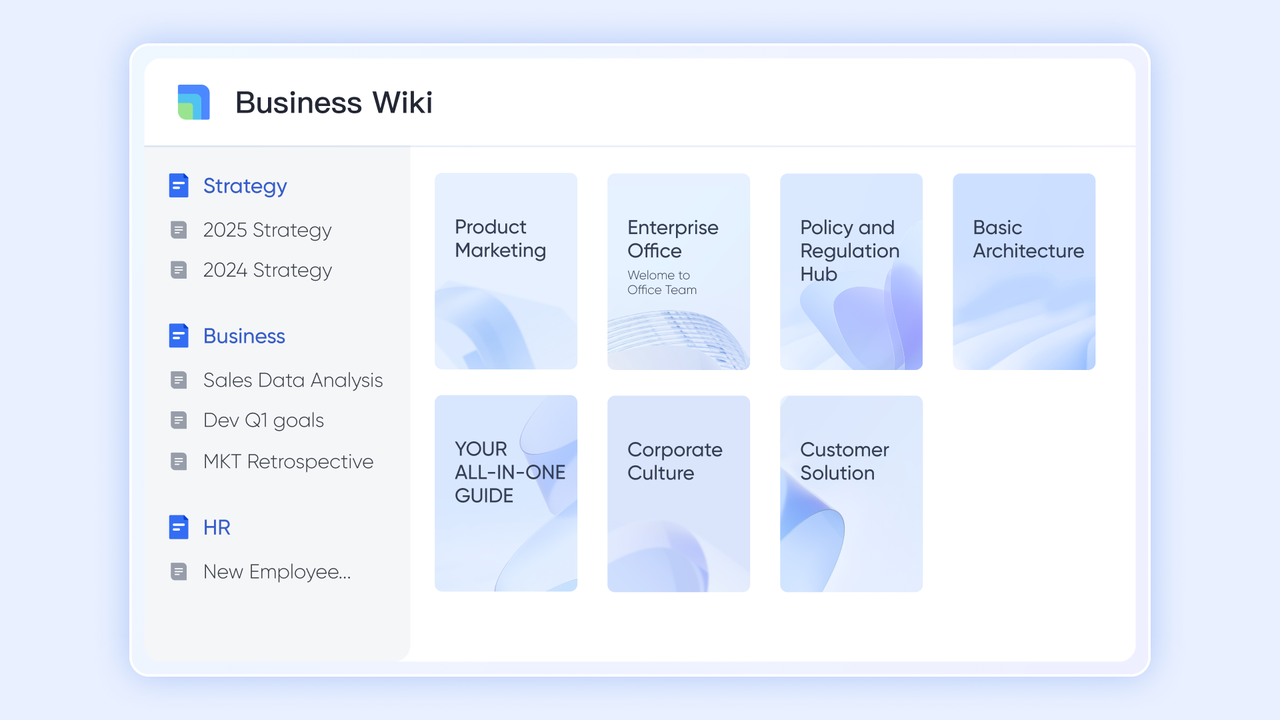
Lark Wiki: The central knowledge hub for utility organizations
Lark Wiki serves as the single source of truth for institutional knowledge in utility companies. It allows teams to store and organize standard operating procedures, emergency response guides, and asset maintenance protocols in one easily searchable knowledge base. New field technicians can instantly access safety manuals, while management teams can reference real-time compliance updates. This structure ensures consistent practices across departments and reduces dependency on email archives or offline files. By centralizing essential operational knowledge, utilities minimize risk, improve training efficiency, and maintain continuity even as personnel or contractors change.
Other features
- All-in-one workspace: Lark seamlessly unifies Docs, Base, Wiki, Calendar, Email, and Messenger into one powerful, cohesive environment designed to eliminate silos across utility operations. For utility teams, this integration means that every interaction from maintenance logs and field reports to customer communications and outage updates is instantly connected, searchable, and accessible in one place.
- Granular access control: Maintain strict control over sensitive infrastructure and client data. Define who can view, edit, or share specific reports, ensuring compliance with security protocols and protecting critical utility information.
- Real-time collaboration: Connect field teams, contractors, and support staff seamlessly. Lark's real-time communication ensures that on-site technicians can update progress instantly, supervisors can provide immediate feedback, and everyone stays aligned—reducing downtime and miscommunication.
- Starter plan: Free forever plan that includes 11 powerful tools for up to 20 users. It also comes with 100GB of storage, 1000 automation runs, AI translations, and more.
- Pro plan: $12/user/month (billed annually) for up to 500 users. It includes everything in Starter plus group calling for up to 500 attendees, 15TB of storage, 50,000 automation runs, and more.
- Enterprise plan: Contact sales for custom pricing. Supports unlimited users and includes even more automation runs and advanced security, compliance, and management features.
2. Salesforce energy and utilities cloud: Smart service and billing
Salesforce Energy and Utilities Cloud is one of the most advanced industry-specific CRMs, offering an end-to-end customer management ecosystem for energy, water, and gas providers. Built on Salesforce's trusted infrastructure, it enables utilities to deliver personalized experiences, automate billing, and improve service reliability through predictive analytics. Its AI-driven insights help providers anticipate service issues and optimize maintenance schedules, while customer portals ensure that end-users have full visibility of their accounts, usage data, and service requests.
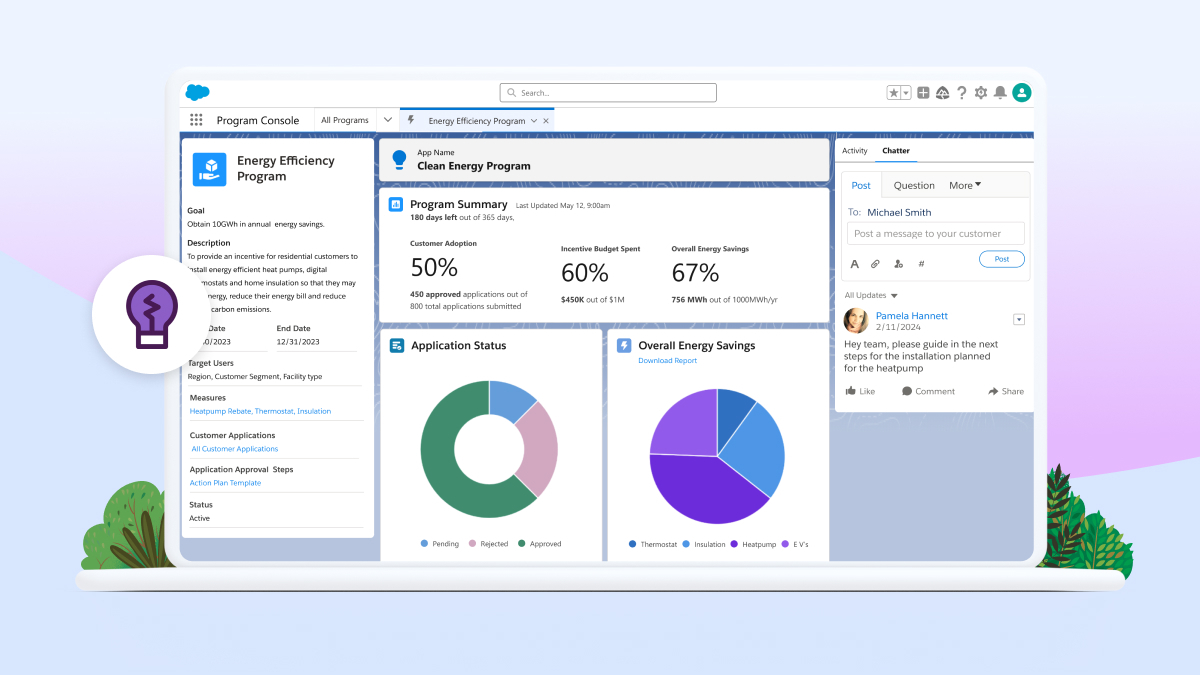
Image source: salesforce.com
Key features
- Industry-specific modules for energy, gas, and water utilities.
- AI-driven forecasting for maintenance and load management.
- Comprehensive billing and case tracking tools.
- Mobile-friendly field service management.
- Customizable dashboards and real-time analytics.
Best for: Large energy or water utilities require advanced analytics, strong customization, and a proven enterprise platform.
Pricing
Custom pricing is based on enterprise requirements and add-on modules.
3. Microsoft Dynamics 365 for utilities: Utility CRM with insights
Microsoft Dynamics 365 for Utilities integrates CRM, field service, and analytics into a unified ecosystem. It empowers utilities to manage meter data, automate work orders, and monitor assets while connecting seamlessly with Microsoft's cloud infrastructure. The platform's integration with Power BI delivers deep operational insights, enabling utilities to anticipate outages and track service performance. Its built-in workflow automation and AI models help streamline compliance processes, improve customer engagement, and enhance productivity across departments.
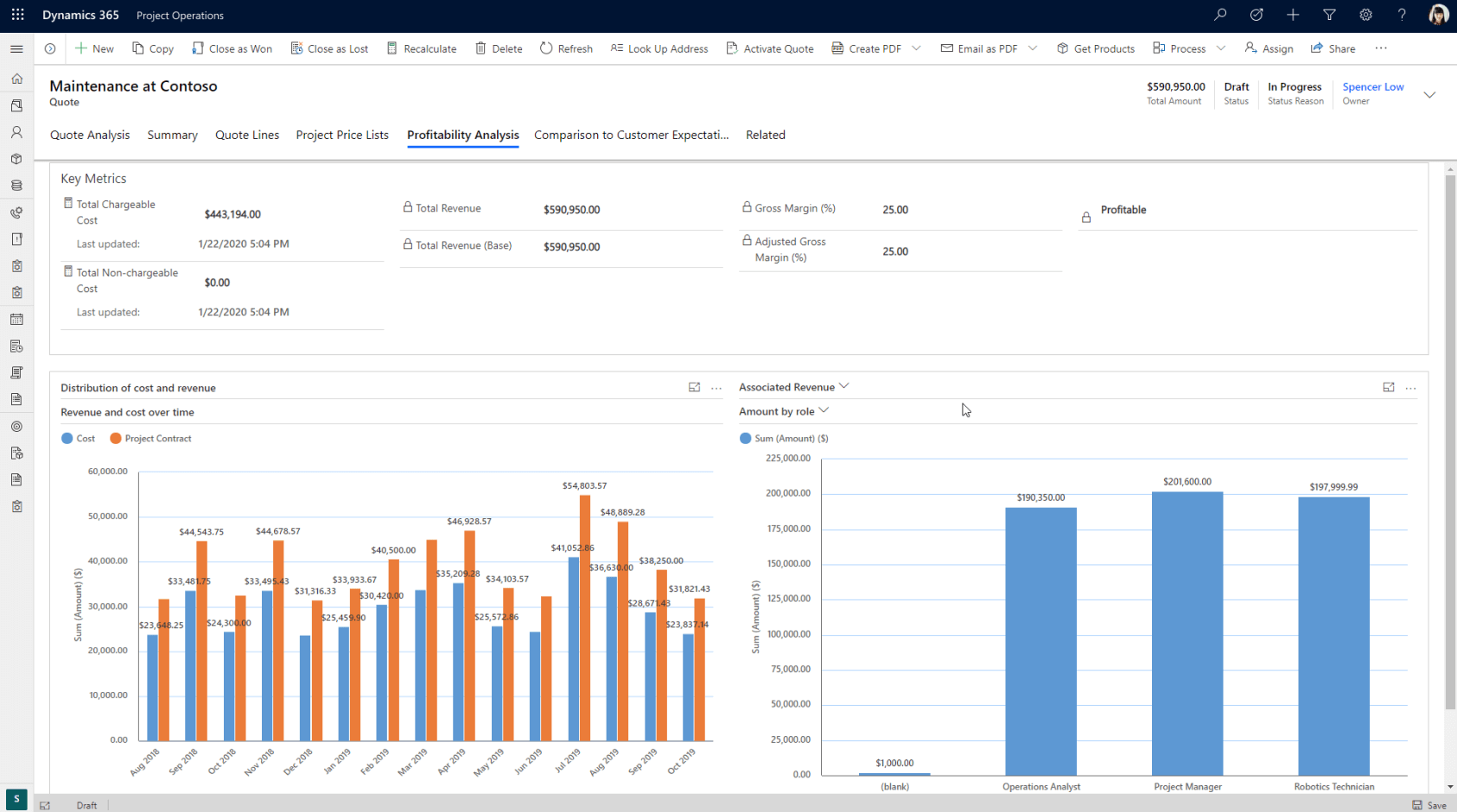
Image source: microsoft.com
Key features
- Real-time meter data tracking and predictive maintenance.
- Integration with Power BI for detailed performance analytics.
- Workflow automation for service scheduling and compliance.
- Custom portals for customer communication and self-service.
- Scalable deployment via Microsoft Azure.
Best for: Utilities seeking deep integration with Microsoft's ecosystem and scalable CRM analytics.
Pricing
Modular pricing starts around $65/user/month; enterprise and industry plans are customized.
4. Oracle: Cloud-based customer platform
Oracle Utilities Customer Cloud Service (CCS) is a comprehensive solution for customer management, billing, and service operations. Tailored for energy and water utilities, it combines CRM capabilities with billing and meter-to-cash processes in one platform. Oracle CCS helps utilities optimize operations through automation, customer self-service portals, and advanced usage analytics. Its strong compliance and data governance features make it ideal for large-scale public utilities that prioritize reliability and data security.
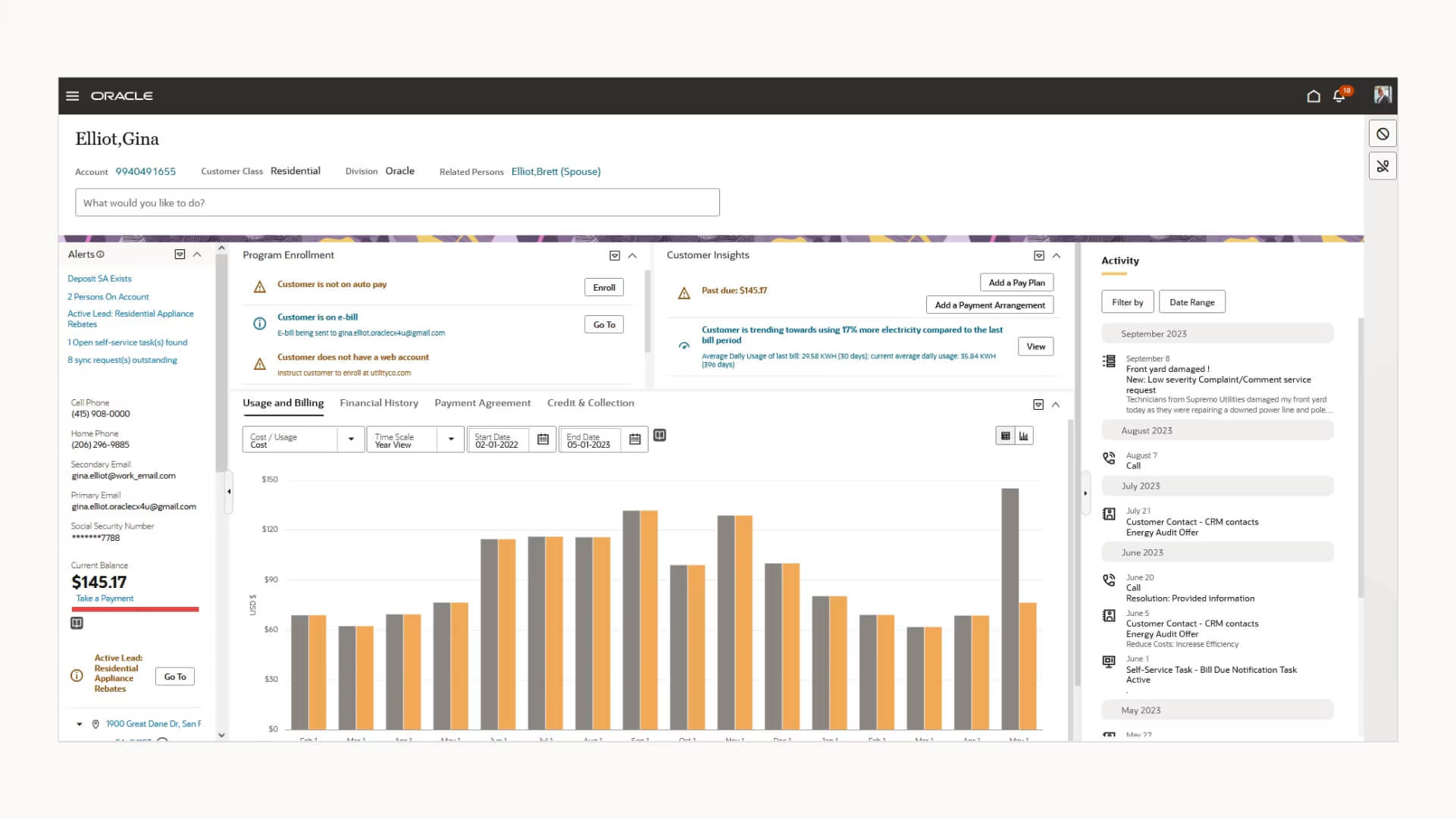
Image source: oracle.com
Key features
- Unified CRM and billing management system.
- Real-time customer engagement and self-service tools.
- Advanced analytics for consumption and service insights.
- Highly secure and compliant with global standards.
- Scalable architecture for large and distributed networks.
Best for: Large-scale utilities seeking robust billing, CRM, and compliance management on a cloud-first platform.
Pricing
Custom pricing based on deployment and integrations.
5. SAP Utilities CRM: An integrated customer and billing system
SAP Utilities CRM extends SAP's enterprise expertise into customer and operational management for the utilities sector. It offers real-time integration with SAP ERP, allowing providers to unify billing, meter data, and service workflows. The platform supports field service optimization, outage management, and predictive maintenance while ensuring data consistency across departments. With its scalability and regulatory compliance focus, SAP Utilities CRM helps providers deliver reliable services to large consumer bases efficiently.
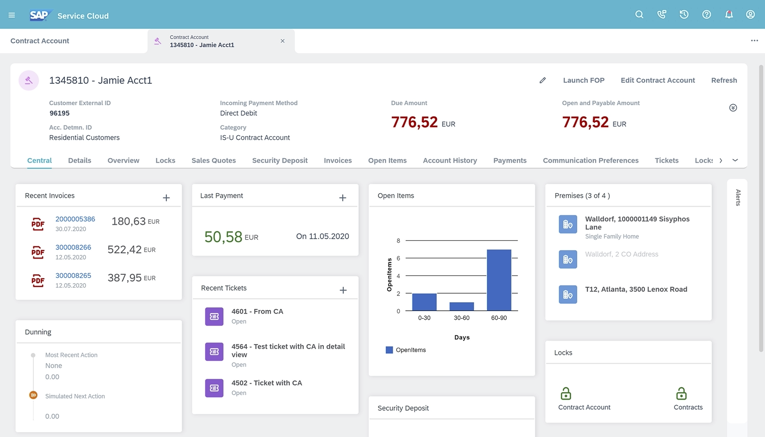
Image source: sap.com
Key features
- Real-time integration with SAP ERP and SAP S/4HANA.
- Centralized customer database for billing and service tracking.
- Predictive analytics for outage and maintenance planning.
- Advanced reporting tools for compliance and operations.
- Mobile access for field service and dispatch teams.
Best for: Enterprise-level utilities with existing SAP infrastructure seeking seamless data integration and large-scale operations management.
Pricing
Pricing varies based on SAP ecosystem configuration and user volume.
6. HubSpot CRM: CRM for utilities to manage customer outreach
HubSpot CRM offers utilities an easy-to-use solution for managing customer outreach, communication, and marketing. While not industry-specific, its automation capabilities make it suitable for smaller utilities that need organized communication without complex setups. Utilities can use HubSpot to automate alerts, track service tickets, and segment customers by location or service type, improving engagement and transparency during outages or maintenance events.
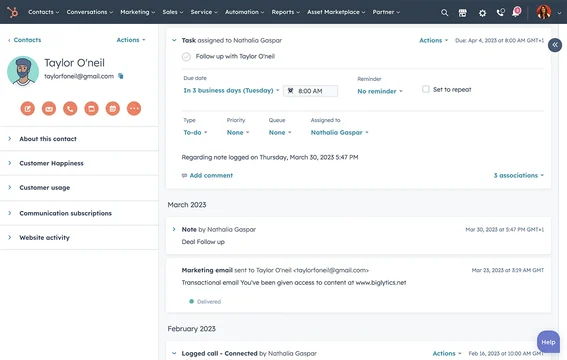
Image source: hubspot.com
Key features
- Automated customer communication via email and SMS.
- Contact segmentation by region or service category.
- Ticketing tools for customer inquiries and service tracking.
- Visual dashboards for performance monitoring.
- Integrations with social media and marketing platforms.
Best for: Small or regional utilities prioritizing communication and marketing automation over heavy-duty field management.
Pricing
Free basic CRM; paid plans start at $20/month (Starter) and scale based on marketing and service hubs.
7. Zoho CRM: For automating billing and service tasks
Zoho CRM is a flexible and affordable solution that fits utilities seeking workflow automation and service tracking. It provides tools to manage recurring billing, maintenance requests, and customer interactions. Utilities can create custom modules for tracking meter readings, service logs, and complaints while leveraging Zoho's automation builder to route tasks efficiently. Integration with Zoho Analytics and Zoho Books ensures seamless financial and operational visibility.
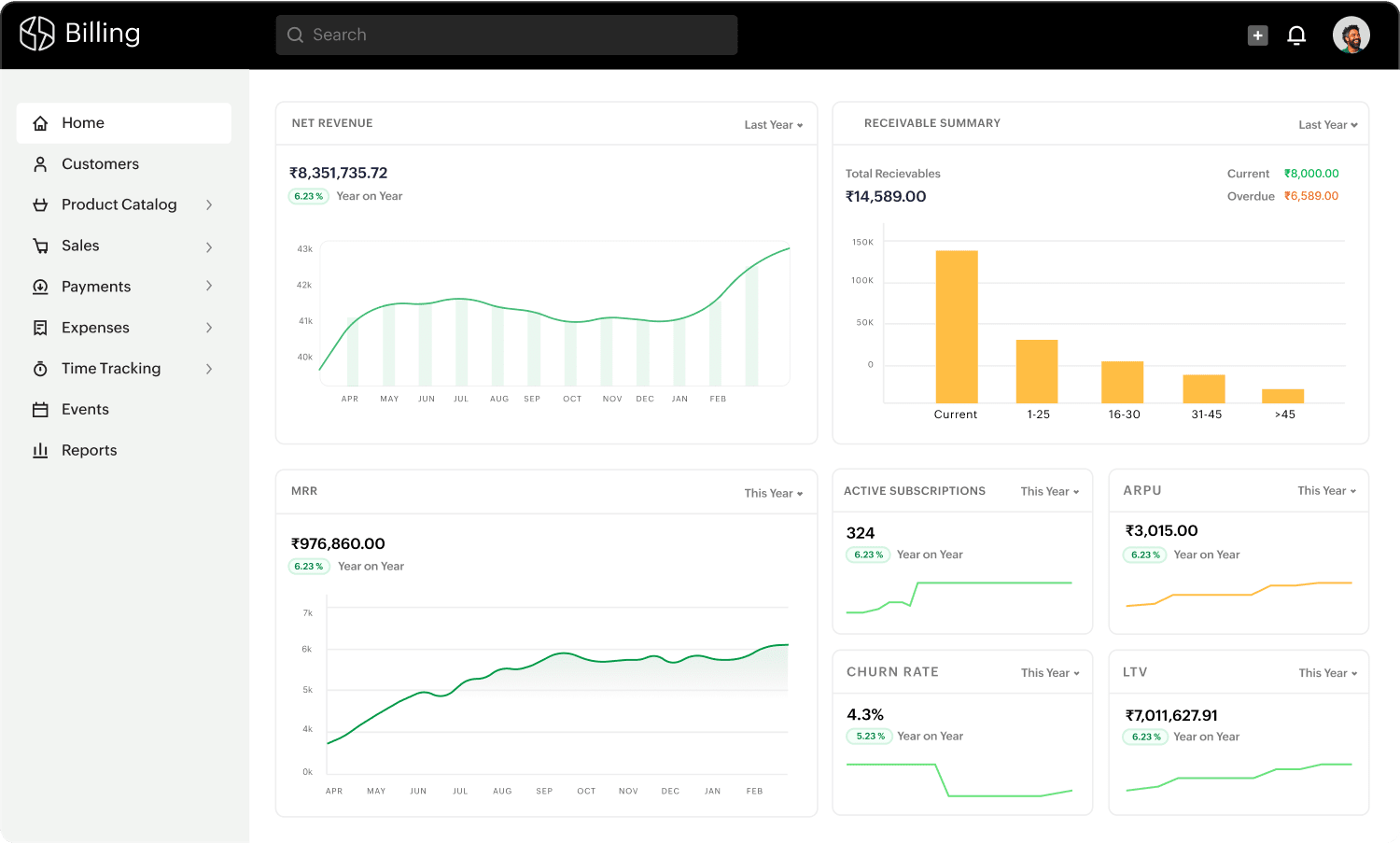
Image source: zoho.com
Key features
- Custom modules for service requests and meter tracking.
- Workflow automation for recurring billing.
- Centralized document and customer database.
- Integrated reporting and analytics.
- Role-based permissions for teams.
Best for: Utilities and municipal boards looking for cost-effective automation with flexible customization.
Pricing
Standard plan starts at $14/user/month; higher plans add automation, AI, and analytics.
8. Freshsales(Freshworks CRM): CRM for utilities with support automation
Freshsales is a powerful yet intuitive CRM designed for teams handling customer support and field service operations. For utilities, it offers ticket management, service scheduling, and real-time tracking of maintenance requests. Its integration with Freshdesk and Freshchat enhances service responsiveness and allows teams to manage internal and external communication within one platform. Automation tools streamline escalation and notification workflows, ensuring faster issue resolution.
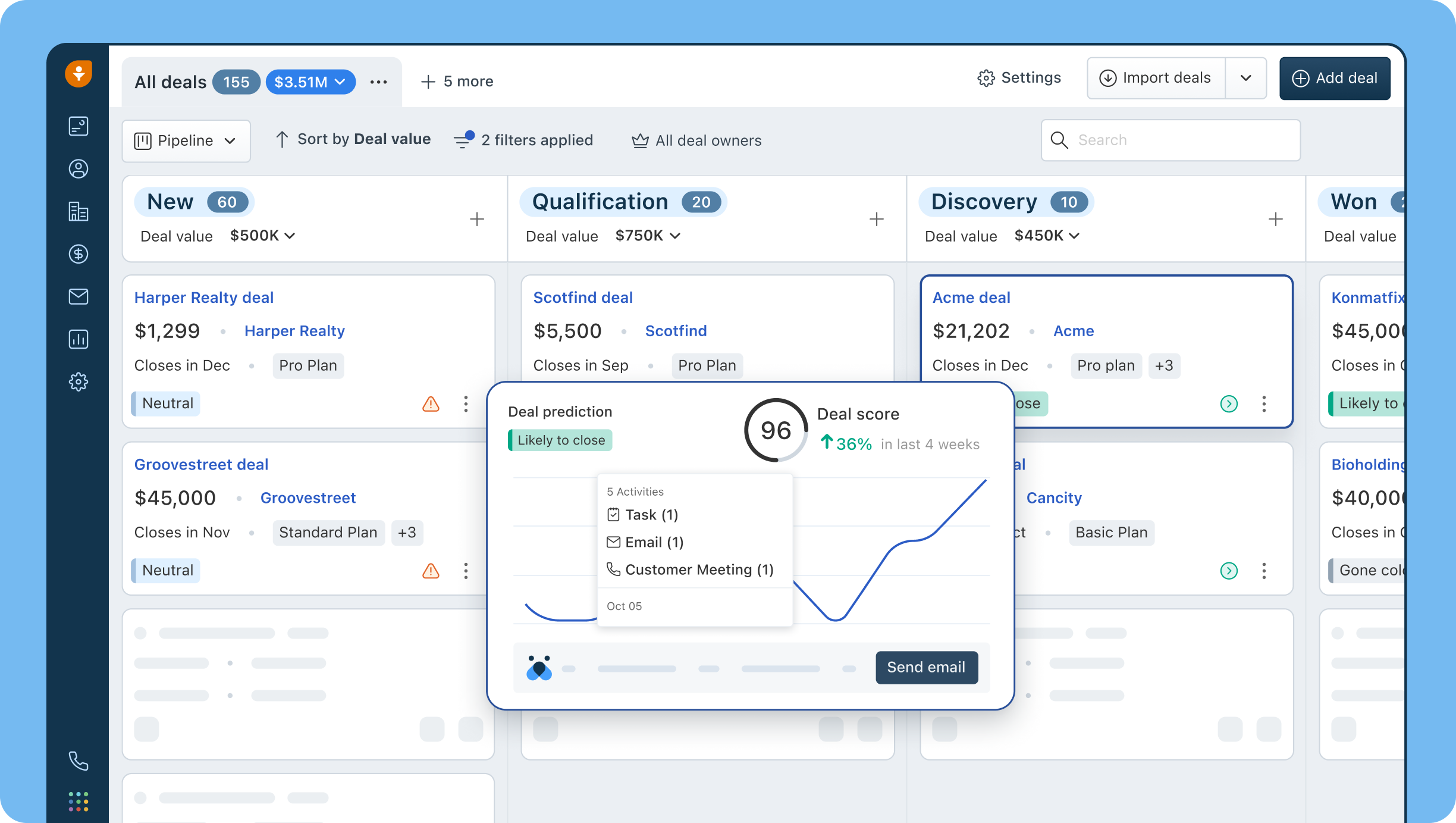
Image source: freshworks.com
Key features
- Integrated ticketing and case management system.
- Real-time task tracking and updates for field teams.
- AI-powered contact scoring for proactive communication.
- Integration with Freshdesk for customer service.
- Mobile CRM for on-site technicians.
- Best for: Utility teams focused on customer service automation and coordinated field operations.
Pricing
Starts at $15/user/month for the Growth plan; higher tiers unlock analytics and advanced automation.
9. Pipedrive: CRM for utilities and energy contractors
Pipedrive is a visual, pipeline-based CRM designed for operational clarity. For utilities and energy contractors, it helps track service tasks, installation projects, and maintenance workflows in a visual dashboard. Its customizable pipelines make it easy to monitor progress, while integrations with Google Workspace simplify communication. Pipedrive's automation and reporting tools help smaller teams manage projects without overwhelming technical complexity, making it an attractive Google Workspace alternative for CRM needs, often with a more focused approach to sales and project management than what the broader Google Workspace pricing structure might offer for comparable tools.
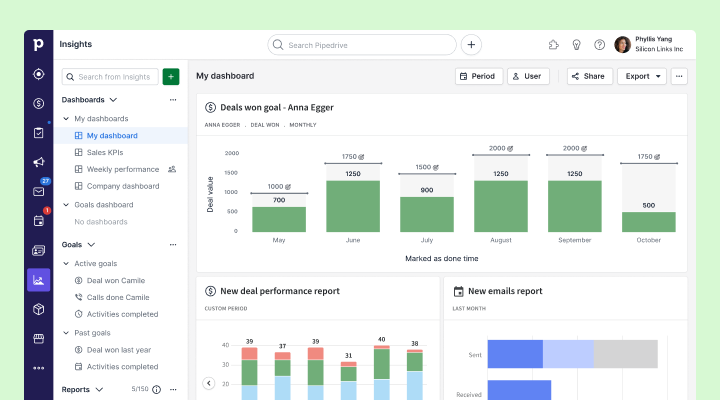
Image source: pipedrive.com
Key features
- Visual deal and task pipelines for workflow clarity.
- Simple automation for scheduling and reminders.
- Integration with Google Workspace and Zapier.
- Insightful reports and performance analytics.
- Mobile app for on-site task updates.
Best for: Small energy and service contractors seeking simplicity and visual task management.
Pricing
Plans start at $14/user/month; advanced automation is available in professional and Enterprise plans.
10. Copper CRM: Google Workspace CRM for utilities
Copper CRM is designed for teams operating within Google Workspace, making it an ideal choice for small-scale or renewable utility startups. It automatically captures and organizes communication data from Gmail, making customer updates effortless. Copper's lightweight CRM simplifies tracking service interactions, billing follow-ups, and inquiries without complex setup. With automation for contact management and reporting, it's perfect for utilities wanting an efficient, cloud-native tool.
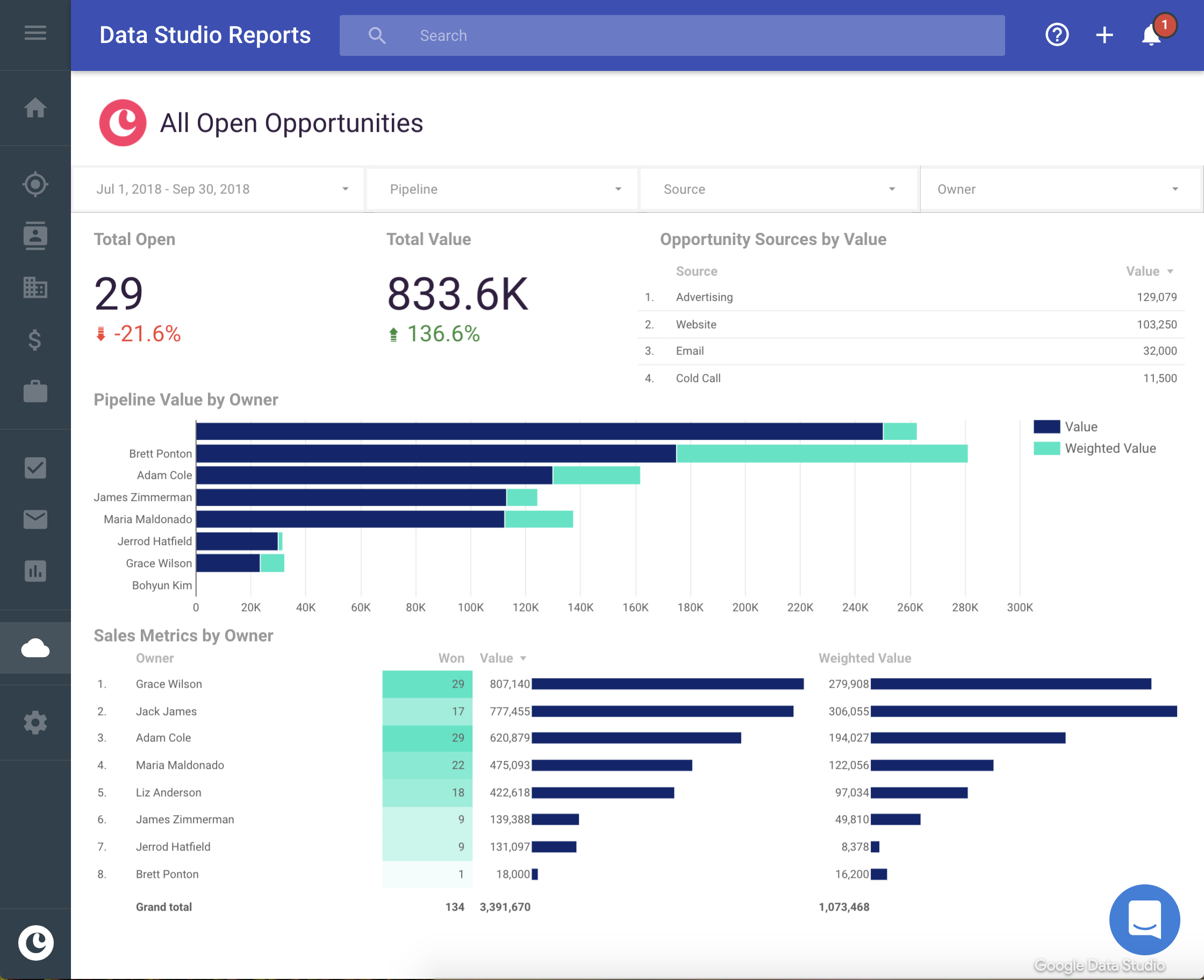
Image source: copper.com
Key features
- Seamless Google Workspace integration.
- Automatic contact tracking from Gmail and Calendar.
- Real-time pipeline and task visualization.
- Custom fields for service and maintenance tracking.
- Easy automation for follow-ups and reporting.
Best for: Renewable energy startups and small utility providers leveraging Google Workspace.
Pricing
Basic plan starts at $23/user/month; Business plan adds workflow automation and analytics.
11. Bitrix24: Utilities and team collaboration
Bitrix24 is an all-in-one CRM and team collaboration suite that fits distributed utility operations. With built-in document management, chat, and task tracking, it allows utilities to manage service requests and communication efficiently. Its customizable CRM dashboard enables tracking of projects, field activities, and team performance. Bitrix24's cloud and on-premise deployment options offer flexibility for organizations with strict data governance needs.
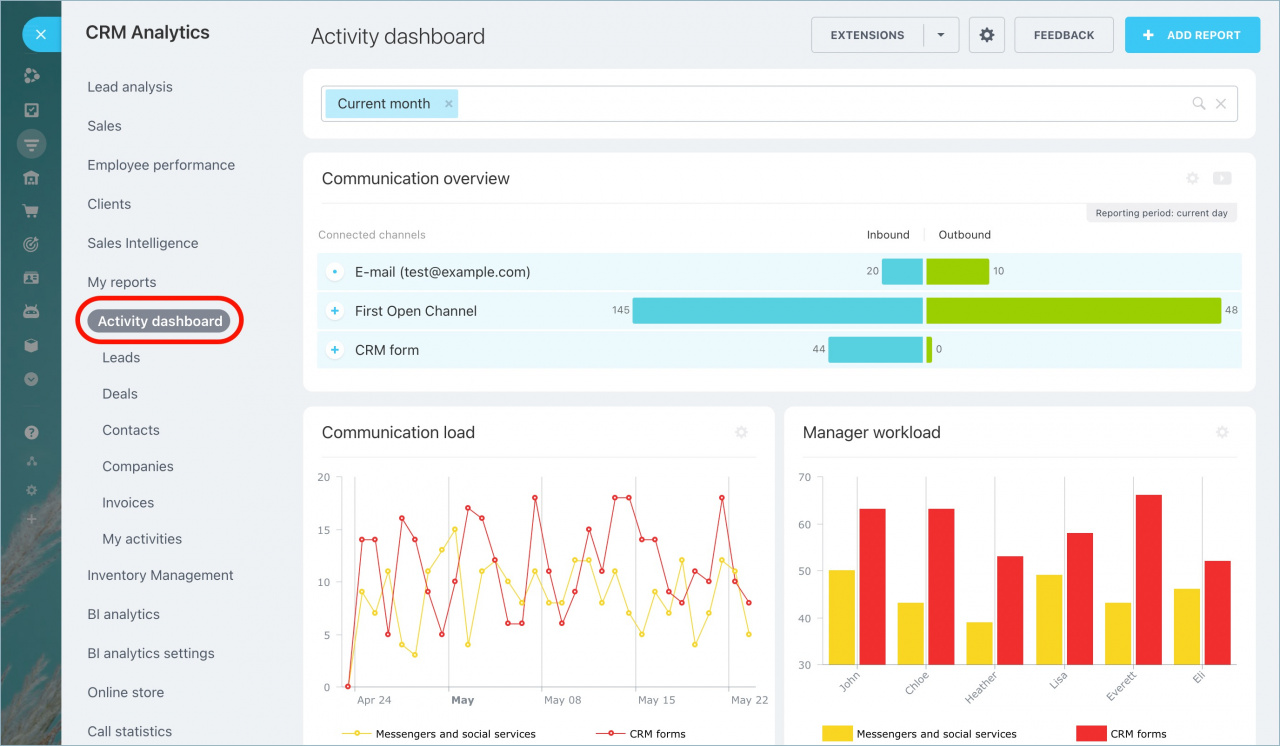
Image source: bitrix24.in
Key features
- Built-in CRM, chat, and task management tools.
- Customizable dashboards for project tracking.
- Document storage and version control.
- Field coordination via mobile access.
- Integration with telephony and email systems.
Best for: Distributed utility companies needing CRM, communication, and collaboration in one suite.
Pricing
Free plan for basic CRM; paid plans start at $49/month for growing teams.
12. Kylas CRM: Scalable and affordable solution
Kylas CRM is a scalable, SMB-focused platform popular among regional utility boards and local service organizations. It offers customized pipelines for service tracking, asset management, and complaint resolution. Kylas supports multi-department access with role-based permissions, ensuring operational transparency. Its affordability and localized support make it ideal for small utilities in emerging markets.
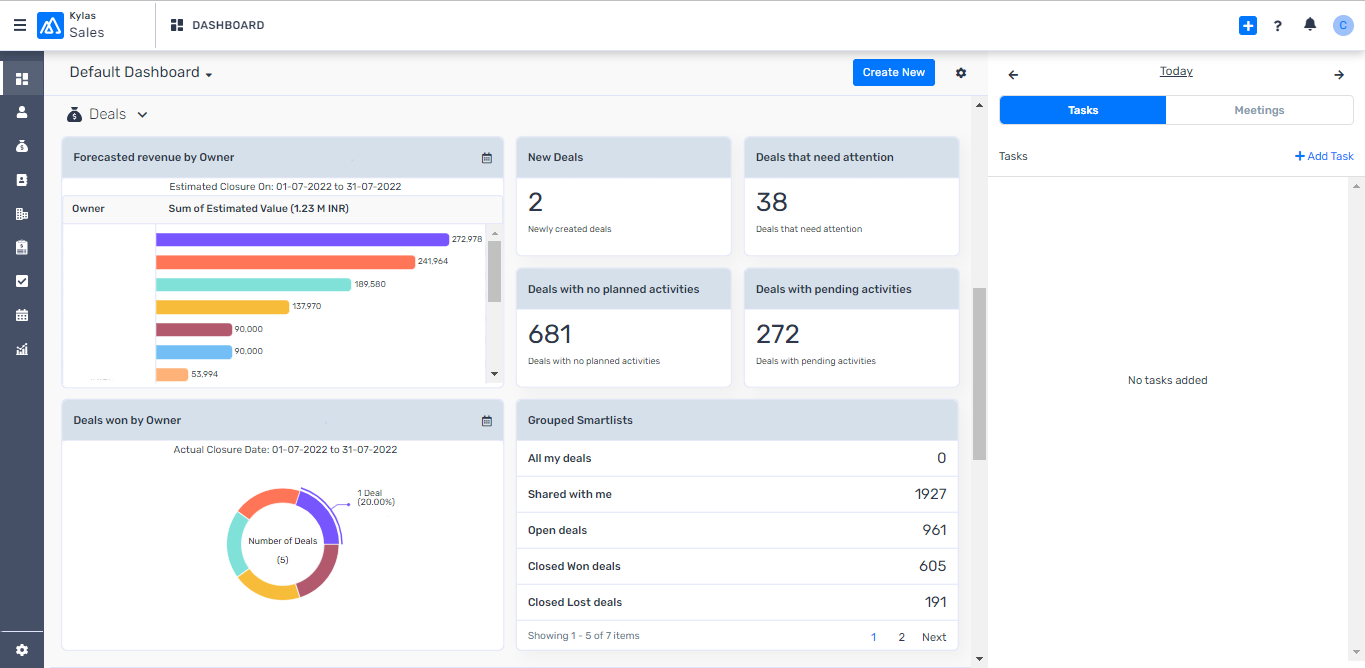
Image source: kylas.io
Key features
- Custom pipelines for utility-specific workflows.
- Integrated dashboards for service performance.
- Role-based access controls.
- Automation for task assignments and notifications.
- Localized support and training resources.
- Best for: Regional or municipal utilities looking for an affordable CRM with local support.
Pricing
Flat pricing at $25/user/month, with all features included.
Utilities use-case walkthrough
Let's explore how a CRM supports a typical day in a utility operation:
- Issue reporting: A customer experiences a power outage and submits a report via the customer portal. The CRM automatically logs the incident, assigns a case number, and notifies the relevant service team.
- Team dispatch: The system identifies the nearest field technician through GPS data and dispatches a work order instantly. For instance, Lark Base (or a similar workflow system) ensures that all updates and checklists are accessible via mobile.
- Real-time tracking: Field teams update job progress directly from their devices. Supervisors can monitor live status, access historical service data, and predict completion time.
- Customer updates: Once the issue is resolved, the CRM automatically sends a confirmation and feedback request to the customer through or email.
- Compliance logging: The entire interaction from report to resolution is recorded for internal audits and regulatory compliance.
- Performance insights: Analytics dashboards summarize service timelines, outage patterns, and technician efficiency, helping decision-makers refine future operations.
This workflow eliminates manual coordination, improves accountability, and enhances transparency, resulting in higher service reliability and customer satisfaction.
Challenges, best practices, and recommendations
Common challenges:
- Integrating with legacy billing or meter systems.
- Data migration and cleanup.
- Field staff adoption and mobile usability.
- Maintaining security and regulatory compliance.
Best practices:
- Start with clear goals and a phased rollout.
- Choose a cloud-based, mobile-friendly CRM.
- Automate routine processes like ticketing and approvals.
- Invest in user training for adoption success.
Recommendation:
If your goal is to unify communication, workflow automation, and data management in one platform, Lark offers the right balance of simplicity and capability, making it an ideal choice for modern utility operations.
Conclusion
A well-implemented CRM for utilities can revolutionize operations by unifying customer data, automating workflows, and improving service reliability. When choosing a CRM, prioritize scalability, integration flexibility, and mobility for your teams. Established enterprise systems like Salesforce, Oracle, and SAP offer deep industry solutions.
However, if your organization values real-time collaboration, affordability, and simplicity, Lark is a standout choice designed to connect people, data, and processes seamlessly. Take the first step toward smarter operations and stronger customer relationships today.
FAQs
Can a generic CRM be adapted for utilities?
Yes, generic CRMs can be customized for utilities, but may require additional modules for billing, outage tracking, and regulatory reporting. Industry-specific CRMs like Lark, Salesforce, and Oracle offer pre-built utility templates to reduce setup time.
How does CRM integrate with meter/billing systems?
CRMs integrate with Customer Information Systems (CIS) and meter data management platforms via APIs or middleware. This ensures meter readings, usage analytics, and billing cycles are automatically synchronized for accuracy and compliance.
Is field service scheduling part of utilities CRM?
Yes. Field service scheduling is central to utility operations. CRMs use AI-based dispatch tools to allocate technicians efficiently, track real-time locations, and provide visibility into task progress.
What is the ROI for CRM in utilities?
Utilities typically see ROI through reduced downtime, improved service response, and higher customer satisfaction. Automation reduces manual workload, while predictive analytics prevent outages and optimize maintenance.
How long is the implementation in the utilities context?
Implementation varies based on scale. Small utilities can deploy a CRM within 4–6 weeks, while large enterprises may take 3–6 months due to integration and compliance needs.
Related reading
Table of contents
Start using Lark today

Manage all your work in one place
Boost team efficiency by 10x
Save up to 70% on software costs
Table of contents
Start using Lark today
Manage all your work in one place
Boost team efficiency by 10x
Save up to 70% on software costs
Keep reading









2026 Lark Technologies Pte. Ltd.
Headquartered in Singapore with offices worldwide.






Explore: