














CRM Hosting: Definition, Benefits & Modern Alternative

Ryan Tanner
Product Marketing Specialist
Sep 18, 2026
Ryan Tanner
Sep 18, 2026

16 min read


Customer management platforms have grown from simple on-device tools to flexible digital systems that allow businesses to centralize contacts, pipelines, transactions, communication history, and workflow activities. This shift introduced an important concept called CRM hosting, which refers to the location and method by which a CRM system resides, operates, and is accessed by various users within an organization. The hosting environment has a real influence on performance, compliance, cost, scalability, maintenance, access controls, and long-term digital strategy. Many organizations compare cloud-hosted CRM and self-hosted CRM as they attempt to balance custom control and operational convenience.
In recent years, modern collaboration platforms have also begun offering CRM-style capabilities within unified environments that combine messaging, documents, workflow, automation, email, project management, and data systems. Lark is one such platform that appears later in this guide as an alternative direction where teams can manage CRM style data without the complexity of traditional hosting.

What is CRM hosting?
CRM hosting refers to the environment in which a CRM application is deployed, stored, processed, secured, and accessed by end users, either through private networks or online platforms. In simple words, it means how your company manages and deploys CRM software, pipelines, and data. The concept became important as industries realized that the hosting location affects security, configuration freedom, operational effort, and long-term ownership.
Cloud hosted CRM systems are managed by the vendor, while some self-hosted CRM systems require local server setup, hardware investment, and continuous maintenance from internal IT teams. Many businesses also select external CRM hosting services when they need professional hosting without building their own infrastructure. Hosting decisions have a long-term effect and must be aligned with risk tolerance, compliance requirements, collaboration patterns, and business growth plans.
Types of CRM hosting
Organizations can choose between cloud-hosted, self-hosted, third-party hosted, and dedicated hosting environments based on business size and digital maturity. Some teams select vendors that specifically offer Sugar CRM hosting to retain customization with professional hosting support. Others adopt enterprise-grade external hosting models such as Microsoft CRM hosting (Microsoft Dynamics CRM hosting actually) for integration-friendly, secure, and globally scalable environments.
Cloud-hosted CRM
Cloud-hosted CRM runs on external servers, fully managed by the software provider, and is accessed through secure online platforms via browsers or mobile devices. This model emphasizes flexibility, simplicity, and rapid deployment, eliminating the need for internal server setup or a complex technical environment. Many fast-growing companies adopt this option due to lower upfront investment and global access capability. It benefits teams that prioritize collaboration, mobility, and modern workflow adoption.
Key features:
- Maintenance, patching, upgrades, monitoring, and backups are handled by the vendor team
- Subscription-based pricing lowers entry barriers for smaller or medium-sized teams
- Allows instant scale without requiring physical hardware expansion
- Supports remote work and multi-location field operations
- Uptime and speed are handled using vendor infrastructure investments
Self-hosted CRM (On-premise CRM)
Self-hosted CRM is installed and operated on the organization's own servers, either on-site or inside a private data center. This model gives full authority over system configuration, database control, security architecture, and custom workflow development. It is chosen by organizations that require specific rules for sensitive information, legal data boundaries, or regulated deployment conditions. Although it offers maximum customization, it requires heavy internal responsibility and a skilled IT team.
Key features:
- Full data ownership and access to system-level configuration
- Hardware, storage, networking, and uptime remain internal responsibilities
- Requires dedicated technical staff for updates and failure handling
- Suitable for controlled and offline environments if required
- Best for organizations with strict compliance or internal data governance
Third-party CRM hosting providers
Third-party CRM hosting involves outsourcing server management to specialized hosting companies that support systems such as legacy CRMs, open source CRMs, or licensed enterprise CRMs. It provides a balance between custom control and outsourced technical workload while retaining flexibility over configuration. Companies using older systems, such as SugarCRM or Dynamics-based installations, select this method when they do not want to maintain physical servers but also do not want to be dependent on a complete SaaS model.
Key features:
- Reduces hardware investment while retaining installation level control
- Supports legacy and open source CRM frameworks
- Providers offer customized hosting packages based on performance requirements
- Flexible infrastructure choice, including regional data storage
- Suitable for a gradual transition to modern software environments
Dedicated CRM hosting
Dedicated CRM hosting provides a full private server resource exclusively assigned to one organization rather than shared infrastructure. Providers like Cherry Servers deliver bare metal dedicated servers that give organizations full hardware-level control and consistent performance for CRM workloads that cannot tolerate resource contention. It is often selected by large teams needing uninterrupted performance, heavy analytics load, or complex system customization. This option gives predictable performance capacity without resource competition from other tenants. It is more expensive than shared cloud but aligns with performance-critical environments.
Key features:
- Exclusive server resources for heavy CRM workloads
- Predictable performance and capacity planning
- Supports mission-critical or large database operations
- High uptime expectations for multi-branch usage
- Higher cost due to fully reserved hardware and management contracts
Hosted CRM vs. self-hosted CRM: Key differences
This comparison table outlines key operational differences, enabling decision-makers to clearly understand the associated commitments for each option.
Benefits of cloud CRM hosting
This section highlights the advantages of cloud CRM hosting for growing teams and digital businesses that value ease of use, speed, and remote collaboration.
- Reduces upfront cost because no internal hardware purchase or infrastructure planning is required
- Allows rapid onboarding of users and departments without the delay associated with installation
- Enables secure remote work and collaboration across different geographic locations
- Vendor handles server, monitoring, optimization, and performance tuning. Choose a reliable managed hosting provider: If your business requires more control than a typical SaaS CRM while avoiding the overhead of managing infrastructure yourself, solutions like ScalaHosting Managed Cloud Hosting offer scalable cloud resources, a 99.9% uptime guarantee, NVMe storage, built-in SShield Security, and free website migration—helping businesses maintain secure and high-performing CRM environments as they grow.
- Supports automatic updates without disruption to business continuity
Benefits of self-hosted CRM
This section provides reasons why some organizations still select self-hosted CRM even when cloud CRM adoption continues to grow across industries.
- Control over sensitive data policies without external dependency
- High customization flexibility for specialized business workflows
- Ability to operate offline or in isolated, controlled network environments
- Supports enterprise-specific system architecture planning
- Lower subscription pressure for organizations with large long-term user counts
Meet Lark: A modern solution to traditional CRM hosting
Lark offers a modern workspace approach that enables teams to manage CRM data, communication, documentation, and workflow activities in one centralized location. It removes the traditional hosting burden by offering ready-to-use tools that eliminate the need for server setup, maintenance tasks, and technical overhead. Users can build custom CRM-style databases, communicate in real-time, automate follow-ups, and collaborate directly on customer records.
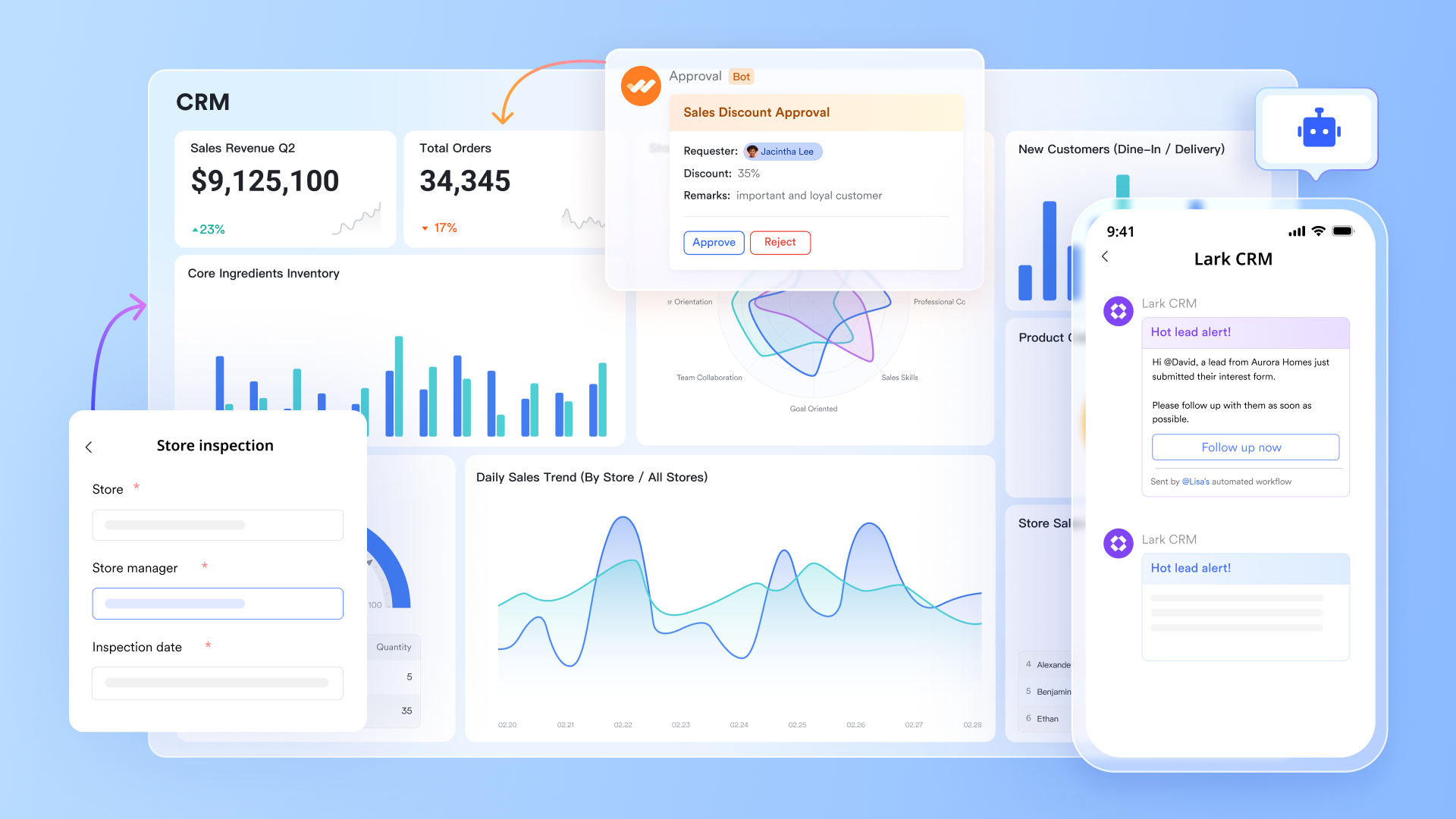
Unified workspace for sales and customer operations
Lark combines messaging, email, meetings, calendar, documents, tasks, and workflow tools into a single workspace, eliminating the need for multiple platforms. Information remains organized around actual work rather than scattered across chats, drives, or separate apps. Customer conversations can stay linked to tasks, deals, and documents inside the same environment. This helps teams make decisions faster with full context visible in one place.
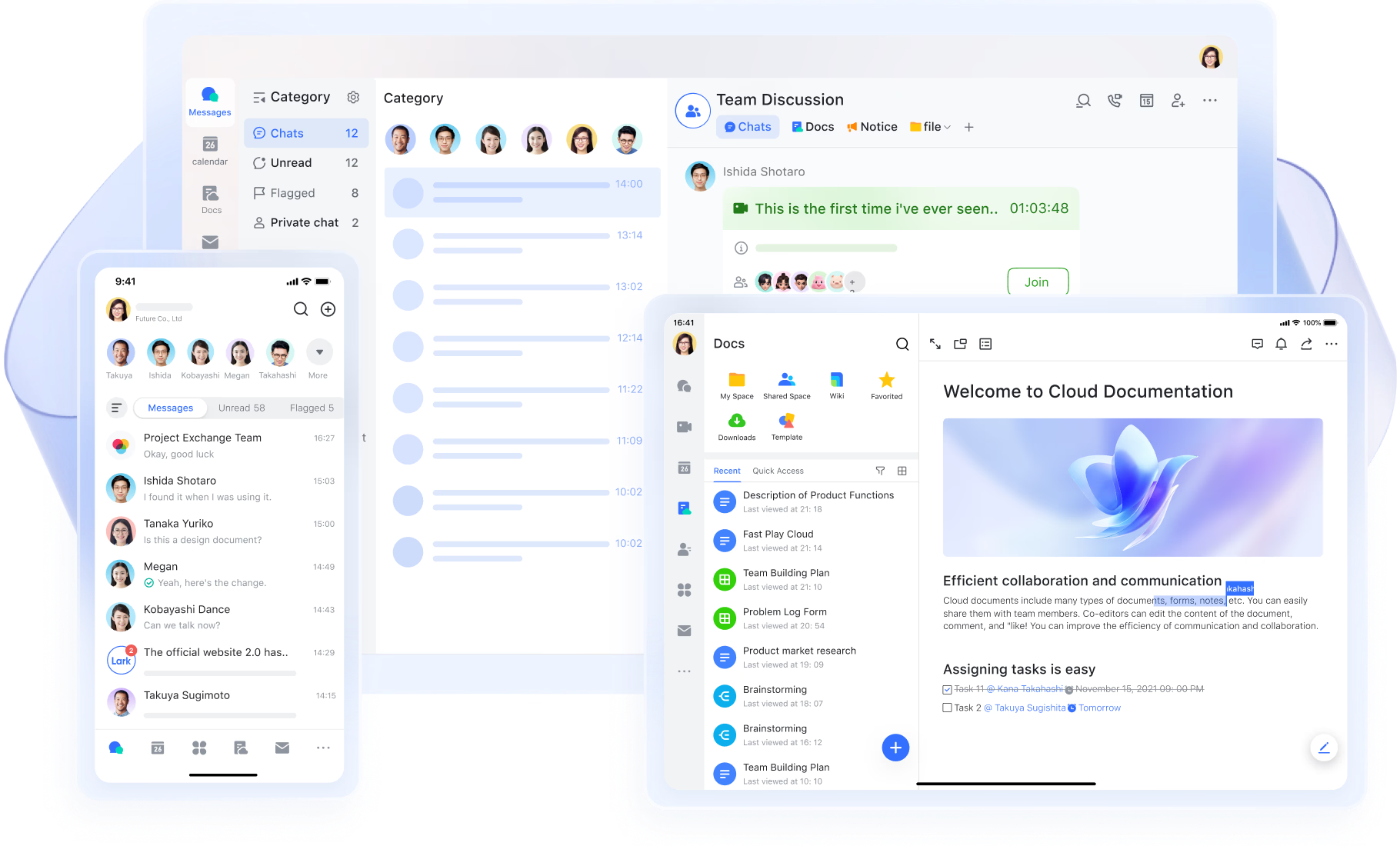
Sync, track, and manage all data in a flexible CRM system
Lark Base allows users to design CRM style tables, forms, dashboards, and linked records tailored to their business needs. It supports pipelines, customer records, renewal tracking, deal movement, and service follow-ups without requiring traditional database skills. Users can collaborate directly on records through comments, tagging, and real-time editing. This makes CRM style data management adaptable for different business sizes and operational models.
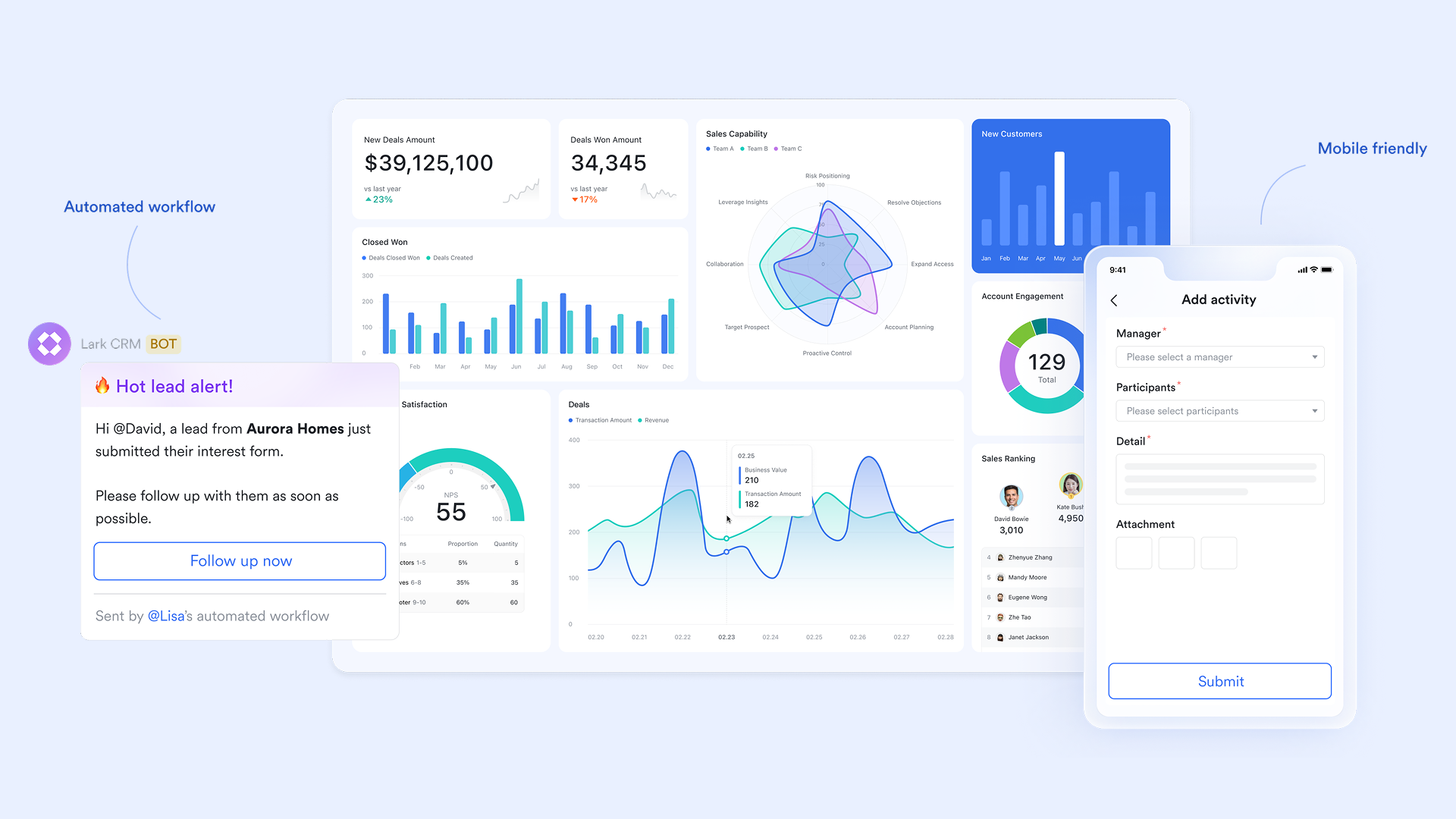
Lightweight app to simplify CRM and follow updates from anywhere
Many teams end up using separate platforms for CRM data, document creation, communication, meetings, file sharing, and project tracking, resulting in tool switching and scattered information. Lark offers Work Mini Apps, where daily operations, collaboration, and customer-related information stay connected, rather than being spread across different apps. Configuring Work Mini Apps in Lark is flexible and straightforward, allowing you to meet various business needs such as store inspections, customer relationship management (CRM), inventory checks, and strategy implementation. This approach helps users focus on execution rather than managing multiple subscriptions and platforms.
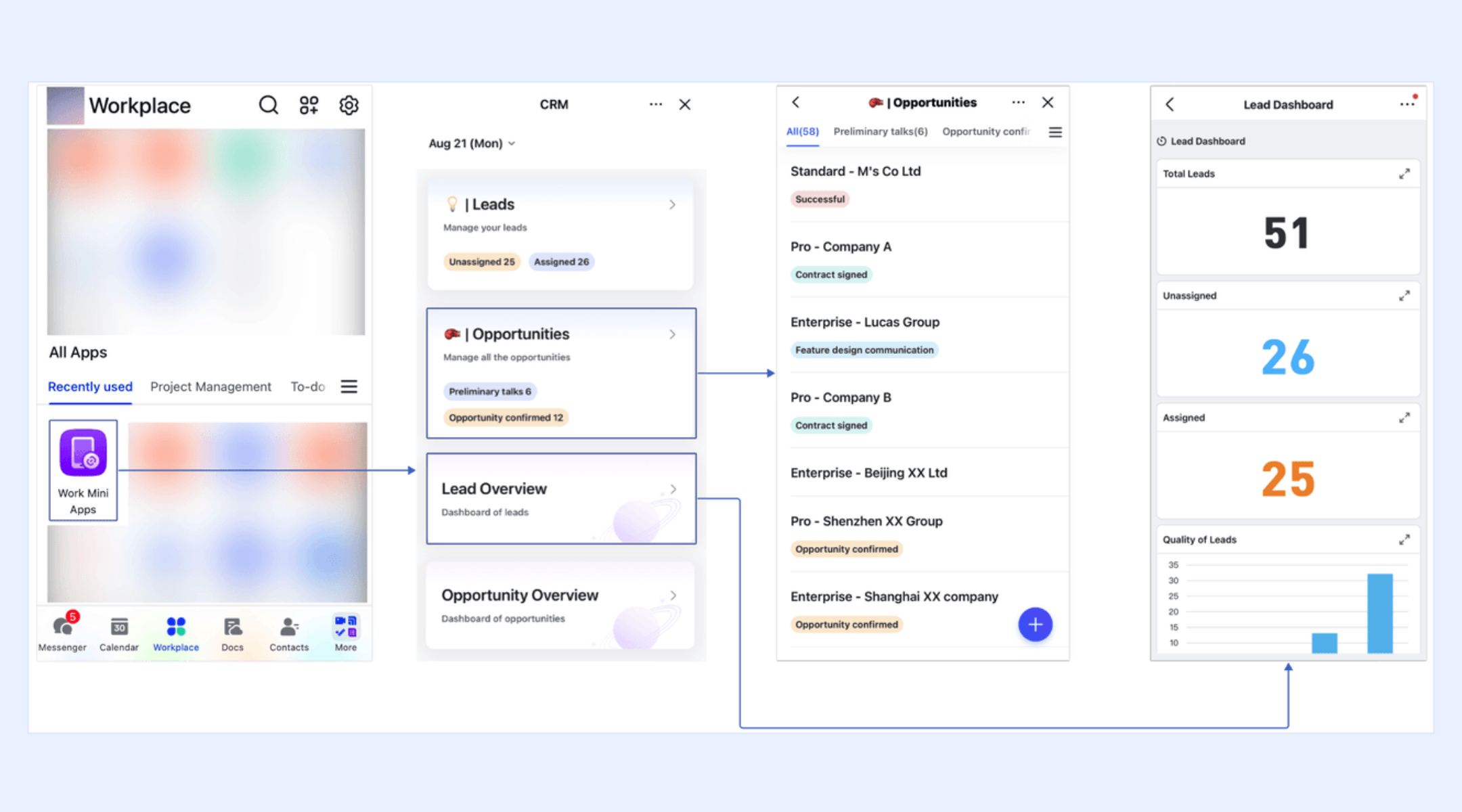
Real-time communication connected to customer data
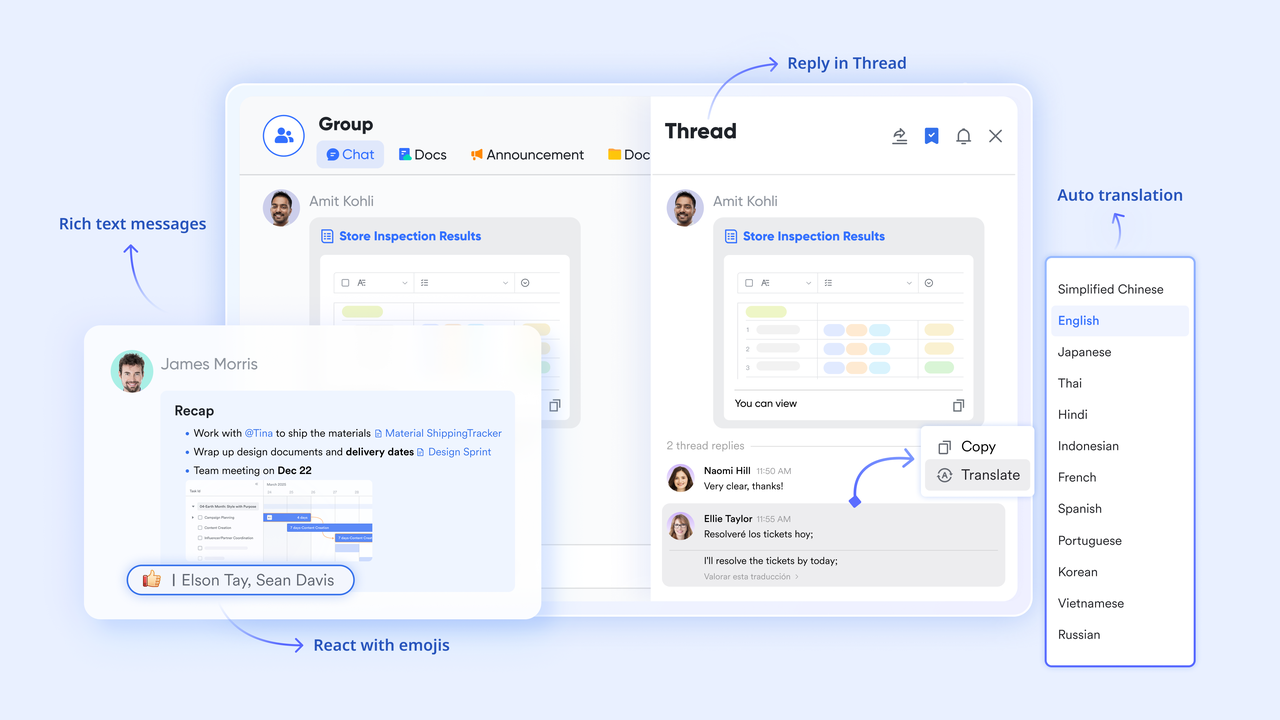
Lark Messenger connects chat threads with documents, workflow items, and records so conversations always stay linked to the right information. This prevents data loss caused by external chat apps or screenshots shared outside the system. Team members can view the communication history right beside the work item being discussed. It creates a focused work environment where context is never separated from data.
Automated workflows for deal tracking and customer handoffs
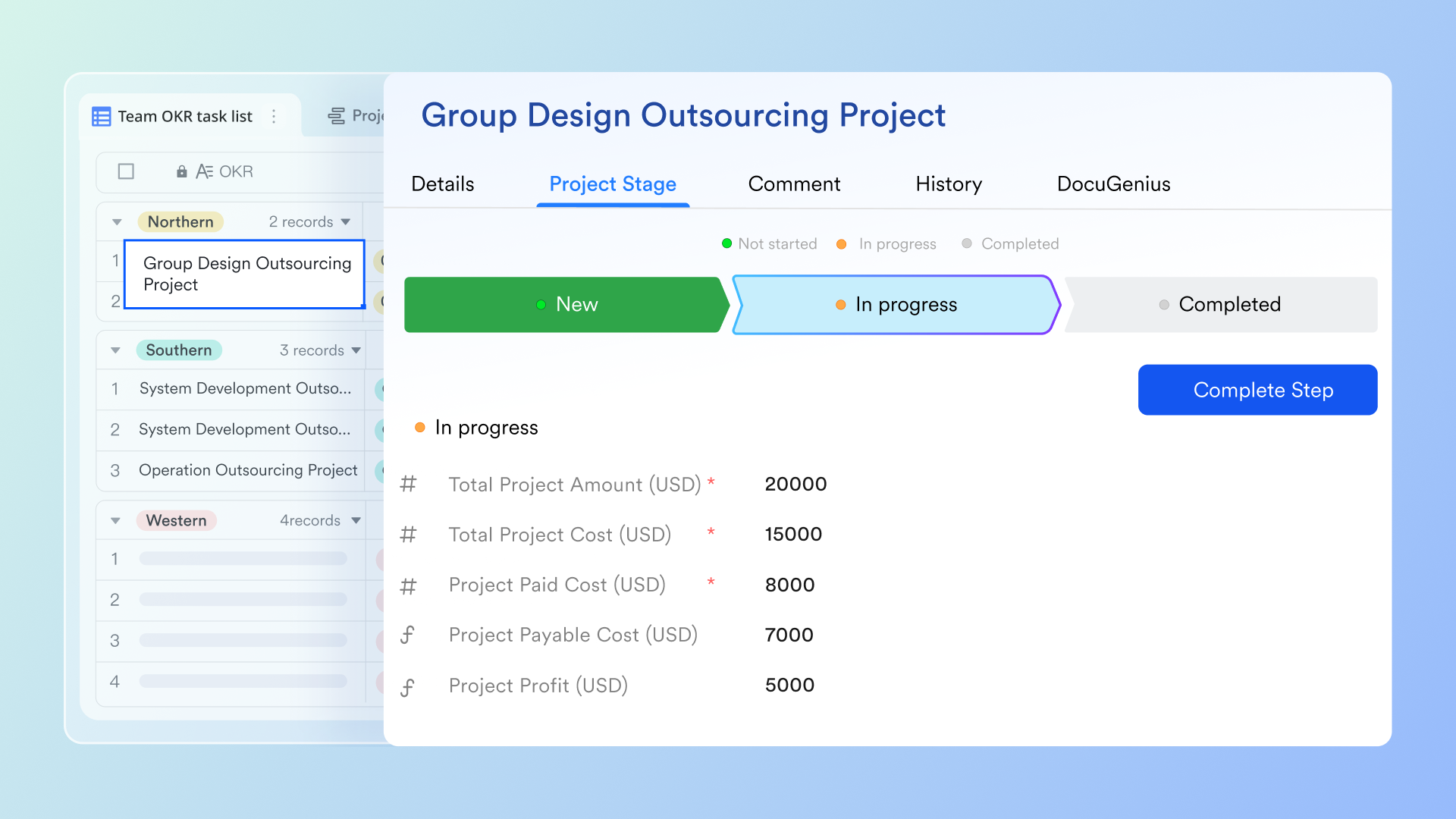
Lark Base workflow tools help create automated steps that update records, assign tasks, trigger follow ups, send reminders, and escalate stalled progress. Teams can build flows visually without relying on scripts or technical configuration. This supports predictable execution, reduces manual tracking, and ensures continuity across stages. It also improves accountability by standardizing what happens at each milestone.
- Starter plan: Free forever plan that includes 11 powerful tools for up to 20 users. It also comes with 100GB of storage, 1000 automation runs, AI translations, and more.
- Pro plan: $12/user/month (billed annually) for up to 500 users. It includes everything in Starter plus group calling for up to 500 attendees, 15TB of storage, 50,000 automation runs, and more.
- Enterprise plan: Contact sales for custom pricing. Supports unlimited users and includes even more automation runs and advanced security, compliance, and management features.
How to choose the right CRM hosting model
Organizations should evaluate hosting using long-term strategic planning rather than short term cost reasoning.
- Assess compliance requirements: Examine data residency regulations, industry-specific controls, and any limitations imposed by external hosting providers. Ensuring compliance upfront reduces legal and operational risks.
- Review internal IT capability: Evaluate your team's ability to handle troubleshooting, infrastructure planning, and support coverage. Organizations with limited IT resources may benefit from managed or cloud-hosted solutions.
- Consider collaboration patterns: Analyze how teams work across departments, remote locations, and field operations. Hosting decisions should support seamless collaboration and communication.
- Evaluate scalability goals: Factor in anticipated pipeline expansion, growing data volumes, and the adoption of automation. Your hosting solution should accommodate growth without disruptive upgrades.
- Compare costs strategically: Weigh subscription-based pricing models against the total cost of ownership for infrastructure, staffing, and ongoing maintenance. Long-term ROI often favors hosted solutions.
- Think about migration challenges: Consider potential future platform changes. Minimizing data migration complexity ensures smoother transitions and less operational disruption.
Advantages of modern hosted CRM platforms over legacy hosted systems
Modern ecosystems, such as Lark, have changed expectations by focusing on collaboration, automation, AI, and unified workspace environments. These platforms reduce fragmentation and allow teams to run daily work in one place instead of switching between multiple disconnected systems.
- Improved performance: Vendor-managed infrastructure ensures optimized performance through global server distribution, automatic load balancing, and continuous monitoring. Users experience faster response times, higher uptime, and more reliable access compared to on-premises legacy systems.
- AI-driven insights and automation: Advanced AI capabilities enable predictive analytics, lead and opportunity scoring, sales forecasting, workflow recommendations, and intelligent search. These tools enable teams to make data-driven decisions and prioritize work effectively, saving time and enhancing revenue potential.
- In-platform communication and collaboration: Integrated chat, comments, notes, and record sharing enable team members to collaborate in real-time without leaving the CRM. This reduces email clutter, avoids duplicate work, and ensures everyone is aligned on customer interactions and project updates.
- Strong mobile and hybrid work support: Modern CRMs offer robust mobile apps with full functionality, enabling field teams, remote workers, and hybrid teams to access records, update tasks, and communicate effectively from anywhere. This mobility supports faster decision-making and enhances customer responsiveness.
- Faster release cycles with zero downtime: Continuous delivery and cloud deployment models allow providers to release new features, enhancements, and security updates without interrupting operations. Teams always have access to the latest tools, maintaining a competitive advantage and operational efficiency.
- Unified workspace environment: By centralizing sales, marketing, support, and operational data in a single platform, modern CRMs eliminate data silos and streamline workflows. Users can manage pipelines, track customer interactions, and automate routine tasks in one place, improving accuracy and collaboration.
- Scalable and flexible architecture: Modern CRMs can grow with the organization, handling increasing user counts, data volume, and process complexity without expensive hardware upgrades. Flexible subscription models also make scaling predictable and cost-efficient.
- Enhanced security and compliance: Cloud providers implement enterprise-grade security measures, regular audits, and compliance certifications. Modern CRMs often surpass the security capabilities of legacy in-house systems, ensuring customer and business data is protected.
- Ecosystem integration: With APIs, native integrations, and marketplaces, modern CRMs connect seamlessly to other business applications. This creates a connected ecosystem where data flows smoothly across tools, enhancing productivity and operational intelligence.
Conclusion
CRM hosting remains an important decision when choosing between cloud environments, private servers, or third-party hosting companies. The decision is more than a technical checklist because it affects budget, compliance, workflow, access models, and scaling strategy. Cloud-based CRM provides convenience and speed, while self-hosted CRM provides control and customization freedom. Third-party hosted CRM offers a moderate middle path for legacy system users. Today, modern unified platforms like Lark provide another direction where CRM style data work can coexist with communication, documentation, automation, and project management. Organizations should evaluate hosting along with digital workplace planning rather than in isolation.
FAQs
Is hosted CRM suitable for small businesses?
Hosted CRM suits small and growing businesses because it removes server installation and maintenance responsibility. The subscription model keeps cost manageable and teams can start quickly without waiting for infrastructure deployment. Many small teams eventually explore unified platforms like Lark which offer CRM style records and collaboration in one environment for simpler daily operations.
What security features should I look for in a CRM hosting provider?
Security checks should include encryption, backup frequency, access controls, compliance certifications, and incident response capability. Managed cloud providers usually invest heavily in continuous monitoring and data protection. Some businesses begin exploring platforms like Lark later because collaboration, messaging, data management, and workflow systems stay inside one environment which reduces tool fragmentation risk.
Can I migrate from a self-hosted CRM to a cloud-hosted CRM?
Migration is possible if data is cleaned, structured, and mapped properly before moving. Scheduling test migration cycles helps avoid data loss and misaligned fields. Many teams eventually Cons:ider modern workspace platforms like Lark where CRM style data sits next to communication and docs, which simplifies information flow after migration is complete.
Does hosted CRM allow offline access?
Hosted CRM usually performs best with internet access although some platforms offer offline caching for limited actions. Offline performance depends on the specific vendor product and app design. Some businesses evaluate platforms like Lark for ongoing usage because they offer multi-tool continuity, which reduces the need for extra offline apps.
How often should CRM data be backed up in a hosted environment?
Daily or automated backups are recommended for business critical customer information. Cloud vendors often include automatic backup systems and retention timelines. Teams using modern platforms like Lark reduce manual backup tasks because content is maintained inside a managed collaborative workspace rather than multiple disconnected systems.
Related reading
Table of contents
Start using Lark today

Manage all your work in one place
Boost team efficiency by 10x
Save up to 70% on software costs
Table of contents
Start using Lark today
Manage all your work in one place
Boost team efficiency by 10x
Save up to 70% on software costs
Keep reading









2026 Lark Technologies Pte. Ltd.
Headquartered in Singapore with offices worldwide.






Explore: