














CRM Implementation: Step-by-Step Guide to a Successful Rollout in 2026

Ryan Tanner
Product Marketing Specialist
Sep 18, 2026
Ryan Tanner
Sep 18, 2026

20 min read


Scattered customer data, low adoption rates, and unclear accountability often undermine business growth. These challenges stem from poorly executed CRM rollouts. CRM implementation, short for customer relationship management implementation solves these issues by unifying workflows across sales, service, and marketing. Known globally as CRM implementierung (German) or implémentation CRM (French), it's more than software setup; it's a structured strategy.
In this comprehensive guide, we'll cover everything from what CRM implementation entails, the roles and responsibilities involved, the CRM structure, and a 10-step implementation plan, to common pitfalls to avoid. We'll also explore tools like ClickUp and how Lark can streamline the rollout. By the end, you'll have a roadmap to implement a CRM successfully in 2025.
What is CRM implementation
CRM implementation or customer relationship management implementation, is the structured process of planning, configuring, integrating, and adopting a CRM system within an organization. It goes far beyond simply installing software. True implementation ensures that the CRM aligns with business goals, supports daily workflows, and drives measurable A well-executed CRM implementation is not just about deploying software; it’s about creating a foundation for long-term success across sales, service, and marketing.
Why does CRM implementation matter
A structured rollout encompasses technology setup, CRM structure design, process mapping, user training, and adoption management, ensuring that teams can effectively utilize the system to achieve measurable business outcomes. When executed effectively, the benefits are substantial:
1. Better data quality and reduced duplicates
Clean, standardized customer data builds trust in the system. With deduplication and validation rules in place, every department works from the same accurate records.
- Example: A sales rep no longer wastes time calling the same prospect twice because duplicate leads were merged.
- Impact: Marketing campaigns reach the right audience, customer service avoids errors, and reporting becomes more reliable.
2. Consistent, automated processes
Automation ensures workflows are predictable and scalable, reducing human error and freeing teams from repetitive tasks.
- Example: When a lead moves to “Qualified," the CRM automatically assigns it to the right salesperson and triggers a follow-up reminder.
- Impact: Sales cycles accelerate, service SLAs are met, and marketing handoffs are seamless.
3. Clear ownership of leads, cases, and opportunities
Defined ownership ensures accountability and eliminates confusion over “who owns what.” Each record has a clear owner, reducing delays in follow-ups.
- Example: Customer complaints logged as cases are automatically routed to the assigned service rep, with escalation rules for unresolved tickets.
- Impact: Customers feel valued, sales opportunities aren’t missed, and team productivity increases.
4. Faster cycle times from lead-to-cash and case-to-resolution
By unifying processes across departments, businesses shorten the time it takes to close deals or resolve customer issues.
- Example: A B2B company reduced its average sales cycle from 60 to 40 days by automating approvals and streamlining pipeline stages.
- Impact: Faster revenue recognition, improved cash flow, and higher customer satisfaction scores.
On the other hand, poor execution can leave businesses with low adoption rates, duplicate records, broken workflows, and wasted investments. That's why understanding how to implement a CRM system strategically is critical for long-term success.

Who owns CRM implementation
For successful CRM implementation, ownership and accountability must be clearly defined across different stakeholders. A CRM rollout is not just an IT project—it's a cross-functional transformation that touches every customer-facing team.
Key roles include:
- Executive sponsor: Provides vision, defines KPIs, allocates budget, and unblocks escalated issues. Without executive backing, adoption efforts often stall.
- Project lead / PMO: Oversees scope, timeline, dependencies, risks, and change control, keeping the rollout on track.
- Functional owners (sales, service, marketing): Translate business requirements into process definitions, create acceptance criteria, and guide training content.
- IT/data team: Ensures robust security, SSO/SCIM setup, integrations with existing tools, and smooth data migration.
- Enablement and change management team: Drives communications, builds training paths, certifies users, and manages the feedback loop for continuous adoption.
By clearly defining these responsibilities, we can ensure that no aspect of CRM software implementation remains unmanaged, thereby reducing the risks of misalignment or stalled adoption.
CRM structure and types to know
A CRM's design directly impacts how well it serves the organization. Understanding the CRM structure is essential when deciding how to implement a CRM effectively.
- Core objects: Accounts, leads, opportunities, and cases form the foundation of most CRM systems.
- Process layers: Pipelines, SLAs, and approvals define the flow of work and enforce accountability.
- Operational CRM: Optimizes daily sales, service, and marketing processes by streamlining workflows.
- Analytical CRM: Provides insights into customer data for better decision-making, forecasting, and segmentation.
- Collaborative CRM: Enhances communication between teams and departments to ensure seamless customer experiences.
- Strategic CRM: Focuses on building long-term customer value and loyalty rather than short-term transactions.
- AI-driven CRM: Leverages artificial intelligence to automate tasks, recommend next steps, and predict customer behavior.
By understanding these layers and CRM types, businesses can better decide what CRM implementation approach fits their needs and how to align system capabilities with growth strategies.
Quick overview of CRM implementation plan
Action | Pitfall if skipped |
Define business goals and KPIs | CRM lacks direction and ROI. |
Build the project team and governance model | Scope creep, delays, unclear ownership. |
Design the CRM data model and process maps | Leads/cases fall through cracks. |
Select the CRM and implementation approach | Wrong system choice → costly migration later. |
Prepare data | Dirty data erodes trust; users avoid CRM. |
Configure and customize | Over-complex CRM slows adoption. |
Integrate systems | Data silos and duplicate entries persist. |
Train and enable users | Users stick to old tools (Excel, email). |
Test and validate | Bugs discovered post-launch, causing frustration. |
Go-live and iterate | Adoption stalls; ROI falls short. |
Details of 10-step CRM implementation plan
Rolling out a CRM successfully requires a structured approach. Below is a comprehensive roadmap that ensures smooth adoption and measurable ROI.
Step 1: Define business goals and KPIs
The first step in CRM implementation is clarity of purpose. Before you even select a CRM, perform a CRM needs assessment to understand gaps in your current processes. Ask questions like:
- Do we want to shorten the sales cycle?
- Is improving customer service resolution time a priority?
- Are we focused on reducing churn or driving upsell revenue?
Example: A SaaS company set a goal to improve renewal rates by 15%. Their CRM dashboards were configured to track churn risk scores and customer health metrics.
Pitfall if skipped: Without clear goals, the CRM becomes a “glorified database” with no measurable ROI.
Step 2: Build the project team and governance model
A CRM rollout is a cross-functional effort. You'll need representation from leadership, IT, sales, service, and marketing. Define responsibilities using a RACI chart:
- Responsible: Project lead, CRM admin.
- Accountable: Executive sponsor.
- Consulted: Sales and service leaders.
- Informed: All end-users.
Example: A retail group created a governance council with monthly reviews, preventing scope creep and aligning priorities.
Pitfall if skipped: Decisions get bottlenecked or duplicated, leading to delays and user frustration.
Step 3: Design the CRM data model and process maps
The CRM structure is the backbone of usability. Work with business units to map out:
- Objects: Accounts, contacts, opportunities, cases.
- Pipelines: Sales stages, service workflows.
- SLAs: Response and resolution targets.
- Approvals: Who signs off on deals, budgets, or escalations.
Example: A healthcare provider mapped patient inquiries into a case pipeline with SLA alerts.
Pitfall if skipped: Leads and cases fall through cracks, creating poor customer experiences.
Step 4: Select the CRM and implementation approach
Match your business size, complexity, and resources to the right solution:
- Small businesses: Lightweight CRMs or using ClickUp as a CRM for pipelines and task automation.
- Mid-sized companies: Platforms like Lark, Zoho CRM, HubSpot, or Monday Sales CRM.
- Enterprises: Lark, Salesforce, Microsoft Dynamics, or SAP for advanced customization.
Decide whether to implement in-house, with a consulting partner, or a hybrid model.
Pitfall if skipped: Choosing the wrong CRM leads to expensive migrations later.
Step 5: Prepare data
Migrating dirty or duplicated data undermines adoption. Invest in:
- Profiling: Assessing data quality.
- Cleansing: Fixing incomplete fields.
- Deduplication: Removing duplicates.
- Enrichment: Adding missing info (e.g., firmographics, industry codes).
Example: A financial services firm reduced duplicate contacts by 25% pre-launch, improving marketing ROI.
Pitfall if skipped: Sales reps lose trust in CRM data and return to spreadsheets.
Step 6: Configure and customize
Start with an MVP (minimal viable product) to avoid over-complication. Configure:
- Fields that match real processes (not theoretical ones).
- Roles and permissions are aligned with responsibilities.
- Automations like lead assignments or escalation alerts.
- Dashboards tailored to KPIs defined earlier.
Example: A logistics company started with one pipeline, expanding later as adoption grew.
Pitfall if skipped: Over-customization increases training needs and slows adoption.
Step 7: Integrate systems
A CRM should be the single source of truth. Begin with essentials:
- Marketing automation (HubSpot, Marketo).
- Support tools (Zendesk, Freshdesk).
- Billing and CPQ.
Expand later to ERP, data warehouses, and analytics.
Example: An e-commerce brand integrated Shopify, Mailchimp, and its CRM for a unified customer view.
Pitfall if skipped: Teams work in silos, duplicating efforts.
Step 8: Train and enable users
CRM usability depends on training. Provide:
- Role-based learning paths (sales vs. service vs. marketing).
- Office hours and Q&A sessions.
- Playbooks and wikis for reference.
- Recognition for “CRM champions” driving adoption.
Example: A B2B firm trained managers first, who then coached their teams, boosting adoption to 92% in 3 months.
Pitfall if skipped: Users revert to old habits, undermining ROI.
Step 9: Test and validate
Run User Acceptance Testing (UAT) before launch. Check for:
- Data accuracy after migration.
- System performance under load.
- Security controls and role-based permissions.
Example: A telecom company tested their CRM with 50,000 records, catching indexing issues before go-live.
Pitfall if skipped: Bugs only surface post-launch, causing user frustration.
Step 10: Go-live and iterate
Go-live is not the end—it's the beginning. Best practices:
- Use a hypercare period (4–8 weeks) with extra support.
- Collect feedback via surveys and Slack/Teams channels.
- Run quarterly reviews of KPIs, adoption, and ROI.
- Build a backlog of enhancements for future releases.
Example: A logistics firm resolved 180 feedback items in the first six weeks, building user trust.
Pitfall if skipped: Without iteration, adoption plateaus, and ROI falls short.
How Lark helps your CRM rollout
While many businesses rely solely on traditional CRMs, they often overlook the collaboration layer that drives adoption and efficiency. This is where Lark stands out. More than just a messaging app, Lark is an all-in-one platform that combines communication, project management, and automation, making it a powerful companion for CRM system implementation.
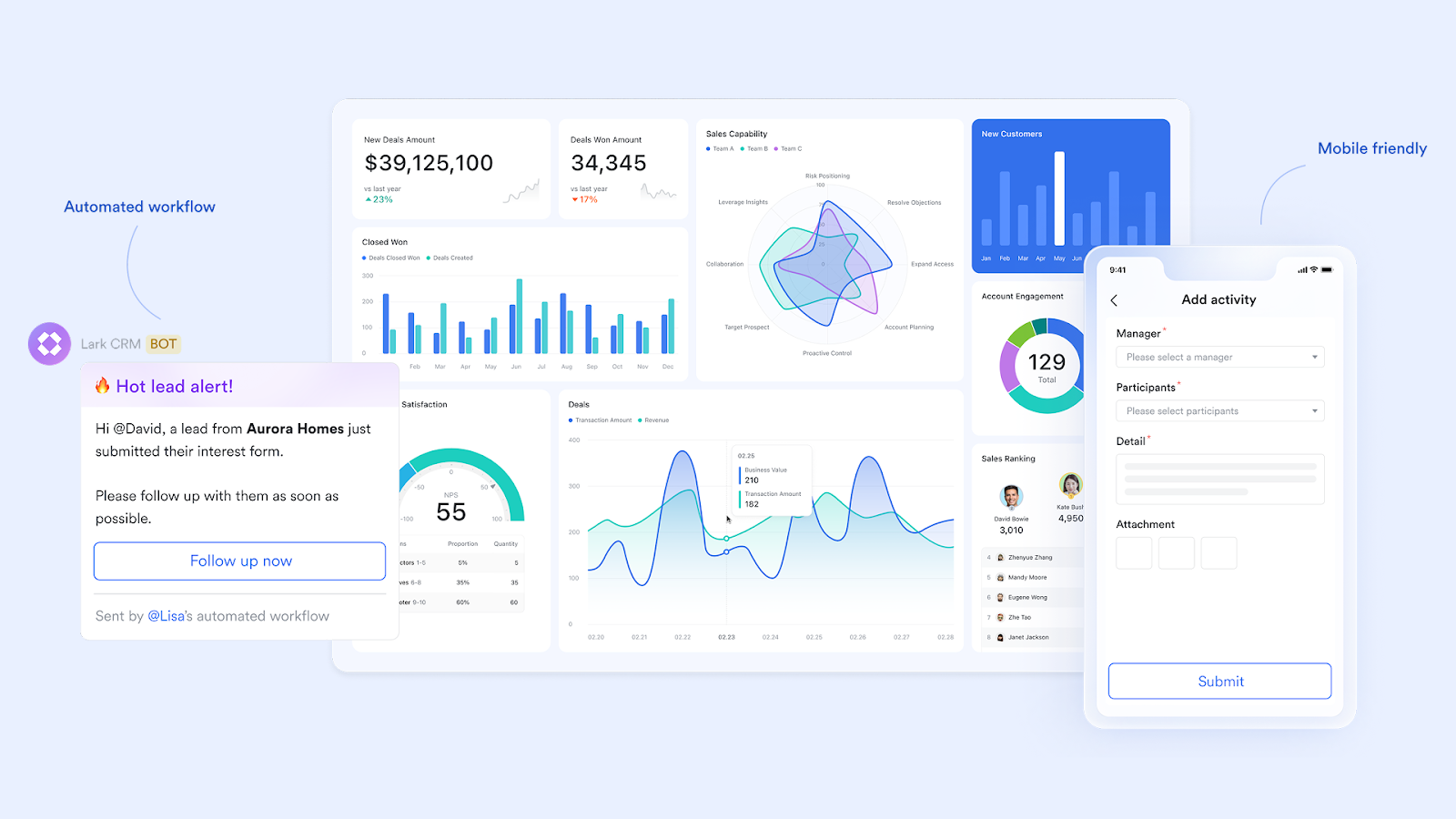
Key features:
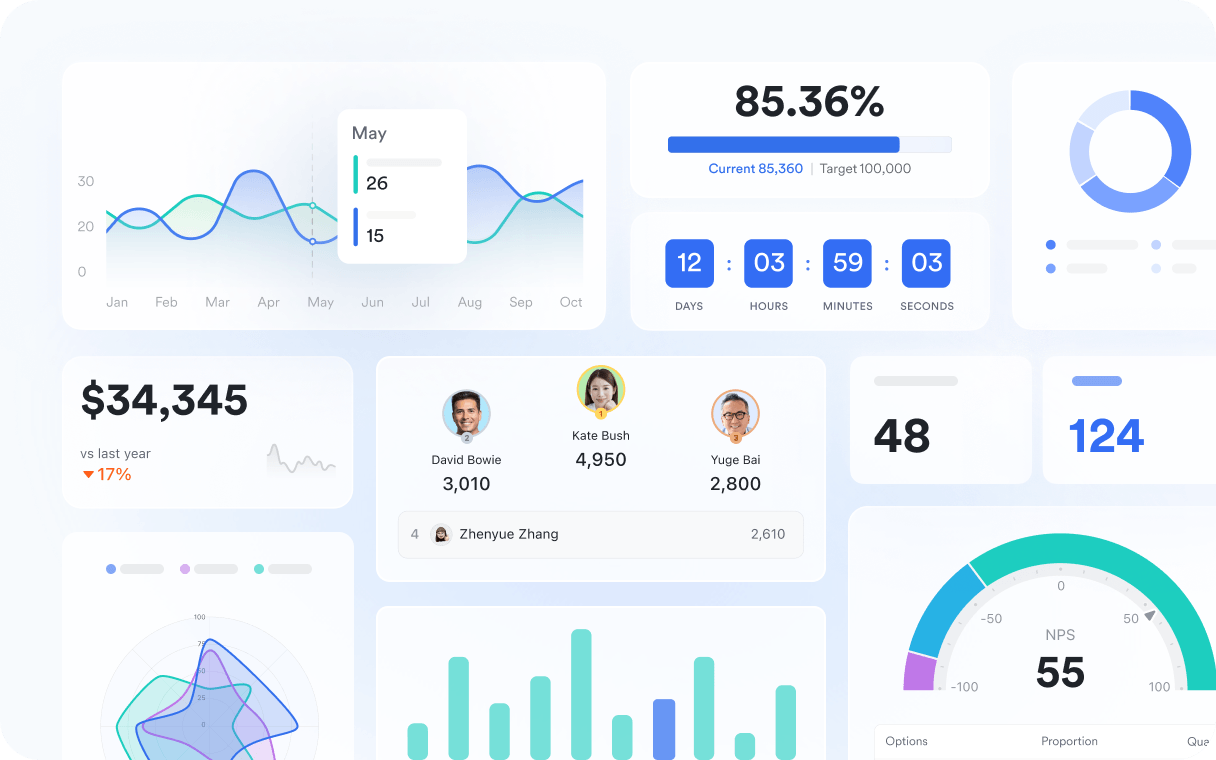
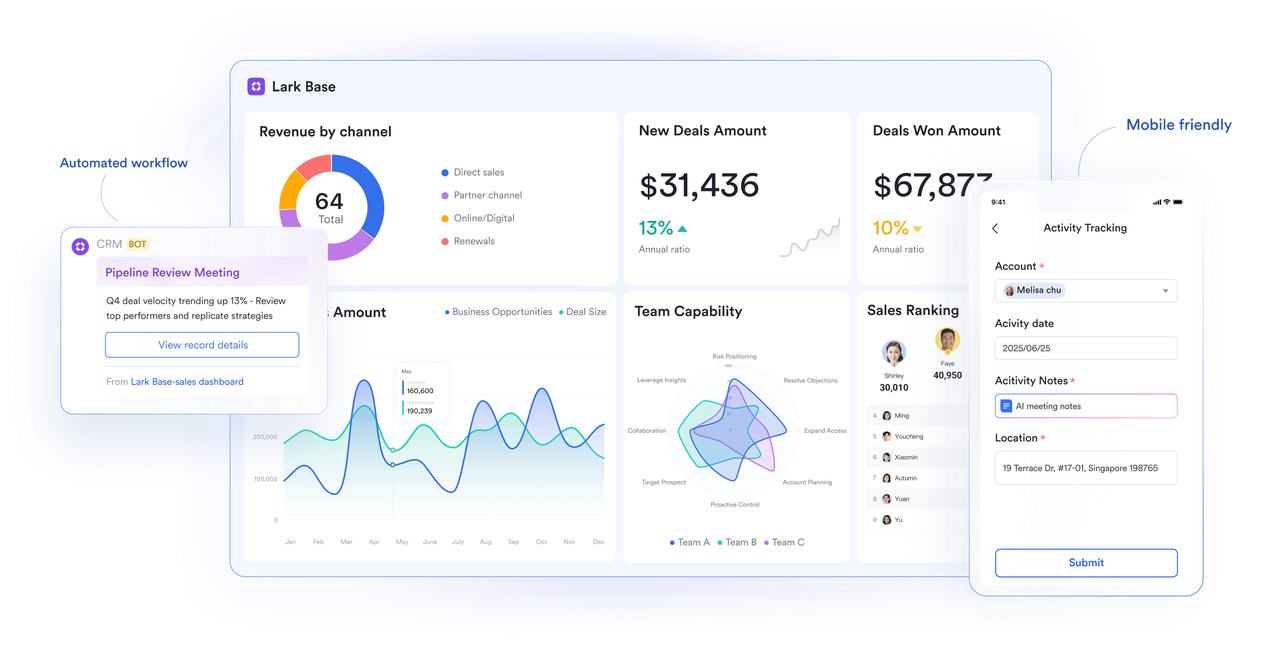
Base views and automation: Lark Base module provides flexible visualization of data through Kanban, Gantt, and list views, making it easy for teams to manage sales pipelines, service cases, and project backlogs in real-time. These views enable different stakeholders to view the same data in a format that aligns with their workflow.
The real power comes from automation: rules that handle repetitive tasks such as updating stages, sending due-date reminders, or notifying record owners of key changes. This reduces errors, prevents opportunities from slipping through the cracks, and ensures accountability across the team.
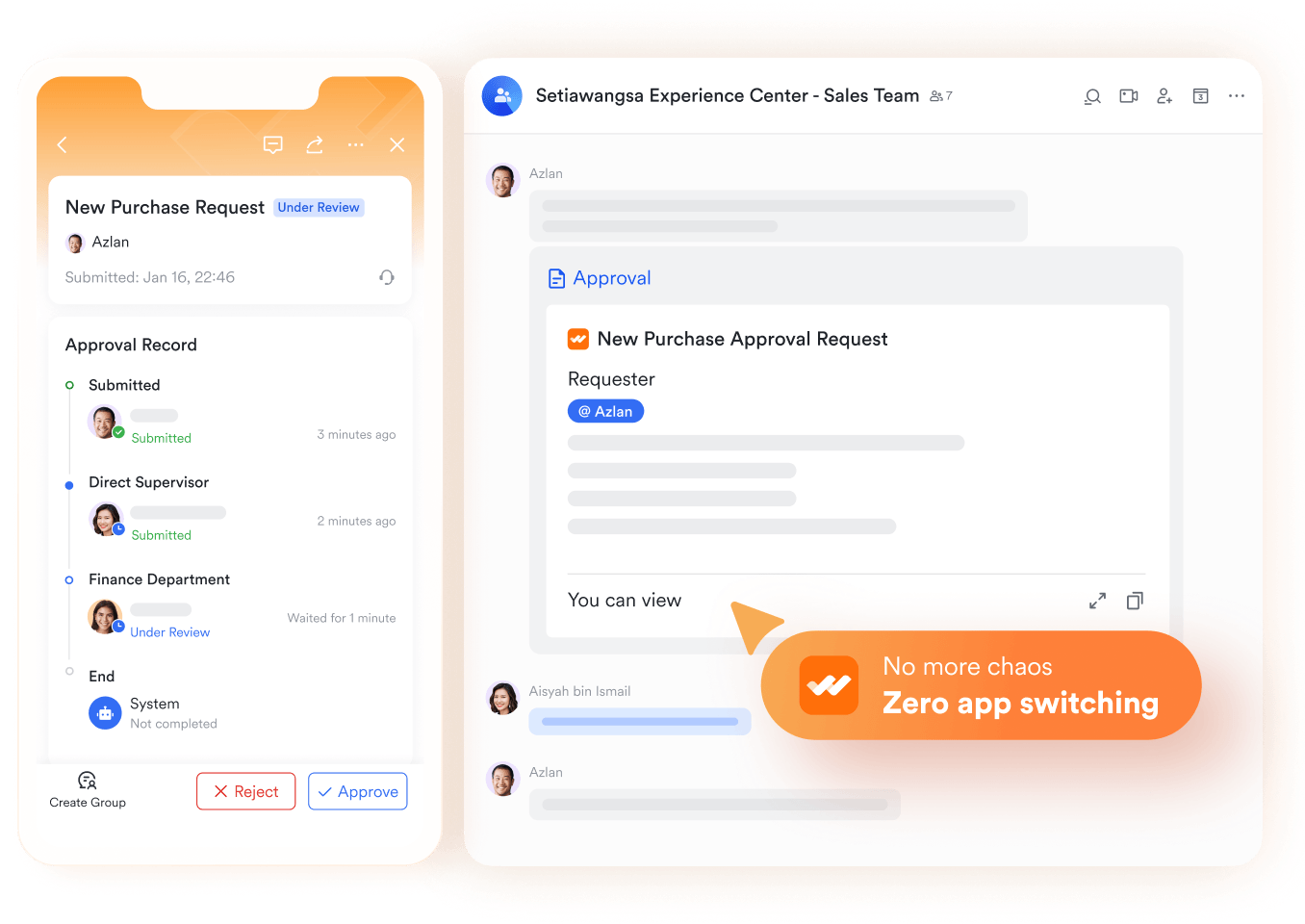
Lark Approval: Approvals are critical in CRM rollouts because they maintain control and compliance without slowing down the workflow. Lark allows for multi-level approvals, which are particularly useful for budgets, discount requests, pricing configurations, and sensitive data updates.
These workflows replace time-consuming email chains with a streamlined, trackable process. Every request is visible, auditable, and tied directly to CRM activities.
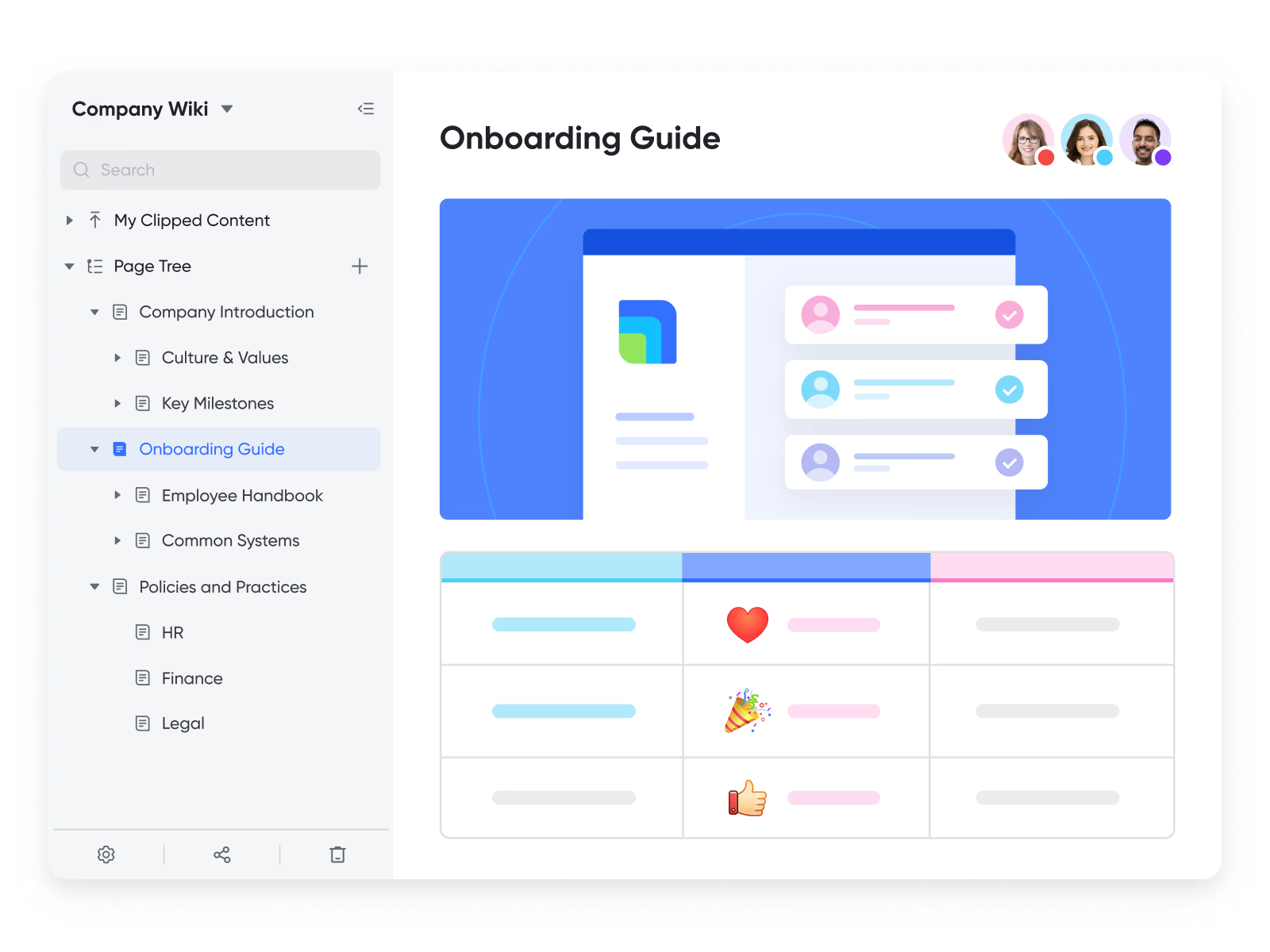
Docs and Wiki: Effective CRM implementation depends on knowledge sharing. With Lark’s Docs and Wiki, teams can store CRM-related resources such as client records, playbooks, training guides, and UAT (User Acceptance Testing) scripts—all in a single, searchable hub.
Because these documents are collaborative, multiple stakeholders can edit, comment, and update in real time. Linking docs directly to CRM records keeps context intact and reduces wasted time searching for files.
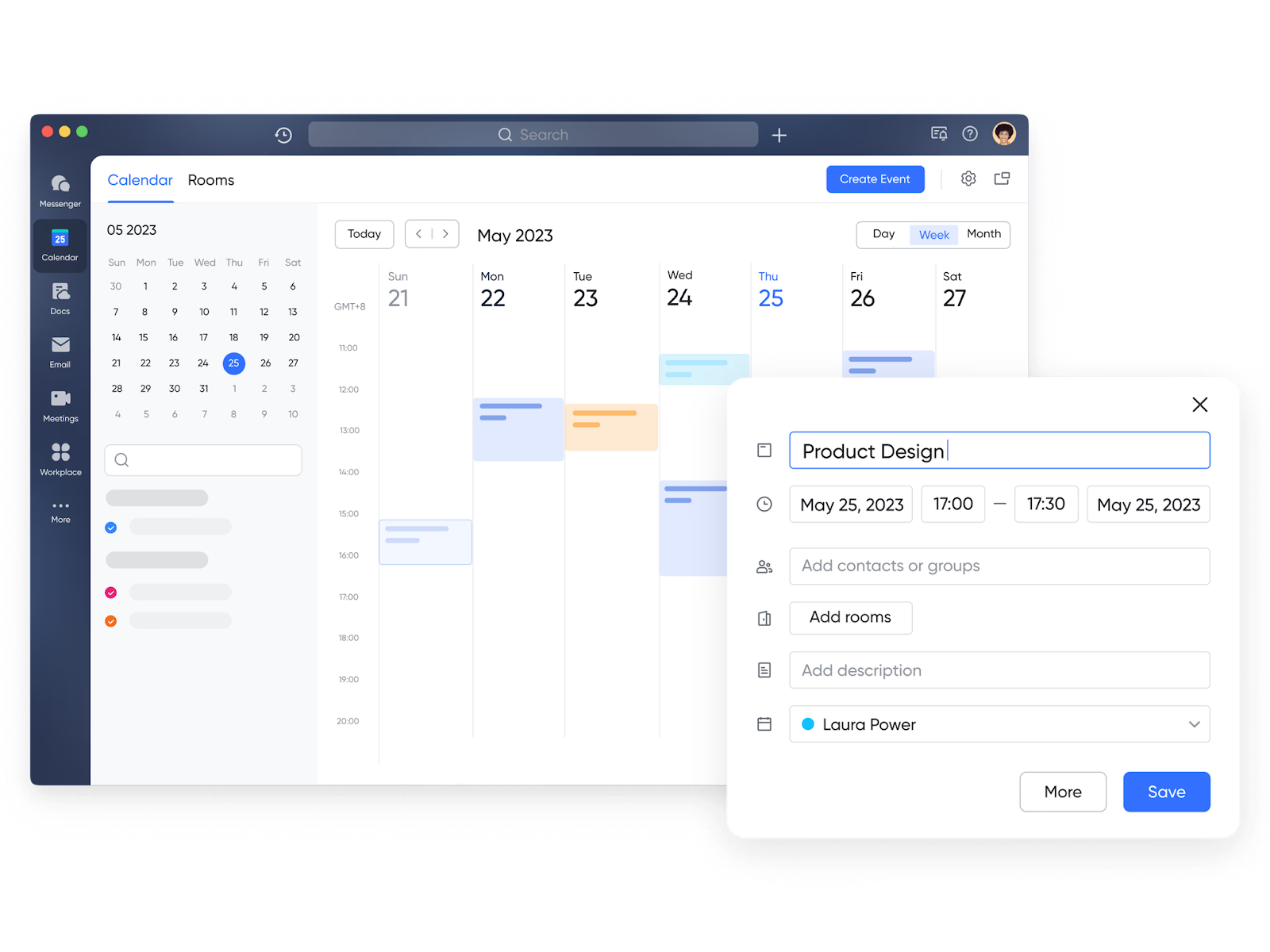
Calendar and Meetings: One of the most common pitfalls in CRM software implementation is missed follow-ups. Lark eliminates this by syncing calendar events and meetings with CRM milestones, pipeline checkpoints, and project tasks.
This ensures that CRM updates are always tied to actual discussions and deadlines, making follow-ups automatic rather than an afterthought.
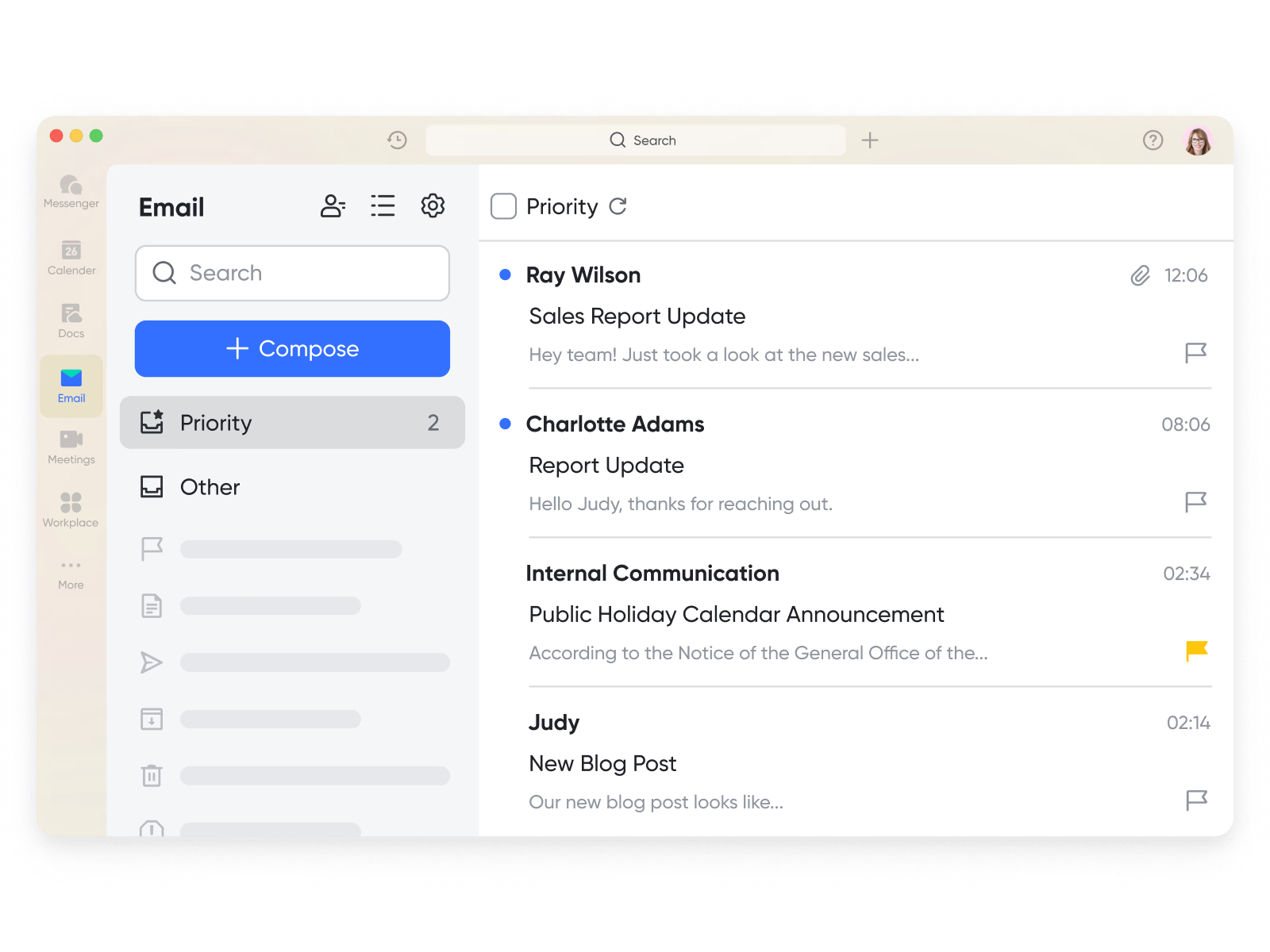
Mail + Messenger: Most CRMs struggle with contextual communication—decisions get lost in emails or chat apps disconnected from the CRM. Lark solves this with Mail + Messenger, where messages, decisions, and attachments are logged alongside CRM data.
This creates smoother handoffs between teams, as the “conversation history” is always attached to the relevant opportunity or case.
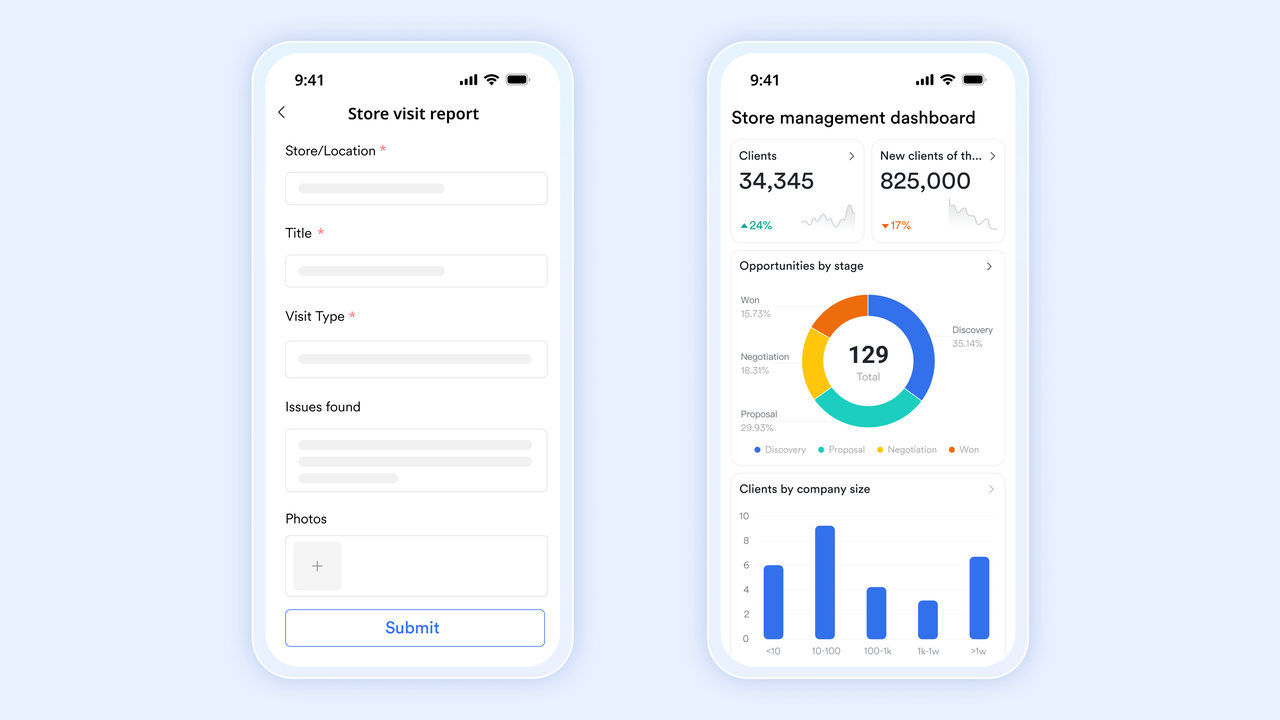
Mobile CRM: In today’s world, CRM adoption depends on mobile usability. Lark’s mobile app allows sales and service teams to update pipelines, approve requests, and collaborate instantly while in the field.
This keeps customer-facing teams agile, reducing delays that happen when employees must wait until they’re back at their desks.
AI in Lark Base: Lark brings AI-powered capabilities into CRM rollouts, helping automate complex workflows and improve decision-making. AI can:
- Generate formulas for custom calculations.
- Recommend next steps for stalled opportunities.
- Score risks based on historical data.
- Automate repetitive project hygiene tasks.
This reduces manual workload and ensures teams focus on value-added activities.
Pricing:
- Starter plan: Free forever plan that includes 11 powerful tools for up to 20 users. It also comes with 100GB of storage, 1000 automation runs, AI translations, and more.
- Pro plan: $12/user/month (billed annually) for up to 500 users. It includes everything in Starter plus group calling for up to 500 attendees, 15TB of storage, 50,000 automation runs, and more.
- Enterprise plan: Contact sales for custom pricing. Supports unlimited users and includes even more automation runs and advanced data security, compliance, and management features.
What to look for in implementing a CRM
When implementing a CRM system, it's not enough to simply pick a platform with a long list of features. The right CRM should fit seamlessly into your workflows, scale with your business, and deliver real user adoption. Here are the key capabilities to evaluate:
Usability
A CRM system is only as effective as its adoption rate. If users find it complex, they'll avoid entering data, which undermines its value. Look for:
- Guided UI: Step-by-step prompts that simplify navigation.
- Inline help and tooltips: Reduce the need for external documentation.
- Low-friction data entry: Features like autofill, drop-downs, and mobile scanning ensure minimal manual typing.
- Simple administration: Admins should be able to configure fields and workflows without heavy coding.
Automation
Automation is a cornerstone of successful CRM implementation. It reduces repetitive tasks, improves consistency, and enforces business rules. Must-have automations include:
- Workflow builders for approvals, task routing, and SLA escalations.
- Lead assignment rules that automatically route prospects to the right rep.
- Follow-up reminders to minimize dropped opportunities.
Data and reporting
A CRM thrives on clean and actionable data. When setting up a CRM, make sure it supports:
- Deduplication tools to eliminate redundant records.
- Segmentation capabilities for personalized outreach.
- Custom dashboards and analytics to track KPIs like revenue growth, CSAT, and lead-to-close times.
Integration
Most businesses already use email, marketing, billing, or support software. A strong CRM setup integrates smoothly with these tools to reduce silos:
- Email/calendar syncing (Outlook, Gmail).
- Marketing automation platforms (HubSpot, Marketo).
- Billing and CPQ systems.
- Customer support platforms (Zendesk, Freshdesk).
- Data warehouses for advanced analytics.
Security and governance
- Role-based access controls.
- Audit logs for data changes.
- Retention and compliance features (GDPR, HIPAA if relevant).
- Identity integrations (SSO, SCIM).
Scale
Finally, ensure the CRM is built to grow with you:
- Performance that handles thousands of records without lag.
- Sandboxes or dev environments for safe testing.
- Extensible APIs and plug-ins for future needs.
- An admin model that supports multiple business units or regions.
These capabilities define not just how to implement CRM but how to ensure it delivers measurable value long term.
Limitations and how to overcome them
Even though Lark is a powerful enabler of CRM rollouts, businesses should prepare for some challenges. Addressing these early ensures smoother adoption and faster ROI.
1. Switching costs
- The challenge: Migrating from multiple legacy tools (e.g., Slack, Zoom, Google Docs, or separate task apps) into a unified platform may initially feel overwhelming. Users may resist change, fearing data loss or extra effort.
- The solution: Lark mitigates switching costs by offering robust migration guides, in-depth documentation, and expert-led training sessions. The built-in Help Center and community support forums also provide answers to common issues. By piloting Lark in a single department first, companies can reduce resistance and build success stories before expanding across the organization.
2. Learning curve for advanced features
- The challenge: While Lark's interface is user-friendly, advanced features like automation rules, approval flows, or AI formulas in Base may require hands-on practice. Without guidance, teams might underutilize these powerful functions.
- The solution: Leverage Lark's guided tutorials, YouTube learning playlists, and role-specific training paths. Many businesses adopt a “champion model,” where a few team members become experts in advanced features and coach their colleagues. This reduces the curve and accelerates mastery across the organization.
3. Mobile parity
- The challenge: While Lark's mobile app is robust, certain advanced desktop functions—like configuring automations or editing complex dashboards—are introduced later on mobile. For field teams, this could temporarily limit functionality.
- The solution: Core features such as Messenger, Tasks, Attendance, and Approvals are already mobile-ready. Businesses can also use Lark's roadmap updates to plan around upcoming mobile releases. Meanwhile, ensuring desktop workflows remain accessible to mobile users via simplified dashboards keeps teams productive.
Common pitfalls and how to avoid them
Even with the right platform, many CRM implementations fail because of strategic mistakes. Here's how to avoid the most common ones:
- Over-customization too early
- The pitfall: Businesses often become excited about custom workflows and complex automation rules from the outset. This creates bloat, confuses users, and delays go-live.
- How to avoid it: Launch with a minimal viable product (MVP). Define essential workflows, validate them with real users, and then iterate based on feedback. This approach keeps adoption high while reducing rework.
- Skipping data cleanup
- The pitfall: Migrating duplicates, outdated contacts, or incomplete records directly into a new CRM. This erodes user trust—sales teams won't rely on a system filled with errors.
- How to avoid it: Perform data profiling and deduplication before migration. Standardize formats (e.g., phone numbers, country codes), and run test migrations to validate results. Clean data ensures higher confidence and better CRM usability.
- No adoption owner
- The pitfall: Many businesses forget that successful CRM implementation isn't just about technology—it's about people. Without a dedicated adoption owner, training and enablement often get neglected.
- How to avoid it: Appoint an enablement lead or “CRM success manager.” Their responsibilities include monitoring adoption metrics, running office hours, and gathering user feedback. They also champion CRM usability across departments.
- Integration sprawl
- The pitfall: Integrating too many systems too quickly overwhelms users and creates maintenance headaches. Instead of a streamlined CRM, businesses end up with a tangled web of tools.
- How to avoid it: Start with essential integrations like email, calendar, billing, and support. Once adoption is stable, gradually introduce advanced integrations such as ERP, CPQ, or AI analytics. This phased approach prevents overload while still delivering value.
Conclusion
Implementing a CRM successfully is more than a technical rollout—it's a strategic shift in how your business manages customer relationships. By defining clear goals, assigning ownership, cleansing data, and training users effectively, companies can transform scattered workflows into streamlined growth engines.
Platforms like Lark take this further by adding collaboration, automation, and mobile-ready tools, ensuring smoother adoption and higher ROI. Businesses that pair CRM with Lark gain not just a system of record, but a system of action—turning customer insights into business growth.
FAQs
What is the first step in the CRM process?
The first step in any CRM process is a needs assessment. Businesses should define goals, scope, constraints, and success metrics before diving in. Aligning sponsors and process owners ensures everyone has clarity from the start. Tools like Lark make this easier by letting teams map goals, store documentation in Lark Docs, and track objectives directly in Lark Base.
How long does CRM implementation take?
CRM implementations typically span 10 to 26 weeks, depending on project size, data migration, and team readiness. A pilot rollout helps reduce risks while gathering feedback. Smaller teams may move faster, while enterprises often require staged rollouts. With Lark, teams can test workflows in Base and gradually expand without heavy setup, accelerating adoption.
How to improve CRM usability and adoption?
Usability improves when businesses start small—ship an MVP, reduce unnecessary fields, and make processes intuitive. Role-based training and office hours help users adapt quickly. Tracking adoption metrics provides insight into what’s working. Because Lark combines CRM tracking with Messenger and Meetings, training and feedback loops happen in the same space where teams already collaborate.
Can I use ClickUp as a CRM?
Yes—ClickUp can handle simple sales pipelines and automations for smaller teams, but limitations surface as complexity grows (objects, SLAs, reporting). Many businesses then migrate to more versatile CRM platforms. Lark Base allows teams to build lightweight pipelines and expand into approvals, dashboards, and automated workflows as needs evolve, often proving more scalable than relying solely on advanced ClickUp pricing tiers for complex CRM functionalities.
What should a business do before putting a CRM program in place?
Before launching, businesses should choose the right platform, configure essential objects, and migrate clean, validated data. Testing processes before full rollout ensures fewer disruptions later. Early preparation sets the stage for long-term success. With Lark, teams can centralize requirements, test workflows in Base, and use dashboards to validate readiness before going live.
Related reading
Table of contents
Start using Lark today

Manage all your work in one place
Boost team efficiency by 10x
Save up to 70% on software costs
Table of contents
Start using Lark today
Manage all your work in one place
Boost team efficiency by 10x
Save up to 70% on software costs
Keep reading









2026 Lark Technologies Pte. Ltd.
Headquartered in Singapore with offices worldwide.






Explore: