














Top 10 CRM Task Management Software in 2026: Find Your Tools

Ryan Tanner
Product Marketing Specialist
Sep 18, 2026
Ryan Tanner
Sep 18, 2026

20 min read


Managing customer relationships and projects simultaneously is no small feat. Teams often juggle multiple project management tools, CRM platforms, and task tracking apps, leading to scattered workflows and missed deadlines. That's where CRM task management software comes in. By integrating CRM systems with task management software, teams can track customer activities, manage sales pipelines, and handle projects in one place. Unlike standalone project management software, CRM task management platforms bring together team project management, collaboration, and customer workflows—reducing tool overload and boosting productivity.
In this guide, we'll explore the top 10 project management software with CRM features in 2025. We'll cover free options, team collaboration tools, and enterprise-ready solutions. Here is a quick preview:
- Lark: An all-in-one CRM task management platform combining workflow automation, collaboration, and project tracking in one workspace.
- Asana: A flexible CRM task management tool designed for project coordination, task tracking, and team workflows.
- Trello: A visual CRM task management platform using Kanban boards for simple, card-based organization.
- ClickUp: A customizable CRM task & workflow software with deep automation and scalable features.
- Monday.com: A collaborative CRM task management solution with colorful boards and strong integrations.
- Wrike: An enterprise-ready CRM task management software built for advanced reporting and project visibility.
- Smartsheet: A spreadsheet-style CRM task manager for teams that prefer grid-based organization and formulas.
- Basecamp: A simple CRM task collaboration tool with messaging, scheduling, and file sharing.
- Jira: An agile CRM task tracking software widely used for sprint planning and issue management.
- Notion: An integrated CRM task management workspace combining docs, databases, and project tracking.

What is CRM task management?
CRM task management is the practice of combining Customer Relationship Management (CRM) systems with task management software into a single, unified workflow. Instead of keeping customer data in one tool and project tasks in another, CRM task management integrates both.
For example, imagine a sales team working on closing a deal: the CRM records the customer's information, while the task manager tracks follow-ups, proposal deadlines, and contract approvals. With CRM task management, these processes are connected—so as soon as a customer milestone is updated, the related tasks are triggered automatically.
Benefits of CRM task management
- Trackable tasks: Teams can manage both customer-related tasks (such as sending quotes or following up on leads) and internal tasks (like preparing reports or onboarding new clients) in one place. This reduces the need to juggle multiple task management tools.
- Team project management: CRM task management makes it easier to coordinate across departments. For instance, a sales rep can assign tasks to marketing for campaign support or to customer success for onboarding. This aligns sales, support, and operations on shared goals, something standalone personal project management software can't achieve.
- Customer workflows: Automations like reminders, follow-ups, or client approvals can be linked directly to CRM records. For example, when a contract stage changes to “pending approval,” a task is automatically created for the legal team. This ensures project management tools are tied to real customer workflows.
- Efficiency: Instead of paying for multiple PM tools or struggling with disconnected systems, CRM task management simplifies your tech stack. It reduces costs, cuts down on context switching, and improves visibility into both project and customer outcomes.
By connecting CRM and tasks, this approach is more powerful than standalone personal project management tools or free task tracking apps because it ties every activity back to customer impact and revenue.
Key features of the best team management software tools
When evaluating CRM task management software or project management software for individuals and teams, here are the features you should prioritize:
- Task process reminders: Look for tools that allow you to assign, prioritize, and track tasks across projects. Automated reminders ensure deadlines aren't missed. For example, in Lark, tasks linked to a CRM deal can trigger alerts for the next sales follow-up. This feature is essential for both team project management and personal project management tools.
- Collaboration & team organization tools: Built-in chat, file sharing, and team calendars reduce miscommunication. Real-time collaboration ensures sales, support, and marketing stay aligned. The best team management software integrates communication directly with tasks, so conversations happen in the same space where work is tracked.
- Dashboards & project visibility: Managers need a bird's-eye view of what's happening. Dashboards show progress, task status, bottlenecks, and workload distribution. Advanced project management software like Wrike or Monday.com offers detailed reporting, while simpler tools like Trello use visual boards for clarity.
- CRM integration: This is what makes CRM task management unique. Tasks should link to customer data—whether it's deals, service tickets, or onboarding workflows. For example, when a deal closes, the system can automatically create onboarding tasks for the customer success team. This makes it superior to the best free task management software that only manages generic tasks.
- Flexibility across scales: The ideal tool should work for personal project management software (freelancers tracking client tasks) and for large enterprises (teams managing complex, multi-stage projects). Flexible views (Kanban, Gantt charts, calendars, spreadsheets) help teams visualize work in the way that suits them best.
In short, the best CRM task management tools combine task tracking, collaboration, dashboards, CRM integration, and flexibility. Unlike traditional project management tools that focus solely on projects, these platforms ensure every task is tied back to customers, making them more impactful for business outcomes.
CRM task management software at a glance
Top 10 CRM task management software in 2026
1. Lark: Best for teams seeking an all-in-one automation solution
Lark is more than just CRM software; it's a full collaboration superapp that unifies messaging, meetings, calendars, documents, data management, and even email into one seamless platform. This means your team can manage customer data, track sales pipelines, schedule follow-ups, brainstorm campaigns, and generate reports—all without switching apps. To help teams get started quickly, Lark also provides a wide range of ready-to-use templates. With these tools, repetitive tasks such as sending reminders, updating deal stages, or routing requests are handled automatically, freeing your team to focus on strategic work.
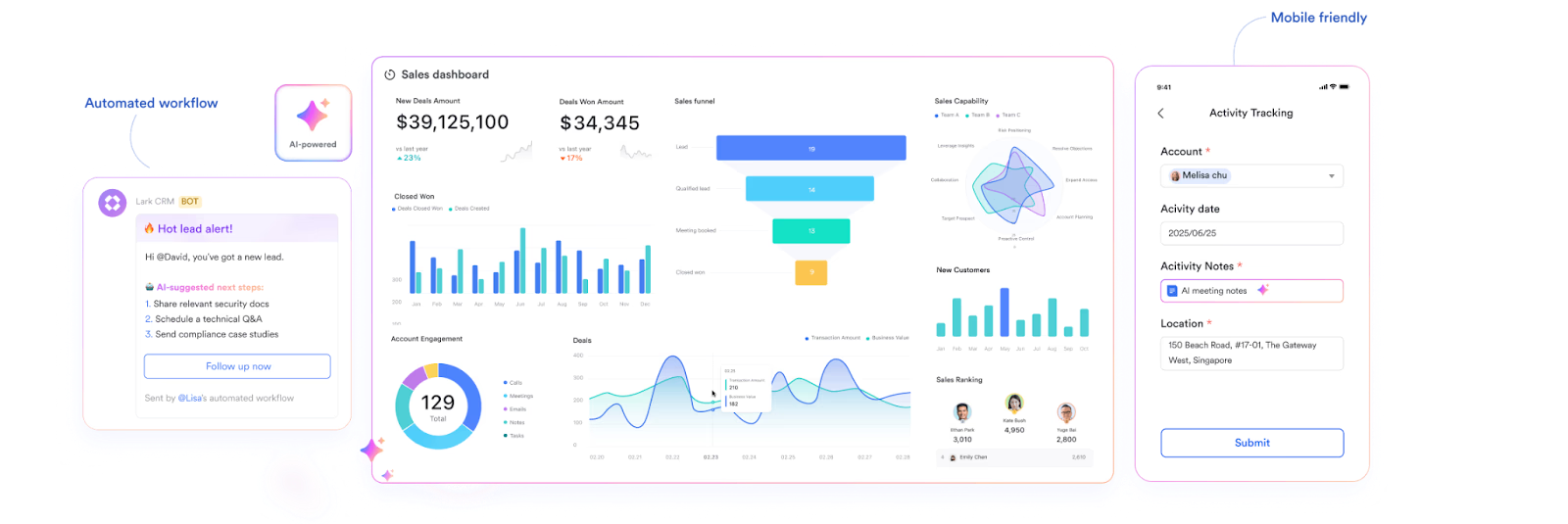
Key features:
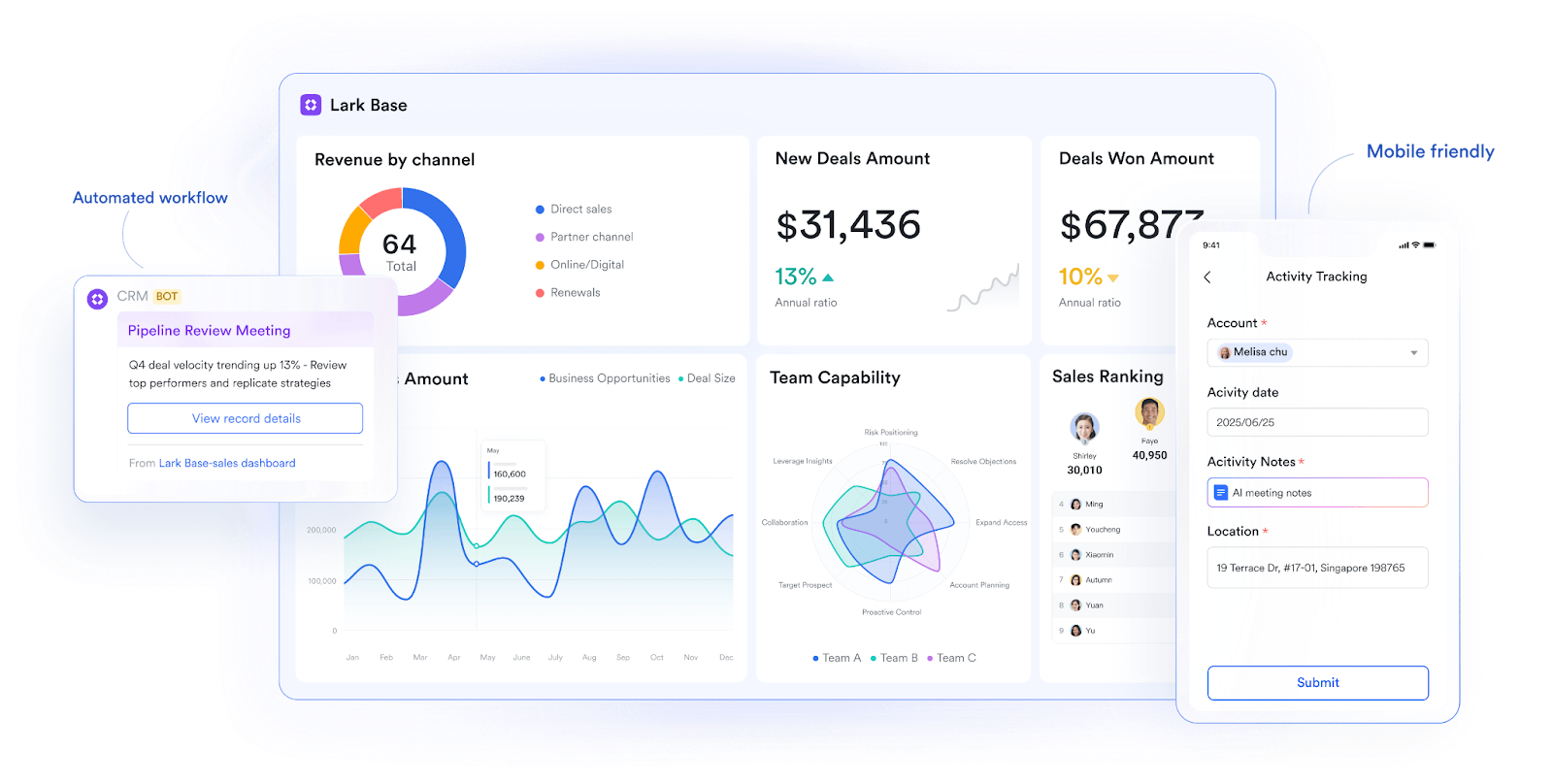
- Lark Base: Build flexible task databases with automation
Lark Base acts as the no-code backbone for CRM task management. Teams can design relational task databases to track leads, follow-ups, renewals, and service requests. Views like Kanban help sales reps monitor deal progress, while Gantt charts allow managers to oversee project timelines. For instance, a sales team could automate the creation of follow-up tasks whenever a new lead is added, ensuring no opportunity slips through the cracks. A support team might use Gallery view to display open tickets visually, assigning them to agents with auto-routing rules.
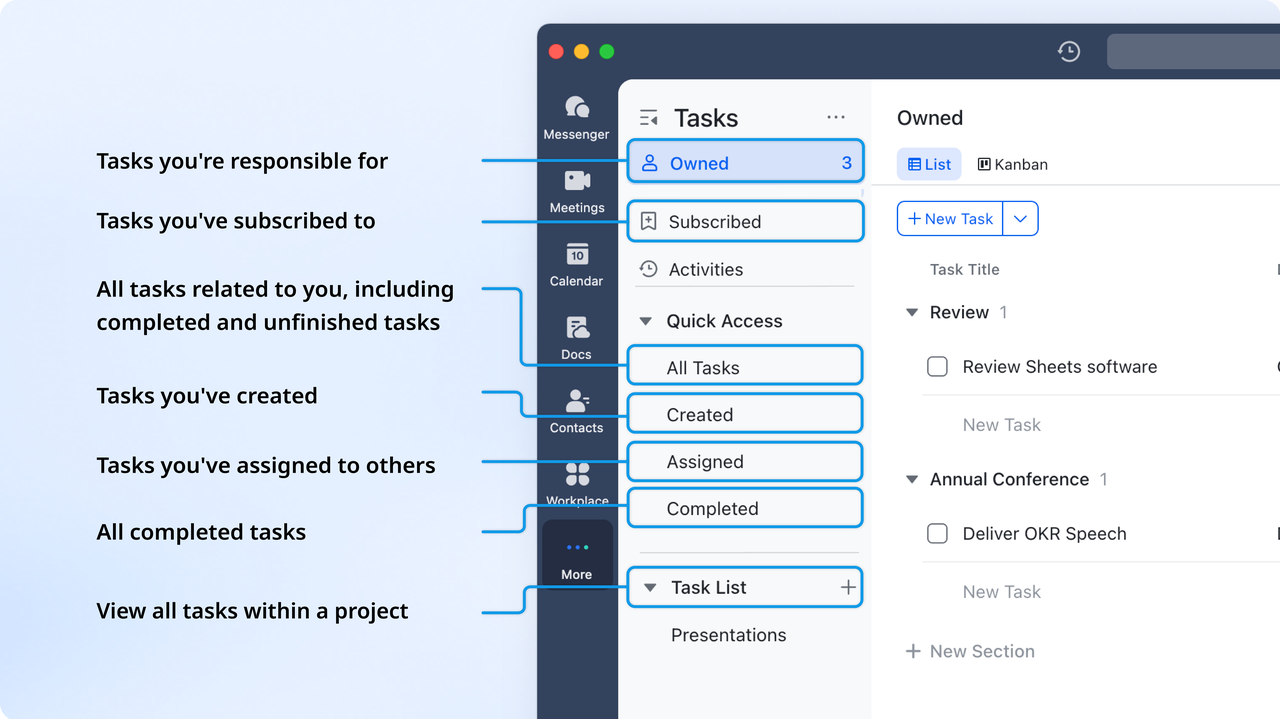
- Lark Tasks: Assign, prioritize, and track CRM tasks in real time
Lark Tasks allows managers to break down CRM-related activities into actionable tasks with deadlines, priorities, and ownership. Each task can be linked to a customer, account, or campaign, making it easier to track progress. For example, when a customer requests a demo, a task is automatically created for the product specialist, with status updates visible to the sales manager.
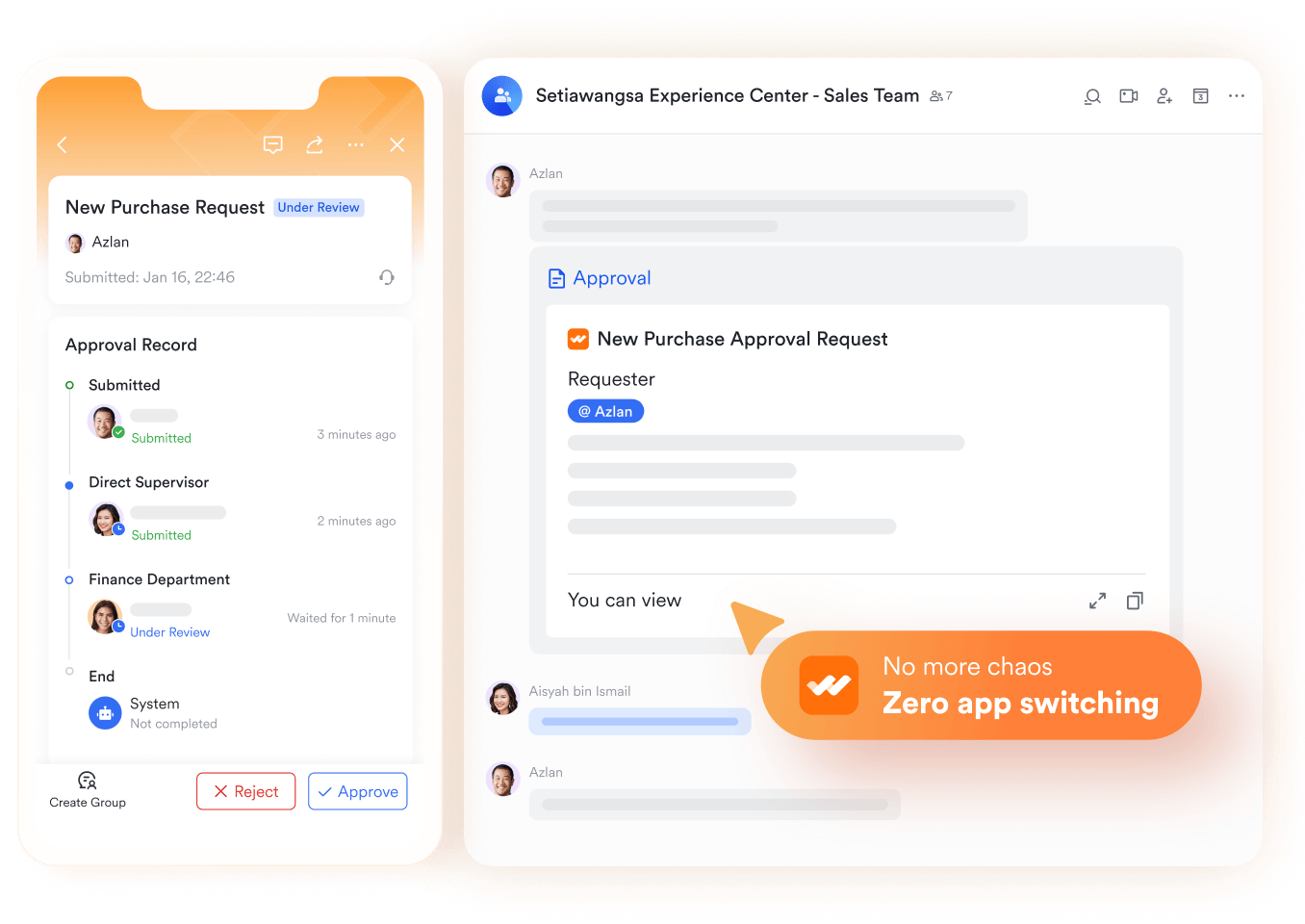
- Lark Approval: Automate project sign-offs and request flows
Approvals are often the bottleneck in CRM workflows, from discount approvals on deals to leave requests that affect resource availability. Lark Approval automates these processes by routing requests to the right person with built-in status tracking.
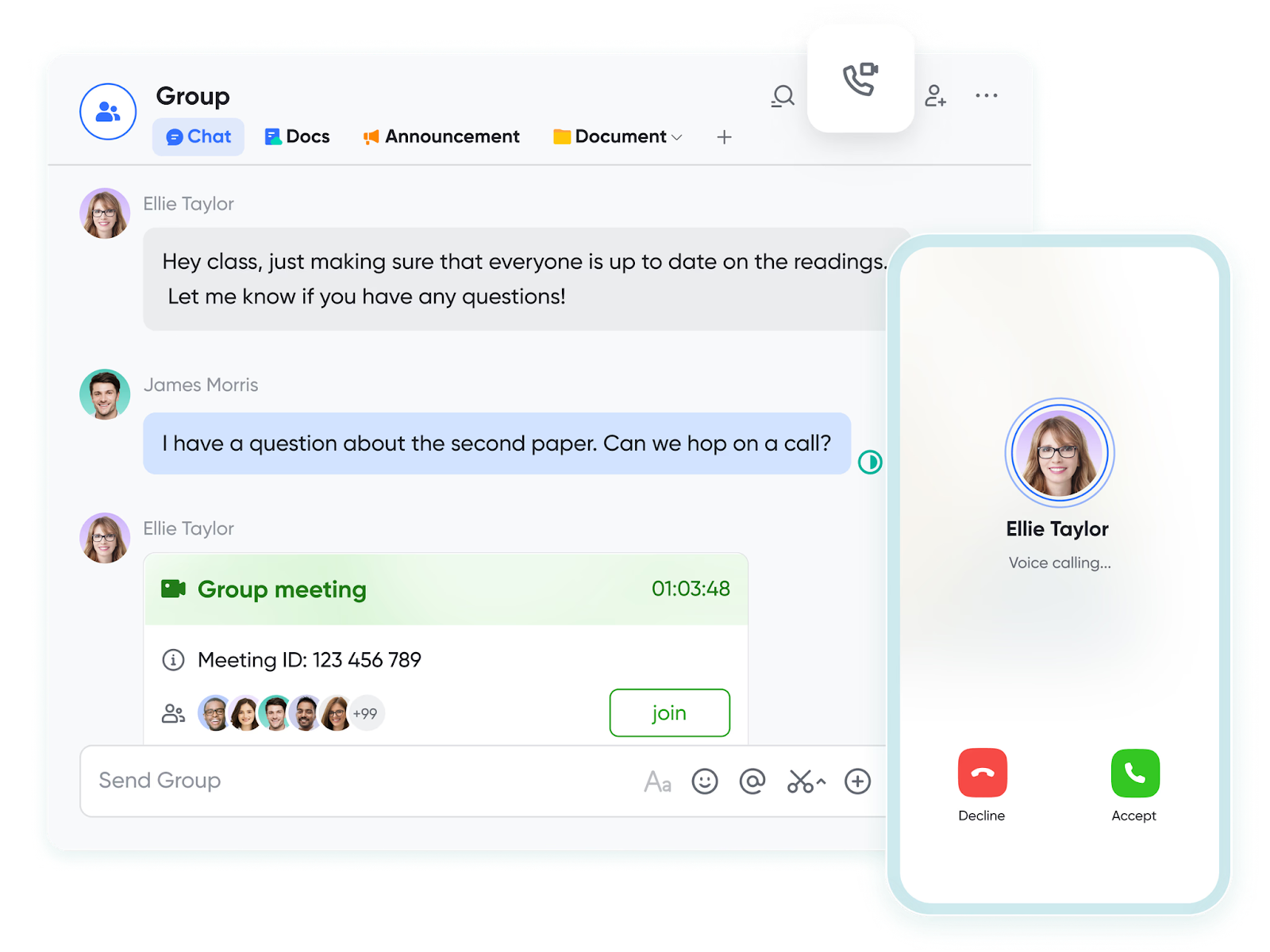
- Lark Messenger & Lark Meetings: Real-time communication tied to tasks
Unlike standalone CRMs where communication happens outside the system, Lark keeps chat and video meetings connected to tasks. Reps can @mention teammates in task comments, escalate issues in Lark Messenger, or jump into a Lark Meetings for a quick resolution. All conversations stay linked to the CRM workflow.
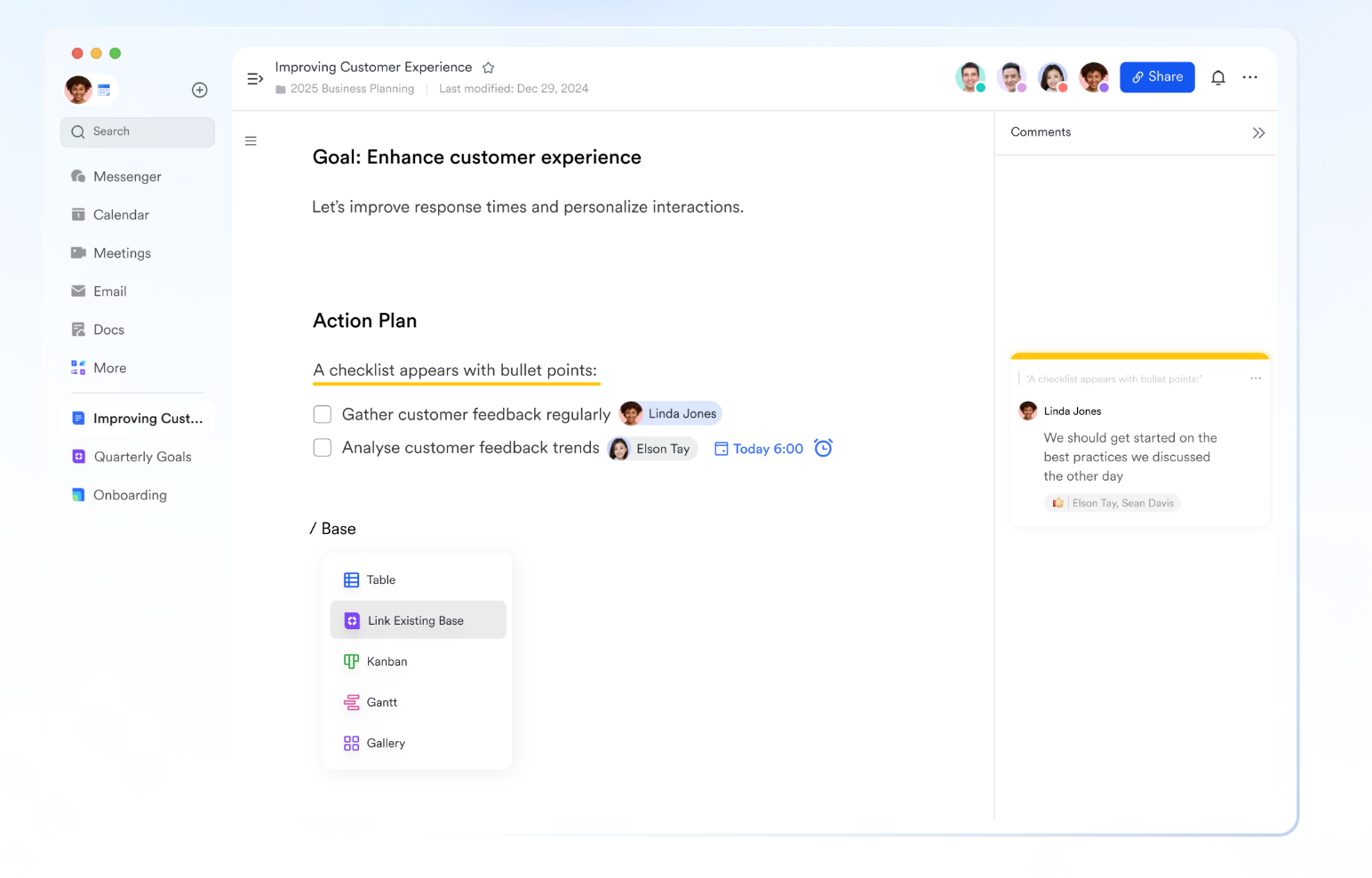
- Lark Docs: Centralized knowledge base for CRM workflows
With Lark Docs, teams can create and store everything from sales playbooks to customer onboarding checklists. Unlike static Word or Google Docs, Lark Docs are dynamic—they embed live Base views, track version history, and allow real-time co-editing. A customer success manager builds an onboarding playbook in Lark Docs. It includes a live Base table of customer milestones (kickoff call, training session, first renewal) that updates automatically as tasks are completed. This ensures both customers and internal teams stay aligned on progress.
- Starter plan: Free forever plan that includes 11 powerful tools for up to 20 users. It also comes with 100GB of storage, 1000 automation runs, AI translations, and more.
- Pro plan: $12/user/month (billed annually) for up to 500 users. It includes everything in Starter plus group calling for up to 500 attendees, 15TB of storage, 50,000 automation runs, and more.
- Enterprise plan: Contact sales for custom pricing. Supports unlimited users and includes even more automation runs and advanced security, compliance, and management features.
2. Asana: Flexible CRM task management tool
Asana is a popular project management software known for its flexibility in handling both customer tasks and team projects. It provides multiple task views, including lists, Kanban boards, timelines, and calendars, making it adaptable to different workflows. With automation rules, integrations with tools like Salesforce, and robust dashboards, it supports both CRM task management and internal collaboration. Asana is particularly strong for teams balancing multiple customer projects.
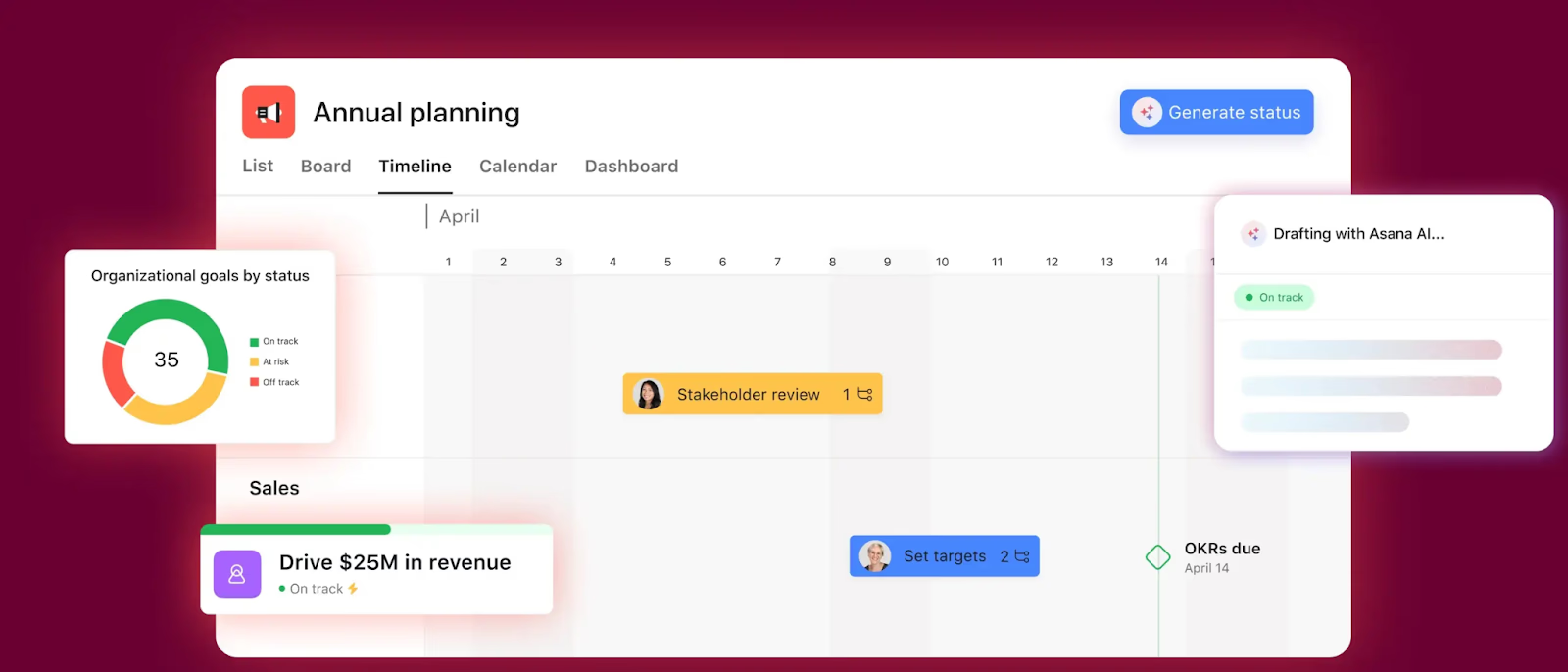
Image source: asana.com
Key Features:
- Task lists, boards, and timeline views
- Workflow automation with custom rules
- Reporting dashboards and workload tracking
- Large library of templates
- Integrations with Salesforce, Slack, Gmail, and more
Why it stands out: Asana's versatility and strong integration make it suitable for almost any team. It bridges CRM workflows and task tracking without overwhelming users.
Pricing: Free plan; Paid plans from $10.99/user/month
Best for: Teams seeking a flexible, user-friendly task management solution
3. Trello: Visual CRM task management platform
Trello offers a highly visual approach to task management using its signature Kanban boards. Tasks are organized into cards that can be moved across stages, making project progress easy to track at a glance. With Power-Ups, Trello can integrate with CRM platforms like HubSpot or Zoho, extending its utility for customer workflows. Its simplicity, combined with a generous free plan, makes it a top choice for small teams and startups needing free project management software.
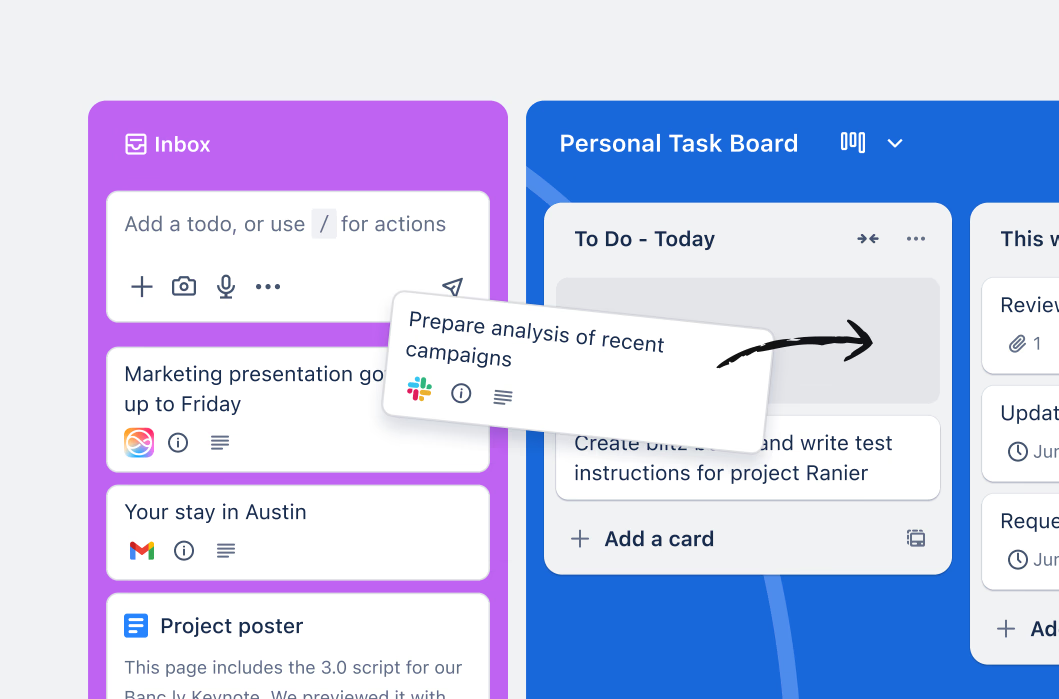
Image source: trello.com
Key features:
- Drag-and-drop Kanban boards
- Task cards with checklists, labels, and attachments
- Power-Ups for CRM integrations (HubSpot, Zoho, Salesforce)
- Butler automation for recurring tasks
- Collaboration via comments and file sharing
Why it stands out: Trello's simplicity and visual workflow tracking make it a go-to option for teams that want a lightweight yet effective tool.
Pricing: Free plan; Paid plans start at $5/user/month
Best for: Small teams and startups that want an easy, visual task manager
4. ClickUp: Customizable CRM task & workflow software
ClickUp is a customizable task management software that brings tasks, docs, dashboards, and automation together in one platform. It's designed for scalability, supporting everything from personal project management tools to enterprise workflows. Teams can build custom pipelines, automate task assignments, and track projects using views like Gantt, Kanban, and calendars. With CRM templates and strong reporting, ClickUp is perfect for businesses managing multiple client projects.
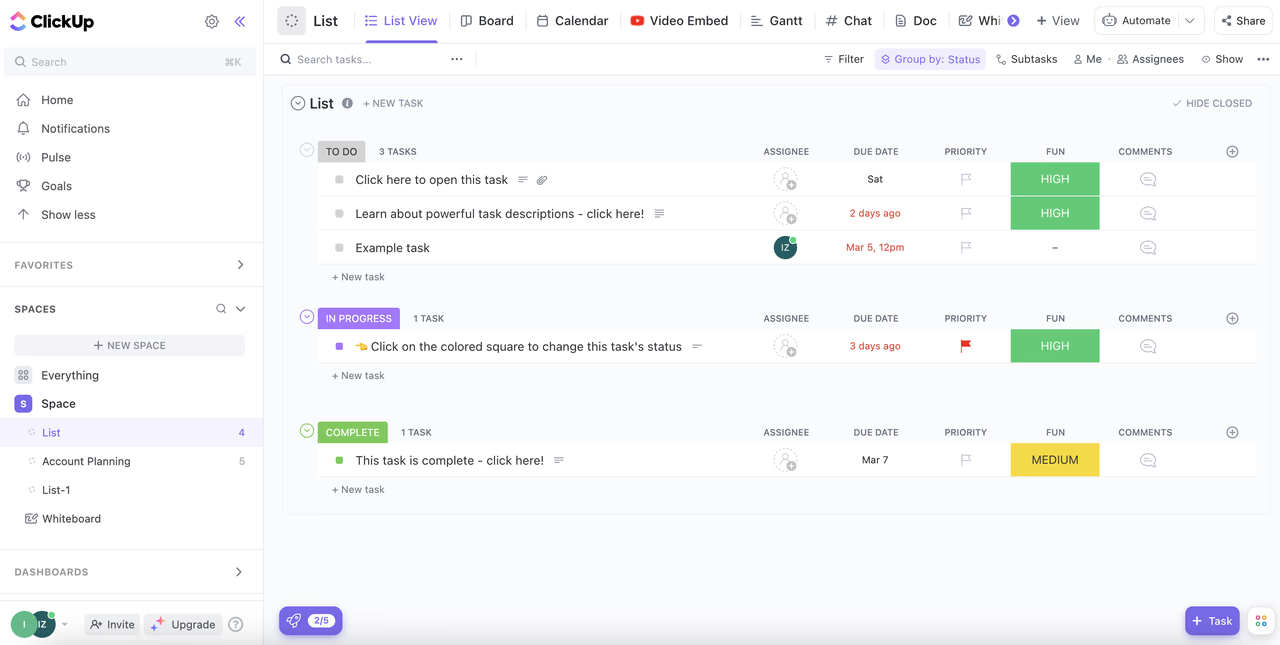
Image source: clickup.com
Key features:
- Customizable views: List, Kanban, Gantt, Calendar
- Advanced workflow automation
- Docs and whiteboards for collaboration
- Dashboards and workload reporting
- CRM templates for client and sales tracking
Why it stands out: ClickUp's depth of customization and affordability make it an excellent choice for teams managing multiple projects and customer pipelines.
Pricing: Free plan; Paid plans from $7/user/month
Best for: Teams needing a scalable, customizable solution for managing projects and CRM workflows
5. Monday.com: Collaborative CRM task management solution
Monday.com is a collaborative CRM task management solution that's popular for its colorful interface and ease of use. Teams can create custom boards to track customer projects, automate repetitive processes, and visualize progress with dashboards. It integrates with a wide range of apps, from Slack to Google Drive, making it versatile for team project management. Monday.com is particularly effective for teams needing an intuitive tool that balances CRM and project workflows.
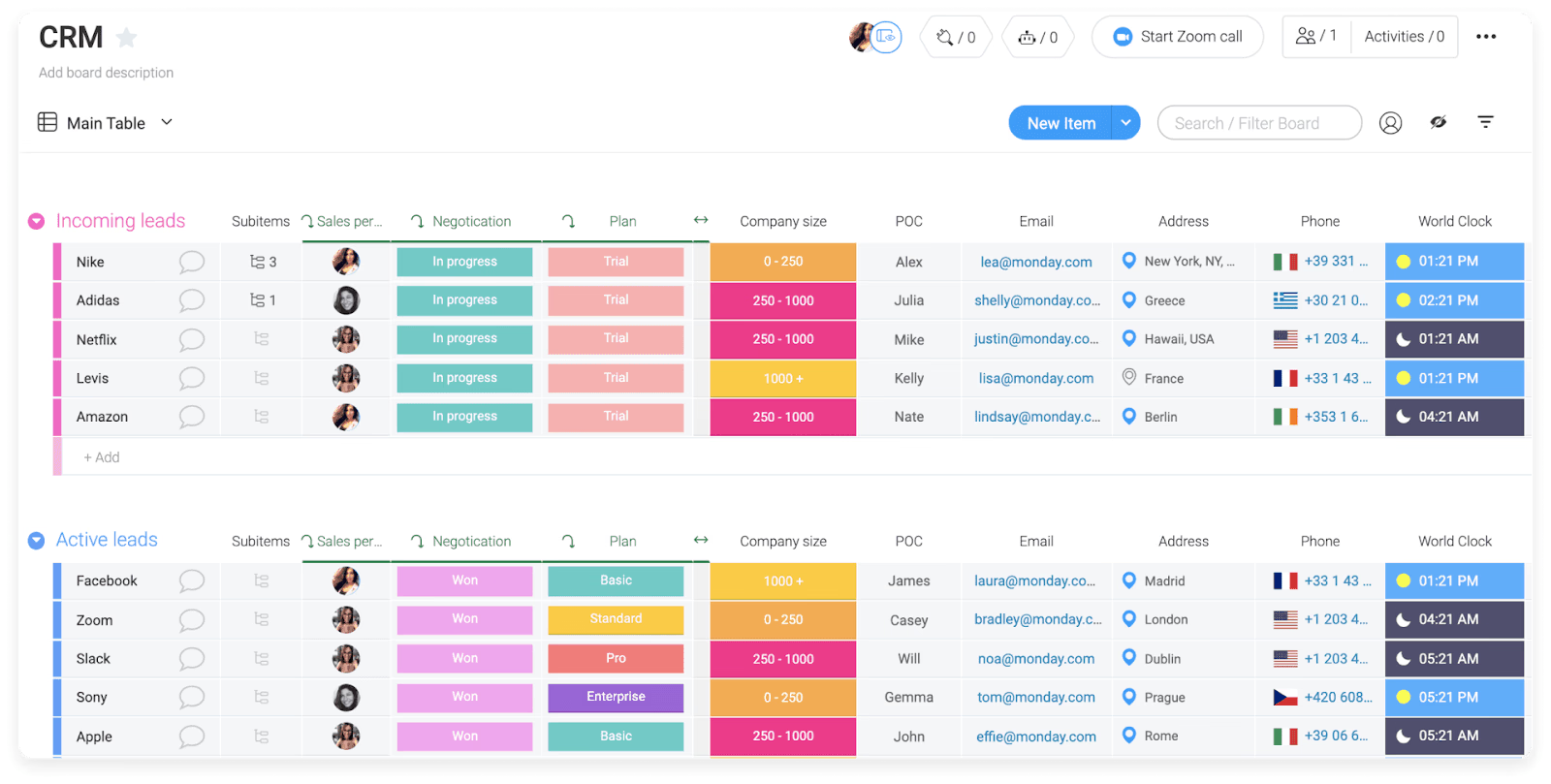
Image source: monday.com
Key features:
- Customizable boards for tasks and workflows
- Automations for repetitive tasks and follow-ups
- CRM templates for sales and customer management
- Real-time dashboards with progress tracking
- Integrations with Slack, Outlook, Google Drive, and more
Why it stands out: Monday.com is known for its intuitive, user-friendly interface and flexibility. It's a great fit for teams who want to blend CRM workflows with easy collaboration tools.
Pricing: Free plan; Paid plans from $10/user/month
Best for: Teams wanting simple yet powerful collaboration and CRM task management
6. Wrike: Enterprise-ready CRM task management software
Wrike is an enterprise-level project management software built for visibility, reporting, and scalability. It includes advanced features such as Gantt charts, workload management, and customizable dashboards, making it ideal for CRM task management at scale. Wrike's integrations with Salesforce and Adobe make it valuable for organizations that require both client and project oversight. Large teams use Wrike to gain detailed insights and maintain control over complex customer workflows.
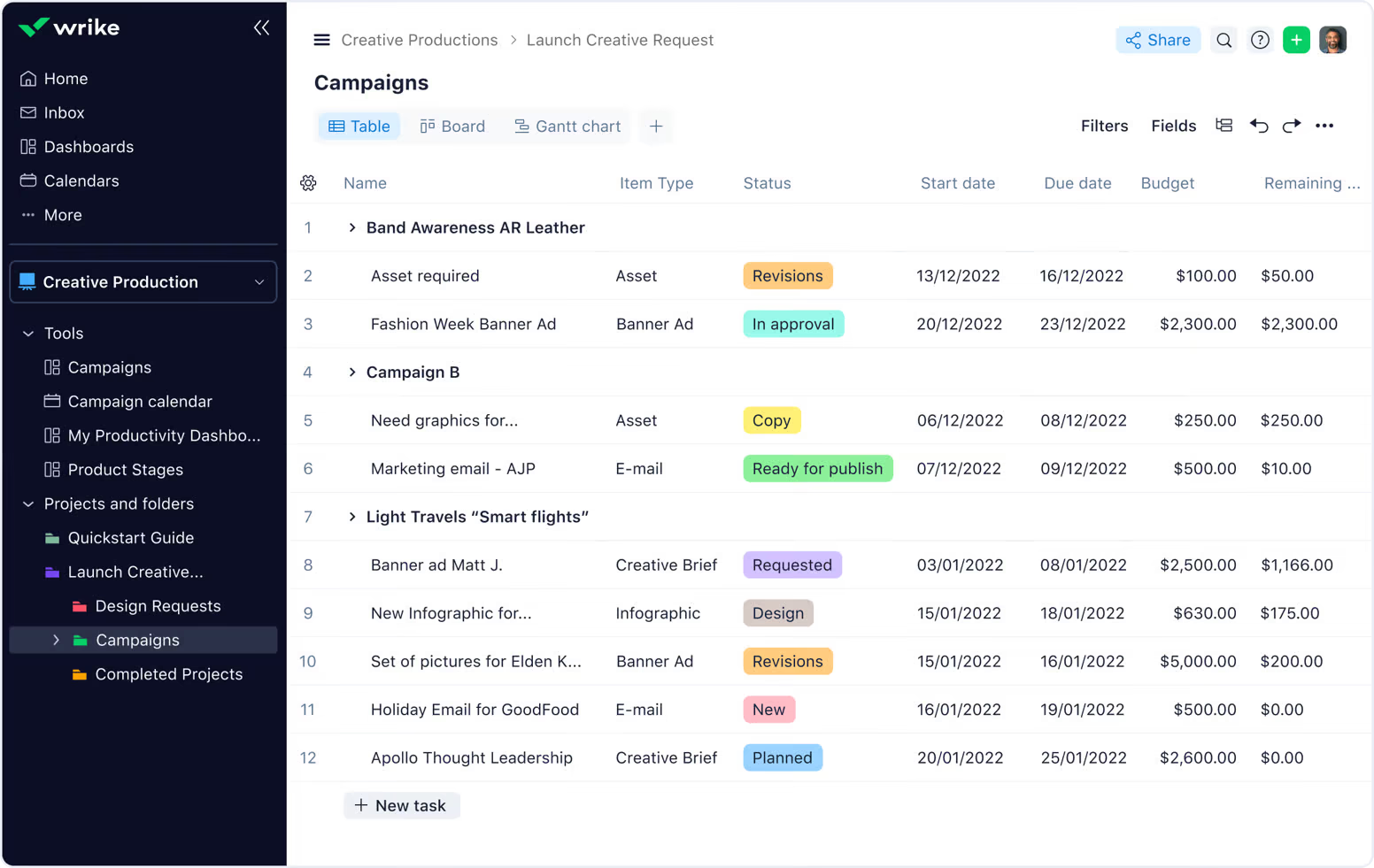
Image source: wrike.com
Key features:
- Gantt charts for project timelines
- Custom dashboards and advanced reporting
- Time tracking and workload management
- Integrations with Salesforce, Adobe, and Microsoft apps
- Automation for repetitive workflows
Why it stands out: Wrike is built for enterprises and teams needing advanced control. Its reporting, security, and visibility tools make it a great fit for project-heavy organizations.
Pricing: Free plan; Paid plans from $9.80/user/month
Best for: Enterprises needing robust project visibility and CRM integration
7. Smartsheet: Spreadsheet-style CRM task manager
Smartsheet combines the ease of spreadsheets with the power of task management software. Teams can manage customer data, track tasks, and visualize progress in grid, Gantt, or Kanban views. It supports formulas for advanced automation, dashboards for project visibility, and CRM templates for pipeline management. For organizations that prefer spreadsheet-style project management tools, Smartsheet offers familiarity with enterprise-grade functionality.
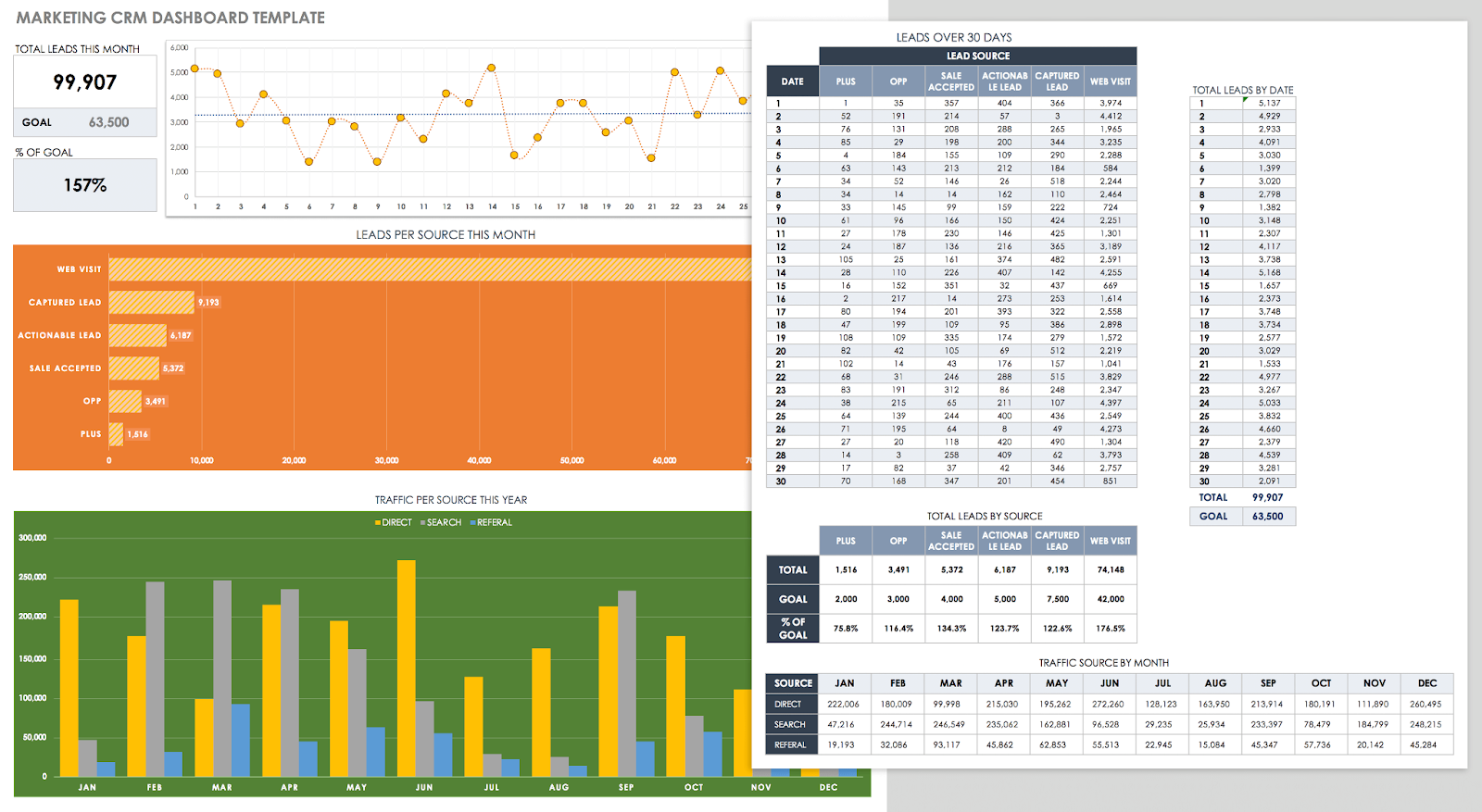
Image source: smartsheet.com
Key features:
- Grid, Kanban, Gantt, and calendar views
- Spreadsheet-style formulas for data automation
- Workflow automation for repetitive processes
- Dashboards and reporting tools
- CRM templates for pipeline tracking
Why it stands out: Smartsheet appeals to teams that prefer working in a spreadsheet format but need modern project and CRM functionality layered on top.
Pricing: Paid plans from $7/user/month (no free plan)
Best for: Teams that prefer grid-based project and CRM management
8. Basecamp: Simple CRM task collaboration tool
Basecamp is a simple, easy-to-use task management software that emphasizes collaboration and clarity. It consolidates communication, scheduling, file sharing, and to-do lists into one workspace, making it useful for small businesses managing customer projects. Its straightforward design avoids the complexity of advanced PM tools, focusing instead on helping teams stay organized and on track. Basecamp is especially appealing to teams that want affordable, predictable pricing for everyday team project management.
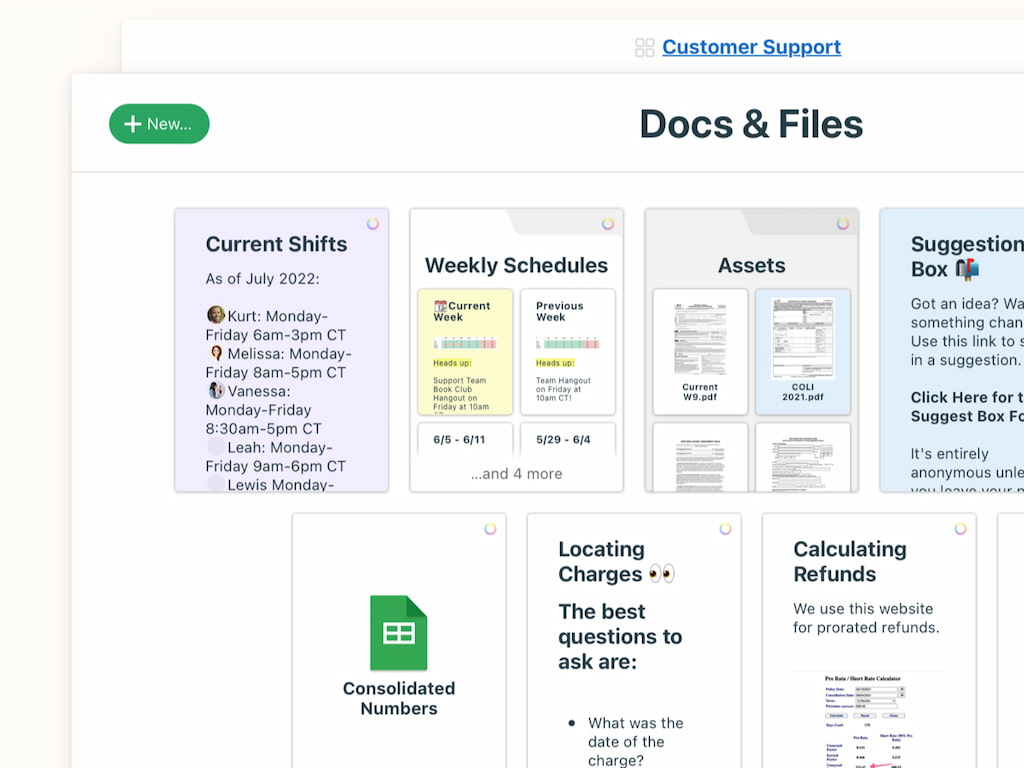
Image source: basecamp.com
Key features:
- To-do lists for task tracking
- Message boards for discussions
- Scheduling and calendar tools
- File sharing and storage
- Real-time group chat (Campfire)
Why it stands out: Basecamp focuses on simplicity and clarity. Its flat pricing model makes it attractive for growing teams that want a predictable cost structure.
Pricing: Free personal plan; Business plan at $15/user/month
Best for: Small teams wanting simple, affordable task and CRM collaboration
9. Jira: Agile CRM task tracking software
Jira is a leading CRM task management and project tracking tool designed for Agile and Scrum workflows. It provides powerful features for sprint planning, issue tracking, and roadmap management, making it ideal for technical teams. Jira's CRM-style functionality allows teams to connect customer workflows with development and support projects. With integrations into Confluence and Bitbucket, it's widely used for software for PMP and advanced project management tools.
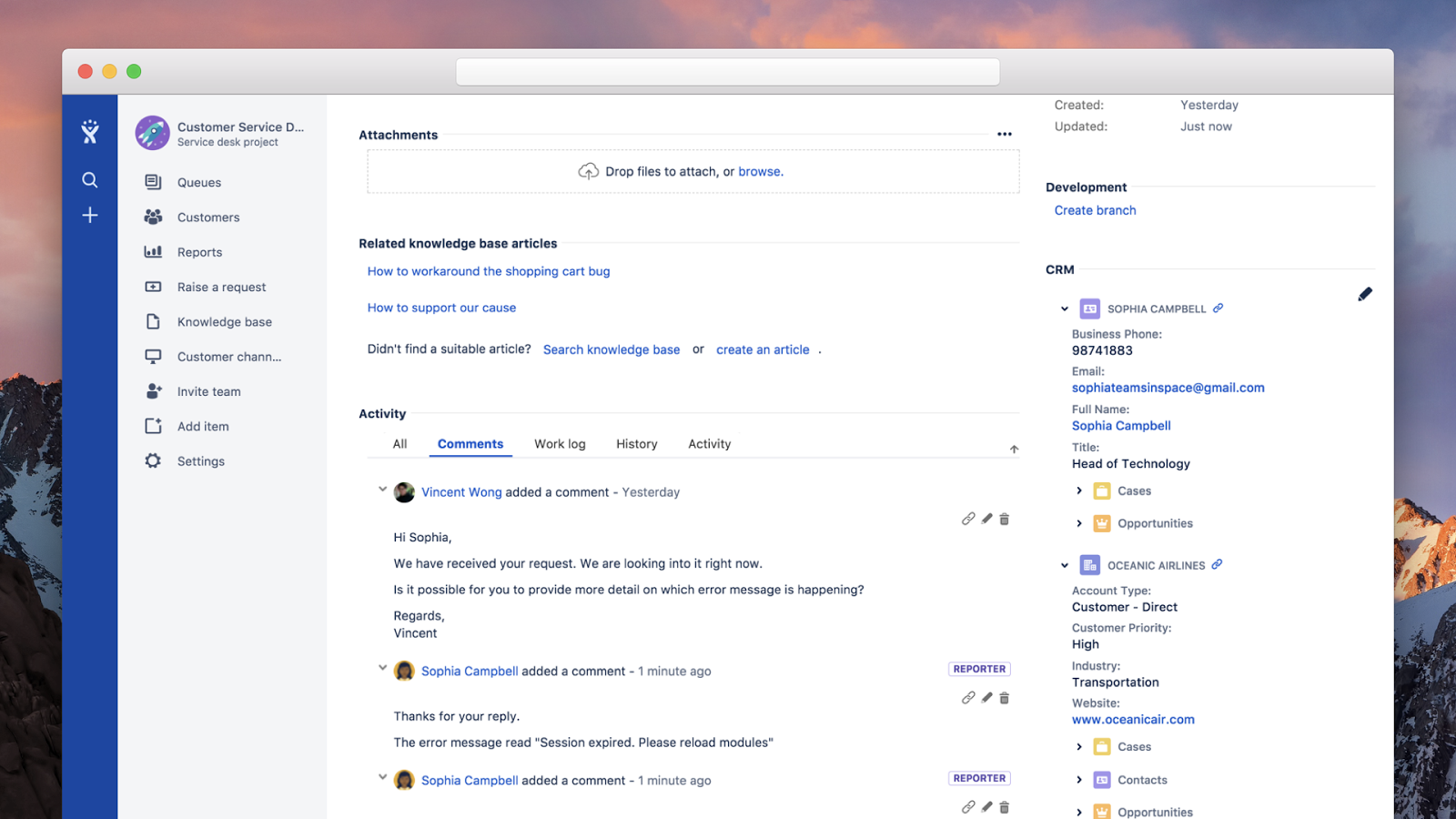
Image source: atlassian.com
Key features:
- Agile boards for Scrum and Kanban
- Sprint planning and backlog management
- Roadmaps for long-term planning
- Issue and bug tracking
- Integrations with Confluence, Bitbucket, and CRM tools
Why it stands out: Jira is the go-to choice for Agile teams managing customer projects, especially where technical task tracking is critical.
Pricing: Free for up to 10 users; Paid plans from $7.75/user/month
Best for: Agile teams needing strong issue tracking and project controls
10. Notion: Integrated CRM task management workspace
Notion is a flexible workspace for CRM and task management that combines documents, wikis, and databases in one platform. Teams can build custom dashboards for managing sales pipelines, client projects, and knowledge bases. Its collaborative features make it easy to link customer data with tasks and team documentation. Notion's versatility makes it equally valuable as personal project management software and as a scalable solution for startups or small teams.
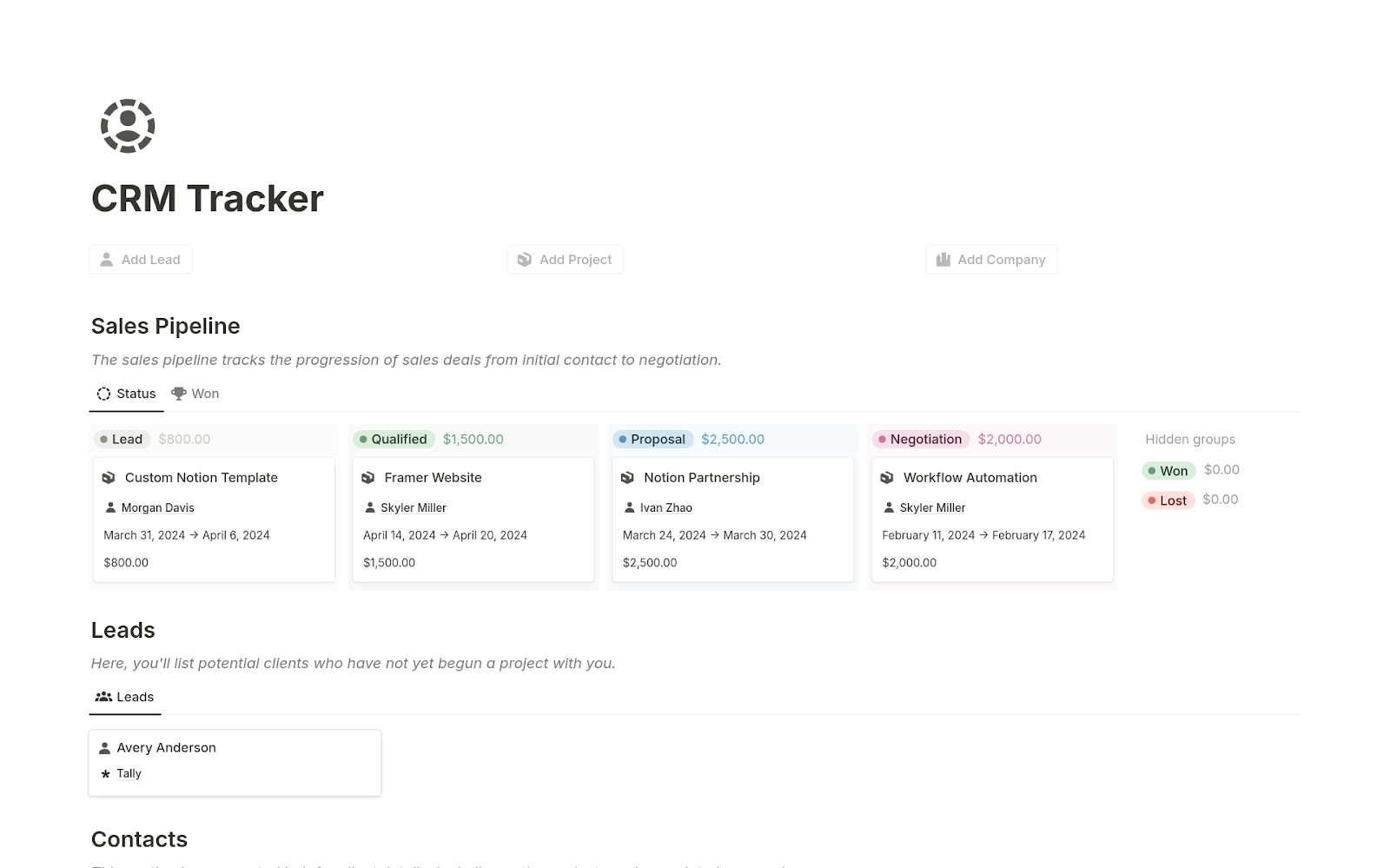
Image source: notion.com
Key Features:
- Databases for task tracking and CRM records
- Kanban boards, calendars, and timelines
- Collaborative docs and knowledge wikis
- Templates for sales pipelines and project tracking
- Integrations with Slack, Google Drive, and Zapier
Why it stands out: Notion's flexibility makes it a unique all-in-one option. Teams can build tailored CRM task management systems that double as documentation and collaboration spaces.
Pricing: Free plan; Paid plans from $8/user/month
Best for: Startups and individuals seeking customizable, all-in-one project and CRM management.
How to choose the best CRM task management software
With so many project management tools and task management software available, finding the right CRM task management solution for your team requires a structured approach. Here are the key factors to consider:
- Scalability
Your chosen platform should grow with you. A personal project management software might be enough for freelancers or small teams, but enterprises need a solution that can handle thousands of tasks, multiple departments, and cross-functional workflows. Look for software that supports everything from individual task tracking to large-scale team project management and portfolio management.
- Pricing
Budget is always a factor. Compare free project management software against enterprise-level PM tools. Free plans often cover the basics—like task tracking and limited integrations—while paid tiers offer advanced features such as workflow automation, analytics, and CRM integrations.
- Features
The best CRM task management platforms go beyond to-do lists. Look for:
- Task tracking: Assign and monitor progress in real time.
- CRM integration: Link customer data directly with tasks.
- Dashboards: Visualize performance across teams and projects.
- Automation: Reduce repetitive manual work and speed up processes.
- Integrations
Your software should work seamlessly with other team organization tools you use—sales systems, HR platforms, finance tools, and customer support apps. This ensures that data doesn't live in silos. The ability to sync across departments makes workflows smoother and reduces manual data entry.
- Reviews & reliability
Before committing, consult trusted review platforms like G2 and Capterra. Reviews provide insights into usability, customer support, and the overall effectiveness of the tool. Look at ratings, user testimonials, and case studies to validate your choice of the best project management software.
Conclusion
The right CRM task management software helps teams connect customer data with daily workflows, ensuring nothing falls through the cracks. Unlike standalone project management tools, these platforms unify task tracking, collaboration, and customer workflows in one place, saving time and reducing tool overload. From flexible solutions like Asana and Trello to enterprise-ready platforms like Wrike and Smartsheet, businesses have plenty of options in 2025. Yet, Lark stands out as the best all-in-one choice—combining CRM, automation, and collaboration into a single suite. For growing teams, it's the ultimate way to streamline operations and scale efficiently
FAQs
What is CRM task management?
CRM task management is a system that combines CRM with task management software to streamline customer-related and internal workflows. Instead of using multiple project management tools, teams can assign, track, and complete tasks directly connected to client data. This improves visibility, ensures follow-ups never slip through the cracks, and simplifies team project management.
What are some project management tools?
There are many popular project management software options that help teams organize work and collaborate effectively. Some of the best include Lark, Asana, Trello, ClickUp, and Wrike. These PM tools provide features like task tracking, dashboards, and integrations with sales and support systems. Choosing the right one depends on your team size, budget, and whether you need free project management software or enterprise-grade solutions.
What are some task management tools?
Common task management tools focus on helping individuals and teams plan, prioritize, and execute daily tasks. Examples include Lark, Monday.com, Smartsheet, and Notion. Unlike basic to-do apps, these platforms support task tracking, collaboration, and even CRM integration, making them more powerful for both personal project management software and team project management.
What is the best free task management software?
The best free task management software options in 2025 include Lark, Trello, and ClickUp. These tools offer generous free plans with features like Kanban boards, real-time collaboration, and workflow automation. Free plans are ideal for startups, freelancers, or small teams, but they can scale into paid versions with more advanced project management tools as your needs grow.
What is the best tool for managing multiple projects?
When it comes to the best tool for managing multiple projects, top choices include Lark, Jira, Asana, and ClickUp. These platforms allow teams to run several projects simultaneously with features like dashboards, workload views, and automation. For example, Lark stands out as an all-in-one platform combining CRM task management, project management software, and collaboration, making it easier to manage complex workflows across departments.
Related reading
Table of contents
Start using Lark today

Manage all your work in one place
Boost team efficiency by 10x
Save up to 70% on software costs
Table of contents
Start using Lark today
Manage all your work in one place
Boost team efficiency by 10x
Save up to 70% on software costs
Keep reading









2026 Lark Technologies Pte. Ltd.
Headquartered in Singapore with offices worldwide.






Explore: