














Guide to CRM Technologies: Types, Features, and Impact

Ryan Tanner
Product Marketing Specialist
Sep 18, 2026
Ryan Tanner
Sep 18, 2026

20 min read


Customer expectations are rising, sales cycles are speeding up, and businesses need cleaner data and faster coordination to stay competitive. That's why CRM technologies have become core to modern operations. Beyond the software you see on the surface, CRM technologies include the underlying capabilities that power customer data, sales pipelines, analytics, and cross-team collaboration.
In this guide, we'll explore the major types of CRM technologies, how they work, their impact on business performance, and how a unified workspace like Lark supports CRM-style workflows through connected communication, data, tasks, and automation. Whether you're evaluating CRM tools, enhancing your reporting systems, or looking for the latest CRM technology trends, this guide covers everything you need.

What are CRM technologies?
CRM technologies are the systems, capabilities, and processes that power modern customer relationship management. Unlike CRM tools, which are the software platforms you log into, CRM technologies refer to the underlying functions that help businesses manage customer data, automate workflows, and support collaboration across sales, marketing, and service teams. These technologies include operational CRM technologies (lead management, contact management, and pipeline tracking), analytical CRM technologies (customer segmentation, predictive analytics, and CRM reporting technologies), and collaborative CRM technologies (shared communication history and unified messaging).
Together, these capabilities create the foundation for clean data, faster sales cycles, accurate forecasting, and smooth cross-team communication. The latest CRM technology, such as AI-powered CRM, mobile CRM, and cloud CRM, helps businesses personalize interactions and streamline daily work. Whether used in retail, SaaS, healthcare, or real estate, CRM technologies ensure teams have the insights and tools needed to strengthen customer relationships and improve business performance.
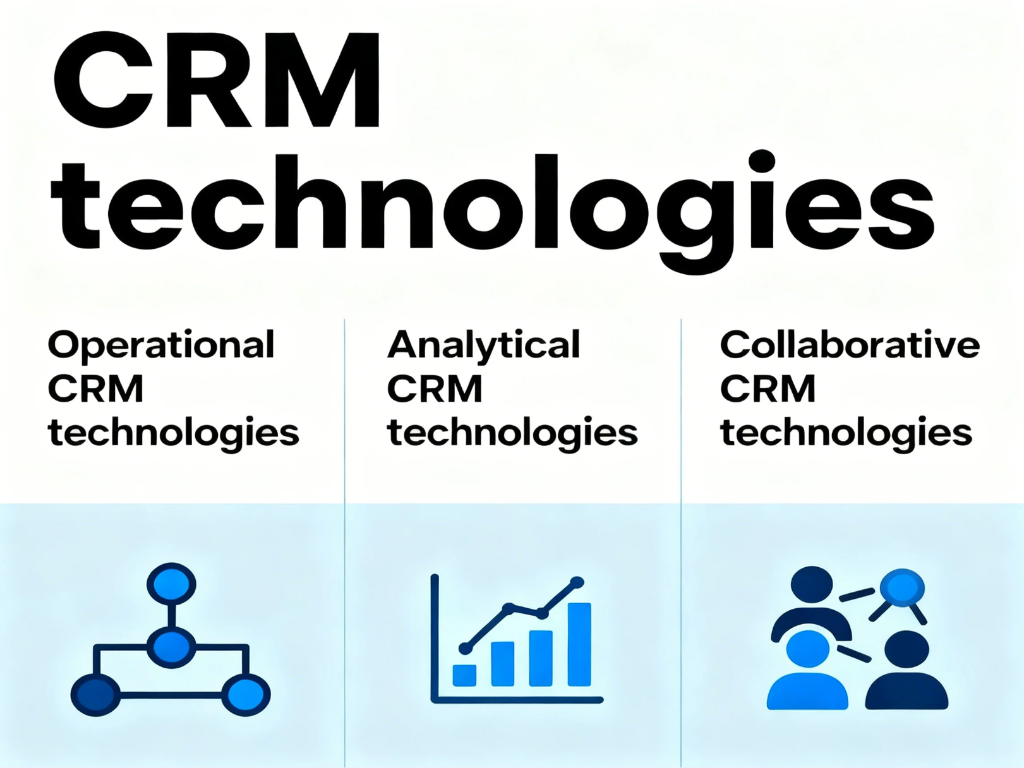
Image source: unsplash.com
CRM tools vs CRM technologies: What's the difference?
CRM tools are the software platforms businesses use to manage contacts, deals, communication, and reporting. Examples include Salesforce CRM, HubSpot, and Zoho CRM. These tools provide the user interface, dashboards, and features that teams interact with daily.
CRM technologies, on the other hand, are the capabilities behind those tools. They include operational CRM technologies like lead management and workflow automation, analytical functions such as customer segmentation, predictive analytics, and CRM reporting technologies, and collaborative capabilities like shared communication history and unified messaging. These technologies determine how effectively the system processes data, automates actions, and supports customer-facing teams.
How they work together: CRM tools deliver software experience, while CRM technologies power logic, data handling, and automation beneath it. When both align, businesses gain accurate insights, faster sales cycles, better collaboration, and a complete view of customer relationships across the CRM system.
Types of CRM technologies (with examples)
CRM technologies come in different forms, each designed to solve specific customer-management challenges. From sales operations to analytics and team collaboration, every category plays a unique role in improving customer experience. Understanding these types helps businesses choose the right tools for growth. Below is a breakdown of the main CRM technology categories and where they create the most impact.
Operational CRM technologies
Operational CRM technologies help businesses manage day-to-day customer activities, streamline sales processes, and maintain clean, reliable data across the CRM system. These capabilities form the backbone of many popular CRM tools and ensure teams can move deals forward efficiently.
- Lead management: Lead management helps businesses capture, qualify, and organize incoming prospects throughout the customer journey. It centralizes information so teams can track status, score interest, and prioritize follow-ups. This ensures no opportunity is missed and sales cycles stay consistent.
- Contact management: Contact management stores customer details, communication history, and key interactions in one place. It creates a single source of truth for teams handling sales, service, or marketing. With accurate records, businesses deliver more personalized and timely responses.
- Deal/pipeline management: Pipeline management visualizes every sales opportunity from initial interest to closing. Teams can monitor stages, adjust priorities, and identify bottlenecks quickly. This improves forecasting accuracy and strengthens overall CRM performance.
- Workflow automation: Workflow automation reduces repetitive tasks by automatically triggering actions, such as assignments, reminders, or status updates. It helps maintain consistent processes and accelerates deal movement. Teams gain more time for high-value activities like selling or nurturing customers.
Well-known CRM tools like Salesforce, HubSpot, and Zoho CRM rely on these operational CRM technologies to deliver smoother processes, better visibility, and stronger customer engagement.
Analytical CRM technologies
Analytical CRM technologies help businesses turn raw customer data into meaningful insights that drive smarter decisions. These capabilities elevate CRM systems by improving forecasting accuracy, personalization, and long-term customer value.
- Data analysis: Data analysis uncovers patterns within customer behavior, sales performance, and engagement activity. It helps teams understand what drives conversions and where opportunities are being lost. With clear insights, businesses can optimize campaigns, refine processes, and improve customer experience.
- Customer segmentation: Customer segmentation groups customers based on shared characteristics, behaviors, or needs. This allows teams to personalize communication, tailor offers, and target the right audiences more effectively. Strong segmentation leads to higher relevance, better engagement, and improved ROI.
- Predictive analytics: Predictive analytics uses historical data to forecast future outcomes like churn risk, purchase intent, or likely deal closures. It enhances decision-making by showing teams where to focus time and resources. This capability is essential in the latest CRM technology.
- CRM reporting technologies: CRM reporting technologies create dashboards and visual reports that highlight trends, performance metrics, and sales outcomes. They give leaders real-time visibility into revenue, pipeline health, and team performance. Clear reporting ensures data-driven decisions across the organization.
Popular analytical CRM tools, such as Salesforce Einstein, Zoho Analytics, and HubSpot Reporting, use these technologies to deliver actionable insights, better forecasting, and smarter customer strategies.
Collaborative CRM technologies
Collaborative CRM technologies keep teams aligned by connecting communication, customer context, and support workflows in one place. These capabilities ensure sales, marketing, and service teams work with full visibility and deliver consistent customer experience.
- Shared communication history: Shared communication history consolidates emails, chats, call notes, and interactions into a single timeline. This gives every team member full visibility into past conversations. As a result, customers receive faster, more informed, and more personalized responses.
- Unified messaging: Unified messaging brings multiple communication channels, such as email, chat, and calls, into one workspace. Teams can switch between channels without losing context. This prevents information gaps and keeps customer interactions smooth and connected.
- Team collaboration tools: Team collaboration tools support real-time discussions, file sharing, and coordinated decision-making. They keep internal conversations tied to customer work, so teams never operate in silos. This improves efficiency and strengthens customer engagement.
- Customer support coordination: Customer support coordination helps teams manage tickets, track issues, and ensure timely resolutions. It centralizes customer problems and assigns clear ownership. This leads to faster response times and more consistent service quality.
Platforms like Lark, Zendesk, Freshdesk, and HubSpot Service Hub use these collaborative CRM technologies to unify communication, streamline support workflows, and improve cross-team visibility.
Recommended core CRM technology features
Core CRM technologies form the foundation of every CRM system, supporting sales, marketing, and customer service teams with reliable data and automated workflows. These capabilities help businesses accelerate growth, improve collaboration, and deliver better customer experiences.
- Contact & account management: Stores all customer and company information in a centralized database. Teams can track interactions, preferences, and history across the lifecycle. This ensures accurate records and consistent communication.
- Sales forecasting: Forecasting tools analyze pipeline trends and historical performance to predict revenue outcomes. They help leaders plan resources, set targets, and identify risks early. Accurate forecasting strengthens strategic decision-making.
- Lead scoring: Lead scoring ranks prospects based on engagement, behavior, and fit. It helps teams prioritize high-value leads and focus effort where it matters most. This improves conversion rates and sales efficiency.
- Customer service ticketing: Ticketing systems organize customer issues, assign ownership, and track resolution progress. They ensure no request is missed and response times stay consistent. This improves overall service quality.
- Marketing automation: Marketing automation triggers targeted messages, workflows, and campaigns based on customer behavior. It reduces manual effort and delivers timely, personalized outreach. Teams gain scale without sacrificing relevance.
- Workflow automation: Automation handles repetitive tasks, such as assignments, reminders, or status updates. It standardizes processes and speeds up execution across teams. This keeps operations smooth and predictable.
- CRM reporting technologies: Reporting tools visualize key metrics like pipeline health, customer activity, and revenue performance. Leaders get real-time insights to guide decisions. Clear dashboards support transparency and accountability.
- Customer segmentation: Segmentation groups customers by behavior, demographics, or value. It allows more precise targeting and tailored engagement strategies. Strong segmentation leads to higher satisfaction and stronger results.
- Email tracking & communication tools: These tools monitor email opens, clicks, and replies to gauge customer interest. They help teams personalize outreach and follow up at the right time. Accurate tracking enhances sales productivity and marketing performance.
List of CRM technologies
Modern CRM systems rely on a wide range of specialized technologies that adapt to different business models, customer behaviors, and operational needs. These CRM technologies help companies stay agile, scalable, and customer-focused across every touchpoint.
- Cloud CRM: Cloud CRM stores customer data and workflows online, enabling access from any location or device. It eliminates maintenance costs and keeps systems updated automatically. This makes it ideal for teams that need flexibility and scalability.
- Mobile CRM: Mobile CRM gives sales and service teams on-the-go access to contacts, pipelines, and task updates. Reps can log notes, schedule meetings, and respond to customers directly from their phones. This boosts productivity and improves response times.
- AI-powered CRM: AI-powered CRM uses machine learning to analyze customer behavior, suggest next steps, and automate decisions. It enhances lead scoring, personalization, and forecasting accuracy. This is a key part of the latest CRM technology trends.
- Social CRM: Social CRM tracks conversations, brand mentions, and customer engagements across social media platforms. Teams can respond quickly, gather insights, and build stronger relationships. It helps companies stay present where customers already interact.
- Omnichannel CRM: Omnichannel CRM connects communication channels such as email, chat, phone, and social into one system. Customers receive consistent experiences no matter how they reach out. Teams benefit from shared visibility and unified customer context.
- Voice & conversational CRM: Voice and conversational CRM uses chatbots, voice assistants, and automated responses to manage customer inquiries. It supports faster, hands-free communication for both users and teams. This technology improves efficiency and availability.
- Workflow automation CRM: Workflow automation CRM reduces manual tasks by automatically triggering actions like alerts, assignments, or record updates. It ensures processes stay consistent and reduces operational delays. Teams can focus more on strategy and customer engagement.
- Predictive CRM: Predictive CRM uses data modeling to forecast outcomes such as churn, sales probability, or customer lifetime value. It empowers teams to make proactive decisions instead of reactive ones. This increases retention and strengthens revenue planning.
- Industry-specific CRM technology (retail, SaaS, healthcare, real estate): Industry-specific CRM technology tailors features to unique business needs, like retail loyalty tracking, SaaS subscription workflows, healthcare patient communication, or real estate pipeline timelines. These specialized systems improve accuracy and efficiency by aligning CRM workflows with industry realities.
Meet your tool: Use Lark to master CRM technologies and boost sales
Lark brings your CRM workflow, data, and communication together in one collaborative hub. Instead of juggling separate tools for tasks, messaging, forms, or approvals, teams work in a single unified workspace. This creates a richer customer context, enables faster decision-making, and leads to more efficient operations. With Lark, CRM-related technologies have become easier to adopt, automate, and scale across teams.
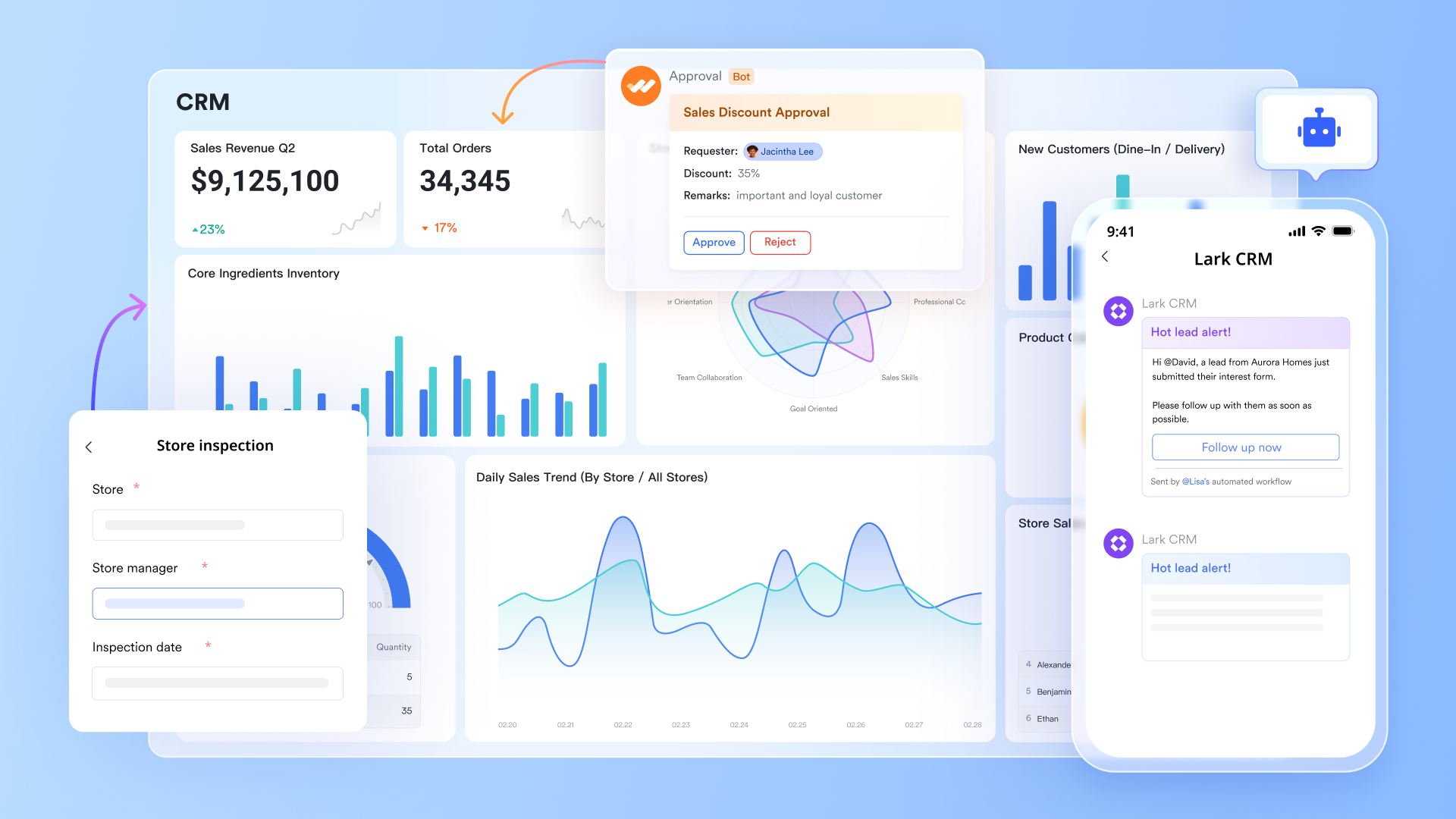
Lark Base: CRM-style data management
Lark Base functions as a structured, flexible workspace where teams can store and manage contacts, companies, and pipeline information in one organized environment. Its database-style tables support multiple views, including grid, Kanban, Gantt, and dashboards, allowing sales and operations teams to visualize customer journeys from different angles. Two-way links help maintain consistency between related records, reducing duplicate updates and missing information. Automated workflow rules ensure key steps, such as stage changes or new assignments, trigger the right follow-ups without manual effort.
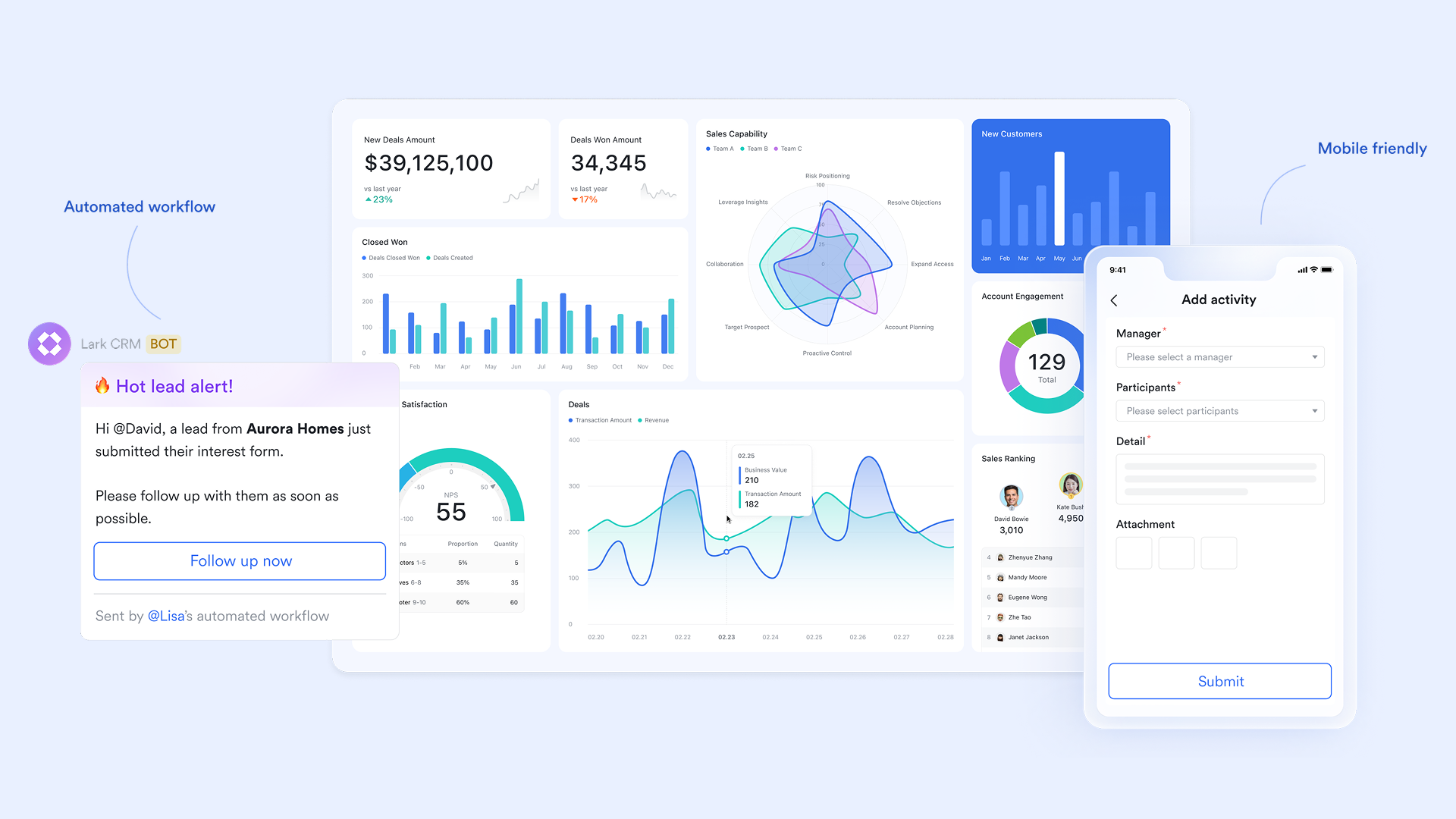
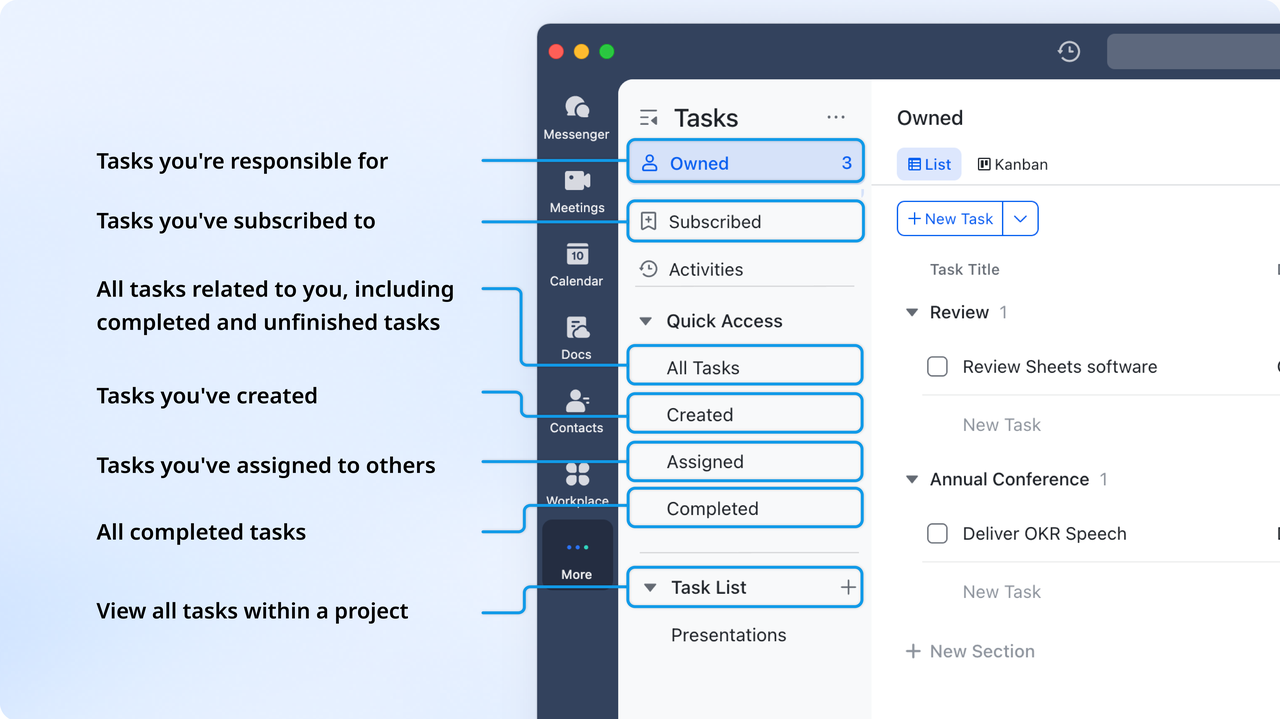
Lark Tasks: CRM task ownership and follow-up accountability
Lark Tasks turns pipeline actions into clear, trackable responsibilities so no follow-up is ever missed. Teams can assign demos, proposals, updates, or renewal activities directly to the right owner, all with due dates and priority levels. Every task stays visible across personal and shared views, making progress easy to monitor. Automated connections with Base allow task creation or updates as deal stages evolve, keeping the sales cycle smooth and predictable.
Lark Messenger: Collaborative CRM communication
Lark Messenger brings real-time communication directly into the CRM process by linking chats with contacts, deals, and relevant files. Teams can hold contextual discussions, share updates, and review customer information without switching tools. File sharing, mentions, and quick polls streamline coordination, while help preserve important decisions. With conversations connected to live data, teams stay aligned and move faster.
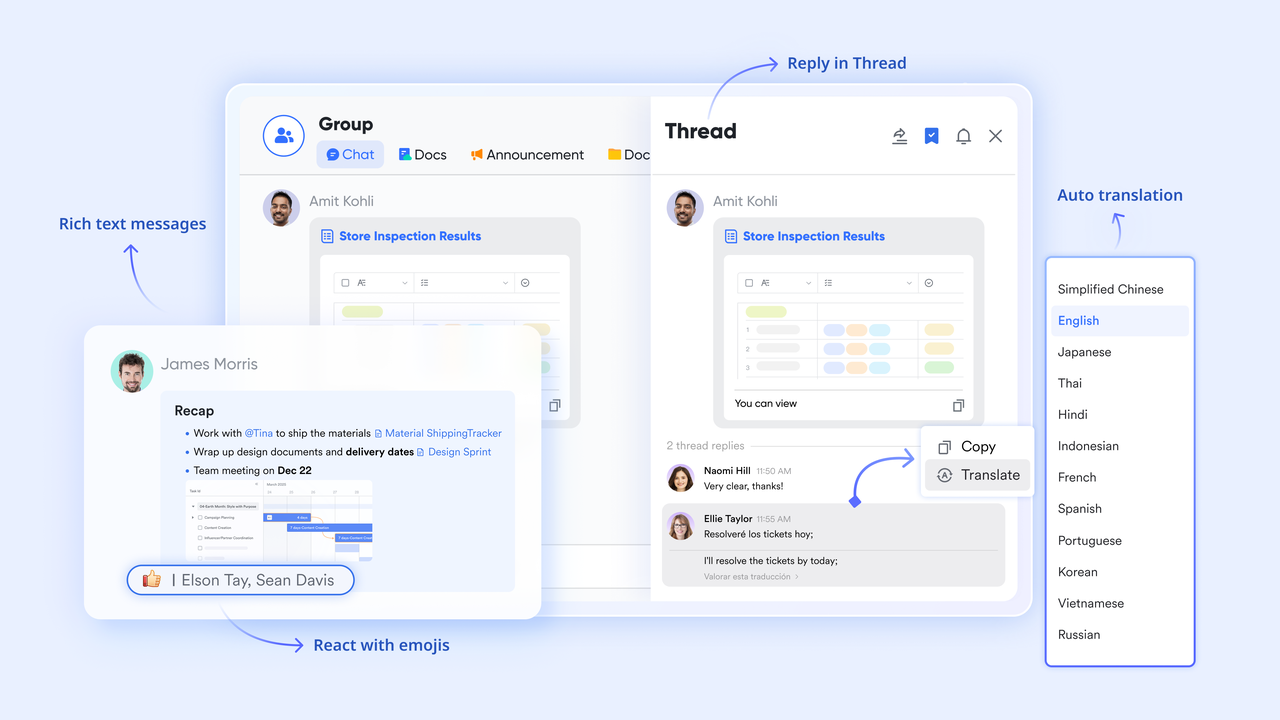
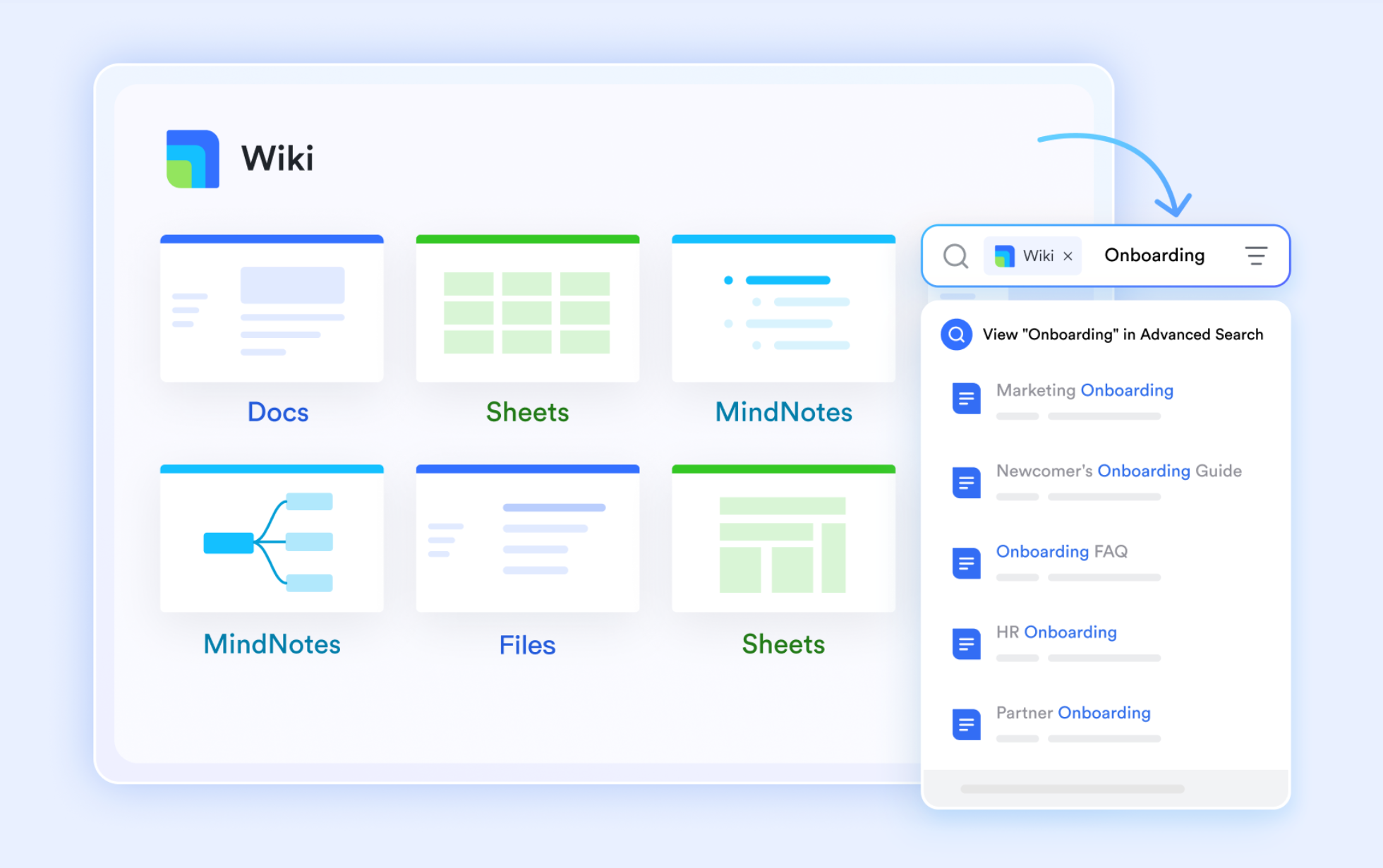
Lark Docs & Lark Wiki: CRM knowledge storage and shared documents
Lark Docs and Wiki create a unified knowledge environment for storing customer notes, proposals, playbooks, and standard operating procedures. Teams can co-edit in real time, leave comments, and maintain version history for accurate tracking. Docs also support embedded Base tables, ensuring customer or pipeline data stays current within written content. Wiki acts as a structured library for repeatable sales knowledge, helping teams work consistently and reference materials instantly.
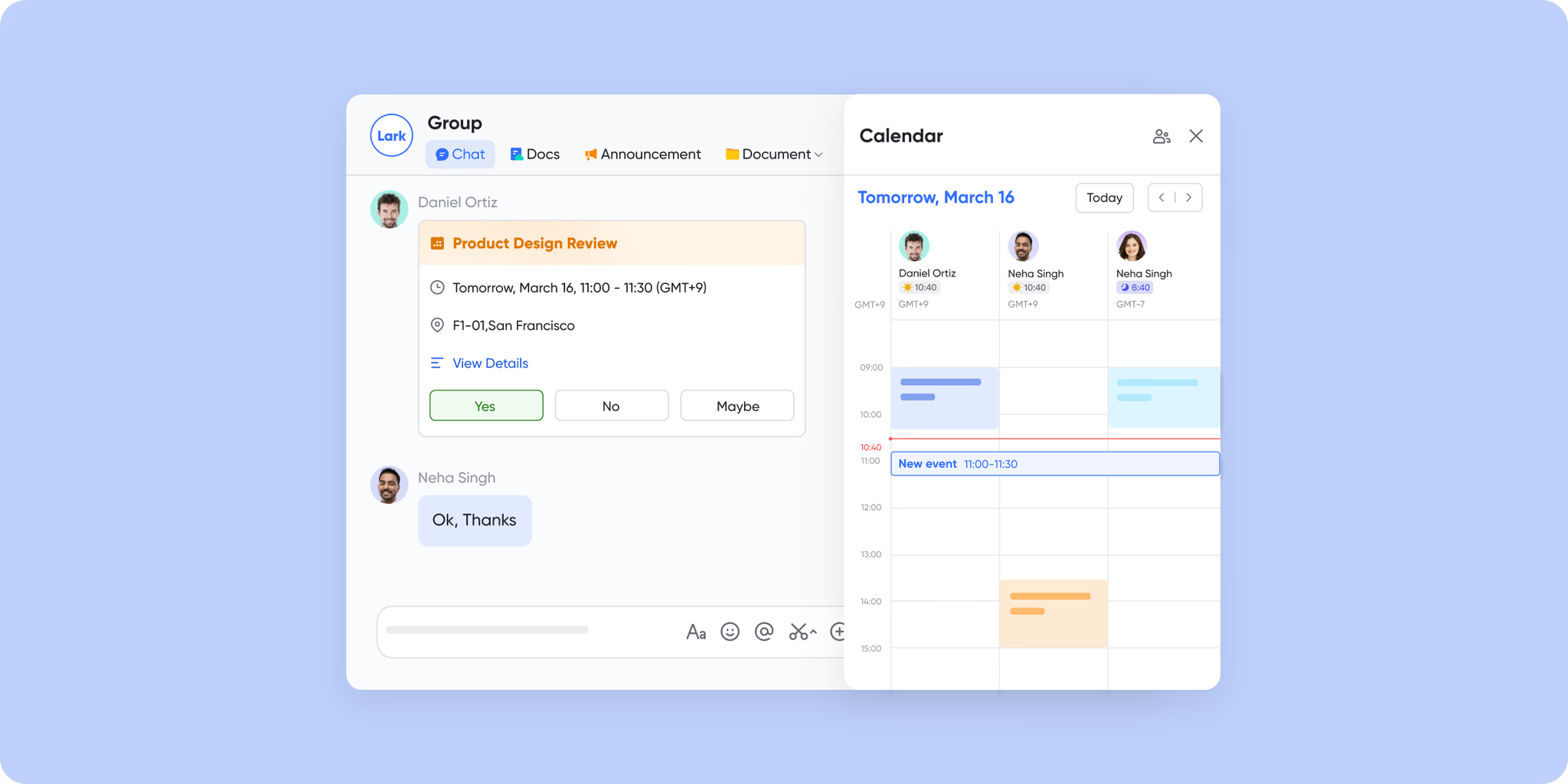
Lark Calendar & Lark Meetings: CRM-topic scheduling and meeting intelligence
Lark Calendar simplifies scheduling by displaying teammate availability and helping book demos, discovery calls, or internal reviews quickly. Events can connect directly to records in Base, keeping meeting context close to the work. During calls, Lark Meetings supports screen sharing, collaborative notes, and real-time chat. AI Meeting Notes capture key points, decisions, and next steps automatically, which teams can attach back to customer records for seamless follow-ups.
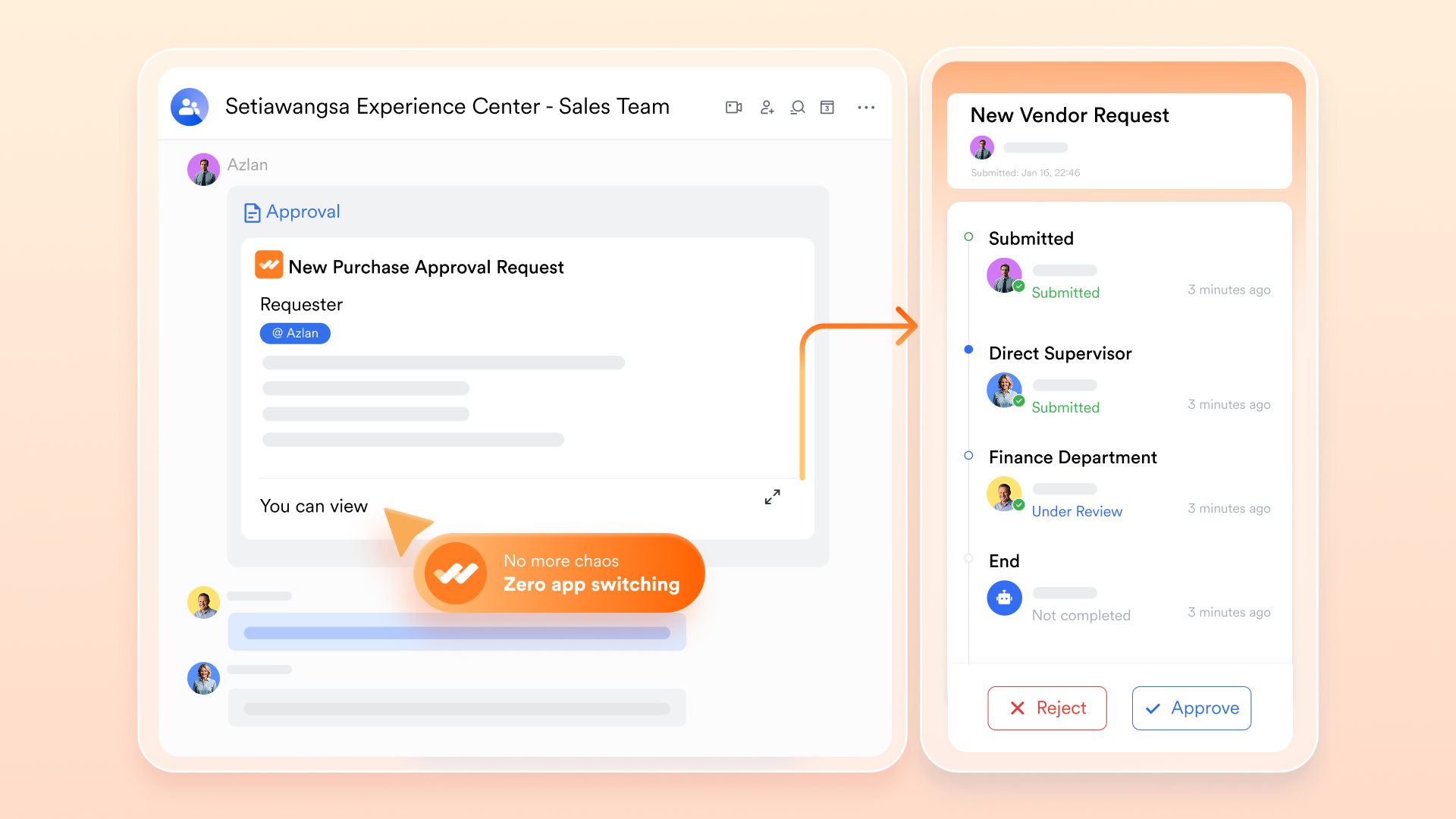
Lark Approval: CRM-style decision workflows
Lark Approval streamlines deal-level decisions such as pricing exceptions, contract sign-offs, and discount approvals. Customizable templates define reviewer paths, conditions, and escalation rules so approvals move smoothly through the right people. Each request is logged with a complete trail of actions, giving teams transparency and control. Completed approvals can update Base records or trigger new tasks, making it easy to maintain governance while keeping deals moving efficiently.
- Starter plan: Free forever plan that includes 11 powerful tools for up to 20 users. It also comes with 100GB of storage, 1000 automation runs, AI translations, and more.
- Pro plan: $12/user/month (billed annually) for up to 500 users. It includes everything in Starter plus group calling for up to 500 attendees, 15TB of storage, 50,000 automation runs, and more.
- Enterprise plan: Contact sales for custom pricing. Supports unlimited users and includes even more automation runs and advanced security, compliance, and management features.
Real benefits: How CRM technologies impact business performance
CRM technologies deliver powerful CRM benefits that help teams understand customers better, streamline operations, and grow revenue with confidence. By unifying data, automating work, and enabling smarter decisions, CRM systems transform how businesses operate every day.
- Improved customer insights: CRM technologies compile every interaction, preference, and behavior into a single view. Teams can analyze patterns, identify needs, and tailor messaging. This allows businesses to deliver more relevant and personalized experiences.
- Faster sales cycles: A clear pipeline, automated alerts, and real-time deal updates help sales reps act quickly. Bottlenecks become visible early, keeping momentum strong. As a result, deals move from lead to close faster.
- Reduced manual processes: Automated workflows handle repetitive tasks like data entry, follow-ups, and task routing. This reduces errors and frees up time for strategic work. Teams operate more efficiently without administrative overload.
- Better collaboration: Shared communication history ensures everyone sees the same customer context. Sales, marketing, and support stay aligned without switching tools. This creates smoother handoffs and more consistent service.
- More accurate forecasting: CRM reporting technologies use historical trends and predictive models to refine forecasts. Leaders can assess pipeline health with real-time data. This results in more reliable revenue planning.
- Unified customer data: All customer emails, calls, tickets, and deal updates live in one centralized system. Teams no longer dig through scattered tools or spreadsheets. Unified data strengthens decision-making across the entire customer lifecycle.
Practical tips for choosing the right CRM technology
Selecting a CRM system requires clear CRM selection criteria to ensure it fits your workflows, team structure, and long-term business goals. The right choice should simplify operations today while supporting growth tomorrow.
- Match to business size: Different CRM technologies suit startups, growing teams, and large enterprises differently. Smaller teams need simplicity, while larger teams need advanced customization. Matching the tool to your scale ensures smoother adoption.
- Identify essential CRM functions: Before choosing a platform, teams must define the core features they truly need. This includes contact management, pipeline tracking, analytics, or service tools. Prioritizing essentials prevents paying for unnecessary complexity.
- Consider automation capabilities: Automation reduces manual tasks and supports consistent execution. Look for tools that automate follow-ups, workflows, lead routing, or reporting. Strong automation capabilities directly impact efficiency and productivity.
- Check for scalability and data accuracy: A CRM should grow with your business and maintain clean, reliable data as volumes increase. Scalable systems support more customers, teams, and processes without slowing down. Accurate data ensures confident decision-making.
- Importance of collaboration and workflow visibility: CRM technologies should help teams work together seamlessly with shared timelines, communication logs, and task visibility. Clear workflows prevent confusion and missed steps. Collaboration-friendly systems strengthen customer experience across departments.
Common challenges with CRM technologies
Even the best systems can fail without proper planning, which is why understanding key CRM challenges is crucial. Identifying these issues early helps teams avoid costly mistakes and improve long-term CRM success.
- Data quality: CRMs rely heavily on accurate, clean, and updated information. Poor data entry or inconsistent formatting leads to unreliable insights. Maintaining data hygiene is essential for trustworthy reporting and decisions.
- Poor adoption: If teams don't consistently use the CRM, its value drops quickly. Confusing interfaces or unclear processes discourage daily use. Training, simplicity, and ongoing support boost adoption rates.
- Complex configurations: Over-customizing the CRM can make it harder to manage and maintain. Complex setups slow down onboarding and reduce flexibility. Businesses need a balance between customization and ease of use.
- Siloed communication: When conversations happen across disconnected channels, context gets lost. CRMs must centralize communication to avoid confusion and inefficiency. Unified messaging ensures teams always have the latest updates.
- Lack of cross-team context: Sales, marketing, and support often operate with different information. Without shared customer history, misalignment becomes common. CRMs should provide a single view of the customer for all teams.
- Overlapping tools: Using too many disconnected systems creates duplication and scattered data. This increases costs and makes workflows harder to follow. Consolidating tools inside the CRM improves clarity and efficiency.
Conclusion
CRM technologies have become essential for businesses aiming to understand customers better, streamline processes, and improve collaboration across teams. From lead management and automation to predictive analytics and omnichannel communication, the right CRM setup can transform how organizations operate and grow. But success depends on choosing tools that fit your business size, ensuring clean data, and driving strong user adoption. When CRM capabilities come together in a unified, efficient workflow, teams gain clarity, speed, and smarter decision-making. For businesses looking to simplify complexity and elevate customer operations, a modern, all-in-one platform makes all the difference, like Lark.
FAQs
What industries benefit most from modern CRM technologies?
Modern CRM technologies benefit industries that rely on high-volume customer engagement, complex sales cycles, or recurring relationships. Sectors like SaaS, finance, real estate, healthcare, retail, e-commerce, hospitality, and professional services gain the most. CRMs help these industries centralize customer data, automate workflows, personalize communication, and scale operations while improving service quality and revenue performance.
How do AI and machine learning shape the next generation of CRM technologies?
AI and machine learning elevate CRM technologies by turning raw data into actionable intelligence. They power predictive lead scoring, churn forecasting, next-best-action recommendations, and automated workflows. These systems analyze behavior patterns to personalize communication at scale. AI also improves data accuracy, speeds decision-making, and reduces manual tasks, making CRM platforms more proactive, intelligent, and outcome-driven.
What's the difference between CRM platforms and customer data platforms (CDPs)?
CRM platforms focus on managing relationships, interactions, and workflows across sales, service, and marketing teams. CDPs consolidate large volumes of customer data from multiple sources to create unified profiles for analytics and personalization. CRMs are action-oriented for day-to-day operations, while CDPs are data-oriented for deeper insights. Many companies use both to enhance customer understanding and engagement.
How does mobile CRM improve sales productivity?
Mobile CRM gives sales teams instant access to contacts, deals, tasks, and communication history from any location. Reps can update pipelines, log activities, and respond to leads in real time. On-the-go visibility reduces delays and strengthens follow-ups. Mobile features like notifications, geo-tagging, and quick reporting enable faster decisions, helping sales teams stay responsive and efficient.
Is cloud-based CRM more secure than on-premise CRM systems?
Cloud-based CRM systems often provide stronger security because vendors invest heavily in encryption, uptime protection, monitoring, compliance, and rapid patching. They reduce risks tied to outdated servers and manual maintenance. While on-premise systems offer more control, they require internal teams to manage security. For most businesses, cloud CRM delivers safer, faster, and more reliable protection.
Related reading
Table of contents
Start using Lark today

Manage all your work in one place
Boost team efficiency by 10x
Save up to 70% on software costs
Table of contents
Start using Lark today
Manage all your work in one place
Boost team efficiency by 10x
Save up to 70% on software costs
Keep reading









2026 Lark Technologies Pte. Ltd.
Headquartered in Singapore with offices worldwide.






Explore: