Managing a workforce efficiently is one of the most significant challenges for businesses of all sizes. Employee management software can help HR teams streamline a wide range of responsibilities, including maintaining employee records, processing payroll, managing performance evaluations, coordinating training, ensuring compliance with labor regulations, and administering benefits. Handling these tasks manually or across multiple disconnected systems can quickly become time-consuming, overwhelming, and prone to errors. By centralizing employee data, automating routine , and providing actionable insights, employee management software makes it easier for organizations to stay organized and improve operational efficiency. Platforms like Lark bring essential HR functions, helping teams maintain accurate records and smooth processes across departments.
1. Lark: Overall best for unified people and operations management
2. BambooHR: Best for employee data and HR workflows
3. Zoho People: Best for customizable HR process management
4. Rippling: Best for scaling HR and workforce administration
5. Gusto: Best for payroll-centric employee management
6. Deel: Best for global teams and cross-border workforce management
7. Connecteam: Best for managing frontline and mobile employees
8. UKG Ready: Best for workforce planning and HR oversight
9. Paycor: Best for payroll, talent, and core HR operations
10. ADP Workforce Now: Best for enterprise-level employee oversight
11. Workday: Best for strategic HR and people analytics
12. Monday.com: Best for flexible employee task and team coordination
13. Namely: Best for mid-sized companies' HR and people management
14. Freshteam: Best for hiring, onboarding, and employee tracking
15. Five: Best for performance, feedback, and employee engagement
Learn how to streamline HR processes
Overview snapshot of the top 15 employee management tools
*Pricing figures are approximate starting points or publicly disclosed minimums; actual cost may vary based on number of users, modules selected, contract terms and region.
What is employee management software?
Employee management software is a digital platform designed to help organizations efficiently handle all aspects of workforce administration. It centralizes employee data management software, allowing HR teams to maintain accurate employee records, manage payroll, track attendance, and oversee benefits. Beyond record-keeping, this software supports employee performance management software by monitoring , conducting evaluations, and providing insights to improve productivity and engagement. Many platforms include employee training management software and employee experience management software to streamline onboarding, track skill development, and enhance overall workplace satisfaction. Features like employee document management software and employee file management software reduce administrative workload while ensuring compliance with labor laws.
For small and mid-sized teams, software for small business helps simplify HR workflows without requiring large IT resources. Overall, this category of software combines employee record management, HR employee management software functions, and task automation to create a more organized, transparent, and efficient HR process.
Key features to look for in employee software management
Choosing the right employee management software involves more than just selecting a tool for record-keeping. Effective platforms combine multiple HR functions to streamline , improve employee engagement, and provide actionable insights. By integrating employee file management software, employee document management software, and employee benefits management software, organizations can reduce manual work and enhance workforce efficiency.
The following features are essential to consider when evaluating employee software management solutions:
- Employee data records: Centralised employee record management ensures all personal, employment, and payroll information is easily accessible. Employee record management software helps HR teams maintain accuracy while complying with regulations. A robust system also supports data security and privacy, keeping sensitive information protected across the organization.
- Attendance and scheduling: employee attendance and managing shifts becomes simpler with automated scheduling tools. Employee management software for small businesses allows managers to monitor hours, track absences, and calculate overtime efficiently. Integration with leave and benefits modules ensures accurate payroll and compliance with labour laws.
- Task and workflow coordination: Effective workflow coordination helps teams stay organized and meet deadlines. Software for employee management can assign tasks, monitor progress, and automate repetitive steps, reducing administrative overhead. Employees gain visibility into responsibilities while managers maintain control over project timelines.
- Performance tracking: Monitoring employee performance is easier with tools designed for employee performance management software. HR can set goals, track KPIs, and generate reports to identify strengths and areas for improvement. Continuous feedback and performance insights help improve productivity and engagement.
- Leave and benefits management: Employee benefits management software simplifies leave requests, approvals, and benefits administration. Employees can submit requests digitally while HR tracks balances and manages compliance. reduces errors and improves transparency for both employees and management.
- Document handling: Employee document management software stores contracts, appraisals, and compliance forms securely in a central location. Version control and access permissions ensure sensitive files are protected. This reduces paper usage and simplifies audits and reporting.
- Training and experience management: Employee training management software helps track , certifications, and skill development. Managers can assign courses, monitor completion, and plan professional growth initiatives. Employees benefit from structured development pathways and enhanced engagement.
- Automation and reporting: Automation tools streamline repetitive HR tasks such as approvals, notifications, and data updates. Reporting features generate actionable insights on workforce metrics, improving strategic decision-making. Employee software management solutions with robust analytics support proactive HR planning.
Optimize HR operations with the right platform
15 best employee management software
1. Lark: Overall best for unified people and operations management
is a versatile employee management software designed to streamline HR, workflow, and communication in a single platform. It provides a unified view of employee data, , and operational tasks, helping HR teams stay organized. With tools for attendance tracking, , and document handling, Lark reduces administrative burden. Its automation features simplify repetitive HR processes, from onboarding to approvals.
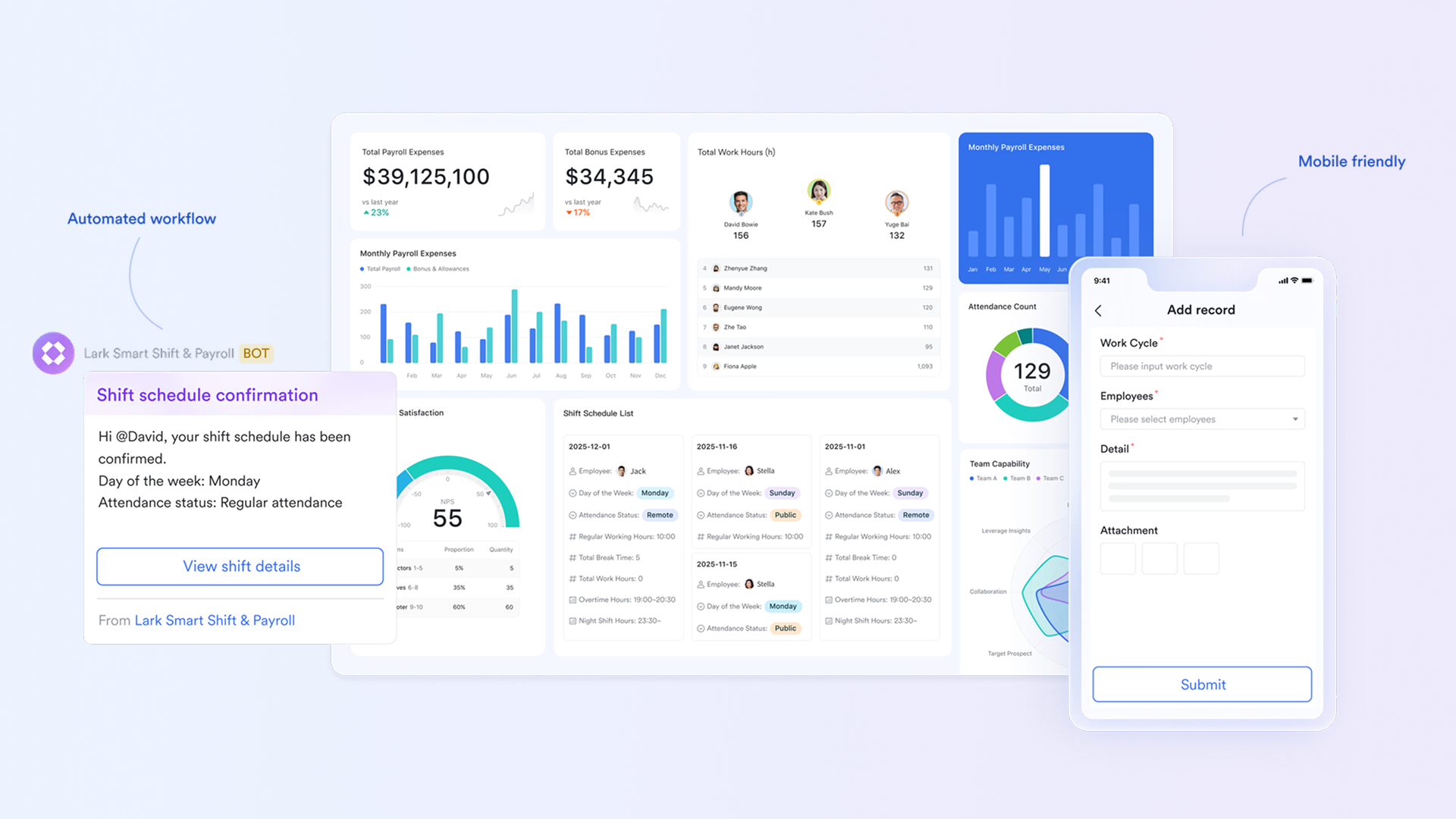
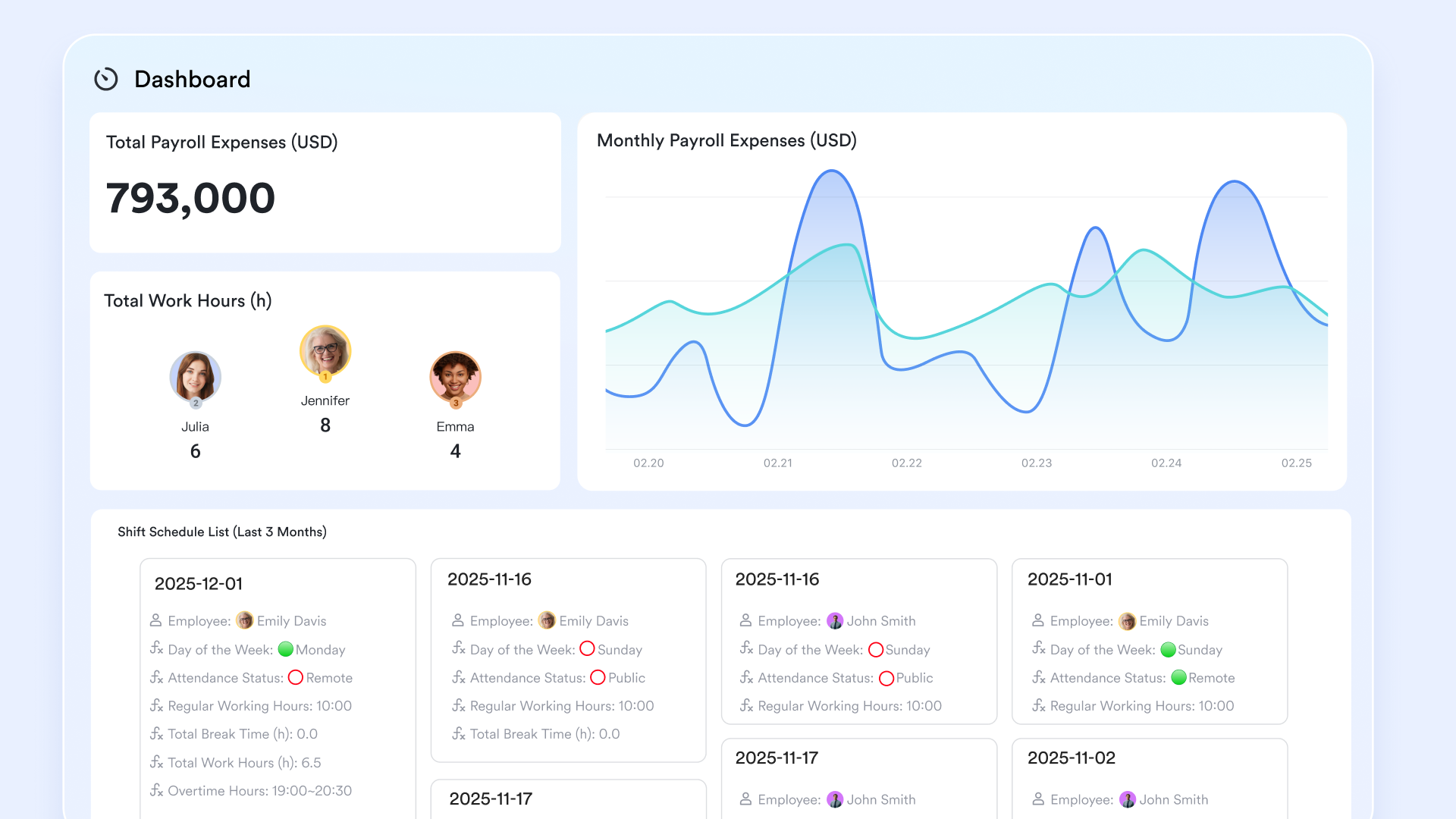
Comprehensive HR dashboards and analytics
Dashboard in Lark Base gives teams a complete overview of workforce activity, covering performance scores, attendance patterns, training completion, and development progress. HR leaders can review data across the entire organization, while department heads only see information relevant to their own teams, ensuring visibility without compromising confidentiality. These dashboards update in real time, so staffing decisions, performance reviews, and training plans are always based on the most accurate information. For example, when evaluating employee management needs, a manager can immediately spot dips or training gaps in their team and act before they become larger issues. This makes Lark an effective choice for businesses seeking deeper clarity into employee performance and readiness.
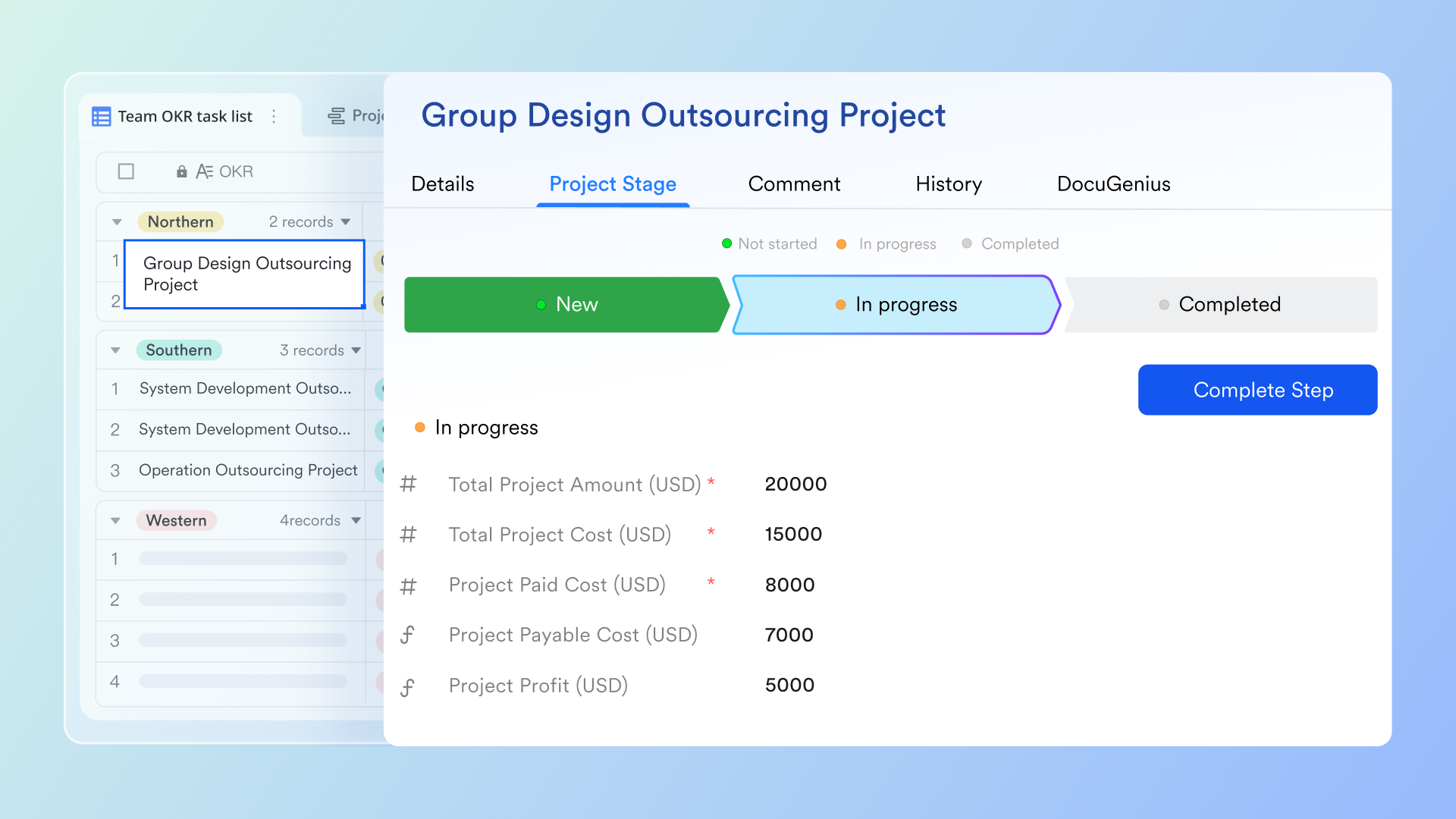
Workflow automation and no-code customization
Lark Base automations allows organizations to automate recurring HR tasks using simple no-code tools that anyone can set up. This may include automatically routing a promotion request to the right leader, assigning mandatory training to a new hire, or updating an employee's department records after a role change. Automation removes repetitive work and ensures important steps aren't missed. For example, once HR updates an employee's transfer in Lark, the system can automatically notify the new manager, assign onboarding tasks for the new department, and update relevant directories—making employee management far more efficient. This helps HR teams save time while maintaining consistent processes.
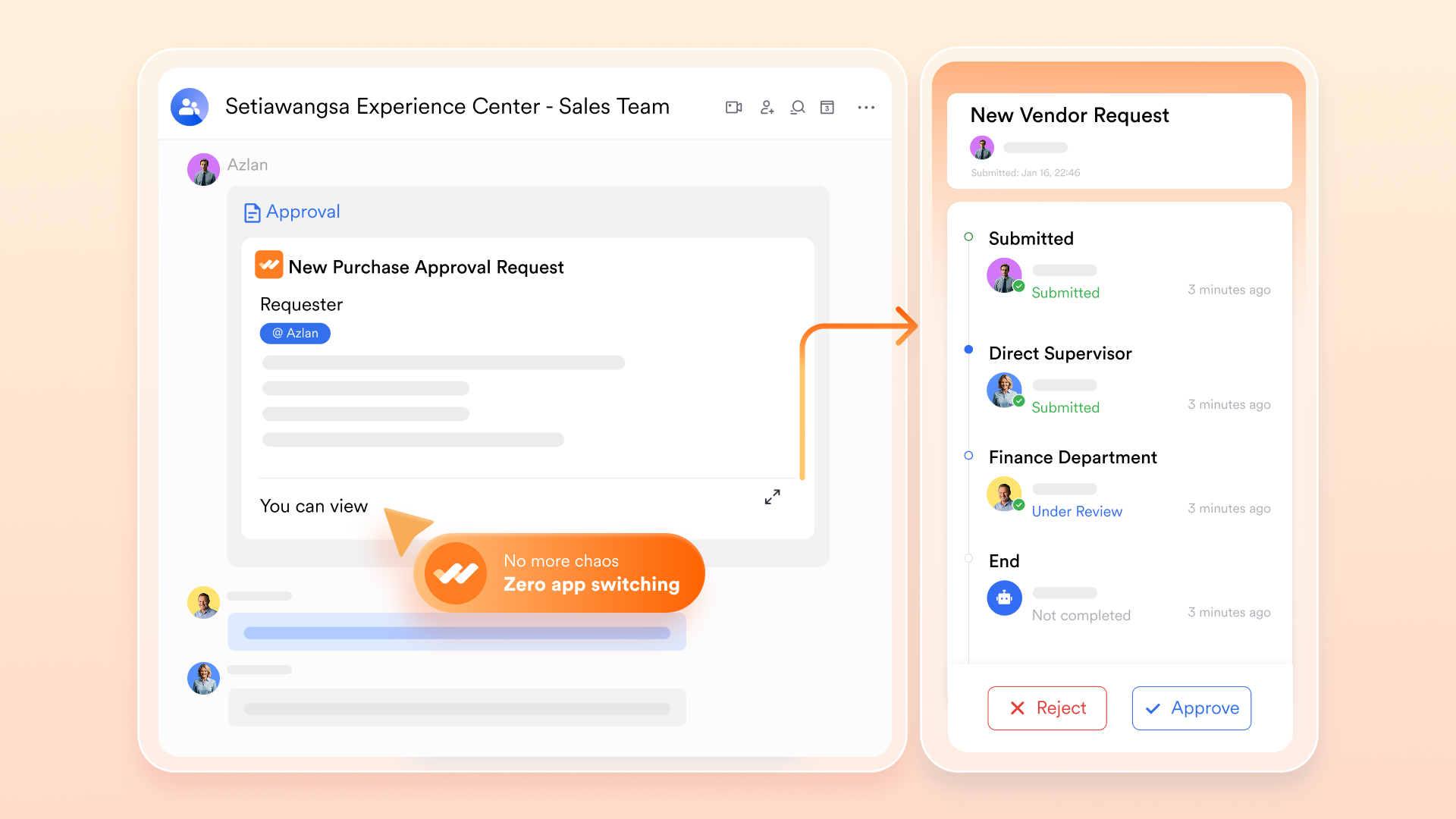
Transparent & streamlined approval process
brings all people-related approvals—job offers, role updates, promotions, and leave requests—into a single approval center where decision-makers can review, comment, and approve without losing track. Each request arrives with the necessary context, such as performance summaries or supporting documents, so managers don't have to search through emails to understand the situation. Smart routing ensures each request goes to the right stakeholder based on company policy.
For example, a promotion request triggered within the employee management system automatically reaches HR and the department head in the correct order, reducing delays and cutting down repetitive follow-ups. This keeps HR cycles organized and much faster.
Smart attendance control for daily routines
Lark Attendance streamlines employment management by centralizing shifts, holidays, and overtime in one place, making scheduling more organized and consistent. Administrators can track attendance, verify clock-ins with photos, and approve or reject leave and overtime requests with ease. Custom fields and detailed reports provide deeper insight into work hours, patterns, and compliance. With automated reminders, mobile syncing, and exportable daily or monthly summaries, teams can manage attendance accurately and efficiently. 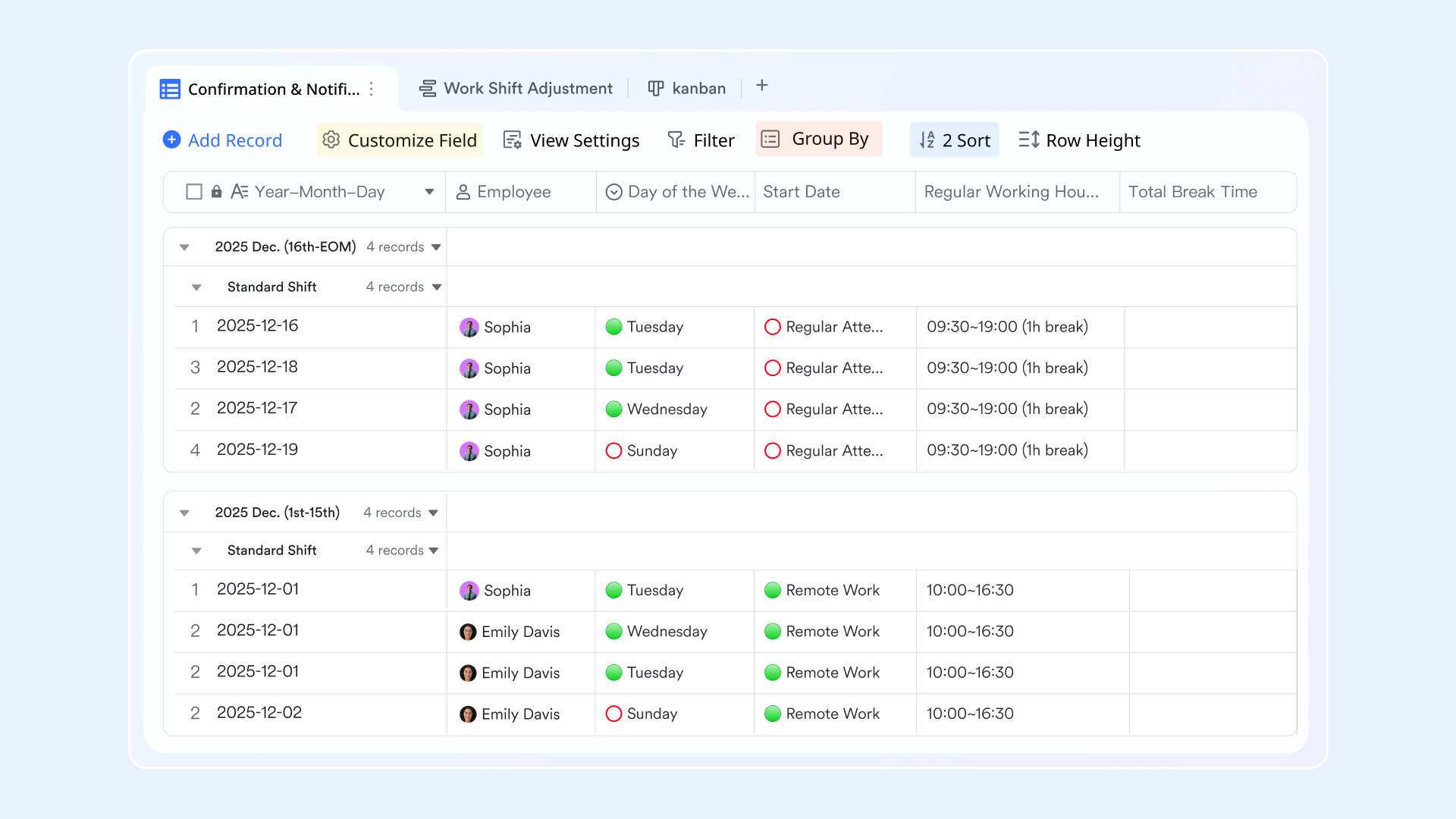
Unified communication and documentation environment
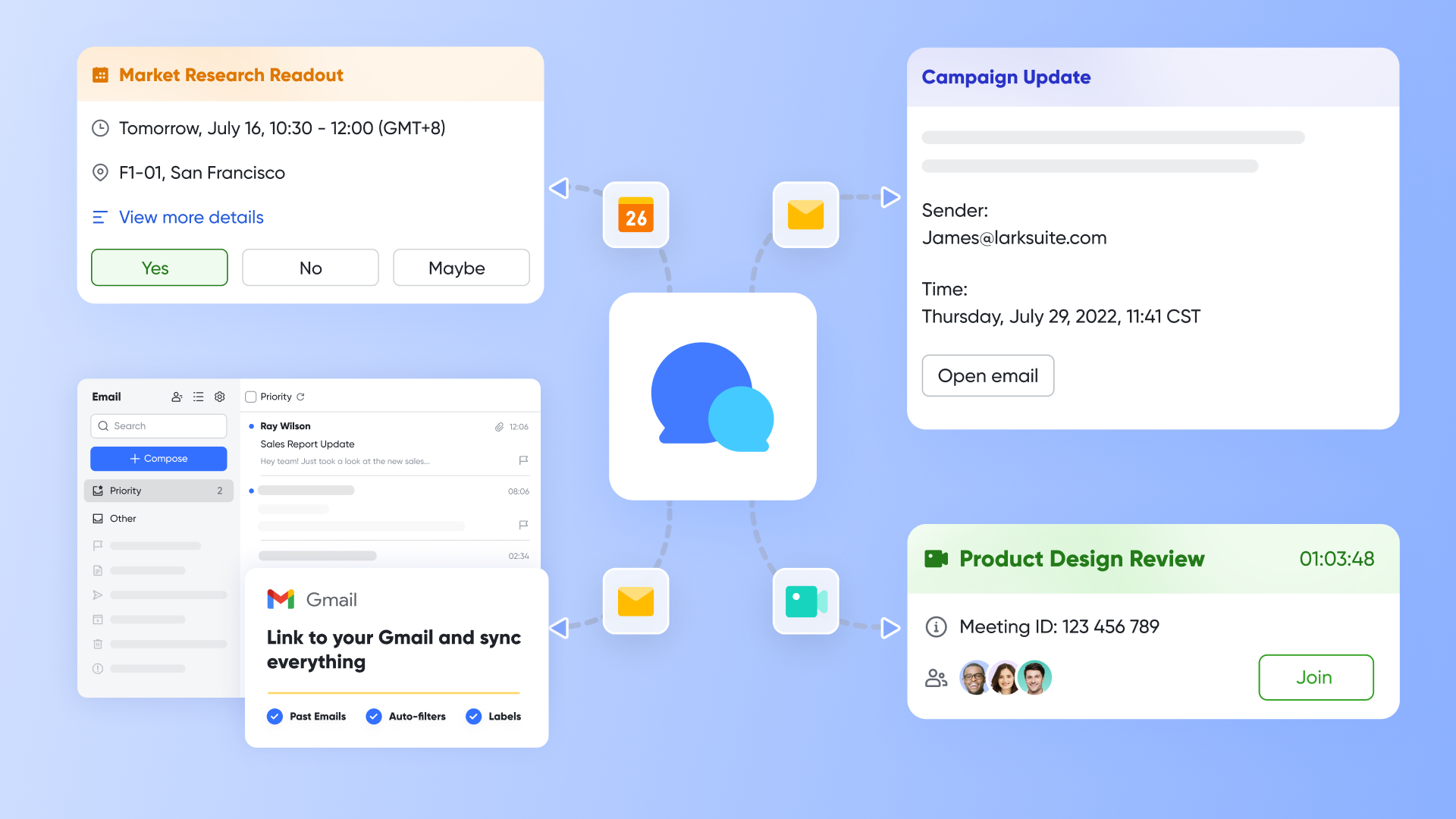
Lark brings messaging, meetings, documents, and workflow actions together so HR teams and employees can communicate and complete tasks without switching between apps. Discussions about an employee request can happen directly beside the related document or form, and approvals can be completed in the same workspace. This reduces confusion and keeps everyone aligned.
For example, if an employee messages HR about updating their personal information, the HR executive can open the related document, make the update, and share the confirmation—without ever leaving Lark. This interconnected environment strengthens employee management by keeping communication, actions, and records all in one place.
Ready-made HR templates and process frameworks
Lark offers a wide range of for onboarding plans, performance review forms, leave request formats, promotion submissions, and more. These templates help teams standardize procedures across departments and launch HR processes quickly without designing everything from scratch. They also make documentation more reliable and easier to maintain.
For example, when rolling out a new employee performance cycle, HR can select a review template, share it with managers, and collect consistent evaluations across the entire company. This keeps employee management organized and reduces the time needed to set up recurring HR tasks.
:
- Starter plan: Free forever plan that includes 11 powerful tools for up to 20 users. It also comes with 100GB of storage, 1000 automation runs, AI translations, and more.
- Basic plan: $6/user/month (billed annually) for up to 500 users. It includes everything in Starter plus group calling for up to 500 attendees, 5TB of storage, 1000 automation runs, and more.
- Pro plan: $12/user/month (billed annually) for up to 500 users. It includes everything in Starter plus group calling for up to 500 attendees, 15TB of storage, 50,000 automation runs, and more.
- Enterprise plan: for custom pricing. Supports unlimited users and includes even more automation runs and advanced security, compliance, and management features.
For small teams with simple communication needs

18 months message history
1000 Base automation runs/month
2000 rows per table in Base
Most POPULAR
For companies with comprehensive collaboration and management needs
Unlimited message history
500-participant video meetings
50k Base automation runs/month
20k rows per table in Base
For large companies with advanced security and organizational management needs
Get a personalized demo and pricing
Unlimited message history
500-participant video meetings
15 TB storage + 30 GB storage/user
500k Base automation runs/month
50k Base automation runs/month
Most POPULAR
For companies with comprehensive collaboration and management needs
Unlimited message history
500-participant video meetings
50k Base automation runs/month
20k rows per table in Base
2. BambooHR: Best for employee data and HR workflows
BambooHR is an intuitive employee management software designed to simplify HR processes for small and mid-sized businesses. It centralizes employee records, performance tracking, and HR workflows into a single platform. HR teams can easily manage onboarding, leave requests, and reporting without juggling multiple tools. BambooHR emphasizes user-friendly design while providing robust functionality for core HR tasks. Its reporting and analytics tools allow managers to make informed decisions based on accurate workforce data.
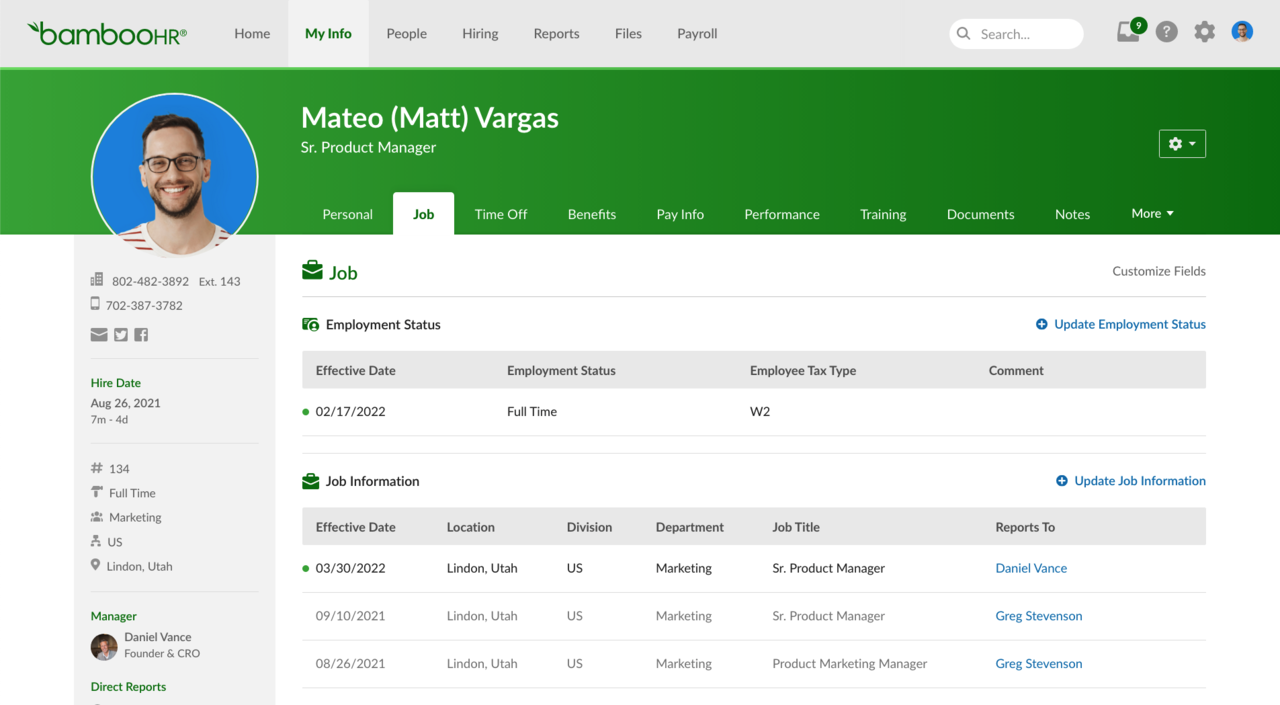
Image source: bamboohr.com
Key features:
- Centralized employee data records for easy access and management.
- Performance tracking tools to monitor goals and evaluations.
- Leave and benefits management to streamline approvals and balances.
- Employee document management software to store contracts and HR forms.
Pros:
- Intuitive and easy-to-use interface for HR and employees.
- Strong reporting and analytics capabilities.
- Customizable workflows for small and mid-sized teams.
Cons:
- Limited payroll management capabilities
- Some advanced features require add-ons or higher-tier plans
Pricing:
- Core plan: $10 per user per month (billed annually).
- Pro plan: $17 per user per month (billed annually).
3. Zoho People: Best for customizable HR process management
Zoho People is a flexible employee management software designed to help businesses automate HR workflows and maintain accurate employee records. It allows HR teams to manage attendance, leave, onboarding, and performance evaluations from a single platform. With customizable forms and self-service portals, employees can access their information and submit requests easily. Zoho People supports workflow automation, shift scheduling, and performance tracking, helping organizations improve efficiency and reduce administrative workload. Its scalable plans make it suitable for small businesses as well as mid-sized organizations looking for adaptable HR solutions.
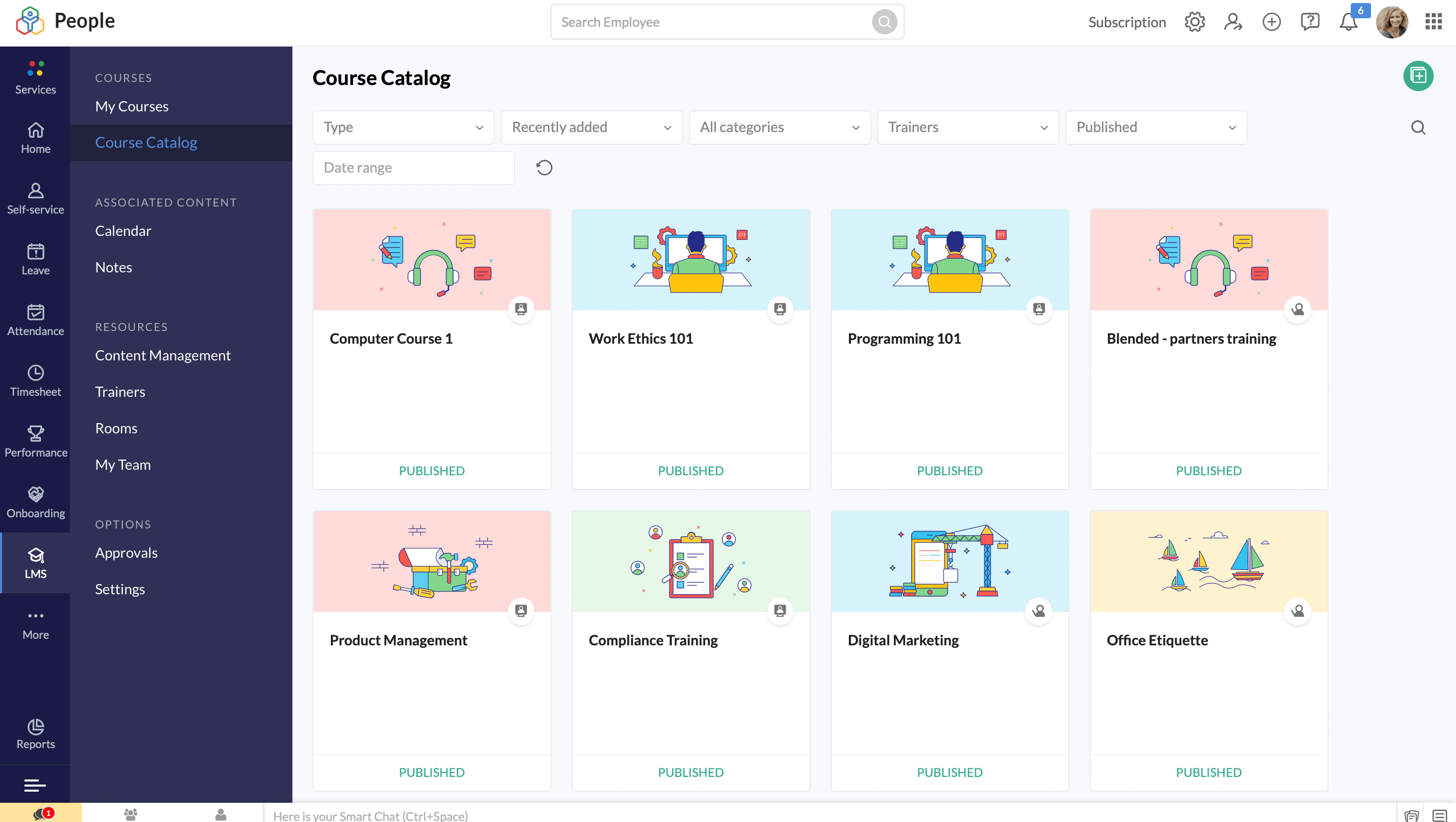
Image source: zoho.com
Key features:
- Flexible employee software management for HR tasks and workflows.
- Attendance and shift management with automated scheduling.
- Employee self-service portal for personal data and leave requests.
- Performance tracking and review management.
Pros:
- Highly customizable to match company-specific HR processes.
- Affordable pricing for small and growing teams.
- Easy-to-use interface with good mobile support.
Cons:
- Advanced features require higher-tier plans.
- Limited integrations outside the Zoho ecosystem.
Pricing:
- Essential HR: $1.25 per user/month (billed annually).
- Professional: $2.00 per user/month (billed annually).
- Premium: $3.00 per user/month (billed annually).
- Enterprise: $4.50 per user/month (billed annually).
- People Plus: $9.00 per user/month (billed annually).
4. Rippling: Best for scaling HR and workforce administration
Rippling is a unified platform that brings together HR, IT, and finance functions, helping companies manage the full employee lifecycle — from onboarding to offboarding — in a single system. It streamlines operations like payroll, benefits administration, and device provisioning, reducing complexity and saving time. The platform's powerful automation capabilities mean you can automatically create user accounts, enroll employees for benefits, and set up apps as part of onboarding. With robust compliance tools and global payroll support, Rippling is especially valuable for companies with distributed or growing teams.
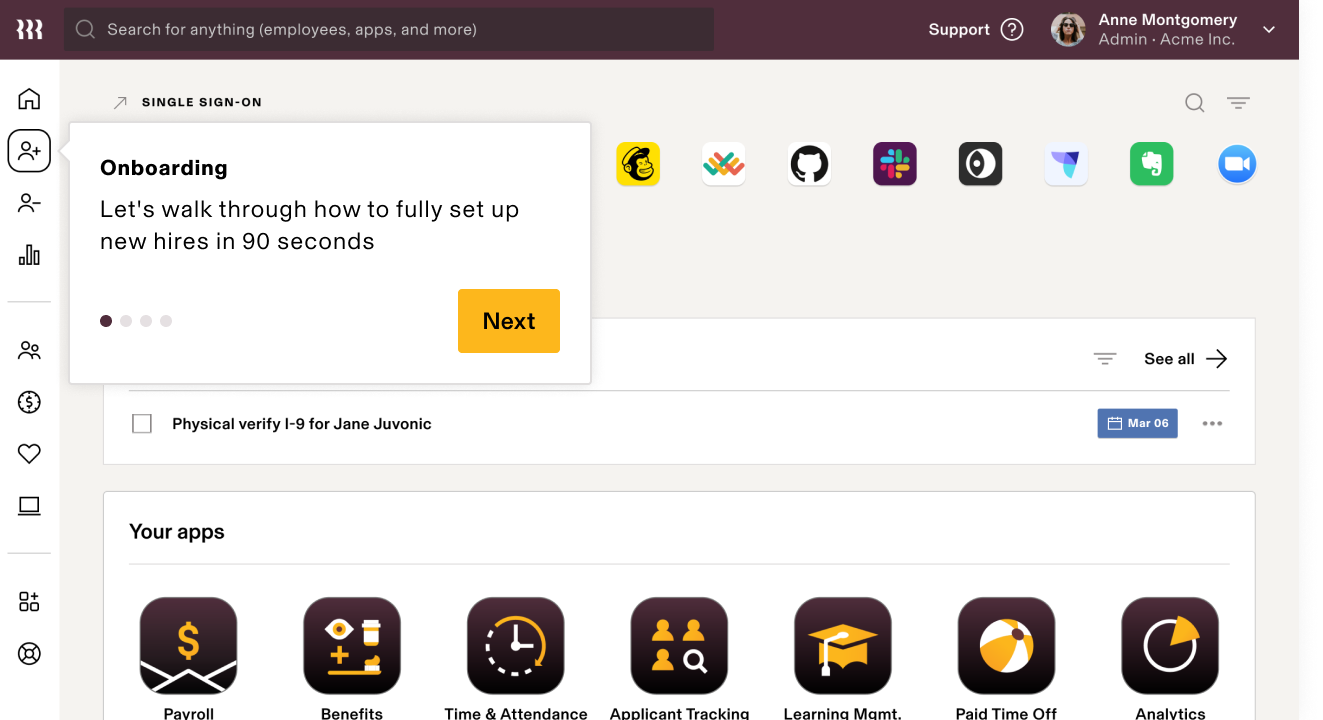
Image source: rippling.com
Key features:
- Unified payroll and global payroll processing with tax calculation, multi-currency support, and automatic filings.
- Time & attendance tracking that syncs with payroll, including PTO, overtime, and shift data.
- Leave and benefits management system that automates enrollment, eligibility checks, and broker integration.
- Analytics and compliance dashboards to generate real-time reports and maintain regulatory compliance across geographies.
Pros:
- Centralizes HR, finance, and IT into one powerful platform, reducing tool sprawl and data silos.
- Highly automated workflows for onboarding, payroll, offboarding, and device management save substantial manual effort.
- Built to scale globally, making it easier for companies to handle payroll, benefits, and compliance in multiple countries.
Cons:
- Modular pricing can become expensive when you add multiple HR, payroll, and IT modules.
- Rich functionality means a steep learning curve during setup and requires more time for admins to master.
Pricing:
- Core platform: $8 / employee / month (billed annually).
- Payroll module: $35 / employee / month (billed annually).
5. Gusto: Best for payroll-centric employee management
Gusto is an all-in-one HCM (human capital management) platform built for small and mid-sized businesses. It simplifies core HR tasks by combining payroll, benefits, time tracking, and performance management in a single, easy-to-use interface. With its people-first design, Gusto reduces administrative burden and helps managers focus more on team development. The platform supports compliance, automated workflows, and integrated reporting to streamline people operations.
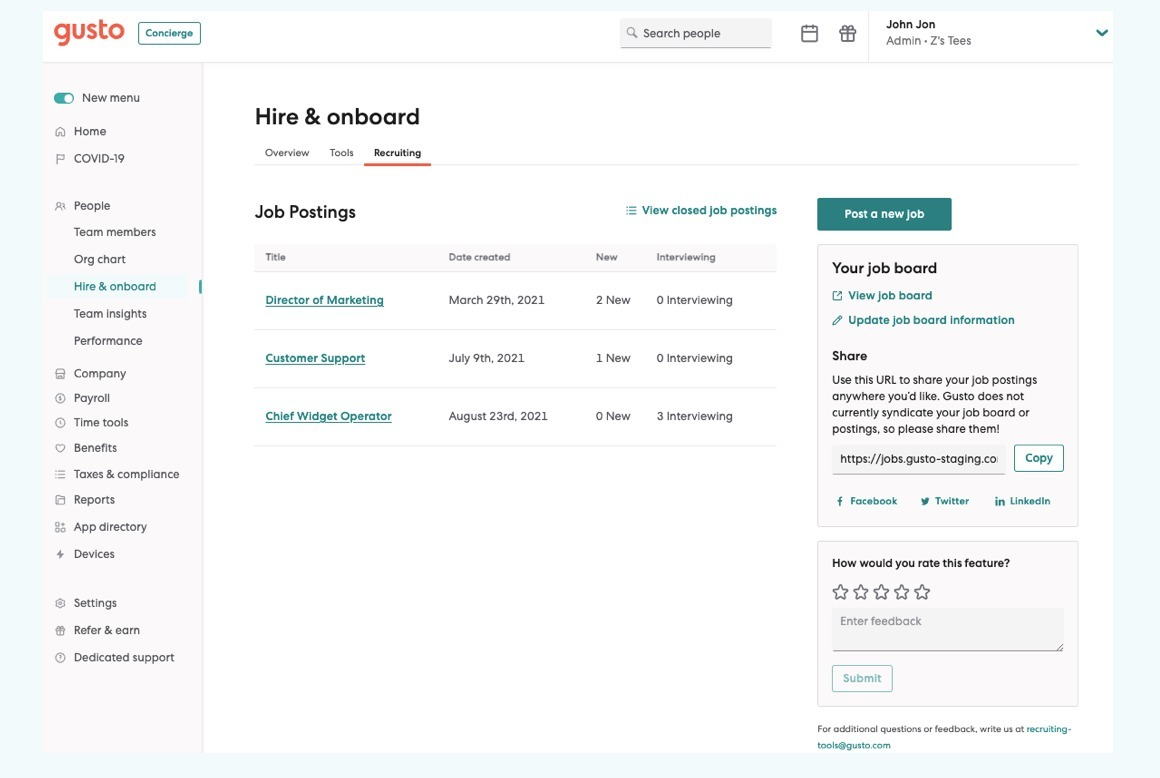
Image source: gusto.com
Key features:
- Full-service payroll including automated tax calculations, filings, and direct deposit.
- Time tracking and paid time off (PTO) tracking integrated with payroll.
- Centralized benefits administration for health insurance, retirement plans, and more.
- Talent management including performance reviews, goal-setting, and employee feedback.
Pros:
- Combines payroll, HR, and benefits in a unified, user-friendly platform.
- Certified HR support and expertise available in higher-tier plans.
- Automation significantly reduces manual work and improves accuracy.
Cons:
- Add-on costs for performance reviews, next-day pay, and premium support.
- Some advanced features may require time and training to set up effectively.
Pricing:
- Simple plan: $49/month (billed annually).
- Plus plan: $80/month (billed annually).
- Premium plan: $180/month (billed annually).
6. Deel: Best for global teams and cross-border workforce management
Deel is a powerful employee management software tailored for companies with distributed teams across multiple countries. It combines global payroll, compliance, hiring, and HR operations into one platform, helping businesses scale internationally without needing local legal entities. The built-in HRIS offers centralized employee records, workflow automation, and compliance monitoring across more than 150 countries. Deel supports different types of workers—full-time employees, contractors, —with a flexible, modular approach.
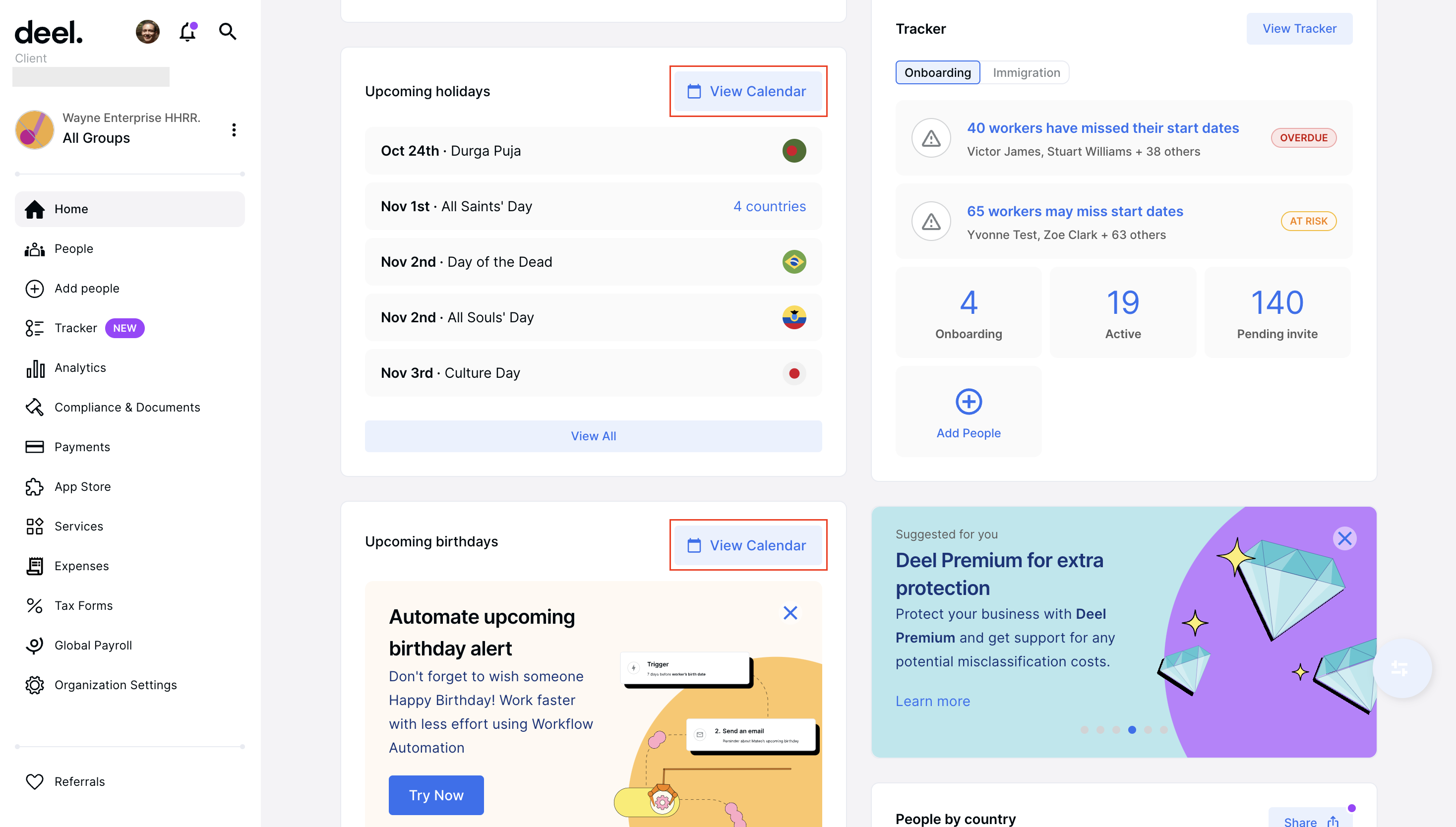
Image source: deel.com
Key features:
- Global payroll engine that automates payments, tax calculations, statutory filings, and multi-currency payouts.
- Employer of Record service enabling compliant hiring in 100+ countries without setting up local entities.
- Contractor management with automated contracts, invoice approvals, and cross-border payments.
- Compliance monitoring with alerts around labour laws, tax rules, and mandatory benefits in different countries.
Pros:
- Combines global hiring, payroll, and HR into a unified international workforce platform.
- Significantly reduces administrative burden through automation of onboarding, contracts, and payments.
- Supports contractors, full-timers, and EOR hires, giving companies flexibility as they scale globally.
Cons:
- Pricing increases as companies add multiple modules such as EOR, payroll, or contractor management.
- Reporting customization can be less advanced than some enterprise HR analytics tools.
Pricing
- HRIS plan: $5 per person per month (billed annually).
- Global payroll: $29 per employee per month (billed annually).
7. Connecteam: Best for managing frontline and mobile employees
Connecteam is a mobile-first employee management software built to support frontline, deskless, and remote teams with ease. It centralizes communication, scheduling, time-tracking, and task management in a single intuitive app. Managers can create and assign tasks, while workers check in, log hours, and update progress from their phones. The platform also supports employee engagement through checklists, announcements, and feedback. Because it's built for mobile-first workforces, Connecteam helps streamline operational workflows and drastically reduce the administrative effort involved in managing non-desk teams.
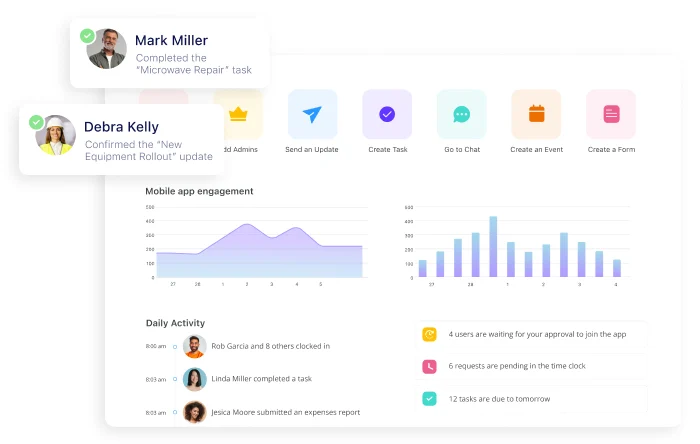
Image source: connecteam.com
Key features:
- Shift scheduling and real-time attendance tracking for mobile and frontline teams.
- Task management lets managers create, assign, and monitor checklists and workflows.
- Internal communication via chat, announcements, and team newsfeeds.
- Document management where policies, forms, and training materials can be shared and stored.
Pros:
- Optimized for non-desk, front-line employees and mobile workforces.
- Mobile app makes scheduling, communication, and time tracking very accessible.
- Built-in workflows and tasks reduce reliance on separate tools for operations.
Cons:
- Less suited for complex HR functions like global payroll or benefits administration.
- Advanced reporting and analytics may be more limited compared to full HRIS platforms.
Pricing:
- Basic plan: $29 per month (billed annually).
- Advanced plan: $49 per month (billed annually).
- Expert plan: $99 per month (billed annually).
8. UKG Ready: Best for workforce planning and HR oversight
UKG Ready is an all-in-one human capital management platform that brings together HR, payroll, talent, time tracking, and scheduling in a single system. It's designed to support both day-to-day workforce operations and long-term planning by centralizing employee data and automating core processes. The platform helps HR teams reduce paperwork and compliance risk with configurable workflows, self-service tools, and real-time access to employee information. Its time & attendance module, backed by a powerful calculation engine, ensures accurate tracking while its scheduling tools help build demand-based shift plans.
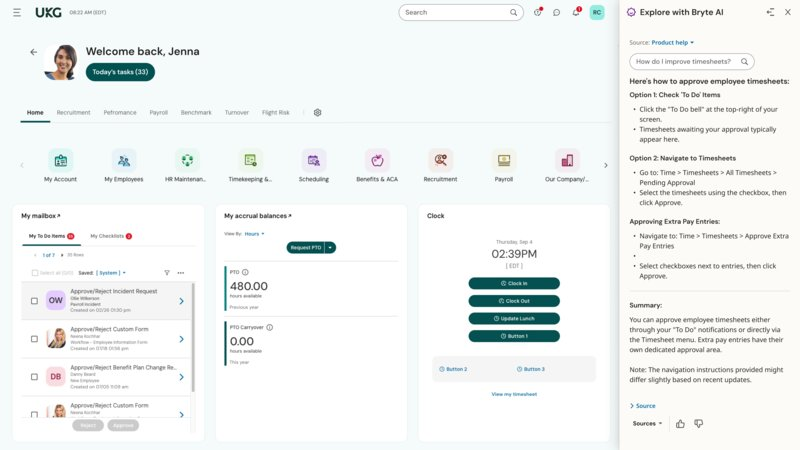
Image source: ukg.com
Key features:
- Single employee record connecting HR, payroll, time, and talent in one unified database.
- Time & attendance automation with exception alerts, geofencing, and configurable pay rules.
- Intelligent scheduling based on skills, demand, compliance rules, and employee preferences.
- Talent management, including recruiting, onboarding, performance reviews, and learning.
Pros:
- Centralizes multiple HR functions — payroll, scheduling, talent — under one platform.
- Automated workflows cut down on administrative burden and speed up approvals.
- Strong compliance support with built-in labor-law tools and proactive updates.
Cons:
- Pricing is custom and depends on selected modules, making the cost difficult to estimate in advance.
- Implementation can be complex given the breadth of functionality and configuration options.
Pricing:
- Essentials covers core HR, payroll, basic time & attendance, and reporting.
- Plus adds benefits administration, performance, recruiting, learning, and expense tracking.
- Pricing is custom based on the needs and number of employees.
9. Paycor: Best for payroll, talent, and core HR operations
Paycor is an all-in-one HCM platform designed for small to mid-sized businesses that want to streamline payroll, HR, recruiting, and workforce management in one place. It offers strong compliance support, robust analytics, and automated workflows that help HR teams cut down manual work. With tools for hiring, onboarding, performance, and employee learning, Paycor supports both operational HR tasks and long-term talent development.
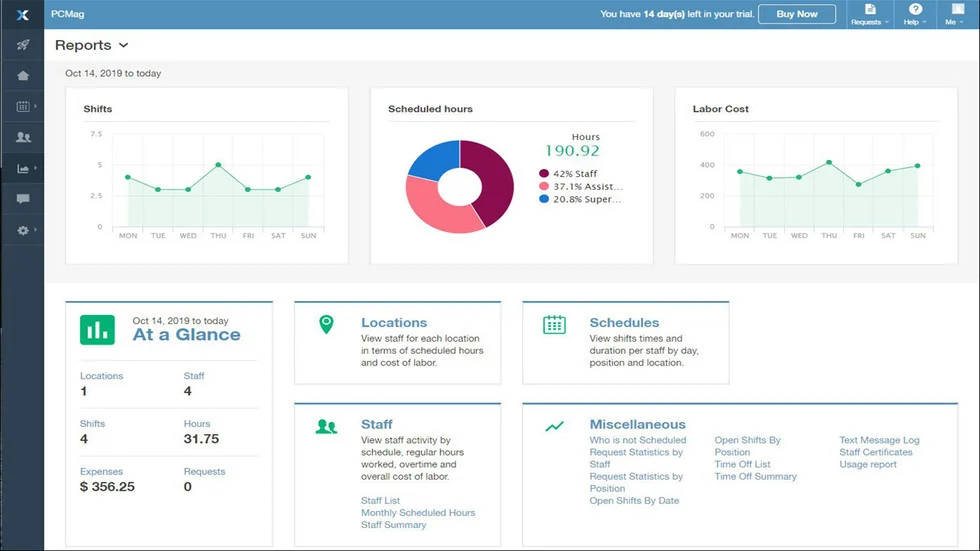
Image source: paycor.com
Key features:
- Full-service payroll and tax filing with on-demand pay options.
- Applicant tracking, onboarding workflows, and e-verification support.
- Performance reviews, goals, feedback, and manager training modules.
- HR analytics dashboards with insights into compensation, turnover, DEI, and workforce trends.
Pros:
- Comprehensive HR and payroll suite reduces need for multiple tools.
- Automations for hiring, pay, and compliance save significant admin time.
- Good employee experience through mobile access and self-service tools.
Cons:
- Pricing can get expensive depending on modules and employee count.
- Setup and customization may require time and onboarding support.
Pricing:
- Basic plan: $99 per month (billed annually).
- Essential plan: Custom pricing.
- Core & Complete plan: Custom pricing.
10. ADP Workforce Now: Best for enterprise-level employee oversight
ADP Workforce Now is a comprehensive HCM platform designed for medium to large businesses, providing integrated payroll, HR, time tracking, benefits, and talent management. It centralizes employee data and automates core HR workflows while helping manage regulatory compliance. With mobile self-service, managers and employees can handle tasks like time off requests, pay stub access, and scheduling from anywhere. Its reporting and analytics capabilities give HR leaders insights into workforce trends, compensation, and productivity. Overall, it's well suited for organizations that want a unified, scalable solution to manage people's operations and strategic HR.
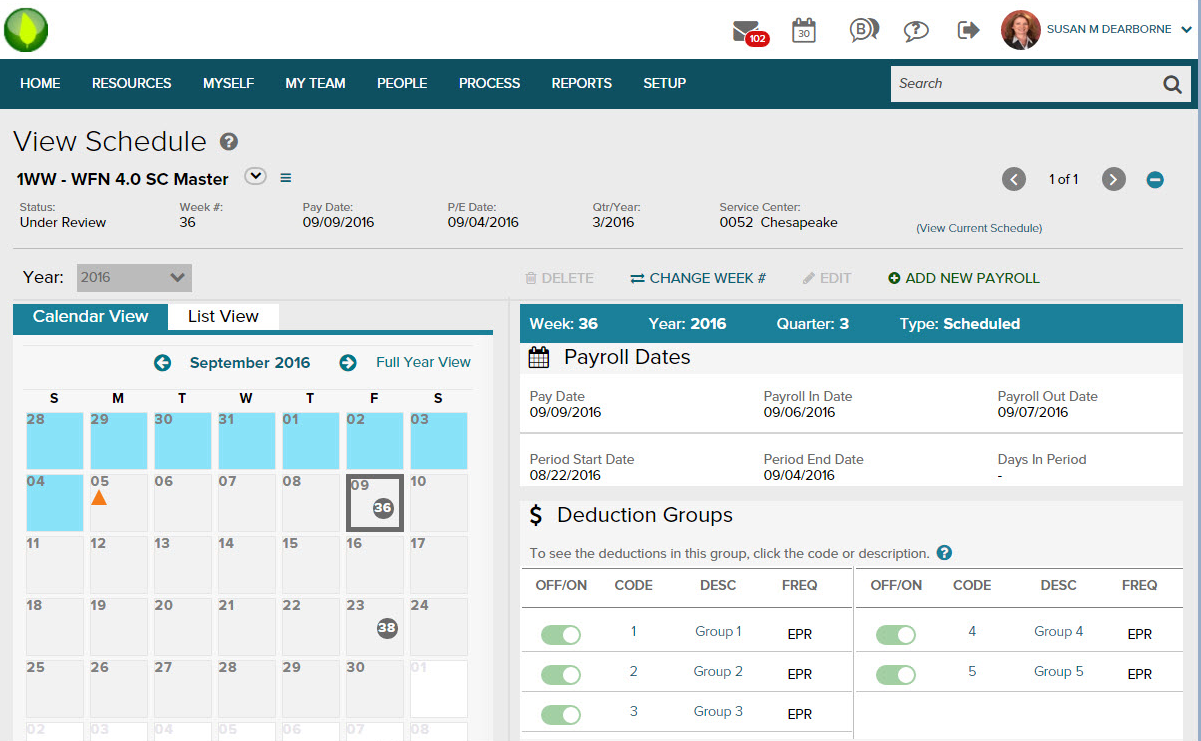
Image source: adp.com
Key features:
- Payroll processing with tax calculations, automatic filings, and pay run management.
- Benefits administration including enrollment, ACA compliance, and open-enrollment workflows.
- Talent management modules for recruiting, onboarding, performance reviews, and learning.
- Custom reporting and analytics dashboards for labor cost, turnover, and workforce trends.
Pros:
- All-in-one solution centralizes HR, payroll, time, and benefits workstreams.
- Automated workflows speed up onboarding, time tracking, and document management.
- Powerful reporting and analytics support data-driven decision making.
Cons:
- Support or customer service may be slow or limited for non-enterprise customers.
- Some advanced modules (like performance or compensation) are add-ons, increasing total cost.
Pricing:
- ADP Workforce Now does not publish standard fixed prices; it uses custom quotes based on modules and employee count.
- Core plan ("Essentials") typically includes payroll, HR, onboarding, and reporting.
11. Workday: Best for strategic HR and people analytics
Workday is a powerful, enterprise-grade human capital management (HCM) platform built for large organizations with complex HR needs. It offers a unified system for finance, HR, planning, talent, payroll, and analytics, enabling strategic workforce management at scale. Workday's strength lies in its data-driven insights and people analytics, helping leadership make informed decisions about talent, succession, and organizational planning. Its cloud-native architecture ensures high security and flexibility while supporting global operations.
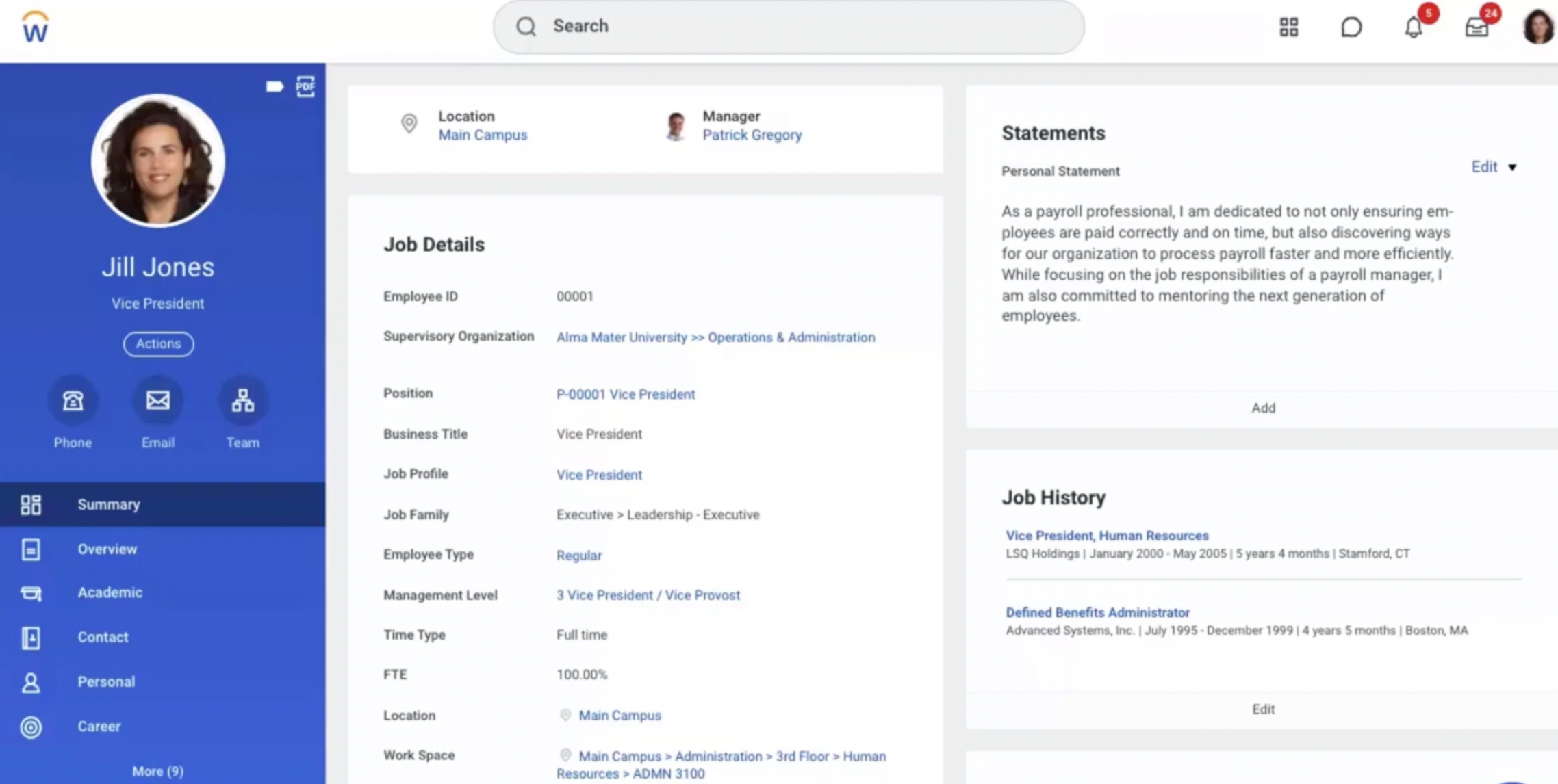
Image source: workday.com
Key features:
- Unified employee record across HR, finance, and planning for centralized data management.
- Talent management tools including recruiting, succession planning, learning, and career development.
- Performance and compensation management with goal alignment, reviews, and pay analytics.
- Reporting and people analytics dashboards for headcount, turnover, diversity, and talent trends.
Pros:
- Extremely powerful analytics and planning tools that align workforce strategy with business goals.
- Scalable cloud platform built for large, global organizations with complex structures.
- High level of security, governance, and compliance due to enterprise-grade architecture.
Cons:
- Steeper learning curve for HR teams and managers due to the depth of features.
- Maintenance and administration require dedicated resources and technical expertise.
Pricing:
- Workday does not publish fixed pricing costs are customized based on modules, number of users, and deployment complexity.
- Typical costs for enterprise customers include a base subscription, add-ons for planning, talent, and analytics, and potential implementation services.
12. Monday.com: Best for flexible employee task and team coordination
Monday.com is a highly flexible work-operating system (Work OS) that supports HR teams with process customization, task management, and employee coordination. It's ideal for companies that want to centralize workflows like recruitment, onboarding, leave tracking, and employee performance. With its no-code boards, automations, and dashboards, HR teams can build custom workflows tailored to their needs. Employee-centric templates help manage pipelines, engagement, performance reviews, and attendance. It's especially useful for organizations that don't require full HRIS but want a powerful project-management-style tool to run people operations with transparency and efficiency.
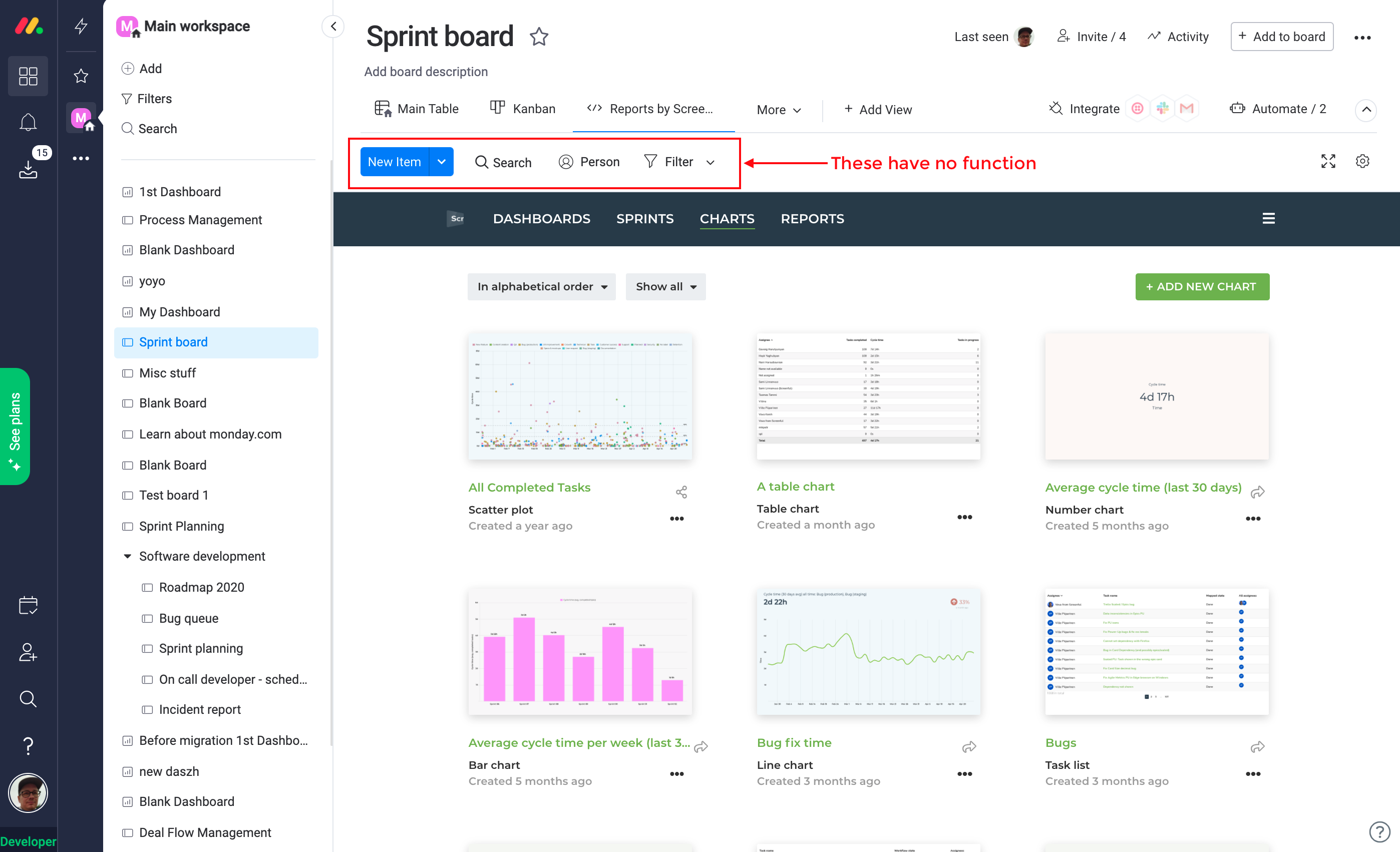
Image source: monday.com
Key features:
- Customizable boards to track recruitment, onboarding, employee information, and ongoing HR processes.
- No-code automations to streamline repetitive tasks like reminders, approvals, and reporting.
- Multiple views such as Calendar, Timeline, Kanban, and Workload to visualize employee-related workflows.
- Employee self-service options for submitting requests, updates, and feedback.
Pros:
- Highly customizable, allowing HR teams to design workflows that match their unique processes.
- Automations significantly reduce manual work in day-to-day HR management.
- Extensive templates accelerate setup for HR functions like onboarding and performance.
Cons:
- Not a full HRIS and lacks built-in payroll, benefits, and compliance capabilities.
- Automation and integration usage limits may require higher-tier plans for larger teams.
Pricing:
- Basic plan: $9 per seat per month (billed annually).
- Standard plan: $12 per seat per month (billed annually).
- Pro plan: $19 per seat per month (billed annually).
- Enterprise plan: Custom pricing.
13. Namely: Best for mid-sized companies' HR and people management
Namely is a comprehensive human capital management (HCM) platform designed to help mid-sized businesses centralize HR, payroll, benefits, and performance in one system. It provides an integrated HRIS that lets HR teams maintain accurate employee records, automate workflows, and reduce administrative overhead. With built-in tools for performance reviews, feedback, and learning, Namely helps drive employee engagement and professional development. Its benefits administration module simplifies enrollment and open-enrollment processes, while real-time reporting empowers leadership with key workforce insights. For companies seeking a scalable, HR-first solution without compromising on usability, Namely offers a balanced and powerful platform.
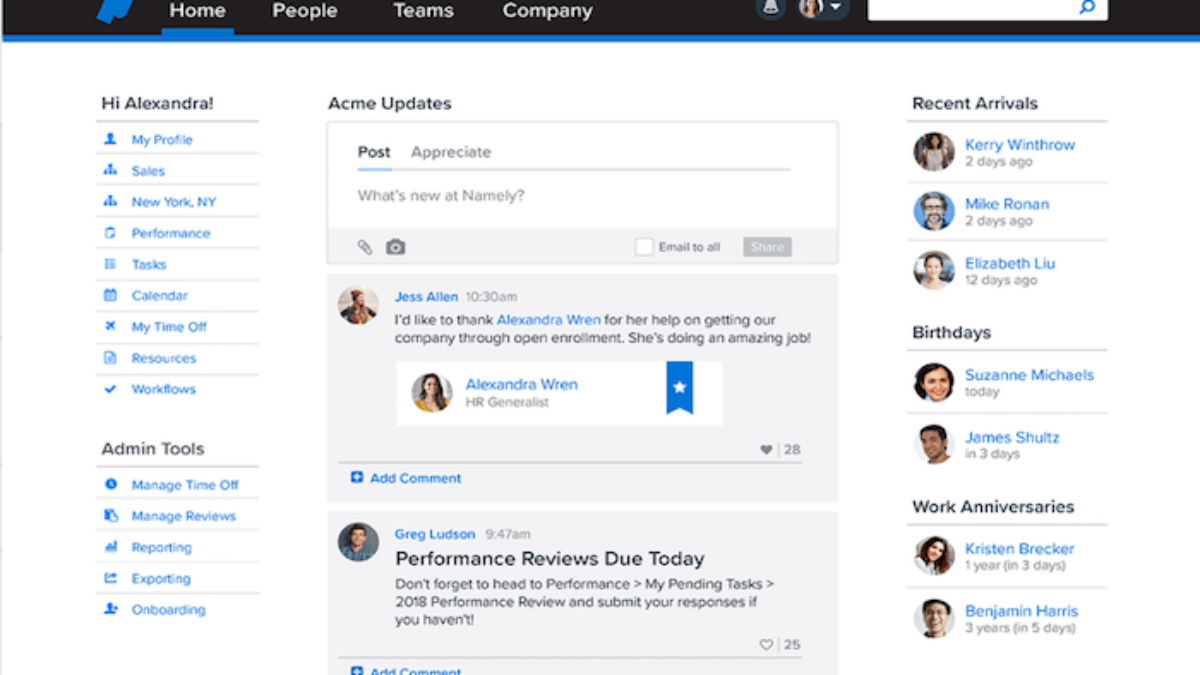
Image source: namely.com
Key features:
- Centralized employee data management and HRIS for personal records, job history, and organizational structure.
- Benefits administration and open-enrollment support for health, retirement, and other plans.
- Performance management including goal tracking, reviews, feedback, and career development.
- Time-off tracking, leave requests, and PTO workflows integrated into the system.
Pros:
- Well-suited for mid-sized companies with both HR and people development needs.
- Performance tools help build a strong review culture and support development.
- Flexible reporting gives insights into workforce trends, retention, and compensation.
Cons:
- May feel too large or feature-rich for very small teams.
- Advanced modules (performance, benefits) can increase costs significantly.
Pricing:
- Base plan: $ 12-15 per employee per month (billed annually).
- Enterprise plan: Custom pricing.
14. Freshteam: Best for hiring, onboarding, and employee tracking
Freshteam is an easy-to-use HR software focused on hiring and onboarding, making it ideal for growing businesses looking to centralize recruitment and employee data. It combines applicant tracking, employee records, time-off management, and onboarding into a single platform. The mobile-friendly interface and automated workflows help HR teams quickly move candidates through the interview process and onboard new employees smoothly. Growing companies without a dedicated HR team often turn to to manage that same candidate movement from first interview to signed offer. With a clean design and basic HRIS capabilities, Freshteam reduces the need for spreadsheets and manual tracking. It's especially useful for teams that don't yet need a full-scale HRIS but want a scalable system to manage recruiting and employee profiles.
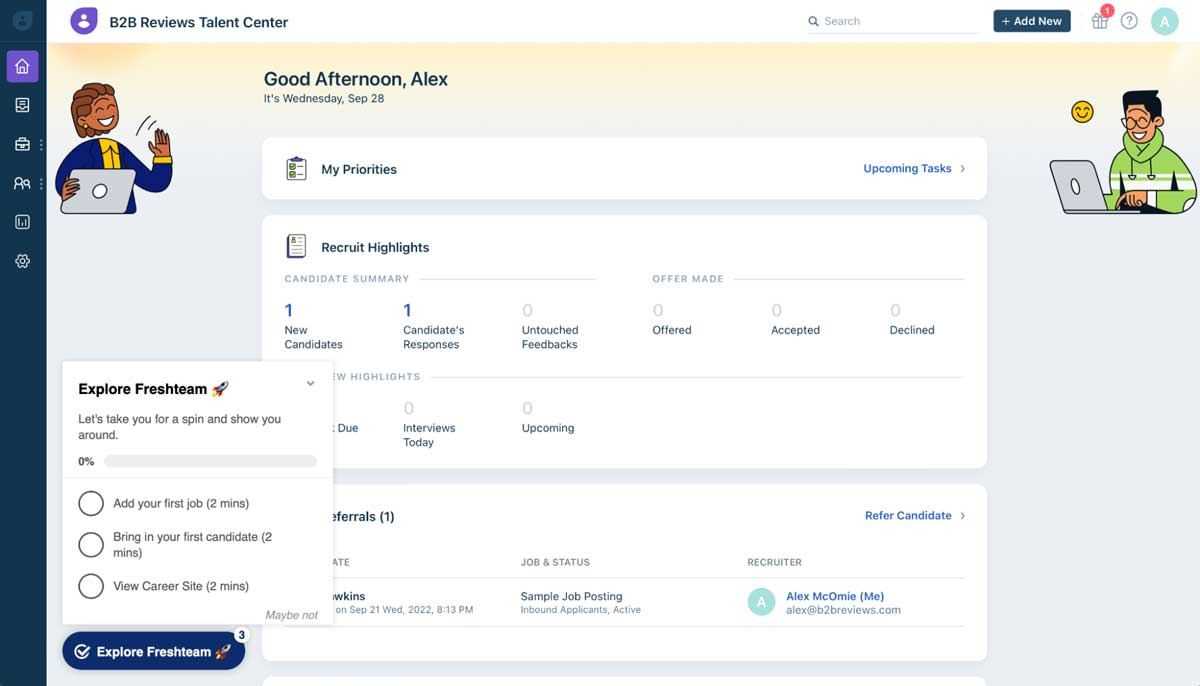
Image source: freshteam.com
Key features:
- Applicant tracking system (ATS) with customizable pipelines, interview scheduling, and scoring.
- Onboarding workflows and checklists for new hire paperwork and task tracking.
- Time-off management that tracks leave balances, approval workflows, and holiday calendars.
- Employee database with profiles, organizational charts, and document storage.
Pros:
- Very user-friendly, reducing the learning curve for HR and managers.
- Automates repetitive HR tasks like candidate emails, interview reminders, and onboarding checklists.
- Provides a free forever plan, making it accessible for small and growing teams.
Cons:
- Does not include built-in payroll or benefits administration.
- Advanced HR features like role-based permissions and detailed reporting require higher-tier plans.
Pricing:
- Growth plan: $59 per month (billed annually).
- Pro plan: $99 per month (billed annually).
- Enterprise plan: $169 per month (billed annually).
15. 15Five: Best for performance, feedback, and employee engagement
15Five is a performance management and engagement platform designed to help organizations build a culture of continuous feedback. It focuses on employee growth, goal alignment, and manager–employee connection rather than traditional HR administration. With tools for check-ins, OKRs, pulse surveys, and performance reviews, it enables companies to track engagement trends and identify areas for improvement. The platform also emphasizes coaching and development, giving managers structured guidance to support their teams. For organizations prioritizing people-first leadership and consistent performance conversations, 15Five offers a streamlined yet powerful solution.
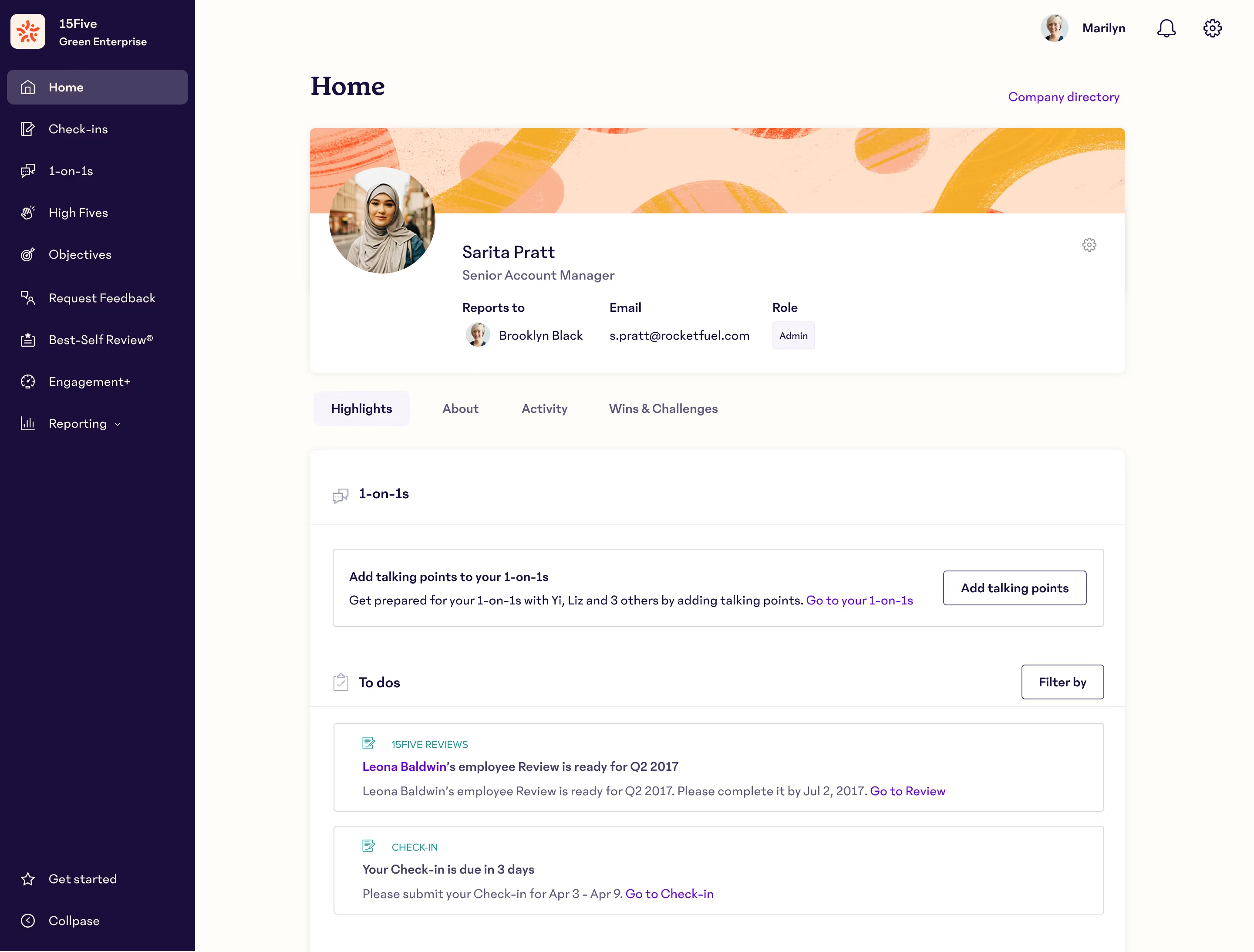
Image source: 15five.com
Key features:
- Weekly check-ins for progress updates, blockers, and feedback to maintain continuous alignment.
- OKR and goal-setting framework to connect employee objectives with company strategy.
- Performance reviews with structured templates, manager assessments, and peer feedback.
- Engagement surveys and insights to measure sentiment, morale, and overall employee health.
Pros:
- Strong focus on feedback culture and employee development.
- Encourages regular manager–employee communication through structured check-ins.
- Deep insights into engagement trends, burnout risks, and team performance.
Cons:
- Not a full HRIS, so it must be paired with other HR or payroll tools.
- Can feel feature-heavy for companies only needing basic performance reviews.
Pricing:
- Engage Plan: $4 per employee per month (billed annually).
- Perform Plan: $10 per employee per month (billed annually).
- Focus Plan: $16 per employee per month (billed annually).
Benefits of employee management software
Modern businesses rely on employee management software to streamline HR operations, reduce manual work, and support a more organized workforce. These platforms consolidate key HR functions into one system, minimizing errors and improving decision-making. Whether a company is scaling or optimizing daily tasks, software for employee management ensures processes remain smooth and consistent. By integrating automation, analytics, and centralized records, organizations can build a stronger, more efficient employee lifecycle.
- Centralized data: Employee record management software keeps all workforce information—like profiles, , and job histories—in one secure place. This eliminates scattered spreadsheets and reduces the risk of data duplication. Centralized access also helps teams retrieve accurate information quickly whenever needed.
- Reduced admin load: With employee document management software and , HR teams spend less time on repetitive tasks such as approvals, updates, and onboarding steps. Automation cuts down manual entries and improves processing speed. This allows HR to shift focus from paperwork to strategic support.
- Improved employee experience: Employee benefits management software, performance , and self-service tools create a smoother employee journey. Workers can request leave, update information, and access documents without delays. This improves transparency and helps employees feel more in control of their work experience.
- Better compliance: By storing records securely and maintaining audit-ready histories, employee file management software ensures organizations stay aligned with . Automated alerts help track certifications, contract renewals, and policy updates. This reduces compliance risks and supports consistent governance.
- More accurate reporting: Advanced reporting tools within software for employee management provide insights into attendance patterns, , and workforce productivity. Automated data collection ensures reports are reliable and updated in real time. This helps leadership make confident and proactive decisions.
- Improved retention & productivity: Employee experience management software supports engagement surveys, goals, and continuous that improves morale. When employees feel supported and recognized, retention naturally increases. Better workforce insights also help organizations identify growth opportunities and boost productivity.
Conclusion
Managing today's workforce requires more than spreadsheets and scattered tools—businesses need reliable employee management software that brings structure, clarity, and efficiency to HR operations. The platforms discussed in this guide offer a wide range of capabilities, from employee data management and onboarding to performance tracking, analytics, and employee experience tools. Whether your priority is hiring, payroll, engagement, compliance, or scaling operations, the right software can significantly reduce administrative work while improving overall productivity and employee satisfaction. As organizations grow, having a unified system becomes essential to maintaining consistency, transparency, and streamlined processes.
If you're looking to modernize your HR workflows with an all-in-one platform that supports both people and operations, consider exploring as a flexible option that adapts to different team needs and workflows.
Optimize HR operations with the right platform
FAQs
How does employee management software help HR?
Lark and other employee management software platforms help HR teams streamline daily operations by centralizing records, automating workflows, and simplifying approvals. These tools reduce manual paperwork, improve accuracy, and minimize repetitive tasks such as updating employee information or tracking leave. HR teams gain better visibility into attendance, performance, and engagement trends. Communication between employees and HR also becomes more efficient through integrated messaging and document sharing. Overall, the software enables HR to focus on strategic work rather than administrative burdens.
What is the difference between HRIS and employee management software?
An HRIS is a comprehensive system designed to manage core HR functions like payroll, benefits, tax compliance, and employee data storage. Employee management software, on the other hand, focuses more on day-to-day workforce coordination, such as performance tracking, task management, onboarding, and employee experience activities. While HRIS tools often serve as the system of record, employee management solutions emphasize productivity and workflow efficiency. Many businesses use both to balance administrative accuracy with people-centric operations. Together, they provide a fuller picture of organizational health.
Which employee management software is best for small businesses?
Lark is often a top choice for small businesses because it combines HR tools, team communication, workflow automation, and attendance tracking in one unified platform. Instead of juggling multiple apps, small teams can manage onboarding, leaves, approvals, and daily operations from a single workspace. Its intuitive interface reduces training time and supports rapid adoption, which is crucial for growing companies. Small businesses also benefit from Lark's scalable pricing and modular features that allow them to expand only when they need to. This makes it a flexible, cost-effective alternative to complex enterprise HR systems.
Is employee management software expensive?
The cost of employee management software varies widely depending on features, team size, and the level of customization needed. Many tools offer free or low-cost plans for small teams, while larger organizations may require advanced modules that increase monthly costs. Pricing can range from a few dollars per user to higher enterprise rates, especially when analytics, automation, or integrations are involved. Subscription tiers often give companies flexibility to upgrade as they grow. Overall, most businesses find the investment worthwhile because it saves time, improves productivity, and reduces administrative errors.
Related reading






























