Tracking employee hours accurately is essential for payroll, billing, productivity, and project planning—but many teams still rely on spreadsheets, manual entries, or disconnected tools that create more problems than they solve. Modern employee timesheet software changes this by offering automated time logging, streamlined approvals, and centralized insights that help businesses stay efficient and compliant.
Whether you're managing remote teams, shift workers, field employees, or project-driven departments, choosing the right timesheet tool can significantly reduce administrative workload and improve accuracy across your operations. This guide compares the 11 best employee timesheet software platforms to help you find the ideal solution for your team—with Lark leading as a unified workspace for time tracking, communication, and workflows. Here is a list of 11 best employee timesheet software platforms we will review in the post:
1. Lark: Unified timesheets with workflow-driven clarity
2. BambooHR Time Tracking: Simple employee timesheets for HR workflows
3. Rippling Time & Attendance: Automated attendance tied to payroll systems
4. Time Doctor: Detailed work insights for remote teams
5. Clockify: Free employee timesheets with strong tracking
6. Harvest: Time tracking with fast client billing
7. Hubstaff: GPS and activity tracking for teams
8. Timely: Automatic time tracking for focused work
9. Everhour: Project budgeting with precise time tracking
10. QuickBooks Time: Timesheets connected directly to payroll
11. Homebase: All-in-one scheduling and time tracking for hourly teams
Turn chaotic timesheets into accurate workflows
Quick comparison table of Timesheet software for businesses
Information source: Official vendor sites
Update time: 2025-11-25
Note: Pricing and plan details reflect publicly available data as of the update date and may vary based on region, billing cycle, and number of agents.
What is employee timesheet software?
Employee timesheet software is a digital tool that helps teams record hours worked, track attendance, and log time spent on daily tasks or projects. Instead of relying on spreadsheets or manual entry, the so managers can monitor work patterns, approve submissions, and ensure payroll accuracy. Modern platforms also automate reminders, , and connect time logs with projects, billing, and workforce management systems.
For small businesses and growing teams, using employee timesheet software reduces administrative workload by keeping time records accurate, organized, and ready for payroll or invoicing.
How timesheet data improves payroll, billing & productivity
- Cost forecasting: Accurate timesheet data helps managers predict labor costs by seeing how much time employees typically spend on different types of work. This allows teams to budget better, allocate resources wisely, and prevent project overruns.
- Payroll accuracy: ensures payroll is based on verified hours, reducing errors like underpayment or overpayment. Automated logs replace manual calculations, making payroll cycles smoother and more reliable.
- Overtime management: Without proper visibility, overtime can quickly build up and inflate labor costs. Timesheet insights highlight employee workload trends, helping managers reduce burnout and manage hours proactively.
- Project profitability: Tracking billable vs. non-billable hours lets teams understand whether a project is staying profitable or slipping behind. Real-time time logs help catch inefficiencies early and keep delivery on target.
Boost productivity with workflow-connected timesheets
Full list: 11 best employee timesheet software tools
1. Lark: Unified platform with employee timesheets & arrangement features
Lark offers a modern, that brings time tracking, communication, scheduling, and into a single, streamlined environment. Unlike traditional timesheet tools that rely on manual entry or separate apps, Lark connects time logs directly to tasks, chats, attendance, and structured data—making tracking part of everyday work rather than an extra chore.
With features like automated timesheet rules, GPS/Wi-Fi attendance, and workflows powered by , teams gain real-time accuracy without administrative friction. Lark's unified design helps HR, managers, and frontline staff stay aligned while reducing missed entries, delayed approvals, and payroll errors.
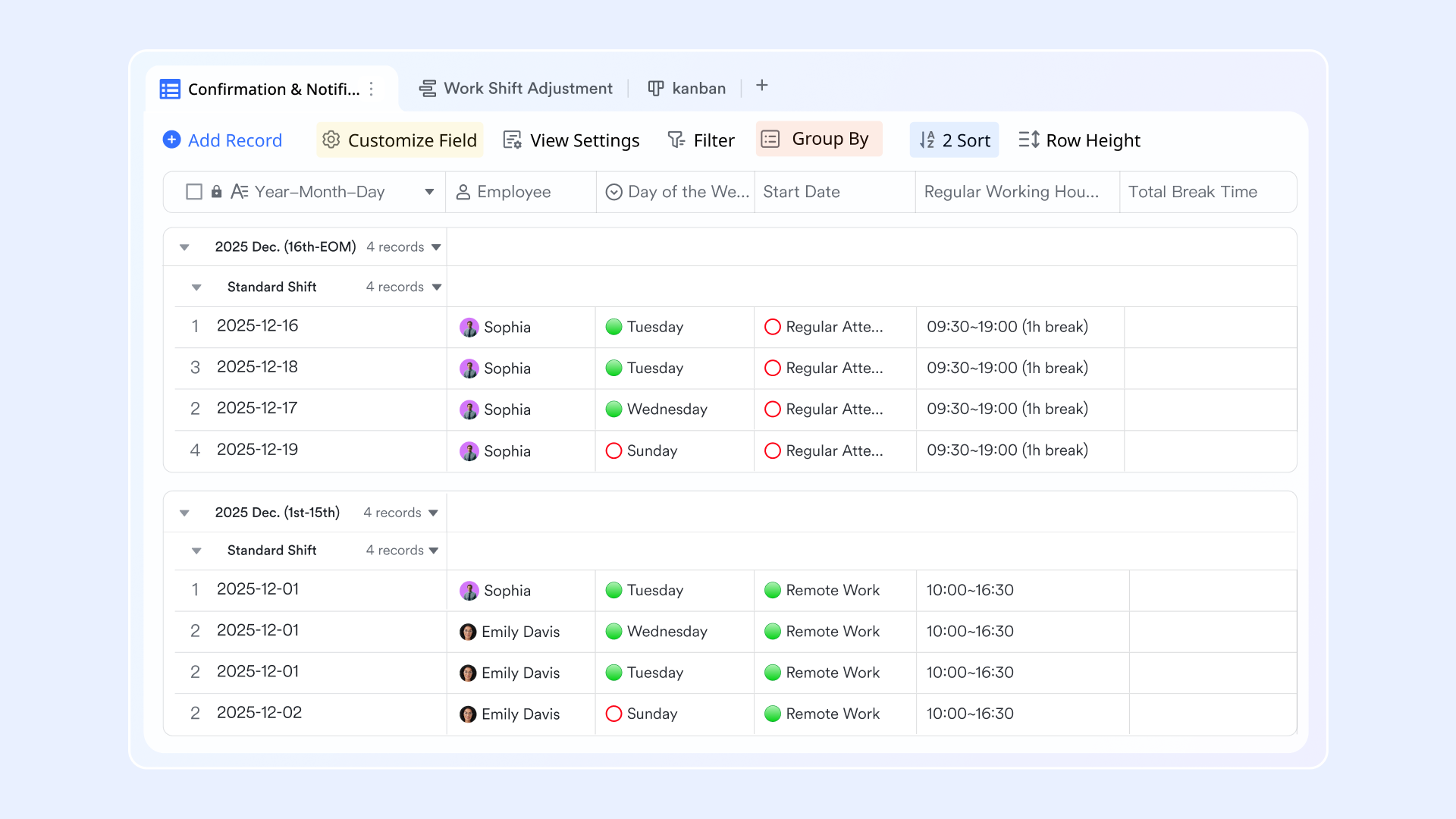
Automated timesheet setup through the Lark Admin Console
To enable attendance timesheet in Lark, admins start by configuring settings inside the Lark Admin Console. This includes defining standard work hours, overtime rules, and leave policies tailored to the organization. Once configured, administrators can generate timesheets by syncing attendance reports or uploading Excel files with attendance data. 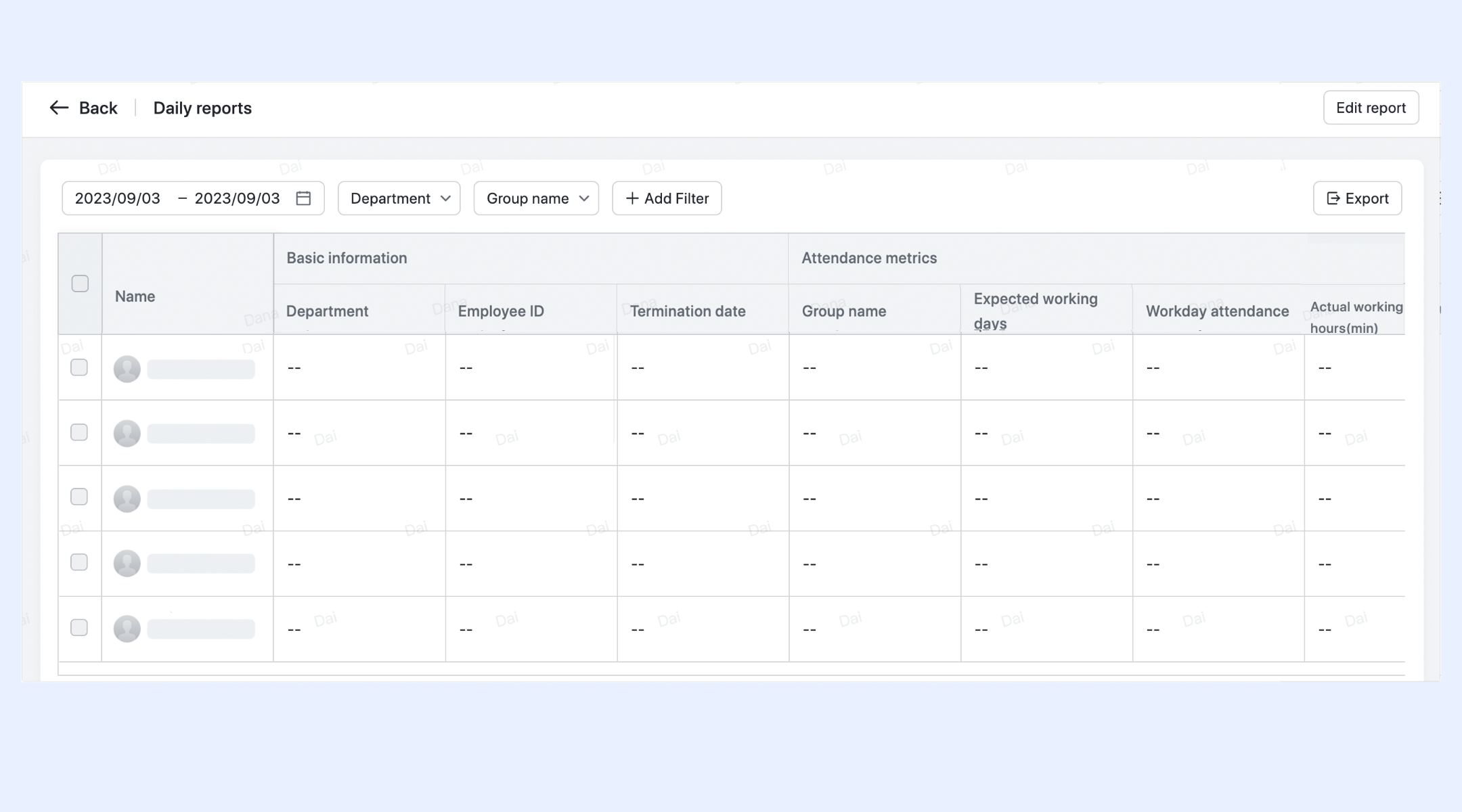
GPS and Wi-Fi attendance tracking
Lark Attendance supports advanced location-based attendance options through GPS and Wi-Fi. GPS tracking lets remote and field employees clock in or out from wherever they are, ensuring flexibility and accurate logs. Wi-Fi attendance uses the company's network to confirm presence on-site, giving organizations reliable verification without manual checks. 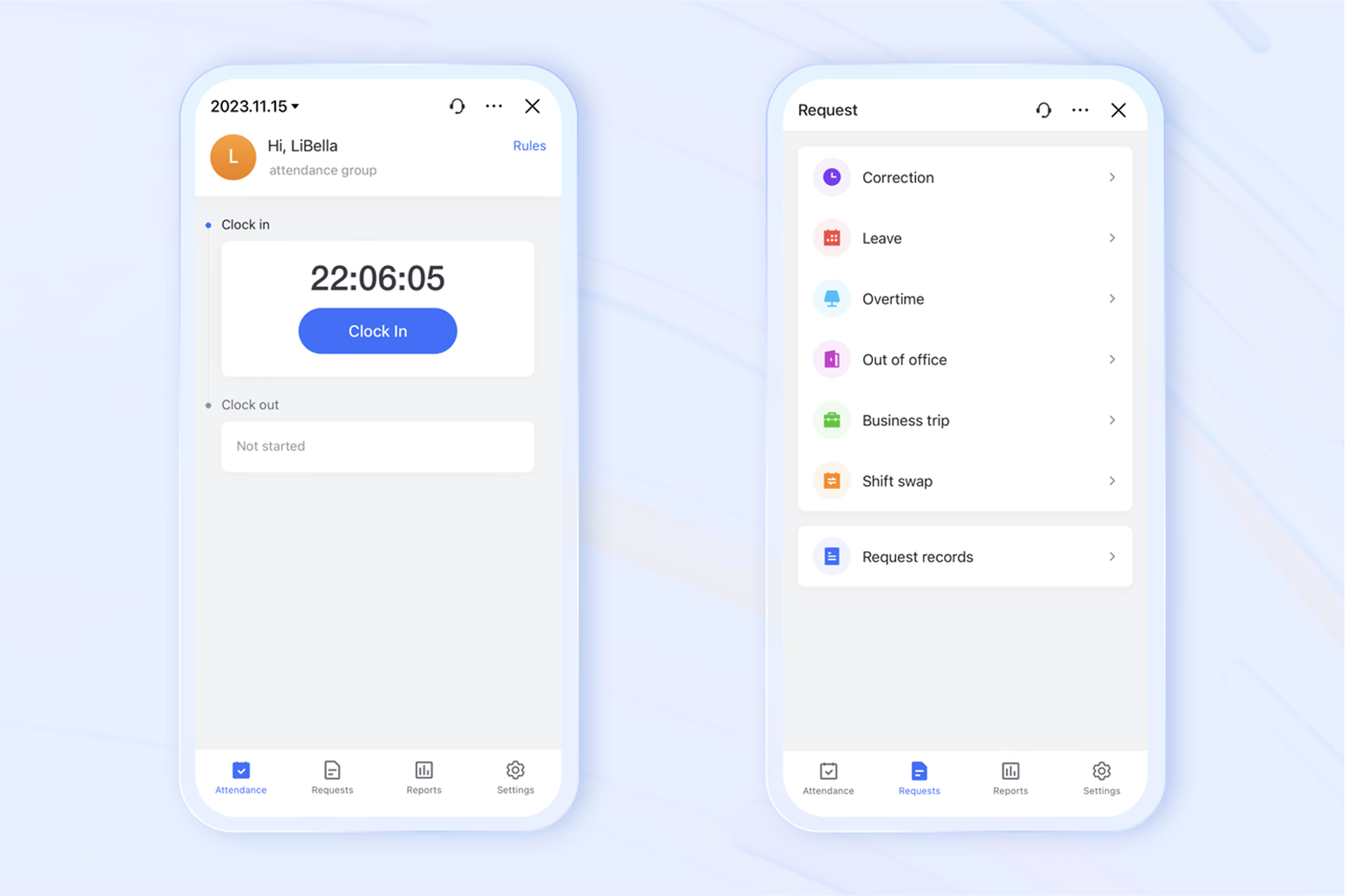
Attendance insights and workforce analytics
Lark provides managers and HR teams with rich attendance statistics through a centralized dashboard. These insights cover patterns like punctuality, early departures, absentee rates, and leave balances. With clear visibility into trends, leaders can plan staffing, identify potential issues early, and make informed decisions to boost productivity. 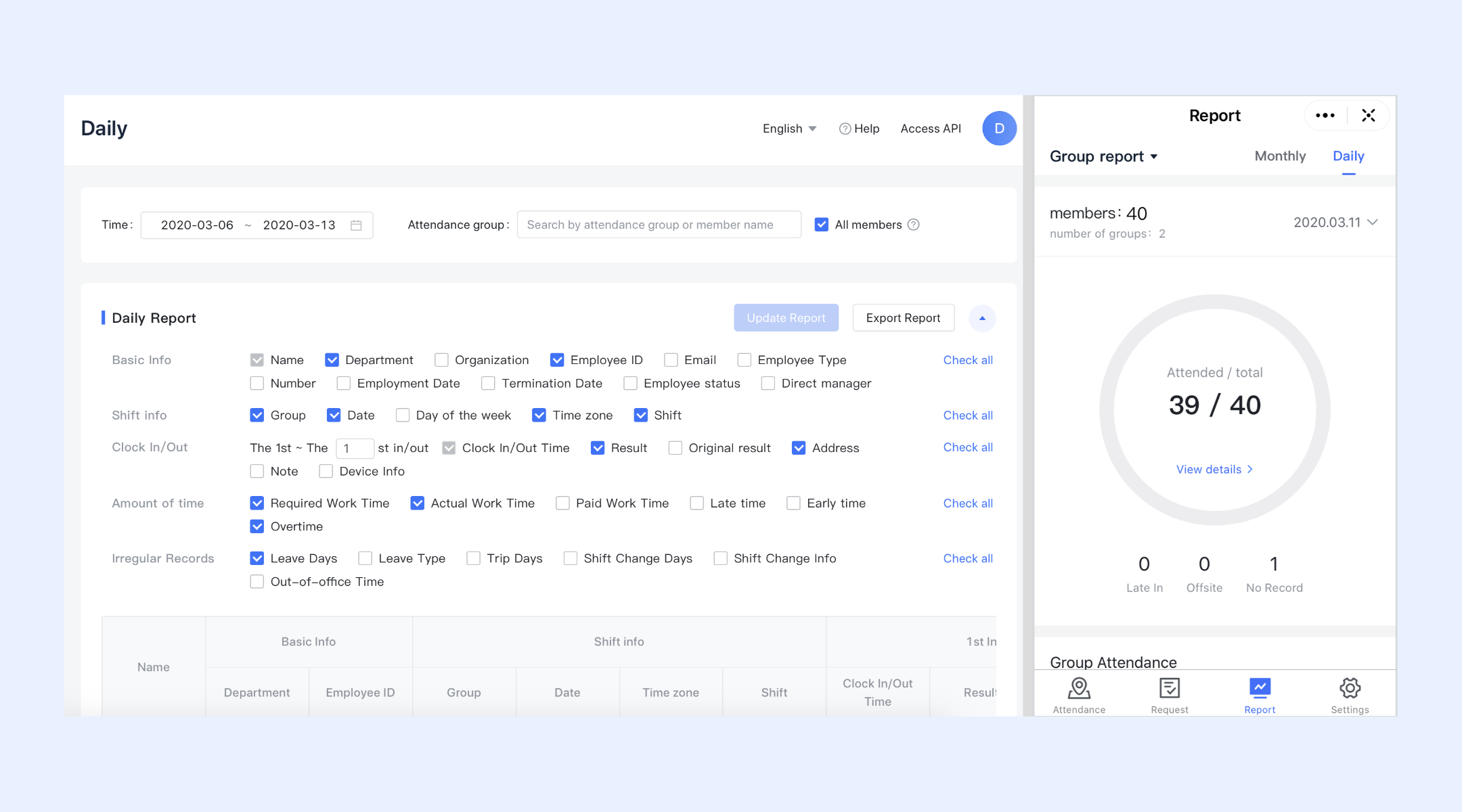
Simple but effective workflow automation for timesheets
Lark Base workflow makes managing employment timesheets much more efficient by automating and streamlining the process. For instance, when a new timesheet record is created, you can automatically trigger actions such as sending reminders, updating HR records, or notifying managers. Using If/Else branches (conditional logic), Lark workflows can handle complex approval rules or send follow-up reminders based on the status of a timesheet. 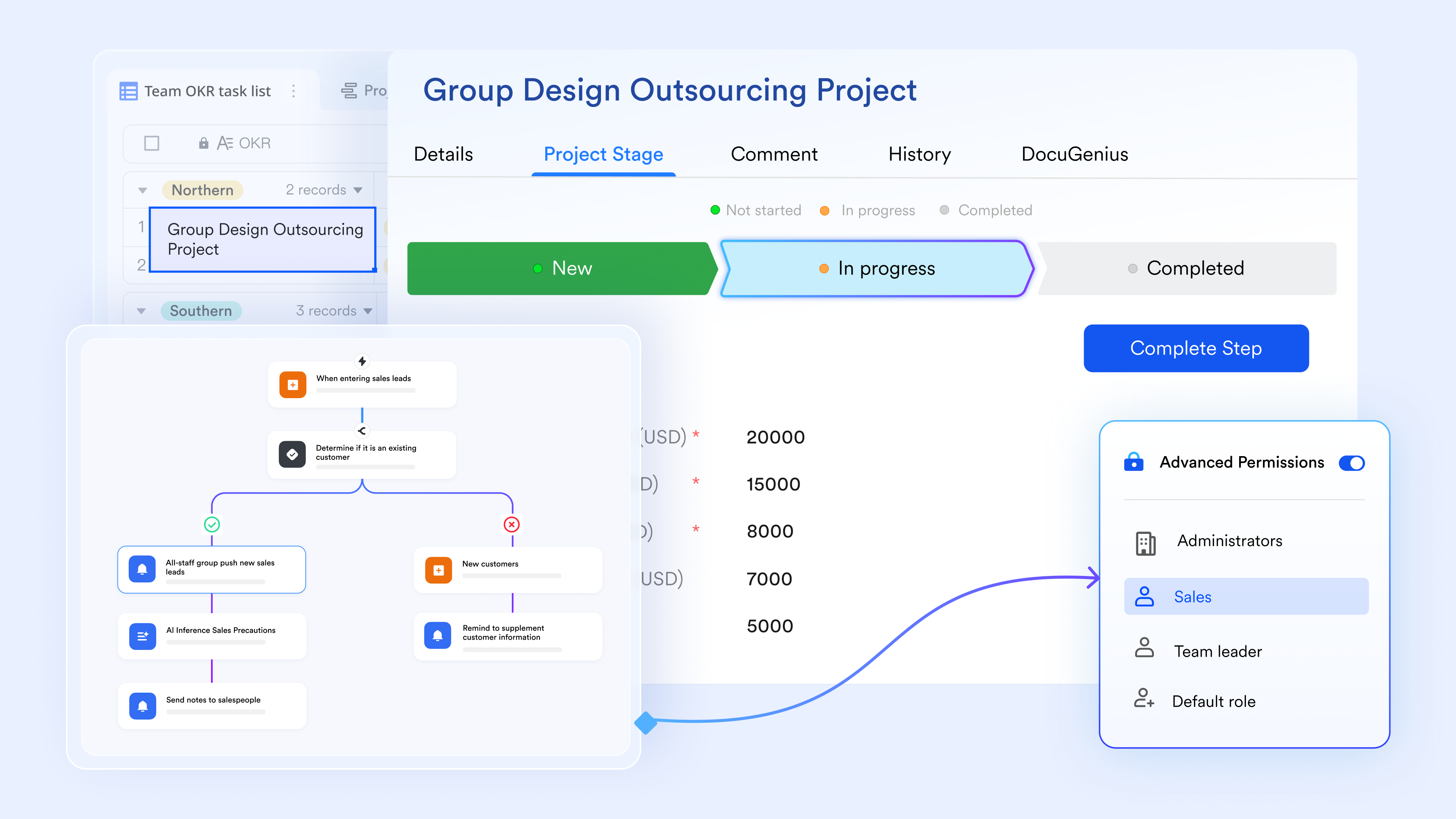
Calendar-connected scheduling and reminders
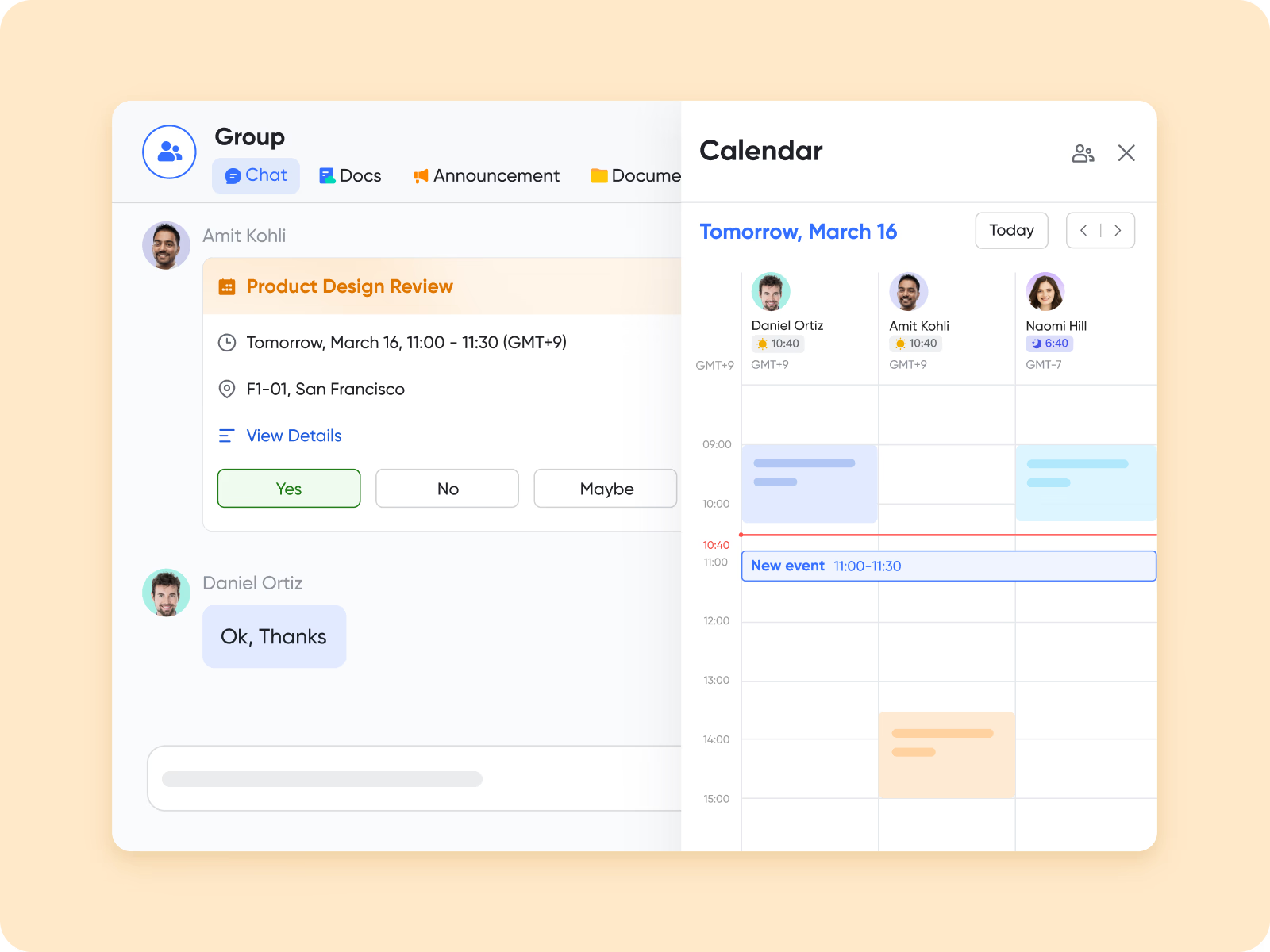
unifies seamlessly with time tracking and attendance processes. Teams can set shifts, plan work hours, and receive reminders for upcoming meetings or scheduled duties. This ensures employees always know where they need to be and helps reduce missed or late entries.
Unified communication for HQ and frontline teams
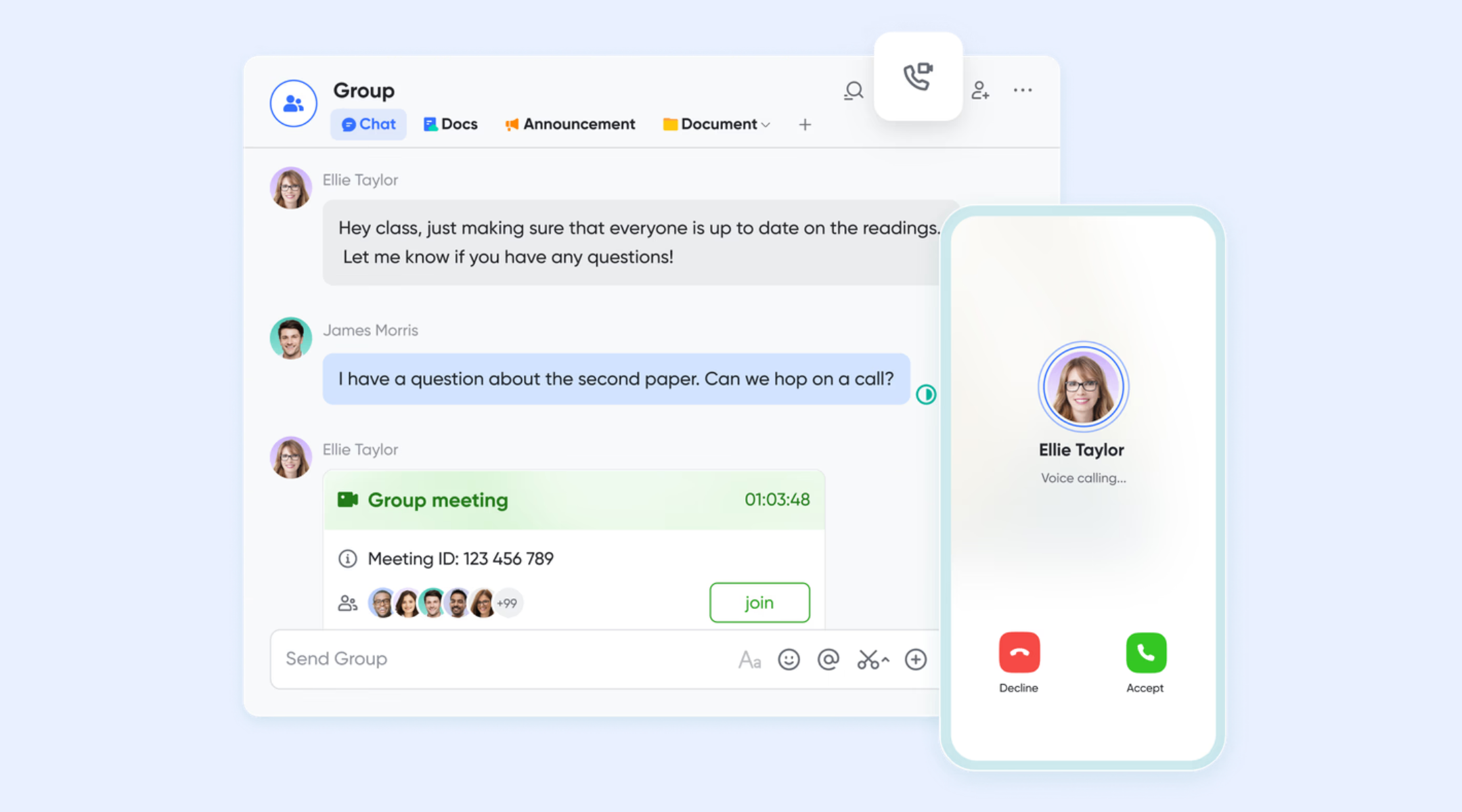
With and , Lark combines chat, messaging, and video conferencing in one workspace, ensuring efficient communication between headquarters and frontline staff. This eliminates the need for external apps like WhatsApp or Viber. With tasks embedded directly within chat, frontline employees can receive instructions, update progress, and manage responsibilities without switching tools.
:
- Starter plan: Free forever plan that includes 11 powerful tools for up to 20 users. It also comes with 100GB of storage, 1000 automation runs, AI translations, and more.
- Basic plan: $6/user/month (billed annually) for up to 500 users. It includes everything in Starter plus group calling for up to 500 attendees, 5TB of storage, 1000 automation runs, and more. For more details, please .
- Pro plan: $12/user/month (billed annually) for up to 500 users. It includes everything in Starter plus group calling for up to 500 attendees, 15TB of storage, 50,000 automation runs, and more.
- Enterprise plan: for custom pricing. Supports unlimited users and includes even more automation runs and advanced security, compliance, and management features.
For small teams with simple communication needs

18 months message history
1000 Base automation runs/month
2000 rows per table in Base
Most POPULAR
For companies with comprehensive collaboration and management needs
Unlimited message history
500-participant video meetings
50k Base automation runs/month
20k rows per table in Base
For large companies with advanced security and organizational management needs
Get a personalized demo and pricing
Unlimited message history
500-participant video meetings
15 TB storage + 30 GB storage/user
500k Base automation runs/month
50k Base automation runs/month
Most POPULAR
For companies with comprehensive collaboration and management needs
Unlimited message history
500-participant video meetings
50k Base automation runs/month
20k rows per table in Base
2. BambooHR Time Tracking: Simple employee timesheets for HR workflows
BambooHR offers an easy approach to time management with tools suited for teams searching for online employee timesheet software. It simplifies attendance, approvals, and PTO tracking while centralizing everything inside an HR-friendly interface. Employees can log hours quickly while managers gain clear insights. The result is smoother workflows and better payroll accuracy.
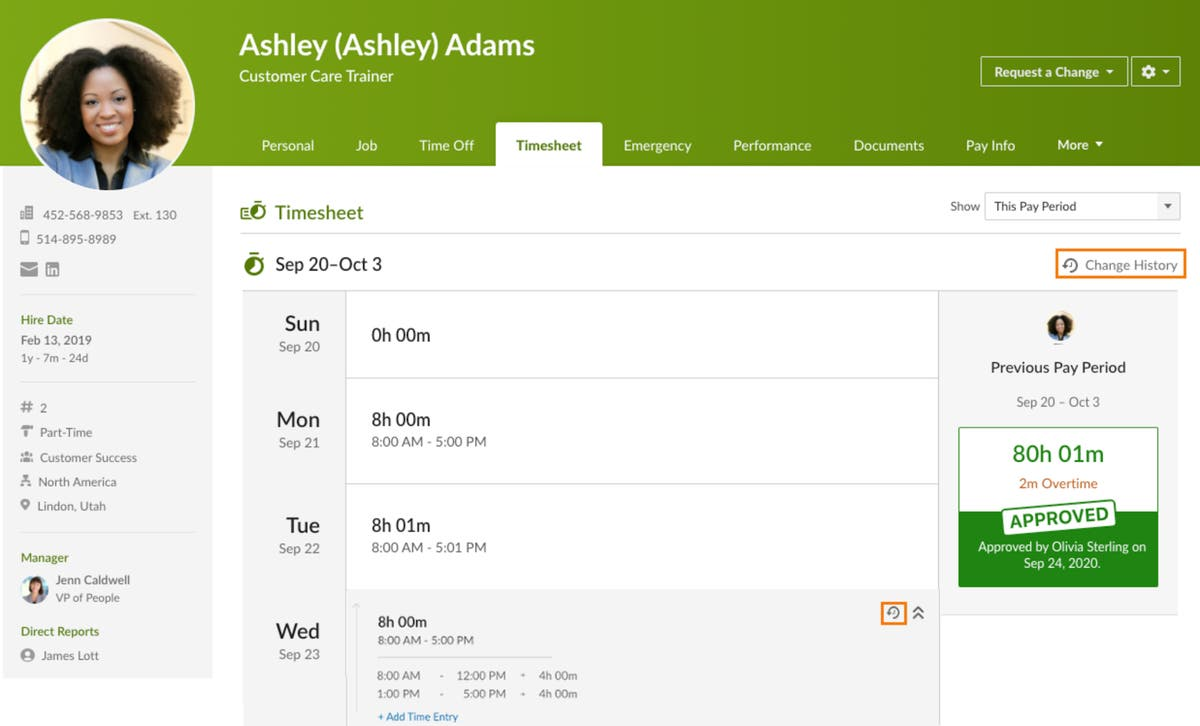
Image source: bamboohr.com
Key features:
- Time and attendance tracking inside the BambooHR platform
- PTO and leave management linked to employee records
- Manager approvals and timesheet review workflows
- Reporting on hours, overtime, and time-off usage
- Direct connection to HR and payroll modules in BambooHR
Pros:
- Excellent fit for HR teams wanting HR + time in one system
- Clean interface for employees to submit hours and requests
- Strong PTO, leave, and policy handling
- Good reporting for HR, payroll, and compliance audits
Cons:
- Less suited for deep project-based time tracking compared to specialist tools
Pricing:
- Core: $10 per employee/month
- Pro: $17 per employee/month
- Elite: $25 per employee/month
3. Rippling Time & Attendance: Automated attendance tied to payroll systems
Rippling delivers powerful automation for companies that need more than an employee timesheet app free option can provide. Its attendance tools sync effortlessly with payroll and scheduling, reducing admin work. Employees can clock in through mobile or desktop, and compliance rules run quietly in the background. Rippling is especially strong for teams scaling fast.
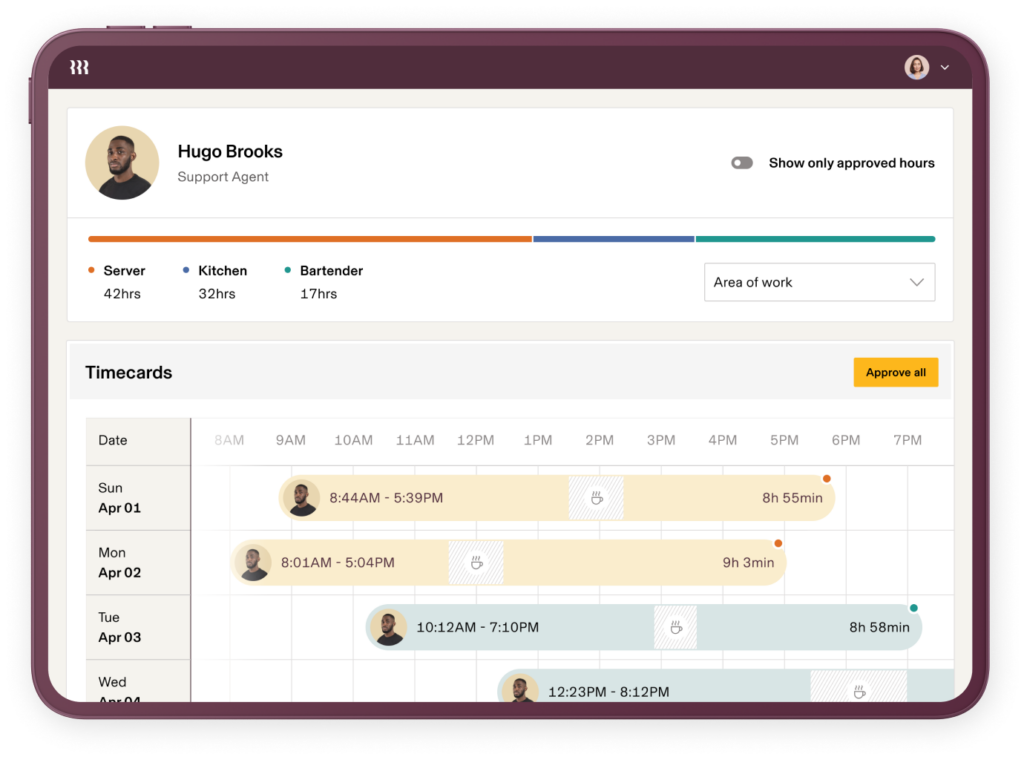
Image source: rippling.com
Key features:
- Time and attendance module that sits on top of the Rippling platform
- Automatic syncing of time data with payroll and HR records
- Rules for overtime, policies, and labor compliance
- Web and mobile time capture for employees
- Centralized employee data across HR, IT, and finance
Pros:
- Very strong for companies already using Rippling HR and payroll
- Automation reduces manual entry and payroll errors
- Flexible configuration for policies across locations and roles
- One central employee record used across multiple functions
Cons:
- Pricing is not transparent; everything runs through quotes
- Can feel heavy for very small businesses that only want simple timesheets
Pricing:
- Pricing not publicly listed; custom quotes required based on company size and modules
4. Time Doctor: Detailed work insights for remote teams
Time Doctor gives detailed visibility into how work hours are spent and supports structured workflows where accurate timesheets login for employees is essential. Employees can track tasks, manage timers, and submit their logs with just a few clicks. The platform offers deep productivity analytics. Managers gain a clear view of daily work patterns across distributed teams.
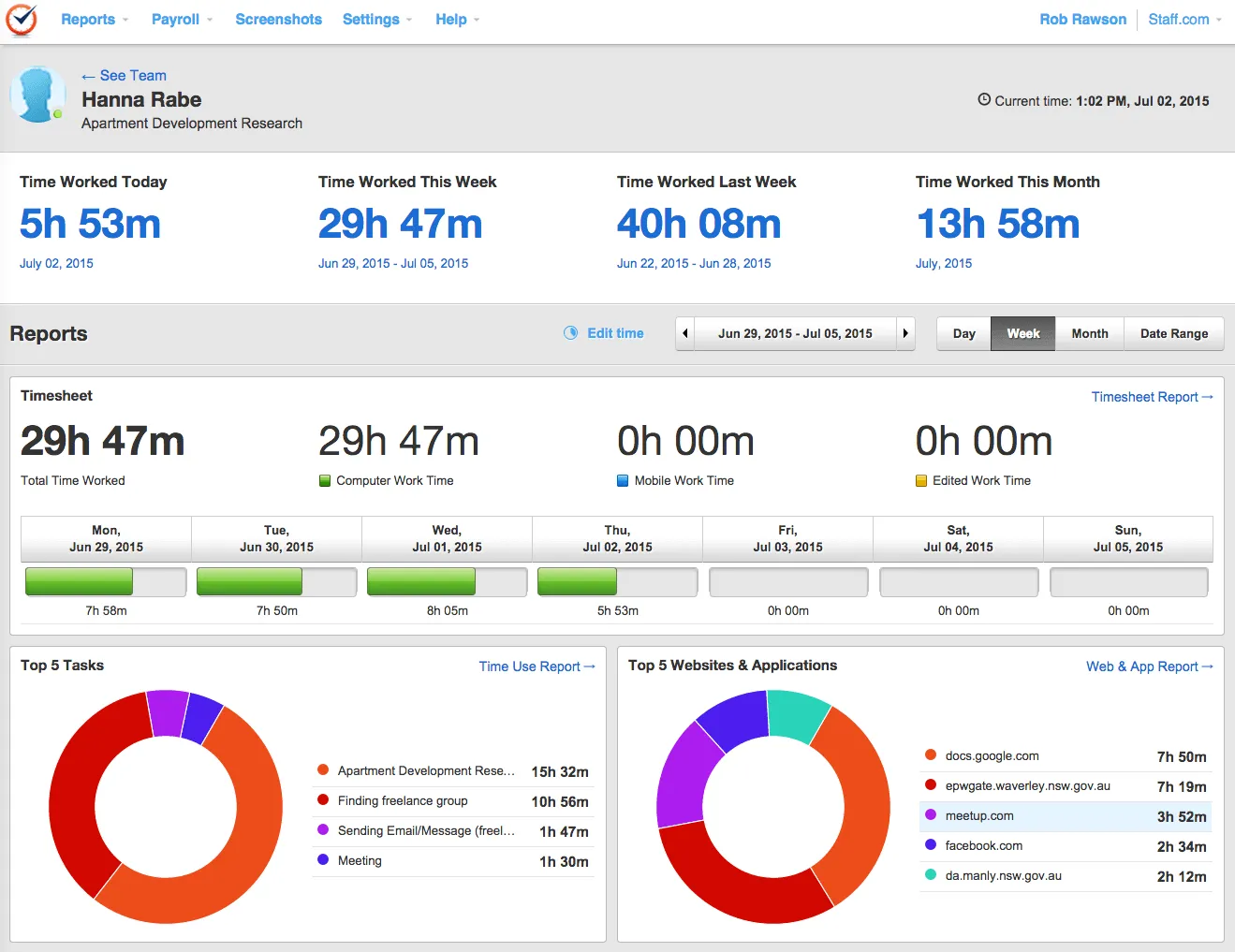
Image source: timedoctor.com
Key features:
- Automatic and manual time tracking with desktop and mobile apps
- Screenshots and web/app usage for activity insights
- Attendance, schedules, and break/leave tracking
- Productivity metrics, reports, and "unusual activity" alerts
- Client access, executive dashboards, and optional AI analytics (Benchmarks, etc.)
Pros:
- Very detailed visibility into how time is spent
- Good choice for distributed or BPO-style teams needing close monitoring
- Flexible tracking modes (automatic or user-controlled)
- Strong reporting and management dashboards
Cons:
- Monitoring features (screenshots, app usage) can feel intrusive
- Overkill for teams that mainly want simple timesheets and light reporting
Pricing:
- Basic plan: $6.70/month per user
- Standard: $11.70/month per user
- Premium: $16.70/month per user
- Enterprise: Custom pricing
5. Clockify: Free employee timesheets with strong tracking
Clockify is a strong pick for teams seeking timesheet software for small business free with unlimited users. Its timers, manual logs, and project tagging create a simple workflow any team can adopt. Small businesses benefit from minimal setup and easy onboarding. With reports and dashboards included, owners get instant visibility into workloads.

Image source: clockify.com
Key features:
- Core time tracker with timers and manual time entry
- Timesheets view for weekly or daily approvals
- Projects, tasks, tags, and billable rate settings
- Summary, detailed, and weekly reports
- Team management and limited scheduling on paid plans
Pros:
- Very generous free plan with unlimited users and projects
- Simple interface that works for many different team types
- Affordable paid plans for additional features like approvals and advanced reporting
- Strong browser extension and app coverage
Cons:
- Advanced features (like approvals, budgets, and more automation) sit on paid tiers
- Interface is functional but less "modern workspace" compared to all-in-one suites
Pricing:
- Standard: $5.49 per seat/month (annual) or $6.99 monthly
- Pro: $7.99 per seat/month (annual) or $9.99 monthly
- Enterprise: $11.99 per seat/month (annual) or $14.99 monthly
6. Harvest: Time tracking with fast client billing
Harvest is ideal for businesses that need project-based time logs with lightweight invoicing, even though it's not entirely positioned as timesheet software free. It helps contractors and agencies log hours per client or task while capturing expenses and generating quick invoices. The interface is simple enough for teams with minimal tech experience. Data syncs easily to accounting systems.
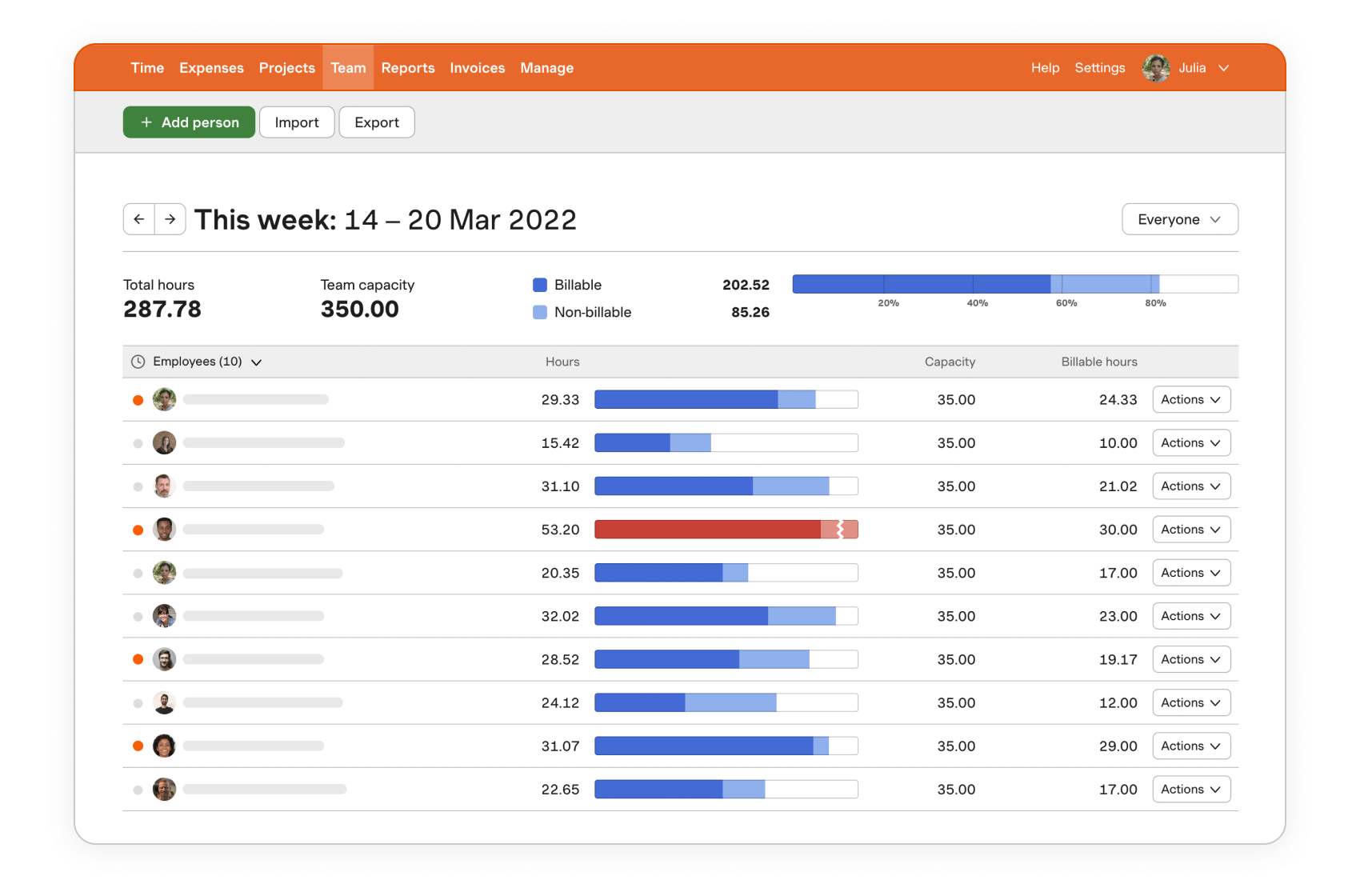
Image source: getharvest.com
Key features:
- Time tracking across projects and tasks
- Invoicing for billable time and expenses
- Basic expense tracking for client work
- Reports on project budgets, utilization, and costs
- Connections to accounting tools (QuickBooks Online, Xero, etc.)
Pros:
- Excellent for agencies and consultants billing clients by the hour
- Clean UI, easy to train teams on
- Strong project and budget reporting for small/medium firms
- Simple pipeline from logged time → invoice → payment
Cons:
- Less suitable as a full HR timesheet/attendance solution
- Per-user pricing can add up for very large teams
Pricing:
- Free: $0 forever, includes 1 seat & 2 projects
- Pro: $11 per seat/month (unlimited seats & projects)
- Premium: Custom pricing with advanced reporting, approvals & SSO
7. Hubstaff: GPS and activity tracking for teams
Hubstaff blends time tracking with GPS, productivity insights, and scheduling, which makes it a strong Timesheet app for employees in mobile or field roles. Workers can clock in via phone while managers see location-verified logs. Its monitoring tools help distributed teams stay accountable. The combination of tracking and automation supports accurate reporting.
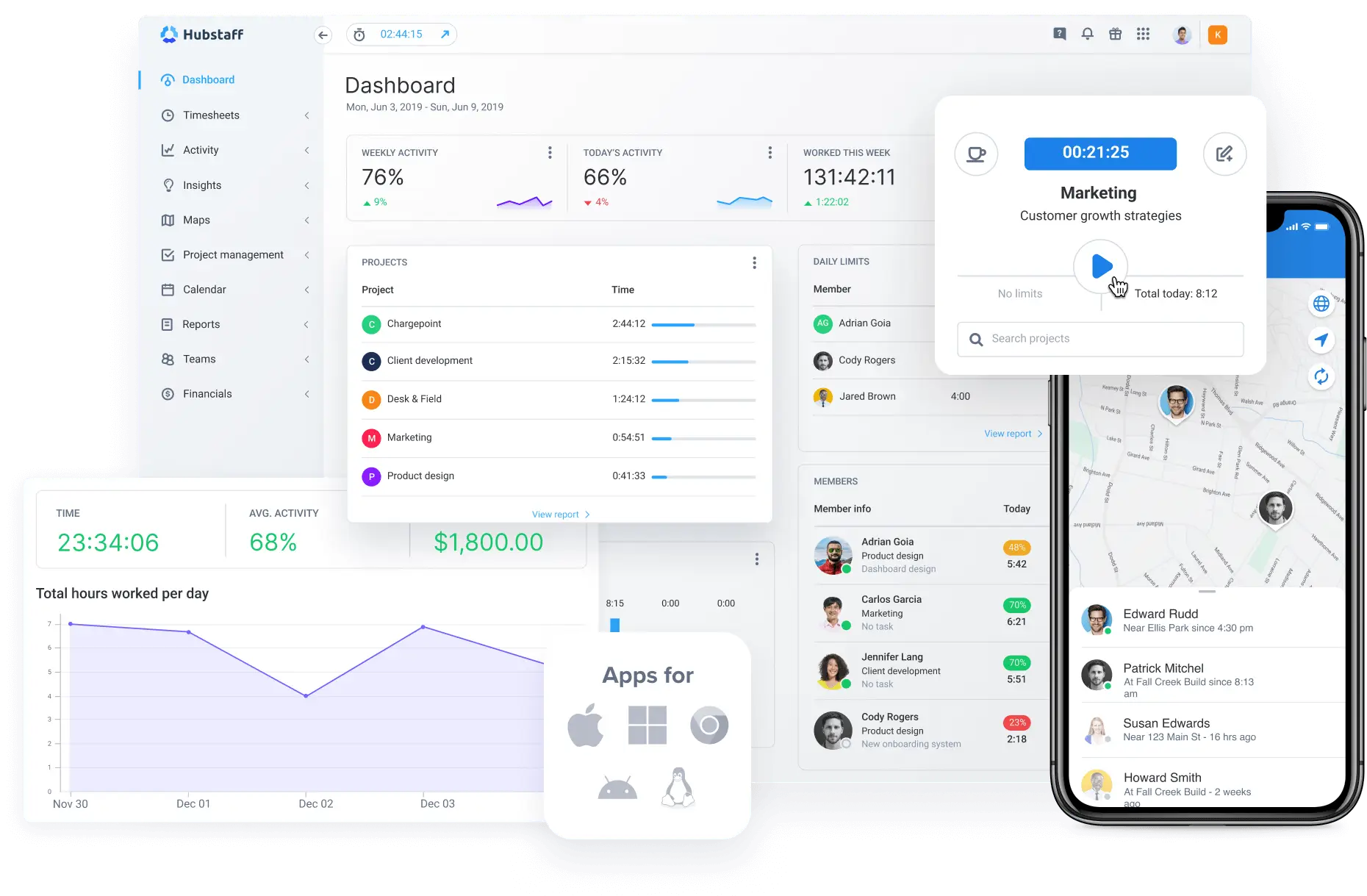
Image source: hubstaff.com
Key features:
- Time tracking with desktop, web, and mobile apps
- GPS tracking and geofencing for field workers
- Activity levels with optional screenshots and app/URL usage
- Scheduling, timesheets, and payments (on higher plans)
- Budgeting, reports, and optional add-ons (locations, more screenshots, etc.)
Pros:
- Ideal for mobile and field teams needing location-aware tracking
- Flexible tiers from simple tracking to advanced monitoring
- Scheduling and payroll-style features on mid/high plans
- Add-ons let teams choose how much detail they want
Cons:
- Monitoring (screenshots, activity) may feel invasive for some teams
- Add-ons and per-seat pricing can become costly at scale
Pricing:
- Starter: $4.99/seat/month (annual), 2-seat minimum
- Grow: $7.50/seat/month (annual), 2-seat minimum
- Team: $10/seat/month (annual), 2-seat minimum
- Enterprise: $25/seat/month (annual), includes custom setup & dedicated support
8. Timely: Automatic time tracking for focused work
Timely's automatic tracking approach makes it appealing for teams searching for the Best free timesheet software alternative with minimal manual input. It quietly records work activity and turns it into clean timesheets. This helps reduce user friction and ensures logs are more accurate. The tool is especially useful for creative and knowledge-based workflows.
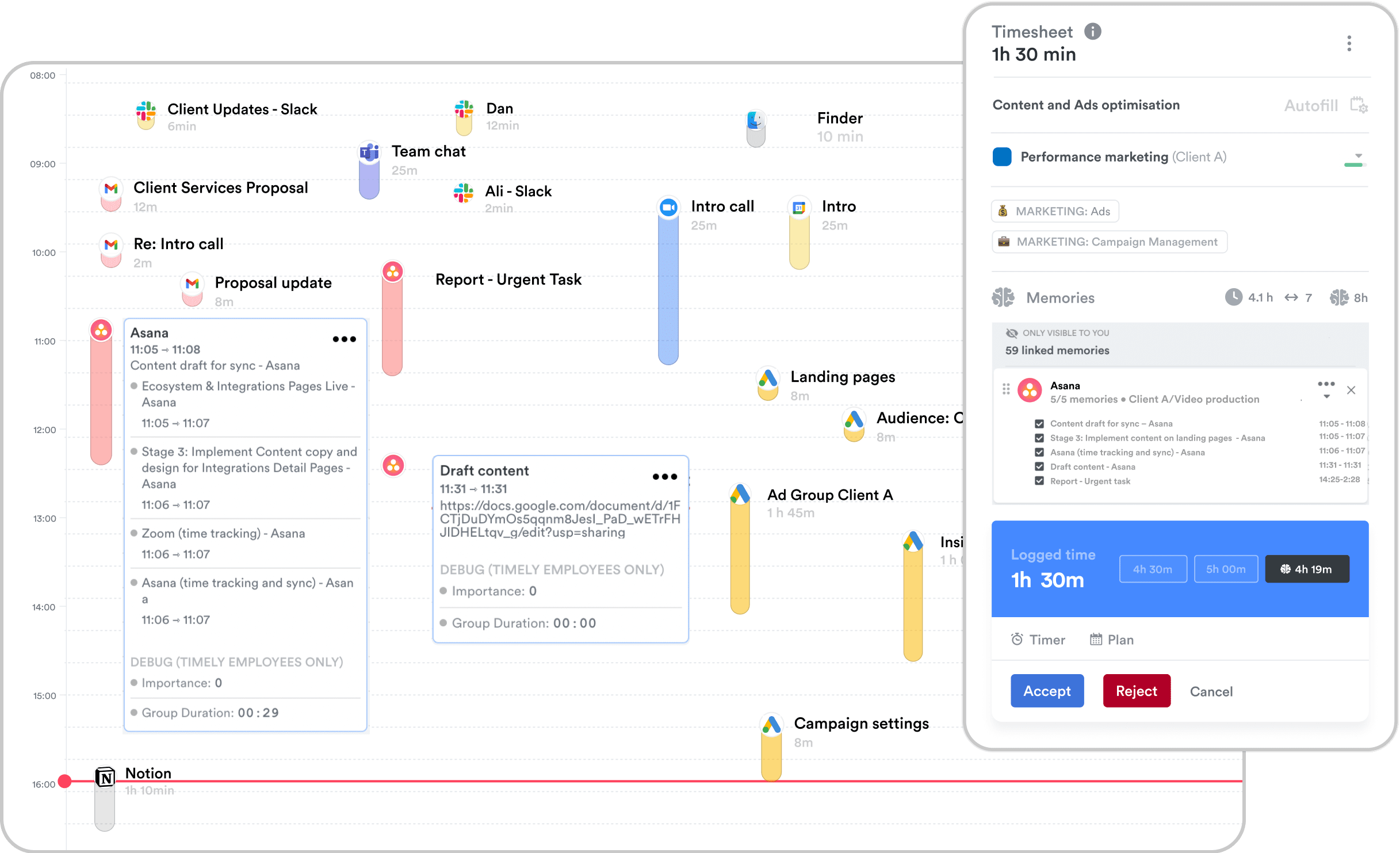
Image source: timely.com
Key features:
- Automatic time capture on desktop and web activity
- AI-powered timesheet suggestions (AutoSheet)
- Project-based tracking with budgets and reporting
- Team planning and capacity management (higher tiers)
- Connections to project and accounting tools
Pros:
- Great for teams that dislike manual timers
- Strong fit for consultancies, agencies, and creative work
- Clear project dashboards with budget visibility
- Helpful automatic suggestions that reduce missed time
Cons:
- Pricing is higher than many manual-only trackers
- Automatic tracking can worry users if not communicated well
Pricing:
- Starter: $9/user/month billed yearly
- Premium: $16/user/month billed yearly
- Unlimited: $22/user/month billed yearly
- Enterprise: Custom pricing
9. Everhour: Project budgeting with precise time tracking
Everhour aligns perfectly with project teams and finance workflows, making it a strong option for Timesheet software for accountants. Its budgeting, cost allocation, and billable hour tracking help accounting teams manage client projects with clarity. The interface integrates seamlessly with . This ensures finance professionals maintain accurate, audit-ready records.
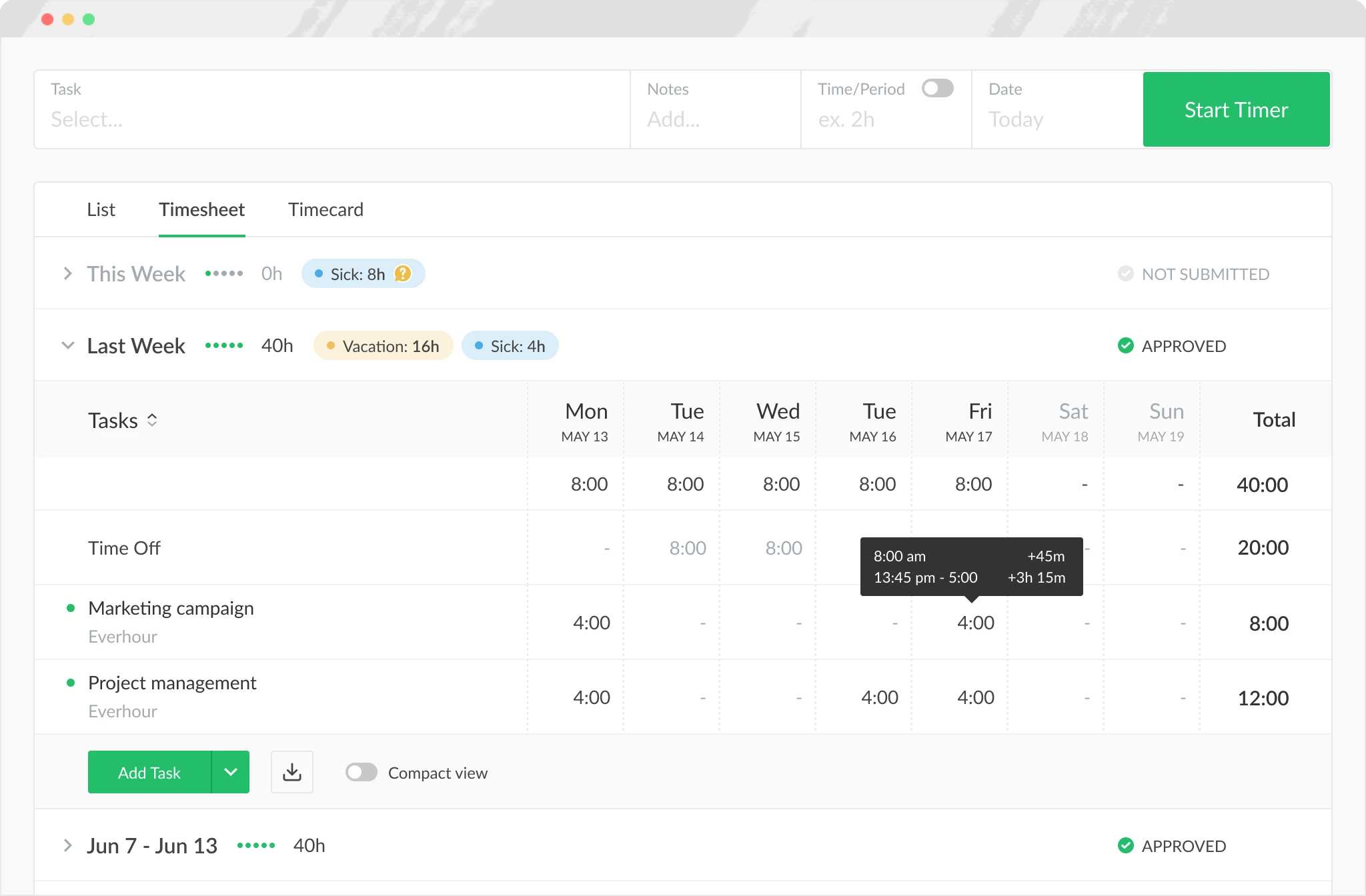
Image source: everhour.com
Key features:
- Time tracking tied closely to projects, tasks, and budgets
- Billing and budgeting for client or internal projects
- Invoicing and expense tracking
- Time approval flows and time-off tracking
- Deep connections to tools like Asana, Trello, ClickUp, and others
Pros:
- Very strong for project and budget-focused teams
- Great match for agencies and product teams using PM tools
- Detailed reporting on costs and billable vs non-billable work
- Flexible enough for accountants and finance-focused users
Cons:
- Requires at least a small team commitment (minimum seats on some plans)
- Not primarily designed as a core HR attendance solution
Pricing:
- Free: $0, up to 5 seats, limited features
- Team: $8.50/seat/month when paid yearly (minimum 5 seats), includes all features and integrations
10. QuickBooks Time: Timesheets connected directly to payroll
QuickBooks Time offers an intuitive interface and fast mobile logging, positioning it well as simple timesheet software for small and mid-size teams. GPS features help track field workers while scheduling keeps shifts aligned. Payroll sync ensures precise payouts without extra steps. It's especially useful for businesses already using QuickBooks accounting.
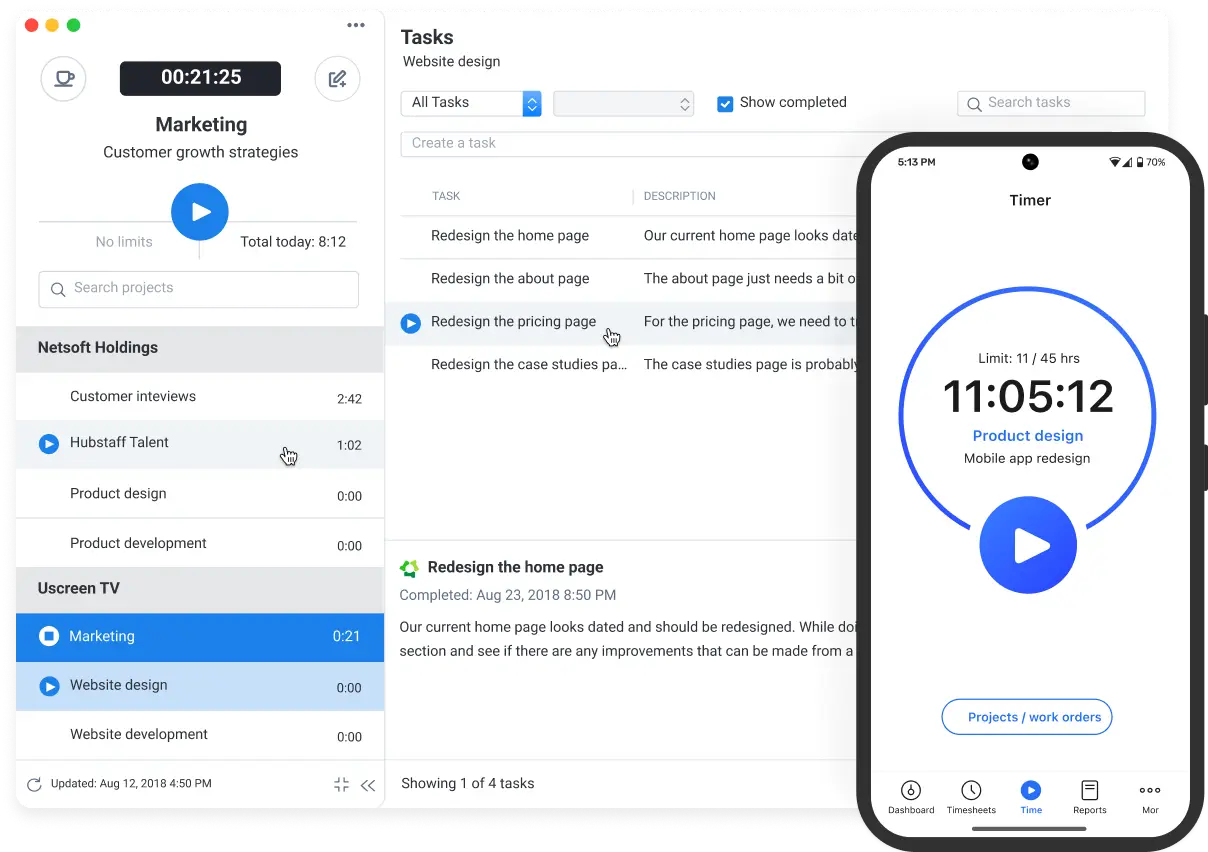
Image source: quickbooks.com
Key features:
- Employee time tracking with mobile app and GPS
- Job and shift scheduling inside QuickBooks Time
- Time-off management and alerts/notifications
- Sync to QuickBooks Online for payroll and invoicing
- Time kiosk mode and workforce app for employees
Pros:
- Excellent fit for businesses already on QuickBooks Online
- Strong GPS, scheduling, and payroll connections
- Good for mobile crews, field workers, and trades
- Clear visibility into who is working and where
Cons:
- Pricing includes both a base fee and per-user fee, which can be pricey
- Requires QuickBooks Online for full value, so less attractive if you use other accounting tools
Pricing:
- Time premium: $6/month+$8 per user/month. Base fee includes 1 admin.
- Time elite: $12/month+$10 per user/month. Base fee includes 1 admin.
- Time premium + payroll premium: $26.40/month+ $10 per employee/month.
- Time elite + payroll elite: $40.20/month + $12 per employee/month.
11. Homebase: All-in-one scheduling and time tracking for hourly teams
is a versatile workforce management platform built for small businesses that rely on hourly workers. It streamlines operations by combining scheduling, time tracking, and payroll into a single, user-friendly interface. With , managers can easily create schedules, track employee hours via mobile clock-ins with GPS verification, and sync timesheets directly to payroll. The platform also includes built-in team communication and hiring tools, making it a comprehensive solution for managing local teams efficiently.
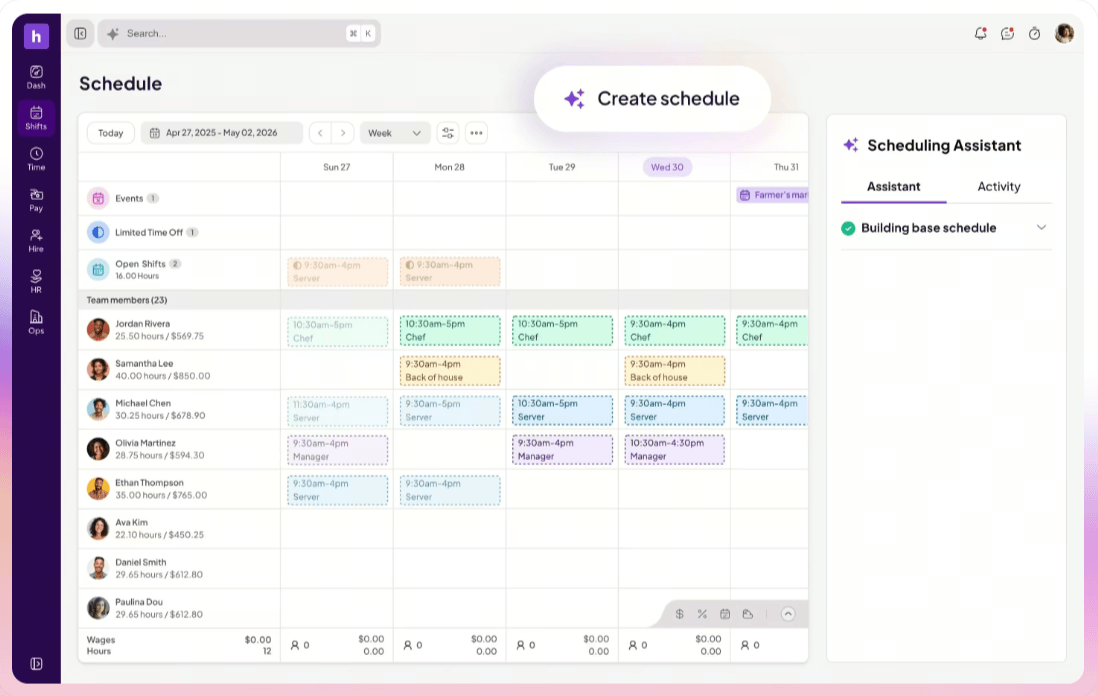
Image source: joinhomebase.com
Key features:
- Mobile time clock with GPS and geofencing to prevent "buddy punching"
- Easy drag-and-drop scheduling with automated shift reminders and availability tracking
- Full-service payroll processing with automated tax filings and direct deposits
- Real-time labor cost tracking and overtime alerts to manage budgets
- Team messaging and shift-swap requests handled directly within the app
Pros:
- Feature-rich free plan available for businesses with a single location
- Highly rated mobile app that simplifies clock-ins for employees on the go
- Seamless integration between timesheets, scheduling, and payroll
Cons:
- Pricing is based on location, which can increase costs for multi-unit small businesses
Pricing:
- Basic: Free (for 1 location)
Common challenges in timesheet management
often becomes difficult when teams rely on outdated processes or disconnected systems. These issues slow down approvals, reduce accuracy, and create extra admin work for managers.
Manual entry mistakes
Manual timesheet entries often lead to errors, such as incorrect hours or missed logs, especially when employees enter them at the end of the day. These mistakes impact payroll, forecasting, and project costing.
Lark's solution: Lark Tasks and Lark Base work together to capture work updates automatically, reducing manual entry. Teams can log time directly within tasks and , keeping data accurate and aligned with real work.
Delayed submissions
Employees frequently forget to submit timesheets on time, which slows down payroll cycles and creates extra follow-ups for managers. Late entries also reduce the accuracy of project tracking.
How Lark solves it: Lark's automated workflow rules send reminders, update statuses, and notify managers instantly when submissions are pending. This keeps without manual chasing.
Multiple tools are causing confusion
Using different apps for projects, hours, and approvals results in scattered data and confusion over where employees should log work. This fragmentation lowers adoption and increases errors.
Lark's solution: Lark provides an experience by combining tasks, workflows, docs, communication, and structured data in one unified workspace. Employees always know where work belongs.
Lack of transparency
Without visibility into logged hours or workload distribution, teams struggle to understand how time is spent across projects. This leads to poor planning and inefficient resource allocation.
Lark's solution: Lark Base dashboards and workflow records give managers real-time visibility into time logs, progress, workloads, and project health. Employees also see their own updates and commitments clearly.
Employee resistance to tracking
Some employees view time tracking as micromanagement, especially when the system is complicated or requires repetitive entries. This resistance reduces adoption and accuracy.
Lark's solution: Lark makes time tracking lightweight and contextual by linking tasks, chats, and docs. Employees update their time naturally as they work, making tracking feel like part of the workflow rather than surveillance.
Conclusion
Choosing the right can dramatically improve how your team manages hours, payroll, projects, and productivity. The tools highlighted in this guide offer a mix of simplicity, automation, and industry-specific features—but the best choice depends on your team's workflows and the level of visibility you need.
For businesses that want more than basic time tracking, stands out as a complete workspace for time logs, communication, scheduling, and workflow automation. By connecting timesheets with tasks, data, and real-time collaboration, Lark helps teams work faster, stay aligned, and reduce the friction that usually comes with time management.
No matter which tool you choose, adopting a modern timesheet system will save time, improve accuracy, and help your organization operate with greater confidence and clarity.
Upgrade the way you manage employees with Lark
FAQs
What's the difference between timesheet software and time tracking tools?
Timesheet software records total hours worked over a day or week, while time tracking tools log time spent on specific tasks or projects. Many modern platforms combine both functions, so teams can manage attendance and project hours in one place.
How often should employees submit digital timesheets?
Most companies follow daily or weekly submissions to maintain accuracy. Frequent updates reduce forgotten entries and help managers approve hours without delays.
Can employee timesheet software reduce payroll processing errors?
Yes. Automated logs eliminate manual calculations, ensuring payroll is based on verified, accurate hours. This reduces underpayments, overpayments, and administrative corrections.
Does timesheet software work for freelancers and contractors?
Absolutely. Freelancers benefit from clear logs for client billing, while contractors can organize project hours, track expenses, and generate invoice-ready reports.
How does mobile timesheet tracking help remote or field teams?
Mobile logging allows employees to clock in, clock out, and submit hours from any location. Field workers using GPS or mobile attendance tools can provide accurate time records without returning to the office.
Related reading



















![What Is a 2-2-3 Work Schedule? Explanation and More [2026]](https://framerusercontent.com/images/uKHRfkp4v7y4azRNTYUmuteNQz8.png)








