














Excel Spreadsheet for Business Expenses: Guide and Alternative

Sreya Anumolu
Content Specialist
Oct 30, 2026
Sreya Anumolu
Oct 30, 2026

15 min read
Add to preferred sources


In any business, tracking expenses is essential to understanding where your money goes and how to manage budgets effectively. Excel remains one of the most popular tools for this, it's familiar, flexible, and ideal for creating a simple business expense spreadsheet without added software costs.
In this guide, you'll learn how to build an Excel spreadsheet for business expenses, explore ready-to-use templates, and understand when it might be time to move toward more connected tools like Lark, which adds automation and collaboration to the process. We'll walk through setup steps, best practices, and smarter ways to keep your business finances organised and audit-ready all while staying efficient and error-free.

What is an Excel spreadsheet for business expenses?
An Excel spreadsheet for business expenses is a structured file where you record, monitor, and analyze every business-related cost—whether that's office supplies, client meals, subscriptions, or travel expenses. It allows small business owners, freelancers, and finance teams to see where their money is going, identify trends, and stay compliant for audits or tax filing.
Unlike complicated accounting systems, Excel offers a straightforward, customizable way to manage finances especially for small business spreadsheet for income and expenses Excel users who want simplicity over automation.
Key purposes include:
- Recording daily, monthly, or annual spending
- Comparing actual expenses vs. budget
- Preparing data for accountants or tax filing
- Tracking reimbursable employee expenses
- Monitoring cash flow and profitability
Many small business Excel spreadsheets for income and expenses also include separate sheets for income tracking, allowing business owners to get a complete view of their financial health.
Key benefits of using a business expenses spreadsheet
Creating a dedicated Excel spreadsheet for business expenses and income offers several advantages for small and growing teams. Here's why it remains a go-to option before upgrading to automated tools.
- Better financial visibility and decision-making: A well-structured spreadsheet provides a snapshot of your spending patterns. You can instantly identify high-cost areas—like marketing or travel—and make informed decisions to optimize your budget. With regular updates, it also helps you forecast future expenses more accurately.
- Centralised record-keeping: Instead of storing receipts, invoices, and notes across multiple folders, Excel centralises every transaction in one place. This ensures consistency and makes it easier to trace records during audits or financial reviews. It creates a single source of truth for all financial data, reducing confusion and duplication.
- Time savings via formulas and built-in tracking: Excel's formula capabilities—such as SUM, AVERAGE, and conditional formatting—help automate calculations. You don't need to manually total rows or columns every month, saving hours of manual work. Automated formulas also reduce human errors and improve reporting accuracy over time.
- Improved tax readiness and audit preparedness: When tax season comes, your categorised and timestamped expense data can be exported directly to your accountant. This clarity eliminates guesswork, reduces errors, and ensures compliance with expense documentation standards. It also simplifies yearly reconciliations and financial reviews for smoother audits.
- Accessibility and low cost: For startups or freelancers, Excel offers a free or low-cost way to track spending without needing accounting software subscriptions. It's especially valuable for teams that just need a small business spreadsheet for income and expenses Excel version. Since it's widely available, anyone on your team can easily access and update the file.
How to set up your spreadsheet: Step-by-step guide
Setting up your own Excel spreadsheet for business expenses doesn't have to be complicated. With the right structure and formulas, you can create a clear, efficient system for tracking every cost. This step-by-step guide walks you through defining categories, automating totals, and organizing data. Follow these steps to build a spreadsheet that saves time and keeps your finances accurate.
Step 1: Choose your tool
Start by deciding whether to use Microsoft Excel or Google Sheets.
- Excel: Excel is best for offline access, advanced formulas, and integration with Microsoft tools.
- Google Sheets: Google Sheets is ideal for collaboration, automatic saving, and cloud access.
- Lark Base: Lark Base is designed for flexible data management and collaboration. Lark Base excels at presenting data in multiple formats (Grid, Kanban, Gantt, Gallery, Form), making it ideal for project management and tracking.
Step 2: Define columns and layout
Your layout should make it easy to input, view, and analyse data. A standard Excel spreadsheet for business expenses might include the following columns:
Column Name | Description |
Date | When the expense occurred |
Description | What the expense was for |
Category | Expense type (e.g., supplies, travel, rent) |
Amount | Total spent |
Payment Method | Cash, credit, reimbursement, etc. |
Vendor | Who was paid |
Notes | Any remarks or receipt details |
You can also color-code categories or use conditional formatting to flag high expenses automatically.
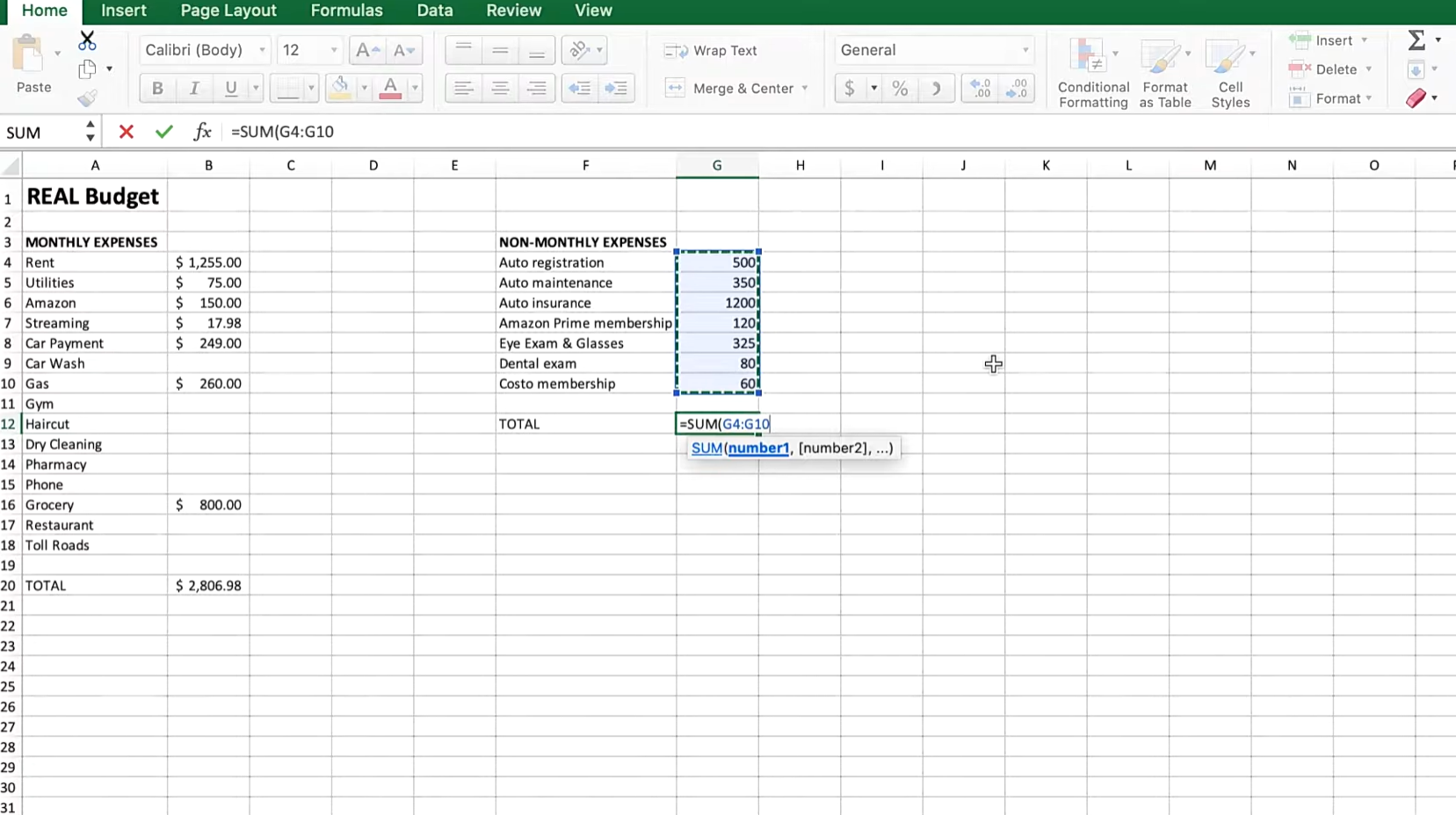
Image source: youtube.com
Step 3: Establish expense categories
Tailor categories based on your business needs. Common categories for small business Excel spreadsheet for business expenses include:
- Office supplies and stationery
- Rent and utilities
- Travel and transportation
- Marketing and advertising
- Subscriptions and software
- Meals and entertainment
- Salaries and contractor payments
Having well-defined categories simplifies monthly and annual reporting. If sorting every line into the right category by hand starts eating into your week, an AI accounting agent can categorize transactions automatically as they come in.
Step 4: Use formulas for automatic totals
Leverage Excel's formula capabilities for automation. Examples:
- Total expenses: =SUM(D2:D100)
- Monthly summary: Use SUMIF or FILTER to calculate monthly totals
- Conditional formatting: Highlight expenses over a set threshold
- Expense per category: =SUMIF(C2:C100, "Marketing", D2:D100)
These formulas turn your small business spreadsheet for income and expenses Excel file into a dynamic tool instead of a static record.
Step 5: Add sheets for monthly or annual summaries
Create a tab for each month (e.g., January–December) and one summary sheet that consolidates all data.
This helps you:
- Compare monthly spending trends
- Spot seasonal expense variations
- Review total annual costs for tax or budgeting
If you manage income too, add an "Income" tab to make it a full Excel spreadsheet for business expenses and income.
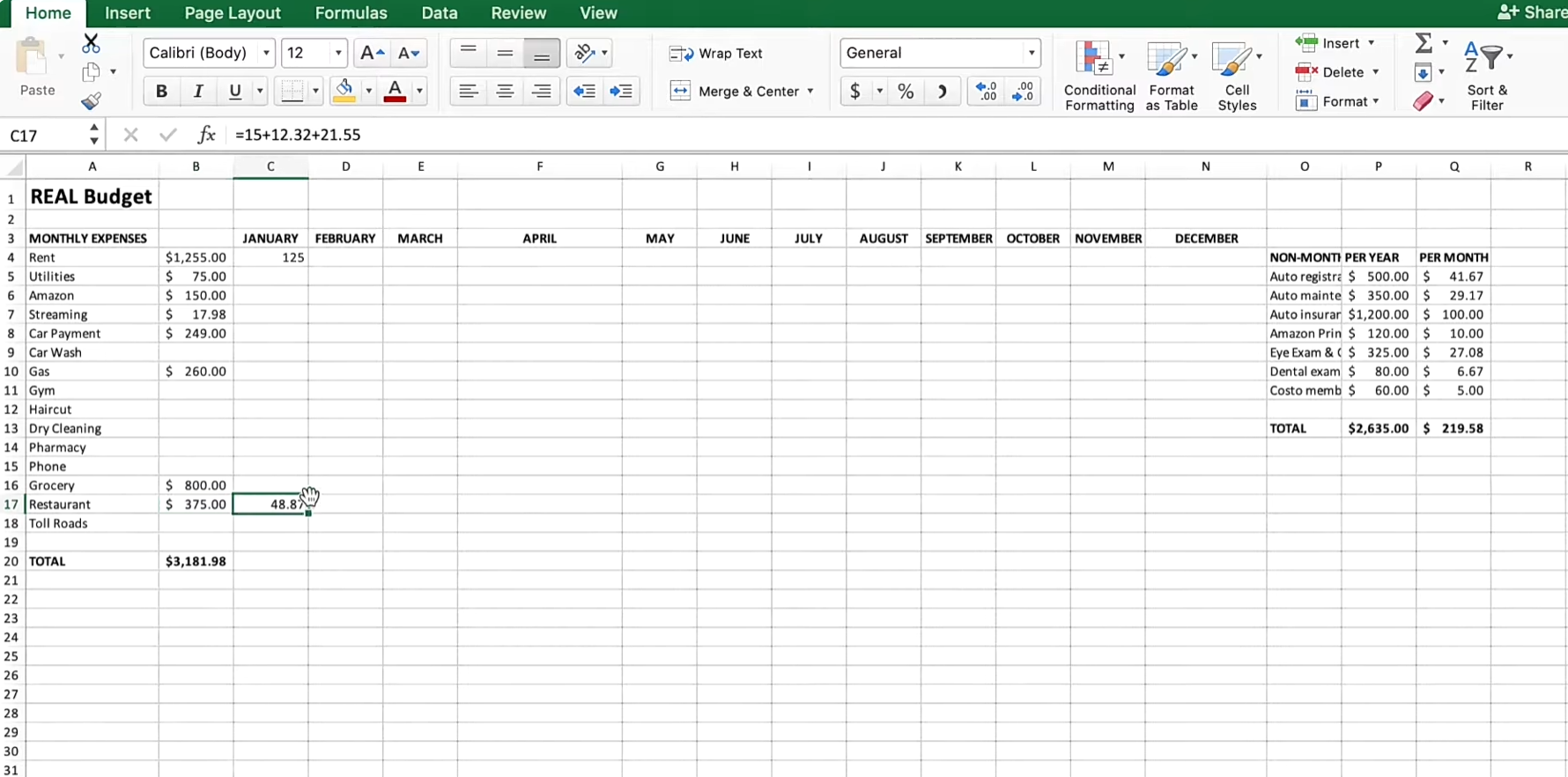
Image source: youtube.com
Step 6: Apply formatting and data validation
Formatting makes your sheet easier to read and less error-prone:
- Use consistent date formats (dd/mm/yyyy)
- Apply number formatting for currency
- Add drop-downs for expense categories or payment types
- Use color coding for approved vs pending expenses
This makes your spreadsheet more professional and easier to maintain across your team.
Step 7: Protect and backup your file
Set password protection for sensitive financial data and ensure only authorized users can edit it.
Streamline it: Why people choose to move beyond a spreadsheet
As your business scales, relying solely on Excel can lead to inefficiencies. Multiple file versions, manual updates, and formula errors often slow teams down and create data inconsistencies. What once worked for a small setup quickly becomes time-consuming and error-prone.
Upgrading to a collaborated platform like Lark brings structure and automation to expense management. Teams can track, approve, and analyze spending in real time—without juggling scattered files. It's a smarter, scalable way to manage business expenses as operations expand.
Practice smartly: Use Lark to build charts and manage business expenses
Tracking business expenses in Excel can be slow and error-prone, with manual entries and scattered records. Lark makes managing expenses effortless by combining spreadsheet familiarity with automation, real-time collaboration, and organized, trackable records. Teams can input and calculate expenses easily, automate repetitive tasks, and keep every transaction visible and up-to-date.
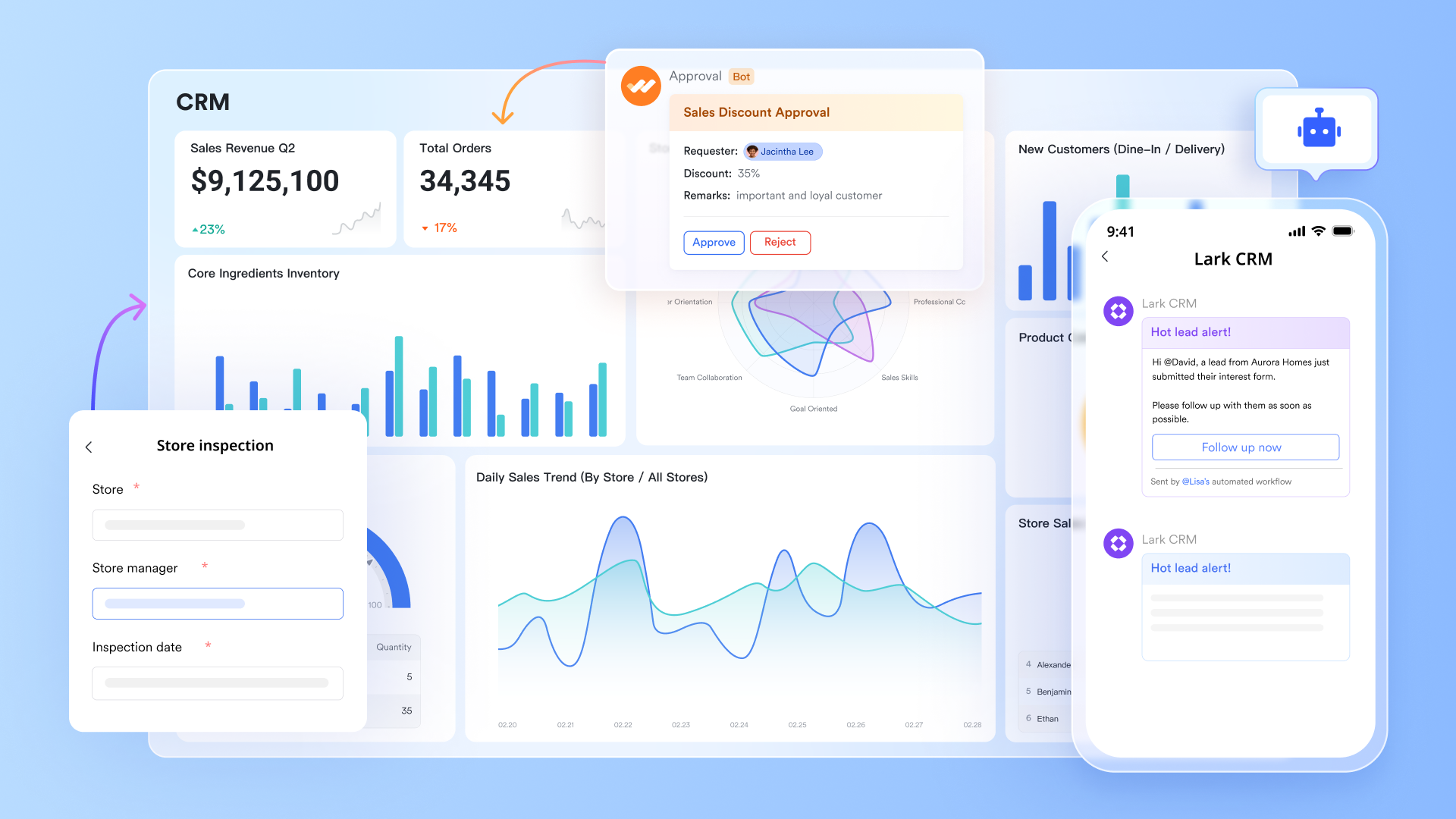
Lark Base: Centralize and visualize all expense data
Lark Base acts as your central expense database, replacing static spreadsheets with structured, filterable records. Each entry category, vendor, amount, and approval status can be tracked in real time. You can instantly see total spend by department or project using live charts and views. Teams monitor budget vs actual and catch overspending early without manual reporting. It turns expense data into clear, actionable insights for finance and management alike.
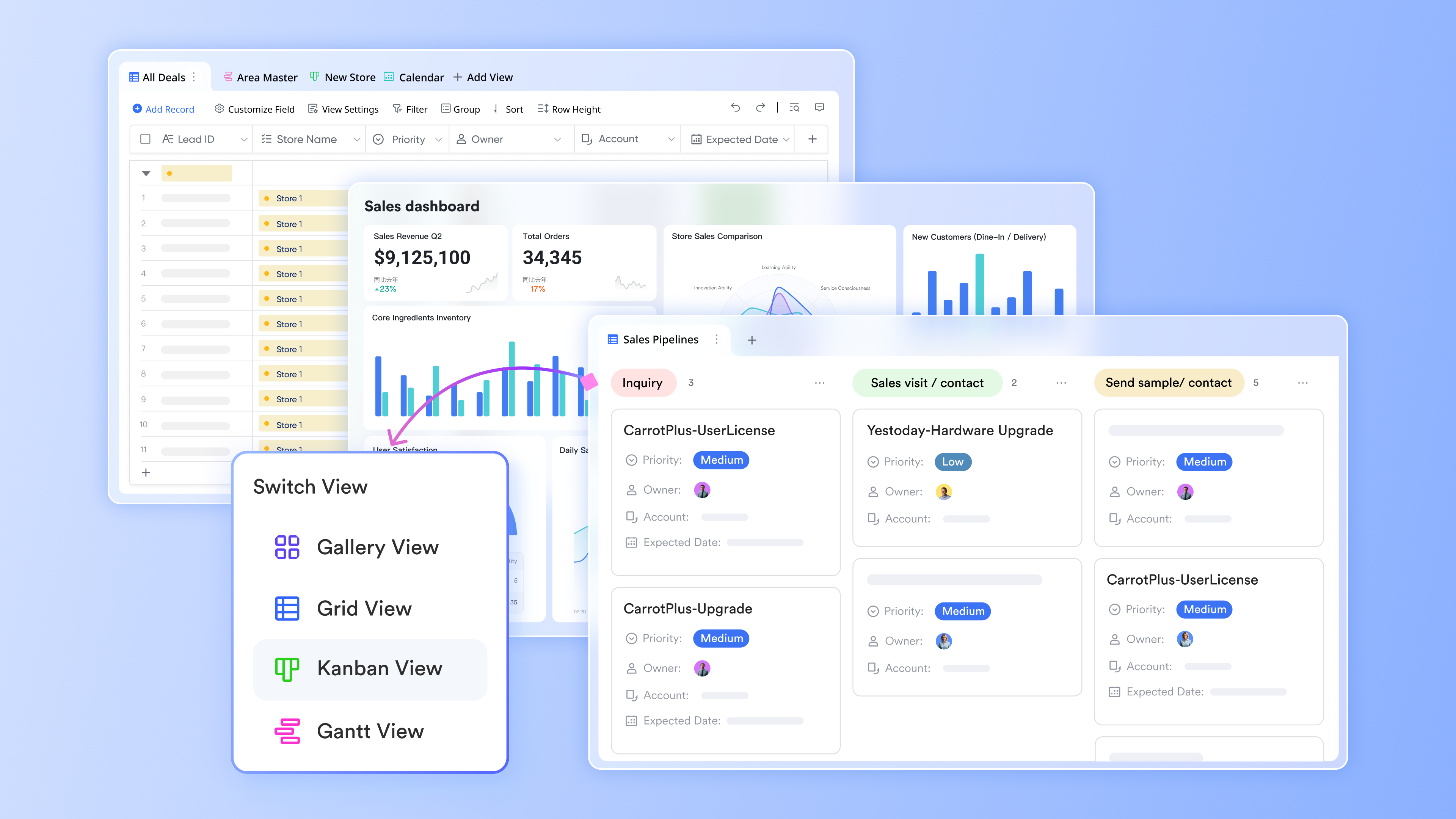
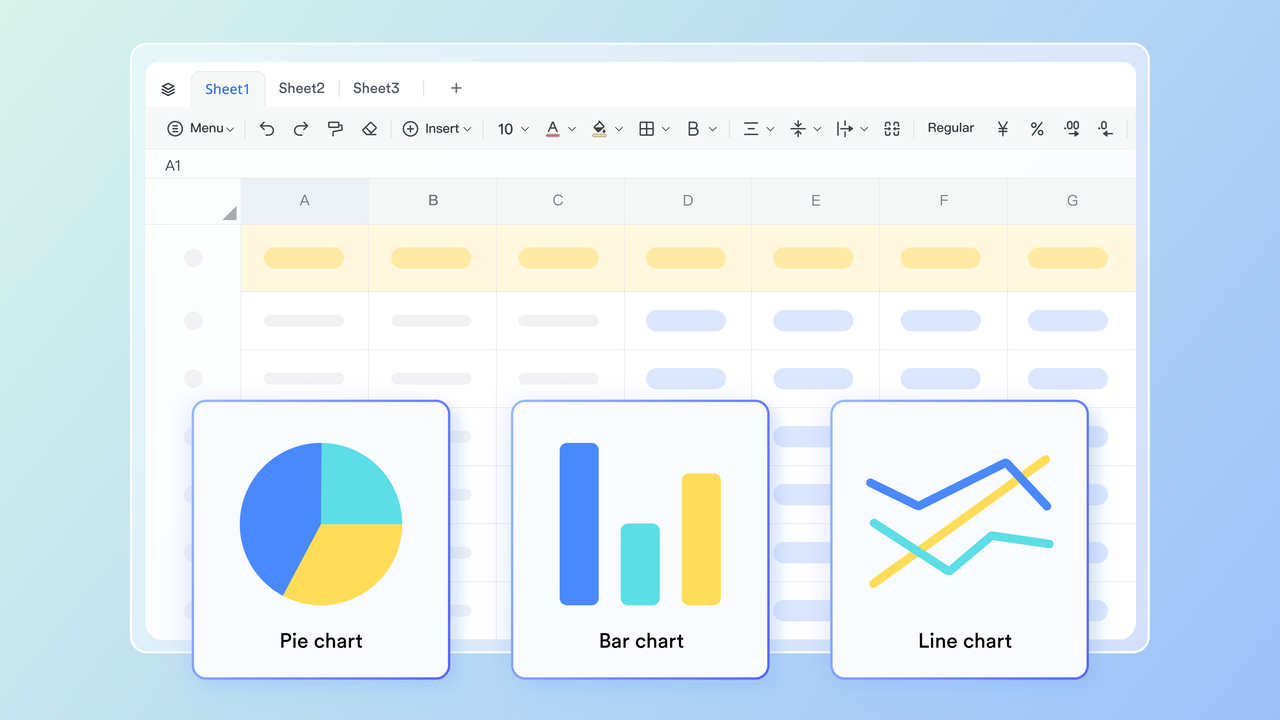
Lark Sheets: Calculate and analyze expense data efficiently
Lark Sheets helps you prepare and calculate expense data using familiar spreadsheet tools. You can clean imported records, apply formulas for tax, or run quick comparisons across months. It's ideal for analyzing patterns like travel spikes or project overspend before summarizing results in Base. Because updates happen in real time, there's no need to re-upload revised data. It's a flexible space for financial analysis without leaving your connected workspace.
Lark Docs: Collaborate on policies and financial documentation
Lark Docs brings collaboration to financial documentation, helping teams co-create reimbursement guides, policy handbooks, and month-end summaries in one shared space. Edits and comments appear instantly, ensuring policies stay current and transparent. Expense policies, workflows, or checklists can be linked directly to Base records for easy access. Instead of juggling multiple files, everyone refers to a single living document. This keeps expense processes consistent and audit-ready across the organization.

Lark Approval: Automate reimbursement and purchase workflows
Lark Approval streamlines reimbursement and purchase requests with clear, automated routing. You can define approval paths by amount, department, or expense category, ensuring every claim follows the right chain of review. Automated notifications keep requests moving and eliminate long email threads. Each approval decision is logged, giving finance a transparent audit trail. The result is faster turnaround and stronger spend control across teams.
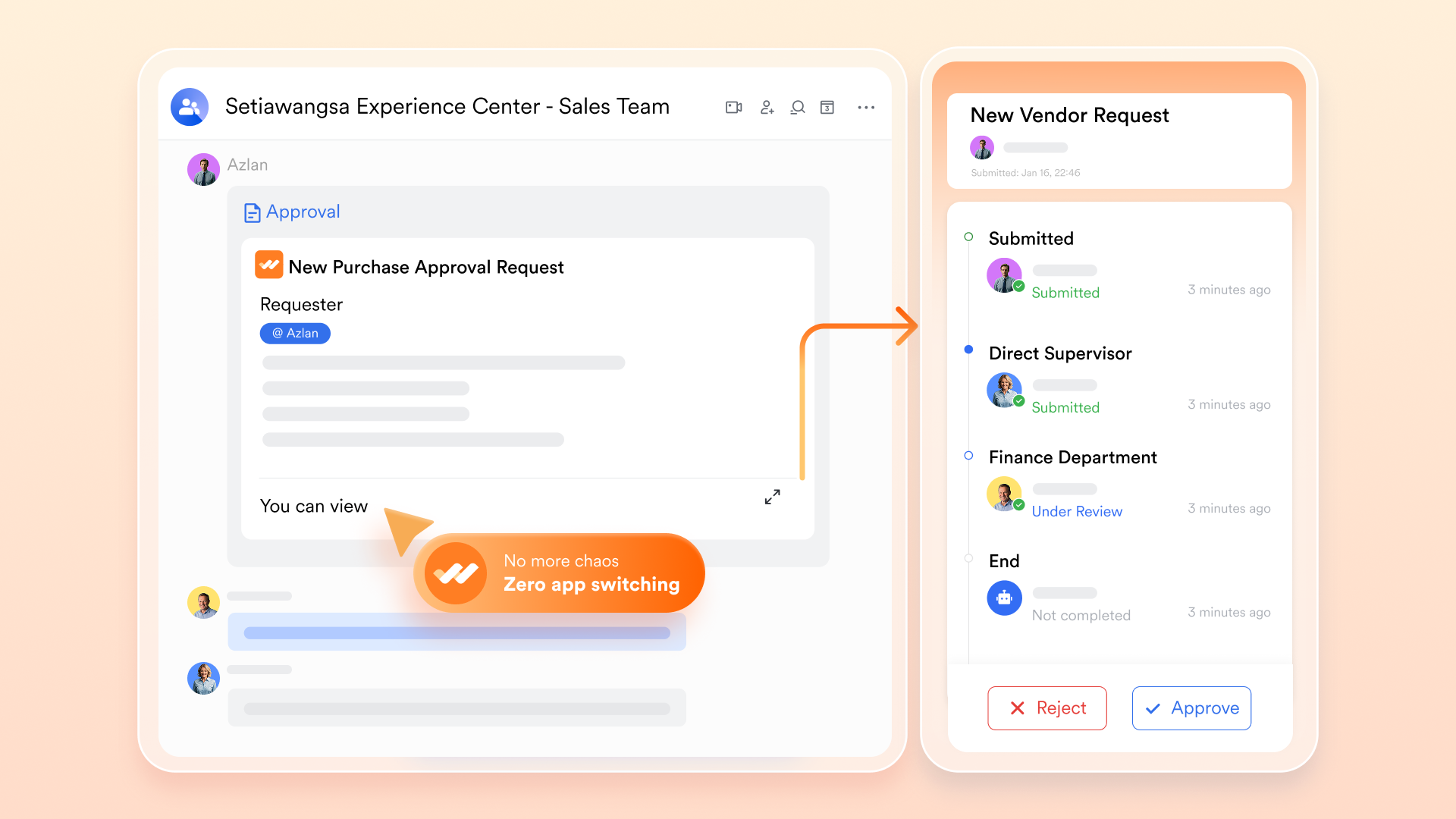
Lark Messenger: Keep expense communication connected
Lark Messenger keeps every discussion about expenses in context no more lost emails or missing attachments. When a reimbursement is submitted, managers get real-time updates and can reply or approve directly in chat. Finance teams can discuss unclear claims or share receipts within the same conversation thread. This instant, contextual communication reduces delays and misunderstandings. It keeps expense tracking fluid, collaborative, and fully traceable.

- Starter plan: Free forever plan that includes 11 powerful tools for up to 20 users. It also comes with 100GB of storage, 1000 automation runs, AI translations, and more.
- Pro plan: $12/user/month (billed annually) for up to 500 users. It includes everything in Starter plus group calling for up to 500 attendees, 15TB of storage, 50,000 automation runs, and more.
- Enterprise plan: Contact sales for custom pricing. Supports unlimited users and includes even more automation runs and advanced security, compliance, and management features.
Lark template to help with expense tracking
Managing expenses becomes much easier when you start with the right framework. Lark's pre-built templates offer ready-to-use structures for tracking, approving, and reporting business expenses all customizable to your workflow. These templates save setup time and ensure consistency across departments. Whether you're managing reimbursements or reviewing quarterly costs, Lark makes expense tracking effortless and transparent.
Expense tracking template
Keeping track of expenses is an essential part of managing your finances, whether it's for personal or business purposes. With Lark's expense tracking template, you can easily record and categorize your expenses, track spending trends, and generate reports to gain insights into your financial habits. Whether you're a freelancer, small business owner, or simply want to stay on top of your personal finances, this template is designed to simplify the expense tracking process and help you make informed financial decisions.
Expense management reimbursement template
The Expense management reimbursement template is a comprehensive tool designed to streamline the process of tracking and managing expenses across various departments in an organisation. It provides a clear view of the total budget, used budget, and remaining budget. It also includes a dashboard for spare funds information and budget adjustment. The template further breaks down the initial proportion of the budget by department and the proportion of the budget remaining by department, providing a clear and concise view of the financial status of each department.
Expense approval template
Managing employee expenses can be a tedious task, especially when dealing with multiple departments and approval levels. The Expense approval tracking template in Lark simplifies this process by providing a centralized platform to submit, review, and approve expenses. From travel expenses to office supplies, this template allows employees to submit their expenses with detailed descriptions and amounts for approval.
Expense report template
Keeping track of expenses is a crucial part of any business. Whether it's travel costs, meals, office supplies, or entertainment, it's important to have a clear and organized system to manage all these expenses. That's where our Expense report template comes in. With Lark's advanced features, you can easily input and categorize expenses, assign them to specific employees, and monitor their approval status. This template is designed to make expense management a breeze, allowing you to focus on what really matters growing your business.
Capital expenditure template
Capital expenditure tracking is essential for finance teams, project managers, and executives who need to monitor and control spending on long-term investments. This template is also beneficial for companies looking to streamline their capital expenditure approval process and improve financial transparency. Whether you're managing IT equipment purchases, office renovations, or facility upgrades, this template is designed to meet your capital expenditure tracking needs.
Quarterly IT expenditure report
Managing IT expenses is crucial for any organization to ensure smooth operations and cost-effectiveness. This template allows you to track all IT-related expenses, including hardware, software, services, and more. You can also monitor budget allocations and compare actual expenses to the budget on a quarterly basis. Stay on top of your IT spending and make informed decisions to optimize your budget.
Conclusion
Excel is an excellent starting point for small businesses and startups managing their own finances. It's cost-effective, customizable, and gives complete control over your expense data. However, as teams grow and financial workflows get more complex, Excel alone can fall short in real-time collaboration and automation.
That's where Lark bridges the gap combining familiar spreadsheet capabilities with connected databases, approval flows, and communication in one workspace. Whether you're upgrading from a small business spreadsheet for income and expenses Excel setup or building a more scalable expense management process, Lark gives you the clarity and efficiency you need.
FAQs
What's the best way to categorise expenses?
The best way is to group expenses by purpose such as rent, utilities, travel, or office supplies. Consistent categories make tracking simpler and reports clearer. You can customize categories based on your business type or budget needs. This ensures your Excel spreadsheet for business expenses stays organized and audit-ready.
Can I link Excel with tools like Lark?
Yes, you can easily import Excel sheets into Lark Base or Lark Sheets for smarter tracking. The structure and formulas remain intact while enabling automation and real-time collaboration. This allows teams to centralize updates, share access, and avoid version confusion. It's a seamless way to extend your Excel expense spreadsheet into a connected workspace.
How does Lark differ from Excel for expense management?
Yes, you can easily import Excel sheets into Lark Base or Lark Sheets for smarter tracking. The structure and formulas remain intact while enabling automation and real-time collaboration. This allows teams to centralize updates, share access, and avoid version confusion. It's a seamless way to extend your Excel expense spreadsheet into a connected workspace.
Is there a free version of Lark for small businesses?
Yes, Lark offers a free Starter plan for up to 20 users. It includes essential tools like Base, Sheets, Approvals, and Messenger to manage expenses and workflows. Teams can track, analyze, and collaborate without extra cost. It's an ideal upgrade from traditional Excel spreadsheets for business expenses without needing new software investment.
Related reading
Table of contents
Start using Lark today

Manage all your work in one place
Boost team efficiency by 10x
Save up to 70% on software costs
Table of contents
Start using Lark today
Manage all your work in one place
Boost team efficiency by 10x
Save up to 70% on software costs
Keep reading









2026 Lark Technologies Pte. Ltd.
Headquartered in Singapore with offices worldwide.






Explore: