














Flowchart Templates for Smarter Project Planning and Workflow Visualization

Emma Zong
Product Marketing Manager
Oct 30, 2026
Emma Zong
Oct 30, 2026

11 min read
Add to preferred sources


Every team depends on clear processes to stay organized and productive. Flowchart templates make this easier by turning complex workflows into simple visuals that show how tasks move from one stage to another. They help teams identify dependencies, improve communication, and prevent confusion across departments. However, static diagrams often become outdated as projects evolve.
That's why modern teams use Lark an all-in-one collaboration suite that helps them design, manage, and automate workflows in one connected space. With Lark, flowchart templates become live, dynamic systems that grow with your projects.

What is a flowchart, and why does it matter
A flowchart is a visual diagram that represents how a process or decision unfolds. It maps out tasks, decision points, and outcomes in a simple, easy-to-understand format. Teams use flowcharts for documentation, onboarding, planning, and troubleshooting across various functions.
Flowcharts bring clarity to projects by creating a shared understanding of who does what and when. They are widely used in project management because they make it easier to align communication and identify bottlenecks, and many project management tools include built-in flowchart features to support this process directly.
For example, a product team can create a flowchart to show how a feature moves from ideation to release, making it easier to track dependencies across engineering, design, and marketing.
Key benefits of using flowchart templates
Flowchart templates save time and ensure consistency by providing a ready-made visual framework that teams can customize. They also promote accuracy and help maintain standard documentation across departments.
Here are some of the key benefits of using flowchart templates:
- Save time on design setup: Teams can use pre-built templates instead of starting from scratch, reducing time spent on formatting and layout.
- Ensure consistency across projects: Templates maintain visual and procedural standards, helping teams follow the same workflow logic across different departments.
- Simplify complex workflows: Flowcharts convert large, detailed operations into manageable visual steps, making them easier to understand.
- Improve communication: Visual clarity bridges the gap between technical and non-technical members, ensuring everyone interprets processes in the same way.
- Encourage standardization: By using consistent templates, organizations create repeatable structures for approvals, audits, and reporting.
Using templates makes it easier to adapt processes as teams grow. With minimal adjustments, these diagrams can evolve into detailed workflow systems that support scaling operations.
Common types of flowchart templates
Different projects require different types of flowchart templates. Each template helps visualize information in a specific way and serves a unique purpose.
- Process flowchart: Maps out the sequence of steps in a workflow, such as onboarding or approval processes. Example: An HR team documenting the candidate recruitment journey.
- Swimlane flowchart: Organizes activities into lanes for each department or team. Example: A product launch where marketing, design, and sales have separate responsibilities.
- Workflow flowchart: Focuses on repetitive or cyclical operations like content reviews or product testing. Example: A content team mapping out the blog publishing pipeline.
- Decision flowchart: Highlights conditional logic and outcomes. Example: A support team mapping escalation paths based on issue type.
- Data flow diagram: Shows how data moves between systems or departments. Example: IT teams track how customer data flows between CRM and analytics tools.
- Cross-functional flowchart: Combines workflow and accountability to show how teams collaborate. Example: A procurement process that connects multiple approvals from different departments.
Choosing the right flowchart template helps visualize your process in the most efficient and actionable way.
Fast-tracks: Ready-to-use flowchart templates
Project approval flowchart template
Manages reviews and sign-offs for creative, product, or design projects. Teams can assign approval stages to specific stakeholders and track progress through automated notifications in Lark Base. This template ensures every submission follows a consistent review process, minimizing delays and confusion. It is ideal for organizations that handle multiple projects requiring cross-functional approvals.
Generic flowchart template
This template helps teams visualize and organize workflows directly within Lark Docs, making it easy to collaborate and update in real time. You can outline each step of a project and discuss improvements instantly through Lark Messenger. With Lark Sheets, teams can track metrics tied to each stage, ensuring efficiency and accountability. It's ideal for building a clear, adaptable flow for any department or cross-functional process.
Process flow chart template
Teams can use Lark Base to structure every phase of their workflow and connect it to data in Lark Sheets for better visibility. Each stage can be collaboratively discussed and refined in Lark Docs, while updates and feedback are managed seamlessly in Lark Messenger. This template ensures that all team members stay aligned and that process consistency is maintained across projects.
Manufacturing process flowchart template
Built for production teams, this template combines Lark Base for process tracking and Lark Sheets for performance analysis. Each stage from material procurement to quality checks can be visualized in Lark Docs for clear documentation. Team leaders can use Lark Messenger to coordinate instantly with on-ground teams, while Lark Calendar helps schedule production milestones and inspections efficiently.
E-commerce order processing flowchart
This template aligns seamlessly with Lark Base to manage orders, inventory, and logistics. Teams can use Lark Docs to map the order-to-delivery process and make quick edits as workflows evolve. Lark Sheets helps monitor performance metrics like order volume or delivery time, while Lark Messenger keeps every stakeholder informed in real time. It's the perfect setup for e-commerce teams looking to streamline operations and enhance customer satisfaction.
SweetProcess flowchart template
SweetProcess offers over 20 free, customizable flowchart templates compatible with Word, Excel, Google Docs, and PowerPoint. These templates make it easy to map out processes and visualize workflows clearly. Teams can use them to streamline operations, document procedures, and identify bottlenecks efficiently. Whether for training, SOPs, or project management, SweetProcess templates help improve clarity and team alignment.
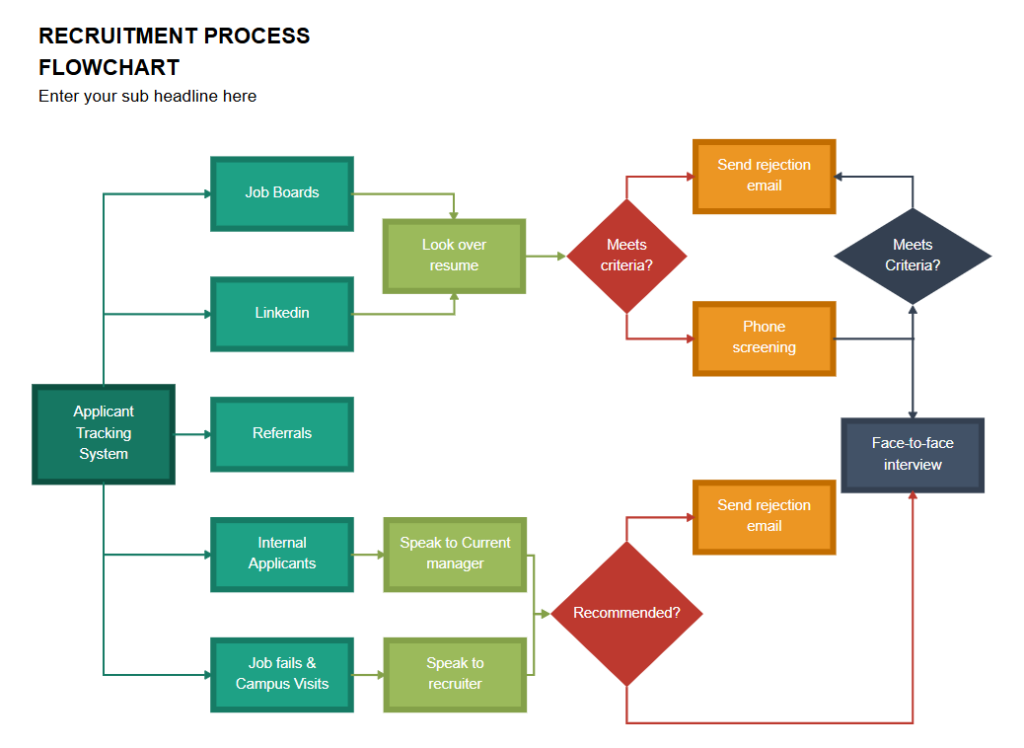
Image source: sweetprocess.com
Canva clean sign-up process flowchart
Canva provides a modern, visually appealing sign-up process flowchart template. It allows teams to clearly illustrate user registration workflows in a clean and professional design. The template is ideal for onboarding, UX planning, or process documentation. Users can customize colors, shapes, and text to match branding and improve comprehension. This makes it a versatile tool for both design and operational teams.
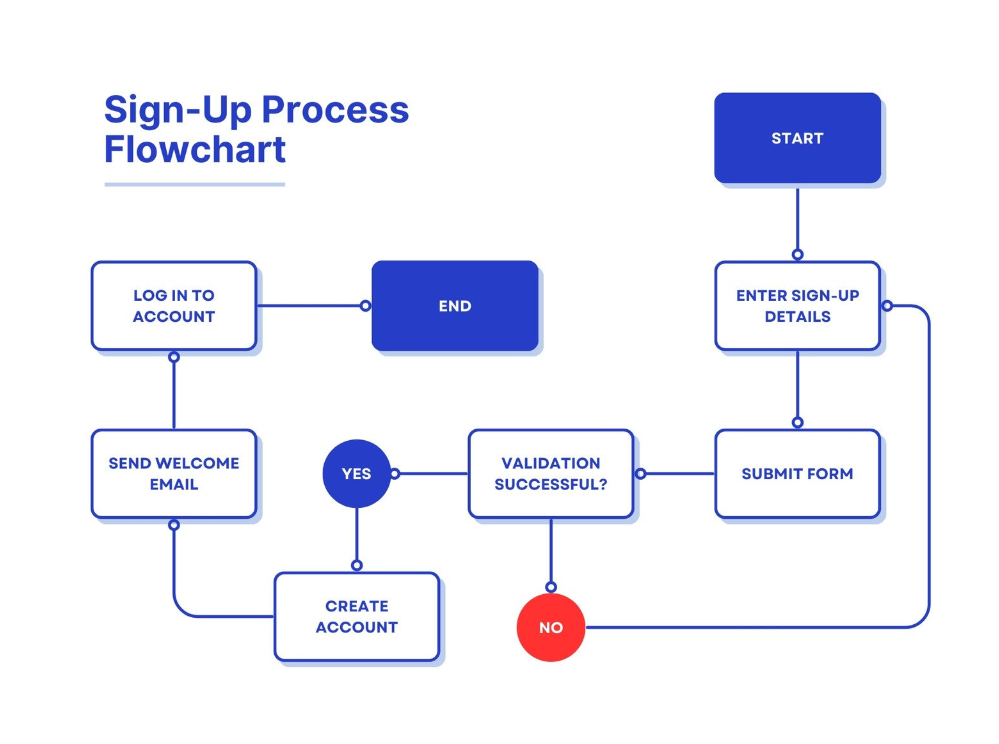
Image source: canva.com
Smartsheet MS Word flowchart templates
Smartsheet offers free, editable flowchart templates for Microsoft Word, including basic, cross-functional, and problem-solving formats. These templates help teams map out workflows, visualize dependencies, and streamline decision-making. They are suitable for project management, operations, and process documentation. With easy customization, users can create professional flowcharts without advanced design skills.
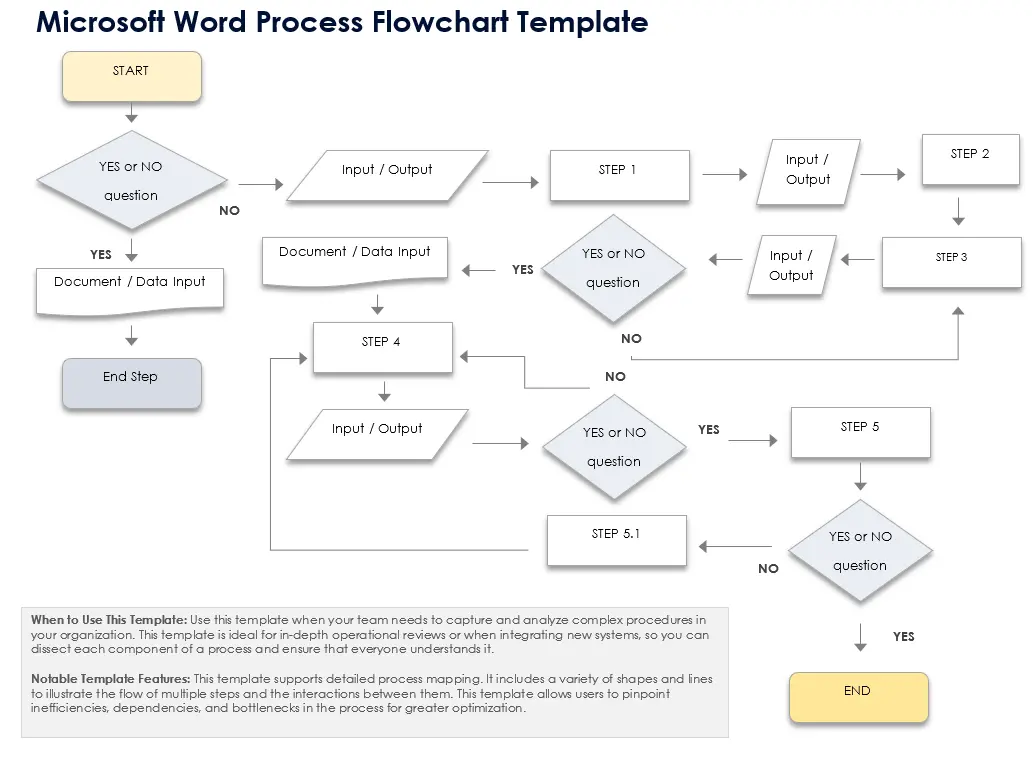
Image source: smartsheet.com
Someka editable flowchart template
Someka provides an editable flowchart template available in Excel or PDF formats. It allows teams to customize process diagrams to fit various workflows, from business operations to software development. The template is designed for easy use and clear visualization, helping teams track steps, responsibilities, and decision points. Its flexibility makes it ideal for documenting, improving, and communicating workflows effectively.
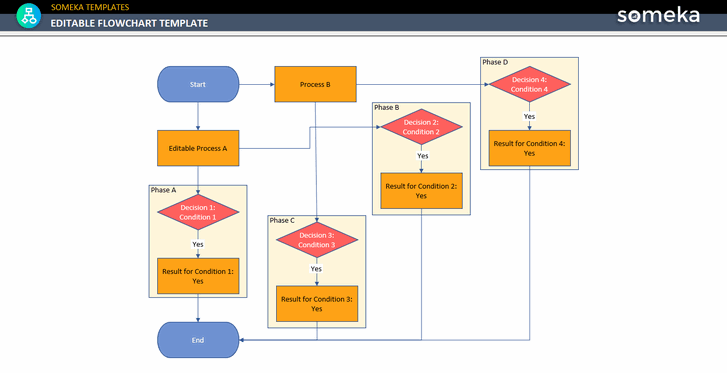
Image source: someka.net
Creately sprint tasks flowchart
Creately offers a sprint tasks flowchart template designed for agile teams. It visually represents tasks, milestones, and team responsibilities across sprints, helping track progress and identify potential delays. The template supports collaboration, allowing team members to understand priorities and dependencies clearly. By providing a structured overview, it enhances sprint planning, team coordination, and overall project efficiency.
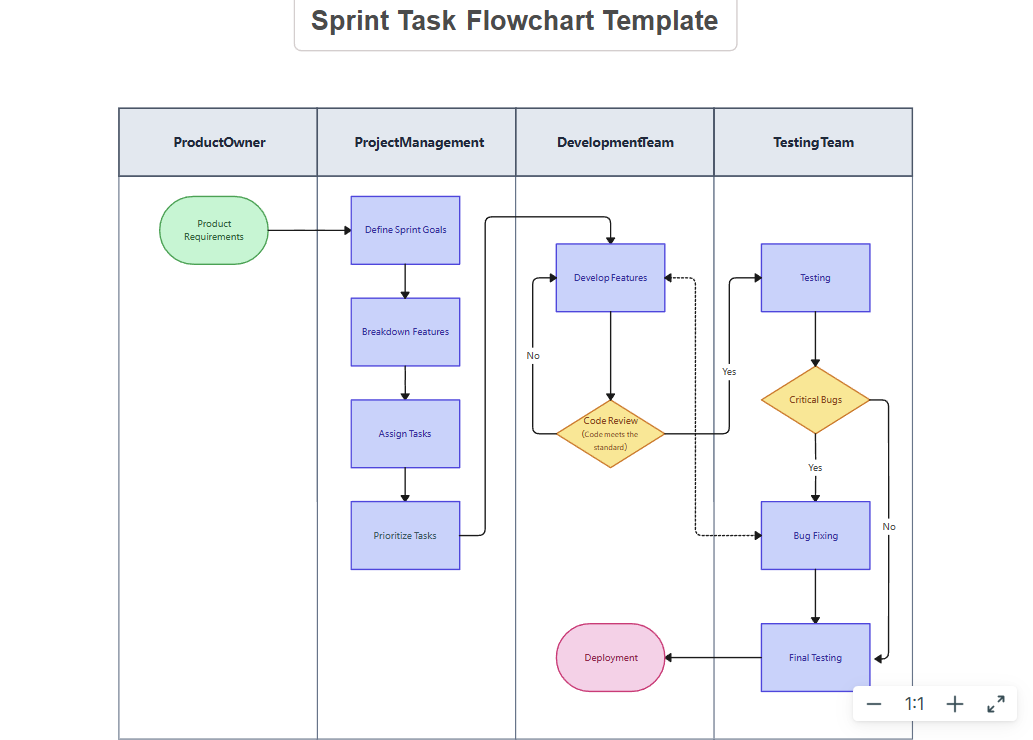
Image source: creately.com
Streamline further: Explore Lark's comprehensive project management hub
As an all-in-one platform, Lark provides customizable flowchart templates that help teams visualize processes, automate workflows, and arrange project timelines clearly and in a structured way. With its drag-and-drop interface, users can create, edit, and share diagrams directly within the workspace, keeping everyone aligned.
The templates support task tracking, dependencies, and milestones, making them ideal for planning, executing, and monitoring projects. By centralizing process visualization, Lark flowcharts improve collaboration, transparency, and efficiency across teams.
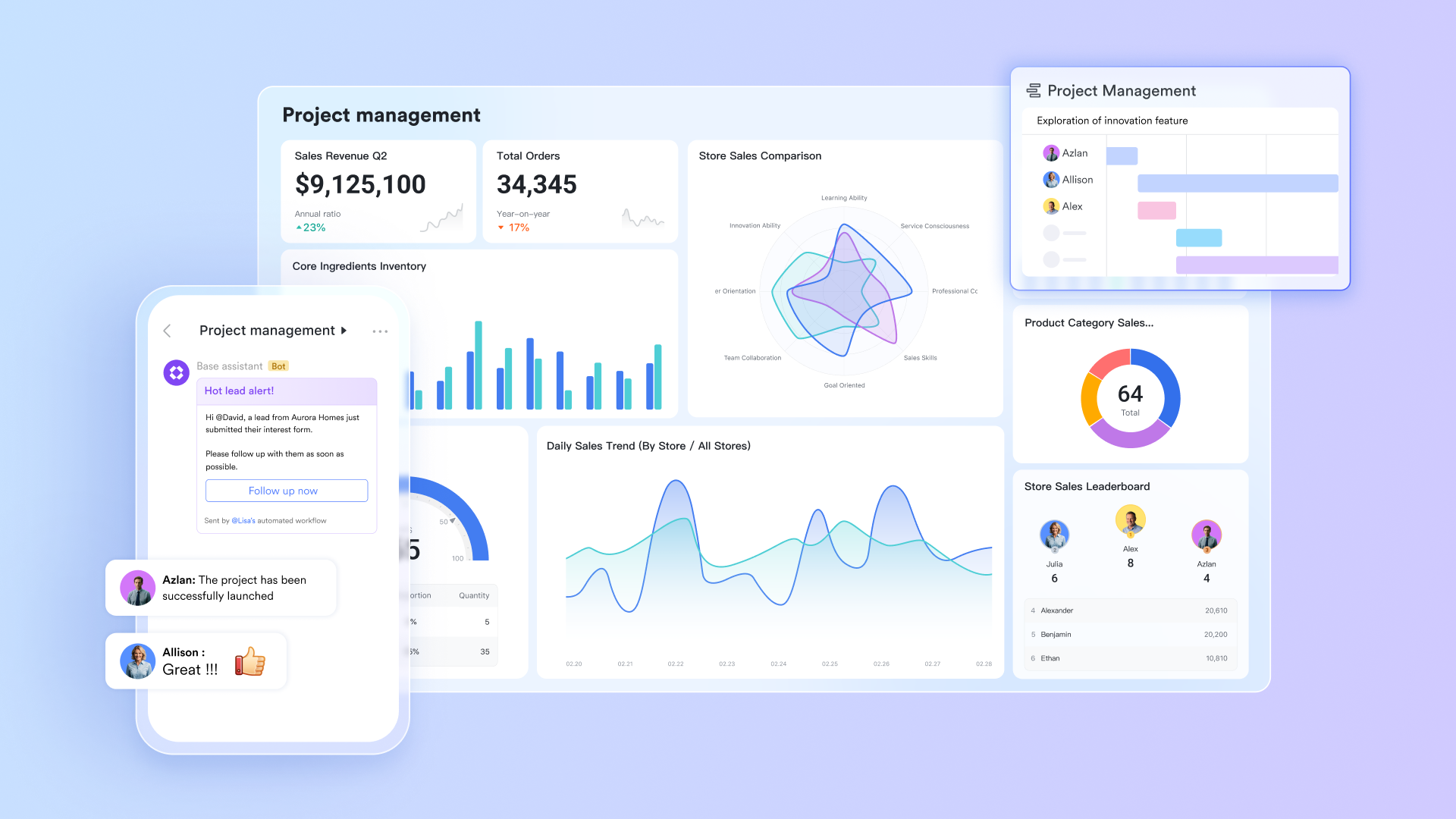
Lark Base: Visualize processes with interactive tables and automation
This tool provides a flexible foundation for mapping processes with structured tables, links, and triggers. Teams can represent each stage of a flowchart as a record that moves automatically between steps.
For example, an onboarding process can start with HR verification, followed by IT setup, and finish with orientation, all tracked inside Lark Base. The ability to switch between table, Kanban, and calendar views makes it easy to see workflows from different perspectives.
Lark Docs + Mindnote: Design and share visual flowcharts
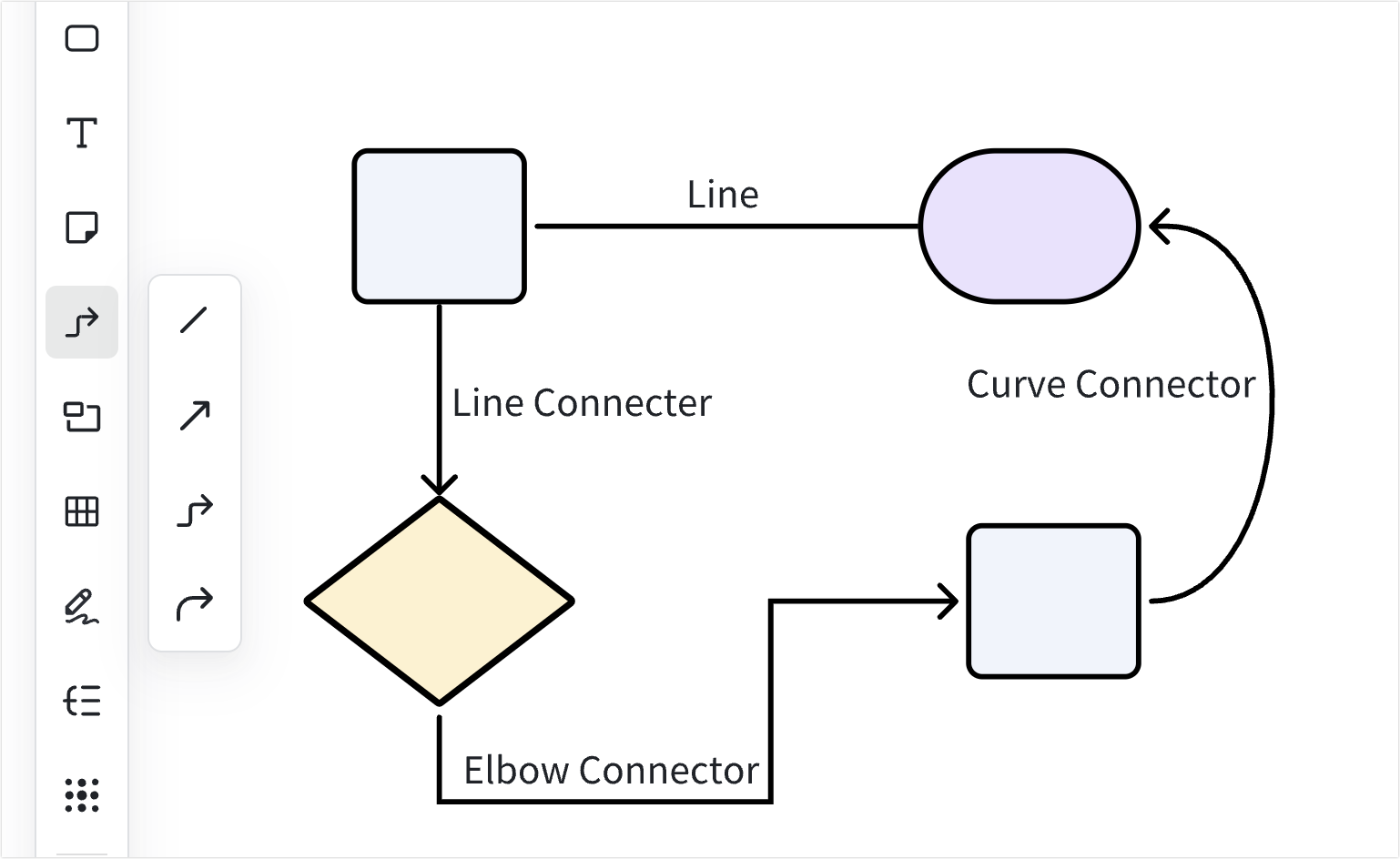
These tools allow teams to visualize processes and brainstorm collaboratively. Lark Mindnote, within Docs, is perfect for sketching process flows or decision trees. Users can add comments, highlight dependencies, or embed related Lark Docs and Sheets for additional context.
For example, a marketing team can map its campaign approval flow in Mindnote and link nodes directly to content drafts in Docs.
Lark Sheets: Analyze and optimize workflow efficiency
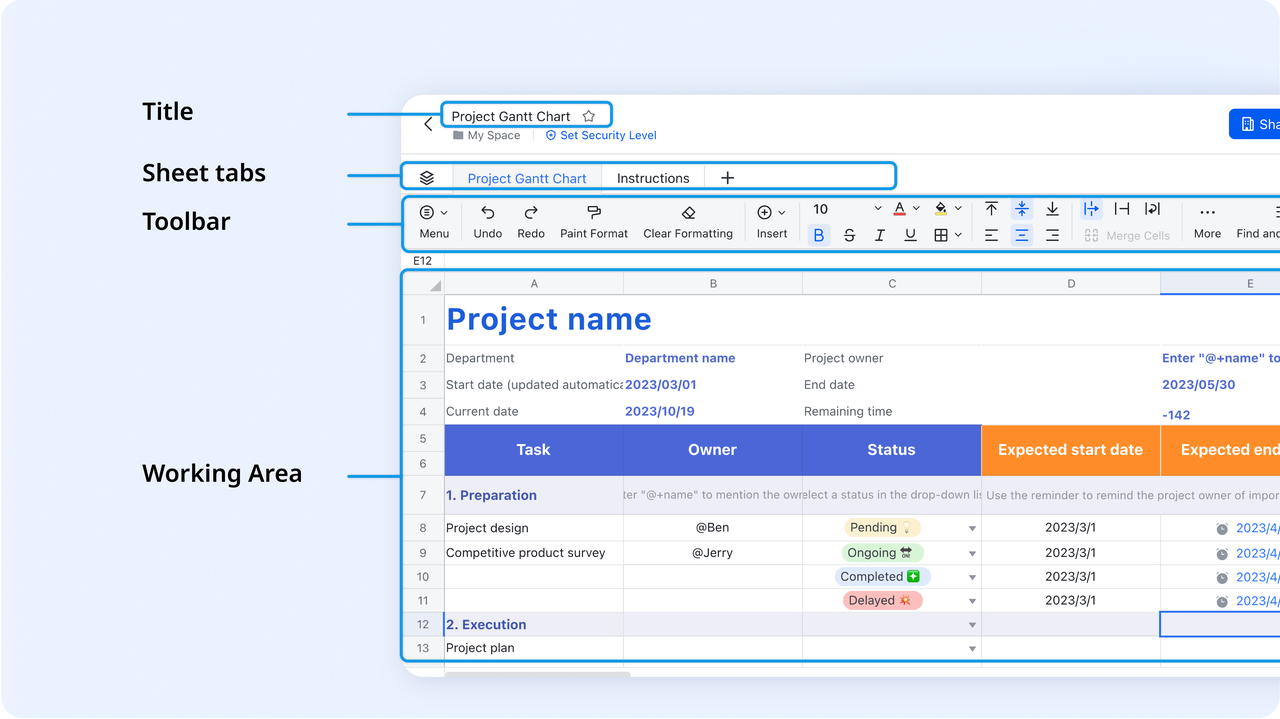
Lark Sheets helps teams turn flowchart visuals into measurable insights. It allows users to track process metrics such as time spent at each step, approval delays, and bottlenecks that affect delivery speed. By converting flowchart stages into measurable KPIs, teams gain a clear view of how efficiently work is moving across departments.
For example, a project management team can use Lark Sheets to analyze their approval workflow. Each step in the flowchart from submission to final sign-off can be recorded as a data entry. Sheets automatically calculate how long each stage takes and highlight areas where delays consistently occur, such as during manager reviews or compliance checks. With this visibility, teams can adjust responsibilities, redistribute workloads, and create automated reminders to reduce turnaround time.
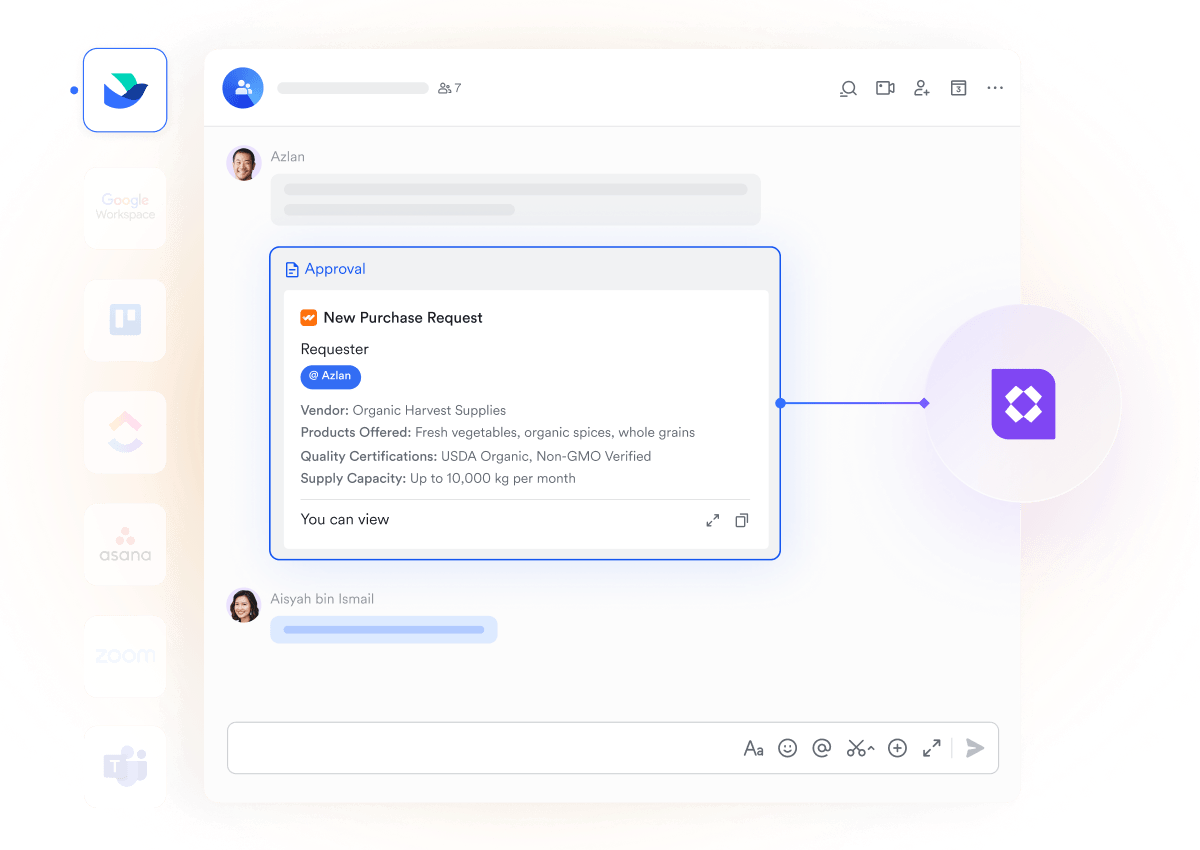
Lark Approval: Automate flow steps instantly
This feature turns manual flowchart steps into automated processes. A sequence such as submit request, manager review, finance check, and completion can run automatically. Lark Approval eliminates the need for manual reminders, ensuring smoother compliance and accountability.
- Starter plan: Free forever plan that includes 11 powerful tools for up to 20 users. It also comes with 100GB of storage, 1000 automation runs, AI translations, and more.
- Pro plan: $12/user/month (billed annually) for up to 500 users. It includes everything in Starter plus group calling for up to 500 attendees, 15TB of storage, 50,000 automation runs, and more.
- Enterprise plan: Contact sales for custom pricing. Supports unlimited users and includes even more automation runs and advanced security, compliance, and management features.
Conclusion
Flowcharts help teams see how their work connects. They bring structure to ideas and make collaboration easier by showing the complete process visually. But their true value appears when they are more than just diagrams.
Lark turns static templates into active systems that grow with your team and responds to real-time updates. From planning and building to automating and analyzing, Lark brings all the tools you need for workflow management into one platform. It gives teams the ability to visualize, execute, and optimize their work continuously.
FAQs
What are the main types of flowcharts used in project management
Teams often use process, workflow, swimlane, and decision flowcharts depending on their project goals. Each template serves a unique purpose, helping visualize how tasks move through various stages. Lark allows teams to adapt these flowcharts dynamically with live tracking and connected views.
How can I edit and share flowchart templates online
You can easily edit and share flowchart templates using Lark Docs or Mindnote. These tools allow multiple users to co-edit, comment, and make updates simultaneously, ensuring teams always work on the latest version of the process map.
Can I automate workflow steps using flowcharts
Yes, Lark Approval and Lark Base make it possible to automate flowchart steps. When one stage is completed, Lark can automatically move the task to the next stage, reducing manual effort and improving consistency.
What's the difference between a flowchart and a process map
A flowchart is a visual overview of a workflow that shows the sequence of actions, while a process map includes more detailed documentation, data inputs, and role descriptions. Flowcharts provide clarity at a glance, while process maps give deeper operational insight.
How does Lark help teams collaborate on flowcharts in real time
Lark offers a connected workspace where teams can design, discuss, and track flowcharts simultaneously. With tools like Docs, Base, and Mindnote, users can visualize steps, comment directly within diagrams, and keep every update visible to all stakeholders.
Related reading
Table of contents
Start using Lark today

Manage all your work in one place
Boost team efficiency by 10x
Save up to 70% on software costs
Table of contents
Start using Lark today
Manage all your work in one place
Boost team efficiency by 10x
Save up to 70% on software costs
Keep reading







2026 Lark Technologies Pte. Ltd.
Headquartered in Singapore with offices worldwide.






Explore: