A Google Sheets inventory management system is often the first choice for small teams that want a simple and low-cost way to track products, stock movements, and reorder needs. It works well at the beginning because spreadsheets are flexible and easy to set up without technical knowledge. As workflows grow, users often look for a tool that offers automation, cleaner collaboration, and more structured controls. Lark enters the picture gradually at this stage because it offers a more scalable workspace once spreadsheets begin to feel restrictive.
Organize inventory easily with a reliable system
What is a Google Sheets inventory management system?
A Google Sheets inventory management system is a that helps teams record products, stock levels, and daily movements in one shared file. It is built using simple tables that function like a lightweight database for early-stage tracking. Many companies start here because it is free, accessible, and familiar to most staff. It is also useful when teams want a quick way to centralize information before moving into advanced tools.
- Basic concept explained for beginners: The idea behind an inventory management system in Google Sheets is to create structured tables that capture details such as item names, SKUs, suppliers, and stock levels. These tables form the foundation for calculating balances automatically as stock moves in and out. Google Sheets inventory management system works best when teams maintain clean data and consistent entry rules. It helps small teams avoid overstocking, reduce missed orders, and keep a single source of truth for inventory-related decisions.
- How Google Sheets works as a database: Google Sheets acts like a basic database by storing rows of product data and allowing formulas to reference them for calculations. It offers simple lookups, filters, and summaries for day-to-day decision making. While it lacks the structure of a real database, it still supports small inventory workloads when designed properly. Teams rely on formulas like VLOOKUP and QUERY to pull item details automatically, which helps keep data connected. This setup supports early operations before growth demands more automation.
- Where sheets fit among other inventory tools: Google Sheets usually fits as an entry-level option in the broader landscape of inventory tools. It sits between manual pen and paper logs and advanced with automation. It works best for small retailers, home-based sellers, event organizers, and teams with fewer than a few hundred products. As operations expand across multiple locations or channels, spreadsheets begin to struggle with accuracy and version control. This is when businesses usually explore that scale more reliably.
How to create an inventory management system in Google Sheets
This section outlines the essential structure and logic required to build your own Google Sheets inventory management system. It focuses on the main sheets, formulas, validations, and basic alert rules. These steps give beginners a clear blueprint to set up an operational workflow without complex tools. It is suitable for small teams managing a limited catalog before moving into more later.
Step 1: Set up your column headers
Open a new Google Sheet (you can quickly create one by typing "sheets.new" in your browser). Use the first row to define the key headers that will organize your inventory data. Typical columns include Item Name, SKU or Item ID, Description, Quantity in Stock, Unit Price, Total Value, Date Added, Supplier, and Location. These labels form the foundation of your inventory structure.
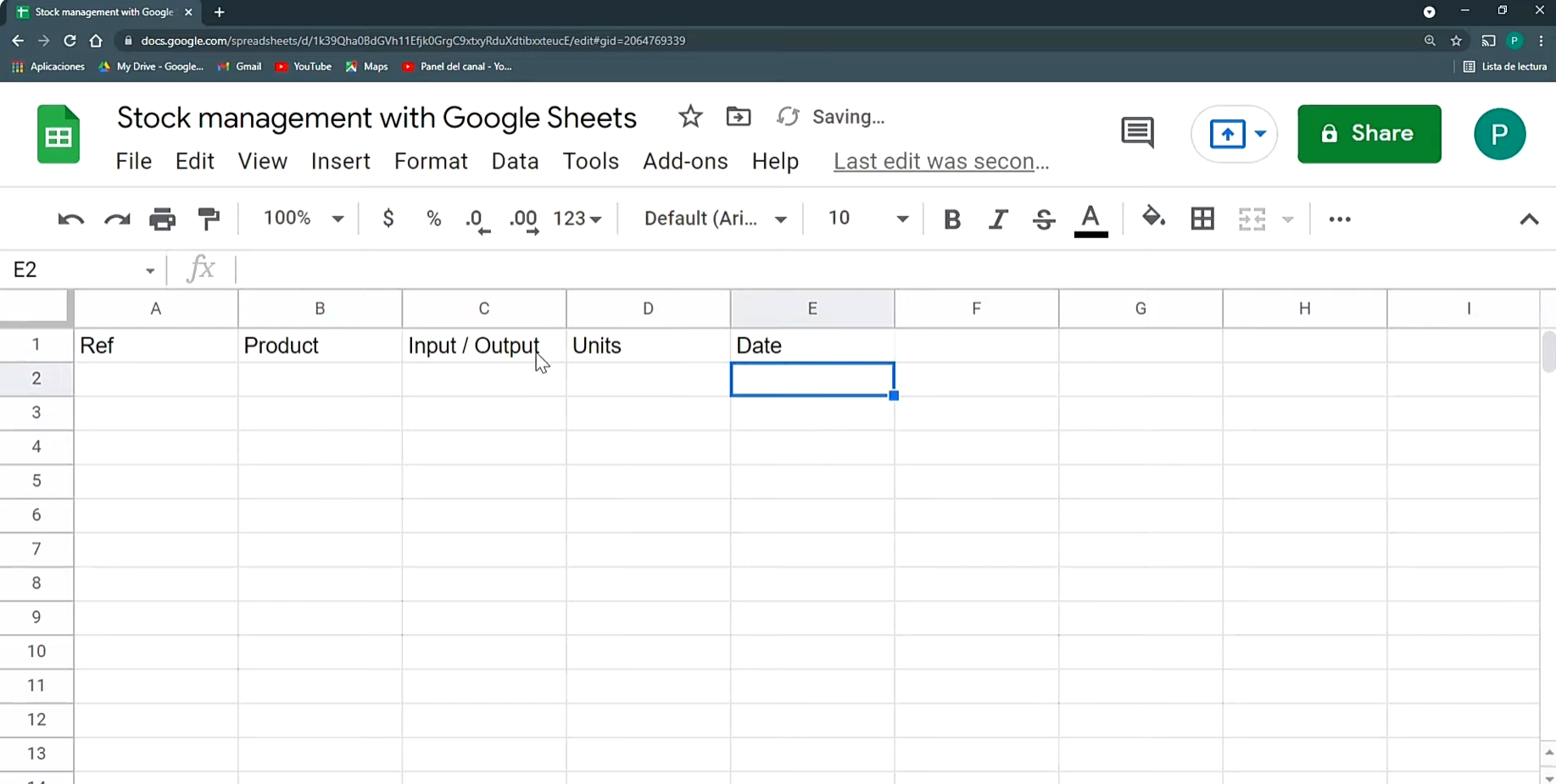
Image source: microsoft.com
Step 2: Enter your inventory data
Begin filling in each row with the details of your inventory items. Every row should represent one product or material. Input the SKU, description, quantity, pricing, supplier information, and any other relevant details. As the sheet grows, it becomes a comprehensive overview of everything you store or sell.
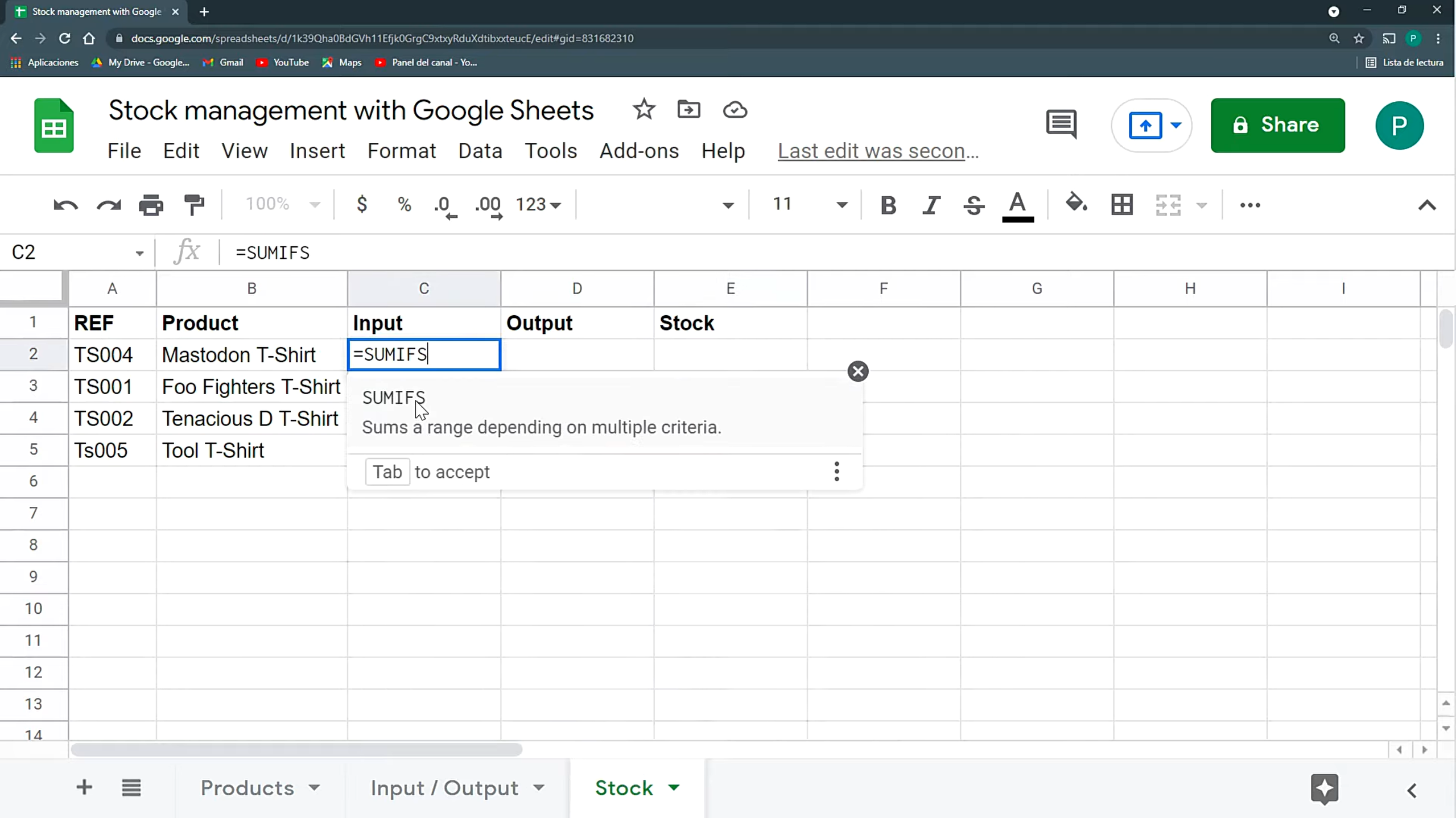
Image source: microsoft.com
Step 3: Share your inventory sheet
If your team needs access, click the "Share" button in the top-right corner of Google Sheets. You can assign view, comment, or edit permissions depending on the role of each team member. This ensures everyone can collaborate or update stock information as needed.
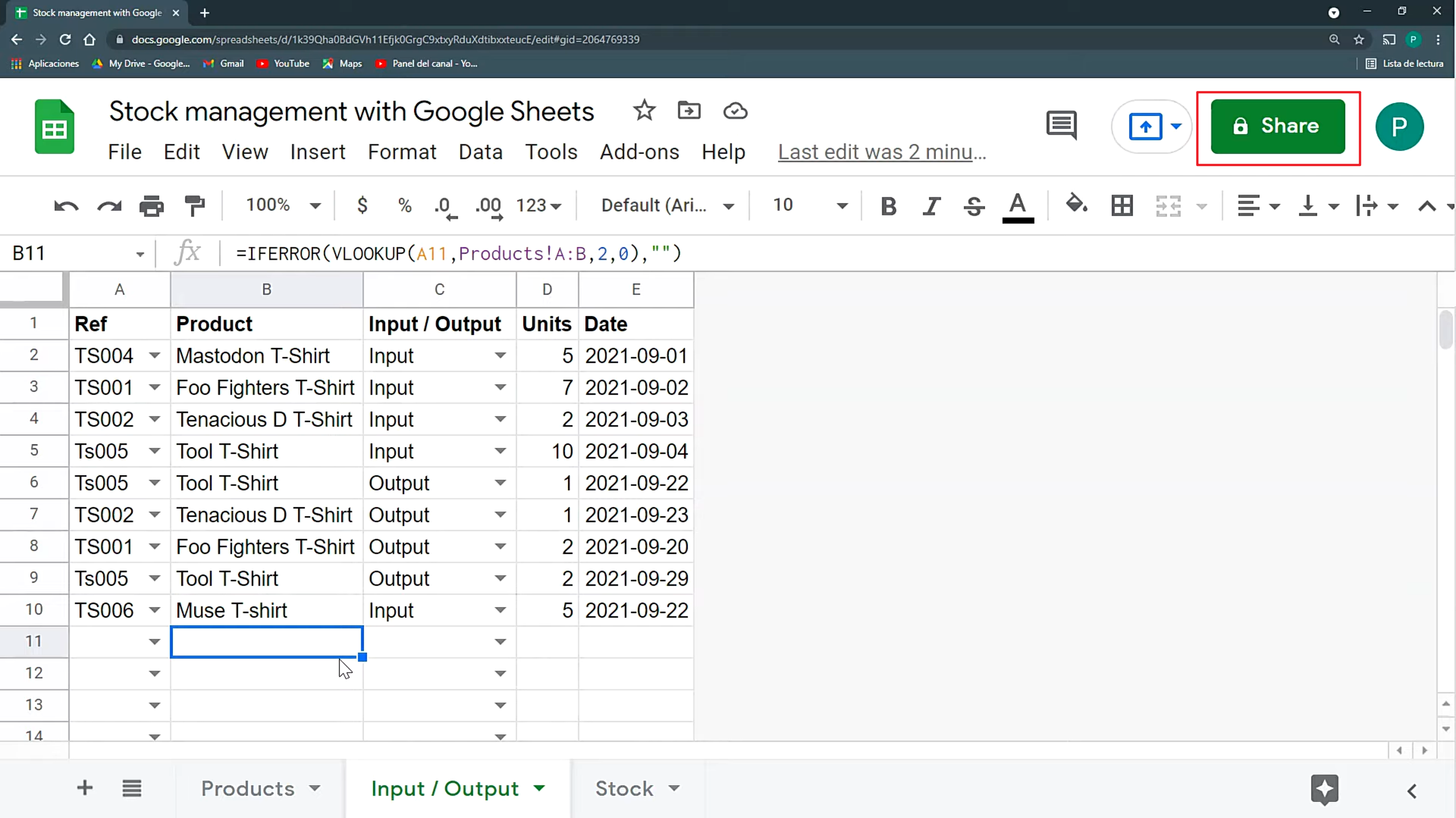
Image source: microsoft.com
Essential features to include in your sheet
This section outlines the must-have components for a functional Google Sheets inventory management system. These features help maintain visibility, control, and accuracy as product lists evolve. Including these essentials ensures your setup is ready for daily use without complex tools. It also helps users prepare for future transitions into structured platforms.
- Product list with SKUs ensures every item has a unique identifier and simplifies lookup operations across sheets. It prevents duplication and ensures consistent reporting throughout your Google Sheets inventory management system. SKUs also help teams track movement history and categorize items effectively. Clear naming rules improve accuracy of all formulas.
- Supplier and reorder levels allow teams to track relationships and restock points without manual calculation. These details help prevent stockouts and support timely purchasing decisions. Including reorder levels adds structure to early inventory workflows. It fits well within any inventory management system Google Sheets setup because it standardizes replenishment.
- Barcode compatibility supports faster data entry when logging stock movements. Teams can use basic barcode scanners to input SKUs directly into sheets. This reduces typing errors and speeds up . It is especially helpful as product counts grow and accuracy becomes more critical.
- Automated stock balance calculation keeps available quantities accurate at all times. Formulas pull from stock in and stock out to calculate totals. This removes manual updates and helps maintain consistency across your Google Sheets inventory management system template. Balance automation is essential for daily decision-making.
- presents charts or summaries that show key metrics like fast movers, total stock on hand, and reorder items. It gives teams a simple overview without searching through raw logs. Dashboards help managers understand trends and maintain operational awareness. They also make spreadsheets feel more structured.
Streamline tracking with cleaner, organized tools
5 Google Sheets inventory management templates
This section introduces useful premade templates that help users set up a Google Sheets inventory management system without building everything from scratch. Each template includes features suited for various business sizes. These options are best for beginners who want a structured format but prefer to stay within spreadsheets. They also provide a smoother starting point before exploring more advanced tools.
1. Sheetgo simple inventory management template
This template offers a ready-to-use structure for tracking products, stock movements, and summary calculations. It helps small teams adopt a clean layout without designing tables manually. It supports lightweight operations and works well for small retailers or home-based sellers. Users can modify the template to add more product details or reorder levels as needed.
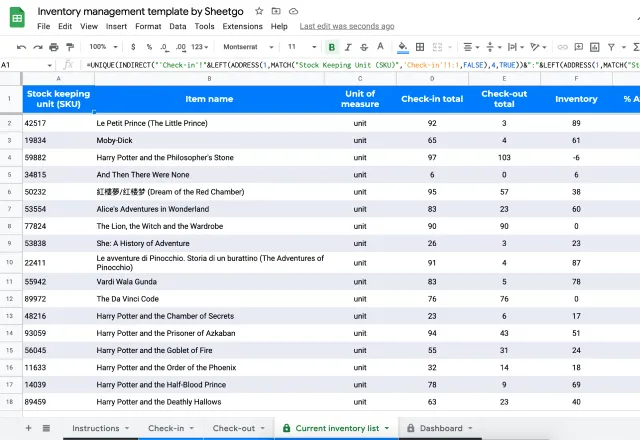
Image source: sheetgo.com
2. Sheetgo barcode inventory template
This template is designed for teams that want barcode compatibility inside a Google Sheets inventory management system. It includes fields optimized for scanning devices to reduce manual typing. It suits growing retailers with many daily movements. The layout helps maintain consistency even when handling larger sets of products.
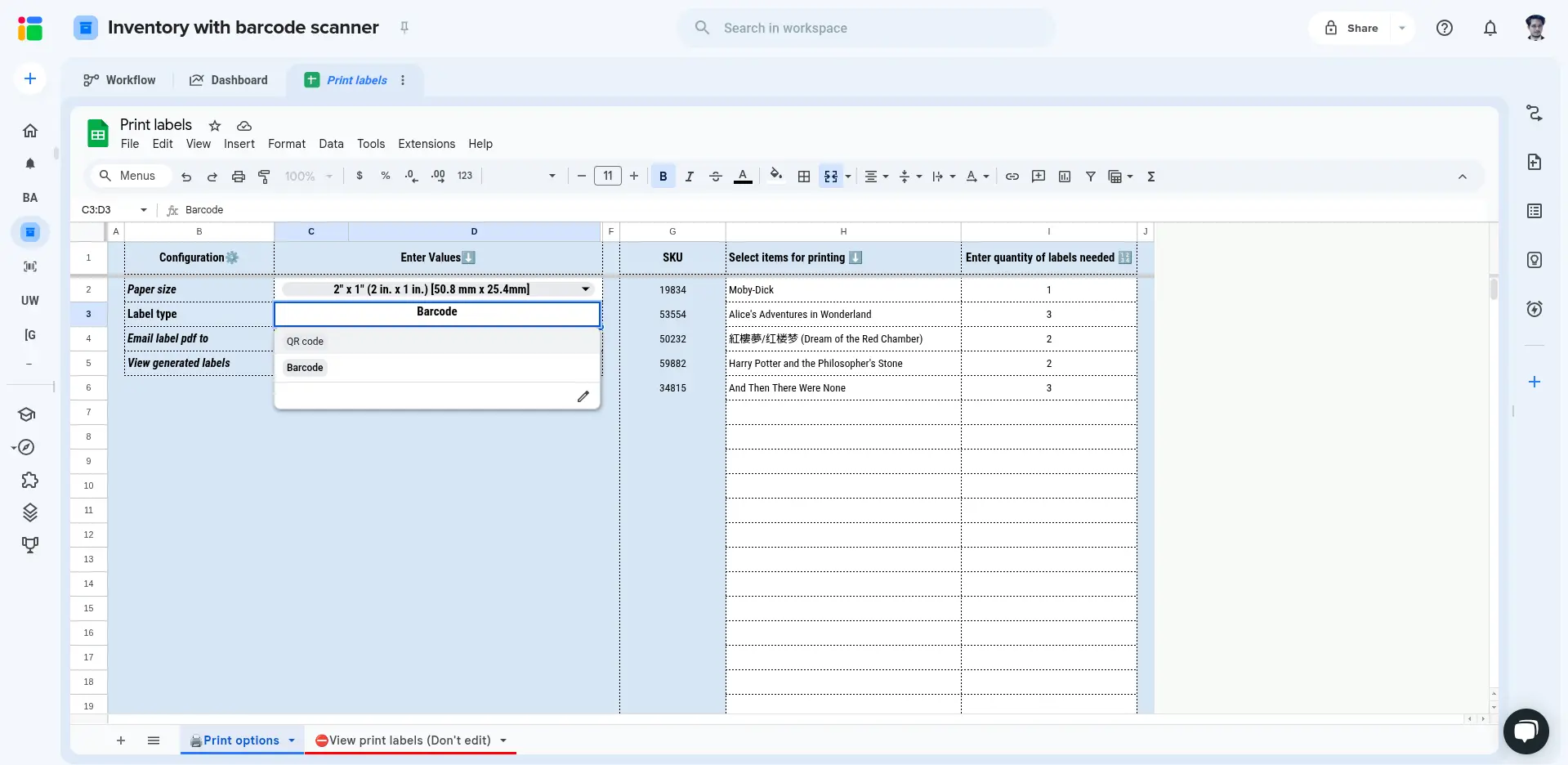
Image source: sheetgo.com
3. Smartsheet Google Sheets inventory template
This template mirrors a spreadsheet style but offers a cleaner structure inspired by Smartsheet layouts. It is ideal for teams that want slightly more organized workflows without leaving Google Sheets. It includes fields for SKUs, movements, categories, and balance views. Many small teams use this template to maintain better order across operations.
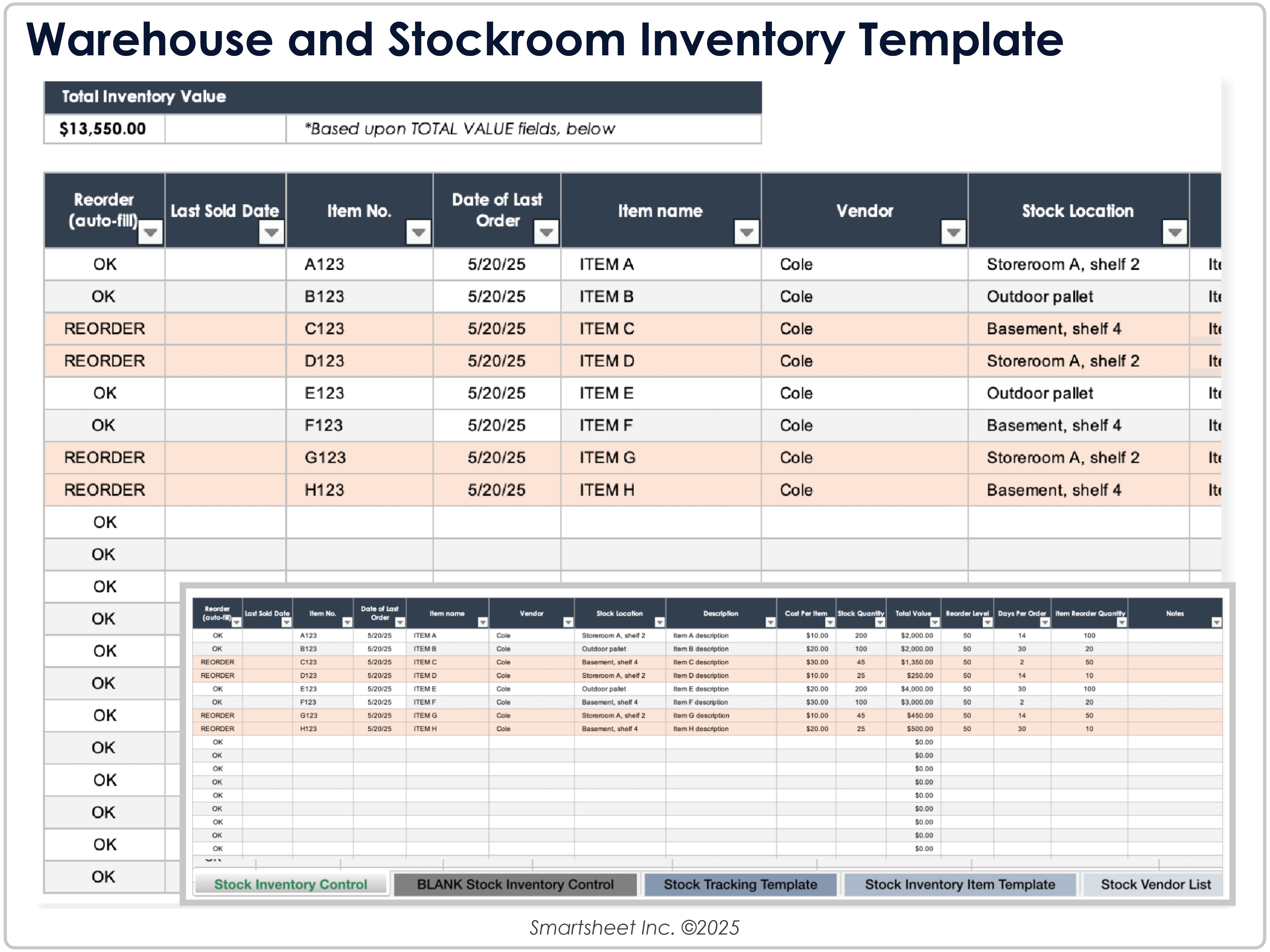
Image source: smartsheet.com
4. ClickUp inventory template for Google Sheets
This template provides structured tables inspired by ClickUp inventory workflows but recreated inside Google Sheets. It fits teams that want a hybrid of project-style organization and simple inventory tracking. It includes stock in, stock out, and summary components prebuilt for quick setup. It also helps users track multiple item groups cleanly.
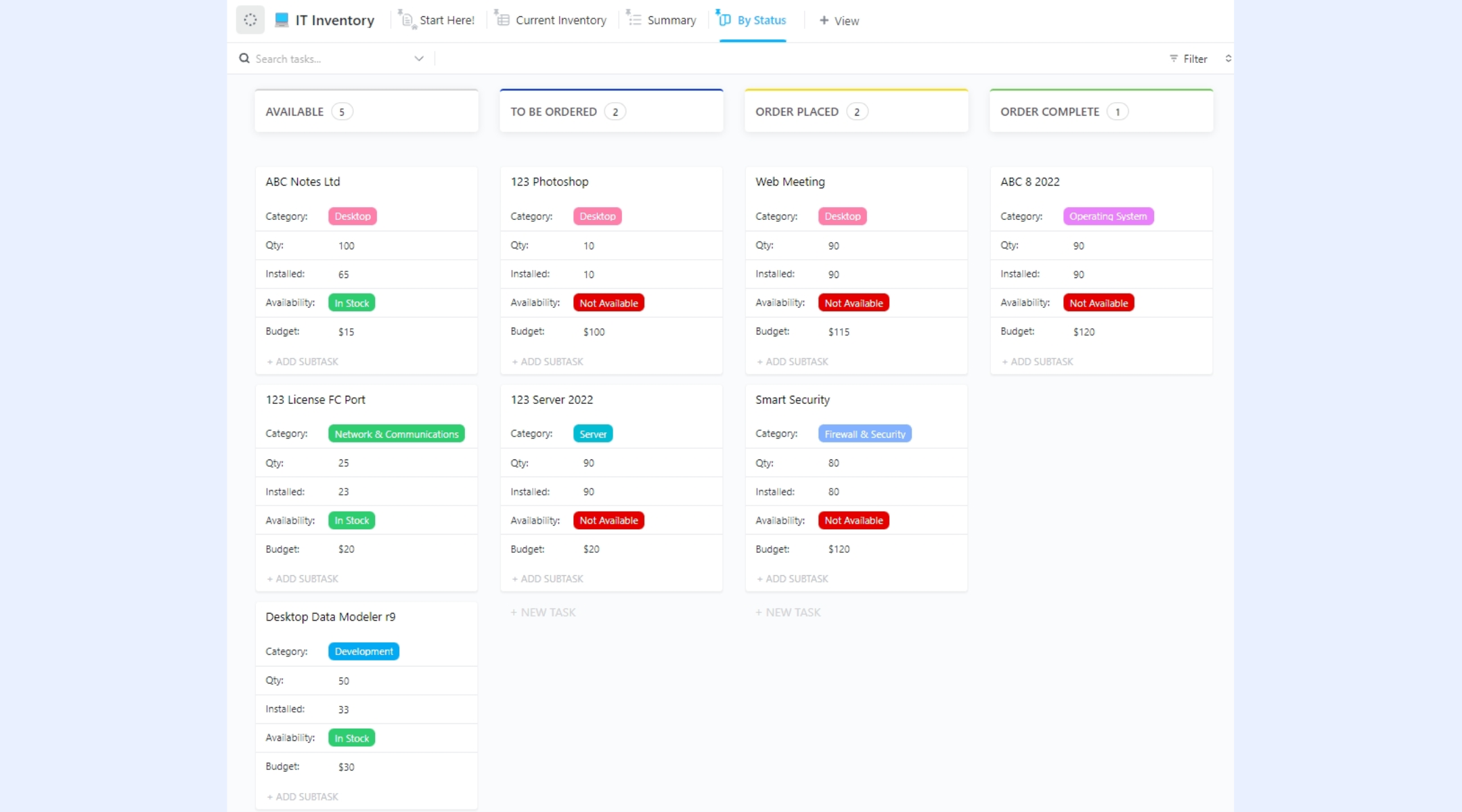
Image source: clickup.com
5. Coupler.io Google Sheets inventory management template
This template focuses on automated imports using Coupler.io connections. It helps teams pull data from other sources into their Google Sheets inventory management system. It is useful for e-commerce sellers or teams with frequent updates. The layout supports balanced summaries and detailed logs without heavy customization
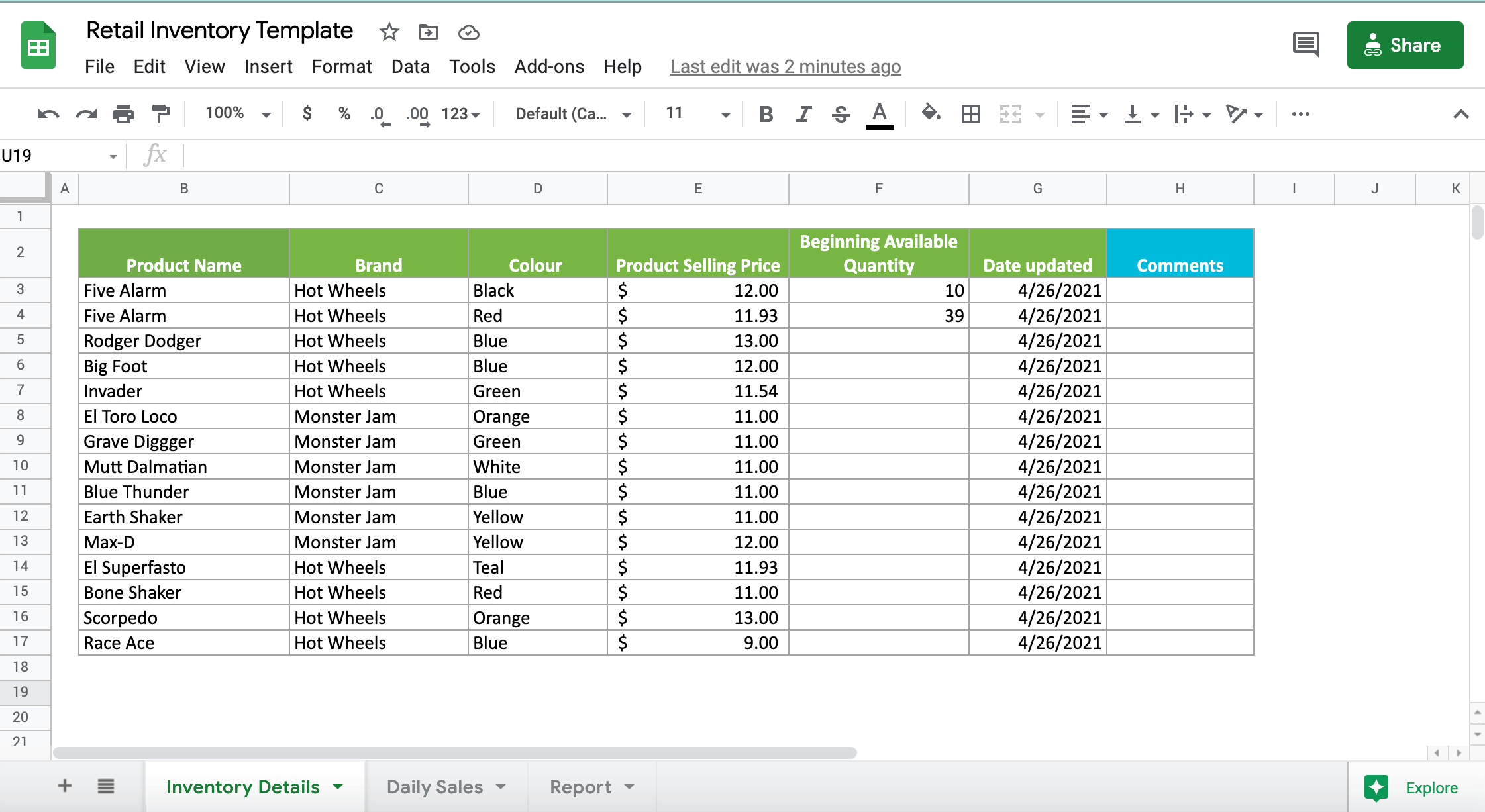
Image source: coupler.io
Limitations of Google Sheets when it comes to inventory management
Google Sheets is helpful in the early stages, but it begins to show constraints as teams scale. These limitations affect accuracy, speed, collaboration, and long-term reliability. Understanding these drawbacks helps businesses decide when to move beyond a basic Google Sheets inventory management system. It also prepares teams for a transition into more structured tools as operations grow.
- Manual updates require users to enter stock movements every time items arrive or leave. This becomes difficult to manage as transaction volume increases. Manual tasks slow down teams and raise the risk of incomplete logs. Over time this reduces trust in the data that managers rely on for planning.
- Risk of editing errors increases when multiple people access the same file. Mistakes such as deleted formulas or overwritten values can break calculations instantly. These issues are common in an inventory management system in Google Sheets because spreadsheets lack strict permission controls. Errors often go unnoticed until they cause stock mismatches.
- Lack of automation limits the system’s ability to update information based on triggers or scheduled runs. Google Sheets cannot easily handle complex workflows such as syncing with sales channels or generating reorder requests. This becomes a major barrier for teams trying to expand their Google Sheets inventory management system template into a more active operational tool.
- Slow performance affects spreadsheets once product lists and transaction logs grow large. Filters, lookups, and queries take longer to load. Sheets may freeze when handling thousands of records. This slowdown disrupts daily operations and makes the file less reliable for real-time decisions.
- Hard to connect with e-commerce channels becomes a challenge for teams selling through platforms like Amazon, Shopify, or WooCommerce. Google Sheets does not natively sync order or product data from these channels. Businesses must rely on manual imports or third-party scripts. This reduces visibility and makes the inventory management system in Google Sheets setup harder to maintain.
Meet Lark: A more scalable inventory management system
becomes relevant when teams start feeling the limits of a spreadsheet-based workflow. It provides a more organized workspace that includes database-style tables, , multi-user collaboration, and built-in . These features make it easier to handle larger product lists and perform faster operations. With robust collaborative and workspace features, teams that begin with a Google Sheets inventory management system often shift to Lark when they need more structure and reliability.
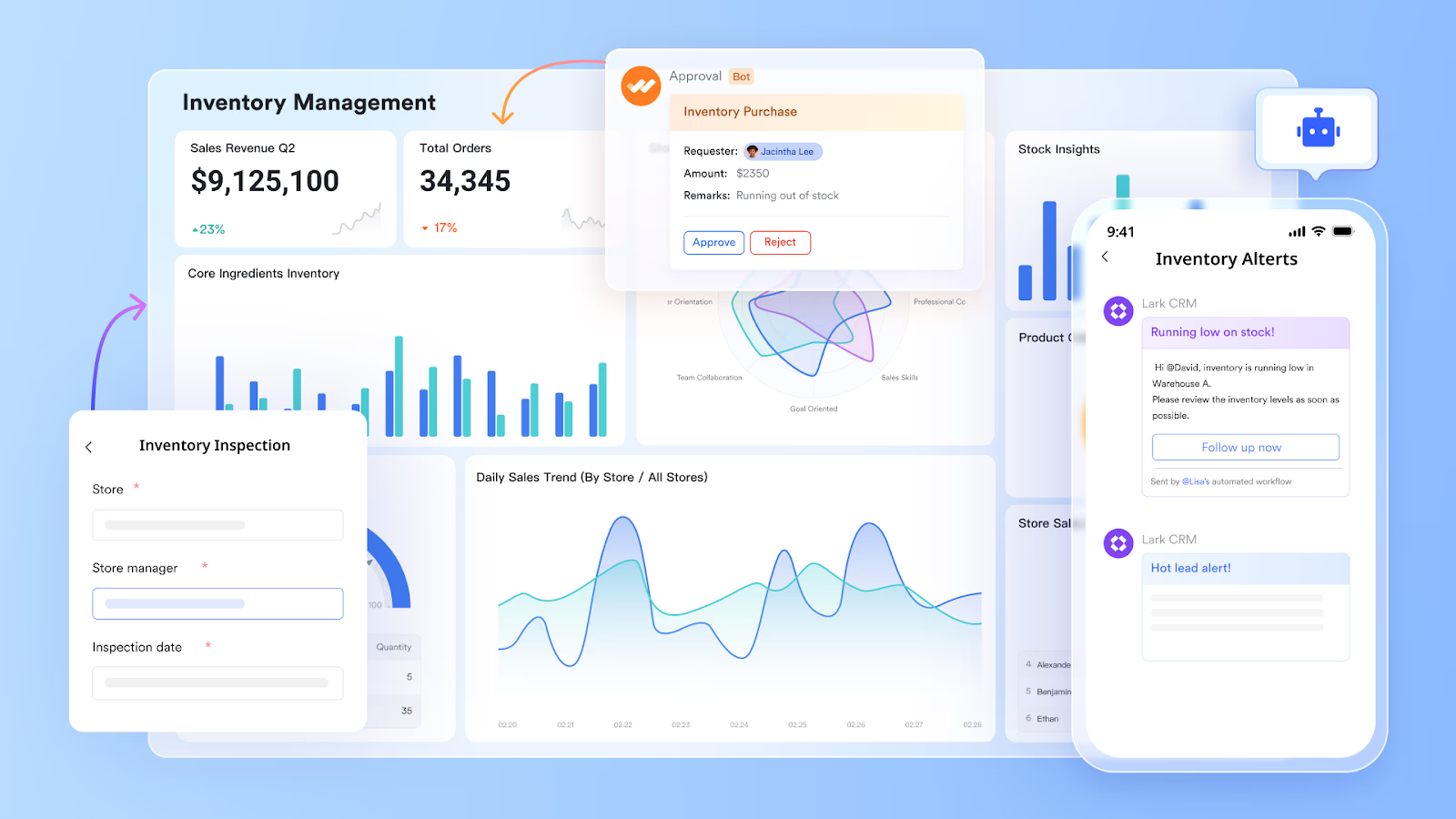
Powerful inventory management system with multiple tables and fields
is expertly structured to function as a powerful inventory management system (IMS) by logically separating and linking critical data. This is achieved through the use of tables to isolate major data sets—such as product master details, current stock, and order history—and then using link fields to establish crucial relationships between them, thus maintaining data integrity and preventing duplication.
This architecture enables essential IMS capabilities. For instance, real-time stock visibility is delivered via lookup fields, which automatically pull and display current stock levels from a linked inventory table directly onto product or order records. Furthermore, the specialized barcode field allows mobile scanning of products for fast, accurate warehouse receiving and inventory counting. Finally, multi-location management is facilitated by tagging inventory records with location data using single/multiple option fields, which managers can then instantly filter and group using customized views 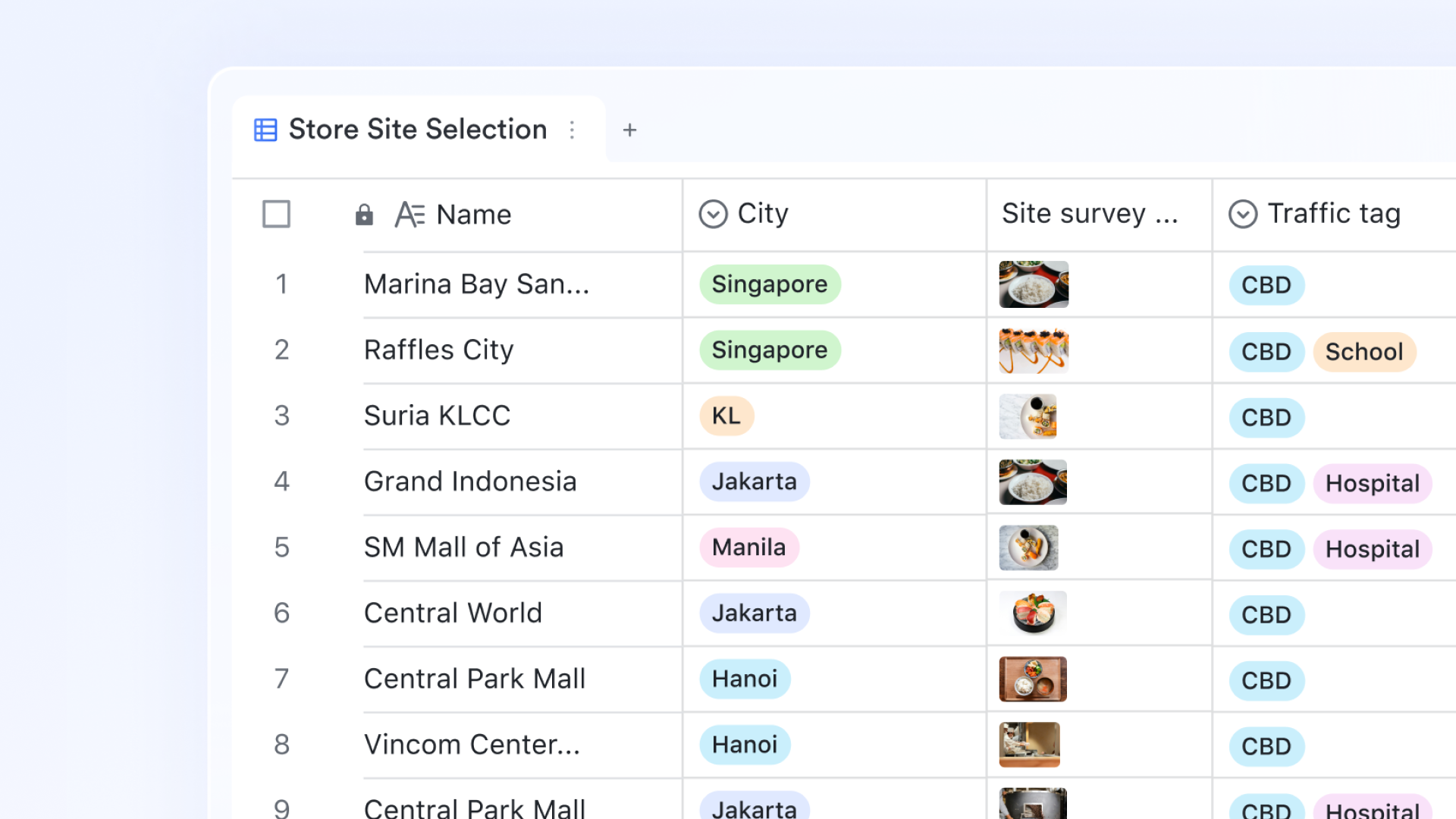
Real-time stock visibility & reporting on the dashboards
Lark Base dashboards are crucial for both real-time stock visibility and robust reporting and analytics in an inventory system. They allow users to monitor operational data and see updates instantly using metric blocks to and visualize trends over time. For advanced reporting, the platform offers over 36 block types, including powerful pivot tables that enable complex calculations and extract valuable insights from raw inventory data, thereby facilitating data-driven decision-making for stock optimization and . 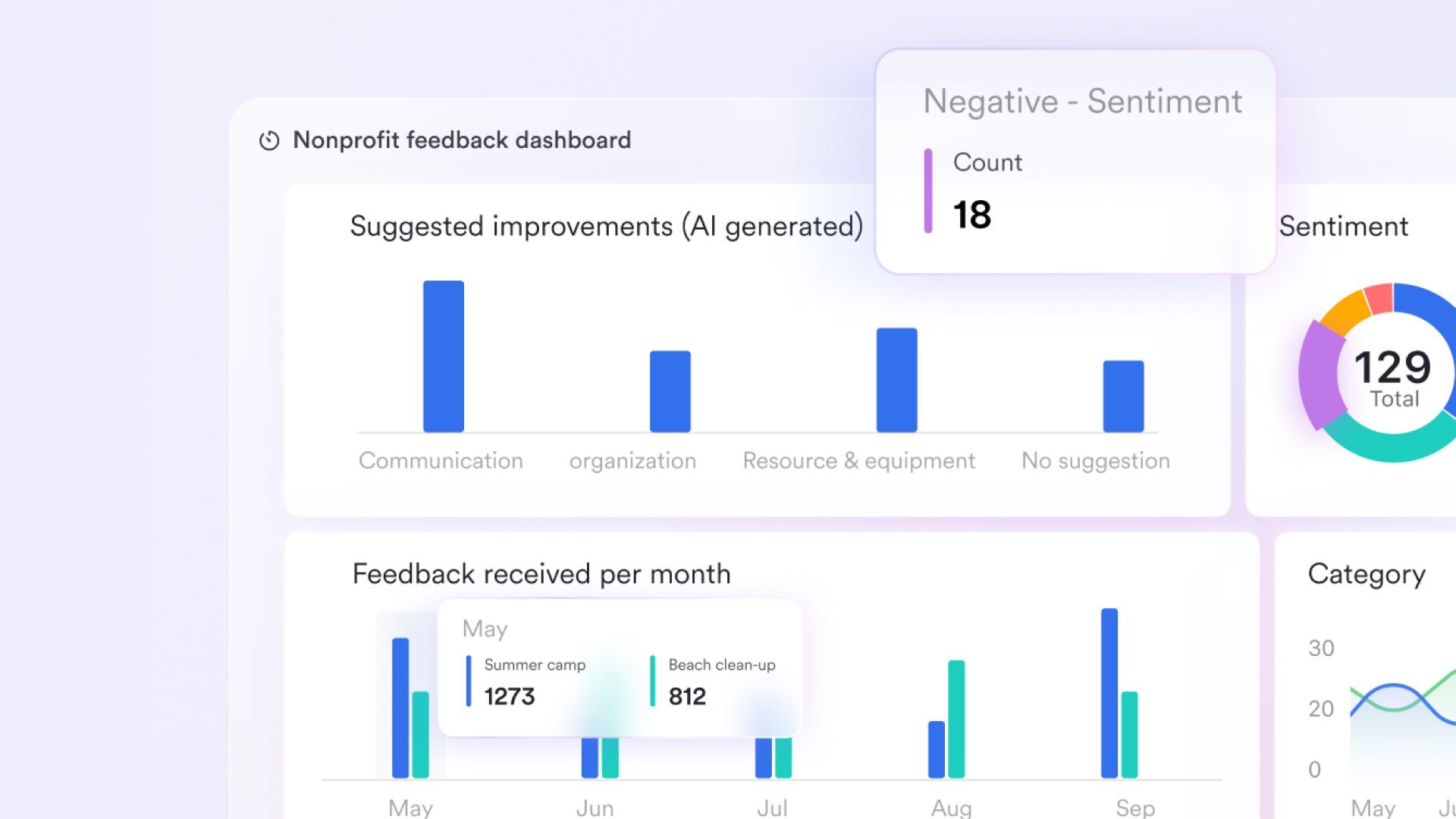
Automated workflow of low-stock alerts and order management
Lark Base workflow feature is vital for automating key processes like low-stock alerts and order management integration within an inventory system. Workflow allows users to configure complex, multi-step processes with conditional branches (using the IF/Else node) based on specific triggers, such as a stock level falling below a defined reorder point. When triggered, the system can automatically execute actions like creating a new purchase order record in a separate table, notifying the procurement team via Lark Messenger, or sending HTTP requests to integrate with third-party logistics or sales applications. 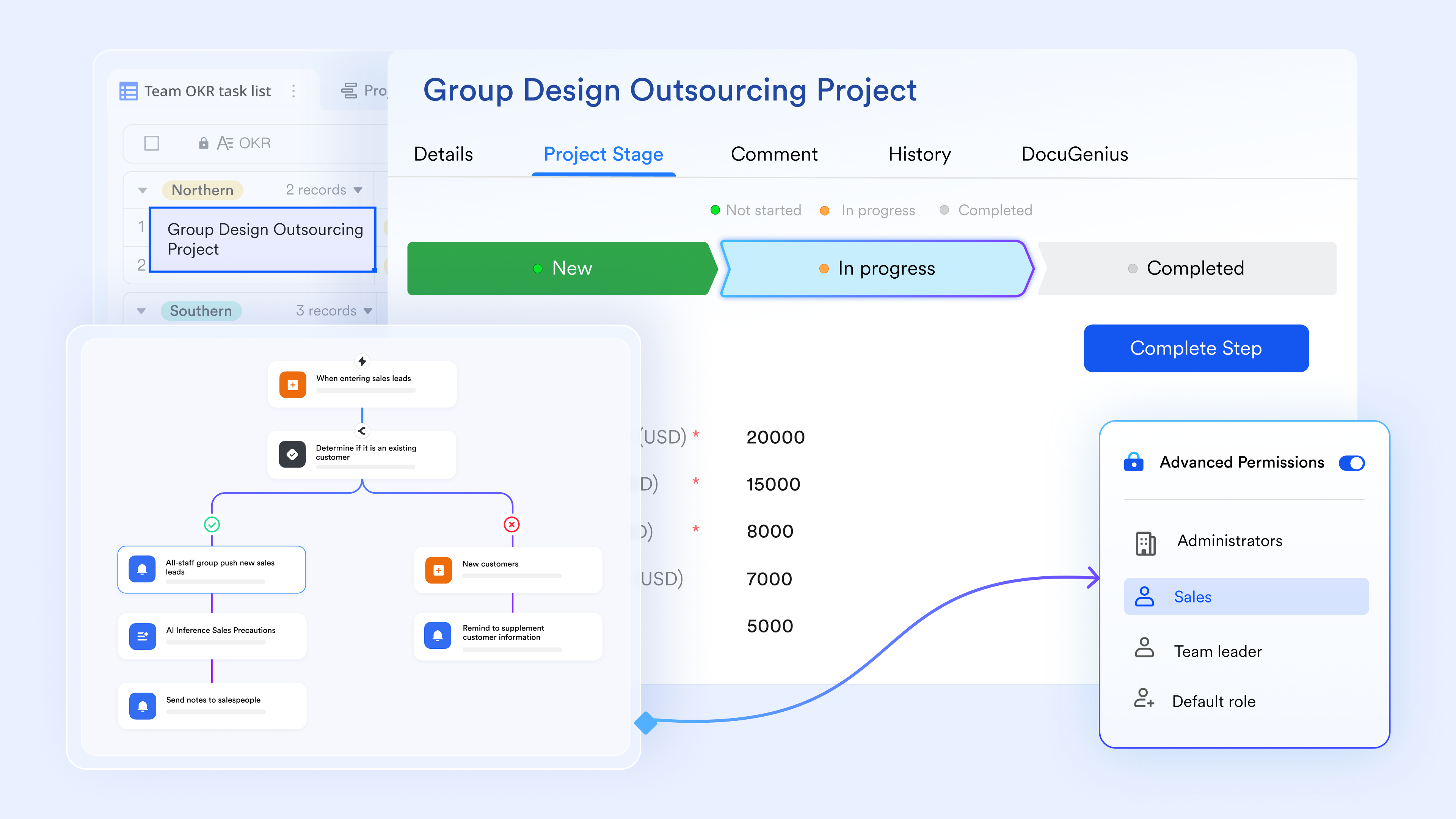
Improves accountability for stock-related actions
Lark Tasks helps assign clear responsibilities for actions such as stock checks, reorder reviews, or supplier follow-ups. Each task includes due dates and status indicators so nothing is missed. This gives teams better visibility into daily and weekly inventory operations. It also works well when moving away from a Google Sheets inventory management system that lacks task ownership. 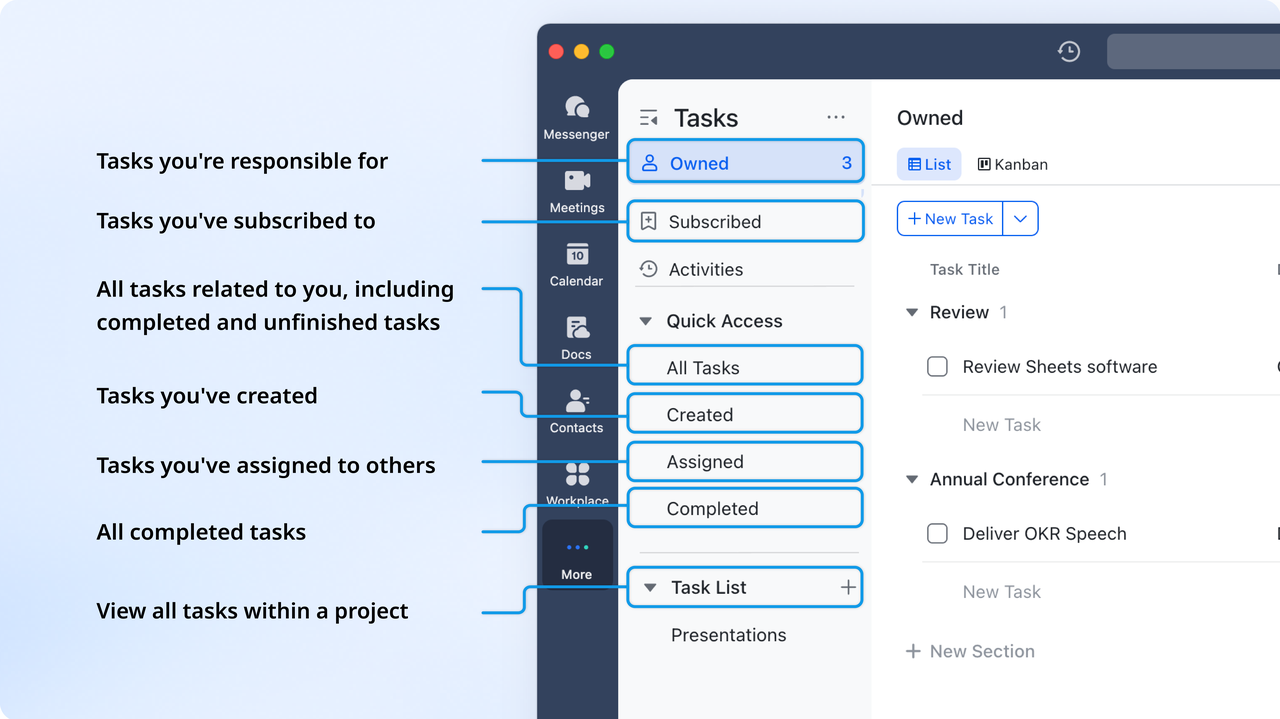
Faster inventory communication
helps teams coordinate stock updates, delivery issues, and order confirmations in real time. Conversations stay organized with groups and threads, so information is not scattered across channels. Inventory teams can share images, files, and quick updates without switching tools. This reduces delays that often occur when spreadsheets rely on manual follow-ups.

Simplified purchase and restocking workflows
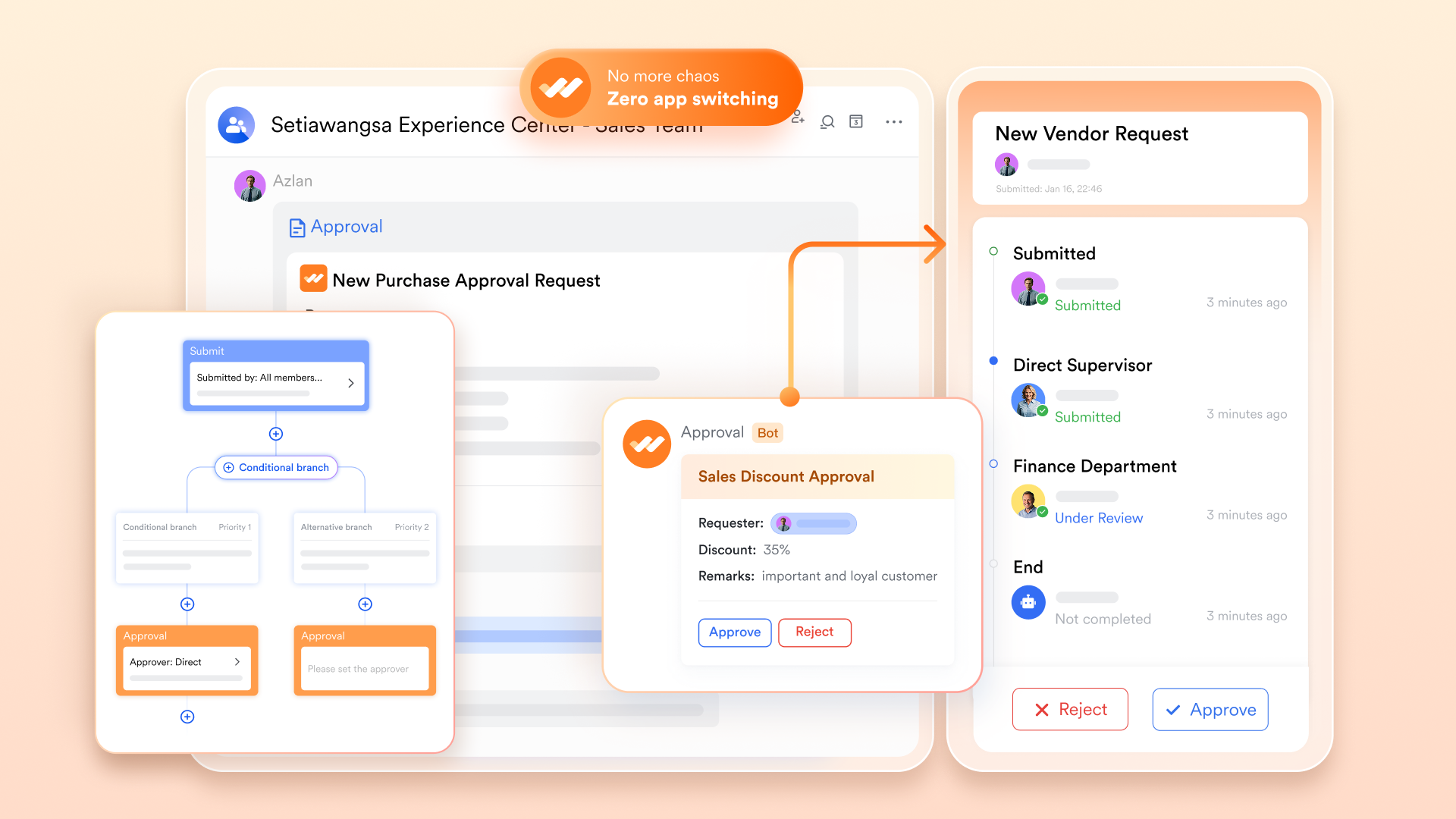
allows teams to route purchase requests, restock needs, or supplier confirmations through an flow. Managers can review and respond quickly without searching through emails. This reduces bottlenecks and keeps procurement aligned with actual stock levels. It also ensures documentation stays organized for future reference.
:
- Starter plan: Free forever plan that includes 11 powerful tools for up to 20 users. It also comes with 100GB of storage, 1000 automation runs, AI translations, and more.
- Pro plan: $12/user/month (billed annually) for up to 500 users. It includes everything in Basic plus group calling for up to 500 attendees, 15TB of storage, 50,000 automation runs, and more.
- Enterprise plan: for custom pricing. Supports unlimited users and includes even more automation runs and advanced security, compliance, and management features.
For small teams with simple communication needs

18 months message history
1000 Base automation runs/month
2000 rows per table in Base
Most POPULAR
For companies with comprehensive collaboration and management needs
Unlimited message history
500-participant video meetings
50k Base automation runs/month
20k rows per table in Base
For large companies with advanced security and organizational management needs
Get a personalized demo and pricing
Unlimited message history
500-participant video meetings
15 TB storage + 30 GB storage/user
500k Base automation runs/month
50k Base automation runs/month
Most POPULAR
For companies with comprehensive collaboration and management needs
Unlimited message history
500-participant video meetings
50k Base automation runs/month
20k rows per table in Base
Lark ready-to-use inventory management templates
These templates help teams move beyond a basic Google Sheets inventory management system by offering structured layouts, automated logic, and organized workflows. Each template focuses on different operational needs such as inbound tracking, , or inventory reporting. The designs minimize manual work and support cleaner daily execution. These options make it easier for teams to scale as inventory volume increases.
Lark inventory template
This template provides a simple structure for managing items, stock flow, and balance summaries in a more organized format than spreadsheets. It suits new teams moving from a Google Sheets inventory management system because the layout feels familiar yet much more stable. Automation reduces repetitive updates and helps maintain clearer records. It gives users a balanced starting point before adopting more advanced workflows.
Lark retail order inventory management template
This template is ideal for retail based operations with continuous item flow. It helps teams manage orders, inbound and outbound movements, and retail specific inventory patterns. Businesses upgrading from an inventory management system Google Sheets setup often choose this template for its clarity. It delivers organized tables plus automated summaries for faster decision making.
Lark office inventory management template
This template focuses on office materials, equipment tracking, and internal usage logs. It provides a simple but structured view that works well for administrative teams. It suits companies that previously used a Google Sheets inventory management system for tracking assets. Its layout simplifies restocking cycles and improves record accuracy.
Lark inventory inbound outbound management template
This template helps teams track incoming and outgoing movements with clear separation. It supports businesses with daily stock movement and frequent transactions. Teams migrating from an inventory management system in Google Sheets find this template more stable due to automated calculations. It provides a smooth workflow for handling supply flow and dispatches.
Lark smart inventory management system template for inventory controllers
This advanced template is made for inventory controllers who need accurate tracking, clean audit trails, and stronger automation. It reduces dependency on manual formulas found in Google Sheets inventory management system setups. The structured fields give high clarity for stock levels and key product data. It works well for mid-sized operations with consistent growth.
Lark retail store inventory revenue tracking system
This template combines revenue tracking with inventory management in one organized space. It helps retail stores understand product performance and stock health simultaneously. Teams replacing a Google Sheets inventory management system template find this setup more robust and easier to maintain. It supports category insights, movement logs, and revenue summaries.
Lark garment inventory management system
This template focuses on garment tracking across sizes, styles, and collections. It is ideal for fashion stores or textile businesses with variation heavy stock. Users who previously worked with a Google Sheets inventory management system benefit from its organized structure. It simplifies categorization and helps maintain accurate counts across ranges.
Lark inventory report template
This template helps teams build clear reports for monthly or weekly reviews. It supports summary tables, movement analysis, and stock insights. It works well as a reporting upgrade for teams using an inventory management system Google Sheets workflow. It reduces manual compilation and gives a more reliable snapshot of inventory health.
Conclusion
Many teams begin with a Google Sheets inventory management system because it feels simple, flexible, and free. It works well for early stages where stock movement is manageable and data can be updated manually without major delays. As product lists expand and operational complexity grows, teams start to experience slow performance, inconsistent records, and difficulty maintaining accuracy. These challenges often indicate that it’s time to explore a more scalable platform that supports automation, structured workflows, and improved across departments. Lark becomes a natural next step for teams that want a smoother path from spreadsheets to a more reliable and efficient workspace.
By moving to , teams gain access to organized data tables, automated processes, and advanced templates designed for different industries. This helps businesses maintain better control over daily inventory activities without relying on manual formulas or large spreadsheets. The transition offers a clearer system for tracking, reporting, and planning, which supports faster decision-making. It also helps teams grow without constantly rebuilding or repairing their structure. As operations evolve, Lark provides a long-term foundation that reduces friction and strengthens overall inventory visibility.
Upgrade to a smoother inventory system
FAQs
Can I use Google Sheets inventory templates offline?
Yes, Google Sheets offers offline access when enabled through your browser settings. This lets teams continue updating their Google Sheets inventory management system even without an internet connection. Syncing happens automatically once the device reconnects. Offline mode works best for small datasets because large files may take longer to update. It is suitable for teams that manage simple tracking workflows.
Can I use Google Sheets for inventory management?
Yes, Google Sheets is an excellent and free tool for inventory management. It is best suited for small to medium-sized businesses and can be customized with formulas, conditional formatting, and add-ons to create effective tracking sheets.
Does Google Sheets have a CRM?
No, Google Sheets is not a dedicated . While it lacks automated features, it can be used to manually create a simple, customized database for tracking leads, contacts, and customer interactions. If you want to build up a CRM system, try to use Lark to convert data into a structured hub.
What is the best software for inventory sheets?
The best software depends on complexity: Google Sheets and Microsoft Excel are ideal for basic, manual inventory tracking. For advanced features like automated syncing and integrated warehousing, dedicated software such as Lark or Fishbowl is often preferred.
How to create a barcode inventory system in Google Sheets?
To set up a barcode system, you need a USB barcode scanner (which inputs data like a keyboard) and specific barcode fonts. You may also need to utilize Google Sheets add-ons or custom Apps Script to correctly format and generate scannable barcodes within the sheet.
Related reading





























