














How to Write Acceptance Criteria that Improve Project Clarity

Ryan Tanner
Product Marketing Specialist
Sep 18, 2026
Ryan Tanner
Sep 18, 2026

16 min read


Knowing how to write acceptance criteria is essential for ensuring that product managers, developers, and QA all understand what "done" truly means. Strong acceptance criteria reduce ambiguity, guide development decisions, and ensure features meet real user expectations. They act as a shared definition of success, helping teams avoid miscommunication and unnecessary rework.
In this guide, you'll learn how to write effective acceptance criteria, explore key formats like Given–When–Then, and review examples of good vs bad statements. As projects scale, managing this process across multiple teams can get complex, which is where connected platforms like Lark help teams collaborate, review, and track acceptance criteria seamlessly without the version chaos of traditional tools.

What are acceptance criteria?
Acceptance criteria are specific, measurable conditions that a user story or feature must meet for it to be considered complete. They define how the product should behave from the user's perspective and outline the boundaries of the functionality being delivered. When teams understand how to write acceptance criteria clearly, they reduce ambiguity, prevent misinterpretation, and ensure development aligns with real user needs. Acceptance criteria also form the foundation for QA testing, making it easier to validate outcomes objectively.
Learning how to write user stories and acceptance criteria together ensures both context (the user's goal) and expectations (the required result) are well understood. Teams that focus on how to write good acceptance criteria typically use formats like checklists or Given–When–Then to ensure each statement is testable. This practice strengthens alignment between product managers, developers, and QA, helping projects run more smoothly and improving the quality of deliverables.
Common formats of acceptance criteria
Different teams use different acceptance criteria formats depending on their workflow, level of technical detail, and collaboration needs. Choosing the right structure helps ensure clarity and consistency across requirements. Some formats are more scenario-based, while others are simple checklists or rule-focused for strict business environments. Understanding when to use each format helps teams write acceptance criteria that are testable, actionable, and easy to validate.
Given–When–Then format (BDD style):
- This format models behavior as scenarios, describing a starting state, a trigger, and the expected result. It is especially effective in agile teams practicing behavior-driven development or automated testing. Use it when user flows, decision logic, or system interactions need to be explicit.
- Example:
- Given the user is logged in
- When they click "Download Invoice"
- Then the invoice should download as a PDF.
Checklist or bullet format:
- This format lists conditions that must be met before the feature is considered complete. It is simple, readable, and works well for cross-functional teams reviewing functionality together. Use it when clarity and quick review are more important than detailed scenario modeling.
- Example:
- "Add to Cart" button visible on all product pages.
- Out-of-stock items show "Notify Me" option.
Rule-oriented format:
- This structure defines system rules or business constraints that must always hold true. It is most useful in regulated, logic-heavy, or policy-driven environments. Use this format when pricing rules, eligibility, thresholds, or compliance conditions need to be enforced.
- Example:
- The discount applies only to orders above $100.
How to write effective acceptance criteria (step-by-step guide)
Writing acceptance criteria is not just about documenting requirements—it's about creating a shared understanding of the desired outcome. The goal is to make expectations clear enough that anyone on the team can look at the criteria and confidently determine whether the work is complete. Well-written criteria are specific, measurable, and validated collaboratively before development begins. Following a structured approach ensures the criteria remain consistent and aligned with user needs.
Step 1: Understand the user story clearly
Start by reviewing the user story's purpose and the value it aims to deliver. Ensure you clearly understand who the user is and what they are trying to achieve. A well-interpreted user story forms the foundation of strong acceptance criteria.
Step 2: Align with stakeholders
Involve product managers, designers, developers, and QA early in the discussion. Clarifying expectations up front reduces confusion and disagreements later. Alignment ensures that everyone shares the same understanding of the final outcome.
Step 3: Use consistent language and structure
Write criteria in a predictable format to make them easier to review and test. Keep each criterion focused on one outcome to maintain clarity. Consistency ensures criteria are understood the same way by everyone.
Step 4: Avoid technical jargon
Acceptance criteria should describe what the user experiences, not how the system is implemented. Technical details belong in design or engineering documentation. Using plain language ensures cross-functional clarity.
Step 5: Keep them measurable
Include specific values, thresholds, or expected messages to make success easy to verify. Measurable criteria prevent subjective interpretations like "fast" or "user-friendly." This ensures the result can be tested objectively.
Step 6: Validate collaboratively
Review the acceptance criteria together during backlog refinement or sprint planning. Invite questions and adjust wording to remove ambiguity. Collaborative validation ensures all stakeholders agree before development begins.
Examples of good vs bad acceptance criteria
Poorly written | Well-written |
"System should load fast." | "Dashboard loads within 3 seconds on broadband." |
"User can submit form." | "When the form is valid, clicking Submit shows a success message and saves data." |
"Notifications should work." | "User receives an email and in-app alert within 1 minute after approval." |
"Search should work properly." | "When a user searches by keyword, results matching title or description appear within 2 seconds." |
"User profile should update." | "When the user edits profile details and clicks Save, changes reflect immediately on their dashboard." |
"Reports should generate quickly." | "Monthly report downloads as a PDF within 5 seconds after selecting a date range." |
While Excel sheets and traditional project management tools help you document acceptance criteria, they can quickly become cluttered as teams grow. Version confusion, scattered comments, and slow reviews make collaboration harder than it should be. That's where a connected workspace like Lark steps in—bringing documentation, communication, and execution together in one place, so every acceptance criterion stays clear, current, and actionable.
Action time: Use Lark to manage, review, and track acceptance criteria
Managing acceptance criteria across multiple stories, sprints, and teams can become complex quickly, especially when discussions occur across disconnected tools. Version confusion, scattered comments, and unclear ownership often lead to misalignment and rework. Lark solves this by bringing documentation, communication, tasks, and data all into one connected workspace. Teams can review, refine, and approve acceptance criteria together—without losing context or chasing updates across channels.
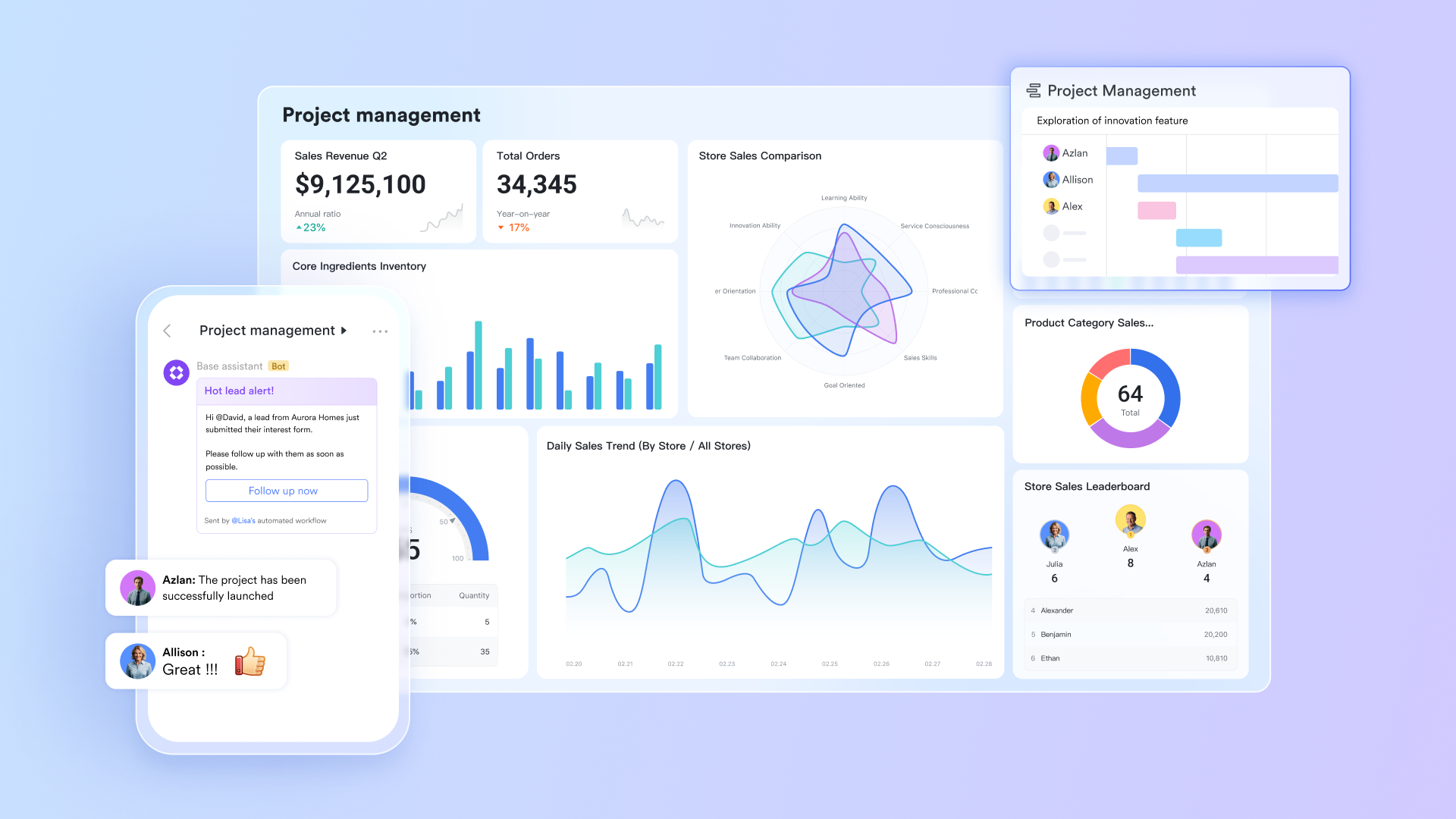
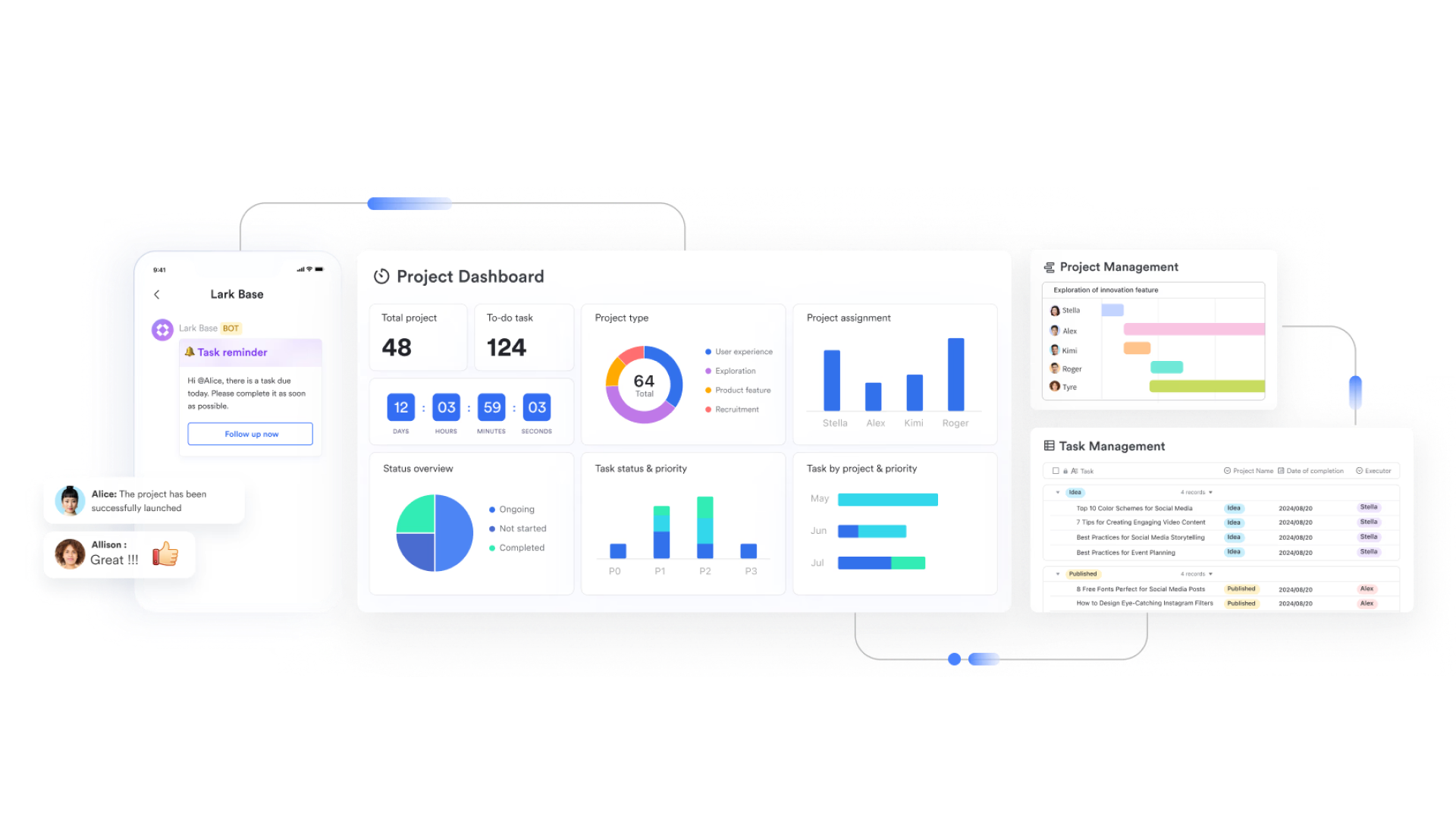
Lark Base: Single source of truth for stories & acceptance criteria
Use Lark Base to model user stories, acceptance criteria, and readiness in linked tables. Typical fields: story ID, epic, priority, sprint, owner, AC ID, format (given–when–then / checklist), testable? (Y/N), and status (draft/ready/approved). Product adds criteria to each story; QA marks "testable" once wording is objective and measurable. Views by sprint or team instantly show which stories are "ready for dev" vs "needs clarification." With an automated workflow, Base can auto-assign a reviewer when a criterion changes, and nudge owners if "ready for QA" stays stuck for 24 hours.
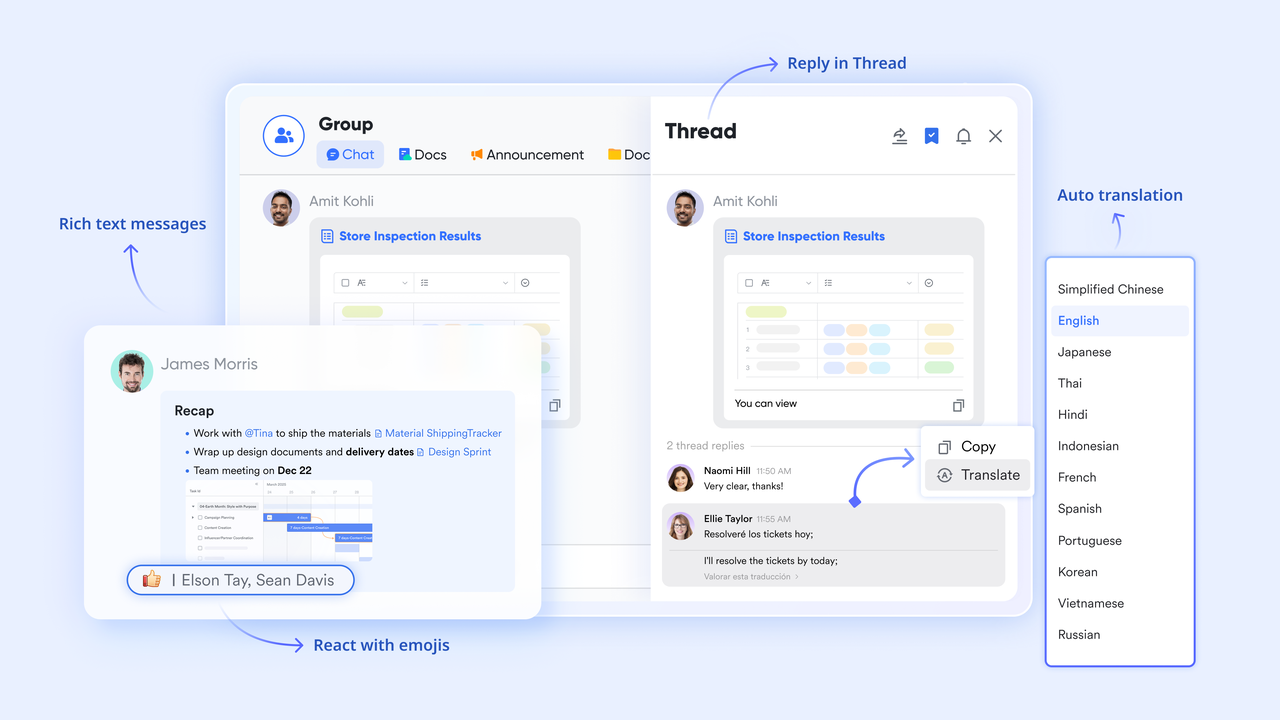
Lark Messenger: Keep discussions attached to the work
With Lark Messenger, you can share individual Base records (such as stories or acceptance criteria) as preview cards or links in Lark Messenger chats, allowing recipients to view or edit them directly. With pins, flags, thread replies, and sharing files, Lark Messenger keeps discussions fully in context. All context and history preserves are stored for audits and retrospectives.
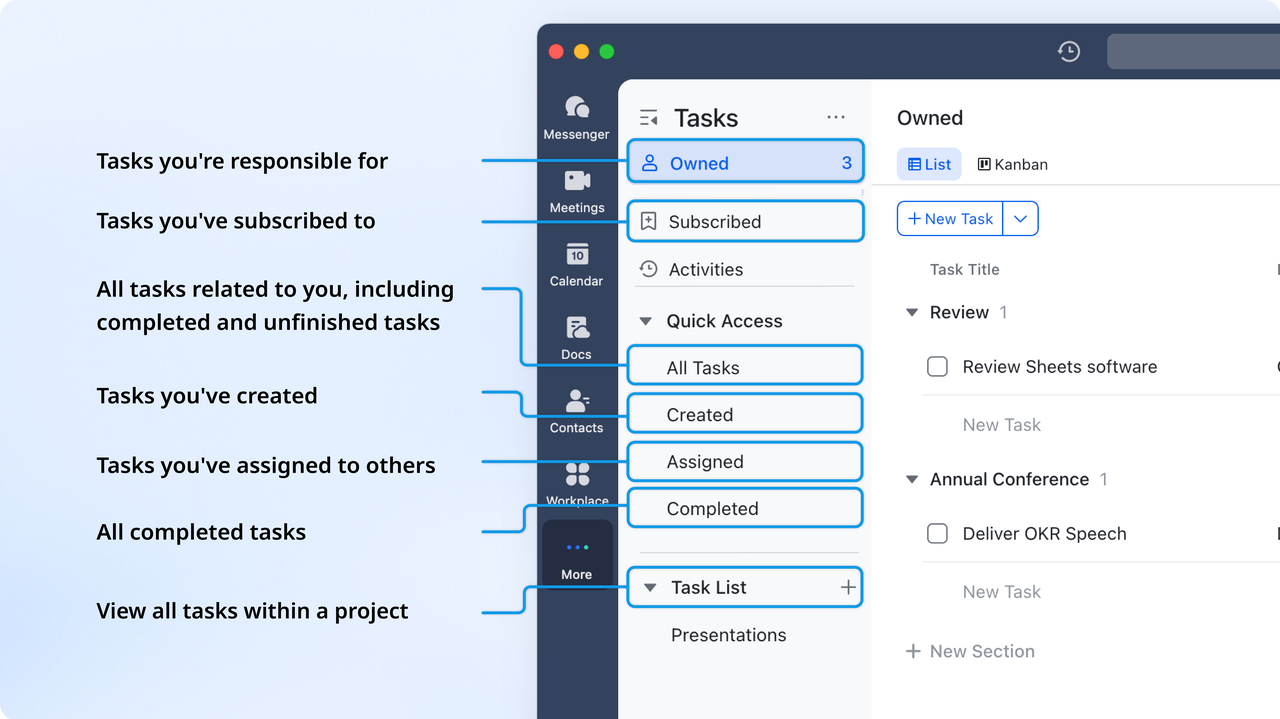
Lark Tasks: Turn approved criteria into actionable work
Once the criteria are approved, assign them in Lark Tasks, with owners, due dates, and acceptance checkboxes that mirror the AC list. Tasks can be synced from documents, and owners can view their tasks even without document access. Changes to tasks (including completion status) are synchronized in real time between documents and Lark Tasks.
Lark Docs: Write, refine, and justify acceptance criteria together
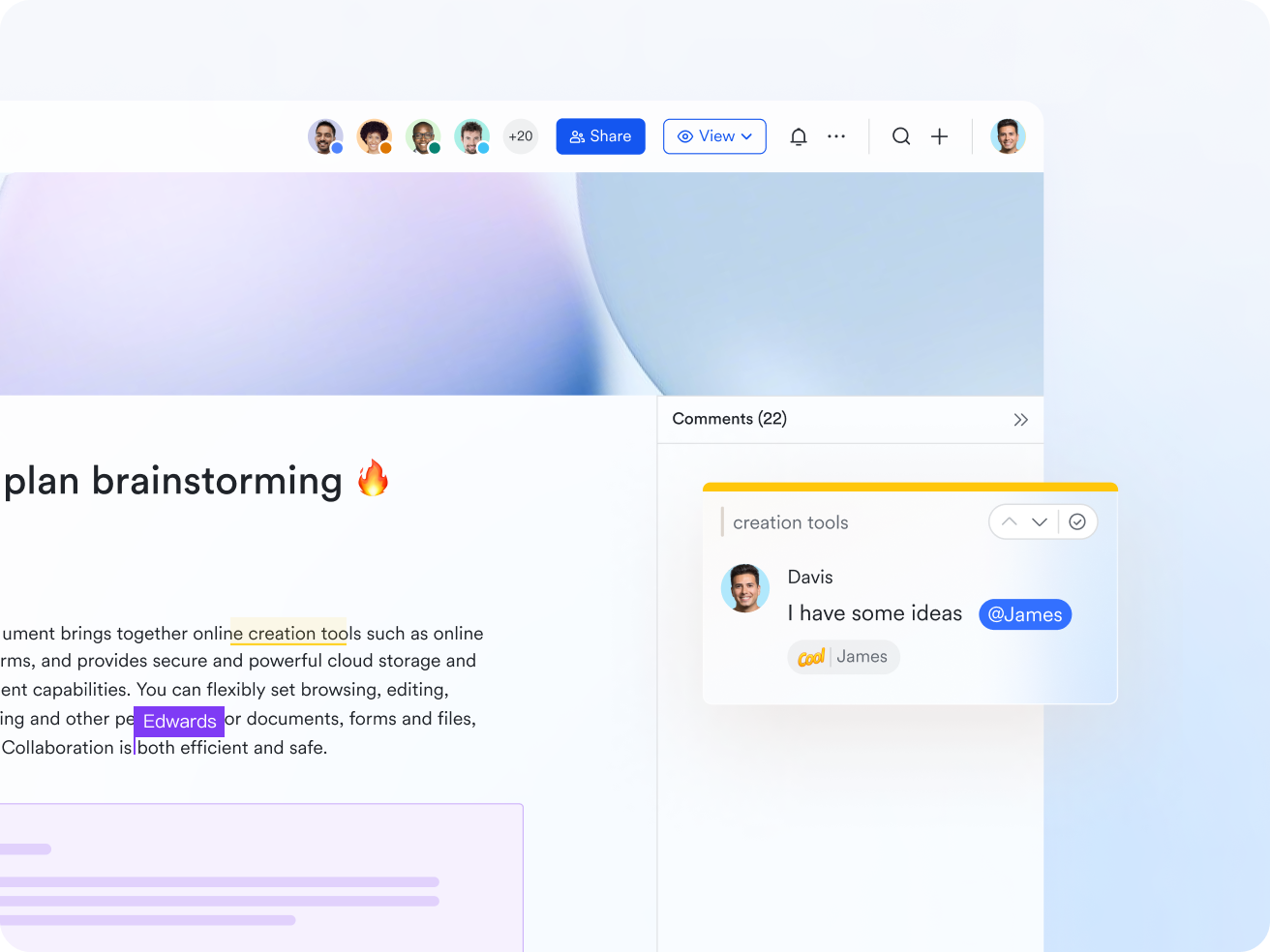
Draft the user story and its acceptance criteria in a shared document in Lark Docs where PM, design, QA, and engineering can comment in real time. Use side-by-side patterns: story at the top, "Good vs Bad AC" examples below, and an "edge cases" table to capture negatives (e.g., expired link, lockout). Version history keeps a complete log of wording changes and who approved them; the Doc is linked back to the Base story, so reviewers open the exact source with one click.
Lark Meetings: Live reviews that produce immediate action
Bring Base views and the story doc right into your planning or refinement meeting through video sessions in Lark Meetings. Walk the backlog by readiness: discuss unclear criteria, edit wording on the live document, and convert outcomes to Tasks on the Lark Docs. After meetings, you can record subtitles and search/filter them by speaker or keywords. Also, you can clip and share key moments from recorded meetings for efficient review.

- Starter plan: Free forever plan that includes 11 powerful tools for up to 20 users. It also comes with 100GB of storage, 1000 automation runs, AI translations, and more.
- Pro plan: $12/user/month (billed annually) for up to 500 users. It includes everything in Starter plus group calling for up to 500 attendees, 15TB of storage, 50,000 automation runs, and more.
- Enterprise plan: Contact sales for custom pricing. Supports unlimited users and includes even more automation runs and advanced security, compliance, and management features.
Bonus section: Use Lark templates to standardize acceptance criteria
Standardizing acceptance criteria becomes easier when teams work from consistent templates rather than starting from scratch each time. With Lark, you can create reusable acceptance criteria templates that match your workflow, user story format, and terminology. This ensures clarity, reduces writing time, and helps teams avoid inconsistencies across features and sprints. By using shared templates in Lark Docs, everyone follows the same structure while still allowing room for project-specific adjustments.
User acceptance testing checklist
A User Acceptance Testing (UAT) checklist ensures the feature meets real user needs before release. First, confirm that all acceptance criteria are clearly defined and approved. During testing, validate that the feature works correctly within actual user workflows and behaves consistently across all required devices, browsers, or environments. Any issues or product feedback should be documented along with expected resolutions to maintain transparency. Finally, obtain formal sign-off from business or product owners to confirm readiness for deployment.
User acceptance testing template
A User Acceptance Testing (UAT) template provides a structured way to confirm that a feature or product meets real user needs before launch. It typically includes fields for the project details, objectives, acceptance criteria, and test scenarios. Testers document each scenario's steps, expected results, and actual outcomes to ensure clarity. Any issues or observations are recorded for follow-up and resolution. Finally, a sign-off section confirms that business stakeholders approve the feature for release.
Requirements gathering
A requirements gathering template helps teams capture project needs in a structured, collaborative format. It centralizes inputs from stakeholders, business goals, user expectations, and technical constraints in one shared document. Team members can comment, refine, and align on requirements in real time without version confusion. Built-in tasks, chat, and approvals streamline discussion and decision-making. This ensures that everyone starts development with the same, clearly agreed-upon requirements.
Story mapping
A story mapping template helps teams visualize the user journey and break high-level goals into organized workflows and actionable user stories. It lays out activities and tasks in a logical sequence, making it easier to see priorities and dependencies. Teams can collaborate in real time to refine steps, group features, and identify MVP scope. Comments, tasks, and linked docs keep discussions connected to each story. This ensures alignment on what to build first and how each feature contributes to user value.
Why are acceptance criteria important?
Acceptance criteria play a crucial role in aligning teams around the expected outcomes of a user story or feature. When written well, they act as a shared reference point that defines what success looks like before development begins. This prevents teams from relying on assumptions and helps ensure that deliverables meet user needs and business goals. By making expectations explicit, acceptance criteria strengthen collaboration and maintain consistency across planning, development, and testing.
- Clarity: Acceptance criteria define exactly what needs to be delivered and how it should function. They remove guesswork by providing measurable outcomes. This shared understanding ensures all stakeholders interpret "done" the same way.
- Accountability: They make deliverables testable and transparent, ensuring progress can be tracked objectively. Each criterion acts as a benchmark for completion. This promotes ownership and responsibility across roles.
- Quality assurance: Acceptance criteria serve as the foundation for test cases. They give QA teams clear validation points to confirm functionality. This approach helps detect issues early, maintaining product quality.
- Reduced rework: By setting explicit expectations, acceptance criteria prevent confusion and misaligned efforts. Teams can avoid unnecessary revisions or late-stage changes. This keeps development efficient and focused on approved outcomes.
- Improved collaboration: They foster open dialogue between business, design, and engineering teams. Everyone contributes to defining what success means before work starts. This transparency leads to smoother execution and better results.
Common mistakes to avoid when writing acceptance criteria
Clear and well-structured acceptance criteria help teams stay aligned, but a few common mistakes can reduce their effectiveness. When criteria are vague, inconsistent, or written too late, teams can misunderstand expectations and deliver features that miss the mark. By recognizing these pitfalls early, product managers, developers, and QA can collaborate more effectively. The goal is to keep acceptance criteria precise, testable, and user-focused.
- Writing vague or subjective criteria ("works as expected"): Such phrasing leaves interpretation open and does not define what "expected" means. It becomes difficult for QA to verify outcomes. Replace vague statements with specific, measurable conditions.
- Mixing multiple behaviors in one line: Bundling multiple outcomes makes testing and clarity harder. Each criterion should represent one testable action or result. Break complex flows into smaller, independent points.
- Forgetting negative or edge cases: Acceptance criteria should account for normal, error, and boundary behaviors. Ignoring failure paths can lead to incomplete features. Include scenarios like invalid inputs or restricted access.
- Writing acceptance criteria after development starts: Late criteria lead to rework and mismatched expectations. Acceptance criteria should be finalized before sprint planning. This ensures everyone understands the "definition of done" from the beginning.
- Using inconsistent formats across teams: Different wording or structure can confuse when multiple squads collaborate. Standardizing formats keeps communication clear and review easier. Templates or shared guidelines help maintain consistency.
Conclusion
Writing strong acceptance criteria is essential for ensuring that everyone involved in a project understands what success looks like. Clear, measurable, and user-focused criteria help teams avoid ambiguity, reduce rework, and maintain consistent quality throughout development. By choosing the right format—whether Given–When–Then, checklists, or rule-based—and following best practices like aligning with stakeholders early and validating collaboratively, teams strengthen communication and accountability. Avoiding common mistakes, such as vague wording or inconsistent structure, further ensures that requirements translate smoothly into working features.
As projects grow and involve multiple contributors, managing acceptance criteria across scattered documents and tools can become overwhelming. This is where Lark brings exceptional value. With shared docs, version control, real-time collaboration, and approval workflows, teams can review, track, and refine acceptance criteria without confusion or duplication. Adopting Lark helps ensure clarity, alignment, and efficiency—so teams can deliver features that truly meet user needs and project goals.
FAQs
What is the best format for writing acceptance criteria?
Lark supports multiple formats, but the Given–When–Then (BDD) style is often preferred because it clearly outlines context, action, and expected outcome. It's especially useful when aligning developers and QA. However, checklist formats work well for simpler features or non-technical teams. The best format is the one that keeps criteria clear, testable, and easy to understand.
How many acceptance criteria should a user story have?
There's no fixed number, but typically 3–7 criteria per user story is manageable. Each criterion should represent one key behavior or outcome. Too many criteria may signal the story is too large and needs splitting. The focus should always remain on clarity, not quantity.
When should acceptance criteria be written in Agile projects?
Acceptance criteria should be defined before sprint planning. They help ensure shared understanding before development begins. Writing them early reduces ambiguity and rework. They may still be refined collaboratively as discussions evolve.
How does Lark help teams collaborate on acceptance criteria?
Lark brings docs, chat, tasks, and workflows into one shared workspace. Teams can comment, edit, and review criteria in real time without version confusion. Linked tasks and approvals keep everyone aligned. This makes collaboration faster, clearer, and more transparent.
Can acceptance criteria be updated during a sprint?
Yes, acceptance criteria can be refined during the sprint if new insights emerge. However, changes should be agreed upon by product, design, and development teams. Any updates must remain aligned with the story's original intent. Clear communication prevents scope creep and misalignment.
Related reading
Table of contents
Start using Lark today

Manage all your work in one place
Boost team efficiency by 10x
Save up to 70% on software costs
Table of contents
Start using Lark today
Manage all your work in one place
Boost team efficiency by 10x
Save up to 70% on software costs
Keep reading







2026 Lark Technologies Pte. Ltd.
Headquartered in Singapore with offices worldwide.






Explore: