














Jira for Project Management: Complete Guide & Best Alternative

Ryan Tanner
Product Marketing Specialist
Sep 18, 2026
Ryan Tanner
Sep 18, 2026

13 min read


Jira is one of the most widely used project management tools, especially among agile and software teams. It helps plan sprints, track issues, and visualize progress with structured workflows. But while Jira offers deep functionality, it can feel complex for non-technical teams or cross-department projects. As organizations seek more connected, user-friendly platforms, the focus is shifting toward tools that combine planning with collaboration. This post explores how Jira for project management—and how flexible platforms like Lark provide a smoother, all-in-one experience.

Why teams turn to Jira for project management
Teams often choose Jira, one of the most widely used project management tools, for project management because it brings structure and visibility to complex workflows. Its customizable boards and timelines make it easy to track progress, assign tasks, and manage priorities in one place. Using Jira for project management also supports agile methods, helping teams adapt quickly when plans change.
Managers get clear insights into workloads, while team members stay aligned without extra meetings. With its flexible setup and integrations with tools like Slack and Confluence, Jira streamlines collaboration and keeps projects moving smoothly from start to finish.
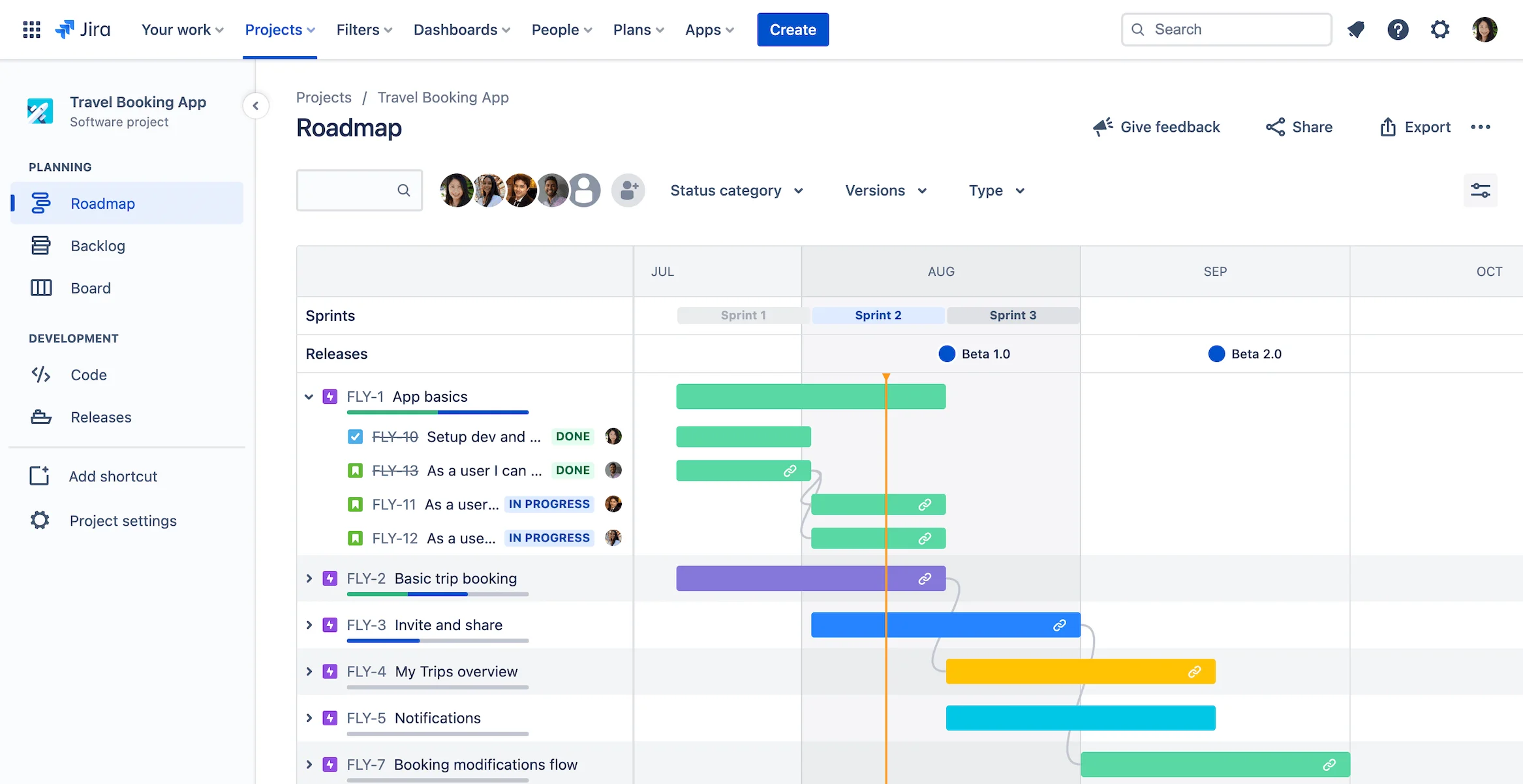
Image source: project-management.com
Key features of Jira for project management
Jira offers a range of features that simplify project management plan, track, and deliver projects. From customizable workflows to detailed reports, it gives complete visibility and control over every task. Here are some features and their purpose.
Feature | Purpose |
Kanban & Scrum boards | Visualize workflow and sprint progress |
Backlogs | Prioritize tasks and manage upcoming work |
Epics & issues | Structure large projects into smaller, trackable tasks |
Automation rules | Automate repetitive actions (e.g., assigning, updating) |
Reports & dashboards | Track project health, burndown, and team velocity |
Integrations | Connect with Confluence, Slack, or other Atlassian tools |
Kanban & Scrum boards: Jira is built for visualizing workflows and sprint progress. Teams can create both Kanban and Scrum boards to manage tasks, track story points, and move cards through stages. Boards are fully interactive, allowing real-time updates, drag-and-drop task management, and role-based visibility for team members.
Backlogs: Jira provides robust backlog management, letting teams prioritize tasks, plan sprints, and schedule work for upcoming iterations. Product owners and managers can reorder stories, assign priorities, and prepare sprint planning efficiently, ensuring that the most important work is visible and actionable.
Epics & issues: Jira allows large projects to be structured into epics, stories, tasks, and sub-tasks. This hierarchical organization helps teams break down complex projects into manageable components, track dependencies, and ensure nothing is overlooked. Issues can be assigned, tracked, and linked across epics for complete visibility.
Automation rules: Jira supports powerful automation rules that reduce repetitive work. Users can set triggers and actions—for example, automatically assigning tasks when they reach a certain status, sending notifications when deadlines approach, or updating fields across issues. Automation helps maintain consistency and frees teams from manual updates.
Reports & dashboards: Jira provides comprehensive dashboards and reporting tools to track project health, team velocity, burndown charts, and progress toward goals. Teams can create custom reports, monitor KPIs, and gain real-time insights into bottlenecks or overburdened resources, helping to guide decisions and improve productivity.
Integrations: Jira integrates seamlessly with Confluence, Slack, Bitbucket, GitHub, and many other tools in the Atlassian ecosystem. These integrations allow documentation, communication, code repositories, and CI/CD pipelines to be connected directly with issues and projects, providing a unified, collaborative workspace.
Pros and cons of using Jira for project management
Jira is a powerful platform that helps teams manage projects more efficiently, but it's not without its challenges. Understanding its advantages and drawbacks—and knowing how to use Jira for project management effectively—can help decide if it's the right fit for your team.
Pros
- Excellent for agile and software development projects
- Jira was originally built for agile teams, which makes it a perfect fit for Scrum, Kanban, and hybrid workflows. It helps track sprints, manage backlogs, and visualize progress with ease.
- Detailed issue tracking and workflow automation
- Every task or bug can be tracked in detail, ensuring nothing gets missed. Automation rules further streamline repetitive tasks, saving time and improving accuracy.
- Scalable for large organizations with multiple teams
- Jira project management scales effortlessly, whether it's for a small startup or an enterprise with hundreds of users. Teams can manage multiple projects under one system without losing visibility or control.
- Integrates with Confluence for documentation
- When paired with Confluence, Jira becomes even more effective. Teams can link project documentation directly to tasks, improving collaboration and making it easier to keep everything in one place.
Cons
- Steep learning curve for non-technical users
- For beginners, Jira can feel overwhelming. Its wide range of settings and features often requires training or onboarding time before teams become comfortable using it.
- Limited built-in collaboration tools
- While Jira excels in tracking and workflow management, it doesn't handle real-time communication well. Teams often need additional tools like Slack or Google Docs to collaborate effectively.
- Overhead in setup and workflow customization
- Configuring Jira to fit specific needs can take significant time and effort. Custom fields, permissions, and workflows require careful planning to avoid confusion later on.
- Complex interface and maintenance at scale
- As projects grow, Jira can become cluttered with issues, boards, and automations. Managing it efficiently requires ongoing maintenance and occasional cleanup to keep performance smooth.
Common use cases for Jira
Jira is versatile enough to support different types of teams and workflows beyond software development. Its flexibility makes project management for Jira useful across industries and project sizes.
- Software development teams use it to plan sprints, track bugs, and manage code-related tasks. The combination of Scrum and Kanban boards helps keep development cycles organized and transparent.
- Product management teams rely on Jira to plan releases, prioritize new features, and align tasks with product roadmaps.
- IT and DevOps tools use it to log, track, and resolve service requests or incidents quickly.
- Large enterprises turn to Jira Align to coordinate multiple teams and manage large-scale agile project development programs seamlessly.
Where Jira falls short for modern teams
While Jira is powerful, it isn't the best fit for every type of team. Its structure and complexity can sometimes get in the way of fast-moving work.
- It's not ideal for marketing, HR, or cross-functional teams that need flexible, campaign-style workflows rather than rigid task tracking.
- It lacks built-in real-time communication, which means teams must rely on tools like Slack or Teams to discuss work.
- Separate platforms for documents, meetings, or approvals often create information silos and extra coordination steps.
- For small or fast-paced teams, Jira can feel too heavy, slowing down collaboration instead of supporting it.
Lark: A connected workspace beyond Jira
Lark offers a modern, connected workspace designed for teams that value collaboration and simplicity. Unlike Jira, which focuses heavily on structured workflows and issue tracking, Lark combines chat, video meetings, document sharing, and task management in one place. This makes it one of the best Jira alternatives for project management, especially for teams that prefer real-time communication and flexibility over strict process control.
Multiple tables: Organize every aspect of your projects with clarity
Unlike Jira's rigid board-based structure, Lark Base allows you to create multiple tables to manage different project elements—team members, tasks, deadlines, clients, or milestones—all within the same workspace. This flexibility enables easy visualization of dependencies and relationships between data. Whether you're tracking deliverables or resource allocation, Lark gives you a clear, customizable structure without complex setup or add-ons.
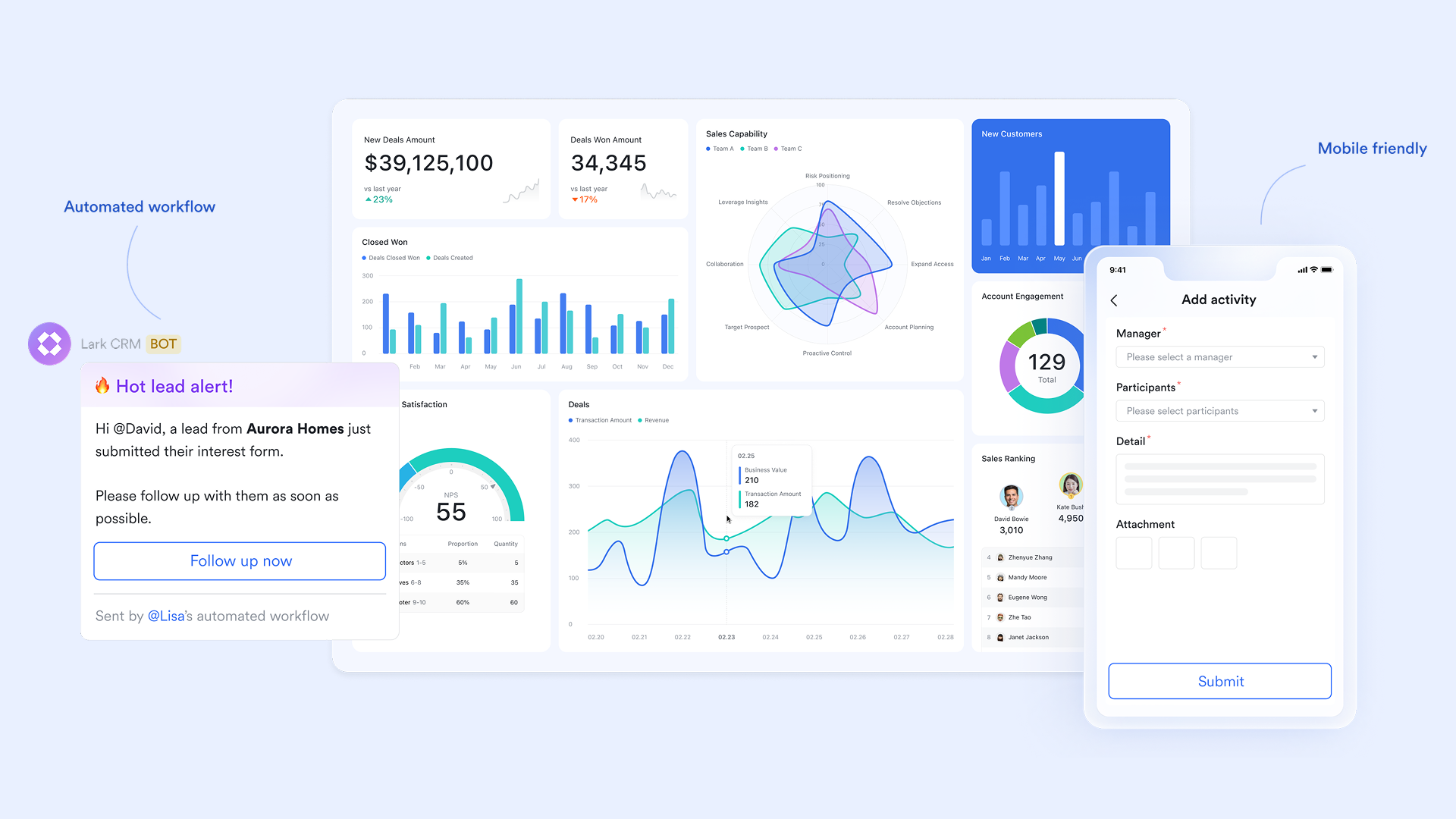
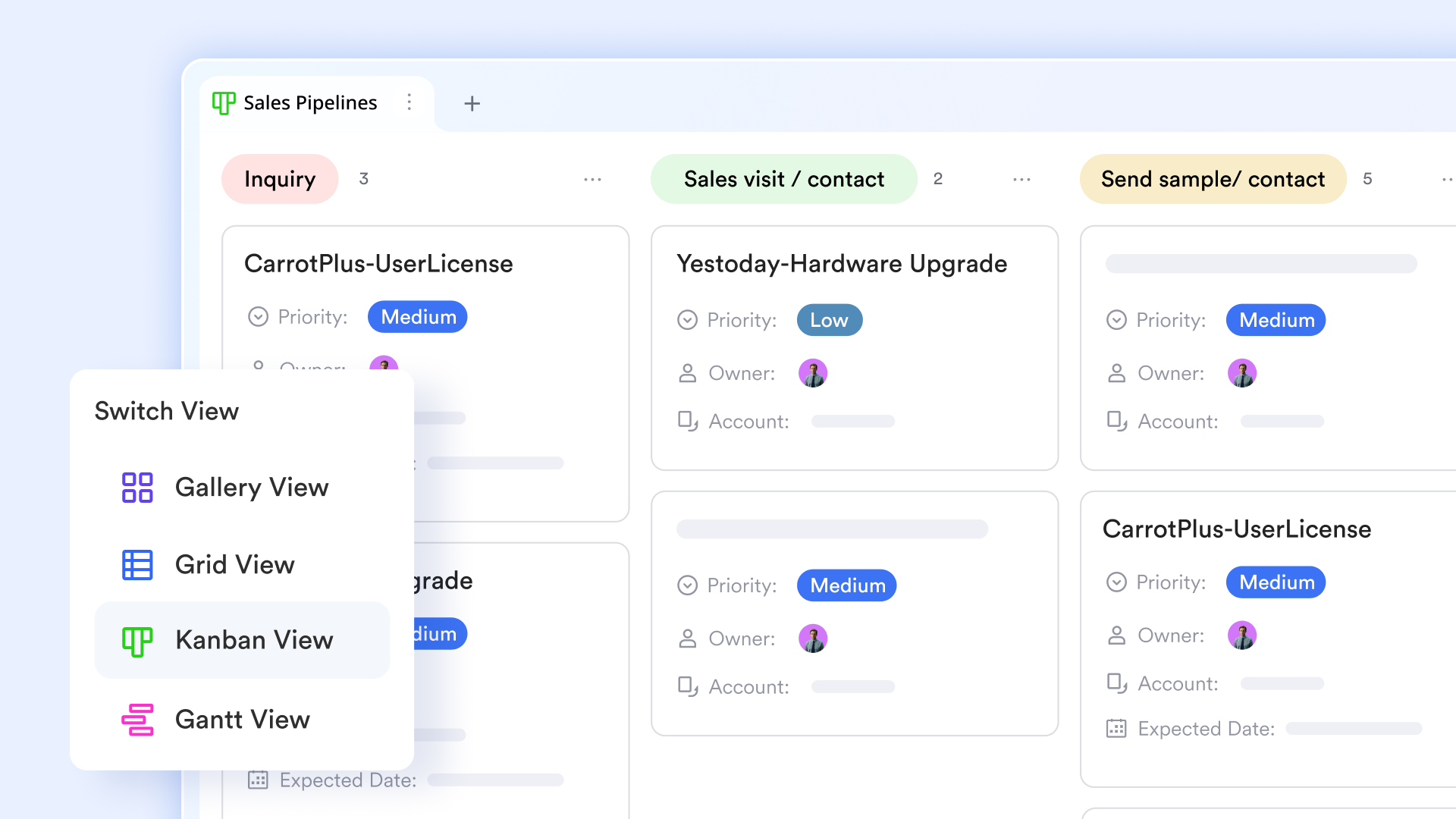
Multiple views: Kanban boards and Gantt charts made simpler
Lark supports Kanban board, grid, and Gantt views, helping teams visualize work their way. While Jira's boards cater primarily to agile workflows, Lark gives you the same clarity with more intuitive controls and fewer clicks. You can easily switch between detailed task lists and timeline views, making it ideal for both structured project planning and daily task tracking—all with a cleaner, Mac- and web-friendly interface.
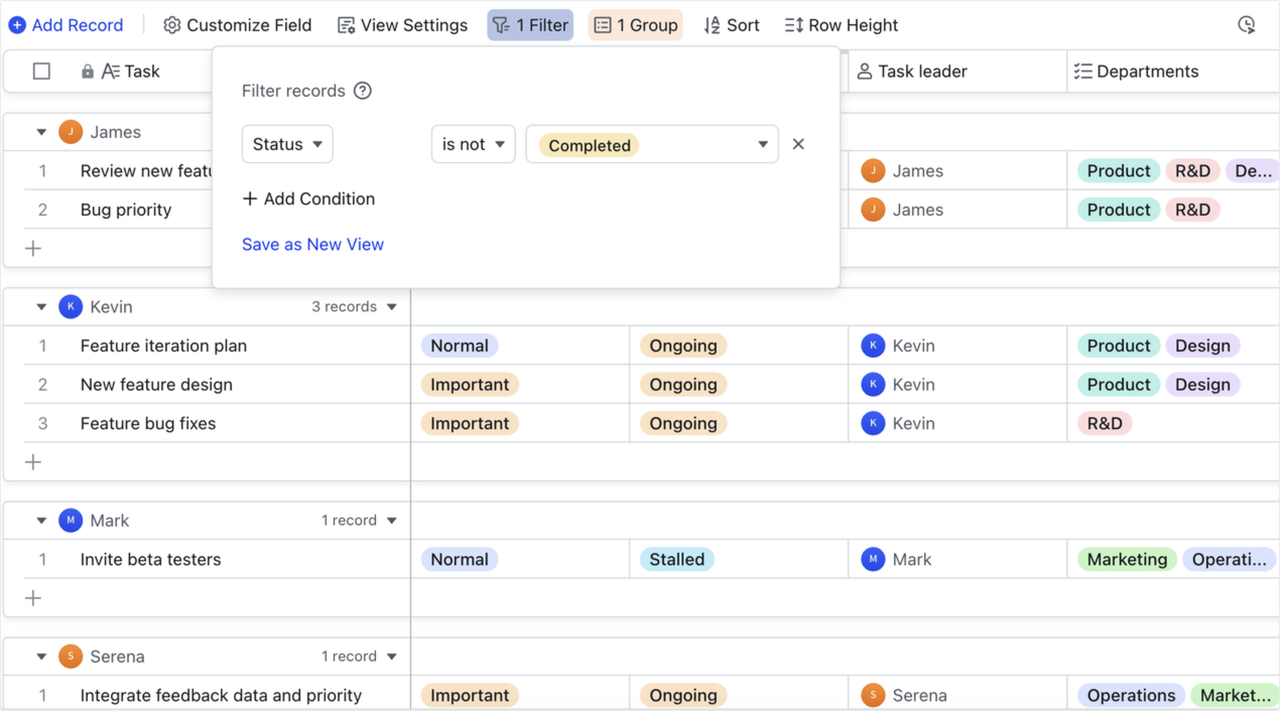
Groups and filters: Find and focus on what matters most
In Jira, navigating large projects can become cumbersome due to complex filters and advanced search configurations. Lark Base streamlines this with easy-to-use grouping and filtering tools, allowing you to instantly focus on key data—such as high-priority tasks, overdue items, or specific project owners. Teams can save filter presets, ensuring quick access to critical insights without needing admin setup.
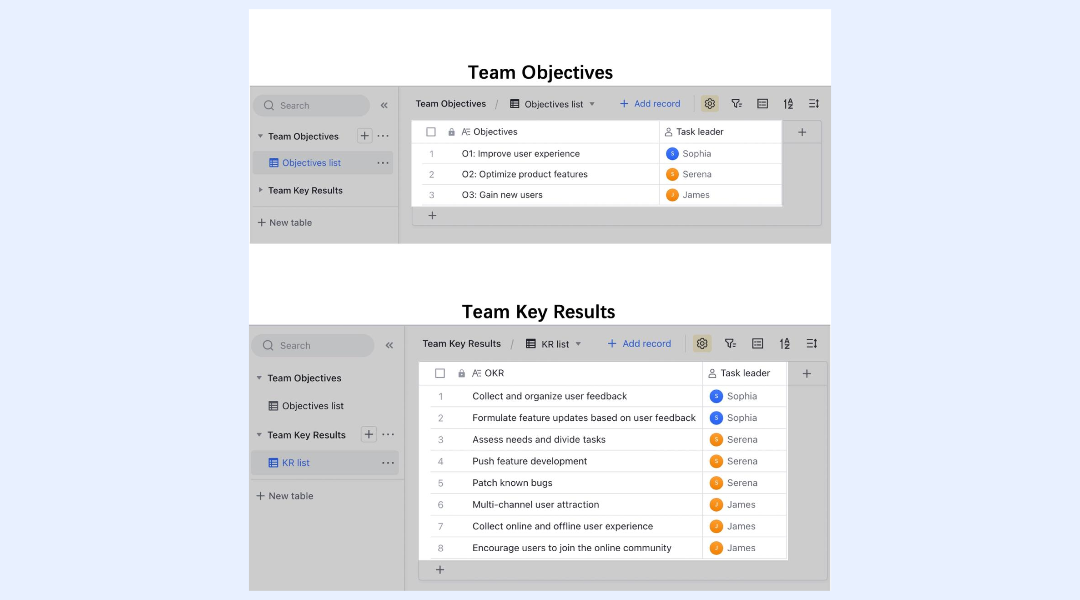
Two-way links: Keep data consistent and connected
Jira's issue linking can be helpful, but often requires manual configuration. Lark offers two-way linking between tables, ensuring that any update made in one record is instantly reflected in the related dataset. For example, updating a client record in your contacts table automatically updates all related projects or invoices. This creates a dynamic, interconnected workspace—reducing duplication and ensuring that everyone always works with real-time data.
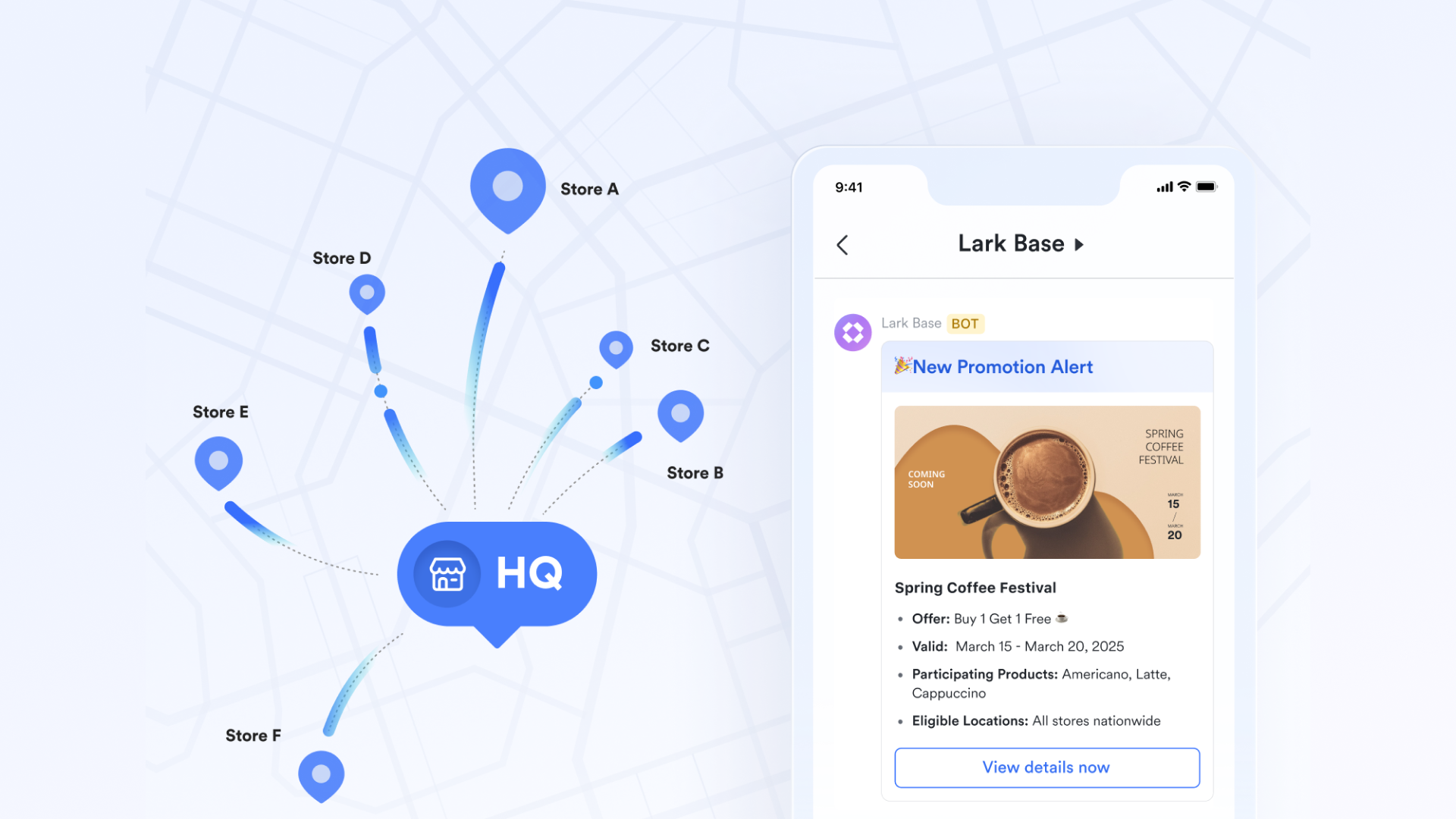
Automated reminders: Never miss a deadline or update
Instead of relying on external notifications or plug-ins, Lark automates reminders natively. You can set triggers to alert team members when deadlines approach, statuses change, or approvals are pending. Notifications appear directly in Lark Messenger or Lark Mail, ensuring that no important update gets lost in a cluttered inbox—something Jira often struggles with in multi-channel environments.
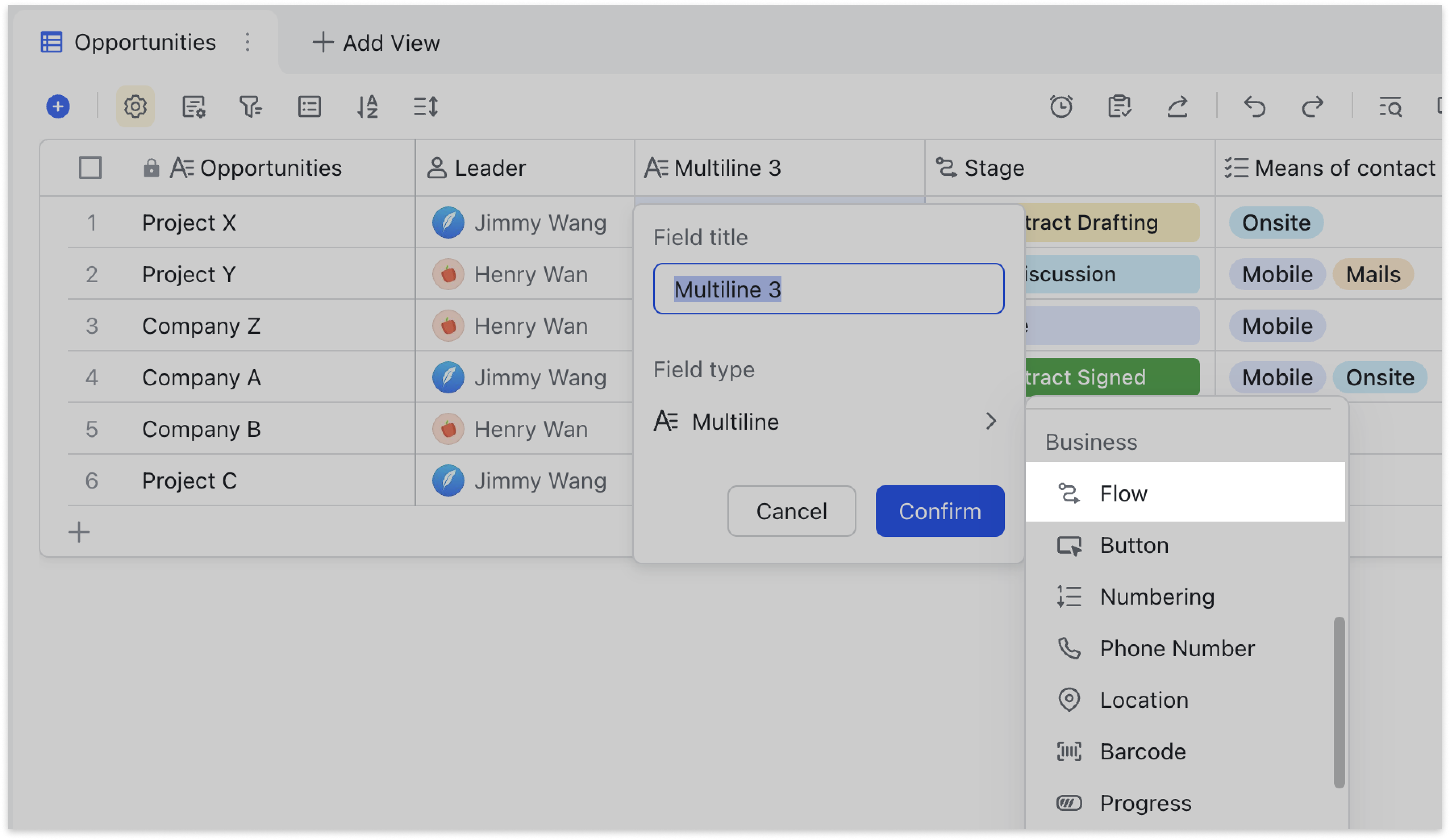
Flow fields: Automate project stages and status tracking
Lark introduces flow fields—intelligent columns that update automatically as tasks move through stages. They help track project health, progress, or bottlenecks without manual input. For teams managing multiple timelines or dependencies, flow fields make it easy to visualize which phase each task is in, providing Jira-level control but with less configuration and more automation.
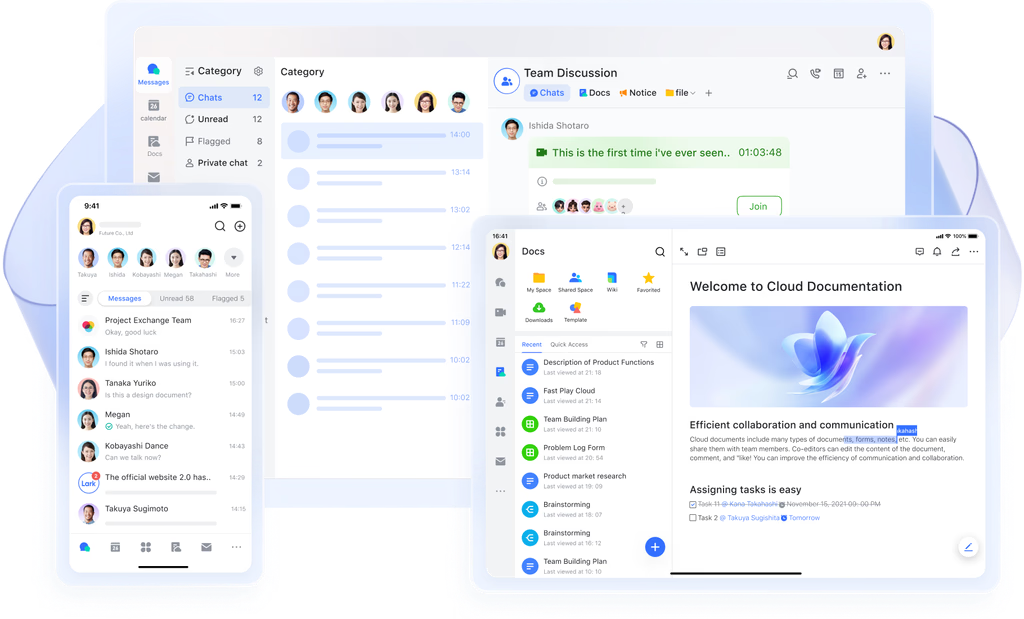
One-click form submissions and mobile syncing: Update work anywhere
Jira's mobile experience can feel limited for quick updates or task creation. Lark solves this with mobile-friendly UI and real-time sync. Team members can submit status reports, upload files, or mark progress in one tap with mobile CRM. All inputs instantly sync to the base and dashboards, keeping every stakeholder aligned regardless of device or location.
- Starter plan: Free forever plan that includes 11 powerful tools for up to 20 users. It also comes with 100GB of storage, 1000 automation runs, AI translations, and more.
- Basic plan: $6/user/month (billed annually) for up to 500 users. It includes everything in Starter plus group calling for up to 500 attendees, 5TB of storage, 1000 automation runs, and more.
- Pro plan: $12/user/month (billed annually) for up to 500 users. It includes everything in Starter plus group calling for up to 500 attendees, 15TB of storage, 50,000 automation runs, and more.
- Enterprise plan: Contact sales for custom pricing. Supports unlimited users and includes even more automation runs and advanced security, compliance, and management features.
Lark vs Jira: Quick comparison snapshot
Both tools support project management, but in very different ways—Jira focuses on structure and tracking, while Lark emphasizes collaboration and speed.
Verdict: When to choose Jira vs when to switch to Lark
Choose Jira if your team is software-focused, depends on sprint tracking, and already works within the Atlassian ecosystem. It's ideal for development-heavy environments that value detailed issue tracking and structured workflows.
Choose Lark if you need a more unified platform that combines communication, collaboration, and project management in one place. It's better suited for modern teams that want to move fast without juggling multiple tools for chat, tasks, and Lark approvals.
Conclusion
Jira remains one of the most powerful tools for structured project management, especially for software and technical teams. For anyone wondering if Jira is good for project management, the answer largely depends on team size and workflow needs. Its detailed tracking, automation, and scalability make it a strong choice for managing complex workflows. However, it can feel overwhelming for teams that value simplicity and real-time collaboration.
That's where alternatives like Lark come in—offering a smoother, all-in-one workspace for communication, task management, and teamwork. Ultimately, the right choice depends on your team's priorities. If precision and process matter most, Jira fits the bill. If speed and collaboration come first, Lark is the smarter pick.
FAQs
Is Jira suitable for non-technical teams or general project management?
While Jira is built primarily for software and agile teams, non-technical teams like marketing or operations may find its setup complex. It can be customized for general project tracking, but tools like Lark offer a simpler, all-in-one workspace that's easier for cross-functional teams to adopt.
Can Jira handle project documentation and collaboration?
Jira doesn't natively include a documentation editor—you'll need Confluence for that. However, this separation can slow collaboration. Platforms like Lark merge project management and documentation in one place with Lark Docs & Wiki, enabling real-time co-editing, comments, and centralized knowledge sharing.
What's the learning curve like for new Jira users?
Jira has a steep learning curve, especially for beginners unfamiliar with agile workflows. Configuring boards, automations, and issue types often requires admin-level setup. In contrast, Lark emphasizes intuitive project setup—letting teams start with ready templates and no technical complexity.
How does Jira pricing compare to other project management tools?
Jira offers a free plan for small teams but charges per user as you scale, with added costs for features like automation and storage. While it's affordable for software teams, businesses seeking built-in communication and collaboration may find Lark's free Starter Plan more cost-efficient.
What's the best Jira alternative for collaborative project management?
If your team prioritizes simplicity, communication, and integrated workflows over advanced issue tracking, Lark is a strong alternative. It unites task tracking, messaging, documentation, and scheduling—giving teams a connected workspace without relying on separate tools.
Related reading
Table of contents
Start using Lark today

Manage all your work in one place
Boost team efficiency by 10x
Save up to 70% on software costs
Table of contents
Start using Lark today
Manage all your work in one place
Boost team efficiency by 10x
Save up to 70% on software costs
Keep reading



Lark recognized in 2023 Gartner® Collaborative Content Workspaces and Meeting Solutions reports
Lark, the global superapp for productivity, is delighted to announce it receives recognition in the Gartner's 2023 Innovation Insight for Collaborative Content Workspaces and Market Guide for Meeting Solutions.





2026 Lark Technologies Pte. Ltd.
Headquartered in Singapore with offices worldwide.






Explore: